Blog

  • 10 Technical AWS Cost Optimization Best Practices for 2025

    10 Technical AWS Cost Optimization Best Practices for 2025

    While many guides on AWS cost optimization skim the surface, the most significant and sustainable savings are found in the technical details. Uncontrolled cloud spend isn't just a budget line item; it's a direct tax on engineering efficiency, scalability, and innovation. A bloated AWS bill often signals underlying architectural inefficiencies, underutilized resources, or a simple lack of operational discipline. This is where engineering and DevOps teams can make the biggest impact.

    This guide moves beyond generic advice like "turn off unused instances" and provides a prioritized, actionable playbook for implementing advanced AWS cost optimization best practices. We will dissect ten powerful strategies, complete with specific configurations, architectural patterns, and the key metrics you need to track. You will learn how to go from reactive cost-cutting to building proactive, cost-aware engineering practices directly into your workflows.
    Expect to find technical deep dives on:

    • Advanced Spot Fleet configurations for production workloads.
    • Automating resource cleanup with Lambda and EventBridge.
    • Optimizing data transfer costs through network architecture.
    • Implementing a robust FinOps culture with actionable governance.

    This is not a theoretical overview. It is a technical manual designed for engineers, CTOs, and IT leaders who are ready to implement changes that deliver measurable, lasting financial impact. Prepare to transform your cloud financial management from a monthly surprise into a strategic advantage.

    1. Reserved Instances (RIs) and Savings Plans

    One of the most impactful AWS cost optimization best practices involves shifting from purely on-demand pricing to commitment-based models. AWS offers two primary options: Reserved Instances (RIs) and Savings Plans. Both reward you with significant discounts, up to 72% off on-demand rates, in exchange for committing to a consistent amount of compute usage over a one or three-year term.

    RIs offer the deepest discounts but require a commitment to a specific instance family, type, and region (e.g., m5.xlarge in us-east-1). Savings Plans provide more flexibility, committing you to a specific hourly spend (e.g., $10/hour) that can apply across various instance families, instance sizes, and even regions.

    When to Use This Strategy

    This strategy is ideal for workloads with predictable, steady-state usage. Think of the core infrastructure that runs 24/7, such as web servers for a high-traffic application, database servers, or caching fleets. For example, a major SaaS provider might analyze its baseline compute needs and cover 70-80% of its production EKS worker nodes or RDS instances with a three-year Savings Plan, leaving the remaining spiky or variable usage to on-demand instances.

    Key Insight: The goal isn't to cover 100% of your usage with commitments. The sweet spot is to cover your predictable baseline, maximizing savings on the infrastructure you know you'll always need, while retaining the flexibility of on-demand for unpredictable bursts.

    Actionable Implementation Steps

    1. Analyze Usage Data: Use AWS Cost Explorer's RI and Savings Plans purchasing recommendations. For a more granular analysis, query your Cost and Usage Report (CUR) using Amazon Athena. Execute a query to find your average hourly EC2 spend by instance family to identify stable baselines, for example: SELECT instance_type, SUM(line_item_unblended_cost) / (720) FROM your_cur_table WHERE line_item_product_code = 'AmazonEC2' AND line_item_line_item_type = 'Usage' GROUP BY 1 ORDER BY 2 DESC;
    2. Start with Savings Plans: If you are unsure about future instance family needs or anticipate technology changes, begin with a Compute Savings Plan. It offers great flexibility and strong discounts. EC2 Instance Savings Plans offer higher discounts but lock you into a specific instance family and region, making them a good choice only after a workload has fully stabilized.
    3. Use RIs for Maximum Savings: For highly stable workloads where you are certain the instance family will not change for the commitment term (e.g., a long-term data processing pipeline on c5 instances), opt for Standard RIs to get the highest possible discount. Convertible RIs offer less discount but allow you to change instance families.
    4. Monitor and Adjust: Regularly use the AWS Cost Management console to track the utilization and coverage of your commitments. Set up a daily alert using AWS Budgets to notify you if your Savings Plans utilization drops below 95%. This indicates potential waste and a need to right-size instances before making future commitments.

    2. Right-Sizing Instances and Resources

    One of the most foundational aws cost optimization best practices is right-sizing: the process of matching instance types and sizes to your actual workload performance and capacity requirements at the lowest possible cost. It's common for developers to over-provision resources to ensure performance, but this "just in case" capacity often translates directly into wasted spend. By analyzing resource utilization, you can eliminate this waste.

    Illustration showing server racks decreasing in size from XL to M to S, representing scaling down.

    Right-sizing involves systematically monitoring metrics like CPU, memory, disk, and network I/O, and then downsizing or terminating resources that are consistently underutilized. For example, a tech startup might discover that dozens of its t3.large instances for a staging environment average only 5% CPU utilization. By downsizing them to t3.medium or even t3.small instances, they could achieve cost reductions of 40-50% on those specific resources with no performance impact.

    When to Use This Strategy

    Right-sizing should be a continuous, cyclical process for all workloads, not a one-time event. It is especially critical after a major application migration to the cloud, before purchasing Savings Plans or RIs (to avoid committing to oversized instances), and for development or test environments where resources are often left running idly. Any resource that isn't part of a dynamic auto-scaling group is a prime candidate for a right-sizing review. In modern systems, this practice complements dynamic scaling; you can learn more about how right-sizing is a key part of optimizing autoscaling in Kubernetes on opsmoon.com.

    Key Insight: Right-sizing isn't just about downsizing. It can also mean upsizing or changing an instance family (e.g., from general-purpose m5 to compute-optimized c5) to better match a workload's profile, which can improve performance and sometimes even reduce costs if a smaller, more specialized instance can do the job more efficiently.

    Actionable Implementation Steps

    1. Identify Candidates with AWS Tools: Leverage AWS Compute Optimizer, which uses machine learning to analyze your CloudWatch metrics and provide specific instance recommendations. For a more proactive approach, export Compute Optimizer data to S3 and query it with Athena to build custom dashboards identifying the largest savings opportunities across your organization.
    2. Establish Baselines: Before making any changes, use Amazon CloudWatch to monitor key metrics (like CPUUtilization, MemoryUtilization via the CloudWatch agent, NetworkIn/Out) on target instances for at least two weeks to understand peak and average usage patterns. Focus on the p95 or p99 percentile for CPU utilization, not the average, to avoid performance issues during peak load.
    3. Test Before Resizing: Always test the proposed new instance size in a staging or development environment that mirrors your production workload. Use load testing tools like JMeter or K6 to simulate peak traffic against the downsized instance to validate that it can handle the performance requirements without degrading user experience.
    4. Automate and Schedule: Implement the change during a planned maintenance window to minimize user impact. For ongoing optimization, create automated scripts or use third-party tools to continuously evaluate utilization and flag right-sizing candidates for quarterly review.

    3. Spot Instances and Spot Fleet Management

    Spot Instances are one of the most powerful AWS cost optimization best practices, allowing you to access spare Amazon EC2 computing capacity at discounts of up to 90% compared to on-demand prices. The trade-off is that these instances can be reclaimed by AWS with a two-minute warning when it needs the capacity back. This makes them unsuitable for every workload but perfect for those that are fault-tolerant, stateless, or flexible.

    A hand-drawn diagram illustrating a central cloud connected to several colored nodes with cost labels.

    To manage this dynamic capacity effectively, AWS provides services like Spot Fleet and EC2 Fleet. These tools automate the process of requesting and maintaining a target capacity by launching instances from a diversified pool of instance types, sizes, and Availability Zones that you define. This diversification significantly reduces the impact of any single Spot Instance interruption.

    When to Use This Strategy

    This strategy is a game-changer for workloads that can handle interruptions and are not time-critical in nature. It's ideal for batch processing jobs, big data analytics, CI/CD pipelines, rendering farms, and machine learning model training. For example, a data analytics firm could use a Spot Fleet to process terabytes of log data overnight, achieving 75% savings without impacting core business operations. Similarly, a genomics research company might run 90% of its complex analysis on Spot Instances, dramatically lowering the cost of discovery.

    Key Insight: The core principle of using Spot effectively is to design for failure. By building applications that can gracefully handle interruptions, such as checkpointing progress or distributing work across many nodes, you can unlock massive savings on compute-intensive tasks that would otherwise be prohibitively expensive.

    Actionable Implementation Steps

    1. Identify Suitable Workloads: Analyze your applications to find fault-tolerant, stateless, and non-production jobs. Batch processing, data analysis (e.g., via EMR), and development/testing environments are excellent starting points.
    2. Diversify Your Fleet: Use EC2 Fleet or Spot Fleet to define a launch template with a wide range of instance types and Availability Zones (e.g., m5.large, c5.large, r5.large across us-east-1a, us-east-1b, and us-east-1c). Use the capacity-optimized allocation strategy to automatically launch Spot Instances from the most available pools, reducing the likelihood of interruption.
    3. Implement Graceful Shutdown Scripts: Configure your instances to detect the two-minute interruption notice. Use the EC2 instance metadata service (http://169.254.169.254/latest/meta-data/spot/termination-time) to trigger a script that saves application state to an S3 bucket, uploads processed data, drains connections from a load balancer, or sends a final log message before the instance terminates.
    4. Combine with On-Demand: For critical applications, use a mixed-fleet approach. Configure an Auto Scaling Group or EC2 Fleet to fulfill a baseline capacity with on-demand or RI/Savings Plan-covered instances ("OnDemandBaseCapacity": 2), then scale out aggressively with Spot Instances ("SpotPercentageAboveBaseCapacity": 80) to handle peak demand or background processing.

    4. Storage Optimization and Tiering

    A significant portion of AWS costs often comes from data storage, yet much of that data is infrequently accessed. Storage optimization is a crucial AWS cost optimization best practice that involves automatically moving data to more cost-effective storage tiers based on its access patterns. By implementing S3 Lifecycle policies, you can transition objects from expensive, high-performance tiers like S3 Standard to cheaper, long-term archival tiers like S3 Glacier Deep Archive.

    This strategy ensures that frequently accessed, mission-critical data remains readily available, while older, less-frequently used data is archived at a fraction of the cost. The process is automated, reducing manual overhead and ensuring consistent governance. For example, a media company can automatically move user-generated video content to S3 Infrequent Access after 30 days and then to S3 Glacier Flexible Retrieval after 90 days, drastically cutting storage expenses without deleting valuable assets.

    When to Use This Strategy

    This strategy is perfect for any application that generates large volumes of data where the access frequency diminishes over time. This includes log files, user-generated content, backups, compliance archives, and scientific datasets. For instance, a healthcare provider can store new patient medical images in S3 Standard for immediate access by doctors, then use a lifecycle policy to transition them to S3 Glacier Deep Archive after seven years to meet long-term retention requirements at the lowest possible cost, achieving savings of over 95%.

    Key Insight: Don't pay premium prices for data you rarely touch. The goal is to align your storage costs with the actual business value and access frequency of your data. S3 Intelligent-Tiering is an excellent starting point as it automates this process for objects with unknown or changing access patterns.

    Actionable Implementation Steps

    1. Analyze Access Patterns: Use Amazon S3 Storage Lens and S3 Storage Class Analysis to understand how your data is accessed. Enable storage class analysis on a bucket to get daily visualizations and data exports that recommend the optimal lifecycle rule based on observed access patterns.
    2. Start with Intelligent-Tiering: For data with unpredictable access patterns, enable S3 Intelligent-Tiering. This service automatically moves data between frequent and infrequent access tiers for you, providing immediate savings with minimal effort. Be aware of the small per-object monitoring fee.
    3. Define Lifecycle Policies: For predictable patterns, create S3 Lifecycle policies. For example, transition application logs from S3 Standard -> S3 Standard-IA after 30 days -> S3 Glacier Flexible Retrieval after 90 days -> Expire after 365 days. Implement this using a JSON configuration in your IaC (Terraform/CloudFormation) for reproducibility and version control.
    4. Test and Monitor: Before applying a policy to a large production bucket, test it on a smaller, non-critical dataset to ensure it behaves as expected. Set up Amazon CloudWatch alarms on the NumberOfObjects metric for each storage class to monitor the transition process. Monitor for unexpected retrieval costs from archive tiers, which can indicate a misconfigured application trying to access cold data.

    5. Automated Resource Cleanup and Scheduling

    One of the most persistent drains on an AWS budget is "cloud waste": resources that are provisioned but no longer in use. This includes unattached EBS volumes, idle RDS instances, old snapshots, and unused Elastic IPs. Automating the cleanup of these resources and scheduling non-critical instances to run only when needed is a powerful AWS cost optimization best practice that directly eliminates unnecessary spend.

    This strategy involves using scripts or services to programmatically identify and act on idle or orphaned infrastructure. For example, a development environment's EC2 and RDS instances can be automatically stopped every evening and weekend, potentially reducing their costs by up to 70%. Similarly, automated scripts can find and delete EBS volumes that haven't been attached to an instance for over 30 days, cutting storage costs.

    When to Use This Strategy

    This strategy is essential for any environment where resources are provisioned frequently, especially in non-production accounts like development, testing, and staging. These environments often suffer from resource sprawl as developers experiment and move on without decommissioning old infrastructure. For instance, a tech company can reduce its dev/test environment costs by 60% by simply implementing an automated start/stop schedule for instances used only during business hours.

    Key Insight: The "set it and forget it" mentality is a major cost driver in the cloud. Automation transforms resource governance from a manual, error-prone chore into a consistent, reliable process that continuously optimizes your environment and prevents cost creep from forgotten assets.

    Actionable Implementation Steps

    1. Establish a Tagging Policy: Before automating anything, implement a comprehensive resource tagging strategy. Use tags like env=dev, owner=john.doe, or auto-shutdown=true to programmatically identify which resources can be safely stopped or deleted. Create a 'protection' tag (e.g., do-not-delete=true) to exempt critical resources.
    2. Automate Scheduling: Use AWS Instance Scheduler or AWS Systems Manager Automation documents to define start/stop schedules based on tags. The Instance Scheduler solution is a CloudFormation template that deploys all necessary components (Lambda, DynamoDB, CloudWatch Events) for robust scheduling.
    3. Implement Cleanup Scripts: Use AWS Lambda functions, triggered by Amazon EventBridge schedules, to regularly scan for and clean up unused resources. Use the AWS SDK (e.g., Boto3 for Python) to list resources, filter for those in an available state (like EBS volumes), check their creation date and tags, and then trigger deletion.
    4. Configure Safe Deletion: For cleanup automation, set up Amazon SNS notifications to alert a DevOps channel before any deletions occur. Initially, run the scripts in a "dry-run" mode that only reports what it would delete. Once confident, enable the deletion logic and review cleanup logs in CloudWatch Logs weekly to ensure accuracy. For more sophisticated tracking, you can explore various cloud cost optimization tools that offer these capabilities.

    6. Reserved Capacity for Databases and Data Warehouses

    Similar to compute savings plans, one of the most effective AWS cost optimization best practices for data-intensive workloads is to leverage reserved capacity. AWS offers reservation models for managed data services like RDS, ElastiCache, Redshift, and DynamoDB, providing substantial discounts of up to 76% compared to on-demand pricing in exchange for a one or three-year commitment.

    This model is a direct application of commitment-based discounts to your data layer. By forecasting your baseline database needs, you can purchase reserved nodes or capacity units, significantly lowering the total cost of ownership for these critical stateful services.

    When to Use This Strategy

    This strategy is essential for any application with a stable, long-term data storage and processing requirement. It is perfectly suited for the production databases and caches that power your core business applications, analytics platforms with consistent query loads, or high-throughput transactional systems. For instance, a financial services firm could analyze its RDS usage and commit to Reserved Instances for its primary PostgreSQL databases, saving over $800,000 annually while leaving capacity for development and staging environments on-demand.

    Key Insight: Database performance and capacity needs often stabilize once an application reaches maturity. Applying reservations to this predictable data layer is a powerful, yet often overlooked, cost-saving lever that directly impacts your bottom-line cloud spend.

    Actionable Implementation Steps

    1. Analyze Historical Utilization: Use AWS Cost Explorer and CloudWatch metrics to review at least three to six months of data for your RDS, Redshift, ElastiCache, or DynamoDB usage. For RDS, look at the CPUUtilization and DatabaseConnections metrics to ensure the instance size is stable before committing. For DynamoDB, analyze ConsumedReadCapacityUnits and ConsumedWriteCapacityUnits to determine your baseline provisioned capacity.
    2. Model with the AWS Pricing Calculator: Before purchasing, use the official calculator to model the exact cost savings. Compare one-year versus three-year terms and different payment options (All Upfront, Partial Upfront, No Upfront) to understand the return on investment. The "All Upfront" option provides the highest discount.
    3. Cover the Baseline, Not the Peaks: Purchase reservations to cover only your predictable, 24/7 baseline. For example, if your Redshift cluster scales between two and five nodes, purchase reservations for the two nodes that are always running. This hybrid approach optimizes cost without sacrificing elasticity.
    4. Set Monitoring and Alerts: Once reservations are active, create CloudWatch Alarms to monitor usage. Set alerts for significant deviations from your baseline, which could indicate an underutilized reservation or an unexpected scaling event that needs to be addressed with on-demand capacity. Use the recommendations in the AWS Cost Management console to track reservation coverage.

    7. Multi-Account Architecture and Cost Allocation

    One of the most foundational AWS cost optimization best practices for scaling organizations is to move beyond a single, monolithic AWS account. A multi-account architecture, managed through AWS Organizations, provides isolation, security boundaries, and most importantly, granular cost visibility. By segregating resources into accounts based on environment (dev, staging, prod), business unit, or project, you can accurately track spending and attribute it to the correct owner.

    This structure is amplified by a disciplined cost allocation tagging strategy. Tags are key-value pairs (e.g., Project:Phoenix, CostCenter:A123) that you attach to AWS resources. When activated in the billing console, these tags become dimensions for filtering and grouping costs in AWS Cost Explorer, enabling precise chargeback and showback models. This transforms cost management from a centralized mystery into a distributed responsibility.

    When to Use This Strategy

    This strategy is essential for any organization beyond a small startup. It's particularly critical for enterprises with multiple departments, product teams, or client projects that need clear financial accountability. For example, a global firm can track the exact AWS spend for each of its 50+ business units, while a tech company can isolate development and testing costs, often revealing and eliminating significant waste from non-production environments that were previously hidden in a single bill.

    Key Insight: A multi-account strategy isn't just an organizational tool; it's a powerful psychological and financial lever. When teams can see their direct impact on the AWS bill, they are intrinsically motivated to build more cost-efficient architectures and clean up unused resources.

    Actionable Implementation Steps

    1. Design Your OU Structure: Before creating accounts, plan your Organizational Unit (OU) structure in AWS Organizations. A common best practice is a multi-level structure: a root OU, then OUs for Security, Infrastructure, Workloads, and Sandbox. Under Workloads, create sub-OUs for Production and Pre-production. Use a service like AWS Control Tower to automate the setup of this landing zone with best-practice guardrails.
    2. Establish a Tagging Policy: Define a mandatory set of cost allocation tags (e.g., owner, project, cost-center). Document this policy as code using a JSON policy file and store it in a version control system.
    3. Automate Tag Enforcement: Use Service Control Policies (SCPs) to enforce tagging at the time of resource creation. For example, create an SCP with a Deny effect on actions like ec2:RunInstances if a request is made without the project tag. Augment this with AWS Config rules like required-tags to continuously audit and flag non-compliant resources.
    4. Activate Cost Allocation Tags: In the Billing and Cost Management console, activate your defined tags. It can take up to 24 hours for them to appear as filterable dimensions in Cost Explorer.
    5. Build Dashboards and Budgets: Create account-specific and tag-specific views in AWS Cost Explorer. Use the API to programmatically create AWS Budgets for each major project tag, sending alerts to a project-specific Slack channel via an SNS-to-Lambda integration when costs are forecasted to exceed the budget.

    8. Serverless Architecture Adoption

    One of the most transformative AWS cost optimization best practices is to shift workloads from provisioned, always-on infrastructure to a serverless model. Adopting services like AWS Lambda, API Gateway, and DynamoDB moves you from paying for idle capacity to a purely pay-per-use model. This paradigm completely eliminates the cost of servers waiting for requests, as you are only billed for the precise compute time and resources your code consumes, down to the millisecond.

    A hand-drawn diagram illustrating cloud architecture with data flow between servers and services.

    This approach is highly effective because it inherently aligns your costs with your application's actual demand, automatically scaling from zero to thousands of requests per second and back down again without manual intervention. A startup, for instance, could launch an MVP using a serverless backend and reduce initial infrastructure costs by over 80% compared to a traditional EC2-based deployment.

    When to Use This Strategy

    This strategy is ideal for event-driven applications, microservices, and workloads with unpredictable or intermittent traffic patterns. It excels for API backends, data processing jobs triggered by S3 uploads, real-time stream processing, or scheduled maintenance tasks. A media company, for example, can leverage Lambda to handle massive traffic spikes during a breaking news event without over-provisioning expensive compute resources that would sit idle the rest of the day.

    Key Insight: The core financial benefit of serverless isn't just avoiding idle servers; it's eliminating the entire operational overhead of patching, managing, and scaling the underlying compute infrastructure. Your teams can focus purely on application logic, which accelerates development and further reduces total cost of ownership.

    Actionable Implementation Steps

    1. Identify Suitable Workloads: Begin by identifying stateless, event-driven components in your application. Look for cron jobs implemented on EC2, image processing functions, or API endpoints with highly variable traffic; these are perfect candidates for a first migration to AWS Lambda and EventBridge.
    2. Start Small: Migrate a single, low-risk microservice first. Refactor its logic into a Lambda function, configure its trigger via API Gateway or EventBridge, and measure the performance and cost impact before expanding the migration. Use frameworks like AWS SAM or the Serverless Framework to manage deployment.
    3. Optimize Lambda Configuration: Use the open-source AWS Lambda Power Tuning tool to find the optimal memory allocation for your functions by running them with different settings and analyzing the results. More memory also means more vCPU, so finding the right balance is key to minimizing both cost and execution time.
    4. Manage Cold Starts: For user-facing, latency-sensitive functions, test the impact of cold starts using tools that invoke your function periodically. Implement Provisioned Concurrency to keep a set number of execution environments warm and ready to respond instantly, ensuring a smooth user experience for a predictable cost.
    5. Implement Robust Monitoring: Use Amazon CloudWatch and AWS X-Ray to gain deep visibility into function performance, identify bottlenecks, and monitor costs. Instrument your Lambda functions with custom metrics (e.g., using the Embedded Metric Format) to track business-specific KPIs alongside technical performance.

    9. Network and Data Transfer Optimization

    While compute and storage often get the most attention, data transfer costs can silently grow into a significant portion of an AWS bill. This aws cost optimization best practice focuses on architecting your network to minimize expensive data transfer paths, which often involves keeping traffic within the AWS network and leveraging edge services. Smart network design can dramatically reduce costs associated with data moving out to the internet, between AWS Regions, or even across Availability Zones.

    This involves strategically using services like Amazon CloudFront to cache content closer to users, implementing VPC Endpoints to keep traffic between your VPC and other AWS services off the public internet, and co-locating resources to avoid inter-AZ charges. For example, a video streaming company can save hundreds of thousands annually by optimizing its CloudFront configuration, while an API-heavy SaaS can cut data transfer costs by nearly half just by using VPC endpoints for S3 and DynamoDB access.

    When to Use This Strategy

    This strategy is critical for any application with a global user base, high data egress volumes, or a multi-region architecture. It is especially vital for media-heavy websites, API-driven platforms, and distributed systems where services communicate across network boundaries. If your Cost and Usage Report shows significant line items for "Data Transfer," such as Region-DataTransfer-Out-Bytes or costs associated with NAT Gateways, it's a clear signal to prioritize network optimization.

    Key Insight: The most expensive data transfer is almost always from an AWS Region out to the public internet. The second most expensive is between different AWS Regions. The cheapest path is always within the same Availability Zone. Architect your applications to keep data on the most cost-effective path for as long as possible.

    Actionable Implementation Steps

    1. Analyze Data Transfer Costs: Use AWS Cost Explorer and filter by "Usage Type Group: Data Transfer." For a deeper dive, query your CUR data in Athena to group data transfer costs by resource ID (line_item_resource_id) to pinpoint exactly which EC2 instances, NAT Gateways, or other resources are generating the most egress traffic.
    2. Deploy Amazon CloudFront: For any public-facing web content (static or dynamic), implement CloudFront. It caches content at edge locations worldwide, reducing data transfer out from your origin (like S3 or EC2) and improving performance for users. Use CloudFront's cache policies and origin request policies to fine-tune caching behavior and maximize your cache hit ratio (aim for >90%).
    3. Implement VPC Endpoints: For services within your VPC that communicate with AWS services like S3, DynamoDB, or SQS, use Gateway or Interface VPC Endpoints. This routes traffic over the private AWS network, completely avoiding costly NAT Gateway processing charges and public internet data transfer fees.
    4. Co-locate Resources: Whenever possible, ensure that resources that communicate frequently, like an EC2 instance and its RDS database, are placed in the same Availability Zone. For higher availability, you can use multiple AZs, but be mindful of the inter-AZ data transfer cost for high-chattiness applications. This cost is $0.01/GB in each direction.

    10. FinOps Culture and Cost Awareness Programs

    Technical tools and strategies are crucial, but one of the most sustainable AWS cost optimization best practices is cultural. Establishing a FinOps (Financial Operations) culture transforms cost management from a reactive, finance-led task into a proactive, shared responsibility across engineering, finance, and operations. It embeds cost awareness directly into the development lifecycle, making every team member a stakeholder in cloud efficiency.

    This approach involves creating cross-functional teams, setting up transparent reporting, and fostering accountability. Instead of a monthly bill causing alarm, engineers can see the cost implications of their code and infrastructure decisions in near real-time, empowering them to build more cost-effective solutions from the start. A strong FinOps program can drive significant, long-term savings by making cost a non-functional requirement of every project.

    When to Use This Strategy

    This strategy is essential for any organization where cloud spend is becoming a significant portion of the budget, especially as engineering teams grow and operate with more autonomy. It is particularly effective in large enterprises with decentralized teams, where a lack of visibility can lead to rampant waste. For example, a tech company might implement cost chargebacks to individual engineering teams, directly tying their budget to the infrastructure they consume and creating a powerful incentive for optimization.

    Key Insight: FinOps isn't about restricting engineers; it's about empowering them with data and accountability. When engineers understand the cost impact of choosing a gp3 volume over a gp2 or a Graviton instance over an Intel one, they naturally start making more cost-efficient architectural choices.

    Actionable Implementation Steps

    1. Gain Executive Sponsorship: Start by building a clear business case for FinOps, outlining potential savings and operational benefits. Secure sponsorship from both technology and finance leadership to ensure cross-departmental buy-in.
    2. Establish a FinOps Team: Create a dedicated, cross-functional team with members from finance, engineering, and operations. This "FinOps Council" will drive initiatives, set policies, and facilitate communication.
    3. Implement Cost Allocation and Visibility: Enforce a comprehensive and consistent tagging strategy for all AWS resources. Use these tags to build dashboards in AWS Cost Explorer or third-party tools, providing engineering teams with clear visibility into their specific workload costs.
    4. Create Awareness and Accountability: Institute a regular cadence of cost review meetings where teams discuss their spending, identify anomalies, and plan optimizations. To establish a robust FinOps culture, it's beneficial to draw insights from broader principles of IT resource governance. Considering general IT Asset Management Best Practices can provide a foundational perspective that complements cloud-specific FinOps initiatives.
    5. Automate Governance: Implement AWS Budgets with automated alerts to notify teams when they are approaching or exceeding their forecast spend. Use AWS Config rules or Service Control Policies (SCPs) to enforce cost-related guardrails, such as preventing the launch of overly expensive instance types in development environments.

    AWS Cost Optimization: 10 Best Practices Comparison

    Option Implementation complexity Resource requirements Expected outcomes (savings) Ideal use cases Key advantages Key drawbacks
    Reserved Instances (RIs) and Savings Plans Medium — requires usage analysis and purchase Cost analysis tools (Cost Explorer), capacity planning, finance coordination 30–72% on compute depending on term and flexibility Predictable, steady-state compute workloads Large discounts; budget predictability; automatic application Long-term commitment; wasted if underused; limited flexibility
    Right-Sizing Instances and Resources Medium — monitoring, testing, possible migrations CloudWatch, Compute Optimizer, test environments, engineering time ~20–40% on compute with proper sizing Over‑provisioned environments and steady workloads Eliminates over‑provisioning waste; quick wins; performance improvements Risk of performance impact if downsized too aggressively; ongoing monitoring
    Spot Instances and Spot Fleet Management High — requires fault-tolerant design and orchestration EC2 Fleet/Spot Fleet, automation, interruption handling, monitoring 60–90% vs on‑demand for suitable workloads Batch jobs, ML training, CI/CD, stateless and fault‑tolerant workloads Very low cost; no long‑term commitment; scalable via diversification Interruptions (2‑min notice); unsuitable for critical/stateful apps; complex ops
    Storage Optimization and Tiering Low–Medium — lifecycle rules and analysis S3 lifecycle/intelligent‑tiering, analytics, tagging, archival management 50–95% for archived data; ~20–40% for mixed workloads Large datasets with variable access (archives, media, compliance) Automated savings; transparent scaling; compliance-friendly options Retrieval costs/delays for archives; policy complexity; upfront analysis needed
    Automated Resource Cleanup and Scheduling Low–Medium — automation and tagging setup AWS Systems Manager, Lambda, Config, tagging strategy, notifications 15–30% removal of unused resources; 20–40% reductions in dev/test via scheduling Non‑production/dev/test, forgotten resources, idle instances Quick ROI; eliminates abandoned costs; reduces manual overhead Risk of accidental deletion; requires strict tagging and review processes
    Reserved Capacity for Databases and Data Warehouses Medium — utilization review and reservation purchase Historical DB metrics, pricing models, finance coordination, monitoring ~40–65% for committed database capacity Predictable database workloads (RDS, Redshift, DynamoDB, ElastiCache) Significant savings; budget predictability; available across DB services Upfront commitment; hard to change; wasted capacity if demand falls
    Multi-Account Architecture and Cost Allocation High — organizational design and governance changes AWS Organizations, Control Tower, tagging standards, ongoing governance Indirect/varies — enables targeted optimizations and chargebacks Large enterprises, many teams/projects, regulated environments Improved visibility, accountability, security isolation, supports FinOps Complex to implement; needs policy alignment and tagging discipline
    Serverless Architecture Adoption Medium–High — requires architectural redesign and migration Dev effort, observability tools, event design, testing for cold starts 40–80% for variable workloads; may increase cost for constant baselines Event‑driven APIs, variable traffic, microservices, short tasks Eliminates idle costs; auto‑scaling; reduced operational overhead Not for long‑running/constant workloads; cold starts; vendor lock‑in; redesign cost
    Network and Data Transfer Optimization Medium — analysis and placement changes CloudFront, VPC endpoints, Global Accelerator, Direct Connect, monitoring ~30–50% of data transfer costs with optimization High data transfer workloads (streaming, multi‑region apps, APIs) Cost + performance gains; reduces inter‑region and NAT charges Complex analysis; configuration/operational overhead; benefits workload‑dependent
    FinOps Culture and Cost Awareness Programs High — organizational and cultural transformation Dedicated FinOps personnel, dashboards, tooling, training, governance 20–40% ongoing savings through sustained practices; TtV 3–6 months Organizations wanting continuous cost governance and cross‑team accountability Sustainable cost optimization; improved forecasting and accountability Time‑intensive to establish; needs executive buy‑in and ongoing commitment

    From Theory to Practice: Implementing Your Cost Optimization Strategy

    Navigating the landscape of AWS cost optimization is not a singular event but a continuous journey of refinement. This article has detailed ten powerful AWS cost optimization best practices, moving from foundational strategies like leveraging Reserved Instances and Savings Plans to more advanced concepts such as FinOps cultural integration and serverless architecture adoption. We've explored the tactical value of right-sizing instances, the strategic power of Spot Instances, and the often-overlooked savings in storage tiering and data transfer optimization. Each practice represents a significant lever you can pull to directly impact your monthly cloud bill and improve your organization's financial health.

    The core takeaway is that effective cost management is a multifaceted discipline. It requires a holistic view that combines deep technical knowledge with a strong financial and operational strategy. Simply buying RIs without right-sizing first is a missed opportunity. Likewise, automating resource cleanup without fostering a culture of cost awareness means you're only solving part of the problem. True mastery lies in weaving these distinct threads together into a cohesive, organization-wide strategy.

    Your Actionable Roadmap to Sustainable Savings

    To transition from reading about these best practices to implementing them, you need a clear, prioritized action plan. Don't try to tackle everything at once. Instead, adopt a phased approach that delivers incremental wins and builds momentum for larger initiatives.

    Here are your immediate next steps:

    1. Establish Baseline Visibility: Your first move is to understand precisely where your money is going. Use AWS Cost Explorer and Cost and Usage Reports (CUR) to identify your top spending services. Activate cost allocation tags for all new and existing resources to attribute spending to specific projects, teams, or applications. Without this granular visibility, all other efforts are just guesswork.
    2. Target the "Quick Wins": Begin with the lowest-hanging fruit to demonstrate immediate value. This often includes:
      • Identifying and Terminating Unused Resources: Run scripts to find unattached EBS volumes, idle EC2 instances, and unused Elastic IP addresses.
      • Implementing Basic S3 Lifecycle Policies: Automatically transition older, less-frequently accessed data in your S3 buckets from Standard to Infrequent Access or Glacier tiers.
      • Enabling AWS Compute Optimizer: Use this free tool to get initial recommendations for right-sizing your EC2 instances and Auto Scaling groups.
    3. Develop a Long-Term Governance Plan: Once you've secured initial savings, shift your focus to proactive governance. This involves creating and enforcing policies that prevent cost overruns before they happen. Define your strategy for using Savings Plans, establish budgets with AWS Budgets, and create automated alerts that notify stakeholders when spending thresholds are at risk of being breached. This is where a true FinOps culture begins to take root.

    Beyond Infrastructure: A Holistic Approach

    While optimizing your AWS infrastructure is critical, remember that your cloud spend is directly influenced by how your applications are built and managed. Inefficient code, monolithic architectures, and suboptimal development cycles can lead to unnecessarily high resource consumption. For a more complete financial strategy, it's wise to also examine the development lifecycle itself. Beyond optimizing cloud infrastructure, a comprehensive cost strategy also involves evaluating and improving software development processes and architecture, where you can find practical guidance on implementing effective strategies to reduce software development costs. By pairing infrastructure efficiency with development discipline, you create a powerful, two-pronged approach to financial optimization that drives sustainable growth.


    Ready to turn these AWS cost optimization best practices into tangible savings but need the expert horsepower to execute? OpsMoon connects you with elite, pre-vetted DevOps and Platform engineers who specialize in architecting and implementing cost-efficient cloud solutions. Start with a free work planning session to build your strategic roadmap and let us match you with the perfect talent to bring it to life at OpsMoon.

  • Linkerd vs Istio: A Technical Comparison for Engineers

    Linkerd vs Istio: A Technical Comparison for Engineers

    The fundamental choice between Linkerd and Istio reduces to a classic engineering trade-off: operational simplicity versus feature-rich extensibility.

    For teams that prioritize minimal resource overhead, predictable performance, and rapid implementation, Linkerd is the technically superior choice. Conversely, for organizations with complex, heterogeneous environments and a dedicated platform engineering team, Istio provides a deeply customizable, albeit operationally demanding, control plane.

    Choosing Your Service Mesh: A Technical Guide

    Selecting a service mesh is a significant architectural commitment that directly impacts the reliability, security, and observability of your Kubernetes workloads. The decision hinges on a critical trade-off: operational simplicity versus feature depth. Linkerd and Istio represent opposing philosophies on this spectrum.

    Linkerd is engineered from the ground up for simplicity and efficiency. It delivers core service mesh functionalities—like mutual TLS (mTLS) and Layer 7 observability—with a "just works" operational model. Its lightweight, Rust-based "micro-proxies" are purpose-built to minimize performance overhead, a critical factor in latency-sensitive applications.

    Istio, conversely, leverages the powerful and feature-complete Envoy proxy. It offers an extensive API for fine-grained traffic management, advanced security policy enforcement, and broad third-party extensibility. This flexibility is invaluable for organizations that require granular control over their service-to-service communication, but it necessitates significant investment in platform engineering expertise to manage its complexity.

    The core dilemma in the Linkerd vs. Istio debate is not determining which mesh is "better" in the abstract. It is about aligning a specific tool with your organization's technical requirements, operational maturity, and engineering resources. The cost of advanced features must be weighed against the operational overhead required to maintain them.

    Linkerd vs Istio At a Glance

    This table provides a high-level technical comparison, highlighting the core philosophical and architectural differences that inform the choice between the two service meshes.

    Attribute Linkerd Istio
    Core Philosophy Simplicity, performance, and operational ease. Extensibility, feature-richness, and deep control.
    Ease of Use Designed for a "just works" experience. Simple to operate. Steep learning curve; requires significant expertise.
    Data Plane Proxy Ultra-lightweight, Rust-based "micro-proxy". Feature-rich, C++-based Envoy proxy.
    Resource Use Very low CPU and memory footprint. Significantly higher resource requirements.
    mTLS Enabled by default with zero configuration. Highly configurable via detailed policy CRDs.
    Primary Audience Teams prioritizing velocity and low operational overhead. Enterprises with complex networking and security needs.

    This overview sets the stage for a deeper analysis of architecture, features, and operational realities.

    A hand-drawn chart comparing Linkerd and Istio, highlighting their features and trade-offs.

    Comparing Service Mesh Architectures

    The architectural design of a service mesh directly dictates its performance profile, resource consumption, and operational complexity. Linkerd and Istio present two fundamentally different approaches to managing service-to-service communication within a cluster. A clear understanding of these architectural distinctions is critical for selecting the right tool.

    How these advanced networking tools function as critical components within your overall tech stack is the first step. Linkerd is architected around a principle of minimalism, featuring a lightweight control plane and a highly efficient data plane.

    Istio adopts a more comprehensive, feature-rich architecture. This design prioritizes flexibility and granular control, which inherently results in a more complex system with a larger resource footprint.

    Linkerd: The Minimalist Control plane and Micro-Proxy

    Linkerd's control plane is intentionally lean, comprising a small set of core components responsible for configuration, telemetry aggregation, and identity management. This minimalist design simplifies operations and significantly reduces the memory and CPU overhead required to run the mesh.

    The key differentiator for Linkerd is its data plane, which utilizes an ultra-lightweight "micro-proxy" written in Rust. This proxy is not a general-purpose networking tool; it is purpose-built for core service mesh functions: mTLS, telemetry, and basic traffic shifting. By avoiding the feature bloat of a general-purpose proxy, the Linkerd proxy adds negligible latency overhead to service requests.

    Proxy injection is straightforward: annotating a pod with linkerd.io/inject: enabled triggers a mutating admission webhook that automatically adds the initContainer and the linkerd-proxy sidecar.

    # Example Pod Spec after Linkerd Injection
    spec:
      containers:
      - name: my-app
        image: my-app:1.0
      # --- Injected by Linkerd ---
      - name: linkerd-proxy
        image: cr.l5d.io/linkerd/proxy:stable-2.14.0
        ports:
        - name: linkerd-proxy
          containerPort: 4143
        # ... other proxy configurations
      initContainers:
      # The init container sets up iptables rules to redirect traffic through the proxy
      - name: linkerd-init
        image: cr.l5d.io/linkerd/proxy-init:v2.0.0
        args:
        - --incoming-proxy-port
        - '4143'
        # ... other args for traffic redirection
    

    The choice of Rust for Linkerd's proxy is a significant architectural decision. It provides memory safety guarantees without the performance overhead of a garbage collector, resulting in a smaller, faster, and more secure data plane specifically optimized for the service mesh role.

    Istio: The Monolithic Control Plane and Envoy Proxy

    Istio's architecture centers on a monolithic control plane binary, istiod, which consolidates the functions of formerly separate components like Pilot, Citadel, and Galley. This binary is responsible for service discovery, configuration propagation (via xDS APIs), and certificate management. While this consolidation simplifies deployment compared to older Istio versions, istiod remains a substantial, resource-intensive component.

    The data plane is powered by the Envoy proxy, a high-performance, C++-based proxy developed at Lyft. Envoy is exceptionally powerful and extensible, supporting a vast array of protocols and advanced traffic management features far beyond Linkerd's scope. This power comes at the cost of significant resource consumption and configuration complexity. Effective Istio administration often requires deep expertise in Envoy's configuration and operational nuances, contributing to Istio's steep learning curve.

    This architectural difference has a direct, measurable impact on performance. Benchmarks consistently demonstrate Linkerd's efficiency advantage. In production-grade load tests running 2,000 requests per second (RPS), Linkerd exhibited 163 milliseconds lower P99 latency than Istio.

    Furthermore, Linkerd's Rust-based proxy consumes an order of magnitude less CPU and memory, often 40-60% fewer resources than Envoy. The Linkerd control plane can operate with 200-300MB of memory, whereas Istio's istiod typically requires 1GB or more in a production environment. You can review detailed findings on service mesh performance for a comprehensive analysis. This level of efficiency is critical for organizations implementing microservices architecture design patterns, where minimizing per-pod overhead is paramount.

    Analyzing Core Traffic Management Features

    Traffic management is where the core philosophies of Linkerd and Istio become most apparent. Both meshes can implement essential patterns like canary releases and circuit breaking, but their respective APIs and operational models differ significantly.

    This choice directly impacts your team's daily workflows and the overall complexity of your CI/CD pipeline. Linkerd leverages standard Kubernetes resources and supplements them with its own lightweight CRDs, whereas Istio introduces a powerful but complex set of its own Custom Resource Definitions (CRDs) for traffic engineering.

    Canary Releases: A Practical Comparison

    Implementing a canary release is a primary use case for a service mesh. The objective is to direct a small percentage of production traffic to a new service version to validate its stability before a full rollout.

    With Linkerd, this is typically orchestrated by a progressive delivery tool like Flagger or Argo Rollouts. These tools manipulate standard Kubernetes Service and Deployment objects to shift traffic. The mesh observes these changes and enforces the traffic split, keeping the logic declarative and Kubernetes-native.

    Istio, in contrast, requires explicit traffic routing rules defined using its VirtualService and DestinationRule CRDs. This provides powerful, fine-grained control but adds a layer of mesh-specific configuration that must be managed.

    Consider a simple 90/10 traffic split.

    Istio VirtualService for Canary Deployment

    apiVersion: networking.istio.io/v1alpha3
    kind: VirtualService
    metadata:
      name: my-service-vs
    spec:
      hosts:
      - my-service
      http:
      - route:
        - destination:
            host: my-service
            subset: v1
          weight: 90
        - destination:
            host: my-service
            subset: v2
          weight: 10
    

    This YAML explicitly instructs the Istio data plane to route 90% of traffic for the my-service host to pods in the v1 subset and 10% to the v2 canary subset. This level of granular control is a key strength of Istio, but it requires learning and maintaining mesh-specific APIs. Linkerd's approach, relying on external controllers to manipulate standard Kubernetes objects, feels less intrusive to teams already proficient with kubectl.

    Retries and Timeouts

    Configuring reliability patterns like retries and timeouts further highlights the philosophical divide. Both meshes excel at preventing cascading failures by intelligently retrying transient errors or enforcing request timeouts.

    Linkerd manages this behavior via a ServiceProfile CRD. This resource is applied to a standard Kubernetes Service and provides directives to Linkerd's proxies regarding request handling for that service.

    Linkerd ServiceProfile for Retries

    apiVersion: linkerd.io/v1alpha2
    kind: ServiceProfile
    metadata:
      name: my-service.default.svc.cluster.local
    spec:
      routes:
      - name: POST /api/endpoint
        condition:
          method: POST
          pathRegex: /api/endpoint
        isRetryable: true
        timeout: 200ms
    

    In this configuration, only POST requests to the specified path are marked as retryable, with a strict 200ms timeout. The rule is scoped, declarative, and directly associated with the Kubernetes Service it configures.

    Istio again utilizes its VirtualService CRD, which offers a more extensive set of matching conditions and retry policies.

    Istio VirtualService for Retries

    apiVersion: networking.istio.io/v1alpha3
    kind: VirtualService
    metadata:
      name: my-service-vs
    spec:
      hosts:
      - my-service
      http:
      - route:
        - destination:
            host: my-service
        retries:
          attempts: 3
          perTryTimeout: 2s
          retryOn: 5xx
    

    Here, Istio defines a broader policy: retry any request to my-service up to three times if it fails with a 5xx status code. This is powerful but decouples the reliability configuration from the service manifest itself.

    The key takeaway is technical: Linkerd's traffic management is service-centric, designed as a lightweight extension of the Kubernetes resource model. Istio's is route-centric, providing a powerful, independent API for network traffic control that operates alongside Kubernetes APIs.

    Observability: Golden Metrics vs. Deep Telemetry

    The two meshes have distinct observability philosophies. Linkerd provides the "golden metrics"—success rate, requests per second, and latency—for all HTTP, gRPC, and TCP traffic out of the box, with zero configuration. For many teams, this provides immediate, actionable insight into service health and performance.

    This data highlights how Linkerd's lower resource footprint and latency contribute to its philosophy of providing essential metrics with minimal overhead.

    Istio, leveraging the extensive capabilities of the Envoy proxy, can generate a vast amount of detailed telemetry. While requiring more configuration, this allows for highly customized dashboards and deep, protocol-specific analysis. For teams requiring this level of insight, a robust Prometheus service monitoring setup is essential to effectively capture and analyze this rich data stream.

    Implementing Security and mTLS

    Securing inter-service communication is a primary driver for service mesh adoption. Mutual TLS (mTLS) encrypts all in-cluster traffic, mitigating the risk of eavesdropping and man-in-the-middle attacks. The Linkerd vs Istio comparison reveals two distinct approaches to implementing this critical security control.

    Linkerd's philosophy is "secure by default," whereas Istio provides a flexible, policy-driven security model. A service mesh is a foundational component for a modern security posture, enabling mTLS and the fine-grained access controls required for a Zero Trust Architecture Design.

    Two hand-drawn diagrams comparing certificate authority architectures and secure communication flows, one involving Linkerd.

    Linkerd and Zero-Trust by Default

    Linkerd's approach to security prioritizes simplicity and immediate enforcement. Upon installation, the Linkerd control plane deploys its own lightweight certificate authority. When a service is added to the mesh, mTLS is automatically enabled for all traffic to and from its pods.

    This "zero-trust by default" model requires no additional configuration to achieve baseline traffic encryption.

    • Automatic Certificate Management: The Linkerd control plane manages the entire certificate lifecycle—issuance, rotation, and revocation—transparently.
    • SPIFFE Identity: Each workload is issued a cryptographically verifiable identity compliant with the SPIFFE standard, based on its Kubernetes Service Account.
    • Operational Simplicity: The operational burden is minimal. Encryption is an inherent property of the mesh, not a feature that requires explicit policy configuration.

    This model is ideal for teams that need to meet security and compliance requirements quickly without dedicating engineering resources to managing complex security policies.

    Linkerd's security philosophy posits that encryption should be a non-negotiable default, not an optional feature. By making mTLS automatic and transparent, it eliminates the risk of human error leaving service communication unencrypted in production.

    Istio and Flexible Security Policies

    Istio provides a more granular and powerful security toolkit, but this capability requires explicit configuration. Rather than being universally "on," mTLS in Istio is managed through specific Custom Resource Definitions (CRDs).

    The primary resource for this is PeerAuthentication. This CRD allows administrators to define mTLS policies at various scopes: mesh-wide, per-namespace, or per-workload.

    The mTLS mode can be configured as follows:

    1. PERMISSIVE: The proxy accepts both mTLS-encrypted and plaintext traffic. This mode is essential for incremental migration to the service mesh.
    2. STRICT: Only mTLS-encrypted traffic is accepted; all plaintext connections are rejected.
    3. DISABLE: mTLS is disabled for the specified workload(s).

    To enforce strict mTLS for an entire namespace, you would apply the following manifest:

    apiVersion: security.istio.io/v1beta1
    kind: PeerAuthentication
    metadata:
      name: "default"
      namespace: "my-app-ns"
    spec:
      mtls:
        mode: STRICT
    

    This level of control is a key differentiator in the Linkerd vs Istio debate. Istio also supports integration with external Certificate Authorities, such as HashiCorp Vault or an internal corporate PKI, a common requirement in large enterprises.

    For organizations subject to strict compliance regimes, applying Kubernetes security best practices becomes a matter of defining explicit, auditable Istio policies. While this requires more initial setup, it provides platform teams with precise control over the security posture of every service, making it better suited for environments with complex and varied security requirements.

    When you're picking a service mesh, the initial install is just the beginning. The real story unfolds during "Day 2" operations—the endless cycle of upgrades, debugging, and routine maintenance. This is where the true cost of ownership for Linkerd vs. Istio becomes painfully obvious, and where their core philosophies directly hit your team's sanity and budget.

    Linkerd is built around a "just works" philosophy, which almost always means less operational headache. Its architecture is deliberately simple, making upgrades feel less like a high-wire act and debugging far more straightforward. For any team that doesn't have a dedicated platform engineering squad, Linkerd’s simplicity is a game-changer. It lets developers get back to building features instead of fighting with the mesh.

    Istio, on the other hand, comes with a much steeper learning curve and a heavier operational load. All its power is in its deep customizability, but that power demands specialized expertise to manage without causing chaos. Teams running Istio in production typically need dedicated engineers who live and breathe its complex CRDs, understand the quirks of the Envoy proxy, and can navigate its deep ties into the Kubernetes networking stack.

    The Real Cost of Upgrades and Maintenance

    Upgrading your service mesh is one of those critical, high-stress moments. A bad upgrade can take down traffic across your entire cluster. Here, the difference between the two is night and day.

    Linkerd's upgrade process is usually a non-event. The linkerd upgrade command does most of the work, and because its components are simple and decoupled, the risk of some weird cascading failure is low. The project's focus on a minimal, solid feature set means fewer breaking changes between versions, which translates to a predictable and quick maintenance routine.

    Istio upgrades are a much bigger deal. While the process has gotten better with tools like istioctl upgrade, the sheer number of moving parts—from the istiod control plane to every single Envoy sidecar and a whole zoo of CRDs—creates way more things that can go wrong. It’s common practice to recommend canary control plane deployments for Istio just to lower the risk, which is yet another complex operational task to manage.

    The operational burden isn’t just about man-hours; it’s about cognitive load. Linkerd is designed to stay out of your way, minimizing the mental overhead required for daily management. Istio demands constant attention and deep expertise to operate reliably at scale.

    Ecosystem Integration and Support

    Both Linkerd and Istio play nice with the cloud-native world, especially core tools like Prometheus and Grafana. Linkerd gives you out-of-the-box dashboards that light up its "golden metrics" with zero setup. Istio offers far more extensive telemetry that you can use to build incredibly detailed custom dashboards, but that's on you to set up and maintain.

    When it comes to ingress controllers, both are flexible. Istio has its own powerful Gateway resource that can act as a sophisticated entry point for traffic. Linkerd, true to form, just works seamlessly with any standard ingress controller you already use, like NGINX, Traefik, or Emissary-ingress.

    The community and support landscape is another big piece of the puzzle. Both projects are CNCF-graduated and have lively communities. But you can see their philosophies reflected in their adoption trends. Linkerd has seen explosive growth, particularly among teams that value simplicity and getting things done fast.

    According to a CNCF survey analysis, Linkerd saw a 118% overall growth rate between 2020 and 2021, with its production usage actually surpassing Istio's in North America and Europe. More recent 2024 data shows that 73% of survey participants chose Linkerd for current or planned use, compared to just 34% for Istio. This points to a major industry shift toward less complex tools. You can dig into these adoption trends and their implications yourself. The data suggests that for a huge number of use cases, Linkerd’s minimalist approach gets you to value much faster with a significantly lower long-term operational bill.

    Making The Right Choice: A Decision Framework

    A handwritten diagram comparing Linkerd and Istio based on team size, time to production, and resource priority.

    Here's the bottom line: choosing between Linkerd and Istio isn't really a feature-to-feature battle. It’s a strategic decision that hinges on your team's expertise, your company's goals, and how much operational horsepower you're willing to invest.

    This framework is about getting past the spec sheets. It’s about asking the right questions. Are you a lean team trying to ship fast and need something that just works? Or are you a large enterprise with a dedicated platform team ready to tame a complex beast for ultimate control? Your answer is your starting point.

    When To Bet On Linkerd

    Linkerd is the pragmatic pick. It's for teams who see a service mesh as a utility—something that should deliver immediate value without becoming a full-time job. Speed, simplicity, and low overhead are the name of the game here.

    You should seriously consider Linkerd if your organization:

    • Is just starting with service mesh: Its famous "just works" installation and automatic mTLS mean you get security and observability right out of the box. It’s the perfect on-ramp for a first-time adoption.
    • Cares deeply about performance: If your application is sensitive to every millisecond of latency, Linkerd’s feather-light Rust proxy gives you a clear edge with a much smaller resource footprint.
    • Needs to move fast: The goal is to get core service mesh benefits—like traffic visibility and encrypted communications—in days, not months. Linkerd’s simplicity gets you there quicker and with less risk.

    Linkerd's core philosophy is simple: deliver 80% of the service mesh benefits for 20% of the operational pain. It's built for teams that need to focus on their applications, not on managing the mesh.

    When To Go All-In On Istio

    Istio is a powerhouse. Its strength is its incredible flexibility and deep feature set, making it the go-to for complex, large-scale environments with very specific, demanding needs. Think of it as a toolkit for surgical control over your network.

    Istio is the logical choice when your organization:

    • Has complex networking puzzles to solve: For multi-cluster, multi-cloud, or hybrid setups that demand sophisticated routing, Istio’s Gateways and VirtualServices offer control that is second to none.
    • Manages more than just HTTP/gRPC: If you're dealing with raw TCP traffic, MongoDB connections, or other L4 protocols, Istio's Envoy-based data plane is built for it.
    • Has a dedicated platform engineering team: Let's be honest, Istio is complex. A successful adoption requires engineers who can invest the time to manage it. If you have that team, the payoff is immense.

    Ultimately, it’s a classic trade-off. Linkerd gets you to value faster with a lower long-term operational cost. Istio provides a powerful, if complex, solution for the toughest networking challenges at scale. This framework should help you see which path truly aligns with your team and your goals.

    Technical Decision Matrix Linkerd vs Istio

    To make this even more concrete, here's a decision matrix mapping specific technical needs to the right tool. Use this to guide conversations with your engineering team and clarify which mesh aligns with your actual day-to-day requirements.

    Use Case / Requirement Choose Linkerd If… Choose Istio If…
    Primary Goal You need security and observability with minimal effort. You need granular traffic control and maximum extensibility.
    Team Structure You have a small-to-medium team with limited DevOps capacity. You have a dedicated platform or SRE team to manage the mesh.
    Performance Priority Latency is critical; you need the lightest possible proxy. You can tolerate slightly higher latency for advanced features.
    Protocol Support Your services primarily use HTTP, gRPC, or TCP. You need to manage a wide array of L4/L7 protocols (e.g., Kafka, Redis).
    Multi-Cluster You have basic multi-cluster needs and value simplicity. You have complex multi-primary or multi-network topologies.
    Security Needs Zero-config, automatic mTLS is sufficient for your compliance. You require fine-grained authorization policies (e.g., JWT validation).
    Extensibility You're happy with the core features and don't plan to customize. You plan to use WebAssembly (Wasm) plugins to extend proxy functionality.
    Time to Value You need to be in production within days or a few weeks. You have a longer implementation timeline and can absorb the learning curve.

    This matrix isn't about finding a "winner." It's about matching the tool to the job. Linkerd is designed for simplicity and speed, making it a fantastic choice for the majority of use cases. Istio is built for power and control, excelling where complexity is a given. Choose the one that solves your problems, not the one with the longest feature list.

    Common Technical Questions

    When you get past the high-level feature lists in any Linkerd vs Istio debate, a few hard-hitting technical questions always come up. These are the ones that really get to the core of implementation pain, long-term strategy, and where the service mesh world is heading.

    Can I Actually Migrate Between Linkerd and Istio?

    Yes, a migration is technically feasible, but it is a major engineering effort, not a simple swap. The two service meshes use fundamentally incompatible CRDs and configuration models, so an in-place migration of a running workload is impossible.

    The only viable strategy is a gradual, namespace-by-namespace migration. This involves running both Linkerd and Istio control planes in the same cluster simultaneously, each managing a distinct set of namespaces. You would then methodically move services from a Linkerd-managed namespace to an Istio-managed one (or vice versa), which involves changing annotations, redeploying workloads, and re-configuring traffic policies using the target mesh's CRDs. This dual-mesh approach introduces significant operational complexity around observability and policy enforcement during the migration period.

    Does Linkerd's Simplicity Mean It's Not "Enterprise-Ready"?

    This is a common misconception that conflates complexity with capability. Linkerd's design philosophy is simplicity, but this does not render it unsuitable for large-scale, demanding production environments. In fact, its low resource footprint, predictable performance, and high stability are significant advantages at scale.

    Linkerd is widely used in production by major enterprises. Its core feature set—automatic mTLS, comprehensive L7 observability, and simple traffic management—addresses the primary requirements of the vast majority of enterprise use cases.

    The key takeaway here is that "enterprise-ready" should not be synonymous with "complex." For many organizations, Linkerd's reliability and low operational overhead make it the more strategic enterprise choice, as it allows engineering teams to focus on application development rather than mesh administration.

    How Does Istio Ambient Mesh Change the Game?

    Istio's Ambient Mesh represents a significant architectural evolution toward a sidecar-less model. Instead of injecting a proxy into each application pod, Ambient Mesh utilizes a shared, node-level proxy (ztunnel) for L4 functionality (like mTLS) and optional, per-service-account waypoint proxies for L7 processing (like traffic routing and retries).

    This design directly addresses the resource overhead and operational friction associated with the traditional sidecar model.

    • Performance: Ambient significantly reduces the per-pod resource cost, closing the gap with Linkerd, particularly in clusters with high pod density. However, recent benchmarks indicate that Linkerd's purpose-built micro-proxy can still maintain a latency advantage under heavy, production-like loads.
    • Operational Complexity: For application developers, Ambient simplifies operations by decoupling the proxy lifecycle from the application lifecycle (i.e., no more pod restarts to update the proxy). However, the underlying complexity of Istio's configuration model and its extensive set of CRDs remains, preserving the steep learning curve for platform operators.

    While Ambient Mesh makes Istio a more compelling option from a resource efficiency standpoint, it does not fundamentally alter the core trade-off. The decision between Linkerd vs Istio still hinges on balancing Linkerd's operational simplicity against Istio's extensive feature set and configuration depth.


    Figuring out which service mesh is right for you—and then actually implementing it—requires some serious expertise. OpsMoon connects you with the top 0.7% of DevOps engineers who can guide your Linkerd or Istio journey, from the first evaluation to running it all in production. Get started with a free work planning session at https://opsmoon.com.

  • A Practical Guide to Prometheus Service Monitoring

    A Practical Guide to Prometheus Service Monitoring

    Prometheus is an open-source monitoring and alerting toolkit designed for reliability and scalability. It operates on a pull-based model, actively scraping time-series data from configured endpoints over HTTP. This approach is highly effective in dynamic, cloud-native environments, providing a robust foundation for a comprehensive observability platform.

    Understanding Your Prometheus Monitoring Architecture

    Before deploying Prometheus, it is crucial to understand its core components and data flow. The architecture is centered around the Prometheus server, which handles metric scraping, storage, and querying. However, the server does not interface directly with your services.

    Instead, it utilizes exporters—specialized agents that run alongside target applications (e.g., a PostgreSQL database or a Redis cache). An exporter's function is to translate the internal metrics of a service into the Prometheus exposition format and expose them via an HTTP endpoint for the server to scrape.

    This decoupled architecture creates a resilient and efficient data pipeline. The primary components include:

    • Prometheus Server: The core component responsible for service discovery, metric scraping, and storing time-series data.
    • Exporters: Sidecar processes that convert third-party system metrics into the Prometheus format.
    • Time-Series Database (TSDB): An integrated, highly efficient on-disk storage engine optimized for the high-volume, high-velocity nature of metric data.
    • PromQL (Prometheus Query Language): A powerful and expressive functional query language for selecting and aggregating time-series data in real-time.

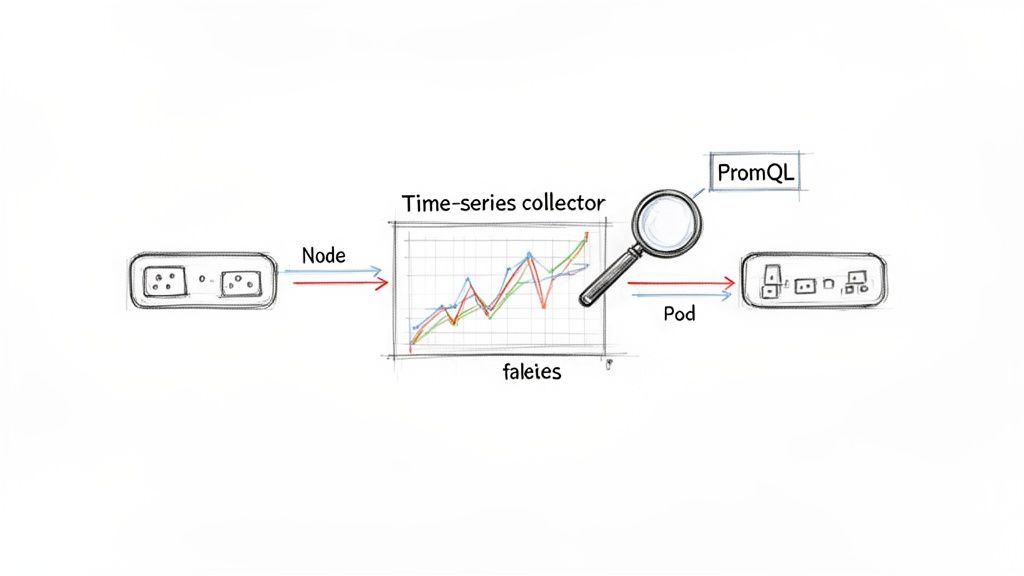
    The following diagram illustrates the high-level data flow, where the server discovers targets, pulls metrics from exporters, and stores the data in its local TSDB.

    Prometheus architecture hierarchy diagram illustrates server, exporters, and TSDB components.

    This architecture emphasizes decoupling: the Prometheus server discovers and pulls data without requiring any modification to the monitored services, which remain agnostic of the monitoring system.

    Prometheus Deployment Models Compared

    Prometheus offers flexible deployment models that can scale from small projects to large, enterprise-grade systems. Selecting the appropriate model is critical for performance, reliability, and maintainability.

    This table provides a technical comparison of common deployment architectures to help you align your operational requirements with a suitable pattern.

    Deployment Model Best For Complexity Scalability & HA
    Standalone Small to medium-sized setups, single teams, or initial PoCs. Low Limited; relies on a single server.
    Kubernetes Native Containerized workloads running on Kubernetes. Medium High; leverages Kubernetes for scaling, discovery, and resilience.
    Federation Large, globally distributed organizations with multiple teams or data centers. High Good for hierarchical aggregation, but not a full HA solution.
    Remote Storage Long-term data retention, global query views, and high availability. High Excellent; offloads storage to durable systems like Thanos or Mimir.

    The progression is logical: start with a standalone instance for simplicity, transition to a Kubernetes-native model with container adoption, and implement remote storage solutions like Thanos or Mimir when long-term retention and high availability become non-negotiable. For complex deployments, engaging professional https://opsmoon.com/services/prometheus can prevent costly architectural mistakes.

    For massive scale or long-term data retention, you’ll need to think beyond a single instance. This is where advanced architectures like federation—where one Prometheus server scrapes aggregated data from others—or remote storage solutions come into play.

    The Dominance of Prometheus in Modern Monitoring

    Prometheus's widespread adoption is a result of its robust feature set and vibrant open-source community, establishing it as a de facto standard for cloud-native observability. To leverage it effectively, it's important to understand its position among the best IT infrastructure monitoring tools.

    Industry data confirms its prevalence: 86% of organizations utilize Prometheus, with 67% running it in production environments. With an 11.02% market share, it is a key technology in the observability landscape. As over half of all companies plan to increase their investment, its influence is set to expand further. Grafana's observability survey provides additional data on these industry trends.

    Automating Discovery and Metric Scraping

    In dynamic infrastructures where services and containers are ephemeral, manual configuration of scrape targets is not only inefficient but fundamentally unscalable. This is a critical problem solved by automated service discovery.

    Instead of maintaining a static list of scrape targets, Prometheus can be configured to dynamically query platforms like Kubernetes or AWS to discover active targets. This transforms your monitoring system from a brittle, manually maintained configuration into a self-adapting platform. As new services are deployed, Prometheus automatically discovers and begins scraping them, eliminating configuration drift and operational toil. This process is orchestrated within the scrape_configs section of your prometheus.yml file.

    A hand-drawn diagram illustrating a Prometheus monitoring architecture with components like exporters, a message queue, and a Kubernetes cluster.

    Mastering Service Discovery in Kubernetes

    For Kubernetes-native workloads, kubernetes_sd_config is the primary mechanism for service discovery. It allows Prometheus to interface directly with the Kubernetes API server to discover pods, services, endpoints, ingresses, and nodes as potential scrape targets.

    When a new pod is scheduled, Prometheus can discover it and immediately begin scraping its /metrics endpoint, provided it has the appropriate annotations. This integration is seamless and highly automated.

    Consider this prometheus.yml configuration snippet that discovers pods annotated for scraping:

    scrape_configs:
      - job_name: 'kubernetes-pods'
        kubernetes_sd_configs:
          - role: pod
        relabel_configs:
          # Keep pods that have the annotation prometheus.io/scrape="true".
          - source_labels: [__meta_kubernetes_pod_annotation_prometheus_io_scrape]
            action: keep
            regex: true
          # Use the pod's IP and the scrape port from an annotation to form the target address.
          - source_labels: [__meta_kubernetes_pod_ip, __meta_kubernetes_pod_annotation_prometheus_io_port]
            action: replace
            regex: (.+);(.+)
            replacement: ${1}:${2}
            target_label: __address__
          # Drop the default kubernetes service address.
          - action: labelmap
            regex: __meta_kubernetes_pod_label_(.+)
          # Create a 'namespace' label from the pod's namespace metadata.
          - source_labels: [__meta_kubernetes_namespace]
            target_label: namespace
          # Create a 'pod' label from the pod's name metadata.
          - source_labels: [__meta_kubernetes_pod_name]
            target_label: pod
    

    This configuration demonstrates the power of relabel_configs, which transforms metadata discovered from the Kubernetes API into a clean and consistent label set for the resulting time-series data. If you are new to this concept, understanding what service discovery is is fundamental to operating modern infrastructure.

    Pro Tip: Always filter targets before you scrape them. Using an action: keep rule based on an annotation or label stops Prometheus from even trying to scrape irrelevant targets. This cuts down on unnecessary load on your Prometheus server, your network, and the targets themselves.

    Adapting Discovery for Cloud and Legacy Systems

    Prometheus provides service discovery mechanisms for a wide range of environments beyond Kubernetes.

    • AWS EC2: For VM-based workloads, ec2_sd_config enables Prometheus to query the AWS API and discover instances based on tags, instance types, or VPC IDs. This automates monitoring across large fleets of virtual machines.
    • File-Based Discovery: For legacy systems or environments without native integration, file_sd_configs is a versatile solution. Prometheus monitors a JSON or YAML file for a list of targets and their labels. You can then use a separate process, like a simple cron job or a configuration management tool, to dynamically generate this file, effectively creating a custom service discovery mechanism.

    The Power of Relabeling

    Relabeling is arguably the most powerful feature within Prometheus scrape configuration. It provides a rule-based engine to modify label sets at two critical stages of the data pipeline:

    1. relabel_configs: Executed on a target's label set before the scrape occurs.
    2. metric_relabel_configs: Executed on a metric's label set after the scrape but before ingestion into the TSDB.

    Common use cases for relabel_configs include:

    • Filtering Targets: Using keep or drop actions to selectively scrape targets based on metadata labels.
    • Standardizing Labels: Enforcing consistent label schemas across disparate environments. For example, mapping a cloud provider tag like __meta_ec2_tag_environment to a standard env label.
    • Constructing the Target Address: Assembling the final __address__ scrape target from multiple metadata labels, such as a hostname and a port number.

    Mastering service discovery and relabeling elevates your Prometheus service monitoring from a reactive task to a resilient, automated system that scales dynamically with your infrastructure, significantly reducing operational overhead.

    Instrumenting Applications with Custom Metrics

    A hand-drawn diagram showing Kubernetes orchestrating various services and components in a system architecture.

    While infrastructure metrics provide a valuable baseline, true observability with Prometheus is achieved by instrumenting applications to expose custom, business-specific metrics. This requires moving beyond standard resource metrics like CPU and memory to track the internal state and performance indicators that define your service's health.

    There are two primary methods for exposing custom metrics: directly instrumenting your application code using client libraries, or deploying an exporter for third-party services you do not control.

    Direct Instrumentation with Client Libraries

    When you have access to the application's source code, direct instrumentation is the most effective approach. Official and community-supported client libraries are available for most major programming languages, making it straightforward to integrate custom metric collection directly into your application logic. This allows for the creation of highly specific, context-rich metrics.

    These libraries provide implementations of the four core Prometheus metric types:

    • Counter: A cumulative metric that only increases, used for values like http_requests_total or tasks_completed_total.
    • Gauge: A metric representing a single numerical value that can arbitrarily go up and down, such as active_database_connections or cpu_temperature_celsius.
    • Histogram: Samples observations (e.g., request durations) and counts them in configurable buckets. It also provides a _sum and _count of all observations, enabling server-side calculation of quantiles (e.g., p95, p99) and average latencies.
    • Summary: Similar to a histogram, it samples observations but calculates configurable quantiles on the client side and exposes them directly. Histograms are generally preferred due to their aggregability across instances.

    To illustrate, here is how you can instrument a Python Flask application to measure API request latency using a histogram with the prometheus-client library:

    from flask import Flask, request
    from prometheus_client import Histogram, make_wsgi_app, Counter
    
    app = Flask(__name__)
    # Create a histogram to track request latency.
    REQUEST_LATENCY = Histogram(
        'http_request_latency_seconds',
        'HTTP Request Latency',
        ['method', 'endpoint']
    )
    # Create a counter for total requests.
    REQUEST_COUNT = Counter(
        'http_requests_total',
        'Total HTTP Requests',
        ['method', 'endpoint', 'http_status']
    )
    
    @app.route('/api/data')
    def get_data():
        with REQUEST_LATENCY.labels(method=request.method, endpoint='/api/data').time():
            # Your application logic here
            status_code = 200
            REQUEST_COUNT.labels(
                method=request.method,
                endpoint='/api/data',
                http_status=status_code
            ).inc()
            return ({"status": "ok"}, status_code)
    
    # Expose the /metrics endpoint.
    app.wsgi_app = make_wsgi_app(app.wsgi_app)
    

    In this example, the REQUEST_LATENCY histogram automatically records the execution time for the /api/data endpoint, while the REQUEST_COUNT counter tracks the total requests with dimensional labels for method, endpoint, and status code.

    Using Exporters for Third-Party Services

    For services where you cannot modify the source code—such as databases, message queues, or hardware—exporters are the solution. An exporter is a standalone process that runs alongside the target service, queries it for internal metrics, and translates them into the Prometheus exposition format on a /metrics endpoint.

    The principle is simple: if you can't make the service speak Prometheus, run a translator next to it. This pattern opens the door to monitoring virtually any piece of software, from databases and message brokers to hardware devices.

    A foundational exporter for any Prometheus deployment is the node_exporter. It provides detailed host-level metrics, including CPU usage, memory, disk I/O, and network statistics, forming the bedrock of infrastructure monitoring.

    For a more specialized example, monitoring a PostgreSQL database requires deploying the postgres_exporter. This exporter connects to the database and executes queries against internal statistics views (e.g., pg_stat_database, pg_stat_activity) to expose hundreds of valuable metrics, such as active connections, query rates, cache hit ratios, and transaction statistics. This provides deep visibility into database performance that is unattainable from external observation alone.

    By combining direct instrumentation of your services with a suite of exporters for dependencies, you create a comprehensive and multi-layered view of your entire system. This rich, application-level data is essential for advanced Prometheus service monitoring and effective incident response.

    Building an Actionable Alerting Pipeline

    Metric collection is only the first step; the ultimate goal is to convert this data into timely, actionable alerts. An effective alerting pipeline is critical for operational excellence in Prometheus service monitoring, enabling teams to respond to real problems while avoiding alert fatigue.

    This is achieved by defining precise alert rules in Prometheus and then using Alertmanager to handle sophisticated routing, grouping, and silencing. The most effective strategy is symptom-based alerting, which focuses on user-facing issues like high error rates or increased latency, rather than on underlying causes like transient CPU spikes. This approach directly ties alerts to Service Level Objectives (SLOs) and user impact.

    Crafting Effective Alert Rules

    Alerting rules are defined in YAML files and referenced in your prometheus.yml configuration. These rules consist of a PromQL expression that, when it evaluates to true for a specified duration, fires an alert.

    Consider a rule to monitor the HTTP 5xx error rate of a critical API. The goal is to alert only when the error rate exceeds a sustained threshold, not on intermittent failures.

    This rule will fire if the rate of 5xx errors for the api-service job exceeds 5% for a continuous period of five minutes:

    groups:
    - name: api-alerts
      rules:
      - alert: HighApiErrorRate
        expr: |
          sum(rate(http_requests_total{job="api-service", code=~"5.."}[5m])) by (instance)
          /
          sum(rate(http_requests_total{job="api-service"}[5m])) by (instance)
          * 100 > 5
        for: 5m
        labels:
          severity: critical
        annotations:
          summary: "High API Error Rate (instance {{ $labels.instance }})"
          description: "The API service on instance {{ $labels.instance }} is experiencing an error rate greater than 5%."
          runbook_url: "https://internal.my-company.com/runbooks/api-service-high-error-rate"
    

    The for clause is your best friend for preventing "flapping" alerts. By demanding the condition holds true for a sustained period, you filter out those transient spikes. This ensures you only get woken up for persistent, actionable problems.

    Intelligent Routing with Alertmanager

    Once an alert fires, Prometheus forwards it to Alertmanager. Alertmanager is a separate component responsible for deduplicating, grouping, silencing, inhibiting, and routing alerts based on a declarative configuration file, alertmanager.yml. A strong understanding of the Prometheus Query Language is essential for writing both the alert expressions and the matching logic used by Alertmanager.

    This diagram illustrates Alertmanager's central role in the alerting workflow.

    Alertmanager acts as a central dispatcher, applying logic to the alert stream before notifying humans. For example, a well-structured alertmanager.yml can define a routing tree that directs database-related alerts (service="database") to a PagerDuty endpoint for the SRE team, while application errors (service="api") are sent to a specific Slack channel for the development team.

    Preventing Alert Storms with Inhibition

    One of Alertmanager's most critical features for managing large-scale incidents is inhibition. During a major outage, such as a database failure, a cascade of downstream services will also fail, generating a storm of alerts. This noise makes it difficult for on-call engineers to identify the root cause.

    Inhibition rules solve this problem. You can configure a rule that states if a high-severity alert like DatabaseDown is firing, all lower-severity alerts that share the same cluster or service label (e.g., ApiErrorRate) should be suppressed. This immediately silences the downstream noise, allowing engineers to focus on the core issue.

    Visualizing Service Health with Grafana Dashboards

    Time-series data is most valuable when it is visualized. Grafana is the de facto standard for visualizing Prometheus metrics, transforming raw data streams into intuitive, real-time dashboards. This makes Prometheus service monitoring accessible to a broader audience, including developers, product managers, and executives.

    Grafana's native Prometheus data source provides seamless integration, allowing you to build rich visualizations of service health, performance, and business KPIs.

    Connecting Prometheus to Grafana

    The initial setup is straightforward. In Grafana, you add a new "Prometheus" data source and provide the HTTP URL of your Prometheus server (e.g., http://prometheus-server:9090). Grafana will then be able to execute PromQL queries directly against your Prometheus instance.

    Building Your First Service Dashboard

    A well-designed dashboard should answer key questions about a service's health at a glance: Is it available? Is it performing well? Is it generating errors? To create effective visualizations, it's beneficial to review data visualization best practices.

    A typical service dashboard combines several panel types:

    • Stat Panels: For displaying single, critical KPIs like "Current Error Rate" or "95th Percentile Latency."
    • Time Series Graphs: The standard for visualizing trends over time, such as request volume, CPU utilization, or latency distributions.
    • Gauges: For providing an at-a-glance view of resource utilization against a maximum, like "Active Database Connections."

    For an API service dashboard, you could create a Stat Panel to display the current requests per second using the PromQL query: sum(rate(http_requests_total{job="api-service"}[5m])).

    Next, a Time Series Graph could visualize the 95th percentile latency, offering insight into the user-perceived performance. The query for this is more complex, leveraging the histogram metric type: histogram_quantile(0.95, sum(rate(http_request_duration_seconds_bucket{job="api-service"}[5m])) by (le)).

    By combining different panel types, you're not just showing data; you're building a narrative. The stat panel tells you what's happening right now, while the time-series graph provides the historical context to know if that "right now" is normal or an anomaly.

    Creating Dynamic Dashboards with Variables

    Static dashboards are useful, but their utility multiplies with the use of variables. Grafana variables enable the creation of interactive filters, allowing users to dynamically select which service, environment, or instance to view without modifying the underlying PromQL queries.

    For instance, you can define a variable named $job that populates a dropdown with all job labels from your Prometheus server using the query label_values(up, job).

    You can then update your panel queries to use this variable: sum(rate(http_requests_total{job="$job"}[5m])). This single dashboard can now display metrics for any service, dramatically reducing dashboard sprawl and increasing the utility of your monitoring platform for the entire organization.

    Scaling Prometheus for Long-Term Growth

    A single Prometheus instance will eventually encounter scalability limits related to ingestion rate, storage capacity, and query performance. A forward-looking Prometheus service monitoring strategy must address high availability (HA), long-term data storage, and performance optimization.

    Once Prometheus becomes a critical component of your incident response workflow, a single point of failure is unacceptable. The standard approach to high availability is to run two identical Prometheus instances in an HA pair. Both instances scrape the same targets and independently evaluate alerting rules. They forward identical alerts to Alertmanager, which then deduplicates them, ensuring that notifications are sent only once.

    Hand-drawn sketches of multiple data visualizations, including time series, KPIs, and service metrics.

    Unlocking Long-Term Storage with Remote Write

    Prometheus's local TSDB is highly optimized for fast, short-term queries but is not designed for multi-year data retention. To achieve long-term storage and a global query view across multiple clusters, you must forward metrics to a dedicated remote storage backend using the remote_write feature.

    This protocol allows Prometheus to stream all ingested samples in real-time to a compatible remote endpoint. Leading open-source solutions in this space include Thanos, Cortex, and Mimir, which provide durable, scalable, and queryable long-term storage.

    Configuration is handled in prometheus.yml:

    global:
      scrape_interval: 15s
    
    remote_write:
      - url: "http://thanos-receiver.monitoring.svc.cluster.local:19291/api/v1/receive"
        queue_config:
          max_shards: 1000
          min_shards: 1
          max_samples_per_send: 500
          capacity: 10000
          min_backoff: 30ms
          max_backoff: 100ms
    

    This configuration directs Prometheus to forward samples to a Thanos Receiver endpoint. The queue_config parameters are crucial for resilience, managing an in-memory buffer to handle network latency or temporary endpoint unavailability.

    By decoupling the act of scraping from the job of long-term storage, remote_write effectively turns Prometheus into a lightweight, stateless agent. This makes your local Prometheus instances far easier to manage and scale, as they're no longer bogged down by the burden of holding onto data forever.

    Considering Prometheus Federation

    Federation is another scaling pattern, often used in large, geographically distributed organizations. In this model, a central Prometheus server scrapes aggregated time-series data from lower-level Prometheus instances. It is not a substitute for a remote storage solution but is useful for creating a high-level, global overview of key service level indicators (SLIs) from multiple clusters or data centers.

    Taming High Cardinality Metrics

    One of the most significant performance challenges at scale is high cardinality. This occurs when a metric has a large number of unique label combinations, leading to an explosion in the number of distinct time series stored in the TSDB. Common culprits include labels with unbounded values, such as user_id, request_id, or container IDs.

    High cardinality can severely degrade performance, causing slow queries, high memory consumption, and even server instability. Proactive cardinality management is essential.

    • Audit Your Metrics: Regularly use PromQL queries like topk(10, count by (__name__)({__name__=~".+"})) to identify metrics with the highest series counts.
    • Use metric_relabel_configs: Drop unnecessary labels or entire high-cardinality metrics at the scrape level before they are ingested.
    • Instrument with Care: Be deliberate when adding labels to custom metrics. Only include dimensions that are essential for alerting or dashboarding.

    Securing Your Monitoring Endpoints

    By default, Prometheus and exporter endpoints are unencrypted and unauthenticated. In a production environment, this is a significant security risk. These endpoints must be secured. A common and effective approach is to place Prometheus and its components behind a reverse proxy (e.g., Nginx or Traefik) to handle TLS termination and enforce authentication (e.g., Basic Auth or OAuth2).

    The operational complexity of managing a large-scale Prometheus deployment has led to the rapid growth of the managed Prometheus services market, valued at USD 1.38 billion. Organizations are increasingly offloading the management of their observability infrastructure to specialized providers to reduce operational burden. This detailed report provides further insight into this market trend.

    By implementing a high-availability architecture, leveraging remote storage, and maintaining discipline around cardinality and security, you can build a scalable Prometheus platform that supports your organization's growth.


    At OpsMoon, we specialize in building and managing robust observability platforms that scale with your business. Our experts can help you design and implement a Prometheus architecture that is reliable, secure, and ready for future growth. Get started with a free work planning session today.

  • Running Postgres in Kubernetes: A Technical Guide

    Running Postgres in Kubernetes: A Technical Guide

    Deciding to run Postgres in Kubernetes isn't just a technical choice; it's a strategic move to co-locate your database and application layers on a unified, API-driven platform. This approach fundamentally diverges from traditional database management by leveraging the automation, scalability, and operational consistency inherent in the Kubernetes ecosystem. It transforms Postgres from a siloed, stateful component into a cloud-native service managed with the same declarative tooling as your microservices.

    Why You Should Run Postgres on Kubernetes

    The concept of running a stateful database like Postgres within a historically stateless orchestrator like Kubernetes was once met with skepticism. However, the maturation of Kubernetes primitives like StatefulSets, PersistentVolumes, and the advent of powerful Operators has made this a robust, production-ready strategy for modern engineering teams.

    The primary advantage is the unification of your entire infrastructure stack. Instead of managing disparate tools, provisioners, and deployment pipelines for applications and databases, everything can be managed via kubectl and declarative YAML manifests. This consistency significantly reduces operational complexity and the cognitive load on your team.

    Accelerating Development and Deployment

    When your database is just another Kubernetes resource, development velocity increases. Developers can provision fully configured, production-like Postgres instances in their own namespaces with a single kubectl apply command, eliminating the friction of traditional ticket-based DBA workflows.

    For engineering teams, the technical benefits are concrete:

    • Environment Parity: Define identical, isolated Postgres environments for development, staging, and production using the same manifests, eliminating "it worked on my machine" issues.
    • Rapid Provisioning: Deploy a complete application stack, including its database, in minutes through automated CI/CD pipelines.
    • Declarative Configuration: Manage database schemas, users, roles, and extensions as code within your deployment manifests. This enables version control, peer review, and a clear audit trail for every change.

    By treating the database as a programmable, version-controlled component of your application stack, you empower teams to build resilient and fully automated systems from the ground up. This aligns perfectly with modern software delivery methodologies.

    The Power of Kubernetes Operators

    The absolute game-changer for running Postgres in Kubernetes is the Operator pattern. An Operator is a custom Kubernetes controller that encapsulates the domain-specific knowledge required to run a complex application—in this case, Postgres. It automates the entire lifecycle, codifying the operational tasks that would otherwise require manual intervention from a database administrator.

    Running Postgres with an Operator fully embraces DevOps automation principles, leading to more efficient and reliable database management. This specialized software automates initial deployment, configuration, high-availability failover, backup orchestration, and version upgrades, setting the stage for the technical deep-dive we're about to undertake.

    Choosing Your Postgres Deployment Strategy

    Deciding how to deploy Postgres in Kubernetes is a critical architectural decision. This choice defines your operational reality—how you handle failures, manage backups, and scale under load.

    Two primary paths exist: the manual, foundational approach using native Kubernetes StatefulSets, or the automated, managed route with a specialized Postgres Operator. The path you choose directly determines the level of operational burden your team assumes.

    It's a decision more and more teams are facing. By early 2025, PostgreSQL shot up to become the number one database workload in Kubernetes. This trend is being driven hard by enterprises that want tighter control over their data for everything from governance to AI. You can dig into the full story in the Developer on Kubernetes (DoK) 2024 Report.

    This decision tree helps frame that first big choice: does it even make sense to run Postgres on Kubernetes, or should you stick with a more traditional setup?

    A decision tree illustrates Postgres deployment options: Kubernetes for unified infrastructure or traditional server.

    As you can see, if unifying your infrastructure under a single control plane is a primary goal, bringing your database workloads into Kubernetes is the logical next step.

    The StatefulSet Approach: A DIY Foundation

    Using a StatefulSet is the most direct, "Kubernetes-native" method for deploying a stateful application. It provides the essential primitives: stable, unique network identifiers (e.g., postgres-0, postgres-1) and persistent, stable storage via PersistentVolumeClaims. This approach offers maximum control but places the entire operational burden on your team.

    You become responsible for implementing and managing every critical database task.

    • High Availability: You must script the setup of primary-replica streaming replication, implement custom liveness/readiness probes, and build the promotion logic for failover scenarios.
    • Backup and Recovery: You need to architect a backup solution, perhaps using CronJobs to trigger pg_dump or pg_basebackup, and then write, test, and maintain the corresponding restoration procedures.
    • Configuration Management: Every postgresql.conf parameter, user role, or database initialization must be managed manually through ConfigMaps, custom entrypoint scripts, or baked into your container images.

    A basic StatefulSet manifest only provides the pod template and volume claim. It possesses no inherent database intelligence. This YAML, for example, will deploy a single Postgres pod with a persistent volume—and nothing more. Replication, failover, and backups must be built from scratch.

    Key Takeaway: The StatefulSet path is suitable only for teams with deep Kubernetes and DBA expertise who require granular control for a specific, non-standard use case. For most teams, it introduces unnecessary complexity and operational risk.

    Postgres Operators: The Automated DBA

    A Postgres Operator completely abstracts away this complexity. It's a purpose-built application running in your cluster that functions as an automated DBA. You declare your desired state through a Custom Resource (CR) manifest, and the Operator executes the complex sequence of operations to achieve and maintain that state.

    You declare the "what"—"I need a three-node, highly-available cluster running Postgres 15 with continuous backups to S3"—and the Operator handles the "how."

    Operators automate the difficult "day-two" operations that are a significant challenge with the manual StatefulSet approach. This automation is precisely why they've become the de facto standard for running Postgres in Kubernetes. Several mature, production-ready operators are available, each with a distinct philosophy.

    The three most popular choices are CloudNativePG, Crunchy Data Postgres Operator (PGO), and the Zalando Postgres Operator. Each offers a unique set of features and trade-offs.

    To help you decide, here's a quick look at how they stack up against each other.

    Comparison of Popular Postgres Operators for Kubernetes

    This table breaks down the key features of the top three contenders. The goal is not to identify the "best" operator, but to find the one that best aligns with your team's technical requirements and operational model.

    Feature CloudNativePG (EDB) Crunchy Data (PGO) Zalando Postgres Operator
    High Availability Native streaming replication with automated failover managed by the operator. Uses its own HA solution, leveraging a distributed consensus store (like etcd) for leader election. Relies on Patroni for mature, battle-tested HA and leader election.
    Backup & Restore Integrated barman for object store backups (S3, Azure Blob, etc.). Supports point-in-time recovery (PITR). Built-in pgBackRest integration, offering full, differential, and incremental backups with PITR. Built-in logical backups with pg_dump and physical backups to S3 using wal-g.
    Management Philosophy Highly Kubernetes-native. A single Cluster CR manages the entire lifecycle, from instances to backups. Feature-rich and enterprise-focused. Provides extensive configuration options through its PostgresCluster CR. Opinionated and stable. Uses its own custom container images and relies heavily on its established Patroni stack.
    Upgrades Supports automated in-place major version upgrades via an "import" process and rolling minor version updates. Supports rolling updates for minor versions and provides a documented process for major version upgrades. Handles minor version upgrades automatically. Major upgrades typically require a more manual migration process.
    Licensing Apache 2.0 (fully open source). Community edition is Apache 2.0. Enterprise features and support require a subscription. Apache 2.0 (fully open source).
    Best For Teams looking for a modern, Kubernetes-native experience with a simplified, declarative management model. Enterprises needing extensive security controls, deep configuration, and commercial support from a Postgres leader. Teams that value the stability of a battle-tested solution and are comfortable with its Patroni-centric approach.

    Ultimately, choosing an operator means trading a degree of low-level control for a significant gain in operational efficiency, reliability, and speed. For nearly every team running Postgres on Kubernetes today, this is the correct engineering trade-off.

    Deploying a Production-Ready Postgres Cluster

    Let's transition from theory to practice and deploy a production-grade Postgres cluster. This section provides the exact commands and manifests to provision a resilient, three-node Postgres cluster using the CloudNativePG operator.

    We've selected CloudNativePG for this technical walkthrough due to its Kubernetes-native design and clean, declarative API, which perfectly demonstrates the power of managing Postgres in Kubernetes. The process involves installing the operator and then defining our database cluster via a detailed Custom Resource (CR) manifest.

    Diagram illustrating a central database connected to three replica databases, one distinctively orange.

    Installing the CloudNativePG Operator with Helm

    The most efficient method for installing the CloudNativePG operator is its official Helm chart, which handles the deployment of the controller manager, Custom Resource Definitions (CRDs), RBAC roles, and service accounts.

    First, add the CloudNativePG Helm repository and update your local cache.

    helm repo add cnpg https://cloudnative-pg.github.io/charts
    helm repo update
    

    Next, install the operator into a dedicated namespace as a best practice for isolation and security. We'll use cnpg-system.

    helm install cnpg \
      --namespace cnpg-system \
      --create-namespace \
      cnpg/cloudnative-pg
    

    Once the installation completes, the operator pod will be running and watching for Cluster resources to manage. Verify its status with kubectl get pods -n cnpg-system.

    Crafting a Production-Grade Cluster Manifest

    With the operator running, we can now define our Postgres cluster using a Cluster Custom Resource. The following is a complete, production-ready manifest for a three-node cluster. A detailed breakdown of the key parameters follows.

    # postgres-cluster.yaml
    apiVersion: postgresql.cnpg.io/v1
    kind: Cluster
    metadata:
      name: production-db-cluster
      namespace: databases
    spec:
      instances: 3
    
      primaryUpdateStrategy: unsupervised
    
      storage:
        size: 50Gi
        storageClass: "premium-ssd-v2" # IMPORTANT: Choose a high-performance, resilient StorageClass
    
      postgresql:
        pg_hba:
          - host all all all md5
        parameters:
          shared_buffers: "1GB"
          max_connections: "200"
    
      resources:
        requests:
          memory: "2Gi"
          cpu: "1"
        limits:
          memory: "4Gi"
          cpu: "2"
    
      # Enable synchronous replication for High Availability
      replicationSlots:
        highAvailability:
          enabled: true
        synchronous:
          enabled: true
    
      monitoring:
        enablePodMonitor: true
    
      bootstrap:
        initdb:
          database: app_db
          owner: app_user
    

    This manifest is purely declarative. You specify the desired state, and the operator is responsible for the reconciliation loop to achieve it. This powerful infrastructure-as-code approach is central to the Kubernetes philosophy and integrates seamlessly with GitOps workflows.

    Dissecting the Key Configuration Parameters

    Understanding these parameters is crucial for tuning your cluster for your specific workload.

    • instances: 3: This directive configures high availability. The operator will provision a three-node cluster: one primary instance handling read-write traffic and two streaming replicas for read-only traffic and failover. If the primary fails, the operator automatically promotes a replica.
    • storage.storageClass: This is arguably the most critical setting. You must specify a StorageClass that provisions high-performance, reliable block storage (e.g., AWS gp3/io2, GCE PD-SSD, or an on-premise SAN). Using default, slow storage classes for a production database will result in poor performance and risk data integrity.
    • resources: Defining resource requests and limits is non-negotiable for production. requests guarantee the minimum CPU and memory for your Postgres pods, ensuring schedulability. limits prevent them from consuming excessive resources and destabilizing the node.
    • replicationSlots.synchronous.enabled: true: This enables synchronous replication, guaranteeing a Recovery Point Objective (RPO) of zero. A transaction is not confirmed to the client until it has been written to the Write-Ahead Log (WAL) of at least one replica. This ensures zero data loss in a failover event.

    Applying the Manifest and Verifying the Cluster

    Execute the following commands to create the namespace and apply the manifest.

    kubectl create namespace databases
    kubectl apply -f postgres-cluster.yaml -n databases
    

    The operator will now begin provisioning the resources defined in the manifest. You can monitor the process in real-time.

    kubectl get cluster -n databases -w
    

    The status should transition from creating to healthy. Once ready, inspect the pods and services created by the operator.

    # Verify the pods (one primary, two replicas)
    kubectl get pods -n databases -l cnpg.io/cluster=production-db-cluster
    
    # Inspect the services for application connectivity
    kubectl get services -n databases -l cnpg.io/cluster=production-db-cluster
    

    You'll observe multiple services. The primary service for read-write traffic is the one ending in -rw. This service's endpoint selector is dynamically managed by the operator to always point to the current primary instance, even after a failover.

    You have now deployed a robust, highly available Postgres in Kubernetes cluster managed by the CloudNativePG operator.

    Mastering Day-Two Operations and Management

    Deploying the cluster is the first step. The real test of a production system lies in day-two operations: backups, recovery, upgrades, and monitoring. These complex, mission-critical tasks are where a Postgres operator provides the most value.

    It automates these processes, allowing you to manage the entire database lifecycle using the same declarative, GitOps-friendly approach you use for your stateless applications. This operational consistency is a primary driver for adopting Postgres in Kubernetes as a mainstream strategy.

    Automated Backups and Point-In-Time Recovery

    A robust backup strategy is non-negotiable. Modern operators like CloudNativePG integrate sophisticated tools like barman to automate backup and recovery processes.

    The objective is to implement continuous, automated backups to a durable, external object store such as Amazon S3, Google Cloud Storage, or Azure Blob Storage. This decouples your backups from the lifecycle of your Kubernetes cluster, providing an essential recovery path in a disaster scenario.

    Here’s how to configure your Cluster manifest to enable backups to an S3-compatible object store:

    # postgres-cluster-with-backups.yaml
    apiVersion: postgresql.cnpg.io/v1
    kind: Cluster
    metadata:
      name: production-db-cluster
      namespace: databases
    spec:
      # ... other cluster specs ...
      backup:
        barmanObjectStore:
          destinationPath: "s3://your-backup-bucket/production-db/"
          endpointURL: "https://s3.us-east-1.amazonaws.com" # Or your S3-compatible endpoint
          s3Credentials:
            accessKeyId:
              name: aws-credentials
              key: ACCESS_KEY_ID
            secretAccessKey:
              name: aws-credentials
              key: SECRET_ACCESS_KEY
          # Set a sensible retention policy for your base backups
          retentionPolicy: "30d"
    

    Applying this configuration instructs the operator to schedule periodic base backups and, crucially, to begin continuously archiving the Write-Ahead Log (WAL) files. This continuous WAL stream is the foundation of Point-In-Time Recovery (PITR), enabling you to restore your database to a specific second, not just to the time of the last full backup.

    Key Insight: PITR is the essential recovery mechanism for logical data corruption events, such as an erroneous DELETE or UPDATE statement. It allows you to restore the database to the state it was in microseconds before the incident, transforming a potential catastrophe into a manageable recovery operation.

    Restoration is also a declarative process. You create a new Cluster manifest that specifies the backup location and the exact recovery target, which can be the latest available backup or a specific timestamp for a PITR operation.

    Executing Seamless Version Upgrades

    Database upgrades are notoriously high-risk operations. An operator transforms this manual, high-stakes process into a controlled, automated procedure with minimal downtime.

    Minor version upgrades (e.g., 15.3 to 15.4) are handled via a rolling update. The operator cordons and drains one replica at a time, upgrades its underlying container image, and waits for it to rejoin the cluster and sync before proceeding to the next. The process culminates in a controlled switchover, promoting an already-upgraded replica to become the new primary. Application connections are reset, but service downtime is typically seconds.

    Major version upgrades (e.g., Postgres 14 to 15) are more complex as they require an on-disk data format conversion using pg_upgrade. The CloudNativePG operator handles this with an elegant, automated workflow. By simply updating the PostgreSQL image tag in your manifest, you trigger the operator to orchestrate the creation of a new, upgraded cluster from the existing data, minimizing the maintenance window.

    Integrating Monitoring and Observability

    Effective management requires robust observability. Integrating your Postgres cluster with a monitoring stack like Prometheus is essential for proactive issue detection. Most operators simplify this by exposing a Prometheus-compatible metrics endpoint.

    Adding monitoring: { enablePodMonitor: true } to the Cluster manifest is often sufficient. The operator will create a PodMonitor or ServiceMonitor resource, which is then automatically discovered and scraped by a pre-configured Prometheus Operator.

    Key metrics to monitor on a production dashboard include:

    • pg_replication_lag: The byte lag between the primary and replica nodes. A sustained increase indicates network saturation or an overloaded replica.
    • pg_stat_activity_count: The number of active connections by state (active, idle in transaction). This is crucial for capacity planning and identifying application-level connection leaks.
    • Transactions per second (TPS): A fundamental throughput metric for understanding your database's workload profile.
    • Cache hit ratio: A high ratio (>99% is ideal) indicates that shared_buffers is sized appropriately and that most queries are served efficiently from memory.

    With these metrics flowing into a system like Grafana, you gain real-time insight into database health and performance. This level of automation and observability is a core benefit of the Kubernetes ecosystem. As of 2025, a staggering 65% of organizations run Kubernetes in multiple environments, while 44% use it specifically to automate operations. You can find more details on these Kubernetes statistics on Tigera.io.

    This automation extends beyond the database itself. For details on scaling the underlying infrastructure, see our guide on autoscaling in Kubernetes. Combining a capable operator with comprehensive monitoring creates a resilient, self-healing database service.

    Advanced Performance Tuning and Security

    A conceptual diagram illustrating PgBouncer connection pooling with shared and work buffers, surrounded by network policy notes.

    With a resilient, manageable cluster in place, the next step is to optimize for performance and security. This involves tuning the database engine for specific workloads and implementing robust network controls to protect production data.

    Boost Performance with Connection Pooling

    For applications with high connection churn, such as serverless functions or horizontally-scaled microservices, a connection pooler is not optional—it is essential. Establishing a new Postgres connection is a resource-intensive process involving process forks and authentication. A pooler like PgBouncer mitigates this overhead by maintaining a warm pool of reusable backend connections.

    Applications connect to PgBouncer, which provides a pre-established connection from its pool, reducing latency from hundreds of milliseconds to single digits. The CloudNativePG operator simplifies this by managing a PgBouncer Pooler resource declaratively.

    Here is a manifest to deploy a PgBouncer Pooler for an existing cluster:

    # pgbouncer-pooler.yaml
    apiVersion: postgresql.cnpg.io/v1
    kind: Pooler
    metadata:
      name: production-db-pooler
      namespace: databases
    spec:
      cluster:
        name: production-db-cluster # Points to your Postgres cluster
    
      type: rw # Read-write pooling
      instances: 2 # Deploy a redundant pair of pooler pods
    
      pgbouncer:
        poolMode: transaction # Most common and effective mode
        parameters:
          max_client_conn: "2000"
          default_pool_size: "20"
    

    Applying this manifest instructs the operator to deploy and configure PgBouncer pods, automatically wiring them to the primary database instance and managing their lifecycle.

    Tuning Key Postgres Configuration Parameters

    Significant performance gains can be achieved by tuning key postgresql.conf settings. An operator allows you to manage these parameters declaratively within the Cluster CRD, embedding configuration as code.

    Two of the most impactful parameters are:

    • shared_buffers: This determines the amount of memory Postgres allocates for its data cache. A common starting point is 25% of the pod's memory limit.
    • work_mem: This sets the amount of memory available for in-memory sort operations, hash joins, and other complex query operations before spilling to disk. Increasing this can dramatically improve the performance of analytical queries, but it is allocated per operation, so it must be sized carefully.

    Here’s how to set these in your Cluster manifest:

    # In your Cluster manifest spec.postgresql.parameters section
    parameters:
      shared_buffers: "1GB" # For a pod with a 4Gi memory limit
      work_mem: "64MB"
    

    Of course, infrastructure tuning can only go so far. For true optimization, a focus on optimizing SQL queries for peak performance is paramount.

    Hardening Security with Network Policies

    By default, Kubernetes allows any pod within the cluster to attempt a connection to any other pod. This permissive default is unsuitable for a production database. Kubernetes NetworkPolicy resources function as a stateful, pod-level firewall, allowing you to enforce strict ingress and egress rules.

    The goal is to implement a zero-trust security model: deny all traffic by default and explicitly allow only legitimate application traffic.

    A well-defined NetworkPolicy is a critical security layer. It ensures that even if another application in the cluster is compromised, the blast radius is contained, preventing lateral movement to the Postgres database.

    First, ensure your application pods are uniquely labeled. Then, create a NetworkPolicy like the one below, which only allows pods with the label app: my-backend-api in the applications namespace to connect to your Postgres pods on TCP port 5432.

    # postgres-network-policy.yaml
    apiVersion: networking.k8s.io/v1
    kind: NetworkPolicy
    metadata:
      name: allow-app-to-postgres
      namespace: databases
    spec:
      podSelector:
        matchLabels:
          cnpg.io/cluster: production-db-cluster # Selects the Postgres pods
      policyTypes:
        - Ingress
      ingress:
        - from:
            - podSelector:
                matchLabels:
                  app: my-backend-api # ONLY pods with this label can connect
              namespaceSelector:
                matchLabels:
                  name: applications # And are in this namespace
          ports:
            - protocol: TCP
              port: 5432
    

    Securely Managing Database Credentials

    Finally, proper credential management is a critical security control. While operators can manage credentials using standard Kubernetes secrets, integrating with a dedicated secrets management solution like HashiCorp Vault is the gold standard for production environments.

    This approach provides centralized access control, detailed audit logs, and the ability to dynamically rotate secrets. Tools like the Vault Secrets Operator can inject database credentials directly into application pods at runtime, eliminating the need to store them in version control or less secure Kubernetes Secrets.

    Common Questions Answered

    If you're considering running a production database like Postgres in Kubernetes, you're not alone. It's a significant architectural decision, and many engineers have the same questions. Let's address the most common ones.

    Is It Actually Safe to Run a Production Database on Kubernetes?

    Yes, provided you follow best practices. The era of viewing Kubernetes as suitable only for stateless workloads is over. Modern, purpose-built Kubernetes operators like CloudNativePG and Crunchy Data have fundamentally changed the landscape.

    These operators are designed specifically to manage stateful workloads, automating complex operations like failover, backups, and scaling. A well-configured Postgres cluster on Kubernetes, backed by a resilient storage class and a tested disaster recovery plan, can exceed the reliability of many traditional deployments.

    How Does Persistent Storage Work for Postgres in K8s?

    Persistence is managed through three core Kubernetes objects: StorageClasses, PersistentVolumes (PVs), and PersistentVolumeClaims (PVCs). When an operator creates a Postgres pod, it also creates a PersistentVolumeClaim, which is a request for storage. The Kubernetes control plane satisfies this claim by binding it to a PersistentVolume, an actual piece of provisioned storage from your cloud provider or on-premise infrastructure, as defined by the StorageClass.

    The single most important decision here is your StorageClass. For any production workload, you must use a high-performance StorageClass backed by reliable block storage. Think AWS EBS, GCE Persistent Disk, or an enterprise-grade SAN if you're on-prem. This is non-negotiable for data durability and performance.

    What Happens to My Data If a Postgres Pod Dies?

    The data is safe because its lifecycle is decoupled from the pod. The data resides on the PersistentVolume, which exists independently.

    If a pod crashes or is rescheduled, the StatefulSet controller (managed by the operator) automatically creates a replacement pod. This new pod re-attaches to the exact same PVC and its underlying PV. The Postgres operator then orchestrates the database startup sequence, allowing it to perform crash recovery from its WAL and resume operation precisely where it left off. The entire process is automated to ensure data consistency.

    How Do You Get High Availability for Postgres on Kubernetes?

    High availability is a core feature provided by Postgres operators. The standard architecture is a multi-node cluster, typically three nodes: one primary instance and two hot-standby replicas. The operator automates the setup of streaming replication between them.

    If the primary pod or its node fails, the operator's controller detects the failure. It then executes an automated failover procedure: it promotes one of the healthy replicas to become the new primary and, critically, updates the Kubernetes Service endpoint (-rw) to route all application traffic to the new leader. This process is designed to be fast and automatic, minimizing the recovery time objective (RTO).


    At OpsMoon, we build production-grade Kubernetes environments for a living. Our experts can help you design and implement a Postgres solution that meets your exact needs for performance, security, and uptime. Let's plan your project together, for free.

  • A Technical Guide to Implementing DevSecOps in Your CI/CD Pipeline

    A Technical Guide to Implementing DevSecOps in Your CI/CD Pipeline

    DevSecOps is the practice of integrating automated security testing and validation directly into your Continuous Integration/Continuous Delivery (CI/CD) pipeline. The objective is to make security a shared responsibility from the initial commit, not a bottleneck before release. A properly implemented DevSecOps CI CD pipeline enables faster, more secure software delivery by identifying and remediating vulnerabilities at every stage of the development lifecycle.

    Setting the Stage for a Secure Pipeline

    DevSecOps workflow diagram showing development, security, and operations teams collaborating with shared communication

    Before writing a single line of pipeline code, a foundational strategy is non-negotiable. Teams often jump straight to tool acquisition, only to face friction and slow adoption because the cultural and procedural groundwork was skipped. The initial step is a rigorous technical assessment of your current state.

    This journey begins with a detailed DevSecOps maturity assessment. This isn't about assigning blame; it's about generating a data-driven map. You must establish a baseline of your people, processes, and technology to chart an effective course forward.

    Performing a DevSecOps Maturity Assessment

    A quantitative maturity assessment provides the empirical data needed to justify investments and prioritize initiatives. Move beyond generic checklists and ask specific, technical questions that expose tangible security gaps in your existing CI/CD process.

    Analyze these key areas:

    • Current Security Integration: At what specific stage do security checks currently execute? Is it a manual pre-release gate, or are there automated scans (e.g., SAST, SCA) integrated into any CI jobs? What is the average time for these jobs to complete?
    • Developer Feedback Loop: What is the mean time between a developer committing code with a vulnerability and receiving actionable feedback on it? Is feedback delivered directly in the pull request via a bot comment, or does it arrive days later in an external ticketing system?
    • Toolchain and Automation: Catalog all security tools (SAST, DAST, SCA, IaC scanners). Are they invoked via API calls within the pipeline (e.g., a Jenkinsfile or GitHub Actions workflow), or are they run manually on an ad-hoc basis? What percentage of builds include automated security scans?
    • Incident Response & Patching Cadence: When a CVE is discovered in a production dependency, what is the Mean Time to Remediate (MTTR)? Can you patch and deploy a fix within hours, or does it require a multi-day or multi-week release cycle?

    The answers provide a clear starting point. For example, if the developer feedback loop is measured in days, your immediate priority is not a new scanner, but rather integrating existing tools directly into the pull request workflow to shorten that loop to minutes.

    Championing the Shift-Left Security Model

    With a baseline established, champion the "shift-left" security model. This is a strategic re-architecture of your security controls. It involves moving security testing from its traditional position as a final, pre-deployment gate to the earliest possible points in the development lifecycle.

    The technical goal is to make security validation a native component of a developer's inner loop. When a developer receives a SAST finding as a comment on a pull request, they can fix it in minutes while the code context is fresh. When that same issue is identified weeks later by a separate security audit, the context is lost, increasing the remediation time by an order of magnitude.

    Shifting left transforms security from a blocking gate into an enabling guardrail. It provides developers with the immediate, automated feedback they need to write secure code from inception, drastically reducing the cost and complexity of later-stage remediation.

    Breaking Down Silos for Shared Responsibility

    A successful DevSecOps CI CD culture is predicated on shared responsibility, which is technically impossible in siloed team structures. The legacy model of developers "throwing code over the wall" to Operations and Security teams creates unacceptable bottlenecks and information gaps.

    The solution is to form cross-functional teams with embedded security expertise (Security Champions). Define explicit roles (e.g., who is responsible for triaging scanner findings) and establish unified communication channels, such as a dedicated Slack channel with integrations from your CI/CD platform and security tools for real-time alerts. This cultural shift is driving massive market growth, with the DevSecOps market projected to reach $41.66 billion by 2030, underscoring its criticality. You can explore this market data on the Infosec Institute blog.

    Fostering a culture where security is a measurable component of everyone's role lays the technical foundation for a pipeline that is both high-velocity and verifiably secure.

    Blueprint for a Multi-Stage DevSecOps Pipeline

    Theoretical discussion must translate into a technical blueprint. Architecting a modern DevSecOps CI/CD pipeline involves strategically embedding specific, automated security controls at each stage of the software delivery lifecycle.

    By decomposing the pipeline into discrete phases—Pre-Commit, Commit/CI, Build, Test, and Deploy—we can implement targeted security validations where they are most effective.

    This multi-stage architecture ensures security is not a single, monolithic gate but a series of progressive checkpoints providing developers with fast, contextual feedback. Before layering security automation, ensure you have a firm grasp of the foundational concepts of Continuous Integration and Continuous Delivery (CI/CD), as a robust CI/CD implementation is a prerequisite.

    Pre-Commit Stage Security

    The earliest and most cost-effective place to detect a vulnerability is on a developer's local machine before the code is ever pushed to a shared repository. Pre-commit hooks are the core mechanism for shifting left to this stage, providing instant feedback and preventing trivial mistakes from entering the pipeline.

    The goal is to catch low-hanging fruit with minimal performance impact.

    • Secret Scanning: Implement a Git hook using tools like Git-secrets or TruffleHog. These tools scan staged files for patterns matching credentials, API keys, and other secrets. The hook script should block the git commit command with a non-zero exit code if a secret is found.
    • Code Linting and Formatting: Enforce consistent coding standards using linters (e.g., ESLint for JavaScript, Pylint for Python). While primarily for code quality, linters are effective at identifying insecure code patterns, such as the use of eval() or weak cryptographic functions.

    A pre-commit hook is a script executed by Git before a commit is created. This simple automation, configured in .git/hooks/pre-commit, can prevent a $5 mistake (a hardcoded key) from becoming a $5,000 incident once exposed in a public repository.

    Commit and Continuous Integration Stage

    Upon a git push to the central repository, the CI stage is triggered. This is where more resource-intensive, automated security analyses are executed on every commit or pull request. The feedback loop must remain tight; results should be available within minutes.

    Key automated checks at this stage include:

    • Static Application Security Testing (SAST): SAST tools parse source code, byte code, or binaries to identify security vulnerabilities without executing the application. Integrating a tool like Snyk Code or SonarQube into the CI job provides immediate feedback on flaws like SQL injection or cross-site scripting, often with line-level precision.
    • Software Composition Analysis (SCA): Modern applications are composed heavily of open-source dependencies, each representing a potential attack vector. SCA tools like GitHub's Dependabot or OWASP Dependency-Check scan dependency manifests (e.g., package.json, pom.xml) against databases of known vulnerabilities (CVEs), flagging outdated or compromised packages.

    Configuration files, like the .gitlab-ci.yml shown below, define the pipeline-as-code, ensuring that security jobs like SAST and dependency scanning are executed automatically and consistently.

    GitLab logo

    Build Stage Container Security

    With containerization as the standard for application packaging, securing the build artifacts themselves is a critical, non-negotiable step. The build stage is the ideal point to enforce container image hygiene. A single vulnerable base image pulled from a public registry can introduce hundreds of CVEs into your environment.

    Focus your efforts here:

    1. Use Hardened Base Images: Mandate the use of minimal, hardened base images. Options like Distroless (which contain only the application and its runtime dependencies) or Alpine Linux drastically reduce the attack surface by eliminating unnecessary system libraries and shells.
    2. Vulnerability Image Scanning: Integrate a container scanner such as Trivy or Clair directly into the image build process. The pipeline should be configured to scan the newly built image for known CVEs and fail the build if vulnerabilities exceeding a defined severity threshold (e.g., 'High' or 'Critical') are detected.

    Test Stage Dynamic and Interactive Testing

    While SAST inspects code at rest, the test stage allows for probing the running application for vulnerabilities that only manifest at runtime. These tests should be executed in a dedicated, ephemeral staging environment alongside functional and integration test suites.

    The primary tools for this stage are:

    • Dynamic Application Security Testing (DAST): DAST tools operate from the outside-in, simulating attacks against a running application to identify vulnerabilities like insecure endpoint configurations or server misconfigurations. OWASP ZAP can be scripted to perform an automated scan against a deployed application in a test environment as part of the pipeline.
    • Interactive Application Security Testing (IAST): IAST agents are instrumented within the application runtime. This inside-out perspective gives them deep visibility into the application's code execution, data flow, and configuration, enabling them to identify complex vulnerabilities with higher accuracy and fewer false positives than SAST or DAST alone.

    Deploy Stage Infrastructure and Configuration Checks

    Immediately preceding and following deployment, the security focus shifts to the underlying infrastructure. Cloud misconfigurations are a leading cause of data breaches, making this stage critical for securing the runtime environment.

    Automated checks for the deploy stage must cover:

    • Infrastructure as Code (IaC) Scanning: Before applying any infrastructure changes, scan the IaC definitions (e.g., Terraform, CloudFormation, Ansible). Tools like Checkov or tfsec detect security misconfigurations such as overly permissive IAM roles or publicly exposed storage buckets, preventing them from being provisioned.
    • Post-Deployment Configuration Validation: After a successful deployment, run configuration scanners against the live environment. This verifies compliance with security benchmarks, such as those from the Center for Internet Security (CIS), ensuring the deployed state matches the secure state defined in the IaC.

    By weaving these specific, automated security checks across all five stages, you architect a resilient DevSecOps CI/CD pipeline that integrates security as a core component of development velocity.

    Integrating and Automating Security Tools

    A robust DevSecOps CI CD pipeline is defined by its automated, intelligent tooling. The effective integration of security scanners—configured for fast, low-noise feedback—is what makes the DevSecOps model practical. The objective is a seamless validation workflow where security checks are an integral, non-blocking part of the build process.

    This diagram illustrates the flow of code through the critical stages of a DevSecOps pipeline, from local pre-commit hooks through automated CI, testing, and deployment.

    DevSecOps workflow diagram showing four stages: pre-commit with git, CI build, testing, and deployment

    The key architectural principle is the continuous integration of security. Instead of a single gate at the end, different security validations are strategically placed at each phase to detect vulnerabilities at the earliest possible moment.

    Choosing the Right Scanners for the Job

    Different security scanners are designed to identify different classes of vulnerabilities. Correct tool placement within the pipeline is crucial. Misplacing a tool, such as running a lengthy DAST scan on every commit, creates noise, increases cycle time, and alienates developers.

    While the landscape is filled with acronyms, each tool type serves a specific and vital function.

    Core DevSecOps Security Tooling Comparison

    Consider these tools as layered defenses. Understanding the role of each enables the construction of a resilient, multi-layered security posture.

    Tool Type Primary Purpose Best Pipeline Stage Example Tools
    SAST (Static) Analyzes source code for vulnerabilities before compilation or execution. Commit/CI SonarQube, Snyk Code
    DAST (Dynamic) Tests the running application from an external perspective, simulating attacks to find runtime vulnerabilities. Test/Staging OWASP ZAP, Burp Suite
    IAST (Interactive) Uses instrumentation within the running application to identify vulnerabilities with runtime context. Test/Staging Contrast Security
    SCA (Composition) Scans project dependencies against databases of known vulnerabilities (CVEs) in open-source libraries. Commit/CI Dependabot, Trivy

    In a practical implementation: SAST and SCA scans provide the initial wave of feedback directly within the CI phase, flagging issues in first-party code and third-party dependencies. Later, in a dedicated testing environment, DAST and IAST scans probe the running application to identify complex vulnerabilities that are only discoverable during execution.

    Taming the Noise and Delivering Actionable Feedback

    A primary challenge in DevSecOps adoption is managing the signal-to-noise ratio. A scanner generating a high volume of low-priority or false-positive alerts will be ignored. The goal is to fine-tune tooling to deliver fast, relevant, and immediately actionable feedback.

    To achieve this, focus on these technical controls:

    • Tune Your Rule Sets: Do not run scanners with default configurations. Invest time in disabling rules that are not applicable to your technology stack or security risk profile. This is the most effective method for reducing false positives.
    • Prioritize by Severity: Configure your pipeline to fail builds only for Critical or High severity vulnerabilities. Lower-severity findings can be logged as warnings or automatically created as tickets in a backlog for asynchronous review.
    • Deliver Contextual Feedback: Integrate scan results directly into the developer's workflow. This means posting findings as comments on a pull request or merge request, not in a separate, rarely-visited dashboard.

    The most effective security tool is one that developers use. If feedback is not immediate, accurate, and presented in-context, it is noise. Configure your pipeline so a security alert is as natural and actionable as a failed unit test.

    Automating Enforcement with Policy-as-Code

    To scale DevSecOps effectively, security governance must be automated. Policy-as-Code (PaC) frameworks like Open Policy Agent (OPA) are instrumental. PaC allows you to define security rules in a declarative language (like Rego) and enforce them automatically across the pipeline.

    For example, a policy can be written to state: "Fail any build on the main branch if an SCA scan identifies a critical vulnerability with a known remote code execution exploit." This policy is stored in version control alongside application code, making it transparent, versionable, and auditable. PaC elevates security requirements from a static document to an automated, non-negotiable component of the CI/CD process, ensuring security scales with development velocity.

    For a deeper dive into the cultural shifts required for this level of automation, consult our guide on what is shift left testing.

    Securing the Software Supply Chain

    The code written by your team is only one component of the final product. A comprehensive DevSecOps CI CD strategy must secure the entire software supply chain, from third-party dependencies to the build artifacts themselves.

    Implement these critical practices:

    • Software Bill of Materials (SBOMs): An SBOM is a formal, machine-readable inventory of software components and dependencies. Automatically generate an SBOM (in a standard format like CycloneDX or SPDX) as a build artifact for every release. This provides critical visibility for responding to new zero-day vulnerabilities.
    • Secrets Management: Never hardcode secrets (API keys, database credentials) in source code, configuration files, or CI environment variables. Integrate a dedicated secrets management solution like HashiCorp Vault or a cloud-native service like AWS Secrets Manager. The pipeline must dynamically fetch secrets at runtime, ensuring they are never persisted in logs or code. This is a critical practice; a recent study found that 94% of organizations view platform engineering as essential for DevSecOps success, as it standardizes practices like secure secrets management. You can find more data on this trend in the state of DevOps on baytechconsulting.com.

    Securing Infrastructure as Code and Runtimes

    Security scanning documents with magnifying glass and cloud storage illustration for DevSecOps pipeline

    While application code vulnerabilities are a primary focus, they represent only half of the attack surface. A secure application deployed on misconfigured infrastructure remains highly vulnerable.

    A mature DevSecOps CI CD strategy must extend beyond application code to include security validation for both Infrastructure as Code (IaC) definitions and the live runtime environment.

    The paradigm shift is to treat infrastructure definitions—Terraform, CloudFormation, or Ansible files—as first-class code. They must undergo the same rigorous, automated security scanning within the CI/CD pipeline. The objective is to detect and remediate cloud security misconfigurations before they are ever provisioned.

    Proactive IaC Security Scanning

    Integrating IaC scanning into the CI stage is one of the highest-impact security improvements you can make. The process involves static analysis of infrastructure definitions to identify common misconfigurations that lead to breaches, such as overly permissive IAM roles, publicly exposed S3 buckets, or unrestricted network security groups.

    Tools like Checkov, tfsec, and Terrascan are purpose-built for this task. They scan IaC files against extensive libraries of security policies derived from industry best practices and compliance frameworks.

    For a more detailed breakdown of strategies and tools, refer to our guide on how to check IaC.

    Here is a practical example of integrating tfsec into a GitHub Actions workflow to scan Terraform code on every pull request:

    jobs:
      tfsec:
        name: Run tfsec IaC Scanner
        runs-on: ubuntu-latest
        steps:
          - name: Clone repository
            uses: actions/checkout@v3
    
          - name: Run tfsec
            uses: aquasecurity/tfsec-action@v1.0.0
            with:
              # Fails the pipeline for medium, high, or critical issues
              soft_fail: false 
              # Specifies the directory containing Terraform files
              working_directory: ./infrastructure
    

    This configuration automatically blocks a pull request from being merged if tfsec identifies a high-severity issue, forcing remediation before the flawed infrastructure is provisioned.

    Defending the Live Application at Runtime

    Post-deployment, the security posture shifts from static prevention to real-time detection and response. The runtime environment is dynamic, and threats can emerge that are undetectable by static analysis. Runtime security is therefore a critical, non-negotiable layer.

    Runtime security involves monitoring the live application and its underlying host or container for anomalous or malicious activity. It serves as the final safety net; if a vulnerability bypasses all pre-deployment checks, runtime defense can still detect and block an active attack.

    Pre-deployment security is analogous to reviewing the blueprints for a bank vault. Runtime security consists of the live camera feeds and motion detectors inside the operational vault. Both are indispensable.

    Implementing Runtime Monitoring and Response

    An effective runtime defense strategy employs a combination of tools to provide layered visibility into the live environment.

    Key tools and technical strategies include:

    • Web Application Firewall (WAF): A WAF acts as a reverse proxy, inspecting inbound HTTP/S traffic to filter and block common attacks like SQL injection and cross-site scripting (XSS). Modern cloud-native WAFs (e.g., AWS WAF, Azure Application Gateway) can be configured and managed via IaC, ensuring consistent protection.
    • Runtime Threat Detection: Tools such as Falco leverage kernel-level instrumentation (e.g., eBPF) to monitor system calls and detect anomalous behavior within containers and hosts. Custom rules can trigger alerts for suspicious activities, such as a shell process spawning in a container, unauthorized file access to sensitive directories like /etc, or network connections to known malicious IP addresses.
    • Compliance Benchmarking: Continuously scan the live cloud environment against security benchmarks like those from the Center for Internet Security (CIS). This practice, often called Cloud Security Posture Management (CSPM), detects configuration drift and identifies misconfigurations introduced manually outside of the CI/CD pipeline.

    By combining proactive IaC scanning with robust runtime monitoring, the protective scope of your DevSecOps CI CD pipeline extends across the entire application lifecycle, creating a holistic security posture that evolves from a pre-flight check to a state of continuous vigilance.

    Measuring Pipeline Health and Driving Improvement

    A secure DevSecOps CI CD pipeline is not a one-time project but a dynamic system that requires continuous optimization. The threat landscape, dependencies, and application code are in constant flux.

    To demonstrate value and drive iterative improvement, you must measure what matters. This establishes a data-driven feedback loop, transforming anecdotal observations into actionable insights.

    Focus on Key Performance Indicators (KPIs) that provide an objective measure of your security posture and pipeline efficiency, enabling clear communication from engineering teams to executive leadership.

    Essential DevSecOps Metrics

    Begin by tracking a small set of high-signal metrics that illustrate your team's ability to detect, remediate, and prevent vulnerabilities.

    • Mean Time to Remediate (MTTR): The average time elapsed from the discovery of a vulnerability by a scanner to the deployment of a validated fix to production. A low MTTR is a primary indicator of a mature and responsive DevSecOps practice.
    • Vulnerability Escape Rate: The percentage of security issues discovered in production that were missed by pre-deployment security controls. The objective is to drive this metric as close to zero as possible.
    • Deployment Frequency: A classic DevOps metric that measures how often changes are deployed to production. In a DevSecOps context, a high deployment frequency coupled with a low escape rate serves as definitive proof that security is an accelerator, not a blocker.

    To effectively gauge pipeline health, you must establish a baseline for these metrics and track their trends over time. For more on this, review this guide on understanding baseline metrics for continuous improvement.

    Building Effective Dashboards

    Raw metrics are insufficient; they must be visualized to be actionable. Use tools like Grafana or the built-in analytics of your CI/CD platform to create role-specific dashboards.

    A developer's dashboard should surface active, high-priority vulnerabilities for their specific repository. A CISO's dashboard should display aggregate, trend-line data for MTTR and compliance posture across the entire organization.

    A Practical Rollout Strategy

    Implementing a data-driven culture requires a methodical rollout plan, not a "big bang" approach.

    1. Select a Pilot Team: Identify a single, motivated team to act as a pathfinder. Implement metrics tracking and build their initial dashboards. This team will serve as a testbed for the process.
    2. Gather Feedback and Iterate: Collaborate closely with the pilot team. Validate the usefulness of the dashboards and the accuracy of the underlying data. Use their feedback to refine the process and tooling before wider adoption.
    3. Demonstrate Value and Scale: Once the pilot team achieves a measurable improvement—such as a 50% reduction in MTTR—you have a compelling success story. Codify the learnings into a playbook and a technical checklist to simplify adoption for subsequent teams.

    This phased rollout minimizes disruption and builds authentic, engineering-led buy-in. To explore quantifying developer workflows further, consult our guide on engineering productivity measurement.

    Getting Into the Weeds: Common DevSecOps Questions

    During a DevSecOps implementation, you will encounter specific technical challenges. Here are answers to some of the most common questions from the field.

    How Do You Handle False Positives from SAST and DAST Tools?

    False positives are a significant threat to developer adoption. If a scanner produces excessive noise, developers will begin to ignore all alerts, including legitimate ones.

    The first step is tool tuning. Out-of-the-box configurations are often overly broad. Systematically review the enabled rule sets and disable those irrelevant to your technology stack or application architecture. This provides the highest return on investment for noise reduction.

    Second, implement a formal triage process. Involve security champions to review findings. Establish a mechanism to mark specific findings as "false positives," which should then be used to create suppression rules in the scanning tool for future runs. This creates a feedback loop that improves scanner accuracy over time.

    A dedicated vulnerability management platform can centralize findings from multiple scanners, providing a unified view for triage and ensuring that engineering effort is focused on verified threats.

    What's the Best Way to Manage Secrets in a CI/CD Pipeline?

    The cardinal rule is: Never store secrets in source code or in plaintext pipeline configuration files. This practice is a primary cause of security breaches.

    The industry standard is to utilize a dedicated secrets management service. Tools like HashiCorp Vault, AWS Secrets Manager, or Azure Key Vault are purpose-built for this. Your CI/CD pipeline jobs should authenticate to one of these services at runtime (e.g., using OIDC or a cloud provider's IAM role) to dynamically fetch the required credentials.

    This approach ensures that secrets are never persisted in Git history, build logs, or exposed as plaintext environment variables, dramatically reducing the attack surface.

    Should a High-Severity Vulnerability Automatically Fail the Build?

    For any build targeting a production environment, the answer is unequivocally yes. This is a critical quality gate.

    Implement this as an automated policy using a Policy-as-Code framework. The policy should explicitly define which vulnerability severity levels (e.g., Critical and High) will cause a non-zero exit code in the CI job, thereby breaking the build for any commit to a release or main branch. This must be a non-negotiable control.

    However, for development or feature branches, a more flexible approach is often better. You can configure the pipeline to warn the developer of the vulnerability (e.g., via a pull request comment) without failing the build. This maintains a tight feedback loop and encourages early remediation while allowing for rapid iteration.


    Navigating these technical challenges is always easier when you can lean on real-world experience. OpsMoon connects you with top-tier DevOps engineers who have built, secured, and scaled CI/CD pipelines for companies of all sizes. If you want to map out your own security roadmap, start with a free work planning session.

  • How to Choose a Cloud Provider: A Technical Guide

    How to Choose a Cloud Provider: A Technical Guide

    Choosing a cloud provider is a foundational engineering decision with long-term consequences, impacting everything from application architecture to operational overhead. A superficial comparison of pricing tables is insufficient. A robust selection process requires defining precise technical requirements, building a data-driven evaluation framework, and executing a rigorous proof-of-concept (PoC) to validate vendor claims against real-world workloads. This methodology ensures your final choice aligns with your architectural principles, operational capabilities, and strategic business objectives.

    Building Your Cloud Decision Framework

    Selecting an infrastructure partner requires cutting through marketing hype and building a technical framework for an informed, defensible decision. A structured, three-stage workflow is the most effective approach to manage the complexity of this process.

    Three-stage workflow diagram showing define, evaluate, and scale phases with icons for cloud provider selection process

    This workflow deconstructs the decision into three logical phases: defining technical specifications, evaluating providers against those specifications, and planning for architectural scalability and cost management.

    This table provides a high-level roadmap for the core pillars of the selection process.

    Quick Decision Framework Overview

    Evaluation Pillar Key Objective Primary Considerations
    Requirements Definition Translate business goals into quantifiable technical specifications. Performance metrics (latency, IOPS), security mandates (IAM policies, network segmentation), compliance frameworks (SOC 2, HIPAA).
    Evaluation Criteria Compare providers objectively using a weighted scoring matrix. Cost models (TCO analysis including egress), SLA guarantees (service-specific uptime, credit terms), managed service capabilities.
    Future Scalability Assess long-term architectural viability and mitigate strategic risks. Vendor lock-in (proprietary APIs vs. open standards), migration complexity, ecosystem maturity, and IaC support.

    Each pillar is critical; omitting one introduces a significant blind spot into your decision-making process.

    The most common strategic error is engaging with vendor demos prematurely. This approach allows vendor-defined features to dictate your requirements. The process must begin with an internally-generated requirements document, not a provider's product catalog.

    Understanding the Market Landscape

    The infrastructure-as-a-service (IaaS) market is dominated by three hyperscalers. As of Q2 2024, Amazon Web Services (AWS) leads with 30% of the market. Microsoft Azure (Azure) holds 20%, and Google Cloud (GCP) has 13%.

    Collectively, they control 63% of the market, making them the default shortlist for most organizations. For a granular breakdown, refer to this cloud provider market share analysis on SlickFinch.

    This guide provides a detailed methodology to technically dissect providers like AWS, Azure, and GCP, ensuring your final decision is backed by empirical data and a clear architectural roadmap.

    Defining Your Technical and Business Requirements

    Before engaging any cloud provider, you must construct a detailed blueprint of your technical and business needs. This document serves as the objective standard against which all potential partners will be measured. The first step is to translate high-level business goals into specific, measurable, achievable, relevant, and time-bound (SMART) technical specifications.

    For example, a business objective to "improve user experience" must be decomposed into quantifiable engineering targets:

    • Target p99 latency: API gateway endpoint /api/v1/checkout must maintain a p99 latency below 150ms under a load of 5,000 concurrent users.
    • Required IOPS: The primary PostgreSQL database replica must sustain 15,000 IOPS with sub-10ms read latency during peak load simulations.
    • Uptime SLA: Critical services require a 99.99% availability target, necessitating a multi-AZ or multi-region failover architecture.

    Checklist diagram showing four roles: database admin, database owner, network strategist, and developer

    This quantification process enforces precision and focuses the evaluation on metrics that directly impact application performance and business outcomes.

    Auditing Your Current Application Stack

    A comprehensive audit of your existing applications and infrastructure is non-negotiable. This involves mapping every dependency, constraint, and integration point to preempt migration roadblocks.

    Your audit must produce a detailed inventory of the following:

    • Application Dependencies: Document all internal and external service endpoints, APIs, and data sources. Identify tightly coupled components that may require re-architecting from a monolith to microservices before migration.
    • Data Sovereignty and Residency: Enumerate all legal and regulatory constraints on data storage locations (e.g., GDPR, CCPA). This will dictate the viable cloud regions and may require specific data partitioning strategies.
    • Network Topology: Diagram the current network architecture, including CIDR blocks, VLANs, VPN tunnels, and firewall ACLs. This is foundational for designing a secure and performant Virtual Private Cloud (VPC) structure.
    • CI/CD Pipeline Integration: Analyze your existing continuous integration and delivery toolchain. The target cloud must offer robust integration with your source control (e.g., Git), build servers (Jenkins, GitLab CI), and deployment automation (GitHub Actions).

    A critical pitfall is underestimating legacy dependencies. One client discovered mid-evaluation that a critical service relied on a specific kernel version of an outdated Linux distribution, invalidating their initial compute instance selection and forcing a re-evaluation.

    Documenting Compliance and Team Skills

    Security, compliance, and team capabilities are as critical as technical performance in selecting a cloud provider.

    Begin by cataloging every mandatory compliance framework.

    Mandatory Compliance Checklist:

    1. SOC 2: Essential for SaaS companies handling customer data.
    2. HIPAA: Required for applications processing protected health information (PHI).
    3. PCI DSS: Mandatory for systems that process, store, or transmit cardholder data.
    4. FedRAMP: A prerequisite for solutions sold to U.S. federal agencies.

    Review each provider's documentation and shared responsibility model for these standards.

    Finally, perform an objective skills assessment of your engineering team. A team proficient in PowerShell and .NET will have a shorter learning curve with Azure. Conversely, a team with deep experience in Linux and open-source ecosystems may find AWS or GCP more aligned with their existing workflows. This analysis informs the total cost of ownership by identifying needs for training or external expertise from partners like OpsMoon.

    This comprehensive technical blueprint becomes the definitive guide for all subsequent evaluation stages.

    Establishing Your Core Evaluation Criteria

    With your requirements defined, you can construct an evaluation matrix. This is a structured, data-driven framework for comparing providers. The objective is to create a weighted scoring system based on your specific needs, preventing decisions based on marketing claims or generic feature sets.

    A robust evaluation matrix allows for objective comparison across several critical dimensions.

    Scatter plot chart showing four roles: database admin, database owner, network strategist, and developer

    Deconstructing Total Cost of Ownership

    Analyzing on-demand instance pricing is a superficial approach that leads to inaccurate cost projections. A thorough Total Cost of Ownership (TCO) model is required, which accounts for various pricing models, data transfer fees, and storage I/O costs for a representative workload.

    Frame your cost analysis with these components:

    • Reserved Instances (RIs) vs. Savings Plans: Model your baseline, predictable compute workload using one- and three-year commitment pricing. Compare the effective discounts and flexibility of AWS Savings Plans, Azure Reservations, and GCP's Committed Use Discounts.
    • Spot Instances: For fault-tolerant, interruptible workloads like batch processing or CI/CD jobs, model costs using Spot Instances (AWS), Spot VMs (Azure), or Spot VMs (GCP). Architect your application to handle interruptions to leverage potential savings of up to 90%.
    • Data Egress Fees: Estimate monthly outbound data transfer volumes (GB/month) to different internet destinations. Calculate the cost using each provider's tiered pricing structure, as this is a frequently overlooked and significant expense.

    Cloud adoption trends reflect significant financial commitment. Projections show 33% of organizations will spend over $12 million annually on public cloud by 2025. This underscores the importance of accurate TCO modeling. Further insights are available in these public cloud spending trends on Veritis.com.

    Accurate TCO modeling is labor-intensive but essential. For more detailed methodologies, review our guide on effective cloud cost optimization strategies.

    Benchmarking Real-World Performance

    Vendor performance claims must be validated against your specific workload profiles. Not all vCPUs are equivalent; performance varies significantly based on the underlying hardware generation and hypervisor.

    Execute targeted benchmarks for different workload types:

    • CPU-Bound Workloads: Use a tool like sysbench (sysbench cpu --threads=16 run) to benchmark compute-optimized instances (e.g., AWS c6i, Azure Fsv2, GCP C3). Measure metrics like events per second and prime numbers computation time to determine the optimal price-to-performance ratio.
    • Memory-Bound Workloads: For in-memory databases or caching layers, benchmark memory-optimized instances (e.g., AWS R-series, Azure E-series, GCP M-series) using tools that measure memory bandwidth and latency, such as STREAM.
    • Network Latency: Use ping and iperf3 to measure round-trip time (RTT) and throughput between Availability Zones (AZs) within a region. Low inter-AZ latency (<2ms) is critical for synchronous replication and high-availability architectures.

    Dissecting SLAs and Financial Risk

    A 99.99% uptime SLA translates to approximately 52.6 minutes of potential downtime per year. You must calculate the financial impact of such an outage on your business.

    For each provider, analyze the SLA documents to answer:

    1. What services are covered? The SLA for a compute instance often differs from that of a managed database or a load balancer.
    2. What are the credit terms? SLA breaches typically result in service credits, which are a fraction of the actual revenue lost during downtime.
    3. How is downtime calculated? Understand the provider's definition of "unavailability" and the specific process for filing a claim, which often requires detailed logs and is time-sensitive.

    By quantifying your revenue loss per minute, you can convert abstract SLA percentages into concrete financial risk assessments.

    Putting It All Together: The Scoring Matrix

    Consolidate your data into a weighted scoring matrix. This tool provides an objective, quantitative basis for your final decision. Assign a weight (1-5) to each criterion based on its importance to your business, then score each provider (1-10) against that criterion.

    Cloud Provider Scoring Matrix Template

    Criteria Weight (1-5) Provider A Score (1-10) Provider B Score (1-10) Weighted Score
    Total Cost of Ownership 5 8 6 A: 40, B: 30
    CPU Performance (sysbench) 4 7 9 A: 28, B: 36
    Inter-AZ Network Latency 3 9 8 A: 27, B: 24
    Uptime SLA & Credit Terms 4 8 8 A: 32, B: 32
    Compliance Certifications 5 9 7 A: 45, B: 35
    Total Score A: 172, B: 157

    This quantitative methodology ensures the selection is defensible and aligned with your unique technical and business requirements.

    Running an Effective Proof of Concept

    Your scoring matrix is a well-informed hypothesis. A Proof of Concept (PoC) is the experiment designed to validate it. The goal is not a full migration but to deploy a representative, technically challenging slice of your application to pressure-test your assumptions and collect empirical performance data.

    Microservice architecture diagram showing POP connection to database with dequeueing process and traffic analysis

    An ideal PoC candidate is a single microservice with a database dependency. This allows for controlled testing of compute, database I/O, and network performance.

    Designing Your Benchmark Tests

    Effective benchmarking simulates real-world conditions to measure KPIs relevant to your application's health. Your objective is to collect performance data under significant, scripted load.

    For a typical web service, the PoC must measure:

    • API Response Latency: Use load testing tools like K6 or JMeter to simulate concurrent user traffic against your API endpoints. Capture not just the average response time but also the p95 and p99 latencies, as these tail latencies are more indicative of user-perceived performance.
    • Database Query Times: Execute your most frequent and resource-intensive queries against the provider's managed database service (e.g., Amazon RDS, Google Cloud SQL) while the system is under load. Monitor query execution plans and latency to validate performance against your specific schema.
    • Managed Service Performance: If using a managed Kubernetes service like EKS, AKS, or GKE, test its auto-scaling capabilities. Measure the time required for the cluster to provision and schedule new pods in response to a sudden traffic spike. This "time-to-scale" directly impacts performance and cost.

    This data-driven approach moves the evaluation from subjective "feel" to objective metrics: "Provider A delivered a sub-100ms p99 latency for our checkout service under 5,000 concurrent requests, while Provider B's latency exceeded 250ms."

    Uncovering Hidden Hurdles

    A PoC is also a diagnostic tool for identifying operational friction and unexpected implementation challenges that are never mentioned in marketing materials.

    During one PoC, we discovered that a provider's IAM policy structure was unnecessarily complex. Granting a service account read-only access to a specific object storage path required a convoluted policy document, indicating a steeper operational learning curve for the team.

    To systematically uncover these blockers, your PoC should include a checklist of common operational tasks.

    PoC Operational Checklist:

    1. Deployment: Integrate the PoC microservice into your existing CI/CD pipeline. Document the level of effort and any required workarounds.
    2. Monitoring and Logging: Configure basic observability. Test the ease of exporting logs and metrics from managed services into your preferred third-party monitoring platform.
    3. Security Configuration: Implement a sample network security policy using the provider's security groups or firewall rules. Evaluate the intuitiveness and power of the tooling.
    4. Cost Monitoring: Track the PoC's spend in near-real-time using the provider's cost management tools. Investigate any unexpected or poorly documented line items on the daily bill.

    Executing these hands-on tests provides a realistic assessment of the day-to-day operational experience on each platform, which is a critical factor in the final decision. For a broader context, our guide on how to properly migrate to the cloud integrates these PoC principles into a comprehensive migration strategy.

    Analyzing Specialized Services and Ecosystem Fit

    https://www.youtube.com/embed/WJGhWNOPrK8

    While core compute and storage services have become commoditized, the higher-level managed services and surrounding ecosystem are the primary differentiators and sources of potential vendor lock-in. Choosing a cloud provider is an investment in a specific technical ecosystem and operational philosophy. This decision has far-reaching implications for development velocity, operational overhead, and long-term innovation capacity.

    Comparing Managed Kubernetes Services

    For containerized applications, a managed Kubernetes service is a baseline requirement. However, the implementations from the "Big Three" have distinct characteristics.

    • Amazon EKS (Elastic Kubernetes Service): EKS provides a highly available, managed control plane but delegates significant responsibility for worker node management to the user. This offers granular control, ideal for teams requiring custom node configurations (e.g., custom AMIs, GPU instances), but entails higher operational overhead for patching and upgrades.
    • Azure AKS (Azure Kubernetes Service): AKS excels in its deep integration with the Microsoft ecosystem, particularly Azure Active Directory for RBAC and Azure Monitor. Its developer-centric features and streamlined auto-scaling provide a low-friction experience for teams heavily invested in Azure.
    • Google GKE (Google Kubernetes Engine): As the originator of Kubernetes, GKE is widely considered the most mature and feature-rich offering. Its Autopilot mode, which abstracts away all node management, is a compelling option for teams seeking to minimize infrastructure operations and focus exclusively on application deployment.

    Our in-depth comparison of AWS vs Azure vs GCP services provides a more detailed analysis of their respective strengths.

    Evaluating the Serverless Ecosystem

    Serverless platforms like AWS Lambda, Azure Functions, and Google Cloud Run offer abstraction from infrastructure management, but their performance characteristics and developer experience differ significantly.

    Cold starts—the latency incurred on the first invocation of an idle function—are a critical performance consideration for synchronous, user-facing APIs. This latency is influenced by the runtime (Go and Rust typically have lower cold start times than Java or .NET), memory allocation, and whether the function needs to initialize connections within a VPC.

    Do not rely on simplistic "hello world" benchmarks. A meaningful test involves a function that reflects your actual workload, including initializing database connections and making downstream API calls. This is the only way to measure realistic cold-start latency.

    Consider the provider's industry focus. AWS has a strong presence in retail, media, and technology startups. Azure is dominant in enterprise IT and hybrid cloud environments. Google Cloud is a leader in data analytics, AI/ML, and large-scale data processing. Aligning your workload with a provider's core competencies can provide access to a more mature and relevant ecosystem. Case studies like Alphasights' tech stack choices offer valuable insights into how these ecosystem factors influence real-world architectural decisions.

    A Few Lingering Questions

    Even with a rigorous evaluation framework, several strategic questions inevitably arise during the final decision-making phase.

    How Much Should I Worry About Vendor Lock-In?

    Vendor lock-in is a significant strategic risk that must be actively managed, not ignored. It occurs when an application becomes dependent on proprietary services (e.g., AWS DynamoDB, Google Cloud's BigQuery), making migration to another provider prohibitively complex and expensive. The objective is not to avoid proprietary services entirely, but to make a conscious, risk-assessed decision about where to use them.

    Employ a layered architectural strategy to mitigate lock-in:

    • Utilize Open-Source Technologies: For critical data layers, prefer open-source solutions like PostgreSQL or MySQL running on managed instances over proprietary databases. This ensures data portability.
    • Embrace Infrastructure-as-Code (IaC): Use cloud-agnostic tools like Terraform with a modular structure. This abstracts infrastructure definitions, facilitating recreation in a different environment.
    • Implement an Abstraction Layer: Isolate proprietary service integrations behind your own internal APIs (an anti-corruption layer). This decouples your core application logic from the specific cloud service, allowing the underlying implementation to be swapped with less friction.

    Vendor lock-in is fundamentally a negotiation problem. The more integrated you are with proprietary services, the less leverage you have during contract renewals. Managing this risk preserves future strategic options.

    Should I Start with a Multi-Cloud or Hybrid Strategy?

    For most companies, the answer is a definitive "no." The most effective strategy is to select a single primary cloud provider and develop deep expertise. A single-provider approach simplifies architecture, reduces operational complexity, and allows for more effective cost optimization.

    A multi-cloud strategy (using services from different providers for different workloads) is a tactical choice, justified only by specific technical or business drivers.

    When Multi-Cloud Makes Sense:

    • Best-of-Breed Services: Using a specific service where one provider has a clear technical advantage (e.g., running primary applications on AWS while using Google Cloud's BigQuery for data warehousing).
    • Data Residency Requirements: Using a local provider in a region where your primary vendor does not have a presence to comply with data sovereignty laws.
    • Strategic Risk Mitigation: For very large enterprises, it can be a strategy to avoid over-reliance on a single vendor and improve negotiation leverage.

    Similarly, a hybrid cloud architecture (integrating public cloud with on-premises infrastructure) is a solution for specific use cases, such as legacy systems that cannot be migrated, stringent regulatory requirements, or workloads that require low-latency connectivity to on-premises hardware.

    Start with a single provider and only adopt a multi-cloud or hybrid strategy when a clear, data-driven business case emerges.

    What Are the Sneakiest "Hidden" Costs on a Cloud Bill?

    Cloud bills can escalate unexpectedly if not monitored carefully. The most common sources of cost overruns are data transfer, I/O operations, and orphaned resources.

    Data egress fees (costs for data transfer out of the cloud provider's network) are a notorious source of surprise charges. For applications with high outbound data volumes, like video streaming or large file distribution, egress can become a dominant component of the monthly bill.

    Storage costs are multifaceted. Beyond paying for provisioned gigabytes, you are also charged for API requests (GET, PUT, LIST operations on object storage) and provisioned IOPS on block storage volumes. Over-provisioning IOPS for a database that doesn't require them is a common and costly mistake.

    Finally, idle or "zombie" resources represent a persistent financial drain. These include unattached Elastic IPs, unmounted EBS volumes, and oversized VMs with low CPU utilization. A robust FinOps practice, including automated tagging, monitoring, and alerting, is essential for identifying and eliminating this waste and ensuring your choice of cloud provider remains cost-effective.


    Navigating this complex process requires deep technical expertise. OpsMoon provides the DevOps proficiency needed to build a data-driven evaluation framework, execute a meaningful proof of concept, and select the optimal cloud partner for your long-term success.

    It all starts with a free work planning session to map out your cloud strategy. Learn more at OpsMoon.

  • A Technical Guide to Legacy System Modernisation

    A Technical Guide to Legacy System Modernisation

    Legacy system modernisation is the strategic re-engineering of outdated IT systems to meet modern architectural, performance, and business demands. This is not a simple lift-and-shift; it's a deep architectural overhaul focused on transforming technical debt into a high-velocity, scalable technology stack. The objective is to dismantle monolithic constraints and rebuild for agility, turning accumulated liabilities into tangible technical equity.

    Why Modernisation Is a Technical Imperative

    Clinging to legacy systems is an architectural dead-end that directly throttles engineering velocity and business growth. These systems are often characterized by tight coupling, lack of automated testing, and complex, manual deployment processes. The pressure to modernize stems from crippling maintenance costs, severe security vulnerabilities (like unpatched libraries), and a fundamental inability to iterate at market speed.

    Modernisation is a conscious pivot from managing technical debt to actively building technical equity. It's about engineering a resilient, observable, and flexible foundation that enables—not hinders—future development.

    The True Cost of Technical Stagnation

    The cost of inaction compounds exponentially. It's not just the expense of maintaining COBOL or archaic Java EE applications; it's the massive opportunity cost. Every engineering cycle spent patching a fragile monolith is a cycle not invested in building features, improving performance, or scaling infrastructure.

    This technical drain is why legacy system modernisation has become a critical engineering focus. A staggering 62% of organizations still operate on legacy software, fully aware of the security and performance risks. To quantify the burden, the U.S. federal government allocates roughly $337 million annually just to maintain ten of its most critical legacy systems.

    For a deeper analysis of this dynamic in a regulated industry, this financial digital transformation playbook provides valuable technical context.

    The engineering conversation must shift from "What is the budget for this project?" to "What is the engineering cost of not doing it?" The answer, measured in lost velocity and operational drag, is almost always greater than the modernisation investment.

    A successful modernisation initiative follows three core technical phases: assess, strategize, and execute.

    Legacy modernization process showing three stages: assess with magnifying glass, strategize with roadmap, and execute with gear icon

    This workflow is a non-negotiable prerequisite for success. A project must begin with a deep, data-driven analysis of the existing system's architecture, codebase, and operational footprint before any architectural decisions are made. This guide provides a technical roadmap for executing each phase. For related strategies, explore our guide on how to reduce operational costs through technical improvements.

    Auditing Your Legacy Environment for Modernisation

    Initiating a modernisation project without a comprehensive technical audit is akin to refactoring a codebase without understanding its dependencies. Before defining a target architecture, you must perform a full technical dissection of the existing ecosystem. This ensures decisions are driven by quantitative data, not architectural assumptions.

    The first step is a complete application portfolio analysis. This involves cataloging every application, service, and batch job, from monolithic mainframe systems to forgotten cron jobs. The goal is to produce a definitive service catalog and a complete dependency graph.

    Mapping Dependencies and Business Criticality

    Untangling the spaghetti of undocumented, hardcoded dependencies is a primary challenge in legacy systems. A single failure in a seemingly minor component can trigger a cascading failure across services you believed were decoupled.

    To build an accurate dependency map, your engineering team must:

    • Trace Data Flows: Analyze database schemas, ETL scripts, and message queue topics to establish a clear data lineage. Use tools to reverse-engineer database foreign key relationships and stored procedures to understand implicit data contracts.
    • Map Every API and Service Call: Utilize network traffic analysis and Application Performance Monitoring (APM) tools to visualize inter-service communication. This will expose undocumented API calls and hidden dependencies.
    • Identify Shared Infrastructure: Pinpoint shared databases, file systems, and authentication services. These are single points of failure and significant risks during a phased migration.

    With a dependency map, you can accurately assess business criticality. Classify applications using a matrix that plots business impact against technical health. High-impact applications with poor technical health (e.g., low test coverage, high cyclomatic complexity) are your primary modernisation candidates.

    It's a classic mistake to focus only on user-facing applications. Often, a backend batch-processing system is the lynchpin of the entire operation. Its stability and modernisation should be the top priority to mitigate systemic risk.

    Quantifying Technical Debt

    Technical debt is a measurable liability that directly impacts engineering velocity. Quantifying it is essential for building a compelling business case for modernisation. This requires a combination of automated static analysis and manual architectural review.

    • Static Code Analysis: Employ tools like SonarQube to generate metrics on cyclomatic complexity, code duplication, and security vulnerabilities (e.g., OWASP Top 10 violations). These metrics provide an objective baseline for measuring improvement.
    • Architectural Debt Assessment: Evaluate the system's modularity. How tightly coupled are the components? Can a single module be deployed independently? A "big ball of mud" architecture signifies immense architectural debt.
    • Operational Friction: Analyze DORA metrics such as Mean Time to Recovery (MTTR) and deployment frequency. A high MTTR or infrequent deployments are clear indicators of a brittle system and significant operational debt.

    Quantifying this liability is a core part of the audit. For actionable strategies, refer to our guide on how to manage technical debt. These metrics establish a baseline to prove the ROI of your modernisation efforts.

    Selecting the Right Modernisation Pattern

    Not every legacy application requires a rewrite into microservices. The appropriate strategy—often one of the "6 Rs" of migration—is determined by the data gathered during your audit. The choice must balance business objectives, technical feasibility, and team capabilities.

    This decision matrix provides a framework for selecting a pattern:

    Pattern Business Value Technical Condition Team Skills Best Use Case
    Rehost Low to Medium Good Low (SysAdmin skills) Quick wins. Moving a monolithic app to an EC2 instance to reduce data center costs.
    Replatform Medium Fair to Good Medium (Cloud platform skills) Migrating a database to a managed service like AWS RDS or containerising an app with minimal code changes.
    Refactor High Fair High (Deep code knowledge) Improving code quality and maintainability by breaking down large classes or adding unit tests without altering the external behavior.
    Rearchitect High Poor Very High (Architecture skills) Decomposing a monolith into microservices to improve scalability and enable independent deployments.
    Rebuild Very High Obsolete Very High (Greenfield development) Rewriting an application from scratch when the existing codebase is unmaintainable or based on unsupported technology.
    Retire None Any N/A Decommissioning an application that provides no business value, freeing up infrastructure and maintenance resources.

    A structured audit provides the foundation for your entire modernisation strategy, transforming it from a high-risk gamble into a calculated, data-driven initiative. This ensures you prioritize correctly and choose the most effective path forward.

    Designing a Resilient and Scalable Architecture

    With the legacy audit complete, the next phase is designing the target architecture. This is where abstract goals are translated into a concrete technical blueprint. A modern architecture is not about adopting trendy technologies; it's about applying fundamental principles of loose coupling, high cohesion, and fault tolerance to achieve resilience and scalability.

    This architectural design is a critical step in any legacy system modernisation project. It lays the groundwork for escaping monolithic constraints and building a system that can evolve at the speed of business. The primary objective is to create a distributed system where components can be developed, deployed, and scaled independently.

    Hand-drawn diagram showing application modernization workflow from legacy systems to cloud-native architecture components

    This diagram illustrates the conceptual shift from a tightly coupled legacy core to a distributed, cloud-native architecture. A clear visual roadmap is essential for aligning engineering teams on the target state before implementation begins.

    Embracing Microservices and Event-Driven Patterns

    Decomposing the monolith is often the first architectural decision. This involves strategically partitioning the legacy application into a set of small, autonomous microservices, each aligned with a specific business capability (a bounded context). For an e-commerce monolith, this could mean separate services for product-catalog, user-authentication, and order-processing.

    This approach enables parallel development and technology heterogeneity. However, inter-service communication must be carefully designed. Relying solely on synchronous, blocking API calls (like REST) can lead to tight coupling and cascading failures, recreating the problems of the monolith.

    A superior approach is an event-driven architecture. Services communicate asynchronously by publishing events to a durable message bus like Apache Kafka or RabbitMQ. Other services subscribe to these events and react independently, creating a highly decoupled and resilient system.

    For example, when the order-processing service finalizes an order, it publishes an OrderCompleted event to a topic. The shipping-service and notification-service can both consume this event and execute their logic without any direct knowledge of the order-processing service.

    Containerisation and Orchestration with Kubernetes

    Modern services require a modern runtime environment. Containerisation using Docker has become the de facto standard for packaging an application with its dependencies into a single, immutable artifact. This eliminates environment drift and ensures consistency from development to production.

    Managing a large number of containers requires an orchestrator like Kubernetes. Kubernetes automates the deployment, scaling, and lifecycle management of containerized applications.

    It provides critical capabilities for any modern system:

    • Automated Scaling: Horizontal Pod Autoscalers (HPAs) automatically adjust the number of container replicas based on CPU or custom metrics, ensuring performance during load spikes while optimizing costs.
    • Self-Healing: If a container fails its liveness probe, Kubernetes automatically restarts it or replaces it, significantly improving system availability without manual intervention.
    • Service Discovery and Load Balancing: Kubernetes provides stable DNS endpoints for services and load balances traffic across healthy pods, simplifying inter-service communication.

    This level of automation is fundamental to modern operations, enabling teams to manage complex distributed systems effectively.

    Infrastructure as Code and CI/CD Pipelines

    Manual infrastructure provisioning is a primary source of configuration drift and operational errors. Infrastructure as Code (IaC) tools like Terraform or Pulumi allow you to define your entire infrastructure—VPCs, subnets, Kubernetes clusters, databases—in declarative code. This code is version-controlled in Git, enabling peer review and automated provisioning.

    This IaC foundation is the basis for a robust Continuous Integration/Continuous Deployment (CI/CD) pipeline, managed by tools like GitLab CI or Jenkins. A mature pipeline automates the entire release process:

    1. Build: Compiles code and builds a versioned Docker image.
    2. Test: Executes unit, integration, and static analysis security tests (SAST).
    3. Deploy: Pushes the new image to an artifact repository and deploys it to staging and production environments using strategies like blue-green or canary deployments.

    Automation enables teams to ship small, incremental changes safely and frequently, accelerating feature delivery and reducing the risk of each release.

    Designing for Observability from Day One

    In a distributed system, you cannot debug by SSH-ing into a server. Observability—the ability to infer the internal state of a system from its external outputs—must be engineered into the architecture from the outset.

    The market reflects this necessity: the global legacy modernization services market was valued at $17.8 billion in 2023 and is projected to grow as companies adopt these complex architectures. When executed correctly, modernisation can yield infrastructure savings of 15-35% and reduce application maintenance costs by up to 50%, driven largely by the operational efficiencies of modern practices. You can find more data and legacy modernization trends at Acropolium.com.

    A robust observability strategy is built on three pillars:

    • Logging: Centralized logging using a stack like ELK (Elasticsearch, Logstash, Kibana) or Loki aggregates logs from all services, enabling powerful search and analysis.
    • Metrics: Tools like Prometheus scrape time-series metrics from services, providing insights into system performance (latency, throughput, error rates) and resource utilization. This data powers Grafana dashboards and alerting rules.
    • Distributed Tracing: Instruments like Jaeger or OpenTelemetry propagate a trace context across service calls, allowing you to visualize the entire lifecycle of a request as it moves through the distributed system and identify performance bottlenecks.

    Executing a Low-Risk Migration Strategy

    With a target architecture defined, the focus shifts to execution. A successful migration is not a single, high-risk "big bang" cutover; it is a meticulously planned, iterative process. The primary goal is to migrate functionality and data incrementally, ensuring business continuity at every stage.

    This is the phase where your legacy system modernisation blueprint is implemented. Technical planning must align with operational reality to de-risk the entire initiative. The key is to decompose the migration into small, verifiable, and reversible steps. This allows teams to build momentum and derisk the process incrementally.

    Hand-drawn system architecture diagram showing legacy transformation with components including ETW2, Service, Terraform, and Oracle

    Applying the Strangler Fig Pattern

    The Strangler Fig pattern is one of the most effective, low-risk methods for incremental modernisation. It involves placing a reverse proxy or API gateway in front of the legacy monolith, which initially routes all traffic to the old system. As new microservices are built to replace specific functionalities—such as user authentication or inventory management—the proxy's routing rules are updated to redirect traffic for that functionality to the new service.

    This pattern offers several key advantages:

    • Reduced Risk: You migrate small, isolated functionalities one at a time. If a new service fails, the proxy can instantly route traffic back to the legacy system, minimizing disruption.
    • Immediate Value: The business benefits from the improved performance and new features of the modernised components long before the entire project is complete.
    • Continuous Learning: The team gains hands-on experience with the new architecture and tooling on a manageable scale, allowing them to refine their processes iteratively.

    Over time, as more functionality is migrated to new services, the legacy monolith is gradually "strangled" until it can be safely decommissioned.

    Managing Complex Data Migration

    Data migration is often the most complex and critical part of the process. Data integrity must be maintained throughout the transition from a legacy database to a modern one. This requires a sophisticated, multi-stage approach.

    A proven strategy is to use data synchronization with Change Data Capture (CDC) tools like Debezium. CDC streams changes from the legacy database's transaction log to the new database in near real-time. This allows both systems to run in parallel, enabling thorough testing of the new services with live data without the pressure of an immediate cutover.

    The typical data migration process is as follows:

    1. Initial Bulk Load: Perform an initial ETL (Extract, Transform, Load) job to migrate the historical data.
    2. Continuous Sync: Implement CDC to capture and replicate ongoing changes from the legacy system to the new database.
    3. Validation: Run automated data validation scripts to continuously compare data between the two systems, ensuring consistency and identifying any discrepancies.
    4. Final Cutover: During a planned maintenance window, stop writes to the legacy system, allow CDC to replicate any final transactions, and then re-point all applications to the new database as the source of truth.

    Comprehensive Testing in a Hybrid Environment

    Testing in a hybrid environment where new microservices coexist with legacy components is exceptionally complex. Your testing strategy must validate not only the new services in isolation but also the integration points between the old and new systems.

    A critical mistake is to test new services in isolation. The real risk lies in the integration points. Your testing must rigorously validate the data contracts and communication patterns between your shiny new microservices and the decades-old monolith they still depend on.

    A comprehensive testing plan must include:

    • Unit & Integration Testing: Standard testing to ensure the correctness of individual services and their direct dependencies.
    • Contract Testing: Using tools like Pact to verify that services adhere to their API contracts, which is essential for preventing breaking changes in a distributed system.
    • End-to-End (E2E) Testing: Simulating user journeys that traverse both new microservices and legacy components to validate the entire workflow.
    • Performance & Load Testing: Stress-testing the new services and the proxy layer to ensure they meet performance SLOs under production load.

    Successful modernization projects often result in significant operational efficiency gains, such as 50% faster processing times. This is why IDC predicts that 65% of organizations will aggressively modernize their legacy systems. For a deeper academic analysis, see the strategic drivers of modernization in this Walden University paper.

    For teams moving to a cloud-native architecture, mastering the migration process is crucial. Learn more in our guide on how to migrate to cloud. By combining the Strangler Fig pattern with a meticulous data migration and testing strategy, you can execute a modernisation that delivers value incrementally while minimizing business risk.

    Managing Costs, Timelines, and Technical Teams

    Modernisation projects are significant engineering investments. Effective project management is the determining factor between a successful transformation and a costly failure. The success of any legacy system modernisation hinges on precise management of budget, schedule, and team structure. It's not just about technology; it's about orchestrating the resources to implement it effectively.

    Hand-drawn diagram showing legacy system migration process through microservices architecture to modern data state

    This requires a holistic view that extends beyond infrastructure costs. Disciplined project management is essential to prevent scope creep and ensure alignment with business objectives. For different frameworks, it’s worth exploring how to go about mastering IT infrastructure project management strategies.

    Calculating the True Total Cost of Ownership

    Underestimating the Total Cost of Ownership (TCO) is a common pitfall. The cost of cloud services and software licenses is only a fraction of the total investment. A realistic TCO model must account for all direct and indirect costs over the project's lifecycle.

    A comprehensive financial model must include:

    • Tooling and Licensing: Costs for new CI/CD platforms, observability stacks like Prometheus or Datadog, Kubernetes subscriptions, and commercial IaC tools.
    • Team Retraining and Upskilling: Budget for training engineers on new technologies such as containerisation, microservices architecture, and event-driven patterns. This is a critical investment in your team's capabilities.
    • Temporary Productivity Dips: Account for an initial drop in velocity as the team adapts to new tools and workflows. Factoring this into the project plan prevents reactive course corrections later.
    • Parallel Running Costs: During a phased migration (e.g., Strangler Fig pattern), you will incur costs for both the legacy system and the new infrastructure simultaneously. This period of dual operation must be accurately budgeted.

    Structuring Your Modernisation Teams

    Team topology has a direct impact on project velocity and outcomes. The two primary models are the dedicated team and the integrated team.

    The dedicated modernisation team is a separate squad focused exclusively on the modernisation initiative. This focus accelerates progress but can create knowledge silos and lead to difficult handovers upon project completion.

    The integrated product team model embeds modernisation work into the backlogs of existing product teams. This fosters a strong sense of ownership and leverages deep domain knowledge. However, progress may be slower as teams must balance this work with delivering new business features.

    A hybrid model is often the most effective. A small, central "platform enablement team" can build the core infrastructure and establish best practices. The integrated product teams then leverage this platform to modernise their own services. This combines centralized expertise with decentralized execution.

    Building Realistic Timelines with Agile Methodologies

    Rigid, multi-year Gantt charts are ill-suited for large-scale modernisation projects due to the high number of unknowns. An agile approach, focused on delivering value in small, iterative cycles, is a more effective and less risky methodology.

    By decomposing the project into sprints or delivery waves, you can:

    1. Deliver Value Sooner: Stakeholders see tangible progress every few weeks as new components are deployed, rather than waiting years for a "big bang" release.
    2. Learn and Adapt Quickly: An iterative process allows the team to learn from each migration phase and refine their approach based on real-world feedback.
    3. Manage Risk Incrementally: By tackling the project in small pieces, you isolate risk. A failure in a single microservice migration is a manageable issue, not a catastrophic event that derails the entire initiative.

    This agile mindset is essential for navigating the complexity of transforming deeply embedded legacy systems.

    Real-World Examples from the Field

    Theory is useful, but practical application is paramount. At OpsMoon, we’ve guided companies through these exact scenarios.

    A fintech client was constrained by a monolithic transaction processing system that was causing performance bottlenecks. We helped them establish a dedicated modernisation team to apply the Strangler Fig pattern, beginning with the user-authentication service. This initial success built momentum and demonstrated the value of the microservices architecture to stakeholders.

    In another instance, a logistics company was struggling with an outdated warehouse management system. They adopted an integrated team model, tasking the existing inventory tracking team with replatforming their module from an on-premise server to a containerized application in the cloud. While the process was slower, it ensured that critical domain knowledge was retained throughout the migration.

    Common Legacy Modernisation Questions

    Initiating a legacy system modernisation project inevitably raises critical questions from both technical and business stakeholders. Clear, data-driven answers are essential for maintaining alignment and ensuring project success. Here are some of the most common questions we address.

    How Do We Justify the Cost Against Other Business Priorities?

    Frame the project not as a technical upgrade but as a direct enabler of business objectives. The key is to quantify the cost of inaction.

    Provide specific metrics:

    • Opportunity Cost: Quantify the revenue lost from features that could not be built due to the legacy system's constraints.
    • Operational Drag: Calculate the engineering hours spent on manual deployments, incident response, and repetitive bug fixes that would be automated in a modern system.
    • Talent Attrition: Factor in the high cost of retaining engineers with obsolete skills and the difficulty of hiring for an unattractive tech stack.

    When the project is tied to measurable outcomes like improved speed to market and reduced operational costs, it becomes a strategic investment rather than an IT expense.

    Is a "Big Bang" or Phased Approach Better?

    A phased, iterative approach is almost always the correct choice for complex systems. A "big bang" cutover introduces an unacceptable level of risk. A single unforeseen issue can lead to catastrophic downtime, data loss, and a complete loss of business confidence.

    We strongly advocate for incremental strategies like the Strangler Fig pattern. This allows you to migrate functionality piece by piece, dramatically de-risking the project, delivering value sooner, and enabling the team to learn and adapt throughout the process.

    The objective is not a single, flawless launch day. The objective is a continuous, low-risk transition that ensures business continuity. A phased approach is the only rational method to achieve this.

    How Long Does a Modernisation Project Typically Take?

    The timeline varies significantly based on the project's scope. A simple rehost (lift-and-shift) might take a few weeks, while a full re-architecture could span several months to a year or more.

    However, a more relevant question is, "How quickly can we deliver value?"

    With an agile, incremental approach, the goal should be to deploy the first modernised component within the first few months. This could be a single microservice that handles a specific function. This early success validates the architecture, demonstrates tangible progress, and builds the momentum needed to drive the project to completion. The project is truly "done" only when the last component of the legacy system is decommissioned.


    Navigating the complexities of legacy system modernisation requires deep technical expertise and strategic planning. OpsMoon connects you with the top 0.7% of DevOps engineers to accelerate your journey from assessment to execution. Get started with a free work planning session and build the resilient, scalable architecture your business needs. Find your expert at OpsMoon.

  • site reliability engineering devops: A Practical SRE Implementation Guide

    site reliability engineering devops: A Practical SRE Implementation Guide

    Think of the relationship between Site Reliability Engineering (SRE) and DevOps like this: DevOps provides the architectural blueprint for building a house, focusing on collaboration and speed. SRE is the engineering discipline that comes in to pour the foundation, frame the walls, and wire the electricity, ensuring the structure is sound, stable, and won't fall down.

    They aren't competing ideas; they're two sides of the same coin, working together to build better software, faster and more reliably.

    How SRE Puts DevOps Philosophy into Practice

    Many teams jump into DevOps to tear down the walls between developers and operations. The goal is noble: ship software faster, collaborate better, and create a culture of shared ownership. But DevOps is a philosophy—it tells you what you should be doing, but it's often light on the how.

    This is where Site Reliability Engineering steps in. SRE provides the hard engineering and data-driven practices needed to make the DevOps vision a reality. It originated at Google out of the sheer necessity of managing massive, complex systems, fundamentally treating operations as a software problem.

    SRE is what happens when you ask a software engineer to design an operations function. It’s a discipline that applies software engineering principles to automate IT operations, making systems more scalable, reliable, and efficient.

    Architectural sketch comparing DevOps house structure with SRE urban infrastructure and monitoring systems

    SRE is all about finding that sweet spot between launching new features and ensuring the lights stay on. It achieves this balance using cold, hard numbers—not just good intentions. This is how SRE gives DevOps its technical teeth.

    Bridging Culture with Code

    SRE makes the abstract goals of DevOps concrete and measurable. Instead of just saying "we need to be reliable," SRE teams define reliability with mathematical precision through Service Level Objectives (SLOs). These aren't just targets; they're enforced by error budgets, which give teams a clear, data-backed license to innovate or pull back.

    This partnership is essential for modern distributed systems. When done right, the impact is huge. Research from the State of DevOps report shows that teams with mature operational practices are 1.8 times more likely to see better business outcomes. This synergy doesn't just stabilize your systems; it directly helps your business move faster without breaking things for your users.

    Comparing DevOps Philosophy and SRE Practice

    On the surface, DevOps and Site Reliability Engineering (SRE) look pretty similar. Both aim to get better software out the door faster, but they come at the problem from completely different directions. DevOps is a broad cultural philosophy. It’s all about breaking down the walls between teams to make work flow smoother. SRE, on the other hand, is a specific, prescriptive engineering discipline focused on one thing: reliability you can measure.

    Here’s a simple way to think about it: DevOps hits the gas pedal on the software delivery pipeline, pushing to get ideas into production as fast as possible. SRE is the sophisticated braking system, making sure that speed doesn't send the whole thing flying off the road.

    Goals and Primary Focus

    DevOps is fundamentally concerned with the how of software delivery. It’s the culture, the processes, and the tools that get developers and operations folks talking and working together instead of pointing fingers. The main goal? Shorten the development lifecycle from start to finish. If you want a deeper dive, you can explore the DevOps methodology in our detailed guide.

    SRE, by contrast, has a laser focus on a single, non-negotiable outcome: production stability and performance. Its goals aren't philosophical; they're mathematical. SREs use hard data to find the perfect, calculated balance between shipping cool new features and keeping the lights on for users.

    This difference creates very different pictures of success. A DevOps team might pop the champagne after cutting deployment lead time in half. An SRE team celebrates maintaining 99.95% availability while the company was shipping features at a breakneck pace.

    Metrics and Decision Making

    You can really see the difference when you look at what each discipline measures. DevOps tracks workflow efficiency, while SRE tracks the actual experience of your users.

    • DevOps Metrics: These are all about the pipeline. Think Deployment Frequency (how often can we ship?), Lead Time for Changes (how long from commit to production?), and Change Failure Rate (what percentage of our deployments break something?). These are often measured using DORA metrics.
    • SRE Metrics: This is where the math comes in. SRE is built on Service Level Indicators (SLIs), which are direct measurements of how your service is behaving (like request latency), and Service Level Objectives (SLOs), the target goals for those SLIs.

    The most powerful concept SRE brings to the site reliability engineering devops conversation is the error budget. It's derived directly from an SLO—for example, a 99.9% uptime SLO gives you a 0.1% error budget. This isn't just a number; it's a data-driven tool that dictates the pace of development.

    An error budget is the quantifiable amount of unreliability a system is allowed to have. If the system is operating well within its SLO, the team is free to use the remaining budget to release new features. If the budget is exhausted, all new feature development is frozen until reliability is restored.

    This simple tool completely changes the conversation. It removes emotion and office politics from the "should we ship it?" debate. The error budget makes the decision for you.

    DevOps Philosophy vs SRE Implementation

    To really nail down the distinction, let's put them head-to-head. The following table shows how the broad cultural ideas of DevOps get translated into concrete, engineering-driven actions by SRE.

    Aspect DevOps Philosophy SRE Implementation
    Primary Goal Increase delivery speed and remove cultural silos. Maintain a specific, quantifiable level of production reliability.
    Core Metric Workflow velocity (e.g., Lead Time, Deployment Frequency). User happiness (quantified via SLIs and SLOs).
    Failure Approach Minimize Change Failure Rate through better processes. Manage risk with a calculated error budget.
    Key Activity Automating the CI/CD pipeline. Defining SLOs and automating operational toil.
    Team Focus End-to-end software delivery lifecycle. Production operations and system stability.

    At the end of the day, DevOps gives you the "why"—the cultural push for speed and collaboration. SRE provides the "how"—the engineering discipline, hard metrics, and practical tools to achieve that speed without sacrificing the reliability that keeps your users happy and your business running.

    Putting the Core Pillars of SRE Into Practice

    Moving from high-level philosophy to the day-to-day grind of SRE means getting serious about four core pillars. These aren't just buzzwords; they're the engineering disciplines that give SRE its teeth. Get them right, and you’ll completely change how your teams handle reliability, risk, and the daily operational fire drills.

    This is where the abstract ideas of DevOps get real, backed by the hard data and engineering rigor of SRE. Let's dig into how to actually implement these foundational practices.

    Define Reliability With SLOs and Error Budgets

    First things first: you have to stop talking about reliability in vague, feel-good terms and start defining it with math. This all starts with Service Level Objectives (SLOs), which are precise, user-centric targets for your system's performance.

    An SLO is built on a Service Level Indicator (SLI), which is just a direct measurement of your service's behavior. A classic SLI for an API, for example, is request latency—how long it takes to give a response. The SLO then becomes the goal you set for that SLI over a certain amount of time.

    A Real-World Example: Setting an API Latency SLO

    1. Pick an SLI: Milliseconds it takes to process an HTTP GET request for a critical user endpoint. The Prometheus query for this might look like: http_request_duration_seconds_bucket{le="0.3", path="/api/v1/user"}.
    2. Define the SLO: "99.5% of GET requests to the /api/v1/user endpoint will complete in under 300ms over a rolling 28-day period."

    This single sentence instantly creates your error budget. The math is simple: it's just 100% - your SLO %, which in this case is 0.5%. This means that for every 1,000 requests, you can "afford" for up to 5 of them to take longer than 300ms without breaking your promise to users.

    This budget is now your currency for taking calculated risks. Is the budget healthy? Great, ship that new feature. Is it running low? All non-essential deployments get put on hold until reliability improves.

    Systematically Eliminate Toil

    Toil is the absolute enemy of SRE. It’s the repetitive, manual, tactical work that provides zero lasting engineering value and scales right alongside your service—and not in a good way. Think about tasks like manually spinning up a test environment, restarting a stuck service, or patching a vulnerability on a dozen servers one by one.

    SREs are expected to spend at least 50% of their time on engineering projects, and the number one target for that effort is automating away toil. It’s a systematic hunt.

    How to Find and Destroy Toil

    • Log Everything: For a couple of weeks, have your team log every single manual operational task they perform. Use a simple spreadsheet or a Jira project.
    • Analyze and Prioritize: Go through the logs and pinpoint the tasks that eat up the most time or happen most often. Calculate the man-hours spent per month on each task.
    • Automate It: Write a script, build a self-service tool, or configure an automation platform to do the job instead. A Python script using boto3 for AWS tasks is a common starting point.
    • Measure the Impact: Track the hours saved and pour that time back into high-value engineering, like improving system architecture.

    For example, if a team is burning three hours a week manually rotating credentials, an SRE would build an automated system using a tool like HashiCorp Vault to handle it. That one project kills that specific toil forever, freeing up hundreds of engineering hours over the course of a year.

    Master Incident Response and Blameless Postmortems

    Even the best-built systems are going to fail. What sets SRE apart is its approach to failure. The goal isn't to prevent every single incident—that's impossible. The goal is to shrink the impact and learn from every single one so it never happens the same way twice.

    A crucial part of SRE is having a rock-solid incident management process and a culture of learning. A structured approach like Mastering the 5 Whys Method for Root Cause Analysis can be a game-changer here. It forces teams to dig past the surface symptoms to uncover the real, systemic issues that led to an outage.

    A blameless postmortem focuses on identifying contributing systemic factors, not on pointing fingers at individuals. The fundamental belief is that people don't fail; the system allowed the failure to happen.

    This cultural shift is everything. When engineers feel safe to talk about what really happened without fear of blame, the organization gets an honest, technically deep understanding of what went wrong. For a deeper dive into building this out, check out some incident response best practices in our guide. Every single postmortem must end with a list of concrete action items, complete with owners and deadlines, to fix the underlying flaws.

    Conduct Proactive Capacity Planning

    The final pillar is looking ahead with proactive capacity planning. SREs don’t just wait for a service to crash under heavy traffic; they use data to see the future and scale the infrastructure before it becomes a problem. This isn't a one-off project; it’s a continuous, data-driven cycle.

    It involves analyzing organic growth trends (like new user sign-ups) and keeping an eye on non-organic events (like a big marketing launch). By modeling this data, SREs can forecast exactly when a system will hit its limits—be it CPU, memory, network bandwidth, or database connections. For example, using historical time-series data from Prometheus, an SRE can apply a linear regression model to predict when CPU utilization will cross the 80% threshold. This allows them to add more capacity or optimize what’s already there long before users even notice a slowdown. It's this forward-thinking approach that keeps things fast and reliable, even as the business grows like crazy.

    Your Roadmap to a Unified SRE and DevOps Model

    Making the switch to a blended site reliability engineering devops model is a journey, not just flipping a switch. It calls for a smart, phased rollout that builds momentum by starting small and proving its worth early on. This roadmap lays out a practical way to weave SRE's engineering discipline into your existing DevOps culture.

    Think of it like this: you wouldn't rewrite your entire application in one big bang. You’d start with a single microservice. The same idea applies here.

    Phase 1: Laying the Foundation

    This first phase is all about learning and setting a baseline. The real goal is to demonstrate the value of SRE on a small scale before you try to take over the world. This approach keeps risk low and helps you build the internal champions you'll need for a wider rollout.

    Your first move is to pick a pilot project. You want a service that’s important enough for people to care about, but not so tangled that it becomes a nightmare. A key internal-facing tool or a single, well-understood microservice are perfect candidates.

    Once you’ve got your pilot service, the fun begins. Your immediate goals should be to:

    • Define Your First SLOs: Sit down with product owners and developers to hash out one or two critical Service Level Objectives. For an API, this might be latency. For a data processing pipeline, it might be freshness. The point is to make it measurable and tied to what your users actually experience.
    • Establish a Reliability Baseline: You can't improve what you don't measure. Get your pilot service instrumented to track its SLIs and SLOs for a few weeks. For a web service, this means exporting metrics like latency and HTTP status codes to a system like Prometheus. This data gives you an honest look at its current performance and a starting line to measure improvements against.
    • Form a Virtual Team: Pull together a small group of enthusiastic developers and ops engineers to act as the first SRE team for this service. This crew will learn the ropes, champion the practices, and become your go-to experts.

    The point of this first phase isn't perfection; it's about gaining clarity. Just by defining a simple SLO and measuring it, you're forcing a data-driven conversation about reliability that probably hasn’t happened before.

    Phase 2: Building Structure and Policy

    After you've got a win under your belt with the pilot, it's time to make things official. This phase is all about creating the structures and policies that let SRE scale beyond just one team. This is where you figure out how SRE will actually operate inside your engineering org.

    You'll need to think about how to structure your SRE teams, as each model has its pros and cons.

    • Embedded SREs: An SRE is placed directly on a specific product or service team. This fosters deep product knowledge and super tight collaboration.
    • Centralized SRE Team: A single team acts like internal consultants, sharing their expertise and building common tools for all the other teams to use.
    • Hybrid Model: A central team builds the core platform and tools, while a few embedded SREs work directly with the most critical service teams.

    Right alongside the team structure, you need to create and enforce your error budget policies. This is the secret sauce that turns your SLOs from a pretty dashboard into a powerful tool for making decisions. Write down a clear policy: when a service burns through its error budget, all new feature development stops. The team's entire focus shifts to reliability work. This step is what gives SRE real teeth.

    This workflow shows the core pillars that guide an SRE's day-to-day, from setting targets all the way to continuous improvement.

    Workflow diagram showing SLOs, automated toil reduction, incident response communication, and planning calendar in sequence

    The flow starts with data-driven SLOs, which directly influence everything that follows, from how teams handle incidents to how they plan their next sprint.

    Phase 3: Scaling and Maturing the Practice

    The final phase is all about making SRE part of your engineering culture's DNA. With a solid foundation and clear policies in place, you can now focus on scaling the practice and taking on more advanced challenges. The ultimate goal is to make reliability a shared responsibility that everyone owns by default.

    This phase is defined by a serious investment in automation and tooling. You should be focused on:

    1. Building an Observability Stack: It's time to go beyond basic metrics. Implement a full-blown platform that gives you deep insights through metrics, logs, and distributed tracing. This gives your teams the data they need to debug nasty, complex issues in production—fast.
    2. Advanced Toil Automation: Empower your SREs to build self-service tools and platforms that let developers manage their own operational tasks safely. This could be anything from automated provisioning and canary deployment pipelines to self-healing infrastructure.
    3. Cultivating a Blameless Culture: Make blameless postmortems a non-negotiable for every significant incident. The focus must always be on fixing systemic problems, not pointing fingers at individuals. This builds the psychological safety needed for honest and effective problem-solving.

    By walking through these phases, you can weave SRE practices into your DevOps world in a way that’s manageable, measurable, and built to last.

    Building Your SRE and DevOps Toolchain

    DevOps workflow diagram showing observability, CI/CD, incident management, and collaboration components connected with arrows

    A high-performing site reliability engineering devops culture isn’t built on philosophy alone; it runs on a well-integrated set of tools. These platforms are more than just automation engines. They create the crucial feedback loops that turn raw production data into real, actionable engineering tasks.

    Building an effective toolchain means picking the right solution for each stage of the software lifecycle and, just as importantly, making sure they all talk to each other seamlessly. This is how you shift from reactive firefighting to a proactive, data-driven engineering practice, giving your teams the visibility and control they need to manage today’s complex systems.

    Observability and Monitoring Tools

    You simply can't make a system reliable if you can't see what's happening inside it. This is where observability tools come in. They provide the critical metrics, logs, and traces that let you understand system behavior and actually measure your SLOs.

    • Prometheus: Now the de facto standard for collecting time-series metrics, this open-source toolkit is a must-have, especially if you're running on Kubernetes.
    • Grafana: The perfect sidekick to Prometheus. Grafana lets you build slick, custom dashboards to visualize your metrics and keep a close eye on SLO compliance in real time.
    • Datadog: A comprehensive platform that brings infrastructure monitoring, APM, and log management together under one roof, giving you a single pane of glass to watch over your entire stack.

    These tools are your foundation. Without the data they provide, concepts like error budgets are just abstract theories. For a deeper dive, check out our guide on the best infrastructure monitoring tools.

    CI/CD and Automation Platforms

    Once the code is written, it needs a safe, repeatable path into production. CI/CD (Continuous Integration/Continuous Deployment) platforms automate the build, test, and deploy process, slashing human error and cranking up your delivery speed.

    And automation doesn't stop at the pipeline. Tools for infrastructure as code (IaC) and configuration management are just as vital for creating stable, predictable environments every single time.

    • GitLab CI/CD: A powerful, all-in-one solution that covers the entire DevOps lifecycle, from source code management and CI/CD right through to monitoring.
    • Jenkins: The classic, highly extensible open-source automation server. With thousands of plugins, it can be customized to handle literally any build or deployment workflow you can dream up.
    • Ansible: An agentless configuration management tool that's brilliant at automating application deployments, configuration changes, and orchestrating complex multi-step workflows.

    Integrating these automation tools is the whole point. The end goal is a hands-off process where a code commit automatically kicks off a series of quality gates and deployments, making sure every change is thoroughly vetted before it ever sees a user.

    Incident Management Systems

    Let's be real: things are going to break. When they do, a fast, coordinated response is everything. Incident management systems act as the command center for your response efforts, making sure the right people get alerted with the right context to fix things—fast.

    These platforms automate on-call schedules, escalations, and stakeholder updates, freeing up engineers to actually focus on solving the problem instead of managing the chaos.

    • PagerDuty: A leader in the digital operations space, providing rock-solid alerting, on-call scheduling, and powerful automation to streamline incident response.
    • Opsgenie: An Atlassian product offering flexible alerting and on-call management, with deep integrations into the Jira ecosystem for easy ticket tracking.

    As companies feel the sting of downtime, these systems have become standard issue. The rise of SRE itself is a direct answer to the complexity of modern software. In fact, by 2025, an estimated 85% of organizations will be actively using SRE practices to keep their services available and resilient. You can explore more about this trend in this detailed report on SRE adoption.

    Collaboration Hubs

    Finally, none of these tools can operate in a silo. Collaboration hubs are the glue that holds the entire toolchain together. They provide a central place for communication, documentation, and tracking the work that needs to get done.

    • Slack: The go-to platform for real-time communication. It's often integrated with monitoring and CI/CD tools to push immediate notifications into dedicated channels, so everyone stays in the loop.
    • Jira: A powerful project management tool used to turn insights from postmortems and observability data into trackable engineering tickets, effectively closing the feedback loop from production back to development.

    Building and Growing Your SRE Team

    Let's be honest: building a world-class Site Reliability Engineering team is tough. You're not just looking for ops engineers who can write some scripts. You need true systems thinkers—people who see operations as a software engineering problem waiting to be solved.

    The talent pool is incredibly competitive, and for good reason. The average SRE salary hovers around $130,000, and a whopping 88% of SREs feel their strategic importance has shot up recently. This isn't a role you can fill casually. If you want to dig deeper into where the industry is heading, the insights from the 2025 SRE report are a great place to start.

    Structuring Your Technical Interviews

    If you want to find the right people, your interview process has to be more than just another LeetCode grind. You need to test for a reliability-first mindset and a real knack for debugging complex systems under pressure.

    A solid SRE interview loop should always include:

    • Systems Design Scenarios: Hit them with an open-ended challenge. Something like, "Design a scalable, resilient image thumbnailing service." This isn't about getting the "right" answer; it's about seeing how they think through failure modes, redundancy, and the inevitable trade-offs.
    • Live Debugging Exercises: Throw a simulated production fire at them—maybe a sluggish database query or a service that keeps crashing. Watch how they troubleshoot in real-time. This is where you see their thought process and how they handle the heat.
    • Automation and Toil Reduction Questions: Ask about a time they automated a painfully manual task. Their answer will tell you everything you need to know about their commitment to crushing operational toil.

    Upskilling Your Internal Talent

    Don't get so focused on external hiring that you overlook the goldmine you might already have. Some of your best future SREs could be hiding in plain sight as software developers or sysadmins on your current teams.

    Think about creating an internal upskilling program. Pair your seasoned developers with your sharpest operations engineers on reliability-focused projects. This creates a powerful cross-pollination of skills. Developers learn the messy realities of production, and ops engineers get deep into automation. That's how you forge the hybrid expertise that defines a great SRE.

    Fostering a culture of psychological safety is completely non-negotiable for an SRE team. People have to feel safe enough to experiment, to fail, and to hold blameless postmortems without pointing fingers. It's the only way you'll ever unearth the real systemic issues and make lasting improvements.

    It also pays to get smart about the numbers behind hiring. Understanding your metrics can make a huge difference in managing your budget as the team grows. Learning how to optimize recruitment costs for your SRE team will help you build a sustainable pipeline for the long haul. A smart mix of strategic hiring and internal development is your ticket to a resilient and high-impact SRE function.

    Frequently Asked Questions About SRE and DevOps

    Even with the best roadmap, a few common questions always pop up when you start blending site reliability engineering devops. Getting these cleared up early saves a ton of confusion and keeps your teams pulling in the same direction.

    Here are the straight answers to the questions we hear most often.

    Can We Have SRE Without A DevOps Culture?

    You technically can, but it's like trying to run a high-performance engine on cheap gas. It just doesn't work well, and you miss the entire point. SRE gives you the engineering discipline, but a DevOps culture provides the collaborative fuel.

    Without that culture of shared ownership, SREs quickly turn into a new version of the old-school ops team, stuck in a silo fighting fires alone. This rebuilds the exact wall that DevOps was created to tear down. The real magic happens when everyone starts thinking like an SRE.

    The real power is unleashed when a developer, empowered by SRE tools and data, instruments their own code to meet an SLO. That is the fusion of SRE and DevOps in action.

    What Is The Most Important First Step In Adopting SRE?

    Pick one critical service and define its Service Level Objectives (SLOs). This is, without a doubt, the most important first step. Why? Because it forces a data-driven conversation about what "reliability" actually means to your users and the business.

    This simple exercise brings incredible clarity. It transforms reliability from a fuzzy concept into a hard, mathematical target. It also lays the technical groundwork for every other SRE practice that follows, like error budgets and automating away toil.

    Is SRE Just A New Name For The Operations Team?

    Not at all, and this is a crucial distinction to make. The biggest difference is that SREs are engineers first. They are required to spend at least 50% of their time on engineering projects aimed at making the system more automated, scalable, and reliable.

    Your traditional operations team is often 100% reactive, jumping from one ticket to the next. SRE is a proactive discipline focused on engineering problems so that systems can eventually run themselves.


    Ready to bridge the gap between your DevOps philosophy and SRE practice? OpsMoon provides the expert remote engineers and strategic guidance you need. Start with a free work planning session to build your reliability roadmap. Learn more at OpsMoon.

  • Mastering the Prometheus Query Language: A Technical Guide

    Mastering the Prometheus Query Language: A Technical Guide

    Welcome to your definitive technical guide for mastering the Prometheus Query Language (PromQL). This powerful functional language is the engine that transforms raw, high-volume time-series data into precise, actionable insights for system analysis, dashboarding, and alerting.

    Think of PromQL not as a traditional database language like SQL, but as a specialized, expression-based language designed exclusively for manipulating and analyzing time-series data. It is the key to unlocking the complex stories your metrics are trying to tell.

    What Is PromQL and Why Does It Matter?

    Without PromQL, Prometheus would be a passive data store, collecting vast quantities of metrics without providing a means to interpret them. PromQL is the interactive component that allows you to query, slice, aggregate, and transform time-series data into a coherent, real-time understanding of your system's operational health.

    This capability is what elevates Prometheus beyond simple monitoring tools. You are not limited to static graphs of raw metrics. Instead, you can execute complex calculations to derive service-level indicators (SLIs), error rates, and latency percentiles. For any SRE, platform, or DevOps engineer, proficiency in PromQL is the foundation for building intelligent dashboards, meaningful alerts, and a robust strategy for continuous monitoring.

    A Language Built for Observability

    SQL is designed for relational data in tables and rows. PromQL, in contrast, was engineered from the ground up for the specific structure of time-series data: a stream of timestamped values, uniquely identified by a metric name and a set of key-value pairs called labels.

    This specialized design makes it exceptionally effective at answering the critical questions that arise in modern observability practices:

    • What was the per-second request rate for my API, averaged over the last five minutes?
    • What is the 95th percentile of request latency for my web server fleet?
    • Which services are experiencing an error rate exceeding 5% over the last 15 minutes?

    At its core, PromQL is a functional language where every query expression, regardless of complexity, evaluates to one of four types: an instant vector, a range vector, a scalar, or a string. This consistent type system is what enables the chaining of functions and operators to build sophisticated, multi-layered queries.

    The Foundation of Modern Monitoring

    PromQL is the foundational query language for the Prometheus monitoring system, which was open-sourced in 2015 and has since become the de facto industry standard for time-series monitoring. It is purpose-built to operate on Prometheus's time-series database (TSDB), enabling granular analysis of high-cardinality metrics. For a comprehensive look at its capabilities, you can explore the many practical PromQL examples on the official Prometheus documentation.

    This guide provides a technical deep-dive into the language, from its fundamental data types and selectors to advanced, battle-tested functions and optimization strategies. By the end, you will be equipped to craft queries that not only monitor your systems but also provide the deep, actionable insights required for maintaining operational excellence. To understand how this fits into a broader strategy, review our guide on what is continuous monitoring.

    Understanding PromQL's Core Building Blocks

    To effectively leverage Prometheus, a firm grasp of its query language, PromQL, is non-negotiable. Think of it as learning the formal grammar required to ask your systems precise, complex questions. Every powerful query is constructed from a few foundational concepts.

    The entire observability workflow hinges on transforming a continuous stream of raw metric data into actionable intelligence. PromQL is the engine that executes this transformation.

    Data workflow diagram showing raw metrics processed through PromQL to generate actionable insights

    Without it, you have an unmanageable volume of numerical data. With it, you derive the insights necessary for high-fidelity monitoring and reliable alerting.

    The Four Essential Metric Types

    Before writing queries, you must understand the data structures you are querying. Prometheus organizes metrics into four fundamental types. Understanding their distinct characteristics is critical, as the type of a metric dictates which PromQL functions and operations are applicable.

    Here is a technical breakdown of the four metric types, each designed for a specific measurement scenario.

    Prometheus Metric Types Explained

    Metric Type Description Typical Use Case
    Counter A cumulative metric representing a monotonically increasing value. It resets to zero only on service restart. Total number of HTTP requests served (http_requests_total), tasks completed, or errors encountered.
    Gauge A single numerical value that can arbitrarily increase or decrease. Current memory usage (node_memory_MemAvailable_bytes), number of active connections, or items in a queue.
    Histogram Samples observations (e.g., request durations) and aggregates them into a set of configurable buckets, exposing them as a _bucket time series. Also provides a _sum and _count of all observed values. Calculating latency SLIs via quantiles (e.g., 95th percentile) or understanding the distribution of response sizes.
    Summary Similar to a histogram, it samples observations but calculates configurable quantiles on the client-side and exposes them directly. Used for client-side aggregation of quantiles, though histograms are generally preferred for their server-side aggregation flexibility and correctness.

    Mastering these types is the first step. Counters are for cumulative event counts, Gauges represent point-in-time measurements, and Histograms are essential for calculating accurate quantiles and understanding data distributions.

    Instant Vectors Versus Range Vectors

    This next concept is the most critical principle in PromQL. A correct understanding of the distinction between an instant vector and a range vector is the key to unlocking the entire language.

    An instant vector is a set of time series where each series has a single data point representing the most recent value at a specific evaluation timestamp. When you execute a simple query like http_requests_total, you are requesting an instant vector—the "now" value for every time series matching that metric name.

    A range vector, conversely, is a set of time series where each series contains a range of data points over a specified time duration. It represents a window of historical data. You create one using a range selector in square brackets, such as http_requests_total[5m], which fetches all recorded data points for the matching series within the last five minutes.

    The distinction is simple but profound: instant vectors provide the current state, while range vectors provide historical context. A range vector cannot be directly graphed as it contains multiple timestamps per series. It must be passed to a function like rate() or avg_over_time() which aggregates the historical data into a new instant vector, where each output series has a single, calculated value.

    Targeting Data With Label Selectors

    A metric name like http_requests_total alone identifies a set of time series. Its true power is realized through labels—key-value pairs such as job="api-server" or method="GET"—which add dimensionality and context, turning a flat metric into a rich, queryable dataset.

    PromQL's label selectors are the mechanism for filtering this data with surgical precision. They are specified within curly braces {} immediately following the metric name.

    Here are the fundamental selector operators:

    • Exact Match (=): Selects time series where a label's value is an exact string match.
      http_requests_total{job="api-server", status="500"}

    • Negative Match (!=): Excludes time series with a specific label value.
      http_requests_total{status!="200"}

    • Regex Match (=~): Selects series where a label's value matches a RE2 regular expression.
      http_requests_total{status=~"5.."} (Selects all 5xx status codes)

    • Negative Regex Match (!~): Excludes series where a label's value matches a regular expression.
      http_requests_total{path!~"/healthz|/ready"}

    Mastering the combination of a metric name and a set of label selectors is the foundation of every PromQL query. Whether you are constructing a dashboard panel, defining an alert, or performing ad-hoc analysis, it all begins with precise data selection.

    Unlocking PromQL Operators and Functions

    Once you have mastered selecting time series, the next step is to transform that data into meaningful information using Prometheus Query Language's rich set of operators and functions. These tools allow you to perform calculations, combine metrics, and derive new insights that are not directly exposed by your instrumented services. They are the verbs of PromQL, converting static data points into a dynamic narrative of your system's behavior.

    This process involves a logical progression from raw data, such as a counter's increase, to a more insightful metric like a per-second rate. From there, you can aggregate further into high-level views like a quantile_over_time to verify Service Level Objectives (SLOs).

    Diagram showing Prometheus query language operations converting increase to rate, then indices to quantile over time

    Let's dissect the essential tools for this transformation, starting with the fundamental arithmetic that underpins most queries.

    Performing Calculations with Arithmetic Operators

    PromQL supports standard arithmetic operators (+, -, *, /, %, ^) that operate between instant vectors on a one-to-one basis. This means Prometheus matches time series with the exact same set of labels from both the left and right sides of the operator and then performs the calculation for each matching pair.

    For example, to calculate the ratio of HTTP 5xx errors to total requests, you could write:

    # Calculate the ratio of 5xx errors to total requests, preserving endpoint labels
    sum by (job, path) (rate(http_requests_total{status=~"5.."}[5m]))
    /
    sum by (job, path) (rate(http_requests_total[5m]))
    

    This works perfectly when the labels match. However, when they don't, you must use vector matching clauses like on() and ignoring() to explicitly control which labels are used for matching. For many-to-one or one-to-many matches, you must also use group_left() or group_right() to define cardinality.

    Filtering Results with Logical Operators

    Logical operators (and, or, unless) are used for advanced set-based filtering. Unlike arithmetic operators that calculate new values, these operators filter a vector based on the presence of matching series in another vector.

    • vector1 and vector2: Returns elements from vector1 that have a matching label set in vector2.
    • vector1 or vector2: Returns all elements from vector1 plus any from vector2 that do not have a matching label set in vector1.
    • vector1 unless vector2: Returns elements from vector1 that do not have a matching label set in vector2.

    A practical application is to find high-CPU processes that are also exhibiting high memory usage, thereby isolating resource-intensive applications.

    Essential Functions for Counter Metrics

    Counters are the most prevalent metric type, but their raw, cumulative value is rarely useful for analysis. You need functions to derive their rate of change. The three primary functions for this are rate(), irate(), and increase().

    Key Takeaway: The primary difference between rate() and irate() is their calculation window. rate() computes an average over the entire time range, providing a smoothed, stable value ideal for alerting. irate(), in contrast, uses only the last two data points, making it highly responsive but volatile, and thus better suited for high-resolution graphing of rapidly changing series.

    • rate(v range-vector): This is the workhorse function for counters. It calculates the per-second average rate of increase over the specified time window. It is robust against scrapes being missed and is the recommended function for alerting and dashboards.
      # Calculate the average requests per second over the last 5 minutes
      rate(http_requests_total{job="api-server"}[5m])
      
    • irate(v range-vector): This calculates the "instantaneous" per-second rate of increase using only the last two data points in the range vector. It is more responsive to sudden changes but can be noisy and should be used cautiously for alerting.
      # Calculate the instantaneous requests per second
      irate(http_requests_total{job="api-server"}[5m])
      
    • increase(v range-vector): This calculates the total, absolute increase of a counter over the specified time range. It is essentially rate(v) * seconds_in_range. Use this when you need the total count of events in a window, not the rate.
      # Calculate the total number of requests in the last hour
      increase(http_requests_total{job="api-server"}[1h])
      

    Aggregating Data into Meaningful Views

    Analyzing thousands of individual time series is impractical. Aggregation operators are used to condense many series into a smaller, more meaningful set.

    Common aggregation operators include:

    • sum(): Calculates the sum over dimensions.
    • avg(): Calculates the average over dimensions.
    • count(): Counts the number of series in the vector.
    • topk(): Selects the top k elements by value.
    • quantile(): Calculates the φ-quantile (e.g., 0.95 for the 95th percentile) over dimensions.

    The by and without clauses provide control over grouping. For example, sum by (job) aggregates all series, preserving only the job label.

    # Calculate the 95th percentile of API request latency over the last 10 minutes, aggregated by endpoint path
    histogram_quantile(0.95, sum(rate(http_request_duration_seconds_bucket[10m])) by (le, path))
    

    This final example demonstrates PromQL's expressive power, chaining selectors, functions, and operators. It transforms a raw histogram metric into a precise SLI, answering a critical question about system performance.

    Advanced PromQL Techniques

    Moving beyond basic operations is where PromQL transforms from a simple query tool into a comprehensive diagnostic engine for your entire infrastructure. This is where you master advanced aggregation, subqueries, and rule evaluation to proactively identify and diagnose complex issues before they impact users.

    The following techniques are standard practice for any SRE or DevOps engineer responsible for building a robust, scalable monitoring solution. They enable the precomputation of expensive queries, the creation of intelligent, low-noise alerts, and multi-step calculations that uncover deep insights into system behavior.

    Fine-Tuning Aggregation with by and without

    We've seen how operators like sum() and avg() can aggregate thousands of time series into a single value. However, for meaningful analysis, you often need more granular control. The by (...) and without (...) clauses provide this control.

    These clauses modify the behavior of an aggregation operator, allowing you to preserve specific labels in the output vector.

    • by (label1, label2, ...): Aggregates the vector, but preserves the listed labels in the result. All other labels are removed.
    • without (label1, label2, ...): Aggregates the vector, removing the listed labels but preserving all others.

    For example, to calculate the total HTTP request rate while retaining the breakdown per application instance, the by (instance) clause is used:

    # Get the total request rate, broken down by individual instance
    sum by (instance) (rate(http_requests_total[5m]))
    

    This query aggregates away labels like method or status_code but preserves the instance label, resulting in a clean, per-instance summary. This level of precision is critical for building dashboards that tell a clear story without being cluttered by excessive dimensionality.

    Unleashing the Power of Subqueries

    Subqueries are one of PromQL's most advanced features, enabling you to run a query over the results of another query. This allows for two-step calculations that are impossible with a standard query.

    A subquery first evaluates an inner query as a range vector and then allows an outer function like rate() or max_over_time() to be applied to that intermediate result. The syntax is <instant_vector_query>[<duration>:<resolution>].

    A subquery facilitates a nested time-series calculation. First, an inner query is evaluated at regular steps over a duration. Then, an outer function operates on the resulting range vector. This is ideal for answering questions like, "What was the maximum 5-minute request rate over the past day?"

    Consider a common SRE requirement: "What was the peak 95th percentile API latency at any point in the last 24 hours?" A standard query can only provide the current percentile. A subquery solves this elegantly:

    # Calculate the maximum 95th percentile latency observed over the past 24 hours, evaluated every minute
    max_over_time(
      (histogram_quantile(0.95, sum(rate(api_latency_seconds_bucket[5m])) by (le)))[24h:1m]
    )
    

    The inner query histogram_quantile(...) calculates the 5-minute 95th percentile latency. The subquery syntax [24h:1m] executes this calculation for every minute over the last 24 hours, producing a range vector. Finally, the outer max_over_time() function scans this intermediate result to find the single highest value.

    Automating with Recording and Alerting Rules

    Executing complex queries ad-hoc is useful for investigation, but it is inefficient for dashboards and alerting. This repeated computation puts unnecessary load on Prometheus. Recording rules and alerting rules are the solution.

    Recording rules precompute frequently needed or expensive queries. Prometheus evaluates the expression at a regular interval and saves the result as a new time series. Dashboards and other queries can then use this new, lightweight metric for significantly faster performance.

    For example, a recording rule can continuously calculate the average CPU usage across a cluster:

    # rules.yml
    groups:
    - name: cpu_rules
      rules:
      - record: instance:node_cpu:avg_rate5m
        expr: avg by (instance) (rate(node_cpu_seconds_total{mode="idle"}[5m]))
    

    Alerting rules, conversely, are the core of proactive monitoring. A PromQL expression defines a failure condition. Prometheus evaluates it continuously, and if the expression returns a value (i.e., the condition is met) for a specified duration (for), it fires an alert.

    This example alert predicts if a server's disk will be full in the next four hours:

    - alert: HostDiskWillFillIn4Hours
      expr: predict_linear(node_filesystem_free_bytes{fstype!~"tmpfs"}[1h], 4 * 3600) < 0
      for: 10m
      labels:
        severity: warning
      annotations:
        summary: "Host disk is predicted to fill up in 4 hours (instance {{ $labels.instance }})"
        description: "Filesystem {{ $labels.mountpoint }} on {{ $labels.instance }} is projected to run out of space."
    

    These rules transform PromQL from an analytical tool into an automated infrastructure defense system, a core principle of effective infrastructure monitoring best practices.

    Industry data validates this trend. A recent survey shows that by 2025, over 50% of observability engineers report increased reliance on Prometheus and PromQL. This adoption highlights its critical role in managing the complexity and high-cardinality data of modern cloud-native architectures.

    Writing High-Performance PromQL Queries

    A powerful query is only effective if it executes efficiently. In a production environment, a poorly constructed PromQL expression can easily overload a Prometheus server, resulting in slow dashboards, delayed alerts, and significant operational friction. Writing high-performance PromQL is a critical skill for maintaining a reliable monitoring system.

    This section focuses on query performance optimization, covering common anti-patterns and actionable best practices for writing lean, fast, and scalable queries.

    Hand-drawn funnel diagram showing query optimization stages with labels for Stopwatch, Guidelines, and fan selectors

    Identifying Common Performance Bottlenecks

    Before optimizing, one must first identify common performance bottlenecks. Certain PromQL patterns are notorious for high consumption of CPU, memory, and disk I/O. As metric volume and cardinality grow, these inefficiencies can lead to systemic performance degradation.

    Be vigilant for these classic performance pitfalls:

    • Unselective Label Matching: A query like api_http_requests_total without specific label selectors forces Prometheus to load every time series for that metric name into memory before processing. This "series explosion" is a primary cause of server overload.
    • Expensive Regular Expressions: Using a broad regex like {job=~".*-server"} on a high-cardinality label forces Prometheus to execute the pattern match against every unique value for that label, leading to high CPU usage.
    • Querying Large Time Ranges: Requesting raw data points over extended periods (days or weeks) without aggregation necessitates fetching and processing a massive volume of samples from the on-disk TSDB.

    These issues often have a compounding effect. A single inefficient query on a frequently refreshed Grafana dashboard can create a "query of death" scenario, impacting the entire monitoring infrastructure.

    Best Practices for Lean and Fast Queries

    Writing efficient PromQL is an exercise in precision. The primary objective is to request the absolute minimum amount of data required to answer a question, thereby reducing the load on the Prometheus server and ensuring responsive dashboards and alerts. For a comprehensive look at optimizing system efficiency, including query performance, refer to this detailed guide on performance engineering.

    Incorporate these key strategies into your workflow:

    • Be Specific First: Always start with the most restrictive label selectors possible. A query like rate(api_http_requests_total{job="auth-service", env="prod"}[5m]) is orders of magnitude more efficient than one without selectors.
    • Anchor Regular Expressions: When a regex is unavoidable, anchor it to the start (^) or end ($) of the string where possible. job=~"^api-server" is significantly more performant than job=~".*api-server".
    • Utilize Recording Rules: For complex or slow queries that are used frequently (e.g., on key dashboards or in multiple alerts), precompute their results with recording rules. This shifts the computational load from query time to scrape time, drastically improving dashboard load times.

    Your primary optimization strategy should always be to reduce the number of time series processed by a query at each stage. The fewer series Prometheus must load from disk and hold in memory, the faster the query will execute. This is the fundamental principle of PromQL performance tuning.

    The Impact of Architecture on Query Speed

    Query performance is not solely a function of PromQL syntax; it is deeply interconnected with the underlying Prometheus architecture. Decisions regarding data collection, storage, and federation have a direct and significant impact on query latency.

    Consider these architectural factors:

    • Scrape Interval: A shorter scrape interval (e.g., 15 seconds) provides higher resolution data but also increases the number of samples stored. Queries over long time ranges will have more data points to process.
    • Data Retention: A long retention period is valuable for historical analysis but increases the on-disk data size. Queries spanning the full retention period will naturally be slower as they must read more data blocks.
    • Cardinality: The total number of unique time series is the single most critical factor in Prometheus performance. Actively managing and avoiding high-cardinality labels is essential for maintaining a healthy and performant instance. For expert guidance on architecting and managing your observability stack, consider specialized Prometheus services.

    At scale, Prometheus performance is bound by system resources. Benchmarks show it can average a disk I/O of 147 MiB/s, with complex query latencies around 1.83 seconds. These metrics underscore the necessity of optimization at every layer of the monitoring stack.

    Answering Common PromQL Questions

    PromQL is exceptionally powerful, but certain concepts can be challenging even for experienced engineers. This section addresses some of the most common questions and misconceptions to help you troubleshoot more effectively and build more reliable monitoring.

    What's the Real Difference Between rate() and irate()?

    This is a frequent point of confusion. Both rate() and irate() calculate the per-second rate of increase for a counter, but their underlying calculation methods are fundamentally different, leading to distinct use cases.

    rate() provides a smoothed, stable average. It considers all data points within the specified time window (e.g., [5m]) to calculate the average rate over that entire period. This averaging effect makes rate() the ideal function for alerting and dashboards. It is resilient to scrape misses and won't trigger false positives due to minor, transient fluctuations.

    irate(), in contrast, provides an "instantaneous" rate. It only uses the last two data points within the time window for its calculation. This makes it highly sensitive and prone to spikes. While useful for high-resolution graphs intended to visualize rapid changes, it is a poor choice for alerting due to its inherent volatility.

    How Do I Handle Counter Resets in My Queries?

    The good news: PromQL handles this for you automatically. Functions designed to operate on counters—rate(), irate(), and increase()—are designed to be robust against counter resets.

    When a service restarts, its counters typically reset to zero. When PromQL's rate-calculation functions encounter a value that is lower than the previous one in the series, they interpret this as a counter reset and automatically adjust their calculation. This built-in behavior ensures that your graphs and alerts remain accurate even during deployments or service restarts, preventing anomalous negative rates.

    Why Is My PromQL Query Returning Nothing?

    An empty result set from a query is a common and frustrating experience. The cause is usually a simple configuration or selection error. Systematically checking these common issues will resolve the problem over 90% of the time.

    • Is the Time Range Correct? First, verify the time window in your graphing interface (e.g., Grafana, Prometheus UI). Are you querying a period before the metric was being collected?
    • Any Typos in the Selector? This is a very common mistake. A typographical error in a metric name or label selector (e.g., stauts instead of status or "prod" instead of "production") will result in a selector that matches no series. Meticulously check every character.
    • Is There Data at This Exact Timestamp? An instant query (via the /api/v1/query endpoint) requires a data sample at the precise evaluation timestamp. If the last scrape was just before this timestamp, the result will be empty. To diagnose this, run a range query over a short period (e.g., my_metric[1m]) to see if the time series exists within that window.
    • Is the Target Up and Scraped? Navigate to the "Targets" page in the Prometheus UI. If the endpoint responsible for exposing the metric is listed as 'DOWN', Prometheus cannot scrape it, and therefore, no data will be available to query.

    By methodically working through this checklist, you can quickly identify and resolve the root cause of an empty query result.


    Ready to implement a rock-solid observability strategy without the overhead? At OpsMoon, we connect you with elite DevOps engineers who can design, build, and manage your entire monitoring stack, from Prometheus architecture to advanced PromQL dashboards and alerts. Start with a free work planning session and let's map out your path to operational excellence.

  • A Technical Guide to Bare Metal Kubernetes Performance

    A Technical Guide to Bare Metal Kubernetes Performance

    Bare metal Kubernetes is the practice of deploying Kubernetes directly onto physical servers, completely removing the virtualization layer. This architecture provides applications with direct, unimpeded access to hardware resources, resulting in superior performance and significantly lower latency for I/O and compute-intensive workloads.

    Think of it as the difference between a high-performance race car with the engine bolted directly to the chassis versus a daily driver with a complex suspension system. One is engineered for raw, unfiltered power and responsiveness; the other is designed for abstracted comfort at the cost of performance.

    Unleashing Raw Performance with Bare Metal Kubernetes

    An illustration of a server rack with network cables, symbolizing a bare metal Kubernetes setup.

    When engineering teams need to extract maximum performance, they turn to bare metal Kubernetes. The core principle is eliminating the hypervisor. In a typical cloud or on-prem VM deployment, a hypervisor sits between your application's operating system and the physical hardware, managing resource allocation.

    While hypervisors provide essential flexibility and multi-tenancy, they introduce a "virtualization tax"—a performance overhead that consumes CPU cycles, memory, and adds I/O latency. For most general-purpose applications, this is a reasonable trade-off for the convenience and operational simplicity offered by cloud providers. (We break down these benefits in our comparison of major cloud providers.)

    However, for high-performance computing (HPC), AI/ML, and low-latency financial services, this performance penalty is unacceptable.

    A bare metal Kubernetes setup is like a finely tuned race car. By mounting the engine (Kubernetes) directly to the chassis (the physical hardware), you get an unfiltered, powerful connection. A virtualized setup is more like a daily driver with a complex suspension system (the hypervisor)—it gives you a smoother, more abstracted ride, but you lose that raw speed and responsiveness.

    The Decisive Advantages of Direct Hardware Access

    Running Kubernetes directly on the server's host OS unlocks critical advantages that are non-negotiable for specific, demanding use cases. The primary benefits are superior performance, minimal latency, and greater cost-efficiency at scale.

    • Superior Performance: Applications gain direct, exclusive access to specialized hardware like GPUs, FPGAs, high-throughput network interface cards (NICs), and NVMe drives. This is mission-critical for AI/ML training, complex data analytics, and high-frequency trading platforms where hardware acceleration is key.
    • Rock-Bottom Latency: By eliminating the hypervisor, you remove a significant source of I/O and network latency. This translates to faster transaction times for databases, lower response times for caches, and more predictable performance for real-time data processing pipelines.
    • Significant Cost Savings: While initial capital expenditure can be higher, a bare metal approach eliminates hypervisor licensing fees (e.g., VMware). At scale, owning and operating hardware can result in a substantially lower total cost of ownership (TCO) compared to the consumption-based pricing of public clouds.

    Kubernetes adoption has exploded, with over 90% of enterprises now using the platform. As these deployments mature, organizations are recognizing the performance ceiling imposed by virtualization. By moving to bare metal, they observe dramatically lower storage latency and higher IOPS, especially for database workloads. Direct hardware access allows containers to interface directly with NVMe devices via the host OS, streamlining the data path and maximizing throughput.

    To provide a clear technical comparison, here is a breakdown of how these deployment models stack up.

    Kubernetes Deployment Model Comparison

    This table offers a technical comparison to help you understand the key trade-offs in performance, cost, and operational complexity for each approach.

    Attribute Bare Metal Kubernetes Cloud-Managed Kubernetes On-Prem VM Kubernetes
    Performance & Latency Highest performance, lowest latency Good performance, but with virtualization overhead Moderate performance, with hypervisor and VM overhead
    Cost Efficiency Potentially lowest TCO at scale, but high initial investment Predictable OpEx, but can be costly at scale High initial hardware cost plus hypervisor licensing fees
    Operational Overhead Highest; you manage everything from hardware up Lowest; cloud provider manages the control plane and infrastructure High; you manage the hardware, hypervisor, and Kubernetes control plane
    Hardware Control Full control over hardware selection and configuration Limited to provider's instance types and options Full control, but constrained by hypervisor compatibility
    Best For High-performance computing, AI/ML, databases, edge computing General-purpose applications, startups, teams prioritizing speed Enterprises with existing virtualization infrastructure and expertise

    Ultimately, the choice to run Kubernetes on bare metal is a strategic engineering decision. It requires balancing the pursuit of absolute control and performance against the operational simplicity of a managed service.

    Designing a Production-Ready Cluster Architecture

    Architecting a bare metal Kubernetes cluster is analogous to engineering a high-performance vehicle from individual components. You are responsible for every system: the chassis (physical servers), the engine (Kubernetes control plane), and the suspension (networking and storage). The absence of a hypervisor means every architectural choice has a direct and measurable impact on performance and reliability.

    Unlike cloud environments where VMs are ephemeral resources, bare metal begins with physical servers. This necessitates a robust and automated node provisioning strategy. Manual server configuration is not scalable and introduces inconsistencies that can destabilize the entire cluster.

    Automated provisioning is a foundational requirement.

    Automating Physical Node Provisioning

    To ensure consistency and velocity, you must employ tools that manage the entire server lifecycle—from PXE booting and firmware updates to OS installation and initial configuration—without manual intervention. This is Infrastructure as Code (IaC) applied to physical hardware.

    Two leading open-source solutions in this domain are:

    • MAAS (Metal as a Service): A project from Canonical, MAAS transforms your data center into a private cloud fabric. It automatically discovers hardware on the network (via DHCP and PXE), profiles its components (CPU, RAM, storage), and deploys specific OS images on demand, treating physical servers as composable, API-driven resources.
    • Tinkerbell: A CNCF sandbox project, Tinkerbell provides a flexible, API-driven workflow for bare-metal provisioning. It operates as a set of microservices, making it highly extensible for complex, multi-stage provisioning pipelines defined via YAML templates.

    Utilizing such tools ensures every node is a perfect, idempotent replica, which is a non-negotiable prerequisite for a stable Kubernetes cluster. As you design your architecture, remember that fundamental scaling decisions will also dictate your cluster's long-term efficiency and performance characteristics.

    High-Throughput Networking Strategies

    Networking on bare metal is fundamentally different from cloud environments. You exchange the convenience of managed VPCs and load balancers for raw, low-latency access to the physical network fabric. This hands-on approach delivers significant performance gains.

    The primary objective of bare-metal networking is to minimize the path length for packets traveling between pods and the physical network. By eliminating virtual switches and overlay networks (like VXLAN), you eradicate encapsulation overhead and reduce latency, providing applications with a high-bandwidth, low-latency communication path.

    For pod-to-pod communication and external service exposure, two key components are required:

    Networking Component Technology Example How It Works in Bare Metal
    Pod Networking (CNI) Calico with BGP Calico can be configured to peer directly with your Top-of-Rack (ToR) physical routers using the Border Gateway Protocol (BGP). This configuration advertises pod CIDR blocks as routable IP addresses on your physical network, enabling direct, non-encapsulated routing and eliminating overlay overhead.
    Service Exposure MetalLB MetalLB functions as a network load-balancer implementation for bare metal clusters. It operates in two modes: Layer 2 (using ARP/NDP to announce service IPs on the local network) or Layer 3 (using BGP to announce service IPs to nearby routers), effectively emulating the functionality of a cloud load balancer.

    Combining Calico in BGP mode with MetalLB provides a powerful, high-performance networking stack that mirrors the functionality of a cloud provider but runs entirely on your own hardware.

    Integrating High-Performance Storage

    Storage is where bare metal truly excels, allowing you to leverage direct-attached NVMe SSDs. Without a hypervisor abstracting the storage I/O path, containers can achieve maximum IOPS and minimal latency—a critical advantage for databases and other stateful applications.

    The Container Storage Interface (CSI) is the standard API for integrating storage systems with Kubernetes. On bare metal, you deploy a CSI driver that can provision and manage storage directly on your nodes' physical block devices. This direct data path is a primary performance differentiator for bare metal Kubernetes.

    This shift is not a niche trend. The global bare-metal cloud market was valued at $2.57 billion in 2021 and grew to $11.55 billion by 2024. Projections indicate it could reach $36.71 billion by 2030, driven largely by AI/ML workloads that demand the raw performance only dedicated hardware can deliver.

    Choosing the Right Deployment Tools

    Once the architecture is defined, the next step is implementation. Deploying Kubernetes on bare metal is a complex orchestration task, and your choice of tooling will profoundly impact your operational workflow and the cluster's long-term maintainability.

    This is a critical decision. The optimal tool depends on your team's existing skill set (e.g., Ansible vs. declarative YAML), your target scale, and the degree of automation required. Unlike managed services that abstract this complexity, on bare metal, the responsibility is entirely yours. The objective is to achieve a repeatable, reliable process for transforming a rack of servers into a fully functional Kubernetes control plane.

    Infographic about bare metal kubernetes

    Each tool offers a different approach to orchestrating the core pillars of provisioning, networking, and storage. Let's analyze the technical trade-offs.

    Automation-First Declarative Tools

    For any cluster beyond a small lab environment, declarative, automation-centric tools are essential. These tools allow you to define your cluster's desired state as code, enabling version control, peer review, and idempotent deployments—the most effective way to mitigate human error.

    Two dominant tools in this category are:

    • Kubespray (Ansible-based): For teams with deep Ansible expertise, Kubespray is the logical choice. It is a comprehensive collection of Ansible playbooks that automates the entire process of setting up a production-grade, highly available cluster. Its strength lies in its extreme customizability, allowing you to control every aspect, from the CNI plugin and its parameters to control plane component flags.
    • Rancher (RKE): Rancher Kubernetes Engine (RKE) provides a more opinionated and streamlined experience. The entire cluster—nodes, Kubernetes version, CNI, and add-ons—is defined in a single cluster.yml file. RKE then uses this manifest to deploy and manage the cluster. It is known for its simplicity and ability to rapidly stand up a production-ready cluster.

    The core philosophy is declarative configuration: you define the desired state in a file, and the tooling's reconciliation loop ensures the cluster converges to that state. This is a non-negotiable practice for managing bare metal Kubernetes at scale.

    The Foundational Approach With Kubeadm

    For engineers who need to understand and control every component, kubeadm is the foundational tool. It is not a complete automation suite but a command-line utility from the Kubernetes project that bootstraps a minimal, best-practice cluster.

    kubeadm handles the most complex tasks, such as generating certificates, initializing the etcd cluster, and configuring the API server. However, it requires you to make key architectural decisions, such as selecting and installing a CNI plugin manually. It is the "build-it-yourself" kit of the Kubernetes world, offering maximum flexibility at the cost of increased operational complexity.

    Teams typically do not use kubeadm directly in production. Instead, they wrap it in custom automation scripts (e.g., Bash or Ansible) or integrate it into a larger Infrastructure as Code framework. For a deeper look, our guide on using Terraform with Kubernetes demonstrates how to automate the underlying infrastructure before passing control to a tool like kubeadm.

    Lightweight Distributions For The Edge

    Not all servers reside in enterprise data centers. For edge computing, IoT, and other resource-constrained environments, a standard Kubernetes distribution is too resource-intensive. Lightweight distributions are specifically engineered for efficiency.

    • K3s: Developed by Rancher, K3s is a fully CNCF-certified Kubernetes distribution packaged as a single binary under 100MB. It replaces the resource-heavy etcd with an embedded SQLite database (with an option for external etcd) and removes non-essential features, making it ideal for IoT gateways, CI/CD runners, and development environments.
    • k0s: Marketed as a "zero friction" distribution, k0s is another single-binary solution. It bundles all necessary components and has zero host OS dependencies, simplifying installation and enhancing security. Its clean, minimal foundation makes it an excellent choice for isolated or air-gapped deployments.

    Bare Metal Kubernetes Deployment Tool Comparison

    Selecting the right deployment tool involves balancing automation, control, and operational complexity. This table summarizes the primary use cases for each approach to guide your technical decision.

    Tool Primary Method Best For Key Feature
    Kubespray Ansible Playbooks Teams with strong Ansible skills needing high customizability for large, complex clusters. Extensive configuration options and broad community support.
    Rancher (RKE) Declarative YAML Organizations seeking a streamlined, opinionated path to a production-ready cluster with a focus on ease of use. Simple cluster.yml configuration and integrated management UI.
    kubeadm Command-Line Utility Engineers who require granular control and want to build a cluster from foundational components. Provides the core building blocks for bootstrapping a conformant cluster.
    K3s / K0s Single Binary Edge computing, IoT, CI/CD, and resource-constrained environments where a minimal footprint is critical. Lightweight, fast installation, and low resource consumption.

    The optimal tool is one that aligns with your team's technical capabilities and the specific requirements of your project. Each of these options is battle-tested and capable of deploying a production-grade bare metal cluster.

    Implementing Production-Grade Operational Practices

    Deploying a bare metal Kubernetes cluster is only the beginning. The primary challenge is maintaining its stability, security, and scalability through day-to-day operations.

    Unlike a managed service where the cloud provider handles operational burdens, on bare metal, you are the provider. This means you are responsible for architecting and implementing robust solutions for high availability, upgrades, security, observability, and disaster recovery.

    This section provides a technical playbook for building a resilient operational strategy. We will focus on the specific tools and processes required to run a production-grade bare metal Kubernetes environment designed for failure tolerance and simplified management.

    Ensuring High Availability and Seamless Upgrades

    High availability (HA) in a bare metal cluster begins with the control plane. A failure of the API server or etcd datastore will render the cluster inoperable, even if worker nodes are healthy. For any production system, a multi-master architecture is a strict requirement.

    This architecture consists of at least three control plane nodes. The critical component is a stacked or external etcd cluster, typically with three or five members, to maintain quorum and tolerate node failures. This redundancy ensures that if one master node fails or is taken down for maintenance, the remaining nodes maintain cluster operations seamlessly.

    Upgrading applications and the cluster itself demands a zero-downtime strategy.

    • Rolling Updates: Kubernetes' native deployment strategy is suitable for stateless applications. It incrementally replaces old pods with new ones, ensuring service availability throughout the process.
    • Canary Deployments: For critical services, a canary strategy offers a safer, more controlled rollout. Advanced deployment controllers like Argo Rollouts integrate with service meshes (e.g., Istio) or ingress controllers to progressively shift a small percentage of traffic to the new version, allowing for performance monitoring and rapid rollback if anomalies are detected.

    In a bare metal environment, you are directly responsible for the entire lifecycle of the control plane and worker nodes. This includes not just Kubernetes version upgrades but also OS-level patching and security updates, which must be performed in a rolling fashion to avoid cluster-wide downtime.

    Building a Comprehensive Observability Stack

    Without the built-in dashboards of a cloud provider, you must construct your own observability stack from scratch. A complete solution requires three pillars: metrics, logs, and traces, providing a holistic view of cluster health and application performance.

    The industry-standard open-source stack includes:

    1. Prometheus for Metrics: The de facto standard for Kubernetes monitoring. Prometheus scrapes time-series metrics from the control plane, nodes (via node-exporter), and applications, enabling detailed performance analysis and alerting.
    2. Grafana for Dashboards: Grafana connects to Prometheus as a data source to build powerful, interactive dashboards for visualizing key performance indicators (KPIs) like CPU/memory utilization, API server latency, and custom application metrics.
    3. Loki for Logs: Designed for operational efficiency, Loki indexes metadata about log streams rather than the full log content. This architecture makes it highly cost-effective for aggregating logs from all pods in a cluster.
    4. Jaeger for Distributed Tracing: In a microservices architecture, a single request may traverse dozens of services. Jaeger implements distributed tracing to visualize the entire request path, pinpointing performance bottlenecks and debugging cross-service failures.

    Hardening Security from the Node Up

    Bare metal security is a multi-layered discipline, starting at the physical hardware level. You control the entire stack, so you must implement security controls at every layer, from the host operating system to the pod-to-pod network policies.

    A comprehensive security checklist must include:

    • Node Hardening: This involves applying mandatory access control (MAC) systems like SELinux or AppArmor to the host OS. Additionally, you must minimize the attack surface by removing unnecessary packages and implementing strict iptables or nftables firewall rules.
    • Network Policies: By default, Kubernetes allows all pods to communicate with each other. This permissive posture must be replaced with a zero-trust model using NetworkPolicy resources to explicitly define allowed ingress and egress traffic for each application.
    • Secrets Management: Never store sensitive data like API keys or database credentials in plain text within manifests. Use a dedicated secrets management solution like HashiCorp Vault, which provides dynamic secrets, encryption-as-a-service, and tight integration with Kubernetes service accounts. Our guide on autoscaling in Kubernetes also offers key insights into dynamically managing your workloads efficiently.

    Implementing Reliable Disaster Recovery

    Every production cluster requires a tested disaster recovery (DR) plan. Hardware fails, configurations are corrupted, and human error occurs. The ability to recover from a catastrophic failure depends entirely on your backup and restore strategy.

    The standard tool for Kubernetes backup and recovery is Velero. Velero provides more than just etcd backups; it captures the entire state of your cluster objects and can integrate with storage providers to create snapshots of your persistent volumes, enabling complete, point-in-time application recovery. For solid data management, it's crucial to prepare for data recovery by understanding different backup strategies like differential vs incremental backups.

    A robust DR plan includes:

    • Regular, Automated Backups: Configure Velero to perform scheduled backups and store the artifacts in a remote, durable location, such as an S3-compatible object store.
    • Stateful Workload Protection: Leverage Velero’s CSI integration to create application-consistent snapshots of your persistent volumes. This ensures data integrity by coordinating the backup with the application's state.
    • Periodic Restore Drills: A backup strategy is unproven until a restore has been successfully tested. Regularly conduct DR drills by restoring your cluster to a non-production environment to validate the integrity of your backups and ensure your team is proficient in the recovery procedures.

    When to Use Bare Metal Kubernetes

    The decision to adopt bare metal Kubernetes is a strategic one, driven by workload requirements and team capabilities. While managed cloud services like GKE or EKS offer unparalleled operational simplicity, certain use cases demand the raw performance that only direct hardware access can provide.

    The decision hinges on whether the "virtualization tax"—the performance overhead introduced by the hypervisor—is an acceptable cost for your application.

    A technical checklist on a digital tablet, symbolizing strategic decision-making for bare metal Kubernetes.

    For organizations operating at the performance frontier, where every microsecond and CPU cycle impacts the bottom line, this choice is critical.

    Ideal Workloads for Bare Metal

    Bare metal Kubernetes delivers its greatest value when applications are highly sensitive to latency and demand high I/O throughput. Eliminating the hypervisor creates a direct, high-bandwidth path between containers and hardware.

    • AI/ML Training and Inference: These workloads require direct, low-latency access to GPUs and high-speed storage. The hypervisor introduces I/O overhead that can significantly slow down model training and increase latency for real-time inference.
    • High-Frequency Trading (HFT): In financial markets where trades are executed in microseconds, the additional network latency from virtualization is a competitive disadvantage. HFT platforms require the lowest possible network jitter and latency, which bare metal provides.
    • Large-Scale Databases: High-transaction databases and data warehouses benefit immensely from direct access to NVMe storage. Bare metal delivers the highest possible IOPS and lowest latency, ensuring the data tier is never a performance bottleneck.
    • Real-Time Data Processing: Stream processing applications, such as those built on Apache Flink or Kafka Streams, cannot tolerate the performance jitter and unpredictable latency that a hypervisor can introduce.

    When Managed Cloud Services Are a Better Fit

    Conversely, the operational simplicity of managed Kubernetes services is often the more pragmatic choice. If your workloads are not performance-critical, can tolerate minor latency variations, or require rapid and unpredictable scaling, the public cloud offers a superior value proposition.

    Startups and teams focused on rapid product delivery often find that the operational overhead of managing bare metal infrastructure is a distraction from their core business objectives.

    The core question is this: Does the performance gain from eliminating the hypervisor justify the significant increase in operational responsibility your team must undertake?

    Interestingly, the potential for long-term cost savings is making bare metal more accessible. Small and medium enterprises (SMEs) are projected to capture 60.69% of the bare metal cloud market revenue by 2025. This adoption is driven by the lower TCO at scale. For detailed market analysis, Data Bridge Market Research provides excellent insights on the rise of bare metal cloud adoption.

    Ultimately, you must perform a thorough technical and business analysis to determine if your team is equipped to manage the entire stack, from physical hardware to the application layer.

    Common Questions About Bare Metal Kubernetes

    When engineering teams first explore bare metal Kubernetes, a common set of technical questions arises. Moving away from the abstractions of the cloud requires a deeper understanding of the underlying infrastructure.

    This section provides direct, practical answers to these frequently asked questions to help clarify the technical realities of a bare metal deployment.

    How Do You Handle Service Load Balancing?

    This is a primary challenge for teams accustomed to the cloud. In a cloud environment, creating a service of type LoadBalancer automatically provisions a cloud load balancer. On bare metal, this functionality must be implemented manually.

    The standard solution is MetalLB. MetalLB is a network load-balancer implementation for bare metal clusters that integrates with standard networking protocols. It can operate in two primary modes:

    • Layer 2 Mode: MetalLB responds to ARP requests on the local network for the service's external IP, directing traffic to one of the service's pods.
    • BGP Mode: For more advanced routing, MetalLB can establish a BGP session with your physical routers to announce the service's external IP, enabling true load balancing across multiple nodes.

    For Layer 7 (HTTP/S) traffic, you still deploy a standard Ingress controller like NGINX or Traefik. MetalLB handles the Layer 4 task of routing external traffic to the Ingress controller pods.

    What Is the Real Performance Difference?

    The performance difference is significant and measurable. By eliminating the hypervisor, you remove the "virtualization tax," which is the CPU and memory overhead required to manage virtual machines.

    This gives applications direct, unimpeded access to physical hardware, which is especially impactful for I/O-bound or network-intensive workloads.

    For databases, message queues, and AI/ML training, the performance improvement can range from 10% to over 30% in terms of throughput and reduced latency. The exact gain depends on the specific workload, hardware, and system configuration, but the benefits are substantial.

    Is Managing Bare Metal Significantly More Complex?

    Yes, the operational burden is substantially higher. Managed services like GKE and EKS abstract away the complexity of the underlying infrastructure. The cloud provider manages the control plane, node provisioning, upgrades, and security patching.

    On bare metal, your team assumes full responsibility for:

    • Hardware Provisioning: Racking, cabling, and configuring physical servers.
    • OS Installation and Hardening: Deploying a base operating system and applying security configurations.
    • Network and Storage Configuration: Integrating the cluster with physical network switches and storage arrays.
    • Full Kubernetes Lifecycle Management: Installing, upgrading, backing up, and securing the entire Kubernetes stack.

    You gain ultimate control and performance in exchange for increased operational complexity, requiring a skilled team with expertise in both Kubernetes and physical infrastructure management.

    How Do You Manage Persistent Storage?

    Persistent storage for stateful applications on bare metal is managed via the Container Storage Interface (CSI). CSI is a standard API that decouples storage logic from the core Kubernetes code, allowing any storage system to integrate with Kubernetes.

    You deploy a CSI driver specific to your storage backend. For direct-attached NVMe drives, you can use a driver like TopoLVM or the Local Path Provisioner to expose local block or file storage to pods. For external SAN or NAS systems, the vendor provides a dedicated CSI driver.

    A powerful strategy is to build a software-defined storage layer using a project like Rook-Ceph. Rook deploys and manages a Ceph storage cluster that pools the local disks from your Kubernetes nodes into a single, resilient, distributed storage system. Pods then consume storage via the Ceph CSI driver, gaining enterprise-grade features like replication, snapshots, and erasure coding on commodity hardware.


    Managing the complexities of a bare metal Kubernetes environment requires deep expertise. OpsMoon connects you with the top 0.7% of global DevOps engineers who specialize in building and operating high-performance infrastructure. Whether you need an end-to-end project delivery or expert hourly capacity, we provide the talent to accelerate your goals. Start with a free work planning session today at opsmoon.com.