Blog

  • The 12 Best CI CD Tools for Engineering Teams in 2025: A Technical Deep Dive

    The 12 Best CI CD Tools for Engineering Teams in 2025: A Technical Deep Dive

    In a crowded market, selecting from the best CI/CD tools is more than a technical decision; it's a strategic one that directly impacts developer velocity, deployment frequency, and operational stability. The right automation engine streamlines your software delivery lifecycle, while the wrong one introduces friction, creating complex maintenance burdens and pipeline bottlenecks that frustrate engineers. A simple feature-to-feature comparison often misses the critical nuances of how a tool integrates with a specific tech stack, scales with a growing team, or aligns with an organization's security and compliance posture.

    This guide provides a deeply technical, actionable analysis to help you move beyond marketing claims and choose the right CI/CD platform for your specific needs. We dissect 12 leading tools, from fully managed SaaS solutions to powerful self-hosted orchestrators. For each tool, you will find:

    • Practical Use Cases: Scenarios where each platform excels or falls short.
    • Key Feature Analysis: A focused look at standout capabilities and potential limitations.
    • Implementation Guidance: Notes on setup complexity, migration paths, and ecosystem integration.
    • Example Pipeline Snippets: Concrete examples of YAML configurations or workflow structures.

    We evaluate options for startups needing speed, enterprises requiring robust governance, and teams considering a managed DevOps approach. Our goal is to equip you with the insights needed to make an informed choice that accelerates your development process. As you delve into selecting your automation engine, our guide on Choosing the Best CI/CD Platforms for DevOps offers valuable insights into core features and selection criteria. Let’s dive into the detailed comparisons.

    1. GitHub Actions

    GitHub Actions is a powerful, event-driven CI/CD platform built directly into the GitHub ecosystem. Its primary advantage is the seamless integration with the entire software development lifecycle, from code push and pull request creation to issue management and package publishing. This colocation of code and CI/CD significantly streamlines the developer experience, eliminating the context switching required by third-party tools.

    GitHub Actions

    The platform operates using YAML workflow files stored within your repository, making your CI/CD configuration version-controlled and auditable. Its standout feature is the vast GitHub Marketplace, offering thousands of pre-built "actions" that can be dropped into your workflows to handle tasks like logging into a cloud provider, scanning for vulnerabilities, or sending notifications. This rich ecosystem is a massive accelerator, reducing the need to write custom scripts for common operations. For a deeper dive into the foundational concepts, explore our guide on what continuous integration is.

    Key Differentiators & Use Cases

    • Ideal Use Case: Teams of any size whose source code is already hosted on GitHub and who want a deeply integrated, all-in-one platform for their DevOps pipeline. It excels at automating pull request checks, managing multi-environment deployments, and building container images.
    • Matrix Builds: Effortlessly test your code across multiple versions of languages, operating systems, and architectures with a simple matrix strategy in your workflow file. For example, you can test a Node.js application across versions 18, 20, and 22 on both ubuntu-latest and windows-latest runners with just a few lines of YAML.
    • Reusable Workflows: Drastically reduce code duplication by creating callable, reusable workflows (workflow_call trigger) that can be shared across multiple repositories, enforcing consistency and best practices for tasks like security scanning or deployment to a shared staging environment.

    Pricing

    GitHub Actions provides a generous free tier for public repositories and a set amount of free minutes and storage for private repositories. For teams with more extensive needs, paid plans (Team and Enterprise) offer significantly more build minutes and advanced features like protected environments, IP allow lists, and enterprise-grade auditing. Be mindful that macOS and Windows runners consume minutes at a higher rate (10x and 2x, respectively) than Linux runners, which is a critical factor for cost modeling.


    Website: https://github.com/features/actions

    2. GitLab CI/CD

    GitLab CI/CD is an integral component of the GitLab DevSecOps platform, offering a single application for the entire software development and delivery lifecycle. Its core strength lies in providing a unified, end-to-end solution that combines source code management, CI/CD pipelines, package management, and security scanning into one cohesive interface. This all-in-one approach minimizes toolchain complexity and improves collaboration between development, security, and operations teams.

    GitLab CI/CD

    Pipelines are defined in a .gitlab-ci.yml file within the repository, ensuring that your automation is version-controlled alongside your code. The platform's built-in container registry, security scanners (SAST, DAST, dependency scanning), and advanced deployment strategies like canary releases make it one of the most comprehensive CI/CD tools available. It tightly couples CI processes with deployment targets, a key concept you can explore in our guide on continuous deployment vs. continuous delivery.

    Key Differentiators & Use Cases

    • Ideal Use Case: Teams that want a single, unified platform for the entire DevOps lifecycle, especially those in regulated industries requiring strong security, compliance, and auditability features. It's excellent for organizations looking to consolidate their toolchain.
    • Auto DevOps: Accelerate your workflow with a pre-built, fully-featured CI/CD pipeline that automatically detects, builds, tests, deploys, and monitors applications with minimal configuration. This is particularly powerful for projects adhering to common frameworks and using Kubernetes as a deployment target.
    • Integrated Security: Perform comprehensive security scans directly within the pipeline without integrating third-party tools, shifting security left and catching vulnerabilities earlier in the development process. Results are surfaced directly in the merge request UI, providing developers immediate, actionable feedback.
    Pricing

    GitLab offers a robust free tier with 400 CI/CD minutes per month on GitLab-managed runners for private projects. Paid plans (Premium and Ultimate) unlock more minutes, advanced security and compliance features, portfolio management, and enterprise-grade support. A key consideration is its "bring your own runner" model, which allows you to connect self-hosted runners to any tier (including Free) for unlimited build minutes, providing a cost-effective path for compute-intensive workloads.


    Website: https://about.gitlab.com/

    3. CircleCI

    CircleCI is a mature, cloud-native CI/CD platform known for its performance, flexibility, and powerful caching mechanisms. It excels at accelerating development cycles for teams that rely heavily on containerized workflows. The platform is highly configurable, giving developers fine-grained control over their build environments and compute resources, which is a key reason it's considered one of the best CI/CD tools for performance-sensitive projects.

    CircleCI

    Configurations are managed via a .circleci/config.yml file within your repository, keeping pipelines version-controlled. CircleCI's standout feature is its "Orbs," which are shareable packages of CI/CD configuration. These reusable components can encapsulate complex logic for deploying to Kubernetes, running security scans, or integrating with third-party tools, dramatically simplifying pipeline setup. Its strong support for Docker Layer Caching and advanced caching strategies for dependencies can significantly reduce build times for container-heavy applications.

    Key Differentiators & Use Cases

    • Ideal Use Case: Teams prioritizing build speed for container-based applications. It is particularly effective for organizations that need powerful parallelism, matrix builds, and sophisticated caching to reduce feedback loops.
    • Performance and Parallelism: CircleCI offers exceptional control over test splitting and parallelism. Using the circleci tests split command, you can automatically distribute test files across multiple containers based on timing data from previous runs, ensuring each parallel job finishes at roughly the same time.
    • Configurable Compute: Choose from various resource classes (CPU and RAM) for each job, allowing you to allocate more power for resource-intensive tasks like compiling or image building while using smaller, cheaper resources for simple linting jobs. This granular control is crucial for optimizing cost-performance trade-offs.

    Pricing

    CircleCI operates on a credit-based model where you purchase credits and consume them based on the compute resource class and operating system used (Linux, Windows, macOS). It offers a generous free tier with a fixed number of credits per month, suitable for small projects. Paid plans (Performance, Scale, Server) provide more credits, higher concurrency, and advanced features like deeper insights and dedicated support. Teams must carefully plan their credit usage and monitor consumption, as complex or inefficient pipelines can lead to unexpected costs.


    Website: https://circleci.com

    4. Jenkins (open source)

    Jenkins is a veteran, open-source automation server that has been a cornerstone of CI/CD for years. Its core strength lies in its unparalleled flexibility and extensibility, allowing teams to build, test, and deploy across virtually any platform. As a self-hosted solution, it offers complete control over your CI/CD environment, which is a critical requirement for organizations with strict security protocols or unique infrastructure needs. This level of control makes it one of the best CI/CD tools for bespoke pipeline construction.

    Jenkins (open source)

    Jenkins operates with a controller-agent architecture and defines pipelines using a Groovy-based DSL, either in "Scripted" or "Declarative" syntax, stored in a Jenkinsfile within your repository. Its true power is unlocked through its massive plugin ecosystem, boasting over 1,800 community-contributed plugins for integrating everything from cloud providers and version control systems to static analysis tools. This extensibility ensures you can adapt Jenkins to nearly any workflow. For guidance on structuring these complex workflows, see our article on CI/CD pipeline best practices.

    Key Differentiators & Use Cases

    • Ideal Use Case: Enterprises and teams with complex, non-standard build processes, or those requiring full control over their infrastructure for security and compliance. It is a workhorse for intricate, multi-stage pipelines that integrate with a diverse, and often legacy, tech stack.
    • Ultimate Extensibility: The vast plugin library is Jenkins's defining feature. If a tool exists in the DevOps ecosystem, there is almost certainly a Jenkins plugin to integrate with it, eliminating the need for custom scripting. The Kubernetes plugin, for example, allows for dynamic, ephemeral build agents provisioned on-demand in a K8s cluster.
    • Self-Hosted Control: You manage the hardware, security, updates, and uptime. This is a double-edged sword, offering maximum control over Java versions, system libraries, and network access but also demanding significant maintenance overhead from your team or a partner like OpsMoon.

    Pricing

    As an open-source project, Jenkins is free to download and use, with no licensing costs. The total cost of ownership, however, comes from the infrastructure you run it on (cloud or on-premise servers) and the engineering time required for setup, maintenance, security hardening, plugin management, and scaling the system. This operational overhead is the primary "cost" of using Jenkins and must be factored into any decision.


    Website: https://www.jenkins.io

    5. Bitbucket Pipelines (Atlassian)

    Bitbucket Pipelines is Atlassian's native CI/CD service, fully integrated within Bitbucket Cloud. Its primary strength lies in its simplicity and seamless connection to the Atlassian ecosystem, offering a "configuration as code" approach directly inside your repository. For teams already committed to Bitbucket for source control and Jira for project management, Pipelines presents a unified and low-friction path to implementing continuous integration without leaving their familiar environment.

    Bitbucket Pipelines (Atlassian)

    The platform operates using a bitbucket-pipelines.yml file, where you define build steps that execute within Docker containers. This container-first approach simplifies dependency management and ensures a consistent build environment. While its feature set is less extensive than specialized CI-first platforms, it provides essential capabilities like caching, artifacts, and multi-step workflows, making it a strong contender for teams prioritizing integration and ease of use over advanced, complex pipeline orchestration.

    Key Differentiators & Use Cases

    • Ideal Use Case: Small to medium-sized teams deeply embedded in the Atlassian suite (Bitbucket, Jira, Confluence) who need a straightforward, integrated CI/CD solution for web applications and microservices.
    • Deep Atlassian Integration: Automatically link builds, deployments, and commits back to Jira issues, providing unparalleled visibility for project managers and stakeholders directly within their project tracking tool. Build statuses appear directly on the Jira ticket.
    • Simple Concurrency Model: Easily scale your build capacity by adding concurrent build slots or using your own self-hosted runners, offering predictable performance without complex runner management. Each step in a parallel configuration consumes one of the available concurrency slots.

    Pricing

    Bitbucket Pipelines includes a free tier with a limited number of build minutes per month, suitable for small projects. Paid plans (Standard and Premium) offer more build minutes, increased concurrency, and larger artifact storage. Additional build minutes can be purchased in blocks of 1,000, providing a simple way to scale as needed. Note that recent plan changes have tightened free tier limits on storage and log retention, which may be a consideration for teams with high-volume pipelines.


    Website: https://www.atlassian.com/software/bitbucket/features/pipelines

    6. Azure Pipelines (Azure DevOps)

    Azure Pipelines is Microsoft's language-agnostic CI/CD service, offering a robust platform for building, testing, and deploying to any cloud or on-premises environment. As part of the broader Azure DevOps suite, it provides deep integration with Azure services and enterprise-grade security controls. It excels in environments that heavily leverage the Microsoft ecosystem, particularly those with Windows and .NET workloads, but also offers first-class support for Linux, macOS, and containers.

    Azure Pipelines (Azure DevOps)

    The platform supports both YAML pipelines for version-controlled configuration-as-code and a classic visual UI editor, providing flexibility for teams with varying technical preferences. A key strength is its advanced release management capabilities, including deployment gates, staged rollouts, and detailed approval workflows, which are critical for maintaining stability in complex enterprise applications. This makes it one of the best CI/CD tools for organizations requiring stringent governance over their deployment processes.

    Key Differentiators & Use Cases

    • Ideal Use Case: Enterprises and teams deeply invested in the Microsoft Azure cloud or developing .NET applications. It is also a strong choice for organizations requiring complex, multi-stage release pipelines with sophisticated approval gates and compliance checks.
    • Hybrid Flexibility: Seamlessly use a mix of Microsoft-hosted agents for cloud builds and self-hosted agents on-premises or in other clouds, giving you complete control over your build environment and dependencies. Self-hosted agents can be installed as services or run interactively.
    • Release Gates: Implement powerful automated checks before promoting a release to the next stage. Gates can query Azure Monitor alerts, invoke external REST APIs, check for policy compliance via Azure Policy, or wait for approvals from Azure Boards work items, preventing flawed deployments.

    Pricing

    Azure Pipelines offers a free tier that includes one Microsoft-hosted CI/CD parallel job with 1,800 minutes per month and one self-hosted parallel job with unlimited minutes. For public projects, the allowance is more generous. Paid plans add more parallel jobs and are billed per job. Pricing can feel complex as it combines per-user licenses for the Azure DevOps suite with the cost of parallel jobs, requiring careful planning for larger teams.


    Website: https://azure.microsoft.com/products/devops

    7. AWS CodePipeline (with CodeBuild/CodeDeploy)

    AWS CodePipeline is a fully managed continuous delivery service that helps you automate your release pipelines for fast and reliable application and infrastructure updates. It acts as the orchestration layer within the AWS ecosystem, tying together services like AWS CodeBuild for compiling source code and running tests, and AWS CodeDeploy for deploying to various compute services. Its core strength lies in its profound integration with the AWS cloud, making it a default choice for teams heavily invested in Amazon's infrastructure.

    AWS CodePipeline (with CodeBuild/CodeDeploy)

    The service provides a visual workflow interface to model your release process from source to production, including stages for building, testing, and deploying. CodePipeline is event-driven, automatically triggering your pipeline on code changes from sources like AWS CodeCommit, GitHub, or Amazon S3. Its tight integration with IAM provides granular, resource-level security, ensuring that pipeline stages only have the permissions they explicitly need, which is a significant security advantage for enterprise environments.

    Key Differentiators & Use Cases

    • Ideal Use Case: Organizations whose entire application stack, from compute (EC2, Lambda, ECS) to storage (S3), resides on AWS. It excels at orchestrating complex, multi-stage deployments that leverage native AWS services.
    • Deep AWS Integration: Seamlessly connects to virtually every key AWS service, using IAM roles for authentication and CloudWatch for monitoring, which simplifies operations and security management significantly. For example, a CodeDeploy action can natively perform a blue/green deployment for an ECS service.
    • Flexible Orchestration: While it works best with CodeBuild and CodeDeploy, it can also integrate with third-party tools like Jenkins or TeamCity, acting as a central orchestrator for hybrid toolchains. A pipeline stage can invoke a Lambda function for custom validation logic.

    Pricing

    AWS CodePipeline follows a pay-as-you-go model. You are charged a small fee per active pipeline per month, with no upfront costs. You also pay for the underlying services your pipeline uses, such as CodeBuild compute minutes and CodeDeploy deployments. There is a generous free tier for AWS services, but be sure to model the costs for all integrated services, not just the pipeline itself, to get an accurate financial picture.


    Website: https://aws.amazon.com/codepipeline/

    8. Google Cloud Build

    Google Cloud Build is a fully managed, serverless CI/CD service that executes your builds on Google Cloud infrastructure. Its primary strength lies in its deep integration with the GCP ecosystem, providing native connections to services like Artifact Registry, Cloud Run, and Google Kubernetes Engine (GKE). This makes it an incredibly efficient choice for teams already committed to the Google Cloud platform, enabling streamlined container-based workflows.

    Google Cloud Build

    The service operates using a cloudbuild.yaml file, where you define build steps executed sequentially as Docker containers. This container-native approach provides excellent consistency and portability. Google Cloud Build stands out for its performance, offering fast startup times with powerful machine types (E2/N2D/C3) and SSD options available to accelerate demanding build jobs, making it a powerful contender among the best CI/CD tools for cloud-native applications.

    Key Differentiators & Use Cases

    • Ideal Use Case: Development teams deeply embedded in the Google Cloud ecosystem who need a fast, scalable, and cost-effective way to build, test, and deploy containerized applications to services like GKE or Cloud Run.
    • Private Pools: For enhanced security and performance, you can provision private worker pools within your VPC network, ensuring builds run in an isolated environment with access to internal resources (like databases or artifact servers) without traversing the public internet.
    • Container-Native Focus: Excels at multi-stage Docker builds using the integrated Docker daemon, vulnerability scanning with Container Analysis, and pushing images directly to the integrated Artifact Registry, creating a secure and efficient software supply chain.

    Pricing

    Google Cloud Build offers a compelling pricing model, including a generous free tier of 2,500 build-minutes per month per billing account. Beyond the free tier, it uses a per-second billing model, ensuring you only pay for the exact compute time you consume. While the build time itself is cost-effective, remember to account for associated costs from networking (e.g., Cloud NAT for egress traffic from private pools), logging (Cloud Logging), and artifact storage (Artifact Registry) when modeling your total CI/CD expenditure.


    Website: https://cloud.google.com/build

    9. Travis CI

    Travis CI is one of the pioneering hosted CI/CD services, known for its simplicity and strong historical ties to the open-source community. It simplifies the process of testing and deploying projects by integrating directly with source control systems like GitHub and Bitbucket. The platform is configured via a single .travis.yml file in the root of the repository, making pipeline definitions easy to version and manage alongside the application code.

    Travis CI

    While many modern tools have entered the market, Travis CI remains a solid choice, particularly for its broad operating system support and specialized hardware options. It offers a straightforward user experience that helps teams get their first build running in minutes. This focus on ease-of-use and clear configuration makes it an accessible option among the best CI/CD tools for teams that don't require overly complex pipeline orchestration.

    Key Differentiators & Use Cases

    • Ideal Use Case: Open-source projects or teams that need to test across a diverse matrix of operating systems, including FreeBSD, or require GPU-accelerated builds for machine learning or data processing tasks. Its on-premises offering also suits organizations requiring full control over their build environment.
    • Multi-OS & GPU Support: Travis CI stands out with its native support for Linux, macOS, Windows, and FreeBSD. It also offers various VM sizes, including GPU-enabled instances, a critical feature for AI/ML pipelines that is less common in other hosted platforms. This is essential for running CUDA-dependent tests.
    • Build Stages: Organize complex pipelines by grouping jobs into sequential stages. This allows you to set up dependencies, such as running all static analysis and unit test jobs in a Test stage before proceeding to a Deploy stage, providing better control flow and early failure detection.

    Pricing

    Travis CI operates on a credits-based pricing model, where builds consume credits based on the operating system and VM size used. Free plans are available for open-source projects. For private projects, paid plans start with a Free tier offering a limited number of credits and scale up through various tiers (e.g., Core, Pro) that provide more credits, increased concurrency, and premium features like larger instance sizes and GPU access. An enterprise plan is available for its self-hosted server solution.


    Website: https://www.travis-ci.com/pricing

    10. TeamCity (JetBrains)

    TeamCity by JetBrains is an enterprise-grade CI/CD server known for its powerful build management and deep test intelligence, making it a strong contender among the best CI/CD tools. Available as both a self-hosted On-Premises solution and a managed TeamCity Cloud (SaaS) offering, it provides flexibility for different operational models. Its core strength lies in providing unparalleled visibility and control over complex build processes, especially within large, polyglot monorepos.

    TeamCity (JetBrains)

    The platform is designed for intricate dependency management and advanced testing scenarios. Developers and DevOps engineers appreciate its highly customizable build configurations, which can be defined through a user-friendly UI or using Kotlin-based "configuration as code". This dual approach caters to teams transitioning towards GitOps practices while still needing the immediate accessibility of a graphical interface for complex pipeline visualization and debugging.

    Key Differentiators & Use Cases

    • Ideal Use Case: Large enterprises or teams managing complex monorepos with diverse technology stacks (e.g., Java, .NET, C++) that require sophisticated test analysis, advanced build chains, and robust artifact management. It is also excellent for organizations requiring a hybrid approach with both on-premises and cloud build agents.
    • Build Chains & Dependencies: Visually construct and manage complex build chains where one build's output (artifact dependency) becomes another's input. TeamCity intelligently optimizes the entire chain, running independent builds in parallel and reusing build results from suitable, already-completed builds to maximize efficiency.
    • Test Intelligence: Automatically re-runs only the tests that failed, quarantines flaky tests to prevent them from breaking the main build, and provides rich historical test data and reports. This feature is invaluable for maintaining high velocity in projects with massive test suites by avoiding unnecessary full test runs.

    Pricing

    TeamCity's pricing model differs significantly between its Cloud and On-Premises versions. TeamCity Cloud uses a subscription model based on the number of committers and includes a pool of build credits, with a free tier available for small teams. TeamCity On-Premises follows a traditional licensing model based on the number of build agents you need, with a free Professional license that includes 3 agents. Organizations should carefully evaluate both models against their projected usage and infrastructure strategy.


    Website: https://www.jetbrains.com/teamcity

    11. Bamboo (Atlassian Data Center)

    Bamboo is Atlassian's self-hosted continuous integration and continuous delivery server, designed for enterprises deeply invested in the Atlassian ecosystem. Its primary strength lies in its native, out-of-the-box integration with other Atlassian products like Jira Software and Bitbucket Data Center. This tight coupling provides unparalleled traceability, allowing teams to link code changes, builds, and deployments directly back to Jira issues, offering a unified view of the development lifecycle.

    Bamboo (Atlassian Data Center)

    The platform organizes work into "plans" with distinct stages and jobs, which can run on dedicated remote "agents." This architecture provides fine-grained control over execution environments and concurrency. Bamboo’s deployment projects are a standout feature, offering a structured way to manage release environments, track versioning, and control promotions from development to production, making it one of the best CI/CD tools for regulated industries requiring strict audit trails.

    Key Differentiators & Use Cases

    • Ideal Use Case: Enterprises standardized on Atlassian's on-premise or Data Center products (Jira, Bitbucket, Confluence) that require a self-hosted CI/CD solution with strong governance, predictable performance, and end-to-end traceability from issue creation to deployment.
    • Plan Branches: Automatically creates and manages CI plans for new branches in your Bitbucket or Git repository, inheriting the configuration from a master plan. This simplifies testing of feature branches without manual pipeline setup, though it lacks the full flexibility of modern YAML-based dynamic pipelines.
    • Data Center High Availability: For large-scale operations, Bamboo Data Center can be deployed in a clustered configuration, providing active-active high availability and resilience against node failure. This is a critical feature for enterprises that cannot tolerate CI/CD downtime.

    Pricing

    Bamboo is licensed based on the number of remote agents (concurrent builds) rather than by users, starting with a flat annual fee for a small number of agents. The Data Center pricing model is designed for enterprise scale and includes premier support. Potential buyers should be aware that the self-hosted model incurs operational costs for infrastructure and maintenance, and that Atlassian has announced price increases for its Data Center products.


    Website: https://www.atlassian.com/software/bamboo

    12. Harness CI

    Harness CI is a modern, developer-centric component of the broader Harness Software Delivery Platform. Its core strength lies in providing an intuitive, visual pipeline builder while being deeply integrated with other platform modules like Continuous Delivery (CD), Feature Flags, and Cloud Cost Management. This creates a cohesive, end-to-end ecosystem that simplifies the complexities of software delivery, from code commit to production monitoring, all under a single pane of glass.

    Harness CI

    The platform is designed for efficiency, offering features like Test Intelligence, which intelligently runs only the tests impacted by a code change, drastically reducing build times. Pipelines are configured as code using YAML but are also fully manageable through a visual drag-and-drop interface, catering to both engineers who prefer code and those who need a clearer visual representation. This dual approach, combined with reusable steps and templates, makes it one of the best CI/CD tools for standardizing pipelines across large organizations.

    Key Differentiators & Use Cases

    • Ideal Use Case: Enterprises and scaling startups already invested in or considering the broader Harness ecosystem for a unified delivery platform. It excels in environments that require strong governance, security, and visibility across CI, CD, and cloud costs.
    • Test Intelligence: A standout feature that accelerates build cycles by mapping code changes to specific tests, selectively running only the relevant subset. For large monorepos with extensive test suites, this can reduce test execution time from hours to minutes.
    • Unified Platform: The seamless integration with Harness CD, GitOps, and Feature Flags provides a powerful, consolidated toolchain. For example, a CI pipeline can build an artifact, which then triggers a CD pipeline that performs a canary deployment managed by a feature flag, all within the same UI and configuration model.

    Pricing

    Harness CI offers a free-forever tier suitable for small teams and projects. Paid plans are modular and scale based on the number of developers and the specific modules required (CI, CD, etc.). While the pricing for the free and team tiers is public, the Enterprise plan is custom-quoted and sales-led. The platform's true value is most apparent when multiple modules are adopted, as it creates a flywheel of efficiency, but this can also represent a significant investment compared to standalone CI tools.


    Website: https://www.harness.io/pricing

    Top 12 CI/CD Tools Comparison

    Platform Key features Developer experience Best for / Target audience Pricing model
    GitHub Actions Deep GitHub integration; marketplace of reusable actions; hosted & self-hosted runners Seamless in-repo workflows, PR checks, reusable workflows Teams with code on GitHub wanting integrated CI/CD Minutes-based usage; free tier; macOS/Windows minutes bill; self-hosted runner fee (from 2026)
    GitLab CI/CD (GitLab.com) Full DevSecOps (pipelines, security scanners, Auto DevOps); cloud or self-managed Unified planning→deploy experience; strong compliance tooling Teams wanting single platform for planning, security, and CI/CD Tiered cloud/self-managed pricing; advanced features often in higher tiers
    CircleCI Selectable compute sizes; strong Docker support; caching & parallelism Fast builds for containerized workflows; mature insights dashboards Container-heavy teams needing performance and control Credits-based billing with selectable compute; requires cost planning
    Jenkins (open source) Self-hosted Declarative/Scripted pipelines; 1,800+ plugins; agent flexibility Extremely flexible but higher maintenance and setup effort Teams needing maximum customization and on-prem control Free OSS; operational/infra costs for hosting, scaling, security
    Bitbucket Pipelines YAML pipelines integrated with Bitbucket; Docker builds; minutes included Simple setup for Bitbucket repos; Atlassian product integration Teams using Bitbucket and Atlassian stack Minutes included by plan; extra minutes purchasable; tightened free limits (2025)
    Azure Pipelines (Azure DevOps) Microsoft-hosted/self-hosted agents; approvals/gates; enterprise identity Excellent Windows/.NET support; integrated governance Azure/.NET-centric organizations and enterprises Mix of user licenses and pipeline concurrency; pricing can be complex
    AWS CodePipeline Event-driven pipelines; IAM & VPC integration; native CodeBuild/CodeDeploy ties Native AWS tooling and observability; best inside AWS ecosystem Teams running primarily on AWS needing tight cloud integration Pay-as-you-go; orchestration often paired with other AWS build services
    Google Cloud Build Serverless & private pools; Artifact Registry integration; per-second billing Cost-efficient, fast startup for container builds on GCP GCP-focused teams building container images Per-second billing; free build minutes (2,500/month); networking/storage costs may apply
    Travis CI Multi-OS support (Linux/Windows/FreeBSD); GPU VM options; YAML config Easy to start; historically strong OSS support Open-source projects and teams needing straightforward pipelines Credits-based usage; hosted and on-prem/server options
    TeamCity (JetBrains) Build chains, flaky test detection, test intelligence; SaaS & on‑prem Excellent visibility for large monorepos and test suites Enterprises with complex build/test needs Cloud (committer-based + credits) and on-prem licensing; differing pricing models
    Bamboo (Atlassian Data Center) Self-hosted agents, plan branches, deployment projects; Data Center HA Deep Jira/Bitbucket traceability; self-hosting requires ops work Atlassian-centric enterprises standardizing on on‑prem stack Self-hosted licensing; Data Center pricing increased across Atlassian products
    Harness CI Visual pipelines; test intelligence; modular delivery platform integration Developer-friendly visual flows; reusable modules for efficiency Organizations buying into an end-to-end delivery platform Sales-led pricing; best value when using multiple Harness modules

    Making the Right Choice: From Evaluation to Expert Implementation

    Navigating the landscape of the best CI/CD tools can feel overwhelming. We've explored a dozen powerful platforms, from the tightly integrated ecosystems of GitHub Actions and GitLab CI/CD to the unparalleled flexibility of Jenkins and the enterprise-grade power of Azure DevOps and TeamCity. Each tool presents a unique combination of features, pricing models, and operational philosophies. The right choice is not about finding a single "best" tool, but about identifying the optimal solution for your team's specific context.

    Your decision matrix must extend beyond a simple feature comparison. It requires a deep, technical evaluation of how a tool aligns with your existing technology stack, your team's skillset, and your long-term scalability requirements. The perfect tool for a small startup prioritizing speed and minimal overhead (like CircleCI or Bitbucket Pipelines) is fundamentally different from the one needed by a large enterprise that requires granular control, robust security, and complex compliance workflows (often leading to Jenkins, Harness, or Bamboo).

    Key Takeaways and Your Next Steps

    Reflecting on the tools we've analyzed, several core themes emerge. Cloud-native solutions are simplifying setup but can introduce vendor lock-in. Self-hosted options offer ultimate control but demand significant maintenance overhead. The most effective choice often hinges on a few critical factors:

    • Source Control Integration: How tightly does the tool integrate with your version control system? A native solution like GitHub Actions, GitLab CI/CD, or Bitbucket Pipelines offers a seamless developer experience, reducing context switching and simplifying configuration.
    • Runner and Agent Management: Will you use managed, cloud-hosted runners, or will you self-host them for better performance, security, and cost control? This decision directly impacts your operational burden and infrastructure costs, especially at scale.
    • Configuration as Code (CaC): Does the tool treat pipeline definitions as code (e.g., YAML files) that can be versioned, reviewed, and templated? This is a non-negotiable for modern DevOps practices, enabling reproducibility and preventing configuration drift.
    • Ecosystem and Extensibility: How robust is the plugin or extension marketplace? The ability to easily integrate with security scanners, artifact repositories, and cloud providers is critical for building a comprehensive software delivery lifecycle.

    Your immediate next step is to create a shortlist. Select two or three tools from our list that best match your high-level requirements. From there, initiate a proof-of-concept (PoC). Task a small team with building a representative pipeline for one of your core services on each candidate platform. This hands-on evaluation is the only way to truly understand the nuances of a tool's workflow, its performance characteristics, and its developer experience.

    Beyond the Tool: The Implementation Challenge

    Remember, selecting a tool is only the beginning. The real value is unlocked through expert implementation, and this is where many teams falter. The transition involves more than just rewriting a YAML file; it requires a strategic approach to migration, security, and optimization.

    Consider these critical implementation questions: How will you securely manage secrets and credentials? What is your strategy for optimizing container build times and caching dependencies to keep pipelines fast? How will you design reusable pipeline components or templates to enforce consistency across dozens or hundreds of microservices? Answering these questions correctly is the difference between a CI/CD platform that accelerates development and one that becomes a bottleneck. This is precisely where specialized expertise becomes a force multiplier, ensuring your investment in one of the best CI/CD tools yields the maximum return.


    Choosing the right tool is step one; implementing it for maximum impact is the real challenge. The elite, pre-vetted DevOps and Platform Engineers at OpsMoon specialize in designing, migrating, and optimizing complex CI/CD pipelines to accelerate your software delivery. Book a free work planning session with OpsMoon to get an expert roadmap for building a world-class CI/CD infrastructure.

  • A Technical Guide to Terraform Infrastructure Automation

    A Technical Guide to Terraform Infrastructure Automation

    Terraform enables infrastructure automation by defining cloud and on-prem resources in human-readable configuration files known as HashiCorp Configuration Language (HCL). This Infrastructure as Code (IaC) approach replaces manual, error-prone console operations with a version-controlled, repeatable, and auditable workflow. The objective is to programmatically provision and manage the entire lifecycle of complex infrastructure environments, ensuring consistency and enabling reliable deployments at scale.

    Building Your Terraform Automation Foundation

    Before writing any HCL, architecting the foundational framework for your automation is critical. This initial setup dictates how you manage code, state, and dependencies, directly impacting collaboration, scalability, and long-term maintainability.

    Hand-drawn diagram illustrating a workflow from a repository through a secured state to storage and packaries.

    A robust foundation prevents technical debt and streamlines operations as your infrastructure and team grow. This stage is not about defining specific resources but about engineering the operational patterns for managing the code that defines them.

    A prerequisite is a solid understanding of Infrastructure as a Service (IaaS) models. Terraform excels at managing IaaS primitives, translating declarative code into provisioned resources like virtual machines, networks, and storage.

    Structuring Your Code Repositories

    The monorepo vs. multi-repo debate is central to structuring IaC projects. For enterprise-scale automation, a monorepo often provides superior visibility and simplifies dependency management. It centralizes the entire infrastructure landscape, which is invaluable when executing changes that span multiple services or environments.

    Conversely, a multi-repo approach offers granular access control and clear ownership boundaries, making it suitable for large, federated organizations. A hybrid model is also common: a central monorepo for shared modules and separate repositories for environment-specific root configurations.

    Selecting a State Management Backend

    The Terraform state file (terraform.tfstate) is the canonical source of truth for your managed infrastructure. Proper state management is non-negotiable for collaborative environments. Local state files are suitable only for isolated development and are fundamentally unsafe for team-based or automated workflows.

    A remote backend with state locking is mandatory for production use. State locking prevents concurrent terraform apply operations from corrupting the state file. Two prevalent, production-grade options are:

    • Terraform Cloud/Enterprise: Offers a managed, integrated solution for remote state storage, locking, execution, and collaborative workflows. It abstracts away the backend configuration complexity and provides a UI for inspecting runs and state history.
    • Amazon S3 with DynamoDB: A common self-hosted pattern on AWS. An S3 bucket stores the encrypted state file, and a DynamoDB table provides the locking mechanism. This pattern offers greater control but requires explicit configuration of the bucket, table, and associated IAM permissions.

    Key Takeaway: A remote backend ensures a centralized, durable location for the state file and provides a locking mechanism to serialize write operations. This is the cornerstone of safe, collaborative Terraform execution.

    Designing a Scalable Directory Layout

    A logical directory structure is your primary defense against configuration sprawl. It promotes code reusability and accelerates onboarding. An effective pattern separates environment-specific configurations from reusable, abstract modules.

    Consider the following layout:

    ├── environments/
    │   ├── dev/
    │   │   ├── main.tf
    │   │   ├── backend.tf
    │   │   └── dev.tfvars
    │   ├── staging/
    │   │   ├── main.tf
    │   │   ├── backend.tf
    │   │   └── staging.tfvars
    │   └── prod/
    │       ├── main.tf
    │       ├── backend.tf
    │       └── prod.tfvars
    ├── modules/
    │   ├── vpc/
    │   │   ├── main.tf
    │   │   ├── variables.tf
    │   │   └── outputs.tf
    │   └── ec2_instance/
    │       ├── main.tf
    │       ├── variables.tf
    │       └── outputs.tf
    

    In this model, the environments directories contain root modules, each with its own state backend configuration (backend.tf). These root modules instantiate reusable modules from the modules directory, injecting environment-specific parameters via .tfvars files. This separation of concerns—reusable logic vs. specific configuration—is fundamental to building a modular, testable, and maintainable infrastructure codebase.

    Mastering Reusable Terraform Modules

    While a logical directory structure provides organization, true scalability in infrastructure automation is achieved through well-designed, reusable Terraform modules.

    Modules are logical containers for multiple resources that are used together. They serve as custom, version-controlled building blocks. Instead of repeatedly defining the resources for a web application stack (e.g., EC2 instance, security group, EBS volume), you encapsulate them into a single web-app module that can be instantiated multiple times. A poorly designed module, however, can introduce more complexity than it solves, leading to configuration drift and maintenance overhead.

    Effective module design balances standardization with flexibility. The key is defining a clear public API through input variables and outputs, abstracting away the implementation details.

    Defining Clean Module Interfaces

    A module's interface is its contract, defined exclusively by variables.tf (inputs) and outputs.tf (outputs). A well-designed interface is explicit and minimal, exposing only the necessary configuration options and result values.

    • Input Variables (variables.tf): Employ descriptive names (e.g., instance_type instead of itype). Provide sane, non-destructive defaults where possible to simplify usage. Use variable validation blocks to enforce constraints on input values. For example, a VPC module might default to 10.0.0.0/16 but allow overrides.
    • Outputs (outputs.tf): Expose only the essential attributes required by downstream resources. For an RDS module, this would typically include the database endpoint, port, and ARN. Avoid exposing internal resource details unless they are part of the module's public contract.

    The primary objective is abstraction. A developer using your S3 bucket module should not need to understand the underlying IAM policies or logging configurations. They should only need to provide a bucket name and receive its ARN and domain name as outputs. This encapsulation of complexity accelerates development.

    A powerful pattern is module composition, where smaller, single-purpose modules are combined to create larger, more complex systems. You could have a base ec2-instance module that provisions a single virtual machine. A web-server module could then consume this ec2-instance module, layering on a user_data script to install Nginx and composing it with a separate security-group module to open port 443. This hierarchical approach maximizes code reuse and minimizes duplication.

    Managing the Provider Ecosystem

    Modules rely on Terraform providers to interact with target APIs. Managing these provider dependencies is as critical as managing the HCL code itself.

    The Terraform Registry hosts over 3,000 providers, but a small subset dominates usage. By 2025, it's projected that just 20 providers will account for roughly 85% of all downloads. The AWS provider has already surpassed 5 billion installations.

    This concentration means that most production environments depend on a core set of highly active providers. A single breaking change in a major provider can have a cascading impact across hundreds of modules. Consequently, provider lifecycle management has become a primary challenge in scaling IaC.

    Version pinning is therefore a non-negotiable practice for maintaining stable and predictable infrastructure. Always define explicit version constraints within a required_providers block.

    terraform {
      required_providers {
        aws = {
          source  = "hashicorp/aws"
          version = "~> 5.0"
        }
      }
    }
    

    The pessimistic version constraint operator (~>) is a best practice. It permits patch-level updates (e.g., 5.0.1 to 5.0.2), which typically contain bug fixes, while preventing minor or major version upgrades (e.g., to 5.1.0 or 6.0.0) that may introduce breaking changes.

    Finally, every module must include a README.md file that documents its purpose, input variables (including types, descriptions, and defaults), and all outputs. A clear usage example is essential for adoption.

    For a deeper dive into structuring your modules for maximum reuse, check out our complete guide on Terraform modules best practices.

    Automating Deployments with CI/CD Pipelines

    Effective terraform infrastructure automation is not achieved by running CLI commands from a developer's workstation. It is realized by integrating Terraform execution into a version-controlled, auditable, and fully automated CI/CD pipeline. Transitioning from manual terraform apply commands to a GitOps workflow is the single most critical step toward scaling infrastructure management reliably and securely.

    This shift centralizes Terraform execution within a controlled automation server, establishing a single, secure path for all infrastructure modifications where every Git commit triggers a predictable, auditable deployment workflow.

    The foundation for a successful pipeline is a well-structured, modular codebase. Clear module interfaces, composition, and strict versioning are prerequisites for the automation that follows.

    Flowchart illustrating the Terraform module process: define, compose, and version steps with icons.

    Designing the Core Pipeline Stages

    A production-grade Terraform CI/CD pipeline is a multi-stage process where each stage acts as a quality gate, identifying issues before they impact production environments.

    The initial gate must be static analysis. Upon code commit, the pipeline should execute jobs that require no cloud credentials, providing fast, low-cost feedback to developers.

    • Linting with tflint: Performs static analysis to detect potential errors, enforce best practices, and flag deprecated syntax in HCL code.
    • Security Scanning with tfsec: Scans the infrastructure code for common security misconfigurations, such as overly permissive security group rules or unencrypted S3 buckets, preventing vulnerabilities from being provisioned.

    Only after the code successfully passes these static checks should the pipeline proceed to interact with the cloud provider's API. This is when the terraform plan stage executes, generating a speculative execution plan that details the exact changes to be applied.

    GitOps Workflows: Pull Requests vs. Main Branch

    The critical decision is determining the trigger for terraform apply. Two primary patterns define team workflows:

    1. Plan on Pull Request, Apply on Merge to Main: This is the industry-standard model. A terraform plan is automatically generated and posted as a comment on every pull request. This allows for peer review of the proposed infrastructure changes alongside the code. Upon PR approval and merge, a separate pipeline job executes terraform apply against the main branch.
    2. Apply from Feature Branch (with Approval): In some high-velocity environments, terraform apply may be executed directly from a feature branch after a plan is reviewed and approved. This can accelerate delivery but requires stringent controls and state locking to prevent conflicts between concurrent apply operations.

    My Recommendation: For 99% of teams, the "plan on PR, apply on merge" model provides the optimal balance of velocity, safety, and auditability. It integrates seamlessly with standard code review practices and creates a linear, immutable history of infrastructure changes in the main branch.

    The following table outlines the logical stages and common tooling for a Terraform CI/CD pipeline.

    Terraform CI/CD Pipeline Stages and Tooling

    Pipeline Stage Purpose Example Tools
    Static Analysis Catch code quality, style, and security issues before execution. tflint, tfsec, Checkov
    Plan Generation Create a speculative plan showing the exact changes to be made. terraform plan -out=tfplan
    Plan Review Allow for human review and approval of the proposed infrastructure changes. GitHub Pull Request comments, Atlantis, GitLab Merge Requests
    Apply Execution Safely apply the approved changes to the target environment. terraform apply "tfplan"

    These stages create a progressive validation workflow, building confidence at each step before any stateful changes are made to the live infrastructure.

    Securely Connecting to Your Cloud

    CI/CD runners require credentials to execute changes in your cloud environment. This is a critical security boundary. Never store long-lived static credentials as repository secrets. Instead, leverage dynamic, short-lived credentials via workload identity federation.

    The recommended best practice is to use OpenID Connect (OIDC). Configure a trust relationship between your CI/CD platform and your cloud provider. Create a dedicated IAM role (AWS), service principal (Azure), or service account (GCP) with the principle of least privilege. The pipeline runner can then securely assume this role via OIDC to obtain temporary credentials that are valid only for the duration of the job, eliminating the need to store any static secrets.

    For a deeper dive into pipeline security and more advanced workflows, our guide on CI/CD pipeline best practices covers these concepts in greater detail.

    Actionable Pipeline Snippets

    The following are conceptual YAML snippets demonstrating these stages for popular CI/CD platforms.

    GitHub Actions Example (.github/workflows/terraform.yml)

    jobs:
      terraform:
        runs-on: ubuntu-latest
        steps:
          - name: Checkout
            uses: actions/checkout@v3
    
          - name: Setup Terraform
            uses: hashicorp/setup-terraform@v2
    
          - name: Terraform Format
            run: terraform fmt -check
    
          - name: Terraform Init
            run: terraform init -backend-config=backend.tfvars
    
          - name: Terraform Validate
            run: terraform validate
    
          - name: Terraform Plan
            # Only runs on Pull Requests
            if: github.event_name == 'pull_request'
            run: terraform plan -input=false -no-color -out=tfplan
    
          - name: Terraform Apply
            # Only runs on merges to the main branch
            if: github.ref == 'refs/heads/main' && github.event_name == 'push'
            run: terraform apply -auto-approve -input=false tfplan
    

    This workflow separates planning from application based on the GitHub event trigger, creating a secure and automated promotion path from commit to deployment. Note the use of tfplan to ensure that what is planned is exactly what is applied.

    Advanced Security and State Management

    Once a CI/CD pipeline is operational, scaling terraform infrastructure automation introduces advanced challenges in security and state management. The focus must shift from basic execution to proactive, policy-driven governance and robust secrets management to secure the infrastructure lifecycle.

    This means embedding security controls directly into the automation workflow, rather than treating them as a post-deployment validation step.

    Securing Credentials with External Secrets Management

    Hardcoding secrets (API keys, database passwords, certificates) in .tfvars files or directly in HCL is a critical security vulnerability. Such values are persisted in version control history and plaintext in the Terraform state file, creating a significant attack surface.

    The correct approach is to externalize secrets management. Terraform configurations should be designed to fetch credentials at runtime from a dedicated secrets management system, ensuring they never exist in the codebase or state file.

    Key tools for this purpose include:

    In practice, the Terraform configuration uses a data source to retrieve a secret by its name or path. The CI/CD execution role is granted least-privilege IAM permissions to read only the specific secrets required for a given deployment. For deeper insights, review established secrets management best practices.

    Enforcing Rules with Policy as Code

    To prevent costly or non-compliant infrastructure from being provisioned, organizations must implement programmatic guardrails. Policy as code (PaC) is the technique for codifying organizational rules regarding security, compliance, and cost.

    PaC frameworks integrate into the CI/CD pipeline, typically executing after terraform plan. The framework evaluates the plan against a defined policy set. If a proposed change violates a rule (e.g., creating a security group with an ingress rule of 0.0.0.0/0), the pipeline fails, preventing the non-compliant change from being applied.

    Key Insight: Policy as code shifts governance from a manual, reactive review process to an automated, proactive enforcement mechanism. It acts as a safety net, ensuring best practices are consistently applied to every infrastructure modification.

    The two dominant frameworks in this space are:

    • Sentinel: HashiCorp's proprietary PaC language, tightly integrated with Terraform Cloud and Enterprise.
    • Open Policy Agent (OPA): An open-source, general-purpose policy engine that supports a wide range of tools, including Terraform, through tools like Conftest.

    For example, a simple OPA policy written in Rego can enforce that all EC2 instances must have a cost-center tag. Any plan attempting to create an instance without this tag will be rejected.

    Detecting and Remediating Configuration Drift

    Configuration drift occurs when the actual state of deployed infrastructure diverges from the state defined in the HCL code. This is often caused by emergency manual changes made directly in the cloud console.

    Drift undermines the integrity of IaC as the single source of truth and can lead to unexpected or destructive outcomes on subsequent terraform apply executions.

    A mature terraform infrastructure automation strategy must include drift detection. Platforms like Terraform Cloud offer scheduled scans to detect discrepancies between the state file and real-world resources. Once drift is identified, remediation follows one of two paths:

    1. Revert: Execute terraform apply to overwrite the manual change and enforce the configuration defined in the code.
    2. Import: If the manual change is desired, first update the HCL code to match the new configuration. Then, use the terraform import command to bring the modified resource back under Terraform's management, reconciling the state file without destroying the resource.

    Practical Rollback and Recovery Strategies

    When a faulty deployment occurs, rapid recovery is critical. The simplest rollback mechanism for IaC is a git revert of the last commit, followed by a re-trigger of the CI/CD pipeline. Terraform will then apply the previous, known-good configuration.

    For more complex failures, advanced state manipulation may be necessary. The terraform state command suite is a powerful but dangerous tool for experts. Commands like terraform state rm can manually remove a resource from the state file, but misuse can easily de-synchronize state and reality. This should be a last resort.

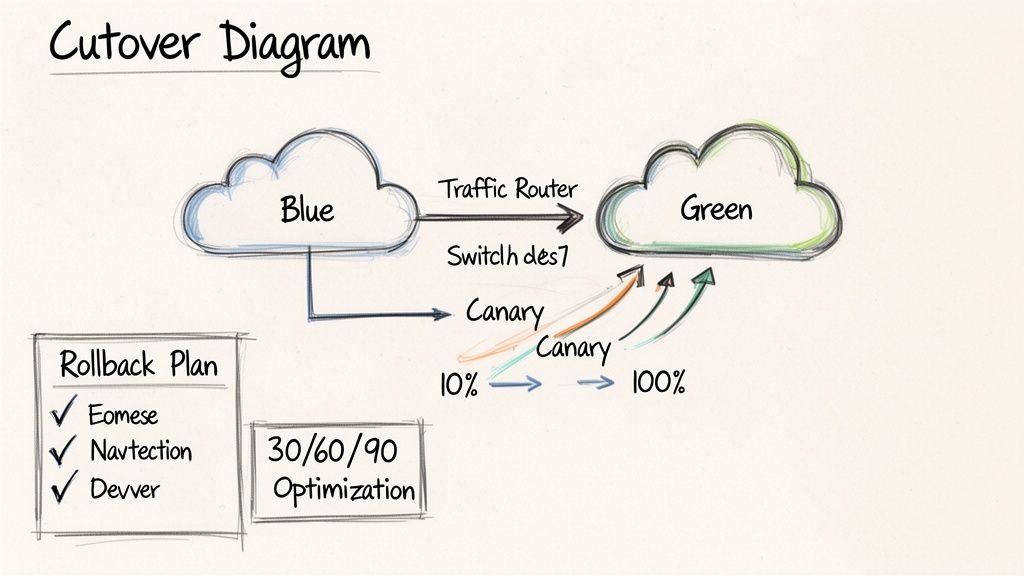
    A safer, architecturally-driven approach is to design for failure using patterns like blue/green deployments. A new version of the infrastructure (green) is deployed alongside the existing version (blue). After validating the green environment, traffic is switched via a load balancer or DNS. A rollback is as simple as redirecting traffic back to the still-running blue environment.

    Of course, security in Terraform is just one piece of the puzzle. A holistic approach involves mastering software development security best practices across your entire engineering organization.

    Improving Observability and Team Collaboration

    An operational CI/CD pipeline is a significant milestone, but mature terraform infrastructure automation requires more. True operational excellence is achieved through deep observability into post-deployment infrastructure behavior and streamlined, multi-team collaboration workflows.

    Without deliberate focus on these areas, infrastructure becomes an opaque system that hinders velocity and increases operational risk.

    Hand-drawn diagram showing a central cloud receiving data from various cost, tags, and service management components.

    Effective infrastructure management is as much about human systems as it is about technology. It requires creating feedback loops that connect deployed resources back to engineering teams, providing the visibility needed for informed decision-making.

    Baking Observability into Your Resources

    Observability is not a feature to be added post-deployment; it must be an integral part of the infrastructure's definition in code.

    A disciplined resource tagging strategy is a simple yet powerful technique. Consistent tagging provides the metadata backbone for cost allocation, security auditing, and operational management. Enforce a standard tagging scheme programmatically using a default_tags block in the provider configuration. This ensures that a baseline set of tags is applied to every resource managed by Terraform.

    provider "aws" {
      region = "us-east-1"
    
      default_tags {
        tags = {
          ManagedBy   = "Terraform"
          Environment = var.environment
          Team        = "backend-services"
          Project     = "api-gateway"
        }
      }
    }
    

    This configuration makes the infrastructure instantly queryable and filterable. Finance teams can generate cost reports grouped by the Team tag, while operations can filter monitoring dashboards by Environment.

    Beyond tagging, provision monitoring and alerting resources directly within Terraform. For example, define AWS CloudWatch metric alarms and SNS notification topics alongside the resources they monitor, or use the Datadog provider to create Datadog monitors as part of the same application module.

    Making Team Collaboration Actually Work

    As multiple teams contribute to a shared infrastructure codebase, clear governance is required to prevent conflicts and maintain stability. Ambiguous ownership and inconsistent review processes lead to configuration drift and production incidents.

    The following practices establish secure and scalable multi-team collaboration workflows:

    • Standardize Pull Request Reviews: Mandate that every pull request (PR) must include the terraform plan output as a comment. This allows reviewers to assess the exact impact of code changes without having to locally check out the branch and execute a plan themselves.
    • Define Clear Ownership with CODEOWNERS: Utilize a CODEOWNERS file in the repository's root to programmatically assign required reviewers based on file paths. For example, any change within /modules/networking/ can automatically require approval from the network engineering team.
    • Use Granular Permissions for Access: Implement the principle of least privilege in the CI/CD system. Create distinct deployment pipelines or jobs for each environment, protected by different credentials and approval gates. A developer may have permissions to apply to a sandbox environment, but a deployment to production should require explicit approval from a senior team member or lead.

    Adopting these practices transforms a Git repository from a code store into a collaborative platform that codifies team processes, making them repeatable, auditable, and secure.

    The choice of tooling also significantly impacts collaboration. While Terraform remains the dominant IaC tool, the State of IaC 2025 report indicates a growing trend toward multi-tool strategies as platform engineering teams evaluate tradeoffs between Terraform's ecosystem and the developer experience of newer tools.

    Common Terraform Automation Questions

    As you implement Terraform infrastructure automation, several common practical challenges emerge. Addressing these correctly from the outset is key to building a stable and scalable system.

    Anticipating these questions and establishing standard patterns will prevent architectural dead-ends and reduce long-term maintenance overhead.

    How Should We Handle Multiple Environments?

    The most robust and scalable method for managing distinct environments (e.g., dev, staging, production) is a directory-based separation approach.

    This pattern involves creating a separate root module directory for each environment (e.g., /environments/dev, /environments/prod). Each of these directories contains its own main.tf and a unique backend configuration, ensuring complete state isolation. They instantiate shared, reusable modules from a common modules directory, passing in environment-specific configuration through dedicated .tfvars files.

    This structure is superior to using Terraform Workspaces for managing complex, dissimilar environments because it provides strong isolation. It allows for different provider versions, backend configurations, and even different module versions per environment, guaranteeing that a misconfiguration in staging cannot affect production.

    What Is the Best Way to Manage Breaking Changes in Providers?

    Uncontrolled provider updates can introduce breaking changes, leading to pipeline failures or production outages. The primary defense is proactive provider version pinning.

    Within the required_providers block of your modules and root configurations, use a pessimistic version constraint, such as version = "~> 5.1". This allows for non-breaking patch updates while preventing Terraform from automatically adopting a new minor or major version.

    When an upgrade is necessary, treat it as a deliberate migration process:

    1. Create a dedicated feature branch for the provider upgrade.
    2. Update the version constraint in the required_providers block.
    3. Run terraform init -upgrade.
    4. Execute terraform plan extensively across all relevant configurations to identify required code changes and potential impacts.
    5. Thoroughly validate the changes in a non-production environment before merging to main and applying to production.

    Can Terraform Manage Manually Created Infrastructure?

    Yes, this is a common scenario when adopting IaC for existing environments. The terraform import command is designed to bring existing, manually-created resources under Terraform's management without destroying them.

    The process involves two steps:

    1. Write a resource block in your HCL code that describes the existing resource.
    2. Execute the terraform import command, providing the address of the HCL resource block and the cloud provider's unique ID for the resource.

    Crucial Tip: After an import, the attributes defined in your HCL code must precisely match the actual configuration of the imported resource. Any discrepancy will be identified as "drift" by Terraform. The next terraform apply will attempt to modify the resource to match the code, potentially causing an unintended and destructive change. Always run terraform plan immediately after an import to ensure no changes are pending.


    Ready to move past these common hurdles and really accelerate your infrastructure delivery? OpsMoon connects you with the top 0.7% of DevOps experts who live and breathe this stuff. We build and scale secure, automated Terraform workflows every day. Whether you need project-based delivery or just hourly support, we have flexible options to get your team the expertise it needs. Start with a free work planning session to map out your automation goals. Learn more at https://opsmoon.com.

  • Kubernetes Tutorial for Beginners: Quick Start to Deploy, Scale, and Monitor

    Kubernetes Tutorial for Beginners: Quick Start to Deploy, Scale, and Monitor

    A Kubernetes tutorial for beginners should feel more like pairing with a teammate than reading dry docs. You’ll learn how to launch a local cluster, apply your YAML manifests, open services, and then hit those endpoints in your browser. Minikube mirrors the hands-on flow of a small startup running microservices on a laptop before shifting to a cloud provider. We’ll also cover how to enable metrics-server and Ingress addons to prepare for autoscaling and routing.

    Developer setting up a Kubernetes cluster locally

    Kickoff Your Kubernetes Tutorial Journey

    Before you type a single command, let’s sketch out the journey ahead. You’ll:

    • Spin up a local cluster with Minikube or kind
    • Apply YAML files to create Pods, ConfigMaps and Deployments
    • Expose your app via Services, Ingress, and RBAC
    • Enable metrics-server for autoscaling
    • Validate endpoints and inspect resource metrics
    • Spot common hiccups like context mix-ups, CrashLoopBackOff or RBAC denials

    Deploying microservices in Minikube turns abstract terms into something you can click and inspect. One early adopter I worked with stood up a Node.js API alongside a React frontend, then reproduced the exact same setup on GKE. That early local feedback loop caught misconfigured CPU limits before they ever hit production.

    Real-World Setup Scenario

    Here’s what our team actually did:

    • Started Minikube with a lightweight VM and enabled addons:
      minikube start --cpus 2 --memory 4096 --driver=docker
      minikube addons enable ingress metrics-server
      
    • Built and tagged custom Docker images with local volume mounts
    • Applied Kubernetes manifests for Deployments, Services, ConfigMaps and Secrets

    “Testing locally with Minikube shaved days off debugging networking configs before pushing to production.”

    Whether you pick Minikube or kind hinges on your needs. Minikube gives you a full VM—perfect for testing PersistentVolumes or Ingress controllers. kind spins clusters in Docker containers, which is a real winner if you’re automating tests in CI.

    Hands-on tutorials often stumble on the same few issues:

    • Forgetting to switch your kubectl context (kubectl config use-context)
    • Overlooking default namespaces and hitting “not found” errors
    • Skipping resource requests and limits, leading to unexpected restarts

    Calling out these pitfalls early helps you sidestep them.

    Tool Selection Tips

    • Verify your laptop can handle 2 CPUs and 4GB RAM before you choose a driver
    • Install metrics-server for HPA support:
      kubectl apply -f https://github.com/kubernetes-sigs/metrics-server/releases/latest/download/components.yaml
      
    • Pick kind for lightweight, ephemeral clusters in CI pipelines
    • Pin your cluster version to match production:
      minikube start --kubernetes-version=v1.24.0
      
    • Install kubectx for fast context and namespace switching
    • Consider CRI-O or containerd as alternative runtimes for parity with managed clouds

    These small prep steps smooth out cluster spins and cut down on frustrating errors.

    Next up, we’ll explore core Kubernetes objects—Pods, Services, Deployments, ConfigMaps, and RBAC—with concrete examples.

    Understanding Kubernetes Core Concepts

    Every Kubernetes cluster relies on a handful of core objects to keep workloads running smoothly. Think of them as the foundation beneath a media streaming service: they coordinate video transcoders, balance traffic, and spin up resources on demand. Grasping these abstractions will set you on the right path as you build out your own Kubernetes tutorial for beginners.

    A Pod is the smallest thing you can deploy—it packages one or more containers with a shared network and storage namespace. Because pods share the host kernel, they launch in seconds and consume far fewer resources than virtual machines.

    Your cluster is made up of Nodes, the worker machines that run pods. The Control Plane then decides where each pod should land, keeping an eye on overall health and distributing load intelligently.

    • Pods: Group containers that need to talk over localhost
    • Nodes: Physical or virtual machines providing CPU and memory
    • ReplicaSets: Keep a desired number of pods alive at all times
    • Deployments: Declarative rollouts and rollbacks around ReplicaSets
    • Services: Offer stable IPs and DNS names for pod sets
    • ConfigMaps: Inject configuration data as files or environment variables
    • Secrets: Store credentials and TLS certs securely
    • ServiceAccounts & RBAC: Control API access

    Pod And Node Explained

    Pods have largely replaced the old VM-centric model for container workloads. In our streaming pipeline, for instance, we launch separate pods hosting transcoder containers for 720p, 1080p, and 4K streams. Splitting them this way lets us scale each resolution independently, without booting up full operating systems.

    Behind the scenes, nodes run the kubelet agent to report pod health back to the control plane. During a live event with sudden traffic spikes, we’ve seen autoscaling add nodes in minutes—keeping streams running without a hitch.

    During peak traffic, rolling updates kept our transcoding service online without dropping frames.

    Controls And Abstractions

    When you need to update your application, Deployments wrap ReplicaSets so rollouts and rollbacks happen gradually. You declare the desired state—and Kubernetes handles the rest—avoiding full-scale outages when you push a new version.

    Namespaces let you carve up a cluster for different teams, projects, or environments. In our lab, “dev” and “prod” namespaces live side by side, each with its own resource quotas and access controls.

    Define resource limits on pods:

    resources:
      requests:
        cpu: "200m"
        memory: "512Mi"
      limits:
        cpu: "500m"
        memory: "1Gi"
    

    Label workloads clearly for quick filtering and monitoring.

    Since Google open-sourced Kubernetes on June 6, 2014, it’s become the de facto container orchestrator. By 2025, over 60% of enterprises worldwide will rely on it, with adoption rates soaring to 96% according to CNCF surveys. Explore the full research on ElectroIQ.

    Networking With Services

    Rather than hard-coding pod IPs, Services give you stable endpoints. You can choose:

    • ClusterIP for internal-only traffic
    • NodePort to expose a service on each node’s port
    • LoadBalancer to tie into your cloud provider’s load balancer
    • ExternalName for DNS aliases

    In our streaming setup, a LoadBalancer Service made the transcoder API accessible to external clients, routing traffic seamlessly through updates. When you work locally with Minikube, switching to NodePort lets you test that same setup on your laptop.

    For HTTP routing, Ingress steps in with host- and path-based rules. Pair it with an Ingress controller—NGINX, for example—to direct requests to the right service in a multi-tenant environment.

    Comparison Of Kubernetes Core Objects

    Object Type Purpose When To Use Example Use Case
    Pod Encapsulate one or more containers Single-instance or tightly coupled Streaming transcoder
    ReplicaSet Maintain a stable set of pod replicas Ensure availability after failures Auto-recover crashed pods
    Deployment Manage ReplicaSets declaratively Rolling updates and safe rollbacks Versioned microservice launches
    Service Expose pods through stable endpoints Connect clients to backend pods External API via LoadBalancer

    With this comparison in hand, you can:

    • Scope pods for simple tasks
    • Rely on ReplicaSets for resilience
    • Use deployments to handle versioning safely
    • Expose endpoints through services without worrying about pod churn

    Next up, we’ll deploy a sample app—putting these fundamentals into practice and solidifying your grasp of Kubernetes core concepts.

    Setting Up A Local Kubernetes Cluster

    Creating a sandbox on your laptop is where the tutorial truly comes alive. You’ll need either Docker or a hypervisor driver (VirtualBox, HyperKit, Hyper-V or WSL2) to host Minikube or kind. By matching macOS, Linux or Windows to your production setup, you reduce surprises down the road.

    Before you jump in, gather these essentials:

    • Docker running as your container runtime
    • A hypervisor driver (VirtualBox, HyperKit, Hyper-V or WSL2) enabled
    • kubectl CLI at version v1.24 or higher
    • 2 CPUs and 4 GB RAM allocated
    • Metrics-server
    • kubectx (optional) for lightning-fast context switching

    With those in place, the same commands work whether you’re on Homebrew (macOS), apt/yum (Linux) or WSL2 (Windows).

    Cluster Initialization Examples

    Spinning up Minikube gives you a VM-backed node that behaves just like production:

    minikube start --cpus 2 --memory 4096 --driver=docker
    minikube addons enable ingress metrics-server
    

    Enable the dashboard and ingress:

    minikube addons enable dashboard
    minikube addons enable ingress
    

    kind, on the other hand, runs control-plane and worker nodes as Docker containers. Here’s a snippet you can tweak to mount your code and pin the K8s version:

    kind: Cluster
    apiVersion: kind.x-k8s.io/v1alpha4
    nodes:
    - role: control-plane
      extraMounts:
      - hostPath: ./app
        containerPath: /app
    

    Mounting your local directory means you’ll see code changes inside pods instantly—no image rebuild required.

    Once the YAML is saved as kind.yaml, launch the cluster:

    kind create cluster --config kind.yaml
    

    Infographic about kubernetes tutorial for beginners

    This diagram walks you through how a Pod moves into a Deployment and then exposes itself via a Service—exactly what you’ll see in a live environment.

    Minikube Versus kind Comparison

    Picking the right local tool often comes down to isolation, startup speed and how you load your code. Here’s a quick look:

    Feature Minikube kind Best For
    Isolation Full VM with a hypervisor Docker container environment Ingress & PV testing
    Startup Time ~20 seconds ~5 seconds CI pipelines
    Local Code Mounting Limited hostPath support Robust volume mounts Rapid dev feedback loops
    Version Flexibility Yes Yes Cluster version experiments

    Use Minikube when you need VM-like fidelity for Ingress controllers or PersistentVolumes. kind shines when you want near-instant spins for CI and rapid iteration.

    Optimizing Context And Resource Usage

    Once both clusters are live, juggling contexts takes two commands:

    kubectl config use-context minikube  
    kubectl config use-context kind
    

    Validate everything with:

    kubectl cluster-info  
    kubectl get nodes  
    kubectl top nodes
    

    And when something breaks, these are your first stops:

    minikube logs  
    kind get logs
    

    Common Initialization Troubleshooting

    Boot errors usually trace back to resource constraints or driver mismatches. Try these fixes:

    • driver not found → confirm Docker daemon is running
    • port conflict → adjust ports with minikube config set
    • CrashLoopBackOff in init containers → run kubectl describe pod

    Deleting old clusters (minikube delete or kind delete cluster) often clears out stubborn errors and stale state.

    Performance Optimization Tips

    Tune CPU/memory to your laptop’s profile:

    minikube start --memory 2048 --cpus 1
    

    Slow image pulls? A local registry mirror slashes wait time. And to test builds instantly:

    kind load docker-image my-app:latest
    

    As of 2025, the United States represents 52.4% of Kubernetes users—that’s 17,914 organizations running mission-critical workloads. Grasping that scale will help you manage real-world kubectl operations on clusters of any size. Learn more about Kubernetes adoption findings on EdgeDelta.

    Read also: Check out our guide on Docker Container Tutorial for Beginners on OpsMoon.

    Deploy A Sample App Using Kubectl

    Deploying a Node.js microservice on Kubernetes is one of the best ways to see how real-world CI pipelines operate. We’ll package your app into a Docker image, write a Deployment manifest in YAML, and use a handful of kubectl commands to spin everything up. By the end, you’ll feel confident navigating typical kubectl workflows used in both startups and large enterprises.

    Writing The Deployment Manifest

    Save your YAML in a file called deployment.yaml and define a Deployment resource:

    apiVersion: apps/v1
    kind: Deployment
    metadata:
      name: node-deployment
      labels:
        app: node-microservice
    spec:
      replicas: 3
      selector:
        matchLabels:
          app: node-microservice
      template:
        metadata:
          labels:
            app: node-microservice
        spec:
          serviceAccountName: node-sa
          containers:
          - name: node-container
            image: my-node-app:latest
            ports:
            - containerPort: 3000
            resources:
              requests:
                cpu: "200m"
                memory: "512Mi"
              limits:
                cpu: "500m"
                memory: "1Gi"
            envFrom:
            - configMapRef:
                name: node-config
    

    Create a ConfigMap for environment variables:

    kubectl create configmap node-config --from-literal=NODE_ENV=production
    

    Define a ServiceAccount and minimal RBAC:

    apiVersion: v1
    kind: ServiceAccount
    metadata:
      name: node-sa
    ---
    apiVersion: rbac.authorization.k8s.io/v1
    kind: Role
    metadata:
      name: pod-reader
    rules:
    - apiGroups: [""]
      resources: ["pods"]
      verbs: ["get","watch","list"]
    ---
    apiVersion: rbac.authorization.k8s.io/v1
    kind: RoleBinding
    metadata:
      name: read-pods-binding
    subjects:
    - kind: ServiceAccount
      name: node-sa
    roleRef:
      kind: Role
      name: pod-reader
      apiGroup: rbac.authorization.k8s.io
    

    Launching The Deployment

    Apply your manifest with:

    kubectl apply -f deployment.yaml
    kubectl apply -f serviceaccount-and-rbac.yaml
    

    Monitor pods as they start:

    kubectl get pods -l app=node-microservice -w
    

    Once READY reads “1/1” and STATUS shows “Running,” your microservice is live.

    Pro Tip
    Filter resources quickly by label:
    kubectl get pods -l app=node-microservice

    If a pod enters CrashLoopBackOff, run kubectl describe pod and kubectl logs [pod] to inspect startup events and stdout/stderr.

    Rolling Updates And Rollbacks

    Kubernetes updates Deployments without downtime by default. To push a new version:

    kubectl set image deployment/node-deployment node-container=my-node-app:v2
    kubectl rollout status deployment/node-deployment
    

    If issues arise, revert instantly:

    kubectl rollout undo deployment/node-deployment
    

    Integrate these commands into a CI pipeline to enable automatic rollbacks whenever health checks fail.

    Exposing The App With A Service

    Define a Service in service.yaml:

    apiVersion: v1
    kind: Service
    metadata:
      name: node-service
      annotations:
        maintainer: dev-team@example.com
    spec:
      type: NodePort
      ports:
      - port: 80
        targetPort: 3000
        nodePort: 30080
      selector:
        app: node-microservice
    

    Apply it:

    kubectl apply -f service.yaml
    kubectl get svc node-service
    

    Access your service via:

    minikube service node-service --url
    # or on kind
    kubectl port-forward svc/node-service 8080:80
    

    Kubernetes security, valued at USD 1,195 billion in 2022 and projected to hit USD 10.7 billion by 2031 at a 27.6% CAGR, highlights why mastering kubectl apply -f on a simple Deployment matters. It’s the same flow 96% of teams use to scale, even though 91% must navigate complex setups. Explore Kubernetes security statistics on Tigera

    Handover Tips For Collaboration

    Document key details directly in your YAML to help cross-functional teams move faster:

    • maintainer: who owns this Deployment
    • revisionHistoryLimit: how many old ReplicaSets you can revisit
    • annotations: version metadata, runbook links, or contact info
    • Use kubectl diff -f deployment.yaml to preview changes before applying

    With these notes in place, troubleshooting and ownership handoffs become much smoother.

    You’ve now built your Docker image, deployed it with kubectl, managed rolling updates and rollbacks, and exposed the service. Next up: exploring Ingress patterns and autoscaling to optimize traffic flow and resource usage. Happy deploying!

    Configuring Services Ingress And Scaling

    Application reaching clients through LoadBalancer and Ingress

    Exposing your application means picking the right Service type for internal or external traffic. ClusterIP, NodePort, LoadBalancer and ExternalName each come with distinct network paths, cost implications, and operational trade-offs.

    Small teams often lean on ClusterIP to keep services hidden inside the cluster. Switch to NodePort when you want a quick-and-dirty static port on each node. Moving to a LoadBalancer taps into your cloud provider’s managed balancing and SSL features. And ExternalName lets you map a Kubernetes DNS name to remote legacy services without touching your pods.

    Comparison Of Service Types

    Service Type Default Port External Access Use Case
    ClusterIP 8080 Internal only Backend microservices
    NodePort 30000–32767 Node.IP:Port on each node Local testing and demos
    LoadBalancer 80/443 Cloud provider’s load balancer Public-facing web applications
    ExternalName N/A DNS alias to an external service Integrate external dependencies

    With this comparison in hand, you can match cost, access scope, and complexity to your project’s needs.

    Deploy Ingress Controller

    An Ingress gives you host- and path-based routing without provisioning dozens of load balancers. Install NGINX Ingress Controller:

    kubectl apply -f https://raw.githubusercontent.com/kubernetes/ingress-nginx/controller-v1.2.1/deploy/static/provider/cloud/deploy.yaml
    

    Your minimal Ingress resource:

    apiVersion: networking.k8s.io/v1
    kind: Ingress
    metadata:
      name: app-ingress
      annotations:
        nginx.ingress.kubernetes.io/rewrite-target: /
    spec:
      rules:
      - host: myapp.example.com
        http:
          paths:
          - path: /
            pathType: Prefix
            backend:
              service:
                name: frontend-service
                port:
                  number: 80
    

    Apply and verify:

    kubectl apply -f ingress.yaml  
    kubectl get ingress
    

    Ingress consolidates entry points and cuts down on public IP sprawl.

    Implement Autoscaling

    Horizontal Pod Autoscaler (HPA) watches your workload and adjusts replica counts based on metrics. First, ensure metrics-server is running:

    kubectl get deployment metrics-server -n kube-system
    

    Then enable autoscaling:

    kubectl autoscale deployment frontend --cpu-percent=60 --min=2 --max=10
    

    To see it in action, fire off a load test:

    hey -z 2m -q 50 -c 5 http://myapp.example.com/
    

    Track behavior live:

    kubectl get hpa -w
    

    Dive deeper into fine-tuning strategies in our guide on Kubernetes autoscaling.

    Key Insight
    Autoscaling cuts costs during lulls and protects availability under traffic spikes.

    Rolling Updates Under Traffic

    Zero-downtime upgrades depend on readiness and liveness probes. For instance:

    readinessProbe:
      httpGet:
        path: /healthz
        port: 80
      initialDelaySeconds: 5
      periodSeconds: 10
    livenessProbe:
      httpGet:
        path: /healthz
        port: 80
      initialDelaySeconds: 15
      periodSeconds: 20
    

    Trigger the rollout:

    kubectl set image deployment/frontend frontend=myapp:v2  
    kubectl rollout status deployment/frontend
    

    If anything misbehaves, rollback is just as simple:

    kubectl rollout undo deployment/frontend
    

    Best Practices For Resilience

    • Define readiness probes to keep traffic away from unhealthy pods
    • Set clear requests and limits to avoid eviction storms
    • Use a rolling update strategy with maxSurge: 1 and maxUnavailable: 1
    • Label pods with version metadata for rapid filtering and diagnostics

    Load Testing Scenario

    A team managing a high-traffic web front end hit trouble during a flash sale. They pushed 500 RPS using Apache Bench for 5 minutes, watching 95th percentile latency climb. With pods at 200m CPU, performance creaked once they hit 250 RPS.

    After bumping CPU requests to 400m and memory limits to 512Mi, they reran the test. Latencies fell by 60%, and the setup held 500 RPS rock solid. Those metrics then informed production resource allocations, balancing cost and performance.

    Balancing Service types, Ingress rules, autoscaling and readiness probes will set you up for reliable, scalable deployments. You’ve now got concrete steps to expose your services, route traffic efficiently, and grow on demand.

    Happy scaling and deploying!

    Monitoring And Troubleshooting Common Issues

    Keeping an eye on your cluster’s health isn’t optional—it’s critical. I’ve seen clusters collapse because teams lacked basic visibility into pods, nodes, and services.

    I usually kick things off by installing the Prometheus Node Exporter on every node. That gives me real-time CPU, memory, and filesystem metrics to work with.

    Next, I set up ServiceMonitors so Prometheus knows exactly which workloads to scrape. This step ties your app metrics into the same observability pipeline.

    You might be interested in our detailed guide on Prometheus service monitoring: Check out our Prometheus Service Monitoring guide

    Once metrics flow in, I install Grafana and start molding dashboards that map:

    • Pod CPU and memory usage patterns (kubectl top pods)
    • Request and error rates for each service
    • Node-level resource consumption (kubectl top nodes)
    • Alert rules keyed to threshold breaches

    These visual panels make it easy to link a sudden CPU spike with an application update in real time.

    Building Dashboards And Alerts

    I treat dashboards as living documents. When a deployment or outage happens, I drop a quick annotation so everyone understands the context.

    Organizing panels under clear, descriptive tags helps teams find the data they need in seconds. No more hunting through 20 graphs to spot a trend.

    Alerts deserve the same attention. I aim for alerts that fire only when something truly matters, avoiding the dreaded “alert fatigue.”

    I typically configure:

    1. Pod restarts above 5 in 10 minutes
    2. Node disk usage over 80%
    3. HTTP error rates exceeding 2% within a 5-minute window

    Effective alerting reduces incident fatigue and speeds up response times.

    Embedding runbook links and ownership details right into Grafana panels has saved our on-call team countless minutes during incidents.

    The Prometheus web UI above shows a handful of time series graphs highlighting CPU and memory usage across nodes. It’s a quick way to spot resource bottlenecks before they turn into problems.

    Debugging CrashLoopBackOff And Image Pull Errors

    Pods stuck in CrashLoopBackOff always start with a kubectl describe pod. It surfaces recent events and hints at what went wrong.

    I follow up with kubectl logs against both the main container and any init containers. Often, the error message there points me straight to a misconfigured startup script.

    For ImagePullBackOff, double-check your registry credentials and confirm image tags haven’t changed. Those typos slip in more often than you’d think.

    If your service or Ingress isn’t responding, I hop into a pod with kubectl exec and run curl to validate DNS and port definitions. That simple test can save hours of head-scratching.

    Handling Networking Misconfigurations And RBAC Denials

    Network policies can be deceptively silent when they block traffic between namespaces. I list everything with:

    kubectl get networkpolicy -A
    

    Then I tweak the YAML to open only the specific port ranges or CIDR blocks that each service needs.

    RBAC issues usually show up as Forbidden responses. I inspect roles and bindings with:

    kubectl get clusterrolebindings,rolebindings --all-namespaces
    

    From there, I tighten or expand permissions to ensure a service account has precisely the privileges it needs—no more, no less.

    Log Aggregation And Event Inspection

    Centralized logs are a game-changer when you need to trace an error path across pods and nodes. I often recommend pairing Fluentd or Grafana Loki with Prometheus for a unified observability stack.

    Filtering events by labels makes targeted troubleshooting a breeze:

    kubectl get events -l app=my-service
    

    Single pane of glass observability reduces context switching during critical incidents.

    Personal Tips For Team Collaboration

    Dashboards become shared knowledge when you annotate them with notes on spikes, planned maintenance, or post-mortem learnings.

    I maintain a shared incident log inside our observability platform so ad-hoc discoveries aren’t lost. It’s a lifesaver when on-boarding new team members.

    Consistent labels like team, env, and tier let everyone slice data the same way. And I revisit alert thresholds every quarter to keep noise in check.

    With these practices, you’ll end up with a monitoring setup that’s both robust and intuitive.

    Common Troubleshooting Commands

    Command Purpose
    kubectl describe pod [name] Show pod events and status details
    kubectl logs [pod] View container logs
    kubectl get events –sort-by='.lastTimestamp' List events by time
    kubectl top pods Display pod resource usage
    kubectl top nodes Display node resource usage

    Practice these commands until they’re second nature. You’ll thank yourself when downtime strikes.

    Happy monitoring and debugging your cluster!

    Frequently Asked Questions

    When you’re just starting with Kubernetes, certain roadblocks pop up again and again. Here are answers to the questions I see most often—so you can move forward without the guesswork.

    What Is Kubernetes Used For, And How Does It Differ From Docker Alone?
    Kubernetes handles orchestration across clusters—automating scaling, scheduling, and container recovery—while Docker focuses on running containers on a single node. In practice, Kubernetes schedules pods, balances traffic, and restarts services when they fail.

    To recap, the core differences are:

    • Scaling Automatically spins pods up or down based on demand
    • Recovery Self-heals by restarting crashed containers
    • Networking Built-in Services and Ingress controllers manage load and routing

    How Do You Reset Or Delete A Local Cluster Safely?
    Cleaning up a local environment is straightforward. Run one of these commands, and you’ll wipe the cluster state without touching your host settings:

    minikube delete
    kind delete cluster --name=my-cluster
    

    You can wrap these in your CI cleanup jobs to keep pipelines tidy.

    Essential Kubectl Commands

    When a pod misbehaves, these commands are my go-to for a quick diagnosis:

    • kubectl describe pod [POD_NAME] to review events and conditions
    • kubectl logs [POD_NAME] for container output and error messages
    • kubectl get events --sort-by='.lastTimestamp' to see the latest cluster activities
    • kubectl exec -it [POD] -- /bin/sh to dive into a running container

    Together, they form the backbone of any rapid-fire troubleshooting session.

    What Commands Expose Applications Externally?
    If you need to test an app over HTTP, create a Service or forward a port:

    kubectl expose deployment web --type=NodePort --port=80
    kubectl port-forward svc/web 8080:80
    

    This maps your local port to the cluster, making hits to localhost:8080 land inside your pod.

    “Filtering errors with describe and logs shaves hours off debugging.”

    How Does Kubernetes Differ From Docker Compose?
    Docker Compose excels for single-host prototypes. Kubernetes steps up when you need multi-node scheduling, rolling updates, health checks, and self-healing across your fleet.

    Key distinctions:

    • Docker Compose Great for local stacks
    • Kubernetes Built for production-scale clusters

    Where Can Beginners Head Out Next?

    • Official docs, interactive labs, forums
    • Experiment with ConfigMaps and Secrets for dynamic configuration
    • Try Helm charts for packaging applications

    Ready to accelerate your Kubernetes journey? Connect with experienced DevOps engineers at OpsMoon now.

  • The Ultimate 2025 Software Deployment Checklist Template Roundup

    The Ultimate 2025 Software Deployment Checklist Template Roundup

    Shipping code is easy. Shipping code reliably, safely, and repeatedly is where the real engineering begins. A haphazard deployment process, riddled with manual steps, forgotten environment variables, and last-minute IAM role chaos, inevitably leads to downtime, frantic rollbacks, and eroded user trust. The antidote is not more heroism; it is a robust, battle-tested checklist. A great software deployment checklist template transforms a high-stakes art into a repeatable science. It enforces rigor, ensures accountability, and provides a single source of truth when pressure is highest.

    This process excellence is not confined to just the deployment phase. To achieve flawless deployments, it is crucial to understand the broader utility of structured planning; for instance, comprehensive work plan templates can serve as your project's blueprint, ensuring alignment long before code is ready to ship. By standardizing procedures from project inception to final release, you create a culture of predictability and control, which is the foundation of modern DevOps.

    This guide cuts through the noise to showcase seven production-grade software deployment checklist template solutions, from collaborative canvases in Miro to version-controlled Markdown files in GitHub. We will dissect their strengths, weaknesses, and ideal use cases, helping you find the perfect framework to standardize your releases. Each entry includes direct links and screenshots to help you quickly assess its fit for your team's workflow. Our goal is to equip you with a tangible asset to eliminate deployment anxiety for good.

    1. Atlassian Confluence Templates (DevOps/ITSM Runbooks)

    For teams already embedded in the Atlassian ecosystem, leveraging Confluence for a software deployment checklist template is a natural and powerful choice. Instead of a standalone spreadsheet or document, Confluence offers structured, reusable page templates specifically designed as DevOps and ITSM runbooks. This approach integrates deployment documentation directly into the workflows where development, planning, and incident management already live.

    Atlassian Confluence Templates (DevOps/ITSM Runbooks)

    The key advantage is context. A deployment checklist in Confluence can be directly linked from a Jira Software epic or a Jira Service Management change request ticket, providing a seamless "single source of truth." This tight integration ensures that the pre-deployment approvals, the deployment steps, and the post-deployment validation are all tied to the specific work item being delivered.

    Core Features and Technical Integration

    Confluence templates are more than just text documents; they are dynamic pages with rich formatting capabilities. You can embed diagrams, code blocks with syntax highlighting, and tables to structure your checklist.

    • Purpose-Built Structure: The official DevOps runbook template includes pre-defined sections for system architecture, operational procedures, communication plans, and rollback steps. This provides a battle-tested starting point that ensures critical information is not overlooked.
    • Version Control and Permissions: Every change to a runbook is versioned, providing a clear audit trail. You can see who modified a step and when, which is crucial for incident post-mortems and process improvement. Access controls allow you to restrict editing rights to specific teams, such as SREs or senior engineers.
    • Jira Integration: The standout feature is the native link to Jira. You can embed Jira issue macros directly into your checklist, showing real-time status updates for related tasks or incidents. This turns a static checklist into a dynamic dashboard for a deployment.
    • Collaboration: Teams can comment directly on checklist items, @-mention colleagues to assign tasks or ask questions, and collaboratively edit the document in real time. This is invaluable during a high-stakes deployment where clear communication is essential.

    Pro Tip: Create a master "Deployment Runbook Template" and use Confluence's "Create from template" macro on a team's overview page. This allows engineers to instantly spin up a new, standardized checklist for each release, ensuring consistency across all deployments.

    The platform's design supports various software deployment strategies, allowing you to customize templates for canary, blue-green, or rolling deployments. While it requires a Confluence subscription (with a free tier for up to 10 users), the value for established Atlassian users is immense, centralizing operational knowledge and streamlining execution.

    Website: Atlassian Confluence DevOps Runbook Template

    2. Asana Templates – Software & System Deployment

    For teams that prioritize project management and cross-functional coordination, Asana offers a pre-built software deployment checklist template that excels at providing visibility for both technical and non-technical stakeholders. Unlike developer-centric tools, Asana frames the deployment process as a manageable project, with clear tasks, assignees, and deadlines. This approach is ideal for releases that require significant coordination with marketing, sales, and support teams.

    Asana Templates – Software & System Deployment

    The primary advantage of using Asana is its ability to centralize communication and track progress in a universally understood format. While a developer might execute a script, the Asana task "Run database migration script on production" can be checked off, automatically notifying the product manager and support lead. This makes it an excellent tool for orchestrating the entire release lifecycle, not just the technical execution.

    Core Features and Technical Integration

    Asana’s template is designed for action-oriented project management, translating a complex deployment into a series of assignable tasks. The platform's strength lies in its visualization and automation capabilities, which help keep multifaceted rollouts on track.

    • Pre-built Task Structure: The "Software and System Deployment" template comes with pre-populated sections for Pre-Deployment, Deployment Day, and Post-Deployment. This provides a logical framework that teams can immediately customize with their specific technical steps and validation checks.
    • Automation Rules: On paid plans, you can create rules to streamline workflows. For example, marking a "Code Freeze" task as complete can automatically move the project to the "Pre-Deployment Testing" stage and assign QA engineers their verification tasks.
    • Cross-functional Visibility: Features like Timeline (Gantt chart), Workload, and Dashboards provide high-level views of the deployment schedule and resource allocation. This is invaluable for CTOs and project managers who need to communicate release status to leadership.
    • Robust Integrations: Asana connects with over 100 tools. You can link a deployment project to a specific Slack channel for real-time updates, attach Google Docs with technical notes, or even create tasks directly from Zendesk tickets related to the new release.

    Pro Tip: Use Asana Forms to create a standardized "Release Request" intake process. When a team submits a new release through the form, it can automatically generate a new deployment project from your customized template, pre-filling key details and assigning the initial planning tasks.

    While Asana isn't a substitute for a CI/CD pipeline or a technical runbook, it serves as the coordinating layer on top. It's particularly effective for complex rollouts involving multiple teams. The platform operates on a per-seat pricing model, which can become costly as teams grow, and some users have noted friction during plan upgrades, so it’s wise to review plan details carefully.

    Website: Asana Software and System Deployment Template

    3. Miro + Miroverse (Deployment Plan and Checklist boards)

    For teams that thrive on visual collaboration, Miro presents a dynamic and interactive alternative to traditional document-based checklists. Instead of linear text files, Miro provides an infinite canvas where a software deployment checklist template becomes a collaborative, living dashboard. The Miroverse community library contains numerous pre-built deployment plan templates that serve as excellent starting points, designed for real-time coordination during go-live events, war rooms, and deployment rehearsals.

    Miro + Miroverse (Deployment Plan and Checklist boards)

    The primary advantage of Miro is its ability to facilitate simultaneous input from cross-functional teams. During a high-pressure deployment, engineers, QAs, product managers, and communication specialists can all view and update the same board in real-time. This visual approach helps to instantly clarify dependencies, track progress with virtual sticky notes, and centralize all operational communication in one place, moving beyond static spreadsheets or documents.

    Core Features and Technical Integration

    Miro’s canvas-based templates are highly adaptable, allowing teams to build complex workflows that mirror their specific deployment processes. The platform combines visual planning with powerful integrations to connect the checklist to underlying development tools.

    • Visual and Flexible Structure: Community templates often include swimlanes for pre-deployment checks, a runbook with sequential steps, communication plans, and rollback procedures. Tasks can be represented as cards, which can be dragged and dropped between stages like "To Do," "In Progress," and "Done."
    • Real-Time Collaboration: The platform excels at live, synchronous editing. Multiple users can co-edit the board, leave comments, use @-mentions to tag team members for specific tasks, and use virtual pointers to guide discussions during a deployment call. This is invaluable for remote or distributed teams.
    • Jira and Azure DevOps Integration: Miro boards can be supercharged with two-way integrations. You can import Jira issues or Azure DevOps work items directly onto the canvas as cards. Updating a card's status in Miro can automatically update the corresponding ticket in Jira, bridging the gap between high-level planning and the source-of-truth ticketing system.
    • Extensive Template Library (Miroverse): The Miroverse offers a wide range of community-created templates. While this provides great variety, it's important to vet these templates and adapt them to your organization's specific compliance and operational standards before adoption.

    Pro Tip: Use Miro's timeline or dependency mapping features to visually chart out the sequence of deployment tasks. This helps identify potential bottlenecks and critical path activities, which is especially useful when rehearsing a complex migration or a multi-service release.

    Miro offers a free plan with limited boards, making it accessible for small teams to try. Paid plans unlock unlimited boards and advanced features. The canvas format may feel less structured for those accustomed to rigid spreadsheets, but for teams needing a collaborative hub for live deployment coordination, it is an exceptionally powerful tool.

    Website: Miro Deployment Plan Templates

    4. ClickUp Templates (checklist templates and release management)

    For teams seeking an all-in-one productivity platform, ClickUp offers a highly flexible and customizable way to build a software deployment checklist template. Rather than being a dedicated DevOps tool, ClickUp’s strength lies in its ability to integrate deployment checklists directly into the project management fabric where tasks, sprints, and documentation are already managed. This approach allows engineering teams to treat deployments as structured, repeatable tasks within their existing workflows.

    ClickUp Templates (checklist templates and release management)

    The key advantage of ClickUp is its modularity. You can create a simple checklist within a task, a detailed procedure in a ClickUp Doc, or a full-blown release management pipeline using Lists and Board views. This adaptability makes it suitable for teams of all sizes, from startups standardizing their first deployment process to larger organizations looking for a unified platform to manage complex release cycles.

    Core Features and Technical Integration

    ClickUp templates are not just static documents; they are powerful, automatable building blocks for creating robust operational workflows. You can save checklists, tasks, Docs, and entire project spaces as templates for instant reuse.

    • Layered Template System: ClickUp allows you to create templates at multiple levels. You can have a simple "Pre-Deployment Checklist" template for subtasks, a "Deployment Runbook" Doc template with rich text and embedded tasks, or a full "Release Sprint" List template that includes all stages from QA to production.
    • Automation: This is a standout feature. You can create rules like, "When a task is moved to the 'Ready for Deployment' status, automatically apply the 'Production Deployment Checklist' template." This enforces process consistency and eliminates manual setup, ensuring no steps are missed.
    • Custom Fields and Statuses: You can add custom fields to your deployment tasks to track things like the release version, target environment (e.g., staging, production), or the lead engineer. Custom statuses allow you to create a visual pipeline (e.g., "Pre-Flight Checks," "Deployment in Progress," "Post-Deploy Monitoring") that perfectly matches your team's process.
    • Dependencies and Task Relationships: You can set dependencies between checklist items, ensuring that, for example, "Run Database Migrations" must be completed before "Switch DNS" can begin. This is critical for orchestrating complex deployments with ordered steps.

    Pro Tip: Use ClickUp's Forms to create a "New Release Request" form. When submitted, it can automatically create a new deployment task and apply your standardized checklist template, pre-populating details like the version number and requested deployment window from the form.

    The platform is designed to be a central hub, and its flexibility supports the entire process to deploy to production in a structured manner. While you may need to assemble your ideal checklist from scratch using ClickUp's components, the power to automate and integrate it into your core project management is a significant advantage. The free plan is very generous, with checklist templates available to all users, making it an accessible starting point.

    Website: ClickUp Templates

    5. Smartsheet (Template Gallery and project templates)

    For teams where project management offices (PMOs) or change management leaders drive the deployment process, Smartsheet offers a powerful, spreadsheet-centric approach. Instead of a documentation-focused tool, Smartsheet treats deployment as a project plan, making it ideal for managing dependencies, tracking progress against timelines, and providing high-level stakeholder reporting. While there isn't one official "software deployment checklist template," its robust template gallery provides numerous project plans that are easily adapted for go-live activities.

    Smartsheet (Template Gallery and project templates)

    The primary advantage of Smartsheet is its ability to blend the familiarity of a spreadsheet with advanced project management capabilities. Each checklist item can have assigned owners, start/end dates, dependencies, and status fields. This structured data then feeds into multiple views like Gantt charts for timeline visualization, Kanban boards for task management, and calendars for scheduling, all derived from the same source sheet. This makes it exceptionally strong for coordinating complex cutovers with many moving parts and communicating status to non-technical stakeholders.

    Core Features and Technical Integration

    Smartsheet excels at transforming a static checklist into an interactive, automated project plan. The platform is designed for cross-functional visibility, making it a favorite for enterprise-level change control and release management.

    • Multi-View Functionality: A single sheet containing your deployment checklist can be instantly rendered as a Gantt chart to visualize critical path dependencies, a card view to track tasks through stages (e.g., "To Do," "In Progress," "Complete"), or a calendar view for key milestones.
    • Automation and Alerts: You can build automated workflows directly into your checklist. For example, automatically notify the QA lead via Slack or Teams when all pre-deployment checks are marked "Complete," or create an alert if a critical task becomes overdue. This reduces manual overhead and ensures timely communication.
    • Dashboards and Reporting: Smartsheet’s dashboarding feature is a key differentiator. You can create real-time "Go-Live Readiness" dashboards that pull data from your checklist, showing overall progress, blocking issues, and RAG (Red/Amber/Green) status for key phases. This provides executives with a clear, at-a-glance view without needing to dive into the technical details.
    • Forms for Data Intake: Use Smartsheet Forms to standardize requests for deployment or to collect post-deployment validation results. Submitted forms automatically populate new rows in your checklist sheet, ensuring all necessary information is captured consistently.

    Pro Tip: Start with a "Project with Gantt & Dependencies" template. Customize the columns to include fields like "Assigned Engineer," "Validation Method," "Rollback Procedure," and "Status." Save this customized sheet as a new company-specific template named "Standard Software Deployment Plan" to ensure all teams follow the same rigorous process.

    While Smartsheet's strength is project orchestration rather than deep technical integration like CI/CD triggers, its structured approach is invaluable for regulated industries or large enterprises. The pricing model is per-user and can become costly for extensive engineering teams, but for coordinating deployments across business, IT, and engineering, its value in clear communication and tracking is significant.

    Website: Smartsheet Template Gallery

    6. Template.net – Application Deployment Checklist

    For teams that require a traditional, document-based software deployment checklist template, Template.net offers a straightforward and rapid solution. Instead of integrating with a complex ecosystem like Jira or GitHub, this platform provides professionally formatted, downloadable documents in various formats like Microsoft Word, Google Docs, and PDF. This approach is ideal for organizations that rely on formal documentation for change management approvals, compliance audits, or stakeholder communication where a static, printable artifact is required.

    Template.net – Application Deployment Checklist

    The primary advantage of Template.net is speed and simplicity. It serves as the fastest route from needing a checklist to having a polished document ready to be filled out and attached to a change request ticket in a system like ServiceNow or Remedy. This is particularly useful for teams that are not deeply integrated into a specific project management tool or for one-off projects where setting up a complex template system would be overkill.

    Core Features and Technical Integration

    Template.net focuses on providing editable, well-structured document templates that can be quickly customized and exported. While it lacks the dynamic integration of other platforms, its strength lies in its universal compatibility and ease of use for creating offline or standalone records.

    • Multiple File Formats: The platform provides its Application Deployment Checklist in universally accessible formats, including .docx (Word), Google Docs, .pdf, and Apple Pages. This ensures anyone on the team, regardless of their preferred software, can access and edit the checklist.
    • Pre-Formatted Structure: The templates come with a logical, pre-built structure that includes sections for project details, pre-deployment checks (e.g., code merge, environment sync), deployment steps, and post-deployment validation. This provides a solid baseline that covers essential phases of a release cycle.
    • Online Editor and Customization: Users can make quick edits directly in Template.net’s web-based editor before downloading. This allows for immediate customization, such as adding company branding, modifying checklist items specific to an application, or assigning roles without needing to open a separate word processor first.
    • Print-Ready Design: The templates are designed to be immediately printable or shareable as a PDF attachment. The clean layout ensures that the checklist is easy to read and follow during a manual deployment process or when reviewed by a change advisory board (CAB).

    Pro Tip: Download the checklist in your preferred format (e.g., Google Docs) and use it as a master template. For each new release, make a copy and save it in a shared team drive folder named after the release version. This creates a simple, file-based audit trail for all deployments.

    While the service offers a vast library of templates, it operates on a subscription model. It's crucial for teams to carefully review the subscription terms and user reviews, as the platform is geared toward document creation rather than dynamic, integrated DevOps workflows. It excels at fulfilling the need for a formal, static document trail.

    Website: Template.net Application Deployment Checklist

    7. GitHub – Open-source Deployment/Production-Readiness Checklists

    For development teams that live and breathe Git, using GitHub to host a software deployment checklist template is a powerful, code-centric approach. Instead of a separate tool, GitHub repositories and Gists offer Markdown-based checklists that can be version-controlled, forked, and integrated directly into the pull request and release workflows. This method treats your operational readiness documentation as code ("Docs-as-Code"), making it auditable and collaborative.

    GitHub – Open-source Deployment/Production-Readiness Checklists

    The primary advantage is workflow alignment. A Markdown checklist template can be included in a pull request template, forcing developers to confirm that their changes meet production standards before merging. This shifts quality and operational checks "left," making deployment readiness a core part of the development cycle, not an afterthought. The open-source nature means you can adopt and adapt battle-tested checklists from the wider engineering community.

    Core Features and Technical Integration

    Markdown on GitHub is surprisingly dynamic, allowing for more than just static text. Checklists can be interactive and integrated with project management tooling.

    • Markdown Checklists as Code: Using standard Markdown syntax (- [ ]), you can create interactive checklists. When embedded in a pull request description or an issue, these become tickable items, providing a clear visual indicator of completed steps.
    • Version Control with Git: Every change to your checklist is a commit. This creates an immutable, auditable history of your deployment procedures. You can see who changed a rollback step and why, which is invaluable for process refinement and compliance.
    • Pull Request & Issue Integration: By creating a .github directory in your repository, you can define standard pull request and issue templates that automatically include your deployment checklist. This ensures no new feature is merged without passing critical pre-deployment checks.
    • Community-Driven Templates: GitHub is home to countless open-source repositories offering comprehensive checklists. These often cover specific domains like microservices, security hardening, or infrastructure as code, providing an excellent starting point that can be forked and customized. Many organizations use a thorough production readiness checklist to ensure services are observable, reliable, and scalable before they go live.

    Pro Tip: Create a central repository in your organization named engineering-templates or runbooks. Store your master deployment checklist there. Use GitHub Actions to automatically create a new issue with the checklist content whenever a release tag is pushed, assigning it to the on-call engineer.

    The platform is entirely free for public repositories and included in paid plans for private ones. While the quality of community checklists varies and requires curation, the benefit of integrating your operational processes directly into your codebase is a significant advantage for modern DevOps teams.

    Website: Microservice Production Readiness Checklist on GitHub

    Deployment Checklist Template Comparison — Top 7

    Item Implementation Complexity Resource Requirements Expected Outcomes Ideal Use Cases Key Advantages
    Atlassian Confluence Templates (DevOps/ITSM Runbooks) Low–Medium (requires Confluence setup and template adoption) Confluence license, Jira/JSM integration, admin setup Standardized, versioned runbooks tied to incidents/changes Enterprise DevOps/ITSM, on‑call runbooks, change records Purpose‑built structure, strong Jira integration, access/version controls
    Asana Templates – Software & System Deployment Low (ready-to-use checklist workflow) Asana seats (paid features for automations/reports), integrations Task-based deployment plans with owners, milestones and reports Cross‑functional release coordination, PM-led rollouts Easy for non‑technical stakeholders, robust reporting and assignment
    Miro + Miroverse (Deployment Plan boards) Low–Medium (board setup and facilitation) Miro license, visual facilitation, optional integrations (Jira/Azure) Visual, collaborative runbooks for rehearsals and live cutovers War rooms, go‑live rehearsals, cross‑team coordination Highly collaborative visual canvas, real‑time co‑editing and annotation
    ClickUp Templates (checklist & release management) Medium (compose templates and automations) ClickUp subscription, configuration time for automations/templates Flexible checklist-driven release workflows with automations Teams needing configurable release workflows and automation Flexible task/doc structure, automations, competitive pricing
    Smartsheet (Template Gallery & project templates) Medium (adapt sheets, set dependencies and dashboards) Smartsheet seats, template adaptation, reporting/dashboard setup Spreadsheet-style deployment plans with dependencies and dashboards PMOs, change managers, stakeholder reporting during cutovers Spreadsheet familiarity, strong dashboards and portfolio rollups
    Template.net – Application Deployment Checklist Very Low (download and customize document) Subscription/purchase, manual distribution, editor access Printable/attachable static deployment checklists in common formats Formal documentation attachments, compliance or offline distribution Fastest to produce printable checklists, multiple file formats
    GitHub – Open-source Deployment/Production-Readiness Checklists Medium (select, adapt, and maintain repos) Free hosting, developer time to fork/integrate and maintain Version-controlled Markdown checklists integrated into code workflows Developer-centric teams that manage releases via Git/PRs Free, highly customizable, integrates directly with code and PRs

    From Checklist to Culture: Automating Your Path to Reliable Deployments

    Throughout this guide, we've explored a range of powerful tools and provided a comprehensive, downloadable software deployment checklist template to standardize your release process. From the collaborative, documentation-centric approach of Atlassian Confluence to the project management prowess of Asana and ClickUp, and the visual planning capabilities of Miro, each tool offers a structured way to manage the complexities of shipping code. Similarly, open-source checklists on GitHub provide a battle-tested foundation crowdsourced from the global engineering community.

    These templates are the essential first step, transforming abstract best practices into concrete, repeatable actions. They introduce discipline, create shared accountability, and ensure that critical steps-from pre-flight validation and security scans to post-deployment monitoring and rollback planning-are never missed. Adopting a checklist is the single most effective way to move from chaotic, high-stress releases to predictable, reliable deployments.

    Beyond the Document: The Evolution to Automation

    The true power of a software deployment checklist template, however, is not in the document itself but in the cultural shift it inspires. The ultimate goal is to make the checklist obsolete by embedding its principles directly into your automated pipelines. A manual checklist, no matter how thorough, is still a safety net for a manual process. The next evolutionary step is to eliminate the need for the net.

    Consider the core components of our template:

    • Pre-Deployment Checks: Items like linting, static code analysis (SAST), and dependency vulnerability scans shouldn't be manually ticked off. They should be mandatory, automated stages in your CI pipeline that block a merge or build if they fail.
    • Testing Gates: Unit, integration, and end-to-end tests are not just checklist items; they are automated quality gates. A pull request that doesn't meet the defined test coverage threshold or fails critical tests should never even be considered for deployment.
    • Infrastructure Validation: Instead of manually verifying Terraform plans or Kubernetes manifest integrity, these checks can be automated using tools like terraform validate, conftest, or kubeval as part of your GitOps workflow. This ensures infrastructure changes are safe and syntactically correct before they are ever applied.
    • Post-Deployment Verification: Automated health checks, synthetic monitoring, and canary analysis should replace the "manual check of production logs." These systems can automatically validate the success of a deployment and trigger an automated rollback if key performance indicators (KPIs) like error rates or latency degrade beyond acceptable thresholds.

    By systematically converting each manual checklist item into an automated, non-negotiable step in your CI/CD pipeline, you are not just improving efficiency; you are building a culture of intrinsic quality and reliability. The deployment process becomes self-policing, ensuring that best practices are followed by default, not by chance. This transition from a documented process to an automated workflow is the hallmark of a mature DevOps organization. It's how you scale reliability, reduce cognitive load on your engineers, and accelerate your ability to deliver value to users safely.


    Ready to transform your checklist into a fully automated, resilient delivery pipeline? The experts at OpsMoon specialize in building the robust CI/CD, IaC, and observability foundations that turn checklist goals into automated realities. Schedule a free consultation to map your journey from manual processes to flawless, automated deployments.

  • A Technical Guide to Managed Kubernetes Services

    A Technical Guide to Managed Kubernetes Services

    Managed Kubernetes services provide the full declarative power of the Kubernetes API without the immense operational burden of building, securing, and maintaining the underlying control plane infrastructure.

    From a technical standpoint, this means you are delegating the lifecycle management of etcd, the kube-apiserver, kube-scheduler, and kube-controller-manager to a provider. This frees up your engineering teams to focus exclusively on application-centric tasks: defining workloads, building container images, and configuring CI/CD pipelines.

    Unpacking the Managed Kubernetes Model

    Illustration contrasting complex self-managed server infrastructure with simplified managed service by experts.

    At its core, Kubernetes is an open-source container orchestration engine. A self-managed or "DIY" deployment forces your team to manage the entire stack, from provisioning bare-metal servers or VMs to the complex, multi-step process of bootstrapping a highly available control plane and managing its lifecycle. This includes everything from TLS certificate rotation to etcd backups and zero-downtime upgrades.

    Managed Kubernetes services abstract this complexity. A cloud provider or specialized firm assumes full operational responsibility for the Kubernetes control plane. The control plane acts as the brain of the cluster, maintaining the desired state and making all scheduling and scaling decisions.

    This creates a clear line of demarcation known as a shared responsibility model, defining exactly where the provider's duties end and yours begin.

    Provider Responsibilities: The Heavy Lifting

    With a managed service, the provider is contractually obligated to handle the most complex and failure-prone aspects of running a production-grade Kubernetes cluster.

    Their core responsibilities include:

    • Control Plane Availability: Ensuring the high availability of the kube-apiserver, kube-scheduler, and kube-controller-manager components, typically across multiple availability zones and backed by a financially binding Service Level Agreement (SLA).
    • etcd Database Management: The cluster's key-value store, etcd, is its single source of truth. The provider manages its high availability, automated backups, restoration procedures, and performance tuning. An etcd failure is a catastrophic cluster failure.
    • Security and Patching: Proactively applying security patches to all control plane components to mitigate known Common Vulnerabilities and Exposures (CVEs), often with zero downtime to the API server.
    • Version Upgrades: Executing the complex, multi-step process of upgrading the Kubernetes control plane to newer minor versions, handling potential API deprecations and component incompatibilities seamlessly.

    By offloading these responsibilities, you eliminate the need for a dedicated in-house team of platform engineers who would otherwise be consumed by deep infrastructure maintenance.

    In essence, a managed service abstracts away the undifferentiated heavy lifting. Your team interacts with a stable, secure, and up-to-date Kubernetes API endpoint without needing to manage the underlying compute, storage, or networking for the control plane itself.

    Your Responsibilities: The Application Focus

    With the control plane managed, your team's responsibilities shift entirely to the data plane and the application layer. You retain full control over the components that define your software's architecture and behavior.

    This means you are still responsible for:

    • Workload Deployment: Authoring and maintaining Kubernetes manifest files (YAML) for Deployments, StatefulSets, DaemonSets, Services, and Ingress objects.
    • Container Images: Building, scanning, and managing OCI-compliant container images stored in a private registry.
    • Configuration and Secrets: Managing application configuration via ConfigMaps and sensitive data like API keys and database credentials via Secrets.
    • Worker Node Management: While the provider manages the control plane, you manage the worker nodes (the data plane). This includes selecting instance types, configuring operating systems, and setting up autoscaling groups (e.g., Karpenter or Cluster Autoscaler).

    This model enables a higher developer velocity, allowing engineers to deploy code frequently and reliably, backed by the assurance of a stable, secure platform managed by Kubernetes experts.

    The Strategic Benefits of Adopting Managed Kubernetes

    Adopting managed Kubernetes is a strategic engineering decision, not merely an infrastructure choice. It's about optimizing where your most valuable engineering resources—your people—invest their time. By offloading control plane management, you enable your engineers to shift their focus from infrastructure maintenance to building features that deliver business value.

    This pivot directly accelerates the software delivery lifecycle. When developers are not blocked by infrastructure provisioning or debugging obscure etcd corruption issues, they can iterate on code faster. This agility is the key to reducing the concept-to-production time from months to days.

    Slashing Operational Overhead and Costs

    A self-managed Kubernetes cluster is a significant operational and financial drain. It requires a full-time, highly specialized team of Site Reliability Engineers (SREs) or platform engineers. These are the individuals responsible for responding to 3 AM kube-apiserver outages and executing the delicate, high-stakes procedure of a manual control plane upgrade.

    Managed services eliminate the vast majority of this operational toil, which directly reduces your Total Cost of Ownership (TCO). While there is a management fee, it is almost always significantly lower than the fully-loaded cost of hiring, training, and retaining an in-house platform team.

    The cost-benefit analysis is clear:

    • Reduced Staffing Needs: Avoid the high cost and difficulty of hiring engineers with deep expertise in distributed systems, networking, and Kubernetes internals.
    • Predictable Budgeting: Costs are typically based on predictable metrics like per-cluster or per-node fees, making financial forecasting more accurate.
    • Elimination of Tooling Costs: Providers often bundle or deeply integrate essential tools for monitoring, logging, and security, which you would otherwise have to procure, integrate, and maintain.

    The industry has standardized on Kubernetes, which holds over 90% market share in container orchestration. The shift to managed services is a natural evolution. Some platforms even offer AI-driven workload profiling that can reduce CPU requests by 20–25% and memory by 15–20% through intelligent right-sizing—a direct efficiency gain.

    Gaining Superior Reliability and Security

    Cloud providers offer financially backed Service Level Agreements (SLAs) that guarantee high uptime for the control plane. A 99.95% SLA is a contractual promise of API server availability. Achieving this level of reliability with a self-managed cluster is a significant engineering challenge, requiring a multi-region architecture and robust automated failover mechanisms.

    This guaranteed uptime translates to higher application resiliency. Even a small team can leverage enterprise-grade reliability that would otherwise be cost-prohibitive to build and maintain.

    Your security posture is also significantly enhanced. Managed providers are responsible for patching control plane components against the latest CVEs. They also maintain critical compliance certifications like SOC 2, HIPAA, or PCI DSS, a process that can take years and substantial investment for an organization to achieve independently. This provides a secure-by-default foundation for your applications.

    To see how these benefits apply to other parts of the modern data stack, like real-time analytics, check out a practical guide to Managed Flink.

    Choosing Your Path: Self-Managed vs. Managed Kubernetes

    The decision between a self-managed cluster and a managed service is a critical infrastructure inflection point. This choice defines not only your architecture but also your team's operational focus, budget, and velocity. It's the classic trade-off between ultimate control and operational simplicity.

    A proper evaluation requires a deep analysis of the total cost of ownership (TCO), the day-to-day operational burden, and whether your use case genuinely requires low-level, kernel-deep customization.

    Deconstructing the Total Cost of Ownership

    The true cost of a self-managed Kubernetes cluster extends far beyond the price of the underlying VMs. The most significant and often hidden cost is the specialized engineering talent required for 24/7 operations. You must fund a dedicated team of platform or SRE engineers with proven expertise in distributed systems to build, secure, and maintain the cluster.

    This introduces numerous, often underestimated costs:

    • Specialized Salaries: Six-figure salaries for engineers capable of confidently debugging and operating Kubernetes in a production environment.
    • 24/7 On-Call Rotations: The operational burden of responding to infrastructure alerts at 3 a.m. leads to engineer burnout and high attrition rates.
    • Tooling and Licensing: You bear the full cost of procuring and integrating essential software for monitoring, logging, security scanning, and disaster recovery—tools often included in managed service fees.

    Managed services consolidate these operational costs into a more predictable, consumption-based pricing model. You pay a management fee for the service, not for the entire operational apparatus required to deliver it.

    This decision tree illustrates the common technical and business drivers that lead organizations to adopt managed Kubernetes, from accelerating deployment frequency to reducing TCO and improving uptime.

    Decision tree illustrating business benefits of new technology, showing paths to faster deployment, lower TCO, improved efficiency, and higher uptime.

    As shown, delegating infrastructure management provides a direct route to enhanced operational efficiency and tangible business outcomes.

    The Relentless Grind of DIY Kubernetes Operations

    With a self-managed cluster, your team is solely responsible for a perpetual list of complex, high-stakes operational tasks that are completely abstracted away by managed services.

    A self-managed cluster makes your team accountable for every single component. A control plane upgrade can become a multi-day, high-stress event requiring careful sequencing and rollback planning. With a managed service, this is often reduced to a few API calls or clicks in a console.

    Consider just a few of the relentless operational duties:

    • Managing etcd: You are solely responsible for backup/restore procedures, disaster recovery planning, and performance tuning for the cluster's most critical component, the etcd database.
    • Zero-Downtime Upgrades: Executing seamless upgrades of control plane components (e.g., kube-apiserver, kube-scheduler) is a complex procedure where a misstep can lead to a full cluster outage.
    • Troubleshooting CNI Plugins: When pod-to-pod networking fails or NetworkPolicies are not enforced, it is your team's responsibility to debug the intricate workings of the Container Network Interface (CNI) plugin without vendor support.

    The industry trend is clear. Reports estimate that managed offerings now constitute 40–63% of all Kubernetes deployments, as organizations prioritize stability and developer velocity. The market valuation is projected to reach $7–10+ billion by 2030, underscoring this shift.

    The following table provides a technical breakdown of the key differences.

    Managed Kubernetes vs. Self-Managed Kubernetes: A Technical Breakdown

    Choosing between these paths involves weighing different operational realities. This table offers a side-by-side comparison to clarify the technical trade-offs.

    Consideration Managed Kubernetes Services Self-Managed Kubernetes
    Control Plane Management Fully handled by the provider (upgrades, security, patching). Your team is 100% responsible for setup (e.g., using kubeadm), upgrades, and maintenance.
    Node Management Simplified node provisioning and auto-scaling features. Provider handles OS patching for managed node groups. You manage the underlying OS, patching, kubelet configuration, and scaling mechanisms yourself.
    Security Shared responsibility model. Provider secures the control plane; you secure workloads and worker nodes. Your responsibility from the ground up, including network policies, RBAC, PodSecurityPolicies/Admission, and etcd encryption.
    High Availability Built-in multi-AZ control plane redundancy, backed by an SLA. You must design, implement, and test your own HA architecture for both etcd and API servers.
    Tooling & Integrations Pre-integrated with cloud services (IAM, logging, monitoring) out of the box. Requires manual integration of third-party tools for observability, security, and networking.
    Cost Model Predictable, consumption-based pricing. Pay for nodes and a management fee. High upfront and ongoing costs for specialized engineering talent, tooling licenses, and operational overhead.
    Expertise Required Focus on application development, Kubernetes workload APIs, and CI/CD. Deep expertise in Kubernetes internals, networking (CNI), storage (CSI), and distributed systems is essential.

    Ultimately, the choice comes down to a strategic decision: do you want your team building application features or becoming experts in infrastructure management?

    When to Choose Each Path

    Despite the clear operational benefits of managed services, certain specific scenarios necessitate a self-managed approach. The decision hinges on unique requirements for control, compliance, and operating environment.

    Choose Self-Managed Kubernetes When:

    • You operate in a completely air-gapped environment with no internet connectivity, precluding access to a cloud provider's API endpoints.
    • Your application requires extreme kernel-level tuning or custom-compiled kernel modules on the control plane nodes themselves.
    • You are bound by strict data sovereignty or regulatory mandates that prohibit the use of public cloud infrastructure.

    Choose Managed Kubernetes Services When:

    • Your primary objective is to accelerate application delivery and reduce time-to-market for new features.
    • You want to reduce operational overhead and avoid the cost and complexity of building and retaining a large, specialized platform team.
    • Your business requires high availability and reliability backed by a financially guaranteed SLA.

    For most organizations, the mission is to deliver software, not to master the intricacies of container orchestration. If you need expert guidance, exploring options like specialized Kubernetes consulting services can provide clarity. To refine your resourcing model, it's also valuable to spend time understanding the distinction between staff augmentation and managed services.

    How to Select the Right Managed Kubernetes Provider

    Selecting a managed Kubernetes provider is a foundational architectural decision with long-term operational and financial implications. It impacts platform stability, budget, and developer velocity. A rigorous, technical evaluation is necessary to see past marketing claims.

    The choice between major providers like Amazon Elastic Kubernetes Service (EKS), Google Kubernetes Engine (GKE), and Azure Kubernetes Service (AKS) requires a deep dive into their specific implementations of Kubernetes to find the best technical fit for your team and workloads.

    Evaluate Core Technical Capabilities

    First, you must analyze the core Kubernetes offering under the hood. This goes beyond a simple feature checklist. You need to understand the service's architecture and lifecycle management policies.

    Key technical questions to ask include:

    • Supported Kubernetes Versions: How quickly do they offer support for new Kubernetes minor releases? A significant lag can prevent access to crucial features and security patches.
    • Upgrade Cadence and Control: How are cluster upgrades managed? Is it a forced, automatic process, or do you have a flexible window to initiate and control the rollout to different environments (e.g., dev, staging, prod)? Can you control node pool upgrades independently from the control plane?
    • Control Plane Configuration: What level of access is provided to core component configurations? Can you enable specific API server feature gates or configure audit log destinations and formats to meet stringent compliance requirements?

    A provider that offers stable, recent Kubernetes versions with a predictable and user-controlled upgrade path is essential for maintaining a healthy production environment.

    Dissecting SLAs and Uptime Guarantees

    Service Level Agreements (SLAs) are the provider's contractual commitment to reliability. However, the headline number, such as 99.95% uptime, often requires careful scrutiny of the fine print.

    Typically, the SLA for a managed Kubernetes service covers only the availability of the control plane's API server endpoint. It does not cover your worker nodes, your applications, or the underlying cloud infrastructure components like networking and storage.

    A provider's SLA is a promise about the availability of the Kubernetes API, not your application's overall uptime. This distinction is critical for designing resilient application architectures and setting realistic operational expectations.

    When reviewing an SLA, look for clear definitions of "outage," the specific remedy (usually service credits), and the process for filing a claim. A robust SLA is a valuable safety net, but your application's resilience is ultimately determined by your own architecture (e.g., multi-AZ deployments, pod disruption budgets). For a deeper look, you might want to review some different Kubernetes cluster management tools that can provide greater visibility and control.

    Security and Compliance Certifications

    Security must be an integral part of the platform, not an afterthought. Your managed Kubernetes provider must meet the compliance standards relevant to your industry, as a missing certification can be an immediate disqualifier.

    Look for essential certifications such as:

    • PCI DSS: Mandatory for processing credit card data.
    • HIPAA: Required for handling protected health information (PHI).
    • SOC 2 Type II: An audit verifying the provider's controls for security, availability, and confidentiality of customer data.

    The provider is responsible for securing the control plane, but you remain responsible for securing your workloads, container images, and IAM policies. Ensure the provider offers tight integration with their native Identity and Access Management system to enable the enforcement of the principle of least privilege through mechanisms like IAM Roles for Service Accounts (IRSA) on AWS.

    Analyzing Cost Models and Ecosystem Maturity

    Finally, you must deconstruct the provider's pricing model to avoid unexpected costs. The total cost is more than the advertised per-cluster or per-node fees. Significant costs are often hidden in data transfer (egress) fees between availability zones or out to the internet. Model your expected network traffic patterns to generate a realistic cost projection.

    Equally important is the maturity of the provider's ecosystem. A mature platform offers seamless integrations with the tools your team uses daily for:

    • Monitoring and Logging: Native support for exporting metrics to services like Prometheus or native cloud observability suites.
    • CI/CD Pipelines: Smooth integration with CI/CD tools to automate build and deployment workflows.
    • Storage and Networking: A wide variety of supported and optimized CSI (Container Storage Interface) and CNI (Container Network Interface) plugins.

    A rich ecosystem reduces the integration burden on your team, allowing them to leverage a solid foundation rather than building everything from scratch.

    Navigating the Challenges and Limitations

    While managed Kubernetes services dramatically simplify operations, they are not a panacea. Adopting them without understanding the inherent trade-offs can lead to future architectural and financial challenges. Acknowledging these limitations allows you to design more resilient and portable systems.

    The most significant challenge is vendor lock-in. Cloud providers compete by offering proprietary features, custom APIs, and deep integrations with their surrounding ecosystem. While convenient, these features create dependencies that increase the technical complexity and financial cost of migrating to another provider or an on-premise environment.

    Another challenge is the "black box" nature of the managed control plane. Abstraction is beneficial for daily operations, but during a complex incident, it can become an obstacle. You lose the ability to directly inspect control plane logs or tune low-level component parameters, which can hinder root cause analysis and force reliance on provider support.

    Proactively Managing Costs and Complexity

    The ease of scaling with managed Kubernetes can be a double-edged sword for your budget. A single kubectl scale command can provision dozens of new nodes, and without strict governance, this can lead to significant cost overruns. Implementing FinOps practices is not optional; it is a required discipline.

    Even with a managed service, Kubernetes itself remains a complex system. Networking, security, and storage are still significant challenges for many teams. Studies show that approximately 28% of organizations encounter major roadblocks in these areas. This has spurred innovation, with over 60% of new enterprise Kubernetes deployments now using AI-powered monitoring to optimize resource utilization and maintain uptime. You can explore these trends in market reports on the growth of Kubernetes solutions.

    Strategies for Mitigation

    These potential pitfalls can be mitigated with proactive engineering discipline. The goal is to leverage the convenience of managed Kubernetes while maintaining architectural flexibility and financial control.

    Vendor lock-in is not inevitable; it is the result of architectural choices. By designing for portability from the outset, you retain strategic freedom and keep future options open.

    Here are concrete technical strategies to maintain control:

    • Embrace Open-Source Tooling: Standardize on open-source, cloud-agnostic tools wherever possible. Use Prometheus for monitoring, Istio or Linkerd for a service mesh, and ArgoCD or Jenkins for CI/CD. This minimizes dependencies on proprietary provider services.
    • Design for Portability with IaC: Use Infrastructure-as-Code (IaC) tools like Terraform or OpenTofu. Defining your entire cluster configuration—including node groups, VPCs, and IAM roles—in code creates a repeatable, version-controlled blueprint that is less coupled to a specific provider's console or CLI.
    • Implement Rigorous FinOps Practices: Enforce Kubernetes resource requests and limits on every workload as a mandatory CI check. Utilize cluster autoscalers effectively to match capacity to demand. Implement detailed cost allocation using labels and configure budget alerts to detect spending anomalies before they escalate.

    By integrating these practices into your standard operating procedures, you can achieve the ideal balance: a powerful, managed platform that provides developer velocity without sacrificing architectural control or financial discipline.

    Your Technical Checklist for Migration and Adoption

    A handwritten 'Migration checklist' flowchart outlining five steps: Assessment, Environment, Phase 2, Migration, and Day-2.

    Migrating to a managed Kubernetes service is a structured engineering project, not an ad-hoc task. This checklist provides a methodical, phase-based approach to guide you from initial planning through to production operations.

    A rushed migration inevitably leads to performance bottlenecks, security vulnerabilities, and operational instability. Following a structured plan is the most effective way to mitigate risk and build a robust foundation for your applications.

    Phase 1: Assessment and Planning

    This initial phase is dedicated to discovery and strategic alignment. Before writing any YAML, you must perform a thorough analysis of your application portfolio and define clear, measurable success criteria.

    Begin with an application readiness assessment. Categorize your services: are they stateless or stateful? This distinction is critical. Stateful workloads like databases require a more complex migration strategy involving PersistentVolumeClaims, StorageClasses, and potentially a specialized operator for lifecycle management.

    Next, define your success metrics with quantifiable Key Performance Indicators (KPIs). For example:

    • Reduce CI/CD deployment time from 45 minutes to 15 minutes.
    • Achieve a Service Level Objective (SLO) of 99.95% application uptime.
    • Reduce infrastructure operational costs by 20% year-over-year.

    Finally, select a pilot application. Choose a low-risk, stateless service that is complex enough to be a meaningful test but not so critical that a failure would impact the business. This application will serve as your proving ground for a new toolchain and operational model.

    Phase 2: Environment Configuration

    With a plan in place, the next step is to build the foundational infrastructure on your chosen managed Kubernetes service. This phase focuses on networking, security, and automation.

    Start by defining your network architecture. This includes designing Virtual Private Clouds (VPCs), subnets, and security groups or firewall rules to enforce network segmentation and control traffic flow. A well-designed network topology is your first line of defense.

    This is the point where Infrastructure as Code (IaC) becomes non-negotiable. Using a tool like Terraform to define your entire environment makes your setup repeatable, version-controlled, and auditable from day one. It's a game-changer.

    Once the network is defined, configure Identity and Access Management (IAM). Adhere strictly to the principle of least privilege. Create specific IAM roles with fine-grained permissions for developers, CI/CD systems, and cluster administrators, and map them to Kubernetes RBAC roles. This is the most effective way to prevent unauthorized access and limit the blast radius of a potential compromise. For a practical look at this, check out our guide on Terraform with Kubernetes.

    Phase 3: Application Migration

    Now you are ready to migrate your pilot application. This phase involves the hands-on technical work of containerizing the application, building automated deployment pipelines, and implementing secure configuration management.

    First, containerize the application by creating an optimized, multi-stage Dockerfile. The objective is to produce a minimal, secure container image. Store this image in a private container registry such as Amazon ECR or Google Artifact Registry.

    Next, build your CI/CD pipeline. This workflow should automate static code analysis, unit tests, vulnerability scanning (e.g., with Trivy or Snyk), image building, and deployment to the cluster. Tools like ArgoCD for GitOps or Jenkins are commonly used. For secrets management, use a dedicated secrets store like HashiCorp Vault or the cloud provider's native secrets manager, injecting secrets into pods at runtime rather than storing them in Git.

    Phase 4: Day-2 Operations

    Deploying the pilot application is a major milestone, but the project is not complete. The focus now shifts to ongoing Day-2 operations: monitoring, optimization, and incident response.

    First, implement robust autoscaling policies. Configure the Horizontal Pod Autoscaler (HPA) to scale application pods based on metrics like CPU utilization or custom metrics (e.g., requests per second). Simultaneously, configure the Cluster Autoscaler to add or remove worker nodes from the cluster based on aggregate pod resource requests. This combination ensures both performance and cost-efficiency.

    Next, establish a comprehensive observability stack. Deploy tools to collect metrics, logs, and traces to gain deep visibility into both application performance and resource consumption. This data is essential for performance tuning and cost optimization.

    Finally, create an operational runbook. This document should detail common failure scenarios, step-by-step troubleshooting procedures, and clear escalation paths. A well-written runbook is invaluable during a high-stress incident.

    Let's address some common technical questions that arise during the evaluation of managed Kubernetes services.

    How Do Managed Services Handle Security Patching?

    The provider assumes full responsibility for patching the control plane components (kube-apiserver, etcd, etc.) for known CVEs. This is typically done automatically and with zero downtime to the control plane API.

    For worker nodes, the provider releases patched node images containing the latest OS and kernel security fixes. It is then your responsibility to trigger a rolling update of your node pools. This process safely drains pods from old nodes and replaces them with new, patched ones, ensuring no disruption to your running services.

    This is a clear example of the shared responsibility model in action. The provider handles the complex patching of the cluster's core, while you retain control over the timing of updates to your application fleet.

    The key takeaway here is that the most complex, high-stakes patching is handled for you. Your job shifts from doing the risky manual work to simply scheduling the rollout to your application fleet.

    Can I Use Custom CNI Or CSI Plugins?

    The answer depends heavily on the provider. The major cloud providers—Amazon EKS, Google Kubernetes Engine (GKE), and Azure Kubernetes Service (AKS)—ship with their own tightly integrated CNI (Container Network Interface) and CSI (Container Storage Interface) plugins that are optimized for their respective cloud environments.

    Some services offer the flexibility to install third-party plugins like Calico or Cilium for advanced networking features. However, using a non-default plugin can introduce complexity, and the provider may not offer technical support for issues related to it.

    It is critical to verify that any required custom plugins are officially supported by the provider before committing to the platform. This is a common technical "gotcha" that can derail a migration if not addressed early in the evaluation process.

    What Happens If The Managed Control Plane Has An Outage?

    Even with a highly available, multi-AZ control plane, outages are possible. If the control plane (specifically the API server) becomes unavailable, your existing workloads running on the worker nodes will continue to function normally.

    The data plane (where your applications run) is decoupled from the control plane. However, during the outage, all cluster management operations that rely on the Kubernetes API will fail:

    • You cannot deploy new applications or update existing ones (kubectl apply will fail).
    • Autoscaling (both HPA and Cluster Autoscaler) will not function.
    • You cannot query the cluster's state using kubectl.

    The provider's Service Level Agreement (SLA) defines their contractual commitment to restoring control plane functionality within a specified timeframe.

    How Much Control Do I Actually Lose?

    By opting for a managed service, you are trading direct, low-level control of the control plane infrastructure for operational simplicity and reliability. You will not have SSH access to control plane nodes, nor can you modify kernel parameters or core component flags directly.

    However, you are not left with an opaque black box. Most providers expose key configuration options via their APIs, allowing you to customize aspects like API server audit logging or enable specific Kubernetes feature gates. You are essentially trading root-level access for the significant operational advantage of not having to manage, scale, or repair that critical infrastructure yourself.


    Ready to accelerate your software delivery without the infrastructure headache? OpsMoon connects you with the top 0.7% of remote DevOps engineers to build, manage, and scale your Kubernetes environment. Start with a free work planning session to map your roadmap to success. Learn more about how OpsMoon can help.

  • A Technical Guide on How to Get SOC 2 Certification

    A Technical Guide on How to Get SOC 2 Certification

    Getting your SOC 2 certification is a rigorous engineering undertaking, but it's a non-negotiable requirement for any B2B SaaS company handling customer data. Treat it less like a compliance checkbox and more as a verifiable trust signal in a competitive market. For engineering and security teams, this journey transcends policy documents and dives deep into the technical architecture and operational security of your systems.

    The demand for this level of assurance is growing exponentially. The market for SOC reporting services reached USD 5,392 million in 2024 and is projected to nearly double by 2030, a clear indicator of its critical importance. For detailed data, Sprinto offers valuable insights on the SOC reporting market.

    This guide is a technical, actionable roadmap. We’ll deconstruct the strategic decisions required upfront to ensure a streamlined and successful audit engagement.

    We'll cover:

    • Audit Scoping: How to select the right Trust Services Criteria (TSC) based on your service commitments and system architecture.
    • Report Selection: The technical and business implications of choosing a Type I vs. a Type II report.
    • Technical Implementation: Concrete, actionable steps for implementing and evidencing your security posture using modern DevOps practices.

    The entire process hinges on a few critical decisions made at the outset.

    A three-step SOC 2 roadmap illustrating defining scope, selecting report, and building trust.

    As illustrated, building verifiable trust is the objective. This starts with a meticulous definition of your audit scope and selecting the appropriate report type. Correctly architecting these foundational components will prevent significant technical debt and costly remediation down the line.

    Defining Your Scope and Conducting a Gap Analysis

    Before writing a single policy or configuring a new security control, you must define the audit's precise boundaries. For SOC 2, this is a technical exercise, not a formality. Mis-scoping can lead to wasted engineering cycles, inflated audit costs, and a final report that fails to meet customer requirements.

    Your primary objective is to produce a "system description" that provides the auditor with an unambiguous, technically detailed view of the in-scope systems, data flows, and personnel.

    The process begins with selecting the applicable Trust Services Criteria (TSCs). Security is the mandatory, non-negotiable foundation for every SOC 2 report, often referred to as the Common Criteria. This TSC covers fundamental controls such as logical and physical access, system operations, change management, and risk mitigation.

    A simplified timeline illustrating the SOC 2 certification process with steps: scope, gap analysis, controls, audit, and maintain.

    Choosing Your Trust Services Criteria

    Beyond the Security TSC, you must select additional criteria only if they align with explicit or implicit commitments made to your customers. Avoid the temptation to over-scope by adding all TSCs; this exponentially increases the audit's complexity, evidence requirements, and cost.

    Make your selection based on technical function and service level agreements (SLAs):

    • Availability: Is a specific uptime percentage guaranteed in your customer contracts (e.g., 99.9% uptime)? If your platform's downtime results in financial or operational impact for customers, this TSC is mandatory. Think load balancers, auto-scaling groups, and disaster recovery plans.
    • Processing Integrity: Does your service perform critical computations or transactions? Examples include financial transaction processing, data analytics platforms, or e-commerce order fulfillment. This TSC focuses on the completeness, validity, accuracy, and timeliness of data processing.
    • Confidentiality: Do you handle sensitive, non-public data that is protected by non-disclosure agreements (NDAs) or other contractual obligations? This includes intellectual property, M&A data, or proprietary algorithms. Key controls include data encryption (in transit and at rest) and strict access controls.
    • Privacy: This criterion applies specifically to the handling of Personally Identifiable Information (PII) and is distinct from Confidentiality. It aligns with privacy frameworks like GDPR and CCPA, covering how PII is collected, used, retained, disclosed, and disposed of. If you process user data, Privacy is almost certainly required.

    Once you've finalized your TSCs, map them to the specific components of your service architecture. This includes your production infrastructure (e.g., specific AWS VPCs, GCP Projects, Kubernetes clusters), the applications and microservices involved, the databases and data stores, and the key personnel and third-party vendors with system access. This mapping defines your formal audit boundary.

    Executing a Technical Gap Analysis

    With a defined scope, execute a rigorous, control-level gap analysis. This involves comparing your current security posture against the specific points of focus within your chosen TSCs. Adopting a modern compliance risk management framework is essential for structuring this analysis and clearly defining the audit boundaries.

    This analysis requires creating a detailed control inventory, typically within a GRC tool or a version-controlled spreadsheet, mapping every applicable SOC 2 criterion to your existing technical implementation.

    Technical Note: Treat the gap analysis as a pre-audit simulation. Be ruthlessly objective. A gap identified internally is a JIRA ticket; a gap identified by your auditor is a qualified opinion or an "exception" in your final report, which can be a deal-breaker for customers.

    For example, when evaluating CC6.2 (related to user access), you must document the exact technical mechanisms for identity and access management.

    • How are IAM roles and permissions provisioned? Is it automated via an IdP like Okta using SCIM, or a manual process?
    • How do you enforce the principle of least privilege in your cloud environment (e.g., AWS IAM policies)?
    • What is the mean time to de-provision access upon employee termination? Is this process automated via API hooks into your HRIS?

    If the answer to any of these is "ad-hoc," you've identified a gap. Remediation requires not just a written policy but an implemented technical control, such as an automated de-provisioning script triggered by your HR system's offboarding webhook.

    The output of your gap analysis is a prioritized backlog of remediation tasks. This backlog becomes your technical roadmap to compliance. To gain a deeper understanding of auditor expectations, review the detailed SOC 2 requirements. This technical backlog is your execution plan for entering the formal audit with a high degree of confidence.

    With your gap analysis complete and a prioritized remediation backlog, it's time for implementation. This is where you translate abstract policies into tangible, automated controls within your cloud and DevOps workflows.

    For a modern technology company, SOC 2 compliance is not achieved through manual checklists. It's about engineering security into the core of your infrastructure and software delivery lifecycle (SDLC).

    The primary objective is to build systems that are auditable by design. This means the evidence required for an audit is a natural, immutable byproduct of standard engineering operations, rather than something that must be manually gathered later. Your most critical tool in this endeavor is Infrastructure as Code (IaC).

    Codifying Security with Infrastructure as Code

    Infrastructure as Code (IaC) is the practice of managing and provisioning your entire infrastructure through machine-readable definition files, using tools like Terraform, CloudFormation, or Pulumi.

    For SOC 2, IaC is a transformative technology. It converts abstract security policies into concrete, version-controlled, and peer-reviewed code artifacts.

    Consider a fundamental SOC 2 control: network access restriction (part of the Security TSC). The legacy approach involved manual configuration of firewall rules through a cloud console—a process prone to human error and difficult to audit. With IaC, these rules are defined declaratively in code.

    # Example Terraform code for a restrictive AWS security group
    resource "aws_security_group" "web_server_sg" {
      name        = "web-server-security-group"
      description = "Allow inbound TLS traffic"
      vpc_id      = aws_vpc.main.id
    
      ingress {
        description = "HTTPS from anywhere"
        from_port   = 443
        to_port     = 443
        protocol    = "tcp"
        cidr_blocks = ["0.0.0.0/0"]
      }
    
      egress {
        from_port   = 0
        to_port     = 0
        protocol    = "-1"
        cidr_blocks = ["0.0.0.0/0"]
      }
    
      tags = {
        Owner = "security-team"
        SOC2-Control = "CC6.6"
      }
    }
    

    This code block becomes immutable, auditable evidence. It demonstrates precisely how network controls are enforced. Any proposed change must be submitted as a pull request, reviewed by a qualified peer, and is automatically logged in the Git history. This provides a complete, verifiable audit trail for change management. You can learn more about how to check IaC security to ensure configurations are secure from inception.

    Integrating Security into CI/CD Pipelines

    Your CI/CD pipeline is the automated pathway for deploying code to production. It is the ideal chokepoint for enforcing security controls and identifying vulnerabilities early in the development lifecycle (a practice known as "shifting left").

    This DevSecOps approach embeds security directly into the engineering workflow.

    Here are specific, actionable controls to integrate into your pipeline for SOC 2:

    • Static Application Security Testing (SAST): Integrate tools like Snyk or Veracode to scan source code for vulnerabilities (e.g., SQL injection, XSS) on every commit.
    • Software Composition Analysis (SCA): Use tools like Dependabot or OWASP Dependency-Check to scan open-source dependencies for known CVEs. Supply chain security is a major focus for auditors.
    • Secret Scanning: A non-negotiable control is implementing GitHub Secret Scanning or a similar tool. This prevents the accidental commit of secrets like API keys and database credentials by automatically blocking any pull request containing them.
    • IaC Policy Enforcement: Before applying any Terraform or CloudFormation changes, use policy-as-code tools like Open Policy Agent (OPA) or Checkov to scan the code for misconfigurations (e.g., publicly exposed S3 buckets, unrestricted security groups).

    By building these automated gates into your pipeline, you create a system that programmatically enforces security policies, providing auditors with a wealth of evidence demonstrating secure development practices.

    Enforcing Least Privilege with RBAC

    Identity and Access Management (IAM) is a cornerstone of any SOC 2 audit. Auditors will rigorously examine how you manage access, focusing on the principle of least privilege: users and systems should only have the minimum permissions necessary to perform their functions.

    Role-Based Access Control (RBAC) is the standard mechanism for implementing this principle. Instead of assigning permissions to individual users, you define roles with specific permission sets (e.g., "ReadOnlyDeveloper," "DatabaseAdmin," "Auditor") and assign users to these roles.

    Key Takeaway: Your IAM strategy must be declarative and auditable. Define your RBAC policies as code using your IaC tool. This simplifies access reviews; you can point an auditor to a Git repository containing the canonical definition of all roles and permissions.

    For instance, you can define a Terraform IAM role that grants read-only access to specific S3 buckets for debugging purposes, preventing developers from being able to modify or delete production data. This programmatic approach eliminates manual permission drift and establishes a single source of truth for access control.

    Establishing Comprehensive Logging and Monitoring

    Effective security requires comprehensive visibility. A critical component of SOC 2 is demonstrating robust logging and monitoring to detect and respond to security incidents.

    Your implementation plan must address multiple layers of telemetry:

    1. Infrastructure Logging: Enable and configure native cloud provider logging services like AWS CloudTrail or Azure Monitor to capture every API call within your environment.
    2. Application Logging: Instrument your applications to produce structured logs (e.g., JSON format) for key security events, such as user authentication attempts, permission changes, and access to sensitive data.
    3. Centralized Log Aggregation: Ingest logs from all sources into a centralized Security Information and Event Management (SIEM) system like an ELK stack, Datadog, or Splunk. Centralization is essential for effective incident correlation and investigation.

    Once logs are centralized, you must implement automated monitoring and alerting. Use tools like Prometheus for metrics and Grafana for dashboards to configure alerts for anomalous activity. An auditor will expect to see evidence of alerts for events such as multiple failed login attempts from a single IP address or unauthorized API calls, proving your incident response plan is an active, automated system.

    Automating Evidence Collection and Selecting an Auditor

    You've engineered and deployed your technical controls. Now, your focus shifts from implementation to demonstration. An auditor will not simply accept that your systems are secure; they require verifiable, objective evidence for every single control in scope. This phase demands a systematic and, ideally, automated approach to evidence collection.

    Attempting to gather this evidence manually is an inefficient, error-prone process. The manual collection of user access lists, system configuration screenshots, change management tickets, and security scan reports is a direct path to audit fatigue and failure.

    A hand-drawn diagram illustrating cloud processes with CI, database, transactions, and IAM.

    Streamlining with Automation and GRC Platforms

    The only scalable method is to automate evidence collection. This strategy is not merely about convenience; it's about creating a continuously auditable system where evidence generation is an inherent function of your operational processes.

    Governance, Risk, and Compliance (GRC) platforms are designed for this purpose. They integrate directly with your technology stack via APIs—connecting to your cloud provider (AWS, GCP, Azure), source control (GitHub, GitLab), and IdP (Okta, Azure AD)—to automatically collect and organize evidence.

    Consider these practical examples of automated evidence collection:

    • Quarterly Access Reviews: A GRC tool can connect to your cloud provider's IAM service, automatically generate a list of all users with access to production environments, create tickets in Jira or Slack for the designated system owners to review, and record the timestamped approval as evidence.
    • Vulnerability Scans: Your CI/CD pipeline's vulnerability scanner (e.g., Snyk) can be configured via API to push scan results directly to a central evidence repository, providing an immutable record that every deployment is scanned.
    • Infrastructure Changes: By integrating with GitHub, you can automatically collect evidence for every merged pull request that modifies your Terraform code, creating a perfect audit trail for your change management controls.

    Your engineering goal should be to transition from a "pull" model of evidence collection (manual requests) to a "push" model (automated, event-driven collection). This transforms audit preparation from a multi-week, high-stress event into a routine, low-friction process.

    This automated posture is also critical for meeting the increasing demand for continuous assurance. A single annual report is no longer sufficient for many enterprise customers. According to recent data, 92% of organizations now perform two or more audits annually, with 58% conducting four or more. This trend toward "always-on" auditing makes automation a necessity. More data on this trend can be found at cgcompliance.com.

    How to Choose the Right Auditor

    Selecting an audit firm is a critical decision. A technically proficient auditor acts as a partner, understanding your architecture and providing valuable guidance. An ill-suited firm can lead to a frustrating and expensive engagement. Crucially, only an AICPA-accredited CPA firm is authorized to issue a SOC 2 report.

    Plan to interview a minimum of three to five firms. Your evaluation should prioritize technical competency over cost.

    Key Questions to Ask a Potential SOC 2 Auditor

    1. Describe your experience with our specific technology stack (e.g., Kubernetes, serverless, Terraform). An auditor fluent in modern cloud-native technologies will conduct a more efficient and relevant audit. Request redacted report examples from companies with a similar technical profile.
    2. Provide the credentials and experience of the specific individuals who will be assigned to our engagement. You need to assess the technical depth of the team performing the fieldwork, not just the sales partner. Inquire about their certifications (CISA, CISSP, AWS/GCP certs) and hands-on experience.
    3. What is your methodology for evidence collection and communication? Do they use a modern portal with API integrations, or do they rely on email and spreadsheets? A firm that has invested in a streamlined evidence management platform will significantly reduce your team's administrative burden.
    4. Can you provide references from companies of a similar size and stage? The audit methodology for a large enterprise is often ill-suited for a 50-person startup. Ensure their approach is pragmatic and risk-based, not a rigid, one-size-fits-all checklist.

    While core audit procedures are standardized, elements like scope definition, timing, and evidence format are often negotiable. A good partner will work with you to define an audit that is both rigorous and relevant to your specific business context.

    Navigating the Audit Process and Timelines

    You've implemented controls and automated evidence collection. The next phase is the formal audit engagement, where an independent CPA firm validates the design and operational effectiveness of your controls.

    Understanding the audit lifecycle is crucial for managing internal expectations regarding timelines, team involvement, and cost. The process typically includes a readiness assessment, the primary "fieldwork" (testing), and concludes with the issuance of the final SOC 2 report.

    Flowchart showing automated audit evidence collection, audit readiness, and an automated final step.

    Preparing for Auditor Fieldwork

    Fieldwork is the most intensive phase of the audit, involving direct testing of your controls. This includes technical interviews, documentation review, system walkthroughs, and formal evidence requests, known as Requests for Information (RFIs).

    Your objective is to make this process as efficient as possible.

    • Designate a Single Point of Contact (SPOC): Assign one person, typically from the security or engineering team, to manage all communications with the audit team. This prevents miscommunication and ensures RFIs are tracked and resolved systematically.
    • Prepare Technical Subject Matter Experts (SMEs): Your engineers will be interviewed about the controls they own. Coach them to provide direct, factual answers limited to their area of expertise. Speculation can lead to unnecessary audit trails.
    • Organize Evidence Proactively: Using a GRC platform is ideal. If managing manually, establish a centralized, access-controlled repository (e.g., a secure SharePoint site or Confluence space) for all evidence, organized by control number.

    An organized, responsive approach demonstrates a mature security program and builds credibility with the audit team, often expediting the entire process.

    Auditor Insight: Auditors follow a structured testing procedure for each control. If an RFI seems ambiguous, do not guess. Ask for clarification on the specific attribute they are testing and the type of evidence required to satisfy their test plan.

    Understanding Timelines and Cost Factors

    "How long will this take, and what will it cost?" are critical planning questions. The answers depend significantly on your organization's compliance maturity and system complexity.

    The timeline and cost for how to get SOC 2 certification are key business considerations. A typical engagement can range from 3 to 12 months with costs between $7,500 and $60,000. This wide range reflects a rapidly growing market, projected to reach $10.47 billion by 2030. This demand has made SOC 2 a baseline requirement for SaaS companies, driving the overall compliance market toward a valuation of $51.62 billion by 2025. You can explore the SOC reporting market growth for more details.

    The primary factors influencing your position on this spectrum are:

    • Company Size and System Complexity: A larger organization with a more complex, multi-cloud, or microservices-based architecture will have a broader audit scope, increasing the auditor's testing hours.
    • Number of TSCs in Scope: The baseline cost covers the mandatory Security (Common Criteria) TSC. Each additional TSC (Availability, Confidentiality, Processing Integrity, Privacy) adds a significant number of controls to be tested, increasing the cost.
    • Audit Readiness: This is the most significant variable. An organization with mature, well-documented, and automated controls will experience a much faster and more affordable audit than one starting from a low level of maturity.

    A SOC 2 Type I report provides an opinion on the design of your controls at a single point in time and is a quicker, less expensive option. The SOC 2 Type II report is the industry standard, providing an opinion on the operational effectiveness of your controls over a period of time (typically 3 to 12 months). It requires a much larger investment but offers significantly greater assurance to your customers.

    So You're Certified. Now What? Maintaining Continuous Compliance

    Obtaining your first SOC 2 report is not the end of the compliance journey. Viewing it as a one-time project is a strategic error that leads to significant technical debt and a high-stress "fire drill" for your next annual audit.

    The real objective is to transition from a project-based approach to a state of continuous compliance, where security and audit readiness are embedded into your organization's operational DNA.

    This next phase focuses on operationalizing the controls you've implemented. The goal is to maintain a state of being audit-ready, 24/7/365. This not only builds sustainable trust with customers but, more importantly, fosters a genuinely resilient security posture.

    Establish a Compliance Cadence

    To operationalize compliance, you must establish a regular, predictable cadence for key control activities. These are not one-time tasks but recurring processes that ensure your controls remain effective over time.

    Implement these routines immediately:

    • Quarterly Access Reviews: Automate the generation of user access reports for all critical systems. Every 90 days, system owners must receive an automated ticket or notification requiring them to review and re-certify these permissions. The completion of this task serves as the audit evidence.
    • Annual Risk Assessments: Formally reconvene your risk management committee annually to review and update your risk assessment. Document changes in the threat landscape, technology stack, and business objectives.
    • Ongoing Security Awareness Training: A single annual training session is insufficient. Implement a continuous program that includes monthly automated phishing simulations and regular security bulletins to maintain a high level of security awareness.

    A SOC 2 report is not a permanent certification. It is a point-in-time attestation that your controls were effective during the audit period. Maintaining that effectiveness is a continuous operational responsibility.

    From Manual Checks to Real-Time Monitoring

    The most effective method for maintaining compliance is to automate the monitoring of your control environment. You need systems that can detect and alert on deviations from your established security policies in real time.

    This approach is the essence of continuous monitoring.

    For example, implement automated configuration drift detection in your cloud environment using native tools (e.g., AWS Config) or third-party CSPM (Cloud Security Posture Management) solutions. If a developer inadvertently modifies a security group to allow unrestricted ingress, a system should detect this policy violation, generate a high-priority alert in your security channel, and, in a mature environment, automatically trigger a remediation script to revert the unauthorized change.

    This proactive, automated posture fundamentally changes the nature of compliance, transforming it from a reactive, evidence-gathering exercise into a core, value-driven component of your security operations. For a deeper technical dive, read our guide on what is continuous monitoring.

    Got Questions About SOC 2? We've Got Answers

    Here are answers to common technical questions about the SOC 2 framework.

    Is There a SOC 2 Compliance Checklist I Can Just Follow?

    No, not in the prescriptive sense of frameworks like PCI DSS. SOC 2 is a principles-based framework. The AICPA provides the criteria (the "what") but intentionally does not prescribe the how.

    For example, criterion CC6.2 addresses the management of user access. The implementation is technology-agnostic. You could satisfy this with automated SCIM provisioning from an IdP, RBAC policies defined in Terraform, or another mechanism. The auditor's role is to validate that your chosen implementation is designed appropriately and operates effectively to meet the criterion's objective.

    How Often Do I Need to Renew My SOC 2 Report?

    A SOC 2 Type II report must be renewed annually. Each new report covers the preceding 12-month period, providing continuous assurance to customers that your controls remain effective over time.

    It is common for a company's initial Type II audit to cover a shorter observation period, such as six months, to secure a critical customer contract. Following this initial report, the organization typically transitions to the standard 12-month annual cycle.

    What’s the Difference Between SOC 2 and ISO 27001?

    These are often confused but serve distinct purposes. SOC 2 is an attestation report, governed by the AICPA's Trust Services Criteria, and is the predominant standard for service organizations in the U.S. market. Its focus is on the operational effectiveness of controls related to specific services.

    ISO 27001, conversely, is a certification against an international standard for an Information Security Management System (ISMS). It certifies that your organization has a formal, documented, and comprehensive system for managing information security risks. It is less focused on the detailed testing of individual technical controls over a period.

    Can a SOC 2 Report Have Mistakes?

    Yes, inaccuracies can occur. These might stem from the client providing incorrect evidence samples or the audit firm misinterpreting a complex technical control.

    To mitigate this risk, a multi-layered review process is in place. First, your own management team is required to review a draft of the report for factual accuracy. Second, the audit firm has its own internal quality assurance review. Finally, reputable CPA firms undergo a mandatory peer review every three years, where another accredited firm audits their audit practices to ensure adherence to AICPA standards.

    This rigorous verification process underpins the credibility and trustworthiness of the SOC 2 framework.


    Achieving SOC 2 compliance requires deep DevOps and cloud security expertise. At OpsMoon, we connect you with elite, vetted engineers who specialize in building the automated, auditable infrastructure required for a successful audit. Start with a free work planning session to map out your compliance roadmap.

  • A Technical Guide to DevSecOps Consulting Services

    A Technical Guide to DevSecOps Consulting Services

    DevSecOps consulting provides expert engineers to integrate security controls directly into the Software Development Lifecycle (SDLC). The primary goal is to address the cybersecurity skills gap by embedding security expertise within development and operations teams, enabling them to ship secure software faster.

    From a technical standpoint, this means shifting from a traditional "gatekeeper" security model—where security reviews happen post-development—to a continuous, automated approach. The objective is to build security in, not bolt it on. This is achieved by integrating security tools and practices directly into CI/CD pipelines, Infrastructure as Code (IaC) workflows, and the developer's local environment.

    Why Expert Guidance Is a Technical Necessity

    In modern software delivery, CI/CD pipelines automate the path from code commit to production deployment. This velocity creates a significant challenge: traditional, manual security audits become bottlenecks, forcing a choice between deployment speed and security assurance. This is an unacceptable trade-off in an environment where vulnerabilities can be exploited within hours of discovery.

    DevSecOps consulting services resolve this conflict by implementing "shift-left" security principles. This means security moves from being a final, blocking stage to an automated, continuous process embedded from the initial commit through to production monitoring.

    Conceptual drawing of a building complex illustrating development, security, and safety features.

    Bridging the Critical Skills Gap

    A common organizational challenge is the knowledge gap between development, operations, and security teams. Developers are experts in application logic, not necessarily in exploit mitigation. Security professionals understand threat vectors but may lack deep knowledge of declarative IaC or container orchestration.

    DevSecOps consultants act as specialized engineers who bridge this divide by implementing tangible solutions and fostering a security-conscious engineering culture.

    • For Developers: They integrate automated security tools—Static Application Security Testing (SAST), Dynamic Application Security Testing (DAST), and Software Composition Analysis (SCA)—directly into Git hooks and CI pipelines. This provides immediate, context-aware feedback on vulnerabilities within the developer's existing workflow (e.g., as comments on a pull request).
    • For Operations: They codify security best practices for cloud infrastructure using IaC security scanners, harden container images with multi-stage builds and vulnerability scanning, and implement robust observability for production environments using tools like Falco for runtime threat detection.
    • For Leadership: They translate technical risk into quantifiable business impact, demonstrating how security investments align with strategic objectives and compliance mandates.

    This proactive, engineering-led model is driving market growth. The global DevSecOps market, valued at USD 5.89 billion, is projected to reach USD 52.67 billion by 2032, reflecting a fundamental shift in software engineering.

    Automating Compliance and Governance

    Regulatory frameworks like PCI DSS, HIPAA, and GDPR impose stringent requirements on data protection and system integrity. Manually auditing against these standards is slow and error-prone. See our guide on SOC 2 requirements for an example of the complexity involved.

    DevSecOps consultants address this by implementing automated governance through Policy-as-Code (PaC). This transforms compliance from a periodic manual audit into a continuous, automated validation, ensuring systems meet regulatory standards without impeding development velocity.

    A Technical Breakdown of Core Consulting Offerings

    A diagram illustrating a secure software development pipeline from build to deployment, including security testing.

    A DevSecOps consulting engagement is not about delivering high-level strategy documents. It's about deploying senior engineers to work alongside your teams, implementing and automating security controls directly within your existing toolchains and workflows.

    The value is delivered through tangible, automated security measures embedded in code and infrastructure, not just documented in a final report. Consultants target high-risk areas where development velocity and security requirements conflict, acting as specialized engineers who not only identify vulnerabilities but also build the automated systems to prevent and remediate them. This hands-on approach is a key reason North America holds a 36-42.89% market share, with projections reaching USD 4.036 billion by 2030 due to cloud-native adoption and regulatory pressures.

    Let's examine the specific technical deliverables.

    Hardening the CI/CD Pipeline

    The CI/CD pipeline is the automation backbone of software delivery. A compromised pipeline can inject vulnerabilities or malicious code into every application it builds. Consultants focus on transforming the pipeline into a secure software factory.

    This involves several critical technical implementations:

    • Securing Build Agents: Implementing ephemeral, single-use build agents with minimal privileges, network isolation, and continuous vulnerability scanning. This prevents a compromised agent from persisting or accessing other systems. For example, using AWS Fargate or Kubernetes Jobs for build execution ensures a clean environment for every run.
    • Implementing Secrets Management: Eradicating hardcoded credentials (API keys, database passwords) from source code and configuration files. This is achieved by integrating the pipeline with a centralized secrets manager like HashiCorp Vault or AWS Secrets Manager. Applications and pipelines fetch credentials at runtime via authenticated API calls, a non-negotiable practice for preventing credential leakage.
    • Integrating Security Scanners: Automating security analysis at specific pipeline stages. Static Application Security Testing (SAST) tools (e.g., SonarQube, Snyk Code) are integrated to scan source code on every commit. Software Composition Analysis (SCA) tools (e.g., OWASP Dependency-Check, Trivy) scan dependencies for known CVEs before an artifact is built. For a deep dive, see our guide to secure CI/CD pipelines.

    Conducting Infrastructure as Code Security Reviews

    Infrastructure as Code (IaC) enables rapid provisioning but also allows a single misconfiguration in a Terraform file to expose entire systems. Consultants implement automated security analysis for IaC templates, treating infrastructure definitions with the same rigor as application code.

    Specialized static analysis tools are integrated into the CI pipeline to detect security flaws before deployment:

    • Checkov or Terrascan can be configured to scan Terraform, CloudFormation, and Kubernetes manifests for misconfigurations like public S3 buckets, unencrypted databases, or overly permissive IAM roles.
    • tfsec provides Terraform-specific analysis, offering actionable feedback directly within a developer's pull request, making it easier to remediate issues pre-merge.

    This proactive approach catches infrastructure vulnerabilities at the code review stage, preventing them from ever reaching a live environment.

    Technical Example: A consultant configures a CI job that runs tfsec on every pull request targeting the main branch. If tfsec detects a security group rule allowing unrestricted ingress (0.0.0.0/0) to a sensitive port like 22 or 3389, the pipeline fails, blocking the merge and posting a comment on the PR detailing the exact line of code and remediation steps.

    Implementing Automated Compliance and Governance

    To automate compliance with standards like SOC 2 or HIPAA, consultants implement Policy-as-Code (PaC). This practice codifies organizational and regulatory policies into machine-enforceable rules.

    The primary tool for this is often Open Policy Agent (OPA). Consultants write policies in OPA's declarative language, Rego, to enforce rules across the technology stack. For instance, a Rego policy can be integrated with a Kubernetes admission controller to automatically reject any deployment that attempts to run a container as the root user or mount a sensitive host path.

    This transforms compliance from a periodic, manual audit into a continuous, automated enforcement mechanism.

    Delivering Threat Modeling as a Service

    Threat modeling is a structured process for identifying and mitigating potential security threats during the design phase of an application or feature. Consultants facilitate these sessions, guiding engineering teams to analyze their system architecture from an attacker's perspective.

    Using frameworks like STRIDE (Spoofing, Tampering, Repudiation, Information Disclosure, Denial of Service, Elevation of Privilege), they help teams identify potential attack vectors and vulnerabilities. The output is a living document that maps threats to specific components, prioritizes them based on risk, and defines concrete technical mitigations. These mitigations are then translated into user stories and added to the development backlog, ensuring security is addressed from the earliest stage of development.

    How to Evaluate and Choose a DevSecOps Partner

    Selecting the right partner for DevSecOps consulting services requires a rigorous evaluation of their technical capabilities. You are not hiring a vendor to install software; you are bringing in a strategic engineering partner who will fundamentally alter your development and security practices.

    The evaluation must go beyond marketing materials to verify deep, hands-on technical expertise. A qualified partner must demonstrate proficiency with your technology stack, understand your compliance landscape, and deliver measurable security outcomes. The focus should be on validating their technical depth, implementation methodology, and cultural fit. A superior consultant empowers your team by transferring knowledge and implementing sustainable, automated processes, not just installing tools.

    Assessing Technical Depth and Real-World Experience

    True expertise is demonstrated through a tool-agnostic, problem-solving mindset, not a list of vendor certifications. Consultants must have production experience implementing and managing security in complex, regulated environments.

    Key areas to probe:

    • Compliance Framework Mastery: Move beyond "we handle compliance." Ask for specific examples. "Describe the architecture you designed for a client to achieve PCI DSS compliance for their Kubernetes environment. What specific controls did you implement at the network, container, and application layers?"
    • Hands-On IaC and Pipeline Security: Ask for a technical walkthrough. "Walk us through how you would secure a multi-stage GitLab CI pipeline that builds a container, pushes it to a registry, and deploys to EKS. What specific security tools would you integrate at each stage and why?"
    • Case Studies with Measurable Results: Vague claims are a red flag. Demand concrete metrics. Instead of "we improved their security," look for "reduced Mean Time to Remediate (MTTR) for critical vulnerabilities from 28 days to 2 days" or "automated 90% of security evidence collection for a SOC 2 audit."

    Choosing the Right Engagement Model

    DevSecOps consulting is not one-size-fits-all. The optimal engagement model depends on your team's current maturity, specific technical challenges, and long-term goals.

    A critical part of this evaluation involves assessing their communication and responsiveness. It’s important to understand what constitutes effective client follow-up strategies, as this often reflects their overall professionalism and commitment to partnership.

    Common engagement structures include:

    1. Project-Based Statement of Work (SOW): Best for specific, time-bound objectives, such as conducting a security maturity assessment or implementing a secure CI/CD pipeline for a key application. This model provides a fixed scope, timeline, and set of deliverables.
    2. Long-Term Advisory Retainer: Ideal for ongoing strategic guidance. The consultant functions as a fractional CISO or Principal Security Engineer, providing continuous oversight, mentoring teams on secure coding practices, and evolving the security roadmap.
    3. Team Augmentation: An embedded model where one or more consultant engineers join your team to fill a specific skill gap (e.g., cloud security, pipeline automation). This model is highly effective for hands-on knowledge transfer and accelerating project timelines. To understand this better, compare the roles of a top-tier DevOps consulting company.

    DevSecOps Vendor Evaluation Checklist

    This checklist provides a structured framework for evaluating and comparing potential DevSecOps consultants to ensure a technically sound decision.

    Evaluation Criterion What to Look For Red Flags to Avoid
    Technical Expertise Deep, hands-on experience with your specific stack (e.g., AWS, GCP, Kubernetes, GitHub Actions). Vague answers, reliance on buzzwords, inability to discuss technical trade-offs.
    Proven Methodology A clear, repeatable process for assessment, implementation, and knowledge transfer. An ad-hoc "we'll figure it out as we go" approach.
    Real-World Case Studies Concrete examples with measurable KPIs (e.g., "reduced vulnerability escape rate by X%"). Anecdotal success stories without specific data or metrics.
    Tool-Agnostic Approach Recommends tools based on technical merit and your needs, not vendor partnerships. Pushing a specific commercial tool before a thorough analysis of your environment.
    Compliance Knowledge Verifiable experience implementing controls for specific frameworks (HIPAA, PCI DSS, SOC 2). A surface-level understanding of compliance requirements without implementation details.
    Cultural Fit & Communication Ability to communicate complex technical concepts clearly to engineers and leadership. Arrogance, condescending attitude, or an unwillingness to collaborate with your team.
    Client References Eager to provide references from projects with similar technical challenges and scope. Hesitation, or providing references from unrelated projects.

    By systematically applying this checklist, you can objectively assess each vendor's capabilities and select a partner equipped to deliver tangible security improvements.

    Probing Questions to Validate Expertise

    To differentiate true experts from sales engineers, ask pointed technical questions that require practical, experience-based answers.

    • "Describe your process for tuning a SAST tool to reduce its false-positive rate. How do you balance signal vs. noise to maintain developer trust and adoption?"
    • "How would you design a secrets management strategy for a microservices architecture running on Kubernetes in a multi-cloud environment? What are the trade-offs between solutions like HashiCorp Vault and native cloud offerings like AWS Secrets Manager?"
    • "Walk us through your methodology for conducting a threat modeling workshop for a new serverless application. What specific artifacts would we receive, and how would they be integrated into our development backlog?"

    How DevSecOps Consulting Engagements Actually Work

    Engaging a DevSecOps consulting service is a technical partnership. Understanding the structure of this partnership—the engagement model—is critical for achieving measurable results. The model must align with your current technical maturity and immediate objectives. It's crucial to understand the differences between approaches like staff augmentation vs consulting, as this choice dictates the engagement's scope and outcomes.

    Let’s dissect the two most common engagement models and the specific technical deliverables you should expect from each. This ensures transparency and a clear definition of success.

    The typical engagement flow is sequential: it begins with a deep technical assessment, proceeds to hands-on implementation, and concludes with the delivery of concrete, operational assets.

    A three-step DevSecOps engagement process diagram showing Assessment, Implementation, and Deliverables.

    This structured approach ensures that implementation efforts are based on a thorough understanding of your specific environment, not generic best practices.

    Model 1: The Maturity Assessment and Strategic Roadmap

    If you lack clarity on your security posture and vulnerabilities, a maturity assessment is the logical starting point. This is a comprehensive technical audit of your entire SDLC. The consultant functions as a security architect, mapping your current processes, tools, and culture against established industry frameworks.

    The goal is not merely to identify weaknesses but to produce a prioritized, actionable roadmap that answers the question: "What are the most impactful security investments we can make, and in what order?"

    A maturity assessment transforms ambiguous security concerns into a concrete, phased implementation plan. Every recommendation is justified with technical reasoning and tied to a specific risk reduction.

    Key Technical Deliverables:

    • DevSecOps Maturity Scorecard: A quantitative assessment based on a framework like OWASP SAMM or BSIMM, providing a clear baseline of your capabilities across domains like Governance, Design, Implementation, and Verification.
    • Prioritized Remediation Report: A technical document detailing identified vulnerabilities and process gaps, ranked by risk (e.g., using the DREAD model) and implementation effort. Each finding includes specific remediation guidance.
    • 12-Month Technical Roadmap: A quarter-by-quarter plan with explicit technical milestones. For example: "Q1: Integrate SAST scanning with pull request feedback in all Tier-1 application repositories. Q3: Implement Policy-as-Code to enforce TLS on all Kubernetes Ingress resources."

    Model 2: The Hands-On Pipeline Implementation

    This model is designed for organizations with a clear objective: build a secure CI/CD pipeline or harden an existing one. The consultant transitions from an architect to a hands-on implementation engineer, embedding with your team to build and configure security controls directly within your toolchain.

    This is a code-centric engagement where success is measured by the deployment of live, automated security gates and guardrails within your production pipelines.

    Key Technical Deliverables:

    • Secured Pipeline Configurations: Production-ready, version-controlled pipeline definitions (e.g., gitlab-ci.yml, GitHub Actions workflows, Jenkinsfile) with integrated security scanning stages.
    • Policy-as-Code (PaC) Artifacts: Functional Rego policies for Open Policy Agent (OPA) or configuration rules for tools like Checkov, designed to enforce your specific security and compliance requirements on IaC and Kubernetes manifests.
    • Integrated Security Dashboards: A centralized vulnerability management dashboard (e.g., in DefectDojo or a SIEM) configured to ingest, de-duplicate, and display findings from all integrated scanning tools.
    • Team Runbooks and Training: Comprehensive documentation and hands-on workshops to empower your engineers to operate, maintain, and extend the new security controls independently.

    Building Your DevSecOps Implementation Roadmap

    A continuous DevSecOps pipeline diagram showing phases: Discovery, Foundation Box, Automation, and Monitoring.

    A successful DevSecOps implementation requires a structured, phased roadmap. Attempting a "big bang" overhaul is disruptive and prone to failure. A logical, phased approach builds a solid foundation, delivers incremental value, and maintains momentum without overwhelming engineering teams.

    The process moves from discovery and baselining to foundational tool integration, followed by advanced automation and continuous monitoring. Each phase builds upon the last, culminating in a resilient, efficient, and secure SDLC. This methodology is particularly effective for small and medium-sized businesses, which are adopting DevSecOps at an 18.5% CAGR to counter increasing threats.

    Globally, organizations with mature DevSecOps practices achieve 3x faster secure software releases. This competitive advantage is crucial in an environment where the annual cost of cybercrime is projected to hit $10.5 trillion. You can find more market data from Verified Market Research.

    Phase 1 Discovery and Baseline Assessment

    The initial phase involves a thorough technical discovery to map your current SDLC, toolchain, and security posture. This intelligence-gathering stage is crucial for informed decision-making in subsequent phases. It includes technical interviews with developers and operations staff, as well as audits of CI/CD pipelines and cloud environments.

    Technical Milestones:

    • Document the end-to-end SDLC, from code commit to production deployment, identifying all tools and manual handoffs.
    • Execute initial vulnerability scans (SAST, SCA, DAST) against key applications to establish a quantitative security baseline.
    • Perform a security review of existing IaC templates (Terraform, CloudFormation) to identify critical misconfigurations.

    The primary deliverable is a technical report detailing your current security maturity, identifying critical gaps, and proposing a high-level implementation plan.

    Phase 2 Foundation and Toolchain Integration

    With a clear baseline established, this phase focuses on integrating foundational security tools into the developer's immediate workflow. The goal is to "shift left" by providing developers with fast, actionable security feedback within their existing tools (IDE, Git, CI system).

    This is where cultural transformation begins, as security becomes a visible and integrated part of the daily development process.

    Technical Note: The success of this phase hinges on the quality of the feedback loop. Tools must be configured to provide low-noise, high-signal alerts. If developers are inundated with false positives, they will ignore the tooling, rendering it ineffective.

    Technical Milestones:

    • Integrate a Static Application Security Testing (SAST) tool into CI builds for feature branches, providing feedback directly in pull requests.
    • Implement Software Composition Analysis (SCA) to scan third-party dependencies for known vulnerabilities on every build.
    • Introduce a secrets detection tool (e.g., Git-leaks, TruffleHog) as a pre-commit hook and a CI pipeline step to prevent credentials from being committed to repositories.

    Phase 3 Pipeline Automation and Policy Enforcement

    This phase builds on the foundational tools by automating security enforcement within the CI/CD pipeline. The focus shifts from simply notifying developers of issues to actively blocking insecure code from progressing to production. Policy-as-Code is implemented to enforce security and compliance rules automatically.

    Consider the case of "Innovate Inc." They transitioned from manual security reviews to an automated pipeline that failed any build containing a critical CVE or a hardcoded secret. A key challenge was tuning the SAST tool to eliminate false positives; this was solved by developing a custom ruleset tailored to their specific codebase and risk profile. The result was a 50% reduction in critical vulnerabilities reaching production within six months.

    Technical Milestones:

    • Configure the CI/CD pipeline to "break the build" if security scans exceed a predefined risk threshold (e.g., >0 critical vulnerabilities).
    • Deploy Dynamic Application Security Testing (DAST) scans to run automatically against applications in a staging environment post-deployment.
    • Implement policy-as-code using tools like Open Policy Agent (OPA) to enforce infrastructure security standards (e.g., ensuring all S3 buckets block public access).

    Phase 4 Continuous Optimization and Observability

    This is an ongoing phase focused on continuous improvement. With a secure, automated pipeline in place, the focus shifts to advanced threat detection, security observability, and tightening the feedback loop. Production security events are monitored and the intelligence is fed back into the development lifecycle to proactively address threats.

    Technical Milestones:

    • Aggregate logs and events from all security tools into a centralized observability platform (e.g., a SIEM or logging solution like Splunk or ELK Stack) for unified analysis and alerting.
    • Implement container security scanning in the registry (on push) and at runtime (using agents like Falco or Aqua Security).
    • Establish a formal process for conducting threat modeling workshops for all new features or services.

    This continuous feedback loop ensures your security posture evolves to meet new threats, maximizing the long-term value of your DevSecOps consulting services engagement.

    Got Questions About DevSecOps Consulting? We've Got Answers.

    Engaging with DevSecOps consulting services often brings up practical questions about scope, cost, and ROI. Here are technical answers to the most common inquiries.

    How Long Does a Typical Engagement Last?

    The duration is dictated by the scope. A focused Maturity Assessment and Strategic Roadmap is typically a 4 to 6-week engagement. This involves deep-dive analysis and results in a detailed, actionable plan.

    A hands-on Secure CI/CD Pipeline Implementation usually requires 3 to 6 months, depending on the complexity of your environment and the number of pipelines in scope. For large-scale enterprises with complex regulatory needs, engagements can extend to 12 months or more, often transitioning into an ongoing advisory retainer for continuous improvement.

    Can We Use Our Existing Tools?

    Yes, this is the preferred approach. A competent consultant leverages and optimizes your existing toolchain first. Their initial objective is to maximize the value of your current investments.

    Whether your ecosystem is built on Jenkins, GitLab CI, or GitHub Actions, the first step is to integrate security controls into those existing workflows. New tools are only recommended when there is a clear capability gap that cannot be filled by existing systems, or when a new tool offers a significant ROI in terms of risk reduction or operational efficiency. The goal is seamless integration, not a disruptive "rip and replace."

    Technical Insight: A consultant's value is often demonstrated by their ability to make your existing tools more effective. For example, instead of replacing your logging tool, they might build custom parsers and correlation rules to better detect security events. Immediate recommendations for a full toolchain replacement without a deep technical justification should be viewed with skepticism.

    What Is the Typical Cost of DevSecOps Consulting?

    Costs vary based on the engagement model. For time-and-materials contracts, hourly rates for senior DevSecOps engineers typically range from $150 to over $400.

    Fixed-price projects are common for well-defined scopes. A Security Maturity Assessment may cost between $20,000 and $40,000. A full CI/CD pipeline security implementation can range from $80,000 to $250,000+. Always demand a detailed Statement of Work (SOW) that explicitly defines all activities, technical deliverables, and costs to avoid scope creep and budget overruns.

    How Do We Measure the ROI of an Engagement?

    The ROI of a DevSecOps engagement must be measured using specific, quantifiable metrics. Track these KPIs from the beginning to demonstrate tangible improvement.

    Key Technical KPIs:

    • Vulnerability Escape Rate: The percentage of vulnerabilities discovered in production versus those caught pre-production. This should decrease significantly.
    • Mean-Time-to-Remediate (MTTR): The average time taken to fix a detected vulnerability. A successful engagement will drastically reduce this time.
    • Deployment Frequency: The rate at which you can deploy to production. With security bottlenecks removed, this metric should increase.

    Key Business Metrics:

    • Cost Avoidance: The estimated cost of security breaches that were prevented, calculated using industry data (e.g., average cost per record breached).
    • Compliance Adherence: Reduced time and cost for audits, and avoidance of non-compliance penalties.
    • Time-to-Market: The speed at which new features are delivered to customers. Removing security as a blocker directly accelerates this, providing a competitive edge.

    Ready to build a security-first culture without slowing down your developers? At OpsMoon, we provide the expert DevSecOps engineers you need to harden your pipelines and protect your infrastructure. Start with a free work planning session today to map out your secure software delivery roadmap.

  • A CTO’s Guide to the 10 Key Pros and Cons of Offshore Outsourcing in 2025

    A CTO’s Guide to the 10 Key Pros and Cons of Offshore Outsourcing in 2025

    In today's hyper-competitive landscape, CTOs and engineering leaders constantly navigate the build vs. buy dilemma, especially for critical functions like DevOps and platform engineering. Offshore outsourcing presents a compelling value proposition: access to a global talent pool, accelerated timelines, and significant cost efficiencies. However, this strategic lever is not without its complexities. Missteps in communication, quality control, or security can quickly erode any potential gains, turning a cost-saving initiative into a source of technical debt and operational friction.

    This guide moves beyond the surface-level debate to provide a technical, actionable breakdown of the key pros and cons of offshore outsourcing. We will dissect the most critical factors engineering leaders must weigh, offering a decision framework to determine if, and how, offshoring aligns with your technical roadmap and business objectives. For organizations considering specific geographic hubs, understanding the local corporate landscape is paramount. To truly decode the strategic imperative of offshore outsourcing for modern engineering, it is crucial to consult a comprehensive strategic guide to offshore companies in UAE that details their role in streamlining setup, reducing taxes, and expanding regional reach.

    We'll explore a balanced view, presenting both the immense opportunities and the significant risks. You will gain insights into:

    • Cost vs. Control: Analyzing the real total cost of ownership beyond just labor arbitrage.
    • Talent & Scalability: Leveraging global expertise without sacrificing internal alignment.
    • Risk Mitigation: Actionable strategies for managing IP, security, and communication challenges.
    • Decision Frameworks: A practical guide for evaluating if offshoring is the right move for your engineering team.

    This article equips you with the insights needed to make an informed, strategic decision, ensuring your outsourcing strategy is a powerful enabler, not a hidden liability.

    1. Pro: Cost Reduction and Labor Arbitrage

    The most significant and often primary driver behind the pros and cons of offshore outsourcing is the potential for substantial cost savings through labor arbitrage. By leveraging wage differentials between high-cost regions like North America or Western Europe and talent hubs in Eastern Europe, Asia, or Latin America, companies can reduce operational expenditures by 40-60%. This isn't merely about cutting salary costs; it's a strategic reallocation of capital. The funds saved on recurring payroll can be redirected toward core business functions like product innovation, marketing campaigns, or upgrading engineering tooling.

    A hand-drawn illustration depicts a balance scale where 'costs' (coins, dollar sign) outweigh 'value' (globe).

    For engineering and DevOps teams, this financial lever fundamentally alters budget allocation possibilities. The fully-loaded cost of a single senior SRE in a major US tech hub could potentially fund an entire offshore team of three to four mid-level engineers. This dramatically increases engineering output per dollar spent, enabling startups and enterprises alike to tackle more ambitious projects—like a full-scale migration to a service mesh architecture—that would otherwise be cost-prohibitive.

    Key Insight: Effective labor arbitrage is less about finding the cheapest option and more about optimizing your "talent-to-cost" ratio to maximize engineering velocity and project scope within a fixed budget.

    Practical Implementation and Actionable Tips

    To realize these savings without sacrificing quality, a disciplined approach is crucial.

    • Conduct a Total Cost of Ownership (TCO) Analysis: Look beyond salary comparisons. Your TCO model must include costs for management overhead (e.g., 15% of an onshore manager's time), new communication tools (e.g., premium Slack/Zoom licenses), potential travel for initial onboarding, and any legal or administrative fees. A comprehensive TCO reveals the true financial impact.
    • Establish Ironclad Service Level Agreements (SLAs): Vague agreements lead to poor outcomes. Define precise, quantifiable metrics from day one. For a DevOps team, this could include CI/CD pipeline uptime percentages (e.g., 99.9%), maximum ticket response times (e.g., P1 incidents under 15 mins), and code deployment failure rates (e.g., <5%).
    • Budget for Intensive Onboarding: Earmark funds and engineering time for an initial 1-3 month period dedicated to knowledge transfer, cultural integration, and process alignment. This upfront investment prevents costly misunderstandings and rework later.

    This financial strategy extends beyond technical roles. Many organizations find similar efficiencies in other specialized functions. To see how this applies elsewhere, you can explore the advantages of outsourcing accounting for a parallel perspective on leveraging external expertise to reduce overhead.

    2. Pro: Access to Global Talent Pool and Specialized Expertise

    Beyond cost savings, one of the most compelling pros of offshore outsourcing is gaining access to a worldwide talent pool. Local hiring markets, especially in major tech hubs, are often saturated and fiercely competitive, making it difficult and expensive to find engineers with niche skills. Offshoring unlocks access to specialized expertise in emerging technology centers across Eastern Europe, Asia, and Latin America, where specific tech stacks or disciplines may have a deeper talent concentration.

    This allows companies to find professionals with rare, high-demand skills, such as Kubernetes security, advanced serverless architecture, or specific cloud-native observability tooling, that might be unavailable or cost-prohibitive domestically. For instance, tech giants like Microsoft and Google have established major engineering centers in India and Poland not just for cost, but to tap into the rich veins of highly qualified software and systems engineers graduating from top local universities. This strategy allows them to build specialized teams that can innovate around the clock.

    Key Insight: Offshore outsourcing transforms hiring from a localized constraint into a global opportunity, enabling you to build a team based on required skills and expertise rather than geographical limitations.

    Practical Implementation and Actionable Tips

    To effectively leverage this global talent without introducing operational chaos, a strategic approach is essential.

    • Map Skills to Regions: Don't search globally without a plan. Research which regions are known for specific technical strengths. For example, some Eastern European countries are renowned for their deep expertise in complex algorithms and cybersecurity, while certain hubs in Southeast Asia have a strong focus on mobile development and quality assurance.
    • Implement a Rigorous, Standardized Vetting Process: Create a technical and cultural vetting process that is applied consistently across all candidates, regardless of location. This should include hands-on coding challenges (e.g., deploying a sample app on Kubernetes via a GitOps workflow), systems design interviews, and scenario-based problem-solving that reflects real-world challenges your team faces.
    • Foster Knowledge-Sharing Channels: Use dedicated Slack channels, internal wikis (like Confluence), and regular cross-team "lunch and learn" sessions to ensure specialized knowledge from the offshore team is documented and shared with the entire organization. This prevents knowledge silos from forming.

    Strategically tapping into this global market can be a powerful way to augment your existing team. For a deeper dive into sourcing and integrating specialized roles, you can explore detailed strategies on how to hire remote DevOps engineers and build a cohesive, high-performing distributed team.

    3. Pro: 24/7 Operations and Round-the-Clock Productivity

    One of the most powerful strategic advantages within the pros and cons of offshore outsourcing is the ability to establish a "follow-the-sun" model for continuous operations. By strategically distributing engineering and DevOps teams across multiple time zones, companies can achieve a truly 24/7 workflow. Work handed off at the close of business in a US office can be picked up and advanced by a team in Asia or Eastern Europe, effectively eliminating downtime and drastically compressing project timelines.

    A hand-drawn globe surrounded by clocks and arrows, with '24/7' text, symbolizing continuous global availability.

    For engineering leaders, this means a critical bug discovered at 6 PM in California doesn't have to wait until the next morning for a fix. An offshore team can triage, develop, and deploy a patch while the US-based team is offline. This model transforms support and maintenance from a reactive, time-gated function into a proactive, continuous service. Companies like Microsoft and Cisco have long leveraged this model to maintain global service uptime and accelerate development cycles, turning time zone differences from a liability into a competitive advantage.

    Key Insight: A successful follow-the-sun model isn't just about handing off tasks; it's about creating a single, cohesive global team that operates on a continuous 24-hour cycle, maximizing productivity and system resilience.

    Practical Implementation and Actionable Tips

    Executing a seamless 24/7 operation requires discipline and robust tooling.

    • Implement a Centralized Project Management System: Use tools like Jira or Asana as a single source of truth. Tasks must be meticulously documented with clear acceptance criteria so they can be handed off without ambiguity. Every task handoff should be treated like a formal API call: well-defined inputs and expected outputs.
    • Create Detailed Handoff Documentation (EOD Reports): Mandate a standardized end-of-day (EOD) report from each team. This document should summarize progress, list specific blockers (with links to relevant tickets/logs), and outline the exact state of the environment or codebase for the incoming team. This minimizes the "discovery" time for the next shift.
    • Schedule Strategic Overlap Hours: Designate a 1-2 hour window where time zones overlap for live communication. This time is sacred and should be used for high-bandwidth activities like sprint planning, complex problem-solving sessions, or architectural reviews, not routine status updates.

    4. Pro: Scalability and Flexibility

    Beyond cost, one of the most compelling pros of offshore outsourcing is the ability to achieve operational elasticity. Companies can rapidly scale engineering and DevOps teams up or down in response to project demands, market shifts, or funding cycles without the logistical friction and long-term financial commitment of hiring permanent, in-house staff. This on-demand access to talent transforms headcount from a fixed operational cost into a variable expenditure directly tied to business needs.

    This model is particularly powerful for dynamic environments. Consider a startup preparing for a major product launch; they can onboard an offshore DevOps team to build out a robust CI/CD pipeline and production infrastructure, then scale the team down to a smaller, long-term maintenance crew post-launch. This agility allows organizations like Uber and Airbnb to enter new markets and scale services aggressively, leveraging distributed teams to meet localized engineering challenges without over-committing to a permanent local workforce for each new initiative.

    Key Insight: Offshore outsourcing decouples your operational capacity from the constraints of local hiring cycles, enabling your engineering organization to scale at the speed of your business strategy, not your recruitment pipeline.

    Practical Implementation and Actionable Tips

    Harnessing this flexibility requires a deliberate, structured approach to avoid operational chaos as teams change size.

    • Maintain a Core Internal Team: Always keep a small, core team of senior engineers and architects in-house. This team owns the core intellectual property, sets the technical direction, and acts as the crucial knowledge bridge for any scaling offshore teams, ensuring continuity and quality control.
    • Document Processes Meticulously: Scalability is impossible without standardization. Your processes for everything from code commits and pull requests to incident response and on-call rotations must be rigorously documented in a central knowledge base (e.g., Confluence, Notion). This ensures new team members can onboard and become productive quickly.
    • Utilize Tiered Engagement Models: Don't use a one-size-fits-all contract. Structure your agreements to allow for different levels of engagement. For instance, have a "core team" on a long-term retainer, a "burst capacity" team available on a project basis, and specialized experts you can engage on an hourly basis for specific problems like a database performance audit.

    5. Con: Quality and Process Management Challenges

    One of the most significant risks in the pros and cons of offshore outsourcing is the difficulty of maintaining consistent quality standards across geographical and cultural divides. The physical distance, asynchronous communication due to time zones, and different interpretations of "done" can lead to a gradual but critical erosion of quality. This often manifests as buggy code, inconsistent UI/UX implementation, or security vulnerabilities that require extensive and costly rework, directly impacting customer satisfaction and engineering team morale.

    For DevOps and engineering teams, this challenge goes beyond simple product defects. It impacts the entire software development lifecycle. Inconsistent coding practices can introduce technical debt, poorly managed infrastructure can lead to production outages, and a lack of adherence to security protocols can create severe compliance risks. What seems like a minor deviation from an established process by an offshore team can cascade into a major incident for the core business.

    Key Insight: Quality in offshore engagements is not a default outcome; it's a direct result of meticulously defined processes, shared tooling, and a relentless focus on measurable standards that are enforced and audited consistently.

    Practical Implementation and Actionable Tips

    To mitigate these quality risks, you must implement a robust framework for process governance and quality assurance from the outset.

    • Implement Comprehensive, Automated Guardrails: Don't rely on manual reviews alone. Enforce quality through technology. Use automated linting tools (e.g., ESLint), static code analysis (SAST) tools (e.g., SonarQube), and mandatory pre-commit hooks in your CI/CD pipelines to ensure every submission meets a minimum quality bar before it can even be merged.
    • Establish Granular Quality KPIs: Go beyond generic SLAs. Define specific, non-negotiable metrics such as code coverage percentage (e.g., >80%), cyclomatic complexity scores, security vulnerability thresholds (e.g., zero critical or high vulnerabilities in a new build), and Mean Time to Recovery (MTTR) for any production incidents caused by a new deployment.
    • Conduct Regular Process and Quality Audits: Schedule bi-weekly or monthly sessions to review the offshore team's adherence to established processes. This includes pull request review quality, documentation standards, and incident response protocols. Treat these audits as opportunities for coaching, not just for criticism.

    Integrating quality assurance directly into your development cycle is non-negotiable for successful outsourcing. You can explore how to build a resilient system by diving into the principles of DevOps Quality Assurance and applying them to your distributed team model.

    6. Con: Communication and Coordination Barriers

    Among the pros and cons of offshore outsourcing, communication friction is one of the most persistent and damaging risks. The combination of language differences, disparate cultural norms, and significant time zone gaps creates a complex barrier to effective collaboration. These issues can manifest as misunderstood project requirements, delayed feedback loops on critical pull requests, and a general lack of the high-context, real-time problem-solving that agile DevOps teams rely on.

    Cartoon showing three confused people becoming clear and understanding after a timed process.

    For engineering teams, this isn't a minor inconvenience; it directly impacts velocity and quality. A subtle nuance missed in a Slack message about infrastructure requirements can lead to days of rework. The inability to quickly hop on a call to debug a production incident can extend downtime and erode user trust. High-profile cases, like Dell's early struggles with offshore customer support, highlight how communication breakdowns can directly harm a company's reputation and bottom line.

    Key Insight: Successful offshore outsourcing treats communication not as a soft skill but as a core piece of engineering infrastructure that requires deliberate design, tooling, and investment to function correctly.

    Practical Implementation and Actionable Tips

    Mitigating these barriers requires a proactive, system-level approach rather than simply hoping for the best.

    • Establish a Communication "Glossary of Terms": Create a shared, living document in your wiki (e.g., Confluence) that defines key technical terms, project-specific acronyms, and operational jargon. This prevents ambiguity and ensures everyone, regardless of native language, understands a "hotfix" versus a "patch" in the same way.
    • Mandate Overlapping Work Hours: Enforce a minimum of 3-4 hours of daily overlapping work time for synchronous communication. Use this window for daily stand-ups, pair programming on complex issues, and architectural design sessions. Protect this time fiercely.
    • Invest in Asynchronous Tooling and Training: Don't just provide tools like Slack or Jira; train teams on how to use them effectively for asynchronous work. This includes writing detailed ticket descriptions with clear acceptance criteria, recording short Loom videos to explain complex bugs, and over-communicating status updates.

    7. Con: Intellectual Property and Security Risks

    One of the most critical drawbacks in the pros and cons of offshore outsourcing is the heightened risk to intellectual property (IP) and data security. Entrusting core business logic, proprietary code, and sensitive customer data to an external team in a different legal jurisdiction introduces significant vulnerabilities. Weaker IP protection laws in some regions, coupled with the logistical challenges of enforcing non-disclosure agreements across borders, can lead to IP theft, data breaches, or compliance failures.

    For engineering teams, this risk is acute. Source code, database schemas, and infrastructure configurations are the crown jewels of a technology company. Exposing them without ironclad protections can result in cloned products or catastrophic data leaks, as seen in breaches involving third-party vendors. The increased data handling surface area makes maintaining compliance with regulations like GDPR and CCPA exponentially more complex.

    Key Insight: Security in an offshore model is not just about technology; it's a legal and procedural challenge. Your contract is your primary line of defense, and your security protocols are your second. Both must be flawless.

    Practical Implementation and Actionable Tips

    To mitigate these serious risks, a proactive, multi-layered security and legal strategy is non-negotiable.

    • Implement a "Least Privilege" Access Model: Your offshore team should only have access to the specific code repositories, databases, and cloud environments necessary for their tasks. Use granular IAM (Identity and Access Management) roles and temporary, just-in-time access credentials (e.g., via HashiCorp Vault or AWS IAM Identity Center) instead of providing broad, long-lived permissions.
    • Enforce Stringent Contractual IP Clauses: Work with legal counsel specializing in international IP law. Your contract must explicitly state that all work product and pre-existing IP remains your exclusive property. Include clauses for immediate termination, data wiping verification, and legal action in case of a breach.
    • Conduct Regular Security Audits and Penetration Testing: Do not rely solely on your vendor's security assurances. Mandate and conduct independent, third-party security audits (e.g., SOC 2 Type II) of their infrastructure and processes. Treat the offshore team as a potential attack vector in your regular penetration testing schedule.

    Securing the development lifecycle is paramount when working with distributed teams. Integrating robust security measures is a core component of modern DevOps. To deepen your understanding, review these essential DevOps security best practices and ensure your offshore engagement model is built on a secure foundation.

    8. Con: Hidden Costs and Total Cost of Ownership Miscalculation

    One of the most critical pitfalls in the pros and cons of offshore outsourcing is the failure to accurately calculate the Total Cost of Ownership (TCO). While the allure of lower salaries is compelling, it often obscures a wide range of indirect and hidden expenses. These unforeseen costs can easily erode, or even negate, the anticipated 40-60% savings, turning a strategic initiative into a financial liability. These costs include management overhead, travel for integration, new communication tools, and the significant cost of rework due to miscommunication or quality gaps.

    For example, a project's budget might account for the offshore team's salaries but fail to include the 15-20% of a domestic senior engineer's time now dedicated to code reviews and architectural oversight for that team. Similarly, companies often underestimate the investment required for initial training, security audits, and setting up compliant infrastructure. Case studies frequently reveal that these hidden costs can add 30-50% on top of the initial labor cost estimate, a miscalculation that can derail project timelines and budgets.

    Key Insight: True cost savings are not measured by comparing salary figures but by a comprehensive TCO analysis that models all direct and indirect expenses, including the impact on domestic team productivity.

    Practical Implementation and Actionable Tips

    To avoid this common pitfall, engineering leaders must adopt a forensic approach to financial planning.

    • Build a Granular TCO Model: Go beyond salaries. Your model must factor in recruitment fees, legal setup, international banking fees, software licenses for the offshore team (e.g., IDEs, VPNs), and increased cybersecurity measures. A realistic model often allocates 20-30% of the base labor cost for these overheads.
    • Quantify the "Productivity Tax": Estimate the cost of the time your internal team will spend managing, training, and reviewing the work of the offshore team. This includes daily stand-ups, ad-hoc support, and more rigorous QA cycles. Model this as a percentage of your onshore team's fully-loaded cost.
    • Budget for a Stabilization Period: Plan for an initial 6-12 month period where productivity may be lower and costs higher than projected. Earmark a contingency fund, typically 10-15% of the first year's total project cost, to cover unexpected expenses during this integration phase.

    9. Con: Loss of Control and Management Complexity

    A significant downside in the pros and cons of offshore outsourcing is the inherent loss of direct operational control. When core engineering or DevOps functions are transferred to an external vendor thousands of miles away, the ability to maintain hands-on oversight, enforce internal standards in real-time, and rapidly pivot on project requirements diminishes significantly. This distance introduces layers of communication and management complexity that can slow down decision-making and obscure performance issues.

    Managing a distributed team across vast time zones and different cultural contexts adds an exponential layer of difficulty. Simple ad-hoc clarifications that would take five minutes in person can turn into a 24-hour cycle of emails and messages. This friction can be particularly damaging for agile DevOps teams that rely on tight feedback loops and rapid iteration to maintain velocity and respond to production incidents. Without a robust management framework, companies risk their offshore partnership becoming a black box, where inputs go in but outputs are unpredictable.

    Key Insight: The primary challenge isn't just distance; it's the dilution of direct influence. Effective outsourcing requires shifting from a model of direct command to one of managing outcomes through contracts, metrics, and structured communication.

    Practical Implementation and Mitigation Strategies

    To counter this loss of control, a proactive and structured governance model is non-negotiable.

    • Establish a Rigid Governance Framework: Clearly define decision-making authority, escalation paths, and communication protocols from the outset. Create a Responsibility Assignment Matrix (RACI) for key processes like code deployments, incident response, and architectural changes to eliminate ambiguity.
    • Implement Granular, Real-Time Monitoring: Use technology to regain visibility. Implement shared dashboards (e.g., Grafana, Datadog) that provide real-time insights into application performance, CI/CD pipeline status, and infrastructure health. This ensures both in-house and offshore teams are operating from a single source of truth.
    • Insist on Measurable SLAs with Penalties: Go beyond high-level agreements. Define specific, measurable metrics with clear penalties for non-compliance. For a DevOps team, this means SLAs for system uptime (e.g., 99.95%), mean time to recovery (MTTR) after an outage, and deployment frequency.
    • Appoint a Dedicated Relationship Manager: Have a single point of contact in-house whose primary responsibility is managing the vendor relationship. This individual acts as a bridge, facilitating communication, tracking performance against SLAs, and resolving conflicts before they escalate.

    10. Con: Cultural Differences and Organizational Misalignment

    A significant risk in the pros and cons of offshore outsourcing is the potential for friction stemming from cultural and organizational misalignment. Divergent work ethics, communication styles, and professional norms can create subtle but persistent friction between onshore and offshore teams. For instance, a direct and confrontational feedback style common in some Western cultures might be perceived as disrespectful in others, leading to demotivation and reduced collaboration. This isn't just a social issue; it directly impacts engineering velocity and product quality.

    These misalignments can manifest as a reluctance to ask clarifying questions, hesitation to report potential problems, or differing views on work-life balance, which affects response times during critical incidents. For a DevOps team where rapid, transparent communication is paramount for incident response and CI/CD pipeline health, these cultural gaps can introduce dangerous delays and misunderstandings, turning a minor issue into a major outage.

    Key Insight: Organizational culture is a technical asset. When an offshore team's cultural norms don't align with your engineering practices (e.g., blameless post-mortems, proactive communication), it creates a hidden "technical debt" that slows down an entire team.

    Practical Implementation and Actionable Tips

    Proactively managing cultural integration is essential to mitigate these risks and turn a potential weakness into a source of diverse strength.

    • Codify Your Engineering Culture: Don't leave culture to chance. Create an explicit document outlining your core engineering values, communication protocols, and behavioral expectations. Define what a "blameless post-mortem" looks like, how to deliver constructive code reviews (e.g., using the "Conventional Comments" standard), and the expected protocol for escalating production issues.
    • Invest in Cross-Cultural Training: Provide targeted training for both onshore and offshore teams that goes beyond generic etiquette. Focus on specific business scenarios: how to navigate disagreements during a sprint planning session, the appropriate way to challenge a senior architect's proposal, and how to communicate project blockers effectively.
    • Establish Cross-Regional Mentorship: Pair an onshore engineer with an offshore counterpart for a formal mentorship program. This creates a safe, one-on-one channel for asking "silly questions" about company norms, getting feedback on communication styles, and building the personal relationships that are the bedrock of high-trust, high-performance teams.

    Offshore Outsourcing: 10-Point Pros & Cons Matrix

    Item Implementation complexity Resource requirements Expected outcomes Ideal use cases Key advantages
    Cost Reduction and Labor Arbitrage Moderate — vendor selection, transition planning Management oversight, training, vendor infra; lower wage bill Significant operational cost savings (40–60%) but possible initial quality variance High-volume, standardized, labor‑intensive processes (BPO, back‑office, engineering) Major cost reduction; access to cheaper specialized talent; scalable workforce
    Access to Global Talent Pool and Specialized Expertise Moderate–High — recruiting, vetting, integration Skilled vendor management, onboarding, collaboration tools Faster skills gap closure and higher technical capability Niche technical projects, R&D, specialized engineering and product development Access to world‑class expertise and diverse perspectives
    24/7 Operations and Round-the-Clock Productivity High — scheduling, handoffs and coordination Overlap hours, monitoring/alerting systems, 24/7 staffing Reduced time‑to‑market; continuous support; faster incident resolution Customer support, global DevOps, incident response, continuous delivery Continuous productivity; always‑on support; accelerated delivery
    Scalability and Flexibility Low–Moderate — contracts and processes for scaling Flexible engagement models, documentation, core in‑house team Rapid scaling up/down with lower fixed overhead Market entry, short‑term projects, variable demand scenarios Quick capacity adjustments; lower hiring burden; low long‑term commitments
    Quality and Process Management Challenges High — implement QA frameworks and audits QA teams, SLAs, automated testing, regular audits Variable quality if unmanaged; higher rework and quality control costs Work requiring strict standards or centralized QA governance Opportunity to standardize processes and adopt global QA best practices
    Communication and Coordination Barriers High — establish protocols, overlap times, training Bilingual PMs, collaboration tools, documentation practices Miscommunication and delays unless mitigated Routine, well‑defined tasks; avoid for highly collaborative innovation unless addressed Builds cross‑cultural skills; forces clearer documentation
    Intellectual Property and Security Risks High — legal, compliance and security controls needed Legal counsel, NDAs, encryption, security audits, restricted access Elevated IP/data breach risk and compliance overhead Non‑core functions or projects with strong contractual safeguards Drives stronger security practices; some jurisdictions improving IP protection
    Hidden Costs and Total Cost of Ownership Miscalculation Moderate — detailed TCO modelling required Finance analysis, contingency budgets, transition resources Projected savings often reduced by hidden costs; longer ROI period Large outsourcing transformations where full costing is feasible Opportunity to identify inefficiencies; long‑term gains after stabilization
    Loss of Control and Management Complexity High — governance, SLAs, continuous oversight Relationship managers, audit processes, reporting tools Reduced direct control; potential misalignment and higher oversight costs Non‑strategic operations or where vendor expertise compensates control loss Frees company to focus on core functions; access to vendor process expertise
    Cultural Differences and Organizational Misalignment High — change management and cultural integration Cultural training, liaisons, team‑building, time investment Possible conflicts, reduced cohesion and turnover without integration Projects tolerant of diverse approaches or with investment in cultural alignment Diverse perspectives, enhanced organizational learning and innovation

    Making the Call: A Strategic Framework for Offshore Outsourcing

    The decision to engage in offshore outsourcing is a pivotal strategic inflection point for any engineering organization. As we've explored, this path is not a simple binary choice between saving money and sacrificing control. Instead, it's a complex equation involving a nuanced trade-off analysis. The journey through the pros and cons of offshore outsourcing reveals that success is not a matter of chance, but of deliberate, calculated strategy. The allure of significant cost reduction, access to a vast global talent pool, and the potential for 24/7 productivity are powerful motivators. Yet, these must be carefully weighed against the very real risks of communication friction, quality degradation, security vulnerabilities, and the insidious creep of hidden costs.

    For a CTO or engineering leader, the central challenge is to harness the immense potential of offshoring while building a robust framework to neutralize its inherent risks. The decision transcends mere financial arithmetic; it requires a deep, technical understanding of your own organization's capabilities and the specific nature of the work to be outsourced. A one-size-fits-all approach is a recipe for failure.

    Recapping the Core Trade-Offs

    Let's distill our findings into the central tensions you must navigate:

    • Cost vs. Total Cost of Ownership (TCO): The initial labor arbitrage is often compelling, but the true TCO must account for management overhead, ramp-up time, potential rework, and the costs of establishing secure communication channels. Failing to model these secondary expenses is the most common reason offshore initiatives underdeliver on their financial promises.
    • Talent Access vs. Knowledge Transfer: While offshoring opens doors to specialized global expertise, it simultaneously introduces the challenge of effective knowledge transfer and institutional memory retention. Core architectural knowledge and proprietary business logic are often poor candidates for outsourcing precisely because of this risk.
    • Speed vs. Control: Achieving round-the-clock development cycles is a significant advantage, but it can come at the cost of direct oversight and real-time course correction. Your internal processes, from code reviews to deployment approvals, must be mature enough to function asynchronously across different time zones.

    Ultimately, successful offshore outsourcing is less about finding the cheapest vendor and more about finding the right partner and the right engagement model. It requires a foundational investment in process maturity, clear documentation, and a management layer capable of governing distributed teams effectively.

    An Actionable Decision Framework for CTOs

    To move from theory to practice, apply this structured framework to your next outsourcing consideration:

    1. Classify Your Engineering Workload: Segment your projects and tasks. Are you looking to offload a well-defined, non-core function like CI/CD pipeline maintenance or legacy system support? Or are you trying to outsource a core, innovative product feature requiring tight feedback loops and deep domain context? The former is a strong candidate; the latter is a high-risk endeavor.
    2. Conduct a Management Overhead Audit: Honestly assess your team's current capacity. Do you have detailed runbooks, well-documented APIs, and an established asynchronous communication culture (e.g., using tools like Slack, Jira, and Confluence effectively)? If your internal processes are chaotic, offshoring will only amplify that chaos.
    3. Initiate a Controlled Pilot Program: Never commit to a large-scale engagement without a trial run. Select a small, low-risk, and well-scoped project. Use this pilot to rigorously test the vendor's technical competence, communication protocols, and adherence to security policies. This provides invaluable data to refine your TCO calculations and validate the partnership before you scale.

    The mastery of these pros and cons of offshore outsourcing transforms it from a risky gamble into a powerful strategic lever. By approaching it with a clear-eyed, data-driven framework, you can unlock global talent and operational efficiencies that give your organization a decisive competitive edge, turning a potential pitfall into a powerful engine for growth.


    Ready to leverage global DevOps talent without the traditional risks? OpsMoon provides a vetted platform connecting you with the top 0.7% of freelance SRE, Platform, and DevOps engineers, complete with architect-level oversight to ensure project success. Start your risk-free work planning session today and see how our managed approach can de-risk and accelerate your offshore initiatives at OpsMoon.

  • A Practical Guide to SOC 2 Requirements for Engineers

    A Practical Guide to SOC 2 Requirements for Engineers

    When people hear "SOC 2 requirements," they often picture a massive, rigid checklist. But SOC 2 is a flexible framework, not a prescriptive rulebook. It’s built to prove your systems are secure and reliable, based on five core principles known as the Trust Services Criteria.

    For anyone just starting out, getting a handle on the basics is key. If you're looking for a good primer, this piece on What Is SOC 2 Compliance is a great place to begin.

    The framework, developed by the American Institute of Certified Public Accountants (AICPA), provides customers with verifiable proof that you handle their data responsibly. Instead of forcing a one-size-fits-all model, it allows you to tailor the audit to your specific services and technical architecture.

    What Are the Core SOC 2 Requirements

    The heart of any SOC 2 audit is the Trust Services Criteria (TSCs). These are the principles your internal controls—both procedural and technical—will be measured against.

    The only mandatory requirement is the Security criterion. This is the non-negotiable foundation of every SOC 2 audit. From there, you select additional criteria—Availability, Processing Integrity, Confidentiality, and Privacy—that align with your service commitments and customer contracts.

    The Five Trust Services Criteria

    The framework is built around one mandatory criterion and four optional ones you can choose from. This structure is what makes SOC 2 so adaptable to different technologies and business models.

    Here’s a technical breakdown of each one to give you a clearer picture.

    The Five SOC 2 Trust Services Criteria at a Glance

    Trust Services Criterion Core Objective Commonly Required For
    Security (Mandatory) Protect systems and data from unauthorized access, disclosure, and damage. Every SOC 2 audit, no exceptions. This is the foundation.
    Availability (Optional) Ensure systems are available for use as agreed upon in contracts or SLAs. Services with strict uptime guarantees, like IaaS, PaaS, or critical business apps.
    Processing Integrity (Optional) Ensure system processing is complete, accurate, timely, and authorized. Financial platforms, e-commerce sites, or any app performing critical transactions.
    Confidentiality (Optional) Protect sensitive information (e.g., intellectual property, trade secrets) from unauthorized disclosure. Companies handling proprietary business data, strategic plans, or other restricted info.
    Privacy (Optional) Protect Personally Identifiable Information (PII) through its entire lifecycle. B2C companies, healthcare platforms, or any service collecting personal data from individuals.

    Your choice of TSCs has a huge impact on the scope and technical depth of your audit. This decision should be a direct reflection of your customer contracts, your system architecture, and the specific data flows you're responsible for.

    I’ve seen teams make the mistake of trying to tackle all five TSCs to look "more compliant." A strong SOC 2 report isn't about quantity; it's about relevance. Including Processing Integrity for a simple data storage service just adds unnecessary complexity and cost to the audit without providing any real value. An auditor will ask you to prove controls for every TSC you select; over-scoping creates unnecessary engineering work.

    Choosing your TSCs wisely ensures the entire audit process stays focused, relevant, and gives a true picture of your security posture. It’s about proving you do what you say you do, where it counts the most for your customers.

    Translating the Five Trust Services Criteria into Code

    Knowing the theory behind the five Trust Services Criteria (TSCs) is one thing, but actually implementing them is a whole different ball game. This is where the rubber meets the road—where abstract compliance goals have to become real, auditable technical controls baked right into your systems and code.

    It's all about mapping those high-level principles to concrete configurations, scripts, and architectural choices. So, let's break down how each of the five TSCs translates into tangible engineering tasks that an auditor can actually test and verify.

    This visual shows how the five criteria fit together, with Security serving as the non-negotiable foundation for any SOC 2 report.

    Diagram illustrating SOC 2 Trust Services Criteria: Security, Availability, Privacy, Confidentiality, and Integrity.

    While every audit is built on Security, you'll choose the other criteria based on the specific services you offer and the kind of data you handle.

    Security: The Mandatory Foundation

    Security isn't optional; it's the bedrock of every single SOC 2 report. The entire point is to prove you're protecting your systems against unauthorized access, plain and simple.

    From an engineering standpoint, this means building a defense-in-depth strategy.

    • Network Segmentation: Implement a multi-VPC architecture. Use Virtual Private Clouds (VPCs) and fine-grained subnets to isolate your production environment from development and staging. Enforce strict ingress/egress rules using network ACLs and security groups, allowing traffic only on necessary ports (e.g., TCP/443) from trusted sources.
    • Intrusion Detection Systems (IDS): Deploy network-based IDS tools like AWS GuardDuty or an open-source option like Suricata to monitor VPC Flow Logs and DNS queries for anomalous activity. Configure automated alerts that pipe findings directly into a dedicated incident response channel in Slack or create a PagerDuty incident for critical threats.
    • Vulnerability Management: Integrate static and dynamic security testing (SAST/DAST) tools directly into your CI/CD pipeline. Use tools like Snyk or Trivy to scan container images for known CVEs and third-party libraries for vulnerabilities as part of every build. Configure the pipeline to fail if high-severity vulnerabilities are detected.

    Availability: Guaranteeing Uptime

    If you promise customers a certain level of performance—usually defined in a Service Level Agreement (SLA)—then the Availability criterion is for you. The goal here is to prove your system is resilient and can handle failures without falling over.

    Your technical controls need to reflect that promise:

    • Automated Failover Architecture: Design your infrastructure to span multiple availability zones (AZs). Use managed services like AWS Application Load Balancers (ALBs) and auto-scaling groups to automatically reroute traffic and launch new instances if an instance or an entire AZ becomes unhealthy. For data tiers, use managed multi-AZ database services like Amazon RDS.
    • Disaster Recovery (DR) Testing: Don't just write a DR plan; automate it. Use Infrastructure as Code to define a recovery environment and write scripts that simulate a full regional failover. Regularly test these scripts to measure your Recovery Time Objective (RTO) and Recovery Point Objective (RPO), ensuring you can restore from backups and meet your SLA commitments.
    • Uptime Monitoring: Implement comprehensive monitoring using tools like Prometheus for metrics and alerting and Datadog for log aggregation and APM. Set up alerts on key service-level indicators (SLIs) like latency, error rates, and saturation. Ensure alerts are triggered before an SLA breach, allowing you to meet a 99.99% uptime guarantee.

    Processing Integrity: Accurate and Reliable Transactions

    Processing Integrity is all about ensuring that system processing is complete, accurate, and authorized. If you're building a financial platform, an e-commerce site, or anything where transaction correctness is absolutely critical, this one's for you.

    Here’s how you build that trust into your code:

    • Data Validation Checks: Implement strict server-side data validation using schemas (e.g., JSON Schema) in your APIs and ingestion pipelines. Ensure that any data failing validation is rejected with a clear error code (e.g., HTTP 400) and logged for analysis, preventing malformed data from corrupting your system.
    • Robust Error Logging: When a transaction fails, you need to know why—immediately. Implement structured logging (e.g., JSON format) that captures the full context of the error, including a unique transaction ID, user ID, and stack trace. Centralize these logs and create automated alerts for spikes in specific error types.
    • Transaction Reconciliation: Implement idempotent APIs to prevent duplicate processing. Set up automated reconciliation jobs that perform checksums or row counts between source and destination databases (e.g., between an operational PostgreSQL DB and a data warehouse) to programmatically identify discrepancies.

    Confidentiality: Protecting Sensitive Data

    Confidentiality is focused on protecting data that has been designated as, well, confidential. This isn't just customer data; we're talking about your intellectual property, internal financial reports, or secret business plans.

    The controls here are all about preventing unauthorized disclosure:

    • Encryption Everywhere: Mandate TLS 1.3 for all data in transit by configuring your load balancers and servers to reject older protocols. For data at rest, use platform-managed keys (like AWS KMS) to enforce server-side encryption (SSE-KMS) on all S3 buckets, EBS volumes, and RDS instances.
    • Access Control Lists (ACLs): Implement granular, role-based access control (RBAC). Use IAM policies and S3 bucket policies to enforce the principle of least privilege. For example, a service account for a data processing job should only have s3:GetObject permission for a specific bucket, not s3:*.
    • Infrastructure as Code (IaC): Use tools like Terraform or CloudFormation to define and manage your infrastructure. This gives you a clear, version-controlled audit trail of who configured what and when, making it dead simple to prove your security settings are correct. To see what this looks like in practice, check out our guide on how to properly inspect Infrastructure as Code.

    Privacy: Safeguarding Personal Information

    While Confidentiality is about protecting company secrets, Privacy is laser-focused on protecting Personally Identifiable Information (PII). This criterion is your ticket to aligning with major regulations like GDPR and CCPA.

    The technical implementations get very specific:

    • PII Data Mapping: Use automated data discovery and classification tools to scan your databases and object stores to identify and tag columns or files containing PII. Maintain a data inventory that maps each PII element to its physical location, owner, and retention policy.
    • Consent Mechanisms: Engineer granular, user-facing consent management features directly into your application's API and UI. Store user consent preferences (e.g., for marketing communications vs. analytics) as distinct boolean flags in your user database with a timestamp.
    • Automated DSAR Workflows: Create automated workflows to handle Data Subject Access Requests (DSARs). Build scripts that query all PII-containing data stores for a given user ID and can programmatically export or delete that user's data, generating an audit log of the action.

    Choosing Between a SOC 2 Type I and Type II Report

    Figuring out whether to go for a SOC 2 Type I or Type II report is more than just a compliance checkbox. It’s a strategic call that ripples across your engineering team, customer trust, and even how fast you can close deals.

    The difference between them is pretty fundamental, but a simple analogy makes it crystal clear.

    A Type I report is a photograph. It's a snapshot, capturing your security controls at one specific moment. An auditor comes in, looks at the design of your controls—your documented policies, your IaC configurations, your access rules—and confirms that, on paper, they look solid enough to meet the SOC 2 criteria you’ve chosen.

    On the other hand, a Type II report is a video. Instead of a single snapshot, it records your controls in action over a longer stretch, usually three to twelve months. This report doesn’t just say your controls are designed well; it proves they’ve been working effectively, day in and day out.

    The Startup Playbook: Type I as a Baseline

    For an early-stage company, a Type I report is often the most pragmatic first move. It’s faster, costs less, and is a great way to unblock those early sales conversations with enterprise customers who need some kind of security validation to move forward.

    Think of it as a readiness assessment that comes with an official stamp of approval. The process forces your engineering team to get its house in order by documenting processes, hardening systems, and putting the foundational controls in place for a real security program. It gives you a solid baseline and shows prospects you’re serious, all without the long, drawn-out observation period a Type II demands.

    Why Enterprises Demand Type II

    As you grow, so do your customers' expectations. A Type I shows you have a good plan, but a Type II proves your plan actually works. Big companies, especially those in financial services, healthcare, or other regulated fields, almost always require a Type II. They need rock-solid assurance that your security controls aren’t just theoretical—they've been consistently enforced over time.

    A Type I report might get you past the initial security questionnaire, but a Type II report is what closes the deal. It provides irrefutable, third-party evidence of your security posture, making it the gold standard for vendor due diligence.

    The engineering lift for a Type II is much heavier, no doubt about it. It means months of meticulous evidence collection—pulling logs from CI/CD pipelines, digging up Jira tickets for change management, and grabbing cloud configuration snapshots to show everything is operating as it should. The audit is more intense and the cost is higher, but the trust it builds is priceless.

    A Clear Decision Framework

    So, which one is right for you? It really boils down to your company's stage, your resources, and what your customer contracts demand.

    A Type I is your best bet for a quick win to establish a security baseline and get sales moving. A Type II is the long-term investment you make to land and keep those big enterprise fish.

    Automating Evidence Collection for Your Audit

    A successful SOC 2 audit boils down to one thing: rock-solid evidence. You can't just scramble at the last minute to prove your controls were working six months ago. That approach is a recipe for failure.

    The real key is to get ahead of the audit. You need to shift from reactive data hunting to proactive, automated evidence collection. It’s about baking compliance right into your daily engineering workflows, not treating it as a once-a-year fire drill.

    This journey starts by defining a crystal-clear audit scope. Think of it as drawing a boundary around everything the auditors will examine—every system, piece of infrastructure, and code repo that falls under your chosen Trust Services Criteria. Get this right, and you eliminate surprises down the road.

    Flowchart illustrating the collection and linkage of audit evidence from Terraform, CI/CD logs, IAM policies, and change tickets.

    This proactive stance isn't just a nice-to-have; it's becoming a necessity. A staggering 68% of SOC 2 audits fail because of insufficient monitoring evidence. This trend has pushed the AICPA to mandate monthly control testing for SOC 2 Type II reports, a huge leap from the old annual check-ins.

    Defining Your Audit Scope

    Before you can collect a single piece of evidence, you need to know exactly what the auditors are going to look at. This isn't just a quick list of servers; it's a complete inventory of your entire service delivery environment.

    • System and Infrastructure Mapping: Use a Configuration Management Database (CMDB) or even a version-controlled YAML file to document all your production servers, databases, cloud services (like AWS S3 buckets or RDS instances), and networking components. Link each asset to the TSCs it supports (e.g., your load balancers are key evidence for Availability).
    • Code Repository Identification: Pinpoint the specific Git repositories that house your application code, Infrastructure as Code (IaC), and deployment scripts for any in-scope systems. Use a CODEOWNERS file to formally define ownership and review requirements for critical repositories.
    • Data Flow Diagrams: Create and maintain diagrams (using a tool like Lucidchart or Diagrams.net) that map how sensitive data moves through your systems, including entry points, processing steps, and storage locations. This is critical for proving controls for the Confidentiality and Privacy criteria.

    Identifying Key Evidence Sources

    With your scope locked in, the next step is to figure out where your evidence actually lives. For modern engineering teams, this data is generated constantly by the tools you’re already using every single day. The trick is knowing what to grab.

    Auditors aren't looking for vague promises; they want concrete proof that your controls are working as designed. This means tangible artifacts, like:

    • Infrastructure as Code (IaC) Configurations: Your Terraform or CloudFormation files are pure gold. They provide a version-controlled, declarative record of how your cloud environment is configured, proving your security settings are intentional and consistently applied.
    • CI/CD Pipeline Logs: Logs from tools like Jenkins, GitLab CI, or GitHub Actions are a treasure trove. They show that code changes went through automated testing, security scans, and required approvals before ever touching production.
    • Cloud IAM Policies: Exported JSON policies from AWS IAM or similar services in GCP and Azure are direct evidence of your access control rules. They're undeniable proof of how you enforce the principle of least privilege.
    • Change Management Tickets: Tickets in Jira or Linear that are linked to pull requests tell the human story behind a change. They show the business justification, peer review, and final approval, satisfying crucial change management requirements.

    Mapping DevOps Practices to SOC 2 Controls

    The good news is that your existing DevOps practices are likely already generating the evidence you need. It's just a matter of connecting the dots. By mapping your CI/CD pipelines, IaC workflows, and monitoring setups to specific SOC 2 controls, you can turn your everyday operations into a compliance machine.

    This table shows how some common DevOps activities directly support SOC 2 requirements.

    SOC 2 Common Criteria DevOps Practice Example Evidence to Collect
    CC6.1 (Logical Access) Role-Based Access Control (RBAC) via AWS IAM, managed with Terraform. Terraform code defining IAM roles and policies; screenshots of IAM console.
    CC7.1 (System Configuration) Infrastructure as Code (IaC) to define and enforce security group rules. *.tf files showing security group configurations; terraform plan outputs.
    CC7.2 (Change Management) CI/CD Pipeline with required PR approvals and automated security scans. Pull request history with reviewer approvals; CI pipeline logs (e.g., GitHub Actions).
    CC7.4 (System Monitoring) Observability Platform (e.g., Datadog, Grafana) with alerting on critical events. Alert configurations; logs showing alert triggers and responses.
    CC8.1 (System Development) Automated Testing in the CI pipeline (unit, integration, vulnerability scans). Test reports from the CI pipeline (e.g., SonarQube, Snyk); build logs.

    By viewing your DevOps toolchain through a compliance lens, you'll find that you’re already well on your way. The challenge isn't creating new processes from scratch, but rather learning how to capture and present the evidence from the robust processes you already have.

    Implementing Automation for Continuous Collection

    Trying to gather all this evidence manually is a surefire path to audit fatigue and human error. The goal is to automate this process so that evidence is continuously collected, organized, and ready for auditors the moment they ask for it.

    Automation transforms SOC 2 evidence collection from a painful, periodic event into a seamless, background process. It's the difference between frantically digging through archives and simply pointing an auditor to a pre-populated, organized repository of proof.

    You can get this done using scripts or specialized compliance platforms that tap into the APIs of your existing tools. Set up scheduled jobs (e.g., cron jobs or Lambda functions) to automatically pull pipeline logs, fetch IAM role configurations from the AWS API, and archive Jira tickets via webhooks. Store all this evidence in a secure, centralized S3 bucket with versioning and locked-down access controls.

    By doing this, you're building an irrefutable audit trail that runs 24/7. It makes the audit itself a simple verification exercise rather than a massive investigative project. Our guide to what is continuous monitoring dives deeper into how to build these kinds of automated systems.

    Embedding SOC 2 Controls in Your DevOps Workflow

    Getting SOC 2 compliant shouldn't feel like a separate, soul-crushing task tacked on at the end. The most effective—and frankly, the most sane—way to meet SOC 2 requirements is to stop treating them like an external checklist. Instead, bake the controls directly into the DevOps lifecycle your team already lives and breathes every day.

    When you do this, compliance becomes a natural outcome of great engineering, not a disruptive event you have to brace for. It's a mindset shift: security and compliance checks become just another part of the software delivery process, from the first line of code to the final deployment. This way, you build a system where compliance is automated, continuous, and woven right into your engineering culture.

    Diagram illustrating a secure software development pipeline from code and testing to Kubernetes deployment.

    Automating Security in the CI/CD Pipeline

    Your CI/CD pipeline is the central nervous system of your entire development process. That makes it the perfect place to automate security controls that would otherwise be a massive manual headache. Instead of just relying on human code reviews, you can integrate automated tools to act as vigilant gatekeepers.

    • Static Application Security Testing (SAST): Tools like SonarQube or Snyk Code can be plugged right into your pipeline. They scan your source code for vulnerabilities before it ever gets merged, catching things like SQL injection or insecure configurations at the earliest possible moment. A build should automatically fail if high-severity issues pop up.
    • Dynamic Application Security Testing (DAST): After your application is built and humming along in a staging environment, DAST tools like OWASP ZAP can actively poke and prod it for weaknesses. This simulates a real-world attack, uncovering runtime flaws that static analysis might miss.

    This "shift-left" approach turns security into a shared responsibility, not just a problem for the security team to clean up later. It gives developers instant feedback, helping them learn and write more secure code from the get-go.

    Infrastructure as Code as an Audit Trail

    Infrastructure as Code (IaC) is one of your biggest allies for SOC 2 compliance. When you use tools like Terraform or CloudFormation to define your entire cloud environment in version-controlled files, you create an undeniable, time-stamped audit trail for your infrastructure.

    Every single change—from tweaking a firewall rule to updating an IAM policy—is captured in a commit. This directly satisfies critical change management requirements. An auditor can simply look at your Git history to see who made a change, what the change was, and who approved it through a pull request. What was once a painful audit request becomes a simple matter of record.

    IaC transforms your infrastructure from a manually configured, hard-to-track mess into a declarative, auditable, and repeatable asset. It’s not just a DevOps best practice; it's a compliance superpower.

    Leveraging Observability for Security Monitoring

    Modern observability platforms are no longer just for tracking application performance; they're essential for meeting SOC 2’s monitoring and incident response requirements. Tools like Datadog, Prometheus, or Grafana Loki give you the visibility needed to spot and react to security events.

    To make these tools truly SOC 2-ready, you need to configure them to:

    1. Collect Security-Relevant Logs: Make sure you're pulling in logs from your cloud provider (like AWS CloudTrail), your applications, and the underlying operating systems.
    2. Create Security-Specific Alerts: Set up alerts for suspicious activity. Think multiple failed login attempts, unauthorized API calls, or changes to critical security groups.
    3. Establish Incident Response Dashboards: Build a single pane of glass for security incidents. This helps your team quickly assess what's happening and respond effectively.

    This proactive monitoring proves to auditors that you have real-time controls in place to detect and handle potential security issues. This is absolutely critical, especially since misconfigured controls are a massive source of security failures. In fact, a Gartner analysis found that a staggering 93% of cloud breaches come from these kinds of misconfigurations, showing just how vital robust, automated monitoring really is. You can learn more by reviewing best practices for continuous monitoring.

    Implementing Least Privilege with RBAC

    The principle of least privilege is a cornerstone of the SOC 2 Security criterion. The idea is simple: grant users only the access they absolutely need to do their jobs, and nothing more. In modern cloud and Kubernetes environments, Role-Based Access Control (RBAC) is how you make this happen.

    For example, in Kubernetes, you can create specific Roles and ClusterRoles that grant permissions only to the necessary resources. A developer might be allowed to view pods in a development namespace but be completely blocked from touching production secrets.

    By managing these RBAC policies as code and checking them into Git, you create yet another auditable record. It proves your access controls are intentional, reviewed, and consistently enforced.

    Your Technical SOC 2 Readiness Checklist

    Getting started with a SOC 2 audit can feel like a huge undertaking, especially for an engineering team. The key is to think of it less like chasing a certificate and more like systematically building and proving a culture of security. With a clear roadmap, the whole process transforms from a daunting obstacle into a manageable project with a real finish line.

    And this isn't just an internal exercise anymore. The demand for this level of security assurance is fast becoming table stakes. Globally, 65% of organizations say their buyers and partners are flat-out asking for SOC 2 attestation as proof of solid security. You can find more stats on this trend over at marksparksolutions.com. This shift makes a structured readiness plan a must-have to stay competitive.

    Phase 1: Scoping and Planning

    This first phase is all about laying the groundwork. Getting this right from the jump saves a ton of headaches, scope creep, and wasted effort down the road.

    • Define Audit Boundaries: First things first, you need to draw a line around what's "in-scope." This means identifying every single system, app, database, and piece of infrastructure that touches customer data.
    • Select Trust Services Criteria (TSCs): Figure out which TSCs actually matter to your business and your customer commitments. The Security criterion is mandatory, but don't just pile on others like Processing Integrity if it doesn't apply to what you do.
    • Perform a Gap Analysis: Now, take a hard look at your current controls and measure them against the TSCs you've chosen. This initial pass will quickly shine a light on any missing policies, insecure setups, or gaps in your process that need attention.

    A big piece of this phase also involves proactive technical debt management. If you let that stuff fester, it can seriously undermine the security and reliability you're trying to prove.

    Phase 2: Control Implementation and Remediation

    Once you know where the gaps are, it's time to close them. This is where your engineering team rolls up their sleeves and turns policy into actual, tangible technical fixes.

    This is where the real work happens. It’s not about writing documents; it’s about shipping secure code, hardening infrastructure, and creating the automated guardrails that make compliance a default state, not a manual effort.

    • Remediate Security Gaps: Start knocking out the issues you found in the gap analysis. This could mean finally rolling out multi-factor authentication (MFA) everywhere, patching those vulnerable libraries you've been putting off, or hardening your container images.
    • Document Everything: Create clear, straightforward documentation for every control. Think architectural diagrams, process write-ups, and incident response runbooks. Make it easy for an auditor (and your future self) to understand what you've built.
    • Conduct Internal Testing: Before the real auditors show up, be your own toughest critic. Run your own vulnerability scans and review access logs to make sure the controls are actually working as you expect. Our own production readiness checklist is a great place to start for this kind of internal validation.

    Phase 3: Continuous Monitoring and Audit Preparation

    With your controls in place, the focus shifts from one-off fixes to ongoing maintenance and evidence gathering. Now you have to prove that your controls have been working effectively over a period of time.

    • Automate Evidence Collection: Don't do this manually. Set up automated jobs to constantly pull logs, configuration snapshots, and other pieces of evidence. Shove it all into a secure, organized place where you can find it easily.
    • Schedule Regular Reviews: Put recurring reviews on the calendar for things like access rights, firewall rules, and security policies. This ensures they stay effective and don't get stale.
    • Engage Your Auditor: Start a conversation with your chosen audit firm early. You can provide them with your system descriptions and some initial evidence to get their feedback. It’s a great way to streamline the formal audit and avoid any last-minute surprises.

    Got Questions About SOC 2 Requirements? We've Got Answers.

    When you're trying to square SOC 2 compliance goals with the technical reality of building and running software, a lot of questions pop up. It’s totally normal. Here are some of the most common ones we hear from engineering and leadership teams.

    How Long Does a SOC 2 Audit Actually Take?

    This is the big one, and the honest answer is: it depends. The timeline for a SOC 2 audit can vary wildly based on where you're at and which type of report you're going for.

    A Type I audit is just a snapshot in time. Once you’re prepped and ready, the assessment itself can often be wrapped up in a few weeks. It's the quicker option, for sure.

    But a Type II audit is a different beast altogether. This one needs an observation period, usually lasting anywhere from three to twelve months, to prove your controls are actually working day-in and day-out. After that period closes, tack on another four to eight weeks for the auditor to do their thing—testing, documenting, and finally generating the report. Your team's readiness and the complexity of your stack are the biggest swing factors here.

    So, is SOC 2 a Certification?

    Nope. And this is a really important distinction to understand. SOC 2 is an attestation report, not a certification.

    A certification usually means you’ve ticked the boxes on a rigid, one-size-fits-all checklist. An attestation, however, is a formal opinion from an independent CPA firm. They're verifying that your specific controls meet the Trust Services Criteria you've chosen. It's a much more nuanced evaluation of your unique security posture.

    Think of it like this: a certification is like passing a multiple-choice exam. A SOC 2 attestation is more like defending a thesis—it’s a deep, comprehensive evaluation of your specific environment, not just a pass/fail grade against a generic list.

    Is a SOC 2 Report Enough Anymore?

    While SOC 2 is still the gold standard for many, it's increasingly seen as the foundation, not the finish line. The compliance landscape is getting more crowded, and as threats get more sophisticated, just having a SOC 2 report might not be enough to satisfy every customer.

    Organizations are now layering multiple frameworks to build deeper trust. In fact, some recent data shows that 92% of organizations now juggle at least two different compliance audits or assessments each year, with a whopping 58% tackling four or more. You can dig into the full story in A-LIGN’s latest benchmark report on compliance standards in 2025. The takeaway is clear: we're moving toward a multi-framework world.


    Getting SOC 2 right requires a ton of DevOps and cloud security know-how. OpsMoon brings the engineering talent and strategic guidance to weave compliance right into your daily workflows, turning what feels like a roadblock into a real competitive edge. Let's map out your compliance journey with a free work planning session.

  • Best Guide: microservices vs monolithic architecture for developers

    Best Guide: microservices vs monolithic architecture for developers

    At its core, the microservices vs. monolithic architecture debate is a fundamental engineering trade-off: a monolithic architecture collocates all application components into a single, deployable unit with in-process communication, while a microservices architecture decomposes the application into a collection of independently deployable, network-connected services. It's a choice between the initial development velocity of a monolith and the long-term scalability and organizational agility of microservices.

    Choosing Your Architectural Foundation

    Selecting between a monolithic and a microservices architecture is one of the most consequential decisions in the software development lifecycle. It's not a superficial choice; it dictates your application's deployment topology, team structure, CI/CD pipeline complexity, and long-term scalability profile. This isn't about choosing one large executable versus many small ones—it's about committing to a specific operational model and development culture.

    To make an informed decision, you must have a firm grasp of software architecture fundamentals.

    A seesaw balancing a single large 'Monolith' cube against many small 'Microservices' cubes, illustrating their difference.

    A monolithic application is a single, self-contained unit where the user interface, business logic, and data access layer are tightly coupled within a single codebase and deployed as one artifact (e.g., a WAR, JAR, or executable). For greenfield projects, particularly for startups launching a Minimum Viable Product (MVP), the simplicity of a single codebase, a unified build process, and a straightforward deployment strategy offers a significant time-to-market advantage.

    Conversely, a microservices architecture structures an application as a suite of loosely coupled, fine-grained services. Each service is organized around a specific business capability, encapsulates its own data persistence, and can be developed, deployed, and scaled independently. This model is foundational to modern cloud-native application development, delivering the resilience, technological heterogeneity, and granular scalability required for complex systems.

    The core trade-off is this: monoliths offer low initial complexity and high development velocity, while microservices provide long-term operational flexibility, fault isolation, and independent scalability at the cost of increased infrastructural and cognitive overhead. Understanding this distinction is the first step toward selecting the optimal architecture for your technical and business context.

    Quick Comparison Monolithic vs Microservices Architecture

    To establish a baseline for a more technical analysis, this table outlines the key architectural differences and their practical implications.

    Criterion Monolithic Architecture Microservices Architecture
    Codebase Structure Single, unified codebase (monorepo). Components are modules or packages. Multiple, independent codebases, typically one per service.
    Deployment Unit The entire application is deployed as a single artifact. Each service is an independently deployable artifact.
    Scalability Scaled vertically (more resources per node) or horizontally by replicating the entire monolith. Services are scaled independently based on specific resource demands (e.g., CPU, memory).
    Technology Stack Homogeneous; a single technology stack (e.g., Spring Boot, Ruby on Rails) is used across the application. Heterogeneous; services can be implemented in different languages and frameworks (polyglot persistence).
    Team Structure Often managed by a single, large development team, leading to coordination overhead (Conway's Law). Suited for smaller, autonomous teams aligned with specific business domains.
    Initial Complexity Low; simpler to set up local environments, IDEs, and initial CI/CD pipelines. High; requires service discovery, API gateways, and complex inter-service communication protocols.
    Fault Isolation Low; an uncaught exception or resource leak in one module can degrade or crash the entire application. High; failure in one service is isolated and can be handled with patterns like circuit breakers.

    While this table provides a high-level overview, the real impact is in the implementation details. Each of these points has profound consequences for your operational budget, developer productivity, and ability to innovate.

    Anatomy Of The Monolithic Architecture

    A monolithic architecture is implemented as a single, large-scale application where all functional components are tightly coupled within a single process. Think of it as a self-contained system where every part—from the front-end UI rendering to the back-end business logic and the data persistence layer—is compiled, packaged, and deployed as a single unit. This unified model is the traditional and often default choice for new applications due to its straightforward development and deployment model.

    A hand-sketched diagram illustrating a layered software architecture: Presentation, Business Logic, Data Access, interacting with a codebase.

    This structure provides tangible operational benefits, particularly for smaller engineering teams. With a single codebase, onboarding new developers is streamlined, and debugging is often less complex. Tracing a request from the UI to the database involves following a single call stack within a single process, eliminating the need for complex distributed tracing tools required by microservices.

    The Three-Tier Internal Structure

    Most monolithic applications adhere to a classic three-tier architectural pattern to enforce logical separation of concerns. While these layers are logically distinct, they remain physically collocated within the same deployment artifact.

    • Presentation Layer: This is the top-most layer, responsible for handling HTTP requests and rendering the user interface. In a web application, this layer contains UI components (e.g., Servlets, JSPs, or controllers in an MVC framework) that generate the HTML, CSS, and JavaScript sent to the client's browser.
    • Business Logic Layer: This is the core of the application where domain logic is executed. It processes user inputs, orchestrates data access, enforces business rules, and implements the application's primary functions. For an e-commerce monolith, this layer would contain the logic for inventory management, order processing, and payment validation.
    • Data Access Layer (DAL): This layer acts as an abstraction between the business logic and the physical database. It encapsulates the logic for all Create, Read, Update, and Delete (CRUD) operations, often using an Object-Relational Mapping (ORM) framework like Hibernate or Entity Framework.

    This layered structure provides a clear separation of concerns initially, but as the application grows, the boundaries between these layers often erode, leading to a "big ball of mud"—a system with high coupling and low cohesion.

    Operational Benefits And Scaling Challenges

    The initial advantages of a monolith are clear, but the trade-offs become severe as the application scales. While the infrastructure is simple to manage at first (a single application server and a database), growing code complexity can dramatically slow down development cycles. A small change in one module can have unintended consequences across the system, necessitating extensive regression testing and increasing the risk of deployment failures.

    Key Takeaway: The primary challenge with a monolith is not its initial simplicity but its escalating complexity over time. As the codebase grows, technological lock-in becomes a significant risk, and refactoring or adopting new technologies without disrupting the entire application becomes nearly impossible.

    This scaling friction is where the microservices vs monolithic architecture debate intensifies. Empirical data reveals a pragmatic industry trend: many organizations begin with a monolith and only migrate when scale or team size dictates. Monoliths accelerate initial deployment, but their efficiency diminishes as development teams exceed 10 to 15 engineers. While microservices are superior for scaling teams, they increase operational complexity by 3 to 5 times and require 5 to 10 times more sophisticated infrastructure. You can read more about the pragmatic trade-offs between monoliths and microservices.

    Ultimately, the anatomy of a monolith is one of unified strength that can evolve into a single point of failure and a significant bottleneck to innovation. Understanding these structural limitations is key to recognizing when to evolve beyond this architecture.

    Deconstructing The Microservices Architecture

    In stark contrast to a monolith's integrated design, a microservices architecture decomposes an application into a collection of independently deployable services. Each service is designed around a specific business capability, maintains its own codebase and data store, and can be developed, tested, deployed, and scaled autonomously.

    This architecture is fundamentally decentralized and promotes loose coupling, providing engineering teams with significant flexibility and autonomy.

    A hand-drawn microservices architecture diagram showing various interconnected components and data flows.

    This represents a paradigm shift from the monolithic model. Instead of a single application handling all functionality, you have discrete services for user authentication, payment processing, inventory management, and shipping. These services communicate with each other over the network, typically via APIs, forming a distributed system that is both powerful and inherently complex. To manage this complexity, several critical infrastructure components are required.

    Core Components And Communication Patterns

    At the heart of any microservices architecture is the need for robust and reliable inter-service communication. This introduces essential infrastructure that is absent in a monolithic world.

    • API Gateway: This component acts as a single entry point for all client requests. The gateway routes requests to the appropriate downstream microservice, abstracting the internal service topology from clients. It is also the ideal location to implement cross-cutting concerns such as SSL termination, authentication, rate limiting, and caching.
    • Service Discovery: In a dynamic environment where service instances are ephemeral and scale up or down, a mechanism is needed for services to locate each other. A service discovery component (e.g., Consul, Eureka) acts as a dynamic registry, maintaining the network locations of all service instances.
    • Inter-service Communication: Services must communicate over the network. This typically occurs via two primary patterns: synchronous communication using protocols like REST over HTTP or gRPC for direct request-response interactions, or asynchronous communication using message brokers (e.g., RabbitMQ, Apache Kafka) for event-driven workflows where services publish and subscribe to events.

    With numerous moving parts, defining clear API contracts (e.g., using OpenAPI or Protocol Buffers) and adhering to solid API development best practices is non-negotiable. This structured communication is what enables the distributed system to function cohesively.

    The real power of microservices lies in independent scalability and fault isolation. If the payment service experiences a surge in traffic, you can scale only that service horizontally without affecting other services. Similarly, if a non-critical service fails, the system can degrade gracefully without a catastrophic failure of the entire application.

    Benefits And Emerging Realities

    The promise of enhanced modularity and scalability has driven widespread adoption, with up to 85% of large organizations adopting microservices. However, it is not a panacea. The operational reality, particularly challenges with network latency and distributed system complexity, has led some prominent companies, like Amazon Prime Video, to reconsider and move certain components back to a monolithic structure.

    This has fueled interest in the "modular monolith"—a single deployable application with strong, well-enforced internal boundaries—as a more pragmatic alternative. This trend underscores that the architectural choice is highly context-dependent, hinging on scale, team structure, and business objectives.

    Another significant benefit is technology heterogeneity, which allows teams to select the optimal technology stack for each service. You can delve deeper into this in our comprehensive guide to microservices architecture design patterns.

    While this architecture supports massive scale and parallel development, it introduces the inherent complexity of distributed systems, which we will now explore in detail.

    Technical Trade-Offs In Development And Operations

    When evaluating microservices vs. monolithic architecture from an engineering perspective, the most significant differences manifest in the day-to-day development and operational workflows. This architectural choice is not a one-time decision; it fundamentally shapes how teams write code, build and test software, and manage production systems. Each approach presents a distinct set of technical trade-offs that impact everything from developer productivity to system reliability.

    For any engineering leader, a deep understanding of these granular details is critical. An architecture that appears elegant on a whiteboard can introduce immense friction if it misaligns with the team's skillset, operational maturity, or the product's long-term roadmap. Let's dissect the key areas where these two architectures diverge.

    Development Workflow And Team Structure

    In a monolith, development is centralized. The entire team works within a single large codebase, which simplifies cross-cutting changes. A developer can modify a database schema, update the business logic that consumes it, and adjust the UI in a single atomic commit.

    This integrated structure is highly effective for small, collocated teams where informal communication is sufficient for coordination. However, as the team and codebase grow, this advantage erodes. Merge conflicts become frequent, build times extend from minutes to hours, and onboarding new engineers becomes a formidable task, as they must comprehend the entire system's complexity.

    Microservices champion decentralized development. Each service is owned by a small, autonomous team. This structure enables teams to develop, test, and deploy in parallel with minimal cross-team dependencies, dramatically increasing feature velocity for large organizations. A team can iterate on its service, run its isolated test suite, and deploy to production independently.

    Key Consideration: The fundamental trade-off is between coordination simplicity and development velocity. Monoliths simplify coordination for small teams at the cost of potential future bottlenecks. Microservices enable parallel, high-velocity development for larger organizations but introduce the overhead of formal inter-team communication and API contract management.

    CI/CD Pipelines And Deployment Complexity

    Deployment is perhaps the most starkly contrasting aspect. With a monolith, the process is conceptually simple: build the entire application into a single artifact, execute a comprehensive test suite, and deploy the unit. While straightforward, this process is brittle and slow. A minor change in a single module requires a full redeployment of the entire application, introducing risk and creating a release train that can block critical updates.

    Microservices, conversely, necessitate a sophisticated Continuous Integration and Continuous Delivery (CI/CD) model. Each service has its own independent deployment pipeline, allowing it to be built, tested, and deployed without impacting other services. This enables rapid, incremental updates and significantly reduces the blast radius of a failed deployment.

    However, this independence introduces significant operational challenges:

    • Pipeline Sprawl: Managing and maintaining dozens or hundreds of separate CI/CD pipelines requires substantial automation and tooling.
    • Version Management: Tracking dependencies between services and ensuring compatibility between different service versions (e.g., using consumer-driven contract testing) is a complex problem.
    • Orchestration: Container orchestration platforms like Kubernetes become essential for managing the deployment, scaling, networking, and health of a fleet of distributed services.

    Scalability And Performance Characteristics

    A monolith is typically scaled horizontally by deploying multiple instances of the entire application behind a load balancer. This approach is effective but often inefficient. If only a single, computationally intensive feature (e.g., video transcoding) is experiencing high load, the entire application must be scaled, wasting resources on idle components.

    Microservices provide granular scalability, a key advantage. If the user authentication service is under heavy load, only that service needs to be scaled by increasing its instance count. This targeted scaling is highly resource-efficient and cost-effective, allowing for precise allocation of infrastructure resources.

    The trade-off is performance overhead. Every inter-service call is a network request, which introduces latency and is inherently less reliable than an in-process method call within a monolith. This network latency can accumulate in complex call chains, and poorly designed service interactions can create performance bottlenecks and cascading failures that are difficult to debug.

    Data Management And Fault Tolerance

    In a monolith, data management is simplified by a single, shared database that guarantees strong transactional consistency (ACID properties). This makes it easy to implement operations that span multiple domain entities while ensuring data integrity.

    Microservices advocate for decentralized data management, where each service owns its own private database. This grants teams autonomy and prevents the database from becoming a performance bottleneck or a single point of failure. However, it introduces significant new challenges:

    • Data Consistency: Maintaining data consistency across multiple distributed databases requires implementing complex patterns like the Saga pattern to manage eventual consistency.
    • Distributed Transactions: Implementing atomic transactions that span multiple services is extremely difficult and often discouraged in favor of idempotent, compensating actions.
    • Complex Queries: Joining data across different services requires building API composition layers or implementing data aggregation patterns like Command Query Responsibility Segregation (CQRS).

    This division also impacts fault tolerance. A critical failure in a monolith, such as a database connection pool exhaustion, can bring the entire application down. A well-designed microservices system, however, provides superior fault isolation. If a non-essential service (e.g., a recommendation engine) fails, the core application can continue to function, enabling graceful degradation rather than a total outage.

    Detailed Technical Trade-Offs Monolith vs Microservices

    Technical Aspect Monolithic Approach Microservices Approach Key Consideration
    Codebase Management Single, large repository. Easier for small teams to coordinate. Multiple repositories, one per service. Promotes team autonomy. Merge conflicts and build times increase with team size in a monolith.
    Development Velocity Slower over time as complexity grows; changes are coupled. Faster for individual teams; parallel development is possible. Requires strong API contracts and communication to avoid integration chaos.
    CI/CD Pipeline Single, complex pipeline. A failure blocks the entire release. Independent pipeline per service. Enables rapid, isolated deployments. Operational overhead of managing many pipelines is significant.
    Scalability Scaled as a single unit. Often inefficient and costly. Granular scaling of individual services. Highly efficient. Network latency between services can become a performance bottleneck.
    Data Consistency Strong consistency (ACID) via a shared database. Simple. Eventual consistency is the norm. Requires complex patterns. Business requirements for transactional integrity are a critical factor.
    Fault Isolation Low. A failure in one module can crash the entire application. High. Failure of one service won't bring down others. Requires robust resiliency patterns like circuit breakers and retries.
    Onboarding Difficult. New developers must understand the entire system. Easier. A developer only needs to learn a single service's context. Understanding the overall system architecture becomes more abstract.
    Technology Stack One standardized stack for the entire application. Polyglot. Teams can choose the best tech for their service. Managing and securing multiple technology stacks adds complexity.

    This table underscores that there is no universally "correct" answer. The optimal choice is deeply contextual, depending on your team's size and expertise, your operational capabilities, and the specific technical challenges you aim to solve.

    Making The Right Architectural Choice

    So, how do you translate these technical trade-offs into a definitive decision for your project? The process must be pragmatic and grounded in an honest assessment of your organization's current capabilities and future needs. The "right" architecture is the one that aligns with your team size, product complexity, scalability targets, and operational maturity.

    Adopting microservices before your team and infrastructure are ready can lead to a distributed monolith—a worst-of-both-worlds scenario. Conversely, sticking with a monolith for too long can stifle growth and innovation. Making an informed decision requires asking critical, context-specific questions.

    A Practical Decision Checklist

    Before committing to an architectural path, use this checklist to evaluate your specific situation. The answers will guide you toward either the operational simplicity of a monolith or the granular control of microservices.

    • Team Size and Structure: What is the current and projected size of your engineering team? Are you a single, co-located team, or distributed autonomous squads? (Conway's Law)
    • Domain Complexity: Is your application's business domain relatively simple and cohesive, or is it composed of multiple complex, loosely related subdomains?
    • Scalability Requirements: Do you anticipate uniform load across the application, or will specific functionalities require independent, elastic scaling to handle load spikes?
    • Operational Maturity: Does your team have deep expertise in CI/CD, container orchestration (like Kubernetes), distributed monitoring, and infrastructure-as-code?
    • Speed to Market: Is the primary business driver to ship an MVP as quickly as possible to validate a market, or are you building a long-term, highly scalable platform?

    This flowchart illustrates how a single factor—team size—can heavily influence the decision.

    Architecture decision tree flowchart comparing monolithic and microservices based on small or large team size.

    This visualizes a core principle: smaller teams benefit from a monolith's reduced cognitive and operational load, while larger organizations can leverage microservices to minimize coordination overhead and maximize parallel development.

    When To Choose A Monolith

    Despite the industry's focus on distributed systems, a monolithic architecture remains the most pragmatic choice for many scenarios. Its low initial complexity and minimal operational overhead are decisive advantages under the right conditions.

    A monolith is often your best bet for:

    • Startups and MVPs: When time-to-market is critical, a monolith enables a small team to build and deploy a functional product rapidly, without the distraction of managing a complex distributed system.
    • Simple Applications: For applications with a limited and well-defined scope (e.g., a departmental CRUD application or a simple content management system), the overhead of microservices is unjustifiable.
    • Small, Co-located Teams: If your entire engineering team can easily coordinate and has a shared understanding of the codebase, the simplicity of a single repository and deployment process is highly efficient.

    A monolith isn’t a legacy choice; it’s a strategic one. For an early-stage product, it is often the most capital-efficient path to market validation, preserving engineering resources for when scaling challenges become a reality.

    When To Justify Microservices

    The significant investment in infrastructure, tooling, and specialized expertise required by microservices is only justified when the problems they solve—such as scaling bottlenecks, slow development velocity, and organizational complexity—are more costly than the complexity they introduce.

    Consider microservices for:

    • Large-Scale Platforms: For applications with high traffic volumes and complex user interactions (e.g., e-commerce platforms, streaming services), the ability to independently scale and deploy components is a necessity.
    • Complex Business Domains: When an application comprises multiple distinct and complex business capabilities, microservices help manage this complexity by enforcing strong boundaries and allowing for specialized implementations.
    • Large Engineering Organizations: Microservices align with organizational structures that feature multiple autonomous teams, enabling them to work on different parts of the application in parallel, thereby accelerating development velocity at scale.

    The Middle Ground: A Modular Monolith

    For teams caught between these two architectural poles, the Modular Monolith offers a compelling hybrid solution. This approach involves building a single, deployable application while enforcing strict, logical boundaries between different modules within the codebase, often using language-level constructs like Java modules or .NET assemblies.

    Each module is designed as if it were a separate service, with well-defined public APIs and no direct dependencies on the internal implementation of other modules. This model provides many of the benefits of microservices—such as improved code organization and clear separation of concerns—without the significant operational overhead of a distributed system. It also provides a clear and low-risk migration path for the future; well-encapsulated modules are far easier to extract into independent microservices when the need arises.

    Migrating From Monolith To Microservices

    Migrating from a monolith to a microservices architecture is a major undertaking that requires a meticulous and strategic approach. A "big bang" rewrite, where the entire application is rebuilt from scratch, is a high-risk strategy that rarely succeeds due to its long development timeline, delayed value delivery, and the immense challenge of keeping the new system in sync with the evolving legacy one.

    An incremental migration is the only viable path. This involves gradually decomposing the monolith by extracting functionality into new, independent microservices. This iterative approach allows for continuous value delivery, reduces risk, and keeps the existing application operational throughout the process.

    Adopting The Strangler Fig Pattern

    The Strangler Fig Pattern is a widely adopted, battle-tested strategy for incremental migration. The pattern involves building a new system around the edges of the old one, gradually intercepting and replacing its functionality until the old system is "strangled" and can be decommissioned.

    The process begins by placing a reverse proxy or an API gateway in front of the monolith, which initially routes all traffic to the legacy application. Next, you identify a specific, well-bounded piece of functionality to extract—for example, user authentication. You then build this functionality as a new, independent microservice.

    Once the new service is developed and tested, you configure the gateway to route all authentication-related requests to the new microservice instead of the monolith. This process is repeated for other functionalities, one service at a time, until the monolith's responsibilities have been fully taken over by the new microservices.

    The primary benefit of the Strangler Fig Pattern is risk mitigation. It allows you to validate each new service in a production environment independently, without the immense pressure of a single, high-stakes cutover. This transforms a daunting migration into a series of manageable, iterative steps.

    Key Technical Challenges In Migration

    A successful migration requires addressing several complex technical challenges head-on. Failure to do so can result in a "distributed monolith"—an anti-pattern that combines the distributed systems complexity of microservices with the tight coupling of a monolith.

    Key challenges include:

    • Identifying Service Boundaries: Defining the correct boundaries for each microservice is critical. This process should be driven by business domains, not just technical considerations. Domain-Driven Design (DDD) is the standard methodology here, helping to identify "bounded contexts" that map cleanly to independent services with high cohesion and loose coupling.
    • Managing Data Consistency: Extracting a service often means disentangling its data from a large, shared monolithic database. This immediately introduces challenges with data consistency across distributed systems. You will need to implement patterns like event-driven architectures, change data capture (CDC), or the Saga pattern to manage transactions that now span multiple services and databases.
    • Infrastructure and Observability: You are not just building services; you are building a platform to run them. This requires an API gateway for traffic management, a service discovery mechanism, and a robust observability stack. Centralized logging (e.g., ELK stack), distributed tracing (e.g., Jaeger, OpenTelemetry), and comprehensive monitoring and alerting are non-negotiable for debugging and operating a complex distributed system effectively.

    This process shares many similarities with other large-scale modernization efforts. For a deeper technical dive into planning and execution, see our guide on legacy system modernisation. Addressing these challenges proactively is what distinguishes a successful migration from a costly failure.

    Got Questions? We've Got Answers

    Choosing an architecture invariably raises numerous practical questions. Here are answers to the most common technical queries from teams deliberating the microservices vs monolithic architecture trade-off.

    When Is A Monolith Actually Better Than Microservices?

    A monolith is technically superior for early-stage projects, MVPs, and small teams where development velocity and simplicity are paramount. Its single-process architecture eliminates the network latency and distributed systems complexity inherent in microservices, resulting in simpler debugging, testing, and deployment workflows.

    If your application domain is not overly complex and does not have disparate scaling requirements for its features, the operational simplicity of a monolith provides a significant advantage. The reduced cognitive overhead and lower infrastructure costs make it a more efficient and pragmatic starting point.

    What's The Single Biggest Hurdle In Adopting Microservices?

    From a technical standpoint, the single biggest hurdle is managing the immense increase in operational complexity. You are no longer managing a single application; you are operating a complex distributed system. This requires deep expertise in service discovery, API gateways, distributed tracing, centralized logging, container orchestration, and sophisticated CI/CD pipelines.

    The core challenge is not just adopting new tools but fostering a DevOps culture. Your team must be prepared for the significant overhead of monitoring, debugging, and maintaining a fleet of independent services, which requires a fundamentally different skillset and mindset compared to managing a single monolithic application.

    Can You Mix and Match Architectures?

    Absolutely. A hybrid architecture is not only feasible but often the most pragmatic long-term strategy. Starting with a monolith allows for rapid initial development. As the application and team grow, you can strategically decompose the monolith by extracting specific functionalities into microservices using a controlled approach like the Strangler Fig Pattern.

    This allows you to isolate high-load, frequently changing, or business-critical features into their own services, reaping the benefits of microservices where they provide the most value. Meanwhile, the stable, less-volatile core of the application can remain as a monolith. This iterative approach balances innovation speed with operational stability, avoiding the high risk of a "big bang" rewrite.


    Ready to build a rock-solid DevOps strategy for whichever path you choose? OpsMoon will connect you with elite remote engineers who live and breathe scalable systems. Book a free work planning session to map out your infrastructure and find the exact talent you need to move faster.