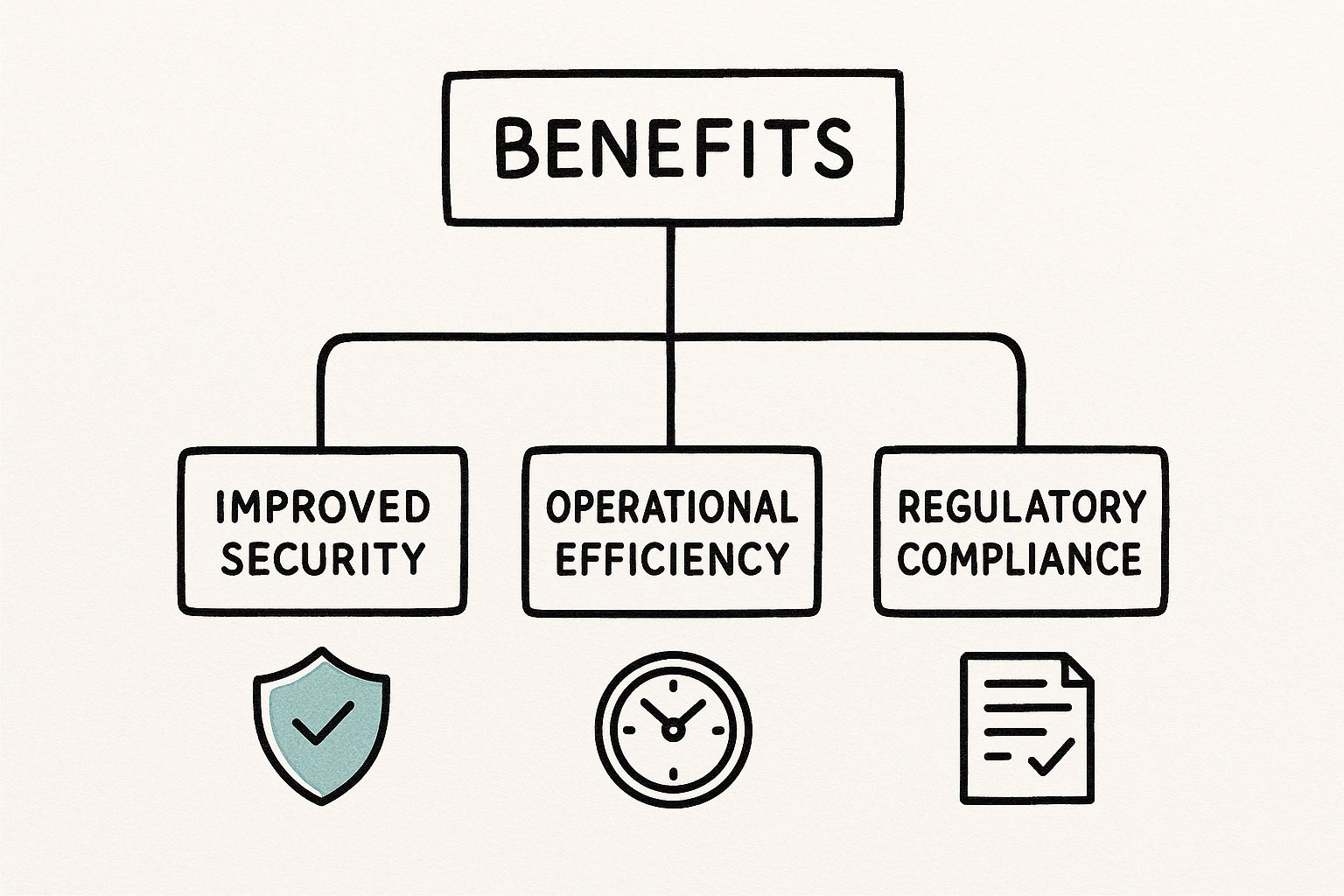
Blog

  • A Technical Guide to Application Performance Optimization

    A Technical Guide to Application Performance Optimization

    Optimizing your app without first defining what "fast" means is a recipe for disaster. It's like attempting a kernel compilation with no make configuration. Application performance optimization always starts with one thing: a clear, data-driven baseline established through robust instrumentation.

    This baseline is your single source of truth. It transforms vague complaints like "the app feels sluggish" into concrete, measurable problems, like "the p99 latency for the /api/v1/auth endpoint has regressed by 300ms since the last deployment."

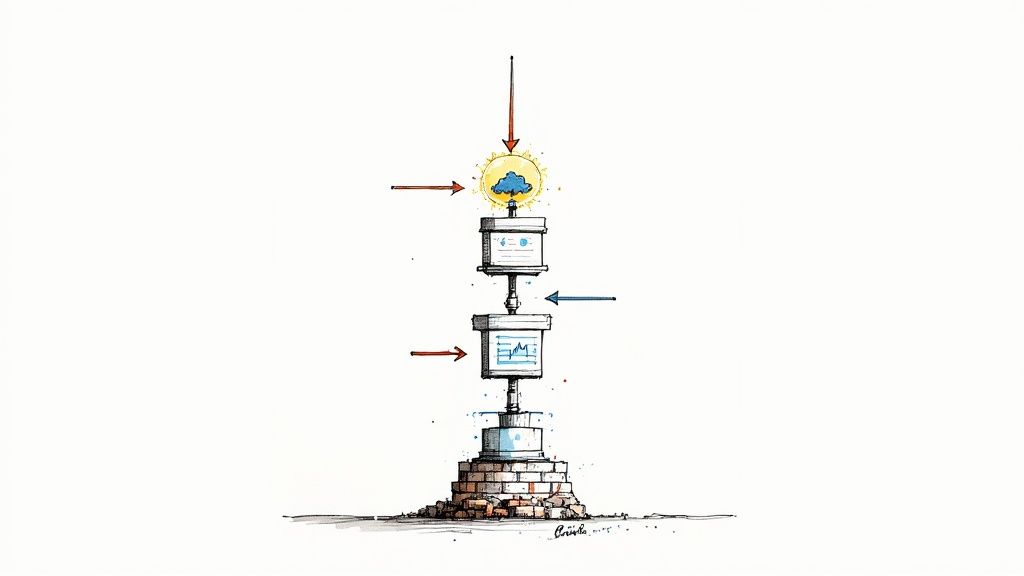
    Establishing Your Performance Baseline

    Image

    Before you can fix what's slow, you need a technical framework for what 'fast' means for your services. This isn't about guesswork; it's about instrumenting your code with agents (e.g., OpenTelemetry, New Relic) and monitoring the metrics that matter. The goal is to build a comprehensive performance dashboard in a tool like Grafana or Datadog that gives you the hard data you need to find real bottlenecks.

    Honestly, this first measurement phase is non-negotiable. If you skip it, you're flying blind. You'll end up wasting precious engineering cycles on "optimizations" that don't even touch the core issues, like refactoring a function that only accounts for 1% of total execution time.

    How to Quantify User Satisfaction with Apdex

    One of the most powerful tools is the Application Performance Index, or Apdex. It’s an industry-standard method to measure user satisfaction based on your application's response time. It converts complex performance data into a single score from 0 to 1, which tells you if your users are experiencing satisfactory performance or not.

    To implement Apdex, you define a time threshold, T, for what you consider a "satisfactory" response time. For a critical API endpoint, you might set T to 100 milliseconds.

    From there, every transaction falls into one of three buckets:

    • Satisfied: The response time is less than or equal to T (e.g., ≤ 100ms).
    • Tolerating: The response is between T and 4T (e.g., 101ms to 400ms). These requests are slower than ideal but may be acceptable.
    • Frustrated: The response takes longer than 4T (e.g., > 400ms). These are unacceptable response times that directly harm the user experience.

    The Apdex score is calculated with a simple formula: (Satisfied Count + (Tolerating Count / 2)) / Total Samples. A score of 1.00 is a perfect score, while anything below 0.50 indicates a majority of frustrated users. Tracking this provides a direct, quantifiable measure of user experience.

    Meeting Your Promises with SLA and SLO Tracking

    Next up are your commitments. Service Level Agreements (SLAs) are the contractual promises you make to your customers, often guaranteeing a specific level of uptime or performance. Service Level Objectives (SLOs) are the internal engineering targets you set to ensure you meet those SLAs.

    For application performance, your SLOs should be specific and measurable:

    • 99.9% availability, measured as the percentage of valid requests that do not return a 5xx error over a 28-day rolling window.
    • 95% of API requests to the /api/v1/users/{id} endpoint complete in under 200ms.
    • The weekly Apdex score for the primary user login flow must remain above 0.90.

    Tracking these metrics isn’t just for compliance; it's about building and maintaining trust. A single SLA breach can have direct financial and reputational consequences. This is why SLO monitoring is a core tenet of modern DevOps practices, where performance is a shared responsibility.

    Why You Need to Look at System-Level Metrics

    User-facing metrics like response time are critical, but they only tell you what is happening, not why. The underlying system metrics are where you'll find the root cause. Digging into CPU, memory, and I/O often reveals the real story behind a performance problem.

    The most effective performance optimization strategies connect user-facing latency directly to backend resource consumption. A sudden spike in response time is almost always preceded by a surge in CPU utilization or a slow-burning memory leak from an unclosed resource handle that was invisible until it caused cascading failures.

    To truly understand and improve your application's health, it's essential to monitor a combination of key metrics. The following table breaks down the most critical ones and why they should be on your dashboard.

    Core Performance Metrics and Their Technical Impact

    Metric What It Measures Why It's Critical
    Apdex Score User satisfaction with response times. Translates raw performance data into a clear, user-centric score.
    p95/p99 Response Time The time taken for 95%/99% of requests to complete. More valuable than average; exposes the experience of your slowest users.
    Error Rate The percentage of requests that result in 5xx errors. High error rates often signal underlying bugs or infrastructure failures.
    Throughput The number of requests processed per minute (RPM). Measures the application's capacity and scalability under load.
    CPU Usage The percentage of CPU being utilized by the application. High usage can indicate inefficient code (e.g., O(n^2) loops), infinite loops, or resource starvation.
    Memory Usage The amount of memory consumed by the application. Helps identify memory leaks and inefficient data handling that can lead to garbage collection thrashing and crashes.

    By instrumenting your application to capture these fundamental metrics—Apdex, SLOs, response times, CPU, and memory—you create a robust baseline. This data-rich foundation is the essential first step in any successful performance tuning initiative. It ensures your efforts are targeted, effective, and driven by real-world evidence, not just hunches.

    Advanced Profiling and Bottleneck Hunting

    Alright, you've got your performance baseline. Now the hunt for what’s actually bogging things down begins. This is where we graduate from looking at high-level dashboards to diving deep into the code for serious application performance optimization. The mission is to find the exact functions, database queries, and API calls that are the true performance hogs.

    This is how you turn vague complaints like "the app is slow" into actionable engineering tickets. Instead of guessing, you can confidently state, "the processOrder function is spending 85% of its execution time blocked on an unindexed SELECT query against the payments table on line 245 of order_service.py." That precision comes from advanced profiling.

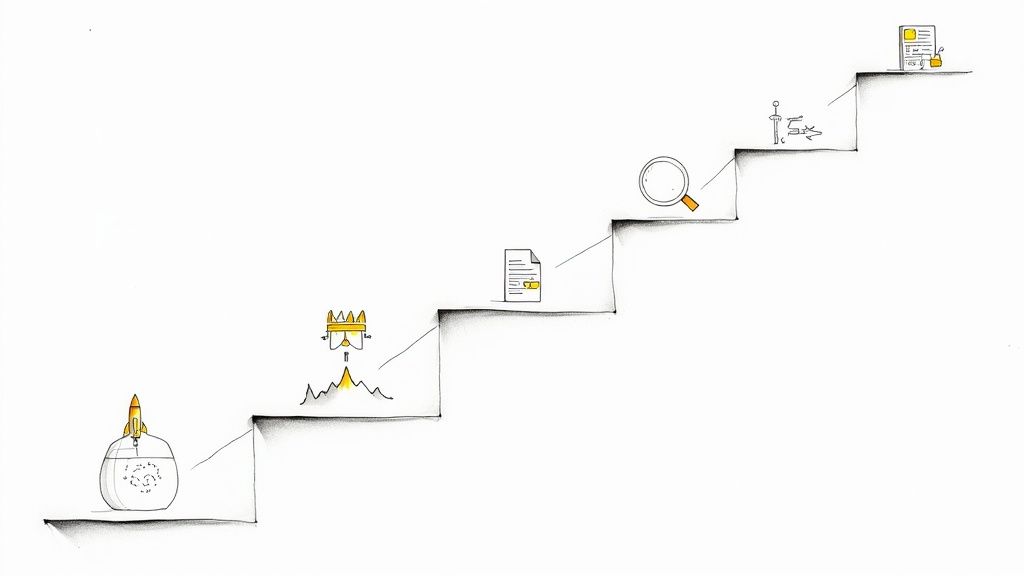
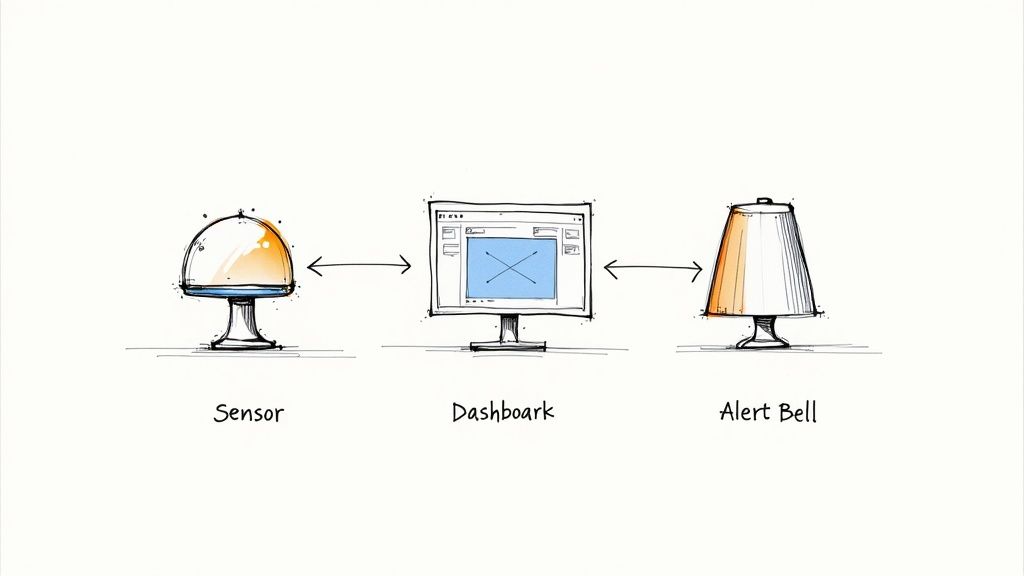
    This infographic breaks down the core workflow for tracking down these bottlenecks.

    Image

    It’s all about a systematic approach: start broad with metrics, use profilers to analyze the code, and then make targeted fixes where they'll have the most impact.

    Decoding CPU Usage with Flame Graphs

    A code profiler is your best friend in this hunt. It works by sampling your application’s call stack at a high frequency (e.g., 99Hz), building a statistical picture of where CPU time is really going. The most powerful visualization to come out of this process is the flame graph. It gives you a clear, top-down view of your app's execution path.

    Each box in the graph represents a function in your call stack. The wider the box, the more CPU time it consumed. These wide, "hot" boxes are the most time-consuming parts of your code. By reading the graph from bottom to top, you can trace the flow and instantly spot which function calls are the most expensive.

    For instance, you might see a massive block for a function like generateUserReport. Digging in, you see it calls a data serialization function that's surprisingly wide, telling you an inefficient JSON library is burning CPU cycles on reflection. This is a classic bottleneck that standard monitoring would totally miss.

    Uncovering Hidden Database Inefficiencies

    Database calls are one of the most common culprits for performance issues. A particularly nasty and hard-to-spot problem is the N+1 query problem. This occurs when your code fetches a list of items (the 1 query) and then loops through that list to fetch related data for each item (the N subsequent queries).

    Imagine an ORM fetching 100 blog posts. A naive implementation might run SELECT * FROM posts LIMIT 100, then loop through each post object and trigger post.author() which runs SELECT * FROM users WHERE id = ?. That's 101 round trips to the database! A good Application Performance Monitoring (APM) tool with distributed tracing will light this up, showing a waterfall of identical, repeated SELECT queries.

    The fix is often simple—refactor the code to use a single JOIN query or leverage the ORM's eager loading feature (.includes(:author) in Rails, .select_related('author') in Django). The hard part is spotting the N+1 pattern in the first place, and that's where profilers make all the difference.

    Tracing Sluggish API Endpoints

    Let’s walk through a real-world scenario. You have a critical API endpoint, /api/v1/products, that keeps blowing past its 200ms SLO. Your basic monitoring confirms it’s slow, but not why.

    Here’s how you’d hunt it down:

    1. Start a trace. Use a distributed tracing tool (like Jaeger or Zipkin) to capture the full journey of a request hitting that endpoint. This trace follows the request across every service it touches, injecting and propagating trace context headers (traceparent, tracestate).
    2. Analyze the spans. The trace visualizes the request as a series of "spans," with each one representing a specific operation (e.g., an HTTP call, a database query). You'll likely see one very long parent span for the main application logic.
    3. Find the culprit. Drill into that long span. You might notice it's making several database queries serially instead of in parallel. Or, the trace might reveal a dependency on another microservice that’s taking forever to respond. Understanding these dependencies is key; you can better manage them by studying effective microservices architecture design patterns.
    4. Pinpoint the root cause. Following the trace into that slow microservice, you find it: a full table scan on a huge, unindexed products table. Suddenly, the solution is obvious: CREATE INDEX idx_products_on_category_id ON products (category_id);.

    This systematic process—profiling, tracing, and analyzing—is the heart of advanced application performance optimization. It's how you turn mystery slowdowns into solvable engineering problems.

    Code-Level and Algorithmic Tuning Strategies

    Image

    Alright, you've run the profilers and pinpointed the trouble spots. Now it's time to roll up our sleeves and get our hands dirty in the code. This is where we shift from diagnosing problems to actively fixing them—implementing the nitty-gritty, code-level tactics that deliver real, measurable performance improvements.

    These strategies are your go-to toolkit for squashing the common performance hogs you found. We're talking about specific coding patterns and architectural tweaks that directly boost speed, responsiveness, and resource utilization.

    Implementing Multi-Layered Caching

    If you're looking for the biggest bang for your buck, caching is almost always it. It's often the lowest-hanging fruit with the highest impact. The concept is simple: store the results of expensive operations in a faster data store and reuse that result on subsequent requests. A well-designed, multi-layered caching strategy can slash server response times.

    Think about your caching approach in layers:

    • In-Memory Cache: The fastest option, storing data in your application's heap (e.g., a simple hash map, Guava Cache). It’s perfect for data that's needed constantly with a high read-to-write ratio, like configuration settings or a user's session data.
    • Distributed Cache: For horizontally scaled applications, a distributed cache like Redis or Memcached is essential. It provides a shared, low-latency key-value store that all app instances can access, preventing cache inconsistency.
    • Content Delivery Network (CDN): A CDN reduces network latency by caching static assets (images, CSS, JavaScript) and dynamic API responses at edge locations physically closer to your users.

    Remember, effective caching isn't just about storing data—it's about knowing when to invalidate it. You absolutely must have a clear cache invalidation strategy (e.g., cache-aside, write-through, time-to-live expiration). Failure to do so will inevitably lead to serving stale data.

    Offloading Work with Asynchronous Processing

    Not every task needs to complete within the synchronous request-response cycle. Long-running, non-critical jobs like sending a welcome email, processing a video upload, or generating a monthly PDF report should not block the main application thread and degrade perceived performance.

    This is the perfect use case for asynchronous processing. By using a message queue, powered by tools like RabbitMQ or AWS SQS, you can decouple these tasks from the main request-response path.

    The flow is straightforward:

    1. A user's action triggers a long-running task.
    2. Instead of executing it immediately, your application serializes a "job" message and pushes it onto a queue.
    3. You immediately return a 202 Accepted response to the user, like, "Your report is being generated and will be available shortly."
    4. Separate, dedicated worker processes are constantly polling that queue, consuming jobs, and executing them in the background, completely isolated from your user-facing web servers.

    This technique is a massive win for perceived performance. The app feels incredibly snappy to the user because the initial response is almost instant, even while heavy lifting happens behind the scenes. It's a non-negotiable strategy for building responsive, scalable systems.

    Boosting Algorithmic and Database Efficiency

    Sometimes the bottleneck isn't an external service or a slow network call; it's buried deep in your own logic. An inefficient algorithm (e.g., a nested loop with O(n^2) complexity) or a poorly designed database query can bring even the most powerful server to its knees as data volume grows.

    This is incredibly true in the mobile world, where code efficiency directly impacts user retention. Applying mobile app performance best practices like refactoring logic and reducing redundant computations can result in a 40% reduction in app launch times. These optimizations can take launch times from a frustrating 5-6 seconds down to a much more acceptable sub-2 seconds—a critical difference for keeping users engaged. You can read the full breakdown on Finextra to see how developers are tackling this.

    Here are a few technical patterns to look for and fix:

    • Memoization: A specific form of caching where you store the results of expensive, deterministic function calls. The next time the function is called with the same inputs, you return the cached result instead of re-computing. It’s fantastic for pure functions, like those performing complex financial calculations.
    • Database Connection Pooling: Opening a new TCP connection to a database for every query is extremely slow and resource-intensive. A connection pool (like HikariCP for Java or PgBouncer for PostgreSQL) solves this by maintaining a set of open, ready-to-use connections. Your application borrows one when needed and returns it when done, amortizing the connection setup cost over many queries.
    • Effective Index Utilization: We touched on this during profiling, but it’s critical. Ensure your queries are using database indexes. Running an EXPLAIN ANALYZE on a slow query will show you the query plan and reveal if you're doing a full table scan. Add indexes to columns used in your WHERE, JOIN, and ORDER BY clauses to enable fast lookups.

    By combining strategic caching, asynchronous processing, and deep analysis of your algorithms and data access patterns, you can systematically dismantle performance bottlenecks at their source.

    Optimizing The Front End For Perceived Speed

    You can have a perfectly tuned backend and an API that responds in less than 20ms, but none of that matters if the user's browser takes seconds to render the page. The front end is where performance becomes tangible, and the user's perception of speed is the ultimate metric.

    This is about mastering the user-facing experience. Let's get into the technical details of conquering Google's Core Web Vitals, shrinking asset payloads, and optimizing the browser's rendering path.

    Mastering The Core Web Vitals

    Your primary targets on the front end are the Core Web Vitals. These three metrics are Google's attempt to quantify real-world user experience, and they directly impact your search rankings.

    • Largest Contentful Paint (LCP): Measures loading performance. To improve it, ensure the largest element in the viewport (often a hero image or H1 tag) is rendered quickly. Preloading critical resources (<link rel="preload">) is a key technique here.
    • Interaction to Next Paint (INP): Measures interactivity. It tracks the latency from a user interaction (like a click) to the next visual update. A low INP requires breaking up long-running JavaScript tasks on the main thread so the browser can respond to input.
    • Cumulative Layout Shift (CLS): Measures visual stability. It quantifies unexpected layout shifts during load. To fix this, always specify width and height attributes on images and reserve space for dynamic content like ads.

    To truly optimize these, you need to be analyzing Real User Monitoring (RUM) data. Lab tests (like Lighthouse) are a great starting point, but RUM shows you what’s actually happening for your users on their diverse devices and networks.

    Shrinking Payloads With Bundling and Minification

    On the front end, every byte counts. Your first line of defense against slow load times is bundling and minification.

    Bundling combines multiple JavaScript or CSS files into a single file, reducing the number of round-trip HTTP requests. Minification then removes unnecessary characters from that code (whitespace, comments, shortening variable names) without altering its functionality. Modern build tools like Webpack or Vite automate this process.

    But simply creating a single massive app.js can be counterproductive.

    Code splitting is the essential next step. Instead of one monolithic bundle, you break your code into smaller, logical chunks that are loaded on demand. For example, the code for a complex admin dashboard doesn't need to be downloaded by a user visiting the landing page. Route-based splitting is a common and effective pattern.

    By loading only what's necessary for the initial view, you dramatically speed up that critical first paint and improve your LCP score.

    Front-End Optimization Technique Breakdown

    Choosing the right optimization technique often involves a trade-off between implementation complexity and impact. Here’s a technical breakdown to help you prioritize.

    Technique Impact Level (Low/Med/High) Implementation Complexity Best For
    Minification Medium Low All projects; a foundational, automated win via build tools.
    Image Compression High Low Sites with many raster images; use modern formats like WebP or AVIF.
    Lazy Loading High Low Pages with content below the fold. Use loading="lazy" for images/iframes.
    Bundling Medium Low Modern JavaScript applications using frameworks and modules.
    Code Splitting High Medium Single Page Applications (SPAs) with distinct routes or features.
    Inlining Critical CSS High Medium Improving Time to First Paint (TTFP) for content-heavy sites.

    This table isn't exhaustive, but it provides a clear path. Start with low-hanging fruit like minification and lazy loading, then move on to more complex strategies like code splitting as your application grows.

    Optimizing The Critical Rendering Path

    The critical rendering path refers to the sequence of steps a browser takes to convert HTML, CSS, and JavaScript into pixels on the screen. Optimizing this path is key to making a site feel instantaneous.

    A powerful strategy is identifying your "critical CSS"—the minimum set of styles needed to render the above-the-fold content. You can then inline this small block of CSS directly into the <head> of your HTML document.

    This allows the browser to start rendering the visible part of the page immediately, without being render-blocked by the download of an external stylesheet. The rest of your styles can then be loaded asynchronously.

    We're also seeing a shift toward using AI to anticipate performance issues. Some businesses are using predictive preloading, where AI analyzes user navigation patterns to prefetch resources for pages a user is likely to visit next. This can lead to a 20-30% uplift in engagement. As you can read in more detail in these 2025 web performance trends on UXify, tools like Google's Chrome AI Performance Panel are giving developers new ways to diagnose bottlenecks before they impact users.

    And don't forget lazy loading. Any assets that are offscreen—like images far down a long article—shouldn't be loaded initially. Simply add the loading="lazy" attribute to your <img> and <iframe> tags, and the browser will defer loading them until the user scrolls them into the viewport. It's a simple, high-impact change.

    Weaving Performance Into Your DevOps Workflow

    Image

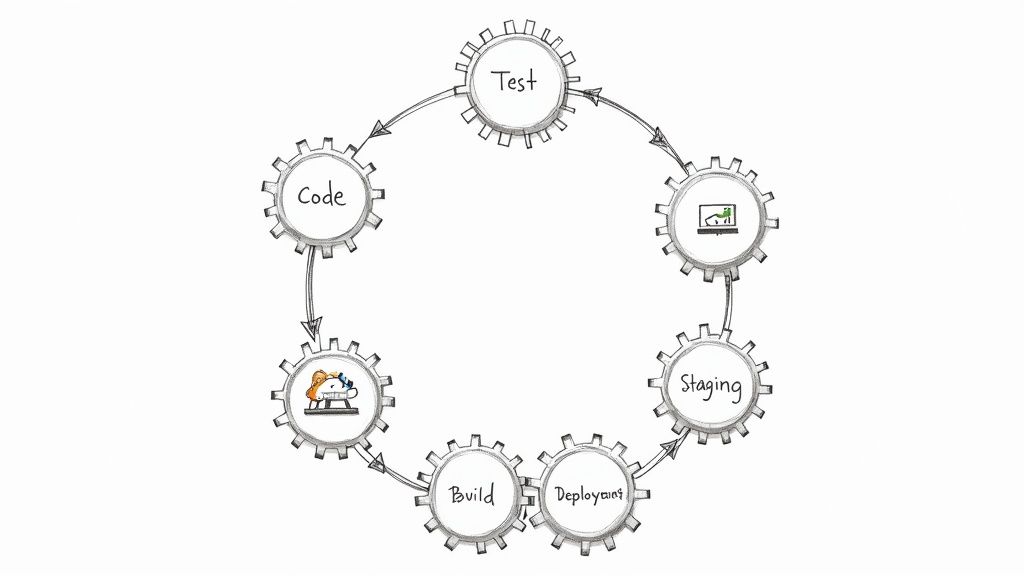
    True application performance optimization isn’t a one-time project. It's a discipline that must be woven into the fabric of your software development lifecycle. If you're only thinking about performance when users complain, you're already behind.

    The goal is to shift performance left, embedding it deep into your CI/CD pipeline and engineering culture. This moves you from reactive firefighting to a proactive, continuous practice. You must catch performance regressions automatically, before they ever reach production.

    Build Automated Performance Gates

    The most effective way to enforce performance standards is to automate them within your delivery process. Your CI/CD pipeline is the ideal place for this. Implement "performance gates"—automated checks that run on every build, treating a performance regression with the same severity as a failing unit test.

    This starts by integrating performance testing tools directly into your CI pipeline. For every pull request, your CI server should automatically run a suite of targeted performance tests against an ephemeral test environment. These aren't multi-hour load tests, but quick, focused checks designed to detect regressions fast.

    You can configure tools like k6 or JMeter to run a script that hits key endpoints with a realistic traffic pattern. Your pipeline script then asserts that key metrics—like p95 response time or requests per second—are within an acceptable delta of the baseline. If the new code causes a statistically significant slowdown, the pipeline fails the build, providing immediate feedback to the developer.

    Enforce Strict Performance Budgets

    A performance gate is only as strong as its thresholds. This is where a performance budget comes in. This is a set of hard, non-negotiable limits on key metrics that your application is never allowed to exceed in a CI build.

    If a build violates the budget, it fails. No exceptions.

    Your budget should be comprehensive, covering the full stack:

    • Front End: A hard cap on JavaScript bundle size (e.g., < 250KB gzipped), LCP under 2.5 seconds, and a CLS score below 0.1 in lab tests.
    • Back End: API endpoint p99 response times must remain under 400ms, or an Apdex score that never dips below 0.95.
    • Infrastructure: Maximum memory allocation for a specific microservice container or a firm ceiling on CPU cycles per transaction.

    Setting a performance budget changes the engineering conversation. It forces developers to consider the performance impact of a new library or feature during development, not after a production incident. Performance becomes a first-class requirement for every pull request.

    Create a Culture of Performance Ownership

    Tools and automation are essential, but they are ineffective without a culture where every engineer feels responsible for performance. You must move past the "ops will deal with it" mentality. The new mantra is, "my code's performance is my responsibility."

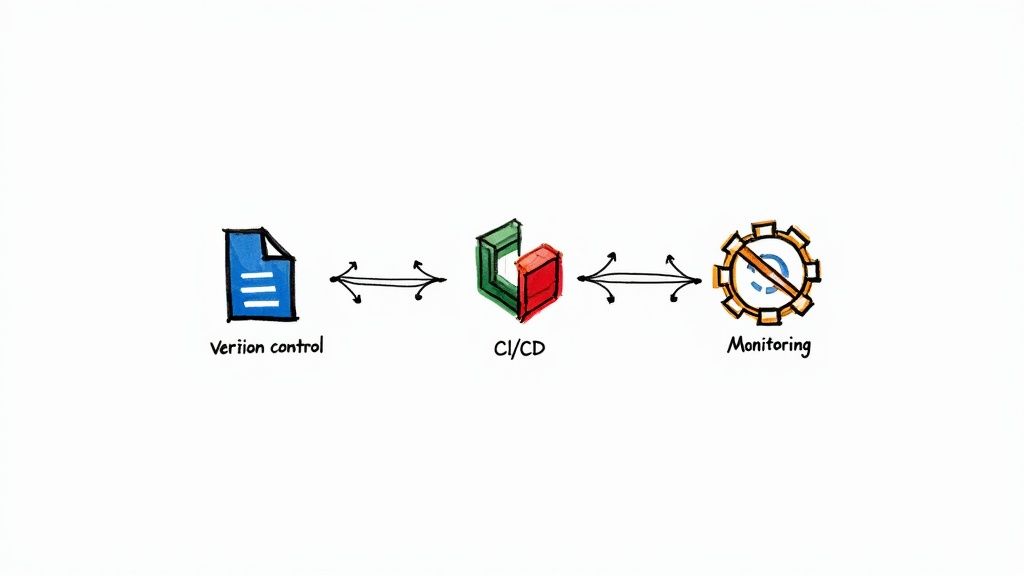
    Two practices are key to this cultural shift. First, integrate your Application Performance Monitoring (APM) tool with your deployment workflow. When a new version goes live, the CI/CD pipeline should automatically send a deployment marker event to your APM. This lets you immediately correlate changes in performance metrics—good or bad—to a specific commit hash and release. For a deeper look at this automation, our guide on CI/CD pipeline best practices has valuable strategies.

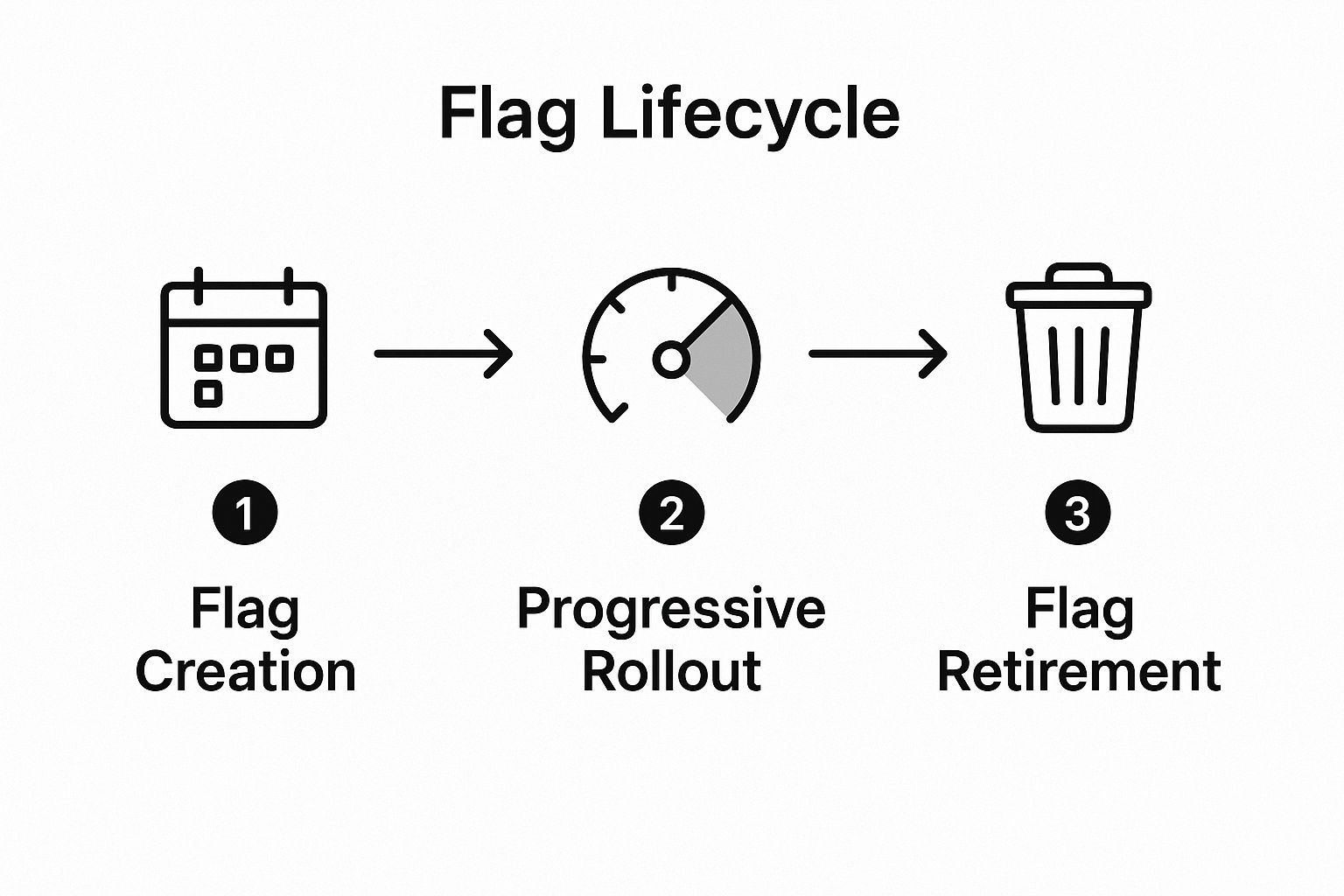
    Second, use feature flags for high-risk rollouts. By wrapping new, performance-intensive features in a flag, you can deploy them to production while they are still "off." You can then progressively enable the feature for a small percentage of users, carefully monitoring its real-world impact on your dashboards. If performance degrades, you disable the feature with a single click, mitigating the blast radius. This tight feedback loop—deploy, measure, learn—is the essence of a modern, performance-aware DevOps workflow.

    Alright, even with a solid game plan, jumping into application performance optimization can feel daunting. I've seen teams get blocked by the same questions that kill momentum before they even start.

    Let's cut through the noise and tackle these head-on. Getting these answers straight from the beginning is how you ensure your engineering work drives business value.

    How Do I Know Where to Start Optimizing?

    This is the critical question. The single biggest mistake is guessing. Never start optimizing based on a hunch.

    Your starting point must be driven by data from your monitoring and profiling tools.

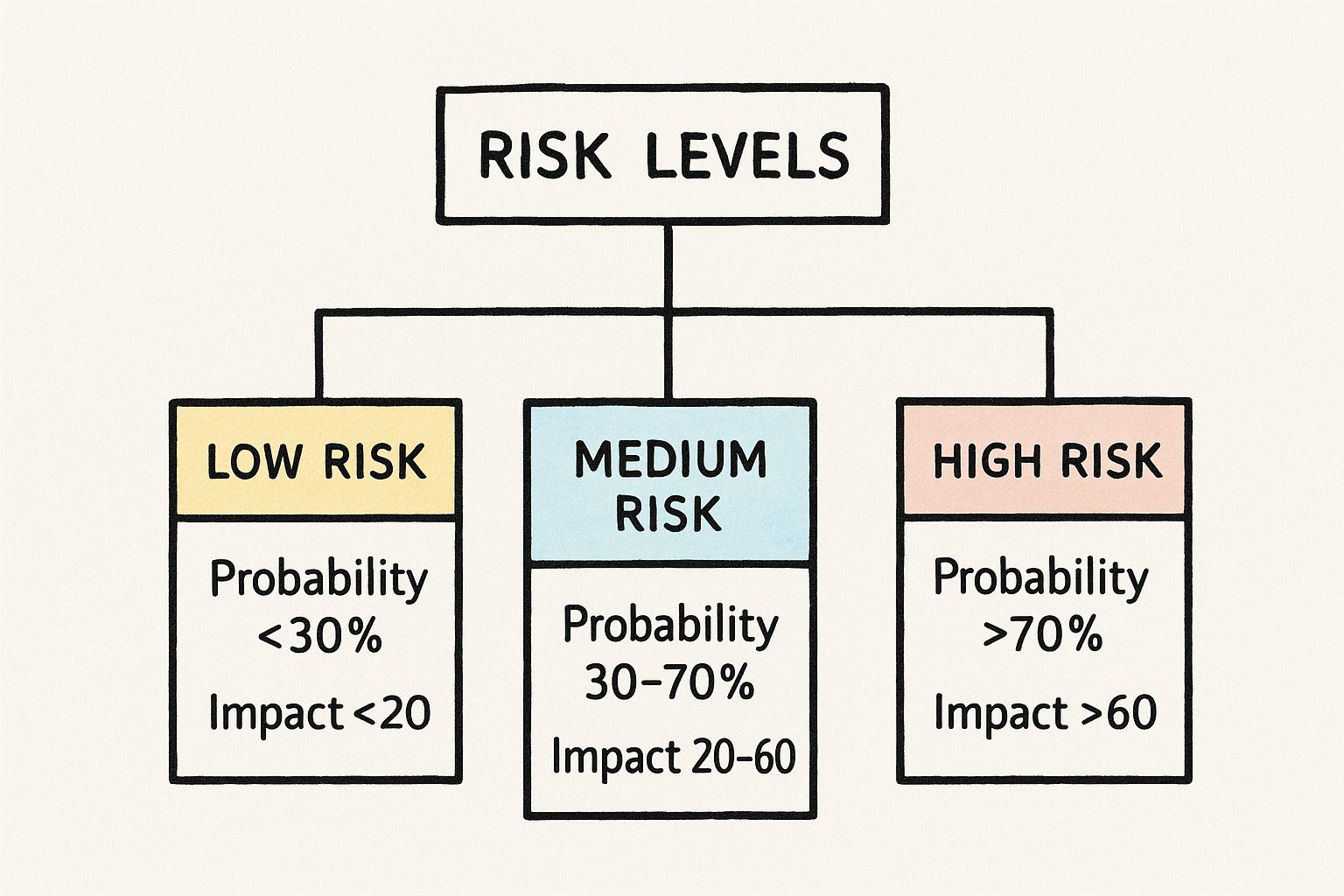
    Here’s a prioritization matrix I always use:

    • Highest Latency Endpoints (p95/p99): Which API calls or pages have the worst tail latency? These cause acute pain for users, even if they're a minority.
    • Highest Throughput Endpoints: Find the endpoint that gets hit thousands of times a minute. A small, 10ms improvement here can have a massive aggregate impact, freeing up significant system resources.
    • Endpoints with High Error Rates: Performance issues and application errors are often correlated. A service with a high 5xx error rate is a prime candidate for investigation.

    Use this data to build a prioritized backlog. The ideal starting point is a high-throughput endpoint with poor p95 latency where your profiler has already identified a likely culprit, like an N+1 query.

    How Much Performance Improvement Is "Good Enough"?

    The answer is not a universal number like "200ms." The real answer is: it depends on the context defined by your SLOs.

    A background job that processes nightly analytics can take several minutes, and no one will care. But a payment processing API must have a p99 latency in the low milliseconds. You cannot define "good enough" without a pre-established objective.

    Instead of chasing an arbitrary target, set specific SLOs for each critical user journey. For an e-commerce checkout flow, you might aim for a sub-2-second end-to-end completion time. For an internal dashboard, 5 seconds might be acceptable.

    Your work is "good enough" when your application is consistently meeting or exceeding its defined SLOs.

    How Do I Justify the Investment in Performance Work?

    This requires translating engineering metrics into business outcomes. Performance is not just a technical feature; it's a core business driver. You justify the investment by connecting your work to revenue, cost, and user satisfaction.

    Stop talking about milliseconds. Start talking about business impact.

    Build your business case with data you likely already have:

    • Conversion Rates: Correlate page load times with conversion funnels. "A one-second improvement in LCP is projected to increase checkout conversions by 7%, which translates to $X in new revenue."
    • Infrastructure Costs: Show how code optimization directly reduces your cloud spend. "Fixing this memory leak will allow us to reduce our EKS node count by 20%, saving $5,000 per month in AWS costs."
    • User Retention and Churn: Use your Apdex scores and analytics to demonstrate that poor performance leads to user churn. Connect your optimization efforts directly to improving key product metrics like Daily Active Users (DAU).

    When you frame application performance optimization as a driver of revenue and a mitigator of cost, securing engineering time and resources becomes a straightforward business decision. It’s no longer a "cost center"—it’s a clear investment in the health of the business.


    Ready to build a high-performing, resilient system? OpsMoon connects you with the top 0.7% of DevOps experts who can help you implement robust monitoring, automate your CI/CD pipelines, and instill a culture of performance. Plan your work for free and see how we can help you ship faster and more reliably.

  • 10 Actionable DevOps Security Best practices for 2025

    10 Actionable DevOps Security Best practices for 2025

    In the world of rapid software delivery, integrating security into every stage of the development lifecycle is no longer a “nice-to-have” but a fundamental requirement for building resilient applications. This practice, often called DevSecOps, moves security from a final-stage gatekeeper to an integral part of the entire process. Adopting this mindset is crucial, but true implementation demands a concrete, actionable strategy that goes beyond theory. This is where a clear understanding of DevOps security best practices becomes indispensable for protecting your organization’s assets and reputation.

    This article provides a comprehensive roundup of essential security practices tailored for direct technical implementation. We will move past high-level concepts and dive straight into the “how,” offering specific code snippets, tool recommendations, and detailed guidance. You will learn to harden your CI/CD pipelines, secure your infrastructure-as-code (IaC), protect containerized workloads in Kubernetes, and establish robust, automated governance. We will cover a range of critical topics, including:

    • Shift-Left Security: Integrating security scans and checks early in the development cycle.
    • IaC and Container Security: Hardening your cloud infrastructure and Dockerized applications.
    • Secrets Management: Eliminating hardcoded credentials and implementing dynamic secret rotation.
    • Supply Chain Security: Securing your software dependencies and build artifacts.
    • Zero Trust Architecture: Implementing a “never trust, always verify” security model.
    • Continuous Monitoring: Establishing real-time threat detection and automated incident response.
    • Security Chaos Engineering: Proactively testing your system’s resilience against security failures.

    Whether you are building your security program from scratch or maturing existing processes, these proven techniques will equip you to embed security into the very fabric of your development workflow, enabling you to innovate confidently and securely.

    1. Shift-Left Security (DevSecOps)

    Shifting left is a foundational DevOps security best practice that integrates security considerations into the earliest stages of the software development lifecycle (SDLC). Instead of performing security checks as a final gate before release, DevSecOps embeds security as a continuous, shared responsibility. This proactive approach identifies and remediates vulnerabilities when they are cheapest and easiest to fix: during coding and design. By making security an intrinsic part of the development workflow, teams build more secure applications from the ground up, reducing friction and costly rework later.

    Shift-Left Security (DevSecOps)

    This model contrasts sharply with traditional “waterfall” security, where a separate security team audits code just before deployment, often leading to significant delays. In a shift-left culture, developers are empowered with the tools and knowledge to write secure code from the start. For example, Netflix famously integrated security automation directly into their CI/CD pipelines, enabling rapid deployments without sacrificing security oversight.

    How to Implement Shift-Left Security

    To successfully adopt this practice, focus on automation and developer enablement. The goal is to make the secure path the easiest path.

    • Integrate SAST and SCA Tools: Start by incorporating Static Application Security Testing (SAST) tools like SonarQube or Snyk Code directly into developer IDEs and pre-commit hooks. This provides immediate feedback on coding vulnerabilities. Simultaneously, use Software Composition Analysis (SCA) tools like OWASP Dependency-Check or Trivy to scan for known vulnerabilities in third-party libraries (e.g., package.json, requirements.txt) during the build process.
    • Establish Security Champions: Designate and train “security champions” within each development team. These individuals act as the primary point of contact for security questions, promote best practices like threat modeling, and help triage findings from automated scanners.
    • Automate Security Gates: Implement automated security gates in your CI/CD pipeline. For instance, in a GitLab CI/CD pipeline, you can define a job that fails if a scanner detects critical vulnerabilities. Here’s a conceptual example:
      sast_scan:
        stage: test
        script:
          - /analyzer run .
        artifacts:
          reports:
            sast: gl-sast-report.json
        rules:
          - if: $CI_PIPELINE_SOURCE == 'merge_request_event'
      

      Crucially, allow for overrides with proper justification and audit trails, maintaining a balance between security and development velocity.

    2. Infrastructure as Code (IaC) Security

    Infrastructure as Code (IaC) Security is a core DevOps security best practice that treats infrastructure definitions as software, subjecting them to the same security rigor as application code. Instead of relying on manual, error-prone configuration, IaC allows teams to define, deploy, and manage infrastructure through version-controlled, human-readable files. This approach makes security scalable and repeatable, enabling teams to scan for misconfigurations and enforce policies before any infrastructure is provisioned, effectively preventing vulnerabilities from ever reaching production environments.

    Infrastructure as Code (IaC) Security

    By codifying infrastructure, every change becomes auditable and testable. This paradigm shift allows security to be embedded directly into the deployment pipeline, rather than being an afterthought. For instance, Shopify leverages a robust security validation pipeline for its infrastructure code, catching potential issues like overly permissive firewall rules or public S3 buckets early. Similarly, HashiCorp’s Sentinel framework allows organizations to enforce fine-grained, policy-as-code controls on Terraform configurations, ensuring compliance before terraform apply is ever run. This proactive stance is essential for maintaining a secure and compliant cloud environment at scale. For organizations leveraging these technologies, understanding the principles of IaC with Terraform is a critical step toward modernizing security.

    How to Implement IaC Security

    Effective IaC security relies on integrating automated scanning and governance directly into your version control and CI/CD workflows. The goal is to make secure configurations the default and easiest option for developers.

    • Integrate IaC Scanners: Embed automated scanning tools like Checkov, Terrascan, or TFSec directly into your CI/CD pipeline. Configure these tools to run on every pull request. A simple pipeline step could look like this:
      # Example using Checkov
      checkov -d . --framework terraform --quiet --soft-fail-on CKV_AWS_21
      

      This scans the current directory for common misconfigurations and can be configured to fail the build based on severity.

    • Implement Policy as Code (PaC): Use frameworks like Open Policy Agent (OPA) or HashiCorp Sentinel to define and enforce custom security policies. For example, a Sentinel policy could prevent the creation of S3 buckets without server-side encryption:
      import "tfplan/v2" as tfplan
      
      allS3Buckets := filter tfplan.resource_changes as _, rc {
          rc.type is "aws_s3_bucket" and rc.mode is "managed"
      }
      
      main = rule {
          all allS3Buckets as _, bucket {
              bucket.change.after.server_side_encryption_configuration is not null
          }
      }
      
    • Establish a Peer Review Process: Mandate a CODEOWNERS file in your Git repository to ensure that all infrastructure code changes are reviewed by the infrastructure or security team. This is a native feature in platforms like GitHub and GitLab and serves as an enforced peer review gate.

    3. Container and Kubernetes Security

    Container and Kubernetes Security involves a multi-layered strategy to protect containerized applications and their orchestration platform. As container adoption explodes, securing this dynamic environment is a critical DevOps security best practice. This means securing the entire lifecycle: from the base images and application code to the container runtime, the Kubernetes control plane, and the underlying network. A holistic approach prevents vulnerabilities from being introduced at any stage and protects running applications from threats.

    Container and Kubernetes Security

    This practice moves beyond traditional server security, addressing the ephemeral and distributed nature of containers. For instance, Spotify leverages tools like Falco for real-time threat detection within its Kubernetes clusters, monitoring for anomalous system call activity. Similarly, Pinterest integrates robust image scanning directly into its CI/CD pipeline, ensuring that only vetted and vulnerability-free images are deployed to production. This proactive, integrated security model is essential for maintaining control in complex, orchestrated environments.

    How to Implement Container and Kubernetes Security

    Securing a containerized stack requires a defense-in-depth approach, combining static analysis with runtime protection and strict access controls. The goal is to minimize the attack surface at every layer of the stack.

    • Harden Container Images: Start with the smallest possible base images, such as distroless or Alpine, to reduce potential vulnerabilities. Scan images for known CVEs using tools like Trivy or Clair within your CI/CD pipeline, failing any builds that introduce critical or high-severity issues. For example:
      trivy image --severity HIGH,CRITICAL --exit-code 1 your-image-name:tag
      

      Regularly rebuild and update base images to patch newly discovered vulnerabilities.

    • Enforce Kubernetes Security Policies: Implement Pod Security Standards (PSS) or use policy-as-code engines like OPA Gatekeeper or Kyverno to enforce security contexts. For example, a basic PodSecurityContext in your deployment YAML can prevent privilege escalation and running as root:
      spec:
        containers:
        - name: my-app
          securityContext:
            allowPrivilegeEscalation: false
            runAsNonRoot: true
            readOnlyRootFilesystem: true
            capabilities:
              drop:
              - ALL
      
    • Implement Runtime and Network Security: Deploy a runtime security tool like Falco or Sysdig Secure to detect and block anomalous behavior within running containers, such as unexpected process execution or file modifications. Use a service mesh like Istio or Linkerd to enforce mutual TLS (mTLS) for encrypted traffic between pods and to create fine-grained NetworkPolicy resources that restrict communication to only what is necessary.
    • Apply Least Privilege with RBAC: Configure Kubernetes Role-Based Access Control (RBAC) to grant users, groups, and service accounts only the permissions they absolutely need. Avoid using default or cluster-admin roles. Regularly audit RBAC policies with tools like rbac-lookup to ensure they remain aligned with the principle of least privilege.

    4. Secrets Management and Rotation

    Effective secrets management is a critical pillar of any robust DevOps security best practices framework. This involves the secure storage, controlled distribution, and regular updating of sensitive information like passwords, API keys, certificates, and database credentials. By centralizing and automating the handling of secrets, organizations prevent them from being hardcoded in source code, committed to version control, or exposed in logs, drastically reducing the attack surface. This practice ensures secrets are encrypted both at rest and in transit, and are automatically rotated to limit the window of opportunity for an attacker if a secret is ever compromised.

    Secrets Management and Rotation

    Leaving secrets unmanaged is a recipe for disaster, as they become static, widely distributed, and difficult to revoke. A proper secrets management strategy, championed by tools like HashiCorp Vault, provides a single source of truth for all sensitive credentials. For instance, GitHub leverages Vault to manage secrets across its vast infrastructure, while Netflix uses AWS Secrets Manager to automatically rotate database credentials for its microservices, ensuring ephemeral access that minimizes risk.

    How to Implement Secrets Management and Rotation

    Implementing a strong secrets management system requires a combination of the right tools and strict operational policies. The primary goal is to make accessing secrets programmatic, auditable, and time-limited.

    • Centralize Secrets in a Vault: Adopt a dedicated secrets management tool like HashiCorp Vault, AWS Secrets Manager, or Azure Key Vault. Configure applications to authenticate to the vault using trusted identities (e.g., AWS IAM roles, Kubernetes Service Accounts) to dynamically fetch secrets. In Kubernetes, this is often done using a sidecar injector that mounts secrets into the pod. For a deeper dive, you can learn more about implementing Vault for secure secrets management on opsmoon.com.
    • Automate Credential Rotation: Configure dynamic secrets engines in your vault. For example, with HashiCorp Vault’s database secrets engine, an application can request a unique, time-limited database credential each time it starts. When the lease expires, Vault automatically revokes the credential. This eliminates static, long-lived passwords entirely.
    • Implement Strict Access Controls and Auditing: Use fine-grained access control policies (e.g., Vault policies, IAM policies) to enforce the principle of least privilege. A Vault policy might look like this:
      # Allow read-only access to the 'billing' app's database credentials
      path "database/creds/billing-app" {
        capabilities = ["read"]
      }
      

      Enable detailed audit logging for all vault operations and ship these logs to a SIEM. Set up alerts for unusual activity, such as numerous failed access attempts or requests from an unexpected source IP.

    5. Continuous Security Monitoring and Incident Response

    Continuous Security Monitoring is a critical DevOps security best practice that extends security oversight beyond the CI/CD pipeline and into live production environments. It involves the real-time collection, analysis, and correlation of security data to detect threats and anomalies as they happen. This proactive stance is coupled with a robust Incident Response (IR) plan, enabling teams to quickly contain and neutralize threats, minimizing potential damage and downtime. By treating security as an ongoing, 24/7 activity, organizations can protect their applications and infrastructure against evolving threats.

    This approach moves security from a reactive, post-breach analysis to a dynamic, real-time defense mechanism. For example, Etsy integrated security monitoring directly into its deployment pipeline, allowing its security team to correlate deployment events with security alerts, thus pinpointing issues faster. Similarly, Dropbox developed an automated incident response system that can quarantine affected systems or users automatically when specific high-confidence threats are detected, drastically reducing manual intervention and response times.

    How to Implement Continuous Monitoring and Response

    Effective implementation hinges on visibility, automation, and preparedness. The objective is to reduce the mean time to detect (MTTD) and mean time to respond (MTTR) for any security incident.

    • Deploy a Centralized Logging and SIEM Solution: Aggregate logs from all sources—applications, cloud provider audit logs (e.g., AWS CloudTrail), Kubernetes audit logs, and network flow logs—into a central Security Information and Event Management (SIEM) platform like Splunk, Elastic SIEM, or Datadog. Configure correlation rules to detect suspicious patterns, like a user attempting to disable CloudTrail logging or multiple failed container exec attempts followed by a success.
    • Create Automated Response Playbooks: Use Security Orchestration, Automation, and Response (SOAR) tools or serverless functions (e.g., AWS Lambda) to automate responses. For example, a CloudTrail event showing the creation of an unauthorized IAM user could trigger a Lambda function that automatically disables the user, revokes their session, and sends a critical alert to Slack.
    • Implement Security Chaos Engineering: Proactively test your monitoring and response capabilities. Use tools like Stratus Red Team to simulate specific AWS attack techniques (e.g., credential exfiltration) in a controlled environment. Observe whether your detection rules fire as expected and if your automated response playbook executes correctly. This helps identify blind spots before a real attacker exploits them. Learn more about comprehensive observability on opsmoon.com.

    6. Supply Chain Security

    Software supply chain security is a critical DevOps security best practice that involves securing the entire lifecycle of your software, from the code you write to the dependencies you use and the tools that build and deploy it. The modern application is a complex assembly of first-party code, open-source libraries, and third-party services. A vulnerability in any one of these components can compromise the entire application, making it essential to verify the integrity and origin of every piece of your software stack.

    The high-profile SolarWinds attack, where malicious code was injected into a build process, highlighted the devastating impact of supply chain vulnerabilities. In response, industry-wide initiatives like Google’s Supply-chain Levels for Software Artifacts (SLSA) framework have emerged to provide a common language and set of controls for securing the pipeline. This practice ensures that what you build is what you deploy, free from unauthorized or malicious modifications.

    How to Implement Supply Chain Security

    Adopting a robust supply chain security posture requires a multi-layered approach that combines dependency management, artifact integrity, and build process hardening.

    • Secure Dependencies and Components: Use Software Composition Analysis (SCA) tools to continuously scan for known vulnerabilities in your dependencies. Enforce the use of lock files (package-lock.json, Pipfile.lock, go.sum) to pin dependency versions, preventing unexpected or malicious updates from being pulled into your build. Consider hosting an internal artifact repository (e.g., JFrog Artifactory, Sonatype Nexus) to proxy and cache approved, vetted third-party libraries.
    • Sign and Verify Artifacts: Every artifact generated in your CI/CD pipeline, including container images and binaries, must be cryptographically signed. Use tools like Cosign (part of the Sigstore project) to sign container images. Then, use an admission controller in Kubernetes (like Kyverno or OPA Gatekeeper) to create a policy that blocks any unsigned image from being deployed, ensuring artifact integrity.
    • Generate and Use a Software Bill of Materials (SBOM): An SBOM is a formal, machine-readable inventory of all components, libraries, and their dependencies included in a piece of software. Automatically generate an SBOM as part of your build process using tools like Syft and standard formats like SPDX or CycloneDX. Store and analyze the SBOM to quickly identify applications affected by newly discovered vulnerabilities in a dependency.

    7. Zero Trust Architecture Implementation

    Implementing a Zero Trust Architecture is a paradigm-shifting DevOps security best practice that discards the outdated “trust but verify” model. Instead, it operates on a “never trust, always verify” principle, assuming that threats can exist both inside and outside the network perimeter. Every request to access a resource is treated as potentially hostile and must be strictly authenticated and authorized, regardless of its origin. This ensures that even if one component is compromised, the attacker cannot move laterally through the system.

    This model is a departure from traditional perimeter-based security, which focused on building strong walls around a trusted internal network. In a modern DevOps environment with distributed microservices, cloud resources, and remote teams, the perimeter has dissolved. Google’s BeyondCorp is a prime example of Zero Trust in action, securing corporate applications by verifying user and device identity for every access request, effectively eliminating the need for a traditional VPN.

    How to Implement a Zero Trust Architecture

    Adopting Zero Trust is a journey, not a switch. It requires a strategic, phased approach centered on identity, verification, and least privilege.

    • Implement Granular Identity and Access Management (IAM): Establish a strong identity provider (IdP) like Okta, Azure AD, or Google Identity as the single source of truth for user identity. Enforce Multi-Factor Authentication (MFA) universally as a baseline. For machine-to-machine communication, use identity standards like SPIFFE/SPIRE to issue short-lived, cryptographic identities (SVIDs) to workloads.
    • Leverage a Service Mesh: For microservices architectures, implement a service mesh like Istio or Linkerd. A service mesh provides a dedicated infrastructure layer for handling service-to-service communication. Enable strict mutual TLS (mTLS) mode to ensure all traffic between services is authenticated and encrypted. Then, use the mesh’s authorization policies to define which services can communicate with each other, enforcing Zero Trust at Layer 7.
    • Apply the Principle of Least Privilege (PoLP): Grant the absolute minimum permissions required for a user or service to perform its function. For AWS, this means creating granular IAM policies instead of using broad permissions. For Kubernetes, this means creating specific Role and RoleBinding objects for each application in its own namespace, rather than using a permissive ClusterRole. Regularly audit these permissions with automated tools and revoke any that are no longer necessary.

    8. Automated Compliance and Governance

    Automated Compliance and Governance is a critical DevOps security best practice that embeds adherence to regulatory, industry, and internal policies directly into the software delivery pipeline. Instead of relying on manual audits and periodic spot-checks, this approach uses policy-as-code (PaC) and continuous monitoring to enforce rules automatically. This ensures that every change, from code commit to infrastructure deployment, is validated against compliance requirements in real-time, maintaining governance without sacrificing development speed. By codifying compliance rules, organizations can achieve a consistent and auditable security posture across all environments.

    This practice fundamentally changes compliance from a post-deployment, human-driven activity to an automated, proactive function. For example, financial institutions like Capital One leverage this to automate adherence to strict regulations like PCI DSS and SOX, embedding checks directly into their CI/CD workflows. This ensures that systems handling sensitive financial data are always configured correctly, with an immutable audit trail for every action. Similarly, the open-source tool Cloud Custodian enables organizations to define and enforce policies for cloud resources, such as ensuring all S3 buckets have encryption enabled.

    How to Implement Automated Compliance and Governance

    Effective implementation turns abstract policies into concrete, automated technical controls. This makes compliance a predictable and scalable part of your DevOps security best practices.

    • Implement Policy-as-Code (PaC): Use tools like Open Policy Agent (OPA) or Kyverno to translate your compliance policies into code. Integrate these PaC engines into your CI/CD pipeline and as a Kubernetes admission controller. For example, an OPA Rego policy can enforce that all Kubernetes deployments must have a specific label for cost allocation:
      package kubernetes.admission
      
      deny[msg] {
          input.request.kind.kind == "Deployment"
          not input.request.object.metadata.labels["cost-center"]
          msg := "All deployments must have a 'cost-center' label."
      }
      
    • Automate Evidence Collection and Auditing: Leverage configuration management and audit tools like Chef InSpec or AWS Config. InSpec allows you to write compliance checks in a simple Ruby-based language. For example, a check to ensure SSH protocol 1 is disabled would be:
      control 'sshd-01' do
        impact 1.0
        title 'Disable SSH Protocol 1'
        desc 'SSH Protocol 1 is insecure and should not be used.'
        describe sshd_config do
          its('Protocol') { should eq '2' }
        end
      end
      

      Run these tests continuously and store the results as immutable audit evidence.

    • Develop Compliance Dashboards: Create centralized dashboards in tools like Grafana or your SIEM that provide real-time visibility into your compliance posture. These dashboards should ingest data from your PaC tools, IaC scanners, and audit logs to show a unified view of compliant vs. non-compliant resources, track remediation progress, and identify systemic issues.

    9. Secure CI/CD Pipeline Design

    Securing the CI/CD pipeline itself is a critical DevOps security best practice, as the pipeline is a high-value target for attackers. It has access to source code, credentials, and production environments. Secure CI/CD pipeline design involves embedding security controls directly into the pipeline’s architecture and execution flow, treating the pipeline’s configuration as sensitive code and its infrastructure as a hardened, mission-critical application. This ensures that the automation engine delivering your software is not itself a vector for compromise.

    By securing the entire CI/CD process, you protect the integrity of your software supply chain. This means ensuring that every stage, from code commit to artifact deployment, is authenticated, authorized, and logged. Platforms like GitLab and GitHub Actions have built-in features that exemplify this approach, offering integrated security scanning and granular permissions that allow teams to build robust, secure delivery mechanisms without sacrificing speed.

    How to Implement Secure CI/CD Pipeline Design

    Implementing a secure pipeline requires a multi-layered defense strategy focused on access control, infrastructure integrity, and artifact security. The goal is to minimize the attack surface of the pipeline itself.

    • Harden Pipeline Infrastructure and Access: Run your CI/CD agents on isolated, ephemeral infrastructure, such as dedicated VMs or containers that are destroyed after each job. This prevents credential leakage and cross-contamination between builds. Use OpenID Connect (OIDC) to establish trust between your CI platform (e.g., GitHub Actions) and your cloud provider (e.g., AWS), allowing pipelines to fetch short-lived, role-based credentials directly without storing long-lived access keys as pipeline secrets.
    • Secure Pipeline Configuration and Artifacts: Store pipeline definitions (Jenkinsfile, .gitlab-ci.yml, GitHub Actions workflows) in version control and protect the main branch with mandatory peer reviews for all changes. Configure your pipeline to use immutable tags for container images (image:tag vs. image:latest) to ensure deterministic builds. Integrate artifact signing (e.g., with Cosign) as a final step in the build stage and a verification step at the beginning of the deploy stage.
    • Implement Robust Logging and Monitoring: Ensure comprehensive logging for all pipeline activities. This includes who initiated a job, the exact code commit, the results of all quality and security gates, and who approved any manual steps. Feed these logs into a SIEM and create alerts for suspicious activities, such as a pipeline being triggered outside of normal working hours, a security scan being disabled, or a direct push to a protected branch.
    10. Security Chaos Engineering

    Security Chaos Engineering is a proactive and experimental approach to cybersecurity that intentionally injects controlled failures and simulated attacks into a system. By applying chaos engineering principles to security, this practice moves beyond theoretical assessments to empirically test how your security controls, monitoring, and incident response mechanisms perform under real-world stress. This method helps teams uncover hidden weaknesses, validate assumptions about their security posture, and build genuine resilience against sophisticated attacks.

    This practice challenges the “assume it works” mindset common with security tooling. Instead of just having a Web Application Firewall (WAF) in place, you actively test if it correctly blocks a simulated SQL injection attack without disrupting legitimate traffic. Netflix famously pioneered this space with its Simian Army, using tools like the “Chaos Monkey” to randomly terminate instances and test system resilience, a concept they extended to security validation.

    How to Implement Security Chaos Engineering

    To effectively practice Security Chaos Engineering, you need a disciplined, scientific approach focused on learning from controlled experiments. The goal is to build confidence in your system’s security, not to cause chaos.

    • Start with Game Days: Begin with structured “game day” exercises. Define a clear hypothesis: “If a developer API key with read-only S3 access is leaked, our SIEM will generate a high-severity alert within 5 minutes when it’s used from an untrusted IP address.” Then, in a pre-production environment, simulate this exact scenario using a tool or script, and measure the outcome against the hypothesis.
    • Use Controlled, Automated Experiments: Leverage platforms like Gremlin, which offers a library of pre-built security attacks like credential exfiltration or blackhole attacks. For example, you can run a Gremlin experiment that simulates a Ransomware attack by encrypting files in a specific directory on a non-critical host. The goal is to verify that your EDR/runtime security tool detects and blocks the activity and that the appropriate alerts are generated.
    • Establish a Blast Radius and Abort Conditions: Always define a clear “blast radius” for any experiment to limit potential impact. For example, target a single non-critical pod or host. Implement automated stop conditions, such as halting the experiment if system latency increases by more than 20% or if CPU utilization on a node exceeds a safe threshold. This ensures experiments can be conducted safely even in production environments.

    DevOps Security Best Practices Comparison

    Security Practice Implementation Complexity Resource Requirements Expected Outcomes Ideal Use Cases Key Advantages
    Shift-Left Security (DevSecOps) Moderate to High; cultural change and tooling Investment in security tools and training Early vulnerability detection; reduced costs Software development lifecycle with CI/CD Early issue detection; faster compliance
    Infrastructure as Code (IaC) Security Moderate; requires infra and security expertise Time for template development and scanning Consistent, auditable infra security Automated infrastructure provisioning Reduced human error; scalable policy enforcement
    Container and Kubernetes Security High; complex multi-layer security model Specialized Kubernetes and container security Granular container-level controls Containerized applications & orchestration Improved isolation; automated policy enforcement
    Secrets Management and Rotation Moderate; architecture complexity Secure storage and automation tools Reduced credential exposure; audit trails Managing sensitive credentials securely Eliminates hardcoded secrets; automatic rotation
    Continuous Security Monitoring & IR High; integration and tuning needed Skilled security analysts and monitoring tools Faster incident detection & response Real-time threat detection in production Reduced MTTR; automated response
    Supply Chain Security Moderate to High; ongoing maintenance Dependency scanning and policy enforcement Protection from malicious dependencies Securing software dependencies and builds Reduced supply chain attack risks
    Zero Trust Architecture Implementation High; significant planning and cultural change IAM, continuous verification infrastructure Reduced attack surface; better access control Cloud/hybrid environments requiring strict access Enhanced visibility; protection from insider threats
    Automated Compliance and Governance Moderate to High; complex initial setup Policy-as-code and continuous monitoring tools Consistent compliance; faster audits Regulated industries needing ongoing compliance Reduced manual overhead; real-time visibility
    Secure CI/CD Pipeline Design Moderate; balance of security and dev velocity Tools for pipeline hardening and scanning Automated security checks in CI/CD CI/CD pipelines requiring integrated security Faster feedback; error reduction
    Security Chaos Engineering High; requires mature security practices Monitoring, incident response teams Identifies weaknesses; validates responses Testing security resilience and incident readiness Improves preparedness; data-driven security improvements

    Operationalizing Your DevOps Security Strategy

    Navigating the landscape of modern software development requires more than just speed and agility; it demands a deeply embedded, proactive security posture. We’ve explored ten critical DevOps security best practices, moving from the foundational principle of shifting security left to the advanced practice of security chaos engineering. The journey detailed in this guide is not about adding more security gates or slowing down development. Instead, it’s about fundamentally re-engineering the relationship between security and engineering to create a unified, automated, and resilient software delivery lifecycle.

    The core message is clear: security can no longer be a final, separate stage. It must be an intrinsic quality of the development process itself. By integrating security into your culture, toolchains, and daily workflows, you transform it from a perceived bottleneck into a powerful accelerator for innovation and a core competitive advantage. This transformation, however, is not a single project but a continuous, iterative process of improvement.

    From Theory to Tangible Results

    The practices we’ve discussed, such as implementing a Zero Trust Architecture or securing your software supply chain, are not merely theoretical ideals. They represent a tangible roadmap to building more secure, reliable, and compliant applications at scale.

    • Shifting Left and IaC Security: These practices move security from a reactive to a proactive function. By catching vulnerabilities in code and configuration files early, you dramatically reduce the cost and effort of remediation, preventing flaws from ever reaching production environments.
    • Container and Kubernetes Security: As the backbone of modern cloud-native applications, securing these components is non-negotiable. Hardening container images, implementing pod security policies, and managing network policies are essential for protecting your runtime environments from compromise.
    • Automated and Continuous Practices: From secrets management and CI/CD pipeline security to continuous monitoring and automated compliance, automation is the engine of DevSecOps. It enables security to operate at the speed of DevOps, providing real-time feedback and enforcement without manual intervention.

    Implementing these measures yields significant, measurable benefits. You will see a reduction in critical vulnerabilities, faster incident response times, streamlined compliance audits, and increased developer productivity. Most importantly, you build a culture of shared ownership where everyone, from developers to operations, is empowered to contribute to the organization’s security.

    Your Actionable Path Forward

    The path to a mature DevSecOps posture can seem daunting, but it begins with focused, incremental steps. Rather than attempting to implement everything at once, identify the most critical risk areas in your current software delivery lifecycle and prioritize accordingly.

    1. Start with an Audit: Begin by analyzing your current CI/CD pipeline. Where are the blind spots? Are you scanning dependencies? Are secrets hardcoded? A simple audit can reveal immediate opportunities for improvement.
    2. Pick One High-Impact Area: Choose one practice to master first. For many, securing the CI/CD pipeline or implementing a robust secrets management solution provides the most immediate value.
    3. Automate and Iterate: Focus on automating the chosen practice. Implement a tool, configure the scans, and integrate the feedback loop into developer workflows. Once established, move on to the next priority, continuously building on your successes.

    Adopting these DevOps security best practices is an investment in your organization’s future. It’s about building a foundation of trust with your users, protecting your brand reputation, and enabling your teams to innovate fearlessly. In a world where the threat landscape is constantly evolving, a proactive and integrated security strategy is not just a best practice; it is essential for survival and success.


    Ready to transform your security posture but need the specialized expertise to get there? OpsMoon connects you with the top 0.7% of remote DevOps and platform engineers who excel at implementing these advanced security practices. Book a free work planning session to map your security roadmap and find the perfect expert to harden your CI/CD pipelines, secure your cloud infrastructure, and build a world-class DevSecOps program.

  • 10 CI/CD Pipeline Best Practices for 2025

    10 CI/CD Pipeline Best Practices for 2025

    In modern software development, a high-quality CI/CD pipeline is the critical engine that powers competitive advantage and operational stability. Merely having an automated pipeline is insufficient; the real differentiator between a high-performing team and one struggling with deployment failures lies in the maturity and technical sophistication of its processes. A truly effective pipeline isn’t just a series of scripts, it’s a well-architected system designed for speed, reliability, and security.

    This article moves beyond generic advice to provide a technical, actionable guide to the 10 most impactful CI/CD pipeline best practices you can implement today. We will dissect each practice, offering a detailed framework that includes specific implementation strategies, code snippets, and tool recommendations. You will learn not just what to do, but precisely how to do it.

    For instance, we won’t just tell you to “test your code.” We will show you how to structure a multi-layered testing strategy with unit, integration, and end-to-end tests, complete with configuration examples for frameworks like Pytest or Jest. Similarly, instead of vaguely suggesting security, we will detail how to integrate SAST, DAST, and dependency scanning tools directly into your pipeline stages.

    Whether you are a startup CTO designing a scalable DevOps foundation, an engineering lead refining an enterprise-level delivery process, or an SRE expert optimizing for resilience, this guide provides a clear roadmap. The following practices are your blueprint for building a pipeline that enables you to build, test, and deploy software with unparalleled speed and confidence. Each principle is designed to be a building block toward achieving genuine continuous delivery and operational excellence.

    1. Version Control Everything: Your Single Source of Truth

    The cornerstone of all modern software development and one of the most crucial CI/CD pipeline best practices is establishing a single source of truth (SSoT). This is achieved by storing every component of your application ecosystem in a version control system (VCS) like Git. This practice extends far beyond just application source code; it must encompass everything required to build, test, deploy, and operate your software. This includes infrastructure definitions, pipeline configurations, database schemas, and application settings.

    1. Version Control Everything: Your Single Source of Truth

    When every asset is versioned, you gain complete traceability and reproducibility. Any change, whether to a feature flag, a firewall rule, or a CI job, is committed, reviewed, and logged. This eliminates “it works on my machine” issues and ensures that you can reliably recreate any version of your application and its environment at any point in time. This is the foundation of GitOps, where the Git repository dictates the state of your infrastructure and applications.

    Why This is Foundational

    Using a VCS as your SSoT provides several critical benefits:

    • Auditability: Every change is linked to a commit hash, an author, and a timestamp, creating an immutable audit trail.
    • Reproducibility: You can check out any historical commit to perfectly replicate the state of your system, which is invaluable for debugging production incidents.
    • Collaboration: A centralized repository allows teams to work on different components concurrently, using established workflows like pull requests for code review and quality gates.
    • Automation: CI/CD pipelines are triggered directly by VCS events (e.g., git push, merge), making automation seamless and context-aware.

    Actionable Implementation Tips

    • Infrastructure as Code (IaC): Use tools like Terraform (.tf), CloudFormation (.yml), or Ansible (.yml) to define your cloud resources, networks, and permissions in declarative code files. Commit these files to your repository.
    • Pipeline as Code: Define your CI/CD pipeline stages, jobs, and steps in a file like .gitlab-ci.yml, Jenkinsfile, or azure-pipelines.yml. Storing this configuration alongside your application code ensures the pipeline evolves in lockstep with the app.
    • Configuration Management: Separate environment-specific variables (e.g., database URLs, API keys) from your application code. Store templates or non-sensitive default configurations in Git, and inject secrets at deploy time using a secure vault like HashiCorp Vault or AWS Secrets Manager.
    • Database Migrations: Version control your database schema changes using tools like Flyway (SQL-based) or Liquibase (XML/YAML/SQL). The pipeline should execute flyway migrate as a deployment step, ensuring the database schema is always in sync with the application version.

    2. Automated Testing at Multiple Levels

    A core principle of effective CI/CD is building confidence with every commit. This confidence is forged through a robust, multi-layered automated testing strategy integrated directly into the pipeline. This practice involves executing a hierarchy of tests, from fast, isolated unit tests to more complex end-to-end scenarios, automatically on every code change. The goal is to catch bugs as early as possible, provide rapid feedback to developers, and prevent regressions from ever reaching production.

    2. Automated Testing at Multiple Levels

    This approach, often visualized as the “Testing Pyramid,” ensures that you get the most efficient feedback loop. By automating this process, you create a powerful quality gate. A typical CI stage would run pytest for Python or jest --ci for JavaScript. This makes automated testing one of the most critical CI/CD pipeline best practices for delivering high-quality software at scale.

    Why This is Foundational

    A multi-layered automated testing strategy provides several transformational benefits:

    • Rapid Feedback: Developers receive immediate feedback on their changes, often within minutes, allowing them to fix issues while the context is still fresh.
    • Reduced Risk: By catching bugs early in the development cycle, you dramatically lower the cost of fixing them and reduce the risk of critical defects impacting users.
    • Improved Code Quality: A comprehensive test suite acts as living documentation and a safety net, encouraging developers to refactor and improve the codebase with confidence.
    • Enabling Velocity: Automation eliminates manual testing bottlenecks, allowing teams to deploy changes more frequently and reliably, which is the ultimate goal of CI/CD.

    Actionable Implementation Tips

    • Follow the Testing Pyramid: Structure your tests with a large base of fast unit tests (pytest), a smaller layer of integration tests (e.g., using testcontainers), and a very small number of comprehensive (and slower) end-to-end (E2E) tests (e.g., using Cypress or Playwright).
    • Fail Fast: Organize your pipeline stages to run the fastest, most crucial tests first. For example, a lint-and-unit-test job should run before a slower integration-test job.
    • Isolate Dependencies: Use libraries like Python’s unittest.mock or JavaScript’s sinon to create mocks, stubs, and spies. This isolates the component under test, making unit tests faster and more reliable by avoiding dependencies on live databases or APIs.
    • Manage Test Data: Develop a clear strategy for managing test data. Use libraries like Faker.js to generate realistic but fake data, or employ database seeding scripts that run before your integration test suite to ensure tests execute in a consistent state.
    • Tackle Flaky Tests: Actively monitor for and immediately fix “flaky” tests—tests that pass or fail inconsistently. Use test reporting tools to identify them and enforce a zero-tolerance policy, as they erode trust in the pipeline.

    3. Build Once, Deploy Everywhere

    A core tenet of reliable and predictable deployments, this CI/CD pipeline best practice dictates that a single build artifact should be created only once during the integration phase. This immutable artifact is then promoted across every subsequent environment, from development and QA to staging and, finally, production. This practice eliminates the risk of inconsistencies introduced by rebuilding the application for each stage, ensuring the code that passes testing is the exact same code that goes live.

    Build Once, Deploy Everywhere

    Popularized by thought leaders like Jez Humble and David Farley in their book Continuous Delivery, this approach guarantees that you are validating a known, consistent package. For example, a pipeline would execute docker build -t myapp:${CI_COMMIT_SHA} . once, push this specific image to a registry, and then reference myapp:${CI_COMMIT_SHA} in all deployment jobs. This drastically reduces environment-specific bugs and deployment failures.

    Why This is Foundational

    Creating a single, promotable artifact provides several powerful advantages:

    • Consistency: It guarantees that the binary or package deployed to production is identical to the one that passed all tests in earlier environments.
    • Speed: Promoting an existing artifact is significantly faster than rebuilding from source for each environment, accelerating the entire deployment lifecycle.
    • Traceability: A single versioned artifact can be easily tracked as it moves through the pipeline, simplifying auditing and rollback procedures.
    • Confidence: Teams gain higher confidence in their deployments, knowing that last-minute code changes or environmental differences won’t alter the final product.

    Actionable Implementation Tips

    • Containerize Your Application: Use Docker to package your application and its dependencies into a single, immutable image. This image becomes the artifact you promote through your pipeline. Your Dockerfile should be optimized using multi-stage builds to keep the final image lean.
    • Leverage an Artifact Repository: Store your versioned build artifacts (e.g., Docker images in Amazon ECR/GCR, JAR files in Nexus/Artifactory) with specific version tags. This centralizes artifact management and controls access.
    • Externalize Configuration: Never bake environment-specific settings (like database credentials or API endpoints) into your build artifact. Instead, load configurations from environment variables or mount configuration files (like Kubernetes ConfigMaps/Secrets) at runtime.
    • Implement a Versioning Strategy: Adopt a clear artifact versioning scheme, such as Semantic Versioning (SemVer). Tag your artifacts with both the Git commit hash (v1.2.3-a1b2c3d) and a human-readable version for full traceability and easier rollbacks.

    4. Fail Fast and Provide Quick Feedback

    A core principle of effective CI/CD pipeline best practices is to design your automation to report failures as quickly as possible. The “fail fast” mantra means structuring your pipeline to detect problems early, ideally within minutes of a code commit. The longer it takes to discover a broken build or a failed test, the more developer time is wasted, and the higher the cost of context switching to fix an issue that could have been identified immediately. A slow feedback loop disrupts developer flow and delays the integration of valuable changes.

    Fail Fast and Provide Quick Feedback

    The goal is to provide developers with near-instantaneous feedback on the health of their commits. This empowers them to address issues while the context is still fresh in their minds, preventing broken code from propagating further down the pipeline or blocking other team members. High-performing engineering teams aim for pipeline feedback in under 10 minutes.

    Why This is Foundational

    Structuring pipelines for rapid feedback dramatically improves development velocity and code quality:

    • Reduced Context Switching: Developers can fix issues immediately, without having to shelf their current task and re-learn the context of a change made hours earlier.
    • Increased Developer Productivity: Fast feedback loops minimize wait times, keeping developers engaged in a productive coding flow.
    • Improved Code Quality: Immediate notifications encourage smaller, more manageable commits and foster a culture of collective code ownership and responsibility.
    • Faster Mean Time to Resolution (MTTR): Identifying bugs closer to their introduction point makes them significantly easier and faster to diagnose and resolve.

    Actionable Implementation Tips

    • Prioritize Fast Tests: Structure your pipeline in stages. Run lightweight static analysis (eslint, flake8) and fast-running unit tests (pytest -m "not slow") first. These can catch a majority of issues in seconds, providing the quickest possible feedback.
    • Parallelize Test Execution: Use your CI/CD tool’s features (e.g., GitLab’s parallel keyword, GitHub Actions’ matrix strategy) to run independent test suites concurrently. Splitting a 20-minute test suite into four parallel jobs can reduce its execution time to just five minutes.
    • Leverage Caching: Cache dependencies (e.g., ~/.m2, node_modules, Docker layers) between pipeline runs. In GitLab CI, define a cache: block; in GitHub Actions, use actions/cache. This avoids re-downloading them on every execution.
    • Implement Smart Notifications: Configure immediate, targeted notifications upon failure. Use integrations like the Slack Orb for CircleCI or webhooks to post a message to a specific team channel, including the commit author, commit hash, and a link to the failed job log.

    5. Infrastructure as Code (IaC)

    Just as version control is the single source of truth for code, Infrastructure as Code (IaC) is the practice of managing and provisioning your entire technology infrastructure through machine-readable definition files. This core CI/CD pipeline best practice treats your servers, load balancers, databases, and networks as software components, defining them in code and storing them in a version control system like Git. This shifts infrastructure management from manual, error-prone configuration to an automated, repeatable, and transparent process.

    By codifying your infrastructure, you can apply the same CI/CD principles used for application development. Changes are submitted via pull requests, automatically tested (terraform validate, terraform plan), and then deployed (terraform apply) through the pipeline. This approach eliminates configuration drift and ensures that your staging and production environments are identical, which is critical for reliable testing and deployment.

    Why This is Foundational

    Integrating IaC into your CI/CD workflow provides transformative advantages:

    • Consistency: Automatically provision identical environments every time, eliminating the “it works on my machine” problem at the infrastructure level.
    • Speed and Efficiency: Drastically reduce the time it takes to provision and scale resources, from hours or days to just minutes.
    • Traceability: Every infrastructure change is versioned in Git, providing a complete audit trail of who changed what, when, and why.
    • Disaster Recovery: Rebuild your entire infrastructure from code after a failure, ensuring rapid and reliable recovery.

    Actionable Implementation Tips

    • Adopt Declarative Tools: Use declarative IaC tools like Terraform or AWS CloudFormation. You define the desired end state of your infrastructure, and the tool figures out how to achieve it. For deeper insights into leveraging this approach, you can explore professional Terraform services on opsmoon.com.
    • Modularize Your Code: Break down your infrastructure definitions into small, reusable, and composable modules (e.g., a Terraform module for a VPC, another for a Kubernetes cluster). This improves maintainability and reusability across projects.
    • Test Your Infrastructure: Implement automated testing for your IaC. Use tools like terratest to write Go-based tests that provision real infrastructure, validate its configuration, and tear it down. For static analysis, use tools like tfsec or checkov.
    • Manage State Securely: IaC tools use state files to track resources. Always use a secure, remote backend like an S3 bucket with DynamoDB for state locking to prevent race conditions and protect sensitive information in team environments.

    6. Implement Comprehensive Security Scanning

    In a modern CI/CD pipeline, security cannot be an afterthought; it must be an integrated, automated part of the entire development lifecycle. This practice, often called DevSecOps, involves embedding security testing directly into your pipeline. This “shift-left” approach means moving security checks from a final, pre-release gate to the earliest possible stages of development. By doing so, you identify and remediate vulnerabilities faster, when they are significantly cheaper and easier to fix.

    This comprehensive approach goes beyond a single scan. It layers multiple types of security analysis throughout the pipeline, from the moment a developer commits code to post-deployment monitoring. This creates a resilient security posture where vulnerabilities are caught automatically, making security a shared responsibility rather than the sole domain of a separate team.

    Why This is Foundational

    Integrating security into the pipeline is a critical CI/CD pipeline best practice for several reasons:

    • Early Detection: Finds vulnerabilities in code and dependencies before they are merged into the main branch, drastically reducing the cost and effort of remediation.
    • Reduced Risk: Automating scans for common vulnerabilities (like those in the OWASP Top 10), misconfigurations, and exposed secrets minimizes the attack surface of your application.
    • Improved Velocity: By automating security, you eliminate manual security reviews as a bottleneck, allowing development teams to maintain speed without sacrificing safety.
    • Compliance and Governance: Creates an auditable trail of security checks, helping to meet regulatory requirements like SOC 2, HIPAA, or PCI DSS.

    Actionable Implementation Tips

    • Static & Dependency Scanning (Pre-Build): Integrate Static Application Security Testing (SAST) tools like SonarQube or Snyk Code to analyze source code for flaws. Simultaneously, use Software Composition Analysis (SCA) tools like OWASP Dependency-Check or npm audit to scan for known vulnerabilities in third-party libraries. This should be a required job in your merge request pipeline.
    • Container Image Scanning (Build): As you build container images, use tools like Trivy or Clair to scan them for OS-level vulnerabilities and misconfigurations. Integrate this scan directly after the docker build command in your pipeline: trivy image myapp:${TAG}.
    • Dynamic Security Testing (Post-Deployment): After deploying to a staging environment, run Dynamic Application Security Testing (DAST) tools like OWASP ZAP. These tools actively probe the running application for vulnerabilities like Cross-Site Scripting (XSS) or SQL Injection. Many CI tools have built-in DAST integrations.
    • Set Gated Thresholds: Configure your pipeline to fail if scans detect critical or high-severity vulnerabilities. For example, snyk test --severity-threshold=high. This creates a “security gate” that prevents insecure code from progressing, enforcing a minimum quality bar.

    7. Use Feature Flags and Toggle-Based Deployment

    Decoupling deployment from release is a hallmark of mature CI/CD pipeline best practices. This is achieved by wrapping new functionality in feature flags (also known as feature toggles), which act as remote-controlled if/else statements in your code. This allows you to deploy code to production with new features turned “off” by default, and then activate them for specific users or segments at a later time without requiring a new code deployment.

    This practice fundamentally changes the risk profile of a deployment. Instead of a high-stakes, big-bang release, you can perform low-risk “dark launches” where code is live but inactive. If an issue arises when you enable the feature, you can instantly disable it with a single click in a management dashboard, effectively rolling back the feature without a complex and stressful redeployment or hotfix.

    Why This is Foundational

    Using feature flags transforms your release strategy from a purely technical event into a controlled business decision. This provides several powerful benefits:

    • Risk Mitigation: The ability to instantly disable a faulty feature in production is the ultimate safety net, reducing Mean Time to Recovery (MTTR) to near-zero for feature-related incidents.
    • Canary Releases and A/B Testing: You can release a feature to a small percentage of users (e.g., 1% of traffic, internal employees), monitor its performance and business impact, and gradually roll it out to everyone.
    • Continuous Deployment: Teams can merge and deploy small, incremental changes to the main branch continuously, even if the features they are part of are incomplete. The work simply remains behind a disabled flag until ready.
    • Trunk-Based Development: Feature flags are a key enabler of trunk-based development, as they eliminate the need for long-lived feature branches, reducing merge conflicts and integration complexity.

    Actionable Implementation Tips

    • Use a Management Platform: Instead of building a custom flagging system, leverage dedicated platforms like LaunchDarkly or Split.io. They provide robust SDKs (if (ldclient.variation("new-checkout-flow", user, false)) { ... }), user targeting, audit logs, and performance monitoring out of the box.
    • Establish Flag Lifecycle Management: Create a clear process for introducing, enabling, and, most importantly, removing flags. Use tools like Jira to track flag lifecycle and create “cleanup” tickets to remove a flag once its associated feature is fully rolled out and stable.
    • Integrate Flags into Testing: Your automated tests should be capable of running with flags in both enabled and disabled states to ensure all code paths are validated. You can achieve this by mocking the feature flag SDK or by setting specific flag values for your test users.
    • Document and Categorize Flags: Maintain clear documentation for each flag’s purpose, owner, and expected lifespan. Categorize them by type, such as “release toggle,” “ops toggle,” or “experiment toggle,” to clarify their intent and cleanup priority.

    8. Monitor and Measure Everything

    A CI/CD pipeline that operates without comprehensive monitoring is like flying blind. One of the most critical CI/CD pipeline best practices is to implement end-to-end observability, which involves collecting detailed metrics, logs, and traces across your entire pipeline and the applications it deploys. This goes beyond simple pass/fail notifications; it’s about understanding the health, performance, and impact of every change pushed through the system, from commit to production.

    This practice, heavily influenced by Google’s Site Reliability Engineering (SRE) principles, treats your delivery pipeline as a product itself. It needs to be measured, analyzed, and improved. By instrumenting every stage, you can track key metrics like deployment frequency, lead time for changes, change failure rate, and mean time to recovery (MTTR), known as the DORA metrics.

    Why This is Foundational

    Embracing full-stack monitoring provides deep insights and control over your software delivery lifecycle:

    • Proactive Problem Detection: Identify bottlenecks, flaky tests, or slow deployment stages before they cause major delays or production failures.
    • Data-Driven Decisions: Use quantitative data, not guesswork, to justify improvements, allocate resources, and demonstrate the ROI of DevOps initiatives.
    • Improved Incident Response: Correlate deployments with application performance degradation or error spikes, enabling teams to quickly identify and roll back faulty changes.
    • Business Impact Analysis: Connect deployment metrics to business KPIs to understand how engineering velocity affects user engagement and revenue.

    Actionable Implementation Tips

    • Define Meaningful SLIs and SLOs: Establish clear Service Level Indicators (SLIs), like p95 latency or error rate, and set Service Level Objectives (SLOs) for your applications and the pipeline itself. For instance, an SLO could be “99.9% of deployments must complete in under 15 minutes.”
    • Implement Centralized Logging: Use a log aggregation tool like the ELK Stack (Elasticsearch, Logstash, Kibana) or a SaaS solution like Splunk to collect and index logs from all pipeline jobs and application instances. Structure your logs in JSON format for easier parsing.
    • Use Distributed Tracing: For microservices architectures, implement distributed tracing with tools compatible with OpenTelemetry, such as Jaeger or Honeycomb. This allows you to trace a single request as it travels through multiple services, which is essential for debugging complex systems.
    • Create Role-Based Dashboards: Build targeted dashboards in tools like Grafana or Datadog. A developer might need a dashboard showing test coverage and build times, while an SRE needs one focused on application error rates and deployment statuses.
    • Set Up Intelligent Alerting: Configure alerts to be actionable and low-noise. Trigger alerts based on SLO breaches or significant statistical anomalies (e.g., using Prometheus’s predict_linear function) rather than simple threshold crossings to avoid alert fatigue. To truly master this, you might need expert guidance; you can learn more about how Opsmoon handles observability services here.

    9. Implement Blue-Green or Canary Deployments

    Deploying directly to production can be a high-stakes, all-or-nothing event. A more advanced and safer approach, central to modern CI/CD pipeline best practices, is to adopt deployment strategies like blue-green or canary releases. These methods drastically reduce the risk of production failures and eliminate downtime by providing controlled, gradual rollout mechanisms and instant rollback capabilities.

    Blue-green deployments involve running two identical production environments: “blue” (the current live version) and “green” (the new version). Traffic is switched at the load balancer or router level from blue to green only after the green environment is fully tested. Canary deployments gradually shift a percentage of traffic to the new version, allowing teams to monitor for issues with minimal blast radius.

    Why This is Foundational

    These strategies transform deployments from a source of anxiety into a low-risk, routine operation. They are critical for maintaining high availability and user trust, especially for services that cannot afford downtime.

    • Risk Reduction: Problems are detected early with a limited user base (canary) or in a standby environment (blue-green), preventing widespread outages.
    • Zero Downtime: Users experience no interruption in service, as traffic is seamlessly shifted from one stable environment to another.
    • Instant Rollback: If a deployment introduces bugs, reverting is as simple as routing traffic back to the previous version (blue environment) or scaling down the canary release to 0%.
    • Confidence in Releasing: Teams can deploy more frequently and confidently, knowing a safety net is in place. Service mesh tools like Istio and Linkerd provide powerful traffic-shifting capabilities out of the box.

    Actionable Implementation Tips

    • Comprehensive Health Checks: Your automation must be able to objectively determine if a new version is “healthy.” Implement deep /health endpoints that check not just service availability but also database connections, downstream dependencies, and key performance metrics.
    • Automated Rollback Triggers: Configure your pipeline to automatically initiate a rollback if key performance indicators (KPIs) like p99 latency or error rate cross predefined thresholds during a canary release. This can be scripted using monitoring tool APIs.
    • Start with Small Canary Percentages: Leverage traffic management features in Kubernetes (e.g., via an Ingress controller like NGINX with weighted routing) or a service mesh to begin by exposing the new version to 1% of traffic. Gradually increase the percentage (e.g., 1% -> 10% -> 50% -> 100%) as you gain confidence.
    • Plan for Database Compatibility: Ensure database schema changes are backward-compatible. A new version of the application must be able to work with the old database schema, and vice-versa, to allow for seamless rollbacks without data corruption. This often involves an “expand/contract” pattern for schema changes.

    10. Maintain Clean and Organized Pipeline Code

    One of the most overlooked CI/CD pipeline best practices is treating your pipeline definitions with the same rigor as your application source code. Your CI/CD configuration is not just a set of scripts; it is mission-critical code that orchestrates your entire release process. Therefore, it must be well-structured, modular, documented, and, above all, maintainable. This “Pipeline as Code” philosophy ensures your automation infrastructure remains scalable and resilient, not a fragile, monolithic script that everyone is afraid to touch.

    Adopting software development best practices for your pipeline code means moving beyond simple, linear scripts. It involves creating a clean, organized structure that is easy to understand, modify, and extend. When pipelines are treated as first-class citizens, they evolve gracefully with your application, preventing them from becoming a source of technical debt and a bottleneck to delivery.

    Why This is Foundational

    A clean pipeline codebase directly impacts developer velocity and system reliability:

    • Maintainability: A well-organized pipeline is easier to debug and update. New team members can understand the workflow faster, reducing onboarding time.
    • Reusability: Modular components can be shared across multiple projects, enforcing standards and reducing duplicated effort. This is key to scaling DevOps practices across an organization.
    • Scalability: As application complexity grows, a modular pipeline can be easily extended with new stages or jobs without requiring a complete rewrite.
    • Reliability: Applying code reviews and testing to your pipeline code itself catches errors before they impact your deployment process, preventing failed builds and rollbacks.

    Actionable Implementation Tips

    • Use Reusable Templates & Libraries: Leverage features like Jenkins Shared Libraries, GitLab’s include keyword with YAML anchors (&), or GitHub Actions Reusable Workflows. Create reusable components for common tasks like code-scan, docker-build, or deploy-to-k8s.
    • Descriptive Naming: Name your jobs, stages, and variables clearly and consistently. A job named deploy-web-app-to-staging is far more informative than job3. Use comments in your YAML/Groovy files to explain complex logic.
    • Implement Robust Error Handling: Don’t let your pipeline fail silently. Use your CI/CD tool’s features to define cleanup jobs (like GitLab’s after_script or GitHub Actions’ if: always()) that run regardless of job status to send notifications, clean up test environments, or revert a failed change.
    • Regularly Refactor: Just like application code, pipeline code can suffer from “code rot.” Periodically review and refactor your pipelines to remove unused jobs, simplify complex scripts by abstracting them into functions, and update to newer, more efficient methods or tool versions. If you’re looking for expert guidance on structuring your automation, you can learn more about CI/CD services on opsmoon.com.

    CI/CD Pipeline Best Practices Comparison

    Practice Implementation Complexity Resource Requirements Expected Outcomes Ideal Use Cases Key Advantages
    Version Control Everything Moderate to High; advanced Git workflows Moderate; needs version control tools Complete traceability, reproducible builds Collaborative development, compliance Enables rollbacks, automated triggers
    Automated Testing at Multiple Levels High; requires test suite setup and maintenance High; test execution infrastructure Early bug detection, improved code quality Continuous integration, quality assurance Faster development cycles, reduced manual testing
    Build Once, Deploy Everywhere Moderate; setup for artifact management Moderate to High; storage and tools Consistent deployments across environments Multi-environment deployments, microservices Reduces deployment risks, faster rollbacks
    Fail Fast and Provide Quick Feedback High; requires pipeline optimization High; parallel execution infrastructure Rapid failure detection, faster feedback Fast iteration cycles, early bug fixing Improves developer productivity, reduces fix cost
    Infrastructure as Code (IaC) High; learning curve for IaC tools Moderate; provisioning and versioning tools Consistent, reproducible infrastructure Cloud infrastructure management, automation Reduces human error, faster provisioning
    Implement Comprehensive Security Scanning High; security tool integration and tuning High; security scanning resources Early vulnerability detection, compliance Security-critical CI/CD pipelines Automates security enforcement, reduces breaches
    Use Feature Flags and Toggle-Based Deployment Moderate; requires flag management strategy Low to Moderate; flag management tools Safer deployments, gradual rollouts Controlled feature releases, A/B testing Enables quick rollback, reduces deployment risk
    Monitor and Measure Everything Moderate to High; setup of monitoring systems Moderate to High; monitoring tools and storage Data-driven insights, incident detection Production monitoring, DevOps feedback loops Proactive issue detection, better decisions
    Implement Blue-Green or Canary Deployments High; complex orchestration and infrastructure High; multiple environments/resources Zero-downtime deployments, risk mitigation Critical availability systems, phased rollouts Minimizes downtime, quick rollback
    Maintain Clean and Organized Pipeline Code Moderate; requires discipline and best practices Low to Moderate; code repos and reviews Maintainable, reusable pipeline code Teams with complex pipelines, collaboration Easier maintenance, faster onboarding

    Your Roadmap to High-Maturity DevOps

    Embarking on the journey to optimize your software delivery process can feel monumental, but the ten pillars we’ve explored provide a clear and actionable blueprint. Moving beyond theoretical concepts, the true power of these CI/CD pipeline best practices lies in their interconnectedness and their ability to foster a culture of continuous improvement, reliability, and speed. This is not merely about installing new tools; it’s about fundamentally re-architecting how your team collaborates, builds, and delivers value to your end-users.

    By systematically implementing these principles, you transform your software delivery lifecycle from a source of friction and risk into a strategic advantage. You move from stressful, “big bang” releases to frequent, low-risk, and predictable deployments. This is the hallmark of a high-maturity DevOps organization.

    Key Takeaways for Immediate Action

    To crystallize your next steps, let’s distill the core themes from this guide into an actionable summary. Mastering these concepts is the most direct path to building resilient and efficient systems.

    • Codify and Automate Everything: The foundational principle linking Version Control, Infrastructure as Code (IaC), and Clean Pipeline Code is that everything should be code. This ensures repeatability, traceability, and consistency, eliminating the “it works on my machine” problem and making your entire infrastructure and delivery process auditable and recoverable.
    • Embed Quality and Security Early: The “shift-left” philosophy is central to modern DevOps. Practices like Automated Testing, Comprehensive Security Scanning, and Failing Fast are not gates to slow you down; they are accelerators that build quality and security into your product from the very first commit, preventing costly rework and security breaches later.

    • Decouple Deployment from Release: Advanced strategies like Blue-Green Deployments, Canary Deployments, and Feature Flags are critical for reducing release-day anxiety. They separate the technical act of deploying code from the business decision of releasing features to users, giving you unparalleled control, safety, and flexibility.
    • Embrace Data-Driven Decisions: The final, crucial piece is Monitoring and Measurement. A CI/CD pipeline without robust observability is a black box. By collecting metrics on pipeline performance, application health, and deployment frequency, you create feedback loops that drive informed, evidence-based improvements.
    From Principles to Production-Grade Pipelines

    The journey from understanding these best practices to implementing them effectively requires a strategic, phased approach. Start by assessing your current state. Which of these ten areas represents your biggest pain point or your greatest opportunity for improvement? Perhaps your testing is manual and brittle, or your deployment process is entirely manual and error-prone.

    Select one or two key areas to focus on first. For example, you might start by containerizing your application and codifying its build process (Build Once, Deploy Everywhere), then move to automating your unit and integration tests (Automated Testing). Each incremental improvement builds momentum and delivers tangible benefits, making it easier to gain buy-in for the next phase of your DevOps evolution.

    Ultimately, implementing these CI/CD pipeline best practices is about more than just technical execution. It is about building a robust, automated, and secure software factory that empowers your development teams to innovate faster and with greater confidence. The goal is to make deployments a non-event-a routine, predictable process that happens seamlessly in the background, allowing your engineers to focus on what they do best: building exceptional products that solve real-world problems. This transformation is the key to unlocking sustainable growth and a competitive edge in today’s fast-paced digital landscape.


    Navigating the complexities of IaC, advanced deployment strategies, and observability can be challenging. OpsMoon provides elite, pre-vetted DevOps and SRE experts who specialize in implementing these exact CI/CD pipeline best practices. Accelerate your journey to DevOps maturity and build the robust, scalable pipeline your business needs by starting with a free work planning session at OpsMoon.

  • 8 Actionable Kubernetes Security Best Practices for 2025

    8 Actionable Kubernetes Security Best Practices for 2025

    Kubernetes has become the de facto standard for container orchestration, but its flexibility and complexity introduce significant security challenges. Deploying applications is only the first step; ensuring they run securely within a hardened environment is a continuous and critical responsibility. Moving beyond generic advice, this guide provides a technical, actionable roadmap to securing your containerized workloads. We will explore eight critical Kubernetes security best practices, complete with implementation details, code snippets, and real-world examples designed to be put into practice immediately.

    This article is built for engineers and technical leaders who need to translate security theory into robust operational reality. We will cover essential strategies that form the foundation of a resilient security posture. You will learn how to:

    • Enforce least privilege with granular Role-Based Access Control (RBAC).
    • Implement a zero-trust network model using Network Policies.
    • Harden the software supply chain with image scanning and Software Bills of Materials (SBOMs).
    • Secure cluster components and enable runtime threat detection.

    Mastering these concepts is crucial for building resilient, secure, and compliant cloud-native systems. This listicle bypasses the high-level chatter to provide specific, actionable guidance. Let’s move from theory to practical implementation and transform your cluster’s security posture.

    1. Implement Role-Based Access Control (RBAC)

    Role-Based Access Control (RBAC) is a non-negotiable cornerstone of Kubernetes security, providing a standardized way to regulate access to the Kubernetes API. By default, Kubernetes might allow overly permissive access, creating significant security risks. RBAC addresses this by enabling you to grant granular permissions to users, groups, and service accounts, ensuring that each identity operates under the principle of least privilege. This means any entity, whether a developer or a deployment script, only has the exact permissions required to perform its intended function, and nothing more.

    Implement Role-Based Access Control (RBAC)

    This mechanism is fundamental for isolating workloads, preventing unauthorized resource modification, and protecting sensitive data within the cluster. Implementing a robust RBAC strategy is one of the most effective Kubernetes security best practices you can adopt to prevent both accidental misconfigurations and malicious attacks.

    How RBAC Works in Kubernetes

    RBAC relies on four key API objects:

    • Role: Defines a set of permissions (like get, list, create, delete on resources such as Pods or Services) within a specific namespace.
    • ClusterRole: Similar to a Role, but its permissions apply across the entire cluster, covering all namespaces and non-namespaced resources like Nodes.
    • RoleBinding: Grants the permissions defined in a Role to a user, group, or service account within that Role’s namespace.
    • ClusterRoleBinding: Binds a ClusterRole to an identity, granting cluster-wide permissions.

    For instance, a Role for a CI/CD pipeline service account might only allow create and update on Deployments and Services in the app-prod namespace, but nothing else.

    Actionable Tips for RBAC Implementation

    To effectively implement RBAC, follow these structured steps:

    1. Favor Namespace-Scoped Roles: Whenever possible, use Roles and RoleBindings instead of their cluster-wide counterparts. This limits the “blast radius” of a compromised account, confining potential damage to a single namespace. Reserve ClusterRoles for administrators and components that genuinely require cluster-wide access, like monitoring agents.
    2. Start with Built-in Roles and Customize: Kubernetes provides default user-facing roles like admin, edit, and view. Use these as a starting point and create custom roles for specific application or user needs. For example, to create a read-only role for a developer in the dev namespace, create a Role YAML file and apply it with kubectl apply -f readonly-role.yaml.
    3. Audit and Prune Permissions Regularly: Permissions tend to accumulate over time, a phenomenon known as “privilege creep.” Regularly audit all RoleBindings and ClusterRoleBindings to identify and remove excessive or unused permissions. Use kubectl auth can-i <verb> <resource> --as <user> to test permissions. For deeper analysis, tools like kubectl-who-can or open-source solutions like Krane can help you analyze and visualize who has access to what.
    4. Integrate with an External Identity Provider (IdP): For enhanced security and manageability, integrate Kubernetes with your corporate identity system (e.g., Azure AD, Okta, Google Workspace) via OIDC. This centralizes user management, enforces MFA, and ensures that when an employee leaves the company, their cluster access is automatically revoked.

    2. Enable Pod Security Standards and Admission Controllers

    Pod Security Standards (PSS) are predefined security policies that restrict how Pods can be configured, preventing common exploits at the workload level. When coupled with an admission controller, these standards become a powerful enforcement mechanism, acting as a gatekeeper that validates every Pod specification against your security rules before it’s allowed to run in the cluster. This proactive approach is a critical layer in a defense-in-depth strategy, ensuring that insecure workloads are blocked by default.

    Enable Pod Security Standards and Admission Controllers

    Implementing these controls is one of the most effective Kubernetes security best practices for hardening your runtime environment. By enforcing constraints like disallowing privileged containers (securityContext.privileged: false) or root users (securityContext.runAsNonRoot: true), you drastically reduce the attack surface and contain the potential impact of a compromised application.

    How Pod Security and Admission Control Work

    Kubernetes uses admission controllers to intercept and process requests to the API server after authentication and authorization. The Pod Security Admission (PSA) controller is a built-in feature (generally available since v1.25) that enforces the Pod Security Standards. These standards are defined at three levels:

    • Privileged: Unrestricted, for trusted system-level workloads.
    • Baseline: Minimally restrictive, preventing known privilege escalations while maintaining broad application compatibility.
    • Restricted: Heavily restrictive, following current pod hardening best practices at the expense of some compatibility.

    For more complex or custom policies, organizations often use dynamic admission controllers like OPA Gatekeeper or Kyverno. These tools allow you to write custom policies using Rego or YAML, respectively, to enforce rules such as requiring resource limits on all pods or blocking images from untrusted registries.

    Actionable Tips for Implementation

    To effectively enable pod security controls, adopt a phased, systematic approach:

    1. Start in Audit Mode: Begin by applying your desired policy level to a namespace in audit mode. This logs violations without blocking deployments, allowing you to identify non-compliant workloads. Apply it with a label: kubectl label --overwrite ns my-app pod-security.kubernetes.io/audit=baseline.
    2. Implement Gradually: Roll out enforcement (enforce mode) namespace by namespace, starting with non-production environments. This minimizes disruption and gives teams time to update their application manifests to be compliant with the new security posture.
    3. Leverage OPA Gatekeeper for Custom Policies: While PSA is excellent for enforcing standard security contexts, use OPA Gatekeeper for more advanced, custom requirements. For instance, create a ConstraintTemplate to ensure all ingress objects have a valid hostname.
    4. Document All Exceptions: Inevitably, some workloads may require permissions that violate your standard policy. Document every exception, including the justification and the compensating controls in place. This creates an auditable record and maintains a strong security baseline.
    5. Regularly Review and Update Policies: Security is not a one-time setup. As new vulnerabilities are discovered and best practices evolve, regularly review and tighten your PSS and custom Gatekeeper policies to adapt to the changing threat landscape.

    3. Secure Container Images and Registry Management

    A container is only as secure as the image it is built from. Securing container images is a critical layer in the Kubernetes security model, as vulnerabilities within an image can expose your entire application to attack. This practice involves embedding security throughout the image lifecycle, from selecting a base image and building the application, to storing it in a registry and deploying it to a cluster. An insecure image can introduce malware, outdated libraries with known CVEs, or misconfigurations directly into your production environment.

    Secure Container Images and Registry Management

    Adopting a robust image security strategy is one of the most impactful Kubernetes security best practices because it shifts security left, catching and remediating vulnerabilities before they ever reach the cluster. This proactive approach hardens your software supply chain and drastically reduces the attack surface of your running applications.

    How Image and Registry Security Works

    This security discipline integrates several key processes and tools to ensure image integrity and trustworthiness:

    • Vulnerability Scanning: Images are scanned for known vulnerabilities in operating system packages and application dependencies. Tools like Trivy or Clair integrate directly into CI/CD pipelines to automate this process.
    • Image Signing: Cryptographic signatures are used to verify the origin and integrity of an image. This ensures that the image deployed is the exact one built by a trusted source and has not been tampered with.
    • Secure Registries: Private container registries like Red Hat Quay or Harbor are used to store and manage images, providing access control, auditing, and replication features.
    • Admission Control: Kubernetes admission controllers can be configured to enforce policies, such as blocking the deployment of images with critical vulnerabilities or those that are not from a trusted, signed source.

    For example, a CI pipeline can run trivy image my-app:latest --exit-code 1 --severity CRITICAL to fail the build if any critical vulnerabilities are found.

    Actionable Tips for Image and Registry Security

    To implement a strong image security posture, follow these structured steps:

    1. Use Minimal, Distroless Base Images: Start with the smallest possible base image, such as Google’s “distroless” images or minimal images like Alpine Linux. These images contain only your application and its runtime dependencies, eliminating shells, package managers, and other utilities that could be exploited.
    2. Integrate Scanning into Your CI/CD Pipeline: Automate vulnerability scanning on every build. Configure your pipeline to fail if vulnerabilities exceeding a certain severity threshold (e.g., HIGH or CRITICAL) are discovered. This provides immediate feedback to developers and prevents vulnerable code from progressing.
    3. Implement Image Signing with Sigstore: Adopt modern image signing tools like Sigstore’s Cosign to create a verifiable software supply chain. Use cosign sign my-image@sha256:...' to sign your image and push the signature to the registry. This provides a strong guarantee of authenticity and integrity.
    4. Enforce Policies with an Admission Controller: Use a policy engine like Kyverno or OPA Gatekeeper as an admission controller. Create policies to block deployments of images from untrusted registries (e.g., allow only my-registry.com/*), those without valid signatures, or images that have known critical vulnerabilities.
    5. Maintain an Approved Base Image Catalog: Establish and maintain a curated list of approved, hardened base images for developers. This streamlines development while ensuring that all applications are built on a secure and consistent foundation that your security team has vetted.

    4. Network Segmentation with Network Policies

    By default, all pods in a Kubernetes cluster can communicate with each other, creating a flat, permissive network that can be exploited by attackers. Network Policies address this critical vulnerability by providing a native, firewall-like capability to control traffic flow at the IP address or port level. This enables micro-segmentation, allowing you to enforce a zero-trust network model where all traffic is denied by default, and only explicitly allowed connections can be established.

    Network Segmentation with Network Policies

    Implementing fine-grained Network Policies is a crucial Kubernetes security best practice for isolating workloads, preventing lateral movement of attackers, and ensuring services only communicate with their intended peers. This significantly reduces the attack surface and helps achieve compliance with standards like PCI DSS.

    How Network Policies Work in Kubernetes

    Network Policies are Kubernetes resources that select groups of pods using labels and define rules specifying what traffic is allowed to and from those pods. Their effectiveness depends on a Container Network Interface (CNI) plugin that supports them, such as Calico, Cilium, or Weave Net. A policy can specify rules for:

    • Ingress: Inbound traffic to a selected group of pods.
    • Egress: Outbound traffic from a selected group of pods.

    Rules are defined based on pod selectors (labels), namespace selectors, or IP blocks (CIDR ranges). For example, a NetworkPolicy can specify that pods with the label app=backend can only accept ingress traffic from pods with the label app=frontend on TCP port 8080.

    Actionable Tips for Network Policy Implementation

    To effectively implement Network Policies, follow these structured steps:

    1. Start with a Default-Deny Policy: Begin by applying a “deny-all” policy to a namespace. This blocks all ingress and egress traffic, forcing you to explicitly whitelist every required connection.
      apiVersion: networking.k8s.io/v1
      kind: NetworkPolicy
      metadata:
        name: default-deny-all
      spec:
        podSelector: {}
        policyTypes:
        - Ingress
        - Egress
      
    2. Adopt a Consistent Labeling Strategy: Since policies rely heavily on labels to identify pods, a clear and consistent labeling strategy is essential. Define standard labels for applications (app: backend), environments (env: prod), and security tiers (tier: frontend) to create precise and maintainable rules.
    3. Visualize and Monitor Network Flows: Before locking down traffic, use a tool like Cilium’s Hubble or other network observability solutions to visualize existing traffic patterns. This helps you understand legitimate communication paths and avoid breaking applications when you apply restrictive policies.
    4. Gradually Introduce and Test Policies: Roll out new policies in a non-production or staging environment first. Start with permissive rules and incrementally tighten them while testing application functionality. This iterative approach minimizes the risk of production outages. Document all policy decisions and any necessary exceptions for future audits.

    5. Secrets Management and Encryption

    Effective secrets management is a critical discipline within Kubernetes security, focused on protecting sensitive data like API keys, database credentials, and TLS certificates. By default, Kubernetes stores secrets as base64-encoded strings in etcd, which offers no real protection as it’s easily reversible. Proper secrets management involves securely storing, tightly controlling access to, and regularly rotating this sensitive information to prevent unauthorized access and data breaches.

    Secrets Management and Encryption

    Adopting a robust strategy for secrets is a foundational Kubernetes security best practice. It ensures that credentials are not hardcoded in application code, configuration files, or container images, which are common but dangerous anti-patterns that create massive security vulnerabilities.

    How Secrets Management Works in Kubernetes

    A secure secrets management workflow involves several layers of defense. The first step is enabling encryption at rest for etcd, which protects the raw secret data stored in the Kubernetes database. Beyond this, best practices advocate for using external, dedicated secret management systems that provide advanced features like dynamic secret generation, fine-grained access policies, and automated rotation.

    These external systems integrate with Kubernetes, often via operators or sidecar containers, to inject secrets directly into pods at runtime. Pods can authenticate to the vault using their Service Account Token, retrieve the secret, and mount it as a volume or environment variable. This ensures secrets are only available in memory at runtime and never written to disk.

    Actionable Tips for Secrets Management

    To build a secure and scalable secrets management pipeline, follow these technical steps:

    1. Enable Encryption at Rest for etcd: This is the baseline defense. Configure the Kubernetes API server to encrypt etcd data by creating an EncryptionConfiguration object and setting the --encryption-provider-config flag on the API server.
    2. Use External Secret Management Systems: For production environments, native Kubernetes Secrets are insufficient. Integrate a dedicated secrets vault like HashiCorp Vault, AWS Secrets Manager, or Google Secret Manager. These tools provide centralized control, detailed audit logs, and dynamic secret capabilities. Learn more about how Opsmoon integrates Vault for robust secrets management.
    3. Never Store Secrets in Git or Images: Treat your Git repository and container images as public artifacts. Never commit plaintext secrets, .env files, or credentials into version control or bake them into container layers. This is one of the most common and severe security mistakes.
    4. Implement Automated Secret Rotation: Manually rotating secrets is error-prone and often neglected. Use your external secrets manager to configure and enforce automated rotation policies for all credentials. This limits the window of opportunity for an attacker using a compromised key.
    5. Leverage GitOps-Friendly Tools: If you follow a GitOps methodology, use tools like Bitnami’s Sealed Secrets. This allows you to encrypt a secret into a SealedSecret custom resource, which is safe to store in a public Git repository. The in-cluster controller is the only entity that can decrypt it, combining GitOps convenience with strong security.

    6. Runtime Security Monitoring and Threat Detection

    While preventative controls like RBAC and network policies are essential, they cannot stop every threat. Runtime security involves continuously observing workloads during execution to detect and respond to malicious activity in real-time. This is a critical layer in a defense-in-depth strategy, moving from static configuration checks to dynamic, behavioral analysis of your running applications.

    This practice is one of the most important Kubernetes security best practices because it acts as your cluster’s immune system. It identifies anomalies like unexpected process executions (exec into a container), unauthorized network connections, or file modifications within a container (/etc/shadow being read), which are often indicators of a security breach.

    How Runtime Security Works in Kubernetes

    Runtime security tools typically use a kernel-level agent or an eBPF probe to gain deep visibility into system calls, network traffic, and process activity. They compare this observed behavior against predefined security policies and behavioral baselines.

    • Behavioral Analysis: Tools learn the normal behavior of an application and flag deviations. For example, if a web server container suddenly spawns a reverse shell, the tool triggers an alert.
    • Policy Enforcement: You can define rules to block specific actions, such as preventing a container from writing to a sensitive directory or making outbound connections to a known malicious IP.
    • Threat Detection: Rulesets are updated with the latest threat intelligence to detect known exploits, malware signatures, and cryptomining activity.

    Falco, a CNCF-graduated tool, is a prime example. A Falco rule can detect when a shell is run inside a container and generate a high-priority alert.

    Actionable Tips for Runtime Security Implementation

    To effectively implement runtime security, follow these structured steps:

    1. Start with Default Rulesets: Deploy a tool like Falco or Sysdig with its comprehensive, pre-built rule libraries. This establishes a solid security baseline and provides immediate visibility into common threats like privilege escalation attempts or sensitive file access.
    2. Tune Rules to Reduce False Positives: In the initial phase, run the tool in a non-blocking, audit-only mode. Analyze the alerts to understand your applications’ normal behavior and fine-tune the rules to eliminate noise. For example, you might need to allow a specific process for your application that is flagged by a generic rule.
    3. Correlate Kubernetes and Application Events: A holistic security view requires context. Integrate runtime security alerts with your broader observability and SIEM platforms to correlate container activity with Kubernetes API audit logs, application logs, and infrastructure metrics for faster and more accurate incident investigation.
    4. Implement Automated Response for Critical Events: For high-confidence, high-severity alerts (e.g., terminal shell in a container), automate response actions using a tool like Falcosidekick. This could involve terminating the compromised pod, isolating it with a network policy, or sending a detailed alert to your on-call incident response team via PagerDuty or Slack.

    7. Secure Cluster Configuration and Hardening

    Cluster hardening is a comprehensive security process focused on securing the underlying infrastructure of your Kubernetes environment. It involves applying rigorous security configurations to every core component, including the API server, etcd datastore, kubelet on each node, and control plane services. By default, many components may have settings optimized for ease of use rather than maximum security, creating potential attack vectors. Hardening systematically closes these gaps by aligning the cluster’s configuration with established security standards.

    This proactive defense-in-depth strategy is crucial for establishing a secure foundation. It ensures that even if one layer of defense is breached, the hardened components of the cluster itself are resilient against further exploitation. Adhering to these Kubernetes security best practices minimizes the cluster’s attack surface and protects it from both internal misconfigurations and external threats.

    How Cluster Hardening Works

    Hardening follows a principle-based approach, guided by industry-recognized benchmarks. The most prominent of these is the Center for Internet Security (CIS) Kubernetes Benchmark, a detailed checklist of security-critical configuration settings. It provides prescriptive guidance for securing the control plane, etcd, and worker nodes, covering hundreds of specific checks.

    Implementing hardening involves auditing your cluster against these benchmarks and remediating any non-compliant configurations. For example, the CIS Benchmark recommends disabling anonymous authentication to the API server (--anonymous-auth=false) and restricting kubelet permissions to prevent unauthorized access (--authorization-mode=Webhook and --authentication-token-webhook=true).

    Actionable Tips for Hardening Your Cluster

    To effectively harden your Kubernetes cluster, follow these structured steps:

    1. Follow the CIS Kubernetes Benchmark: This should be your primary guide. It provides specific command-line arguments and configuration file settings for each Kubernetes component. Use it as a definitive checklist for securing your entire cluster configuration.
    2. Use Automated Scanning Tools: Manually auditing hundreds of settings is impractical. Use automated tools like kube-bench to scan your cluster against the CIS Benchmark. Run it as a Kubernetes Job to get a detailed report of passed, failed, and warning checks, making remediation much more efficient.
    3. Disable Unnecessary Features and APIs: Reduce your attack surface by disabling any Kubernetes features, beta APIs, or admission controllers you don’t need. Every enabled feature is a potential entry point for an attacker. Review and remove unused components from your environment regularly. For example, disable the legacy ABAC authorizer if you are using RBAC.
    4. Implement Regular Security Scanning and Updates: Hardening is not a one-time task. Continuously scan your container images, nodes, and cluster configurations for new vulnerabilities. Apply security patches and update Kubernetes versions promptly to protect against newly discovered threats. For those seeking expert guidance on maintaining a robust and secure environment, you can explore professional assistance with secure cluster configuration and hardening.

    8. Supply Chain Security and Software Bill of Materials (SBOM)

    A container image is only as secure as the components within it. Supply chain security in Kubernetes addresses the entire lifecycle of your application artifacts, from the developer’s first line of code to the final image running in a pod. This holistic approach ensures the integrity, provenance, and security of every dependency and build step, preventing malicious code from being injected into your production environment. A core component of this strategy is the Software Bill of Materials (SBOM), an inventory of every component in your software.

    Adopting a secure supply chain is a critical Kubernetes security best practice because modern applications are assembled, not just written. They rely on a vast ecosystem of open-source libraries and base images. Without verifying the origin and integrity of these components, you expose your cluster to significant risks, including vulnerabilities, malware, and compliance issues.

    How Supply Chain Security Works

    A secure software supply chain is built on three pillars: verifiable identity, artifact integrity, and provenance.

    • Verifiable Identity (Signing): Every artifact, from a container image to a configuration file, is digitally signed. This proves who created it and ensures it hasn’t been tampered with. Projects like Sigstore provide free, easy-to-use tools for signing and verifying software artifacts.
    • Artifact Integrity (SBOM): An SBOM, often in formats like SPDX or CycloneDX, provides a detailed list of all software components, their versions, and licenses. This allows for automated vulnerability scanning and license compliance checks.
    • Provenance (Attestations): This involves creating a verifiable record of how an artifact was built. The SLSA (Supply-chain Levels for Software Artifacts) framework provides a standard for generating and verifying this build provenance, confirming that the artifact was built by a trusted, automated CI/CD pipeline.

    For instance, Google leverages the SLSA framework internally to secure its own software delivery, while VMware Tanzu offers tools to automatically generate SBOMs for container images built on its platform.

    Actionable Tips for Implementation

    To fortify your software supply chain for Kubernetes, follow these steps:

    1. Implement Artifact Signing with Sigstore: Integrate Cosign (part of the Sigstore project) into your CI/CD pipeline to automatically sign every container image you build. This cryptographic signature provides a non-repudiable guarantee of the image’s origin.
    2. Automate SBOM Generation: Use tools like Syft or Trivy in your build process to automatically generate an SBOM for every image. Run syft packages my-image -o spdx-json > sbom.spdx.json and store this SBOM alongside the image in your container registry for easy access.
    3. Enforce Signature Verification with Admission Controllers: Deploy an admission controller like Kyverno or OPA Gatekeeper in your cluster. Configure policies that prevent unsigned or unverified images from being deployed, effectively blocking any container from an untrusted source.
    4. Maintain a Centralized Dependency Inventory: Use your generated SBOMs to create a centralized, searchable inventory of all software dependencies across all your applications. This is invaluable for quickly identifying the impact of newly discovered vulnerabilities, like Log4j.
    5. Track Build Provenance: Implement SLSA principles by generating in-toto attestations during your build. This creates a secure, auditable trail proving that your artifacts were produced by your trusted build system and not tampered with post-build.

    Kubernetes Security Best Practices Comparison

    Item Implementation Complexity Resource Requirements Expected Outcomes Ideal Use Cases Key Advantages
    Implement Role-Based Access Control (RBAC) Moderate to High Requires knowledgeable admins and ongoing maintenance Granular access control, least privilege enforcement Multi-tenant clusters, compliance-focused environments Prevents unauthorized access; audit trails; limits breach impact
    Enable Pod Security Standards and Admission Controllers Moderate Configuring policies and admission controllers Enforced secure pod configurations and posture Preventing insecure pod deployments, standardizing cluster security Blocks insecure pods; clear security guidelines; reduces attack surface
    Secure Container Images and Registry Management High Tools for scanning, signing, registry management Verified, vulnerability-free container images CI/CD pipelines, environments with strict supply chain security Ensures image integrity; prevents vulnerable deployments; compliance
    Network Segmentation with Network Policies Moderate to High CNI plugin support; ongoing policy management Micro-segmentation, controlled pod communication Zero-trust networking, sensitive multi-tenant workloads Implements zero-trust; limits blast radius; detailed traffic control
    Secrets Management and Encryption Moderate to High Integration with external secret stores, KMS Secure secret storage, controlled access, secret rotation Managing sensitive data, regulatory compliance Centralizes secret management; automatic rotation; auditability
    Runtime Security Monitoring and Threat Detection High Monitoring tools, alert management Early threat detection, compliance monitoring Security operations, incident response Real-time alerts; forensic capabilities; automated compliance
    Secure Cluster Configuration and Hardening High Deep Kubernetes expertise; security tools Hardened cluster infrastructure, reduced attack surface Production clusters needing strong baseline security Foundation-level security; compliance; reduces infrastructure risks
    Supply Chain Security and Software Bill of Materials (SBOM) High Tooling for SBOM, signing, provenance tracking Software supply chain visibility, artifact integrity Secure DevOps, compliance with emerging regulations Visibility into components; rapid vulnerability response; artifact trust

    From Best Practices to Operational Excellence in Kubernetes Security

    Navigating the complexities of Kubernetes security can feel like a formidable task, but it is an achievable and essential goal for any organization leveraging container orchestration. Throughout this guide, we’ve explored a multi-layered defense strategy, moving far beyond generic advice to provide actionable, technical blueprints for hardening your clusters. These are not just items on a checklist; they are foundational pillars that, when combined, create a resilient and secure cloud-native ecosystem.

    The journey begins with establishing a strong identity and access perimeter. Implementing granular Role-Based Access Control (RBAC) ensures that every user, group, and service account operates under the principle of least privilege. This foundational control is then powerfully augmented by Pod Security Standards (PSS) and admission controllers, which act as programmatic gatekeepers, enforcing your security policies before any workload is even scheduled.

    Unifying Security Across the Lifecycle

    A truly robust security posture extends beyond cluster configuration into the entire software development lifecycle. The kubernetes security best practices we’ve detailed emphasize this holistic approach.

    • Securing the Artifacts: Your defense starts with what you deploy. By meticulously securing your container images through vulnerability scanning, signing, and managing a private, hardened registry, you prevent known exploits from ever entering your environment.
    • Securing the Network: Once deployed, workloads must be isolated. Kubernetes Network Policies provide the critical tooling for micro-segmentation, creating a zero-trust network environment where pods can only communicate with explicitly authorized peers. This dramatically limits the blast radius of a potential compromise.
    • Securing the Data: Protecting sensitive information is non-negotiable. Moving beyond basic Secrets objects to integrated, external secrets management solutions ensures that credentials, tokens, and keys are encrypted at rest and in transit, with auditable access patterns.

    From Reactive Defense to Proactive Resilience

    The most mature security strategies are not just about prevention; they are about detection and response. This is where runtime security monitoring becomes indispensable. Tools that analyze system calls, network traffic, and file system activity in real-time provide the visibility needed to detect anomalous behavior and respond to threats as they emerge.

    This proactive mindset also applies to your supply chain. In an era where dependencies are a primary attack vector, generating and analyzing a Software Bill of Materials (SBOM) is no longer optional. It is a critical practice for understanding your software’s composition and quickly identifying exposure when new vulnerabilities are discovered. Finally, all these controls rest upon a securely configured cluster foundation, hardened according to CIS Benchmarks and industry standards to minimize the underlying attack surface.

    Mastering these eight domains transforms your security approach from a series of disjointed tasks into a cohesive, continuously improving program. It’s about shifting from a reactive, compliance-driven mindset to one of proactive, operational excellence. By systematically implementing, auditing, and refining these kubernetes security best practices, you are not just securing a cluster; you are building a foundation of trust for every application and service you run. This technical diligence is what separates fragile systems from truly resilient, enterprise-grade platforms capable of withstanding modern threats.


    Ready to transform these best practices into your operational reality? The expert DevOps and Kubernetes engineers at OpsMoon specialize in implementing and automating robust security frameworks. Connect with the top 0.7% of global talent and start building a more secure, resilient, and scalable cloud-native platform today at OpsMoon.

  • Mastering Microservices Architecture Design Patterns: A Technical Guide

    Mastering Microservices Architecture Design Patterns: A Technical Guide

    When first approaching microservices, the associated design patterns can seem abstract. However, these are not just academic theories. They are field-tested blueprints designed to solve the recurring, practical challenges encountered when architecting applications from small, independent services. This guide provides a technical deep-dive into these essential patterns, which serve as the foundational toolkit for any architect transitioning from a monolithic system. These patterns offer proven solutions to critical issues like data consistency, service communication, and system decomposition.

    From Monolith to Microservices: A Practical Blueprint

    A traditional monolithic application functions like a single, large-scale factory where every process—user authentication, payment processing, inventory management—is part of one giant, interconnected assembly line. This is a monolithic architecture.

    Initially, it’s straightforward to build. However, significant problems emerge as the system grows. A failure in one component can halt the entire factory. Scaling up requires duplicating the entire infrastructure, an inefficient and costly process.

    In contrast, a microservices architecture operates like a network of small, specialized workshops. Each workshop is independent and excels at a single function: one handles payments, another manages user profiles, and a third oversees product catalogs. These services are loosely coupled but communicate through well-defined APIs to accomplish business goals.

    This distributed model offers significant technical advantages:

    • Independent Scalability: If the payment service experiences high load, only that specific service needs to be scaled. Other services remain unaffected, optimizing resource utilization.
    • Enhanced Resilience (Fault Isolation): A failure in one service is contained and does not cascade to bring down the entire application. The other services continue to operate, isolating the fault.
    • Technological Freedom (Polyglot Architecture): Each service team can select the optimal technology stack for their specific requirements. For instance, the inventory service might use Java and a relational database, while a machine learning-based recommendation engine could be built with Python and a graph database.

    This architectural freedom, however, introduces new complexities. How do independent services communicate reliably? How do you guarantee atomicity for transactions that span multiple services, like a customer order that must update payment, inventory, and shipping systems? This is precisely where microservices architecture design patterns become indispensable.

    These patterns represent the collective wisdom from countless real-world distributed systems implementations. They are the standardized schematics for addressing classic challenges such as service discovery, data management, and fault tolerance.

    Think of them as the essential blueprints for constructing a robust and efficient network of services. They guide critical architectural decisions: how to decompose a monolith, how services should communicate, and how to maintain data integrity in a distributed environment.

    Attempting to build a microservices-based system without these patterns is akin to constructing a skyscraper without architectural plans—it predisposes the project to common, solved problems that can be avoided. This guide provides a technical exploration of these foundational patterns, positioning them as a prerequisite for success.

    Let’s begin with the first critical step: strategically breaking down a monolithic application.

    How to Strategically Decompose a Monolith

    Image

    The initial and most critical phase in migrating to microservices is the strategic decomposition of the existing monolith. This process must be deliberate and rooted in a deep understanding of the business domain. A misstep here can lead to a “distributed monolith”—a system with all the operational complexity of microservices but none of the architectural benefits.

    Two primary patterns have become industry standards for guiding this decomposition: Decomposition by Business Capability and Decomposition by Subdomain. These patterns offer different lenses through which to analyze an application and draw logical service boundaries. The increasing adoption of these patterns is a key driver behind the projected growth of the microservices market from $6.27 billion to nearly $15.97 billion by 2029, as organizations migrate to scalable, cloud-native systems. You can read the full market research report for detailed market analysis.

    Decomposition by Business Capability

    This pattern is the most direct and often the best starting point. The core principle is to model services around what the business does, not how the existing software is structured. A business capability represents a high-level function that generates value.

    Consider a standard e-commerce platform. Its business capabilities can be clearly identified:

    • Order Management: Encapsulates all logic for order creation, tracking, and fulfillment.
    • Product Catalog Management: Manages product information, pricing, images, and categorization.
    • User Authentication: Handles user accounts, credentials, and access control.
    • Payment Processing: Integrates with payment gateways to handle financial transactions.

    Each of these capabilities is a strong candidate for a dedicated microservice. The ‘Order Management’ service would own all code and data related to orders. This approach is highly effective because it aligns the software architecture with the business structure, fostering clear ownership and accountability for development teams.

    The objective is to design services that are highly cohesive. This means that all code within a service is focused on a single, well-defined purpose. Achieving high cohesion naturally leads to loose coupling between services. For example, the ‘Product Catalog’ service should not have any knowledge of the internal implementation details of the ‘Payment Processing’ service.

    Decomposition by Subdomain

    While business capabilities provide a strong starting point, complex domains often require a more granular analysis. This is where Domain-Driven Design (DDD) and the Decomposition by Subdomain pattern become critical. DDD is an approach to software development that emphasizes building a rich, shared understanding of the business domain.

    In DDD, a large business domain is broken down into smaller subdomains. Returning to our e-commerce example, the ‘Order Management’ capability can be further analyzed to reveal distinct subdomains:

    • Core Subdomain: This is the unique, strategic part of the business that provides a competitive advantage. For our e-commerce application, this might be a Pricing & Promotions Engine that executes complex, dynamic discount logic. This subdomain warrants the most significant investment and top engineering talent.
    • Supporting Subdomain: These are necessary functions that support the core, but are not themselves key differentiators. Order Fulfillment, which involves generating shipping labels and coordinating with warehouse logistics, is a prime example. It must be reliable but can be implemented with standard solutions.
    • Generic Subdomain: These are solved problems that are not specific to the business. User Authentication is a classic example. It is often more strategic to integrate a third-party Identity-as-a-Service (IDaaS) solution than to build this functionality from scratch.

    This pattern enforces strategic prioritization. The Pricing & Promotions core subdomain would likely become a highly optimized, custom-built microservice. The Order Fulfillment service might be a simpler, more straightforward application. User Authentication could be offloaded entirely to an external provider.

    Effectively managing a heterogeneous environment of custom, simple, and third-party services is a central challenge of modern software delivery. A mature DevOps practice is non-negotiable. To enhance your team’s ability to manage this complexity, engaging specialized DevOps services can provide the necessary expertise and acceleration.

    Choosing Your Service Communication Patterns

    Once the monolith is decomposed into a set of independent services, the next architectural challenge is to define how these services will communicate. The choice of communication patterns directly impacts system performance, fault tolerance, and operational complexity. This decision represents a fundamental fork in the road for any microservices project, with the primary choice being between synchronous and asynchronous communication paradigms.

    Synchronous vs. Asynchronous Communication

    Let’s dissect these two styles with a technical focus.

    Synchronous communication operates on a request/response model. Service A initiates a request to Service B and then blocks its execution, waiting for a response.

    This direct, blocking model is implemented using protocols like HTTP for REST APIs or binary protocols like gRPC. It is intuitive and relatively simple to implement for state-dependent interactions. For example, a User Profile service must synchronously call an Authentication service to validate a user’s credentials before returning sensitive profile data.

    However, this simplicity comes at the cost of temporal coupling. If the Authentication service is latent or unavailable, the User Profile service is blocked. This can lead to thread pool exhaustion and trigger cascading failures that propagate through the system, impacting overall availability.

    Asynchronous communication, in contrast, uses a message-based, non-blocking model. Service A sends a message to an intermediary, typically a message broker like RabbitMQ or a distributed log like Apache Kafka, and can immediately continue its own processing without waiting for a response. Service B later consumes the message from the broker, processes it, and may publish a response message.

    This pattern completely decouples the services in time and space. An Order Processing service can publish an OrderPlaced event without any knowledge of the consumers. The Inventory, Shipping, and Notifications services can all subscribe to this event and react independently and in parallel. This architecture is inherently resilient and scalable. If the Shipping service is offline, messages queue up in the broker, ready for processing when the service recovers. No data is lost, and the producing service remains unaffected.

    To clarify the technical trade-offs, consider this comparison:

    Synchronous vs Asynchronous Communication Patterns

    Attribute Synchronous (e.g., gRPC, REST API Call) Asynchronous (e.g., Message Queue, Event Stream)
    Interaction Style Request-Response. Caller blocks until a response is received. Event-based/Message-based. Sender is non-blocking.
    Coupling High (temporal coupling). Services must be available simultaneously. Low. Services are decoupled by a message broker intermediary.
    Latency Lower for a single request, but can create high end-to-end latency in long chains. Higher initial latency due to broker overhead, but improves overall system throughput and responsiveness.
    Resilience Lower. A failure in a downstream service directly impacts the caller. Higher. Consumer failures are isolated and do not impact the producer.
    Complexity Simpler to implement and debug for direct, point-to-point interactions. More complex due to the need for a message broker and handling eventual consistency.
    Ideal Use Cases Real-time queries requiring immediate response (e.g., data validation, user authentication). Long-running jobs, parallel processing, event-driven workflows (e.g., order processing, notifications).

    In practice, most sophisticated systems employ a hybrid approach, using synchronous communication for real-time queries and asynchronous patterns for workflows that demand resilience and scalability.

    The API Gateway and Aggregator Patterns

    As the number of microservices increases, allowing client applications (e.g., web frontends, mobile apps) to communicate directly with dozens of individual services becomes unmanageable. This creates a “chatty” interface, makes the client complex and brittle, and exposes internal service endpoints.

    The API Gateway pattern addresses this by providing a single, unified entry point for all client requests.

    Instead of clients invoking multiple service endpoints, they make a single request to the API Gateway. The gateway acts as a reverse proxy, routing requests to the appropriate downstream services. It also centralizes cross-cutting concerns such as authentication/authorization, SSL termination, request logging, and rate limiting. This simplifies client code, enhances security, and encapsulates the internal system architecture.

    The Aggregator pattern often works in conjunction with the API Gateway. Consider a product detail page that requires data from the Product Catalog, Inventory, and Reviews services. The Aggregator is a component (which can be implemented within the gateway or as a standalone service) that receives the initial client request, fans out multiple requests to the downstream services, and then aggregates their responses into a single, composite data transfer object for the client. This offloads the orchestration logic from the client to the server side.

    Building Resilience with the Circuit Breaker Pattern

    In a distributed system, transient failures are inevitable. A service may become overloaded, a network connection may be lost, or a database may become unresponsive. The Circuit Breaker pattern is a critical mechanism for preventing these transient issues from causing cascading failures.

    The diagram below illustrates the state machine of a circuit breaker, which functions like an electrical switch to halt requests to a failing service.

    Image

    A circuit breaker wraps a potentially failing operation, such as a network call, and monitors it for failures. It operates in three states:

    • Closed: The default state. Requests are passed through to the downstream service. The breaker monitors the number of failures. If failures exceed a configured threshold, it transitions to the “Open” state.
    • Open: The circuit is “tripped.” For a configured timeout period, all subsequent calls to the protected service fail immediately without being executed. This “fail-fast” behavior prevents the calling service from wasting resources on doomed requests and gives the failing service time to recover.
    • Half-Open: After the timeout expires, the breaker transitions to this state. It allows a single test request to pass through to the downstream service. If this request succeeds, the breaker transitions back to “Closed.” If it fails, the breaker returns to “Open,” restarting the timeout.

    This pattern is non-negotiable for building fault-tolerant systems. When a Payment Processing service starts timing out, the circuit breaker in the Order service will trip, preventing a backlog of failed payments from crashing the checkout flow and instead providing immediate, graceful feedback to the user. Implementing this level of resilience is often coupled with containerization technologies. For a deeper exploration of the tools involved, consult our guide to Docker services.

    Solving Data Management in Distributed Systems

    Image

    Having defined service boundaries and communication protocols, we now face the most formidable challenge in microservices architecture: data management. In a monolith, a single, shared database provides transactional integrity (ACID) and simplifies data access. In a distributed system, a shared database becomes a major bottleneck and violates the core principle of service autonomy. The following patterns provide battle-tested strategies for managing data consistency and performance in a distributed environment.

    Adopting the Database per Service Pattern

    The foundational pattern for data management is Database per Service. This principle is non-negotiable: each microservice must own its own private data store, and no other service is allowed to access it directly. The Order service has its own database, the Customer service has its database, and the Inventory service has its own. This is a strict enforcement of encapsulation at the data level.

    This strict boundary grants genuine loose coupling and autonomy. The Inventory team can refactor their database schema, migrate from a relational database to a NoSQL store, or optimize query performance without coordinating with or impacting the Order team.

    This separation, however, introduces a critical challenge: how to execute business transactions that span multiple services and how to perform queries that join data from different services.

    Executing Distributed Transactions with the Saga Pattern

    Consider a customer placing an order—a business transaction that requires coordinated updates across multiple services:

    1. The Order service must create an order record.
    2. The Payment service must authorize the payment.
    3. The Inventory service must reserve the products.

    Since a traditional distributed transaction (2PC) is not viable in a high-throughput microservices environment due to its locking behavior, the event-driven Saga pattern is employed to manage long-lived transactions.

    A Saga is a sequence of local transactions. Each local transaction updates the database within a single service and then publishes an event that triggers the next local transaction in the saga. If any local transaction fails, the saga executes a series of compensating transactions to semantically roll back the preceding changes, thus maintaining data consistency.

    Let’s model the e-commerce order using a Choreographic Saga:

    • Step 1 (Transaction): The Order service executes a local transaction to create the order with a “PENDING” status and publishes an OrderCreated event.
    • Step 2 (Transaction): The Payment service, subscribed to OrderCreated, processes the payment. On success, it publishes a PaymentSucceeded event.
    • Step 3 (Transaction): The Inventory service, subscribed to PaymentSucceeded, reserves the stock and publishes ItemsReserved.
    • Step 4 (Finalization): The Order service, subscribed to ItemsReserved, updates the order status to “CONFIRMED.”

    Failure Scenario: If the inventory reservation fails, the Inventory service publishes an InventoryReservationFailed event. The Payment service, subscribed to this event, executes a compensating transaction to refund the payment and publishes a PaymentRefunded event. The Order service then updates the order status to “FAILED.” This choreography achieves eventual consistency without the need for distributed locks.

    Optimizing Reads with CQRS

    The Saga pattern is highly effective for managing state changes (writes), but querying data across multiple service-owned databases can be complex and inefficient. The Command Query Responsibility Segregation (CQRS) pattern addresses this by separating the models used for updating data (Commands) from the models used for reading data (Queries).

    • Commands: These represent intents to change system state (e.g., CreateOrder, UpdateInventory). They are processed by the write-side of the application, which typically uses the domain model and handles transactional logic via Sagas.
    • Queries: These are requests for data that do not alter system state (e.g., GetOrderHistory, ViewProductDetails).

    CQRS allows you to create highly optimized, denormalized read models (often called “materialized views”) in a separate database. For example, as an order progresses, the Order service can publish events. A dedicated reporting service can subscribe to these events and build a pre-computed view specifically designed for displaying a customer’s order history page. This eliminates the need for complex, real-time joins across multiple service APIs, dramatically improving query performance.

    The need for robust data management patterns like CQRS is especially pronounced in industries like BFSI (Banking, Financial Services, and Insurance), where on-premises deployments and strict data controls are paramount. This sector’s rapid adoption of microservices underscores the demand for scalable and secure architectures. You can learn more about microservices market trends and industry-specific adoption rates.

    With the system decomposed and data management strategies in place, the next challenge is visibility. A distributed system can quickly become an opaque “black box” without proper instrumentation.

    When a single request propagates through multiple services, diagnosing failures or performance bottlenecks becomes exceptionally difficult. Observability is therefore not an optional feature but a foundational requirement for operating a microservices architecture in production.

    Observability is the ability to ask arbitrary questions about your system’s state—”Why was this user’s request slow yesterday?” or “Which service is experiencing the highest error rate?”—without needing to deploy new code. This is achieved through three interconnected pillars that provide a comprehensive view of system behavior.

    The Three Pillars of Observability

    True system insight is derived from the correlation of logs, traces, and metrics (or health checks). Each provides a different perspective, and together they create a complete operational picture.

    • Log Aggregation: Each microservice generates logs. In a distributed environment, these logs are scattered. The Log Aggregation pattern centralizes these logs into a single, searchable repository.
    • Distributed Tracing: When a request traverses multiple services, Distributed Tracing provides a causal chain, stitching together the entire request lifecycle as it moves through the architecture.
    • Health Check APIs: A Health Check API is a simple endpoint exposed by a service to report its operational status, enabling automated health monitoring and self-healing.

    Implementing Log Aggregation

    Without centralized logging, debugging is a prohibitively manual and time-consuming process. Imagine an outage requiring an engineer to SSH into numerous containers and manually search log files with grep. Log Aggregation solves this by creating a unified logging pipeline.

    A standard and powerful implementation is the ELK Stack: Elasticsearch, Logstash, and Kibana.

    1. Logstash (or alternatives like Fluentd) acts as the data collection agent, pulling logs from all services.
    2. Elasticsearch is a distributed search and analytics engine that indexes the logs for fast, full-text search.
    3. Kibana provides a web-based UI for querying, visualizing, and creating dashboards from the log data.

    This setup enables engineers to search for all log entries associated with a specific user ID or error code across the entire system in seconds.

    Technical Deep Dive on Distributed Tracing

    While logs provide detail about events within a single service, traces tell the story of a request across the entire system. Tracing is essential for diagnosing latency bottlenecks and understanding complex failure modes. The core mechanism is context propagation using a correlation ID (or trace ID).

    When a request first enters the system (e.g., at the API Gateway), a unique trace ID is generated. This ID is then propagated in the headers (e.g., as a X-Request-ID or using W3C Trace Context headers) of every subsequent downstream call made as part of that request’s execution path.

    By ensuring that every log message generated for that request, across every service, is annotated with this trace ID, you can filter aggregated logs to instantly reconstruct the complete end-to-end request flow. This is fundamental for latency analysis and debugging distributed workflows.

    Why Health Check APIs Are Crucial

    A Health Check API is a dedicated endpoint, such as /health or /livez, exposed by a service. While simple, it is a critical component for automated orchestration platforms like Kubernetes.

    Kubernetes can be configured with a “liveness probe” to periodically ping this endpoint. If the endpoint fails to respond or returns a non-200 status code, Kubernetes deems the instance unhealthy. It will then automatically terminate that instance and attempt to restart it. A separate “readiness probe” can be used to determine if a service instance is ready to accept traffic, preventing traffic from being routed to a service that is still initializing.

    This automated self-healing is the bedrock of building a highly available system. It also integrates directly with service discovery mechanisms to ensure that the service mesh only routes traffic to healthy and ready instances.

    Building a truly observable system requires more than just implementing tools; it requires a cultural shift. For a deeper dive into the strategies and technologies involved, explore our comprehensive guide to achieving true system observability.

    Mastering Advanced Coordination Patterns

    As a microservices architecture scales from a few services to an ecosystem of dozens or hundreds, the complexity of inter-service coordination grows exponentially. Simple request/response communication is insufficient for managing complex, multi-service business workflows. Advanced patterns for service discovery and workflow management become essential for building a resilient and scalable system.

    Service Discovery: Client-Side vs. Server-Side

    In a dynamic environment where service instances are ephemeral, hard-coding IP addresses or hostnames is not viable. Services require a dynamic mechanism to locate each other. This is the role of Service Discovery, which is typically implemented in one of two ways.

    • Client-Side Discovery: In this pattern, the client service is responsible for discovering the network location of a target service. It queries a central Service Registry (e.g., Consul, Eureka) to obtain a list of available and healthy instances for the target service. The client then uses its own client-side load-balancing algorithm (e.g., round-robin, least connections) to select an instance and make a request.
    • Server-Side Discovery: This pattern abstracts the discovery logic from the client. The client makes a request to a well-known endpoint, such as a load balancer or a service mesh proxy. This intermediary component then queries the Service Registry, selects a healthy target instance, and forwards the request. This is the model used by container orchestrators like Kubernetes, where services are exposed via a stable virtual IP.

    While client-side discovery offers greater flexibility and control, server-side discovery is generally preferred in modern architectures as it simplifies client code and centralizes routing logic, making the overall system easier to manage and maintain.

    The Great Debate: Orchestration vs. Choreography

    When managing a business process that spans multiple services, two distinct coordination patterns emerge: orchestration and choreography. The analogy of a symphony orchestra versus a jazz ensemble effectively illustrates the difference.

    Orchestration is analogous to a symphony orchestra. A central “conductor” service, the orchestrator, explicitly directs the workflow. It makes direct, synchronous calls to each participating service in a predefined sequence. For an order fulfillment process, the orchestrator would first call the Payment service, then the Inventory service, and finally the Shipping service.

    This pattern provides centralized control and visibility. The entire business logic is encapsulated in one place, which can simplify debugging and process monitoring. However, the orchestrator becomes a central point of failure and a potential performance bottleneck. It also creates tight coupling between the orchestrator and the participating services.

    The market reflects the importance of this pattern; the microservices orchestration market was valued at $4.7 billion and is projected to reach $72.3 billion by 2037. This growth highlights the critical need for centralized workflow management in large-scale enterprise systems. You can discover more insights about the orchestration market growth on Research Nester.

    Choreography, in contrast, is like a jazz ensemble. There is no central conductor. Each service is an autonomous agent that listens for events and reacts accordingly. An Order service does not command other services; it simply publishes an OrderPlaced event. The Payment and Inventory services are independently subscribed to this event and execute their respective tasks upon receiving it.

    This event-driven approach results in a highly decoupled, resilient, and scalable system. Services can be added, removed, or updated without disrupting the overall process. The trade-off is that the business logic becomes distributed and implicit, making end-to-end process monitoring and debugging significantly more challenging.

    Even with a solid grasp of these patterns, practical implementation often raises recurring questions. Let’s address some of the most common challenges.

    How Big Should a Microservice Be?

    There is no definitive answer based on lines of code or team size. The most effective heuristic is to size a service according to the Single Responsibility Principle, bounded by a single business capability. A microservice should be large enough to encapsulate a complete business function but small enough to be owned and maintained by a single, small team (the “two-pizza team” rule).

    The architectural goals are high cohesion and loose coupling. All code within a service should be tightly focused on its specific domain (high cohesion). Its dependencies on other services should be minimal and restricted to well-defined, asynchronous APIs (loose coupling). If a service becomes responsible for multiple, unrelated business functions or requires deep knowledge of other services’ internals, it is a strong candidate for decomposition.

    When Is It a Bad Idea to Use Microservices?

    Microservices are not a universal solution. Adopting them prematurely or for the wrong reasons can lead to significant operational overhead and complexity. They are generally a poor choice for:

    • Early-stage products and startups: When iterating rapidly to find product-market fit, the simplicity and development velocity of a monolith are significant advantages. Avoid premature optimization.
    • Small, simple applications: The operational overhead of managing a distributed system (CI/CD, monitoring, service discovery) outweighs the benefits for applications with limited functional scope.
    • Teams without mature DevOps capabilities: Microservices require a high degree of automation for testing, deployment, and operations. Without a strong CI/CD pipeline and robust observability practices, a microservices architecture will be unmanageable.

    The migration to microservices should be a strategic response to concrete problems, such as scaling bottlenecks, slow development cycles, or organizational constraints in a large monolithic system.

    Can Services Share a Database?

    While technically possible, sharing a database between services is a critical anti-pattern that violates the core principles of microservice architecture. Shared databases create tight, implicit coupling at the data layer, completely undermining the autonomy of services. If the Order service and the Inventory service share a database, a schema change required by the Inventory team could instantly break the Order service, causing a major production incident.

    The correct approach is the strict enforcement of the Database per Service pattern. Each service encapsulates its own private database. If the Order service needs to check stock levels, it must query the Inventory service via its public API. It is not permitted to access the inventory database directly. This enforces clean boundaries and enables independent evolution of services.


    Ready to build a resilient, scalable system without all the guesswork? OpsMoon connects you with the top 0.7% of remote DevOps engineers who can implement these patterns the right way. From Kubernetes orchestration to CI/CD pipelines, we provide the expert talent and strategic guidance to accelerate your software delivery. Get a free DevOps work plan and expert match today.