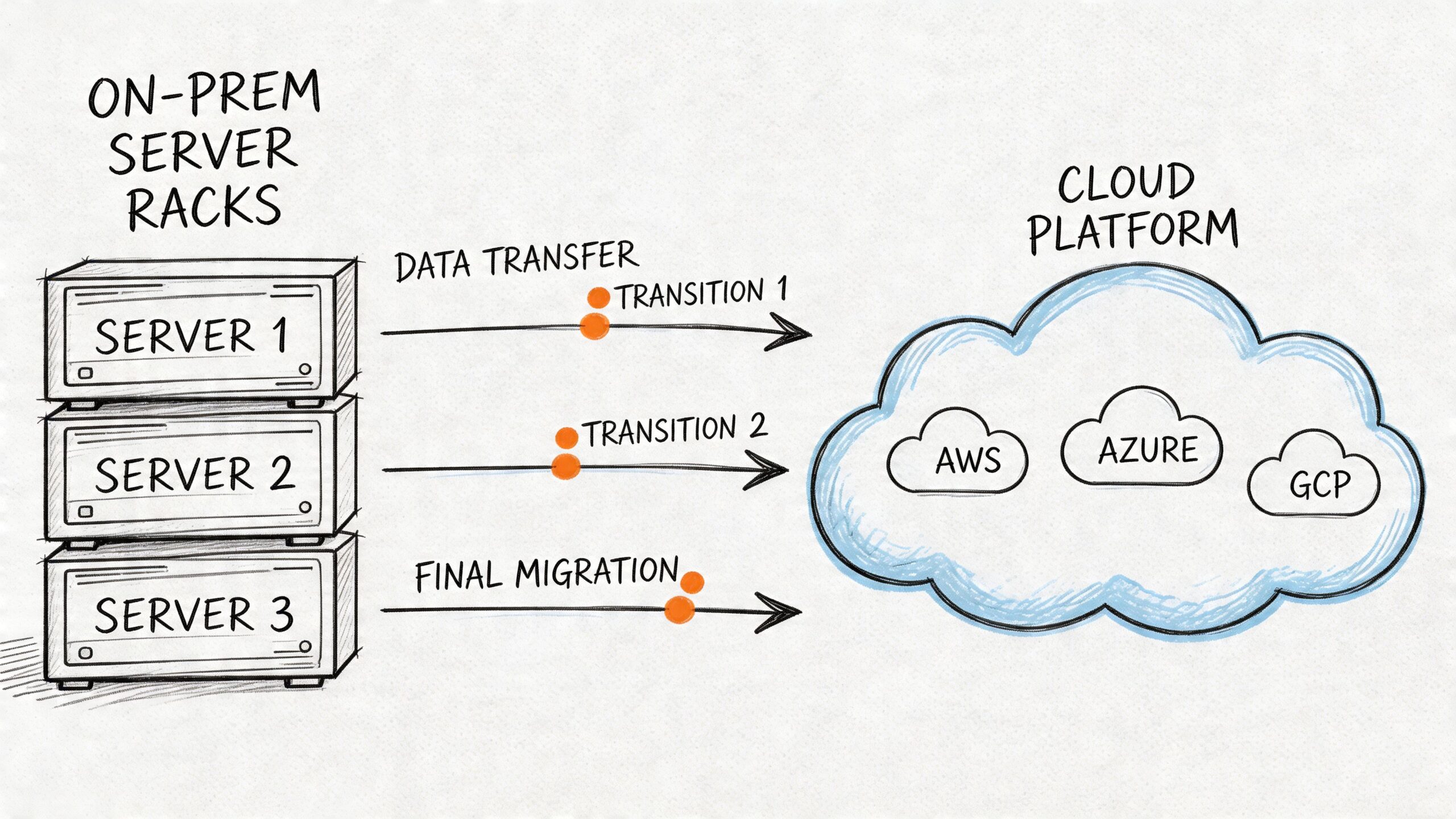
Release velocity slows down first. Then the infra team starts spending more time nursing brittle systems than improving them. Then every architecture discussion turns into a negotiation with old constraints you should have retired years ago.
That’s usually when infrastructure migration services stop feeling like a vendor category and start feeling like a board-level necessity.
If you’re running a product team on aging VMs, hand-built networking, fragile deployment scripts, or a data center footprint that punishes every scaling decision, the cost isn’t only operational. It shows up in delayed launches, risky releases, bloated recovery procedures, and engineers avoiding change because the platform fights back.
This shift is bigger than one company’s clean-up project. The global cloud migration services market was valued at USD 21.66 billion in 2025 and is projected to reach USD 234.28 billion by 2035, a projected 26.88% CAGR, according to Precedence Research on the cloud migration services market. That growth reflects a simple reality. Companies are moving because on-premises environments often can’t deliver the scalability, agility, and cost control modern teams need.
A good migration doesn’t start with tooling. It starts with operating discipline. If you need another perspective on sequencing the move itself, this on-premises to cloud migration playbook is a useful companion read. If part of your issue is that your existing stack is anchored by applications no one wants to touch, this guide to legacy systems modernization is also worth reviewing before you commit to a migration plan.
The rest of this article stays away from fluffy transformation language. It focuses on what prevents bad migrations: readiness assessment, the right migration pattern per workload, a runbook your team can execute under pressure, aggressive testing, and cost control that survives first contact with production.
Your Infrastructure Is Holding You Back
Teams don’t typically decide to migrate because cloud is fashionable. They decide because the old environment starts taxing every important engineering motion.
A simple release needs tickets across three teams. Capacity planning turns into procurement. Disaster recovery exists on paper but not under load. Security hardening depends on tribal knowledge. The architecture may still function, but it no longer supports the business at the speed the business expects.
That’s the point where infrastructure migration services become less about relocation and more about restoring engineering effectiveness.
What the pain usually looks like
You can spot the pattern quickly:
- Slow delivery cadence: Teams wait on shared environments, manual approvals, or one senior engineer who knows the deployment path.
- Expensive stability: Uptime depends on heroics, not repeatable systems.
- Frozen architecture decisions: You keep legacy databases, old CI jobs, and manually configured hosts because changing them feels riskier than living with them.
- Operational drag: Routine maintenance steals time from product work.
I’ve seen teams tolerate this for too long because the platform still technically works. That’s the wrong threshold. Infrastructure should create room for product development, not consume it.
Infrastructure rarely fails all at once. It erodes your ability to change safely, then your ability to change quickly.
What a migration should actually achieve
A serious migration has to improve how engineering operates after the move. If the result is the same architecture in a different location, you may gain short-term relief, but you probably won’t gain much strategic advantage.
My advice is to judge the project against a small set of outcomes:
- Faster environment provisioning
- Safer deployments
- Cleaner rollback paths
- Better observability
- Lower operational friction for the team
Those outcomes require decisions that are architectural, procedural, and organizational. That’s why strong migrations look boring from the outside. They’re built on disciplined prep, not last-minute heroics.
Phase 1 Readiness Assessment and Strategic Alignment
Friday night cutovers rarely fail because Terraform broke or a database copy ran long. They fail because the team started with a shallow view of the system, weak ownership, and no agreement on what success looked like. By the time that becomes obvious, the migration plan is already expensive.

Readiness assessment is where the migration gets de-risked. The point is not to produce a polished architecture deck. The point is to identify what can break, what the business will tolerate, what the team can operate, and what rollback path exists if the first move goes sideways.
If you want a structured benchmark for delivery capability before committing to a target platform, a DevOps maturity assessment for engineering teams gives you a practical baseline.
Start with operational truth, not inventory theater
A server list is not a readiness assessment. I want to know how each workload behaves under load, what it depends on, who supports it at 2 a.m., and what happens if it comes back in the wrong order.
That means going beyond CMDB records and architecture diagrams. I’ve seen “simple” migrations stall because a billing job depended on an overlooked file share, or because one legacy service still authenticated through a manually rotated certificate no one had touched in months.
Discovery should cover five areas:
- Compute footprint: Physical hosts, VMs, containers, batch jobs, schedulers, and shadow workloads living outside formal records.
- Runtime dependencies: Databases, queues, caches, object storage, internal APIs, identity providers, and third-party services.
- Traffic patterns: Peak windows, regional demand, batch processing schedules, maintenance freezes, and latency-sensitive paths.
- Security controls: Network boundaries, secrets handling, audit requirements, encryption standards, privileged access, and compliance obligations.
- Operational support: Monitoring, alerting, logging, backups, restore testing, patching, on-call ownership, and incident workflows.
The test is simple. If a senior engineer can still say, “I forgot that service talked to this other thing,” discovery is incomplete.
Build baselines before anyone talks about success
Teams love target-state diagrams. Baselines are less exciting and far more useful.
Without pre-migration baselines, you cannot prove the move improved reliability, cost, or delivery speed. You also cannot make good rollback decisions during cutover, because nobody has defined acceptable degradation versus actual failure.
For each workload, capture a short assessment packet:
| Assessment area | What to document | Why it matters |
|---|---|---|
| Application shape | Monolith, service, batch job, stateful system | Determines migration pattern and cutover complexity |
| Dependency graph | Upstream and downstream systems | Prevents moving components out of order |
| Performance baseline | Latency, throughput, error profile, saturation signals | Gives you a real acceptance target |
| Data handling | Storage type, retention, replication, restore method | Drives migration sequencing and rollback design |
| Security posture | Access model, secrets, compliance controls | Avoids redesigning controls mid-project |
Add business context to that packet. Criticality, cost profile, maintenance windows, RTO and RPO targets, deployment frequency, revenue exposure, and support ownership all belong in the same document. That packet becomes the starting point for your migration runbook later. Teams that skip this usually end up writing the runbook from memory under deadline pressure, which is exactly when bad assumptions survive.
Force alignment early, or pay for it later
Engineering should not define migration success alone. Finance cares about spend and contract exposure. Operations cares about continuity and support load. Product cares about release risk. Leadership cares about timing and predictability.
My advice is to make those trade-offs explicit in the first planning cycle. Pick a small set of shared metrics, assign owners, and review them on a fixed cadence. If nobody owns a metric, it will not influence decisions when the schedule gets tight.
Useful shared metrics usually look like this:
- Lower infrastructure operating cost
- Improved deployment frequency
- Faster incident recovery
- Higher change success rate
- Stronger service availability during peak demand
Avoid vague goals like “modernize the platform.” That language hides disagreement. One team hears Kubernetes. Another hears lower cloud spend. Another hears fewer outages. Migrations stay on track when everyone is measuring the same outcome.
Practical rule: If finance, engineering, and operations cannot describe success in the same sentence, the program is not ready to start.
Assess team capability with honesty
Skill gaps cause expensive delays because they show up late. A target environment built around Terraform, CI/CD, containers, and modern observability changes daily operating work, not just deployment mechanics.
Assess the team against the skills the new platform requires:
- Infrastructure as Code: Writing and reviewing Terraform modules, handling state safely, managing drift, and promoting reusable patterns.
- Container platforms: Understanding Kubernetes networking, ingress, storage, autoscaling, cluster upgrades, and failure modes.
- Delivery automation: Building pipelines with promotion controls, environment parity, release approvals, and tested rollback steps.
- Observability: Instrumenting services properly and debugging from logs, metrics, traces, and alert signals instead of shell access.
If capability is partial, address it before the first migration wave. That can mean training, a narrower target architecture, or temporary specialist support. I’ve seen remote platform engineers add real value when the gap is specific and time-bound, for example Kubernetes operations, Terraform module design, or cutover planning. The bar should be clear. Bring in outside help when the missing skill sits on the critical path, cannot be trained fast enough internally, and would materially weaken your runbook or rollback plan if left uncovered.
That is the standard I use for expert remote talent, including teams like OpsMoon. Fill sharp gaps early. Do not hire broad “migration help” and hope the details sort themselves out.
Phase 2 Choosing Your Migration Pattern
The expensive mistake usually happens right here. A team picks lift-and-shift because it looks simpler, applies it across the estate, and six months later discovers they moved the same instability, cost sprawl, and deployment friction into a new environment.
Pattern choice decides whether the migration creates operating headroom or just changes the address of the problem.

Choose the pattern per workload, not per program. Start with four questions. How much downtime can the business tolerate? What breaks if rollback takes longer than expected? Where is the current operational pain coming from? What improvement is worth paying for? If you need examples of target-state options before making those calls, this overview of cloud migration solutions is useful background.
I’ve seen teams burn weeks debating architecture labels while ignoring the core decision. This core decision concerns whether a given workload should be moved fast, improved selectively, redesigned, replaced, shut down, or left alone until the economics change.
The six patterns in plain English
Rehost
Rehost moves the application largely as-is. Same application shape, different infrastructure.
Use it for exits with hard deadlines, lower-risk internal systems, and workloads where speed matters more than platform improvement. It is often the right first move for estate reduction.
Trade-off: you gain time, but you usually keep the same operational weaknesses.
Replatform
Replatform keeps the application logic mostly intact while changing the parts that create operational drag. That often means managed databases, containers, managed messaging, or a cleaner deployment path.
Use it when the application is worth keeping but not worth rewriting yet.
Trade-off: more change surface than rehost, better day-2 operations if you execute it well.
Refactor
Refactor changes the application to fit the target platform instead of forcing the target platform to accommodate old assumptions. That can mean decomposing services, redesigning state management, changing job execution models, or rebuilding delivery paths around cloud-native services.
Use it for systems that directly affect revenue, release speed, resilience, or future product direction.
Trade-off: highest effort, highest delivery risk, strongest long-term return when the application matters enough.
Repurchase
Repurchase replaces the existing application with SaaS.
Use it for commodity capabilities like ticketing, collaboration, or back-office workflows where custom infrastructure adds little value.
Trade-off: you reduce infrastructure ownership, but you take on process change, data migration work, and vendor constraints.
Retire
Retire means decommissioning the workload.
This is one of the highest-ROI decisions in many programs because every retired system removes migration scope, testing effort, cutover risk, and support burden.
Trade-off: teams need evidence and discipline. Old systems tend to keep defenders long after the business case is gone.
Retain
Retain means keeping the workload where it is for now, by design.
Use it when latency, compliance, licensing, unsupported dependencies, or weak financial return make migration a bad decision today.
Trade-off: complexity stays in the estate, but that is better than forcing a move that weakens reliability or destroys ROI.
Migration Patterns The 6 R's Compared
| Pattern | Description | Best For | Effort & Cost | Key Benefit |
|---|---|---|---|---|
| Rehost | Move with minimal changes | Time-sensitive exits and simpler workloads | Lower initial effort | Fastest path off legacy infrastructure |
| Replatform | Make selective platform improvements | Apps that need operational gains without rewrite | Moderate | Better manageability and reliability |
| Refactor | Re-architect for cloud-native operation | Strategic applications with growth or resilience demands | High | Strongest long-term engineering leverage |
| Repurchase | Replace with SaaS | Commodity business functions | Moderate, mostly organizational | Removes custom infrastructure burden |
| Retire | Decommission | Redundant or low-value systems | Low to moderate | Reduces scope and waste |
| Retain | Keep in place for now | Workloads with poor migration economics or hard constraints | Low immediate change cost | Avoids unnecessary risk |
Choose with a scoring model, not preference
The 6 R's are useful only if the selection method is explicit. My advice is to score every workload against a small set of factors and force the trade-offs into the open:
- Business criticality
- Technical complexity
- Operational fragility
- Migration risk
- Expected financial or operational return after migration
That extra focus on migration risk matters. A pattern that looks attractive on an architecture diagram can be the wrong call if it makes rollback slow, expands the cutover window, or depends on skills the team does not have. I would rather accept a temporary rehost on a critical system than force a refactor that the team cannot test or reverse safely.
A few common examples make the point:
- A low-value internal wiki is usually rehost or repurchase.
- A customer-facing monolith with painful releases is often replatform first, then refactor later if the business case stays strong.
- An unused reporting tool should be retired.
- A tightly regulated system with hard local constraints may be retained until those constraints change.
The pattern has to match the runbook and rollback plan
Migration planning often becomes too abstract. Pattern selection is not just an architecture choice. It drives your runbook, your rollback design, your staffing model, and your expected payback period.
Rehost tends to simplify rollback because the application behavior changes less, but it may preserve costly support issues. Replatform can improve operability quickly, but only if the team understands the new failure modes. Refactor can produce the best long-term result, but it expands testing scope and makes rollback design much harder. If you cannot describe the rollback trigger, recovery sequence, and cutback time for a pattern, you have not finished choosing it.
I’ve seen expert remote talent add real value at this stage when the gap is narrow and directly tied to execution risk. Bring in outside specialists for decisions like Kubernetes migration sequencing, data replication cutover design, or dependency mapping only when those skills materially improve the runbook and reduce the odds of an expensive failure. General migration assistance is rarely enough.
Even a narrower operational asset like a website migration checklist is a useful reminder of the underlying principle. The move succeeds when sequence, ownership, validation, and fallback are explicit.
The right migration pattern is the one your team can execute, verify, and reverse without gambling the business on a perfect cutover.
Use rehost to buy time. Use replatform to remove operational friction. Use refactor where the upside clearly justifies the risk and the team can support the runbook that comes with it.
Phase 3 Building Your Migration Runbook
Most migration plans are too vague to survive real pressure. They describe phases, target states, and owners, but they don’t tell an engineer what happens at 01:40 if the database replica lags, the health checks fail, and the rollback threshold is five minutes away.
That’s what the runbook is for.

According to Auxis on cloud migration pitfalls to avoid, 1 in 3 cloud migrations fail and only 25% meet their deadlines. Their diagnosis is exactly what I’ve seen in the field. Inadequate planning and testing drive most disruptions. A detailed runbook is the control mechanism that turns a risky migration into an executable operation.
If you’ve ever used a tightly scoped content move as a template for stakeholder comms and sequence planning, even a narrower asset like this website migration checklist can be useful as a reminder that successful moves depend on explicit task order, not broad intent.
What belongs in the runbook
A good runbook is written for the person executing under stress, not the person presenting slides to leadership.
At minimum, include:
- Scope definition: Which workloads, databases, services, queues, and dependencies are in this wave.
- Change window details: Start time, freeze period, expected decision points, and hard stop.
- Ownership map: Primary owner, backup owner, approver, and escalation contact for each major task.
- Pre-flight checks: Environment parity, backups, replica health, CI artifact verification, secret availability, firewall and access readiness.
- Cutover sequence: Exact ordered steps, with timing assumptions and command references where appropriate.
- Validation checks: What proves the system is healthy before progressing.
- Rollback procedure: Conditions, decision authority, exact reverse sequence, and data integrity considerations.
- Communication plan: Who gets notified, when, by whom, and through which channel.
Write it like an operations script
A runbook should read like this:
- Confirm pre-cutover checkpoints are green.
- Freeze non-essential changes.
- Execute final sync or replication validation.
- Deploy target infrastructure revision.
- Shift traffic or scheduled workload execution.
- Validate system health against agreed checks.
- Continue, pause, or roll back based on the acceptance criteria.
That level of detail matters. Don’t write “validate cluster.” Write which engineer validates it, what they inspect, what success looks like, and how long they have before the next gate.
The rollback plan is not optional
Teams often say they have rollback. What they really have is hope that the old environment still exists.
Rollback needs engineering detail. If you’re moving Kubernetes workloads, define what happens to ingress, secrets, persistent volumes, image tags, and service routing. If you’re applying Terraform, document how state is handled, who can approve emergency changes, and how drift is detected before any rollback path is attempted.
A practical rollback section should answer:
| Rollback area | What to define |
|---|---|
| Trigger | What failure condition stops forward progress |
| Decision maker | Who has authority to call rollback |
| Data strategy | Whether data can be rewound, replayed, or must be preserved in place |
| Infra reversal | Which resources are reverted, recreated, or left intact |
| Traffic handling | How user traffic or scheduled workloads return to the old path |
| Comms | Who gets informed and in what order |
I’ve seen more than one migration fail not because the target platform was bad, but because the team didn’t define the point of no return. If your database cutover changes write paths in a way that can’t be safely reversed, the runbook has to say so plainly.
Operator’s view: If rollback depends on memory, Slack threads, or “the usual engineer,” you don’t have rollback.
Validate before and after every irreversible step
The most common runbook weakness is treating validation as a single post-cutover event. That’s too late.
Validation should happen at multiple gates:
- Before cutover to confirm source health and target readiness
- Immediately after infra changes to confirm provisioning and connectivity
- Immediately after traffic or workload shift to confirm function and performance
- After stabilization to confirm logs, metrics, alerts, and user paths are normal
Auxis also warns that poor validation drives severe disruption, noting 90% of CIOs report disruptions tied to data migration issues and 74% of on-premises reversions happen because of corruption or loss in the migration process. Those numbers are why I insist on explicit validation points for data integrity, not just service uptime.
A short technical walkthrough can help teams visualize the difference between theory and execution:
A runbook template I trust
Use this structure:
Header
- Change name
- Systems in scope
- Change window
- Owners and approvers
Pre-flight
- Backups completed
- Artifacts verified
- Secrets and credentials validated
- Monitoring dashboards prepared
- Rollback prerequisites ready
Execution sequence
- Timestamped steps
- Responsible engineer per step
- Expected output or check per step
Validation
- Functional checks
- Performance checks
- Data checks
- Security checks
Rollback
- Trigger conditions
- Reverse sequence
- Data caveats
- Communication script
Post-change
- Hypercare ownership
- Incident thresholds
- Formal signoff
If your migration spans multiple waves, write one master plan and one runbook per wave. Don’t create a giant generic document nobody can execute.
Phase 4 Testing Cutover and Post-Migration Observability
Cutover is where preparation gets exposed. If your staging environment is weak, your acceptance criteria are vague, or your observability stack goes live after production does, you’re guessing at the most expensive moment of the project.

Test the target like it matters
A production-like test environment is the closest thing you have to reducing surprise. It doesn’t need to be perfect replica theater, but it does need enough fidelity to exercise the paths that fail in production.
At a minimum, test these categories:
- Functional behavior: Core user flows, background jobs, auth, integrations, and administrative actions.
- Performance profile: Response behavior under expected and bursty load, queue processing, startup characteristics, and scaling events.
- Security controls: Access boundaries, secret retrieval, audit logging, encryption paths, and policy enforcement.
- Failure handling: Restart behavior, degraded dependency handling, and recovery from broken downstream connections.
My advice is to make test signoff binary. Either the workload met acceptance criteria or it didn’t. “Close enough” is how teams rationalize known defects into a live cutover.
Choose a cutover shape that fits the workload
There isn’t one correct deployment strategy. The right one depends on how reversible the workload is and how safely you can compare old and new paths.
Three patterns tend to work well:
| Cutover pattern | When to use it | Main trade-off |
|---|---|---|
| Blue-green | When you can stand up parallel environments and switch traffic cleanly | More infrastructure overhead, cleaner rollback |
| Canary | When you can route a small portion of traffic and observe behavior gradually | Requires stronger routing and telemetry |
| Phased rollout | When workloads can move in subsets by service, region, or internal audience | Slower coordination, lower blast radius |
Blue-green is my default preference for customer-facing systems where environment parity is achievable. Canary is excellent when traffic routing is mature and observability is strong. Phased rollout is often the safest option for internal systems and tightly coupled backend migrations.
Day 1 observability must be live before Day 1 traffic
Teams still treat observability as post-migration tuning work. That’s backwards.
Before traffic moves, you should already have:
- Dashboards for latency, error rates, throughput, saturation, and dependency health
- Structured logging that makes correlation possible across services and jobs
- Tracing for distributed request paths if the application architecture supports it
- Alerts tied to actionable thresholds, not noisy vanity signals
- Ownership mapping so every alert has a responding team
If you migrate to Kubernetes, make sure cluster signals and application signals are both visible. Pod restarts and node pressure matter, but so do business-facing errors, queue delays, and increased API latency.
The first hours after cutover aren’t the time to discover you can’t tell whether users are failing at login or checkout.
Hypercare should be deliberate
Post-migration support needs a named owner, a defined duration, and a clear incident process. Don’t tell everyone to “keep an eye on it.” Put specific people on coverage, define escalation paths, and decide what metrics would trigger rollback, hotfix, or rollback abandonment.
The best post-migration windows are disciplined. Engineers compare target behavior to pre-migration baselines, review spend and utilization early, and remove temporary exceptions as soon as the platform stabilizes.
Managing Costs Timelines and Partner Engagement
Three months into a migration, the budget is already off plan, the target date has slipped twice, and the external partner is asking questions your team assumed they would answer. I have seen that pattern more than once. The root problem is usually weak operating discipline, not just bad estimating.
Cost control in infrastructure migration services starts with a full migration business case, not a cloud bill comparison. The financial model has to cover parallel environments, engineering time, contract support, tooling changes, retraining, licensing changes, and the cost of preserving poor architecture decisions for another three years.
BoatyardX’s analysis of hidden cloud migration costs makes the point well. Cloud cost outcomes depend on planning quality, architecture choices, and operating discipline after cutover. Teams that treat migration as a hosting swap usually miss the key spend drivers.
My advice is to separate costs into five buckets before the program starts:
- Target-state platform costs: Compute, storage, data transfer, backups, managed services, and support plans
- Transition costs: Dual running, temporary tooling overlap, test environments, migration utilities, and change windows
- Labor costs: Internal engineering time, platform training, release coordination, hypercare coverage, and leadership attention
- Architecture carry-forward costs: The ongoing premium from rehosting systems that should have been replatformed, consolidated, or retired
- Control-plane costs: FinOps, tagging standards, policy enforcement, observability, and security review overhead
That last category gets skipped all the time. Then the team lands in a better technical environment with worse financial control.
Timeline management fails for similar reasons. The issue is rarely raw execution speed. It is dependency sequencing, decision latency, and unclear exit criteria between waves. If the runbook says a workload is ready to move, it should also say what evidence proves that readiness, who signs off, what can block release, and how rollback authority works if the cutover starts going sideways.
A serious migration plan uses stage gates, not optimism. Each wave should have entry criteria, test evidence, rollback steps, and a short list of conditions that stop the next wave from starting. That can feel slower at the beginning. In practice, it shortens the program by preventing expensive rework and late-stage incidents.
I would also budget for schedule protection explicitly. Hold back time for dependency surprises, security reviews, vendor response delays, and post-cutover tuning. If the timeline only works when every handoff is perfect, it is not a real plan.
Partner engagement deserves the same level of rigor. Do not hire a firm because it says "cloud migration." Hire for the missing capability and define the boundary in writing. If the gap is Kubernetes operations, Terraform module design, landing zone implementation, database migration sequencing, or observability rollout, buy that skill directly.
The evaluation criteria should be concrete:
- Depth in your actual stack, not generic cloud certifications
- Ability to work inside your delivery process, including your ticketing, release, and incident workflows
- Quality of runbooks and rollback planning, because that is where migration risk gets controlled
- Knowledge transfer expectations, so your internal team can run the platform after the partner leaves
- Engagement model fit, whether you need advisory input, hands-on execution, or temporary capacity for a narrow window
This is also where remote expert talent can produce a strong return. A focused specialist is often more valuable than a large consulting layer if the internal team already owns product context and architecture decisions. OpsMoon is one example of that model. They support migration work in areas like Kubernetes, Terraform, CI/CD, and observability through advisory, delivery, or embedded capacity. That structure makes sense when you need senior platform execution without handing off ownership of the migration itself.
I have seen the best outcomes when the internal team keeps control of priorities, acceptance criteria, and rollback decisions, while external specialists close the skill gaps that would otherwise stall the program. That is the practical balance. Keep strategy and business risk ownership in-house. Bring in outside help for the narrow domains where inexperience gets expensive fast.
Infrastructure Migration FAQs
What should I do first if I’m dealing with a legacy monolith
Start with dependency mapping.
For a monolith, that means tracing database coupling, scheduled jobs, file storage, authentication paths, shared libraries, external integrations, and any hidden assumptions in deployment scripts. I have seen teams waste months debating target architecture before they could answer a simpler question: what breaks if this service moves first?
The first move is usually one of three options. Rehost to reduce infrastructure risk fast. Replatform to fix obvious operational pain without rewriting the application. Selectively extract a bounded capability only when the team can prove the interfaces, ownership, and rollback path. Breaking apart a monolith too early creates more failure modes than it removes.
Should I migrate infrastructure, apps, or data first
Start with the layer that lowers risk for the next step.
In many environments, that means standing up core infrastructure first so the team can validate identity, networking, CI/CD, logging, and access controls before business-critical cutovers. In tightly coupled systems, data constraints may set the sequence instead. If replication lag, schema drift, or data residency rules drive outage risk, data planning comes first.
My advice is simple. Let dependency shape and rollback complexity decide the order. Do not let team preference or architectural fashion decide it for you.
How much rollback planning is enough
Enough to execute under pressure, with no debate.
A workable rollback plan names the trigger conditions, the person who can call it, the exact technical steps, the data reconciliation approach, and the communication path to affected teams. If rollback depends on people figuring it out live in a war room, there is no rollback plan. There is only hope.
This is one area where a written runbook pays for itself. The runbook should show elapsed-time checkpoints, validation gates, stop conditions, and the point after which rollback is no longer safe or economical.
How do I handle security during migration without slowing everything down
Put security checks inside the migration path. Do not treat them as a separate approval event at the end.
Validate IAM policies, secret management, encryption, audit trails, network boundaries, and log coverage in staging before cutover. Then include those checks in the runbook so the cutover team knows what must pass before traffic shifts. Security usually slows migrations when controls are undocumented, late, or owned by a disconnected team.
When should I keep a system on-premises
Keep it on-premises when the business case for migration is weak.
That usually means one of four things: compliance constraints are real, latency requirements are tight, licensing economics do not improve in the target environment, or the workload is close to retirement. I have seen teams migrate aging systems only because everything else was moving. That raises cost and operational load without producing much return.
A temporary hold can be the right decision. An indefinite hold with no review date usually becomes expensive drift.
If your team needs extra capacity in Terraform, Kubernetes, CI/CD, or observability, bring in targeted help for the narrow gaps that can stall the migration or weaken the rollback plan. OpsMoon is one option for adding senior remote DevOps support while the internal team keeps ownership of architecture, cutover decisions, and acceptance criteria.
Leave a Reply