Category: Uncategorized

  • A Technical Playbook for Your Cloud Migration Consultation

    A Technical Playbook for Your Cloud Migration Consultation

    A cloud migration consultation is not a service; it is a strategic engineering partnership. Its objective is to produce a detailed, technical blueprint for migrating your infrastructure, applications, and data to the cloud. The process transforms a potentially chaotic, high-risk project into a predictable, value-driven engineering initiative.

    Understanding the Cloud Migration Consultation

    Hiring a consultant before a cloud migration is analogous to engaging a structural engineer before constructing a skyscraper. You would not pour a foundation without a precise, engineering-backed blueprint. A cloud migration consultation provides that architectural deep dive, ensuring the initiative does not collapse under the weight of unforeseen costs, security vulnerabilities, or crippling technical debt.

    This process transcends a simplistic "lift and shift" recommendation. It is a comprehensive, collaborative analysis of your entire technical estate, ensuring the migration strategy aligns directly with measurable business objectives. The primary goal is to de-risk a significant technology transition by architecting a cloud environment that is secure, cost-effective, and scalable from inception. Understanding the end-to-end process of cloud migration is a critical prerequisite before engaging with consultants.

    Aligning Technical Execution with Business Goals

    An effective consultation bridges the gap between engineering teams and executive leadership. It translates high-level business goals—such as "accelerate time-to-market" or "reduce TCO"—into a concrete, actionable technical execution plan.

    Different stakeholders have distinct priorities, and the consultant's role is to synthesize these into a unified strategy:

    • The CTO focuses on strategic outcomes: market agility, long-term technological innovation, and future-proofing the technology stack against obsolescence.
    • Engineering Leads are concerned with tactical implementation: mapping application dependencies, selecting optimal cloud services (e.g., IaaS vs. PaaS vs. FaaS), and achieving performance and latency SLOs.
    • Finance and Operations concentrate on financial metrics: modeling Total Cost of Ownership (TCO), calculating Return on Investment (ROI), and maintaining operational stability during and after the migration.

    A consultation synthesizes these perspectives into a cohesive strategy. This ensures every technical decision, such as choosing to re-host a legacy application versus re-architecting it for a serverless paradigm, is directly mapped to a specific business outcome.

    The demand for this expertise is accelerating. The global market is projected to grow from USD 19.03 billion in 2024 to USD 103.13 billion by 2032. This growth reflects the business imperative to modernize IT infrastructure to maintain competitive parity.

    Immediate Risk Reduction Versus Long-Term Advantage

    A consultation provides immediate tactical benefits, but its most significant impact is realized over the long term through a well-architected foundation.

    A consultation provides the technical roadmap to prevent your cloud initiative from collapsing under its own weight. It’s about building for the future, not just moving for the present.

    The table below contrasts the immediate risk mitigation with the long-term strategic gains.

    Immediate vs Long-Term Value of a Cloud Migration Consultation

    Value Aspect Immediate Benefit (First 90 Days) Long-Term Advantage (1+ Years)
    Cost Management Avoids over-provisioning and budget overruns with a precise TCO model and rightsized resource allocation. Enables mature FinOps practices, programmatic cost optimization via automation, and predictable capacity planning.
    Security & Compliance Identifies and remediates security vulnerabilities before migration, establishing a secure landing zone with robust IAM policies. Creates a resilient, automated security posture that scales with infrastructure and adapts to emerging threats.
    Operational Stability Minimizes downtime and business disruption through phased rollouts and validated data migration plans. Establishes a highly available, fault-tolerant, and automated operational environment governed by Infrastructure as Code (IaC).
    Business Agility Provides a clear, actionable roadmap and CI/CD integration that accelerates the initial migration velocity. Fosters a DevOps culture, enabling rapid feature development, experimentation, and market responsiveness.

    Initially, the focus is tactical: implementing security guardrails, preventing wasted spend on oversized instances, and ensuring a smooth cutover. The long-term payoff is a cloud foundation that enables faster product development, unlocks advanced data analytics capabilities, and provides the agility to pivot business strategy in response to market dynamics. Our in-depth guide to cloud migration consulting further explores these long-term strategic advantages.

    The Four Phases of a Technical Cloud Consultation

    A professional cloud migration consultation is a structured, multi-phase process. It progresses from high-level discovery to continuous, data-driven optimization, ensuring the migration's success at launch and its sustained value over time.

    This diagram illustrates the cyclical nature of a well-executed cloud project, moving from design and build into a continuous optimization loop.
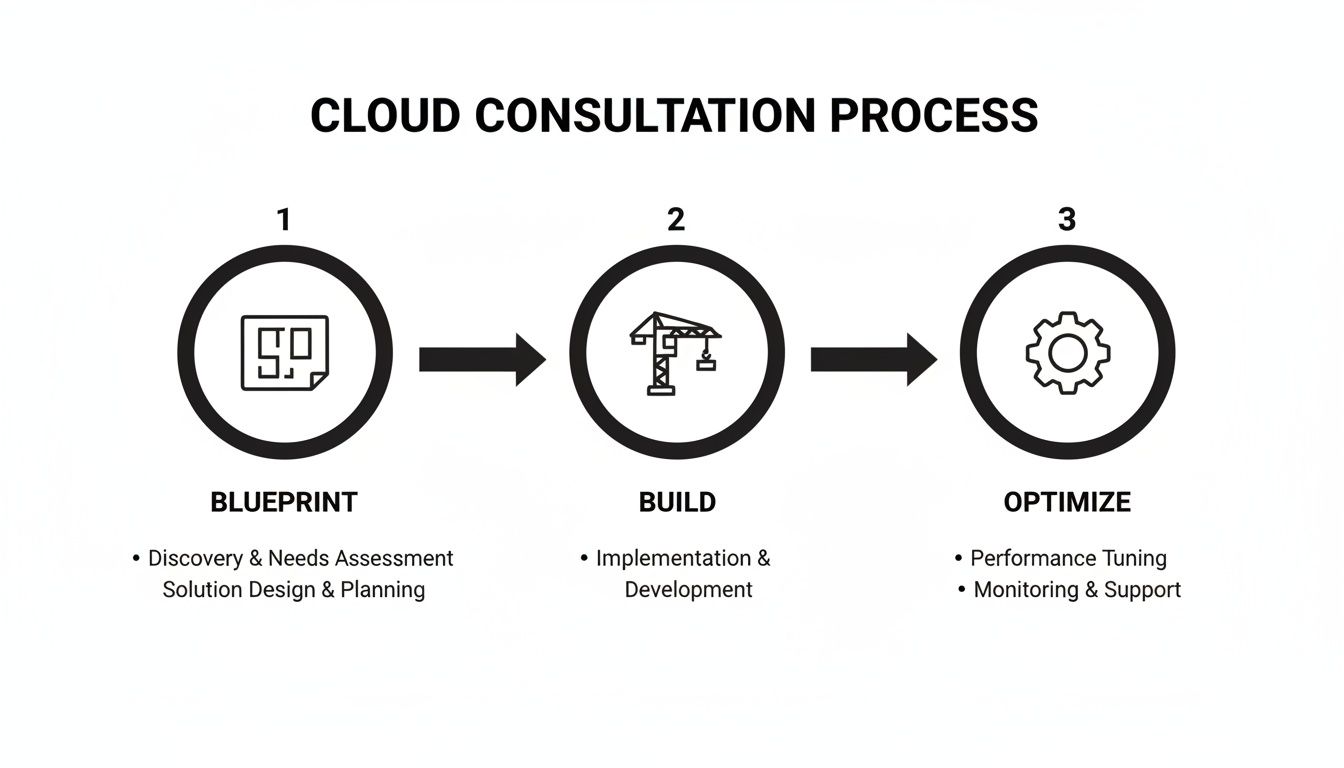
    Infographic outlining the cloud consultation process: Blueprint, Build, and Optimize stages.

    The "Optimize" phase continuously feeds performance and cost data back into future "Blueprint" and "Build" cycles, creating a flywheel of iterative improvement.

    Phase 1: Discovery and Assessment

    This foundational phase involves an exhaustive technical deep dive into your existing environment to replace assumptions with empirical data. The objective is to identify every dependency, performance baseline, and potential impediment before migration begins.

    A core component is the application portfolio analysis. Consultants systematically catalog each application, documenting its architecture (e.g., monolithic, n-tier, microservices), business criticality, and current performance metrics (CPU/memory utilization, IOPS, network throughput). This is critical, as an estimated 60% of migration failures stem from inadequate infrastructure analysis.

    Simultaneously, consultants perform dependency mapping. This involves using tooling to trace network connections and API calls between applications, databases, and third-party services. The outcome is a detailed dependency graph that prevents the common error of migrating a service while leaving a critical dependency on-premises, which can introduce fatal latency issues. This phase concludes with a granular Total Cost of Ownership (TCO) model that forecasts cloud spend and quantifies operational savings.

    Phase 2: Strategy and Architectural Design

    With a data-rich understanding of the current state, the consultation moves to designing the future-state cloud architecture. This phase translates business requirements into a technical blueprint.

    A key decision is determining the appropriate migration pattern for each application, often referred to as the "6 R's" of migration:

    • Rehost (Lift and Shift): Migrating applications as-is to IaaS. This is the fastest approach, suitable for legacy systems where code modification is infeasible, but it yields minimal cloud-native benefits.
    • Replatform (Lift and Reshape): Making targeted cloud optimizations, such as migrating an on-premises Oracle database to a managed service like Amazon RDS. This balances migration velocity with tangible efficiency gains.
    • Rearchitect (Refactor): Re-engineering applications to be cloud-native, often leveraging microservices, containers, or serverless functions. This approach unlocks the maximum long-term value in scalability, resilience, and cost-efficiency but requires the most significant upfront investment.

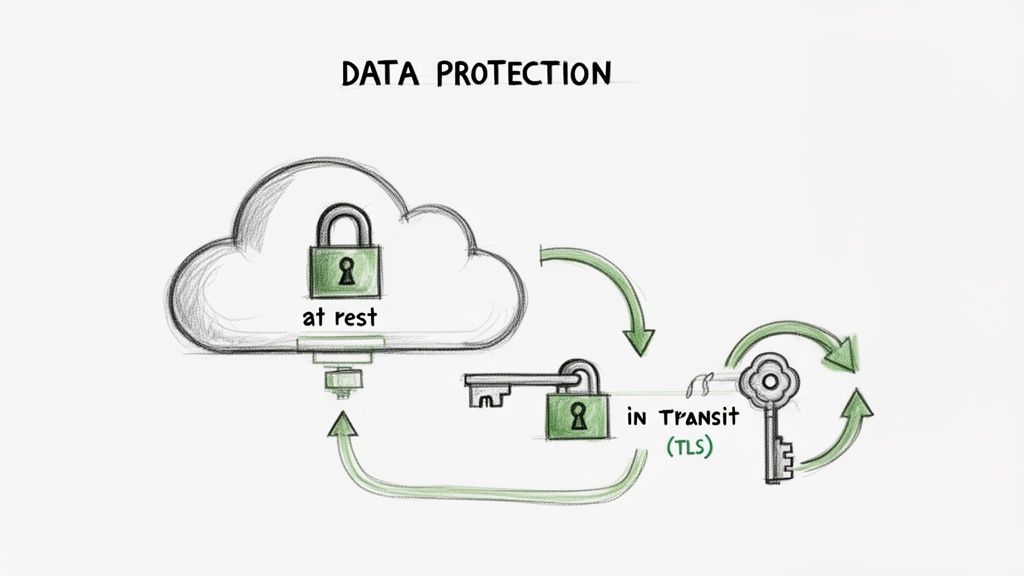
    This phase also involves selecting the optimal cloud provider—AWS, Azure, or GCP—based on workload requirements, existing team skillsets, and service cost models. A robust security framework is architected, defining Identity and Access Management (IAM) roles, network segmentation via Virtual Private Clouds (VPCs) and subnets, and data encryption standards at rest and in transit.

    The objective of the strategy phase is to design an architecture that is not only functional at launch but is also secure, cost-efficient, and engineered for future evolution.

    Phase 3: Execution Governance

    This phase focuses on the correct implementation of the architectural design, overseeing the tactical rollout while maintaining operational stability.

    The initial step is typically the deployment of a landing zone—a pre-configured, secure, and scalable multi-account environment that serves as the foundation for all workloads. This ensures that networking, identity, logging, and security guardrails are established before any applications are migrated.

    The focus then shifts to integrating the cloud environment with existing CI/CD pipelines, enabling automated testing and deployment. This is crucial for accelerating development velocity post-migration. Finally, this phase addresses complex data migration strategies, utilizing native tools like AWS Database Migration Service (DMS) or Azure Migrate to execute database migrations with minimal downtime through techniques like change data capture (CDC).

    Phase 4: Continuous Optimization

    The "go-live" event is the starting point for optimization, not the finish line. This ongoing phase focuses on continuous improvement in cost management, performance tuning, and operational excellence.

    A key discipline is FinOps, which instills financial accountability into cloud consumption. Using tools like AWS Cost Explorer, teams monitor usage patterns, identify and eliminate waste (e.g., idle resources, unattached storage), and optimize resource allocation. Performance is continually monitored and tuned using observability platforms that provide deep insights into application health, user experience, and resource utilization.

    This phase also involves maturing Infrastructure as Code (IaC) practices. By managing all cloud resources via declarative configuration files using tools like Terraform, infrastructure changes become repeatable, version-controlled, and auditable. This transforms infrastructure management from a manual, error-prone task into a programmatic, automated discipline.

    Key Technical Benefits of Expert Guidance

    A formal cloud migration consultation elevates a project from guesswork to a data-driven engineering initiative. The technical benefits manifest as measurable improvements in TCO, security posture, and development velocity.

    A primary outcome is a significant reduction in Total Cost of Ownership (TCO). Teams migrating without expert guidance frequently over-provision resources, leading to substantial waste. A consultant analyzes historical performance metrics to right-size compute instances, storage tiers, and database capacity from day one, preventing budget overruns.

    For example, a consultant will implement cost-saving strategies like AWS Reserved Instances or Azure Hybrid Benefit, which can reduce compute costs by up to 72%. This goes beyond a simple migration; it's about architecting for financial efficiency from the ground up.

    Embedding Security and Compliance from Day One

    A critical technical benefit is embedding essential cloud computing security best practices into the core architecture. In self-managed migrations, security is often an afterthought, leading to vulnerabilities. A consultation inverts this model by integrating security and compliance into the design phase (a "shift-left" approach).

    This proactive security posture includes several technical layers:

    • Robust IAM Policies: Implementing granular Identity and Access Management (IAM) policies based on the principle of least privilege. This ensures that users and services possess only the permissions essential for their functions.
    • Network Segmentation: Designing a secure network topology using Virtual Private Clouds (VPCs), subnets, and security groups to isolate workloads and control traffic flow, limiting the blast radius of a potential breach.
    • Automated Compliance Checks: For regulated industries, consultants can implement infrastructure-as-code policies and use services like AWS Config or Azure Policy to continuously audit the environment against compliance standards like HIPAA, PCI-DSS, or GDPR.

    This security-first methodology is now a business imperative. With North America projected to drive 44% of global growth in cloud migration services through 2029, this trend is fueled by escalating data volumes and persistent cyber threats. (Explore this expanding market and its security drivers on Research Nester). By engineering security controls from inception, you mitigate the risk of costly, reputation-damaging security incidents.

    A well-architected migration doesn't just move your applications; it fundamentally fortifies your infrastructure against modern threats, turning security from a reactive task into a core architectural feature.

    Accelerating Innovation with DevOps and Automation

    Beyond cost and security, an expert-led migration acts as a catalyst for modernizing the software development lifecycle. A consultant's role is not merely to migrate servers but to establish a foundation for DevOps and automation.

    This unlocks significant capabilities. A well-designed migration strategy includes the setup of automated Continuous Integration/Continuous Deployment (CI/CD) pipelines. This enables developers to commit code that is automatically built, tested, and deployed to production environments, drastically reducing the lead time for changes.

    This technical transformation provides a significant competitive advantage.

    Real-World Example: A FinTech company was constrained by a manual infrastructure provisioning process that took weeks to stand up new development environments. During their migration consultation, experts recommended adopting an Infrastructure as Code (IaC) model using Terraform. By defining their infrastructure declaratively in code, the company reduced provisioning time from weeks to minutes. This enabled development teams to innovate and ship features at an unprecedented pace, transforming the infrastructure from a bottleneck into a business accelerator. This demonstrates the direct link between expert technical guidance and tangible innovation.

    Preparing for Your Cloud Migration Consultation

    The value derived from a cloud migration consultation is directly proportional to the quality of your preparation. Engaging a consultant without comprehensive data is inefficient; arriving armed with detailed technical information enables them to develop a viable, tailored strategy from the first meeting.

    This is analogous to consulting a medical specialist. You would provide a detailed medical history and a list of specific symptoms. The more precise the input, the more accurate the diagnosis and effective the treatment plan. Effective preparation transforms a generic conversation into a productive, results-oriented technical workshop.
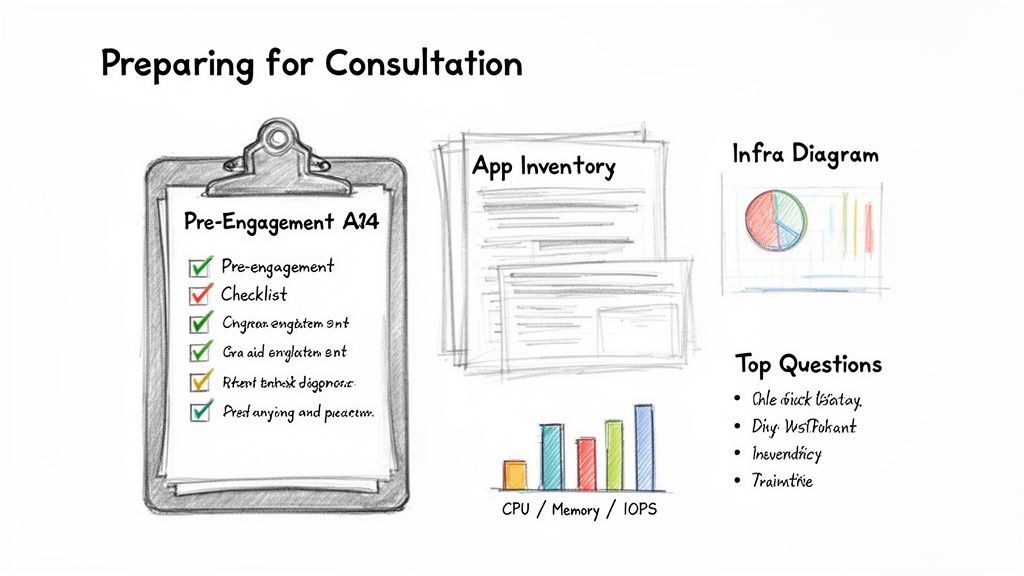
    A slide outlining steps to prepare for a consultation, featuring a checklist, app inventory, infrastructure diagrams, and top questions.

    Your Pre-Engagement Technical Checklist

    Before engaging a consultant, your technical team must compile a detailed dossier of your current environment. This documentation serves as the single source of truth from which a migration plan can be engineered. Neglecting this step is a primary cause of migration failure.

    Your pre-engagement checklist must include:

    • Detailed Application Inventory: A comprehensive catalog (e.g., in a spreadsheet or CMDB) of all applications, their business purpose, ownership, and criticality. Document the technology stack (e.g., Java, .NET, Node.js), architecture, and all database and service dependencies.
    • Current Infrastructure Diagrams: Up-to-date network and architecture diagrams illustrating data flows, server locations, and inter-service communication paths.
    • Performance and Utilization Metrics: Hard data from monitoring tools showing average and peak CPU utilization, memory usage, disk I/O (IOPS), and network throughput for key servers and applications over a representative period (e.g., 30-90 days).
    • Security and Compliance Mandates: A definitive list of all regulatory requirements (HIPAA, PCI-DSS, GDPR, etc.) and internal security policies, including data residency constraints that will influence the cloud architecture.

    Compiling this information provides a consultant with a data-driven baseline from day one. You can explore the complete migration journey in this guide on how to migrate to cloud.

    Incisive Questions to Vet Potential Consultants

    With your documentation prepared, you can begin vetting potential partners. The objective is to penetrate marketing claims and assess their genuine, hands-on technical expertise. Asking targeted questions reveals their technical depth, strategic thinking, and suitability for your specific challenges.

    A consultant's value isn't just in their cloud knowledge, but in their ability to apply that knowledge to your unique technical stack and business context. Asking the right questions is how you find that fit.

    Use these ten technical questions to vet potential consultants:

    1. Describe your methodology for migrating stateful, monolithic applications similar to ours.
    2. What is your direct experience with our specific technology stack (e.g., Kubernetes on-prem, serverless architectures, specific database engines)?
    3. Walk me through your technical process for automated dependency mapping and risk identification.
    4. What specific KPIs and SLOs do you use to define and measure a technically successful migration?
    5. How do you implement FinOps and continuous cost optimization programmatically after the initial migration?
    6. Describe a complex, unexpected technical challenge you encountered on a past migration and the engineering solution you implemented.
    7. What is your methodology for designing and implementing a secure landing zone using Infrastructure as Code?
    8. How will you integrate with our existing CI/CD pipelines and DevOps toolchains?
    9. Can you provide a technical reference from a company with a similar scale and compliance posture?
    10. What is your process for knowledge transfer and upskilling our internal engineering team post-migration?

    Choosing the Right Consultation Engagement Model

    Cloud migration consulting is not a monolithic service. The engagement model you choose will significantly impact your project's budget, timeline, and the degree of knowledge transfer to your internal team.

    The goal is to align the consultant's role with your organization's specific needs and internal capabilities. A mismatch creates friction. A highly skilled engineering team may not need a fully managed project, while a team new to the cloud will require significant hands-on guidance.

    The demand for this expertise is growing rapidly; worldwide cloud services markets are projected to see a USD 17.76 billion increase between 2024 and 2029. This growth is a component of a larger digital transformation trend, with the market expected to reach USD 70.34 billion by 2030. You can analyze the drivers behind this cloud services market growth on Technavio.com.

    Strategic Advisory vs. Turnkey Project Delivery

    A Strategic Advisory engagement is analogous to hiring a chief architect. The consultant provides high-level architectural blueprints, technology selection guidance, and a strategic roadmap. They do not perform the hands-on implementation. This model is ideal for organizations with a capable internal engineering team that requires expert guidance on complex architectural decisions, such as designing a multi-region, disaster recovery strategy.

    Conversely, Turnkey Project Delivery is a fully managed, end-to-end service where the consultant's team assumes full responsibility for the migration, from initial assessment to final cutover and hypercare support. This is the optimal model for organizations lacking the internal bandwidth or specialized skills required to execute the migration themselves, ensuring a professional, on-time delivery with minimal disruption.

    Team Augmentation vs. Managed Services

    Team Augmentation is a hybrid model where a consultant embeds senior cloud or DevOps engineers directly into your existing team. This approach accelerates the project while simultaneously upskilling your internal staff through direct knowledge transfer and paired work. The embedded expert works alongside your engineers, disseminating best practices and hands-on expertise. This model is particularly effective when you need a DevOps consulting company to provide targeted, specialized skills where they are most needed.

    The right model isn't just about getting the work done; it's about building lasting internal capability. Team augmentation, for example, leaves your team stronger and more self-sufficient long after the consultant is gone.

    Finally, Post-Migration Managed Services provides ongoing operational support after the go-live. This model covers tasks such as cost optimization, security monitoring, performance tuning, and incident response. It is ideal for organizations that want to ensure their cloud environment remains efficient and secure without dedicating a full-time internal team to post-migration operations.

    At OpsMoon, we provide flexible engagement across all these models to ensure you receive the precise level of support required.

    Comparison of Cloud Consultation Engagement Models

    This comparison helps you select the engagement model that best aligns with your organization's needs, resources, and project scope.

    Engagement Model Best For Cost Structure OpsMoon Offering
    Strategic Advisory Teams requiring high-level architectural design, technology selection, and roadmap planning. Fixed-price for deliverables or retainer-based. Free architect hours and strategic planning sessions.
    Turnkey Project Businesses needing a fully outsourced, end-to-end migration execution with defined outcomes. Fixed-price project scope or time and materials. Full project delivery with dedicated project management.
    Team Augmentation Organizations seeking to upskill their internal team by embedding senior cloud/DevOps experts. Hourly or daily rates for dedicated engineers. Experts Matcher to embed top 0.7% of global talent.
    Managed Services Companies requiring ongoing post-migration optimization, security, and operational support. Monthly recurring retainer based on scope. Continuous improvement cycles and ongoing support.

    The optimal model is determined by your starting point and long-term objectives. Whether you require a strategic guide, an end-to-end execution partner, a skilled mentor for your team, or an ongoing operator for your cloud environment, there is an engagement model to fit your needs.

    How OpsMoon Executes Your Cloud Migration

    Translating a high-level strategy into a successful production implementation is where many cloud migrations fail. OpsMoon bridges this gap by serving as a dedicated execution partner. We combine elite engineering talent with a transparent, technically rigorous process to convert your cloud blueprint into a production-ready system.

    Our process begins with free work planning sessions. Before any engagement, our senior architects collaborate with your team to develop a concrete project blueprint. This is a technical deep dive designed to establish clear objectives, map dependencies, and de-risk the project from the outset.
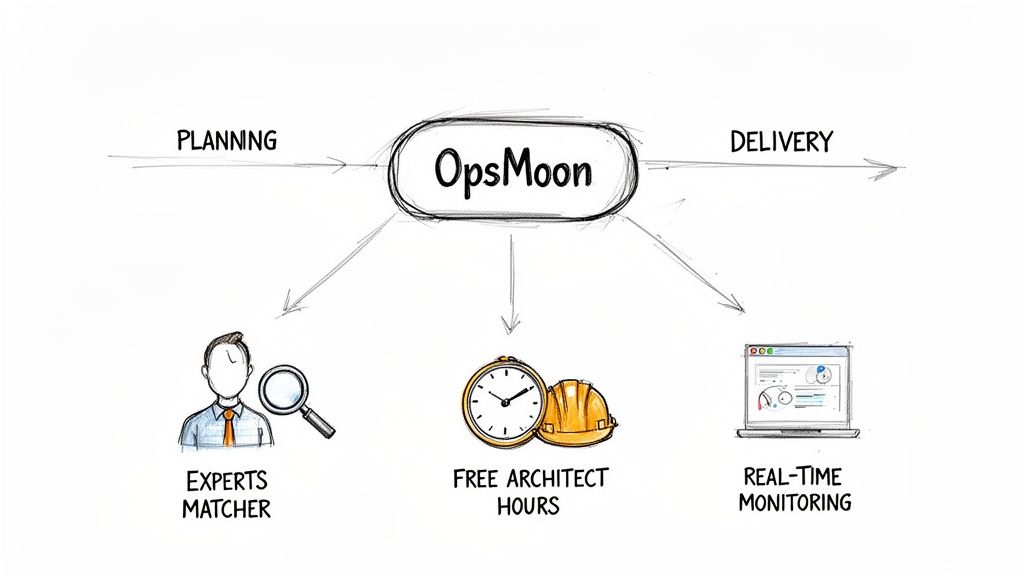
    OpsMoon services diagram illustrating planning to delivery, offering expert matching, free architect hours, and real-time monitoring.

    Connecting You with Elite Engineering Talent

    The success of a cloud migration depends on the caliber of the engineers executing the work. Generic talent pools are insufficient for complex technical challenges. Our Experts Matcher technology addresses this directly.

    This system provides access to the top 0.7% of vetted global DevOps and cloud talent. We identify engineers with proven, hands-on experience in your specific technology stack, whether it involves Kubernetes, Terraform, or complex serverless architectures. This precision matching ensures your project is executed by specialists who can solve problems efficiently and build resilient, scalable systems.

    An exceptional strategy is only as good as the engineers who implement it. By connecting you with the absolute best in the field, we ensure your architectural vision is executed with technical excellence.

    A Radically Transparent and Flexible Process

    We operate on the principle of radical transparency. From project inception, you receive real-time progress monitoring, providing complete visibility into engineering tasks, milestone tracking, and overall project health.

    Our process is defined by key differentiators designed to deliver value and mitigate risk:

    • Free Architect Hours: We invest in your success upfront. These complimentary sessions with our senior architects ensure the initial plan is technically sound, accurate, and aligned with your business objectives, establishing a solid foundation.
    • Adaptable Engagement Models: We adapt to your needs, whether you require a full turnkey project, expert team augmentation, or ongoing managed services. This flexibility ensures you receive the exact support you need.
    • Continuous Improvement Cycles: Our work continues after deployment. We implement feedback loops and optimization cycles to ensure your cloud environment continuously evolves, improves, and delivers increasing value over time.

    By combining a concrete planning process, elite engineering talent, and a transparent execution framework, OpsMoon provides a superior cloud migration consultation experience. We partner with you to build, manage, and optimize your cloud environment, ensuring your migration is a technical success that drives business forward.

    Frequently Asked Questions

    When considering a cloud migration consultation, numerous questions arise, from high-level strategy to specific technical implementation details. Here are concise answers to the most common questions.

    How Long Does a Typical Consultation Last?

    The duration depends on the complexity of your environment. For a small to medium-sized business with a few non-critical applications, the initial assessment and strategy phase typically lasts 2 to 4 weeks.

    For a large enterprise with complex legacy systems, stringent compliance requirements, and extensive inter-dependencies, this initial phase can extend to 8 to 12 weeks or more. The objective is architectural correctness, not speed. A rushed discovery phase invariably leads to costly post-migration remediation. The engagement model also affects the timeline; a strategic advisory engagement is shorter than an end-to-end turnkey project.

    What Are the Biggest Technical Risks in a Migration?

    The most significant technical risks are often un-discovered dependencies and inadequate performance planning. A common failure pattern is migrating an application to the cloud while leaving a highly coupled, low-latency database on-premises, resulting in catastrophic performance degradation due to network latency.

    The most dangerous risks in a migration are the ones you don't discover until after you've gone live. A proper consultation is about aggressively finding and neutralizing these hidden threats before they can cause damage.

    Other major technical risks include:

    • Security Misconfigurations: Improperly configured IAM roles or overly permissive security groups can lead to data exposure. This must be addressed from day one.
    • Data Loss or Corruption: A poorly executed database migration can result in irreversible data corruption. A validated backup and rollback strategy is non-negotiable.
    • Vendor Lock-In: Over-reliance on a cloud provider's proprietary, non-portable services can make future architectural changes or multi-cloud strategies prohibitively difficult and expensive.

    How Do We Ensure Our Team Is Ready?

    Upskilling your internal team is as critical as the technical migration itself. A high-quality consultation includes knowledge transfer as a core deliverable. The most effective method for team readiness is to embed your engineers in the process from the beginning.

    Your engineers should participate in architectural design sessions and pair-program with consultants during the implementation phase. Post-migration, formal training on new operational paradigms, such as managing Infrastructure as Code (IaC) or utilizing cloud cost management tools, is essential. When your team is actively involved, the migration becomes a project they own and can confidently manage long-term.


    A successful migration starts with the right partner. OpsMoon provides the expert guidance and elite engineering talent to turn your cloud strategy into a secure, scalable reality. Get started with a free work planning session today and build your cloud foundation the right way.
  • Why Modern Teams Need a CI CD Consultant

    Why Modern Teams Need a CI CD Consultant

    A CI/CD consultant is a specialized engineer who architects, builds, and optimizes the automated workflows that move code from a developer's machine to production. They diagnose and resolve bottlenecks in the software delivery lifecycle, transforming slow, error-prone manual processes into fast, repeatable, and secure automated pipelines. Their core objective is to increase deployment frequency, reduce change failure rates, and accelerate the feedback loop for engineering teams.

    The High-Stakes World of Modern Software Delivery

    The pressure on engineering teams to accelerate feature delivery while maintaining system stability is relentless. Sluggish deployments, high change failure rates, and developer burnout are not just technical issues; they are symptoms of a suboptimal software delivery process that directly impacts business velocity and competitive advantage. This inefficiency creates a significant performance gap between average teams and high-performing organizations.

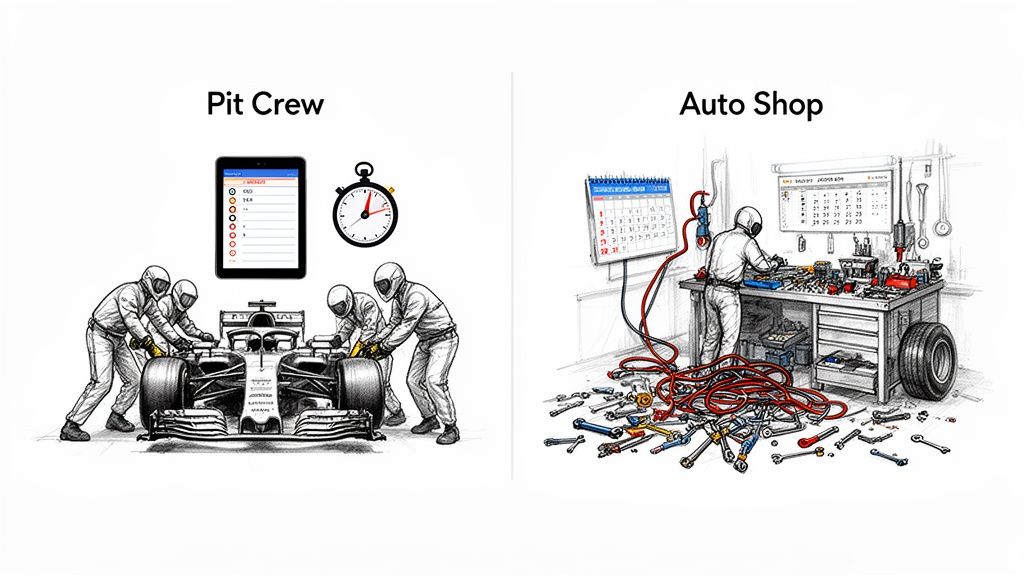
    Illustration contrasting an efficient pit crew quickly servicing a race car with a messy auto shop.

    From the Local Garage to the F1 Pit Crew

    A manual deployment process is analogous to a local auto shop: functional but inefficient. Each task—compiling code, running tests, configuring servers, deploying artifacts—is performed manually, introducing significant latency and a high probability of human error. Each release becomes a bespoke, high-risk event with unpredictable outcomes.

    An automated CI/CD pipeline, by contrast, operates like a Formula 1 pit crew. Every action is scripted, automated, and executed with precision. This level of operational excellence is achieved through rigorous process engineering, specialized tooling, and a deep understanding of system architecture. The objective is not just to deploy code but to do so with maximum velocity and reliability.

    A CI/CD consultant is the strategic architect who re-engineers your software delivery mechanics, transforming your process into an elite, high-performance system designed for speed, safety, and repeatability.

    This transformation is now a business necessity. The global market for continuous integration and delivery tools was valued at USD 1.7 billion in 2024 and is projected to reach USD 4.2 billion by 2031, signaling a decisive industry shift away from manual methodologies.

    Manual Deployment vs Automated CI CD Pipeline

    Aspect Manual Deployment Automated CI CD Pipeline
    Process Sequential, manual steps for build, test, and deploy. Prone to human error (e.g., forgotten config change, wrong artifact version). Fully automated, parallelized stages triggered by code commits. Governed by version-controlled pipeline definitions (e.g., gitlab-ci.yml, Jenkinsfile).
    Speed Slow, often taking days or weeks. Gated by manual approvals and task handoffs. Extremely fast, with lead times from commit to production measured in minutes or hours.
    Reliability Inconsistent. Success depends on individual heroics and runbook accuracy. High Mean Time To Recovery (MTTR). Highly consistent and repeatable. Every release follows the same auditable, version-controlled path. Low MTTR via automated rollbacks.
    Feedback Loop Delayed. Bugs are often found late in staging or, worse, in production by users. Immediate. Automated tests (unit, integration, SAST) provide feedback directly on the commit or pull request, enabling developers to fix issues instantly.
    Risk High. Large, infrequent "big bang" releases are complex and difficult to roll back, increasing the blast radius of any failure. Low. Small, incremental changes are deployed frequently, reducing complexity and making rollbacks trivial. Advanced deployment strategies (canary, blue-green) are enabled.

    Addressing Core Business Pain Points

    A CI/CD consultant addresses critical business problems that manifest as technical friction. Their work directly impacts revenue, operational efficiency, and developer retention.

    • Sluggish Time-to-Market: When features are "code complete" but sit in a deployment queue for weeks, the opportunity cost is immense. Competitors who can ship ideas faster gain market share. A consultant shortens this cycle by automating every step from merge to production.
    • High Failure Rates: Constant production rollbacks and emergency hotfixes burn engineering capacity and erode customer trust. A consultant implements quality gates—automated testing, security scanning, and gradual rollouts—to catch defects before they impact users.
    • Developer Burnout: Forcing skilled engineers to perform repetitive, manual deployment tasks is a primary driver of attrition. It also creates a knowledge silo where only a few "deployment gurus" can ship code. Understanding the evolving landscape of knowledge management and artificial intelligence is paramount for maintaining a competitive edge.

    By instrumenting and optimizing the delivery pipeline, a CI/CD consultant provides a strategic capability: the ability to innovate safely and at scale.

    The Anatomy of a CI/CD Consultant's Role

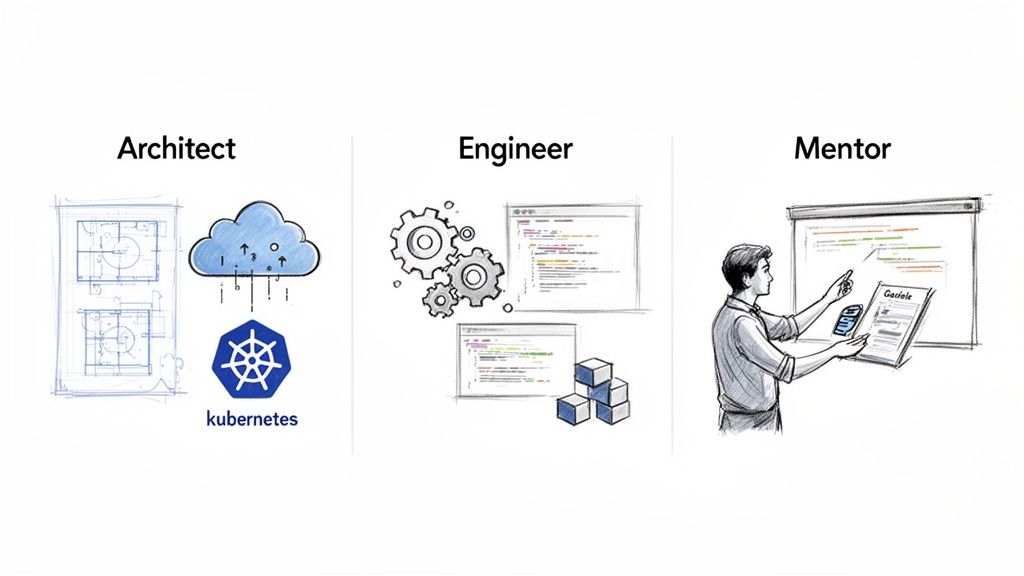
    A top-tier CI/CD consultant operates across three distinct but interconnected roles: Pipeline Architect, Automation Engineer, and DevOps Mentor. This multi-faceted approach ensures that the solutions are not only technically sound but also sustainable and adopted by the internal team. They transition seamlessly from high-level system design to hands-on implementation and knowledge transfer.

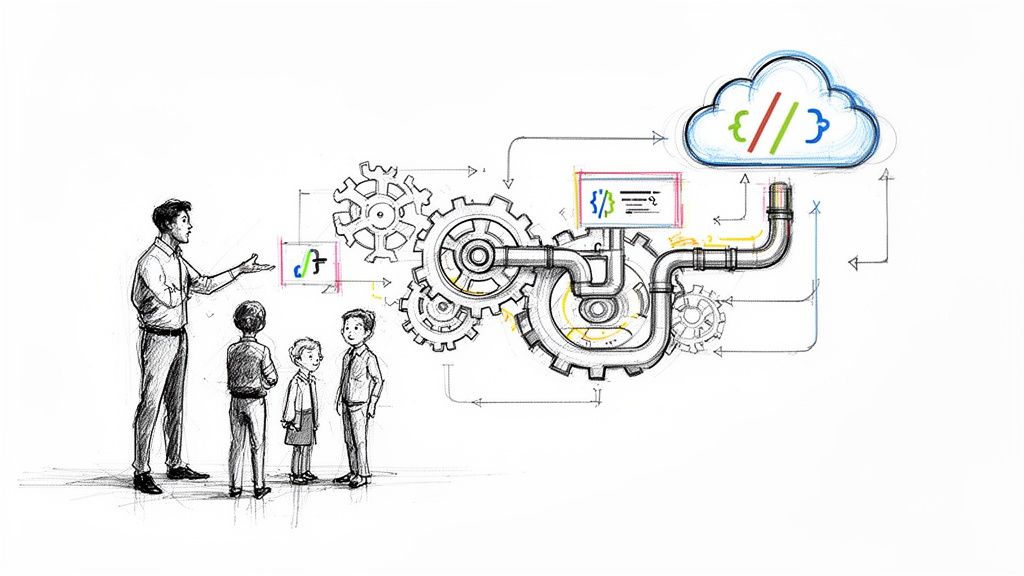
    Illustrations depict an architect with blueprints and cloud, an engineer with code and gears, and a mentor teaching.

    The Pipeline Architect

    As an architect, the CI/CD consultant designs the end-to-end software delivery blueprint. This strategic phase involves a thorough analysis of the existing technology stack, team structure, and business objectives to design a resilient, scalable, and secure delivery system.

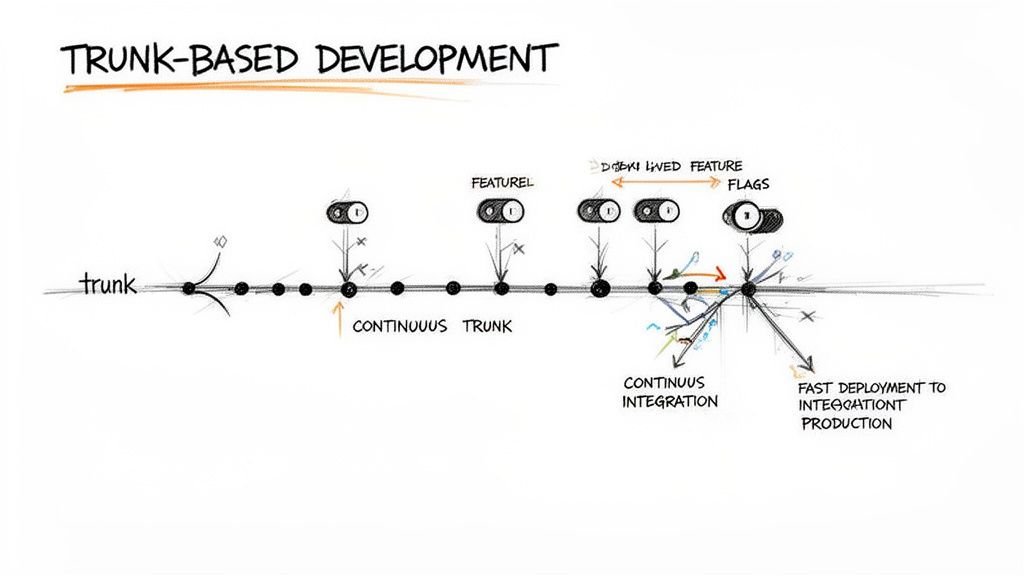
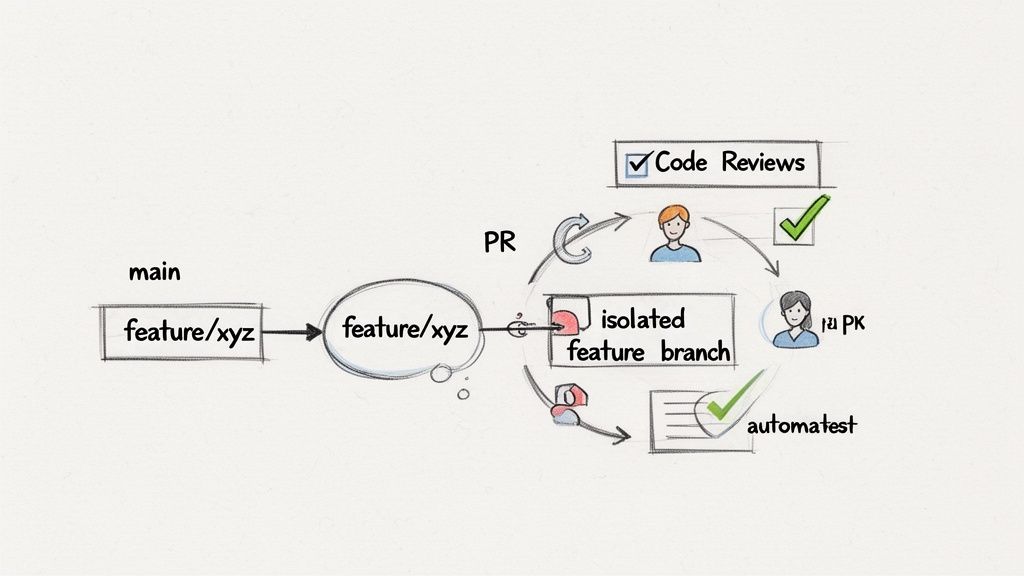
    The architect evaluates the specific context—whether it's a microservices architecture on Kubernetes, a serverless application, or a legacy monolith—and designs an appropriate pipeline structure. This includes defining build stages, test strategies (e.g., test pyramid implementation), artifact management, and deployment methodologies (e.g., canary vs. blue-green). They make critical decisions on workflow models, such as trunk-based development versus GitFlow, and define the quality and security gates that code must pass to progress to production. The architectural focus is on creating a system that is maintainable, observable, and adaptable to future needs.

    The Automation Engineer

    As an engineer, the consultant translates the architectural blueprint into a functioning, automated system. This is where high-level design meets hands-on-keyboard implementation, writing the code that automates the entire delivery process.

    This hands-on work involves a range of technical implementations:

    • Infrastructure as Code (IaC): Using tools like Terraform or Pulumi to define and manage cloud infrastructure declaratively. This eliminates manual configuration errors and ensures environments are reproducible.
    • Pipeline Scripting: Implementing pipeline-as-code using the specific domain-specific language (DSL) of the chosen tool, whether it's YAML for GitHub Actions and GitLab CI or Groovy for a shared library in Jenkins.
    • Tool Integration: Integrating disparate systems into a cohesive workflow. This includes scripting the integration of automated testing frameworks (Cypress, Selenium), security scanners (Snyk, Trivy), and artifact repositories (Artifactory) into the pipeline logic.

    Technical Example: A common problem is a pipeline failure due to an end-of-life (EOL) dependency. An engineer would implement a solution by adding a step that uses trivy fs or a similar tool to scan the project's lock file (package-lock.json, pom.xml). They would configure the job to fail the build if a dependency with a known EOL date is detected, preventing technical debt from entering the main branch.

    An engineer might implement a GitOps workflow using ArgoCD to continuously reconcile the state of a Kubernetes cluster with a Git repository. Or they might optimize a Dockerfile with multi-stage builds and layer caching, reducing container image build times from 15 minutes to under two, which directly accelerates the feedback loop for every developer.

    The DevOps Mentor

    The consultant's final and most critical role is that of a mentor. A sophisticated pipeline is useless if the team is not equipped to use, maintain, and evolve it. The primary goal is to enable the internal team, ensuring the implemented solution delivers long-term value.

    This mentorship is delivered through several channels:

    1. Conducting Workshops: Leading hands-on training sessions on new tools (e.g., "Intro to Terraform for Developers") and processes (e.g., "Our New Trunk-Based Development Workflow").
    2. Pair Programming: Working directly with engineers to solve real pipeline issues, transferring practical knowledge and debugging techniques.
    3. Establishing Best Practices: Authoring clear documentation, contribution guidelines (CONTRIBUTING.md), and templated runbooks for pipeline maintenance and incident response.
    4. Fostering a DevOps Culture: Advocating for principles of shared ownership, blameless post-mortems, and data-driven decision-making to bridge the gap between development and operations.

    The engagement is successful when the internal team can confidently own and improve their delivery pipeline long after the consultant has departed.

    The CI CD Consultant Technical Skill Matrix

    Evaluating a CI/CD consultant requires moving beyond a tool-based checklist. True expertise lies in understanding the deep interplay between infrastructure, code, and process. An effective consultant possesses a T-shaped skill set, with deep expertise in CI/CD automation and broad knowledge across cloud, containerization, security, and software development practices.

    The foundation for all CI/CD is mastery of modern version control systems, particularly Git. Git serves as the single source of truth and the trigger for all automated workflows. Without deep expertise in branching strategies, commit hygiene, and Git internals, any pipeline is built on an unstable foundation.

    Cloud and Containerization Mastery

    Modern CI/CD pipelines are ephemeral, dynamic, and executed on cloud infrastructure. A consultant’s proficiency in cloud and container technologies is therefore a prerequisite for building effective delivery systems.

    • Cloud Platforms (AWS, GCP, Azure): Deep, practical knowledge of at least one major cloud provider is essential. This includes mastery of core services like IAM (for secure pipeline permissions), VPCs (for network architecture), and compute services (EC2, Google Compute Engine, AKS/EKS/GKE). An expert can design a cloud topology that is secure, cost-optimized, and scalable.
    • Containerization (Docker): Consultants must be experts in crafting lean, secure, and efficient Dockerfiles. This skill directly impacts build performance and security posture. A bloated, insecure base image can slow down every single build and introduce vulnerabilities across all services.
    • Orchestration (Kubernetes): Proficiency in Kubernetes extends beyond basic kubectl apply. An expert consultant leverages the Kubernetes API to implement advanced deployment strategies like automated canary analysis with a service mesh (e.g., Istio) or progressive delivery using tools like Flagger, all orchestrated directly from the CI/CD pipeline.

    Infrastructure as Code Fluency

    Manual infrastructure provisioning is a primary source of configuration drift and deployment failures. A top-tier CI/CD consultant must be an expert in managing infrastructure declaratively, treating it as a version-controlled, testable asset.

    True Infrastructure as Code is a paradigm shift. It treats your entire operational environment as software—versioned in Git, validated through automated testing, and deployed via a pipeline. This transforms fragile, manually-configured infrastructure into a predictable and resilient system.

    Mastery of tools like Terraform or Pulumi is standard. An elite consultant architects reusable, modular IaC components, implements state-locking and remote backends for team collaboration, and establishes a GitOps workflow where infrastructure changes are proposed, reviewed, and applied through pull requests. This turns disaster recovery from a multi-day manual effort into an automated, predictable process.

    CI CD Tooling and Strategy

    This is the core domain of expertise. A consultant must have deep, hands-on experience designing and implementing pipelines across various platforms. The value is not in knowing many tools, but in understanding the architectural trade-offs and selecting the right tool for a specific context.

    A skilled CI CD consultant can assess an organization's ecosystem, developer workflow, and operational requirements to recommend and implement the optimal solution. For a technical comparison of leading platforms, you can review this guide to the 12 best CI CD tools for engineering teams in 2025.

    • GitLab CI: Ideal for teams seeking a unified platform that co-locates source code management, CI/CD, package registries, and security scanning.
    • GitHub Actions: Best-in-class for its tight integration with the GitHub ecosystem, offering a vast marketplace of community-driven actions that accelerate development.
    • Jenkins: The highly extensible standard for organizations with complex, bespoke pipeline requirements that demand deep customization and a vast plugin ecosystem.

    An expert consultant has battle-tested experience with these platforms and can design solutions that are scalable, maintainable, and provide an excellent developer experience.

    Observability and Security Integration

    A pipeline's responsibility does not end at deployment. A modern pipeline must provide deep visibility into application and system health and enforce security controls proactively. This practice, often called "shifting left," integrates quality and security checks early in the development lifecycle.

    • Observability (Prometheus, Grafana): A consultant will instrument not only the application but the pipeline itself. This includes tracking key CI/CD metrics like build duration, test flakiness, and deployment frequency, providing the data needed to identify and resolve bottlenecks.
    • Security (Trivy, Snyk): Automated security scanning is integrated as a mandatory quality gate. This includes Static Application Security Testing (SAST), Software Composition Analysis (SCA) for vulnerable dependencies, and container image scanning. A consultant will configure the pipeline to block commits that introduce critical vulnerabilities, preventing them from ever reaching production.

    This matrix helps differentiate foundational knowledge from expert application when evaluating a candidate's technical depth.

    CI CD Consultant Core Competency Matrix

    Skill Category Foundational Knowledge Expert Application
    Cloud & Containers Can provision basic cloud resources (VMs, storage). Understands Docker concepts and can write a simple Dockerfile. Architects multi-account/multi-region cloud environments for resilience and compliance. Builds multi-stage, optimized Dockerfiles and designs complex Kubernetes deployment patterns.
    Infrastructure as Code (IaC) Can write a basic Terraform or Pulumi script to create a single resource. Understands the concept of state management. Develops reusable IaC modules and a GitOps workflow to manage the entire lifecycle of complex infrastructure. Implements automated drift detection and remediation.
    CI/CD Tooling & Strategy Can configure a simple pipeline in one tool (e.g., GitHub Actions). Understands basic triggers like on push. Designs dynamic, scalable CI/CD platforms using tools like Jenkins, GitLab, or Actions. Implements advanced strategies like matrix builds, dynamic agents, and pipeline-as-code libraries.
    Security & Observability Knows to include basic linting and unit tests in a pipeline. Understands the value of application logs. Integrates SAST, DAST, and dependency scanning directly into the pipeline with automated gates. Instruments applications and pipelines with Prometheus metrics for proactive monitoring.
    Version Control & Git Comfortable with basic Git commands (commit, push, merge). Designs and enforces advanced Git branching strategies (e.g., GitFlow, Trunk-Based Development). Uses Git hooks and automation to maintain repository health and enforce standards.

    Recognizing the Triggers to Hire a Consultant

    The decision to engage a CI/CD consultant is typically driven by the accumulation of technical friction that begins to impede business goals. These are not minor inconveniences; they are systemic issues that throttle innovation, burn out developers, and increase operational risk. Recognizing these triggers is the first step toward building a more resilient and high-velocity engineering organization.

    Your Lead Time for Changes Is Measured in Weeks

    Lead time for changes—the duration from code commit to code in production—is a primary indicator of engineering efficiency. If this metric is measured in weeks or months, your delivery process is fundamentally broken. This latency is typically caused by manual handoffs between teams, long-running and unreliable test suites, and bureaucratic change approval processes.

    A CI/CD consultant diagnoses these bottlenecks by instrumenting and mapping the entire value stream. They identify specific stages causing delays—such as environment provisioning or manual testing cycles—and implement automation to eliminate them. This includes parallelizing test jobs, optimizing build caching, and automating release processes to reduce lead time from weeks to hours or even minutes.

    Developers Are Wasting Time on Deployment Logistics

    Survey your developers: if they spend more than 20% of their time managing CI/CD configurations, debugging cryptic pipeline failures, or manually provisioning development environments, you have a critical productivity drain. Your most valuable technical talent is being consumed by operational toil instead of creating business value.

    This is a symptom of a brittle or overly complex CI/CD implementation. A consultant addresses this by applying principles of platform engineering: building standardized, reusable pipeline templates and abstracting away the underlying complexity. By implementing Infrastructure as Code (IaC) with tools like Terraform, they enable developers to self-serve consistent, production-like environments, freeing them to focus on application logic rather than operational plumbing.

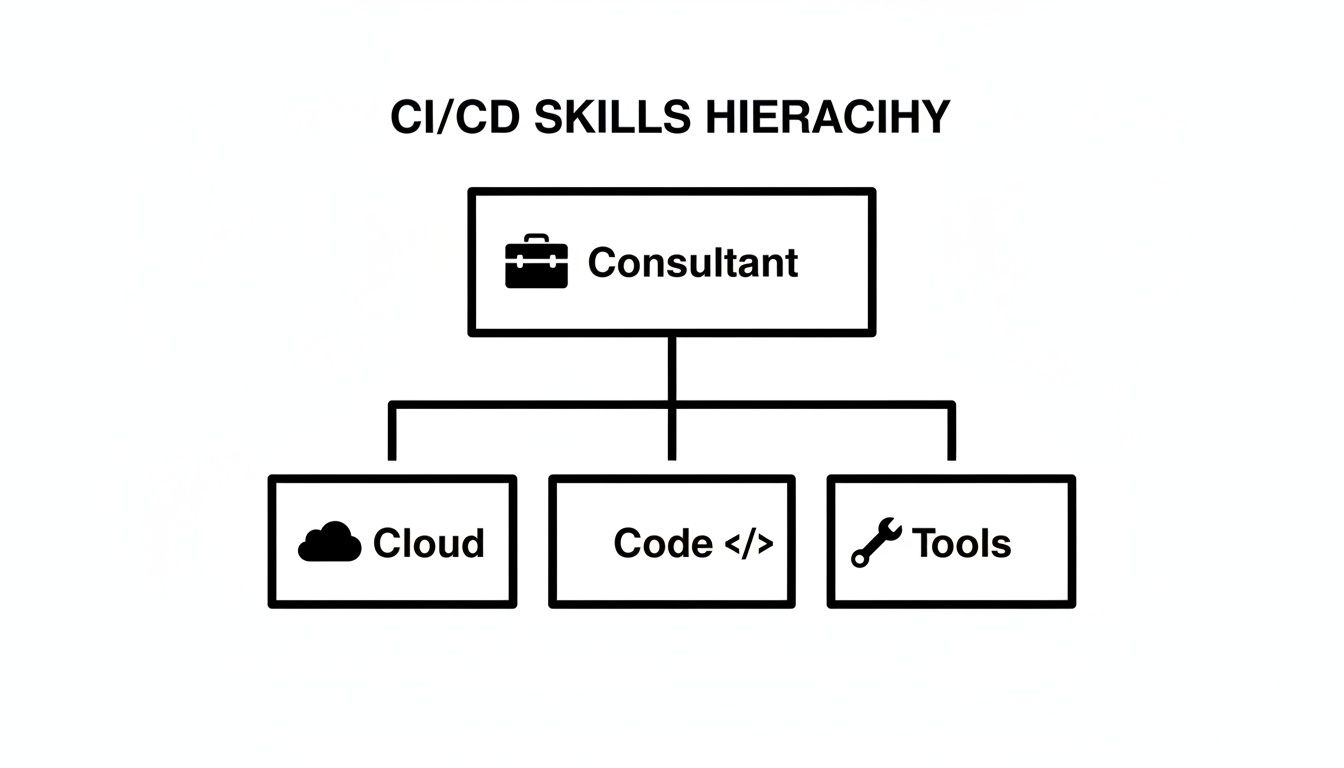
    A consultant’s ability to solve these problems comes from a deep, multi-layered skill set.

    CI/CD skills hierarchy diagram for a consultant, categorized into cloud, code, and tools.

    Production Rollbacks Are a Regular Occurrence

    If "release day" induces anxiety and deployments frequently result in production incidents requiring immediate rollbacks, your quality assurance process is reactive rather than proactive. Each rollback erodes customer confidence and diverts engineering resources to firefighting. This indicates that quality gates are either missing, ineffective, or positioned too late in the delivery lifecycle.

    A high change failure rate is a direct measure of instability in the delivery process. It signals a lack of automated quality gates needed to detect and prevent defects before they reach production.

    A consultant addresses this by "shifting left" on quality and security. They integrate a hierarchy of automated tests (unit, integration, end-to-end) as mandatory stages in the pipeline. Furthermore, they implement advanced deployment strategies like blue-green or canary releases, which de-risk the deployment process by exposing new code to a small subset of users before a full rollout. This transforms high-stakes releases into low-risk, routine operational events.

    The Playbook for Hiring an Elite CI/CD Consultant

    Sourcing and vetting an elite CI/CD consultant requires a strategy that goes beyond traditional recruiting channels. Top-tier practitioners are rarely active on job boards; they are typically engaged in solving complex problems. The hiring process must be designed to identify these individuals in their professional communities and to assess their practical problem-solving skills rather than their ability to answer trivia questions.

    Sourcing Talent Beyond the Usual Suspects

    To find elite talent, you must engage with the communities where they share knowledge and demonstrate their expertise.

    • Open Source Contributions: Analyze contributions to relevant open-source projects. A consultant's GitHub profile—including their pull requests, issue comments, and personal projects—serves as a public portfolio of their technical acumen and collaborative skills.
    • Specialized Slack and Discord Communities: Participate in technical communities dedicated to tools like Kubernetes, Terraform, or GitLab CI. The individuals who consistently provide insightful, technically deep answers are often the practitioners you want to hire.
    • Conference Speakers and Content Creators: Those who present at industry conferences (e.g., KubeCon, DevOpsDays) or author in-depth technical articles have demonstrated not only deep expertise but also the critical ability to communicate complex concepts clearly.

    The demand for this skill set is intensifying, especially in North America, which is projected to hold the largest market share of 51% by 2035 for CI/CD tools. This growth is accelerated by the rise of remote work, which increases the need for robust, automated delivery systems in distributed teams.

    Scenario-Based Interview Questions That Reveal True Expertise

    Abandon generic interview questions. Instead, use scenario-based problems that simulate the real-world challenges the consultant will face. The objective is to evaluate their diagnostic process, their understanding of architectural trade-offs, and their ability to formulate a coherent execution plan. For a deeper dive into modern hiring techniques, explore our guide on consultant talent acquisition.

    Here are technical scenarios designed to probe for practical expertise.

    Scenario 1: "You've inherited a CI pipeline for a monolithic application. The end-to-end runtime is 45 minutes, killing developer productivity. Detail your step-by-step diagnostic process and the specific technical changes you would consider to reduce this feedback loop."

    A junior candidate might suggest a single tool. An expert CI CD consultant will articulate a methodical, data-driven approach.

    What to Listen For:

    1. Investigation First: The answer should begin with targeted questions: "Is there existing telemetry or build analytics?" "Which specific jobs consume the most time: build, unit tests, integration tests?" "What is the underlying hardware for the CI runners?"
    2. Bottleneck Identification and Mitigation: They should describe a plan to instrument the pipeline to collect timing data for each stage. They will propose concrete technical solutions like:
      • Parallelizing Jobs: Splitting a monolithic test suite to run in parallel across multiple runners.
      • Optimizing Caching: Implementing intelligent caching for dependencies (e.g., Maven, npm) and Docker layers.
      • Test Impact Analysis: Using tools to run only the tests relevant to the code changes in a given commit.
    3. Strategic Trade-Offs: An expert will discuss balancing speed and confidence. They might propose a tiered approach: a sub-5-minute suite of critical tests on every commit, with the full 45-minute suite running on a nightly or pre-production schedule.

    Scenario 2: "Design a secure CI/CD pipeline for a new serverless application on AWS from the ground up. The design must include automated security scanning, and there must be zero hardcoded secrets in the pipeline configuration."

    This scenario directly assesses their knowledge of cloud-native architecture and modern DevSecOps practices.

    What to Listen For:

    1. Secure Credential Management: They should immediately reject hardcoded secrets and propose a robust solution like AWS Secrets Manager or HashiCorp Vault. They must explain the mechanism for the pipeline to securely retrieve secrets at runtime, for example, by using OpenID Connect (OIDC) with IAM Roles for Service Accounts (IRSA).
    2. Integrated Security Scanning: A strong answer will detail embedding security gates directly into the pipeline workflow. This includes:
      • SAST (Static Application Security Testing): Scanning source code for vulnerabilities.
      • SCA (Software Composition Analysis): Checking third-party dependencies against vulnerability databases.
      • IaC Scanning: Analyzing Terraform or CloudFormation templates for security misconfigurations before deployment.
    3. Principle of Least Privilege: An expert will discuss permissions for the pipeline itself. They will describe how to create a granular IAM role for the CI/CD runner, granting it only the specific permissions required to deploy the serverless application, thus minimizing the blast radius if the pipeline were compromised.

    Burning Questions About CI/CD Consulting

    Engaging an external consultant naturally raises questions about engagement models, expected outcomes, and ROI. Clarity on these points is essential for a successful partnership.

    What Do These Engagements Actually Look Like?

    CI/CD consulting engagements are tailored to specific organizational needs and typically fall into one of three models:

    • Project-Based: A fixed-scope, fixed-price engagement with a clearly defined outcome (e.g., "Migrate our legacy Jenkins pipelines to GitLab CI" or "Implement a GitOps workflow for our Kubernetes applications"). This model provides cost predictability for well-defined objectives.

    • Retainer (Advisory): A recurring engagement providing access to a senior consultant for a set number of hours per month. This is ideal for teams needing ongoing strategic guidance, architectural reviews, and mentorship without requiring full-time implementation support.

    • Time and Materials (T&M): An hourly or daily rate engagement best suited for complex, open-ended problems where the scope is not yet fully defined. This flexible model is often used for initial discovery phases, complex troubleshooting, or projects with evolving requirements.

    How Fast Will We See Results?

    While cultural change is a long-term endeavor, a skilled consultant should deliver measurable technical improvements within weeks, not quarters.

    A competent consultant prioritizes delivering a quick, high-impact win early in the engagement. This builds momentum and demonstrates the value of the investment. They will identify a significant pain point—such as an unacceptably long build time or a flaky deployment process—and deliver a demonstrable fix.

    Within the first 2-4 weeks, you should be able to identify a specific, quantifiable improvement. A complete, end-to-end pipeline transformation may take 2-3 months, but progress should be incremental and visible throughout the engagement.

    How Do We Know if We're Getting Our Money's Worth?

    The ROI of CI/CD consulting should be measured using key DevOps Research and Assessment (DORA) metrics, which connect technical improvements to business performance.

    1. Lead Time for Changes: The time from commit to production. A decrease indicates accelerated value delivery.
    2. Deployment Frequency: How often you successfully release to production. An increase demonstrates improved agility.
    3. Change Failure Rate: The percentage of deployments causing a production failure. A decrease signifies improved quality and stability.
    4. Mean Time to Recovery (MTTR): The time it takes to restore service after a production failure. A lower MTTR indicates enhanced system resilience.

    Track these metrics before, during, and after the engagement to quantify the direct impact on your engineering organization's performance.

    Your Next Step Toward a High-Performing Pipeline

    Achieving elite software delivery performance is an ongoing process of optimization, not a one-time project. A skilled CI CD consultant acts as a catalyst, transforming your delivery process from a source of friction into a strategic asset.

    The primary objective is to accelerate innovation, improve quality, and empower your engineering team by removing operational toil. This investment shifts your organization's focus from reactive firefighting to proactive value creation. The right expert doesn't just implement tools; they instill a culture of continuous improvement that yields returns long after the engagement concludes.

    The most powerful first step you can take is a clear-eyed self-assessment. Use the triggers we talked about earlier—like slow lead times or frequent rollbacks—to pinpoint exactly where the pain is in your delivery process.

    Take Action Now

    This internal audit provides the quantitative and qualitative data needed to build a strong business case for change. It establishes a baseline from which to measure improvement and helps define a clear mission for an external consultant.

    Your next move is to translate these pain points into a focused, high-impact roadmap for improvement. If you need expert guidance building out that strategy, check out our specialized CI/CD consulting services. We help teams chart a clear path from diagnosis to delivery excellence, making sure every single step adds measurable value.


    Ready to transform your software delivery process? OpsMoon connects you with the top 0.7% of DevOps talent to build the resilient, high-speed pipelines your business needs. Start with a free work planning session today.

  • Your Practical Guide to Building a Dev Sec Ops Pipeline

    Your Practical Guide to Building a Dev Sec Ops Pipeline

    A Dev Sec Ops pipeline is a standard CI/CD pipeline augmented with automated security controls. It's not a single product but a cultural and technical methodology that integrates security testing and validation into every stage of the software delivery lifecycle. The core principle is to make security a shared responsibility, with automated guardrails that provide developers with immediate feedback from the first commit through to production deployment.

    This integration prevents security from becoming a late-stage bottleneck, enabling teams to deliver secure software at the velocity demanded by modern DevOps.

    Why Your DevOps Pipeline Needs Security Built In

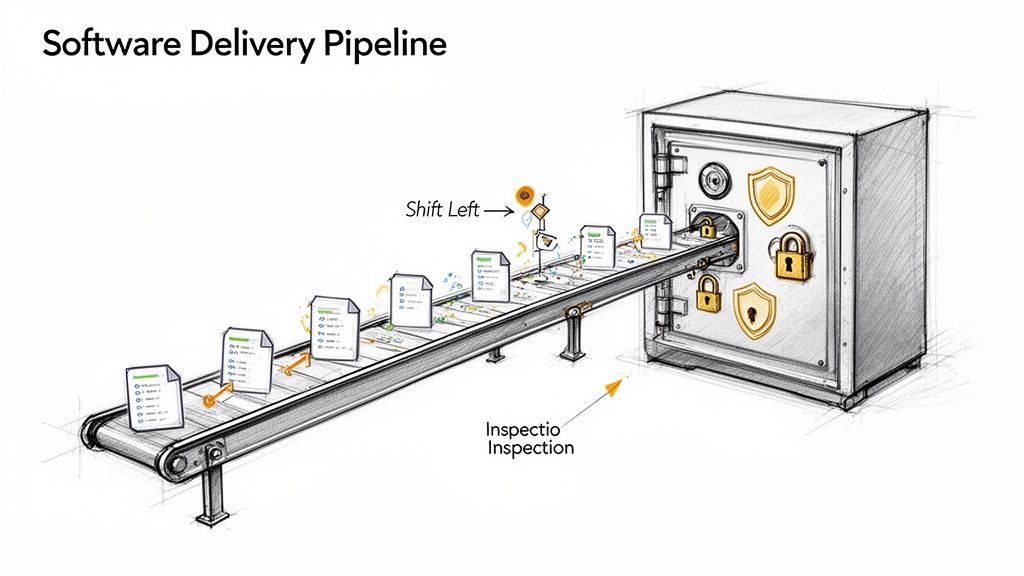
    Illustration of a DevSecOps pipeline with documents on a conveyor belt, showing 'Shift Left' inspection towards a secure vault.

    In traditional software development lifecycles (SDLC), security validation was an isolated, manual process conducted just before release. This model is incompatible with the speed and automation of DevOps. Discovering critical vulnerabilities at the end of the cycle introduces massive rework, delays releases, and inflates remediation costs exponentially. DevSecOps addresses this inefficiency by embedding automated security validation throughout the pipeline.

    Consider the analogy of constructing a secure facility. You wouldn't erect the entire structure and then attempt to retrofit reinforced walls and vault doors. Security must be an integral part of the initial architectural design. A Dev Sec Ops pipeline applies this same engineering discipline to software, making security a non-negotiable, automated component of the development process.

    The Power of Shifting Left

    The core technical strategy of DevSecOps is "shifting left." This refers to moving security testing to the earliest possible points in the development lifecycle. When a developer receives immediate, automated feedback on a potential vulnerability—directly within their IDE or via a failed commit hook—they can remediate it instantly while the context is fresh.

    Shifting left transforms security from a gatekeeper into a guardrail. It empowers developers to build securely from the start, rather than just pointing out flaws at the end. This collaborative approach is essential for building a strong security posture.

    This proactive, automated approach yields significant technical and business advantages:

    • Reduced Remediation Costs: Finding and fixing a vulnerability during development is orders of magnitude cheaper than patching it in a production environment post-breach.
    • Increased Development Velocity: Automating security gates eliminates manual security reviews, removing bottlenecks and enabling faster, more predictable release cadences.
    • Improved Security Culture: Security ceases to be the exclusive domain of a separate team and becomes a shared engineering responsibility, fostering collaboration between development, security, and operations.

    A Growing Business Necessity

    The adoption of secure pipelines is a direct response to the escalating complexity of cyber threats. The DevSecOps market was valued at USD 4.79 billion in 2022 and is projected to reach USD 45.76 billion by 2031. This growth underscores the critical need for organizations to integrate proactive security measures to protect their applications and data.

    Adopting a security architecture like Zero Trust security is a foundational element. This model operates on the principle of "never trust, always verify," assuming that threats can originate from anywhere. Combining this architectural philosophy with an automated DevSecOps pipeline creates a robust, multi-layered defense system.

    Deconstructing the Modern DevSecOps Pipeline

    A modern DevSecOps pipeline is not a monolithic tool but a series of automated security gates integrated into an existing CI/CD workflow. Each gate is a specific type of security scan designed to detect different classes of vulnerabilities at the most appropriate stage of the software delivery process.

    This layered security strategy ensures comprehensive coverage. By automating these checks, you codify security policy and make it a consistent, repeatable part of every code change. Developers receive actionable feedback within their existing workflow, enabling them to resolve issues efficiently without waiting for manual security reviews.

    Let's dissect the core technical components that form this automated security assembly line.

    SAST: The Code Blueprint Inspector

    Static Application Security Testing (SAST) is one of the earliest gates in the pipeline. It functions as a "white-box" testing tool, analyzing the application's source code, bytecode, or binary without executing it. SAST tools build a model of the application's control and data flows to identify potential security vulnerabilities.

    Integrated directly into the CI process, SAST scans are triggered on every commit or pull request. They excel at detecting a wide range of implementation-level bugs, including:

    • SQL Injection Flaws: Identifying unsanitized user inputs being concatenated directly into database queries.
    • Buffer Overflows: Detecting code patterns that could allow writing past the allocated boundaries of a buffer in memory.
    • Hardcoded Secrets: Finding sensitive data like API keys, passwords, or cryptographic material embedded directly in the source code.

    By providing immediate feedback on coding errors, SAST not only prevents vulnerabilities from being merged but also serves as a continuous training tool for developers on secure coding practices.

    SCA: The Supply Chain Manager

    Modern applications are assembled, not just written. They rely heavily on open-source libraries and third-party dependencies. Software Composition Analysis (SCA) automates the management of this software supply chain by inventorying all open-source components and their licenses.

    The primary function of an SCA tool is to compare the list of project dependencies (e.g., from package.json, pom.xml, or requirements.txt) against public and private databases of known vulnerabilities (like the National Vulnerability Database's CVEs). If a dependency has a disclosed vulnerability, the SCA tool flags it, specifies the vulnerable version range, and often suggests the minimum patched version to upgrade to. It also helps enforce license compliance policies, preventing the use of components with incompatible or restrictive licenses.

    DAST: The On-Site Stress Test

    While SAST analyzes the code from the inside, Dynamic Application Security Testing (DAST) tests the running application from the outside. It is a "black-box" testing methodology, meaning the scanner has no prior knowledge of the application's internal structure or source code. It interacts with the application as a malicious user would, sending a variety of crafted inputs and analyzing the responses to identify vulnerabilities.

    DAST is your reality check. It doesn't care what the code is supposed to do; it only cares about what the running application actually does when it's poked, prodded, and provoked in a live environment.

    DAST is highly effective at finding runtime and configuration-related issues that are invisible to SAST, such as:

    • Cross-Site Scripting (XSS): Identifying where unvalidated user input is reflected in HTTP responses, allowing for malicious script execution.
    • Server Misconfigurations: Detecting insecure HTTP headers, exposed administrative interfaces, or verbose error messages that leak information.
    • Broken Authentication: Probing for weaknesses in session management, credential handling, and access control logic.

    These testing methods are complementary; a mature pipeline uses both SAST and DAST to achieve comprehensive security coverage.

    Key Security Testing Methods in a DevSecOps Pipeline

    Testing Method Primary Purpose Pipeline Stage Typical Vulnerabilities Found
    SAST Scans raw source code to find vulnerabilities before the application runs. Commit/Build SQL Injection, Buffer Overflows, Hardcoded Secrets, Insecure Coding Practices
    DAST Tests the live, running application from an attacker's perspective. Test/Staging Cross-Site Scripting (XSS), Server Misconfigurations, Broken Authentication/Session Management
    SCA Identifies known vulnerabilities in open-source and third-party libraries. Build/Deploy Outdated Dependencies with known CVEs, Software License Compliance Issues
    IaC Scanning Analyzes infrastructure code templates for security misconfigurations. Commit/Build Public S3 Buckets, Overly Permissive Firewall Rules, Insecure IAM Policies

    Using these tools in concert creates a multi-layered defense that is far more effective than relying on a single testing technique.

    IaC and Container Scanning

    Modern applications run on infrastructure defined as code and are often packaged as containers. Securing these components is as critical as securing the application code itself. Infrastructure as Code (IaC) Scanning applies the "shift left" principle to cloud infrastructure. Tools like Checkov or TFSec analyze Terraform, CloudFormation, or Kubernetes manifests for misconfigurations—such as publicly accessible S3 buckets or unrestricted ingress rules—before they are provisioned.

    Similarly, Container Scanning inspects container images for known vulnerabilities within the OS packages and application dependencies they contain. This critical step ensures the runtime environment itself is free from known exploits. Industry data shows significant adoption, with about half of DevOps teams already scanning containers and 96% acknowledging the need for greater security automation. You can discover insights into DevSecOps statistics to explore these trends further.

    Together, these automated scanning stages create a robust, layered defense that secures the entire software delivery stack, from code to cloud.

    Designing Your Dev Sec Ops Pipeline Architecture

    Implementing a DevSecOps pipeline involves strategically inserting automated security gates into your existing CI/CD process. The objective is to create a seamless, automated workflow where security is validated at each stage, providing rapid feedback without impeding development velocity.

    A well-architected pipeline aligns with established CI/CD pipeline best practices and treats security as an integral quality attribute, not an external dependency. Let's outline a technical blueprint for a modern Dev Sec Ops pipeline.

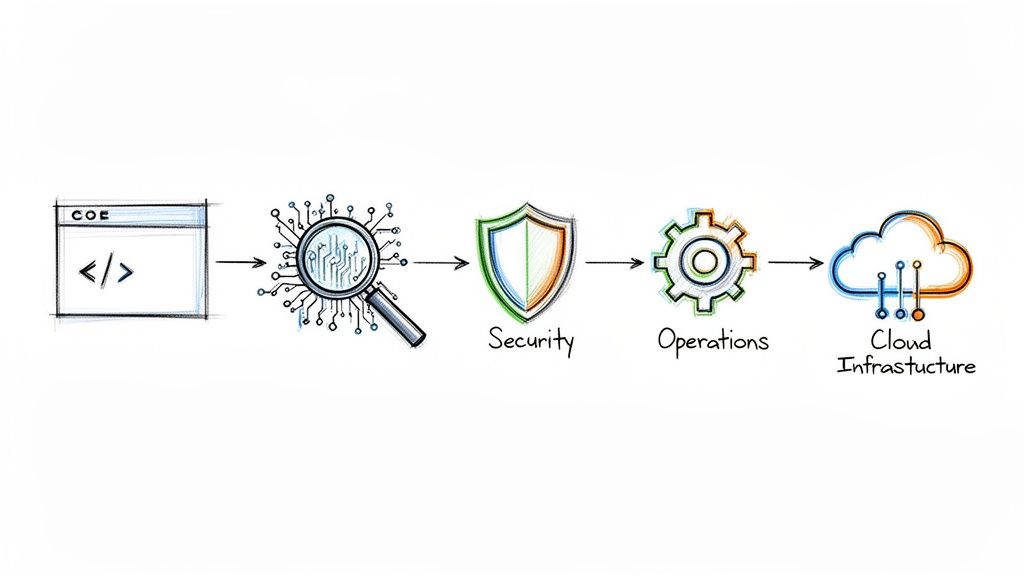
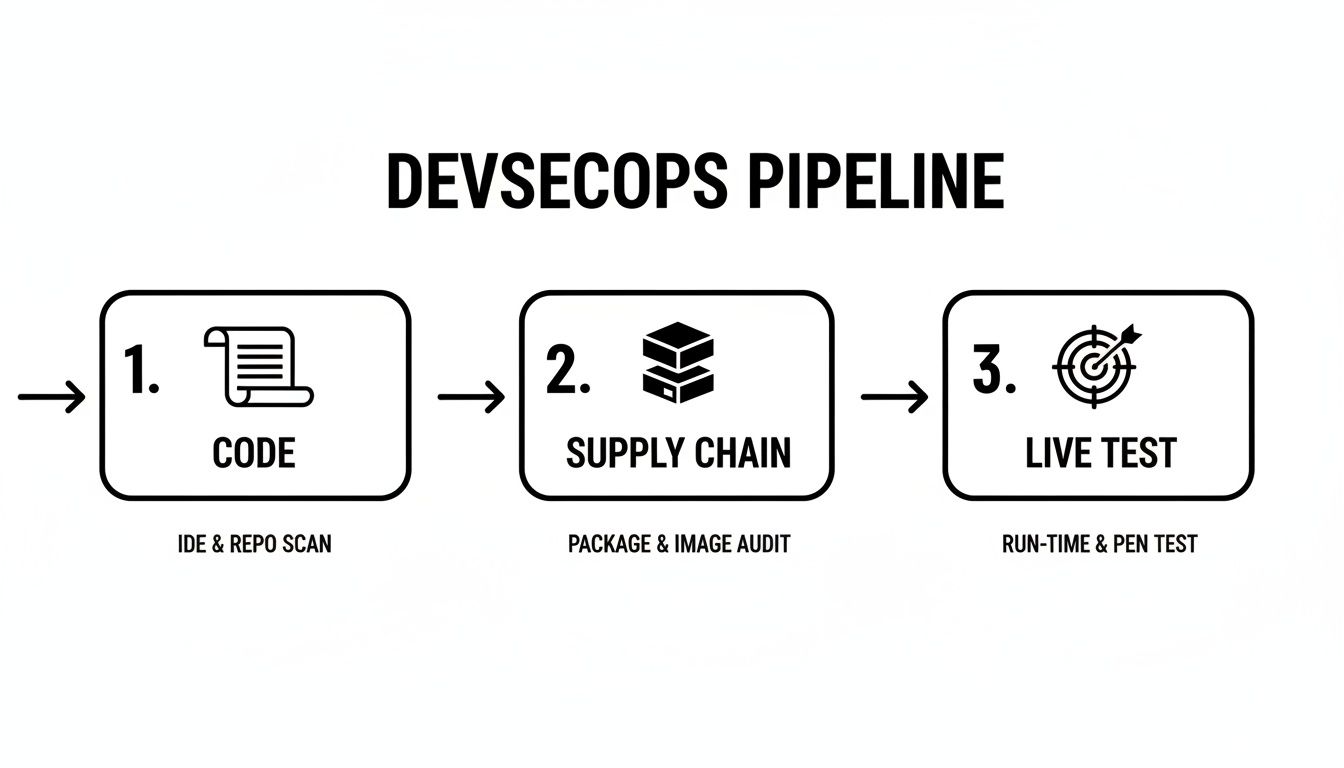
    The diagram below illustrates how distinct security stages are mapped to the development lifecycle, ensuring continuous validation from local development to production monitoring.

    A DevSecOps pipeline diagram illustrating three security stages: Code, Supply Chain, and Live Test.

    This model emphasizes that security is not a single gate but a continuous process, with each stage building upon the last to create a resilient and secure application.

    Stage 1: Pre-Commit and Local Development

    True "shift left" security begins on the developer's machine before code is ever pushed to a shared repository. This stage focuses on providing the tightest possible feedback loop.

    • IDE Security Plugins: Modern IDEs can be extended with plugins that provide real-time security analysis as code is written, flagging common vulnerabilities and anti-patterns instantly.
    • Pre-Commit Hooks: These are Git hooks—small, executable scripts—that run automatically before a commit is finalized. They are ideal for fast, deterministic checks like secrets scanning. A hook can prevent a developer from committing code containing credentials like API keys or database connection strings.

    This initial layer of defense is highly effective at preventing common, high-impact errors from entering the codebase.

    Stage 2: Commit and Build

    When a developer pushes code to a version control system like Git, the Continuous Integration (CI) process is triggered. This is where the core automated security testing is executed.

    This stage is your primary quality gate. Any code merged into the main branch gets automatically scrutinized, ensuring the collective codebase stays clean and secure with every single contribution.

    The essential security gates at this point include:

    • Static Application Security Testing (SAST): The CI job invokes a SAST scanner on the newly committed code. The tool analyzes the source for vulnerabilities like SQL injection, insecure deserialization, and weak cryptographic implementations.
    • Software Composition Analysis (SCA): Concurrently, an SCA tool scans dependency manifest files (e.g., package.json, pom.xml). It identifies any third-party libraries with known CVEs and can also check for license compliance issues.

    For these gates to be effective, the CI build must be configured to fail if a critical or high-severity vulnerability is detected. This provides immediate, non-negotiable feedback to the development team that a serious issue must be addressed.

    Stage 3: Test and Staging

    After the code is built and packaged into an artifact (e.g., a container image), it is deployed to a staging environment that mirrors production. Here, the application is tested in a live, running state.

    This is the ideal stage for Dynamic Application Security Testing (DAST). A DAST scanner interacts with the application's exposed interfaces (e.g., HTTP endpoints) and attempts to exploit runtime vulnerabilities. It can identify issues like Cross-Site Scripting (XSS), insecure cookie configurations, or server misconfigurations that are only detectable in a running application.

    Stage 4: Deploy and Monitor

    Once an artifact has passed all preceding security gates, it is approved for deployment to production. However, security does not end at deployment. The focus shifts from pre-emptive testing to continuous monitoring and real-time threat detection.

    Key activities in this final stage are:

    • Container Runtime Security: These tools monitor the behavior of running containers for anomalous activity, such as unexpected process executions, network connections, or file system modifications. This provides a defense layer against zero-day exploits or threats that bypassed earlier checks.
    • Continuous Observability: Security information and event management (SIEM) systems ingest logs, metrics, and traces from applications and infrastructure. This centralized visibility allows security teams to monitor for indicators of compromise, analyze security events, and respond quickly to incidents.

    Your Step-By-Step Implementation Plan

    Transitioning to a secure pipeline is a methodical process. A common failure pattern is attempting a "big bang" implementation by deploying numerous security tools simultaneously. This approach overwhelms developers, kills productivity, and creates cultural resistance.

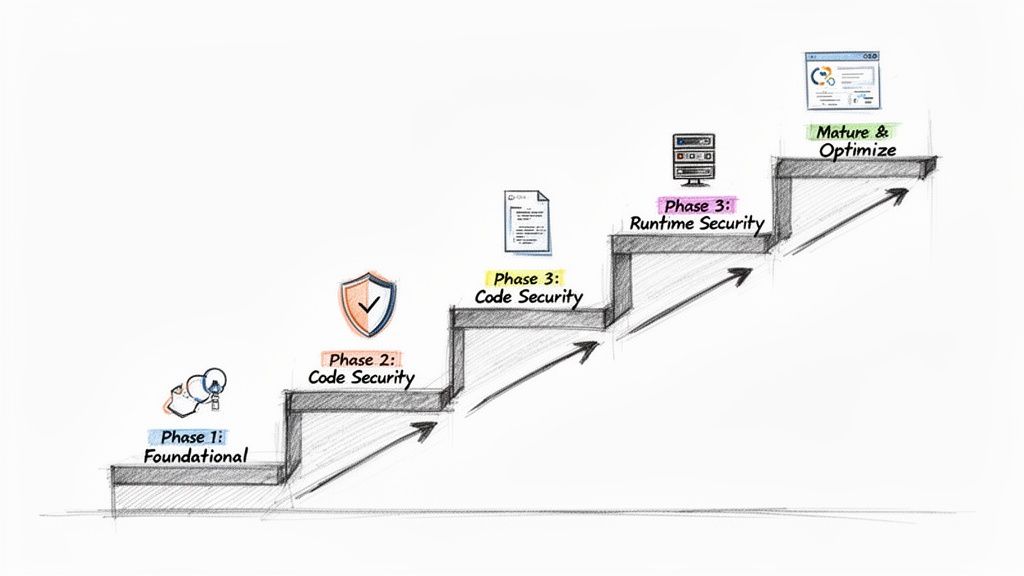
    A phased, iterative approach is far more effective. This roadmap is structured in four distinct stages, beginning with foundational controls that provide the highest return on investment and progressively building a mature DevSecOps pipeline.

    A step-by-step diagram illustrating the phases of a secure development pipeline, from foundational to optimization.

    This step-by-step progression allows your team to adapt to new tools and processes incrementally, fostering a culture of security rather than just enforcing compliance.

    Phase 1: Establish Foundational Controls

    Begin by addressing the most common and damaging sources of breaches: vulnerable dependencies and exposed secrets. Securing these provides immediate and significant risk reduction.

    Your primary objectives:

    • Software Composition Analysis (SCA): Integrate an SCA tool like Snyk or the open-source OWASP Dependency-Check into your CI build process. This provides immediate visibility into known vulnerabilities within your software supply chain.
    • Secrets Scanning: Implement a secrets scanner like TruffleHog or git-secrets as a pre-commit hook. This is a critical first line of defense that prevents credentials from ever being committed to your version control history.

    Focusing on these two controls first dramatically reduces your attack surface with minimal disruption to developer workflows.

    Phase 2: Automate Code-Level Security

    With your dependencies and secrets under control, the next step is to analyze the code your team writes. The goal is to provide developers with fast, automated feedback on security vulnerabilities within their existing workflow. This is the core function of Static Application Security Testing (SAST).

    Bringing SAST into the pipeline is a game-changer. It fundamentally shifts security left, putting the power and context to fix vulnerabilities directly in the hands of the developer, right inside their existing workflow.

    Your mission is to integrate a SAST tool like SonarQube or Checkmarx to run automatically on every pull request. A key technical best practice is to configure the build to fail only for high-severity, high-confidence findings initially. This minimizes alert fatigue and ensures that only actionable, high-impact issues interrupt the CI process.

    This tight feedback loop is the heart of any effective DevSecOps CI/CD process.

    Phase 3: Secure Your Runtime Environments

    With application code and its dependencies being scanned, the focus now shifts to the runtime environment. This phase addresses the security of the running application and the underlying infrastructure.

    The key security gates to add:

    • Dynamic Application Security Testing (DAST): After deploying to a staging environment, execute a DAST scan using a tool like OWASP ZAP. This is essential for detecting runtime vulnerabilities like Cross-Site Scripting (XSS) and other configuration-related issues that SAST cannot identify.
    • Infrastructure as Code (IaC) Scanning: Integrate an IaC scanner like Checkov or TFSec into your pipeline. This tool should analyze your Terraform or CloudFormation templates for cloud misconfigurations—such as public S3 buckets or overly permissive IAM policies—before they are ever applied.

    Phase 4: Mature and Optimize

    With the core automated gates in place, the final phase focuses on process refinement and proactive security measures. This is where you move from a reactive to a predictive security posture.

    Key activities for this stage include:

    • Threat Modeling: Systematically conduct threat modeling sessions during the design phase of new features. This practice helps identify potential architectural-level security flaws before any code is written.
    • Centralized Dashboards: Aggregate findings from all security tools (SAST, DAST, SCA, IaC) into a centralized vulnerability management platform. A tool like DefectDojo provides a single pane of glass for viewing and managing your organization's overall risk posture.
    • Alert Tuning: Continuously refine the rulesets and policies of your security tools to reduce false positives. The objective is to ensure that every alert presented to a developer is high-confidence, relevant, and actionable, thereby building trust in the automated system.

    Recommended Tooling for Each Pipeline Stage

    Pipeline Stage Security Practice Open-Source Tools Commercial Tools
    Pre-Commit Secrets Scanning git-secrets, TruffleHog GitGuardian, GitHub Advanced Security
    CI / Build Software Composition Analysis (SCA) OWASP Dependency-Check, CycloneDX Snyk, Veracode, Mend.io
    CI / Build Static Application Security (SAST) SonarQube, Semgrep Checkmarx, Fortify
    CI / Build IaC Scanning Checkov, TFSec, Kics Prisma Cloud, Wiz
    Staging / Test Dynamic Application Security (DAST) OWASP ZAP Burp Suite Enterprise, Invicti
    Production Runtime Protection & Observability Falco, Wazuh Sysdig, Aqua Security, Datadog

    The optimal tool selection depends on your specific technology stack, team expertise, and budget. A common strategy is to begin with open-source tools to demonstrate value and then graduate to commercial solutions for enhanced features, enterprise support, and scalability.

    Measuring the Success of Your DevSecOps Pipeline

    Implementing a DevSecOps pipeline requires significant investment. To justify this effort, you must demonstrate its value through objective metrics. Simply counting the number of vulnerabilities found is a superficial vanity metric; true success is measured by improvements in both security posture and development velocity.

    The goal is to transition from stating "we are performing security activities" to proving "we are shipping more secure software faster." This requires tracking specific Key Performance Indicators (KPIs) that connect security automation directly to business and engineering outcomes.

    Core Security Metrics That Matter

    To evaluate the effectiveness of your security gates, you must track metrics that reflect both remediation efficiency and preventive capability. These KPIs provide insight into the performance of your security program within the CI/CD workflow.

    Key metrics to monitor:

    • Mean Time to Remediate (MTTR): This measures the average time from vulnerability detection to remediation. A consistently decreasing MTTR is a strong indicator that "shifting left" is effective, as developers are identifying and fixing issues earlier and more efficiently.
    • Vulnerability Escape Rate: This KPI tracks the percentage of vulnerabilities discovered in production (e.g., via bug bounty or penetration testing) versus those identified pre-production by the automated pipeline. A low escape rate validates the effectiveness of your automated security gates.
    • Vulnerability Density: This metric calculates the number of vulnerabilities per thousand lines of code (KLOC). Tracking this over time can indicate the adoption of secure coding practices and the overall improvement in code quality.

    Connecting Security to DevOps Performance

    A mature DevSecOps pipeline should not only enhance security but also support or even accelerate core DevOps objectives. Security automation should function as an enabler of speed, not a blocker.

    The ultimate goal is to make security and speed allies, not adversaries. When your security practices help improve deployment frequency and lead time, you have achieved true DevSecOps maturity.

    The business value of this alignment is substantial. While improved security and quality is the primary driver for adoption (54% of adopters), faster time-to-market is also a key benefit (30%). The data is compelling, with elite-performing teams achieving 96x faster issue remediation in some cases. You can learn more about how top-performing teams measure DevOps success.

    Tools for Tracking and Visualization

    Effective measurement requires data aggregation and visualization. The key is to consolidate security data into a unified dashboard to track KPIs. Tools like DefectDojo are designed for this purpose, ingesting findings from various scanners (SAST, DAST, SCA) to provide a single source of truth for vulnerability management.

    Many modern CI/CD platforms like GitLab or Azure DevOps also offer built-in security dashboards that provide visibility into pipeline health. These tools empower engineering leaders to identify trends, pinpoint bottlenecks, and make data-driven decisions. This practice aligns with a broader strategy of engineering productivity measurement, fostering a culture of transparency and continuous improvement.

    Navigating Common DevSecOps Implementation Pitfalls

    Even a well-designed plan for a DevSecOps pipeline can encounter significant challenges during implementation. Anticipating these common pitfalls is key to a successful adoption. A successful strategy requires addressing not just technology but also people and processes.

    Let's examine the three most prevalent obstacles and discuss practical, technical strategies to overcome them.

    Taming Tool Sprawl

    A frequent initial mistake is "tool sprawl"—the ad-hoc accumulation of disconnected security tools. This leads to data silos, inconsistent reporting, and a high maintenance burden. Each tool introduces its own dashboard, alert format, and learning curve, resulting in engineer burnout and inefficient workflows.

    The solution is to adopt a unified toolchain strategy. Before integrating any new tool, evaluate it against these technical criteria:

    • API-First Integration: Does the tool provide a robust API for exporting findings in a standardized format (e.g., SARIF)? Can it be integrated into a central vulnerability management platform?
    • CI/CD Automation: Can the tool be executed and configured entirely via the command line within a CI/CD job without manual intervention?
    • Unique Value Proposition: Does it provide a capability not already covered by existing tools, or does it offer a significant improvement in accuracy or performance?

    Prioritizing integration capabilities over standalone features ensures you build a cohesive, interoperable system rather than a collection of disparate parts.

    Combating Alert Fatigue

    Alert fatigue is the single greatest threat to the success of a DevSecOps program. It occurs when developers are inundated with a high volume of low-priority, irrelevant, or false-positive security findings. When overwhelmed, they begin to ignore all alerts, allowing critical vulnerabilities to be missed.

    A security alert should be a signal, not static. If developers don't trust the alerts they receive, the entire feedback loop breaks down, and security reverts to being an ignored afterthought.

    To combat this, you must aggressively tune your scanning tools.

    1. Customize Rulesets: Disable rules that are not applicable to your technology stack or that consistently produce false positives in your codebase.
    2. Incremental Scanning: Configure scanners to analyze only the code changes within a pull request ("delta scanning") rather than rescanning the entire repository on every commit. This provides faster, more relevant feedback.
    3. Risk-Based Gating: Implement a policy where builds are failed only for critical or high-severity vulnerabilities. Lower-severity findings should automatically generate a ticket in the project backlog for later review, allowing the pipeline to proceed.

    Overcoming Cultural Resistance

    The most significant challenge is often cultural, not technical. If developers perceive security as a separate, bureaucratic function that impedes their work, they will resist adoption. Successful DevSecOps requires security to be a shared responsibility, integrated into the engineering culture as a core aspect of quality.

    The most effective strategy for fostering this cultural shift is to establish a Security Champions program. Identify developers within each team who have an interest in security. Provide them with advanced training and empower them to be the primary security liaisons for their teams.

    These champions act as a crucial bridge, translating security requirements into a developer-centric context and providing the central security team with valuable feedback from the development front lines. This grassroots, collaborative approach builds trust and transforms security from an external mandate into an internal, shared objective.

    Answering Your DevSecOps Questions

    Even with a detailed roadmap, practical questions will arise during the implementation of a DevSecOps pipeline. Here are answers to some of the most common technical and strategic questions from engineering teams.

    How Can a Small Team with a Limited Budget Start a DevSecOps Pipeline?

    For small teams, the key is to prioritize high-impact, low-cost controls using open-source tools. You can build a surprisingly effective foundational pipeline with zero licensing costs.

    Here is the most efficient starting point:

    1. Implement Pre-Commit Hooks for Secrets Scanning: Use a tool like git-secrets. This is a free, simple script that can be configured as a Git hook to prevent credentials from ever being committed to the repository. This single step mitigates one of the most common and severe types of security incidents.
    2. Integrate Open-Source SCA: Add a tool like OWASP Dependency-Check or Trivy to your CI build script. These tools scan your project's dependencies for known CVEs, providing critical visibility into your software supply chain risk without any cost.

    By focusing on just these two controls, you address major risk vectors with minimal engineering overhead. Avoid the temptation to do everything at once; iterative, risk-based implementation is key.

    What Is the Best Way to Manage False Positives from SAST Tools?

    Effective management of false positives is crucial for maintaining developer trust in your security tooling. It's an ongoing process of tuning and triage, not a one-time fix.

    A flood of irrelevant alerts is the fastest way to make developers ignore your security tools. A well-tuned scanner that produces high-confidence findings builds trust and encourages a proactive security culture.

    First, dedicate engineering time to the initial and ongoing configuration of your scanner's rulesets. Disable entire categories of checks that are not relevant to your application's architecture or threat model.

    Second, establish a clear triage workflow. A best practice is to have a "security champion" or a senior developer review newly identified findings. If an issue is confirmed as a false positive, use the tool's features to suppress that specific finding in that specific line of code for all future scans. This ensures that developers only ever see actionable alerts.

    Should We Fail the Build If a Security Scan Finds Any Vulnerability?

    No, this is a common anti-pattern. A zero-tolerance policy that fails a build for any vulnerability, regardless of severity, creates excessive friction and positions security as a blocker to productivity.

    The technically sound approach is to implement risk-based quality gates. Configure your CI pipeline to automatically fail a build only for 'High' or 'Critical' severity vulnerabilities.

    For findings with 'Medium' or 'Low' severity, the pipeline should pass but automatically create a ticket in your issue tracking system (e.g., Jira) with the vulnerability details. This ensures the issue is tracked and prioritized for a future sprint without halting the current release. This balanced approach stops the most dangerous flaws immediately while maintaining development velocity.


    Ready to build a resilient and efficient DevSecOps pipeline without the guesswork? OpsMoon connects you with the top 0.7% of remote DevOps engineers to accelerate your projects. Start with a free work planning session to map your roadmap and get matched with the exact expertise you need. Build your expert team with OpsMoon today.

  • Master CI/CD with Kubernetes: A Technical Guide to Building Reliable Pipelines

    Master CI/CD with Kubernetes: A Technical Guide to Building Reliable Pipelines

    If you're building software for the cloud, mastering CI/CD with Kubernetes is non-negotiable. It's the definitive operational model for engineering teams serious about delivering software quickly, reliably, and at scale. This isn't just about automating kubectl apply—it's a fundamental shift in how we build, test, and deploy code from a developer's machine into a production cluster.

    Why Bother With Kubernetes CI/CD?

    Let's be technical: pairing a CI/CD pipeline with Kubernetes is a strategic move to combat configuration drift and achieve immutable infrastructure. Traditional CI/CD setups, often reliant on mutable VMs and imperative shell scripts, are a breeding ground for snowflake environments. Your staging environment inevitably diverges from production, leading to unpredictable, high-risk deployments.

    A CI/CD pipeline diagram showing code from Git moving through CI Build, Container Registry, and deployed to a Kubernetes Cluster.

    This is where Kubernetes changes the game. It enforces a declarative, container-native paradigm. Instead of writing scripts that execute a sequence of commands (HOW), you define the desired state of your application in YAML manifests (WHAT). Kubernetes then acts as a relentless reconciliation loop, constantly working to make the cluster's actual state match your declared state. This self-healing, declarative nature crushes environment-specific bugs and makes deployments predictable and repeatable.

    The industry has standardized on this model. A recent CNCF survey revealed that 60% of organizations are already using a continuous delivery platform for most of their cloud-native apps. This isn't just for show; it's delivering real results. The same report found that nearly a third of organizations (29%) now deploy code multiple times a day. You can dig into more of the data on the cloud-native adoption trend here.

    Key Pillars of a Kubernetes CI/CD Pipeline

    To build a robust pipeline, you must understand its core components. These pillars work in concert to automate the entire software delivery lifecycle, providing a clear blueprint for a mature, production-grade setup.

    Component Core Function Key Benefit
    Source Control (Git) Acts as the single source of truth for all application code and Kubernetes manifests. Enables auditability, collaboration, and automated triggers for the pipeline via webhooks.
    Continuous Integration On git push, automatically builds, tests, and packages the application into a container image. Catches integration bugs early, ensures code quality, and produces a versioned, immutable artifact.
    Container Registry A secure and centralized storage location for all versioned container images (e.g., Docker Hub, ECR). Provides reliable, low-latency access to immutable artifacts for all environments.
    Continuous Deployment Deploys the container image to the Kubernetes cluster and manages the application's lifecycle. Automates releases, reduces human error, and enables advanced deployment strategies.
    Observability Gathers metrics, logs, and traces from the running application and the pipeline itself. Offers deep insight into application health and performance for rapid troubleshooting.

    By architecting a system around these pillars, we're doing more than just shipping code faster. We're creating a resilient, self-documenting system where every change is versioned, tested, and deployed with high confidence. It transforms software delivery from a high-anxiety event into a routine, predictable process.

    Choosing Your Architecture: GitOps vs. Traditional CI/CD

    When architecting CI/CD with Kubernetes, your first and most critical decision is the deployment model. This choice dictates your entire workflow, security posture, and scalability. You're choosing between two distinct paradigms: traditional push-based CI/CD and modern, pull-based GitOps.

    In a traditional setup, tools like Jenkins or GitLab CI orchestrate the entire process. A developer merges code, triggering a CI server. This server builds a container image, pushes it to a registry, and then executes commands like kubectl apply -f deployment.yaml or helm upgrade to push the new version directly into your Kubernetes cluster.

    While familiar, this push-based model has significant security and stability drawbacks. The CI server requires powerful, long-lived kubeconfig credentials with broad permissions (e.g., cluster-admin) to interact with your cluster. This turns your CI system into a high-value target; a compromise there could expose your entire production environment.

    Worse, this approach actively encourages configuration drift. A developer might execute a kubectl patch command for a hotfix. An automated script might fail halfway through an update. Suddenly, the live state of your cluster no longer matches the configuration defined in your Git repository. This divergence between intended state and actual state is a primary cause of failed deployments and production incidents.

    The Declarative Power of GitOps

    GitOps inverts the model. Instead of a CI server pushing changes to the cluster, an operator running inside the cluster continuously pulls the desired state from a Git repository. This is the pull-based, declarative model championed by tools like Argo CD and Flux.

    With GitOps, Git becomes the single source of truth for your entire system's desired state. Your application manifests, infrastructure configurations—everything—is defined declaratively in YAML files stored in a Git repo. Any change, from updating a container image tag to scaling a deployment, is executed via a Git commit and pull request.

    This is a profound architectural shift. By making Git the convergence point, every change becomes auditable, version-controlled, and subject to peer review. You gain a perfect, chronological history of your cluster's intended state.

    The security benefits are immense. The GitOps operator inside the cluster only needs read-only credentials to your Git repository and container registry. The highly-sensitive cluster API credentials never leave the cluster boundary, eliminating a massive attack vector.

    For a deeper dive into locking down this workflow, check out our guide on GitOps best practices. It covers repository structure, secret management, and access control.

    Practical Scenarios and Making Your Choice

    Which path is right for you? It depends on your team's context.

    For a fast-moving startup, a pure GitOps model with Argo CD is an excellent choice. It provides a secure, low-maintenance deployment system out of the box, enabling a small team to manage complex applications with confidence.

    For a large enterprise with a mature Jenkins installation, a rip-and-replace approach is often unfeasible. Here, a hybrid model is superior. Let the existing Jenkins pipeline handle the CI part: building code, running tests/scans, and publishing the container image.

    In the final step, instead of running kubectl, the Jenkins job simply uses git commands or a tool like kustomize edit set image to update a Kubernetes manifest in a separate Git repository and commits the change. From there, a GitOps operator like Argo CD detects the commit and pulls the change into the cluster. You retain your CI investment while gaining the security and reliability of GitOps for deployment.

    The Argo CD UI provides real-time visibility into your application's health and sync status against the Git repository.

    This dashboard instantly reveals which applications are synchronized with Git and which have drifted, offering a clear operational overview.

    To make it even clearer, here's a side-by-side comparison:

    Aspect Traditional Push-Based CI/CD GitOps Pull-Based CD
    Workflow Imperative: CI server executes kubectl or helm commands. Declarative: In-cluster operator reconciles state based on Git commits.
    Source of Truth Scattered across CI scripts, config files, and the live cluster state. Centralized: The Git repository is the single, undisputed source of truth.
    Security Posture Weak: CI server requires powerful, long-lived cluster credentials. Strong: Cluster credentials remain within the cluster boundary. The operator has limited, pull-based permissions.
    Configuration Drift High risk: Manual changes (kubectl patch) and partial failures are common. Eliminated: The operator constantly reconciles the cluster state back to what is defined in Git.
    Auditability Difficult: Changes are logged in CI job outputs, not versioned artifacts. Excellent: Every change is a versioned, auditable Git commit with author and context.
    Scalability Can become a bottleneck as the CI server's responsibilities grow. Highly scalable as operators work independently within each cluster.

    Implementing the Continuous Integration Stage

    Now that you’ve settled on an architecture, it's time to build the CI pipeline. This is where your source code is transformed into a secure, deployable artifact. This stage is non-negotiable for a professional CI/CD with Kubernetes setup.

    The process begins with containerizing your application. A well-written Dockerfile is the blueprint for creating container images that are lightweight, secure, and efficient. The most critical technique here is the use of multi-stage builds. This pattern allows you to use a build-time environment with all necessary SDKs and dependencies, then copy only the compiled artifacts into a minimal final image, drastically reducing its size and attack surface.

    Crafting an Optimized Dockerfile

    Consider a standard Node.js application. A common mistake is to copy the entire project directory and run npm install, which bloats the final image with devDependencies and source code. A multi-stage build is far superior.

    Here is an actionable example:

    # ---- Base Stage ----
    # Use a specific version to ensure reproducible builds
    FROM node:18-alpine AS base
    WORKDIR /app
    COPY package*.json ./
    
    # ---- Dependencies Stage ----
    # Install only production dependencies in a separate layer for caching
    FROM base AS dependencies
    RUN npm ci --only=production
    
    # ---- Build Stage ----
    # Install all dependencies (including dev) to build the application
    FROM base AS build
    RUN npm ci
    COPY . .
    # Example build command for a TypeScript or React project
    RUN npm run build
    
    # ---- Release Stage ----
    # Start from a fresh, minimal base image
    FROM node:18-alpine
    WORKDIR /app
    # Copy only the necessary production dependencies and compiled code
    COPY --from=dependencies /app/node_modules ./node_modules
    COPY --from=build /app/dist ./dist
    COPY package.json .
    
    # Expose the application port and define the runtime command
    EXPOSE 3000
    CMD ["node", "dist/index.js"]
    

    The final image contains only the compiled code and production dependencies—nothing superfluous. This is a fundamental step toward creating lean, fast, and secure container artifacts.

    Pushing to a Container Registry with Smart Tagging

    Once the image is built, it requires a versioned home. A container registry like Docker Hub, Google Container Registry, or Amazon ECR stores your images. While the docker push command is simple, your image tagging strategy is what ensures traceability and prevents chaos.

    Two tagging strategies are essential for production workflows:

    • Git SHA: Tagging an image with the short Git commit SHA (e.g., myapp:a1b2c3d) creates an immutable, one-to-one link between your container artifact and the exact source code that produced it. This is invaluable for debugging and rollbacks.
    • Semantic Versioning: For official releases, using tags like myapp:1.2.5 aligns your image versions with your application’s release lifecycle, making it human-readable and compatible with deployment tooling.

    Pro Tip: Don't choose one—use both. In your CI script, tag and push the image with both the Git SHA for internal traceability and the semantic version if it's a tagged release build. This provides maximum visibility for both developers and automation.

    Managing Kubernetes Manifests: Helm vs. Kustomize

    With a tagged image in your registry, you now need to instruct Kubernetes how to run it using manifest files. Managing raw YAML across multiple environments (dev, staging, prod) by hand is error-prone and unscalable.

    Two tools have emerged as industry standards for this task: Helm and Kustomize.

    Helm is a package manager for Kubernetes. It bundles application manifests into a distributable package called a "chart." Helm's power lies in its Go-based templating engine, which allows you to parameterize your configurations. This is ideal for complex applications that need to be deployed with environment-specific values.

    Kustomize, on the other hand, is a template-free tool built directly into kubectl. It operates by taking a "base" set of YAML manifests and applying environment-specific "patches" or overlays. This declarative approach avoids templating complexity and is often favored for its simplicity and explicit nature.

    Mastering one of these tools is critical. Kubernetes now commands 92% of the container orchestration market share, and with 80% of IT professionals at companies running Kubernetes in production, effective deployment management is a core competency. You can dig into more stats about the overwhelming adoption of Kubernetes here.

    For more context on the tooling ecosystem, explore our list of the best CI/CD tools available today.

    To help you decide, here's a direct comparison.

    Helm vs. Kustomize: A Practical Comparison

    This table breaks down the key differences to help you choose the right manifest management tool for your project.

    Feature Helm Kustomize
    Core Philosophy A package manager with a powerful templating engine for reusable charts. A declarative, template-free overlay engine for customizing manifests.
    Complexity Higher learning curve due to Go templating, functions, and chart structure. Simpler to learn; uses standard YAML syntax and JSON-like patches.
    Use Case Ideal for distributing complex, configurable off-the-shelf software. Excellent for managing application configurations across internal environments (dev, staging, prod).
    Workflow helm install release-name chart-name --values values.yaml kubectl apply -k ./overlays/production
    Extensibility Highly extensible with chart dependencies (Chart.yaml) and lifecycle hooks. Focused and less extensible, prioritizing declarative simplicity over programmatic control.

    Ultimately, both tools solve configuration drift. The choice depends on whether you need the powerful, reusable packaging of Helm or prefer the straightforward, declarative patching of Kustomize.

    Mastering Advanced Kubernetes Deployment Strategies

    Simply executing kubectl apply is not a deployment strategy; it's a gamble with your uptime. To ship code to production with confidence, you must implement battle-tested patterns that ensure service reliability and minimize user impact. This is a core discipline of professional CI CD with Kubernetes.

    These strategies distinguish high-performing teams from those constantly fighting production fires. They provide a controlled, predictable methodology for introducing new code, allowing you to manage risk, monitor performance, and execute clean rollbacks.

    First, ensure your CI pipeline is solid, transforming code from a commit into a deployable artifact.

    A diagram illustrating the CI pipeline process flow, showing steps for coding, building with Docker, and storing artifacts.

    With a versioned artifact ready, you can proceed with a controlled deployment.

    Understanding Rolling Updates

    By default, a Kubernetes Deployment uses a Rolling Update strategy. When you update the container image, it gradually replaces old pods with new ones, one by one, ensuring zero-downtime. It terminates an old pod, waits for the new pod to pass its readiness probe, and then proceeds to the next.

    While better than a full stop-and-start deployment, this strategy has drawbacks. During the rollout, you have a mix of old and new code versions serving traffic simultaneously, which can cause compatibility issues. A full rollback is also slow, as it is simply another rolling update in reverse.

    Implementing Blue-Green Deployments

    A Blue-Green deployment provides a much cleaner, atomic release. The concept is to maintain two identical production environments: "Blue" (the current live version) and "Green" (the new version).

    The execution flow is as follows:

    1. Deploy Green: You deploy the new version of your application (Green) alongside the live one (Blue). The Kubernetes Service continues to route all user traffic to the Blue environment.
    2. Verify and Test: With the Green environment fully deployed but isolated from live traffic, you can run a comprehensive suite of automated tests against it (integration tests, smoke tests, performance tests). This is your final quality gate.
    3. Switch Traffic: Once confident, you update the Kubernetes Service's selector to point to the Green deployment's pods (app: myapp, version: v2). This traffic switch is nearly instantaneous.

    If a post-release issue is detected, a rollback is equally fast: simply update the Service selector back to the stable Blue deployment (app: myapp, version: v1). This eliminates the mixed-version problem entirely.

    The primary advantage of Blue-Green is the speed and safety of its rollout and rollback. The main trade-off is resource cost, as you are effectively running double the infrastructure during the deployment window.

    Gradual Rollouts with Canary Deployments

    For mission-critical applications where minimizing the blast radius of a faulty release is paramount, Canary deployments are the gold standard. Instead of an all-or-nothing traffic switch, a Canary deployment incrementally shifts a small percentage of live traffic to the new version.

    This acts as an early warning system. You can expose the new code to just 1% or 5% of users while closely monitoring key Service Level Indicators (SLIs) like error rates, latency, and CPU utilization.

    Progressive delivery tools like Istio, Linkerd, or Flagger are essential for automating this process. They integrate with monitoring tools like Prometheus to manage traffic shifting based on real-time performance metrics.

    A typical automated Canary workflow:

    • Initial Rollout: Deploy the "canary" version and use a service mesh to route 5% of traffic to it.
    • Automated Analysis: Flagger queries Prometheus for a set period (e.g., 15 minutes), comparing the canary's error rate and latency against the primary version.
    • Incremental Increase: If SLIs are met, traffic is automatically increased to 25%, then 50%, and finally 100%.
    • Automated Rollback: If at any stage the error rate exceeds a predefined threshold, the system automatically aborts the rollout and routes all traffic back to the stable version.

    This strategy provides the highest level of safety by limiting the impact of any failure to a small subset of users, making it ideal for high-traffic, critical applications.

    Securing Your Pipeline and Enabling Observability

    A high-velocity pipeline that deploys vulnerable or buggy code isn't an asset; it's a high-speed liability. A mature CI CD with Kubernetes pipeline must integrate security and observability as first-class citizens, not afterthoughts. This transforms your automation from a simple code-pusher into a trusted, transparent delivery system.

    CI/CD pipeline showing security steps (SAST, image scan) and outputting metrics, logs, and traces for observability.

    This practice is known as "shifting left"—integrating security checks as early as possible in the development lifecycle. Instead of discovering vulnerabilities in production, you automate their detection within the CI pipeline itself, making them cheaper and faster to remediate.

    Shifting Left with Automated Security Checks

    The objective is to make security a non-negotiable, automated gate in every code change. This ensures vulnerabilities are caught and fixed before they are ever published to your container registry.

    Here are three critical security gates to implement in your CI stage:

    • Static Application Security Testing (SAST): Before building, tools like SonarQube or CodeQL scan your source code for security flaws like SQL injection, insecure dependencies, or improper error handling.
    • Container Image Vulnerability Scanning: After the docker build command, tools like Trivy or Clair must scan the resulting image. They inspect every layer for known vulnerabilities (CVEs) in OS packages and application libraries. A HIGH or CRITICAL severity finding should fail the pipeline build immediately.
    • Infrastructure as Code (IaC) Policy Enforcement: Before deployment, scan your Kubernetes manifests. Using tools like Open Policy Agent (OPA) or Kyverno, you can enforce policies to prevent misconfigurations, such as running containers as the root user, not defining resource limits, or exposing a LoadBalancer service unintentionally.

    Automating these checks establishes a secure-by-default system. For a deeper technical guide, see our article on implementing DevSecOps in your CI/CD pipeline.

    The Three Pillars of Observability

    A secure pipeline is insufficient without visibility. If you cannot observe the behavior of your application and pipeline, you are operating blindly. True observability rests on three distinct but interconnected data pillars.

    Observability is not merely collecting data; it's the ability to ask arbitrary questions about your system's state without having to ship new code to answer them. It’s the difference between a "deployment successful" log and knowing if that deployment degraded latency for 5% of your users.

    These pillars provide the raw data required to understand system behavior, detect anomalies, and perform root cause analysis.

    Instrumenting Your Pipeline for Full Visibility

    Correlating these three data types provides a complete view of your system's health.

    1. Metrics with Prometheus: Metrics are numerical time-series data—CPU utilization, request latency, error counts. Prometheus is the de facto standard in the Kubernetes ecosystem for scraping, storing, and querying this data. It is essential for defining alerts on Service Level Objectives (SLOs).
    2. Logs with Fluentd or Loki: Logs are discrete, timestamped events that provide context for what happened. Fluentd is a powerful log aggregator, while Loki offers a cost-effective approach by indexing log metadata rather than full-text content, making it highly efficient when paired with Grafana.
    3. Traces with Jaeger: Traces are essential for microservices architectures. They track the end-to-end journey of a single request as it propagates through multiple services. A tool like Jaeger helps visualize these distributed traces, making it possible to pinpoint latency bottlenecks that logs and metrics alone cannot reveal.

    When you instrument your applications and pipeline to emit this data, you create a powerful feedback loop. During a canary deployment, your automation can query Prometheus for the canary's error rate. If it exceeds a defined threshold, the pipeline can trigger an automatic rollback, preventing a widespread user impact.

    Knowing When You Need a Hand

    It's one thing to understand the theory behind a slick Kubernetes CI/CD setup. It's a whole other ball game to actually build and run one when the pressure is on and production is calling. Teams hit wall after wall, and what should be a strategic advantage quickly becomes a major source of frustration.

    There are some clear signs you might need to bring in an expert. Are your releases slowing down instead of speeding up? Seeing a spike in security issues after code goes live? Is your multi-cloud setup starting to feel like an untamable beast? These aren't just growing pains; they're indicators that your team's current approach isn't scaling.

    When these problems pop up, it’s time for an honest look at your DevOps maturity. You have to decide if you have the skills in-house to push through these hurdles, or if an outside perspective could get you to the finish line faster.

    The Telltale Signs You Need External Expertise

    Keep an eye out for these patterns. If they sound familiar, it might be time to call for backup:

    • Pipelines are always on fire. Your CI/CD process breaks down so often that your engineers are spending more time troubleshooting than shipping code.
    • Your setup can't scale. What worked for a handful of microservices is now crumbling as you try to bring more teams and applications into the fold.
    • Security is an afterthought. You either lack automated security scanning entirely, or your current tools are letting critical vulnerabilities slip right through to production.

    And things are only getting more complicated. As AI workloads move to Kubernetes—and 90% of organizations expect them to grow—the need for sophisticated automation becomes critical. You can read more about that trend in the 2025 State of Production Kubernetes report.

    This is where the rubber meets the road. Simply knowing you have a gap is the first real step toward building a software delivery lifecycle that's actually resilient, automated, and secure.

    At OpsMoon, this is exactly what we do—we help close that gap. Our free work planning session is designed to diagnose these exact issues. From there, our Experts Matcher technology can connect you with the right top-tier engineering talent for your specific needs. Whether it's accelerating your CI/CD adoption from scratch or optimizing the pipelines you already have, our flexible engagement models are built to help you overcome the challenges we've talked about in this guide.

    Got Questions? We've Got Answers

    Let's tackle some of the practical, real-world questions that always pop up when teams start building out their CI/CD pipelines for Kubernetes. These are the sticking points we see time and time again.

    How Should I Handle Database Migrations?

    Database schema migrations are a classic CI/CD challenge. The most robust pattern is to execute migrations as part of your deployment process using either Kubernetes Jobs or Helm hooks.

    Specifically, a pre-install or pre-upgrade Helm hook is ideal for this. The hook can trigger a Kubernetes Job that runs a container with your migration tool (e.g., Flyway, Alembic) to apply schema changes before the new application pods are deployed. This ensures the database schema is compatible with the new code before it starts serving traffic, preventing startup failures.

    Pro Tip: Your application code must always be backward-compatible with the previous database schema version. This is non-negotiable for achieving zero-downtime deployments, as old pods will continue running against the new schema until the rolling update is complete.

    What's the Best Way to Manage Secrets?

    Committing secrets (API keys, database credentials) directly to Git is a severe security vulnerability. Instead, you must use a dedicated secrets management solution. Two patterns are highly effective:

    • Kubernetes Secrets with Encryption: This is the native approach. Create Kubernetes Secrets and inject them into pods as environment variables or mounted files. For production, you must enable encryption at rest for Secrets in etcd, typically by integrating your cluster's Key Management Service (KMS) provider.
    • External Secret Stores: For superior, centralized management, use a tool like HashiCorp Vault or AWS Secrets Manager. An in-cluster operator, such as the External Secrets Operator, can then securely fetch secrets from the external store and automatically sync them into the cluster as native Kubernetes Secrets, ready for your application to consume.

    Which CI Tool Is Right For My Team Size?

    The "best" tool depends on your team's scale, skills, and existing ecosystem. There is no single correct answer, but here is a practical framework for choosing.

    For startups and small teams, a GitOps-centric tool like ArgoCD or Flux is often the optimal choice. They are secure by design, have a low operational overhead, and enforce best practices from day one.

    For larger organizations with significant investments in tools like Jenkins or GitLab CI, a hybrid model is more effective than a full migration. Continue using your existing CI tool for building, testing, and scanning. The final step of the pipeline should not run kubectl apply, but instead commit the updated Kubernetes manifests (e.g., with a new image tag) to a Git repository. A GitOps operator then takes over for the actual deployment. This approach leverages your existing infrastructure while adopting the security and reliability of a pull-based GitOps model.


    Ready to bridge the gap between knowing the theory and executing a flawless pipeline? OpsMoon connects you with top-tier engineering talent to accelerate your CI/CD adoption, optimize existing workflows, and overcome your specific technical challenges. Start with a free work planning session to map out your path to production excellence.

  • The Ultimate 10-Point Cloud Security Checklist for 2025

    The Ultimate 10-Point Cloud Security Checklist for 2025

    Moving to the cloud unlocks incredible speed and scale, but it also introduces complex security challenges that can't be solved with a generic, high-level approach. A misconfigured IAM role, an overly permissive network rule, or an unpatched container can expose critical data and infrastructure, turning a minor oversight into a significant breach. Traditional on-premise security models often fail in dynamic cloud environments, leaving DevOps and engineering teams navigating a minefield of potential vulnerabilities without a clear, actionable plan.

    This article provides a deeply technical and actionable cloud security checklist designed specifically for engineers, engineering leaders, and DevOps teams. We will move beyond the obvious advice and dive straight into the specific controls, configurations, and automation strategies you need to implement across ten critical domains. This guide covers everything from identity and access management and network segmentation to data protection, CI/CD pipeline security, and incident response.

    Each point in this checklist is a critical pillar in building a defense-in-depth strategy that is both robust and scalable. The goal is to provide a comprehensive framework that enables your team to innovate securely without slowing down development cycles. For a broader view of organizational security posture, considering an ultimate 10-point cyber security audit checklist can offer valuable insights into foundational controls. However, this guide focuses specifically on the technical implementation details required to secure modern cloud-native architectures, ensuring your infrastructure is resilient by design.

    1. Identity and Access Management (IAM) Configuration

    Implementing a robust Identity and Access Management (IAM) strategy is the cornerstone of any effective cloud security checklist. At its core, IAM governs who (users, services, applications) can do what (read, write, delete) to which resources (databases, storage buckets, virtual machines). A misconfigured IAM policy can instantly create a critical vulnerability, making it a non-negotiable first step.

    The primary goal is to enforce the Principle of Least Privilege (PoLP). This security concept dictates that every user, system, or application should only have the absolute minimum permissions required to perform its designated function. This drastically reduces the potential blast radius of a compromised account or service. Instead of granting broad administrative rights, you create granular, purpose-built roles that limit access strictly to what is necessary.

    Why It's Foundational

    IAM is the control plane for your entire cloud environment. Without precise control over access, other security measures like network firewalls or encryption become significantly less effective. A malicious actor with overly permissive credentials can simply bypass other defenses. Proper IAM configuration prevents unauthorized access, lateral movement, and data exfiltration by ensuring every action is authenticated and explicitly authorized.

    Implementation Examples and Actionable Tips

    To effectively manage identities and permissions, DevOps and engineering teams should focus on automation, auditing, and granular control.

    • Automate IAM with Infrastructure-as-Code (IaC): Define all IAM roles, policies, and user assignments in code using tools like Terraform or AWS CloudFormation. This approach provides an auditable, version-controlled history of all permission changes and prevents manual configuration drift.

      • Example (Terraform): Create a specific IAM policy for an S3 bucket allowing only s3:GetObject and s3:ListBucket actions, then attach it to a role assumed by your application servers.
    • Embrace Role-Based Access Control (RBAC): Create distinct roles for different functions, such as ci-cd-deployer, database-admin, or application-server-role. Avoid assigning permissions directly to individual users.

      • Tip: In AWS, use cross-account IAM roles with a unique ExternalId condition to prevent the "confused deputy" problem when granting third-party services access to your environment.
    • Enforce Multi-Factor Authentication (MFA) Universally: MFA is one of the most effective controls for preventing account takeovers. Mandate its use for all human users, especially those with access to production environments or sensitive data.

      • Example: Configure an AWS IAM policy with the condition {"Bool": {"aws:MultiFactorAuthPresent": "true"}} on sensitive administrator roles to deny any action taken without an active MFA session.
    • Use Temporary Credentials for Services: Never embed static, long-lived API keys or secrets in application code or configuration files. Instead, leverage instance profiles (AWS EC2), workload identity federation (Google Cloud), or managed identities (Azure) to grant services temporary, automatically-rotated credentials.

      • Action: For Kubernetes clusters on AWS (EKS), implement IAM Roles for Service Accounts (IRSA) to associate IAM roles directly with Kubernetes service accounts, providing fine-grained permissions to pods.

    2. Network Security and Segmentation

    After establishing who can access what, the next critical layer in a cloud security checklist is controlling how resources communicate with each other and the outside world. Network security and segmentation involve architecting your cloud environment into isolated security zones using Virtual Private Clouds (VPCs), subnets, and firewalls. This strategy is foundational to a defense-in-depth approach.

    The core objective is to limit an attacker's ability to move laterally across your infrastructure. By dividing the network into distinct segments, such as a public-facing web tier, a protected application tier, and a highly restricted database tier, you ensure that a compromise in one zone does not automatically grant access to another. This containment drastically minimizes the potential impact of a breach.

    A cloud security architecture diagram illustrating web, app, and database tiers protected by firewalls and isolation zones.

    Why It's Foundational

    Proper network segmentation acts as the internal enforcement boundary within your cloud environment. While IAM controls access to resources, network controls govern the communication pathways between them. A well-segmented network prevents a compromised web server from directly accessing a sensitive production database, even if the attacker manages to steal credentials. This layer of isolation is essential for protecting critical data and meeting compliance requirements like PCI DSS.

    Implementation Examples and Actionable Tips

    Effective network security relies on codified rules, proactive monitoring, and a zero-trust mindset where no traffic is trusted by default.

    • Define Network Boundaries with Infrastructure-as-Code (IaC): Use tools like Terraform or CloudFormation to declaratively define your VPCs, subnets, route tables, and firewall rules (e.g., AWS Security Groups, Azure Network Security Groups). This ensures your network topology is versioned, auditable, and easily replicated across environments.

      • Example: A Terraform module defines an AWS VPC with separate public subnets for load balancers and private subnets for application servers, where security groups only allow traffic from the load balancer to the application on port 443.
    • Implement Microsegmentation for Granular Control: For containerized workloads, use service meshes like Istio or Linkerd, or native Kubernetes Network Policies. These tools enforce traffic rules at the individual service (pod) level, preventing unauthorized communication even within the same subnet.

      • Action: Create a default-deny Kubernetes Network Policy that blocks all pod-to-pod traffic within a namespace, then add explicit "allow" policies for required communication paths. Use YAML definitions to specify podSelector and ingress/egress rules.
    • Log and Analyze Network Traffic: Enable flow logs (e.g., AWS VPC Flow Logs, Google Cloud VPC Flow Logs) and forward them to a SIEM tool. This provides critical visibility into all network traffic, helping you detect anomalous patterns, identify misconfigurations, or investigate security incidents.

      • Example: Use AWS Athena to query VPC Flow Logs stored in S3 to identify all traffic that was rejected by a security group over the last 24 hours, helping you troubleshoot or detect unauthorized connection attempts.
    • Secure Ingress and Egress Points: Protect public-facing applications with a Web Application Firewall (WAF) to filter malicious traffic like SQL injection and XSS. For outbound traffic, use private endpoints and bastion hosts (jump boxes) for administrative access instead of assigning public IPs to sensitive resources.

      • Action: Use AWS Systems Manager Session Manager instead of a traditional bastion host to provide secure, auditable shell access to EC2 instances without opening any inbound SSH ports in your security groups.

    3. Encryption in Transit and at Rest

    Encrypting data is a non-negotiable layer of defense that protects information from unauthorized access, both when it is stored and while it is moving. Encryption in transit secures data as it travels across networks (e.g., from a user to a web server), while encryption at rest protects data stored in databases, object storage, and backups. A comprehensive encryption strategy is a fundamental part of any cloud security checklist, rendering data unreadable and unusable to anyone without the proper decryption keys.

    The primary goal is to ensure that even if an attacker bypasses other security controls and gains access to the underlying storage or network traffic, the data itself remains confidential and protected. Modern cloud providers offer robust, managed services that simplify the implementation of encryption, making it accessible and manageable at scale.

    Diagram illustrating data protection: data at rest in a cloud and data in transit (TLS) with encryption.

    Why It's Foundational

    Encryption serves as the last line of defense for your data. If IAM policies fail or a network vulnerability is exploited, strong encryption ensures that the compromised data is worthless without the keys. This control is critical for meeting regulatory compliance mandates like GDPR, HIPAA, and PCI DSS, which explicitly require data protection. It directly mitigates the risk of data breaches, protecting customer trust and intellectual property.

    Implementation Examples and Actionable Tips

    Effective data protection requires a combination of strong cryptographic standards, secure key management, and consistent policy enforcement across all cloud resources.

    • Enforce TLS 1.2+ for All In-Transit Data: Configure load balancers, CDNs, and API gateways to reject older, insecure protocols like SSL and early TLS versions. Use services like Let's Encrypt for automated certificate management.

      • Example: In AWS, attach an ACM (AWS Certificate Manager) certificate to an Application Load Balancer and define a security policy like ELBSecurityPolicy-TLS-1-2-2017-01 to enforce modern cipher suites. Use CloudFront's ViewerProtocolPolicy set to redirect-to-https to enforce encryption between clients and the CDN.
    • Use Customer-Managed Encryption Keys (CMEK) for Sensitive Data: While cloud providers offer default encryption, CMEK gives you direct control over the key lifecycle, including creation, rotation, and revocation. This is crucial for demonstrating compliance and control.

      • Action: Use AWS Key Management Service (KMS) to create a customer-managed key and define a key policy that restricts its usage to specific IAM roles or services. Use this key to encrypt your RDS databases and S3 buckets.
    • Automate Key Rotation and Auditing: Regularly rotating encryption keys limits the time window an attacker has if a key is compromised. Configure key management services to rotate keys automatically, typically on an annual basis.

      • Example: Enable automatic key rotation for a customer-managed key in Google Cloud KMS. This creates a new key version annually while keeping old versions available to decrypt existing data. Audit key usage via CloudTrail or Cloud Audit Logs.
    • Integrate a Dedicated Secrets Management System: Never hardcode secrets like database credentials or API keys. Use a centralized secrets manager like HashiCorp Vault or AWS Secrets Manager to store, encrypt, and tightly control access to this sensitive information.

      • Action: For Kubernetes, deploy the Secrets Store CSI driver to mount secrets from AWS Secrets Manager or Azure Key Vault directly into pods as volumes, avoiding the need to store them as native Kubernetes secrets.

    4. Cloud Infrastructure Compliance and Configuration Management

    Manual infrastructure provisioning is a direct path to security vulnerabilities and operational chaos. Effective configuration management ensures that cloud resources are deployed consistently and securely according to predefined organizational standards. This practice relies on Infrastructure-as-Code (IaC), configuration drift detection, and automated compliance scanning to maintain a secure and predictable environment.

    The core objective is to create a single source of truth for your infrastructure's desired state, typically stored in a version control system like Git. This approach codifies your architecture, making changes auditable, repeatable, and less prone to human error. By managing infrastructure programmatically, you prevent "configuration drift" where manual, undocumented changes erode your security posture over time. This item is a critical part of any comprehensive cloud security checklist because it shifts security left, catching issues before they reach production.

    Why It's Foundational

    Misconfigured cloud services are a leading cause of data breaches. A robust configuration management strategy provides persistent visibility into your infrastructure's state and enforces security baselines automatically. This prevents the deployment of non-compliant resources, such as publicly exposed storage buckets or virtual machines with unrestricted network access. It transforms security from a reactive, manual audit process into a proactive, automated guardrail integrated directly into your development lifecycle.

    Implementation Examples and Actionable Tips

    To build a resilient and compliant infrastructure, engineering teams should codify everything, automate validation, and actively monitor for deviations.

    • Codify Everything with Infrastructure-as-Code (IaC): Define all cloud resources using tools like Terraform, AWS CloudFormation, or Pulumi. Store these definitions in Git and protect the main branch with mandatory peer reviews for all changes.

      • Action: Use remote state backends like Amazon S3 with DynamoDB locking or Terraform Cloud. This prevents concurrent modifications and state file corruption, which is critical for team collaboration.
    • Implement Policy-as-Code (PaC) for Prevention: Use tools like Open Policy Agent (OPA) or Sentinel (in Terraform Cloud) to create and enforce rules during the deployment pipeline. These policies can prevent non-compliant infrastructure from ever being provisioned.

      • Example: Write a Sentinel policy that rejects any Terraform plan attempting to create an AWS security group with an inbound rule allowing SSH access (port 22) from any IP address (0.0.0.0/0).
    • Scan IaC in Your CI/CD Pipeline: Integrate static analysis security testing (SAST) tools like Checkov or tfsec directly into your CI/CD workflow. These tools scan your Terraform or CloudFormation code for thousands of known misconfigurations before deployment. For more information on meeting industry standards, learn more about SOC 2 compliance requirements.

    • Tag Resources and Detect Drift: Automatically tag all resources with critical metadata (e.g., owner, environment, cost-center) for better governance. To optimize costs and ensure compliance, adopting robust IT Asset Management best practices is essential for mastering the complete lifecycle of your IT assets. Use services like AWS Config or Azure Policy to continuously monitor for and automatically remediate configuration drift from your defined baseline.

    5. Logging, Monitoring, and Alerting

    Comprehensive logging, monitoring, and alerting form the central nervous system of your cloud security posture. This practice involves systematically collecting, aggregating, and analyzing activity data from your entire cloud infrastructure. Without it, you are effectively operating blind, unable to detect unauthorized access, system anomalies, or active security incidents.

    The goal is to create a complete, queryable audit trail of all actions and events. This visibility enables proactive threat detection, accelerates incident response, and provides the forensic evidence needed for post-mortem analysis and compliance audits. An effective logging strategy transforms a flood of raw event data into actionable security intelligence, making it an indispensable part of any cloud security checklist.

    Why It's Foundational

    You cannot protect what you cannot see. Logging and monitoring provide the necessary visibility to validate that other security controls are working as expected. If an IAM policy is violated or a network firewall is breached, robust logs are the only way to detect and respond to the event in a timely manner. This continuous oversight is critical for identifying suspicious behavior, understanding the scope of an incident, and preventing minor issues from escalating into major breaches.

    Implementation Examples and Actionable Tips

    To build a powerful monitoring and alerting pipeline, engineering teams must focus on centralization, automation, and structured data analysis.

    • Centralize All Logs in a Secure Account: Aggregate logs from all sources (e.g., AWS CloudTrail, VPC Flow Logs, application logs) into a single, dedicated logging account. This account should have highly restrictive access policies to ensure log integrity.

      • Example: Use AWS Control Tower to set up a dedicated "Log Archive" account and configure CloudTrail at the organization level to deliver all management event logs to a centralized, immutable S3 bucket within that account.
    • Implement Structured Logging: Configure your applications to output logs in a machine-readable format like JSON. Structured logs are far easier to parse, query, and index than plain text, enabling more powerful and efficient analysis.

      • Action: Use libraries like Logback (Java) or Winston (Node.js) to automatically format log output as JSON, including contextual data like trace_id and user_id for better correlation.
    • Create High-Fidelity, Automated Alerts: Define specific alert rules for critical security events, such as root user API calls, IAM policy changes, or security group modifications. Integrate these alerts with incident management tools to automate response workflows.

      • Example: Set up an AWS EventBridge rule that listens for the CloudTrail event ConsoleLogin with a userIdentity.type of Root. Configure this rule to trigger an SNS topic that sends a critical notification to your security team and PagerDuty.
    • Develop Context-Rich Dashboards: Build dashboards tailored to different audiences (Security, Operations, Leadership) to visualize key security metrics and trends. A well-designed dashboard can surface anomalies that might otherwise go unnoticed.

      • Action: Use OpenSearch Dashboards (or Grafana) to create a security dashboard that visualizes GuardDuty findings by severity, maps rejected network traffic from VPC Flow Logs, and charts IAM access key age to identify old credentials.

    6. Data Backup and Disaster Recovery

    Implementing comprehensive data backup and disaster recovery (DR) controls is essential for business continuity and operational resilience. This practice ensures you can recover from data loss caused by accidental deletion, corruption, ransomware attacks, or catastrophic system failures. It involves creating regular, automated backups of critical data and systems, paired with tested procedures to restore them quickly and reliably.

    The primary goal is to meet predefined Recovery Time Objectives (RTO) and Recovery Point Objectives (RPO). RTO defines the maximum acceptable downtime following a disaster, while RPO specifies the maximum acceptable amount of data loss. A well-designed backup strategy, a critical part of any cloud security checklist, is your last line of defense against destructive attacks and ensures your business can survive a major incident.

    Why It's Foundational

    While other controls focus on preventing breaches, backup and DR strategies focus on recovery after an incident has occurred. In the age of sophisticated ransomware that can encrypt entire production environments, a robust and isolated backup system is often the only viable path to restoration without paying a ransom. It guarantees that even if your primary systems are compromised, your data remains safe and recoverable, protecting revenue, reputation, and customer trust.

    Implementation Examples and Actionable Tips

    To build a resilient DR plan, engineering teams should prioritize automation, regular testing, and immutability.

    • Centralize and Automate Backups: Use cloud-native services like AWS Backup, Azure Backup, or Google Cloud Backup and Disaster Recovery to create centralized, policy-driven backup plans. These tools can automatically manage backups across various services like databases, file systems, and virtual machines.

      • Example: Configure an AWS Backup plan that takes daily snapshots of all RDS instances tagged with environment=production and stores them for 30 days, with monthly backups moved to cold storage for long-term archival.
    • Test Restoration Procedures Relentlessly: Backups are useless if they cannot be restored. Schedule and automate quarterly or bi-annual DR tests where you restore systems and data into an isolated environment to validate the integrity of backups and the accuracy of your runbooks.

      • Action: Automate the DR test using a Lambda function or Step Function that programmatically restores the latest RDS snapshot to a new instance, verifies database connectivity, and then tears down the test environment, reporting the results.
    • Implement Immutable Backups: To defend against ransomware, ensure your backups cannot be altered or deleted, even by an account with administrative privileges. Use features like AWS S3 Object Lock in Compliance Mode or Veeam's immutable repositories.

      • Example: Store critical database backups in an S3 bucket with Object Lock enabled. This prevents the backup files from being encrypted or deleted by a malicious actor who has compromised your primary cloud account.
    • Ensure Geographic Redundancy: Replicate backups to a separate geographic region to protect against region-wide outages or disasters. Most cloud providers offer built-in cross-region replication for their storage and backup services.

      • Action: For Kubernetes, use a tool like Velero to back up application state and configuration to an S3 bucket, then configure Cross-Region Replication (CRR) on that bucket to automatically copy the backups to a DR region.

    7. Vulnerability Management and Patch Management

    Effective vulnerability management is a continuous, proactive process for identifying, evaluating, and remediating security weaknesses across your entire cloud footprint. This involves everything from container images and application dependencies to the underlying cloud infrastructure. Failing to manage vulnerabilities is like leaving a door unlocked; it provides a direct path for attackers to exploit known weaknesses, making this a critical part of any comprehensive cloud security checklist.

    The core objective is to systematically reduce your attack surface. By integrating automated scanning and disciplined patching, you can discover and fix security flaws before they can be exploited. This process encompasses regular security scans, dependency analysis, and the timely application of patches to mitigate identified risks, ensuring the integrity and security of your production environment.

    Why It's Foundational

    Vulnerabilities are an inevitable part of software development. New exploits for existing libraries and operating systems are discovered daily. Without a robust vulnerability management program, your cloud environment becomes increasingly fragile and exposed over time. This control is foundational because it directly prevents common attack vectors and hardens your applications and infrastructure against widespread, automated exploits that target known Common Vulnerabilities and Exposures (CVEs).

    Implementation Examples and Actionable Tips

    To build a mature vulnerability management process, engineering and security teams must prioritize automation, integration into the development lifecycle, and risk-based prioritization.

    • Integrate Scanning into the CI/CD Pipeline: Shift security left by embedding vulnerability scanners directly into your build and deploy pipelines. Use tools like Snyk or Trivy to scan application dependencies, container images, and Infrastructure-as-Code (IaC) configurations on every commit.

      • Example: Configure a GitHub Actions workflow that runs a Trivy scan on a Docker image during the build step. The workflow should fail the build if any vulnerabilities with a CRITICAL or HIGH severity are discovered, preventing the vulnerable artifact from being pushed to a registry.
    • Maintain a Software Bill of Materials (SBOM): An SBOM provides a complete inventory of all components and libraries within your software. This visibility is crucial for quickly identifying whether your systems are affected when a new zero-day vulnerability is disclosed.

      • Action: Use tools like Syft to automatically generate an SBOM for your container images and applications during the build process, and store it alongside the artifact. Ingest the SBOM into a dependency tracking tool to get alerts on newly discovered vulnerabilities.
    • Prioritize Patching Based on Risk, Not Just Score: A high CVSS score doesn't always translate to high risk in your specific environment. Prioritize vulnerabilities that are actively exploited in the wild, have a known public exploit, or affect mission-critical, internet-facing services.

      • Example: Use a tool like AWS Inspector, which provides an exploitability score alongside the CVSS score, to help prioritize patching efforts on your EC2 instances. A vulnerability with a lower CVSS but a high exploitability score might be a higher priority than one with a perfect CVSS 10.0 that requires complex local access to exploit.
    • Automate Patching for Controlled Environments: For development and staging environments, implement automated patching for operating systems and routine software updates. This reduces the manual workload and ensures a consistent baseline security posture.

      • Action: Use AWS Systems Manager Patch Manager with a defined patch baseline (e.g., auto-approve critical patches 7 days after release) and schedule automated patching during a maintenance window for your EC2 fleets.

    8. Secrets Management and Rotation

    Effective secrets management is a critical component of a modern cloud security checklist, addressing the secure storage, access, and lifecycle of sensitive credentials. Secrets include API keys, database passwords, and TLS certificates. Hardcoding these credentials directly into application code, configuration files, or CI/CD pipelines creates a massive security risk, making them easily discoverable by unauthorized individuals or leaked through version control systems.

    A diagram illustrating secrets management with cloud-based keys, a secure vault for short-lived tokens, and an audit log.

    The core principle is to centralize secrets in a dedicated, hardened system often called a "vault." This system provides programmatic access to secrets at runtime, ensuring applications only receive the credentials they need, when they need them. It also enables robust auditing, access control, and, most importantly, automated rotation, which systematically invalidates old credentials and issues new ones without manual intervention.

    Why It's Foundational

    Compromised credentials are one of the most common attack vectors leading to major data breaches. A robust secrets management strategy directly mitigates this risk by treating secrets as ephemeral, dynamically-generated assets rather than static, long-lived liabilities. By decoupling secrets from code and infrastructure, you enhance security posture, simplify credential updates, and ensure developers never need to handle sensitive information directly, reducing the chance of accidental exposure.

    Implementation Examples and Actionable Tips

    To build a secure and scalable secrets management workflow, engineering teams should prioritize automation, dynamic credentials, and strict access controls.

    • Utilize a Dedicated Secrets Management Tool: Adopt a specialized solution like HashiCorp Vault, AWS Secrets Manager, Azure Key Vault, or Google Cloud Secret Manager. These tools provide APIs for secure secret retrieval, fine-grained access policies, and audit logging.

      • Example: Configure AWS Secrets Manager to automatically rotate an RDS database password every 30 days using a built-in Lambda rotation function. The application retrieves the current password at startup by querying the Secrets Manager API via its IAM role, eliminating hardcoded credentials.
    • Implement Automatic Rotation and Short-Lived Credentials: The goal is to minimize the lifespan of any given secret. Configure your secrets manager to automatically rotate credentials on a regular schedule. For maximum security, use dynamic secrets that are generated on-demand for a specific task and expire shortly after.

      • Action: Use HashiCorp Vault's database secrets engine to generate unique, time-limited database credentials for each application instance. The application authenticates to Vault, requests a credential, uses it, and the credential automatically expires and is revoked.
    • Prevent Secrets in Version Control: Never commit secrets to Git or any other version control system. Use pre-commit hooks and repository scanning tools like git-secrets or TruffleHog to detect and block accidental commits of sensitive data.

      • Example: Integrate a secret scanning step using a tool like Gitleaks into your CI pipeline that fails the build if any secrets are detected in the codebase, preventing them from being merged into the main branch.
    • Audit All Secret Access: Centralized secrets management provides a clear audit trail. Monitor all read and list operations on your secrets, and configure alerts for anomalous activity, such as access from an unexpected IP address or an unusual number of access requests. Discover more by reviewing these secrets management best practices on opsmoon.com.

    9. Container and Container Registry Security

    Securing the container lifecycle is a non-negotiable part of any modern cloud security checklist. This practice addresses risks from the moment a container image is built to its deployment and runtime execution. It involves scanning images for vulnerabilities, controlling access to container registries, and enforcing runtime security policies to protect containerized applications from threats.

    The primary goal is to establish a secure software supply chain and a hardened runtime environment. This means ensuring that only trusted, vulnerability-free images are deployed and that running containers operate within strictly defined security boundaries. A compromised container can provide a foothold for an attacker to move laterally across your cloud infrastructure, making this a critical defense layer, especially in Kubernetes-orchestrated environments.

    Why It's Foundational

    Containers package an application with all its dependencies, creating a consistent but potentially opaque attack surface. Without dedicated security controls, vulnerable libraries or misconfigurations can be bundled directly into your production workloads. Securing the container pipeline ensures that what you build is what you safely run, preventing the deployment of known exploits and limiting the blast radius of any runtime security incidents.

    Implementation Examples and Actionable Tips

    To effectively secure your container ecosystem, engineering and DevOps teams must integrate security checks throughout the entire lifecycle, from code commit to runtime monitoring.

    • Automate Vulnerability Scanning in CI/CD: Integrate open-source scanners like Trivy or commercial tools directly into your continuous integration pipeline. This automatically scans base images and application dependencies for known vulnerabilities before an image is ever pushed to a registry.

      • Example: In a GitLab CI/CD pipeline, add a stage that uses Trivy to scan the newly built Docker image and outputs the results as a JUnit XML report. Configure the job to fail if vulnerabilities exceed a defined threshold (e.g., --severity CRITICAL,HIGH).
    • Harden and Minimize Base Images: Start with the smallest possible base image (e.g., Alpine or "distroless" images from Google). A smaller attack surface means fewer packages, libraries, and potential vulnerabilities to manage.

      • Action: Use multi-stage Docker builds to separate the build environment from the final runtime image. This ensures build tools like compilers and test frameworks are not included in the production container, drastically reducing its size and attack surface.
    • Implement Image Signing and Provenance: Use tools like Sigstore/Cosign or Docker Content Trust to cryptographically sign container images. This allows you to verify the image's origin and ensure it hasn't been tampered with before it's deployed.

      • Example: Configure a Kubernetes admission controller like Kyverno or OPA/Gatekeeper to enforce a policy that requires all images deployed into a production namespace to have a valid signature verified against a specific public key.
    • Enforce Runtime Security Best Practices: Run containers as non-root users and use a read-only root filesystem wherever possible. Leverage runtime security tools like Falco or Aqua Security to monitor container behavior for anomalous activity, such as unexpected process execution or network connections.

      • Action: In your Kubernetes pod spec, set the securityContext with runAsUser: 1001, readOnlyRootFilesystem: true, and allowPrivilegeEscalation: false to apply these hardening principles at deployment time.

    10. Application Security and Secure Development Practices

    Securing the cloud infrastructure is only half the battle; the applications running on it are often the primary target. Integrating security into the software development lifecycle (SDLC), a practice known as "shifting left" or DevSecOps, is essential for building resilient and secure cloud-native applications. This involves embedding security checks, scans, and best practices directly into the development workflow, from coding to deployment.

    The core goal is to identify and remediate vulnerabilities early when they are significantly cheaper and easier to fix. By making security a shared responsibility of the development team, you reduce the risk of deploying code with critical flaws like SQL injection, cross-site scripting (XSS), or insecure dependencies. This proactive approach treats security not as a final gate but as an integral aspect of software quality throughout the entire CI/CD pipeline.

    Why It's Foundational

    Applications are the gateways to your data. A vulnerability in your code can bypass even the most robust network firewalls and IAM policies. Without a secure SDLC, your organization continuously accumulates "security debt," making the application more fragile and expensive to maintain over time. A strong application security program is a critical component of any comprehensive cloud security checklist, as it directly hardens the most dynamic and complex layer of your tech stack.

    Implementation Examples and Actionable Tips

    To effectively integrate security into development, teams must automate testing within the CI/CD pipeline and empower developers with the right tools and knowledge.

    • Integrate SAST and DAST into CI/CD Pipelines: Automate code analysis to catch vulnerabilities before they reach production. Static Application Security Testing (SAST) tools scan source code, while Dynamic Application Security Testing (DAST) tools test the running application. To learn more about integrating these practices, you can explore this detailed guide on implementing a DevSecOps CI/CD pipeline.

      • Example: Configure a GitHub Action that runs a Semgrep or Snyk Code scan on every pull request, blocking merges if high-severity vulnerabilities are detected. For DAST, add a job that runs an OWASP ZAP baseline scan against the application deployed in a staging environment.
    • Automate Dependency and Secret Scanning: Open-source libraries are a major source of risk. Use tools to continuously scan for known vulnerabilities (CVEs) in your project's dependencies and scan repositories for hardcoded secrets like API keys or passwords.

      • Action: Use Dependabot or Renovate to automatically create pull requests to upgrade vulnerable packages. This reduces the manual effort of dependency management and keeps libraries up-to-date with security patches.
    • Conduct Regular Threat Modeling: For new features or significant architectural changes, conduct threat modeling sessions. This structured process helps teams identify potential security threats, vulnerabilities, and required mitigations from an attacker's perspective.

      • Example: Use the STRIDE model (Spoofing, Tampering, Repudiation, Information Disclosure, Denial of Service, Elevation of Privilege) to analyze data flows for a new microservice handling user payment information. Document outputs using a tool like OWASP Threat Dragon.
    • Establish and Enforce Secure Coding Standards: Provide developers with clear guidelines based on standards like the OWASP Top 10. Document best practices for input validation, output encoding, authentication, and error handling.

      • Action: Use linters and code quality tools like SonarQube to automatically enforce coding standards and identify security hotspots. Integrate these checks into the CI pipeline to provide immediate feedback to developers on pull requests.

    Cloud Security Checklist: 10-Point Comparison

    Control Implementation complexity Resource requirements Expected outcomes Ideal use cases Key advantages
    Identity and Access Management (IAM) Configuration High initial complexity; ongoing governance required IAM policy design, IaC, MFA, audit logging, role lifecycle management Least-privilege access, reduced unauthorized access, audit trails Multi-account clouds, remote DevOps, CI/CD integrations Minimizes breach risk, scalable permission control, compliance-ready
    Network Security and Segmentation High design complexity; careful architecture needed Network architects, VPCs/subnets, firewalls, flow logs, service mesh Segmented zones, limited lateral movement, improved traffic visibility Multi-tier applications, regulated data, containerized microservices Limits blast radius, enables microsegmentation, supports compliance
    Encryption in Transit and at Rest Moderate–high (key management is critical) KMS/HSM, key rotation, TLS certs, encryption tooling Data confidentiality, compliance with standards, secure backups Sensitive data, cross-region storage, regulated environments Protects data if storage compromised; strong compliance support
    Cloud Infrastructure Compliance & Configuration Management Moderate–high (IaC and policy integration) IaC (Terraform/CF), policy-as-code, scanners, remote state management Consistent deployments, drift detection, automated compliance checks Large infra, multi-team orgs, audit-heavy environments Reproducible infrastructure, automated governance, fewer misconfigs
    Logging, Monitoring, and Alerting Moderate (integration and tuning effort) Centralized logging, SIEM/metrics, dashboards, retention storage Faster detection and response, forensic evidence, performance insights Production systems, SRE, incident response teams Improves MTTD/MTTR, audit trails, operational visibility
    Data Backup and Disaster Recovery Moderate (planning and testing required) Backup storage, cross-region replication, runbooks, recovery tests Business continuity, recoverable data, defined RTO/RPO Critical business systems, ransomware protection, DR planning Ensures rapid recovery, regulatory retention, operational resilience
    Vulnerability Management and Patch Management Moderate (continuous process integration) Scanners, SCA/SAST tools, patch pipelines, staging/testing Fewer exploitable vulnerabilities, prioritized remediation CI/CD pipelines, dependency-heavy projects, container workloads Proactive risk reduction, shift-left detection, supply-chain visibility
    Secrets Management and Rotation Moderate (integration and availability concerns) Secret vaults (Vault/Secrets Manager), rotation automation, access controls No hardcoded creds, auditable secret access, rapid rotation CI/CD, distributed apps, multi-environment deployments Reduces credential compromise, simplifies rotation, strong auditability
    Container and Container Registry Security Moderate–high (lifecycle and runtime controls) Image scanners, private registries, signing tools, runtime monitors Trusted images, blocked malicious images, runtime threat detection Kubernetes/microservices, container-first deployments Shift-left image scanning, provenance verification, runtime protection
    Application Security and Secure Development Practices Moderate (tooling + cultural change) SAST/DAST/SCA, developer training, CI integration, code reviews Fewer code vulnerabilities, secure SDLC, developer security awareness Active development teams, security-sensitive apps, regulated sectors Early vulnerability detection, lower remediation cost, improved code quality

    Turning Your Checklist into a Continuous Security Program

    Navigating the complexities of cloud security can feel like a monumental task, but the detailed checklist provided in this article serves as your technical roadmap. We've journeyed through ten critical domains, from the foundational principles of Identity and Access Management (IAM) and Network Security to the dynamic challenges of Container Security and Secure Development Practices. Each item on this list represents not just a control to implement, but a strategic capability to cultivate within your engineering culture.

    The core takeaway is this: a cloud security checklist is not a one-time setup. It is the blueprint for a living, breathing security program that must be woven into the fabric of your daily operations. The true power of this framework is realized when it transitions from a static document into a dynamic, automated, and continuous process. Your cloud environment is in constant flux, with new services being deployed, code being updated, and configurations being altered. A static security posture will inevitably decay, leaving gaps for threats to exploit.

    From Static Checks to Dynamic Assurance

    The most effective security programs embed the principles of this checklist directly into their DevOps lifecycle. This strategic shift transforms security from a reactive, gate-keeping function into a proactive, enabling one. Instead of performing manual audits, you build automated assurance.

    Consider these key transformations:

    • IAM Audits become IAM-as-Code: Instead of manually reviewing permissions every quarter, you define IAM roles and policies in Terraform or CloudFormation. Any proposed change is subject to a pull request, peer review, and automated linting against your security policies before it ever reaches production. This codifies the principle of least privilege.
    • Vulnerability Scans become Integrated Tooling: Instead of running ad-hoc scans, you integrate static application security testing (SAST) and dynamic application security testing (DAST) tools directly into your CI/CD pipeline. A build fails automatically if it introduces a high-severity vulnerability, preventing insecure code from being deployed.
    • Compliance Checks become Continuous Monitoring: Instead of preparing for an annual audit, you deploy cloud security posture management (CSPM) tools that continuously scan your environment against compliance frameworks like SOC 2 or HIPAA. Alerts are triggered in real-time for any configuration drift, allowing for immediate remediation.

    This "shift-left" philosophy, where security is integrated earlier in the development process, is no longer a niche concept; it's an operational necessity. By automating the verification steps outlined in our cloud security checklist, you create a resilient feedback loop. This not only strengthens your security posture but also accelerates your development velocity by catching issues when they are cheapest and easiest to fix.

    Your Path Forward: Prioritize, Automate, and Evolve

    As you move forward, the goal is to operationalize this knowledge. Begin by assessing your current state against each checklist item and prioritizing the most significant gaps. Focus on high-impact areas first, such as enforcing multi-factor authentication across all user accounts, encrypting sensitive data stores, and establishing comprehensive logging and monitoring.

    Once you have a baseline, the next imperative is automation. Leverage Infrastructure as Code (IaC) to create repeatable, secure-by-default templates for your resources. Implement policy-as-code using tools like Open Policy Agent (OPA) to enforce guardrails within your CI/CD pipelines and Kubernetes clusters. This programmatic approach is the only way to maintain a consistent and scalable security posture across a growing cloud footprint.

    Ultimately, mastering the concepts in this cloud security checklist provides a profound competitive advantage. It builds trust with your customers, protects your brand reputation, and empowers your engineering teams to innovate safely and rapidly. A robust security program is not a cost center; it is a foundational pillar that supports sustainable growth and long-term resilience in the digital age. Treat this checklist as your starting point, and commit to the ongoing journey of refinement and adaptation.


    Ready to transform this checklist from a document into a fully automated, resilient security program? The elite freelance DevOps and SRE experts at OpsMoon specialize in implementing these controls at scale using best-in-class automation and Infrastructure as Code. Build your secure cloud foundation with an expert from OpsMoon today.

  • A Technical Guide to Microservices and Kubernetes for Scalable Systems

    A Technical Guide to Microservices and Kubernetes for Scalable Systems

    Pairing microservices with Kubernetes is the standard for building modern, scalable applications. This combination enables development teams to build and deploy independent services with high velocity, while Kubernetes provides the robust orchestration layer to manage the inherent complexity of a distributed system.

    In short, it’s how you achieve both development speed and operational stability.

    Why Microservices and Kubernetes Are a Powerful Combination

    To understand the technical synergy, consider the architectural shift. A monolithic application is a single, tightly-coupled binary. All its components share the same process, memory, and release cycle. A failure in one module can cascade and bring down the entire application.

    Moving to microservices decomposes this monolith into a suite of small, independently deployable services. Each service encapsulates a specific business capability (e.g., authentication, payments, user profiles), runs in its own process, and communicates over well-defined APIs, typically HTTP/gRPC. This grants immense architectural agility.

    The Orchestration Challenge

    However, managing a distributed system introduces significant operational challenges: service discovery, network routing, fault tolerance, and configuration management. Manually scripting solutions for these problems is brittle and doesn't scale. This is precisely the problem domain Kubernetes is designed to solve.

    Kubernetes acts as the distributed system's operating system. It provides declarative APIs to manage the lifecycle of containerized microservices, abstracting away the underlying infrastructure.

    Kubernetes doesn't just manage containers; it orchestrates the complex interplay between microservices. It transforms a potentially chaotic fleet of services into a coordinated, resilient, and scalable application through a declarative control plane.

    Kubernetes as the Orchestration Solution

    Kubernetes automates the undifferentiated heavy lifting of running a distributed system. Data shows 74% of organizations have adopted microservices, with some reporting up to 10x faster deployment cycles when leveraging Kubernetes, as detailed in this breakdown of microservice statistics.

    Here’s how Kubernetes provides a technical solution:

    • Automated Service Discovery: It assigns each Service object a stable internal DNS name (service-name.namespace.svc.cluster.local). This allows services to discover and communicate with each other via a stable endpoint, abstracting away ephemeral pod IPs.
    • Intelligent Load Balancing: Kubernetes Service objects automatically load balance network traffic across all healthy Pods matching a label selector. This ensures traffic is distributed evenly without a single Pod becoming a bottleneck.
    • Self-Healing Capabilities: Through ReplicaSet controllers and health checks (liveness and readiness probes), Kubernetes automatically detects and replaces unhealthy or failed Pods. This ensures high availability without manual intervention.

    To grasp the technical leap forward, a direct comparison is essential.

    Comparing Monolithic and Microservices Architectures

    Attribute Monolithic Architecture Microservices Architecture with Kubernetes
    Structure Single, large codebase compiled into one binary Multiple, small, independent services, each in a container
    Deployment All-or-nothing deployments of the entire application Independent service deployments via kubectl apply or CI/CD
    Scaling Scale the entire application monolith (vertical or horizontal) Scale individual services with Horizontal Pod Autoscaler (HPA)
    Fault Isolation A single uncaught exception can crash the entire application Failures are isolated to a single service; others remain operational
    Management Simple operational model (one process) Complex distributed system managed via Kubernetes API

    The agility of microservices, powered by the declarative orchestration of Kubernetes, has become the de facto standard for building resilient, cloud-native applications.

    For a deeper analysis, our guide on microservices vs monolithic architecture explores these concepts with more technical depth.

    Essential Architectural Patterns for Production Systems

    Deploying microservices on Kubernetes requires more than just containerizing your code. Production-readiness demands architecting a system that can handle the complexities of distributed communication, configuration, and state management.

    Design patterns provide battle-tested, reusable solutions to these common problems.

    The diagram below illustrates the architectural shift from a single monolithic process to a fleet of services managed by the Kubernetes control plane.

    Diagram comparing Monolith and Microservices architectural styles, detailing application structure, coupling, databases, and scaling.

    This diagram shows Kubernetes as the orchestration layer providing control. Now, let's examine the technical patterns that implement this control.

    The API Gateway Pattern

    Exposing dozens of microservice endpoints directly to external clients is an anti-pattern. It creates tight coupling, forces clients to manage multiple endpoints and authentication mechanisms, and complicates cross-cutting concerns.

    The API Gateway pattern addresses this by introducing a single, unified entry point for all client requests. Implemented with tools like Kong, Ambassador, or cloud-native gateways, it acts as a reverse proxy for the cluster.

    An API Gateway is a Layer 7 proxy that serves as the single ingress point for all external traffic. It decouples clients from the internal microservice topology and centralizes cross-cutting concerns.

    This single entry point offloads critical functionality from individual services:

    • Request Routing: It maps external API routes (e.g., /api/v1/users) to internal Kubernetes services (e.g., user-service:8080).
    • Authentication and Authorization: It can validate JWTs or API keys, ensuring that unauthenticated requests never reach the internal network.
    • Rate Limiting and Throttling: It enforces usage policies to protect backend services from denial-of-service attacks or excessive load.
    • Response Aggregation: It can compose responses from multiple downstream microservices into a single, aggregated payload for the client (the "Gateway Aggregation" pattern).

    By centralizing these concerns, the API Gateway allows microservices to focus exclusively on their core business logic.

    The Sidecar Pattern

    Adding cross-cutting functionality like logging, monitoring, or configuration management directly into an application's codebase violates the single responsibility principle. The Sidecar pattern solves this by attaching a helper container to the main application container within the same Kubernetes Pod.

    Since containers in a Pod share the same network namespace and can share storage volumes, the sidecar can augment the main container without being tightly coupled to it. For example, a logging sidecar can tail log files from a shared emptyDir volume or capture stdout from the primary container and forward them to a centralized logging system. The application remains oblivious to this process.

    Common use cases for the Sidecar pattern include:

    • Log Aggregation: A fluentd container shipping logs to Elasticsearch.
    • Service Mesh Proxies: An Envoy or Linkerd proxy intercepting all inbound/outbound network traffic for observability and security.
    • Configuration Management: A helper container that fetches configuration from a service like Vault and writes it to a shared volume for the main app to consume.

    The Service Mesh Pattern

    While an API Gateway manages traffic entering the cluster (north-south traffic), a Service Mesh focuses on managing the complex web of inter-service communication within the cluster (east-west traffic). Tools like Istio or Linkerd implement this pattern by injecting a sidecar proxy (like Envoy) into every microservice pod.

    This network of proxies forms a programmable control plane that provides deep visibility and fine-grained control over all service-to-service communication. A service mesh enables advanced capabilities without any application code changes, such as mutual TLS (mTLS) for zero-trust security, dynamic request routing for canary deployments, and automatic retries and circuit breaking for enhanced resiliency.

    These foundational patterns are essential for any production-grade system. To understand the broader context, explore these key software architecture design patterns. For a more focused examination, our guide on microservices architecture design patterns details their practical application.

    Mastering Advanced Deployment and Scaling Strategies

    With microservices running in Kubernetes, the next challenge is managing their lifecycle: deploying updates and scaling to meet traffic demands without downtime. Kubernetes excels here, transforming high-risk manual deployments into automated, low-risk operational procedures.

    The objective is to maintain service availability and performance under all conditions.

    This operational maturity is a major factor in the cloud microservices market's growth, projected to expand from USD 1.84 billion in 2024 to USD 8.06 billion by 2032. Teams are successfully managing complex systems with Kubernetes, driving wider adoption. Explore this growing market and its key drivers for more context.

    Let's examine the core deployment strategies and autoscaling mechanisms that enable resilient, cost-effective systems.

    Diagram illustrating Kubernetes deployment strategies: Blue/Green, Canary, Rolling Update, and Autoscaling.

    Zero-Downtime Deployment Patterns

    In the microservices and Kubernetes ecosystem, several battle-tested deployment strategies are available. The choice depends on risk tolerance, application architecture, and business requirements.

    • Rolling Updates: This is the default strategy for Kubernetes Deployment objects. It incrementally replaces old pods with new ones, ensuring a minimum number of pods (defined by maxUnavailable and maxSurge) remain available throughout the update. It is simple, safe, and effective for most stateless services.

    • Blue-Green Deployments: This strategy involves maintaining two identical production environments: "Blue" (current version) and "Green" (new version). Traffic is directed to the Blue environment. Once the Green environment is deployed and fully tested, the Kubernetes Service selector is updated to point to the Green deployment's pods, instantly switching all live traffic. This provides near-instantaneous rollback capability by simply reverting the selector change.

    • Canary Releases: This is a more cautious approach where the new version is rolled out to a small subset of users. This can be implemented using a service mesh like Istio to route a specific percentage of traffic (e.g., 5%) to the new "canary" version. You can then monitor performance and error rates on this subset before gradually increasing traffic and completing the rollout.

    Each deployment strategy offers a different trade-off. Rolling updates provide simplicity. Blue-Green offers rapid rollback. Canary releases provide the highest degree of safety by validating changes with a small blast radius.

    Taming Demand with Kubernetes Autoscaling

    Manually adjusting capacity in response to traffic fluctuations is inefficient and error-prone. Kubernetes provides a multi-layered, automated solution to this problem.

    Horizontal Pod Autoscaler (HPA)

    The Horizontal Pod Autoscaler (HPA) is the primary mechanism for scaling stateless workloads. It monitors resource utilization metrics (like CPU and memory) or custom metrics from Prometheus, automatically adjusting the number of pod replicas in a Deployment or ReplicaSet to meet a defined target.
    For example, if you set a target CPU utilization of 60% and the average usage climbs to 90%, the HPA will create new pod replicas to distribute the load and bring the average back to the target.

    Vertical Pod Autoscaler (VPA)

    While HPA scales out, the Vertical Pod Autoscaler (VPA) scales up. It analyzes historical resource usage of pods and automatically adjusts the CPU and memory requests and limits defined in their pod specifications. This is crucial for "right-sizing" applications, preventing resource waste and ensuring pods have the resources they need to perform optimally.

    Cluster Autoscaler (CA)

    The Cluster Autoscaler (CA) operates at the infrastructure level. When the HPA needs to schedule more pods but there are no available nodes with sufficient resources, the CA detects these pending pods and automatically provisions new nodes from your cloud provider (e.g., EC2 instances in AWS, VMs in GCP). Conversely, if it identifies underutilized nodes, it will safely drain their pods and terminate the nodes to optimize costs.

    These three autoscalers work in concert to create a fully elastic system. To implement them effectively, review our technical guide on autoscaling in Kubernetes.

    Building Automated CI/CD Pipelines for Kubernetes

    In a microservices architecture, manual deployments are untenable. Automation is essential to realize the agility promised by microservices and Kubernetes. A robust Continuous Integration/Continuous Deployment (CI/CD) pipeline automates the entire software delivery lifecycle, enabling frequent, reliable, and predictable releases.

    The goal is to create a repeatable, auditable, and fully automated workflow that takes code from a developer's commit to a production deployment, providing teams the confidence to release changes frequently without compromising stability.

    Anatomy of a Kubernetes CI/CD Pipeline

    A modern Kubernetes CI/CD pipeline is a sequence of automated stages, where each stage acts as a quality gate. An artifact only proceeds to the next stage upon successful completion of the current one.

    A typical workflow triggered by a git push includes:

    1. Code Commit (Trigger): A developer pushes code changes to a Git repository like GitHub or GitLab. A webhook triggers the CI pipeline.
    2. Automated Testing (CI): A CI server like Jenkins or GitLab CI executes a suite of tests: unit tests, integration tests, and static code analysis (SAST) to validate code quality and correctness.
    3. Build Docker Image (CI): Upon test success, the pipeline builds the microservice into a Docker image using a Dockerfile. The image is tagged with the Git commit SHA for full traceability.
    4. Push to Registry (CI): The immutable Docker image is pushed to a container registry, such as Azure Container Registry (ACR) or Google Container Registry (GCR).
    5. Deploy to Staging (CD): The Continuous Deployment phase begins. The pipeline updates the Kubernetes manifest (e.g., a Deployment YAML or Helm chart) with the new image tag and applies it to a staging Kubernetes cluster that mirrors the production environment.
    6. Deploy to Production (CD): After automated or manual validation in staging, the change is promoted to the production cluster. This step should always use a zero-downtime strategy like a rolling update or canary release.

    This entire automated sequence can be completed in minutes, drastically reducing the lead time for changes.

    Key Tools and Integration Points

    Building a robust pipeline involves integrating several specialized tools. A common, powerful stack includes:

    • CI/CD Orchestrator (Jenkins/GitLab CI): These tools define and execute the pipeline stages. They integrate with source control to trigger builds and orchestrate the testing, building, and deployment steps via declarative pipeline-as-code files (e.g., Jenkinsfile, .gitlab-ci.yml).

    • Application Packaging (Helm): Managing raw Kubernetes YAML files for numerous microservices is complex and error-prone. Helm acts as a package manager for Kubernetes, allowing you to bundle all application resources into versioned packages called Helm charts. This templatizes your Kubernetes manifests, making deployments repeatable and configurable.

    Helm charts are to Kubernetes what apt or yum are to Linux. They simplify the management of complex applications by enabling single-command installation, upgrades, and rollbacks.

    • GitOps Controller (Argo CD): To ensure the live state of your cluster continuously matches the desired state defined in Git, you should adopt GitOps. A tool like Argo CD runs inside the cluster and constantly monitors a Git repository containing your application's Kubernetes manifests (e.g., Helm charts).

    When Argo CD detects a divergence between the Git repository (the source of truth) and the live cluster state—for instance, a new image tag in a Deployment manifest—it automatically synchronizes the cluster to match the desired state. This creates a fully declarative, auditable, and self-healing system that eliminates configuration drift and reduces deployment errors.

    Implementing a Modern Observability Stack

    In a distributed microservices system on Kubernetes, traditional debugging methods fail. Failures can occur anywhere across a complex chain of service interactions. Without deep visibility, troubleshooting becomes a guessing game.

    You cannot manage what you cannot measure. A comprehensive observability stack is a foundational requirement for production operations.

    This blueprint outlines how to gain actionable insight into your Kubernetes environment based on the three pillars of observability: logs, metrics, and traces. Implementing this stack transitions teams from reactive firefighting to proactive, data-driven site reliability engineering (SRE).

    Centralizing Logs for System-Wide Insight

    Every container in your cluster generates log data. The primary goal is to aggregate these logs from all pods into a centralized, searchable datastore.

    A common pattern is to deploy Fluentd as a DaemonSet on each Kubernetes node. This allows it to collect logs from all containers running on that node, enrich them with Kubernetes metadata (pod name, namespace, labels), and forward them to a backend like Elasticsearch. Using Kibana, you can then search, filter, and analyze logs across the entire system from a single interface.

    Capturing Performance Data with Metrics

    Logs describe discrete events (what happened), while metrics quantify system behavior over time (how it is performing). Metrics are time-series data points like CPU utilization, request latency, and queue depth that provide a quantitative view of system health.

    For Kubernetes, Prometheus is the de facto standard. You instrument your application code to expose metrics on a /metrics HTTP endpoint. Prometheus is configured to periodically "scrape" these endpoints to collect the data.

    Prometheus uses a pull-based model, where the server actively scrapes targets. This model is more resilient and scalable in dynamic environments like Kubernetes compared to traditional push-based monitoring.

    Kubernetes enhances this with Custom Resource Definitions (CRDs) like ServiceMonitor. These declaratively define how Prometheus should discover and scrape new services as they are deployed, enabling automatic monitoring without manual configuration.

    Pinpointing Bottlenecks with Distributed Tracing

    A single user request can traverse numerous microservices. If the request is slow, identifying the bottleneck is difficult. Distributed tracing solves this problem.

    Tools like Jaeger and standards like OpenTelemetry allow you to trace the entire lifecycle of a request as it moves through the system. By injecting a unique trace ID context that is propagated with each downstream call, you can visualize the entire request path as a flame graph. This graph shows the time spent in each service and in network transit, immediately revealing latency bottlenecks and hidden dependencies.

    To achieve true observability, you must integrate all three pillars.

    The Three Pillars of Observability in Kubernetes

    Pillar Core Function Common Kubernetes Tools
    Logging Captures discrete, timestamped events. Answers "What happened?" for a specific operation. Fluentd, Logstash, Loki
    Metrics Collects numeric, time-series data. Answers "How is the system performing?" by tracking key performance indicators over time. Prometheus, Grafana, Thanos
    Tracing Records the end-to-end journey of a request across services. Answers "Where is the bottleneck?" by visualizing distributed call graphs. Jaeger, OpenTelemetry, Zipkin

    Each pillar offers a different lens for understanding system behavior. Combining them provides a complete, correlated view, enabling rapid and effective troubleshooting.

    The value of this investment is clear. The microservices orchestration market is projected to reach USD 5.8 billion by 2025, with 85% of large organizations using Kubernetes. Effective observability can reduce mean time to recovery (MTTR) by up to 70%. This comprehensive market analysis details the numbers. A robust observability stack is a direct investment in system reliability and engineering velocity.

    Frequently Asked Questions About Microservices and Kubernetes

    When implementing microservices and Kubernetes, several common technical questions arise. Addressing these is crucial for building a secure, maintainable, and robust system. This section provides direct, technical answers to the most frequent challenges.

    How Do You Manage Configuration and Secrets?

    Application configuration should always be externalized from container images. For non-sensitive data, use Kubernetes ConfigMaps. For sensitive data like database credentials and API keys, use Secrets. Kubernetes Secrets are Base64 encoded, not encrypted at rest by default, so you must enable encryption at rest for your etcd datastore.

    Secrets can be injected into pods as environment variables or mounted as files in a volume. For production environments, it is best practice to integrate a dedicated secrets management tool like HashiCorp Vault using a sidecar injector, or use a sealed secrets controller like Sealed Secrets for a GitOps-friendly approach.

    What Is the Difference Between a Service Mesh and an API Gateway?

    The distinction lies in the direction and purpose of the traffic they manage.

    • An API Gateway manages north-south traffic: requests originating from outside the Kubernetes cluster and entering it. Its primary functions are client-facing: request routing, authentication, rate limiting, and acting as a single ingress point.
    • A Service Mesh manages east-west traffic: communication between microservices inside the cluster. Its focus is on internal service reliability and security: mutual TLS (mTLS) encryption, service discovery, load balancing, retries, and circuit breaking.

    In an analogy, the API Gateway is the security checkpoint at the entrance of a building. The Service Mesh is the secure communication system and protocol used by people inside the building.

    How Do You Handle Database Management?

    The "database per service" pattern is a core tenet of microservices architecture. Each microservice should have exclusive ownership of its own database to ensure loose coupling. Direct database access between services is an anti-pattern; communication should occur only through APIs.

    While you can run stateful databases in Kubernetes using StatefulSets and Persistent Volumes, this introduces significant operational complexity around backups, replication, and disaster recovery. For production systems, it is often more practical and reliable to use a managed database service from a cloud provider, such as Amazon RDS or Google Cloud SQL.

    When Should You Not Use Microservices?

    Microservices are not a universal solution. The operational overhead of managing a distributed system is substantial. You should avoid a microservices architecture for:

    • Small, simple applications: A well-structured monolith is far simpler to build, deploy, and manage.
    • Early-stage startups: When the team is small and business domains are not yet well-defined, the flexibility of a monolith allows for faster iteration.
    • Systems without clear domain boundaries: If you cannot decompose the application into logically independent business capabilities, you will likely create a "distributed monolith" with all the disadvantages of both architectures.

    The complexity of microservices should only be adopted when the scaling and organizational benefits clearly outweigh the significant operational cost.


    Navigating the real-world complexities of microservices and Kubernetes demands serious expertise. OpsMoon connects you with the top 0.7% of DevOps engineers who can accelerate your projects, from hashing out the initial architecture to building fully automated pipelines and observability stacks. Get the specialized talent you need to build scalable, resilient systems that just work. Find your expert at OpsMoon.

  • A Technical Guide to Docker Multi Stage Build Optimization

    A Technical Guide to Docker Multi Stage Build Optimization

    A docker multi-stage build is a powerful technique for creating lean, secure, and efficient container images. It works by logically separating the build environment from the final runtime environment within a single Dockerfile. This allows you to use a comprehensive image with all necessary compilers, SDKs, and dependencies to build your application, then selectively copy only the essential compiled artifacts into a minimal, production-ready base image.

    The result is a dramatic reduction in image size, leading to faster CI/CD pipelines, lower storage costs, and a significantly smaller security attack surface.

    The Technical Debt of Single-Stage Docker Builds

    In a traditional single-stage Dockerfile, the build process is linear. The final image is the result of the last command executed, inheriting every layer created along the way. This includes build tools, development dependencies, intermediate files, and source code—none of which are required to run the application in production.

    This approach, while simple, introduces significant technical debt. Every unnecessary binary and library bundled into your production image is a potential liability.

    Consider a standard Node.js application. A naive Dockerfile might start from a full node:20 image, which is several hundred megabytes. The subsequent npm install command then pulls in not only production dependencies but also development-time packages like nodemon, jest, or webpack. The final image can easily exceed 1GB, containing the entire Node.js runtime, npm, and a vast node_modules tree.

    The Business Impact of Bloated Images

    This technical inefficiency has direct business consequences. Oversized images introduce operational friction that compounds as you scale, creating tangible costs and risks.

    Here’s a breakdown of the impact:

    • Inflated Cloud Storage Costs: Container registries like Docker Hub, Amazon ECR, or Google Artifact Registry charge for storage. Multiplying large image sizes by the number of services and versions results in escalating monthly bills.
    • Slow and Inefficient CI/CD Pipelines: Pushing and pulling gigabyte-sized images over the network introduces significant latency into build, test, and deployment cycles. This directly impacts developer productivity and slows down the time-to-market for new features and critical fixes.
    • Expanded Security Attack Surface: Every extraneous package, library, and binary is a potential vector for vulnerabilities (CVEs). A bloated image containing compilers, package managers, and shells provides attackers with a rich toolkit to exploit if they gain initial access.

    By bundling build-time dependencies, you're essentially shipping your entire workshop along with the finished product. This creates a slow, expensive, and insecure supply chain. A docker multi-stage build elegantly solves this by ensuring only the final product is shipped.

    Single Stage vs Multi Stage A Technical Snapshot

    A side-by-side comparison highlights the stark differences between the two methodologies. The traditional approach produces a bloated artifact, whereas a multi-stage build creates a lean, optimized, and production-ready image.

    Metric Single Stage Build (The Problem) Multi Stage Build (The Solution)
    Final Image Size Large (500MB – 1GB+), includes build tools & dev dependencies. Small (<100MB), contains only the application and its runtime.
    Build Artifacts Build tools, source code, and intermediate layers are all included. Only the compiled application binary or necessary files are copied.
    CI/CD Pipeline Speed Slower due to pushing/pulling large images. Faster, as smaller images transfer much more quickly.
    Security Surface High. Includes many unnecessary packages and libraries. Minimal. Only essential runtime components are present.
    Resource Usage Higher storage costs and network bandwidth consumption. Lower costs and more efficient use of network resources.

    Adopting multi-stage builds is a fundamental shift toward creating efficient, secure, and cost-effective containerized applications. This technique is a key driver of modern DevOps practices, contributing to Docker's 92% adoption rate among IT professionals. By enabling the creation of images that are up to 90% smaller, multi-stage builds directly improve pipeline efficiency and reduce operational overhead. You can explore more about Docker's growing adoption among professionals to understand its market significance. This is no longer just a best practice; it's a core competency for modern software engineering.

    Deconstructing the Multi Stage Dockerfile

    The core principle of a docker multi-stage build is the use of multiple FROM instructions within a single Dockerfile. Each FROM instruction initiates a new, independent build stage, complete with its own base image and context. This logical separation is the key to isolating build-time dependencies from the final runtime image.

    You can begin with a feature-rich base image like golang:1.22 or node:20, which contain the necessary SDKs and tools to compile code or bundle assets. Once the build process within that stage is complete, the entire stage—including its filesystem and all intermediate layers—is discarded. The only artifacts that persist are those you explicitly copy into a subsequent stage.

    The old way of doing things often meant all that build-time baggage came along for the ride into production.

    Flowchart depicting the traditional Docker build process: code leads to bloated images and high costs.

    As you can see, that single-stage workflow directly ties your development clutter to your production artifact, which is inefficient and costly. Multi-stage builds completely sever that link.

    Naming Stages with the AS Keyword

    To manage and reference these distinct build environments, the AS keyword is used to assign a name to a stage. This makes the Dockerfile more readable and allows the COPY --from instruction to target a specific stage as its source. Well-named stages are crucial for creating maintainable and self-documenting build scripts.

    Consider this example for a Go application:

    • FROM golang:1.22-alpine AS builder initiates a stage named builder. This is our temporary build environment.
    • FROM alpine:latest AS final starts a second stage named final, which will become our lean production image.

    By naming the first stage builder, we create a stable reference point, enabling us to precisely extract build artifacts later in the process.

    Think of a well-named stage as a label on a moving box. The builder box is full of your tools, scrap wood, and sawdust. The final box has only the polished, finished piece of furniture. Your goal is to ship just the final box.

    Cherry Picking Artifacts with COPY from

    The COPY --from instruction is the mechanism that connects stages. It enables you to copy files and directories from a previous stage's filesystem into your current stage. This selective transfer is the cornerstone of the multi-stage build pattern.

    Continuing with our Go example, after compiling the application in the builder stage, we switch to the final stage and execute the following command:

    COPY --from=builder /go/bin/myapp /usr/local/bin/myapp

    This command instructs the Docker daemon to:

    1. Reference the filesystem of the completed stage named builder.
    2. Locate the compiled binary at the source path /go/bin/myapp.
    3. Copy only that file to the destination path /usr/local/bin/ within the current (final) stage's filesystem.

    The builder stage, along with the entire Go SDK, source code, and intermediate build files, is then discarded. It never contributes to the layers of the final image, resulting in a dramatic reduction in size. This fundamental separation is what a docker multi stage build is all about. For a refresher on Docker fundamentals, our Docker container tutorial for beginners offers an excellent introduction.

    This technique is language-agnostic. It can be used to copy minified JavaScript assets from a Node.js build stage into a lightweight Nginx image, or to move a compiled Python virtual environment into a slim runtime container. The pattern remains consistent: perform heavy build operations in an early stage, copy only the necessary artifacts to a minimal final stage, and discard the build environment.

    Practical Multi Stage Builds for Your Tech Stack

    Let's translate theory into practice with actionable, real-world examples. These Dockerfile implementations demonstrate how to apply the docker multi stage build pattern across different technology stacks to achieve significant optimizations.

    Each example includes the complete Dockerfile, an explanation of the strategy, and a quantitative comparison of the resulting image size reduction.

    Comparison of software build processes for Go, Node/React, and Python, illustrating multi-stage builds.

    Go App Into an Empty Scratch Image

    Go is ideal for multi-stage builds because it compiles to a single, statically linked binary with no external runtime dependencies. This allows us to use scratch as the final base image—a special, zero-byte image that provides an empty filesystem, resulting in the smallest possible container.

    The Strategy:

    • Builder Stage: Utilize a full golang image containing the compiler and build tools to produce a static binary. CGO_ENABLED=0 is critical for ensuring no dynamic linking to system C libraries.
    • Final Stage: Start from scratch to create a completely empty image.
    • Artifact Copy: Copy only the compiled binary from the builder stage into the scratch stage. Optionally, copy necessary files like SSL certificates if the application requires them.

    Here's the optimized Dockerfile:

    # Stage 1: The 'builder' stage for compiling the Go application
    FROM golang:1.22-alpine AS builder
    
    # Set the working directory inside the container
    WORKDIR /app
    
    # Copy the go.mod and go.sum files to leverage Docker's layer caching
    COPY go.mod go.sum ./
    RUN go mod download
    
    # Copy the rest of the application source code
    COPY . .
    
    # Build the Go application, disabling CGO for a static binary and stripping debug symbols
    # The -ldflags "-s -w" flags are crucial for reducing the binary size.
    RUN CGO_ENABLED=0 GOOS=linux go build -ldflags="-s -w" -o /go-app .
    
    # Stage 2: The final, ultra-lightweight production stage
    FROM scratch
    
    # Copy the compiled binary from the 'builder' stage
    COPY --from=builder /go-app /go-app
    
    # Set the command to run the application
    ENTRYPOINT ["/go-app"]
    

    The Payoff: A typical Go application image built this way can shrink from over 350MB (using the full golang image) down to less than 10MB. That's a size reduction of over 97%.

    Node.js and React App Served by Nginx

    For frontend applications built with frameworks like React or Vue, the build process generates a directory of static assets (HTML, CSS, JavaScript). The production environment does not require the Node.js runtime, node_modules, or any build scripts. A lightweight web server like Nginx is sufficient to serve these files.

    The Strategy:

    • Builder Stage: Use a node base image to execute npm install and the build script (e.g., npm run build), which outputs a build or dist directory.
    • Final Stage: Use a slim nginx image as the final base.
    • Artifact Copy: Copy the contents of the static asset directory from the builder stage into Nginx's default webroot (/usr/share/nginx/html).

    This Dockerfile demonstrates the clear separation of concerns:

    # Stage 1: Build the React application
    FROM node:20-alpine AS builder
    
    WORKDIR /app
    
    # Copy package.json and package-lock.json first for cache optimization
    COPY package*.json ./
    
    # Install dependencies using npm ci for deterministic builds
    RUN npm ci
    
    # Copy the rest of the application source code
    COPY . .
    
    # Build the application for production
    RUN npm run build
    
    # Stage 2: Serve the static files with Nginx
    FROM nginx:1.27-alpine
    
    # Copy the built assets from the 'builder' stage to the Nginx web root
    COPY --from=builder /app/build /usr/share/nginx/html
    
    # Expose port 80 to allow traffic to the web server
    EXPOSE 80
    
    # The default Nginx entrypoint will start the server
    CMD ["nginx", "-g", "daemon off;"]
    

    This approach discards hundreds of megabytes of Node.js dependencies that are unnecessary for serving static content. This efficiency is a key reason why multi-stage Docker builds have helped drive a 40% growth in Docker Hub pulls. By enabling teams to create images that are 5-10x smaller, the technique provides a significant competitive advantage. For more data, see the research on the growth of the container market on mordorintelligence.com.

    Python API With a Slim Runtime

    Python applications often have dependencies that require system-level build tools (like gcc and build-essential) for compiling C extensions. These tools are heavy and have no purpose in the runtime environment.

    The Strategy:

    • Builder Stage: Start with a full Python image. Install build dependencies and create a virtual environment (venv) to isolate Python packages.
    • Final Stage: Switch to a python-slim base image, which excludes the heavy build tools.
    • Artifact Copy: Copy the entire pre-built virtual environment from the builder stage into the final slim image. This preserves the compiled packages without carrying over the compilers.

    This Dockerfile isolates the build-time dependencies effectively:

    # Stage 1: The 'builder' stage with build tools
    FROM python:3.12 AS builder
    
    WORKDIR /app
    
    # Create and activate a virtual environment
    ENV VENV_PATH=/opt/venv
    RUN python -m venv $VENV_PATH
    ENV PATH="$VENV_PATH/bin:$PATH"
    
    # Install build dependencies that might be needed for some Python packages
    RUN apt-get update && apt-get install -y --no-install-recommends build-essential
    
    # Copy requirements and install packages into the venv
    COPY requirements.txt .
    RUN pip install --no-cache-dir -r requirements.txt
    
    # Stage 2: The final, slim production image
    FROM python:3.12-slim
    
    WORKDIR /app
    
    # Copy the virtual environment from the 'builder' stage
    COPY --from=builder /opt/venv /opt/venv
    
    # Copy the application code
    COPY . .
    
    # Activate the virtual environment and set the command
    ENV PATH="/opt/venv/bin:$PATH"
    CMD ["uvicorn", "main:app", "--host", "0.0.0.0", "--port", "80"]
    

    This method ensures bulky packages like build-essential are never included in the final image, often achieving a size reduction of around 50% or more.

    Image Size Reduction Across Different Stacks

    The quantitative impact of multi-stage builds is significant. The following table provides typical size reductions based on real-world scenarios.

    Application Stack Single-Stage Image Size (Approx.) Multi-Stage Image Size (Approx.) Size Reduction
    Go (Static Binary) 350 MB 10 MB ~97%
    Node.js/React 1.2 GB 25 MB ~98%
    Python API 950 MB 150 MB ~84%

    These results underscore that a docker multi stage build is a fundamental technique for any developer focused on building efficient, secure, and production-grade containers, regardless of the technology stack.

    Advanced Patterns for Production Grade Builds

    Mastering the basics of docker multi stage build is the first step. To create truly production-grade containers, it's essential to leverage advanced patterns that optimize for build speed, security, and maintainability. These techniques are what distinguish a functional Dockerfile from a highly efficient and hardened one.

    Let's explore strategies that go beyond simple artifact copying to minimize CI/CD execution times and reduce the container's attack surface.

    Diagram illustrating a multi-stage build process with cache hits, misses, artifacts, and distroless output.

    Supercharge Builds by Mastering Layer Caching

    Docker's layer caching mechanism is a powerful feature for accelerating builds. Each RUN, COPY, and ADD instruction creates a new image layer. Docker reuses a cached layer from a previous build only if the instruction that created it—and all preceding instructions—remain unchanged.

    This makes the order of instructions critical. Structure your Dockerfile to place the least frequently changed layers first.

    For a typical Node.js application, the optimal sequence is:

    1. Copy package manifest files (package.json, package-lock.json). These change infrequently.
    2. Install dependencies (npm ci). This command generates a large layer that can be cached as long as the manifests are unchanged.
    3. Copy the application source code. This changes with nearly every commit.

    This structure ensures that the time-consuming dependency installation step is skipped on subsequent builds unless the dependencies themselves have changed, reducing build times from minutes to seconds.

    Think of your Dockerfile like a pyramid. The stable, unchanging base (dependencies) gets built first. The volatile, frequently updated peak (your code) is added last. This ensures the vast majority of your image is cached and reused.

    Target and Debug Intermediate Stages

    When a multi-stage build fails, debugging can be challenging. The --target flag provides a solution by allowing you to build up to a specific, named stage without executing the entire Dockerfile.

    Consider this Dockerfile with named stages:

    # Stage 1: Install dependencies
    FROM node:20-alpine AS deps
    WORKDIR /app
    COPY package*.json ./
    RUN npm ci
    
    # Stage 2: Build the application
    FROM node:20-alpine AS builder
    WORKDIR /app
    COPY --from=deps /app/node_modules ./node_modules
    COPY . .
    RUN npm run build
    

    To validate only the dependency installation, you can run:

    docker build --target deps -t my-app:deps .

    This command executes only the deps stage and tags the resulting image as my-app:deps. You can then instantiate a container from this image (docker run -it my-app:deps sh) to inspect the filesystem (e.g., the node_modules directory), providing an effective way to debug intermediate steps.

    Harden Security with Distroless Images

    For maximum security, even a minimal base image like alpine may contain unnecessary components. Alpine includes a shell (sh) and a package manager (apk), which are potential attack vectors. "Distroless" images provide a more secure alternative.

    Maintained by Google, distroless images contain only the application and its essential runtime dependencies. They include no shell, no package manager, and no other OS utilities.

    Popular distroless images include:

    • gcr.io/distroless/static-debian12: For self-contained, static binaries (e.g., from Go).
    • gcr.io/distroless/nodejs20-debian12: A minimal Node.js runtime.
    • gcr.io/distroless/python3-debian12: A stripped-down Python environment.

    To use a distroless image, simply specify it in your final stage's FROM instruction:

    FROM gcr.io/distroless/static-debian12 AS final

    The trade-off is that debugging via docker exec is not possible due to the absence of a shell. However, for production environments, the significantly reduced attack surface is a major security benefit. This aligns with advanced Docker security best practices.

    Use Dedicated Artifact Stages for Complex Builds

    Complex applications may require multiple, unrelated toolchains. For example, a project might need Node.js to build frontend assets and a full JDK to compile a Java backend. A docker multi stage build can accommodate this by using dedicated stages for each build process.

    You can define a frontend-builder stage and a separate backend-builder stage. The final stage then aggregates the artifacts from each:

    COPY --from=frontend-builder /app/dist /static
    COPY --from=backend-builder /app/target/app.jar /app.jar

    This pattern promotes modularity, keeping each build environment clean and specialized. It enhances the readability and maintainability of the Dockerfile as the application's complexity grows. Once your images are optimized, the next consideration is orchestration, where understanding Docker vs Kubernetes for container management becomes critical.

    Integrating Multi-Stage Builds into Your CI/CD Pipeline

    The true value of an optimized docker multi stage build is realized when it is integrated into an automated CI/CD pipeline. Automation ensures that every commit is built, tested, and deployed efficiently, transforming smaller image sizes and faster build times into increased development velocity.

    The objective is to automate the docker build, tag, and push commands, ensuring that lean, production-ready images are consistently published to a container registry like Docker Hub or Amazon ECR. Here are practical implementations for GitHub Actions and GitLab CI.

    Automating Builds with GitHub Actions

    GitHub Actions uses YAML-based workflow files stored in the .github/workflows directory of your repository. The following workflow triggers on every push to the main branch, builds the image using your multi-stage Dockerfile, and pushes it to a registry.

    This production-ready workflow uses the docker/build-push-action and demonstrates best practices like dynamic tagging with the Git commit SHA for traceability.

    # .github/workflows/docker-publish.yml
    name: Docker Image CI
    
    on:
      push:
        branches: [ "main" ]
    
    jobs:
      build_and_push:
        runs-on: ubuntu-latest
        steps:
          - name: Checkout Repository
            uses: actions/checkout@v4
    
          - name: Log in to Docker Hub
            uses: docker/login-action@v3
            with:
              username: ${{ secrets.DOCKERHUB_USERNAME }}
              password: ${{ secrets.DOCKERHUB_TOKEN }}
    
          - name: Set up Docker Buildx
            uses: docker/setup-buildx-action@v3
    
          - name: Build and push Docker image
            uses: docker/build-push-action@v5
            with:
              context: .
              file: ./Dockerfile
              push: true
              tags: yourusername/your-app:latest,yourusername/your-app:${{ github.sha }}
              cache-from: type=gha
              cache-to: type=gha,mode=max
    

    Key Takeaway: This workflow automates the entire process. The docker/login-action handles secure authentication via repository secrets, and the docker/build-push-action manages the build and push operations efficiently. The cache-from and cache-to options leverage the GitHub Actions cache to further accelerate builds. For more on creating scalable CI workflows, see these tips on Creating Reusable GitHub Actions.

    Configuring a GitLab CI Pipeline

    GitLab CI uses a .gitlab-ci.yml file at the root of the repository. It features a tightly integrated Container Registry, which simplifies authentication and image management using predefined CI/CD variables.

    This configuration uses a Docker-in-Docker (dind) service to build the image. Authentication is handled seamlessly using environment variables like $CI_REGISTRY_USER and $CI_REGISTRY_PASSWORD, which GitLab provides automatically.

    # .gitlab-ci.yml
    stages:
      - build
    
    build_image:
      stage: build
      image: docker:24.0.5
      services:
        - docker:24.0.5-dind
    
      before_script:
        - docker login -u $CI_REGISTRY_USER -p $CI_REGISTRY_PASSWORD $CI_REGISTRY
    
      script:
        - IMAGE_TAG_LATEST="$CI_REGISTRY_IMAGE:latest"
        - IMAGE_TAG_COMMIT="$CI_REGISTRY_IMAGE:$CI_COMMIT_SHORT_SHA"
        - docker build --cache-from $IMAGE_TAG_LATEST -t $IMAGE_TAG_LATEST -t $IMAGE_TAG_COMMIT .
        - docker push $IMAGE_TAG_LATEST
        - docker push $IMAGE_TAG_COMMIT
    
      only:
        - main
    

    Key Takeaway: The --cache-from flag tells Docker to use the :latest image from the registry as a cache source, significantly speeding up subsequent builds.

    Integrating your docker multi stage build into a pipeline creates a powerful feedback loop. Smaller image sizes lead to lower artifact storage costs and faster deployments. This level of automation is a cornerstone of modern software delivery and aligns with key CI/CD pipeline best practices.

    Answering Common Multi-Stage Build Questions

    Even with a solid understanding of the fundamentals, several nuances can challenge developers new to multi-stage builds. Here are answers to common questions that arise during implementation.

    Can I Use an ARG Across Different Build Stages?

    Yes, but the scope of the ARG depends on its placement.

    An ARG declared before the first FROM instruction has a global scope and is available to all subsequent stages. However, if an ARG is declared after a FROM instruction, its scope is limited to that specific stage. To use the argument in a later stage, you must redeclare it after that stage's FROM line. Forgetting to redeclare is a common source of build errors where variables appear to be unset.

    What Is the Difference Between Alpine and Distroless Images?

    Both Alpine and distroless images are designed for creating minimal containers, but they differ in their philosophy on security and debuggability.

    • Alpine Linux: A minimal Linux distribution that includes a package manager (apk) and a shell (/bin/sh). This makes it extremely useful for debugging, as you can use docker exec to gain interactive access to a running container.
    • Distroless Images: Maintained by Google, these images contain only the application and its direct runtime dependencies. They have no shell, package manager, or other standard utilities.

    The choice involves a trade-off. Alpine is small and easy to debug interactively. Distroless is even smaller and provides a significantly reduced attack surface, making it the more secure option for production environments. However, debugging a distroless container requires reliance on application logs and other external observability tools, as interactive access is not possible.

    How Can I Optimize Caching in a Multi Stage Build?

    Effective layer caching is critical for fast builds in any stage. The key principle is to order your Dockerfile instructions from least to most frequently changed.

    Consider a Python application:

    1. COPY requirements.txt ./ (Dependency list, changes infrequently)
    2. RUN pip install -r requirements.txt (Installs dependencies, a large layer that can be cached)
    3. COPY . . (Application source code, changes frequently)

    By copying and installing dependencies before copying the application code, you ensure that the time-consuming pip install step is cached and reused across builds, as long as requirements.txt remains unchanged. This simple reordering can reduce build times from minutes to seconds, dramatically improving the developer feedback loop.


    Ready to implement advanced DevOps strategies like multi-stage builds but need expert guidance? At OpsMoon, we connect you with the top 0.7% of remote DevOps engineers to accelerate your software delivery. Start with a free work planning session to map out your roadmap and find the perfect talent for your team.

  • 10 Technical Git Workflow Best Practices for DevOps Teams in 2025

    10 Technical Git Workflow Best Practices for DevOps Teams in 2025

    Git is the backbone of modern software development, but knowing git commit is not enough. The difference between a high-performing DevOps team and one tangled in merge conflicts lies in its workflow. An optimized Git strategy is a blueprint for collaboration, code quality, and deployment velocity. It dictates how features are developed via branching models, how code quality is enforced through pull requests, and how releases are managed, directly impacting your team's ability to deliver value quickly and reliably.

    This guide moves beyond surface-level advice to provide a technical roundup of 10 battle-tested git workflow best practices. We'll dissect each model, from the disciplined structure of Git Flow to the high-velocity world of Trunk-Based Development, providing actionable commands, real-world scenarios, and the critical trade-offs you need to consider. We will explore everything from branching models and commit message conventions to advanced strategies like GitOps for infrastructure management.

    Whether you're a startup CTO scaling an engineering team or a platform engineer in a large enterprise, this deep dive will equip you with the knowledge to select and implement the right workflow for your project's specific needs. You will learn the why and how behind each practice. This article is a practical, instructive resource for turning your Git repository into a streamlined engine for continuous delivery. Let's explore the strategies that elite engineering teams use to build, test, and deploy software with precision and speed.

    1. Git Flow Workflow

    The Git Flow workflow, originally proposed by Vincent Driessen, is a highly structured branching model designed for projects with scheduled release cycles. It introduces a set of dedicated, long-lived branches and several supporting branches, each with a specific purpose. This model provides a robust framework for managing larger projects, making it a cornerstone of many git workflow best practices.

    The core of Git Flow revolves around two primary branches with infinite lifetimes:

    • main (or master): This branch always reflects a production-ready state. All commits on main must be tagged with a release number (e.g., git tag -a v1.0.1 -m "Release version 1.0.1").
    • develop: This branch serves as the primary integration branch for features. It contains the complete history of the project, while main contains an abridged version.

    How It Works in Practice

    Supporting branches are used to facilitate parallel development, manage releases, and apply urgent production fixes. These branches have limited lifetimes and are merged back into the primary branches.

    • Feature Branches (feature/*): Branched from develop to build new features. Once a feature is complete, it is merged back into develop. For example:
      # Start a new feature
      git checkout develop
      git pull
      git checkout -b feature/user-auth
      # ...do work...
      git add .
      git commit -m "feat: Implement user authentication endpoint"
      # Merge back into develop
      git checkout develop
      git merge --no-ff feature/user-auth
      
    • Release Branches (release/*): When develop has enough features for a release, a release/* branch is created from it for final bug fixes and release-oriented tasks. Once ready, it is merged into both main and develop.
    • Hotfix Branches (hotfix/*): Created directly from main to address critical production bugs. Once the fix is complete, the hotfix branch is merged into both main (to patch production) and develop (to ensure the fix isn't lost).

    When to Use Git Flow

    This workflow excels in scenarios requiring a strict, controlled release process, such as:

    • Enterprise Software: Where multiple versions of a product must be maintained and supported in production simultaneously.
    • Mobile App Development: Teams managing staged rollouts and needing to support older app versions while developing new features.
    • Projects with Scheduled Releases: It's ideal for projects that follow a traditional release schedule (e.g., quarterly or biannual updates) rather than continuous deployment.

    To streamline implementation, teams can use the git-flow extension, a command-line tool that automates the branching and merging operations prescribed by this workflow.

    2. GitHub Flow (Trunk-Based Development Variant)

    GitHub Flow is a lightweight, trunk-based development strategy designed for teams practicing continuous delivery and deployment. Popularized by GitHub, this workflow simplifies branching by centering all work around a single primary branch, main. It is one of the most streamlined git workflow best practices, prioritizing rapid iteration, frequent releases, and a simplified process that minimizes merge complexity.

    The core principle of GitHub Flow is that main is always deployable. All development starts by creating a new, descriptively named branch off main. This branch exists to address a single, specific concern, such as a bug fix or a new feature.

    How It Works in Practice

    The workflow is built for speed and removes the need for develop or release branches, focusing entirely on short-lived topic branches.

    • Create a Branch: Before writing code, create a new branch from main: git checkout -b improve-api-response-time.
    • Develop and Commit: Add commits locally and push them regularly to the same named branch on the server: git push -u origin improve-api-response-time. This keeps work backed up and visible.
    • Open a Pull Request (PR): When ready for review, open a pull request. This initiates a formal code review and triggers automated CI checks defined in your .github/workflows/ directory.
    • Review and Discuss: Team members review the code, add comments, and discuss changes. The author pushes further commits to the branch based on feedback.
    • Deploy and Merge: Once the PR is approved and all CI checks pass, the branch is deployed directly to a staging or production environment for final testing. If it passes, it is immediately merged into main, and main is deployed again to finalize the release.

    When to Use GitHub Flow

    This model is exceptionally well-suited for web applications, SaaS products, and any project where continuous deployment is a primary goal.

    • CI/CD Environments: Its simplicity integrates perfectly with automated testing and deployment pipelines.
    • Startups and SaaS Companies: Teams at companies like Stripe and Heroku benefit from the rapid feedback loops and ability to ship features multiple times a day.
    • Projects Without Versioning: Ideal for continuously updated web services where there isn't a need to support multiple deployed versions simultaneously.

    3. Trunk-Based Development

    Trunk-Based Development is a source-control branching model where all developers commit to a single shared branch, main (the "trunk"). Instead of long-lived feature branches, developers either commit directly to the trunk or use extremely short-lived branches that are merged within hours, typically no more than a day. This practice is a cornerstone of Continuous Integration and Continuous Delivery (CI/CD).

    A hand-drawn diagram illustrates Trunk-Based Development, showing features integrating into a continuous trunk with flags, continuous integration, and fast deployment.

    The primary goal is to minimize merge conflicts and ensure main is always in a releasable state. By integrating small, frequent changes, the feedback loop from testing to deployment is dramatically shortened, accelerating delivery velocity and reducing integration risk. This model contrasts sharply with workflows that isolate features in long-running branches.

    How It Works in Practice

    Success with Trunk-Based Development hinges on a robust ecosystem of automation and specific development practices. The workflow is not simply about committing to main; it requires a disciplined approach to maintain stability.

    • Small, Atomic Commits: Developers break down work into the smallest possible logical chunks. Each commit must be self-contained, pass all automated checks, and not break the build. A commit should ideally be under 100 lines of changed code to facilitate quick, effective code reviews.
    • Feature Flags (Toggles): In-progress features are hidden behind feature flags. This allows incomplete code to be merged safely into the main branch without affecting users, enabling teams to decouple deployment from release.
    • Comprehensive Automated Testing: A fast and reliable test suite is non-negotiable. The CI pipeline acts as a gatekeeper, running unit, integration, and end-to-end tests on every commit to prevent regressions. A typical pipeline should complete in under 5-10 minutes.
    • Observability and Monitoring: With changes going directly to production, strong observability (logs, metrics, traces) and alerting systems are critical to quickly detect and respond to issues post-deployment.

    When to Use Trunk-Based Development

    This high-velocity workflow is one of the key git workflow best practices for teams prioritizing speed and continuous delivery. It is ideal for:

    • High-Performing DevOps Teams: Organizations like Google, Meta, and Amazon that practice CI/CD and deploy multiple times per day.
    • Cloud-Native and SaaS Applications: Where rapid iteration and immediate feedback from production are essential.
    • Projects with a Strong Test Culture: Its success is directly tied to the quality and coverage of automated testing.

    Trunk-Based Development requires significant investment in automation and a cultural shift towards collective code ownership, but it pays dividends by eliminating merge hell and enabling elite-level software delivery performance.

    4. Feature Branch Workflow with Code Reviews

    The Feature Branch Workflow is a highly collaborative model where all new development happens in dedicated, isolated branches. Popularized by platforms like GitHub and GitLab, this approach integrates code reviews directly into the development cycle through Pull Requests (or Merge Requests). This process establishes a critical quality gate, ensuring no code is merged into the main integration branch (main or develop) without peer review and automated checks.

    A diagram illustrating a Git workflow with feature branches, pull requests, code reviews, and automated testing.

    This model is a foundational component of modern git workflow best practices, fostering both code quality and team collaboration. The primary goal is to keep the main branch stable and deployable while allowing developers freedom to iterate in isolated environments.

    How It Works in Practice

    The workflow follows a repeatable cycle for every new piece of work. The process is designed to be straightforward and easily automated.

    • Create a Feature Branch: A developer starts by creating a new branch from an up-to-date main or develop branch: git checkout -b feature/add-user-login. Branches are named descriptively.
    • Develop and Commit: The developer makes changes on this feature branch, committing work frequently with clear, atomic commit messages. This work is isolated and does not affect the main codebase.
    • Open a Pull/Merge Request (PR/MR): Once the feature is complete and pushed to the remote repository, the developer opens a PR. This action signals that the code is ready for review and initiates the quality assurance process.
    • Automated Checks and Peer Review: Opening a PR triggers CI/CD pipelines to run automated tests, linting, and security scans. Concurrently, teammates review the code, providing feedback directly within the PR.
    • Merge: After the code passes all checks and receives approval from reviewers (e.g., using GitHub's "required reviews" branch protection rule), it is merged into the target branch (main or develop), and the feature branch is deleted.

    When to Use the Feature Branch Workflow

    This workflow is extremely versatile and is considered the standard for most modern software development teams. It is particularly effective for:

    • Agile and Scrum Teams: Its iterative nature aligns perfectly with sprint-based development, where work is broken down into small, manageable tasks.
    • CI/CD Environments: The PR is a natural integration point for automated build, test, and deployment pipelines, making it a cornerstone of continuous integration.
    • Distributed or Asynchronous Teams: It provides a structured forum for code discussion and knowledge sharing, regardless of timezone differences. Companies like Shopify and GitLab use this workflow to maintain high code quality.

    5. Release Branch Strategy

    The Release Branch Strategy is a disciplined approach to managing software releases by creating dedicated, short-lived branches from a primary development line (like develop or main). This strategy isolates the release stabilization process, allowing development teams to continue working on new features in parallel without disrupting the release candidate. It is a critical component of many git workflow best practices for teams needing a controlled and predictable release cycle.

    The core principle is to "freeze" features at a specific point. A new release/* branch (e.g., release/v2.1.0) is created from the development branch when it reaches a state of feature completeness for the upcoming release.

    How It Works in Practice

    This workflow creates a clear separation between ongoing development and release preparation. The process is straightforward and focuses on isolation and stabilization.

    • Branch Creation: When a release is planned, a release/* branch is forked from the develop branch: git checkout -b release/v2.1.0 develop. This marks the "feature freeze".
    • Stabilization Phase: The release branch becomes a protected environment. Only bug fixes, documentation updates, and other release-specific tasks are performed here. New features are strictly forbidden.
    • Release and Merge: Once the release branch is stable and has passed all QA checks, it is merged into main and tagged:
      git checkout main
      git merge --no-ff release/v2.1.0
      git tag -a v2.1.0
      

      Crucially, it is also merged back into develop to ensure that any bug fixes made during stabilization are not lost:

      git checkout develop
      git merge --no-ff release/v2.1.0
      

    When to Use a Release Branch Strategy

    This strategy is highly effective for teams that manage scheduled releases and need to ensure production stability without halting development momentum.

    • Enterprise Software: Ideal for products like those from banking or finance, where releases follow strict regulatory and validation schedules.
    • Major Open Source Projects: Used by projects like Node.js for their Long-Term Support (LTS) releases.
    • Browser Releases: Teams behind Chrome and Firefox use this model to manage their complex release trains.
    • CI/CD Integration: This strategy integrates seamlessly with modern CI/CD pipelines. A dedicated pipeline can be triggered for each release/* branch to run extensive regression tests and automate deployments to staging environments. For a deeper dive, explore these CI/CD pipeline best practices on opsmoon.com.

    6. Forking Workflow for Open-Source Collaboration

    The Forking Workflow is a distributed model fundamental to open-source projects. Instead of developers pushing to a single central repository, each contributor creates a personal, server-side copy (a "fork") of the main repository. This approach allows anyone to contribute freely without needing direct push access to the official project, making it a cornerstone of git workflow best practices for community-driven development.

    The core of this workflow is the separation between the official "upstream" repository and the contributor's forked repository.

    • Upstream Repository: The single source of truth for the project. Only core maintainers have direct push access.
    • Forked Repository: A personal, server-side clone owned by the contributor. All development work happens here, on feature branches within the fork.

    How It Works in Practice

    The contribution cycle involves pulling changes from the upstream repository to keep the fork synchronized, and then proposing changes back upstream via a pull request.

    • Forking and Cloning: A contributor first creates a fork on GitHub. They then clone their forked repository to their local machine: git clone git@github.com:contributor/project.git.
    • Remote Configuration: Developers configure the original upstream repository as a remote: git remote add upstream https://github.com/original-owner/project.git. This allows them to fetch updates.
    • Developing Features: Work is done on a dedicated feature branch. Before submitting, they sync with upstream changes:
      git fetch upstream
      git rebase upstream/main
      
    • Submitting a Pull Request: Once the feature is complete, the contributor pushes the feature branch to their forked repository (git push origin feature/new-feature). From there, they open a pull request to the upstream repository, initiating code review.

    When to Use the Forking Workflow

    This workflow is the standard for projects that rely on contributions from a large, distributed community.

    • Open-Source Projects: It is the default collaboration model for ecosystems like Kubernetes, TensorFlow, and Apache Software Foundation projects.
    • Large Enterprise Environments: Companies can use this model to manage contributions from different departments or partner organizations without granting direct access to core codebases.
    • Projects Requiring Strict Access Control: It provides a clear and enforceable boundary between core maintainers and external contributors, enhancing security.

    To successfully manage this workflow, maintainers should establish clear guidelines in a CONTRIBUTING.md file and utilize features like pull request templates and automated CI checks to streamline the review process.

    7. Environment-Based Branching (Dev/Staging/Prod)

    The Environment-Based Branching workflow aligns your version control structure directly with your deployment pipeline. This model uses dedicated, long-lived branches that correspond to specific deployment environments, such as development, staging, and production. It establishes a clear and automated promotion path for code, making it an essential practice for teams practicing continuous deployment.

    The core of this model revolves around a few key branches:

    • develop: The integration point for all new features. Commits to develop trigger automated deployments to a development environment.
    • staging: Represents a pre-production environment. Code is promoted from develop to staging for UAT and final validation.
    • main (or production): Mirrors the code running in production. Merging code into main triggers the final deployment to live servers.

    How It Works in Practice

    This workflow creates a highly structured and often automated code promotion lifecycle. The process moves code progressively from a less stable to a more stable environment.

    • Feature Development: Developers create short-lived feature branches from develop, which are then merged back into develop, kicking off builds and tests in the dev environment.
    • Promotion to Staging: When ready for pre-production testing, a pull request is opened from develop to staging. Merging this PR automatically deploys the code to the staging environment for final validation.
    • Production Release: After the code is vetted on staging, a PR is opened from staging to main. This merge is the final trigger, deploying the tested and approved code to production.
    • Hotfixes: Critical production bugs are handled by creating a hotfix branch from main, fixing the issue, and then merging it back into main, staging, and develop to maintain consistency across all environments.

    When to Use Environment-Based Branching

    This model is exceptionally effective for teams that need a clear, automated path to production, making it a staple for modern web applications.

    • SaaS Platforms: Ideal for services requiring frequent, reliable updates without disrupting users.
    • Continuous Deployment: A perfect fit for teams that have automated their testing and deployment pipelines.
    • Heroku-Style Deployments: This workflow is native to many Platform-as-a-Service (PaaS) providers that link deployments directly to specific Git branches.

    By mapping branches to environments, teams achieve a high degree of automation and visibility into what code is running where. To dive deeper into this and other related models, you can learn more about various software deployment strategies.

    8. Semantic Commit Messages and Conventional Commits

    Semantic commit messages, formalized by the Conventional Commits specification, are a standardized approach to writing commit messages that follow a strict format. This practice moves beyond simple descriptions to embed machine-readable meaning into your commit history, transforming it from a simple log into a powerful source for automation.

    The core of Conventional Commits is a structured message format: type(scope): description.

    • type: A mandatory prefix like feat (new feature), fix (a bug fix), docs, style, refactor, test, or chore.
    • scope: An optional noun describing the section of the codebase affected (e.g., api, auth, ui).
    • description: A concise, imperative-mood summary of the change. Adding BREAKING CHANGE: to the footer signals a major version bump.

    How It Works in Practice

    By enforcing this structure, teams unlock significant automation and enhance communication. The commit history itself becomes the source of truth for versioning and release notes.

    • Automated Versioning: Tools like semantic-release can parse the commit history, identify feat commits to trigger a minor version bump (e.g., 1.2.0 to 1.3.0), fix commits for a patch bump (e.g., 1.2.0 to 1.2.1), and BREAKING CHANGE: footers for a major bump (e.g., 1.2.0 to 2.0.0).
    • Automated Changelog Generation: The same structured commits can be used to automatically generate detailed, organized changelogs for each release.
    • Improved Readability: A developer can quickly scan git log --oneline and understand the nature and impact of every change without reading the full diff, making code reviews and debugging far more efficient. Learn more about how this improves overall control in our guide to version control best practices.

    When to Use Conventional Commits

    This practice is highly recommended for projects that value automation, clarity, and a disciplined release process.

    • CI/CD Environments: Where automated versioning and release notes are critical for a fast, reliable delivery pipeline.
    • Open-Source Projects: The Angular and Kubernetes projects are prime examples of its successful implementation.
    • Large or Distributed Teams: A standardized commit format ensures everyone communicates changes in the same language.

    To enforce this practice, teams can integrate tools like commitlint with Git hooks (using husky) to validate messages before a commit is created, ensuring universal adoption.

    9. GitOps Workflow with Infrastructure as Code

    GitOps is an operational framework that takes DevOps best practices like version control, collaboration, and CI/CD, and applies them to infrastructure automation. It uses Git as the single source of truth for declarative infrastructure and applications, treating infrastructure definitions as code (IaC) that lives in a Git repository.

    The core principle of GitOps is that the Git repository always contains a declarative description of the desired production state. An automated agent running in the target environment (e.g., a Kubernetes cluster) continuously monitors the repository and the live system, reconciling any differences to ensure the infrastructure matches the state defined in Git.

    How It Works in Practice

    The GitOps workflow is driven by pull requests and automated reconciliation, unifying development and operations through a shared process.

    • Declarative Definitions: Infrastructure is defined declaratively using tools like Terraform (.tf), Ansible (.yml), or Kubernetes manifests (.yaml). These files are stored in a Git repository.
    • Pull Request Workflow: To change infrastructure, an engineer opens a pull request with the updated IaC files. This PR goes through the standard code review, static analysis (terraform validate), and approval process.
    • Automated Reconciliation: Once the PR is merged, an automated agent like ArgoCD or Flux detects the change in the Git repository. It then automatically applies the required changes to the live infrastructure to match the new desired state. This "pull-based" model enhances security by removing the need for direct cluster credentials in CI pipelines.

    When to Use GitOps

    This workflow is exceptionally powerful for managing complex, distributed systems and is ideal for:

    • Kubernetes-Native Environments: GitOps is the de facto standard for managing application deployments and cluster configurations on Kubernetes, using tools like ArgoCD.
    • Cloud Infrastructure Management: Teams managing cloud resources on AWS, Azure, or GCP with Terraform can use GitOps to automate provisioning and updates in a traceable, auditable manner.
    • Organizations with Multiple Microservices: Companies like Stripe use GitOps to manage hundreds of microservices, ensuring consistent and reliable deployments.

    By making Git the control plane for your entire system, GitOps provides a complete audit trail of all changes (git log), simplifies rollbacks (git revert), and dramatically improves deployment velocity and reliability.

    10. Squash and Rebase Strategy for Clean History

    The squash and rebase strategy is a disciplined approach focused on maintaining a clean, linear, and highly readable project history. This method prioritizes making the main branch’s history a concise story of feature implementation rather than a messy log of every individual development step. It is one of the most effective git workflow best practices for teams that value clarity and maintainability.

    This strategy revolves around two core Git commands:

    • git rebase: Re-applies commits from a feature branch onto the tip of another branch (typically main). This process avoids "merge commits," resulting in a straight-line, linear progression.
    • git squash: Compresses multiple work-in-progress commits (e.g., "fix typo," "wip") into a single, logical, and atomic commit that represents a complete unit of work.

    How It Works in Practice

    Developers work on feature branches as usual. However, before a feature branch is merged, the developer uses an interactive rebase to clean up their local commit history.

    • Interactive Rebase (git rebase -i HEAD~N): A developer uses this command to open an editor where they can reorder, edit, and squash commits. For example, a developer might squash five commits into a single commit with the message "feat: implement user login form."
    • Rebasing onto Main: Before creating a pull request, the developer fetches the latest changes from the remote main branch and rebases their feature branch onto it:
      git fetch origin
      git rebase origin/main
      

      This places their clean, squashed commits at the tip of the project's history, preventing integration conflicts.

    • Fast-Forward Merge: Because the feature branch's history is now a direct extension of main, it can be "fast-forward" merged without a merge commit. Most Git platforms (like GitHub) offer a "Squash and Merge" or "Rebase and Merge" option to automate this on pull requests.

    When to Use Squash and Rebase

    This strategy is ideal for teams that prioritize a clean, understandable, and easily navigable commit history.

    • Open-Source Projects: The Linux kernel and the Git project itself famously use this approach to manage contributions.
    • Strict Code Quality Environments: Teams that treat commit history as a crucial form of documentation adopt this workflow.
    • Projects Requiring git bisect: A clean, atomic commit history makes it significantly easier to pinpoint when and where a bug was introduced using automated tools like git bisect.

    Adopting this workflow requires team discipline and a solid understanding of rebase mechanics, including the golden rule: never rebase a public, shared branch. Forcing a push (git push -f) is only safe on your own local feature branches.

    Top 10 Git Workflows Compared

    Workflow Implementation complexity Resource requirements Expected outcomes Ideal use cases Key advantages
    Git Flow Workflow High — multiple branch types and policies Medium–High — release coordination and tooling Structured, versioned releases with clear stability gates Enterprise products, scheduled releases, multi-version support Strong separation of dev/stable, parallel feature work, release control
    GitHub Flow (Trunk-Based Variant) Low–Medium — simple model but process discipline High — robust CI/CD and automated tests required Rapid deployments and short feedback loops Startups, SaaS, continuous deployment teams Simplicity, fast releases, fewer long-lived branches
    Trunk-Based Development Medium — cultural discipline and gating needed Very High — advanced CI/CD, feature flags, observability Continuous integration/deployment; minimal merge friction High-performing DevOps teams, cloud-native services Near-elimination of merge conflicts; fastest feedback and deploys
    Feature Branch Workflow with Code Reviews Medium — branching + mandatory PR workflow Medium — reviewers, CI checks, review tooling Higher code quality and documented decision history Teams prioritizing quality, distributed or open-source teams Peer review, knowledge sharing, clear audit trail
    Release Branch Strategy Medium–High — branch+backport management Medium — release managers and CI pipelines Stable release stabilization without blocking ongoing dev Planned release cycles, regulated industries, LTS products Stabilizes releases, supports hotfixes and predictable schedules
    Forking Workflow for Open-Source Collaboration Medium — forks and upstream sync processes Low–Medium — contributors use forks; maintainers need review capacity Wide community contribution while protecting main repo Open-source projects, large distributed contributor bases Enables external contributions and protects core repository
    Environment-Based Branching (Dev/Staging/Prod) Low–Medium — straightforward branch→env mapping Medium — per-environment deployment automation Clear promotion path and visible deployments per environment Small teams, monoliths, teams beginning DevOps Simple mental model, easy promotion and rollback via git
    Semantic Commit Messages / Conventional Commits Low — convention plus light tooling Low–Medium — commit hooks, linters, release tools Machine-readable history, automated changelogs and versioning Any team wanting automated releases and clearer history Enables automation, better readability, consistent changelogs
    GitOps Workflow with Infrastructure as Code High — IaC + reconciliation + policies Very High — tooling, expertise, CI, monitoring Declarative, auditable infra and app deployments from git Cloud-native orgs, Kubernetes platforms, mature DevOps Single source of truth, automated reconciliation, strong auditability
    Squash and Rebase Strategy for Clean History Medium — git expertise and policy enforcement Low–Medium — training and safe tooling (hooks/PR options) Linear, clean history that aids bisecting and review Projects valuing pristine history, advanced teams Readable linear history, atomic commits, easier debugging

    Choosing and Implementing Your Optimal Git Workflow

    Navigating the landscape of Git workflow best practices can be overwhelming, but the journey from theory to implementation is the most critical step. We've explored a spectrum of powerful strategies, from the structured rigidity of Git Flow, ideal for projects with scheduled releases, to the fluid velocity of Trunk-Based Development, the gold standard for high-maturity CI/CD environments. The optimal choice is not universal; it is deeply contextual, tied to your team's size, project complexity, and delivery goals.

    The central theme is that a Git workflow is not merely a set of commands but a strategic framework that shapes collaboration, code quality, and deployment speed. Adopting the simplicity of GitHub Flow can drastically reduce overhead for a fast-moving startup, while implementing a Forking Workflow is non-negotiable for fostering secure and scalable open-source contributions. The key is to move beyond simply adopting a model and instead to intentionally craft a process that solves your specific challenges.

    Synthesizing the Strategies: From Model to Mastery

    The most effective engineering teams don't just pick a workflow; they master its execution through a combination of complementary practices. Your chosen branching model is the skeleton, but the real power comes from the muscle you build around it.

    • Clean History is Non-Negotiable: Regardless of your branching model, a clean, linear, and understandable Git history is paramount. Employing a Squash and Rebase strategy before merging transforms a messy series of "work-in-progress" commits into a single, cohesive unit of work. This makes git bisect a powerful debugging tool rather than an archeological dig.
    • Automation is Your Force Multiplier: The true value of a robust workflow is realized when it’s automated. Integrating practices like Semantic Commit Messages with your CI/CD pipeline can automate release notes generation, version bumping, and even trigger specific deployment jobs. This turns manual, error-prone tasks into reliable, hands-off processes.
    • GitOps Extends Beyond Applications: The revolutionary idea of using Git as the single source of truth should not be confined to application code. A GitOps workflow applies these same battle-tested principles to infrastructure management, ensuring that your environments are declarative, versioned, and auditable. This is a cornerstone of modern, scalable DevOps.

    Actionable Next Steps for Your Team

    Mastering your development lifecycle requires deliberate action. The first step is to assess your current state and identify the most significant points of friction. Is your review process a bottleneck? Is your release process fragile? Are developers confused about which branch to use?

    Once you've identified the pain points, initiate a team discussion to evaluate the models we've covered. Propose a specific, well-defined workflow as a new standard. Create clear, concise documentation in your project's CONTRIBUTING.md file that outlines the branching strategy, commit message conventions, and code review expectations. Finally, codify these rules using branch protection policies, CI checks (lint, test, build), and automated linters. This combination of documentation and automation is the key to ensuring long-term adherence and reaping the full benefits of these git workflow best practices.

    Ultimately, selecting and refining your Git workflow is an investment in your team's productivity and your product's stability. It’s about creating a system where developers can focus on building features, not fighting their tools. The right process fosters a culture of quality, accountability, and continuous improvement, paving the way for faster, more reliable software delivery.


    Ready to implement these advanced workflows but need the expert engineering talent to build the robust CI/CD pipelines and platform infrastructure required? OpsMoon connects you with a global network of elite, pre-vetted DevOps, SRE, and Platform Engineers who specialize in building scalable, automated systems. Let us help you find the perfect freelance expert to accelerate your DevOps transformation by visiting OpsMoon.

  • What Is a Workload in Cloud Computing: A Technical Explainer

    What Is a Workload in Cloud Computing: A Technical Explainer

    So, what exactly is a workload in cloud computing?

    A workload is the aggregation of resources and processes that deliver a specific business capability. It’s a holistic view of an application, its dependencies, the data it processes, and the compute, storage, and network resources it consumes from the cloud provider.

    Understanding the Modern Cloud Workload

    A workload is a logical unit, not a single piece of software. It represents the entire stack—from the application code and its runtime down to the virtual machines, containers, databases, and network configurations—all functioning in concert to execute a defined task.

    A diagram shows a cloud workload connected to compute, storage, and network resources.

    Here's a technical analogy: consider your cloud environment a distributed operating system. The physical servers, storage arrays, and network switches are the kernel-level hardware resources. The workload, then, is a specific process running on this OS—a self-contained set of operations that consumes system resources (CPU cycles, memory, I/O) to transform input data into a defined output, like serving an API response or executing a machine learning training job.

    This concept is fundamental for anyone migrating from a CAPEX-heavy model of on-premises vs cloud infrastructure to a consumption-based OPEX model.

    Workloads Are Defined by Their Resource Profile

    Discussing workloads abstracts the conversation away from individual VMs or database instances and toward the end-to-end business function they enable. Whether it's a customer-facing web application or a backend data pipeline, it's a distinct workload. The industry adoption reflects this paradigm shift; 60% of organizations now run more than half their workloads in the cloud, a significant increase from 39% in 2022.

    A workload is the "why" behind your cloud spend. It’s the unit of value your technology delivers, whether that's processing a million transactions, training a machine learning model, or serving real-time video to users.

    Classifying workloads by their technical characteristics is the first step toward effective cloud architecture and FinOps. Each workload type has a unique resource consumption "fingerprint" that dictates the optimal design, deployment, and management strategy for performance and cost-efficiency.

    To operationalize this, here's a classification framework mapping common workload types to their primary functions and resource demands.

    Quick Reference Cloud Workload Classification

    This table provides a technical breakdown of common workload types, enabling architects and engineering leaders to rapidly categorize and plan for the services running in their cloud environment.

    Workload Type Primary Function Key Resource Demand Common Use Case
    Stateless Handle independent, transient requests High Compute, Low Storage Web servers, API gateways, serverless functions
    Stateful Maintain session data across multiple interactions High Storage I/O, High Memory Databases, user session management systems
    Transactional Process a high volume of small, discrete tasks High I/O, CPU, and Network E-commerce checkout, payment processing
    Batch Process large volumes of data in scheduled jobs High Compute (burst), Storage End-of-day financial reporting, data ETL
    Analytic Run complex queries on large datasets High Memory, High Compute Business intelligence dashboards, data warehousing

    Understanding where your applications fall within this classification is a prerequisite for success. It directly informs your choice of cloud services and how you architect a solution for cost, performance, and reliability.

    A Technical Taxonomy of Cloud Workloads

    Not all workloads are created equal. Making correct architectural decisions—the kind that prevent 3 AM pages and budget overruns—requires a deep understanding of a workload's technical DNA. This is a practical classification model, breaking workloads down by their core behavioral traits and infrastructure demands.

    Stateless vs. Stateful: The Great Divide

    At the most fundamental level, workloads are either stateless or stateful. This distinction is not academic; it dictates your approach to build, deployment, high availability, and especially scaling strategy within a cloud environment.

    A stateless workload processes each request in complete isolation, without knowledge of previous interactions. A request contains all the information needed for its own execution. This design principle, common in RESTful APIs, simplifies horizontal scaling. Need more capacity? Deploy more identical, interchangeable instances behind a load balancer. The system's scalability becomes a function of how quickly you can provision new compute nodes.

    A stateful workload maintains context, or "state," across multiple requests. This state—be it user session data, shopping cart items, or the data within a relational database—must be stored persistently and remain consistent. Scaling stateful workloads is inherently more complex. You can't simply terminate an instance without considering the state it holds. This necessitates solutions like persistent block storage, distributed databases, or external caching layers (e.g., Redis, Memcached) to manage state consistency and availability.

    Core Workload Archetypes

    Beyond the stateful/stateless dichotomy, workloads exhibit common behavioral patterns, or archetypes. Identifying these patterns is crucial for selecting the right cloud services and avoiding architectural mismatches, such as using a service optimized for transactional latency to run a throughput-bound batch job.

    Here are the primary patterns you'll encounter:

    • Transactional (OLTP): Characterized by a high volume of small, atomic read/write operations that must complete with very low latency. Examples include an e-commerce order processing API or a financial transaction system. Key performance indicators (KPIs) are transactions per second (TPS) and p99 latency. These workloads demand high I/O operations per second (IOPS) and robust data consistency (ACID compliance).
    • Batch: Designed for processing large datasets in discrete, scheduled jobs. A classic example is a nightly ETL (Extract, Transform, Load) pipeline that ingests raw data, processes it, and loads it into a data warehouse. These workloads are compute-intensive and often designed to run on preemptible or spot instances to dramatically reduce costs. Throughput (data processed per unit of time) is the primary metric, not latency.
    • Analytical (OLAP): Optimized for complex, ad-hoc queries against massive, often columnar, datasets. These workloads power business intelligence (BI) dashboards and data science exploration. They are typically read-heavy and require significant memory and parallel processing capabilities to execute queries efficiently across terabytes or petabytes of data.
    • AI/ML Training: These are compute and data-intensive workloads that often require specialized hardware accelerators like GPUs or TPUs. The process involves iterating through vast datasets to train neural networks or other complex models. This demands both immense parallel processing power and high-throughput access to storage to feed the training pipeline without bottlenecks.

    Understanding these workload profiles is central to a modern cloud strategy. It informs everything from your choice of a monolithic vs. microservices architecture to your cost optimization efforts.

    The Rise of Cloud-Native Platforms

    The paradigm shift to the cloud has catalyzed the development of platforms engineered specifically for these diverse workloads. By 2025, a staggering 95% of new digital workloads are projected to be deployed on cloud-native platforms like containers and serverless functions. Serverless adoption, in particular, has surpassed 75%, driven by its event-driven, pay-per-use model that is perfectly suited for bursty, stateless tasks.

    This trend underscores why making the right architectural calls upfront—like the ones we discuss in our microservices vs monolithic architecture guide—is more critical than ever. You must design for the workload's specific profile, not just for a generic "cloud" environment.

    Matching Workloads to the Right Cloud Services

    Selecting a suboptimal cloud service for your workload is one of the most direct paths to technical debt and budget overruns. A one-size-fits-all approach is antithetical to cloud principles. Effective cloud architecture is about precision engineering: mapping the unique technical requirements of each workload to the most appropriate service model.

    Consider the analogy of selecting a data structure. You wouldn't use a linked list for an operation requiring constant-time random access. Similarly, forcing a stateless, event-driven function onto a service designed for stateful, long-running applications is architecturally unsound, leading to resource waste and inflated costs.

    Aligning Stateless Workloads With Serverless and Containers

    Stateless microservices are ideally suited for container orchestration platforms like Amazon EKS or Google Kubernetes Engine (GKE). Because these workloads are idempotent and require no persistent local state, instances (pods) are fully interchangeable. This enables seamless auto-scaling: when CPU utilization or request count exceeds a defined threshold, the orchestrator automatically provisions additional pods to distribute the load.

    For ephemeral, event-driven tasks, serverless computing (Function-as-a-Service or FaaS) is the superior architectural choice. Workloads like an image thumbnail generation function triggered by an S3 object upload are prime candidates for platforms like AWS Lambda. The cloud provider abstracts away all infrastructure management, and billing is based on execution duration and memory allocation, often in 1ms increments. This eliminates the cost of idle resources, making it highly efficient for intermittent or unpredictable traffic patterns.

    The core principle is to match the service model to the workload's execution lifecycle. Persistent, long-running services belong in containers, while transient, event-triggered functions are tailor-made for serverless.

    This diagram shows a basic decision tree for figuring out if your workload is stateful or stateless.

    A decision tree diagram explaining workload types: Stateful if state is saved, Stateless otherwise.

    Correctly making this distinction is the first and most critical step in designing a technically sound and cost-effective cloud architecture.

    Handling Stateful and Data-Intensive Workloads

    Stateful applications, which must persist data across sessions, require a different architectural approach. While it is technically possible to run a database within a container using persistent volumes, this often introduces significant operational overhead related to data persistence, backups, replication, and failover management.

    This is the precise problem that managed database services (DBaaS) are designed to solve. Platforms like Amazon RDS or Google Cloud SQL are purpose-built to handle the operational complexities of stateful data workloads, providing out-of-the-box solutions for:

    • Automated Backups: Point-in-time recovery and automated snapshots without manual intervention.
    • High Availability: Multi-AZ (Availability Zone) deployments with automatic failover to a standby instance.
    • Scalability: Independent scaling of compute (vCPU/RAM) and storage resources, often with zero downtime.

    For large-scale analytical workloads, specialized data warehousing platforms are mandatory. Attempting to execute complex OLAP queries on a traditional OLTP database will result in poor performance and resource contention. Solutions like Google BigQuery or Amazon Redshift utilize massively parallel processing (MPP) and columnar storage formats to deliver high-throughput query execution on petabyte-scale datasets.

    To help visualize these decisions, here’s a quick-reference table that maps common workload types to their ideal cloud service models and provides some real-world examples.

    Cloud Service Mapping for Common Workload Types

    Workload Type Optimal Cloud Service Model Example Cloud Services Key Architectural Benefit
    Stateless Web App Containers (PaaS) / FaaS Amazon EKS, Google GKE, AWS Fargate, AWS Lambda Horizontal scalability and operational ease
    Event-Driven Task FaaS (Serverless) AWS Lambda, Google Cloud Functions, Azure Functions Pay-per-use cost model, no idle resources
    Transactional DB Managed Database (DBaaS) Amazon RDS, Google Cloud SQL, Azure SQL Database High availability and automated management
    Batch Processing IaaS / Managed Batch Service AWS Batch, Azure Batch, VMs on any provider Cost-effective for non-urgent, high-volume jobs
    Data Analytics Managed Data Warehouse Google BigQuery, Amazon Redshift, Snowflake Massively parallel processing for fast queries
    ML Training IaaS / Managed ML Platform (PaaS) Amazon SageMaker, Google AI Platform, VMs with GPUs Access to specialized hardware (GPUs/TPUs)
    Real-Time Streaming Managed Streaming Platform Amazon Kinesis, Google Cloud Dataflow, Apache Kafka on Confluent Cloud Low-latency data ingestion and processing

    This mapping is a strategic exercise, not just a technical one. The choice of service model is also a critical input when evaluating how to choose cloud provider, as each provider has different strengths. Correctly mapping your workload from the outset establishes a foundation for an efficient, resilient, and cost-effective system.

    Designing for Performance, Scalability, and Cost

    Cloud architecture is not a simple "lift-and-shift" of on-premises designs; it requires a fundamental shift in mindset. The paradigm moves away from building monolithic, over-provisioned systems toward designing elastic, fault-tolerant, and cost-aware distributed systems.

    Your architecture should be viewed not as a static blueprint but as a dynamic system engineered to adapt to changing loads and recover from component failures automatically.

    Performance in the cloud is a multidimensional problem. For a transactional API, latency (the time to service a single request) is the critical metric. For a data processing pipeline, throughput (the volume of data processed per unit of time) is the key performance indicator. You must architect specifically for the performance profile your workload requires.

    Balance scale weighing latency vs cost, with cloud concepts like 'scale up' and 'scale out' elasticity.

    Engineering for Elasticity and Resilience

    Cloud-native architecture prioritizes scaling out (horizontal scaling: adding more instances) over scaling up (vertical scaling: increasing the resources of a single instance). This horizontal approach, enabled by load balancing and stateless design, is fundamental to handling unpredictable traffic patterns efficiently and cost-effectively. It is built on the principle of "design for failure."

    The objective is to build a system where the failure of a single component—a VM, a container, or an entire availability zone—does not cause a systemic outage. Resilience is achieved through redundancy across fault domains, automated health checks and recovery, and loose coupling between microservices.

    When designing cloud workloads, especially in regulated or multi-tenant environments, security and availability frameworks like the SOC 2 Trust Services Criteria provide a robust set of controls. These are not merely compliance checkboxes; they are established principles for architecting secure, available, and reliable systems.

    Making Cost a First-Class Design Concern

    Cost optimization cannot be a reactive process; it must be an integral part of the design phase. Globally, public cloud spend is projected to reach $723.4 billion, yet an estimated 32% of cloud budgets are wasted due to idle or over-provisioned resources.

    The problem is compounded by a lack of visibility: only 30% of organizations have effective cost monitoring and allocation processes. This is a significant financial and operational blind spot that platforms like OpsMoon are designed to address for CTOs and engineering leaders.

    To mitigate this, adopt a proactive FinOps strategy:

    • Right-Sizing Resources: Continuously analyze performance metrics (CPU/memory utilization, IOPS, network throughput) to align provisioned resources with actual workload demand. This is an ongoing process, not a one-time task.
    • Leveraging Spot Instances: For fault-tolerant, interruptible workloads like batch processing, CI/CD jobs, or ML training, spot instances offer compute capacity at discounts of up to 90% compared to on-demand pricing.
    • Implementing FinOps: Foster a culture where engineering teams are aware of the cost implications of their architectural decisions. Use tagging strategies and cost allocation tools to provide visibility and accountability.

    By embedding these principles into your development lifecycle, you transition from simply running workloads in the cloud to engineering systems that are performant, resilient, and financially sustainable. This transforms your workloads from sources of technical debt into business accelerators.

    A Playbook for Workload Migration and Management

    Migrating workloads to the cloud—and managing them effectively post-migration—requires a structured, modern methodology. A "copy and paste" approach is destined for failure. A successful migration hinges on a deep technical assessment of the workload and a clear understanding of the target cloud environment.

    The industry-standard "6 R's" framework provides a strategic playbook, offering a spectrum of migration options from minimal-effort rehosting to a complete cloud-native redesign. Each strategy represents a different trade-off between speed, cost, and long-term cloud benefits.

    • Rehost (Lift and Shift): The workload is migrated to a cloud IaaS environment with minimal or no modifications. This is the fastest path to exiting a data center but often fails to leverage cloud-native capabilities, potentially leading to higher operational costs and lower resilience.
    • Replatform (Lift and Reshape): This strategy involves making targeted cloud optimizations during migration. A common example is migrating a self-managed database to a managed DBaaS offering like Amazon RDS. It offers a pragmatic balance between migration velocity and realizing tangible cloud benefits.
    • Refactor/Rearchitect: This is the most intensive approach, involving significant modifications to the application's architecture to fully leverage cloud-native services. This often means decomposing a monolith into microservices, adopting serverless functions, and utilizing managed services for messaging and data storage. It requires the most significant upfront investment but yields the greatest long-term benefits in scalability, agility, and operational efficiency.

    The optimal strategy depends on the workload's business criticality, existing technical debt, and its strategic importance. For a more detailed analysis, our guide on how to migrate to cloud provides a comprehensive roadmap for planning and execution.

    Modern Management with IaC and CI/CD

    Post-migration, workload management must shift from manual configuration to automated, code-driven operations. This is non-negotiable for achieving consistency, reliability, and velocity at scale.

    Infrastructure as Code (IaC) is the foundational practice.

    Using declarative tools like Terraform or imperative tools like AWS CloudFormation, you define your entire infrastructure—VPCs, subnets, security groups, VMs, load balancers—in version-controlled configuration files. This makes your infrastructure repeatable, auditable, and immutable. Manual "click-ops" changes are eliminated, drastically reducing configuration drift and human error.

    An IaC-driven environment guarantees that the infrastructure deployed in production is an exact replica of what was tested in staging, forming the bedrock of reliable, automated software delivery.

    This code-centric approach integrates seamlessly into a CI/CD (Continuous Integration/Continuous Deployment) pipeline. These automated workflows orchestrate the build, testing, and deployment of both application code and infrastructure changes in a unified process. This transforms releases from high-risk, manual events into predictable, low-impact, and frequent operations.

    The Critical Role of Observability

    In complex distributed systems, you cannot manage what you cannot measure. Traditional monitoring (checking the health of individual components) is insufficient. Modern cloud operations require deep observability, which is achieved by unifying three key data types:

    1. Metrics: Time-series numerical data that quantifies system behavior (e.g., CPU utilization, request latency, error rate). Metrics tell you what is happening.
    2. Logs: Timestamped, immutable records of discrete events. Logs provide the context to understand why an event (like an error) occurred.
    3. Traces: A detailed, end-to-end representation of a single request as it propagates through multiple services in a distributed system. Traces show you where in the call stack a performance bottleneck or failure occurred.

    By correlating these three pillars, you gain a holistic understanding of your workload's health. This enables proactive anomaly detection, rapid root cause analysis, and continuous performance optimization in a dynamic, microservices-based environment.

    How OpsMoon Helps You Master Your Cloud Workloads

    Understanding the theory of cloud workloads is necessary but not sufficient. Successfully architecting, migrating, and operating them for optimal performance and cost-efficiency requires deep, hands-on expertise. OpsMoon provides the elite engineering talent to bridge the gap between strategy and execution.

    It begins with a free work planning session. We conduct a technical deep-dive into your current workload architecture to identify immediate opportunities for optimization—whether it's right-sizing compute instances, re-architecting for scalability, or implementing a robust observability stack to gain visibility into system behavior.

    Connect with Elite DevOps Talent

    Our Experts Matcher connects you with engineers from the top 0.7% of global DevOps talent. These are practitioners with proven experience in the technologies that power modern workloads, from Kubernetes and Terraform to Prometheus, Grafana, and advanced cloud-native security tooling.

    We believe elite cloud engineering shouldn't be out of reach. Our flexible engagement models and free architect hours are designed to make top-tier expertise accessible, helping you build systems that accelerate releases and enhance reliability.

    When you partner with OpsMoon, you gain more than just engineering capacity. You gain a strategic advisor committed to helping you achieve mastery over your cloud environment. Our goal is to empower your team to transform your infrastructure from a cost center into a true competitive advantage.

    Got Questions About Cloud Workloads?

    Let's address some of the most common technical questions that arise when teams architect and manage cloud workloads. The goal is to provide direct, actionable answers.

    What's the Real Difference Between a Workload and an Application?

    While often used interchangeably, these terms represent different levels of abstraction. An application is the executable code that performs a business function—the JAR file, the Docker image, the collection of Python scripts.

    A workload is the entire operational context that allows the application to run. It encompasses the application code plus its full dependency graph: the underlying compute instances (VMs/containers), the databases it queries, the message queues it uses, the networking rules that govern its traffic, and the specific resource configuration (CPU, memory, storage IOPS) it requires.

    Think of it this way: the application is the binary. The workload is the running process, including all the system resources and dependencies it needs to execute successfully. It is the unit of deployment and management in a cloud environment.

    How Do You Actually Measure Workload Performance?

    Performance measurement is workload-specific; there is no universal KPI. You must define metrics that align with the workload's intended function.

    • Transactional APIs: The primary metrics are p99 latency (the response time for 99% of requests) and requests per second (RPS). High error rates (5xx status codes) are a key negative indicator.
    • Data Pipelines: Performance is measured by throughput (e.g., records processed per second) and data freshness/lag (the time delay between an event occurring and it being available for analysis).
    • Batch Jobs: Key metrics are job completion time and resource utilization efficiency (i.e., did the job use its allocated CPU/memory effectively, or was it over-provisioned?). Cost per job is also a critical business metric.

    To capture these measurements, a comprehensive observability platform is essential. Relying solely on basic metrics like CPU utilization is insufficient. You must correlate metrics, logs, and distributed traces to gain a complete, high-fidelity view of system behavior and perform effective root cause analysis.

    What Are the Biggest Headaches in Managing Cloud Workloads?

    At scale, several technical and operational challenges consistently emerge.

    The toughest challenges are not purely technical; they are intersections of technology, finance, and process. Failure in any one of these domains can negate the benefits of migrating to the cloud.

    First, cost control and attribution is a persistent challenge. The ease of provisioning can lead to resource sprawl and significant waste. Studies consistently show that overprovisioning and idle resources can account for over 30% of total cloud spend.

    Second is maintaining a consistent security posture. In a distributed microservices architecture, the attack surface expands with each new service, API endpoint, and data store. Enforcing security policies, managing identities (IAM), and ensuring data encryption across hundreds of services is a complex, continuous task.

    Finally, there's operational complexity. Distributed systems are inherently more difficult to debug and manage than monoliths. As the number of interacting components grows, understanding system behavior, diagnosing failures, and ensuring reliability becomes exponentially more difficult without robust automation, sophisticated observability, and a disciplined approach to release engineering.


    Ready to put this knowledge into practice? OpsMoon connects you with top-tier DevOps engineers who specialize in assessing, architecting, and fine-tuning cloud workloads for peak performance and cost-efficiency. Let's start with a free work planning session.

  • A Hands-On Docker Compose Tutorial for Modern Development

    A Hands-On Docker Compose Tutorial for Modern Development

    This Docker Compose tutorial provides a hands-on guide to defining and executing multi-container Docker applications. You will learn to manage an entire application stack—including services, networks, and volumes—from a single, declarative docker-compose.yml file. The objective is to make your local development environment portable, consistent, and easily reproducible.

    Why Docker Compose Is a Critical Development Tool

    If you've ever debugged an issue that "works on my machine," you understand the core problem Docker Compose solves: environment inconsistency.

    Modern applications are not monolithic; they are complex ecosystems of interconnected services—a web server, a database, a caching layer, and a message queue. Managing these components individually via separate docker run commands is inefficient, error-prone, and unscalable.

    Docker Compose acts as an orchestrator for your containerized application stack. It enables you to define your entire multi-service application in a human-readable YAML file. A single command, docker compose up, instantiates the complete environment in a deterministic state. This consistency is guaranteed across any machine running Docker, from a developer's laptop to a CI/CD runner.

    Hand-drawn diagram showing Docker Compose YAML orchestrating web, database, and cache services.

    From Inconsistency to Reproducibility

    The primary technical advantage of Docker Compose is its ability to create reproducible environments through a declarative configuration. This approach eliminates complex, imperative setup scripts and documentation that quickly becomes outdated.

    For development teams, this offers significant technical benefits:

    • Rapid Onboarding: New developers can clone a repository and execute docker compose up to have a full development environment running in minutes.
    • Elimination of Environment Drift: All team members, including developers and QA engineers, operate with identical service versions and configurations, as defined in the version-controlled docker-compose.yml.
    • High-Fidelity Local Environments: Complex production-like architectures can be accurately mimicked on a local machine, improving the quality of development and testing.

    Since its introduction, Docker Compose has become a standard component of the modern developer's toolkit. This adoption reflects a broader industry trend. By 2025, overall Docker usage soared to 92% among IT professionals, a 12-point increase from the previous year, highlighting the ubiquity of containerization. You can analyze more statistics on Docker's growth on ByteIota.com.

    Docker Compose elevates your application's architecture to a version-controlled artifact. The docker-compose.yml file becomes as critical as your source code, serving as the single source of truth for the entire stack's configuration.

    The Role of Docker Compose in the Container Ecosystem

    While Docker Compose excels at defining and running multi-container applications, it is primarily designed for single-host environments. For managing containers across a cluster of machines in production, a more robust container orchestrator is required.

    To understand this distinction, refer to our guide on the differences between Docker and Kubernetes. Recognizing the specific use case for each tool is fundamental to architecting scalable and maintainable systems.

    Before proceeding, let's review the fundamental concepts you will be implementing.

    Core Docker Compose Concepts: A Technical Overview

    This table provides a technical breakdown of the key directives you will encounter in any docker-compose.yml file.

    Concept Description Example Use Case
    Services A container definition based on a Docker image, including configuration for its runtime behavior (e.g., ports, volumes, networks). Each service runs as one or more containers. A web service built from a Dockerfile running an Nginx server, or a db service running the postgres:15-alpine image.
    Volumes A mechanism for persisting data outside of a container's ephemeral filesystem, managed by the Docker engine. A named volume postgres_data mounted to /var/lib/postgresql/data to ensure database files survive container restarts.
    Networks Creates an isolated Layer 2 bridge network for services, providing DNS resolution between containers using their service names. An app-network allowing your api service to connect to the db service at the hostname db without exposing the database port externally.
    Environment Variables A method for injecting runtime configuration into services, often used for non-sensitive data. Passing NODE_ENV=development to a Node.js service to enable development-specific features.
    Secrets A mechanism for securely managing sensitive data like passwords or tokens, mounted into containers as read-only files in memory (tmpfs). Providing a POSTGRES_PASSWORD to a database service without exposing it as an environment variable, accessible at /run/secrets/db_password.

    These five concepts form the foundation of Docker Compose. Mastering their interplay allows you to define virtually any application stack.

    Constructing Your First Docker Compose File

    Let's transition from theory to practical application. The most effective way to learn Docker Compose is by writing a docker-compose.yml file. We will begin with a simple yet practical application: a single Node.js web server. This allows us to focus on core syntax and directives.

    The docker-compose.yml file is the central artifact. It is a declarative file written in YAML that instructs the Docker daemon on how to configure and run your application's services, networks, and volumes.

    Defining Your First Service

    Every Compose file begins with a top-level services key. Under this key, you define each component of your application as a named service. We will create a single service named webapp.

    First, establish the required file structure. Create a project directory containing a docker-compose.yml file, a Dockerfile, and a server.js file for our Node.js application.

    Here is the complete docker-compose.yml for this initial setup:

    # docker-compose.yml
    version: '3.8'
    
    services:
      webapp:
        build:
          context: .
        ports:
          - "8000:3000"
        volumes:
          - .:/usr/src/app
    

    This file defines our webapp service and provides Docker with three critical instructions for its execution. If you are new to Docker, our Docker container tutorial for beginners provides essential context on container fundamentals.

    A Technical Breakdown of Directives

    Let's dissect the YAML file to understand its technical implementation. This is crucial for moving beyond template usage to proficiently authoring your own Compose files.

    • build: context: .: This directive instructs Docker Compose to build a Docker image. The context: . specifies that the build context (the set of files sent to the Docker daemon) is the current directory. Compose will locate a Dockerfile in this context and use it to build the image for the webapp service.

    • ports: - "8000:3000": This directive maps a host port to a container port. The format is HOST:CONTAINER. Traffic arriving at port 8000 on the host's network interface will be forwarded to port 3000 inside the webapp container.

    • volumes: - .:/usr/src/app: This line establishes a bind mount, a highly effective feature for local development. It maps the current directory (.) on the host machine to the /usr/src/app directory inside the container. This means any modifications to source code on the host are immediately reflected within the container's filesystem, enabling live-reloading without rebuilding the image.

    Pro Tip: Use bind mounts for source code during development to facilitate rapid iteration. For stateful data like database files, use named volumes. Named volumes are managed by the Docker engine, decoupled from the host filesystem, and are the standard for data persistence.

    Building from an Image vs. a Dockerfile

    Our example utilizes the build key because we are building a custom image from source code. An alternative and common approach is using the image key.

    The image key is used to specify a pre-built image from a container registry like Docker Hub. For example, to run a standard PostgreSQL database, you would not build it from a Dockerfile. Instead, you would instruct Compose to pull the official image, such as image: postgres:15.

    Directive Use Case Example
    build When a Dockerfile is present in the specified context to build a custom application image. build: .
    image When using a pre-built, standard image from a registry for services like databases, caches, or message brokers. image: redis:alpine

    Understanding this distinction is fundamental. Most docker-compose.yml files use a combination of both: build for custom application services and image for third-party dependencies. With this foundation, you are prepared to orchestrate more complex, multi-service environments.

    Orchestrating a Realistic Multi-Service Stack

    Transitioning from a single service to a full-stack application is where Docker Compose demonstrates its full capabilities. Here, you will see how to orchestrate multiple interdependent services into a cohesive environment that mirrors a production setup. We will extend our Node.js application by adding two common backend services: a PostgreSQL database and a Redis cache.

    The process involves defining the requirements for each service (e.g., a Dockerfile for the application, pre-built images for the database and cache) and then declaratively defining their relationships and configurations in the docker-compose.yml file.

    Flowchart illustrating the Docker Compose file creation process: Dockerfile, Docker-Compose.yaml, and running containers.

    The docker-compose.yml serves as the master blueprint, enabling the orchestration of individual components into a fully functional application with a single command.

    Defining Service Dependencies

    In a multi-service architecture, startup order is critical. An application service cannot connect to a database that has not yet started. This common race condition will cause the application to fail on startup.

    Docker Compose provides the depends_on directive to manage this. This directive explicitly defines the startup order, ensuring that dependency services are started before dependent services.

    Let's modify our webapp service to wait for the db and cache services to start first.

    # In docker-compose.yml under the webapp service
        depends_on:
          - db
          - cache
    

    This configuration ensures the db and cache containers are created and started before the webapp container is started. Note that depends_on only waits for the container to start, not for the application process inside it (e.g., the PostgreSQL server) to be fully initialized and ready to accept connections. For robust startup sequences, your application code should implement a connection retry mechanism with exponential backoff.

    Creating a Custom Network for Secure Communication

    By default, Docker Compose places all services on a single default network. A superior practice is to define a custom "bridge" network. This provides better network isolation and organization.

    The key technical benefit is the embedded DNS server that Docker provides on user-defined networks. This allows containers to resolve and communicate with each other using their service names as hostnames. Your webapp can connect to the database simply by targeting the hostname db, eliminating the need to manage internal IP addresses.

    Furthermore, this allows you to avoid exposing the database port (5432) to the host machine, a significant security improvement. Communication is restricted to services on the custom network.

    Here is how you define a top-level network and attach services to it:

    # At the bottom of docker-compose.yml
    networks:
      app-network:
        driver: bridge
    
    # In each service definition
        networks:
          - app-network
    

    Now, the webapp, db, and cache services can communicate securely over the isolated app-network. For a deeper dive into managing interconnected systems, this guide on what is process orchestration offers valuable insights.

    Managing Configuration with Environment Files

    Hardcoding secrets like database passwords directly into docker-compose.yml is a critical security vulnerability. This file is typically committed to version control, which would expose credentials.

    The standard practice for local development is to use an environment file, conventionally named .env. Docker Compose automatically detects and loads variables from a .env file in the project's root directory, making them available for substitution in your docker-compose.yml.

    Create a .env file in your project root with your database credentials:

    # .env file
    POSTGRES_USER=myuser
    POSTGRES_PASSWORD=mypassword
    POSTGRES_DB=mydatabase
    

    CRITICAL SECURITY NOTE: Always add the .env file to your project's .gitignore file. This is the single most important step to prevent accidental commitment of secrets to your repository.

    With the .env file in place, you can reference these variables within your docker-compose.yml.

    Putting It All Together: A Full Stack Example

    Let's integrate these concepts into a complete docker-compose.yml for our full-stack application. This file defines our Node.js web app, a PostgreSQL 15 database, and a Redis cache, all connected on a secure network and configured using environment variables.

    # docker-compose.yml
    version: '3.8'
    
    services:
      webapp:
        build: .
        ports:
          - "8000:3000"
        volumes:
          - .:/usr/src/app
        networks:
          - app-network
        depends_on:
          - db
          - cache
        environment:
          - DATABASE_URL=postgres://${POSTGRES_USER}:${POSTGRES_PASSWORD}@db:5432/${POSTGRES_DB}
          - REDIS_URL=redis://cache:6379
    
      db:
        image: postgres:15-alpine
        restart: always
        environment:
          - POSTGRES_USER=${POSTGRES_USER}
          - POSTGRES_PASSWORD=${POSTGRES_PASSWORD}
          - POSTGRES_DB=${POSTGRES_DB}
        volumes:
          - postgres_data:/var/lib/postgresql/data
        networks:
          - app-network
    
      cache:
        image: redis:7-alpine
        restart: always
        networks:
          - app-network
    
    volumes:
      postgres_data:
    
    networks:
      app-network:
        driver: bridge
    

    With this single file, you have declaratively defined a sophisticated, multi-service application. Executing docker compose up will trigger a sequence of actions: building the app image, pulling the database and cache images, creating a persistent volume, setting up a private network, and launching all three services in the correct order.

    This capability to reliably define and reproduce complex environments is why Docker Compose is a cornerstone of modern development. This consistency is vital, as 64% of developers shifted to non-local environments in 2025, a significant increase from 36% in 2024. Compose ensures that "it works on my machine" translates to any Docker-enabled environment.

    Mastering Data Persistence and Configuration

    While stateless containers offer simplicity, any application requiring data persistence—user sessions, database records, file uploads—must address storage. Managing how and where your application stores data is a critical aspect of a robust Docker Compose configuration. Equally important is the secure and flexible management of configuration, especially sensitive data like API keys and credentials.

    Diagram illustrating Docker bind mount and named volume differences for data persistence.

    Let's explore the technical details of managing storage and configuration to ensure your application is both durable and secure.

    Bind Mounts vs. Named Volumes

    Docker provides two primary mechanisms for data persistence: bind mounts and named volumes. While they may appear similar, their use cases are distinct, and selecting the appropriate one is crucial for a reliable system.

    A bind mount maps a file or directory on the host machine directly into a container's filesystem. This is what we implemented earlier to map our source code. It is ideal for development, as changes to host files are immediately reflected inside the container, facilitating live-reloading.

    # A typical bind mount for development source code
    services:
      webapp:
        volumes:
          - .:/usr/src/app
    

    However, for application data, bind mounts are not recommended. They create a tight coupling to the host's filesystem structure, making the configuration less portable. Host filesystem permissions can also introduce complexities if the user inside the container (UID/GID) lacks the necessary permissions for the host path.

    This is where named volumes excel. A named volume is a data volume managed entirely by the Docker engine. You provide a name, and Docker handles the storage allocation on the host, typically within a dedicated Docker-managed directory (e.g., /var/lib/docker/volumes/).

    Named volumes are the industry standard for production-grade data persistence. They decouple application data from the host's filesystem, enhancing portability, security, and ease of management (e.g., backup, restore, migration). They are the correct choice for databases, user-generated content, and any other critical stateful data.

    Here is the correct implementation for a PostgreSQL database using a named volume:

    # Using a named volume for persistent database storage
    services:
      db:
        image: postgres:15
        volumes:
          - postgres_data:/var/lib/postgresql/data
    
    volumes:
      postgres_data:
    

    By defining postgres_data under the top-level volumes key, you delegate its management to Docker. The data within this volume will persist even if the db container is removed with docker compose down. When a new container is started, Docker reattaches the existing volume, and the database resumes with its data intact.

    Advanced Configuration Management

    Hardcoding configuration in docker-compose.yml is an anti-pattern. A robust Docker Compose workflow must accommodate different environments (development, staging, production) without configuration duplication.

    The .env file is the standard method for local development. As demonstrated, Docker Compose automatically loads variables from a .env file in the project root. This allows each developer to maintain their own local configuration without committing sensitive information to version control.

    The prevalence of Docker Compose is unsurprising given the dominance of containers. Stack Overflow's 2025 survey reported a 17-point jump in Docker usage to 71.1%, with a strong admiration rating of 63.6%. With overall IT adoption reaching 92%, tools like Compose are essential for managing modern stacks. A multi-service application (e.g., Postgres, Redis, Python app) can be instantiated with a simple docker compose build && docker compose up. You can read the full 2025 application development report for more on these trends.

    Environment-Specific Overrides

    For distinct environments like staging or production, creating entirely separate docker-compose.yml files leads to code duplication and maintenance overhead.

    A cleaner, more scalable solution is using override files. Docker Compose is designed to merge configurations from multiple files. By default, it looks for both docker-compose.yml and an optional docker-compose.override.yml. This allows you to define a base configuration and then layer environment-specific modifications on top.

    For example, a production environment might require different restart policies and the use of Docker Secrets.

    • docker-compose.yml (Base Configuration)

      • Defines all services, builds, and networks.
      • Configured for local development defaults.
    • docker-compose.override.yml (Local Development Override – Optional)

      • Adds bind mounts for source code (.:/usr/src/app).
      • Exposes ports to the host for local access (ports: - "8000:3000").
    • docker-compose.prod.yml (Production Override)

      • Removes development-only settings (e.g., bind mounts).
      • Adds restart: always policies for resilience.
      • Configures logging drivers (e.g., json-file, syslog).
      • Integrates Docker Secrets instead of environment variables.

    To launch the production configuration, you specify the files to merge:
    docker compose -f docker-compose.yml -f docker-compose.prod.yml up -d

    This layered approach maintains a DRY (Don't Repeat Yourself) configuration, making environment management systematic and less error-prone.

    For highly sensitive production data, you should graduate from environment variables to Docker Secrets. Secrets are managed by the Docker engine and are securely mounted into the container as files in a tmpfs (in-memory) filesystem at /run/secrets/. This prevents them from being exposed via container inspection.

    This combination—named volumes for data, .env for local config, override files for environments, and secrets for production—provides a complete, secure, and flexible configuration management toolkit.

    Scaling Services and Preparing for Production

    A functional multi-container application on a local machine is a significant achievement, but production workloads introduce requirements for scalability, load balancing, and resilience. This section explores how to bridge the gap between a development setup and a more production-ready configuration.

    While Docker Compose is primarily a development tool, it includes features that allow for simulating and even running simple, single-host production environments.

    Scaling Services Horizontally

    As traffic to a web or API service increases, a single container can become a performance bottleneck. The standard solution is horizontal scaling: running multiple identical instances of a service to distribute the workload. Docker Compose facilitates this with the --scale flag.

    To run three instances of the webapp service, execute the following command:

    docker compose up -d --scale webapp=3

    Compose will start three identical webapp containers. This immediately presents a new problem: how to distribute incoming traffic evenly across these three instances. This requires a reverse proxy.

    Implementing a Reverse Proxy for Load Balancing

    A reverse proxy acts as a traffic manager for your application. It sits in front of your service containers, intercepts all incoming requests, and routes them to available downstream instances. Nginx is a high-performance, industry-standard choice for this role. By adding an Nginx service to our docker-compose.yml, we can implement an effective load balancer.

    In this architecture, the Nginx service would be the only service exposing a port (e.g., port 80 or 443) to the host. It then proxies requests internally to the webapp service. Docker's embedded DNS resolves the service name webapp to the internal IP addresses of all three running containers, and Nginx automatically load balances requests between them using a round-robin algorithm by default.

    A reverse proxy is a mandatory component for most production deployments. Beyond load balancing, it can handle SSL/TLS termination, serve static assets from a cache, apply rate limiting, and provide an additional security layer for your application services.

    Ensuring Service Resilience with Healthchecks

    In a production environment, you must handle container failures gracefully. Traffic should not be routed to a container that has crashed or become unresponsive. Docker provides a built-in mechanism for this: healthchecks.

    A healthcheck is a command that Docker executes periodically inside a container to verify its operational status. If the check fails a specified number of times, Docker marks the container as "unhealthy." Combined with a restart policy, this creates a self-healing system where Docker will automatically restart unhealthy containers.

    Here is an example of a healthcheck added to our webapp service, assuming it exposes a /health endpoint that returns an HTTP 200 OK status:

    services:
      webapp:
        # ... other configurations ...
        healthcheck:
          test: ["CMD", "curl", "-f", "http://localhost:3000/health"]
          interval: 30s
          timeout: 10s
          retries: 3
          start_period: 40s
        restart: always
    

    This configuration instructs Docker to:

    • test: Execute curl -f http://localhost:3000/health every 30 seconds. The -f flag causes curl to exit with a non-zero status code on HTTP failures (4xx, 5xx).
    • timeout: Consider the check failed if it takes longer than 10 seconds.
    • retries: Mark the container as unhealthy after 3 consecutive failures.
    • start_period: Grace period of 40 seconds after container start before initiating health checks, allowing the application time to initialize.

    With a restart: always policy, this setup ensures that failing instances are automatically replaced. To formalize such resilience patterns, teams often adopt continuous delivery and DevOps strategies.

    From Compose to Kubernetes: When to Graduate

    Docker Compose is highly effective for local development, CI/CD, and single-host production deployments. However, as application scale and complexity grow, a more powerful container orchestrator like Kubernetes becomes necessary.

    Consider migrating when you require features such as:

    • Multi-host clustering: Managing containers distributed across a fleet of servers for high availability and resource pooling.
    • Automated scaling (autoscaling): Automatically adjusting the number of running containers based on metrics like CPU utilization or request count.
    • Advanced networking policies: Implementing granular rules for service-to-service communication (e.g., network segmentation, access control).
    • Zero-downtime rolling updates: Executing sophisticated, automated deployment strategies to update services without interrupting availability.

    Your docker-compose.yml file serves as an excellent blueprint for a Kubernetes migration. The core concepts of services, volumes, and networks translate directly to Kubernetes objects like Deployments, PersistentVolumes, and Services, significantly simplifying the transition process. As you scale, remember to secure your production environment by adhering to Docker security best practices.

    Answering Your Docker Compose Questions

    This section addresses common technical questions and issues encountered when integrating Docker Compose into a development workflow, providing actionable solutions.

    What Is the Technical Difference Between Compose V1 and V2?

    The primary difference between docker-compose (V1) and docker compose (V2) is their implementation and integration with the Docker ecosystem.

    • V1 (docker-compose) was a standalone binary written in Python, requiring separate installation and management via pip.
    • V2 (docker compose) is a complete rewrite in Go, integrated directly into the Docker CLI as a plugin. It is included with Docker Desktop and modern Docker Engine installations. The command is now part of the main docker binary (docker compose instead of docker-compose).

    V2 offers improved performance, better integration with other Docker commands, and is the actively developed version. The YAML specification is almost entirely backward-compatible. For all new projects, you should exclusively use the docker compose (V2) command.

    How Should I Handle Secrets Without Committing Them to Git?

    Committing secrets to your docker-compose.yml file is a severe security misstep. The strategy for managing sensitive data differs between local development and production.

    For local development, the standard is the .env file. Docker Compose automatically sources a .env file from the project root, substituting variables into the docker-compose.yml file. The most critical step is to add .env to your .gitignore file to prevent accidental commits.

    For production, Docker Secrets are the recommended approach. Secrets are managed by the Docker engine and are mounted into containers as read-only files in an in-memory tmpfs at /run/secrets/. This is more secure than environment variables, which can be inadvertently exposed through logging or container introspection (docker inspect).

    Is Docker Compose Suitable for Production Use?

    Yes, with the significant caveat that it is designed for single-host deployments. Many applications, from small projects to commercial SaaS products, run successfully in production using Docker Compose on a single server. It provides an excellent, declarative way to manage the application stack.

    Docker Compose's limitations become apparent when you need to scale beyond a single machine. It lacks native support for multi-node clustering, cross-host networking, automated node failure recovery, and advanced autoscaling, which are the domain of full-scale orchestrators like Kubernetes.

    Use Docker Compose for local development, CI/CD pipelines, and single-host production deployments. When high availability, fault tolerance across multiple nodes, or dynamic scaling are required, use your docker-compose.yml as a blueprint for migrating to a cluster orchestrator.

    My Container Fails to Start. How Do I Debug It?

    When a container exits immediately after docker compose up, you can use several diagnostic commands.

    First, inspect the logs for the specific service.

    docker compose logs <service_name>

    This command streams the stdout and stderr from the container. In most cases, an application error message or stack trace will be present here, pinpointing the issue.

    If the container exits too quickly to generate logs, check the container status and exit code.

    docker compose ps -a

    This lists all containers, including stopped ones. An exit code other than 0 indicates an error. For a more interactive approach, you can override the container's entrypoint to gain shell access.

    docker compose run --entrypoint /bin/sh <service_name>

    This starts a new container using the service's configuration but replaces the default command with a shell (/bin/sh or /bin/bash). From inside the container, you can inspect the filesystem, check file permissions, test network connectivity, and manually execute the application's startup command to observe the failure directly.


    Transitioning from a local Docker Compose environment to a scalable, production-grade architecture involves complex challenges in infrastructure, automation, and security. When you are ready to scale beyond a single host or require expertise in building a robust DevOps pipeline, OpsMoon can help. We connect you with elite engineers to design and implement the right architecture for your needs. Schedule a free work planning session and let's architect your path to production.