Category: Uncategorized

  • A Technical Guide to Cloud Infrastructure Management Services

    A Technical Guide to Cloud Infrastructure Management Services

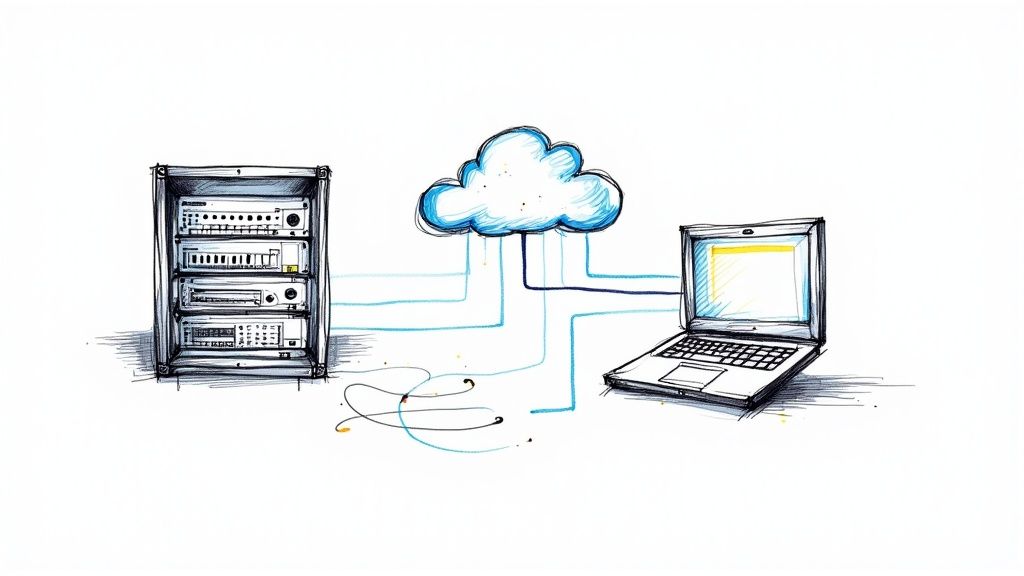
    Think of cloud infrastructure management services as the centralized command-and-control system for your digital architecture. It’s the technical discipline of provisioning, configuring, monitoring, and optimizing all your cloud resources—compute instances, storage volumes, network configurations, and security policies—across platforms like AWS, Azure, or Google Cloud. This management layer is what transforms a disparate collection of virtual components into a high-performing, resilient, and cost-efficient strategic asset.

    What Are Cloud Infrastructure Management Services?

    Image

    At its core, cloud infrastructure management is the ongoing technical practice of administering the fundamental building blocks of your cloud environment. This is not a passive "keep the lights on" function. It's an active, hands-on discipline focused on orchestrating compute, storage, networking, and security components to work in concert, delivering performance, reliability, and cost-efficiency.

    Without disciplined management, a cloud environment can quickly devolve into a chaotic, insecure, and expensive liability. Imagine an unmanaged Kubernetes cluster where developers deploy oversized pods without resource limits, leading to node saturation, cascading failures, and a bill that’s 3x the forecast. Effective cloud management implements the governance and automation to prevent such scenarios.

    The Growing Demand for Expert Management

    The enterprise-wide shift to cloud-native architectures has ignited this sector. The global market for cloud infrastructure services hit about $142.35 billion in 2024 and is projected to expand to $396.01 billion by 2032.

    With an estimated 85% of organizations planning to operate on a cloud-first basis by 2025, the need for expert management to govern these increasingly complex, distributed systems has become a critical business requirement. You can analyze more data on this market expansion and its key drivers.

    A well-managed cloud infrastructure is the difference between a strategic asset that accelerates business velocity and a reactive liability that drains financial resources, consumes engineering cycles, and stifles innovation.

    Core Functions of Cloud Infrastructure Management

    So, what does this management practice entail at a technical level? It comprises a set of continuous, automated activities that ensure your cloud resources are healthy, secure, and performing at peak efficiency. For any organization leveraging the cloud, these functions are non-negotiable.

    Here’s a breakdown of the primary responsibilities and the tooling involved.

    Management Function Core Tasks & Technical Implementation Business Outcome
    Resource Provisioning Define infrastructure as code (IaC) using tools like Terraform or CloudFormation. Automate deployments via CI/CD pipelines (e.g., Jenkins, GitLab CI). Rapid, repeatable, and version-controlled infrastructure deployments, eliminating configuration drift.
    Performance Monitoring Instrument applications with APM agents. Collect and analyze metrics like CPU utilization, p99 latency, and error rates using observability platforms. Proactive anomaly detection and root-cause analysis, minimizing Mean Time to Resolution (MTTR).
    Security & Compliance Implement fine-grained IAM policies following the principle of least privilege. Configure security groups/NACLs to enforce network segmentation. Run automated compliance scans. Hardened security posture, reduced attack surface, and continuous readiness for audits (e.g., SOC 2, ISO 27001).
    Cost Optimization Implement a mandatory resource tagging policy. Continuously analyze cost and usage reports to right-size instances. Automate shutdown of non-production environments. Reduced Total Cost of Ownership (TCO) and improved ROI on cloud spend.

    Ultimately, these functions ensure your cloud environment is not just operational, but architected to actively support and accelerate your business objectives. They form the foundation of a stable, secure, and cost-effective digital operation.

    Deconstructing Your Modern Cloud Infrastructure

    To effectively manage your cloud infrastructure, you must first understand its constituent components at a technical level. The best analogy is a high-performance vehicle. You don't need to machine the engine block yourself, but you must understand the function of the fuel injection system, ECU, and drivetrain to diagnose issues and optimize performance.

    The same principle applies to the technical services that constitute any modern cloud architecture.

    These aren't just abstract concepts; they are the specific, billable services you will use to build, deploy, and scale your applications. Enterprise spending on these services reached a staggering $94 billion in Q1 2025 alone, a 23% year-over-year increase driven by core infrastructure and AI-specific services. You can analyze the details of this rapid market expansion and its causes on CRN.com.

    Core Compute Services

    Compute is the "engine" of your cloud infrastructure. It’s the raw processing power that executes your application code. It manifests in several forms, each optimized for different use cases and architectural patterns.

    • Virtual Machines (VMs): The foundational IaaS offering (e.g., AWS EC2, Azure VMs). A VM emulates a complete physical server, including its own OS kernel. VMs are ideal for lift-and-shift migrations of legacy applications or workloads requiring specific OS-level configurations.
    • Containers (e.g., Docker, Kubernetes): Containers virtualize the operating system, packaging an application with its dependencies into a lightweight, portable unit. Orchestrated by platforms like Kubernetes, they are the de facto standard for building scalable, resilient microservices-based applications.
    • Serverless Functions (e.g., AWS Lambda, Azure Functions): These are event-driven, stateless compute services. Code is executed in response to a trigger (e.g., an API call, a file upload to S3). You manage no underlying infrastructure. This model is highly effective for asynchronous tasks, data processing pipelines, and API backends with variable traffic.

    Storage and Database Solutions

    Data is the lifeblood of your applications. Selecting the appropriate storage or database service is a critical architectural decision that directly impacts performance, scalability, and cost. Each service is purpose-built for a specific data access pattern.

    The essence of superior cloud architecture is not merely selecting powerful services, but selecting the right service for the specific workload. Using a high-performance transactional database like Amazon Aurora to store terabytes of static log files is an act of gross inefficiency—it’s like using a Formula 1 car to haul lumber. You will pay a premium for capabilities you don't need.

    To gain proficiency, you must understand the landscape. For example, a guide to top Azure cloud services details the specific offerings for object storage, block storage, and various managed databases. This foundational knowledge is a prerequisite for effective management.

    Networking and Connectivity

    If compute is the engine and data is the fuel, networking is the nervous system that interconnects all components, routes traffic, and enforces security boundaries.

    • Virtual Private Clouds (VPCs): A logically isolated section of the public cloud. It grants you complete control over your virtual network, including defining private IP address ranges (e.g., 10.0.0.0/16), creating subnets, configuring route tables, and setting up network gateways.
    • Load Balancers: Distribute incoming application traffic across multiple targets, such as EC2 instances or containers. This enhances availability and fault tolerance. Application Load Balancers (ALBs) operate at Layer 7, enabling path-based routing, while Network Load Balancers (NLBs) operate at Layer 4 for ultra-high performance.
    • DNS (Domain Name System): A globally distributed service that translates human-readable domain names (e.g., opsmoon.com) into machine-readable IP addresses. Services like AWS Route 53 or Azure DNS also provide advanced features like health checks and latency-based routing.

    Mastering these individual components is the first step toward effective cloud infrastructure management services. At OpsMoon, our expert teams architect, build, and manage these components daily.

    Explore our DevOps services to see how we build resilient, high-performance systems.

    The Four Pillars of Effective Cloud Management

    Image

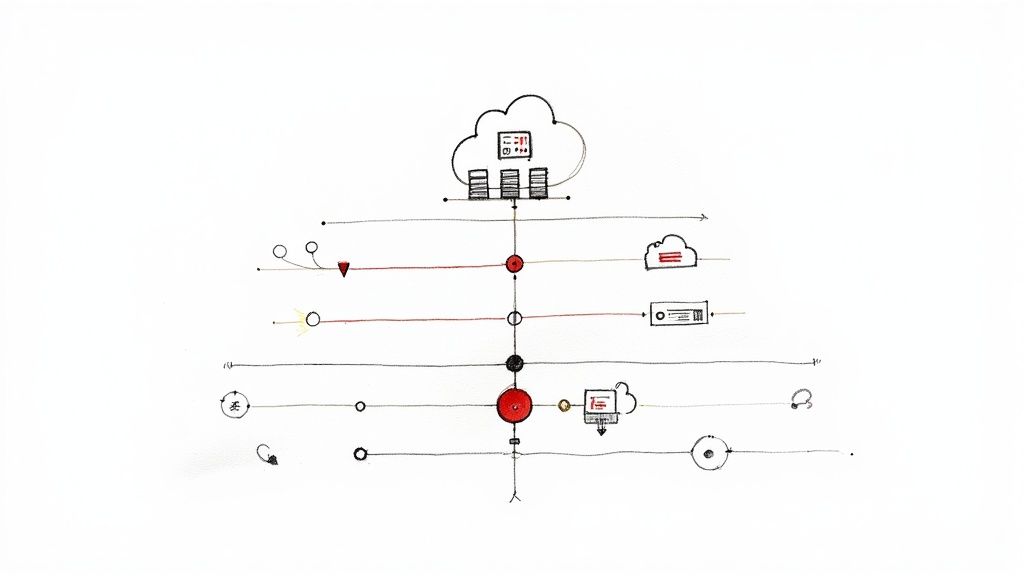
    When wrestling with the complexities of cloud infrastructure management services, the key is to focus efforts on four foundational domains. Think of these as the load-bearing columns that support any stable, efficient, and scalable cloud architecture: Cost Optimization, Security and Compliance, Performance Monitoring, and Automation.

    Neglecting any one of these pillars compromises the entire structure. A high-performance application with weak security is a data breach waiting to happen. An automated system that hemorrhages cash due to unoptimized resources is a technical failure. By focusing your technical efforts on these four domains, you can build a balanced and robust cloud strategy that accelerates business objectives, rather than creating technical debt.

    Pillar 1: Cost Optimization

    Cloud expenditure can escalate uncontrollably without a deliberate, technical strategy. The pay-as-you-go model is a double-edged sword; its flexibility can lead to astronomical bills if not governed by rigorous controls. Effective cost optimization is an active, continuous process of financial engineering (FinOps).

    To gain control over cloud spend, you must approach it systematically. It begins with granular visibility and ends with automated enforcement of cost-saving policies.

    • Implement a Granular Tagging Strategy: This is non-negotiable. Enforce a mandatory tagging policy for all provisionable resources using identifiers like project, environment, owner, and cost-center. This data is crucial for allocating costs and identifying waste. Use tools like AWS Cost Explorer to filter and analyze spend by these tags.
    • Aggressively Right-size Instances: Utilize monitoring data from tools like CloudWatch or Datadog to analyze CPU, memory, and network utilization over a meaningful period (e.g., 2-4 weeks). If a t3.xlarge instance consistently shows CPU utilization below 20%, it is a prime candidate for downsizing to a t3.medium or t3.large. Automate this analysis where possible.
    • Leverage Commitment-Based Discounts: For predictable, baseline workloads (e.g., core production servers), shift from on-demand pricing to Reserved Instances (RIs) or Savings Plans. These can reduce compute costs by up to 72% in exchange for a one- or three-year term commitment, significantly lowering your TCO.

    For a deeper technical dive, review our guide on effective cloud cost optimization strategies.

    Pillar 2: Security and Compliance

    In the cloud's shared responsibility model, the security in the cloud is your direct responsibility. A single misconfigured S3 bucket or an overly permissive IAM role can expose your entire infrastructure. Robust security requires a defense-in-depth strategy, embedding controls at every layer of your architecture.

    Security cannot be a bolted-on afterthought. It must be codified and integrated into the infrastructure lifecycle, from the initial Terraform plan to daily operations. The objective is to make the secure configuration the default and easiest path for engineers.

    Here are critical technical practices for hardening your cloud environment:

    1. Harden Identity and Access Management (IAM): Adhere strictly to the principle of least privilege. Grant IAM users and roles only the specific permissions required to perform their intended function. For example, a service that only needs to read from an S3 bucket should have a policy allowing s3:GetObject, not s3:*. Regularly audit permissions with tools like AWS IAM Access Analyzer.
    2. Configure Network Security Groups and Firewalls: Treat your VPC as a zero-trust network. Use security groups (stateful) and network access control lists (NACLs, stateless) to define explicit allow-rules for ingress and egress traffic. By default, deny all traffic and only open specific ports (e.g., 443) from trusted IP sources.
    3. Automate Compliance Checks: Leverage policy-as-code tools like AWS Config or Azure Policy to translate your compliance requirements into enforceable rules (e.g., "all EBS volumes must be encrypted," "MFA must be enabled for all IAM users with console access"). These tools provide continuous monitoring and can be configured for auto-remediation.

    Pillar 3: Performance Monitoring

    You cannot optimize what you do not measure. Performance monitoring provides the critical feedback loop required to ensure your applications meet their Service Level Objectives (SLOs) for latency, availability, and user experience. This goes beyond simple uptime checks to tracking granular metrics that reveal the health of your distributed system.

    Application Performance Monitoring (APM) tools like Datadog or New Relic are essential. They enable distributed tracing, allowing you to follow a single request as it propagates through microservices, identify slow database queries, and pinpoint performance bottlenecks. Key metrics to monitor (the "Four Golden Signals") include:

    • Latency: The time it takes to service a request (e.g., p95, p99).
    • Error Rate: The rate of requests that fail.
    • Saturation: How "full" a resource is (e.g., CPU utilization, memory pressure).
    • Throughput: The number of requests per second (RPS) the system is handling.

    Pillar 4: Automation

    Automation is the force multiplier that underpins the other three pillars. Manual management of a cloud environment at scale is not just inefficient; it is impossible. It is slow, prone to human error, and unscalable. The solution is comprehensive automation, primarily through Infrastructure as Code (IaC).

    Tools like Terraform and AWS CloudFormation allow you to define your entire infrastructure—VPCs, subnets, EC2 instances, IAM policies, security groups—in declarative configuration files. This code becomes the single source of truth for your environment's state, eliminating configuration drift and enabling repeatable, error-free deployments. Automation is what ensures your cost, security, and performance policies are applied consistently with every change.

    Choosing Your Cloud Management Solution

    Selecting the right management model for your cloud infrastructure is a critical strategic decision that impacts budget, engineering velocity, and scalability. The choice represents a trade-off between control, convenience, and total cost of ownership (TCO). The three primary paths are using native cloud provider tools, implementing a third-party platform, or engaging a managed service provider (MSP).

    Each model is suited for different organizational profiles. A small startup might leverage native tools for agility, while a large, regulated enterprise with a multi-cloud footprint will likely require the unified governance provided by a dedicated platform or MSP.

    Comparing Your Management Options

    To make an informed decision, you must evaluate these options on both technical and business merits. The optimal choice depends on your team's existing skill set, the complexity of your cloud architecture, and your budget for both licensing and operational overhead.

    • Native Cloud Tools (e.g., AWS CloudWatch, Azure Monitor): These are the default services built into each cloud platform. Their primary advantage is deep, seamless integration with other services within that same ecosystem. Their critical weakness is that they operate in a silo, making unified cross-cloud management a significant technical challenge.

    • Third-Party Platforms (e.g., OpsMoon): These platforms are engineered to provide a single pane of glass across multiple cloud environments. They excel at normalizing data and applying consistent policies for monitoring, security, and cost optimization across AWS, Azure, and GCP.

    • Managed Service Providers (MSPs): An MSP acts as an extension of your team, taking on the day-to-day operational burden of managing your infrastructure. This is an effective model for organizations that lack deep in-house cloud expertise or prefer to have their engineering teams focus exclusively on application development.
    This infographic breaks down key metrics when comparing an in-house management model with outsourced cloud infrastructure management services.

    Image

    The data highlights a crucial point: while an in-house approach appears direct, it often carries a higher monthly cost due to engineering salaries and tool licensing. Managed services can deliver significant efficiencies, such as a 25% improvement in resource utilization and drastic reductions in downtime through expert 24/7 monitoring and incident response.

    Matching the Solution to Your Needs

    The final step is to map your specific technical and business requirements to one of these models. There is no universally "best" answer, only the optimal fit for your context.

    The most expensive cloud management solution is the one that creates friction for your engineering team or fails to meet your business objectives. A tool with a low subscription fee that requires extensive engineering overhead to operate effectively represents a false economy.

    If you’re evaluating your options, use this decision framework:

    • For single-cloud startups: Native tools offer the lowest barrier to entry. You can start building immediately without adding another vendor or subscription cost.
    • For multi-cloud enterprises: A third-party platform like OpsMoon is a near necessity. It is the only pragmatic way to enforce unified governance, security posture, and cost visibility across disparate cloud providers.
    • For teams without deep DevOps/SRE talent: An MSP provides immediate access to the specialized skills required to run a secure, reliable, and cost-effective cloud environment from day one.

    To get even more granular, let's evaluate these options against key technical criteria.

    Comparison of Cloud Management Approaches

    This table evaluates the three main approaches based on the technical criteria that should drive your decision-making process.

    Criteria Native Cloud Tools (e.g., AWS CloudWatch) Third-Party Platforms (e.g., OpsMoon) Managed Service Providers (MSPs)
    Multi-Cloud Support Poor. Results in disparate, inconsistent toolsets and operational silos for each cloud. Excellent. Purpose-built for unified, cross-cloud visibility and policy enforcement. Excellent. The provider abstracts away all the cross-cloud complexity and integration challenges.
    Feature Depth Variable. Often powerful for the native ecosystem but may lack specialized features for cost or security. Specialized and deep, with a focus on core management pillars like FinOps, security posture management, and observability. Depends on the MSP's toolchain, but this is a core competency they have already solved for.
    Required Expertise High. Your team needs deep, platform-specific knowledge of each cloud's intricate toolset. Moderate. Requires learning one platform's interface, not the unique nuances of every cloud provider's tool. Low. You are purchasing the provider's expertise, freeing your team from needing to acquire it.
    TCO Deceptively high. Low direct costs are often overshadowed by significant hidden costs in engineering labor. Predictable. A clear subscription cost with substantially lower operational overhead. Highest direct cost, but can lower overall TCO by eliminating the need for specialized hires and reducing waste.

    Ultimately, the best choice is context-dependent. A small team operating solely on AWS has fundamentally different requirements than a global enterprise managing a hybrid, multi-cloud estate. Use this technical breakdown to conduct an honest assessment of your team's capabilities, budget, and strategic priorities.

    Using Cloud Management to Accelerate DevOps

    Image

    Effective cloud infrastructure management services are not just about operational stability; they are a direct catalyst for DevOps maturity. When robust management practices are integrated with agile engineering workflows, your cloud infrastructure transforms from a cost center into a strategic enabler of business velocity.

    This represents a shift from a reactive operational posture (firefighting incidents) to a proactive, engineering-driven approach. The goal is to build an infrastructure platform that not only supports but actively accelerates the software development lifecycle, breaking down the traditional silos between development and operations.

    From Manual Toil to Automated Pipelines

    At its technical core, accelerating DevOps is about eliminating manual work through automation. By defining your entire infrastructure stack using Infrastructure as Code (IaC) tools like Terraform, you eradicate manual provisioning and prevent configuration drift. This ensures that every environment—from local development to production—is an identical, version-controlled entity, which dramatically reduces "it works on my machine" deployment failures.

    The real power is unleashed when IaC is integrated into a CI/CD pipeline. A developer commits code, which automatically triggers a pipeline that builds an artifact, provisions a clean, identical test environment using Terraform, runs a suite of automated tests, and, upon success, promotes the change to production. This tight feedback loop between application code and infrastructure code is the hallmark of high-performing engineering organizations.

    In a well-managed cloud with automated pipelines, engineers are liberated from the toil of infrastructure firefighting. They no longer spend their sprints manually provisioning servers or troubleshooting environment inconsistencies. Instead, they focus on their primary value-add: writing and shipping code that delivers business value.

    The Impact of DevOps Acceleration

    The results of this transformation are quantifiable and directly impact key business metrics. Organizations that successfully merge cloud management with DevOps principles see dramatic improvements in DORA metrics.

    • Shrinking Deployment Cycles: Fully automated CI/CD pipelines reduce the lead time for changes from weeks to hours, or even minutes.
    • Slashing Error Rates: Automated testing in consistent, IaC-defined environments catches bugs earlier in the lifecycle, driving the change failure rate toward zero.
    • Boosting System Resilience: Proactive observability provides deep insights into system health, enabling teams to detect and remediate potential issues before they escalate into user-facing outages, thus lowering Mean Time to Recovery (MTTR).

    To further streamline development, it's valuable to explore key Agile development best practices, as they align perfectly with this model. If you are new to the methodology, our technical guide on what the DevOps methodology is provides a great foundation.

    This level of integration is fueling market growth. The global cloud computing market is projected to expand from $912.77 billion in 2025 to $1.614 trillion by 2030. With 94% of enterprises already using the cloud, elite management and DevOps practices are the key differentiators.

    Frequently Asked Questions About Cloud Management

    As engineering teams adopt cloud infrastructure, several common technical questions consistently arise. Clear, actionable answers are crucial for making sound architectural and operational decisions.

    This section provides direct, technical answers to the most frequent queries we encounter, building on the core principles outlined in this guide.

    What Is the Biggest Mistake Companies Make with Cloud Infrastructure?

    The single most impactful and costly mistake is treating cost management as an afterthought. Teams, driven by the need for velocity, often provision resources without financial governance, only to be confronted with "bill shock" at the end of the month. This occurs when the cloud is treated like a limitless resource pool instead of a metered service that requires rigorous financial engineering (FinOps).

    A proactive cost optimization strategy must be implemented from day one. It is a foundational requirement, not an optional extra. This involves several key technical practices:

    • Granular Resource Tagging: Enforce a strict, automated policy (e.g., using SCPs in AWS) that requires every resource to be tagged with its owner, project, and environment. This is the only way to achieve accurate cost attribution.
    • Rightsizing Instances: Continuously monitor utilization metrics (CPU, RAM, Network I/O). If an m5.2xlarge instance averages 15% CPU utilization over 14 days, it must be downsized. Automate this analysis and alerting.
    • Budget Alerts: Configure programmatic budget alerts (e.g., using AWS Budgets or Azure Cost Management) that trigger notifications or even automated actions (like invoking a Lambda function to shut down dev environments) when spend forecasts exceed a threshold.

    Can I Manage a Multi-Cloud Environment with Just Native Tools?

    Technically, it is possible. However, from an operational and security standpoint, it is highly inadvisable. It creates immense technical debt and operational risk.

    Attempting to manage a multi-cloud estate by duct-taping together native tools like AWS CloudWatch and Azure Monitor forces your operations team to become experts in multiple, disparate ecosystems. Each platform has its own API, data schema, and alerting mechanism. This fragmentation creates observability gaps, hinders root-cause analysis, and makes it impossible to enforce consistent security and governance policies.

    For any serious multi-cloud strategy, a dedicated third-party platform or a managed service provider is the superior technical choice. You require a single, unified control plane for observability, security posture management, and cost optimization.

    Attempting to manage a multi-cloud setup with native tools is like trying to conduct an orchestra where every musician is reading from different sheet music in a different language. You will produce noise, not a symphony. It will be chaos.

    How Does Infrastructure as Code Improve Management?

    Infrastructure as Code (IaC) is a paradigm shift in infrastructure management. By using declarative tools like Terraform or AWS CloudFormation, you treat your infrastructure configuration as software. This fundamental change provides three transformative benefits that solve long-standing operational challenges.

    1. Automation: IaC eliminates manual, error-prone configuration through a CLI or console. Deployments become deterministic, repeatable, and fast, executed through automated CI/CD pipelines.
    2. Version Control: Storing your Terraform or CloudFormation files in a Git repository provides a full audit trail of every change to your infrastructure. You can use pull requests to review and approve changes, and you can instantly roll back to a previous known-good state if a deployment causes an issue.
    3. Consistency: IaC is the definitive solution to configuration drift and the "it works on my machine" problem. It guarantees that development, staging, and production environments are provisioned identically, which drastically reduces environment-specific bugs and accelerates troubleshooting.

    Ready to accelerate your DevOps maturity and gain full control over your cloud environment? The expert engineers at OpsMoon can build the tailored roadmap you need. Book your free work planning session today and see how our top-tier talent can optimize your infrastructure for speed, security, and cost-efficiency.

  • What Is DevOps Methodology: A Technical Guide

    What Is DevOps Methodology: A Technical Guide

    At its core, DevOps is a cultural and engineering discipline designed to unify software development (Dev) and IT operations (Ops). The primary objective is to radically shorten the software development lifecycle (SDLC) by implementing a highly automated, iterative process for building, testing, and releasing software. The outcome is faster, more reliable, and continuous delivery of high-quality applications.

    Unpacking The DevOps Methodology

    Image

    To fully grasp the DevOps methodology, one must first understand the limitations of traditional, siloed software delivery models. In legacy environments, development teams would write code and then "throw it over the wall" to a separate operations team responsible for deployment and maintenance. This handoff point was a primary source of friction, extended lead times, and a blame-oriented culture when incidents occurred.

    DevOps systematically dismantles this wall by fostering a culture of shared responsibility. Developers, QA engineers, and operations specialists function as a single, cross-functional team, collaboratively owning the application lifecycle from conception to decommission.

    Consider it analogous to a Formula 1 pit crew. Each member is a specialist, yet they operate as a cohesive unit with a singular objective: to service the car and return it to the track with maximum speed and safety.

    From Silos to Synergy

    This is not merely an organizational restructuring; it is a fundamental shift in mindset, reinforced by a suite of robust technical practices. Instead of individuals focusing on isolated segments of the pipeline, everyone owns the entire software delivery process. This collective ownership cultivates a proactive approach to problem-solving and quality engineering from the earliest stages of development.

    For example, a developer's concern extends beyond writing functional code. They must also consider how that code will be containerized, deployed, monitored, and scaled in a production environment. Concurrently, operations engineers provide feedback early in the development cycle, contributing to the design of systems that are inherently more resilient, observable, and manageable.

    The core idea behind DevOps is to create a collaborative culture that finally bridges the deep divide between development and operations. This synergy is what unlocks the speed, reliability, and continuous improvement that modern software delivery demands.

    This collaborative culture is supercharged by pervasive automation. Repetitive, error-prone tasks such as code compilation, unit testing, and infrastructure provisioning are automated via CI/CD pipelines and Infrastructure as Code (IaC). This automation liberates engineers from manual toil, allowing them to focus on high-value activities like feature development and system architecture.

    The technical and business objectives are explicit:

    • Accelerated Time-to-Market: Reduce the lead time for changes, moving features from idea to production deployment rapidly.
    • Improved Reliability: Decrease the change failure rate by integrating automated testing and quality gates throughout the pipeline.
    • Enhanced Collaboration: Dismantle departmental barriers to create unified, cross-functional teams with shared goals.
    • Greater Scalability: Engineer systems that can handle dynamic workloads through automated, on-demand infrastructure provisioning.

    DevOps vs Traditional Waterfall Models

    To put its technical advantages into perspective, let's contrast DevOps with the rigid, sequential Waterfall model.

    Attribute DevOps Methodology Traditional (Waterfall) Model
    Team Structure Cross-functional, integrated teams (Dev + Ops) Siloed, separate departments
    Responsibility Shared ownership across the entire lifecycle Handoffs between teams; "not my problem"
    Release Cycle Short, frequent, and continuous releases Long, infrequent, and monolithic releases
    Feedback Loop Continuous and immediate Delayed until the end of a phase
    Risk Management Small, incremental changes reduce deployment risk Large, high-risk "big bang" deployments
    Automation Heavily automated testing and deployment Manual, error-prone processes
    Core Focus Speed, reliability, and continuous improvement Upfront planning and sequential execution

    As the comparison illustrates, DevOps represents a paradigm shift in software engineering. By integrating culture, process, and tools, it establishes a powerful feedback loop. This loop enables teams to release software not just faster, but with demonstrably higher quality and stability, which directly translates to improved business performance and customer satisfaction.

    To truly understand what DevOps is, it's essential to examine its origins. It wasn't conceived in a boardroom but emerged from the shared technical frustrations of developers and operations engineers struggling with inefficient software delivery models.

    For years, the dominant paradigm was the Waterfall model, a rigid, linear process where each phase must be fully completed before the next begins. This sequential flow created deep organizational silos and significant bottlenecks.

    This structure meant developers might spend months writing code for a feature, only to hand the finished artifact "over the wall" to an operations team that had no involvement in its design. This fundamental disconnect was a formula for disaster, resulting in slow deployments, buggy releases, and a counterproductive culture of finger-pointing during production incidents.

    The Rise of Agile and a Brand-New Bottleneck

    The Agile movement emerged as a necessary antidote to Waterfall's inflexibility, championing iterative development and close collaboration during the software creation process. Agile was transformative for development teams, enabling them to build better software, faster. However, it addressed only one side of the equation.

    While development teams adopted rapid, iterative cycles, operations teams were often still constrained by legacy, manual deployment practices. This created a new point of friction: a high-velocity development process colliding with a slow, risk-averse operations gatekeeper. The inherent conflict between "move fast" and "maintain stability" intensified.

    It became clear that a more holistic approach was needed—one that extended Agile principles across the entire delivery lifecycle, from a developer's commit to a live customer deployment.

    This critical need for a holistic solution—one that could marry development speed with operational stability—is what set the stage for DevOps. It grew from a simple desire to get teams on the same page, automate the grunt work, and treat the whole process of delivering software as one unified system.

    The term "DevOps" gained traction around 2009, coined by Patrick Debois who organized the first DevOpsDays event. This conference was a landmark moment, bringing developers and operations professionals together to address the silo problem directly.

    From 2010 to 2014, the movement grew exponentially, fueled by the rise of cloud computing and a new generation of automation tools. Foundational practices like Continuous Integration (CI) and Continuous Delivery (CD) became the technical bedrock for enabling faster, more reliable releases. By 2015, DevOps had transitioned from a niche concept to a mainstream strategy, with technologies like Git, Docker, and Kubernetes forming the core of the modern toolchain. You can explore more about this transformation and its impact on the industry.

    From A Niche Idea To A Mainstream Strategy

    This evolution was not just about adopting new tools but represented a profound cultural and technical shift. The emergence of cloud computing provided the ideal environment for DevOps to flourish, offering on-demand, programmable infrastructure that could be managed as code—a practice now known as Infrastructure as Code (IaC).

    This powerful combination of culture, process, and technology enables organizations to move away from slow, high-risk release cycles and toward a state of continuous delivery. Understanding the history of DevOps is key to appreciating why it is not merely a buzzword, but an essential engineering strategy for any organization needing to deliver software with speed, quality, and reliability.

    Core Technical Principles And Cultural Pillars

    Image

    To fully implement DevOps, it's necessary to move beyond organizational charts and embed its core principles into daily work. DevOps is a potent combination of cultural transformation and disciplined technical practices.

    When integrated, these elements create a high-velocity engineering environment capable of shipping quality software rapidly. These foundations are not optional; they are the engine of a high-performing DevOps organization. The process begins with establishing the right culture, which then enables the technical implementation.

    The Cultural Pillars Of DevOps

    Before a single tool is configured, the culture must be established. This is the true bedrock of DevOps, transforming siloed specialists into a cohesive, high-performance team.

    • Intense Collaboration: This goes beyond simple communication. It means development, operations, and security teams are embedded together, co-owning problems and solutions throughout the entire application lifecycle.
    • Shared Ownership: The "not my problem" mindset is eliminated. Every team member—from the developer writing the initial code to the Site Reliability Engineer (SRE) monitoring it in production—is collectively accountable for the software's performance and stability.
    • Blameless Post-mortems: When an incident occurs, the objective is never to assign blame. Instead, the team conducts a systematic root cause analysis to identify failures in the system, process, or technology. The focus is on implementing corrective actions to prevent recurrence.

    This cultural evolution is ongoing. DevOps has expanded to integrate adjacent disciplines like security (DevSecOps) and data management (DataOps), prompting many organizations to re-evaluate traditional IT structures and create blended roles for greater efficiency. A DevOps maturity assessment can be an effective tool for benchmarking your current state and planning future improvements.

    Key Technical Principles In Action

    With a collaborative culture in place, you can implement the technical principles that introduce automation, consistency, and repeatability into your software delivery process. These are not buzzwords but concrete engineering disciplines with specific technical goals.

    Infrastructure As Code (IaC)

    Infrastructure as Code (IaC) is the practice of managing and provisioning IT infrastructure through machine-readable definition files, rather than physical hardware configuration or interactive configuration tools. This means treating your servers, load balancers, databases, and network configurations as version-controlled software artifacts.

    Tools like Terraform or Pulumi allow you to define your cloud architecture in declarative configuration files. This infrastructure code can then be versioned in Git, peer-reviewed, and tested, bringing unprecedented consistency and auditability to your environments.

    Technical Example: A developer needs a new staging environment. Instead of filing a ticket and waiting for manual provisioning, they execute a single command: terraform apply -var-file=staging.tfvars. The script declaratively provisions the required virtual machines, configures the network security groups, and sets up a database instance—a perfect, automated replica of the production environment.

    Continuous Integration And Continuous Delivery (CI/CD)

    The CI/CD pipeline is the automated workflow that serves as the backbone of DevOps. It is a sequence of automated steps that shepherd code from a developer's commit to production deployment with minimal human intervention.

    • Continuous Integration (CI): The practice where developers frequently merge their code changes into a central repository (e.g., a Git main branch). Each merge automatically triggers a build and a suite of automated tests (unit, integration, etc.).
    • Continuous Delivery (CD): An extension of CI where every code change that successfully passes all automated tests is automatically deployed to a testing or staging environment. The final deployment to production is often gated by a manual approval.

    Technical Example: A developer pushes a new feature branch to a Git repository. A CI tool like GitLab CI immediately triggers a pipeline. The pipeline first builds the application into a Docker container. Next, it runs a series of tests against that container. If any test fails, the pipeline halts and sends an immediate failure notification to the developer via Slack, preventing defective code from progressing.

    The adoption of these principles shows just how fundamental DevOps has become. High-performing teams that embrace this methodology report efficiency gains of up to 50%—a clear sign of its impact. It’s proof that DevOps isn't just about automation; it’s about making the critical cultural shifts needed for modern IT to succeed. You can discover more about the journey of DevOps and how it grew from a niche idea into an industry standard.

    Executing The DevOps Lifecycle Stages

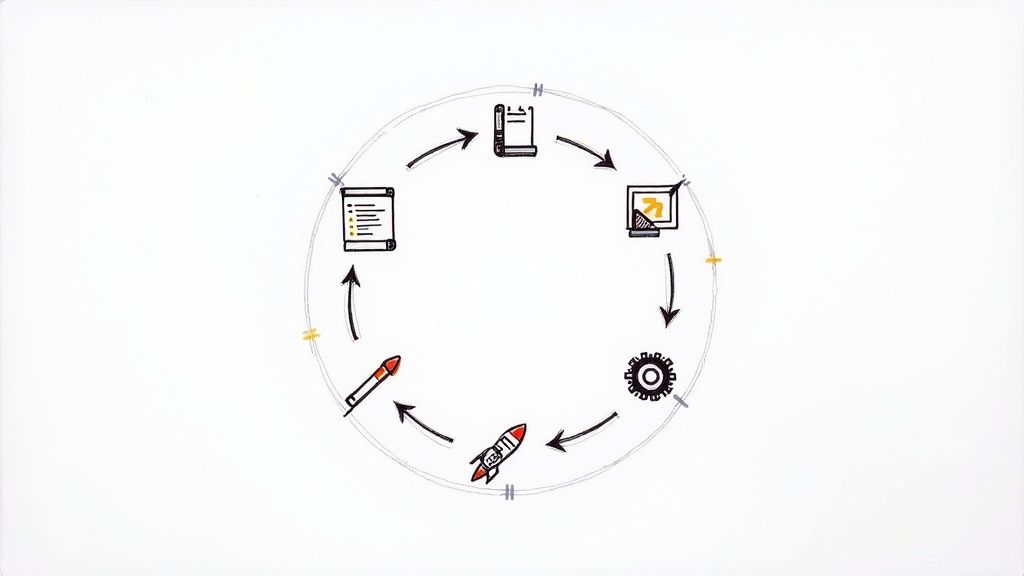
    The DevOps methodology is not a static philosophy; it is an active, cyclical process engineered for continuous improvement. This process, often visualized as an "infinite loop," moves an idea through development into production, where operational feedback immediately informs the next iteration.

    Each stage is tightly integrated with the next, with automation serving as the connective tissue that ensures a seamless, high-velocity workflow. The objective is to transform a clumsy series of manual handoffs into a single, unified, and automated flow.

    The Initial Spark: Planning and Coding

    Every feature or bug fix begins with a plan. In a DevOps context, this means breaking down business requirements into small, actionable work items within an agile framework.

    1. Plan: Teams use project management tools like Jira or Azure Boards to define and prioritize work. Large epics are decomposed into smaller user stories and technical tasks, ensuring that business objectives are clearly understood before any code is written. This stage aligns developers, product owners, and stakeholders.

    2. Code: Developers pull a task from the backlog and write the necessary code. They use a distributed version control system, typically Git, to commit their changes to a feature branch in a shared repository hosted on a platform like GitHub or GitLab. This git commit and git push action is the catalyst that initiates the automated lifecycle.

    The collaborative nature of DevOps is evident here. Code is often reviewed by peers through pull requests, where QA engineers and other developers provide feedback, ensuring quality and adherence to standards before the code is merged.

    The Automation Engine: Build, Test, and Release

    Once code is pushed to the repository, the CI/CD pipeline takes over. This is where the core automation of DevOps resides, transforming source code into a deployable artifact. Understanding what Continuous Integration and Continuous Delivery (CI/CD) entails is fundamental to implementing these automated workflows.

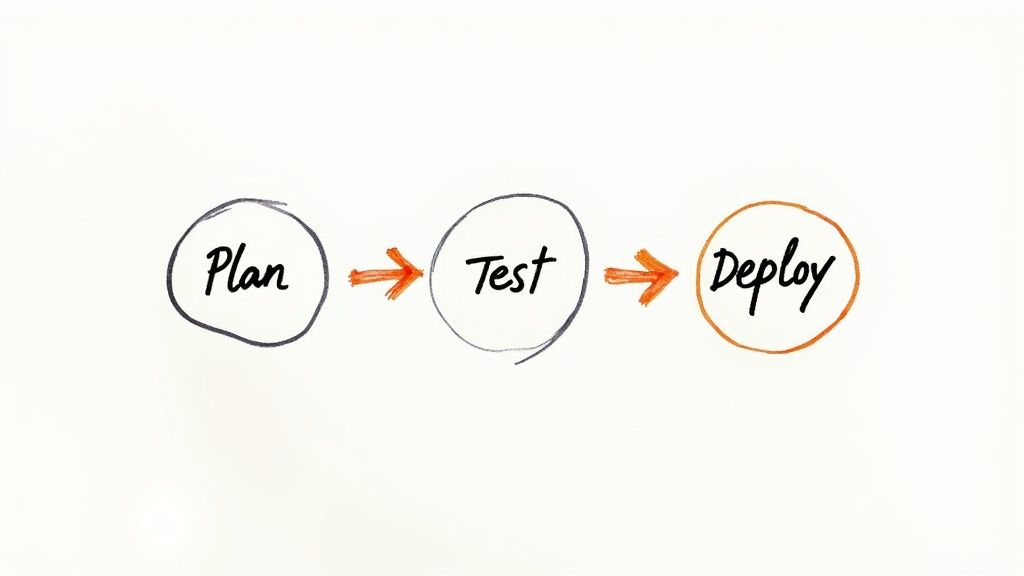
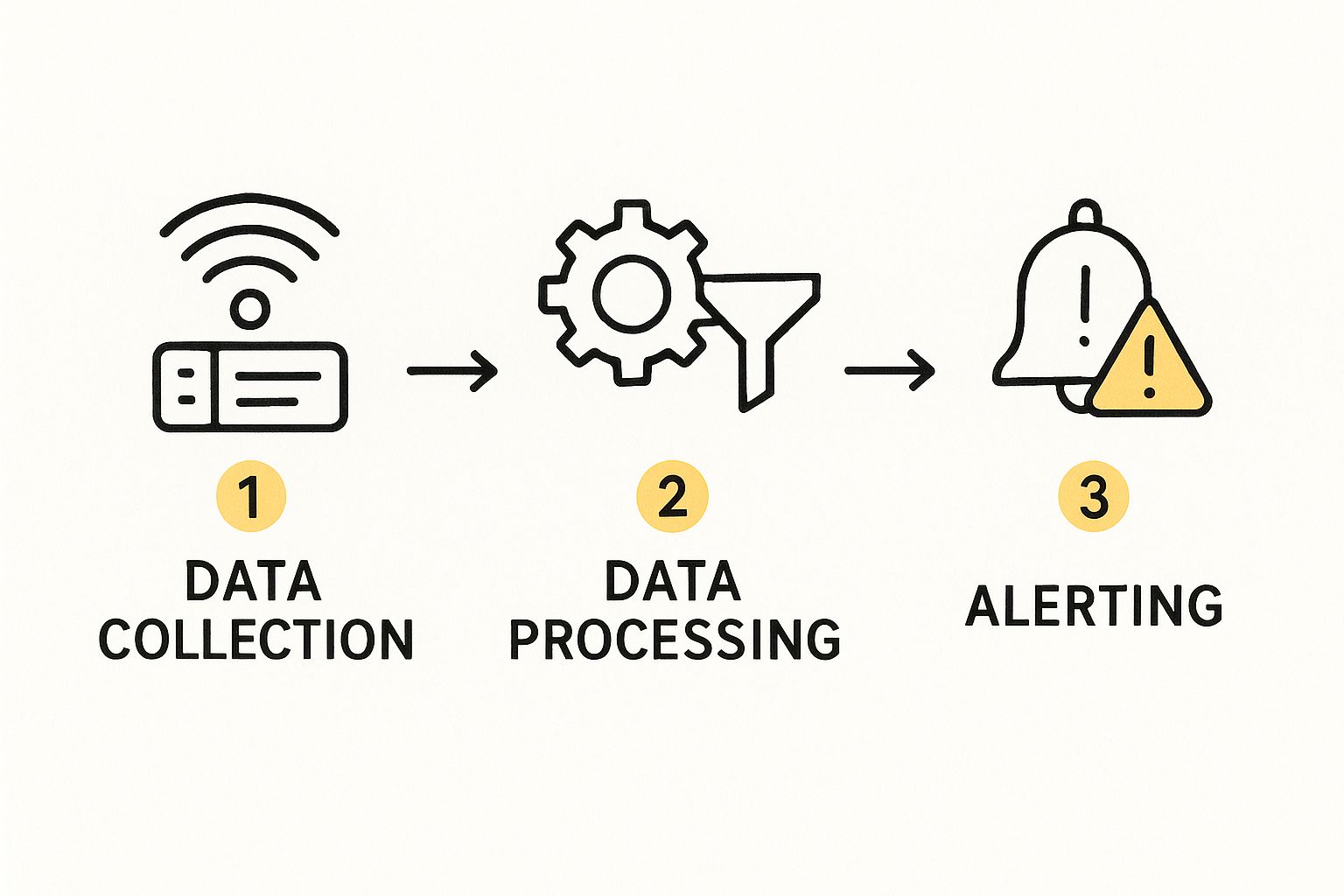
    This infographic provides a high-level view of this automated, three-part flow that drives modern software delivery.

    Image

    A code commit triggers a chain reaction of building, testing, and deployment actions, forming the continuous loop central to DevOps.

    Let's break down these technical stages:

    • Build: A CI server (like Jenkins or GitLab CI) detects the new commit and triggers a build job. Build tools like Maven (for Java) or npm (for Node.js) compile the source code, run linters, and package the application into a runnable artifact, such as a JAR file or, more commonly, a Docker image.
    • Test: A successful build immediately initiates a series of automated test suites. This includes unit tests (Jest, JUnit), integration tests, and static code analysis (SonarQube). If any test fails, the pipeline stops, providing immediate feedback to the developer. This "fail-fast" approach prevents defects from propagating.
    • Release: Once an artifact passes all automated tests, it is versioned and pushed to an artifact repository like Nexus or Artifactory. This creates an immutable, trusted artifact that is ready for deployment.

    Closing The Loop: Deploy, Operate, and Monitor

    The final stages involve delivering the software to users and ensuring its operational health. This is where the "Ops" in DevOps becomes prominent, driven by the same principles of automation and collaboration.

    Deployment is no longer a high-stakes, manual event but a repeatable, low-risk, automated process.

    • Deploy: Using the tested artifact, an Infrastructure as Code tool like Terraform provisions or updates the target environment. Then, a configuration management tool like Ansible or a container orchestrator like Kubernetes deploys the new application version, often using strategies like blue-green or canary deployments to ensure zero downtime.
    • Operate & Monitor: Once live, the application's health and performance are continuously monitored. Tools like Prometheus scrape metrics (CPU, memory, latency), log aggregators like Fluentd collect logs, and platforms like Grafana or Datadog visualize this data in real-time dashboards. Automated alerting notifies the team of anomalies or threshold breaches.

    This monitoring data is invaluable. It provides the quantitative feedback that flows directly back into the Plan phase, creating new tickets for performance improvements or bug fixes and completing the infinite loop. This cycle of continuous feedback and improvement is the engine that drives DevOps: delivering better software, faster and more reliably.

    Building Your Essential DevOps Toolchain

    While culture is the foundation of DevOps, a well-integrated toolchain is the technical engine that executes its principles. To achieve the goals of automation and velocity, you must assemble a set of tools that seamlessly cover every stage of the software delivery lifecycle.

    This is not about collecting popular software; it is a strategic exercise in creating a cohesive, automated workflow. Each tool acts as a link in a chain, programmatically handing off its output to the next tool without requiring manual intervention. To make DevOps work, you need the right set of DevOps automation tools, each chosen for a specific job.

    Core Components Of A Modern Toolchain

    A robust DevOps toolchain is composed of specialized tools from different categories, integrated to form a single pipeline. A typical, highly effective toolchain includes the following components.

    • Version Control: The single source of truth for all code and configuration. Git is the de facto standard, with platforms like GitLab or GitHub providing the centralized, collaborative repository.
    • CI/CD Pipelines: The automation engine that orchestrates the build, test, and deployment workflow. GitLab CI, Jenkins, and GitHub Actions are leading choices for defining and executing these pipelines.
    • Containerization: The technology for packaging an application and its dependencies into a lightweight, portable, and isolated unit. Docker is the industry standard for creating container images.
    • Orchestration: The system for automating the deployment, scaling, and management of containerized applications. Kubernetes has become the dominant platform for container orchestration at scale.
    • Configuration Management: The practice of ensuring that server and environment configurations are consistent and repeatable. Tools like Ansible use declarative or procedural definitions (playbooks) to automate infrastructure configuration and eliminate configuration drift.
    • Monitoring & Observability: The tools required to understand the internal state of a system from its external outputs. A powerful open-source stack includes Prometheus for metrics collection, Grafana for visualization, and the ELK Stack (Elasticsearch, Logstash, Kibana) for log aggregation and analysis.

    This diagram illustrates how these tools interoperate to create the continuous, automated flow that defines DevOps.

    Diagram showing the DevOps toolchain as an infinite loop with tools for each stage

    The toolchain functions as an infinite loop. Each tool completes its task and triggers the next, moving from planning and coding through to monitoring, with the data from monitoring providing feedback that initiates the next development cycle.

    A Practical Toolchain In Action

    Let’s trace a single code change through a technical toolchain to illustrate how these components are integrated.

    1. A developer finalizes a new feature and executes git push to send the code to a feature branch in a GitLab repository. This action triggers a webhook.
    2. GitLab CI receives the webhook and initiates a predefined pipeline defined in a .gitlab-ci.yml file. It spins up a temporary runner environment.
    3. The first pipeline stage invokes Docker to build the application into a new, version-tagged container image based on a Dockerfile in the repository.
    4. Subsequent stages run automated tests against the newly built container. Upon successful test completion, the Docker image is pushed to a container registry (like GitLab's built-in registry or Docker Hub).
    5. The final pipeline stage executes an Ansible playbook. This playbook interfaces with the Kubernetes API server, instructing it to update the application's Deployment object with the new container image tag. Kubernetes then performs a rolling update, incrementally replacing old pods with new ones, ensuring zero downtime.
    6. As soon as the new pods are live, a Prometheus instance, configured to scrape metrics from the application, begins collecting performance data. This data is visualized in Grafana dashboards, providing the team with immediate, real-time insight into the release's health (e.g., latency, error rates, resource consumption).

    This entire sequence—from a git push command to a fully monitored production deployment—occurs automatically, often within minutes. This is the tangible result of a well-architected DevOps toolchain. The tight, API-driven integration between these tools is what enables the speed and reliability promised by the DevOps methodology.

    Implementing such a workflow requires a deep understanding of pipeline architecture. For any team building or refining their automation, studying established CI/CD pipeline best practices is a critical step.

    How DevOps Drives Measurable Business Value

    While the technical achievements of DevOps are significant, its ultimate value is measured in tangible business outcomes. Adopting DevOps is not merely an IT initiative; it is a business strategy designed to directly impact revenue, profitability, and customer satisfaction.

    This is the critical link for securing executive buy-in. When a CI/CD pipeline accelerates release frequency, it's not just a technical metric. It is a direct reduction in time-to-market, enabling the business to outpace competitors and capture market share.

    Linking Technical Gains to Financial Performance

    Every operational improvement achieved through DevOps has a corresponding business benefit. The pervasive automation and deep collaboration at its core are engineered to eliminate waste and enhance efficiency, with results that are clearly visible on a company's financial statements.

    Consider the financial impact of downtime or a failed deployment. A high change failure rate is not just a technical problem; it erodes customer trust and can lead to direct revenue loss. DevOps directly mitigates these risks.

    • Reduced Operational Costs: By automating infrastructure provisioning (IaC) and application deployments (CI/CD), you reduce the manual effort required from highly paid engineers. This frees them to focus on innovation and feature development rather than operational toil, leading to better resource allocation and a lower total cost of ownership (TCO).
    • Increased Revenue and Profitability: Delivering features to market faster and more reliably creates new revenue opportunities. Concurrently, the enhanced stability and performance of the application improve customer loyalty and reduce churn, which directly protects existing revenue streams.

    The data from industry reports like the DORA State of DevOps Report provides clear evidence. High-performing organizations that master DevOps practices achieve 46 times more frequent code deployments and recover from incidents 96 times faster than their lower-performing peers. These elite performers also report a 60% reduction in change failure rates and a 22% improvement in customer satisfaction.

    Measuring What Matters Most

    To demonstrate success, it is crucial to connect DevOps metrics to business objectives. While engineering teams track technical Key Performance Indicators (KPIs) like deployment frequency and lead time for changes, leadership needs to see the business impact. Frameworks like Objectives and Key Results (OKRs) provide a structured methodology for aligning engineering efforts with strategic company goals.

    By focusing on metrics that matter to the business—like Mean Time to Recovery (MTTR) and customer retention—you can clearly demonstrate the immense value that the DevOps methodology provides. For instance, a lower MTTR doesn't just mean systems are back online faster; it means you're protecting revenue and brand reputation.

    Ultimately, DevOps drives business value by building a more resilient, agile, and efficient organization. It creates a powerful feedback loop where technical excellence leads to better business outcomes, which in turn justifies more investment in the people, processes, and tools that make it all possible.

    This synergy is critical for any modern business. Integrating security early in this loop is a key part of it; you can dive deeper in our guide on DevOps security best practices at https://opsmoon.com/blog/devops-security-best-practices.

    Got Questions About Implementing DevOps?

    As you begin your DevOps implementation, certain technical and philosophical questions will inevitably arise. Let's address some of the most common ones with actionable, technical guidance.

    What Is The Difference Between DevOps And Agile?

    This is a critical distinction. While often used interchangeably, Agile and DevOps address different scopes of the software delivery process.

    Agile is a project management methodology focused on the development phase. It organizes work into short, iterative cycles (sprints) to promote adaptive planning, evolutionary development, and rapid delivery of functional software. Its primary goal is to improve collaboration and efficiency between developers, testers, and product owners.

    DevOps is a broader engineering and cultural methodology that encompasses the entire software delivery lifecycle. It extends Agile principles beyond development to include IT operations, security, and quality assurance. Its goal is to automate and integrate the processes between software development and IT teams so they can build, test, and release software faster and more reliably.

    Here is a technical analogy:

    • Agile optimizes the software factory—improving how developers build the car (the software) in collaborative, iterative sprints.
    • DevOps builds and automates the entire supply chain, assembly line, and post-sale service network—from sourcing raw materials (planning) to delivering the car to the customer (deployment), monitoring its performance on the road (operations), and feeding that data back for future improvements.

    In short, DevOps is not a replacement for Agile; it is a logical and necessary extension of it. You can't have a high-performing DevOps culture without a solid Agile foundation.

    Is DevOps Just About Automation And Tools?

    No. This is the most common and costly misconception. While tools and automation are highly visible components of DevOps, they are merely enablers of a deeper cultural shift.

    At its core, DevOps is a cultural transformation centered on collaboration, shared ownership, and continuous improvement. Without that cultural shift, just buying a bunch of new tools is like buying a fancy oven when no one on the team knows how to bake. You'll just have expensive, unused equipment.

    The tools exist to support and enforce the desired culture and processes. True DevOps success is achieved when teams adopt the philosophy first. A team that lacks psychological safety, operates in silos, and engages in blame will fail to achieve DevOps goals, no matter how sophisticated their GitHub Actions pipeline is.

    How Can A Small Team Start Implementing DevOps?

    You do not need a large budget or a dedicated "DevOps Team" to begin. In fact, a "big bang" approach is often counterproductive. The most effective strategy is to start small by identifying and automating your single most significant bottleneck.

    Here is a practical, technical roadmap for a small team:

    1. Establish Git as the Single Source of Truth: This is the non-negotiable first step. All artifacts that define your system—application code, infrastructure configuration (e.g., Terraform files), pipeline definitions (.gitlab-ci.yml), and documentation—must be stored and versioned in Git.
    2. Automate the Build and Unit Test Stage: Select a simple, integrated CI tool like GitLab CI or GitHub Actions. Your first objective is to create a pipeline that automatically triggers on every git push, compiles the application, and runs your existing unit tests. This establishes the initial feedback loop.
    3. Automate One Manual Deployment: Identify the most painful, repetitive manual process your team performs. Is it deploying to a staging server? Is it running database schema migrations? Isolate that one task and automate it with a script (e.g., a simple Bash script or an Ansible playbook) that can be triggered by your CI pipeline.
    4. Implement Basic Application Monitoring: You cannot improve what you cannot measure. Instrument your application with a library to expose basic health and performance metrics (e.g., using a Prometheus client library). Set up a simple dashboard to visualize response times and error rates. This initiates the critical feedback loop from operations back to development.

    The goal is to generate momentum. Each small, iterative automation is a win. It reduces toil and demonstrates value, building the cultural and technical foundation for tackling the next bottleneck. It begins with a shared commitment, followed by a single, focused, and actionable step.


    Ready to move from theory to practice? OpsMoon connects you with the top 0.7% of remote DevOps engineers to accelerate your adoption journey. We start with a free work planning session to assess your needs and build a clear roadmap, whether you need Kubernetes experts, CI/CD pipeline architects, or end-to-end project delivery. Find your expert at OpsMoon today!

  • A Technical Guide to DevOps Maturity Assessment and CI/CD Optimization

    A Technical Guide to DevOps Maturity Assessment and CI/CD Optimization

    A DevOps maturity assessment is not a formal audit; it's a technical blueprint for evolving your software delivery lifecycle. It’s the process you execute to move your team from a state of reactive firefighting to proactive, high-performance engineering. This guide provides a technical framework to systematically benchmark your current state, identify specific system bottlenecks, and build a concrete roadmap to elevate your team's delivery performance.

    Why Execute a DevOps Maturity Assessment?

    Ignoring your organization's DevOps maturity is a significant technical risk. Without a clear, data-driven analysis of your processes, you're operating without telemetry. It becomes impossible to differentiate between high activity and genuine engineering progress, leading to wasted effort and technical debt.

    A proper assessment provides the quantitative and qualitative data needed for informed technical decision-making and investment. It facilitates the transition from constant troubleshooting to a state of continuous, predictable software delivery.

    This process directly impacts key business and engineering outcomes. By evaluating your practices against established benchmarks, you can directly influence the key performance indicators (KPIs) that define elite engineering teams.

    We're talking about measurable improvements in core DORA metrics:

    • Deployment Frequency: Transitioning from monolithic monthly or weekly release cycles to on-demand, multiple daily deployments.
    • Lead Time for Changes: Drastically reducing the cycle time from git commit to a successful production deployment.
    • Mean Time to Recovery (MTTR): Architecting systems that can recover from production incidents in minutes, not hours or days that erode user trust and SLOs.
    • Change Failure Rate: Lowering the percentage of deployments that result in a production rollback or hotfix.

    Getting Past "Cargo Cult" DevOps

    I've seen it countless times: an organization adopts a suite of DevOps tools (e.g., GitLab, Jenkins, Spinnaker) but fails to re-architect its culture or processes. This is classic "cargo cult" DevOps. Teams might have CI/CD pipelines, but they remain trapped in functional silos, with manual handoffs and conflicting priorities that negate any potential benefits.

    A devops maturity assessment forces a detailed, technical review of how well your people, processes, and toolchains are actually integrated.

    This isn't about assigning blame. It's about performing a root cause analysis of systemic issues. For instance, a high change failure rate might appear to be a developer-level problem. A deeper technical analysis often reveals it's a symptom of insufficient test automation coverage, a lack of feature flagging capabilities, or a review process that doesn't adequately vet infrastructure-as-code (IaC) changes. Without a formal assessment, these root causes remain hidden beneath the operational pain of production incidents.

    A DevOps maturity assessment provides a common language and a unified set of metrics for both development and operations. It transforms subjective opinions about "what's broken" into objective data that can guide prioritization and investment.

    This shift is more critical than ever. The conversation is no longer about if an organization should adopt DevOps, but how effectively they're implementing it.

    Before you dive in, it helps to understand the typical stages of maturity. This table summarizes the journey, helping you quickly identify where your organization might currently stand.

    DevOps Maturity Levels at a Glance

    Maturity Level Key Characteristics Primary Focus
    Initial Ad-hoc processes, manual handoffs, siloed teams (Dev vs. Ops), frequent firefighting. Basic automation, stabilizing builds.
    Managed Basic CI/CD pipelines in place, some version control, but inconsistent practices. Repeatable processes, tool adoption.
    Defined Standardized processes, widespread automation, infrastructure as code (IaC) is common. Integration, optimizing flow.
    Measured Data-driven decisions, key metrics (DORA) tracked, focus on feedback loops. Performance, reliability, security.
    Optimized Continuous improvement culture, self-healing systems, proactive optimization, blameless postmortems. Business outcomes, innovation.

    Finding your spot on this spectrum is the first step. The goal isn't just to label your team but to understand the natural next steps on your path to improvement.

    The Growing Importance of DevOps Excellence

    The data speaks for itself. As of 2025, an estimated 80% to 81% of organizations have adopted DevOps, with the market projected to hit $15.06 billion. But here's the crucial part: among these adopters, about 50% are considered elite or high-performing. This shows that just "doing DevOps" isn't enough. Maturity is what truly separates the leaders from the laggards.

    Furthermore, a staggering 99% of organizations report seeing positive impacts from implementing DevOps, and 61% specifically note improved quality. You can learn more about the latest trends in the state of DevOps in 2025.

    This confirms what many of us have seen in the field for years: a structured approach to getting better is essential. A formal assessment provides the framework for this journey, helping you benchmark against the best and build a concrete plan to join them.

    How to Structure Your Assessment Process

    A robust DevOps maturity assessment requires a clear, structured execution plan. Unstructured attempts result in noisy data, team frustration, and a report that gets archived without action. The objective is to move beyond anecdotal evidence and into objective, data-backed insights that drive architectural and process change.

    The most effective assessments break down into four distinct phases: Preparation, Evaluation, Analysis, and Action Planning. This methodology systematically builds a case for specific improvements and maps out their implementation. You can get another perspective on planning these improvements on the Qovery blog. By dissecting the problem, this large-scale task becomes a manageable technical project.

    The Preparation Phase

    Before analyzing a single metric, you must define the scope and assemble the correct technical team.

    An ambiguous scope like "assess our DevOps" is a recipe for failure. It's too broad and lacks clear boundaries. A well-defined scope is actionable: "Assess the deployment pipeline for the 'user-auth' microservice, from initial git commit to production canary release, focusing on pipeline duration, test coverage, and deployment reliability." This level of specificity ensures alignment.

    Next, assemble a cross-functional team. This cannot be a top-down mandate. For an accurate assessment, you need the engineers who operate the system daily:

    • Software Engineers: They can provide specifics on the developer experience, code review friction, local testing loops, and dependency management.
    • Operations/SREs: They have the data on infrastructure provisioning times, observability gaps, incident response protocols, and post-mortem action items.
    • QA/Test Engineers: They know the precise state of test automation suites, code coverage gaps, and quality gate effectiveness.
    • Product Managers: They can connect technical metrics (like lead time) to business value and customer impact.

    Proper preparation creates a collaborative, data-driven process, not a confrontational audit.

    The Evaluation Phase

    With the scope defined and the team assembled, it's time for data collection. This phase is about gathering a mix of quantitative metrics from your systems and qualitative data from your teams.

    For quantitative data, query the systems of record:

    • Git Repository Logs: Use git log commands or API scripts to extract data on commit frequency, merge request (MR) or pull request (PR) lead times, and time-to-merge.
    • CI/CD System APIs: Query tools like GitLab CI, Jenkins, or CircleCI to extract pipeline duration, success/failure rates, and identify the most frequent failure stages.
    • APM & Observability Platforms: Use tools like Datadog or New Relic to measure Mean Time to Recovery (MTTR) and Change Failure Rate based on deployment markers and error rates.
    • Infrastructure as Code (IaC) Repositories: Analyze the modularity, reusability, and test coverage of your Terraform or CloudFormation code. Assess the drift between declared state and actual state.

    Qualitative data is equally critical. Use targeted interviews or anonymous surveys to assess the cultural and process components. Ask specific technical questions: "On a scale of 1-5, how much toil is involved in provisioning a new testing environment?" or "What is the single biggest technical bottleneck when recovering from a production incident?"

    This image does a great job of showing the typical journey from chaotic, manual work to a more defined and eventually optimized state.

    Image

    It really drives home that maturity isn't a single leap. It's a journey of standardizing your processes and then constantly tweaking them for the better.

    Analysis and Action Planning

    Once the data is collected, the analysis begins. This is about synthesizing the data into a compelling narrative that points to specific actions.

    Start by benchmarking your metrics against industry standards like the DORA metrics. This provides essential context. For example, if your MTTR is four hours, but elite performers recover in under an hour, that's a powerful data point that immediately highlights a key area for architectural improvement (e.g., implementing better failover mechanisms or improving observability).

    Translate these findings into a prioritized backlog of technical tasks. A value-vs-effort matrix is an effective tool for this. It helps identify quick wins and larger, strategic initiatives. For instance, automating a manual QA smoke testing suite might be a high-effort project, but its value in reducing lead time and deployment risk is massive, making it a clear priority. Exploring the benefits of workflow automation can reveal low-effort, high-impact opportunities to eliminate toil.

    The output of your DevOps maturity assessment should not be a static report. It should be a living backlog of actionable tasks, assigned to owners, and tracked within your existing project management tools like Jira or Asana.

    This transforms the assessment from a one-time audit into the catalyst for a culture of continuous improvement, where every change is a deliberate step toward a more mature and effective software delivery engine.

    Alright, let’s get this done. Picking the right framework for your DevOps maturity check-in is one of those decisions that sets the tone for everything that follows. It's not a one-size-fits-all situation. The best choice is deeply tied to your company’s goals, its culture, and where you are technically.

    The framework you land on will dictate the metrics you chase, the questions you ask your teams, and ultimately, the roadmap you build to get better.

    Before diving into specific DevOps models, it's worth getting a feel for how assessments work in general. Even something like an Organizational Culture Assessment Guide can give you a solid mental model for structuring these kinds of evaluations. Understanding the principles helps you pick a framework that fits your technical ambitions and your company's DNA.

    In the DevOps world, two names pop up more than any others: DORA and CMMI. Each gives you a completely different way to look at your performance.

    DORA: All About High-Performance Outcomes

    The DORA (DevOps Research and Assessment) metrics are obsessed with one thing: outcomes. They are agnostic to the specific tools or processes used. Instead, they measure the objective results of your software delivery capability. This is why DORA is a standard for modern engineering teams, particularly in product-led companies where delivery velocity is paramount.

    DORA quantifies performance using four key metrics:

    • Deployment Frequency: How often do you successfully deploy to production? This is a concrete number extracted from your CI/CD system's deployment logs (e.g., via APIs from GitLab, Jenkins, or CircleCI).
    • Lead Time for Changes: What is the median time from git commit on the main branch to a successful production deployment? This can be calculated by scripting against your Git and CI/CD system APIs.
    • Mean Time to Recovery (MTTR): When a P1 incident occurs, what is the median time to restore service? This is tracked via incident management tools like PagerDuty and correlated with observability data from platforms like Datadog.
    • Change Failure Rate (CFR): What percentage of production deployments cause a degradation of service (requiring a hotfix, rollback, or fix-forward)? This is calculated as: (Number of failed deployments / Total number of deployments) * 100.

    DORA's power lies in its direct correlation to speed and stability—the two primary objectives of any high-performing DevOps organization. If your strategic goal is to accelerate feature delivery while maintaining or improving SLOs, DORA provides the objective, data-driven framework to measure progress.

    CMMI: A Focus on Process and Repeatability

    At the other end of the spectrum is the Capability Maturity Model Integration (CMMI). CMMI is process-oriented. Originating in software engineering, it assesses how well-defined, managed, and optimized an organization's processes are. It is less concerned with deployment velocity and more focused on predictability, governance, and process institutionalization.

    CMMI utilizes a five-level maturity scale, progressing from "Initial" (chaotic, ad-hoc processes) to "Optimizing" (continuous process improvement driven by quantitative feedback). An assessment involves a formal audit of existing processes against a detailed set of established practices.

    This framework is commonly used in large enterprises, government agencies, and highly regulated industries like finance or aerospace, where compliance, auditability, and process standardization are non-negotiable requirements. If your primary challenges are inter-team inconsistency or the need to meet strict regulatory compliance, CMMI provides a structured, prescriptive path forward.

    Comparison of DevOps Maturity Models

    The choice between DORA, CMMI, or a hybrid model depends on your organization's current strategic priorities.

    This table provides a technical breakdown to guide your decision.

    Framework Primary Focus Key Metrics/Areas Best For
    DORA Outcomes & Performance Deployment Frequency, Lead Time for Changes, MTTR, CFR Startups, SaaS companies, and any team prioritizing speed, stability, and rapid innovation.
    CMMI Process & Standardization Process definition, institutionalization, quantitative management Large enterprises, government, and regulated industries needing compliance and predictability.

    Consider a real-world example: A fintech startup aiming for first-mover advantage would prioritize DORA. Their survival depends on rapid iteration and learning. In contrast, a large, established financial institution might use a CMMI framework to ensure its trading platform's development processes are auditable, secure, and consistent across a globally distributed team of thousands.

    Speaking of consistent processes, our guide on CI/CD pipeline best practices offers some great advice on standardizing those critical workflows.

    At the end of the day, the best framework is the one you’ll actually use consistently. Don't get stuck trying to find the "perfect" model. Pick the one that fits your most pressing needs today. You can always adapt and evolve your approach as you get better.

    Evaluating Your Technical and Cultural Pillars

    An effective DevOps maturity assessment extends beyond a simple tool inventory. It requires a deep, technical inspection of your entire software delivery ecosystem, dissecting both the technical capabilities and the cultural operating system.

    This pillar-based evaluation framework transforms vague problems like "deployments are slow" into a set of concrete, measurable data points, providing a structured methodology for root cause analysis.

    Let's dissect the four pillars that are critical for high-performing teams: CI/CD & Automation, Culture & Collaboration, Monitoring & Observability, and Security. For each, we'll define what to measure and what "elite" performance looks like.

    Image

    CI/CD and Automation

    This pillar is the engine of your DevOps practice. The focus is not merely on the existence of a pipeline but on its efficiency, reliability, and sophistication. The goal is to systematically eliminate manual, error-prone tasks in favor of fully automated, "push-button" deployments.

    Key metrics to evaluate:

    • Pipeline Efficiency: What is the median time from git commit to a production-ready artifact? Measure your main branch pipeline duration. Elite teams achieve this in under 10 minutes through parallelization and optimized caching. Less mature organizations often exceed an hour.
    • Test Automation Coverage: What percentage of your codebase is covered by automated tests (unit, integration, E2E)? More importantly, what is the quality of these tests? A raw coverage score below 70-80% is a significant risk indicator. Low-quality, brittle tests are also a major source of developer friction.
    • Infrastructure as Code (IaC) Maturity: How is infrastructure provisioned and managed? Is it done via a cloud console (low maturity) or is it fully codified using tools like Terraform, Pulumi, or CloudFormation? Elite maturity means 100% of production infrastructure is managed via version-controlled IaC, with automated test and validation stages in the pipeline.

    A massive part of evaluating your tech is knowing which metrics to track. For instance, using DORA metrics in CI can give you incredibly powerful, objective insights into how your pipelines are truly performing.

    Culture and Collaboration

    You can have the most sophisticated toolchain, but you will not achieve elite performance if your teams operate in functional silos. Culture is the operating system that runs on your technical hardware. It is harder to quantify but has an outsized impact on performance.

    Focus your assessment on these cultural indicators:

    • Blameless Post-Mortems: Following a production incident, is the primary goal to identify a "guilty" individual, or is it to conduct a systemic root cause analysis? A mature culture conducts blameless post-mortems for all significant incidents, resulting in actionable engineering tasks to improve system resilience.
    • Developer Autonomy & Paved Roads: Can a developer independently deploy a low-risk change to production using a well-defined, secure "paved road" pipeline? High-performing organizations empower developers with the tools and guardrails (e.g., feature flags, automated canary analysis) to ship their own code safely and confidently.
    • Psychological Safety: Do engineers feel safe to challenge existing designs, propose new ideas, or admit mistakes without fear of retribution? This is the bedrock of a continuous improvement culture.

    I’ve seen this happen time and again: companies over-index on tech metrics and completely ignore the cultural side. A team with a toxic, blame-heavy culture will never sustain elite performance, no matter how slick their pipeline is.

    Monitoring and Observability

    If you cannot observe the internal state of your systems, you are operating blindly. This pillar assesses your ability to not just detect failures but to understand their root causes proactively. It represents the shift from reactive (waiting for user-filed tickets) to proactive (identifying and resolving issues before they breach SLOs).

    Your evaluation should cover:

    • Alert Signal-to-Noise Ratio: Are on-call engineers suffering from alert fatigue due to a high volume of non-actionable alerts? A high signal-to-noise ratio means an alert is a reliable indicator of a real problem requiring immediate attention.
    • Distributed Tracing Implementation: In a microservices architecture, can you trace a single user request across all service boundaries? Full adoption of distributed tracing (e.g., via OpenTelemetry) is a hallmark of a mature observability practice.
    • Log Management: Are application and system logs structured (e.g., JSON), centralized, and indexed for fast querying? Or do engineers have to ssh into individual hosts to tail log files during an incident?

    Security (DevSecOps)

    In a modern SDLC, security cannot be a final, blocking stage before release. It must be integrated ("shifted left") into every phase of the development lifecycle. This is the core principle of DevSecOps.

    Gauge your security maturity by assessing:

    • SAST/DAST Integration: Are Static and Dynamic Application Security Testing (SAST/DAST) tools integrated directly into CI/CD pipelines, providing developers with immediate feedback on vulnerabilities within their development workflow?
    • Secrets Management: How are credentials, API keys, and other secrets managed? If they are stored in plaintext in source control, this indicates extremely low maturity. Mature teams use dedicated secrets management solutions like HashiCorp Vault or cloud-native services (e.g., AWS Secrets Manager, GCP Secret Manager).
    • Software Composition Analysis (SCA): Are automated tools in place to scan third-party dependencies for known vulnerabilities (CVEs)? Given that open-source libraries constitute over 80% of many modern codebases, this is a non-negotiable security control.

    By systematically scoring your organization across these four pillars, you build a detailed, data-driven picture of where you stand. This clarity is exactly what you need to spot your biggest weaknesses and create a targeted improvement roadmap that will actually make a difference.

    A DevOps maturity assessment is only as valuable as the action it inspires. Let’s be honest, raw scores and data points are interesting, but they don't fix broken pipelines or get teams talking to each other.

    The real magic happens when you turn those findings into a strategic, actionable roadmap for improvement. This is the point where your assessment stops being a report and starts being a catalyst for real change.

    The goal isn't to fix everything at once. That's a classic recipe for burnout and a graveyard of half-finished initiatives. You have to be surgical. Focus your energy where it will deliver the biggest punch. This means moving beyond a simple to-do list and building a prioritized plan.

    Prioritizing With a Value-vs-Effort Matrix

    Your assessment probably unearthed a dozen or more areas ripe for improvement. It's easy to get overwhelmed. To cut through the noise, a value-vs-effort matrix is your best friend. This simple tool is fantastic for categorizing initiatives and figuring out the most strategic place to start.

    Plot each potential improvement on a four-quadrant grid:

    • High-Value, Low-Effort (Quick Wins): These are your top priorities. Execute immediately. An example is adding an automated linter (e.g., ESLint, Black) to the CI pre-commit hook or pipeline. It's simple to implement and provides immediate value by standardizing code and preventing trivial errors.
    • High-Value, High-Effort (Major Projects): These are strategic initiatives requiring significant planning and resources. Examples include migrating from a monolithic application to a microservices architecture or implementing a fully automated blue-green deployment strategy with canary analysis.
    • Low-Value, Low-Effort (Fill-ins): Tackle these opportunistically. They represent small, incremental gains that can be addressed when engineering capacity is available.
    • Low-Value, High-Effort (Time Sinks): Avoid these entirely. They consume significant resources for minimal return on investment.

    Let's say your assessment identified slow pipeline execution times and high-risk manual deployment steps. Automating the deployment process with a tool like Spinnaker or Argo CD would be classified as high value and high effort, making it a clear strategic priority over a low-value task like refactoring a non-critical internal tool.

    Setting SMART Goals for DevOps

    Okay, so you've got your priorities straight. The next step is to define what "done" actually looks like. Fuzzy goals like "improve pipeline speed" are impossible to measure and destined to fail.

    This is where the SMART framework (Specific, Measurable, Achievable, Relevant, Time-bound) comes in. It forces clarity.

    A weak goal: "We need to make our pipelines faster."

    A SMART goal: "Reduce the p95 pipeline execution time for the 'api-gateway' service from 40 minutes to under 15 minutes by the end of Q3. This will be achieved by implementing parallel test execution stages and optimizing the Docker image build cache."

    See the difference? That level of specificity transforms a vague hope into a concrete engineering task with a clear deadline and a finish line. It also ensures your security work is just as well-defined. Our guide on DevOps security best practices can help you hammer out SMART goals for locking down your pipelines.

    Creating a Continuous Feedback Loop

    Your roadmap is not a "set it and forget it" document. It’s a living plan. It needs to breathe. The best way to keep it alive is by creating a continuous feedback loop where you measure the impact of your changes.

    This is where the metrics from your initial assessment, especially the DORA metrics, become so valuable.

    If you rolled out changes to improve your Change Failure Rate, are you tracking it weekly? Did the number actually go down? This data-driven approach is critical for a couple of reasons:

    • It proves to your team that their hard work is making a real difference.
    • It demonstrates clear ROI to leadership, justifying the continued investment in your DevOps journey.

    This data also shines a light on the undeniable link between maturity and performance. Industry analyses consistently show that mature DevOps teams deploy code 46 times more frequently and recover from failures 96 times faster than their peers. Gains like that are why over 78% of organizations have adopted DevOps.

    To keep tabs on your own progress, you'll want to track key continuous improvement metrics. By consistently measuring your progress against these benchmarks, you turn your roadmap into a powerful engine for improvement, making sure your DevOps practices deliver tangible business value.

    Common DevOps Assessment Questions

    Image

    Even the most solid plan for a DevOps maturity assessment will run into some practical, real-world questions. I've found that thinking about these ahead of time helps the whole process run smoother and, more importantly, deliver results that actually mean something. Let's dig into some of the most common questions that pop up.

    One of the first things leadership always asks is about frequency. How often should we really be doing this? Let's be clear: committing to a full-scale assessment every month is overkill. It just leads to assessment fatigue.

    A more balanced approach works best. Think of it as an annual deep-dive, supplemented by lighter, more frequent check-ins. A comprehensive, pillar-by-pillar assessment once a year is perfect for setting your strategic direction. Then, you can use quarterly reviews to track progress against that roadmap and make adjustments based on what you’re learning.

    How Do We Get Buy-In From Both Teams?

    This is a big one. Getting genuine buy-in from both your development and operations teams is absolutely crucial. If either side sees this as some top-down audit or a hunt for who to blame, they'll check out, and your results will be skewed.

    The key is all in how you frame it. You have to position the assessment as a collaborative effort to make everyone's life easier, not as a performance review. Make it clear the goal is to find system-level weaknesses, not individual faults.

    Here are a few tips from my own experience to get this collaboration humming:

    • Build a Mixed Team: Make sure your assessment team has respected engineers from both dev and ops. This move alone builds instant trust and credibility.
    • Share the 'Why': Be crystal clear about the intended outcomes. Frame it around shared pain points, like cutting down on-call stress or killing those frustrating manual deployment steps for good.
    • Focus on 'We,' Not 'You': Language matters. It’s always about how "we" can improve our shared process, never about what "you" need to fix.

    When you make it a joint problem-solving exercise, you'll see potential resistance turn into active, helpful participation.

    What Are the Biggest Pitfalls to Avoid?

    Knowing the common traps can save you a world of time and frustration. A poorly run assessment can honestly do more harm than good, creating friction and spitting out a roadmap that goes absolutely nowhere.

    The biggest pitfall I see is focusing only on tools while completely ignoring the cultural and process-related pillars. A team can have the most advanced CI/CD platform money can buy, but if they’re still working in rigid silos with a culture of blame, their maturity will always be stuck in first gear.

    Here are a few other major traps to watch for:

    • Scope Creep: You start with a well-defined assessment for one team, and suddenly it mushrooms into an unstructured review of the entire org. Keep your initial scope tight and focused. Nail it, then expand.
    • Ignoring Qualitative Data: Relying only on metrics from your tools gives you a misleading picture. The real "why" behind a slow pipeline or a high failure rate often comes from just talking to the people who live that process every single day.
    • Analysis Paralysis: This happens when you gather mountains of data but never actually translate it into an actionable plan. Remember, the goal here is improvement, not just measurement for the sake of it.

    How Can a Small Startup Adapt This Process?

    A five-person startup doesn't need—and frankly, shouldn't—run the same exhaustive assessment as a 500-person enterprise. The core principles are the same, but you can dial back the scale and formality to match the team's size and speed.

    For a startup, the whole process can be much more lightweight and informal. Instead of a multi-week deep dive, it might just be a half-day workshop.

    Here's how to scale it down effectively:

    1. Simplify Data Collection: Forget complex metric dashboards for now. Just start by whiteboarding the DORA metrics. The team usually has a pretty good gut feel for these numbers, and that's more than enough to get the conversation started.
    2. Focus on the Biggest Bottleneck: A startup doesn't need a sprawling, comprehensive roadmap. Identify the one thing that causes the most pain in your delivery process and pour all your energy into fixing that first.
    3. Combine Roles: The assessment "team" might just be the entire engineering team. The CTO can facilitate, making sure everyone gets a chance to speak up.

    This scaled-down approach keeps the DevOps maturity assessment valuable and approachable for any team, no matter the size. It keeps the focus right where it should be: on practical, continuous improvement.


    Ready to move from assessment to action? The experts at OpsMoon can help you build and execute a roadmap that accelerates your DevOps journey. We start with a free work planning session to understand your goals, then match you with top-tier remote engineers to implement the solutions you need, from CI/CD pipelines to observability stacks. Learn more at OpsMoon.

  • Mastering the Software Release Lifecycle: A Technical Guide

    Mastering the Software Release Lifecycle: A Technical Guide

    The software release lifecycle (SRLC) is the orchestrated sequence of stages that transforms a software concept into a deployed application and manages its evolution until retirement. It's the engineering blueprint that standardizes planning, development, testing, deployment, and maintenance to ensure quality, predictability, and velocity. Without a formalized SRLC, development descends into chaos, resulting in unpredictable delivery timelines and poor-quality releases.

    Understanding The Software Release Lifecycle Framework

    Attempting to build a complex application without a structured lifecycle is a recipe for failure. It leads to siloed development efforts, haphazard feature implementation, and inadequate testing, culminating in a buggy, high-stress launch.

    The software release lifecycle (SRLC) provides the architectural governance to prevent this chaos. It ensures every engineer, product manager, and stakeholder understands the build plan, the timeline, and how individual contributions integrate into the final product.

    A robust SRLC is not just about process; it's a technical framework that aligns engineering execution with business objectives. It establishes a predictable cadence for development, which is critical for accurate resource allocation, managing stakeholder expectations, and mitigating the last-minute risks that derail releases. The SRLC is the foundational discipline for any team aiming to ship high-quality software consistently and reliably. To learn more about how this structure drives real results, you can explore how a structured SRLC drives efficiency on rtslabs.com.

    The High-Level Flow of a Release

    At its core, the software release lifecycle follows a logical, top-down progression. It begins with high-level strategic planning and drills down into the technical specifics of implementation and execution. Each phase is a prerequisite for the next, creating a clear, auditable path from concept to a production system.

    This diagram illustrates the hierarchical flow—from strategic planning, through iterative development, and culminating in a controlled deployment.

    Image

    This visual representation underscores a fundamental engineering principle: a successful deployment is the direct output of meticulous planning and disciplined development. It prevents teams from taking shortcuts that compromise quality and stability.

    Core Phases and Their Purpose

    While organizational terminology may vary, the SRLC is universally segmented into distinct phases. Each phase has a specific objective and a set of deliverables designed to advance the software toward a production-ready state. Mastering these stages is the first step toward building a predictable and resilient release engine.

    A mature software release lifecycle transforms deployments from high-stakes, stressful events into routine, low-risk operations. It’s the difference between a frantic scramble and a well-rehearsed performance.

    To provide a clear overview, let's delineate the primary stages. We will perform a technical deep-dive into each of these throughout this guide.

    Core Phases of the Software Release Lifecycle

    The following table summarizes the main stages of the SRLC, detailing the primary objective and typical technical activities for each. Consider it a quick-reference model for the entire process.

    Phase Primary Objective Key Activities
    Pre-Alpha Define scope and initial design Requirements gathering, architectural design (monolith vs. microservices), creating prototypes, initial project setup, defining technology stack.
    Alpha Develop initial working software Core feature development, unit testing, establishing CI/CD pipelines, internal developer and QA testing, code reviews.
    Beta Gather user feedback on features Feature-complete builds, external testing with a limited audience, bug fixing, performance testing, integration testing.
    Release Candidate Ensure stability for launch Code freeze, comprehensive regression testing, final bug fixes, preparing release notes, final security scans.
    General Availability Deploy to all end-users Production deployment (e.g., Blue-Green, Canary), monitoring application performance and health, executing rollback plans.
    Post-Release Maintain and support the product Bug fixing (hotfixes), security patching, planning minor/major updates, ongoing user support, monitoring SLOs/SLIs.

    Understanding these phases is fundamental. Each one represents a critical quality gate that validates the software's correctness, performance, and security before it proceeds to the next stage.

    Planning And Initial Development

    Every robust software system is built on a solid architectural and developmental foundation. Shipping reliable software is impossible without first investing in rigorous planning and initial development. This critical groundwork occurs during the Pre-Alpha and Alpha stages of the software release lifecycle.

    The Pre-Alpha stage is the architectural design phase. The objective is not to write production code, but to define what the system must do and how it will be architected. This involves collaboration between product managers, architects, and senior engineers to translate business requirements into a technical specification.

    During this phase, requirements are captured as user stories (e.g., "As a user, I want to authenticate via OAuth 2.0 so I can securely access my account without a password") and detailed use cases. These artifacts are essential for ensuring the engineering team builds features that solve specific problems. A critical output of this stage is creating a comprehensive product roadmap that guides subsequent development sprints.

    Designing The System Architecture

    With clear requirements, the focus shifts to system architecture—a critical decision that dictates the application's scalability, maintainability, and operational cost. Key activities include creating Unified Modeling Language (UML) diagrams, such as sequence and component diagrams, to visualize system interactions and dependencies.

    A primary architectural decision is the choice between a monolithic or microservices pattern.

    • Monolith: A single, tightly-coupled application containing all business logic. It simplifies initial development and deployment but becomes difficult to scale, test, and maintain as complexity grows.
    • Microservices: The application is decomposed into a set of small, independently deployable services. This pattern enhances scalability and flexibility but introduces significant operational overhead related to service discovery, inter-service communication, and distributed data management.

    The optimal choice depends on team expertise, project complexity, and long-term scalability requirements. A startup might choose a monolith for speed, while a large-scale enterprise system may require a microservices architecture from day one.

    Kicking Off The Alpha Phase

    With an architectural blueprint defined, the Alpha stage begins. Here, the first lines of production code are written, transforming the abstract design into a tangible, functional system. The focus is on implementing core features and, equally important, establishing development practices that enforce quality from the outset.

    A cornerstone of this phase is implementing a version control strategy. The GitFlow branching model is a widely adopted standard that provides a structured framework for managing the codebase. It uses dedicated branches for features, releases, and hotfixes, which minimizes merge conflicts and maintains the integrity of the main branch.

    For instance, a standard GitFlow workflow would be executed via CLI commands:

    # Create the main long-lived branches
    git branch main
    git branch develop
    
    # Start a new feature from the 'develop' branch
    git checkout develop
    git checkout -b feature/user-authentication
    
    # ... developers work on the feature and commit changes ...
    
    # Merge the completed feature back into 'develop'
    git checkout develop
    git merge --no-ff feature/user-authentication
    

    This disciplined approach ensures the main branch always represents a production-ready state, while develop serves as the integration point for new functionality.

    Embedding Quality with Unit Testing

    As developers build features, they must simultaneously write unit tests. These are automated tests that validate the correctness of individual code units—such as a function or class—in isolation. They are the first and most effective line of defense against regressions.

    Unit testing is not an optional add-on; it is an integral part of the development process. A comprehensive unit test suite provides a safety net, enabling developers to refactor code and add features with confidence, knowing that any breaking change will be caught immediately by the CI pipeline.

    For example, a unit test for a simple utility function in Python using the PyTest framework might look like this:

    # utils/calculator.py
    def add(a: int, b: int) -> int:
        return a + b
    
    # tests/test_calculator.py
    from utils.calculator import add
    import pytest
    
    def test_add_positive_numbers():
        assert add(2, 3) == 5
    
    def test_add_negative_numbers():
        assert add(-1, -1) == -2
    
    @pytest.mark.parametrize("a,b,expected", [(10, 5, 15), (0, 0, 0)])
    def test_add_various_cases(a, b, expected):
        assert add(a, b) == expected
    

    These tests are integrated into the daily workflow and executed automatically by a Continuous Integration (CI) server on every commit. This practice provides immediate feedback, preventing defective code from progressing further down the release pipeline and building a foundation of quality that persists through to final deployment.

    Beta Testing And Release Candidate

    Image

    Once the software exits the Alpha phase, it enters the critical Beta and Release Candidate (RC) stages. This is where the application is exposed to real-world conditions, transitioning from an internally validated product to one hardened by external users and rigorous pre-production testing.

    The Beta phase commences when the software is declared feature-complete. This is a pivotal milestone. The team's focus shifts entirely from new feature development to bug extermination, user experience refinement, and performance validation under realistic load.

    This is analogous to shakedown testing for a race car. The core components are assembled, but now it must be pushed to its operational limits on a test track to identify and rectify weaknesses before it competes.

    Engaging Users and Gathering Feedback

    The primary objective of Beta testing is to solicit structured, actionable feedback from a curated group of external users who represent the target demographic. These testers can be sourced from existing customer pools, community forums, or dedicated beta testing platforms.

    The goal is to collect technical data, not just opinions. This requires a formal feedback collection system.

    • Bug Tracking Tools: Utilize systems like Jira, Azure DevOps, or Linear to log every issue. A high-quality bug report includes precise steps to reproduce, client-side environment details (e.g., OS, browser version, screen resolution), and a severity classification (e.g., Blocker, Critical, Major).
    • Structured Feedback Forms: Proactively solicit input on specific features or workflows using in-app surveys or feedback widgets. This provides targeted, quantifiable data.
    • Performance Monitoring: Application Performance Monitoring (APM) tools (e.g., Datadog, New Relic) are essential. They provide client-side telemetry on performance metrics like page load times, API response latency, and memory consumption, revealing issues users may not explicitly report.

    This disciplined data collection separates signal from noise, preventing critical insights from being lost and providing developers with a prioritized, actionable backlog. Concurrently, the QA team executes technical tests. Integration tests verify interactions between services, while performance tests using tools like JMeter or Gatling simulate concurrent user load to identify and eliminate performance bottlenecks.

    The Release Candidate and Code Freeze

    After incorporating beta feedback and achieving a stable build, the software is promoted to the Release Candidate (RC) stage. This is the final pre-production checkpoint. An RC is a build that is deemed functionally complete, stable, and ready for general deployment.

    A Release Candidate signifies a critical shift in mindset. It's a declaration that you believe the product is ready. From this point forward, the only changes permitted are fixes for critical, show-stopping bugs—nothing else.

    This policy is enforced through a code freeze. No new features, refactoring, or minor cosmetic changes are permitted in the release branch. The codebase is locked down to ensure stability and prevent last-minute changes from introducing catastrophic regressions. For a deep dive into validating mobile apps during this phase, it’s worth checking out these React Native beta testing best practices.

    With the code frozen, the QA team executes a final, exhaustive regression test suite. This involves re-running all existing automated and manual tests to verify that recent bug fixes have not broken existing functionality. This is the final line of defense. If specific features need to be toggled for a subset of users without a full redeployment, it is wise to explore feature toggle management for granular control.

    Finally, the team finalizes the release notes, documenting new features, bug fixes, and any known issues. Once an RC build passes all regression tests and receives final sign-off from key stakeholders, it is tagged and officially prepared for deployment.

    Deployment Strategies And Post Release Maintenance

    Image

    The General Availability (GA) milestone marks the culmination of the entire software release lifecycle. The application is stable, thoroughly tested, and ready for production traffic.

    However, the deployment methodology is as critical as the preceding development stages. A poorly executed deployment can cause service disruptions, data integrity issues, and a loss of user trust, effectively nullifying months of work.

    Modern DevOps practices provide several deployment strategies designed to minimize risk and ensure a seamless transition. The ideal approach depends on application architecture, risk tolerance, and infrastructure capabilities.

    Choosing Your Deployment Strategy

    Not all deployment strategies are created equal. Blue-green, canary, and rolling deployments each offer a different trade-off between speed, safety, and operational cost.

    • Blue-Green Deployment: This strategy involves maintaining two identical, parallel production environments: "Blue" (the current live version) and "Green" (the new version). The new code is deployed to the Green environment for final validation. Traffic is then switched from Blue to Green at the load balancer or router level. Rollback is nearly instantaneous—simply route traffic back to Blue. The primary drawback is the cost of maintaining duplicate infrastructure.
    • Canary Deployment: This is a more cautious, progressive release strategy. The new version is deployed to a small subset of users (the "canaries"). The system is monitored closely for errors, latency spikes, or other anomalies. If the new version performs as expected, traffic is gradually shifted from the old version to the new version until the rollout is complete. This minimizes the blast radius of potential bugs but adds complexity to routing and monitoring.
    • Rolling Deployment: With this method, server instances are updated in batches until the entire fleet is running the new version. It is more cost-effective than blue-green but makes rollbacks more complex. It also requires the application to support running both old and new versions simultaneously during the deployment window.

    For mission-critical applications where downtime is unacceptable, blue-green deployment is a powerful choice. Many cloud providers, like AWS with its Elastic Container Service (ECS) and Elastic Beanstalk, have built-in support for this pattern, simplifying its implementation.

    Post-Launch Monitoring and Maintenance

    Deployment is not the end of the lifecycle. The post-release phase is a continuous process of monitoring, maintenance, and iteration to ensure the application remains stable, secure, and performant.

    A robust observability stack is non-negotiable for modern applications.

    • Monitoring: Tools like Prometheus and Grafana are used to track and visualize key system metrics (e.g., CPU utilization, memory usage, request latency, error rates). These dashboards provide a real-time view of system health and alert engineers to potential problems before they impact users.
    • Logging: Centralized logging, implemented with tools like the ELK Stack (Elasticsearch, Logstash, Kibana) or Loki, aggregates logs from all application services into a single, searchable repository. This is essential for debugging issues in distributed systems, allowing engineers to trace a single request across multiple microservices to pinpoint the source of an error.

    This combination of proactive monitoring and deep logging is the foundation of effective maintenance and a hallmark of a mature delivery process. For a deeper dive, check out our guide on CI/CD pipeline best practices for building these kinds of resilient systems.

    Integrating DevOps Automation

    Image

    Manually managing each stage of the software release lifecycle is inefficient, error-prone, and unscalable. DevOps automation acts as the connective tissue that integrates these stages, transforming a disjointed manual process into a streamlined, repeatable, and reliable system.

    This automation is embodied in a Continuous Integration/Continuous Deployment (CI/CD) pipeline. The pipeline is an automated workflow that compiles source code, executes a battery of tests, and prepares the application for deployment without manual intervention.

    The fundamental goal is to make software releases a low-risk, routine event rather than a high-stress, all-hands-on-deck emergency. To understand the underlying principles, it's beneficial to learn more about what is workflow automation.

    Anatomy of a Modern CI/CD Pipeline

    A CI/CD pipeline is typically triggered by a code commit to a version control system like Git. This event initiates a cascade of automated actions orchestrated by tools such as Jenkins, GitLab CI, or GitHub Actions.

    A modern pipeline consists of several key stages:

    • Build Automation: A CI server like Jenkins fetches the latest code and compiles it into a runnable artifact, immediately catching syntax errors and dependency conflicts.
    • Containerization: The compiled application is packaged into a lightweight, portable Docker container. The container encapsulates the application and all its dependencies, ensuring consistent behavior across all environments, from a developer's local machine to production.
    • Automated Testing: The Docker container is instantiated in a clean, isolated environment where a series of automated tests—unit, integration, and even performance tests—are executed against it. If any test fails, the pipeline halts and notifies the development team.
    • Orchestration: Upon successful validation, the container image is pushed to a container registry. From there, an orchestrator like Kubernetes manages the deployment of the container across a cluster of servers.

    This automated sequence drastically reduces the lead time for changes, enabling elite teams to deploy code multiple times a day, a stark contrast to traditional release cycles measured in weeks or months.

    Orchestrating Releases with Kubernetes

    Kubernetes has become the de facto standard for container orchestration at scale. It automates the deployment, scaling, and management of containerized applications, enabling the execution of complex deployment strategies that would be manually infeasible.

    A well-designed CI/CD pipeline doesn't just automate work; it enforces quality. By building in automated checks and gates, it makes it nearly impossible for bad code to ever reach your users. This frees developers from worrying about infrastructure so they can focus on what they do best: building great features.

    Below is a simplified Kubernetes Deployment manifest written in YAML. This declarative configuration file instructs Kubernetes on the desired state of the application.

    apiVersion: apps/v1
    kind: Deployment
    metadata:
      name: my-web-app
    spec:
      replicas: 3
      selector:
        matchLabels:
          app: web
      template:
        metadata:
          labels:
            app: web
        spec:
          containers:
          - name: my-app-container
            image: your-repo/my-web-app:v1.2.0
            ports:
            - containerPort: 80
    

    Let's dissect this manifest:

    • replicas: 3 instructs Kubernetes to maintain three identical instances of the application for high availability.
    • image: your-repo/my-web-app:v1.2.0 specifies the exact Docker image version to be deployed.
    • containerPort: 80 informs Kubernetes that the application listens on port 80 within the container.

    To perform an update, one simply modifies the image tag to the new version (e.g., v1.2.1) and applies the updated manifest. Kubernetes then orchestrates a zero-downtime rolling update, gracefully replacing old application instances with new ones.

    This level of automation provides a significant competitive advantage, resulting in faster release velocity and improved system reliability. At OpsMoon, our experts specialize in architecting and implementing these custom, high-performance pipelines tailored to your team's specific requirements.

    Dealing With Roadblocks and runaway Costs

    Even a well-architected software release lifecycle will encounter obstacles. Common issues like scope creep, mounting technical debt, and testing bottlenecks can jeopardize timelines and budgets. Mitigating these requires proactive risk management and rigorous cost control.

    Scope creep is best managed with a strict change-control policy. This is not about inflexibility; it's about process. Once the planning phase concludes, any new feature request must be formally evaluated for its impact on schedule, budget, and architecture. This disciplined approach prevents feature bloat and maintains project focus.

    Technical debt—the implied cost of rework caused by choosing an easy solution now instead of using a better approach that would take longer—is a silent productivity killer. To combat this, integrate static analysis tools like SonarQube directly into your CI/CD pipeline. These tools automatically flag code smells, security vulnerabilities, and cyclomatic complexity, enabling teams to address debt before it accumulates.

    Breaking Through Bottlenecks and Budget Squeezes

    Testing is a frequent bottleneck and a significant cost center. Over-reliance on manual testing results in slow, expensive releases. The solution is strategic automation. The highest return on investment comes from automating repetitive, high-value tests such as regression suites, smoke tests, and performance tests.

    This leads to the "build versus buy" dilemma for testing frameworks. Building a custom framework offers complete control but consumes significant developer resources. Licensing a commercial tool accelerates implementation and typically includes professional support, freeing your engineering team to focus on core product development.

    Cost optimization isn't about blindly slashing budgets. It's about being smart with your money. Automating the right things and making informed technical decisions lets you do a lot more with what you have, without sacrificing quality or speed.

    To budget effectively, you must understand your cost drivers. Recent data shows that quality assurance and testing costs have increased by up to 26%, while post-release maintenance consumes 15-20% of the initial development cost annually. However, automation is projected to reduce testing costs by approximately 20%. The path to efficiency is clear. For a deeper dive into these numbers, you can review key software development statistics on manektech.com.

    The table below outlines common SRLC challenges, their impact, and practical technical solutions.

    SRLC Challenges And Technical Solutions

    Common Challenge Impact on Lifecycle Recommended Technical Solution
    Scope Creep Uncontrolled feature additions lead to budget overruns, missed deadlines, and a diluted product focus. Implement a strict change control process. All new feature requests post-planning must go through a formal approval board.
    Technical Debt Slows down future development, increases bug rates, and makes the codebase difficult to maintain or scale. Integrate static code analysis tools (e.g., SonarQube) into the CI pipeline to catch issues early. Schedule regular "tech debt sprints".
    Testing Bottlenecks Manual testing slows down the entire release cycle, increases costs, and can be prone to human error, risking quality. Adopt a hybrid testing strategy. Automate regression, smoke, and performance tests while using manual testing for exploratory and usability scenarios.
    Poor Communication Silos between Dev, QA, and Ops teams cause misunderstandings, rework, and delays in issue resolution. Use a centralized communication platform (e.g., Slack, MS Teams) with dedicated channels and integrate it with project management tools like Jira.
    Inconsistent Environments Discrepancies between development, testing, and production environments lead to "it works on my machine" issues. Leverage Infrastructure as Code (IaC) with tools like Terraform or Pulumi to ensure environments are identical and reproducible.

    By anticipating these hurdles and implementing the right tools and processes, you can transform potential crises into manageable tasks and keep your projects on schedule.

    Smart Budgeting and Strategic Help

    A sound budget must account for the entire lifecycle, not just the initial development phase. Funds for maintenance—including security patching, bug fixes, and minor enhancements—must be allocated from the project's inception. This prevents maintenance needs from cannibalizing resources intended for new feature development.

    Strategic outsourcing is another powerful tool for cost management. Over 32% of companies now outsource some development to access specialized skills and control costs. This is particularly effective for non-core tasks or for augmenting team capacity during critical project phases.

    At OpsMoon, we specialize in implementing these cost-optimization strategies. We connect you with elite DevOps engineers who can fine-tune your pipelines and infrastructure for maximum efficiency. For more in-depth tips on keeping your cloud bills in check, don’t miss our guide on effective cloud cost optimization strategies.

    By combining strategic financial planning with deep technical expertise, you can overcome the common challenges of the SRLC and consistently deliver exceptional software on time and within budget.

    Frequently Asked Questions

    Even with a well-defined process, practical questions inevitably arise when implementing a software release lifecycle. Here are answers to some of the most common technical challenges teams face.

    How Do I Choose The Right CI/CD Tools?

    The optimal CI/CD tool is one that integrates seamlessly with your existing technology stack and that your team can adopt with minimal friction. There is no single "best" tool, only the right tool for your specific context.

    Begin by assessing your version control system. If your codebase resides in GitHub, GitHub Actions is a logical choice due to its native integration. Similarly, for teams using GitLab, GitLab CI is the most efficient option.

    For complex, multi-cloud, or hybrid environments, a platform-agnostic tool like Jenkins offers maximum flexibility and extensibility, though it comes with a higher administrative overhead. The primary goal is to select a tool that reduces process friction, not one that imposes a steep learning curve on your team.

    How Do We Actually Enforce Quality Gates?

    To be effective, quality gates must be automated and non-negotiable. They cannot be a manual checklist item that can be bypassed under pressure.

    A quality gate isn't a person signing off on a form; it's an automated, non-negotiable step in your pipeline. If the code doesn't pass, the build fails. Period.

    This requires codifying your quality standards directly into your CI/CD pipeline configuration (e.g., a Jenkinsfile or .gitlab-ci.yml). These automated checks should include:

    • Unit Test Coverage: Configure the pipeline to fail any build where test coverage drops below a predefined threshold (e.g., 80%).
    • Static Code Analysis: Integrate tools like SonarQube to automatically block any merge request that introduces critical vulnerabilities, bugs, or excessive technical debt.
    • Security Scans: Implement container image scanning (e.g., using Trivy or Snyk) within the pipeline to prevent images with known high-severity vulnerabilities from being pushed to your container registry.

    How Should We Handle Emergency Patches?

    Hotfixes are inevitable. The process must be rapid but must not circumvent quality controls. A hotfix should bypass the standard release cadence but never bypass essential validation.

    The GitFlow model provides an excellent pattern for this with its dedicated hotfix branch, which is created directly from the main branch. A developer commits the emergency fix to this branch, which triggers an accelerated CI pipeline. This pipeline executes a critical-path set of tests—core unit tests, essential integration tests, and security scans—while skipping longer, non-essential stages. Upon successful validation, the hotfix is merged directly into main for immediate deployment and also merged back into develop to prevent the fix from being overwritten by the next standard release.


    Ready to build a robust software release lifecycle without all the operational headaches? OpsMoon connects you with the top 0.7% of DevOps engineers who can build, automate, and manage your entire delivery pipeline. We offer flexible support that scales with you, from high-level strategic planning to hands-on implementation, making sure your releases are fast, reliable, and secure. Start with a free work planning session today!

  • A Technical Guide to Modern Web Application Architecture

    A Technical Guide to Modern Web Application Architecture

    Web application architecture is the structural blueprint that defines how a system's components—the client-side (frontend), the server-side (backend), and the database—interact. This framework dictates the flow of data, the separation of concerns, and the operational characteristics of the application, such as its performance, scalability, and maintainability.

    The Blueprint for Digital Experiences

    Image

    A well-engineered architecture is a strategic asset. It directly impacts key non-functional requirements and determines whether an application can handle traffic surges, mitigate security vulnerabilities, and accommodate future feature development. A suboptimal architectural choice can result in a brittle, slow, and unmaintainable system, accumulating significant technical debt.

    Core Engineering Goals

    Every architectural decision involves trade-offs between competing technical goals. The objective is to design a system that optimally balances these priorities based on business requirements.

    • Scalability: This refers to the system's ability to handle increased load. Horizontal scaling (scaling out) involves adding more machines to the resource pool, while vertical scaling (scaling up) means increasing the capacity (CPU, RAM) of existing machines. Modern architectures heavily favor horizontal scaling due to its elasticity and fault tolerance.
    • Performance: Measured by latency and throughput, performance is the system's responsiveness under a specific workload. This involves optimizing everything from database query execution plans to client-side rendering times and network overhead.
    • Security: This is the practice of designing and implementing controls across all layers of the application to protect data integrity, confidentiality, and availability. This includes secure coding practices, infrastructure hardening, and robust authentication/authorization mechanisms.
    • Maintainability: This quality attribute measures the ease with which a system can be modified to fix bugs, add features, or refactor code. High maintainability is achieved through modularity, low coupling, high cohesion, and clear documentation.

    Modern web applications increasingly leverage client-side processing to deliver highly interactive user experiences. It is projected that by 2025, over 95% of new digital products will be cloud-native, often using patterns like Single-Page Applications (SPAs). This architectural style shifts significant rendering logic to the client's browser, reducing server load and minimizing perceived latency by fetching data asynchronously via APIs. For a deeper dive, see this resource on the evolution of web development on GeeksforGeeks.org.

    A superior architecture is one that defers critical and irreversible decisions. It maximizes optionality, allowing the system to adapt to new technologies and evolving business requirements without necessitating a complete rewrite.

    The Fundamental Building Blocks

    At a high level, nearly every web application is composed of three fundamental tiers. Understanding the specific function and technologies of each tier is essential for deconstructing and designing any web system.

    Let's dissect these core components. The table below outlines each component, its technical function, and common implementation technologies.

    Core Components of a Web Application

    Component Primary Role Key Technologies
    Client (Presentation Tier) Renders the UI, manages client-side state, and initiates HTTP requests to the server. HTML, CSS, JavaScript (e.g., React, Vue, Angular)
    Server (Application Tier) Executes business logic, processes client requests, enforces security rules, and orchestrates data access. Node.js, Python (Django, Flask), Java (Spring), Go
    Database (Data Tier) Provides persistent storage for application data, ensuring data integrity, consistency, and durability. PostgreSQL, MySQL, MongoDB

    These tiers are in constant communication via a well-defined protocol, typically HTTP. A user action on the client triggers an asynchronous JavaScript call (e.g., using fetch or axios) to an API endpoint on the server. The server processes the request, which may involve executing business logic and performing CRUD (Create, Read, Update, Delete) operations on the database. It then sends a response, usually in JSON format, back to the client, which updates the UI accordingly. This request-response cycle is the fundamental operational loop of the web.

    The Evolution from Monoliths to Microservices

    Image

    To comprehend modern architectural patterns, one must understand the engineering challenges they were designed to solve. The trajectory of web application architecture is a direct response to increasing demands for complexity, scale, and development velocity.

    Initially, the web consisted of static HTML files served from a web server like Apache. A request for a URL mapped directly to a file on the server's disk. This model was simple and performant for static content but lacked the ability to generate dynamic, user-specific experiences.

    The Rise of Dynamic Content and the Monolith

    The mid-1990s saw the advent of server-side scripting languages like PHP, ColdFusion, and ASP. This enabled server-side rendering (SSR), where the server would execute code to query a database and dynamically generate an HTML page for each request. For over a decade, this was the dominant paradigm for web applications.

    This capability led to the prevalence of the monolithic architecture. In this model, the entire application—presentation logic, business logic, and data access layer—is contained within a single, tightly-coupled codebase. The entire application is developed, tested, deployed, and scaled as a single unit.

    This approach offers initial simplicity, making it suitable for small projects and startups focused on rapid prototyping. However, as the application and the development team grow, this model's limitations become significant liabilities.

    A monolith exhibits high internal coupling. A change in one module can have unforeseen ripple effects across the entire system, making maintenance and feature development increasingly risky and time-consuming as the codebase expands.

    The Breaking Point and the Need for Change

    For scaling organizations, large monolithic applications introduce severe engineering bottlenecks.

    • Deployment Bottlenecks: A bug in a minor feature can block the release of the entire application. This leads to infrequent, high-risk "big bang" deployments and forces teams into rigid, coordinated release cycles.
    • Scaling Challenges: If a single function, such as a payment processing module, experiences high traffic, the entire monolith must be scaled. This is resource-inefficient, as you replicate components that are not under load.
    • Technology Lock-in: The entire application is built on a single technology stack. Adopting a new language or framework for a specific task that is better suited for it requires a massive, often infeasible, refactoring effort.

    These challenges created a strong impetus for a new architectural paradigm that would allow for decoupling and independent evolution of system components. This push for agility, independent scalability, and technological heterogeneity led to the rise of distributed systems and, most notably, the microservices pattern. Exploring various microservices architecture design patterns is crucial for successfully implementing these complex systems.

    Deconstructing the Modern Architectural Layers

    Image

    To architect a robust system, we must dissect a modern web application into its logical layers. This layered approach enforces a "separation of concerns," a core principle of software engineering where each module addresses a distinct responsibility. When a user request is initiated, it propagates through these layers to deliver the final output.

    This separation is the foundation of any maintainable and scalable web application architecture. Let's examine the three primary layers: presentation, business, and persistence.

    The Presentation Layer (Client-Side)

    This layer encompasses all code executed within the user's browser. Its primary function is to render the user interface and manage local user interactions. In modern applications, this is a sophisticated client-side application in its own right.

    The core mechanism is the programmatic manipulation of the Document Object Model (DOM), a tree-like representation of the HTML document. Modern JavaScript frameworks like React, Vue, and Angular excel at this. They implement a declarative approach to UI development, managing the application's "state" (data that can change over time) and efficiently re-rendering the DOM only when the state changes. This is what enables fluid, desktop-like experiences.

    This capability was unlocked by the standardization of the DOM Level 1 in 1998, which provided a platform- and language-neutral interface for programs to dynamically access and update the content, structure, and style of documents. This paved the way for Asynchronous JavaScript and XML (AJAX), enabling web pages to update content without a full page reload. You can find a detailed timeline in this full history of the web's evolution on matthewgerstman.com.

    The Business Layer (Server-Side)

    When the presentation layer needs to perform an action that requires authority or persistent data (e.g., processing a payment), it sends an API request to the business layer, or backend. This is the application's core, where proprietary business rules are encapsulated and executed.

    This layer's responsibilities are critical:

    • Processing Business Logic: Implementing the algorithms and rules that define the application's functionality, such as validating user permissions, calculating financial data, or processing an order workflow.
    • Handling API Requests: Exposing a well-defined set of endpoints (APIs) that the client communicates with, typically using a RESTful or GraphQL interface over HTTP/S with JSON payloads.
    • Coordinating with Other Services: Interacting with third-party services (e.g., a payment gateway like Stripe) or other internal microservices through their APIs.

    The business layer is typically developed using languages like Node.js, Python, Go, or Java. It is often designed to be stateless, meaning it retains no client-specific session data between requests. This statelessness is a key enabler for horizontal scalability, as any server instance can process a request from any client.

    The Persistence Layer (Data Storage)

    The business layer requires a mechanism to store and retrieve data durably, which is the function of the persistence layer. This layer includes not just the database itself but all components involved in managing the application's long-term state.

    The choice of database technology is a critical architectural decision with long-term consequences for performance, scalability, and data integrity.

    The persistence layer is the authoritative system of record. Its design, including the data model and access patterns, directly dictates the application's performance characteristics and its ability to scale under load.

    Selecting the right database for the job is paramount. A relational database like PostgreSQL enforces a strict schema and provides ACID (Atomicity, Consistency, Isolation, Durability) guarantees, making it ideal for transactional data. In contrast, a NoSQL document database like MongoDB offers a flexible schema, which is advantageous for storing unstructured or semi-structured data like user profiles or product catalogs.

    Beyond the primary database, this layer typically includes:

    • Caching Systems: An in-memory data store like Redis is used to cache frequently accessed data, such as query results or session information. This dramatically reduces latency and offloads read pressure from the primary database.
    • Data Access Patterns: This defines how the application queries and manipulates data. Using an Object-Relational Mapper (ORM) can abstract away raw SQL, but it's crucial to understand the queries it generates to avoid performance pitfalls like the N+1 problem.

    Together, these three layers form a cohesive system. A user interaction on the presentation layer triggers a request to the business layer, which in turn interacts with the persistence layer to read or write data, ultimately returning a response that updates the user's view.

    Comparing Core Architectural Patterns

    Selecting an architectural pattern is a foundational engineering decision that profoundly impacts development velocity, operational complexity, cost, and team structure. Each pattern represents a distinct philosophy on how to organize and deploy code, with a unique set of trade-offs.

    A pragmatic architectural choice requires a deep understanding of the practical implications of the most common patterns: the traditional Monolith, the distributed Microservices model, and the event-driven Serverless approach.

    The Monolithic Approach

    A monolithic architecture structures an application as a single, indivisible unit. All code for the user interface, business logic, and data access is contained within one codebase, deployed as a single artifact.

    For a standard e-commerce application, this means the modules for user authentication, product catalog management, and order processing are all tightly coupled within the same process. Its primary advantage is simplicity, particularly in the initial stages of a project.

    • Unified Deployment: A new release is straightforward; the entire application artifact is deployed at once.
    • Simplified Development: In early stages, end-to-end testing and debugging can be simpler as there are no network boundaries between components.
    • Lower Initial Overhead: There is no need to manage a complex distributed system, reducing the initial operational burden.

    However, this simplicity erodes as the application scales. A change in one module requires re-testing and re-deploying the entire system, increasing risk and creating a development bottleneck. Scaling is also inefficient; if only one module is under heavy load, the entire application must be scaled, leading to wasted resources.

    The Microservices Approach

    Microservices architecture decomposes a large application into a suite of small, independent services. Each service is organized around a specific business capability—such as an authentication service, a product catalog service, or a payment service—and runs in its own process.

    These services communicate with each other over a network using lightweight protocols, typically HTTP-based APIs. This pattern directly addresses the shortcomings of the monolith. The payment service can be updated and deployed without affecting the user service. Crucially, each service can be scaled independently based on its specific resource needs, enabling fine-grained, cost-effective scaling.

    Key Insight: Microservices trade upfront architectural simplicity for long-term scalability and development agility. The initial operational complexity is higher, but this is offset by gains in team autonomy, fault isolation, and deployment flexibility for large-scale applications.

    The Serverless Approach

    Serverless architecture, or Function-as-a-Service (FaaS), represents a higher level of abstraction. Instead of managing servers or containers, you deploy code in the form of stateless functions that are triggered by events. These events can be HTTP requests, messages on a queue, or file uploads to a storage bucket.

    The cloud provider dynamically provisions and manages the infrastructure required to execute the function. You are billed only for the compute time consumed during execution, often with millisecond precision. This pay-per-use model can be extremely cost-effective for applications with intermittent or unpredictable traffic. The trade-offs include potential vendor lock-in and increased complexity in local testing and debugging.

    This infographic illustrates how response times can degrade as concurrent load increases—a critical factor in architectural selection.

    Image

    As shown, an architecture that is not designed for horizontal scaling will experience exponential increases in response time under load, leading to poor user experience and potential system failure.

    A Head-to-Head Comparison

    The choice between these patterns is not about finding the "best" one but about aligning the pattern's characteristics with your project's technical and business requirements. The following table provides a comparative analysis.

    Comparison of Architectural Patterns

    Attribute Monolith Microservices Serverless
    Deployment Simple; single unit Complex; independent services Simple; function-based
    Scalability Low; all or nothing High; granular High; automatic
    Dev Velocity Fast initially, slows over time Slower initially, fast at scale Fast for small functions
    Operational Cost High fixed cost at scale High initial, efficient later Pay-per-use; can be low
    Fault Isolation Poor; one failure can crash all Excellent; contained failures Excellent; isolated functions

    This table provides a high-level summary. The final decision must consider your team's expertise, business goals, and the application's projected growth trajectory.

    Automating the deployment pipeline is critical for all these architectures. For technical guidance, refer to our guide on CI/CD pipeline best practices. To further explore design principles, this article on 10 Essential Software Architecture Patterns is an excellent resource.

    Actionable Best Practices for Modern System Design

    A sound architectural blueprint is necessary but not sufficient. Its successful implementation depends on adhering to proven engineering principles that ensure resilience, security, and performance. This section provides a practical checklist for translating architectural diagrams into robust, production-ready systems.

    Design for Failure

    In any distributed system, component failures are inevitable. A robust web application architecture anticipates and gracefully handles these failures. The objective is to build a self-healing system where the failure of a non-critical component does not cause a cascading failure of the entire application.

    Implement patterns like the Circuit Breaker, which monitors for failures. When the number of failures exceeds a threshold, the circuit breaker trips, stopping further calls to the failing service and preventing it from being overwhelmed. This allows the failing service time to recover. Also, implement retries with exponential backoff for transient network issues, where the delay between retries increases exponentially to avoid overwhelming a struggling service.

    Architect for Horizontal Scalability

    Design your system for growth from day one. Horizontal scalability is the practice of increasing capacity by adding more machines to your resource pool, as opposed to vertical scaling (adding more power to a single machine). It is the preferred approach for cloud-native applications due to its elasticity and fault tolerance.

    Key techniques include:

    • Load Balancing: Use a load balancer (e.g., Nginx, HAProxy, or a cloud provider's service) to distribute incoming traffic across multiple server instances using algorithms like Round Robin, Least Connections, or IP Hash.
    • Stateless Application Layers: Ensure your application servers do not store client session data locally. Externalize state to a shared data store like Redis or a database. This allows any server to handle any request, making scaling out and in trivial.
    • Database Read Replicas: For read-heavy workloads, create one or more read-only copies of your primary database. Direct all read queries to these replicas to offload the primary database, which then only has to handle write operations.

    Implement Robust Security at Every Layer

    Security must be an integral part of the architecture, not an afterthought. A "defense in depth" strategy, which involves implementing security controls at every layer of the stack, is essential for protecting against threats.

    Focus on these fundamentals:

    • Input Validation: Sanitize and validate all user-supplied data on the server side to prevent injection attacks like SQL Injection and Cross-Site Scripting (XSS).
    • Secure Authentication: Implement standard, battle-tested authentication protocols like OAuth 2.0 and OpenID Connect. Use JSON Web Tokens (JWTs) for securely transmitting information between parties as a JSON object.
    • Principle of Least Privilege: Ensure that every component and user in the system has only the minimum set of permissions required to perform its function.

    For a comprehensive guide on integrating security into your development lifecycle, review these DevOps security best practices.

    Optimize the Persistence Layer

    The database is frequently the primary performance bottleneck in a web application. A single unoptimized query can degrade the performance of the entire system.

    A well-indexed query can execute orders of magnitude faster than its unindexed counterpart. Proactive query analysis and indexing provide one of the highest returns on investment for performance optimization.

    Prioritize these actions:

    1. Database Indexing: Use your database's query analyzer (e.g., EXPLAIN ANALYZE in PostgreSQL) to identify slow queries. Create indexes on columns used in WHERE clauses, JOIN conditions, and ORDER BY clauses to accelerate data retrieval.
    2. Multi-Layer Caching: Implement caching at various levels of your application. This can include caching database query results, API responses, and fully rendered HTML fragments. This significantly reduces the load on backend systems.
    3. Asynchronous Communication: For long-running tasks like sending emails or processing large files, do not block the main request thread. Use a message queue like RabbitMQ or Kafka to offload the task to a background worker process. The application can then respond immediately to the user, improving perceived performance.

    Sustaining a clean architecture over time requires actively managing technical debt. Explore these strategies for tackling technical debt to keep your system maintainable.

    Common Questions About Web Application Architecture

    Even with a firm grasp of architectural patterns and best practices, specific implementation questions often arise during a project. Addressing these common technical dilemmas is key to making sound architectural decisions.

    When Should I Choose Microservices Over a Monolith?

    This is a critical decision that defines a project's trajectory. A monolith is generally the pragmatic choice for Minimum Viable Products (MVPs), projects with inherently coupled business logic, or small development teams. The initial simplicity of development and deployment allows for rapid iteration.

    Conversely, a microservices architecture should be strongly considered for large, complex applications that require high scalability and team autonomy. If the product roadmap involves multiple independent teams shipping features concurrently, or if you need the flexibility to use different technology stacks for different business domains (polyglot persistence/programming), microservices provide the necessary decoupling. The initial operational overhead is significant, but it is justified by the long-term benefits of independent deployability and improved fault isolation.

    What Is the Role of an API Gateway in a Distributed System?

    An API Gateway acts as a single entry point for all client requests to a backend system, particularly one based on microservices. It sits between the client applications and the backend services.

    Its primary functions include:

    • Request Routing: It intelligently routes incoming requests to the appropriate downstream microservice.
    • Cross-Cutting Concerns: It centralizes the implementation of concerns that apply to multiple services, such as authentication, authorization, rate limiting, and logging. This prevents code duplication in the microservices themselves.
    • Response Aggregation: It can invoke multiple microservices and aggregate their responses into a single, unified response for the client, simplifying client-side logic.

    By acting as this intermediary, an API Gateway decouples clients from the internal structure of the backend and provides a centralized point for security and policy enforcement.

    An API Gateway is not merely a reverse proxy; it is a strategic control plane. It abstracts the complexity of a distributed backend, enhancing security, manageability, and the developer experience for frontend teams.

    How Does Serverless Differ from Containerization?

    This distinction is about the level of abstraction. Both serverless computing (e.g., AWS Lambda) and containerization (e.g., Docker and Kubernetes) are modern deployment models, but they operate at different layers of the infrastructure stack.

    Serverless (FaaS) abstracts away all infrastructure management. You deploy code as event-triggered functions, and the cloud provider automatically handles provisioning, scaling, and execution. The billing model is based on actual execution time, making it highly cost-effective for event-driven workloads or applications with sporadic traffic.

    Containerization, using tools like Docker, packages an application with all its dependencies into a standardized unit called a container. You are still responsible for deploying and managing the lifecycle of these containers, often using an orchestrator like Kubernetes. Containers provide greater control over the execution environment, which is beneficial for complex applications with specific OS-level dependencies.

    Why Is a Stateless Architecture Better for Scalability?

    A stateless application design is a prerequisite for effective horizontal scaling. The principle is that the application server does not store any client-specific session data between requests. Each request is treated as an independent transaction, containing all the information necessary for its processing.

    This is critical because it means any server in a cluster can process a request from any client at any time. Session state is externalized to a shared data store, such as a distributed cache like Redis or a database. This decoupling of compute and state allows you to dynamically add or remove server instances in response to traffic fluctuations without disrupting user sessions, which is the essence of elastic horizontal scalability.


    At OpsMoon, we specialize in implementing the exact architectural patterns and best practices discussed here. Our elite DevOps engineers help you design, build, and manage scalable, secure, and high-performance systems tailored to your business goals. Start with a free work planning session today.

  • A Developer’s Guide to Feature Toggle Management

    A Developer’s Guide to Feature Toggle Management

    At its core, feature toggle management is a software development technique that allows teams to modify system behavior without changing or deploying code. It uses conditional logic—the feature toggles or flags—to control which code paths are executed at runtime. This provides a crucial safety net and enables granular, strategic control over feature releases.

    From Simple Toggles to Strategic Control

    Image

    In its most basic form, a feature toggle is an if/else statement in the codebase that checks a condition, such as a boolean value in a configuration file or an environment variable. While simple, this approach becomes unmanageable at scale, leading to configuration drift and high maintenance overhead.

    This is where true feature toggle management comes into play. It elevates these simple conditional statements into a sophisticated, centralized system for managing the entire lifecycle of a feature. It transforms from a developer's convenience into a strategic asset for the entire organization, enabling complex release strategies and operational control.

    Decoupling Deployment from Release

    The most profound impact of feature toggle management is the decoupling of deployment from release. This is a foundational concept in modern DevOps and continuous delivery that fundamentally alters the software delivery lifecycle.

    • Deployment: The technical process of pushing new code commits into a production environment. The new code is live but may be inactive, hidden behind a feature toggle.
    • Release: The business decision to activate a feature, making it visible and available to a specific set of users. This is controlled via the toggle management system, not a new code deployment.

    With a robust management system, engineers can continuously merge and deploy feature branches wrapped in toggles to the production environment. The code sits "dark"—inactive and isolated—until a product manager or release manager decides to activate it. They can then enable the feature from a central dashboard for specific user segments, often without requiring any engineering intervention.

    By splitting these two actions, you completely eliminate the high-stakes, all-or-nothing drama of traditional "release days." Deployment becomes a low-risk, routine event. The actual release transforms into a flexible, controlled business move.

    This separation is a cornerstone of modern, agile development. Feature toggles are now critical for shipping software safely and quickly. A recent analysis found that organizations implementing this technique saw an 89% reduction in deployment-related incidents. This highlights the power of this method for mitigating risk and enabling incremental rollouts. You can discover more insights about the benefits of feature flags on NudgeNow.com.

    To truly grasp the power of this approach, we need to understand the core principles that separate it from simple if/else blocks.

    Core Tenets of Strategic Feature Toggle Management

    The table below breaks down the key principles that transform basic flags into a strategic management practice.

    Principle Technical Implication Business Impact
    Centralized Control Toggles are managed from a unified UI/API, not scattered across config files or environment variables. This creates a single source of truth. Empowers non-technical teams (Product, Marketing) to control feature releases and experiments, reducing developer dependency.
    Dynamic Targeting The system evaluates toggles against a user context object (e.g., { "key": "user-id-123", "attributes": { "location": "DE", "plan": "premium" } }) in real-time. Enables canary releases, phased rollouts, A/B testing, and personalized user experiences based on any user attribute.
    Kill Switch An immediate, system-wide mechanism to disable a feature instantly by changing the toggle's state to false. Drastically reduces Mean Time to Recovery (MTTR) for incidents. It isolates the problematic feature without requiring a code rollback or hotfix deployment.
    Audit Trail A complete, immutable log of who changed which flag's state or targeting rules, when, and from what IP address. Provides governance, accountability, and a crucial debugging history, essential for compliance in regulated industries.
    Lifecycle Management A formal process for tracking, managing, and eventually removing stale toggles from the codebase and the management platform. Prevents technical debt accumulation, reduces codebase complexity, and ensures the system remains maintainable.

    Embracing these tenets is what moves a team from simply using flags to strategically managing features.

    The Mixing Board Analogy

    I like to think of a good feature toggle management system as a sound engineer's mixing board for your application. Every feature is its own channel on the board, giving you incredibly fine-grained control.

    • Adjust levels: You can gradually roll out a feature, starting with just 1% of your user traffic, then ramp it up to 10%, 50%, and finally 100%.
    • Mute a channel: If a feature starts causing performance degradation or errors, you can hit the "kill switch" and instantly disable it for everyone, without needing a panicked hotfix or rollback.
    • Create special mixes: Want to release a feature only to your internal QA team? Or maybe just to premium subscribers in Europe? You define a specific segment (a "mix") for that audience.

    This level of control fundamentally changes how you build and deliver software. It turns what used to be risky, stressful product launches into predictable, data-driven processes.

    Anatomy of a Feature Toggle System

    If you really want to get a handle on feature toggle management, you have to look under the hood at the technical architecture. It's so much more than a simple if statement. A solid system is a blend of several distinct parts, all working together to give you dynamic control over your application's features.

    The first mental shift is to stop thinking about toggles as isolated bits of code and start seeing them as a complete, integrated system. Thinking through successful system integration steps is a great primer here, because every piece of your toggle system needs to communicate flawlessly with the others.

    Core Architectural Components

    A complete feature toggle system really boils down to four key parts. Each one has a specific job in the process of defining, evaluating, and controlling the flags across your apps.

    • Management UI: This is the command center, the human-friendly dashboard. It’s where your developers, product managers, and other teammates can go to create new flags, define targeting rules, and monitor their state—all without needing to write or deploy a single line of code.
    • Toggle Configuration Store: Think of this as the "source of truth" for all your flags. It's a high-availability, low-latency database or dedicated configuration service (like etcd or Consul) that holds the definitions, rules, and states for every single toggle.
    • Application SDK: This is a small, lightweight library you integrate directly into your application's codebase (e.g., a Maven dependency in Java, an npm package in Node.js). Its job is to efficiently fetch toggle configurations from the store, cache them locally, and provide a simple API for evaluation (e.g., client.isEnabled('my-feature')).
    • Evaluation Engine: This is the heart of the whole operation. The engine takes a flag's rules (from the store) and the current user context and makes the final boolean decision: on or off. This logic can run either on the server or the client.

    These components aren't just siloed parts; they're in constant conversation. A product manager flips a switch in the Management UI, which immediately saves the new rule to the Configuration Store. The SDK in your live application, often connected via a streaming connection (like Server-Sent Events), picks up this change in milliseconds and passes it to the Evaluation Engine, which then makes the decision that shapes the user's experience in real-time.

    This infographic does a great job of showing how these technical pieces, when working correctly, create tangible business value like faster releases and safer, more targeted rollouts.

    Image

    When the architecture is sound, you get a clear line from technical capability to direct business wins.

    Server-Side vs. Client-Side Evaluation

    One of the most critical architectural decisions is where the Evaluation Engine executes. This choice has significant implications for performance, security, and the types of use cases your toggles can support.

    The location of your evaluation logic—whether on your servers or in the user's browser—fundamentally dictates the power and security of your feature flagging strategy. It's one of the most important technical choices you'll make when adopting a feature toggle management platform.

    Let's break down the two main models.

    Server-Side Evaluation

    In this model, the decision-making happens on your backend. Your application's SDK communicates with the feature flag service, receives the rules, and evaluates the toggle state before rendering a response to the client.

    • Security: This is the most secure model. Since the evaluation logic and all feature variations reside on your trusted server environment, sensitive business rules and configuration data are never exposed to the client. It's the only choice for toggles controlling access to paid features or sensitive data pathways.
    • Performance: There can be a minimal latency cost during the request-response cycle as the flag is evaluated. However, modern SDKs mitigate this with in-memory caching, reducing evaluation time to microseconds for subsequent checks.

    Client-Side Evaluation

    With this approach, the evaluation happens on the user's device—typically within the web browser using a JavaScript SDK or a native mobile SDK. The SDK fetches the relevant rules and makes the decision locally.

    • Flexibility: It's ideal for dynamic UI/UX changes that shouldn't require a full page reload, such as toggling React components or altering CSS styles in response to user interaction.
    • Security: This is the trade-off. Because the toggle rules are downloaded to the client, a technically savvy user could inspect the browser's network traffic or memory to view them. Therefore, this model is unsuitable for any toggle that gates secure or sensitive functionality.

    Most mature engineering organizations use a hybrid approach, selecting the evaluation model based on the specific use case: server-side for security-sensitive logic and client-side for dynamic UI modifications.

    Implementing Strategic Toggle Patterns

    Image

    Alright, let's move from theory to implementation. Applying feature toggles effectively isn't about using a one-size-fits-all flag for every problem. It's about implementing specific, well-defined patterns.

    Categorizing your toggles by pattern defines their purpose, expected lifespan, and associated risk. This clarity is essential for maintainability. Let's dissect the four primary patterns with practical code examples.

    Release Toggles for Trunk-Based Development

    Release Toggles are the workhorses of Continuous Integration and Trunk-Based Development. Their purpose is to hide incomplete or unverified code paths from users, allowing developers to merge feature branches into main frequently without destabilizing the application.

    These toggles are, by definition, temporary. Once the feature is fully released and stable, the toggle and its associated dead code path must be removed.

    JavaScript Example:
    Imagine you’re integrating a new charting library into a dashboard. The code is being merged in pieces but is not ready for production traffic.

    import featureFlags from './feature-flag-client';
    
    function renderDashboard(user) {
      // Render existing dashboard components...
    
      // 'new-charting-library' is a short-lived Release Toggle.
      // The 'user' object provides context for the evaluation engine.
      if (featureFlags.isEnabled('new-charting-library', { user })) {
        renderNewChartingComponent(); // New code path under development
      } else {
        renderOldChartingComponent(); // Old, stable code path
      }
    }
    

    This pattern is fundamental to decoupling deployment from release and maintaining a healthy, fast-moving development pipeline.

    Experiment Toggles for A/B Testing

    Experiment Toggles are designed for data-driven decision-making. They enable you to expose multiple variations of a feature to different user segments simultaneously and measure the impact on key performance indicators (KPIs).

    For example, you might want to test if a new checkout flow (variation-b) improves conversion rates compared to the current one (variation-a). An Experiment Toggle would serve each variation to 50% of your user traffic, while you monitor conversion metrics for each group.

    Experiment Toggles transform feature releases from guesswork into a scientific process. They provide quantitative data to validate that a new feature not only works but also delivers its intended business value.

    Tech giants live and breathe this stuff. Facebook, for instance, juggles over 10,000 active feature flags to run countless experiments and rollouts simultaneously. Companies like Netflix use the same approach to fine-tune every part of the user experience. It's how they iterate at a massive scale.

    Ops Toggles for Operational Control

    Ops Toggles, often called "kill switches," are a critical infrastructure safety mechanism. Their purpose is to provide immediate operational control over system behavior, allowing you to disable a feature in production if it's causing issues like high latency, excessive error rates, or infrastructure overload.

    Instead of a frantic, middle-of-the-night hotfix or a full rollback, an on-call engineer can simply disable the toggle to mitigate the incident instantly. This has a massive impact on Mean Time to Recovery (MTTR). These toggles are often long-lived, remaining in the codebase to provide ongoing control over high-risk or resource-intensive system components. A guide like this SaaS Operations Management: Your Complete Success Playbook can provide great context on where this fits in.

    Permission Toggles for User Entitlements

    Permission Toggles manage access to features based on user attributes, such as subscription tier, role, or beta program membership. They are used to implement tiered pricing plans, grant access to administrative tools, or manage entitlement for specific customer segments.

    These toggles are almost always permanent as they are an integral part of the application's business logic and authorization model.

    Python Example:
    Let's say you have an advanced reporting feature that's only for "premium" plan subscribers. A Permission Toggle handles that logic cleanly.

    import feature_flags
    
    def generate_advanced_report(user_context):
      # 'advanced-analytics' is a long-lived Permission Toggle.
      # The evaluation is based on the 'plan' attribute in the user_context dictionary.
      if feature_flags.is_enabled('advanced-analytics', context=user_context):
        # Logic to generate and return the premium report
        return {"status": "success", "report_data": "..."}
      else:
        # Logic for users without permission, e.g., an upsell message
        return {"status": "error", "message": "Upgrade to a premium plan for access."}
    
    # Example user context passed to the function
    premium_user = {"key": "user-123", "attributes": {"plan": "premium"}}
    free_user = {"key": "user-456", "attributes": {"plan": "free"}}
    
    generate_advanced_report(premium_user) # Returns success
    generate_advanced_report(free_user) # Returns error
    

    Implementing these distinct patterns is the first step toward building a mature, maintainable, and powerful feature control strategy.

    Choosing Your Feature Toggle Solution

    Deciding how you'll manage feature toggles is a huge technical call. This choice will directly impact development velocity, system stability, and total cost of ownership (TCO). You have three primary implementation paths, each with distinct trade-offs.

    This isn't just about picking a tool. It's about committing to a strategy that actually fits your team's skills, your budget, and where you're headed technically. The options boil down to building it yourself, using a free open-source tool, or paying for a commercial service.

    Evaluating the Core Options

    Building a feature toggle system from scratch gives you ultimate control, but it's a costly road. You get to dictate every single feature and security rule, tailoring it perfectly to your needs. The catch is the Total Cost of Ownership (TCO), which is almost always higher than you think. It's not just the initial build; it's the endless cycle of maintenance, bug fixes, and scaling the infrastructure. This path needs a dedicated team with some serious expertise.
    Open-source solutions are a solid middle ground. Platforms like Unleash or Flipt give you a strong foundation to build on, saving you from reinventing the core components. This can be a really cost-effective way to go, especially if you're comfortable self-hosting and want a high degree of control. The main downside? You're on the hook for everything: setup, scaling, security, and any support issues that pop up.

    Commercial (SaaS) platforms like LaunchDarkly or ConfigCat offer the quickest path to getting started. These are managed, battle-tested solutions that come with enterprise-level features, dedicated support, and robust SDKs for just about any language. Yes, they have a subscription fee, but they completely remove the operational headache of running the infrastructure. This frees up your engineers to build your actual product instead of another internal tool.
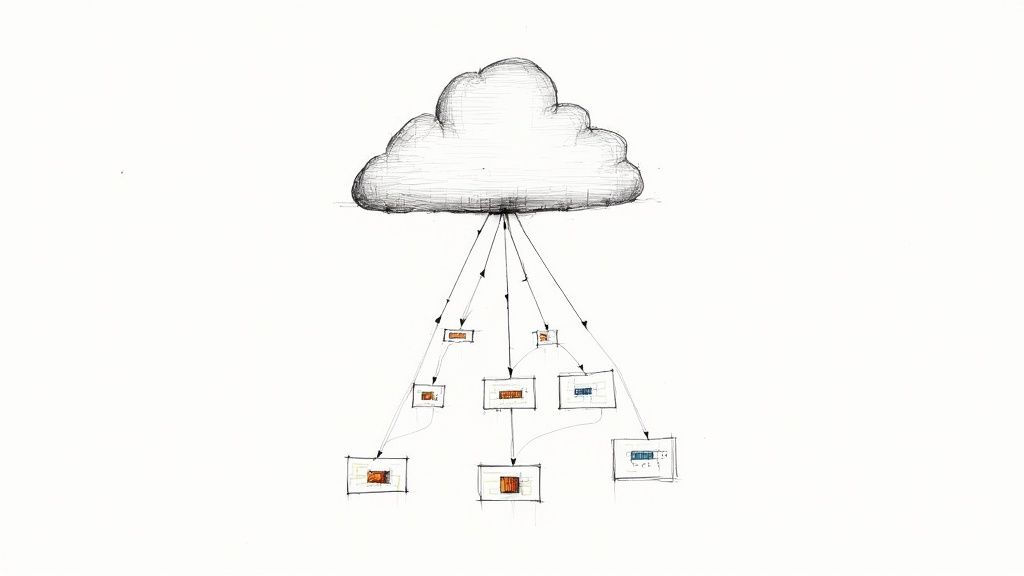
    Your choice of a feature toggle solution is an investment in your development process. An initial assessment of TCO that includes engineering hours for maintenance and support is critical to making a financially and technically sound decision.

    To pick the right option, you have to look past the initial setup. Think about the long-term ripple effects across your entire software delivery lifecycle. A good tool just melts into your workflow, but the wrong one will add friction and headaches at every turn. If you want to learn more about how to make these integrations smooth, check out our deep dive on CI/CD pipeline best practices.

    Feature Toggle Solution Comparison In-House vs Open-Source vs Commercial

    Making an informed choice requires a structured comparison. What works for a five-person startup is going to be a terrible fit for a large enterprise, and vice-versa. The right answer depends entirely on your team's unique situation.

    Use this table as a starting point for your own evaluation. Weigh each point against your team's skills, priorities, and business goals to figure out which path makes the most sense for you.

    Evaluation Criteria In-House (Build) Open-Source Commercial (SaaS)
    Initial Cost Very High (Engineering hours) Low to Medium (Setup time) Medium (Subscription fee)
    Total Cost of Ownership Highest (Ongoing maintenance) Medium (Hosting & support) Low to Medium (Predictable fee)
    Scalability Team-dependent Self-managed High (Managed by vendor)
    Security Full control; full responsibility Self-managed; community-vetted High (Vendor-managed, often certified)
    Required Team Skills Expert-level developers & SREs Mid-to-Expert DevOps skills Minimal; focused on SDK usage
    Support Internal team only Community forums; no SLA Dedicated support; SLAs
    Time to Value Slowest Medium Fastest

    Ultimately, there's no single "best" answer. The build-it-yourself approach offers unparalleled customization but demands massive investment. Open-source gives you control without starting from zero, and commercial solutions get you to the finish line fastest by handling all the heavy lifting for you.

    Best Practices for Managing Toggle Debt

    Image

    While a handful of feature toggles are easy to track, a system with hundreds—or even thousands—can quickly spiral into chaos. This is what we call toggle debt. It's a specific kind of technical debt where old, forgotten, or badly documented flags pollute your codebase. Left unchecked, this debt increases cognitive load, injects bugs through unexpected interactions, and makes the system difficult to reason about.

    Effective feature toggle management isn’t just about flipping new switches on. It’s about being disciplined with their entire lifecycle, from birth to retirement. Adopting strict engineering habits is the only way to keep your toggles as a powerful asset instead of a ticking time bomb.

    It's no surprise the global market for this kind of software is booming, especially with Agile and DevOps practices becoming standard. As companies in every sector from retail to finance lean more on these tools, the need for disciplined management has become critical. Cloud-based platforms are leading the charge, thanks to their scalability and easy integration. You can see a full market forecast in this feature toggles software report from Archive Market Research.

    Establish Clear Naming Conventions

    Your first line of defense against toggle debt is a consistent and machine-parseable naming convention. A flag named new-feature-toggle is useless. A good name should communicate its purpose, scope, and ownership at a glance.

    A solid naming scheme usually includes these components, separated by a delimiter like a hyphen or colon:

    • Team/Domain: checkout, search, auth
    • Toggle Type: release, ops, exp, perm
    • Feature Name: new-payment-gateway, elastic-search-reindex
    • Creation Date/Ticket: 2024-08-15 or JIRA-123

    A flag named checkout:release:paypal-express:JIRA-1234 is instantly understandable. It belongs to the checkout team, it's a temporary release toggle for the PayPal Express feature, and all context can be found in a specific Jira ticket. This structured format also allows for automated tooling to find and flag stale toggles.

    Define a Strict Toggle Lifecycle

    Every temporary feature toggle (Release, Experiment) must have a predefined lifecycle. Without a formal process, short-term toggles inevitably become permanent fixtures, creating a complex web of dead code and conditional logic.

    A feature toggle without an expiration date is a bug waiting to happen. The default state for any temporary toggle should be "scheduled for removal."

    This lifecycle needs to be documented and, wherever you can, automated.

    1. Creation: When a flag is created, it must have an owner, a link to a ticket (e.g., Jira, Linear), and a target removal date. This should be enforced by the management platform.
    2. Activation: The flag is live, controlling a feature in production.
    3. Resolution: The feature is either fully rolled out (100% traffic) or abandoned. The flag is now considered "stale" and enters a cleanup queue.
    4. Removal: A ticket is automatically generated for the owner to remove the flag from the codebase and archive it in the management platform.

    This kind of structured process is a hallmark of a healthy engineering culture. For a deeper dive into taming code complexity, check out our guide on how to manage technical debt.

    Assign Explicit Ownership and Monitor Stale Flags

    Accountability is critical. Every toggle needs a designated owner—an individual or a team—responsible for its maintenance and eventual removal. This prevents the "orphan toggle" problem where no one knows why a flag exists or if it's safe to remove.

    Integrate toggle monitoring directly into your CI/CD pipeline and project management tools. A static analysis check in your CI pipeline can fail a build if it detects code referencing a toggle that has been marked for removal. A simple dashboard can also provide visibility by highlighting:

    • Flags without a designated owner.
    • Flags past their target removal date.
    • Flags that have been in a static state (100% on or 100% off) for over 90 days.

    Set up automated Slack or email alerts to notify owners when their toggles become stale. By making toggle debt visible and actionable, you transform cleanup from a painful manual audit into a routine part of the development workflow.

    Once you get the hang of basic feature toggles, you can start exploring some seriously powerful stuff. Think of it as moving beyond simple on/off light switches to building a fully automated smart home. The real future here is in making your feature toggles intelligent, connecting them directly to your observability tools so they can practically manage themselves.

    The most exciting development I'm seeing is AI-driven toggle automation. Picture this: you roll out a new feature, and instead of nervously watching dashboards, a machine learning model does it for you. It keeps an eye on all the crucial business and operational metrics in real-time.

    If that model spots trouble—maybe error rates are spiking, user engagement plummets, or conversions take a nosedive—it can instantly and automatically flip the feature off. No human panic, no late-night calls. This is a game-changer for reducing your Mean Time to Recovery (MTTR) because the system reacts faster than any person ever could.

    Granular Targeting and Progressive Delivery

    Advanced toggles also unlock incredibly precise user targeting, which is essential for canary releases or complex beta tests. Forget just rolling out to 10% of users. You can now define super-specific rules based on all sorts of user attributes.

    For instance, you could target a new feature only to:

    • Users on a "Pro" subscription plan, who are located in Germany, and are using the latest version of your mobile app.
    • Internal employees for "dogfooding," but only during peak business hours to see how the feature handles real-world load.
    • A specific segment of beta testers, but only if their accounts are more than 90 days old.

    This level of detail lets you expose new, potentially risky code to very specific, low-impact groups first. You get targeted feedback and performance data from the exact people you want to hear from, minimizing any potential fallout. This approach also has huge security implications, since controlling who sees what is critical. To go deeper on this, it's worth reading up on DevOps security best practices to make sure your rollouts are buttoned up.

    By integrating feature toggles directly with observability platforms, you create a powerful closed-loop system. Toggles report their state and impact, while monitoring tools provide the performance data needed to make automated, intelligent decisions about the feature's lifecycle.

    When you connect these dots, your feature flags transform from simple if/else statements into an intelligent, automated release control plane. It's the ultimate expression of decoupling deployment from release, paving the way for safer, faster, and more data-driven software delivery.

    Technical FAQ on Feature Toggle Management

    When you're first getting your hands dirty with a real feature toggle system, a few technical questions pop up again and again. Let's tackle some of the most common ones I hear from engineers in the field.

    Do Feature Toggles Add Performance Overhead?

    Yes, but the overhead is almost always negligible if implemented correctly. A server-side evaluation in a modern system typically adds single-digit milliseconds of latency to an initial request. SDKs are highly optimized, using global CDNs and streaming updates to fetch rules, then caching them in-memory for near-instantaneous evaluation (microseconds) on subsequent calls within the same process.

    The key is proper implementation:

    • Don't re-fetch rules on every check. The SDK handles this.
    • Do initialize the SDK once per application lifecycle (e.g., on server start).
    • On the client-side, load the SDK asynchronously (<script async>) to avoid blocking page render.

    How Do Toggles Work in Serverless Environments?

    They are an excellent fit for environments like AWS Lambda or Google Cloud Functions. Since functions are often stateless, a feature flagging service acts as an external, dynamic configuration store, allowing you to alter a function's behavior without redeploying code.

    The typical flow is:

    1. Cold Start: The function instance initializes. The feature flag SDK is initialized along with it and fetches the latest flag rules.
    2. Warm Invocation: For subsequent invocations of the same warm instance, the SDK is already initialized and uses its in-memory cache of rules for microsecond-fast evaluations.

    This pattern allows for powerful strategies like canary releasing a new version of a Lambda function to a small percentage of invocations or using a kill switch to disable a problematic function instantly.

    The real risk with feature toggles isn't a few milliseconds of latency—it's letting complexity run wild. A system choked with hundreds of old, forgotten flags creates way more technical debt and unpredictable bugs than any well-managed flag check ever will.

    What Happens if the Flag Service Goes Down?

    This is a critical resilience concern. Any production-grade feature flagging platform and its SDKs are designed with failure in mind. SDKs have built-in fallback mechanisms.

    When an SDK initializes, it fetches the latest flag rules and caches them locally (either in-memory or on-disk). If the connection to the feature flag service is lost, the SDK will continue to serve evaluations using this last-known good configuration. This ensures your application's stability. As a final layer of defense, you should always provide a default value in your code (client.isEnabled('my-feature', default_value=False)). This ensures predictable behavior even if the SDK fails to initialize entirely.


    Ready to streamline your release cycles and eliminate deployment risks? OpsMoon connects you with the top 0.7% of remote DevOps engineers who specialize in implementing robust feature toggle management systems. Get a free DevOps work plan and see how our experts can accelerate your software delivery today.

  • 8 Critical Workflow Automation Benefits for DevOps in 2025

    8 Critical Workflow Automation Benefits for DevOps in 2025

    In today's competitive software delivery landscape, speed and reliability are non-negotiable. Manual processes, inconsistent environments, and human error are the primary bottlenecks holding DevOps teams back from achieving elite performance. The most effective solution lies in systematically removing these friction points. Workflow automation is not merely a matter of convenience; it's a strategic imperative for building resilient, scalable, and high-velocity software delivery lifecycles (SDLC).

    This article moves beyond generic praise to provide a technical, actionable breakdown of the core workflow automation benefits. We will dissect eight critical advantages, providing concrete implementation examples, code snippets, and architectural patterns. You will learn not just what the benefits are, but how to technically achieve them within your CI/CD pipelines, infrastructure management, and operational workflows. We'll explore how platforms like OpsMoon provide the expert guidance and engineering talent needed to transform these concepts into tangible business outcomes. This starts with a comprehensive work planning session designed to map your unique automation journey from start to finish. This guide is your blueprint for unlocking hyper-productivity and a more robust operational posture.

    1. Benefit 1: Radically Increased Deployment Frequency and Velocity

    One of the most immediate and tangible workflow automation benefits is the dramatic acceleration of your software delivery lifecycle. By systematically automating the build, test, and deployment stages within a Continuous Integration and Continuous Deployment (CI/CD) pipeline, teams can fundamentally change their release cadence. This transition moves organizations from risky, monolithic monthly or weekly releases to a model supporting multiple, low-risk deployments per day.

    This isn't just about raw speed; it's about strategic velocity. Each deployment represents a smaller batch of changes, which inherently lowers the risk associated with each release. Smaller, frequent updates are easier to troubleshoot and roll back if necessary, drastically reducing the mean time to recovery (MTTR).

    How It Works: The Automated Conveyor Belt

    A fully automated pipeline acts as a high-speed conveyor belt for your code. It systematically moves committed code from a developer's local machine to the production environment with minimal, if any, human intervention. This process ensures every change undergoes the exact same rigorous, repeatable sequence of quality gates.

    • Trigger: A developer commits code to a feature branch in a Git repository. A webhook from GitLab, GitHub, or Bitbucket triggers a CI job.
    • Build: The CI server (e.g., Jenkins, GitLab CI, GitHub Actions) pulls the code and compiles it into a deployable artifact, such as a Docker image, which is then pushed to a container registry like Docker Hub or AWS ECR.
    • Test: A suite of automated tests is executed against the artifact. This includes unit tests (e.g., using Jest for Node.js), integration tests (e.g., using Pytest for Python), and security scans (SAST via SonarQube, DAST via OWASP ZAP).
    • Deploy: If all tests pass, the artifact is automatically deployed to a staging environment. Following automated smoke tests against staging, a promotion to production is initiated using strategies like blue-green (via DNS switching with Route 53) or canary deployments (managed by a service mesh like Istio or a tool like Argo Rollouts).

    Key Insight: The goal is not just to automate steps but to create a self-validating delivery system. This system provides rapid, actionable feedback. For example, a failed unit test in a GitLab CI pipeline can post a direct comment on the merge request, empowering developers to fix issues within minutes of committing code.

    This high level of automation is a cornerstone of elite-performing DevOps teams. By removing manual bottlenecks and human error, you create a reliable, predictable, and fast path to production, which is a critical advantage in today's competitive market.

    2. Enhanced Accuracy and Reduced Human Error

    Beyond speed, one of the most critical workflow automation benefits is the systematic elimination of human error. Manual processes, no matter how well-documented, are inherently susceptible to mistakes, especially in complex, repetitive tasks like configuration management, data entry, or compliance checks. Automation enforces perfect consistency by executing every task according to predefined, machine-readable logic.

    This shift moves teams from a culture of "double-checking" and manual validation to one of inherent trust in the process. When a workflow is automated, it performs the same way every time, removing the variability and fatigue that lead to costly mistakes. For example, JPMorgan Chase’s COIN platform automated the review of commercial loan agreements, a task that previously consumed 360,000 hours of manual work annually, and significantly reduced documentation errors.

    Enhanced Accuracy and Reduced Human Error

    How It Works: The Immutable Rulebook

    An automated workflow operates like an immutable rulebook for your processes. It ensures that every action, from provisioning infrastructure with Terraform to running security scans, adheres to a strict, version-controlled definition of "correct." This principle, rooted in quality management theories popularized by figures like W. Edwards Deming, ensures that process quality is built-in, not inspected-in.

    • Define: Tasks are defined declaratively using code (Infrastructure as Code, Policy as Code). This creates a single source of truth. For example, a Terraform module defines an AWS S3 bucket with versioning and encryption enabled. This module is stored in Git.
    • Execute: The automation engine (e.g., a CI/CD pipeline running terraform apply -auto-approve) reads the definition and executes the steps precisely, without deviation.
    • Validate: Automated checks and assertions are built into the workflow. An integration test using a framework like Terratest can run post-deployment to verify the S3 bucket's properties match the defined state.
    • Log & Alert: Every action is meticulously logged. If a Terraform plan drift is detected, a tool like Atlantis can post a comment in a pull request and trigger a PagerDuty alert, allowing for swift, targeted intervention.

    Key Insight: The goal is to make the "right way" the only way. By codifying operational procedures and compliance rules (e.g., using Open Policy Agent to enforce Kubernetes pod security policies), you remove ambiguity and the potential for human misinterpretation, creating a system that is not only faster but fundamentally more reliable and secure.

    This approach is invaluable for regulated industries where compliance is non-negotiable. By automating evidence collection and enforcement of security policies, you build a continuously compliant system that can withstand rigorous audits with minimal manual effort.

    3. Significant Cost Reduction

    One of the most compelling workflow automation benefits is a direct and substantial reduction in operational costs. By automating repetitive, labor-intensive tasks, organizations can reallocate human capital to more strategic, value-adding activities. This shift dramatically reduces expenses related to manual labor, error correction, and inefficient resource management.

    Significant Cost Reduction

    This isn't just about cutting headcount; it's about optimizing your financial and human resources for maximum impact. Automation minimizes the costly downstream effects of human error, from security vulnerabilities requiring emergency patching to system misconfigurations causing outages. As highlighted in research from institutions like the McKinsey Global Institute, the ROI from automation is often realized within the first year.

    How It Works: The Automated Financial Engine

    Automation acts as a financial engine, systematically driving down costs by optimizing processes and resource consumption. It turns variable, unpredictable operational expenses into fixed, manageable ones, creating a more predictable financial model for your technology stack.

    • Task Elimination: High-volume, manual processes like server provisioning, patch management (using AWS Systems Manager), and compliance reporting are executed automatically, freeing up engineers and reducing labor hours.
    • Error Reduction: Automated quality gates, security scans (e.g., trivy for container images), and configuration checks catch issues early, preventing expensive production failures that incur costs from downtime and customer churn.
    • Resource Optimization: Automation scripts can scale cloud resources up or down based on real-time demand. A Kubernetes Horizontal Pod Autoscaler (HPA) can increase pod replicas based on CPU metrics from Prometheus. For non-production environments, a scheduled Lambda function or a tool like cloud-nuke can automatically shut down or destroy resources outside of business hours (e.g., 7 PM to 7 AM).

    Key Insight: The primary financial benefit of automation isn't just about doing the same work with fewer people. It's about empowering your existing team to achieve more, innovate faster, and build more resilient systems, all while actively lowering the total cost of ownership (TCO) of your infrastructure through programmatic cost controls.

    This strategic approach to cost management is crucial for sustainable growth. By implementing robust automation, you not only reduce immediate operational expenses but also establish a scalable, cost-efficient foundation that supports future business expansion. For deeper insights into managing infrastructure expenses, explore these cloud cost optimization strategies.

    4. Improved Employee Satisfaction and Productivity

    A critical, yet often overlooked, workflow automation benefit is its profound impact on your team's morale and effectiveness. By automating the mundane, repetitive tasks that cause cognitive drain and burnout, you empower your technical staff to redirect their energy toward high-value, strategic work. This transition is essential for fostering innovation and preventing talent attrition.

    When skilled engineers are no longer bogged down by manual deployments, repetitive script execution, or ticket-based provisioning requests, they can engage in activities that truly drive business value. This includes designing robust system architectures, developing new product features, and solving complex engineering challenges, which leads to higher job satisfaction and better utilization of your organization’s human capital.

    How It Works: Shifting from Toil to Engineering

    Automation acts as a force multiplier for your team's talent. It systematically identifies and eliminates "toil," a concept popularized by Google's Site Reliability Engineering (SRE) culture, which refers to manual, repetitive, tactical work that scales linearly with service growth. Freeing engineers from this toil is a direct investment in their productivity and long-term engagement.

    • Task Identification: Identify recurring manual tasks from your team's tickets or retrospectives. Examples include provisioning a temporary test database, running vulnerability scans on a schedule, or resetting user passwords in a staging environment.
    • Automation: Implement scripts and workflows to handle these tasks. For example, create an Ansible playbook to provision the test database, a GitHub Actions workflow that runs a security scanner on a nightly cron schedule, or a Slack bot that triggers a Jenkins job for the password reset.
    • Redeployment: Reallocate the reclaimed engineering hours. The time saved from manual database setups can now be spent on optimizing database query performance or designing a more resilient data architecture.
    • Empowerment: Provide engineers with a "paved road" platform (e.g., a self-service portal built on Backstage.io) to build and share their own automations, fostering a culture of ownership and scaling the impact.

    Key Insight: The true value of this benefit isn't just about saving time; it's about reallocating your most expensive resource, engineering talent, to its highest and best use. Automation transforms a team's focus from reactive maintenance to proactive innovation, directly boosting productivity and job satisfaction.

    This shift is crucial for retention. Highly skilled engineers seek roles where they can solve interesting problems and grow their expertise. An environment burdened by manual processes is a significant driver of turnover, whereas a highly automated one becomes a key differentiator for attracting and retaining top-tier talent.

    5. Enhanced Scalability and Business Growth

    One of the most powerful workflow automation benefits is the ability to decouple business growth from resource constraints. By automating core operational and delivery processes, organizations can handle massive increases in volume and complexity without a proportional increase in manual effort, headcount, or infrastructure overhead. This inherent scalability is what allows a company to transition from a startup to an enterprise without its internal systems collapsing under the weight of its own success.

    This isn't just about handling more server requests; it's about scaling the entire business model. Automated workflows ensure that whether you're serving one hundred customers or one hundred million, the process for provisioning services, deploying updates, or managing user data remains consistent, reliable, and efficient. This capability, popularized by hyperscalers like AWS and startup methodologies like "Blitzscaling," is critical for capturing market share and responding to sudden spikes in demand.

    How It Works: The Elastic Infrastructure Framework

    Automated workflows create an elastic framework that can expand and contract in response to real-time business needs. Instead of manually provisioning servers or onboarding new customers, automation scripts and infrastructure-as-code (IaC) templates handle these tasks programmatically, ensuring speed and consistency at any scale.

    • Trigger: Monitoring systems like Prometheus fire an alert when a metric (e.g., http_requests_total for a specific service) exceeds a predefined threshold. This alert is sent to an Alertmanager instance.
    • Action: Alertmanager sends a webhook to an automation engine like OpsMoon's platform or a custom serverless function (e.g., AWS Lambda).
    • Execution: The engine executes a predefined runbook. In a Kubernetes context, this could involve a script that executes kubectl scale deployment/my-app --replicas=10. In an AWS EC2 context, a Terraform script is triggered to modify the desired_capacity of an Auto Scaling Group.
    • Validation: The system automatically verifies that the new resources are healthy. A Kubernetes readiness probe checks if new pods can serve traffic before they are added to the service endpoint. An AWS ALB health check confirms an EC2 instance is responsive before it's added to the load balancer pool.

    Key Insight: True scalability isn't about overprovisioning for peak demand. It's about creating intelligent, self-regulating systems that dynamically align resources with current needs, optimizing both performance and cost-efficiency. This transforms infrastructure from a fixed capital expense into a variable operational cost directly tied to business activity.

    By embedding scalability into your workflows from day one, you build a foundation for sustainable, rapid growth. This proactive approach ensures your technology stack is an enabler of business expansion, not a bottleneck.

    6. Better Compliance and Audit Trail Management

    Another powerful workflow automation benefit is the ability to enforce and document compliance systematically. Automated processes create an immutable, detailed record of every action, from code commit to production deployment, providing a comprehensive audit trail that simplifies adherence to strict regulatory standards like SOX, GDPR, or HIPAA. This moves compliance from a manual, error-prone checklist to an integrated, automated function of your delivery pipeline.

    This systematic approach fundamentally de-risks your operations. Instead of scrambling for evidence during an audit, you have a ready-made, verifiable log of every decision, approval, and technical step. This was demonstrated by Goldman Sachs, which leveraged automation to reduce regulatory reporting costs by 30% by ensuring every report was generated and filed through a validated, auditable workflow.

    How It Works: The Digital Notary

    An automated workflow acts as a digital notary, stamping every event with a timestamp, user ID, and contextual data. This creates a transparent, tamper-proof record that proves policies were followed, security scans were executed, and necessary approvals were granted before any change reached production. This is crucial for meeting the stringent requirements of frameworks like the Sarbanes-Oxley Act and GDPR.

    • Policy as Code: Compliance rules are codified. For instance, a GitHub branch protection rule can require status checks (e.g., passing tests and a SonarQube quality gate) and a review from a specific CODEOWNERS team before merging to main.
    • Immutable Logs: The CI/CD system (e.g., Jenkins) logs every console output to a centralized, searchable platform like the ELK Stack (Elasticsearch, Logstash, Kibana) with immutable storage policies on the underlying S3 bucket.
    • Automated Evidence Collection: A pipeline stage can be dedicated to evidence gathering. It can run a trivy scan on a container image and upload the JSON report to an S3 bucket, creating a direct link between a deployed artifact and its security posture.
    • Access Control Enforcement: Workflows enforce role-based access control (RBAC). A Jenkinsfile can use an input step that checks if the approving user is part of a specific LDAP group before proceeding with a production deployment.

    Key Insight: True compliance automation is about building audibility into the process, not just bolting it on afterward. The workflow itself becomes the primary source of truth for auditors, proving that your defined controls are not just documented but consistently enforced in practice.

    Integrating security and compliance checks directly into the automated pipeline is a core principle of modern DevSecOps. By making compliance an unavoidable gate in the path to production, you ensure adherence is consistent and verifiable. For a deeper dive into embedding these controls, explore our guide on DevOps security best practices.

    7. Faster Decision-Making Through Real-Time Insights

    In a competitive landscape where timing is everything, one of the most strategic workflow automation benefits is the ability to accelerate and improve decision-making. By automating data collection, aggregation, and visualization, organizations can equip stakeholders with real-time dashboards and intelligent alerts. This transforms decision-making from a reactive, intuition-based process into a proactive, data-driven discipline.

    This shift allows teams to respond instantly to changing conditions, whether it's an anomaly in system performance, a shift in user behavior, or a new market opportunity. Instead of waiting for manual end-of-week reports, leaders get immediate access to critical information, enabling them to make informed choices that directly impact business outcomes.

    How It Works: The Automated Data-to-Decision Pipeline

    An automated insights pipeline acts as a central nervous system for your operations, continuously collecting and processing signals from various sources and presenting them as actionable intelligence. This system ensures that key performance indicators (KPIs) are always current and contextually relevant.

    • Data Collection: Automated agents like Prometheus exporters or the OpenTelemetry Collector are deployed alongside applications to continuously gather metrics (e.g., request latency, error rates), logs, and distributed traces.
    • Aggregation & Analysis: A central observability platform like Grafana Cloud or Datadog ingests this raw telemetry. It uses query languages like PromQL to aggregate data and run real-time analysis, such as calculating the 95th percentile latency or error rate SLOs over a rolling window.
    • Visualization & Alerting: The processed data is fed into live Grafana dashboards that visualize KPIs. Alerting rules are defined in Prometheus. When an alert fires (e.g., an SLO burn rate is too high), Alertmanager routes it to the correct on-call engineer via PagerDuty, including a link to a relevant dashboard for immediate context.

    Key Insight: The true power lies in closing the feedback loop between operational data and strategic action. Automation doesn't just present data; it delivers pre-analyzed insights that highlight exactly what needs attention, reducing cognitive load and empowering leaders to focus on the "what to do next" rather than "what is happening."

    This capability is essential for high-velocity environments, like Tesla's production lines, where real-time quality data triggers automated adjustments to prevent defects. By embedding this data-driven approach, you create a more resilient and adaptive organization.

    8. Improved Customer Experience and Service Quality

    Beyond internal development cycles, one of the most powerful workflow automation benefits is the direct enhancement of the end-user experience. By automating key customer-facing processes, you ensure service delivery is consistently fast, reliable, and standardized. This systematic approach eliminates variability and human error from critical touchpoints, leading to higher customer satisfaction and a stronger brand reputation.

    This isn't about replacing human agents but augmenting them. Automation handles the high-volume, repetitive tasks, freeing up support teams to focus on complex, high-value customer interactions. For instance, automating account verification or order status lookups provides instant answers for customers and reduces the support queue, leading to better outcomes for everyone.

    How It Works: The Automated Service Layer

    An automated service layer acts as an intelligent, always-on interface between your customers and your backend systems. It intercepts common requests and fulfills them instantly without needing to escalate to a human. This is often achieved by integrating service desk platforms with backend APIs and automation runbooks.

    • Trigger: A customer submits a ticket in a system like Zendesk or ServiceNow with a specific category, like "Password Reset Request".
    • Process: The ticketing system fires a webhook. A middleware tool like Zapier or a custom AWS Lambda function receives the webhook payload, parsing the user's email and request type.
    • Execution: The automation executes a pre-defined runbook. For a password reset, it makes an API call to your identity provider (e.g., Okta or Auth0) to trigger a secure password reset email to the verified user address. For an "Order Status" request, it queries your order database using the customer's ID.
    • Resolution: The result is communicated back. The Lambda function makes an API call back to Zendesk to update the ticket with the status "A password reset link has been sent" and automatically closes it, providing instant resolution.

    Key Insight: The goal is to create a self-service ecosystem that empowers customers. When users can resolve their own issues instantly and reliably, their perception of the service shifts from being a point of friction to a seamless and positive part of their overall experience, as exemplified by Amazon's customer-centric automation philosophy.

    By automating these key interactions, you build a resilient and scalable customer service operation. This is critical for maintaining high service quality during periods of rapid growth or unexpected demand spikes, directly linking operational efficiency to customer loyalty.

    Workflow Automation Benefits Comparison

    Aspect Increased Operational Efficiency Enhanced Accuracy and Reduced Human Error Significant Cost Reduction Improved Employee Satisfaction and Productivity Enhanced Scalability and Business Growth Better Compliance and Audit Trail Management Faster Decision-Making Through Real-Time Insights Improved Customer Experience and Service Quality
    Implementation Complexity Moderate setup with customization for complex flows Requires accurate rule setup and testing High upfront technology and training investment Moderate; requires change management and retraining High; complex scalable systems need thorough design Moderate to high due to complex compliance rules High; needs sophisticated analytics and data systems Moderate; integration and human handoff essential
    Resource Requirements Automation tools, workflow mapping, maintenance Rule engines, validation systems, ongoing audits Technology, training, licensing, ongoing support Training, communication, employee involvement Scalable infrastructure, cloud solutions, monitoring Compliance software, audit systems, data storage Real-time data streams, dashboards, analytic platforms Multichannel support systems, CRM, integration layers
    Expected Outcomes Faster task completion, consistent execution Near-zero errors, improved data integrity Reduced operational and correction costs Higher engagement, creativity, reduced turnover Rapid growth with consistent quality Simplified audits, reduced legal/financial risks Faster, data-driven, proactive decisions Consistent, fast, reliable customer service
    Ideal Use Cases Routine, repetitive operations, cross-system tasks Data entry, calculations, compliance activities High-volume repetitive tasks with cost impact Tasks with high monotony, creativity-needed roles Businesses with fluctuating volume and expansion goals Regulated industries, audit-heavy environments Dynamic markets needing real-time responsiveness Customer support, multi-channel service
    Key Advantages Time savings, reduced bottlenecks, process standard Reduced errors, compliance, audit transparency Immediate and scalable cost savings Improved morale, skill utilization, retention Scalability without linear resource increase Risk reduction, regulatory adherence, accountability Rapid insights, proactive issue resolution Higher satisfaction, loyalty, consistent brand experience

    From Theory to Practice: Activating Your Automation Strategy

    Throughout this article, we have dissected the core workflow automation benefits that empower modern DevOps and software delivery teams. From enhancing operational efficiency with CI/CD pipelines to bolstering security with automated compliance checks, the evidence is clear. Shifting from manual, reactive processes to a proactive, automated framework is no longer a luxury; it is a fundamental requirement for building resilient, scalable, and secure software systems.

    The journey we've mapped out demonstrates that automation is far more than just writing scripts. It's about engineering a new operational paradigm. The key takeaways from our exploration underscore a unified theme: strategic, incremental implementation is the key to unlocking transformative results. You don't need to overhaul your entire infrastructure at once. Success is built by targeting your most significant bottlenecks first, whether that's slow manual testing cycles, inconsistent environment provisioning, or cumbersome compliance reporting.

    Your Blueprint for Actionable Automation

    To translate these concepts into tangible outcomes, consider this structured approach:

    1. Identify a High-Impact, Low-Risk Target: Pinpoint a recurring manual task that consumes significant engineering time but has a limited blast radius if automated incorrectly. A great starting point could be automating the creation of development environments using Terraform or standardizing your build process with a simple Jenkins or GitLab CI pipeline.
    2. Define Success Metrics: Before you write a single line of code, determine how you will measure the impact. Will you track a reduction in deployment time, a decrease in production rollback incidents, or fewer security vulnerabilities identified in pre-production? Concrete metrics are essential for demonstrating value and securing buy-in for future initiatives.
    3. Implement and Iterate: Build the initial automation, deploy it, and gather feedback. Treat your automation code with the same rigor as your application code. It should be version-controlled, tested, and documented. This initial win builds the momentum and organizational confidence needed to tackle more complex challenges, such as implementing a full-scale GitOps workflow with Argo CD or an automated incident response system.

    The Lasting Impact of Strategic Automation

    Mastering these automation principles delivers compounding value. The initial investment in automating one workflow frees up engineering talent to focus on the next, creating a virtuous cycle of continuous improvement. The real power of realizing these workflow automation benefits lies not just in the individual efficiencies gained but in the cultural shift it fosters. It moves your team from a state of constant firefighting to one of strategic innovation, where engineers are empowered to build robust, self-healing systems rather than simply reacting to failures. This transition is the cornerstone of elite-performing technology organizations, enabling them to deliver value to customers faster, more reliably, and more securely than their competitors.


    Ready to turn your automation strategy into a production-grade reality? OpsMoon connects you with a curated network of elite, freelance DevOps, SRE, and Platform Engineering experts who specialize in building the sophisticated systems discussed in this article. Start with a complimentary work planning session to architect your roadmap and get matched with the precise talent you need to accelerate your journey toward achieving these critical workflow automation benefits.

  • How to Manage Technical Debt: A Practical Guide for Engineers

    How to Manage Technical Debt: A Practical Guide for Engineers

    Managing technical debt starts with treating it like an engineering liability that impacts velocity, stability, and maintainability—not just a lingering annoyance. The only way to get a handle on it is to systematically identify, quantify, prioritize, and continuously refactor your systems. This requires moving beyond frantic, quick fixes and weaving debt management directly into your software development lifecycle (SDLC).

    Understanding the True Cost of Technical Debt

    Too many engineering teams see technical debt as a purely technical problem. A messy codebase, a deprecated library—something that only developers need to worry about. This perspective is dangerously shortsighted. In reality, technical debt is a business liability with measurable financial and operational consequences that ripple across the entire organization.

    Unchecked debt doesn’t just stay buried in your source code. It manifests as slower feature delivery, a higher change failure rate, and plummeting team morale. When your developers spend the majority of their time navigating spaghetti code, debugging production fires, or implementing convoluted workarounds, they aren't building the new, value-generating features you need. This directly throttles your ability to innovate and react to the market.

    The Financial and Operational Drain

    The "interest payments" on technical debt come in many forms. Consider an e-commerce platform built on a deprecated framework. Every new feature requires complex workarounds, easily doubling development time. Applying a critical security patch for a CVE becomes a multi-sprint project instead of a single-day hotfix, leaving the system exposed. This isn't a theoretical problem—it's a direct hit to developer productivity and security posture.

    Technical debt is like a credit card for your codebase. A little can be a strategic tool to ship faster, but letting the balance grow unchecked leads to crippling interest payments that eventually consume your entire development budget.

    This drain is entirely measurable. The total cost of technical debt for US businesses is estimated at a staggering $2.41 trillion annually. That number alone should tell you the scale of the problem. Companies that implement a formal reduction strategy see massive benefits. For example, some have eliminated hundreds of legacy platforms, cutting their technology footprint by nearly 30%. You can find more of these findings on Netguru.com.

    From Technical Issue to Business Risk

    To secure resources for managing technical debt, you must speak the language of the business. It's a skill that separates effective engineering leaders from those who struggle to get buy-in.

    Instead of saying, "Our codebase has high cyclomatic complexity," try this: "Launching the new checkout flow will take three months instead of one because our payment module is too fragile to modify without introducing breaking changes. This delay poses a Q3 revenue risk." This reframing is critical for getting buy-in from product managers, VPs, and the C-suite.

    To help articulate these risks, categorize different types of technical debt and map them directly to business impact.

    Types of Technical Debt and Their Business Impact

    This table breaks down technical symptoms and translates them into business consequences that leadership can understand and act on.

    Type of Debt Technical Symptoms Business Impact
    Architectural Debt Monolithic design, tight coupling between services, outdated patterns (e.g., SOAP instead of REST). Difficulty scaling, slow feature development, high cost of change, inability to adopt modern technologies.
    Code Debt High cyclomatic complexity, low cohesion, duplicate code (violates DRY principle), lack of comments, no clear standards. Increased bug rate (high defect density), longer onboarding for new developers, unpredictable release cycles.
    Testing Debt Low code coverage (<70%), flaky end-to-end tests, manual-only testing processes. Lack of confidence in deployments, more production incidents (higher MTTR), slower release velocity.
    Infrastructure Debt Outdated libraries with known CVEs, unpatched servers, manual deployment processes (ClickOps). Security vulnerabilities, compliance failures (e.g., failing a SOC 2 audit), system instability, and downtime.
    Knowledge Debt Poor or nonexistent documentation, key information siloed with one engineer, "tribal knowledge." Key-person dependency (high "bus factor"), project delays when people leave, inconsistent implementation.

    By framing the conversation this way, you move from complaining about code quality to identifying tangible business risks that demand a strategic response.

    Thinking of debt as a portfolio is another helpful mental model:

    • Strategic Debt: Intentionally taking a shortcut to meet a critical business objective, with a documented plan to refactor it in a specific future epic. This is calculated risk.
    • Unintentional Debt: Issues that creep in from evolving requirements, knowledge gaps, or suboptimal code written under pressure. The most common type.
    • Bit Rot: Code that was well-architected when written but has degraded over time as dependencies (libraries, frameworks, external APIs) have changed or become deprecated. This is a silent threat to stability.

    Each type carries a different risk profile and requires a distinct management strategy. When debt is poorly managed, it doesn't just drive up costs; it directly torpedoes system performance. That’s why a holistic approach to application performance optimization is so crucial, as it often forces you to confront and address the hidden debt that’s slowing everything down.

    Ultimately, truly understanding the cost is the first step. Only then can you start building a sustainable, high-velocity engineering culture that treats technical debt with the seriousness it deserves.

    A Practical Framework for Identifying Debt

    To manage technical debt, you must first find and measure it. A gut feeling that the codebase is "messy" is not actionable; you need empirical data. The best approach blends automated analysis with structured manual reviews, transforming a vague problem into a concrete backlog of addressable issues.

    This problem is bigger than most people think. Back in 2022, studies suggested that technical debt could make up a staggering 40% of a company's entire technology estate. The catch is, many executives don't even know it's a problem, which makes getting the time and resources to fix it a real uphill battle. You can dig deeper into these findings on Vfunction.com.

    Automated Code and Architecture Analysis

    The quickest way to get a quantitative baseline is with static analysis tools. Platforms like SonarQube, CodeClimate, or NDepend are essential for this. They scan your entire codebase and automatically flag common issues while calculating key health metrics.

    These tools are excellent at spotting specific red flags:

    • Code Smells: Patterns in the code that indicate deeper design problems. Common examples include "Long Method," "Large Class" (violating the Single Responsibility Principle), and "Feature Envy."
    • Cyclomatic Complexity: A metric that measures the number of linearly independent paths through a program's source code. A function with a cyclomatic complexity score above 10 is generally considered complex and difficult to test and maintain.
    • Code Duplication: Identifying copy-pasted code is a low-hanging fruit. Duplicated logic means a bug fix or feature enhancement must be replicated in multiple places, increasing maintenance overhead and risk.

    Here’s a look at a SonarQube dashboard. It provides a high-level, at-a-glance view of your code's health.

    Image

    As you can see, it turns abstract problems like "maintainability" into clear, trackable ratings and metrics.

    One of the most important metrics to track is the Technical Debt Ratio (TDR). TDR compares the estimated cost to fix existing code issues against the estimated cost it would take to rewrite the codebase from scratch. A TDR below 5% is a common industry benchmark for a healthy codebase.

    Manual Reviews and Structured Walkthroughs

    Automated tools are powerful, but they can't see the whole picture. They can't easily detect fundamental architectural flaws, poor domain modeling, or knowledge silos. That’s where human expertise is indispensable.

    Don't just rely on automation. The most expensive technical debt often lives in the architecture and design patterns that tools can't fully comprehend. A structured architectural review can uncover issues that would cost millions to fix later.

    Combine both approaches to build a 'debt log'—a dedicated backlog in your issue tracker (e.g., Jira, Linear) for technical debt. For every item, capture key metadata:

    1. The Problem: Be technically specific. E.g., "The OrderService class is tightly coupled to the StripePaymentProvider implementation, preventing the addition of other payment gateways."
    2. The Location: Pinpoint the exact file(s), module(s), or service(s).
    3. The Impact: Quantify it. E.g., "Slows down new payment provider integration by an estimated 80%. Causes 2 production bugs per quarter due to complex logic."
    4. Estimated Effort: A rough order of magnitude estimate (e.g., using T-shirt sizes or story points) of the time required to fix.

    Following this framework, you stop complaining about technical debt and start systematically identifying, measuring, and documenting it. This debt log is the foundation for prioritization.

    Prioritizing Technical Debt for Maximum Impact

    So, you've cataloged your technical debt. Now what? The critical question is always: where do we start?

    It’s tempting for engineers to jump on the gnarliest, most interesting technical problems first. But from a business perspective, that's usually the wrong move. The most effective way to tackle technical debt is to laser-focus on business impact and developer friction.

    Not all debt is created equal. If you prioritize based on technical complexity alone, you'll end up spinning your wheels on fixes that deliver little to no tangible value. The goal is data-driven decision-making that balances critical fixes with new feature delivery. You need a framework everyone—including non-technical stakeholders—can understand and support.

    The Technical Debt Quadrant

    A simple but incredibly powerful tool for this is the Technical Debt Quadrant. It’s a 2×2 matrix that helps categorize issues based on two axes: Business Impact (how much pain is this causing?) and Engineering Friction (how much does this slow down development?).

    This framework instantly shifts the conversation from "what's the ugliest code?" to "what's actively hurting the business or our development velocity right now?"

    Technical Debt Prioritization Quadrant

    Quadrant Description Example Action Plan
    High Impact / High Friction Issues causing immediate, severe problems and blocking development. A core service with a memory leak that crashes the app for 5% of users and makes debugging new features impossible. Fix Immediately. This is a P0/P1 issue. Drop current work and form a tiger team to resolve it.
    High Impact / Low Friction Systemic problems that are ticking time bombs but don't impede daily work yet. An outdated, vulnerable library (e.g., Log4j) that's not being actively exploited… yet. Schedule for Near-Term Sprints. These are high-priority backlog items. Get them on the roadmap with dedicated time and resources. Ignoring these is accepting a massive risk.
    Low Impact / High Friction Minor annoyances that constantly slow developers down. A convoluted local development setup that takes hours to configure or a flaky test suite that developers have to re-run constantly. Fix When Convenient. Address these during dedicated "hack days" or if a developer has downtime. Small quality-of-life wins.
    Low Impact / Low Friction The "won't fix" pile, at least for now. The effort to fix far outweighs any benefit. Poorly written code in a rarely-used, stable internal admin tool that works correctly. Log and Ignore. Document the issue in the debt log so it's not forgotten, but then de-prioritize it. Your time is better spent elsewhere.

    This quadrant approach provides a clear, defensible logic for your decisions. When a stakeholder asks why you aren't fixing their pet peeve, you can point to the quadrant and explain where resources are focused and, more importantly, why.

    The visual below really drives home the core principle here: balancing the business value of a fix against the effort it takes.

    Image

    High-impact fixes justify a significant effort. Low-impact ones? Not so much. It's that simple.

    Translating Risk into Business Terms

    To secure buy-in and resources, you must speak the language of business. Product managers and executives don't care about "refactoring monolithic services." They care about the outcomes of that work.

    Instead of saying, "We need to refactor the monolithic payment service," frame it as, "If we don't address the architectural debt in our payment service, we cannot launch support for Apple Pay this quarter, a feature our top competitor just released. We risk a 5% churn in our mobile user base."

    See the difference?

    When you frame the discussion around market competitiveness, security vulnerabilities (CVEs), or development slowdowns (cycle time), you connect engineering work to business goals. This makes paying down debt a shared responsibility, not just an "engineering thing."

    Effective Strategies for Debt Remediation

    Image

    You've got a prioritized debt log. Now for the real work: active remediation. This is where you execute against the backlog, turning identified issues into tangible improvements in your codebase's health and maintainability.

    The secret is to weave debt repayment into your regular development rhythm. It must become a sustainable habit, not a dreaded, one-off project. The most successful teams blend two key philosophies: continuous, small-scale refactoring and larger, dedicated remediation efforts.

    The Boy Scout Rule in Daily Development

    One of the simplest, most effective ways to manage technical debt is to live by the "Boy Scout Rule": always leave the code cleaner than you found it. This low-ceremony approach empowers every developer to make small, incremental improvements as part of their daily workflow.

    When a developer is already deep inside a module to add a feature or fix a bug, that's the perfect time to clean up the neighborhood.

    • Rename a confusing variable to improve clarity (e.g., d to elapsedTimeInDays).
    • Extract a few lines of logic into a clean, well-named private method.
    • Add a crucial Javadoc or comment to explain a complex business rule or algorithm.
    • Improve a test case to cover a missed edge case.

    These are not large tasks and don't derail the main objective. Over time, these small acts of hygiene compound, preventing the slow, silent decay of your code quality. It's a cultural shift that makes quality a shared, ongoing responsibility.

    The Boy Scout Rule is powerful because it reframes debt reduction. It's no longer a "special project" but a standard part of professional software engineering. You're building a habit of proactive quality.

    Structured Refactoring and Debt Reduction Sprints

    The Boy Scout Rule is fantastic for chipping away at small issues, but some debt is too large or systemic to fix on the fly. For these larger problems, you need a structured plan.

    A highly effective strategy is to allocate a fixed percentage of every sprint to technical debt. The 20% rule is a common benchmark: one full day out of a five-day week (or the story point equivalent) is dedicated to tackling tasks from the debt log. This carves out a predictable, consistent slot for making progress on high-impact debt without halting feature work.

    For truly thorny architectural issues, you may need a dedicated refactoring sprint (or "hardening sprint"). This is a focused effort where the team pauses new feature development for an entire sprint cycle to focus exclusively on paying down a major piece of debt, like breaking a monolithic service into microservices.

    While it can feel like a costly pause, it’s often a critical investment to unblock future development and boost long-term velocity. It’s not so different from making strategic investments in your infrastructure to save money later, a concept we explore in our guide on cloud cost optimization strategies.

    Practical Refactoring Techniques

    To make this concrete, let’s look at a classic refactoring pattern: Extract Method. We've all seen monstrous methods that violate the Single Responsibility Principle.

    Before Refactoring:

    public void processOrder(Order order) {
        // 10 lines of code to validate the order
        if (order.getItems().isEmpty()) {
            throw new InvalidOrderException("Order has no items");
        }
        // ... more validation logic
    
        // 15 lines of code to calculate the total price
        double total = 0;
        for (Item item : order.getItems()) {
            total += item.getPrice() * item.getQuantity();
        }
        // ... apply discounts, taxes, etc.
        order.setTotal(total);
    
        // 12 lines of code to save to the database
        database.save(order);
    
        // 8 lines of code to send a confirmation email
        emailService.sendConfirmation(order.getCustomer().getEmail(), order);
    }
    

    This method is hard to read, test, and change. Applying the Extract Method technique cleans it up significantly.

    After Refactoring:

    public void processOrder(Order order) {
        validateOrder(order);
        calculateTotalPrice(order);
        saveOrder(order);
        sendConfirmationEmail(order);
    }
    
    private void validateOrder(Order order) { /* ... 10 lines of validation logic ... */ }
    private void calculateTotalPrice(Order order) { /* ... 15 lines of pricing logic ... */ }
    private void saveOrder(Order order) { /* ... 12 lines of persistence logic ... */ }
    private void sendConfirmationEmail(Order order) { /* ... 8 lines of notification logic ... */ }
    

    The refactored code is now self-documenting, readable, and infinitely easier to maintain and test. Each method has a single, clear responsibility. This is a perfect example of how a simple refactoring technique directly pays down technical debt.

    Building a Culture of Proactive Debt Management

    Remediating technical debt is a good start, but it's only half the battle. If you don't change the development practices that create debt in the first place, you'll be trapped in a frustrating loop—fixing old problems while creating new ones.

    To truly get ahead, you must build a culture where quality is a collective responsibility. It needs to be proactive, not reactive. This goes beyond buying a new tool; it's about weaving debt prevention into the fabric of your team's daily operations, making it as natural as writing code. The goal is an environment where shortcuts are conscious, documented trade-offs, not careless habits.

    Establishing Standards and Rigor

    A solid first step is to establish clear, objective standards for what "good" looks like. This reduces ambiguity and makes it easier to hold each other accountable.

    Here are a few non-negotiable practices to build that foundation:

    • Rigorous Code Reviews: Every pull request must be reviewed by at least one other engineer. Use a PR template to prompt for considerations like test coverage, documentation updates, and potential new debt. This is a prime opportunity for knowledge sharing and catching issues before they are merged to the main branch.
    • Clear Coding Standards: Document team conventions for naming, formatting, and preferred architectural patterns (e.g., "favor composition over inheritance"). Use automated linters (ESLint, RuboCop) and formatters (Prettier, Black) integrated into pre-commit hooks to enforce these rules automatically.
    • High Automated Test Coverage: Set a specific, measurable target (e.g., 80% line coverage) and enforce it with quality gates in your CI pipeline. High test coverage acts as a regression safety net, giving developers the confidence to refactor aggressively without fear of breaking existing functionality.

    These practices form the bedrock of a quality-first culture. A powerful way to enforce them is to build quality gates directly into your automated delivery process. We've got a whole guide on CI/CD pipeline best practices that dives deep into how to set this up.

    Addressing Modern Technical Debt Vectors

    The nature of technical debt is evolving with technology. Modern trends introduce new complexities that can quickly generate debt if not managed proactively.

    A culture of quality isn't just about clean code; it's about anticipating how today's technology choices—from rushed AI models to unplanned cloud architectures—will impact tomorrow's agility. These are the new frontiers of hidden technical debt.

    Consider the rise of AI/ML, multi-cloud architectures, and tightening compliance regimes. Rushing an AI model into production without a plan for data drift, model retraining, or monitoring is a classic example of modern debt. You can discover more about these modern debt challenges on Oteemo.com.

    To combat this, the entire team needs a sense of collective ownership. Product managers must understand the long-term velocity cost of shipping a feature with high debt. Developers must feel empowered to push back on unrealistic timelines that force them to compromise on quality. When quality becomes a shared value, debt management becomes a natural part of building software, not an emergency cleanup project.

    Common Questions About Managing Technical Debt

    Even with a solid framework, practical questions about technical debt will always arise. Answering them helps bridge the gap between high-level strategy and day-to-day execution.

    How Much Time Should We Actually Dedicate to Fixing Technical Debt?

    There's no single magic number, but the 20% rule is a widely adopted and effective baseline.

    This means allocating 20% of each sprint's capacity (e.g., one day per week, or 20% of story points) specifically to tasks from the debt log. This creates a consistent, predictable cadence for remediation without halting feature development.

    For severe, high-impact architectural debt, you may need to schedule a dedicated “hardening sprint.” This involves pausing all new feature work for an entire sprint to tackle a major issue, like migrating a legacy database or breaking up a monolith. The key is consistency; making debt reduction a non-negotiable part of your sprint planning is what prevents it from spiraling out of control.

    Can We Ever Get Rid of All Technical Debt?

    No, and that shouldn't be the goal. A zero-debt codebase is a myth.

    Some debt is even strategic—a conscious trade-off to meet a critical deadline, documented with a ticket to address it later.

    The real objective is management, not elimination. Focus your energy on paying down the "high-interest" debt that actively slows down development or poses a significant business risk. Learn to accept and monitor low-impact debt that isn't causing immediate pain.

    How Do I Convince My Manager This Is Worth Investing In?

    You must speak their language: business outcomes, not technical jargon. Your manager doesn't care about "refactoring a service"; they care about what that work enables.

    Instead of saying, “We need to refactor the user service,” reframe it with data: “Fixing the N+1 query problem in the user service will reduce API latency by 200ms, cut our database costs by 15%, and unblock the development of the new permissions feature, which is currently blocked.”

    Use metrics that matter to the business: development velocity, cycle time, change failure rate, system downtime, and customer-reported bugs. Quantify the cost of inaction. Show how investing in quality now is a direct investment in future speed and stability.

    What’s the Difference Between a Bug and Technical Debt?

    This is a common point of confusion. They are related but distinct.

    • A bug is a defect where the software produces an incorrect or unexpected result. It's a failure to meet specifications. Example: Clicking "Submit" on a form clears the data instead of saving it.

    • Technical debt is a design or implementation flaw that makes the code hard to understand and modify, often leading to bugs. Example: The entire form submission logic is in a single, 2000-line function with no tests.

    Fixing the bug might be a one-line change to make the button work. Paying down the technical debt involves refactoring that monstrous function into smaller, testable units, making it maintainable for the future.


    Tackling technical debt requires a combination of robust strategy, a quality-first culture, and expert execution. If you're looking to accelerate your DevOps maturity and build more resilient, maintainable systems, OpsMoon can help. We connect you with top-tier remote engineers who specialize in everything from CI/CD automation to infrastructure as code. Start with a free work planning session to build your roadmap. Get started with OpsMoon today.

  • Top Database Migration Best Practices for DevOps Success

    Top Database Migration Best Practices for DevOps Success

    Database migration is one of the most high-stakes operations a DevOps team can undertake. A single misstep can lead to irreversible data loss, extended downtime, and severe performance degradation, impacting the entire business. As systems evolve and scale, migrating from legacy on-premise databases to modern cloud-native solutions, or shifting between different database technologies (e.g., from SQL to NoSQL), has become a routine challenge. However, routine does not mean simple.

    Success requires more than just moving data; it demands a strategic, technical, and methodical approach that is fully integrated into the DevOps lifecycle. Executing a flawless migration is a non-negotiable skill that separates high-performing engineering teams from the rest. This article moves beyond generic advice and dives deep into eight technical database migration best practices essential for any engineering team.

    We will cover the granular details of planning, executing, and validating a migration, providing actionable steps, technical considerations, and practical examples. From comprehensive data assessment and incremental migration strategies to robust testing, security, and rollback planning, you will gain the insights needed to navigate this complex process with precision and confidence.

    1. Comprehensive Data Assessment and Pre-Migration Planning

    The most critical phase of any database migration happens before a single byte of data is moved. A comprehensive data assessment is not a cursory check; it's a deep, technical audit of your source database ecosystem. This foundational step is arguably the most important of all database migration best practices, as it prevents scope creep, uncovers hidden dependencies, and mitigates risks that could otherwise derail the entire project.

    The objective is to create a complete data dictionary and a dependency graph of every database object. This goes far beyond just tables and columns. It involves a meticulous cataloging of views, stored procedures, triggers, user-defined functions (UDFs), sequences, and scheduled jobs. This granular understanding forms the bedrock of a successful migration strategy.

    How It Works: A Technical Approach

    The process involves two primary activities: schema discovery and data profiling.

    • Schema Discovery: Use automated tools to inventory all database objects. For JDBC-compliant databases like Oracle or PostgreSQL, SchemaSpy is an excellent open-source tool that generates a visual and interactive map of your schema, including entity-relationship (ER) diagrams and dependency chains. For others, you can run native catalog queries. For example, in SQL Server, you would query sys.objects and sys.sql_modules to extract definitions for procedures and functions.
    • Data Profiling: Once you have the schema, you must understand the data within it. This means analyzing data types, nullability, character sets, and data distribution. For instance, you might discover a VARCHAR(255) column in your source MySQL database that mostly contains integers, making it a candidate for a more efficient INT type in the target. This analysis directly informs schema conversion, such as mapping a PostgreSQL TIMESTAMP WITH TIME ZONE to a SQL Server DATETIMEOFFSET.

    Key Insight: A successful assessment transforms abstract migration goals into a concrete, technical roadmap. It helps you accurately estimate data transfer times, identify complex inter-object dependencies that could break applications, and pinpoint data quality issues like orphaned records or inconsistent formatting before they become production problems.

    Actionable Tips for Implementation

    • Document Everything Centrally: Use a tool like Confluence or a Git-based wiki to create a single source of truth for all findings, including schema maps, data type mappings, and identified risks.
    • Create Data Lineage Diagrams: Visually map how data flows from its source through various transformations and into its final tables. This is invaluable for understanding the impact of changing a single view or stored procedure.
    • Establish Clear Success Metrics: Before starting, define what success looks like. This includes technical metrics (e.g., less than 1% data validation errors, p99 query latency under 200ms) and business metrics (e.g., zero downtime for critical services).

    2. Incremental Migration Strategy

    Attempting to migrate an entire database in a single, high-stakes event, often called a "big bang" migration, is fraught with risk. An incremental migration strategy, one of the most critical database migration best practices, mitigates this danger by breaking the process into smaller, manageable, and verifiable phases. This approach treats the migration not as one monolithic task but as a series of controlled mini-migrations, often organized by module, business function, or even by individual tables.

    Incremental Migration Strategy

    This method, often associated with Martin Fowler's "Strangler Fig Pattern," allows teams to validate each phase independently, reducing the blast radius of potential failures. Tech giants like Stripe and GitHub have famously used this technique to move massive, mission-critical datasets with minimal disruption, demonstrating its effectiveness at scale.

    How It Works: A Technical Approach

    An incremental migration typically involves running the source and target databases in parallel while gradually shifting traffic and data. This requires a robust mechanism for data synchronization and a routing layer to direct application requests.

    • Phased Data Movement: Instead of moving all data at once, you transfer logical chunks. For example, you might start with a low-risk, read-only dataset like user profiles. Once that is successfully moved and validated, you proceed to a more complex module like product catalogs, and finally to high-transactional data like orders or payments.
    • Application-Level Routing: A proxy layer or feature flags within the application code are used to control which database serves which requests. Initially, all reads and writes go to the source. Then, you might enable dual-writing, where new data is written to both databases simultaneously. Gradually, reads for specific data segments are redirected to the new database until it becomes the primary system of record. For instance, using a feature flag, you could route GET /api/users to the new database while POST /api/orders still points to the old one.

    Key Insight: Incremental migration transforms a high-risk, all-or-nothing operation into a low-risk, iterative process. It provides continuous feedback loops, allowing your team to learn and adapt with each phase. This drastically improves the chances of success and significantly reduces the stress and potential business impact of a large-scale cutover.

    Actionable Tips for Implementation

    • Start with Read-Only or Low-Impact Data: Begin your migration with the least critical data segments. This allows your team to test the migration pipeline, tools, and validation processes in a low-risk environment before tackling business-critical data.
    • Implement a Data Reconciliation Layer: Create automated scripts or use tools to continuously compare data between the source and target databases. This "data-diff" mechanism is essential for ensuring consistency and catching discrepancies early during the parallel-run phase.
    • Maintain Detailed Migration Checkpoints: For each phase, document the exact steps taken, the data moved, the validation results, and any issues encountered. This creates an auditable trail and provides a clear rollback point if a phase fails, preventing a complete restart.

    3. Robust Backup and Recovery Strategy

    A migration without a bulletproof backup and recovery plan is a high-stakes gamble. This strategy is not merely about creating a pre-migration backup; it’s a continuous, multi-layered process that provides a safety net at every stage of the project. It ensures that no matter what fails, whether due to data corruption, network issues, or unexpected schema incompatibilities, you have a verified, immediate path back to a known-good state. This practice transforms a potential catastrophe into a manageable incident.

    The core principle is to treat backups as the primary artifact of your recovery plan. A backup is useless if it cannot be restored successfully. Therefore, this best practice emphasizes not just the creation of backups before, during, and after the migration, but the rigorous testing of restore procedures to guarantee their viability under pressure.

    Robust Backup and Recovery Strategy

    How It Works: A Technical Approach

    The implementation involves creating a hierarchy of backups and a documented, rehearsed recovery playbook.

    • Multi-Point Backups: Before the migration cutover begins, take a full, cold backup of the source database. During a phased or continuous migration, implement point-in-time recovery (PITR) capabilities. For example, PostgreSQL's continuous archiving (using archive_command) or SQL Server's full recovery model allows you to restore the database to any specific moment before a failure occurred. This is critical for minimizing data loss during the migration window.
    • Restore Drills: Regularly and systematically test your restore procedures. This means spinning up a separate, isolated environment, restoring your latest backup to it, and running a suite of validation scripts to check for data integrity and application connectivity. For instance, you could automate a weekly restore test using a CI/CD pipeline that provisions temporary infrastructure, runs the restore command (e.g., pg_restore or RMAN), and executes data validation queries.

    Key Insight: The true value of your backup strategy is measured by your confidence in your ability to restore, not by the number of backups you have. A tested recovery plan is one of the most vital database migration best practices because it provides the operational confidence needed to execute a complex migration, knowing you can roll back cleanly and quickly if needed.

    Actionable Tips for Implementation

    • Test Restores, Not Just Backups: Schedule regular, automated drills to restore backups to a staging environment. Validate data integrity and application functionality against the restored database.
    • Geographically Distribute Backups: Store backup copies in different geographic regions, especially when migrating to the cloud. Services like AWS S3 cross-region replication or Azure Geo-redundant storage (GRS) automate this process.
    • Automate Backup Verification: Use database-native tools or scripts to perform integrity checks on your backup files immediately after creation. For SQL Server, use RESTORE VERIFYONLY; for Oracle, use the VALIDATE command in RMAN.
    • Document and Practice Recovery Playbooks: Maintain clear, step-by-step documentation for your restore process. Run timed fire drills with the engineering team to ensure everyone knows their role in a recovery scenario.

    4. Data Validation and Quality Assurance

    A migration without rigorous data validation is a leap of faith that often ends in failure. Data validation is not a single, post-migration checkbox; it is a continuous quality assurance process woven into every stage of the project. This practice ensures data integrity, completeness, and accuracy by systematically verifying that the data in the target database is an exact, functional replica of the source data.

    The goal is to prevent data loss or corruption, which can have catastrophic consequences for business operations, analytics, and customer trust. Implementing a multi-layered validation strategy is one of the most critical database migration best practices, transforming a high-risk procedure into a controlled, predictable event. For example, financial institutions like Thomson Reuters implement real-time validation for time-sensitive data streams, ensuring zero corruption during migration.

    How It Works: A Technical Approach

    The process involves a three-phase validation cycle: pre-migration, in-flight, and post-migration.

    • Pre-Migration Baseline: Before any data is moved, establish a clear baseline of the source data. This involves running count queries on every table (SELECT COUNT(*) FROM table_name), calculating checksums on key columns, and profiling data distributions. For example, you might record the sum of a transactional amount column or the maximum value of an id field. These metrics serve as your immutable source of truth.
    • In-Flight and Post-Migration Reconciliation: After the migration, run the exact same set of queries and checksum calculations on the target database. The results must match the pre-migration baseline perfectly. For large datasets, this can be automated with scripts that compare row counts, checksums, and other aggregates between the source and target. Tools like datacompy in Python are excellent for performing detailed, column-by-column comparisons between two DataFrames loaded from the respective databases.

    Key Insight: Effective validation is about more than just matching row counts. It requires a deep, semantic understanding of the data. You must validate business logic by running predefined queries that test critical application functions, ensuring relationships, constraints, and business rules remain intact in the new environment.

    Actionable Tips for Implementation

    • Establish Data Quality Baselines: Before migrating, create a definitive report of key data metrics from the source. This includes row counts, null counts, min/max values for numeric columns, and checksums.
    • Automate Validation with Scripts: Write and reuse scripts (Python, shell, or SQL) to automate the comparison of pre- and post-migration baselines. This ensures consistency and significantly reduces manual effort and human error.
    • Use Statistical Sampling for Large Datasets: For multi-terabyte databases where a full data comparison is impractical, use statistical sampling. Validate a representative subset of data (e.g., 1-5%) in-depth to infer the quality of the entire dataset.
    • Involve Business Users in Defining Criteria: Work with stakeholders to define what constitutes "valid" data from a business perspective. They can provide test cases and queries that reflect real-world usage patterns.

    5. Performance Testing and Optimization

    A successful migration isn't just about moving data without loss; it's about ensuring the new system performs better or at least as well as the old one under real-world stress. Performance testing and optimization are non-negotiable database migration best practices. This phase validates that the target database can handle production workloads efficiently and meets all service-level objectives (SLOs) for latency and throughput.

    Failing to conduct rigorous performance testing is a common pitfall that leads to post-launch slowdowns, application timeouts, and a poor user experience. This step involves more than simple query benchmarks; it requires simulating realistic user traffic and system load to uncover bottlenecks in the new environment, from inefficient queries and missing indexes to inadequate hardware provisioning.

    How It Works: A Technical Approach

    The process centers on creating a controlled, production-like environment to measure and tune the target database's performance before the final cutover.

    • Load Generation: Use sophisticated load testing tools like JMeter, Gatling, or k6 to simulate concurrent user sessions and transactional volume. The goal is to replicate peak traffic patterns observed in your production analytics. For instance, if your application experiences a surge in writes during business hours, your test scripts must mimic that exact behavior against the migrated database.
    • Query Analysis and Tuning: With the load test running, use the target database's native tools to analyze performance. In PostgreSQL, this means using EXPLAIN ANALYZE to inspect query execution plans and identify slow operations like full table scans. In SQL Server, you would use Query Store to find regressed queries. This analysis directly informs what needs optimization, such as rewriting a query to use a more efficient join or creating a covering index to satisfy a query directly from the index.

    Key Insight: Performance testing is not a one-off check but a continuous feedback loop. Each identified bottleneck, whether a slow query or a configuration issue, should be addressed, and the test should be re-run. This iterative cycle, as demonstrated by engineering teams at Twitter and LinkedIn, is crucial for building confidence that the new system is ready for production prime time.

    Actionable Tips for Implementation

    • Test with Production-Scale Data: Use a sanitized but full-size clone of your production data. Testing with a small data subset will not reveal how indexes and queries perform at scale, providing a false sense of security.
    • Establish Performance Baselines: Before the migration, benchmark key queries and transactions on your source system. This baseline provides objective, measurable criteria to compare against the target system's performance.
    • Monitor System-Level Metrics: Track CPU utilization, memory usage, I/O operations per second (IOPS), and network throughput on the database server during tests. A bottleneck may not be in the database itself but in the underlying infrastructure. This holistic view is a core part of effective application performance optimization.
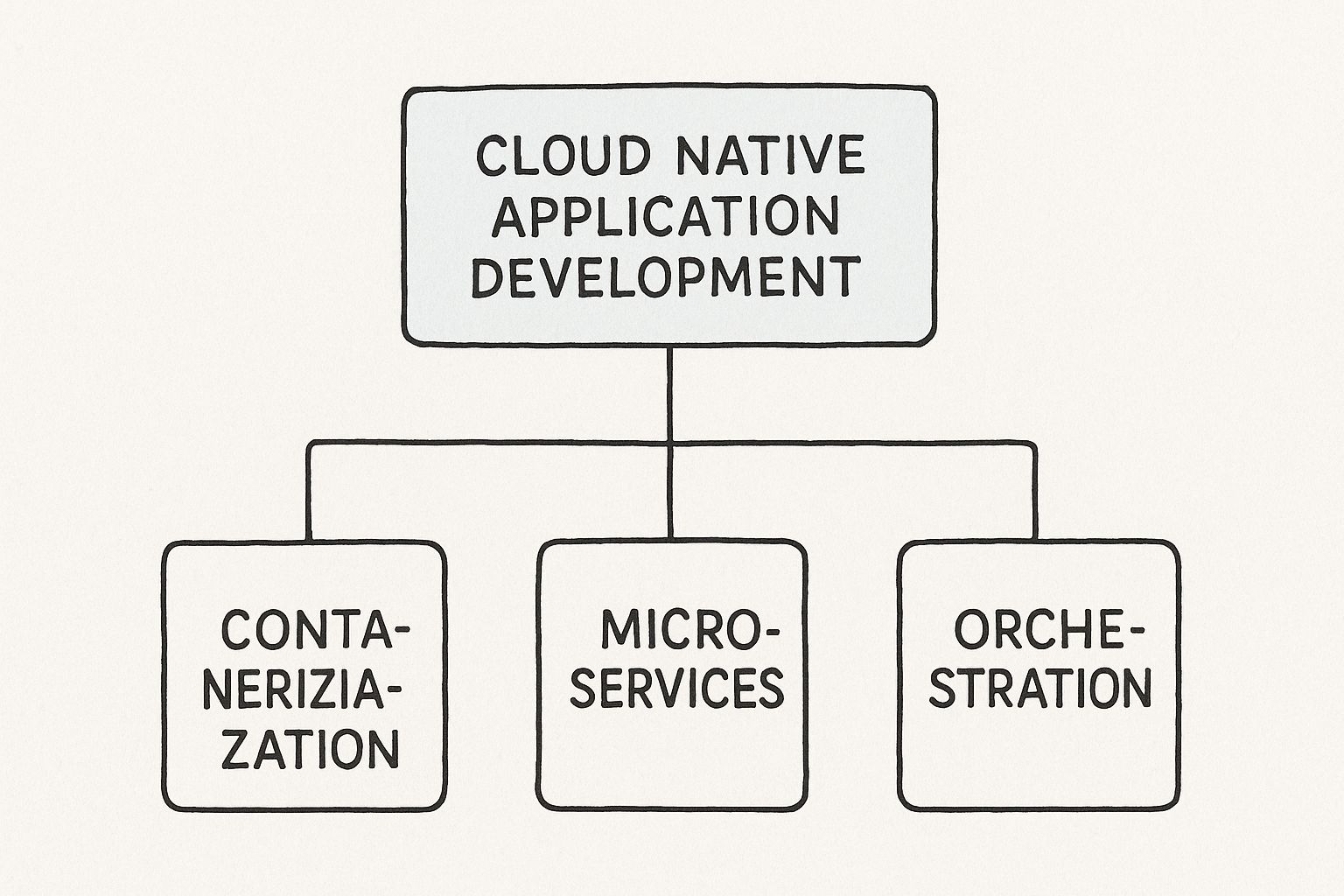
    6. Comprehensive Testing Strategy

    A successful database migration is not measured by the data moved but by the uninterrupted functionality of the applications that depend on it. This is why a comprehensive, multi-layered testing strategy is a non-negotiable part of any database migration best practices. Testing cannot be an afterthought; it must be an integrated, continuous process that validates data integrity, application performance, and business logic from development through to post-launch.

    The objective is to de-risk the migration by systematically verifying every component that interacts with the database. This approach goes beyond simple data validation. It involves simulating real-world workloads, testing edge cases, and ensuring that every application function, from user login to complex report generation, performs as expected on the new database system.

    How It Works: A Technical Approach

    A robust testing strategy is built on several layers, each serving a distinct purpose:

    • Data Integrity and Validation Testing: This is the foundational layer. The goal is to verify that the data in the target database is a complete and accurate representation of the source. Use automated scripts to perform row counts, checksums on critical columns, and queries that compare aggregates (SUM, AVG, MIN, MAX) between the source and target. Tools like dbt (data build tool) can be used to write and run data validation tests as part of the migration workflow.
    • Application and Integration Testing: Once data integrity is confirmed, you must test the application stack. This involves running existing unit and integration test suites against the new database. The key is to catch functional regressions, such as a stored procedure that behaves differently or a query that is no longer performant. For example, Amazon's database migration teams use extensive A/B testing, directing a small percentage of live traffic to the new database to compare performance and error rates in real time.

    Key Insight: Comprehensive testing transforms the migration from a high-stakes "big bang" event into a controlled, verifiable process. It provides empirical evidence that the new system is ready for production, preventing costly post-migration firefighting and ensuring business continuity.

    Actionable Tips for Implementation

    • Develop Test Cases from Business Scenarios: Don't just test technical functions; test business processes. Map out critical user journeys (e.g., creating an order, updating a user profile) and build test cases that validate them end-to-end.
    • Automate Everything Possible: Manually testing thousands of queries and data points is impractical and error-prone. Integrate your migration testing into an automated workflow, which is a core tenet of modern CI/CD. Learn more about building robust CI/CD pipelines to see how automation can be applied here.
    • Involve End-Users for UAT: User Acceptance Testing (UAT) is the final gate before go-live. Involve power users and key business stakeholders to test the new system with real-world scenarios that automated tests might miss. Microsoft's own internal database migrations rely heavily on comprehensive UAT to sign off on readiness.

    7. Security and Compliance Considerations

    A database migration isn't just a technical data-moving exercise; it's a security-sensitive operation that must uphold stringent data protection and regulatory standards. Neglecting this aspect can lead to severe data breaches, hefty fines, and reputational damage. This practice involves embedding security and compliance controls into every stage of the migration, from initial planning to post-migration validation, ensuring data integrity, confidentiality, and availability are never compromised.

    This means treating security not as an afterthought but as a core requirement of the migration project. For organizations in regulated industries like finance (SOX, PCI DSS) or healthcare (HIPAA), maintaining compliance is non-negotiable. The goal is to ensure the entire process, including the tools used and the data's state during transit and at rest, adheres to these predefined legal and security frameworks.

    How It Works: A Technical Approach

    The process integrates security controls directly into the migration workflow. This involves a multi-layered strategy that addresses potential vulnerabilities at each step.

    • Data Encryption: All data must be encrypted both in transit and at rest. For data in transit, this means using protocols like TLS 1.2+ for all connections between the source, migration tools, and the target database. For data at rest, implement transparent data encryption (TDE) on the target database (e.g., SQL Server TDE, Oracle TDE) or leverage native cloud encryption services like AWS KMS or Azure Key Vault.
    • Identity and Access Management (IAM): A zero-trust model is essential. Create specific, temporary, and least-privilege IAM roles or database users exclusively for the migration process. These accounts should have just enough permissions to read from the source and write to the target, and nothing more. For example, in AWS, a dedicated IAM role for a DMS task should have precise dms:*, s3:*, and ec2:* permissions, but no administrative access. These credentials must be revoked immediately upon project completion.

    Key Insight: Viewing a database migration through a security lens transforms it from a risky necessity into an opportunity. It allows you to shed legacy security vulnerabilities, implement modern, robust controls like granular IAM policies and comprehensive encryption, and establish a stronger compliance posture in the new environment than you had in the old one.

    Actionable Tips for Implementation

    • Conduct Pre- and Post-Migration Security Audits: Before starting, perform a security assessment of the source to identify existing vulnerabilities. After the migration, run a comprehensive audit and penetration test on the new target environment to validate that security controls are effective and no new weaknesses were introduced.
    • Use Certified Tools and Platforms: When migrating to the cloud, leverage providers and tools that are certified for your specific compliance needs (e.g., AWS for HIPAA, Azure for FedRAMP). This simplifies the audit process significantly.
    • Maintain Immutable Audit Logs: Configure detailed logging for all migration activities. Ensure these logs capture who accessed what data, when, and from where. Store these logs in an immutable storage location, like an S3 bucket with Object Lock, to provide a clear and tamper-proof audit trail for compliance verification. You can learn more about how security is integrated into modern workflows by exploring DevOps security best practices on opsmoon.com.

    8. Monitoring and Rollback Planning

    Even the most meticulously planned migration can encounter unforeseen issues. This is where a robust monitoring and rollback strategy transitions from a safety net to a mission-critical component. Effective planning isn't just about watching for errors; it's about defining failure, instrumenting your systems to detect it instantly, and having a practiced, automated plan to revert to a stable state with minimal impact. This practice is a cornerstone of modern Site Reliability Engineering (SRE) and one of the most vital database migration best practices for ensuring business continuity.

    Monitoring and Rollback Planning

    The goal is to move beyond reactive firefighting. By establishing comprehensive monitoring and detailed rollback procedures, you can transform a potential catastrophe into a controlled, low-stress event. This involves setting up real-time alerting, performance dashboards, and automated rollback triggers to minimize both downtime and data loss.

    How It Works: A Technical Approach

    This practice combines proactive monitoring with a pre-defined incident response plan tailored for the migration.

    • Comprehensive Monitoring Setup: Before the cutover, deploy monitoring agents and configure dashboards that track both system-level and application-level metrics. Use tools like Prometheus for time-series metrics, Grafana for visualization, and the ELK Stack (Elasticsearch, Logstash, Kibana) for log aggregation. Key metrics to monitor include query latency (p95, p99), error rates (HTTP 5xx, database connection errors), CPU/memory utilization on the new database, and replication lag if using a phased approach.
    • Defining Rollback Triggers: A rollback plan is useless without clear, automated triggers. These are not subjective judgments made during a crisis but pre-agreed-upon thresholds. For example, a trigger could be defined as: "If the p99 query latency for the orders service exceeds 500ms for more than three consecutive minutes, or if the API error rate surpasses 2%, initiate automated rollback." This removes human delay and emotion from the decision-making process.

    Key Insight: A rollback plan is not a sign of failure but a mark of professional engineering. The ability to quickly and safely revert a failed deployment protects revenue, user trust, and team morale. Companies like Netflix and Uber have pioneered these techniques, using canary analysis and feature flags to expose the new database to a small percentage of traffic first, closely monitoring its performance before proceeding.

    Actionable Tips for Implementation

    • Practice the Rollback: A rollback plan that has never been tested is a recipe for disaster. Conduct drills in a staging environment to validate your scripts, automation, and communication protocols. The team should be able to execute it flawlessly under pressure.
    • Monitor Business Metrics: Technical metrics are crucial, but they don't tell the whole story. Monitor key business indicators like "user sign-ups per hour" or "completed checkouts." A drop in these metrics can be the earliest sign that something is wrong, even if system metrics appear normal.
    • Establish Clear Communication Protocols: When an issue is detected, who gets alerted? Who has the authority to approve a rollback? Document this in a runbook and integrate it with your alerting tools like PagerDuty or Opsgenie to ensure the right people are notified immediately.

    Best Practices Comparison Matrix for Database Migration

    Strategy Implementation Complexity Resource Requirements Expected Outcomes Ideal Use Cases Key Advantages
    Comprehensive Data Assessment and Planning High – requires detailed analysis and expertise High – specialized tools and team involvement Clear project scope, reduced surprises, accurate estimates Large, complex migrations needing risk reduction Early issue identification, detailed planning
    Incremental Migration Strategy Medium to High – managing phased migration Medium to High – maintaining dual systems Minimized downtime, continuous validation, lower risks Critical systems needing minimal disruption Early issue detection, flexible rollback
    Robust Backup and Recovery Strategy Medium – backup setup and testing complexity Medium to High – storage & infrastructure Safety net for failures, compliance, quick recovery Migrations with high data loss risk Data safety, compliance adherence
    Data Validation and Quality Assurance Medium – requires automation and validation rules Medium – additional processing power Ensured data integrity, compliance, confidence in results Migrations where data accuracy is mission-critical Early detection of quality problems
    Performance Testing and Optimization High – requires realistic test environments High – testing infrastructure and tools Bottleneck identification, scalability validation Systems with strict performance SLAs Proactive optimization, reduced downtime
    Comprehensive Testing Strategy High – multi-layered, cross-team coordination High – testing tools and resource allocation Reduced defects, validated functionality Complex systems with critical business processes Early detection, reliability assurance
    Security and Compliance Considerations Medium to High – integrating security controls Medium to High – security tools and audits Regulatory compliance, data protection Regulated industries (healthcare, finance, etc.) Compliance assurance, risk mitigation
    Monitoring and Rollback Planning Medium – monitoring tools and rollback setup Medium – monitoring infrastructure Rapid issue detection, minimized downtime Migrations requiring high availability Fast response, minimized business impact

    From Planning to Production: Mastering Your Next Migration

    Successfully navigating a database migration is a hallmark of a mature, high-performing DevOps team. It’s far more than a simple data transfer; it is a meticulously orchestrated engineering initiative that tests your team's planning, execution, and risk management capabilities. The journey from your legacy system to a new, optimized environment is paved with the technical database migration best practices we've explored. Adhering to these principles transforms what could be a high-stakes gamble into a predictable, controlled, and successful project.

    The core theme connecting these practices is proactive control. Instead of reacting to problems, you anticipate them. A deep data assessment prevents scope creep, while an incremental strategy breaks down an overwhelming task into manageable, verifiable stages. This approach, combined with robust backup and recovery plans, creates a safety net that allows your team to operate with confidence rather than fear. You are not just moving data; you are engineering resilience directly into the migration process itself.

    Key Takeaways for Your Team

    To truly master your next migration, internalize these critical takeaways:

    • Planning is Paramount: The most successful migrations are won long before the first byte is transferred. Your initial data assessment, schema mapping, and strategic choice between big bang and phased approaches will dictate the project's trajectory.
    • Trust, But Verify (Automate Verification): Never assume data integrity. Implement automated data validation scripts that compare checksums, row counts, and sample data sets between the source and target databases. This continuous verification is your most reliable quality gate.
    • Performance is a Feature: A migration that degrades performance is a failure, even if all the data arrives intact. Integrate performance testing early, simulating realistic production loads to identify and resolve bottlenecks in the new environment before your users do.
    • Design for Failure: A comprehensive rollback plan is not an admission of doubt; it is a sign of professional diligence. Your team should be able to trigger a rollback with the same precision and confidence as the cutover itself.

    Your Actionable Next Steps

    Translate this knowledge into action. Begin by auditing your team's current migration playbook against the practices outlined in this article. Identify the gaps, whether in automated testing, security scanning, or post-migration monitoring. Start small by introducing one or two improved practices into your next minor database update, building muscle memory for larger, more critical projects.

    Ultimately, embracing these database migration best practices is about more than just avoiding downtime. It's about delivering tangible business value. A well-executed migration unlocks improved scalability, enhanced security, lower operational costs, and the ability to leverage modern data technologies. It empowers your developers, delights your users, and positions your organization to innovate faster and more effectively. This strategic approach ensures the project concludes not with a sigh of relief, but with a clear, measurable improvement to your technological foundation.


    Executing a flawless migration requires deep, specialized expertise that may not exist in-house. OpsMoon connects you with a global network of elite, vetted DevOps and SRE freelancers who have mastered complex database migrations. Find the precise skills you need to de-risk your project and ensure a seamless transition by exploring the talent at OpsMoon.

  • 10 Cloud cost optimization strategies You Should Know

    10 Cloud cost optimization strategies You Should Know

    The allure of the public cloud is its promise of limitless scalability and agility, but this flexibility comes with a significant challenge: managing and controlling costs. As infrastructure scales, cloud bills can quickly spiral out of control, consuming a substantial portion of an organization's budget. This uncontrolled spending, often driven by idle resources, over-provisioning, and suboptimal architectural choices, directly impacts profitability and can hinder innovation by diverting funds from core development initiatives. For technical leaders, from CTOs and IT managers to DevOps engineers and SREs, mastering cloud cost management is no longer a secondary concern; it is a critical business function.

    This guide moves beyond generic advice to provide a comprehensive roundup of actionable, technical cloud cost optimization strategies. We will dissect ten distinct approaches, offering specific implementation steps, command-line examples, and practical scenarios to help you take immediate control of your cloud spend. You will learn how to precisely right-size compute instances, develop a sophisticated Reserved Instance and Savings Plans portfolio, and leverage the cost-saving potential of Spot Instances without compromising stability.

    We will also explore advanced tactics like implementing intelligent storage tiering, optimizing Kubernetes resource requests, and minimizing expensive data transfer fees. Each strategy is presented as a self-contained module, complete with the tools and metrics needed to measure your success. By implementing these detailed methods, you can transform your cloud infrastructure from a major cost center into a lean, efficient engine for growth, ensuring every dollar spent delivers maximum value. This article is your technical playbook for building a cost-effective and highly scalable cloud environment.

    1. Right-sizing Computing Resources

    Right-sizing is a fundamental cloud cost optimization strategy focused on aligning your provisioned computing resources with your actual workload requirements. It directly combats the common issue of over-provisioning, where organizations pay for powerful, expensive instances that are chronically underutilized. The process involves systematically analyzing performance metrics like CPU, memory, network I/O, and storage throughput to select the most cost-effective instance type and size that still meets performance targets.

    Right-sizing Computing Resources

    This strategy is not a one-time fix but a continuous process. By regularly monitoring usage data, engineering teams can identify instances that are either too large (and thus wasteful) or too small (risking performance bottlenecks). For example, Airbnb successfully automated its right-sizing process, leading to a significant 25% reduction in their Amazon EC2 costs by dynamically adjusting instance sizes based on real-time demand.

    How to Implement Right-sizing

    Implementing a successful right-sizing initiative involves a data-driven, iterative approach. It is more than just picking a smaller instance; it's about finding the correct instance.

    Actionable Steps:

    • Establish a Baseline: Begin by collecting at least two to four weeks of performance data using monitoring tools like Amazon CloudWatch, Azure Monitor, or Google Cloud's operations suite. Focus on metrics such as CPUUtilization (average and maximum), MemoryUtilization, NetworkIn/NetworkOut, and EBSReadBytes/EBSWriteBytes.
    • Analyze and Identify Targets: Use native cloud tools like AWS Compute Optimizer or Azure Advisor to get initial recommendations. Manually query metrics for instances with sustained CPUUtilization below 40% as primary candidates for downsizing. For AWS, you can use the AWS CLI to find underutilized instances: aws ce get-rightsizing-recommendation --service "AmazonEC2" --filter '{"Dimensions": {"Key": "REGION", "Values": ["us-east-1"]}}'.
    • Test in Non-Production: Start your right-sizing experiments in development or staging environments. Use load testing tools like Apache JMeter or k6 to simulate production traffic and validate the performance of the new instance type.
    • Implement and Monitor: Roll out changes gradually to production workloads using a blue-green or canary deployment strategy. Closely monitor application performance metrics (APM) like p95/p99 latency and error rates. Set up automated CloudWatch Alarms or Azure Monitor Alerts to quickly detect performance degradation.

    Key Insight: Don't just downsize; consider changing instance families. A workload might be memory-bound but not CPU-intensive. Switching from a general-purpose instance (like AWS's m5) to a memory-optimized one (like r5) can often provide better performance at a lower cost, even if the core count is smaller. For I/O-heavy workloads, consider storage-optimized instances like the I3 or I4i series.

    2. Reserved Instance and Savings Plans Strategy

    This strategy involves committing to a specific amount of compute usage for a one or three-year term in exchange for a significant discount compared to on-demand pricing. Major cloud providers like AWS, Azure, and Google Cloud offer these commitment-based models, which are ideal for workloads with stable, predictable usage patterns. By forecasting capacity needs, organizations can lock in savings of up to 75%, drastically reducing their overall cloud spend.

    Infographic showing key data about Reserved Instance and Savings Plans Strategy

    The infographic above summarizes the potential savings and payment flexibility these plans offer. As highlighted, committing to a longer term yields deeper discounts, making this one of the most impactful cloud cost optimization strategies for stable infrastructure. For instance, Pinterest leveraged a strategic Reserved Instance (RI) purchasing plan to save an estimated $20 million annually, while Lyft used AWS Savings Plans to cut costs by 40% on its steady-state workloads.

    How to Implement a Commitment Strategy

    Successfully implementing RIs or Savings Plans requires careful analysis and ongoing management to maximize their value. It is not a "set it and forget it" solution but an active portfolio management process.

    Actionable Steps:

    • Analyze Usage History: Use cloud-native tools like AWS Cost Explorer or Azure Advisor to analyze at least 30-60 days of usage data. Focus on identifying consistent, always-on workloads like production databases, core application servers, or essential support services. Export the data to a CSV for deeper analysis if needed.
    • Start with Stable Workloads: Begin by purchasing commitments for your most predictable resources. Cover a conservative portion of your usage (e.g., 50-60%) to avoid over-committing while you build confidence in your forecasting. A good starting point is to cover the lowest observed hourly usage over the past month.
    • Choose the Right Commitment Type: Evaluate the trade-offs. Standard RIs offer the highest discount but lock you into a specific instance family. Convertible RIs (AWS) provide flexibility to change instance families. Savings Plans (AWS) offer a flexible discount based on a dollar-per-hour commitment across instance families and regions. For Azure, evaluate Reserved VM Instances vs. Azure Savings Plans for compute.
    • Monitor and Optimize Coverage: Regularly track your RI/Savings Plan utilization and coverage reports in AWS Cost Explorer or Azure Cost Management. Aim for utilization rates above 95%. If you have underutilized RIs, consider selling them on the AWS RI Marketplace or modifying them if your plan allows. Set up budget alerts to notify you when your on-demand spending exceeds a certain threshold, indicating a need to purchase more reservations.

    Key Insight: Combine commitment models with right-sizing. Before purchasing a Reserved Instance, first ensure the target instance is right-sized for its workload. Committing to an oversized, underutilized instance for one to three years locks in waste, diminishing the potential savings. Always right-size first, then reserve.

    3. Auto-scaling and Dynamic Resource Management

    Auto-scaling is one of the most powerful cloud cost optimization strategies, enabling your infrastructure to dynamically adjust its computing capacity in response to real-time demand. This approach ensures you automatically provision enough resources to maintain application performance during traffic spikes, while also scaling down to eliminate waste and reduce costs during quiet periods. It effectively prevents paying for idle resources by precisely matching your compute power to your workload's current needs.

    Auto-scaling and Dynamic Resource Management

    This strategy is crucial for applications with variable or unpredictable traffic patterns. For instance, Snapchat leverages auto-scaling to seamlessly manage fluctuating user activity throughout the day, ensuring a smooth user experience while optimizing costs. Similarly, during its massive launch, Pokémon GO used Google Cloud's auto-scaling to grow from 50 to over 50,000 instances to handle unprecedented player demand, showcasing the immense power of dynamic resource allocation.

    How to Implement Auto-scaling

    Effective auto-scaling goes beyond simply turning it on; it requires careful configuration of scaling policies and continuous monitoring to achieve optimal results. The goal is to create a resilient and cost-efficient system that reacts intelligently to demand shifts.

    Actionable Steps:

    • Define Scaling Policies: Use tools like AWS Auto Scaling Groups, Azure Virtual Machine Scale Sets, or the Kubernetes Horizontal Pod Autoscaler. Configure policies based on performance metrics like CPU utilization (TargetTrackingScaling), request count per target (ApplicationLoadBalancerRequestCountPerTarget), or custom metrics from a message queue (SQSApproximateNumberOfMessagesVisible). For example, set a rule to add a new instance when average CPU utilization exceeds 70% for five consecutive minutes.
    • Set Cooldown Periods: Implement cooldown periods (e.g., 300 seconds) to prevent the scaling group from launching or terminating additional instances before the previous scaling activity has had time to stabilize. This avoids rapid, unnecessary fluctuations, known as "thrashing."
    • Use Predictive Scaling: For workloads with known, recurring traffic patterns (like e-commerce sites during holidays), leverage predictive scaling features offered by AWS. These tools use machine learning on historical CloudWatch data to forecast future demand and schedule capacity changes in advance.
    • Integrate Health Checks: Configure robust health checks (e.g., ELB health checks) to ensure that new instances launched by the auto-scaler are fully operational and have passed status checks before being added to the load balancer and serving traffic. This prevents routing traffic to unhealthy instances and maintains application reliability.

    Key Insight: Amplify your savings by incorporating Spot Instances into your auto-scaling groups. You can configure the group to request cheaper Spot Instances as its primary capacity source and fall back to more expensive On-Demand Instances only when Spot Instances are unavailable. This multi-tiered approach, using a mixed-instances policy, can reduce compute costs by up to 90% for fault-tolerant workloads.

    4. Spot Instance and Preemptible VM Utilization

    Leveraging spot instances, one of the most powerful cloud cost optimization strategies, involves using a cloud provider's spare compute capacity at a significant discount, often up to 90% off on-demand prices. These resources, known as Spot Instances on AWS, Preemptible VMs on Google Cloud, or Spot Virtual Machines on Azure, can be reclaimed by the provider with short notice, typically a two-minute warning. This model is perfectly suited for workloads that are fault-tolerant, stateless, or can be easily interrupted and resumed.

    Spot Instance and Preemptible VM Utilization

    This strategy unlocks massive savings for the right applications. For example, Lyft processes over 20 billion GPS data points daily using spot instances, cutting compute costs by 75%. Similarly, genomics research firm Benchling uses spot instances for complex data processing, achieving an 80% cost reduction. The key is architecting applications to gracefully handle the inherent volatility of these instances.

    How to Implement Spot and Preemptible Instances

    Successfully using spot instances requires a shift from treating compute as a stable resource to treating it as a transient commodity. The implementation focuses on automation, flexibility, and fault tolerance.

    Actionable Steps:

    • Identify Suitable Workloads: Analyze your applications to find ideal candidates. Prime examples include big data processing jobs (EMR, Spark, Hadoop), batch rendering, continuous integration/continuous delivery (CI/CD) pipelines, and development/testing environments. These tasks can typically withstand interruptions.
    • Utilize Managed Services: Leverage native cloud services like AWS EC2 Fleet or Auto Scaling Groups with a mixed instances policy or Azure VM Scale Sets with spot priority. These services automatically provision a mix of on-demand and spot instances to meet capacity needs while replacing terminated spot instances based on a defined allocation strategy (e.g., lowest-price or capacity-optimized).
    • Implement Checkpointing: For long-running jobs, architect applications to periodically save progress to durable storage like Amazon S3 or Azure Blob Storage. For AWS, handle the EC2 Spot Instance Interruption Notice by creating a CloudWatch Event rule to trigger a Lambda function that gracefully saves state before shutdown.
    • Diversify and Automate: Don't rely on a single spot instance type. Configure your instance groups (like EC2 Fleet) to pull from multiple instance families and sizes (e.g., m5.large, c5.large, r5.large) across different Availability Zones. This diversification significantly reduces the chance of all your instances being terminated simultaneously due to a price spike or capacity demand in one specific pool.

    Key Insight: The most advanced spot strategies treat fleets of instances as a single, resilient compute pool. Tools like NetApp's Spot Ocean abstract away the complexity of bidding, provisioning, and replacement. They can automatically fall back to on-demand instances if spot capacity is unavailable, ensuring workload availability while maximizing cost savings.

    5. Multi-cloud and Hybrid Cloud Cost Arbitrage

    Multi-cloud and hybrid cloud cost arbitrage is an advanced cloud cost optimization strategy that involves strategically distributing workloads across multiple public cloud providers (like AWS, Azure, and GCP) and private, on-premises infrastructure. This approach allows organizations to leverage pricing discrepancies, specialized services, and regional cost variations to achieve the best possible price-to-performance ratio for each specific workload, while simultaneously mitigating vendor lock-in.
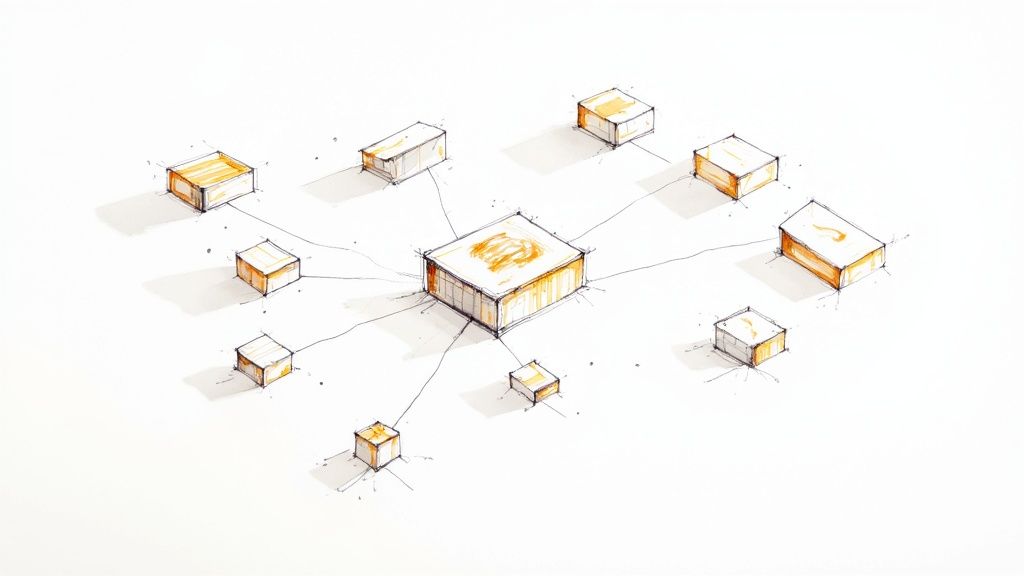
    This strategy moves beyond single-provider optimization to treat the cloud market as an open ecosystem. For instance, a company might run its primary compute on Azure due to favorable enterprise agreements, use Google Cloud for its powerful BigQuery and AI Platform services, and leverage AWS for its broad Lambda and DynamoDB offerings. Famously, Dropbox saved a reported $75 million over two years by migrating its primary storage workloads from AWS to its own custom-built infrastructure, a prime example of hybrid cloud arbitrage.

    How to Implement a Multi-cloud/Hybrid Strategy

    Successfully executing a multi-cloud or hybrid strategy requires significant architectural planning and robust management tools. It is not about randomly placing services; it's about intentional, data-driven workload placement.

    Actionable Steps:

    • Standardize with Agnostic Tooling: Adopt cloud-agnostic tools to ensure portability. Use Terraform or Pulumi for infrastructure as code (IaC) and containerize applications with Docker and orchestrate them with Kubernetes. This abstraction layer makes moving workloads between environments technically feasible.
    • Analyze and Model Costs: Before migrating, perform a thorough cost analysis using tools that can model cross-cloud expenses. Factor in not just compute and storage prices but also crucial, often-overlooked expenses like data egress fees. A workload may be cheaper to run in one cloud, but expensive data transfer costs (e.g., >$0.09/GB from AWS to the internet) could negate the savings.
    • Start with Stateless and Non-Critical Workloads: Begin your multi-cloud journey with stateless applications or non-critical services like development/testing environments or CI/CD runners. These workloads are less sensitive to latency and have fewer data gravity concerns, making them ideal for initial pilots.
    • Implement Centralized Governance and Monitoring: Deploy a multi-cloud management platform (CMP) like CloudHealth by VMware, Flexera One, or an open-source tool like OpenCost. These tools provide a unified view of costs, help enforce security policies using frameworks like Open Policy Agent (OPA), and manage compliance across all your cloud and on-premises environments.

    Key Insight: True arbitrage power comes from workload portability. The ability to dynamically shift a workload from one cloud to another based on real-time cost or performance data is the ultimate goal. This requires a sophisticated CI/CD pipeline and Kubernetes-based architecture that can deploy to different clusters (e.g., EKS, GKE, AKS) with minimal configuration changes.

    6. Storage Lifecycle Management and Tiering

    Storage lifecycle management is a powerful cloud cost optimization strategy that automates the movement of data to more cost-effective storage tiers based on its age, access frequency, and business value. Not all data requires the high-performance, high-cost "hot" storage designed for frequent access. This strategy ensures you only pay premium prices for data that actively needs it, while less-frequently accessed data is transitioned to cheaper "cold" or "archive" tiers.

    This approach directly addresses the ever-growing cost of cloud storage by aligning spending with data's actual lifecycle value. For example, Thomson Reuters implemented lifecycle policies for vast archives of legal documents, saving millions by automatically moving older, rarely accessed files to lower-cost tiers. Similarly, Pinterest optimizes image storage costs by using automated tiering based on how often pins are viewed, ensuring popular content remains fast while older content is archived cheaply.

    How to Implement Storage Lifecycle Management

    Effective implementation requires a clear understanding of your data access patterns and a well-defined policy that balances cost savings with data retrieval needs. It's a strategic process of classifying data and automating its journey through different storage classes.

    Actionable Steps:

    • Analyze Data Access Patterns: Use tools like Amazon S3 Storage Lens or Azure Storage analytics to understand how your data is accessed. Identify which datasets are frequently requested (hot), infrequently accessed (warm), and rarely touched (cold). The S3 Storage Lens "Activity" dashboard is crucial for this analysis.
    • Define and Create Lifecycle Policies: Based on your analysis, create rules within your cloud provider's storage service. For example, a policy in AWS S3, defined in JSON or via the console, could automatically move objects prefixed with logs/ to the Standard-Infrequent Access (S3-IA) tier after 30 days, and then to S3 Glacier Flexible Retrieval after 90 days. Also, include rules to expire incomplete multipart uploads and delete old object versions.
    • Leverage Intelligent Tiering for Unpredictable Workloads: For data with unknown or changing access patterns, use automated services like AWS S3 Intelligent-Tiering or Azure Blob Storage's lifecycle management with its last-access-time condition. These services monitor access at the object level and move data between frequent and infrequent access tiers automatically, optimizing costs without manual analysis for a small monitoring fee.
    • Tag Data for Granular Control: Implement a robust data tagging strategy. Tagging objects by project, department, or data type (e.g., Type:Log, Project:Alpha) allows you to apply different, more specific lifecycle policies to different datasets within the same storage bucket or container. You can define lifecycle rules that apply only to objects with a specific tag.

    Key Insight: Always factor in retrieval costs and latency when designing your tiering strategy. Archival tiers like AWS Glacier Deep Archive offer incredibly low storage prices (around $0.00099 per GB-month) but come with higher per-object retrieval fees and longer access times (up to 12 hours). Ensure these retrieval characteristics align with your business SLAs for that specific data. The goal is cost optimization, not making critical data inaccessible.

    7. Serverless and Function-as-a-Service (FaaS) Architecture

    Adopting a serverless architecture is a powerful cloud cost optimization strategy that shifts the operational paradigm from managing servers to executing code on demand. With FaaS platforms like AWS Lambda, you are billed based on the number of requests and the precise duration your code runs, measured in milliseconds. This pay-per-execution model completely eliminates costs associated with idle server capacity, making it ideal for workloads with intermittent or unpredictable traffic patterns.

    This strategy fundamentally changes how you think about infrastructure costs. Instead of provisioning for peak load, the platform scales automatically to handle demand, from zero to thousands of requests per second. For example, iRobot leveraged AWS Lambda for its IoT data processing needs, resulting in an 85% reduction in infrastructure costs. Similarly, Nordstrom migrated its event-driven systems to a serverless model, cutting related expenses by over 60% by paying only for active computation.

    How to Implement a Serverless Strategy

    Successfully moving to a FaaS model requires rethinking application architecture and focusing on event-driven, stateless functions. It is a strategic choice for microservices, data processing pipelines, and API backends.

    Actionable Steps:

    • Identify Suitable Workloads: Start by identifying event-driven, short-lived tasks in your application. Good candidates include image resizing upon S3 upload, real-time file processing, data transformation for ETL pipelines (e.g., Lambda triggered by Kinesis), and API endpoints for mobile or web frontends using API Gateway.
    • Decompose Monoliths: Break down monolithic applications into smaller, independent functions that perform a single task. Use IaC tools like the Serverless Framework or AWS SAM (Serverless Application Model) to define, deploy, and manage your functions and their required cloud resources (like API Gateway triggers or S3 event notifications) as a single CloudFormation stack.
    • Optimize Function Configuration: Profile your functions to determine the optimal memory allocation. Assigning too much memory wastes money, while too little increases execution time and can also increase costs. Use open-source tools like AWS Lambda Power Tuning, a state machine-based utility, to automate this process and find the best cost-performance balance for each function.
    • Monitor and Refine: Use observability tools like AWS X-Ray, Datadog, or Lumigo to trace requests and monitor function performance, execution duration, and error rates. Continuously analyze these metrics to identify opportunities for code optimization, such as optimizing database connection management or reducing external API call latency.

    Key Insight: Manage cold starts for latency-sensitive applications. A "cold start" occurs when a function is invoked for the first time or after a period of inactivity, adding latency. Use features like AWS Lambda Provisioned Concurrency or Azure Functions Premium plan to keep a specified number of function instances "warm" and ready to respond instantly, ensuring a consistent user experience for a predictable fee.

    8. Container Optimization and Kubernetes Resource Management

    This advanced cloud cost optimization strategy centers on refining the efficiency of containerized workloads, particularly those orchestrated by Kubernetes. It moves beyond individual virtual machines to optimize at the application and cluster level, maximizing resource density and minimizing waste. The goal is to run more workloads on fewer nodes by tightly managing CPU and memory allocation for each container, a process known as bin packing.

    This strategy is highly effective because Kubernetes clusters often suffer from significant resource fragmentation and underutilization without proper management. By leveraging Kubernetes-native features like autoscaling and resource quotas, organizations can create a self-regulating environment that adapts to demand. For example, Spotify famously reduced its infrastructure costs by 40% through extensive Kubernetes optimization and improved resource utilization, demonstrating the immense financial impact of this approach.

    How to Implement Kubernetes Resource Management

    Effective Kubernetes cost management requires a granular, data-driven approach to resource allocation and cluster scaling. It's about ensuring every container gets what it needs without hoarding resources that others could use.

    Actionable Steps:

    • Define Resource Requests and Limits: This is the most critical step. For every container in your deployment manifests (deployment.yaml), set CPU and memory requests (the amount guaranteed to a container, influencing scheduling) and limits (the hard ceiling it can consume). Use tools like Goldilocks or Prometheus to analyze application performance and set realistic baselines.
    • Implement Horizontal Pod Autoscaler (HPA): Configure HPA to automatically increase or decrease the number of pods in a deployment based on observed metrics like CPU utilization or custom application metrics exposed via Prometheus Adapter. This ensures your application scales with user traffic, not just the underlying infrastructure.

    • Enable Cluster Autoscaler: Use the Cluster Autoscaler to dynamically add or remove nodes from your cluster. It works in tandem with the HPA, provisioning new nodes when pods are Pending due to resource constraints and removing underutilized nodes to cut costs. Many businesses explore expert Kubernetes services to correctly implement and manage these complex scaling mechanisms.
    • Utilize Spot Instances: Integrate spot or preemptible instances into your node groups for fault-tolerant, non-critical workloads. Use taints and tolerations to ensure that only appropriate workloads are scheduled onto these ephemeral nodes. Tools like Karpenter can significantly simplify and optimize this process.

    Key Insight: Don't treat all workloads equally. Use Pod Disruption Budgets (PDBs) to protect critical applications from voluntary disruptions (like node draining). At the same time, assign lower priority classes (PriorityClass) to non-essential batch jobs. This allows the Kubernetes scheduler to preempt lower-priority pods in favor of high-priority services when resources are scarce, maximizing both availability and cost-efficiency.

    9. Cloud Cost Monitoring and FinOps Implementation

    FinOps, short for Financial Operations, is a cultural and operational practice that brings financial accountability to the variable spending model of the cloud. It is not just a tool, but a cultural shift that unites finance, technology, and business teams to manage cloud costs effectively. This strategy emphasizes real-time visibility, shared ownership, and continuous optimization, transforming cloud spending from a reactive IT expense into a strategic, value-driven business metric.

    The core goal of FinOps is to help engineering and finance teams make data-backed spending decisions. By implementing FinOps, companies like HERE Technologies have reduced their cloud costs by 30%. Similarly, Atlassian manages a complex multi-account AWS environment by applying FinOps principles for detailed cost allocation and chargebacks, ensuring every team understands its financial impact. This level of detail is one of the most powerful cloud cost optimization strategies available.

    How to Implement FinOps

    Implementing FinOps is a journey that starts with visibility and evolves into a mature, organization-wide practice. It requires a commitment to collaboration and data transparency across different departments.

    Actionable Steps:

    • Establish Granular Visibility: The first step is to see exactly where money is going. Implement a comprehensive and enforced resource tagging and labeling strategy to allocate costs to specific projects, teams, or business units. Use native tools like AWS Cost Explorer and Azure Cost Management + Billing, or dedicated platforms like Cloudability and Apptio. Learn more about how effective observability underpins this process.
    • Create Accountability and Ownership: Assign clear ownership for cloud spending. Each engineering team or product owner should have access to a dashboard showing their service's budget and usage. This accountability fosters a cost-conscious mindset directly within the teams that provision resources.
    • Implement Regular Review Cycles: Establish a regular cadence for cost review meetings (e.g., weekly or bi-weekly) involving stakeholders from engineering, finance, and product management. Use these sessions to review spending against forecasts, analyze anomalies in the AWS Cost and Usage Report (CUR), and prioritize optimization tasks in a backlog.
    • Automate Optimization and Governance: Use automation to enforce cost-saving policies. This can include Lambda functions to shut down non-production instances outside of business hours (Schedule-Tag), AWS Config rules to detect unattached EBS volumes or idle load balancers, and automated budget alerts via Amazon SNS for potential overruns.

    Key Insight: FinOps is not about saving money at all costs; it's about maximizing business value from the cloud. The focus should be on unit economics, such as "cost per customer" or "cost per transaction." This shifts the conversation from "how much are we spending?" to "are we spending efficiently to drive growth?"

    10. Data Transfer and Network Optimization

    Data transfer and network optimization is a critical cloud cost optimization strategy that focuses on minimizing the egress costs associated with moving data out of a cloud provider's network. These charges, often overlooked during initial architectural design, can accumulate rapidly and become a major, unexpected expense. This strategy involves the strategic placement of resources, the use of Content Delivery Networks (CDNs), and implementing efficient data movement patterns to reduce bandwidth consumption.

    This is not just about reducing traffic volume; it's about making intelligent architectural choices to control data flow. For example, Netflix saves millions annually by heavily leveraging its own CDN (Open Connect) and strategically placing servers within ISP networks, bringing content closer to viewers and drastically cutting its data transfer costs. Similarly, Shopify reduced its data transfer costs by 45% through a combination of aggressive CDN optimization and modern image compression formats.

    How to Implement Network Optimization

    Effective network cost control requires a multi-faceted approach that combines architectural planning with ongoing monitoring and the right technology stack. It's about being deliberate with every byte that leaves your cloud environment.

    Actionable Steps:

    • Analyze and Baseline Data Transfer: Use cloud-native tools like AWS Cost and Usage Report (CUR) and query it with Athena, Azure Cost Management, or Google Cloud's detailed billing export to identify your top sources of data transfer costs. Look for line items like DataTransfer-Out-Bytes and group by service, region, and availability zone to find the biggest offenders.
    • Implement a Content Delivery Network (CDN): For any publicly facing static assets (images, CSS, JavaScript) or streaming media, use a CDN like Amazon CloudFront, Azure CDN, or Cloudflare. A CDN caches your content at edge locations worldwide, serving users from a nearby server instead of your origin, which dramatically reduces costly DataTransfer-Out-Bytes charges from your primary cloud region.
    • Keep Traffic Within the Cloud Network: Whenever possible, architect your applications to keep inter-service communication within the same cloud region. Data transfer between services in the same region using private IPs is often free or significantly cheaper than inter-region or internet-bound traffic. Use VPC Endpoints (for AWS services) or Private Link to secure traffic to cloud services without sending it over the public internet.
    • Compress and Optimize Data Payloads: Before transferring data, ensure it is compressed. Implement Gzip or Brotli compression for text-based data at the web server (e.g., Nginx, Apache) or load balancer level. For images, use modern, efficient formats like WebP or AVIF and apply lossless or lossy compression where appropriate. This reduces the total bytes transferred, directly lowering costs.

    Key Insight: Pay close attention to data transfer between different availability zones (AZs). While traffic within a single AZ is free, traffic between AZs in the same region is not (typically $0.01/GB in each direction). For high-chattiness applications, co-locating dependent services in the same AZ can yield significant savings, though you must balance this cost optimization against high-availability requirements which often necessitate multi-AZ deployments.

    Cloud Cost Optimization Strategies Comparison

    Strategy Implementation Complexity Resource Requirements Expected Outcomes Ideal Use Cases Key Advantages
    Right-sizing Computing Resources Moderate; requires continuous monitoring Moderate; monitoring tools Cost savings (20-50%), better efficiency Workloads with variable usage; cost reduction Automated recommendations; improved efficiency
    Reserved Instance & Savings Plans Moderate; requires forecasting Low to moderate; upfront costs Significant cost savings (30-75%), budget predictability Stable, predictable workloads Large discounts; budgeting stability
    Auto-scaling & Dynamic Management High; complex policy configuration High; real-time monitoring Automatic scaling, cost optimization Applications with fluctuating traffic Automatic cost control; performance boost
    Spot Instance & Preemptible VMs Moderate; requires fault-tolerant design Low; uses spare capacity Massive cost savings (up to 90%) Batch jobs, dev/test, flexible workloads Very low cost; high performance availability
    Multi-cloud & Hybrid Arbitrage High; complex management High; multiple platform skills Cost optimization via pricing arbitrage Multi-cloud or hybrid environments Avoid vendor lock-in; leverage best pricing
    Storage Lifecycle Management Moderate; policy setup Moderate; storage tiering Reduced storage costs, automated management Data with variable access patterns Automated cost reduction; compliance support
    Serverless & FaaS Architecture Moderate; architecture redesign may be needed Low; pay per execution Cost savings on variable traffic workloads Event-driven, variable or unpredictable traffic No server management; automatic scaling
    Container Optimization & Kubernetes High; requires container orchestration expertise Moderate; cluster resources Better resource utilization and scaling Containerized microservices, dynamic workloads Improved efficiency; automatic scaling
    Cloud Cost Monitoring & FinOps High; organizational and cultural change Low to moderate; tooling needed Enhanced cost visibility and accountability Enterprises seeking cross-team cost management Proactive cost control; collaboration boost
    Data Transfer & Network Optimization Moderate; global infrastructure management Moderate; CDNs and edge nodes Reduced data transfer costs and improved latency Applications with heavy data transfer or global users Cost savings; improved performance

    Final Thoughts

    Embarking on the journey of cloud cost optimization is not a one-time project but a continuous, strategic discipline. Throughout this guide, we've explored a comprehensive suite of ten powerful cloud cost optimization strategies, moving far beyond surface-level advice to provide actionable, technical roadmaps. From the foundational practice of right-sizing instances and the strategic procurement of Reserved Instances to the dynamic efficiencies of auto-scaling and the tactical use of Spot Instances, each strategy represents a critical lever you can pull to gain control over your cloud expenditure.
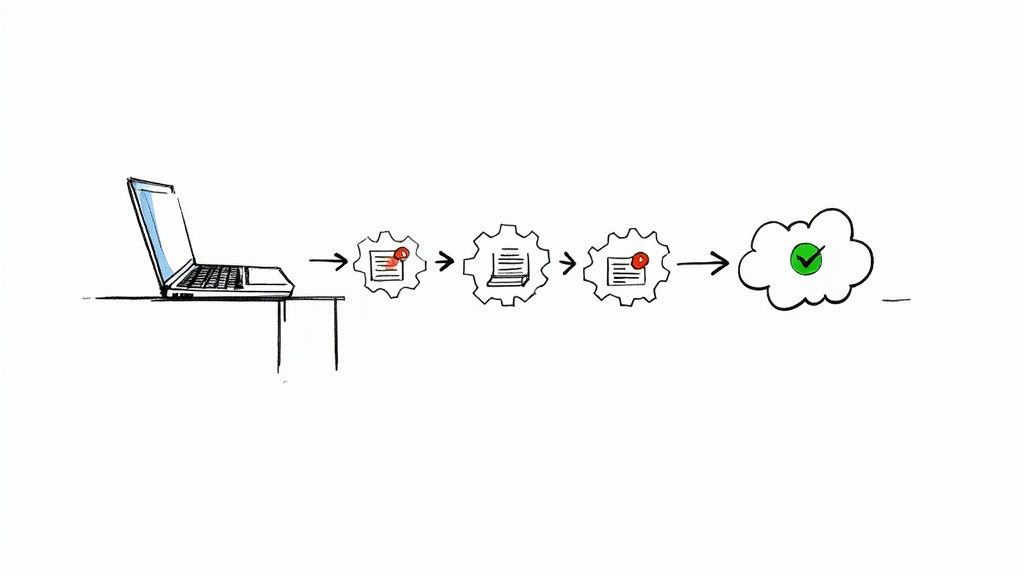
    We've delved into the architectural shifts that unlock profound savings, such as adopting serverless functions and optimizing Kubernetes resource management. Furthermore, we highlighted the often-overlooked yet significant impact of storage lifecycle policies and data transfer optimization. The common thread weaving these disparate tactics together is the necessity of a cultural shift towards financial accountability, crystallized in the practice of FinOps. Without robust monitoring, clear visibility, and cross-functional collaboration, even the most brilliant technical optimizations will fall short of their potential.

    Synthesizing Strategy into Action

    The true power of these concepts is realized when they are integrated into a cohesive, multi-layered approach rather than applied in isolation. A mature cloud financial management practice doesn't just choose one strategy; it artfully combines them.

    • Foundation: Start with visibility and right-sizing. You cannot optimize what you cannot see. Implement robust tagging and monitoring to identify waste, then aggressively resize overprovisioned resources. This is your baseline.
    • Commitment: Layer on Reserved Instances or Savings Plans for your stable, predictable workloads identified during the foundational stage. This provides a significant discount on the resources you know you'll need.
    • Dynamism: For your variable or spiky workloads, implement auto-scaling. This ensures you only pay for the capacity you need, precisely when you need it. For stateless, fault-tolerant workloads, introduce Spot Instances to capture the deepest discounts.
    • Architecture: As you evolve, re-architect applications to be more cloud-native. Embrace serverless (FaaS) for event-driven components to eliminate idle costs, and fine-tune your Kubernetes deployments with precise resource requests and limits to maximize container density.
    • Data Management: Simultaneously, enforce strict storage lifecycle policies and optimize your network architecture to minimize costly data transfer fees.

    This layered model transforms cloud cost optimization from a reactive, cost-cutting chore into a proactive, value-driving engine for your organization.

    The Ultimate Goal: Sustainable Cloud Efficiency

    Mastering these cloud cost optimization strategies is about more than just lowering your monthly bill from AWS, Azure, or GCP. It's about building a more resilient, efficient, and scalable engineering culture. When your teams are empowered with the tools and knowledge to make cost-aware decisions, you foster an environment of ownership and innovation. The capital you save can be reinvested into core product development, market expansion, or talent acquisition, directly fueling your business's growth.
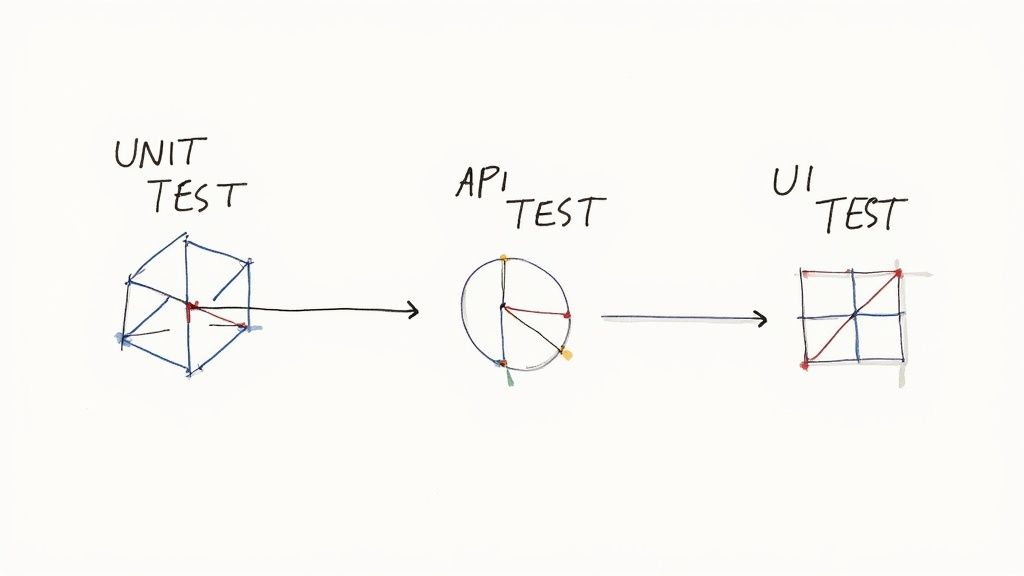
    Ultimately, effective cloud cost management is a hallmark of a mature technology organization. It demonstrates technical excellence, financial discipline, and a strategic understanding of how to leverage the cloud's power without succumbing to its potential for unchecked spending. The journey requires diligence, the right tools, and a commitment to continuous improvement, but the rewards – a lean, powerful, and cost-effective cloud infrastructure – are well worth the effort.


    Navigating the complexities of Reserved Instances, Spot fleets, and Kubernetes resource management requires deep expertise and constant vigilance. OpsMoon provides on-demand, expert DevOps and SRE talent to implement these advanced cloud cost optimization strategies for you. Partner with us at OpsMoon to transform your cloud infrastructure into a model of financial efficiency and technical excellence.