Category: Uncategorized

  • 8 Essential Log Management Best practices for DevOps in 2025

    8 Essential Log Management Best practices for DevOps in 2025

    In modern DevOps and SRE cultures, logs are more than just diagnostic text files; they are the definitive, immutable record of your system's behavior, from application performance to security events. However, without a strategic approach, they quickly become an overwhelming, expensive, and ultimately useless data swamp. The sheer volume generated by microservices, containers, and serverless functions can easily outpace a team's ability to analyze it, turning a potential asset into a significant liability.

    Effective log management isn't just about collecting data. It's about implementing a disciplined engineering practice to transform raw, unstructured output into actionable intelligence that drives system reliability, strengthens security posture, and optimizes performance. Poorly managed logs lead to extended incident response times (MTTR), missed security threats, and an inability to understand complex system interactions. Conversely, a robust logging strategy is a cornerstone of a mature observability platform.

    This guide cuts through the generic advice to provide a curated list of eight technical, battle-tested log management best practices. We will move beyond high-level concepts and dive into the specific architectural patterns, tooling configurations, and process disciplines required to build a scalable and efficient logging pipeline. For engineers and technical leaders, these practices are not optional; they are foundational for moving from reactive firefighting to proactive, data-driven operations. This article will show you how to structure, centralize, and analyze logs to not only solve problems faster but also to prevent them from happening in the first place.

    1. Centralized Log Aggregation

    Centralized log aggregation is the foundational practice of collecting logs from all systems, applications, and infrastructure components into a single, unified repository. In a modern, distributed architecture, log data is scattered across servers, containers, cloud services, and microservices. This practice eliminates the need to manually ssh into individual machines to review logs, providing a holistic, queryable view of your entire technology stack.

    This approach is critical for effective log management because it enables powerful cross-system analysis. For instance, you can correlate an application error on one microservice with a database performance spike and an unusual API gateway latency all within a single interface. Companies like Netflix and Uber leverage this at a massive scale to monitor complex microservices architectures, processing billions of events daily to maintain service reliability and diagnose issues quickly.

    Why It's a Core Practice

    Centralizing logs is non-negotiable for any team serious about observability and operational efficiency. It directly supports faster troubleshooting, proactive security monitoring, and comprehensive performance analysis. Without a central hub, identifying the root cause of a distributed system failure becomes a time-consuming and often fruitless exercise.

    For those operating within the AWS ecosystem, understanding the distinctions and complementary functions of services like AWS CloudWatch and CloudTrail is crucial for effective log management, as detailed in this AWS CloudWatch vs. CloudTrail guide. These services generate vital data that should be fed into your centralized system.

    Actionable Implementation Tips

    To effectively implement centralized log aggregation, follow these technical best practices:

    • Deploy a Robust Log Shipper: Standardize on a lightweight, efficient log shipper like Fluent Bit, Vector, or Filebeat. Configure it as a sidecar container in Kubernetes or a daemonset to automatically collect logs from all nodes and pods.
    • Tag Logs with Rich Metadata: Use log shippers to enrich logs at the source. Include tags for the environment (prod, staging), application name (-n my-app), Kubernetes namespace (--namespace my-ns), service version (v1.2.3), region (us-east-1), and host instance ID for precise filtering.
    • Implement Edge Buffering: Configure your log shippers to buffer logs locally before transmission (e.g., using mem_buf_limit in Fluent Bit). This prevents data loss during network interruptions or when the central logging system is temporarily unavailable.
    • Use Compression: Enable compression (e.g., Gzip, Zstd) on your log shippers to significantly reduce network bandwidth usage and storage costs. For example, in Filebeat, you can set output.elasticsearch.compression_level: 5.
    • Establish a Multi-Layered Architecture: For large-scale deployments, use a tiered architecture. Deploy lightweight shippers on edge nodes, which forward logs to a fleet of intermediate aggregators (e.g., running Logstash or a heavier Fluentd instance) for more complex parsing and enrichment before sending them to the final storage backend like Elasticsearch.

    2. Structured Logging with Consistent Formats

    Structured logging is the practice of generating logs in a consistent, machine-readable format like JSON rather than as unstructured text strings. This approach transforms logs from simple text into rich data events with defined fields and values. This structure makes them instantly parsable, searchable, and analyzable by modern logging platforms without requiring complex and brittle regular expressions.

    Structured Logging with Consistent Formats

    By treating logs as data, you enable powerful, high-performance querying and analytics. For example, Stripe implements JSON-structured logs with precise field definitions to track payment transactions for compliance and monitoring. Similarly, Google uses structured logging with standardized fields across all internal services, a practice popularized by its Site Reliability Engineering (SRE) discipline to enable distributed tracing and automated analysis at a planetary scale.

    Why It's a Core Practice

    Adopting structured logging is one of the most impactful log management best practices for any modern application. It drastically reduces the "time-to-insight" by making logs easy to filter, aggregate, and visualize. When an incident occurs, your team can immediately query for status_code=500 or user_id=12345 instead of trying to craft a grep command to parse a free-form string, dramatically accelerating root cause analysis.

    This practice is a key tenet of methodologies like the Twelve-Factor App and is fundamental to building observable, cloud-native systems. It moves your logs from being a passive record of events to an active, queryable dataset that fuels dashboards, alerts, and automated incident response.

    Actionable Implementation Tips

    To effectively implement structured logging, focus on consistency and contextual richness:

    • Adopt JSON as the Standard: Standardize on JSON as your default log format. Its widespread support across virtually all logging libraries, shippers, and platforms ensures maximum compatibility and interoperability.
    • Define a Company-Wide Schema: Establish a baseline logging schema with mandatory fields for every log event. An example schema could be: {"timestamp": "...", "level": "INFO", "service.name": "...", "service.version": "...", "trace.id": "...", "message": "...", "http.status_code": 200}.
    • Use Native Structured Logging Libraries: Leverage libraries that support structured logging out-of-the-box, like Zap in Go, Serilog in .NET, or Winston in Node.js. These libraries handle JSON serialization and context management automatically.
    • Include Correlation IDs: Ensure every log related to a single request or transaction contains a unique correlation ID (e.g., trace_id or request_id). This allows you to easily reconstruct the entire journey of a request across multiple microservices.
    • Version Your Log Schemas: As your applications evolve, your log schemas will too. Treat your schema like an API and version it (e.g., schema_version: "1.1"). This prevents breaking changes in your downstream parsing and alerting rules.

    3. Implement Proper Log Levels and Severity Classification

    Implementing proper log levels is the practice of categorizing log messages by severity (e.g., DEBUG, INFO, WARN, ERROR) to control log verbosity and enable efficient filtering. This allows developers to generate detailed diagnostic information during development while maintaining clean, actionable logs in production. By assigning a level to each log message, teams can dynamically adjust the amount of data being captured, significantly reducing noise and focusing attention on what matters most.

    This classification system, popularized by frameworks like Log4j and the Syslog protocol, is a cornerstone of effective log management best practices. For example, Spotify strategically adjusts log levels per deployment environment: DEBUG in development for granular tracing, INFO in staging to observe key application flows, and a more conservative WARN in production to minimize volume while still capturing potential issues. This tiered approach prevents production systems from being overwhelmed by non-critical data.

    Why It's a Core Practice

    Without a clear severity hierarchy, logs become a monolithic, undifferentiated stream of text, making it nearly impossible to distinguish a critical system failure from a routine operational message. Proper log levels empower SREs and developers to quickly isolate errors, suppress insignificant data, and dynamically increase verbosity for specific services during an incident without requiring a redeployment. This capability is crucial for rapid troubleshooting and maintaining system stability under pressure.

    Adopting this practice also leads to significant cost savings in terms of log ingestion, storage, and processing. By setting a sensible default level like INFO or WARN in production, you dramatically cut down on the data volume generated by verbose DEBUG logs, which often constitute the majority of log output.

    Actionable Implementation Tips

    To effectively implement log levels and severity classification, follow these technical best practices:

    • Establish a Clear Hierarchy: Standardize log levels across your organization based on a model like Syslog's severity levels. A common, effective hierarchy is:
      • DEBUG: Verbose diagnostic information for developers (e.g., variable values, function entry/exit).
      • INFO: Significant application lifecycle events (e.g., "Service started," "User logged in").
      • WARN: Recoverable issues or potentially harmful situations (e.g., "API rate limit approaching," "Deprecated endpoint used").
      • ERROR: Application failures or unexpected conditions that require investigation (e.g., "Failed to connect to database," "Null pointer exception").
      • FATAL/CRITICAL: Severe errors that cause the application to terminate (e.g., "Unrecoverable database corruption detected").
    • Set Production Defaults Wisely: Configure your production environments to log at the INFO or WARN level by default. This provides a balance between visibility and cost, filtering out excessive DEBUG noise.
    • Enable Dynamic Level Adjustment: Implement a mechanism, such as an exposed admin endpoint (/loglevel), a configuration management tool (e.g., Consul, Etcd), or feature flags, that allows operators to change the log level of a running service on the fly without a restart.
    • Create Organizational Guidelines: Document clear, concise guidelines with code examples for when to use each log level. For example, WARN should be used for events that are actionable but not yet errors.
    • Audit Log Level Usage: Periodically review application logs to ensure levels are being used correctly. Mismatched severities, such as logging a critical error as INFO, can hide serious problems. Use linters or static analysis tools to check for anti-patterns.

    4. Establish Comprehensive Log Retention and Archival Policies

    Establishing a comprehensive log retention and archival policy is the practice of defining how long different types of logs are stored and where they are kept. This involves classifying logs and moving them through different storage tiers-from expensive, high-performance "hot" storage for active analysis to cheaper, slower "cold" storage for long-term compliance. This structured approach ensures you meet regulatory obligations while optimizing storage costs.

    This practice is non-negotiable for organizations governed by regulations like GDPR, HIPAA, or SOX. For instance, a financial institution like JP Morgan Chase must retain specific transaction logs for over seven years to comply with financial regulations. Similarly, healthcare providers must retain audit logs for at least six years under HIPAA. A well-defined policy automates the data lifecycle, preventing uncontrolled storage growth and ensuring data is available when needed for audits or historical analysis.

    The following diagram illustrates a common tiered storage hierarchy for a log retention policy.

    Infographic showing a tiered log retention policy hierarchy

    This hierarchical model effectively balances immediate data accessibility for troubleshooting with cost-effective, long-term archival for compliance.

    Why It's a Core Practice

    Without a formal retention policy, organizations face two major risks: spiraling storage costs and non-compliance with legal or regulatory standards. Storing all logs in high-performance, searchable storage indefinitely is financially unsustainable. Conversely, prematurely deleting logs can lead to severe penalties and an inability to investigate security incidents or system failures. A structured policy provides a defensible, cost-optimized framework for managing log data throughout its lifecycle.

    Actionable Implementation Tips

    To implement effective log retention and archival, adopt these technical best practices:

    • Define Tiers Based on Log Type: Classify your logs and set distinct retention periods. For example, keep verbose debug logs for 7-14 days in hot storage, while critical security and audit logs may need to be archived for 7+ years in cold storage.
    • Keep 7-30 Days in Hot Storage: Use fast, indexed storage like Elasticsearch for logs requiring immediate analysis and troubleshooting. This tier should hold only the most recent and relevant data.
    • Use Cold Storage for Compliance: Leverage cost-effective archival solutions like AWS S3 Glacier Deep Archive or Google Cloud Archive Storage for multi-year retention mandated by compliance frameworks. Access is slow, but storage costs are minimal.
    • Implement Automated Lifecycle Management: Use features within your logging platform (e.g., Elasticsearch Index Lifecycle Management – ILM) or cloud provider (e.g., AWS S3 Lifecycle policies) to automatically transition logs between hot, warm, and cold tiers and eventually delete them. Never rely on manual processes.
    • Test Restoration Procedures Regularly: Periodically test your ability to retrieve and rehydrate logs from warm and cold archives. An archive is useless if you cannot restore data from it in a timely manner during an actual incident. Document and automate the restoration process.

    5. Enable Real-Time Log Monitoring and Alerting

    Real-time log monitoring and alerting involves continuously analyzing log streams as they are generated to immediately detect anomalies, errors, security threats, or performance degradation. This proactive approach uses pattern matching, threshold-based triggers, and correlation rules to automatically notify teams when specific conditions occur. Instead of waiting for users to report problems, this practice enables engineers to identify and respond to issues before they escalate, drastically reducing mean time to detection (MTTD) and mean time to resolution (MTTR).

    Enable Real--Time Log Monitoring and Alerting

    This shift from reactive to proactive incident management is a cornerstone of modern SRE and DevOps cultures. For example, PayPal uses real-time log analysis to detect fraudulent transaction patterns and triggers immediate investigation workflows. Similarly, Slack monitors message delivery logs and alerts operations teams within seconds when delivery failure rates exceed normal thresholds, allowing for swift intervention. This practice is essential for maintaining service level objectives (SLOs) and ensuring customer trust.

    Why It's a Core Practice

    Without real-time alerting, log data is a historical archive used for post-mortem analysis. Activating automated monitoring transforms your logs into a live, active defense mechanism for system reliability and security. This is a non-negotiable step for any organization that prioritizes uptime and performance, as it directly connects observability data to actionable incident response.

    Effective alerting is a key component of a broader strategy, which you can explore in this guide on what is continuous monitoring. This approach ensures that your observability platform is not just collecting data but is actively working to protect your systems.

    Actionable Implementation Tips

    To build a robust and effective real-time alerting system, implement these technical best practices:

    • Start with Critical Alerts Only: Begin by configuring alerts for high-impact events: level:ERROR, http.status_code:[500 TO 599], or security events like event.action:"user-login-failure". This helps prevent alert fatigue.
    • Implement Alert Deduplication: Group related alerts from a single incident into one notification. Use features like correlation_id or alert grouping in tools like Alertmanager to consolidate a storm of 5xx errors from one service into a single page.
    • Use Escalation Tiers: Define a clear escalation path. Notify the on-call engineer first (e.g., via PagerDuty), then a secondary engineer if unacknowledged after 15 minutes, and finally, the team lead or manager.
    • Create Alert-Specific Runbooks: Link every alert to a runbook detailing the probable cause, diagnostic steps (e.g., specific log queries, Grafana dashboards), and remediation procedures (e.g., "how to restart the pod," "how to fail over the database").
    • Choose Channels Based on Severity: Route alerts to different channels based on urgency. Use a platform like PagerDuty or Opsgenie for critical incidents requiring immediate action and Slack or Microsoft Teams for warnings and non-urgent notifications.
    • Suppress Alerts During Maintenance: Implement a system to temporarily silence alerts for systems undergoing planned maintenance to avoid false positives and unnecessary noise. Tools like Alertmanager have built-in silencing capabilities.
    • Include Rich Context in Alerts: Ensure every alert message includes key metadata: service, environment, timestamp, a summary (High 5xx error rate), and a direct link to the relevant logs or dashboard.

    6. Implement Log Security and Access Control

    Log security and access control is the practice of safeguarding log data against unauthorized access, modification, and deletion. Because logs often contain sensitive information like authentication details, system vulnerabilities, or personally identifiable information (PII), they are a primary target for attackers and a significant compliance risk. This practice involves a multi-layered defense, including encryption for logs in transit and at rest, strict role-based access control (RBAC), and data masking techniques.

    This discipline is non-negotiable for maintaining security posture and regulatory compliance. For example, a financial institution like Capital One uses strict RBAC to ensure only authorized compliance officers can access transaction logs, preventing misuse by internal staff. Similarly, healthcare providers must mask patient data in application logs to comply with HIPAA, while still allowing developers to debug system performance. These measures protect sensitive data without sacrificing the operational value of logs.

    Why It's a Core Practice

    Unsecured logs are a critical vulnerability. A single data breach originating from exposed log files can lead to severe financial penalties, reputational damage, and loss of customer trust. Implementing robust security and access controls transforms logs from a potential liability into a secure, reliable asset for incident response, compliance audits, and system forensics. This is a foundational element of a mature DevOps security strategy.

    As organizations integrate security deeper into their development lifecycle, these logging practices become essential. For a broader perspective on securing your entire pipeline, exploring comprehensive DevOps security best practices can provide valuable context for how secure logging fits into the bigger picture.

    Actionable Implementation Tips

    To effectively implement log security and access control, follow these technical best practices:

    • Never Log Credentials in Plain Text: Enforce a strict policy against logging passwords, API keys, credit card numbers, or authentication tokens. Use static analysis security testing (SAST) tools or pre-commit hooks (e.g., ggshield, trufflehog) to scan for these patterns before code is merged.
    • Encrypt Data in Transit and at Rest: Use TLS 1.2+ for all log transmission between services, shippers, and your central aggregator. Encrypt log files at rest on disk using strong algorithms like AES-256 with provider-managed keys (e.g., AWS KMS, Google Cloud KMS).
    • Implement Granular Role-Based Access Control (RBAC): Configure your logging platform to grant permissions based on roles. For example, dev-team-alpha can view logs where service.name=alpha-service in the dev environment, while the security-team can view all logs where log.type=audit.
    • Automate PII Detection and Masking: Use your log processing pipeline (e.g., with Logstash or Fluentd filters) to automatically detect and mask sensitive data like Social Security Numbers, email addresses, or phone numbers using regex patterns. For example, a Logstash mutate filter can replace a field with a hash or a static string.
    • Create Immutable Audit Trails: Log all access to log data itself. Record who accessed which logs, from what IP address, and at what time. Store these audit logs in a tamper-proof or write-once, read-many (WORM) storage system like AWS S3 with Object Lock.

    7. Context-Rich Logging with Correlation IDs

    Context-rich logging with correlation IDs is the practice of enriching log entries with unique identifiers that trace requests or user sessions across distributed systems. In a microservices architecture, a single user action can trigger a cascade of calls across dozens of services. A correlation ID, also known as a trace ID, is generated at the entry point of a request and propagated through every component that handles it.

    This technique transforms disconnected log lines from various services into a coherent narrative of a single transaction. It allows engineers to reconstruct the complete journey of a request, dramatically simplifying debugging and performance analysis. For example, Uber generates a unique ID for each ride request, tracking it through pricing, matching, routing, and payment services to analyze the entire trip lifecycle. Similarly, Amazon uses X-Amzn-Trace-Id to trace requests across services like API Gateway, Lambda, and DynamoDB.

    Why It's a Core Practice

    In distributed environments, identifying the root cause of an issue without correlation IDs is like finding a needle in a haystack of disconnected logs. This practice is essential for effective log management because it provides a direct, traceable link between events. It enables you to instantly filter logs from multiple services that all pertain to a single failed transaction, reducing Mean Time to Resolution (MTTR) from hours to minutes.

    The concept was popularized by systems like Google's Dapper and is a core principle of modern observability platforms like Jaeger and Zipkin, as well as the OpenTelemetry standard. Understanding how to implement this is a non-negotiable skill for any team managing microservices.

    Actionable Implementation Tips

    To effectively implement logging with correlation IDs, follow these technical best practices:

    • Generate IDs at the Edge: Configure your edge components (API gateway, load balancer) to generate a unique ID (e.g., a UUID) for every incoming request and add it to a standard header like X-Request-ID.
    • Propagate IDs via HTTP Headers: Use a standardized header, such as the W3C Trace Context headers (traceparent, tracestate), to propagate the ID between services. Most modern frameworks and service meshes (like Istio) can handle this automatically.
    • Automate with Middleware: Implement middleware or interceptors in your application frameworks (e.g., Express.js middleware, ASP.NET Core middleware) to automatically extract the ID from incoming request headers and attach it to the logging context for all subsequent log statements.
    • Use Logging Context: Leverage your logging library's context features (like Mapped Diagnostic Context (MDC) in Log4j/Logback or ContextVar in Python) to ensure the correlation ID is automatically included in every log line without manual intervention from the developer.
    • Trace Database Queries: Include the correlation ID in SQL comments (e.g., /* trace.id=abc-123 */ SELECT ...). This helps you connect slow database queries directly back to the specific application request that triggered them. Many ORMs and database drivers can be configured to do this automatically.

    8. Automated Log Analysis and Anomaly Detection

    Automated log analysis leverages machine learning (ML) and statistical models to automatically identify unusual patterns, errors, and security threats within vast streams of log data. Instead of relying on manual review or predefined rules, this practice establishes a baseline of normal system behavior and flags significant deviations. This approach uses techniques like clustering, time-series analysis, and behavioral modeling to surface subtle issues that would be impossible for a human to find.

    This level of automation is a game-changer for modern DevOps and SRE teams. For example, Shopify employs automated analysis to detect sophisticated bot traffic by identifying anomalous request patterns before traditional rate-limiting can react. Similarly, Microsoft Azure uses ML-based log analysis to predict resource exhaustion, allowing it to recommend scaling actions before performance degrades. These applications of automated log management best practices shift teams from a reactive to a proactive operational posture.

    Why It's a Core Practice

    In high-volume, dynamic environments, manual log analysis is not scalable. Automated anomaly detection is crucial for identifying zero-day attacks, emerging performance bottlenecks, and complex, multi-system failures that don't trigger simple alerts. It reduces alert fatigue by surfacing only the most statistically significant events, allowing engineers to focus their attention where it's needed most. To further enhance detection beyond automated anomaly identification, organizations can employ proactive threat hunting strategies that leverage rich log data.

    Actionable Implementation Tips

    To effectively implement automated log analysis and anomaly detection, consider these technical strategies:

    • Start with Log Clustering: Implement log clustering (e.g., using Drain or LogReduce algorithms) to group similar log messages into templates. This reduces millions of log lines to a few dozen patterns, making it easier to spot new or rare error types.
    • Combine with Rule-Based Alerts: Don't abandon traditional alerts. Use ML-based detection to find the "unknown unknowns" (e.g., a sudden spike in a rare log message) while relying on rule-based alerts for the "known knowns" (e.g., status_code:500), creating a comprehensive monitoring strategy.
    • Establish a Feedback Loop: Implement a mechanism for engineers to label anomalies as true or false positives (e.g., a thumbs up/down button in the alert). This feedback is essential for retraining and improving the accuracy of your ML models over time.
    • Use Multiple Algorithms: No single algorithm is perfect. Leverage a combination of techniques like isolation forests for outlier detection, autoencoders for reconstruction error analysis, and clustering (e.g., DBSCAN) to detect different types of anomalies, as offered by tools like Elastic Machine Learning and Datadog Watchdog.
    • Implement Explainability (XAI): Choose tools that provide context on why an event was flagged as an anomaly (e.g., "This log pattern is rare for a Tuesday morning"). This is critical for helping engineers trust the system and diagnose the underlying issue faster. This principle is explored further in various automated testing strategies, where understanding test failures is as important as the tests themselves.

    Best Practices Comparison Matrix

    Item Implementation Complexity Resource Requirements Expected Outcomes Ideal Use Cases Key Advantages
    Centralized Log Aggregation High setup complexity, needs scaling and configuration Significant storage and network bandwidth Unified log access, faster troubleshooting, holistic overview Large-scale distributed systems, security monitoring, compliance Eliminates silos, supports advanced analytics, cross-team visibility
    Structured Logging with Consistent Formats Moderate, needs schema design and developer discipline Moderate, larger log sizes due to structured data Improved searchability, efficient automated analysis Systems needing precise and automated log processing Consistent, machine-readable logs, better analytics and alerting
    Implement Proper Log Levels Low to moderate, requires team training Low, minimal additional resources Controlled log verbosity, faster issue identification Multi-environment deployments, development vs. production Reduces noise, dynamic verbosity control, severity-based alerts
    Establish Comprehensive Log Retention Moderate to high, needs policy and automation design Variable; optimized by tiered storage Cost-effective storage, legal compliance, data lifecycle management Regulated industries, large data volume environments Storage cost reduction, compliance adherence, archival automation
    Enable Real-Time Log Monitoring and Alerting High, involves complex rule and system setup High compute and maintenance resources Immediate issue detection, reduced MTTD/MTTR Critical systems requiring proactive monitoring Proactive alerts, reduces outages, supports compliance
    Implement Log Security and Access Control High, requires security architecture and ongoing management Moderate to high for encryption and audits Protected logs, compliance with data security standards Sensitive data environments, regulated sectors Data breach prevention, audit trails, role-based access
    Context-Rich Logging with Correlation IDs Moderate, needs cross-team coordination and instrumentation Moderate, increased log size and processing End-to-end tracing, simplified distributed debugging Microservices, distributed systems Precise request tracking, root cause analysis, improved collaboration
    Automated Log Analysis and Anomaly Detection High, requires ML models, training data, and tuning High computational resources Detects unknown issues, reduces manual review effort Large-scale environments needing proactive anomaly detection Identifies subtle patterns, reduces false positives, scales well

    From Implementation to Mastery: Your Next Steps in Log Management

    Navigating the complex landscape of modern IT systems without a robust logging strategy is like trying to sail a ship in a storm without a compass. The eight log management best practices we've explored serve as that compass, guiding you from reactive firefighting to a state of proactive, strategic observability. This journey transforms your logs from a simple audit trail into a rich, queryable database of system behavior, security events, and performance metrics.

    The transition begins with foundational principles. Centralizing your logs into a single, unified platform (Best Practice #1) and enforcing structured formats like JSON (Best Practice #2) are the non-negotiable first steps. These practices eliminate data silos and create a consistent, machine-readable dataset, paving the way for every advanced technique that follows. Without this solid ground, efforts to monitor, alert, or analyze will be built on sand.

    From Foundational to Advanced: The Path to Maturity

    Once you have a handle on aggregation and structure, the focus shifts to refinement and intelligence. Implementing clear log levels (Best Practice #3) and defining comprehensive retention policies (Best Practice #4) brings order and efficiency to your data lifecycle management. This ensures that you store what's necessary, archive what's valuable for the long term, and discard what's merely noise, optimizing both cost and performance.

    The true power of a mature logging practice is unlocked when you move from passive collection to active analysis. Real-time monitoring and alerting (Best Practice #5) turn your log management system into a dynamic defense mechanism, notifying you of issues the moment they arise. Layering on robust security and access controls (Best Practice #6) is critical, protecting this sensitive data from unauthorized access and ensuring compliance with regulations like GDPR and HIPAA.

    Finally, mastery is achieved by enriching your logs with deep context and automating their analysis. Integrating correlation IDs (Best Practice #7) allows you to trace a single user request across a dozen microservices, providing a holistic view that is essential for debugging distributed systems. Topping this off with automated anomaly detection (Best practice #8) leverages machine learning to identify subtle patterns and deviations that a human operator would almost certainly miss, predicting potential failures before they impact your users.

    Actionable Roadmap for Your Team

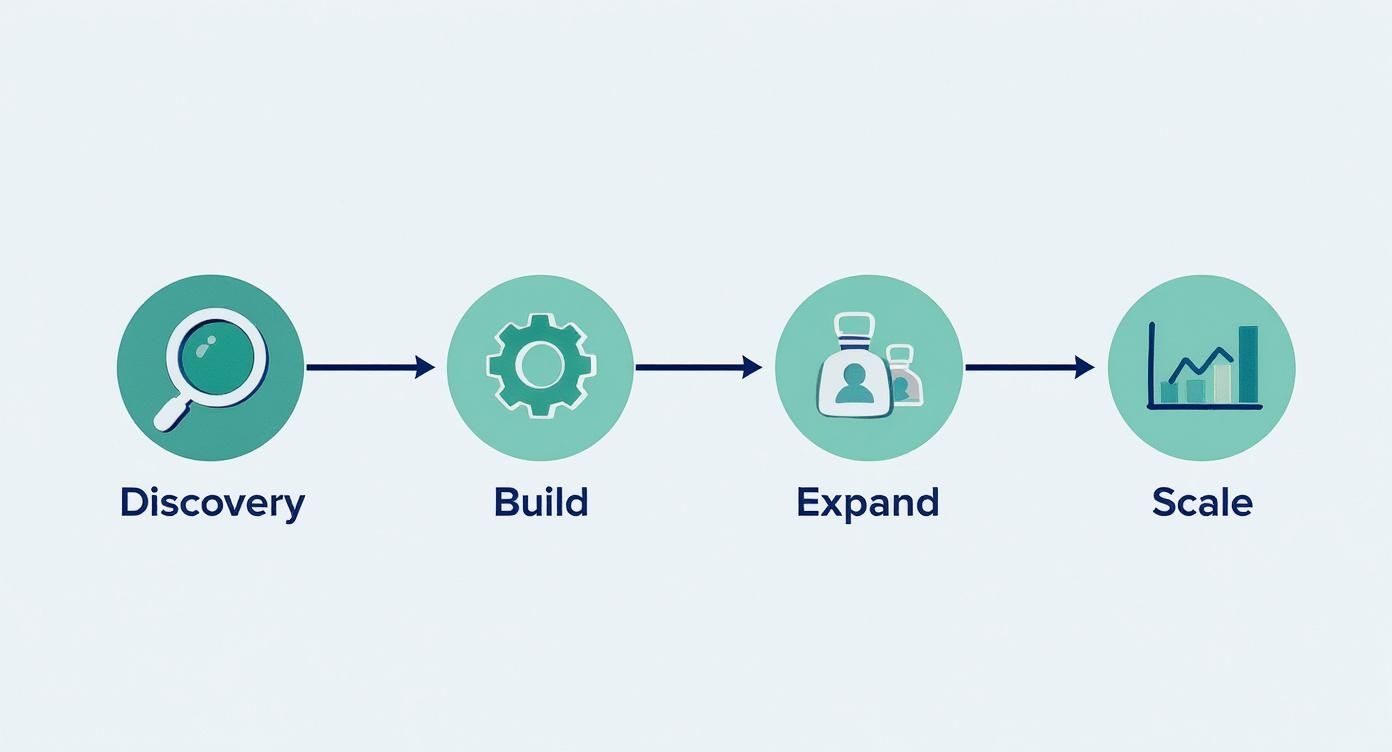
    Embarking on this journey doesn't require a complete, overnight overhaul. The most successful implementations follow an iterative, pragmatic approach. Start by identifying your most critical application or service and apply these principles there.

    1. Start with the Basics: Focus first on centralizing logs and enforcing a structured format for a single, high-value service.
    2. Iterate and Expand: Once you see the benefits, roll out the same foundational practices to other services, refining your approach based on lessons learned.
    3. Layer in Advanced Capabilities: With a solid foundation, begin implementing real-time alerting and context-rich logging to reduce your Mean Time to Resolution (MTTR).
    4. Automate for Scale: As your system complexity grows, invest in automated analysis and anomaly detection to maintain visibility and control.

    Adopting these log management best practices is an investment in operational excellence. It empowers your developers with the insights they need to build better software, equips your security team with the data to fend off threats, and provides your leadership with the confidence that your systems are reliable, secure, and performant.


    Ready to transform your log management strategy but need the expert talent to execute it? OpsMoon connects you with a global network of elite, pre-vetted freelance SRE and DevOps engineers who specialize in building and scaling world-class observability platforms. Let us help you find the right expert to implement these best practices and turn your logs into your most powerful operational asset. Book a free consultation today to start building your dream DevOps team.

  • How to Configure Reverse Proxy in Nginx & Apache: A Technical Guide

    How to Configure Reverse Proxy in Nginx & Apache: A Technical Guide

    Configuring a reverse proxy involves setting up a dedicated server, typically running software like Nginx or Apache, to act as an intermediary for your web application. It intercepts all incoming user requests from the internet and forwards them to the appropriate backend server responsible for processing the request. This is a foundational component of any robust and scalable https://opsmoon.com/blog/web-application-architecture.

    Reverse Proxy Functionality and Use Cases

    Diagram showing a reverse proxy acting as an intermediary between internet users and backend application servers.

    Before diving into configuration files and directives, it is critical to understand the why. A reverse proxy functions as a gateway for your application's network traffic. It sits between the public internet and your private backend infrastructure, managing every inbound request.

    This architectural pattern is fundamental for modern applications. Instead of exposing multiple backend services directly to the internet—a significant security vulnerability—you expose a single, hardened reverse proxy. This creates a powerful abstraction layer, obscuring your internal network topology and shielding your application servers from direct attacks. A solid understanding of basic network concepts is essential for effective implementation.

    Core Functions and Real-World Benefits

    A reverse proxy's responsibilities translate directly into tangible improvements in application performance, security, and scalability.

    Let's break down its key functions into a technical overview.

    Core Functions of a Reverse Proxy

    Function Primary Benefit Common Use Case
    Load Balancing Prevents server overload and improves uptime. Distributing user requests evenly across a pool of identical web servers.
    SSL/TLS Termination Boosts backend server performance. Offloading the intensive work of encrypting and decrypting HTTPS traffic.
    Content Caching Delivers faster page loads for users. Storing and quickly serving static files like images, CSS, and JavaScript.
    Security & Anonymity Shields backend servers from direct attacks. Hiding internal server IPs and blocking malicious requests at the network edge.

    These functions are not minor optimizations; they are fundamental to building high-availability, secure applications.

    The market reflects this importance. The global reverse proxy software market was valued at USD 1.89 billion in 2024 and is on track to hit USD 5.32 billion by 2033. This growth highlights the technology's critical role in modern web infrastructure.

    A reverse proxy is not merely another piece of infrastructure; it is a strategic control plane. It is the component that ensures application availability, performance, and security under load.

    Preparing Your Server Environment

    Before modifying any configuration files, a systematic preparation of the server environment is required to prevent common deployment failures. This pre-flight check ensures that the foundational networking and security prerequisites are met.

    First, you must have secure shell (SSH) access to the server designated for the reverse proxy. Administrative privileges—either sudo access or a root user account—are mandatory for software installation, service management, and modification of network configurations.

    Next, verify that your backend application is operational and listening on its designated port. You must be able to establish a connection to it from the proxy server itself. Use a tool like curl or netcat from the proxy server to test connectivity to the application server's IP and port (e.g., curl http://<backend_ip>:<backend_port>). This simple test validates the internal network path.

    Foundational Network and Security Checks

    Once server access and application readiness are confirmed, configure the necessary network and security settings. These steps ensure traffic can reach the proxy and be securely forwarded to the backend.

    This infographic breaks down the key stages of preparation.

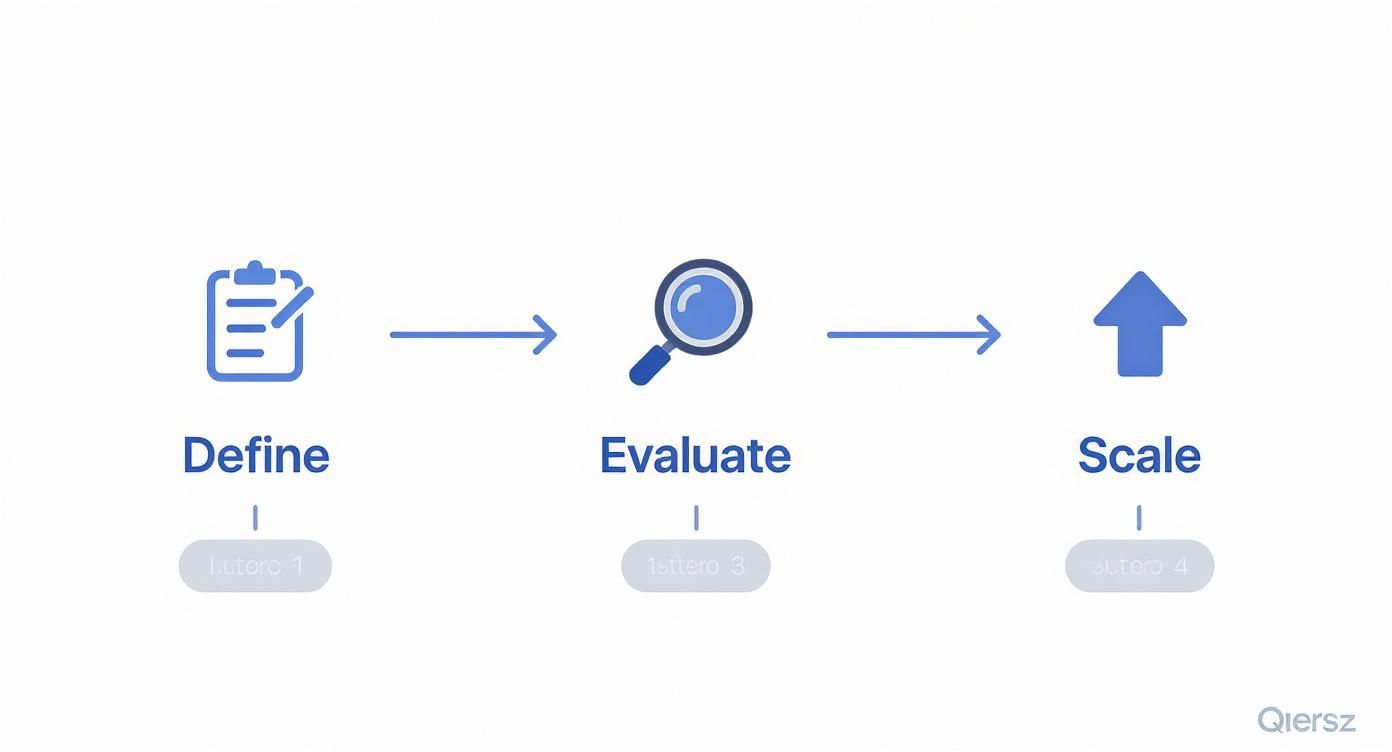
    The workflow is logical: secure administrative access, configure firewall rules, and prepare for TLS encryption.

    A critical component is the firewall configuration. You must create rules to allow inbound TCP traffic on standard web ports: port 80 for HTTP and port 443 for HTTPS. On a Linux system using ufw, the commands would be sudo ufw allow 'Nginx Full' or sudo ufw allow 80/tcp and sudo ufw allow 443/tcp. Without these rules, the proxy is unreachable from the internet.

    Finally, procure and position your SSL/TLS certificates. HTTPS is a non-negotiable standard. You will need the certificate file (.crt or .pem) and its corresponding private key (.key). Ensure these files are present on the proxy server with appropriate permissions (e.g., readable only by the root user and the web server's user group) to facilitate a smooth setup.

    A common point of failure is neglecting internal firewall rules between the proxy and backend servers. While ports 80 and 443 may be open externally, if the proxy server cannot communicate with the application server on its listening port (e.g., 3000, 8080), the entire configuration will fail.

    Setting Up Nginx as a High-Performance Reverse Proxy

    A stylized Nginx logo on a server background, representing a high-performance reverse proxy setup.

    For reverse proxy implementations, Nginx is a leading choice due to its event-driven, asynchronous architecture, which enables it to handle high connection volumes with minimal resource consumption. It is renowned for its speed, efficiency, and stability.

    This section provides a practical, step-by-step guide to building a production-ready Nginx configuration.

    Getting Nginx Ready to Go

    First, install Nginx on your server. For Debian-based systems like Ubuntu, use the package manager: sudo apt-get update && sudo apt-get install nginx. After installation, verify that the service is running with sudo systemctl status nginx.

    Nginx’s configuration files are located in /etc/nginx/. The best practice is to avoid modifying the main nginx.conf file directly. Instead, create a separate configuration file for each site or application in the /etc/nginx/sites-available/ directory. This modular approach enhances maintainability.

    Crafting Your First Server Block

    In Nginx terminology, a server block defines the configuration for a virtual server that handles requests for a specific domain. Create a new file in /etc/nginx/sites-available/, for example your_domain.conf, to contain the directives for proxying requests to your backend service.

    Consider a common scenario: a Node.js application is running on localhost and listening on port 3000. The objective is to configure Nginx to listen for public traffic on port 80 and forward it to this application.

    Here is a commented configuration block that achieves this.

    # This block defines the virtual server for our application.
    server {
        # Nginx will listen for incoming HTTP connections on port 80.
        listen 80;
        listen [::]:80; # Also listen on IPv6
    
        # This tells Nginx which domain(s) this server block applies to.
        server_name your_domain.com www.your_domain.com;
    
        # This 'location' block matches all incoming requests ('/').
        location / {
            # This directive forwards the request to our backend app.
            proxy_pass http://127.0.0.1:3000;
    
            # These headers are crucial. They pass the original
            # request information to the backend application.
            proxy_set_header Host $host;
            proxy_set_header X-Real-IP $remote_addr;
            proxy_set_header X-Forwarded-For $proxy_add_x_forwarded_for;
            proxy_set_header X-Forwarded-Proto $scheme;
        }
    }
    

    The proxy_pass directive is the core of the configuration; it specifies the address of the backend service. The proxy_set_header directives are equally critical. Without them, your backend application would see all requests as originating from 127.0.0.1 (Nginx itself), losing vital client information such as the original IP address.

    Pro Tip: A classic beginner mistake is forgetting proxy_set_header Host $host;. Many web frameworks rely on the Host header to generate correct URLs or route requests properly. Omitting it can cause all sorts of strange and hard-to-debug issues, even if traffic seems to be flowing.

    Putting Your Configuration into Action

    After saving the configuration file, you must enable it. Nginx uses a system of symbolic links for this purpose. Create a symlink from your file in sites-available to the sites-enabled directory using this command: sudo ln -s /etc/nginx/sites-available/your_domain.conf /etc/nginx/sites-enabled/.

    Before applying the changes, always validate your configuration syntax: sudo nginx -t. A successful test will return a message indicating the syntax is okay. If the test passes, reload the Nginx service to apply the new configuration without dropping existing connections: sudo systemctl reload nginx.

    This process of mapping ports and forwarding headers is fundamental to a secure and scalable infrastructure. It’s no surprise that the IT and telecommunications sectors are projected to account for over 30% of global proxy server service revenue by 2025, according to a market analysis by Verified Market Reports. These industries rely on precisely this kind of setup to manage massive volumes of secure traffic.

    A reverse proxy does more than just forward traffic; it can also distribute it across multiple backend servers. This is where it evolves into a load balancer. If you’re looking to scale your application, you should explore our detailed guide on load balancing configuration to learn about more advanced setups.

    Setting Up Apache as a Flexible Reverse Proxy

    The Apache feather logo superimposed on a server rack, symbolizing its role as a reverse proxy.

    While Nginx is often highlighted for raw performance, the Apache HTTP Server remains a powerful and highly versatile choice for a reverse proxy. For teams with existing expertise in Apache, leveraging it for proxying is an efficient and logical choice.

    Apache's strength lies in its modular architecture. Reverse proxy functionality is primarily handled by mod_proxy and its associated modules, such as mod_proxy_http. This is a mature and extensively battle-tested feature set.

    Getting the Essential Apache Modules Enabled

    Before configuring the proxy, you must enable the required modules. Apache's design allows you to load only the necessary components. For a basic reverse proxy, mod_proxy and mod_proxy_http are essential.

    On Debian-based systems like Ubuntu, use the a2enmod utility to enable them. Execute the following commands in your terminal to create the necessary symbolic links:

    • sudo a2enmod proxy
    • sudo a2enmod proxy_http

    After enabling the modules, reload the Apache service to activate them: sudo systemctl reload apache2. You now have the necessary directives available for configuration.

    Building Your VirtualHost Configuration

    In Apache, VirtualHost blocks are used to define configurations for different domains, analogous to Nginx's server blocks. All reverse proxy logic for a specific domain should be encapsulated within one of these blocks.

    Let's configure a common scenario: a Python or Node.js application is running locally on port 8080. The objective is to configure Apache to listen on port 80 for your_domain.com and forward traffic to this application.

    Here is a standard VirtualHost configuration. This should be saved in a new file, such as your_domain.com.conf, within the /etc/apache2/sites-available/ directory.

    <VirtualHost *:80>
        ServerName your_domain.com
        ServerAlias www.your_domain.com
    
        # This is the core of the proxy. It maps all requests ('/')
        # to your backend application.
        ProxyPass / http://127.0.0.1:8080/
    
        # This directive rewrites response headers from the backend
        # to ensure redirects point to the proxy, not the internal app.
        ProxyPassReverse / http://127.0.0.1:8080/
    
        # A critical setting for apps that depend on the Host header.
        ProxyPreserveHost On
    
        # Standard logging is essential for debugging and monitoring.
        ErrorLog ${APACHE_LOG_DIR}/your_domain-error.log
        CustomLog ${APACHE_LOG_DIR}/your_domain-access.log combined
    </VirtualHost>
    

    The ProxyPass and ProxyPassReverse directives work in tandem. ProxyPass forwards the client's request to the backend application. ProxyPassReverse intercepts HTTP redirect responses from the backend and rewrites the Location header to match the public-facing domain. This prevents clients from being redirected to an internal address like 127.0.0.1:8080, which would fail.

    ProxyPreserveHost On is a small setting that solves big headaches. Without it, Apache would pass its own internal hostname (like localhost) in the Host header to your backend. This can completely break applications that use the Host header to generate URLs or serve different content, leading to some very confusing bugs.

    After saving your new configuration file, enable the site with sudo a2ensite your_domain.com.conf. Always test the configuration syntax before reloading: sudo apache2ctl configtest. If the test is successful, apply the changes with sudo systemctl reload apache2.

    Hardening and Optimizing Your Reverse Proxy

    A basic reverse proxy forwards traffic; a production-ready one hardens, accelerates, and protects your applications. This involves offloading TLS encryption, injecting security headers, and implementing intelligent caching strategies.

    By mid-2025, it's projected that around 17 million active websites will be sitting behind a reverse proxy. You can track the reverse proxy market share on W3Techs to see the trend. A properly tuned and secured proxy is a competitive necessity.

    Implementing SSL and TLS Termination

    A primary benefit of a reverse proxy is SSL/TLS termination. Instead of each backend server handling the CPU-intensive process of encrypting and decrypting HTTPS traffic, the proxy handles it centrally at the network edge.

    This simplifies infrastructure management significantly. Certificate installation and renewal are centralized on the proxy server. If the proxy and backend servers communicate over a secure private network, the internal traffic can be unencrypted HTTP, reducing processing overhead on the application servers.

    Bolstering Security with HTTP Headers

    The reverse proxy is the ideal control point for enforcing security policies by adding HTTP headers to every outbound response. These headers instruct the browser on how to behave, mitigating common attack vectors.

    Implement these headers in your proxy configuration as a baseline security measure:

    • HTTP Strict Transport Security (HSTS): Instructs browsers to communicate with your server exclusively over HTTPS. Add add_header Strict-Transport-Security "max-age=31536000; includeSubDomains" always; to your Nginx config.
    • X-Frame-Options: Prevents your site from being embedded in an <iframe>, defending against clickjacking. Use add_header X-Frame-Options "SAMEORIGIN" always;.
    • Content-Security-Policy (CSP): Provides granular control over which resources (scripts, styles, images) a browser is permitted to load, drastically reducing the risk of Cross-Site Scripting (XSS). An example is add_header Content-Security-Policy "default-src 'self'; script-src 'self' https://trusted.cdn.com;".

    Implementing these is a cornerstone of a defense-in-depth strategy. A hardened proxy is your first line of defense against threats like Distributed Denial of Service (DDoS) attacks.

    I’ve seen setups where a simple HSTS header could have prevented a major security incident. It's a single line in your Nginx or Apache config that provides an enormous security benefit with almost no performance cost.

    Boosting Performance with Caching

    A reverse proxy can dramatically improve application performance by caching static content. Assets like images, CSS files, and JavaScript bundles change infrequently, so serving them from application servers on every request is inefficient.

    Configure your proxy to identify these assets by file extension or URL path and store a local copy. Subsequent requests for the same asset are served directly from the proxy's cache (memory or disk), bypassing the backend entirely. This reduces latency for the end-user and decreases the load on your application servers.

    For a deeper look into building security into your entire workflow, check out our guide on DevOps security best practices.

    Answering Common Reverse Proxy Questions

    Even with precise technical guides, real-world implementations present unique challenges. Here are answers to common questions encountered by developers and system administrators.

    Forward vs. Reverse Proxy: What’s the Difference?

    The distinction between forward and reverse proxies is fundamental. They operate at opposite ends of a network connection and solve different problems.

    A forward proxy operates on behalf of the client. It is positioned in front of client machines (e.g., on a corporate network). When a user requests an external resource, the request is sent to the forward proxy, which then forwards it to the internet. Its primary purpose is to manage and secure outbound traffic.

    A reverse proxy operates on behalf of the server. It is positioned in front of web servers, intercepting all inbound requests from the internet. Its function is to distribute this traffic to the appropriate backend server, enabling load balancing, SSL termination, and infrastructure protection.

    The easiest way I've found to remember the difference is to ask: "Whose identity is being hidden?" A forward proxy hides the client's identity. A reverse proxy hides the server's identity.

    Can One Proxy Handle Multiple Domains?

    Yes, this is a core capability and a primary use case. A single Nginx or Apache instance can manage traffic for numerous different websites or microservices, each potentially hosted on separate backend servers.

    This is achieved through name-based virtual hosting. The reverse proxy inspects the Host header of each incoming HTTP request to determine the intended domain. It then matches this domain to the corresponding server block (Nginx) or VirtualHost block (Apache) in its configuration and routes the request to the correct backend service.

    Why Does My App See the Proxy IP Instead of the User's IP?

    This is a common issue. When a reverse proxy is placed in front of an application, the backend server's logs will show all traffic originating from the proxy's own IP address. This disrupts logging, analytics, and security features that rely on the client's source IP.

    The solution requires a two-step process:

    1. Configure the Proxy to Pass the IP: Modify your reverse proxy configuration to add a specific HTTP header to each request it forwards. The standard headers for this purpose are X-Forwarded-For (which may contain a list of IPs if there are multiple proxies) and X-Real-IP (which should contain the direct client IP).
    2. Configure the Application to Trust the Header: Your backend application or web framework must be configured to trust requests originating from your proxy's IP address. When it receives a request from a trusted proxy, it should be instructed to look for the X-Forwarded-For or X-Real-IP header and use its value as the true client IP address.

    Navigating the complexities of reverse proxies, load balancers, and production-ready infrastructure requires deep expertise. OpsMoon provides access to the top 0.7% of remote DevOps engineers who can design, build, and manage your entire cloud environment. Start with a free work planning session to map out your infrastructure goals. https://opsmoon.com

  • Top Container Security Scanning Tools for 2025

    Top Container Security Scanning Tools for 2025

    The rapid adoption of containers has revolutionized software deployment, but it also introduces complex security challenges that demand more than a superficial check. A simple vulnerability scan is no longer sufficient. To fully understand the role of container security tools, it's helpful to differentiate between various security assessment methods, such as vulnerability scanning versus penetration testing. Modern DevOps and platform engineering teams require robust container security scanning tools that integrate seamlessly into the entire software development lifecycle (SDLC), from the developer's local machine all the way to production runtime.

    This guide moves beyond marketing claims to provide a deeply technical and actionable breakdown of the top 12 tools available today. We will analyze their core scanning engines, CI/CD integration capabilities, vulnerability prioritization logic, and specific deployment use cases to help you choose, implement, and optimize the right solution for your environment. We'll explore everything from open-source powerhouses like Trivy and Grype to comprehensive enterprise platforms, focusing on practical implementation details and real-world trade-offs.

    Our goal is to equip you, whether you're a CTO, an IT manager, or a platform engineer, with the precise information needed to make an informed decision. Each entry includes detailed analysis, screenshots for clarity, and direct links to the tools, helping you find the best platform for your technical needs and business scale. We will dissect how these tools address critical security concerns like detecting vulnerabilities in OS packages, application dependencies, infrastructure-as-code (IaC) configurations, and even secrets baked into container images. Let's get straight to the analysis.

    1. Aqua Security (Aqua Platform + Trivy)

    Aqua Security provides a powerful dual-offering approach to container security, making it one of the most versatile container security scanning tools available. Its strategy combines the widely adopted open-source scanner, Trivy, with its comprehensive commercial Cloud Native Application Protection Platform (CNAPP), the Aqua Platform. This allows teams to start with a robust, free scanner and scale into an enterprise-grade solution without switching ecosystems.

    Aqua Security (Aqua Platform + Trivy)

    Trivy excels at fast, accurate scans directly within CI/CD pipelines, covering vulnerabilities in OS packages, language-specific dependencies, Infrastructure-as-Code (IaC) files, and secrets. The Aqua Platform builds on this foundation, adding centralized management, advanced risk scoring, and runtime protection. A key differentiator is its Dynamic Threat Analysis (DTA) feature, a sandboxing technology that executes container images to detect sophisticated malware, zero-day vulnerabilities, and other threats that static analysis might miss.

    Key Features & Use Cases

    Feature Best Use Case
    Trivy Open-Source Scanner Integrating fast, free vulnerability scans into GitHub Actions, Jenkins, or local development workflows.
    Dynamic Threat Analysis (DTA) Securing production environments by analyzing untrusted or third-party images for hidden, behavior-based threats.
    Comprehensive CNAPP Enterprises requiring end-to-end security from code registry to Kubernetes runtime with policy enforcement.

    The platform integrates seamlessly with major registries, CI tools, and cloud providers, exporting results in formats like SARIF and CycloneDX for streamlined remediation workflows. Adhering to container security best practices is simplified with Aqua's extensive coverage. For teams evaluating their security posture, understanding these foundational principles is crucial; you can learn more about implementing container security best practices to complement your tooling choice. While the enterprise pricing for the Aqua Platform requires a sales consultation, the immense value provided by the free Trivy scanner makes Aqua an accessible entry point for any organization.

    Website: https://www.aquasec.com/products/container-scanning/

    2. Snyk Container

    Snyk Container positions itself as a developer-first solution among container security scanning tools, focusing on integrating security seamlessly into existing workflows. Its core strength lies in providing actionable insights directly to developers, which speeds up remediation. By scanning not just the container image but also the underlying Dockerfile and Kubernetes configurations, Snyk offers contextual prioritization that helps teams focus on vulnerabilities that are truly exploitable in their specific application environment.

    Snyk Container

    A key differentiator is its base image upgrade recommendation feature. Snyk intelligently identifies if a vulnerability can be fixed simply by upgrading to a newer, more secure base image and can even automate the process by creating a pull request. This direct, actionable approach significantly reduces the manual effort required to maintain a secure containerized environment. The platform's clear documentation and developer-friendly interface lower the barrier to adoption for engineering teams.

    Key Features & Use Cases

    Feature Best Use Case
    Developer-First Context Teams looking to empower developers to fix vulnerabilities by providing clear, prioritized, and actionable guidance directly in their IDEs and PRs.
    Base Image Upgrade Recommendations Automatically identifying and fixing vulnerabilities by suggesting minimal-effort upgrades to parent images in Dockerfiles.
    Kubernetes & Workload Scanning Gaining visibility into running workloads to identify vulnerabilities that are actively exposed in a Kubernetes cluster.

    Snyk integrates smoothly with popular developer tools, including Docker Hub, major cloud container registries (ECR, GCR, ACR), and CI/CD systems like GitHub Actions and Jenkins. Its generous free tier, offering 100 container tests per month, makes it highly accessible for individual developers or small teams to start securing their containers immediately. For more advanced features like team-based policies and reporting, users will need to upgrade to paid Business or Enterprise plans.

    Website: https://snyk.io/product/container-vulnerability-management/

    3. Palo Alto Networks Prisma Cloud (Compute)

    Palo Alto Networks Prisma Cloud offers one of the most comprehensive enterprise-grade container security scanning tools, extending far beyond basic vulnerability detection. Positioned as a full-lifecycle security platform, it excels in large, complex multi-cloud and hybrid environments where granular control and runtime defense are paramount. Its "Compute" module focuses specifically on securing hosts, containers, and serverless functions from development through production.

    Palo Alto Networks Prisma Cloud (Compute)

    Prisma Cloud differentiates itself with its robust runtime protection and policy enforcement capabilities. It integrates directly into the CI/CD pipeline to scan images in registries like Docker Hub, Artifactory, and Quay, allowing teams to block vulnerable builds before deployment. A key feature is its admission controller for Kubernetes, which enforces "trusted image" policies, preventing un-scanned or non-compliant images from ever running in the cluster. This proactive gating mechanism is crucial for enterprises enforcing strict security and compliance standards across their cloud-native infrastructure.

    Key Features & Use Cases

    Feature Best Use Case
    Unified Registry & CI/CD Scanning Organizations standardizing security checks across multiple development pipelines (Jenkins, GitHub Actions, CircleCI) and image registries.
    Kubernetes Admission Controller Implementing a zero-trust model in production clusters by automatically blocking deployments that violate security policies.
    Advanced Runtime Defense Protecting critical applications with deep process, file system, and network monitoring to detect and prevent anomalous behavior in real-time.

    The platform's strength lies in its ability to provide a single, unified view of risk across diverse environments. By correlating vulnerability data with runtime observations, it helps security teams prioritize the most critical threats. While its pricing is geared towards enterprises and requires a direct sales engagement, the platform's mature feature set provides a powerful, all-in-one solution for organizations seeking deep, integrated security from build to runtime. This makes it an ideal choice for large-scale deployments where consistency and control are non-negotiable.

    Website: https://www.paloaltonetworks.com/prisma/cloud/container-security

    4. Anchore (Enterprise) + Anchore Open Source (Syft/Grype)

    Anchore differentiates itself with an SBOM-centric approach, positioning it as one of the top container security scanning tools for supply chain security. Similar to Aqua, it offers powerful open-source tools: Syft for generating Software Bill of Materials (SBOMs) and Grype for vulnerability scanning. This combination allows developers and DevOps teams to immediately integrate SBOM generation and vulnerability analysis into their CI/CD workflows, supporting formats like CycloneDX and SPDX.

    Anchore (Enterprise) + Anchore Open Source (Syft/Grype)

    The commercial Anchore Enterprise platform extends these capabilities for large-scale operations. Its core strength lies in storing and continuously analyzing SBOMs against updated vulnerability feeds. This means that even after an image is built and deployed, Anchore can alert teams to newly discovered vulnerabilities affecting its components without needing a full rescan. The platform provides centralized policy management, detailed reporting, and deep integrations with container registries and CI systems, making it ideal for enforcing compliance and security policies across an organization.

    Key Features & Use Cases

    Feature Best Use Case
    Syft & Grype Open Source Developers needing to generate SBOMs and perform fast, accurate vulnerability scans directly in build pipelines.
    SBOM-Centric Vulnerability Management Organizations focused on federal compliance (e.g., EO 14028) and securing the software supply chain.
    Centralized Policy & Reporting Enterprises requiring auditable security and compliance records with granular policy enforcement across many teams.

    Anchore's focus on the SBOM as the central source of truth provides deep visibility into software dependencies, which is critical for modern application security. While Syft and Grype are free and highly effective for pipeline integration, leveraging the full potential of continuous monitoring and governance requires the paid enterprise platform. This dual-model provides a clear path for organizations to mature their container security posture from foundational scanning to comprehensive supply chain management.

    Website: https://anchore.com/platform/secure/

    5. Sysdig Secure

    Sysdig Secure offers a runtime-centric approach to container security, making it a standout among container security scanning tools for teams looking to reduce alert fatigue. As a comprehensive Cloud Native Application Protection Platform (CNAPP), its core differentiator is the ability to correlate static scan results with live runtime insights. This allows it to prioritize vulnerabilities based on which packages are actually loaded and in use, effectively filtering out noise from packages that exist in an image but are never executed.

    Sysdig Secure

    The platform provides both agentless and agent-based scanning options to fit different infrastructure needs, offering flexibility for cloud and on-premises deployments. It integrates directly with CI pipelines and popular registries like AWS ECR, automating vulnerability detection from development through to production. With its 'Scan Now' feature, teams can perform instant, ad-hoc scans on images, ensuring rapid feedback. Sysdig's focus on runtime context provides a practical advantage by helping engineers focus their remediation efforts on the threats that pose a genuine risk to their active applications.

    Key Features & Use Cases

    Feature Best Use Case
    Runtime-Aware Vulnerability Prioritization DevOps teams in complex environments looking to reduce alert noise and focus on vulnerabilities with a clear attack path.
    Agentless & Agent-Based Scanning Organizations requiring flexible deployment models to secure both managed cloud services and self-hosted Kubernetes clusters.
    CI & Registry Integrations (e.g., AWS ECR) Automating security checks for every build and push, catching vulnerabilities before they are deployed to production environments.

    Sysdig Secure’s emphasis on exploitability helps teams move beyond simple CVE matching to a more risk-based security posture. While pricing is quote-based and requires a sales consultation, its unique ability to contextualize vulnerabilities makes it a powerful choice for mature teams aiming to enhance the efficiency of their security operations. It's also worth noting that users of legacy Sysdig components may need to plan for a migration, as the platform has evolved its architecture.

    Website: https://sysdig.com/pricing-secure/

    6. JFrog Xray (with Artifactory)

    JFrog Xray positions itself as a universal software composition analysis (SCA) solution, making it a powerful choice among container security scanning tools, especially for teams already embedded in the JFrog ecosystem. Its primary strength lies in its deep, native integration with JFrog Artifactory. This connection allows Xray to perform recursive scans, analyzing every binary component and dependency within your container images against its extensive vulnerability intelligence database.

    JFrog Xray (with Artifactory)

    Unlike standalone scanners, Xray leverages the rich metadata stored in Artifactory to provide a comprehensive impact analysis graph. This unique feature shows you exactly which images and artifacts are affected by a newly discovered CVE, enabling rapid, targeted remediation. It also facilitates a proactive "shift-left" approach by allowing you to define security policies that can automatically block vulnerable builds from being promoted or deployed, directly enforcing security compliance within your CI/CD pipeline. The continuous scanning capability ensures that even artifacts already in storage are re-evaluated against new security advisories.

    Key Features & Use Cases

    Feature Best Use Case
    Native Artifactory Integration Organizations using JFrog Artifactory that need to automatically scan every artifact and its dependencies.
    Impact Analysis Graph Quickly identifying the full blast radius of a new zero-day vulnerability across all stored container images.
    Policy-Based Enforcement Preventing builds with critical vulnerabilities or non-compliant licenses from ever reaching production environments.

    Xray's functionality extends beyond containers to support a wide range of package formats, offering a unified view of risk across your entire software supply chain. It provides a Docker Desktop extension for local scanning and a powerful CLI for easy integration into any CI/CD workflow. While the tight coupling with Artifactory is its greatest asset, it can also be a consideration for teams not already using the JFrog Platform. Pricing is available through various subscription tiers on major cloud marketplaces, though some advanced features are reserved for higher enterprise plans.

    Website: https://jfrog.com/xray/

    7. Docker Scout

    Docker Scout provides deeply integrated image analysis, making it one of the most developer-friendly container security scanning tools for teams already invested in the Docker ecosystem. It embeds security insights directly into the tools developers use daily, including Docker Desktop, Docker CLI, and Docker Hub. This "shift-left" approach delivers immediate feedback on vulnerabilities and supply chain issues, allowing for rapid remediation before images are pushed to registries.

    Docker Scout

    The platform automatically analyzes images, generates a Software Bill of Materials (SBOM), and correlates findings with a real-time vulnerability database. Docker Scout's key differentiator is its seamless integration, which removes the friction often associated with adopting a new security tool. By presenting actionable remediation advice directly in the command line or Docker Desktop UI, it empowers developers to fix issues on their local machines, significantly reducing the security team's workload and speeding up development cycles.

    Key Features & Use Cases

    Feature Best Use Case
    Local Image Analysis Developers looking to scan and fix vulnerabilities in container images directly on their machine before committing code.
    Policy Evaluation Platform engineering teams enforcing organizational security and licensing standards across all development projects.
    Docker Hub Integration Teams needing continuous, automated security monitoring for images stored in Docker Hub repositories.

    Docker Scout is included with paid Docker subscriptions (Team and Business plans), making it a cost-effective choice for organizations already utilizing these tiers. It provides a simple setup and a unified user experience across the Docker product suite. However, users on Personal or Pro plans will find their access to Scout-enabled repositories limited, requiring an upgrade to unlock its full potential for organization-wide security management. This tight ecosystem focus makes it an exceptional tool for Docker-centric workflows but less of a standalone solution for heterogeneous environments.

    Website: https://www.docker.com/products/docker-scout/

    8. Tenable Cloud Security (Kubernetes and Container Image Scanning)

    Tenable extends its industry-leading vulnerability management expertise into the cloud-native space with Tenable Cloud Security. Positioned as a key module within its unified exposure management platform, this solution offers a holistic approach by combining container image scanning with Kubernetes Security Posture Management (KSPM). This makes it one of the most compelling container security scanning tools for organizations already invested in the Tenable ecosystem for broader infrastructure security.

    Tenable Cloud Security (Kubernetes and Container Image Scanning)

    The platform’s strength lies in its ability to provide a single pane of glass for risk across diverse assets, from traditional servers and VMs to modern containerized workloads. Its scanner detects OS and application-level vulnerabilities, as well as malware, within container images before they are deployed. The KSPM capabilities complement this by continuously assessing the configuration of Kubernetes clusters, identifying misconfigurations, and validating security policies like least-privilege access, ensuring a secure runtime environment.

    Key Features & Use Cases

    Feature Best Use Case
    Unified Exposure Management Organizations wanting to consolidate container, cloud, and on-prem vulnerability data into a single risk management dashboard.
    Kubernetes Security Posture Management (KSPM) Securing complex Kubernetes deployments by validating cluster configurations against security benchmarks and best practices.
    Hybrid Environment Support Enterprises managing a mix of on-premises and cloud-based Kubernetes services (like EKS, AKS, GKE) and needing consistent security coverage.

    Tenable's solution is designed for scale, integrating directly into CI/CD pipelines to shift security left and providing developers with actionable feedback early in the lifecycle. By correlating container vulnerabilities with other infrastructure risks, security teams can prioritize remediation efforts based on the actual business context and exposure. While pricing is often part of a larger platform bundle and can be opaque, the benefit of a unified security view makes it a powerful choice for existing Tenable customers aiming to secure their cloud-native applications.

    Website: https://www.tenable.com/cloud-security/capabilities/kubernetes-container-image-scanning

    9. Qualys Kubernetes and Container Security (KCS)

    Qualys extends its well-established vulnerability management legacy into the cloud-native space with its Kubernetes and Container Security (KCS) module. As one of the more mature container security scanning tools, its strength lies in providing a unified view of risk that integrates container vulnerabilities with a broader asset management context. The platform offers continuous discovery of images and running containers, vulnerability scanning, and posture management for Kubernetes environments.

    Qualys Kubernetes and Container Security (KCS)

    A key differentiator for Qualys KCS is its integration within the larger Qualys Cloud Platform. This allows security teams to correlate container-based threats with data from other IT assets, providing a holistic risk profile that many standalone tools lack. It enforces security policies through admission controllers and offers deep visibility into runtime behavior, helping teams maintain a strong security posture from development to production. The platform is designed to help teams effectively manage the entire lifecycle of their containerized applications, a critical component of a modern DevOps strategy.

    Key Features & Use Cases

    Feature Best Use Case
    Unified Asset & Risk View Organizations that already use Qualys for VMDR and want to extend consistent vulnerability management to containers.
    Admission Control Policies Preventing the deployment of non-compliant or highly vulnerable images into a Kubernetes cluster at runtime.
    Kubernetes Security Posture Continuously assessing Kubernetes clusters against CIS benchmarks and other security standards for misconfigurations.

    Qualys integrates with CI/CD pipelines and major container registries, and its results can be pushed into ticketing systems like Jira to streamline remediation workflows. This makes it an effective solution for teams needing to manage complex, multi-faceted environments; for those navigating such complexities, you can explore more about specialized Kubernetes services to enhance your security and operational efficiency. While pricing is typically per-host and requires a sales consultation, Qualys offers a valuable free tier that provides visibility into your container environment, allowing teams to assess its capabilities before committing.

    Website: https://www.qualys.com/apps/container-security/

    10. Amazon Web Services: Amazon ECR Image Scanning + Amazon Inspector

    For teams deeply embedded in the AWS ecosystem, leveraging native services for container security offers unparalleled integration and simplified billing. AWS provides a two-tiered approach to container security scanning directly within its Elastic Container Registry (ECR). This native functionality ensures that security analysis is a seamless part of the image management lifecycle, making it an essential component of an AWS-centric security strategy and one of the most convenient container security scanning tools for cloud-native teams.

    Amazon Web Services: Amazon ECR Image Scanning + Amazon Inspector

    The offering starts with a free basic scan, which uses the Clair open-source engine to detect OS package vulnerabilities on push. For more advanced needs, Amazon Inspector powers the enhanced scanning tier, providing continuous, automated rescans of images in ECR and those running on EKS or ECS. This enhanced capability adds language package vulnerability detection, generates a Software Bill of Materials (SBOM), and correlates findings with runtime context, helping prioritize the most critical threats.

    Key Features & Use Cases

    Feature Best Use Case
    Basic ECR Scanning Teams needing a no-cost, automated vulnerability check for OS packages immediately upon pushing an image to ECR.
    Inspector-Powered Enhanced Scanning Organizations requiring continuous vulnerability management for both in-registry and running containers with detailed SBOMs.
    Native Service Integration AWS-native environments looking to consolidate security tooling and billing while leveraging runtime context from EKS and ECS.

    The primary advantage is the tight integration with AWS services, from IAM for permissions to EventBridge for triggering remediation workflows. While native AWS tools provide robust scanning, some organizations may seek additional expertise. Exploring options for an AWS managed service provider can help optimize these security configurations and integrate them into a broader cloud management strategy. Pricing is pay-as-you-go, with a free basic tier and a 15-day trial for Inspector, though costs for enhanced scanning can scale with image volume. You can learn more about how to integrate these AWS services for a complete security posture.

    Website: https://aws.amazon.com/inspector/

    11. Microsoft Defender for Containers (with ACR image scanning)

    For organizations deeply embedded in the Azure ecosystem, Microsoft Defender for Containers offers a tightly integrated solution. It serves as a key component within the broader Defender for Cloud platform, providing native vulnerability scanning for images stored in Azure Container Registry (ACR) and runtime protection for Azure Kubernetes Service (AKS) clusters. This makes it an excellent choice among container security scanning tools for teams aiming to consolidate security management within a single cloud provider.

    Microsoft Defender for Containers (with ACR image scanning)

    The platform's primary strength is its seamless integration. Vulnerability assessments are automatically triggered when images are pushed, pulled, or imported into ACR, feeding results directly into the Defender for Cloud security posture dashboard. This eliminates the need for third-party scanner configurations within the registry. Beyond static scanning, it extends protection to the runtime environment by monitoring for suspicious activities, enforcing security policies, and providing threat intelligence alerts for AKS clusters, creating a cohesive security fabric from registry to runtime.

    Key Features & Use Cases

    Feature Best Use Case
    Native ACR Image Scanning Teams using Azure Container Registry who need automated, zero-configuration vulnerability scans on image push and pull events.
    Kubernetes Runtime Protection Securing AKS clusters by monitoring for threats, applying security policies, and generating alerts based on Microsoft's threat intelligence.
    Centralized Security Posture Organizations consolidating all cloud security operations within Microsoft Defender for Cloud for unified visibility and management.

    While the native integration is a significant advantage, some users report that its vulnerability detection can be less comprehensive than specialized, third-party tools. The quality of coverage may also vary based on specific image configurations. Pricing is handled on a pay-as-you-go model per vCore for agentless container posture management, with a free monthly allowance that makes it accessible for smaller workloads. This approach provides a frictionless path to container security for Azure-native development teams.

    Website: https://azure.microsoft.com/pricing/details/defender-for-cloud/

    12. Google Cloud Artifact Analysis (Artifact Registry container scanning)

    For organizations deeply embedded in the Google Cloud ecosystem, Google Cloud's Artifact Analysis offers a highly integrated and native solution among container security scanning tools. It provides managed vulnerability scanning directly within Artifact Registry, Google's universal package manager. This tight integration simplifies the security workflow by automatically scanning container images upon push, eliminating the need for separate tool configuration for teams using GCP.

    Google Cloud Artifact Analysis (Artifact Registry container scanning)

    The service detects vulnerabilities in both OS packages and language-specific dependencies across a broad range of ecosystems. A key advantage is its continuous scanning capability, which re-scans recently pushed and pulled images as new vulnerability information becomes available from its data sources. This ensures that even idle images are kept up-to-date with the latest threat intelligence. Its clear, per-image pricing model and straightforward setup make it an accessible option for existing GCP users looking to secure their container lifecycle.

    Key Features & Use Cases

    Feature Best Use Case
    Automatic On-Push Scanning Teams using Google Cloud Build and Artifact Registry who want immediate vulnerability feedback without pipeline changes.
    Continuous Analysis Ensuring images stored for long periods in Artifact Registry are re-evaluated against newly discovered CVEs.
    GCP Native Integration Organizations looking for a frictionless, out-of-the-box scanning solution within their existing GCP environment.

    While automatic scanning is limited to images within Artifact Registry, on-demand scans can be triggered via the gcloud CLI, allowing for easy integration into custom CI/CD pipelines or local development checks. The scan results are directly accessible through the GCP console or API, providing clear severity ratings and remediation guidance. For teams committed to GCP, this tool offers a seamless and efficient way to embed security directly into their cloud-native development and deployment workflows without adding third-party complexity.

    Website: https://cloud.google.com/artifact-analysis/

    Container Security Scanning Tools Comparison

    Solution Core Features User Experience/Quality Value Proposition Target Audience Price Points/Model
    Aqua Security (Aqua Platform + Trivy) End-to-end artifact scanning, Trivy OSS, DTA sandbox Accurate, broad vuln coverage, ecosystem integrations Strong free scanner, enterprise-grade controls Enterprise & DevOps teams Enterprise pricing via sales
    Snyk Container Continuous scanning, base image fixes, CI integrations Developer-friendly, good docs, easy setup Free tier for small teams, dev-centric Small to mid-size dev teams Free plan; paid tiers for features
    Palo Alto Prisma Cloud (Compute) Registry scanning, CI/CD gating, runtime defense Mature runtime protections, multi-cloud support Enterprise multi-cloud protection Large enterprises Enterprise pricing, sales contact
    Anchore (Enterprise + OSS Syft/Grype) SBOM-first, continuous vuln eval, CI integrations Strong free OSS tools, deep SBOM focus Supply chain security, attestation Large orgs, supply chain security Paid platform for enterprise features
    Sysdig Secure Registry/runtime scanning, priority on runtime use Runtime-aware prioritization, AWS ECR integration Reduced alert noise, strong AWS support Enterprise & AWS users Quote-based pricing
    JFrog Xray (with Artifactory) Recursive scanning, CVE rescanning, policy enforcement Tight artifact mgmt integration, scalable Enterprise readiness, DevOps platform DevOps & enterprise orgs Paid tiers, cloud marketplace plans
    Docker Scout Local image analysis, SBOM, Docker integration Seamless with Docker tools, simple setup Included with paid Docker plans Docker users, dev teams Included in Team/Business plans
    Tenable Cloud Security Container scanning, KSPM, cluster policy checks Unified risk view, scales mixed envs Broad risk exposure management Cloud & hybrid security teams Bundled pricing, sales contact
    Qualys Kubernetes & Container Security Continuous discovery, vuln scanning, KSPM Mature, free view-only tier Unified asset and risk mgmt Enterprise security teams Sales-based, cost scales by hosts
    AWS: Amazon ECR Image Scanning + Inspector Basic/enhanced ECR scanning, SBOM, CI integrations Native AWS experience, pay-as-you-go Free basic scan, enhanced optional AWS customers Pay-as-you-go, scaling with usage
    Microsoft Defender for Containers ACR image scanning, cluster policy, alerts Native Azure integration, centralized billing Integrated Azure Defender ecosystem Azure users Pay-as-you-go, monthly free scans
    Google Cloud Artifact Analysis Auto/on-demand scanning, broad package support Simple GCP native setup, CI/CD friendly Clear per-image pricing, native GCP Google Cloud Platform users Per-image pricing

    Orchestrating a Secure and Efficient DevOps Lifecycle

    Selecting from the extensive list of container security scanning tools is a foundational step, but it is not the final destination. The true value of tools like Aqua Security, Snyk, or even cloud-native solutions like Amazon Inspector, is only unlocked when they are deeply woven into the fabric of your DevOps lifecycle. The goal is not just to find vulnerabilities, but to create a resilient, automated, and security-conscious software delivery pipeline that moves at the speed of your business.

    This article has provided a detailed technical breakdown of leading scanners, from comprehensive enterprise platforms to powerful open-source command-line tools. We've explored their distinct scanning engines, their CI/CD integration capabilities, and their approaches to runtime security. The key takeaway is that there is no single "best" tool; the optimal choice is entirely dependent on your specific technical stack, team maturity, compliance requirements, and operational budget.

    From Selection to Strategic Implementation

    After evaluating the options, the next critical phase involves strategic implementation. This goes beyond simply running scans; it’s about making the output of these tools actionable and integrating them without introducing unnecessary friction for your development teams.

    • Automate Everything: Your chosen tool must be integrated directly into your CI pipeline. Scans should trigger automatically on every commit or build, providing immediate feedback. A pull request that introduces a critical vulnerability should fail its checks, preventing insecure code from ever reaching the main branch.
    • Define Your Policies: Don't treat all vulnerabilities equally. Establish clear, automated policies for what constitutes a build failure. For instance, you might block any new 'Critical' or 'High' severity vulnerabilities with known exploits, while logging 'Medium' or 'Low' findings for later review. Tools like Anchore and Prisma Cloud offer robust policy-as-code engines to manage this.
    • Context is King: A raw list of CVEs is noise. The most effective container security scanning tools provide context. They help you understand if a vulnerable package is actually loaded into memory or reachable by an attacker. Use this context to prioritize remediation efforts on the risks that genuinely threaten your application.
    • Integrate into the Developer Workflow: Security findings should not be siloed in a separate dashboard. Integrate alerts directly into the tools your developers already use, such as Slack, Jira, or Microsoft Teams. This ensures visibility and makes remediation a natural part of the development sprint, not a separate, burdensome task.

    Making the Right Choice for Your Organization

    Choosing the right tool requires a clear-eyed assessment of your needs. An early-stage startup might achieve significant security uplift by integrating the open-source Trivy or Grype into their GitHub Actions for free. In contrast, a large financial institution facing strict regulatory compliance will require an enterprise-grade solution like Sysdig Secure or Tenable Cloud Security, which offers comprehensive runtime protection, forensics, and detailed audit trails.

    Consider your entire ecosystem. If your organization is heavily invested in JFrog Artifactory, then JFrog Xray is a natural fit, providing deep binary analysis within your existing registry. If you operate primarily within a single cloud provider, leveraging their native tools like Microsoft Defender for Containers or Google Cloud's Artifact Analysis can simplify procurement and integration significantly, although they may lack the advanced features of specialized third-party platforms. The ultimate decision hinges on balancing feature depth, integration simplicity, operational overhead, and cost.

    Ultimately, adopting container security scanning is a cultural shift. It’s about empowering developers with the information they need to write secure code from the start and making security an intrinsic, shared responsibility across the entire engineering organization.


    Navigating the complexities of selecting, implementing, and optimizing container security scanning tools requires specialized expertise. OpsMoon connects you with a global network of elite, pre-vetted remote DevOps and DevSecOps engineers who can help you build a secure, automated, and scalable infrastructure. Fortify your development lifecycle and accelerate your security posture by partnering with the experts at OpsMoon.

  • Top 12 Kubernetes Cluster Management Tools for 2025

    Top 12 Kubernetes Cluster Management Tools for 2025

    Managing Kubernetes at scale is a significant engineering challenge that demands more than just kubectl apply. As organizations move from single test clusters to complex, multi-cloud, and multi-region production environments, the need for robust kubernetes cluster management tools becomes critical. These platforms provide the central control plane for containerized infrastructure, offering declarative APIs and automation for cluster lifecycle, configuration drift, security policy enforcement, observability, and cost governance.

    This guide moves beyond surface-level marketing claims to offer a technical, actionable breakdown of the top solutions available. We'll analyze their core architecture, expose their limitations, and provide practical implementation scenarios. Our goal is to equip you to select the right tool, or combination of tools, for your specific operational needs, whether you're managing a handful of nodes or thousands across a hybrid cloud landscape.

    Choosing the wrong tool can lead to vendor lock-in, operational overhead, and security vulnerabilities. This resource is designed for engineering leaders and hands-on practitioners who need to make informed, strategic decisions. We will dissect each platform's approach to key challenges like multi-cluster governance, GitOps integration, policy enforcement, and Day-2 operations.

    Each entry in this comprehensive listicle includes a detailed analysis covering:

    • Core Architecture & Use Case: Technical breakdown of the platform and its intended operational environment.
    • Key Differentiators: Specific technical features or architectural decisions that set it apart.
    • Implementation & Operational Overhead: The technical steps and ongoing effort required for deployment and maintenance.
    • Strengths & Limitations: An honest assessment of technical pros and cons.

    We provide direct links to each platform and screenshots to illustrate key functionalities, enabling you to compare options effectively and find the best fit for your team's technical requirements and business objectives.

    1. Kubernetes Services & Consulting | Expert Kubernetes Solutions | OpsMoon

    OpsMoon presents a unique, service-oriented approach to Kubernetes cluster management, positioning itself as a strategic partner for organizations that require deep, specialized expertise rather than just a software tool. Instead of providing a self-service platform, OpsMoon offers comprehensive, expert-led solutions that cover the entire Kubernetes lifecycle, from architecting a custom CNI strategy to implementing a fine-grained RBAC and Pod Security Admission model. This model is engineered for businesses aiming to implement, scale, and secure production-grade Kubernetes environments without the steep learning curve or the overhead of hiring a large, in-house SRE team.

    Kubernetes Services & Consulting | Expert Kubernetes Solutions | OpsMoon

    The core differentiator is OpsMoon’s Experts Matcher technology, which connects clients with the top 0.7% of global Kubernetes talent. This ensures that every project, from initial cluster architecture design using kubeadm or Cluster API to complex multi-cloud GitOps deployments with Flux or ArgoCD, is handled by professionals with precisely the right skill set. This expert-driven model makes it one of the most effective kubernetes cluster management tools for teams that prioritize reliability and strategic guidance over hands-on configuration.

    Key Strengths & Use Cases

    OpsMoon excels in scenarios where off-the-shelf tools fall short. Their service is ideal for:

    • Production-Grade Cluster Setup: Architecting and deploying highly available, secure, and scalable clusters tailored to specific business workloads, including defining node pools, taints, tolerations, and resource quotas.
    • Ongoing Operations & Security: Implementing GitOps workflows, setting up robust monitoring with a Prometheus/Thanos stack, and conducting continuous security hardening using tools like Falco and Trivy for runtime security and vulnerability scanning.
    • Cost Optimization: Analyzing workload performance and infrastructure usage to right-size resources and implement cost-saving strategies like cluster autoscaling and leveraging EC2 Spot or GCP Preemptible VM instances.

    The engagement begins with a free work planning session to assess DevOps maturity and define a clear roadmap, ensuring a strategic and transparent partnership from day one.

    Our Take: For organizations where Kubernetes is mission-critical, leveraging OpsMoon's elite talent pool provides a significant competitive advantage. It transforms cluster management from a complex operational burden into a strategic asset, ensuring your infrastructure is not only stable and secure but also perfectly aligned with your business objectives.

    Pros & Cons

    Strengths Limitations
    Access to Elite Talent: Connects you with the top 0.7% of global Kubernetes experts for precise skill matching. Remote-First Model: Primarily remote collaboration may not suit teams requiring frequent onsite presence.
    End-to-End Management: Covers everything from initial setup and scaling to security and ongoing operations. Higher Initial Engagement: As a specialized service, it may have a steeper initial onboarding than simple SaaS tools.
    Flexible Engagements: Offers advisory consulting, full project delivery, and hourly extensions.
    Holistic DevOps Integration: Embeds Kubernetes management within a broader strategy to accelerate software delivery.

    Learn more about their specialized offerings on the OpsMoon Kubernetes Services & Consulting page.

    2. Google Kubernetes Engine (GKE)

    Google Kubernetes Engine (GKE) is Google Cloud's managed Kubernetes service, offering a battle-tested and highly automated environment for deploying containerized applications. As the original birthplace of Kubernetes, GKE provides a deeply integrated and mature platform that excels in both ease of use and advanced configuration. It stands out by offering two distinct operational modes tailored to different user needs: Autopilot for a fully hands-off, serverless experience, and Standard for granular control over node configuration and management.

    Google Kubernetes Engine (GKE)

    Key Features and Implementation

    GKE's Autopilot mode abstracts away node management entirely; you deploy pods with resource requests, and GKE provisions and scales the underlying infrastructure automatically. For teams requiring custom machine types or specific node-level configurations (e.g., custom kubelet arguments), Standard mode provides the necessary flexibility.

    • Multi-Cluster Management: GKE leverages the concept of "fleets" (formerly Anthos) to logically group and manage clusters. This enables multi-cluster Ingress for global load balancing and unified identity management via GKE Identity Service.
    • Policy and Configuration: Anthos Config Management provides a GitOps-based approach using a central Git repository as the source of truth for cluster configurations (via Config Sync) and policy enforcement (via Policy Controller, based on OPA Gatekeeper).
    • Robust SLAs: GKE offers a financially backed 99.95% uptime SLA for regional clusters' control planes, providing strong reliability guarantees for production workloads.

    Pros and Cons

    GKE's strengths lie in its powerful automation and seamless integration within the Google Cloud ecosystem, making it one of the premier container orchestration tools. However, its value is most apparent when you are already invested in GCP. While the Autopilot mode simplifies operations, its resource-based pricing can lead to unpredictable costs for applications with highly variable or spiky workloads. The free tier is generous, often covering the cost of a small Autopilot cluster, which is perfect for development or testing environments.

    Website: https://cloud.google.com/kubernetes-engine

    3. Amazon Elastic Kubernetes Service (EKS)

    Amazon Elastic Kubernetes Service (EKS) is AWS's managed Kubernetes offering, providing a secure, reliable, and scalable platform for running containerized applications. It is deeply integrated into the vast AWS ecosystem, making it a natural choice for organizations already invested in AWS services. EKS distinguishes itself with a high degree of flexibility in its operational models, allowing users to run their Kubernetes worker nodes on EC2 instances for full control, on AWS Fargate for a serverless experience, or even on-premises with EKS Anywhere for hybrid cloud strategies.

    Amazon Elastic Kubernetes Service (EKS)

    Key Features and Implementation

    EKS provides a fully managed Kubernetes control plane, which means AWS handles the availability, scalability, and patching of the Kubernetes masters. Users are responsible for managing the worker nodes, though options like Managed Node Groups and the Karpenter autoscaler significantly simplify this overhead. The platform's strong integration with AWS Identity and Access Management (IAM) allows for granular, native Kubernetes RBAC through IAM Roles for Service Accounts (IRSA).

    • Multiple Operating Modes: Choose between self-managed EC2 nodes, Managed Node Groups with automated lifecycle management, or AWS Fargate for a pod-level serverless compute model. EKS also supports Bottlerocket, a security-hardened, Linux-based OS for nodes.
    • Hybrid and Edge Deployments: EKS Anywhere allows you to create and operate Kubernetes clusters on your own infrastructure (vSphere, bare metal) using the same EKS Distro that powers the cloud service, with optional enterprise subscriptions for support.
    • Ecosystem Integration: Seamlessly works with other AWS services like VPC CNI for networking, IAM for authentication, and CloudWatch for logging and monitoring, making it a cornerstone among kubernetes cluster management tools for AWS users.

    Pros and Cons

    The strength of EKS lies in its deep integration and the extensive AWS marketplace, which offers a wide array of third-party tools and add-ons. Its control-plane pricing is straightforward and predictable. However, the costs can escalate quickly if not managed carefully, as networking, load balancing, and data egress charges accumulate. Managing EC2-based nodes, even with Managed Node Groups, still requires more operational effort than fully serverless alternatives, involving tasks like AMI updates and capacity planning.

    Website: https://aws.amazon.com/eks

    4. Microsoft Azure Kubernetes Service (AKS)

    Microsoft’s Azure Kubernetes Service (AKS) is a managed container orchestration service deeply integrated into the Azure ecosystem, making it a natural choice for organizations already invested in Microsoft’s cloud. AKS simplifies deploying and managing containerized applications by offloading much of the operational overhead. It distinguishes itself with tiered control plane options, including a Free tier for development, a Standard tier with a 99.95% uptime SLA, and a Premium tier offering Long-Term Support for specific Kubernetes versions.

    Microsoft Azure Kubernetes Service (AKS)

    Key Features and Implementation

    AKS provides an AKS Automatic mode that significantly reduces management complexity by handling node provisioning, scaling, upgrades, and networking configurations automatically. This allows teams to focus on their applications rather than the underlying infrastructure. For organizations managing multiple clusters, Azure Fleet Manager enables centralized orchestration and policy enforcement across a fleet of AKS clusters at no extra cost.

    • Tiered Control Plane: Choose the level of support and reliability needed, from a no-cost experimental tier to a production-grade tier with a financially backed SLA. This allows cost optimization based on workload criticality.
    • Multi-Cluster Management: Azure Fleet Manager allows you to orchestrate upgrades, manage networking (e.g., multi-cluster Layer 4 load balancing), and apply consistent configurations across multiple AKS clusters via Kubernetes resource propagation.
    • Enterprise-Grade Security: Leverages deep integration with Azure Active Directory (AAD) for Kubernetes RBAC and Azure Policy for Kubernetes to enforce at-scale security and compliance rules (e.g., preventing public load balancers or enforcing specific container images).

    Pros and Cons

    AKS's greatest strength is its seamless integration with the broader Azure stack, providing a cohesive experience for enterprise governance and security. The free Fleet Manager service is a powerful addition for at-scale management. However, control plane pricing for the Standard tier can vary by region, requiring careful cost analysis. Furthermore, some advanced features, like Long-Term Support, are reserved for the more expensive Premium tier. To maximize its potential, a deeper understanding of overall Azure Managed Services is beneficial for creating a holistic cloud strategy.

    Website: https://azure.microsoft.com/services/kubernetes-service

    5. Red Hat OpenShift

    Red Hat OpenShift is a comprehensive enterprise Kubernetes platform that extends vanilla Kubernetes with a suite of integrated tools for security, development, and operations. It provides an opinionated, "batteries-included" stack that combines Kubernetes with CRI-O (as the container runtime), Operators, and DevOps features into a single, coherent platform. OpenShift is designed to deliver a consistent experience across any infrastructure, whether it's self-managed on-premises, on major public clouds like Azure Red Hat OpenShift, or as a fully managed service with OpenShift Dedicated.

    Red Hat OpenShift

    Key Features and Implementation

    OpenShift's core strength is its Operator Framework, which automates the entire lifecycle of complex applications. This allows teams to manage stateful services, databases, and monitoring tools with Kubernetes-native APIs. The platform comes with a rich developer console and integrated CI/CD pipelines, creating a streamlined path from code to deployment.

    • Integrated DevOps Toolchain: It includes built-in tools like OpenShift Pipelines (based on Tekton), Service Mesh (based on Istio), and GitOps (based on Argo CD). This provides a complete, vendor-supported application delivery solution out of the box.
    • Strong Multi-Cluster Governance: Advanced Cluster Management (ACM) for Kubernetes provides powerful tools for orchestrating upgrades, enforcing policy (via an integrated OPA-based policy engine), and managing application lifecycle consistently across a fleet of clusters.
    • Broad Deployment Footprint: The platform offers extensive support for hybrid cloud and on-premises environments, backed by a significant portfolio of security and compliance certifications (e.g., FIPS, PCI-DSS).

    Pros and Cons

    OpenShift excels at providing a stable, secure, and consistent developer and operations platform that abstracts away underlying infrastructure complexity. It is one of the most mature kubernetes cluster management tools for enterprises that need to run workloads across diverse environments. However, its opinionated nature means that migrating existing Kubernetes workloads may require adjustments to align with OpenShift's Security Context Constraints (SCCs). While its pricing model can be complex to navigate across different deployment options, recent price reductions for its managed offerings have improved its total cost of ownership.

    Website: https://www.redhat.com/openshift

    6. Rancher by SUSE (Rancher Platform / Rancher Prime)

    Rancher by SUSE is a powerful, open-source platform designed to manage multiple Kubernetes clusters across any infrastructure. It provides a unified control plane that simplifies operations, whether your clusters are running in the cloud (EKS, AKS, GKE), on-premises in a data center, or at the edge. Rancher stands out for its flexibility and "bring your own cluster" philosophy, enabling teams to consistently manage disparate Kubernetes distributions from a single, intuitive user interface.

    Rancher by SUSE (Rancher Platform / Rancher Prime)

    Key Features and Implementation

    Rancher simplifies the Day-2 operations of Kubernetes by centralizing critical management tasks. It allows users to provision new clusters using its own lightweight distributions, RKE2 (a security-focused, FIPS-compliant distribution) and K3s (ideal for edge and CI/CD), or import and manage existing ones from any provider. For enterprises, Rancher Prime builds on the open-source foundation by adding commercial support, Long-Term Support (LTS) options, and security artifacts like SBOMs.

    • Centralized Management: Provides a single pane of glass for user authentication (integrating with AD, LDAP, etc.), role-based access control (RBAC), and policy enforcement across all managed clusters.
    • Unified Tooling: Integrates monitoring (Prometheus), logging (Fluentd), and service mesh tools (Istio), which can be deployed consistently to any cluster under its management via a catalog of Helm charts.
    • Lifecycle Management: Streamlines the provisioning, upgrading, and decommissioning of Kubernetes clusters, significantly reducing operational overhead, often using a declarative, GitOps-friendly approach with its Fleet tool.

    Pros and Cons

    Rancher's greatest strength is its vendor-agnostic, open-source approach, which prevents lock-in and offers a large community for support. Its ability to manage clusters in hybrid and multi-cloud environments makes it one of the most versatile kubernetes cluster management tools available. However, while the core platform is free, the enterprise-grade features and support in Rancher Prime are quote-based. Users must also remember that Rancher manages the Kubernetes control plane, but the costs for the underlying cloud or on-prem infrastructure are billed separately. For those using Rancher Prime's hardened images, it's wise to review the latest Kubernetes security best practices.

    Website: https://www.rancher.com

    7. VMware Tanzu (Tanzu Mission Control, Tanzu Platform)

    VMware Tanzu provides a multi-cloud and multi-cluster Kubernetes management platform designed for enterprises, particularly those already invested in the VMware ecosystem. Its core component, Tanzu Mission Control, centralizes cluster lifecycle management, policy enforcement, and security inspections across diverse environments, from on-premises vSphere to public clouds. It is available both as a SaaS offering and as a self-managed component for private or sovereign cloud deployments, making it a versatile option among Kubernetes cluster management tools.

    VMware Tanzu (Tanzu Mission Control, Tanzu Platform)

    Key Features and Implementation

    Tanzu excels at providing a unified control plane for disparate Kubernetes fleets. Implementation involves attaching existing conformant clusters to Tanzu Mission Control or provisioning new Tanzu Kubernetes Grid (TKG) clusters directly through the service. The platform deeply integrates with VMware Cloud Foundation, where Tanzu Mission Control Self-Managed is included at no extra cost for subscribers, offering significant value.

    • Centralized Policy Management: Apply consistent security and configuration policies, including network policies (Antrea), image registry rules, and pod security standards, across all managed clusters using a declarative, policy-as-code approach.
    • GitOps and Package Management: Automate application and configuration delivery using built-in GitOps integrations (FluxCD) and Helm chart-based package management via Carvel tools.
    • Comprehensive Lifecycle and Data Protection: Streamline cluster upgrades, scaling, and backups (via Velero integration) directly from the central console, ensuring operational consistency and disaster recovery readiness.

    Pros and Cons

    VMware Tanzu's primary strength is its seamless integration and management capabilities for organizations running on VMware infrastructure. Its enterprise-grade features and certifications like ISO/IEC 27001 and SOC2 Type 1 make it a trusted choice for regulated industries. However, its commercial packaging has undergone recent changes, and access often requires specific entitlements. Pricing is typically provided via a sales quote, which can be less transparent than the pay-as-you-go models of some competitors.

    Website: https://blogs.vmware.com/cloud-foundation/2025/08/12/kubernetes-multi-cluster-management-in-vcf/

    8. Mirantis Kubernetes Engine (MKE) + Lens

    Mirantis Kubernetes Engine (MKE) is an enterprise-grade container platform designed for both on-premises and cloud deployments, providing a secure and batteries-included environment. What sets it apart is its unique pairing with Lens, a powerful desktop IDE for Kubernetes that significantly enhances developer and operator productivity. This combination delivers a robust backend engine with a best-in-class user interface, positioning it as one of the most comprehensive kubernetes cluster management tools for hybrid environments.

    Mirantis Kubernetes Engine (MKE) + Lens

    Key Features and Implementation

    MKE supports hybrid orchestration, allowing teams to run both Kubernetes and Docker Swarm workloads on the same cluster, which can be useful for organizations migrating legacy applications. However, the real power comes from the Lens IDE, which provides an intuitive GUI to manage any certified Kubernetes cluster, not just MKE.

    • Unified Multi-Cluster Visualization: Lens offers a single pane of glass to connect to, visualize, and manage all your Kubernetes clusters, dramatically simplifying context switching and abstracting kubeconfig management.
    • Integrated Tooling: It bundles key operational tools directly into the interface, including real-time log streaming from multiple pods, a terminal shell into pods and nodes, and built-in Helm chart management for deploying applications.
    • Enterprise-Grade Security: MKE includes features like FIPS 140-2 validation and a secure software supply chain with Mirantis Secure Registry. Lens Enterprise adds SSO, SCIM, and air-gapped support.

    Pros and Cons

    The primary advantage of the Mirantis ecosystem is the operational efficiency gained from Lens, which abstracts away complex kubectl commands and makes cluster introspection effortless. Mirantis also provides enterprise support for a suite of adjacent CNCF projects, offering a cohesive, vendor-backed solution. On the downside, MKE pricing is quote-based and tailored for enterprise budgets. While the core Lens IDE is open source, its advanced enterprise features require a paid license, which can become a significant expense for larger teams. The inclusion of Swarm support is also a niche benefit, appealing mostly to organizations with specific legacy dependencies.

    Website: https://www.mirantis.com

    9. DigitalOcean Kubernetes (DOKS)

    DigitalOcean Kubernetes (DOKS) offers a streamlined, cost-effective managed Kubernetes service, positioning itself as a top choice for startups, small-to-medium-sized businesses, and developers. It prioritizes simplicity and predictable pricing, stripping away the complexity often associated with larger cloud providers. The platform stands out by offering a free control plane with transparent, flat-rate pricing for worker nodes, making it one of the most accessible Kubernetes cluster management tools for teams on a budget.

    DigitalOcean Kubernetes (DOKS)

    Key Features and Implementation

    DOKS is engineered for a straightforward user experience, allowing teams to launch a conforming Kubernetes cluster in minutes via the UI, API, or Terraform provider. Its integration with the broader DigitalOcean ecosystem, including block storage (for PersistentVolumes) and load balancers (for Services of type LoadBalancer), provides a cohesive environment. The platform’s billing model is a significant differentiator.

    • Predictable Pricing: DOKS provides a free control plane with an optional add-on for high availability. You only pay a flat, hourly rate for the Droplets (worker nodes) you provision.
    • Cost-Control Features: DigitalOcean includes a generous free bandwidth pool with each Droplet (node) and offers a 28-day billing cap, ensuring you never pay more than 672 hours in a month for a node, which simplifies cost forecasting.
    • Developer-Friendly Experience: Backed by extensive and clear documentation, DOKS is designed to lower the barrier to entry for Kubernetes adoption without sacrificing core functionality. It offers a 1-click marketplace for common tools like Prometheus and Nginx Ingress Controller.

    Pros and Cons

    DOKS's primary strength is its unbeatable combination of simplicity and transparent, predictable pricing, which is ideal for cost-sensitive projects and small teams. The free bandwidth allowance and low egress costs are significant advantages for applications with high data transfer needs. However, this focus on simplicity means it lacks the extensive enterprise-grade integrations and broad compliance certifications (like HIPAA or PCI) found in hyperscale providers. Its regional footprint is also more limited compared to AWS or GCP, which could be a factor for applications requiring global distribution.

    Website: https://www.digitalocean.com/products/kubernetes

    10. Akamai Cloud (Linode) – Linode Kubernetes Engine (LKE)

    Akamai Cloud's Linode Kubernetes Engine (LKE) presents a compelling, developer-friendly alternative to the major hyperscalers, emphasizing simplicity, cost-effectiveness, and transparent pricing. LKE provides a managed Kubernetes experience designed for straightforward deployment and operation, making it ideal for startups, small to medium-sized businesses, and projects where budget predictability is paramount. It distinguishes itself by offering a free control plane for single-cluster deployments, with billing based solely on the resources consumed by worker nodes like virtual machines, storage, and load balancers.

    Akamai Cloud (Linode) – Linode Kubernetes Engine (LKE)

    Key Features and Implementation

    LKE's core philosophy is to simplify Kubernetes management without sacrificing essential functionality. The control plane is fully managed by Akamai, handling tasks like etcd management, API server availability, and Kubernetes version upgrades. Users interact with a clean, intuitive UI or familiar tools like kubectl and the Linode CLI to manage their worker node pools. For enhanced resilience, an optional high-availability (HA) control plane is available for a flat monthly fee.

    • Predictable Pricing Model: The control plane is free, and worker nodes are billed at standard Linode instance prices. This model includes generous network transfer allowances, which helps avoid surprise egress costs that are common on other platforms.
    • Broad VM Selection: LKE supports a wide catalog of Linode instance types, including Shared CPU, Dedicated CPU, and High Memory plans, allowing you to tailor node pools precisely to workload demands using standard Kubernetes node labels.
    • Integrated Tooling: The platform integrates seamlessly with other Linode products, such as NodeBalancers for load distribution and Block Storage for persistent volumes (via a native CSI driver), all managed through the same interface.

    Pros and Cons

    LKE shines as a cost-effective and easy-to-use platform for running standard containerized applications, especially for teams that find the complexity and pricing models of larger cloud providers burdensome. Its transparent, flat-rate pricing makes it one of the most predictable kubernetes cluster management tools for steady-state workloads. The primary tradeoff is a more limited ecosystem of managed add-on services compared to AWS, GCP, or Azure. While it provides core Kubernetes functionality excellently, it lacks the extensive integrated services for advanced machine learning, complex data analytics, or stringent compliance requirements found on larger platforms.

    Website: https://www.linode.com/products/kubernetes

    11. IBM Cloud Kubernetes Service (IKS)

    IBM Cloud Kubernetes Service (IKS) is IBM's managed Kubernetes offering, designed to deliver a native Kubernetes experience with robust enterprise-grade security and deep integrations into the broader IBM Cloud ecosystem. It simplifies cluster lifecycle management by handling the control plane, including master node updates and patches, allowing teams to focus on their applications. A key differentiator is its strong positioning for hybrid cloud scenarios via IBM Cloud Satellite and its integration with advanced services like IBM Watson and various data analytics platforms.

    IBM Cloud Kubernetes Service (IKS)

    Key Features and Implementation

    IKS provides a streamlined setup process, allowing for the creation of standard Kubernetes clusters that are ready for production workloads. The service automates key operational tasks such as health monitoring and recovery for master nodes, ensuring high availability. For teams already embedded in the IBM ecosystem, the implementation is straightforward, with seamless access to other IBM services.

    • Managed Control Plane: IBM manages the Kubernetes master, including etcd, the API server, and scheduler, which significantly reduces operational overhead. A single master node is free; HA configurations are billed hourly.
    • Integrated IBM Services: Offers built-in integration with IBM Cloud Identity and Access Management (IAM), logging, monitoring, and security services like Vulnerability Advisor for container image scanning.
    • Hybrid Cloud with Satellite: IKS can be extended to on-premises or other clouds using IBM Cloud Satellite, providing a single management plane for a distributed fleet of clusters.

    Pros and Cons

    IBM's strengths are most evident for enterprises that require strong support guarantees and are building hybrid cloud architectures, often leveraging IBM's extensive consulting services. The easy on-ramp through free accounts and credits makes it accessible for experimentation. However, IKS is best utilized when you are committed to the IBM Cloud platform, as its regional footprint is smaller compared to the major hyperscalers. While pricing is competitive, determining the exact cost requires using their online configurator or obtaining a direct quote, which can be less transparent than the straightforward pricing of some competitors.

    Website: https://www.ibm.com/products/kubernetes-service

    12. Oracle Container Engine for Kubernetes (OKE)

    Oracle Container Engine for Kubernetes (OKE) is Oracle Cloud Infrastructure's (OCI) fully managed, scalable, and highly available service for deploying containerized applications. It positions itself as a strong contender by focusing aggressively on price-performance, particularly for large-scale deployments that are sensitive to egress and compute costs. OKE is designed to provide enterprise-grade Kubernetes with predictable pricing, making it a compelling option for workloads already within the Oracle ecosystem.

    Oracle Container Engine for Kubernetes (OKE)

    Key Features and Implementation

    OKE stands out with its ability to support massive clusters and its flexible control plane pricing model. You can create clusters with self-managed nodes or virtual nodes, which provide a serverless experience similar to AWS Fargate, abstracting away the underlying compute instances. This structure allows teams to scale their commitment as their operational needs mature.

    • Massive Scalability: OKE supports clusters with up to 5,000 worker nodes, making it suitable for high-performance computing (HPC) and large-scale enterprise applications that require significant compute density.
    • Flexible Networking: It provides native dual-stack IPv4/IPv6 support for pods and services and utilizes OCI's high-performance VPC networking, enabling modern networking configurations.
    • Cost-Effective Control Plane: The control plane management fee is waived for all clusters, a unique offering that simplifies cost calculation. You only pay for the worker node and associated resources (storage, load balancers).

    Pros and Cons

    OKE's primary advantage is its highly competitive pricing on OCI's compute, storage, and especially network egress, which can lead to significant cost savings. The clear pricing model with a free control plane removes ambiguity and is backed by a solid SLA. However, the most substantial economic benefits are realized when your workloads and data reside broadly on OCI. While OKE provides a conformant Kubernetes experience, its ecosystem of integrated first-party services is still maturing compared to the top three hyperscalers.

    Website: https://www.oracle.com/cloud/cloud-native/kubernetes-engine/

    Kubernetes Cluster Management Tools Comparison

    Service Core Features User Experience & Quality Value Proposition Target Audience Price Points / Notes
    Kubernetes Services & Consulting | OpsMoon Expert Kubernetes orchestration, production-grade setup, scaling, security, Experts Matcher tech Free architect hours, real-time monitoring, continuous improvement Tailored DevOps roadmap, top 0.7% global engineers Businesses needing tailored, scalable Kubernetes solutions Flexible engagements: consulting, project, hourly; cost-effective
    Google Kubernetes Engine (GKE) Autopilot & Standard modes, multi-cluster management, 99.95% SLA uptime Mature autoscaling, integrated with GCP ecosystem Fully managed with strong Google Cloud integration GCP users, enterprises Pay-as-you-go, resource-based pricing; free tier credit
    Amazon Elastic Kubernetes Service (EKS) Multiple node modes (EC2, Fargate, EKS Anywhere), strong IAM & networking Clear control-plane pricing; broad AWS ecosystem Enterprise security and hybrid deployment support AWS customers, hybrid-cloud users Control-plane pricing + node costs; operational overhead on EC2
    Microsoft Azure Kubernetes Service (AKS) Free tier, automated node management, Azure Fleet Manager multi-cluster Strong governance, Azure AD integration Enterprise-grade with multi-cluster orchestration Azure platform users, enterprises Tiered control plane pricing; some advanced features costly
    Red Hat OpenShift Batteries-included Kubernetes with Operators, GitOps, service mesh Consistent platform across clouds; multi-cluster governance Enterprise-ready with extensive compliance portfolio Enterprises needing strong governance Complex pricing; needs planning for migrations
    Rancher by SUSE Manages cloud/on-prem clusters, centralized RBAC & lifecycle, Rancher Prime enterprise features Large community, free open-source entry Flexible multi-cloud & edge management Multi-cloud users, hybrid infra Open-source base; enterprise pricing quote-based
    VMware Tanzu Multi-cloud cluster management, policy/lifecycle/backup, integrated VMware stack Enterprise certifications, strong VMware infra alignment SaaS/self-managed for private & sovereign clouds VMware-centric enterprises Quote-based pricing; commercial packaging changes
    Mirantis Kubernetes Engine + Lens Kubernetes & Swarm support, Lens IDE for multi-cluster ops Lens enhances dev/operator productivity Hybrid orchestration with CNCF tool integrations Enterprises needing advanced tooling Quote-based pricing; Lens Enterprise costly
    DigitalOcean Kubernetes (DOKS) Free control plane, flat per-node pricing, good docs & billing transparency Simple, predictable pricing ideal for SMB/startups Cost-effective Kubernetes for smaller teams SMBs, startups Free control plane; flat node pricing; transparent
    Akamai Cloud (Linode) – LKE Free master service, wide VM variety, simple billing Cost-effective, developer-friendly experience Affordably manages Kubernetes workloads Cost-conscious teams Pay-as-you-go node pricing; transparent transfer allowances
    IBM Cloud Kubernetes Service (IKS) IBM-managed masters, security & Watson integrations Enterprise support, hybrid/multicloud consulting Strong IBM ecosystem integration IBM Cloud users, enterprises Requires quote/configurator for pricing
    Oracle Container Engine for Kubernetes (OKE) Large clusters (up to 5,000 nodes), dual-stack IPv4/IPv6, option to waive control plane fee Competitive pricing, frequent Kubernetes updates High scale with low egress costs OCI users Control plane fee optional (basic clusters); SLA for paid option

    Making the Right Choice for Your Kubernetes Fleet

    Navigating the expansive landscape of Kubernetes cluster management tools can feel overwhelming, but the diversity of options is a strength. Your journey to operational excellence in container orchestration doesn't end with choosing a tool; it begins with selecting the right one for your specific technical and business context. The decision you make will profoundly influence your team's velocity, operational overhead, and ability to scale securely and cost-effectively.

    This comprehensive review has highlighted a clear bifurcation in the market. On one side, we have the hyperscaler-native managed services like GKE, EKS, and AKS. These platforms offer unparalleled integration within their respective ecosystems, making them a powerful choice for organizations already committed to a single cloud provider. They abstract away the complexity of the control plane, allowing your engineers to focus on application logic rather than infrastructure maintenance.

    On the other side are the cloud-agnostic management platforms like Red Hat OpenShift and Rancher. These tools are the champions of hybrid and multi-cloud strategies, providing a unified control plane to manage disparate clusters across on-premises data centers and multiple public clouds. They offer the ultimate flexibility and help prevent vendor lock-in, which is a critical long-term consideration for enterprises aiming for infrastructure resilience and cost optimization.

    Key Factors for Your Decision Matrix

    Before committing to a solution, your team must conduct a thorough internal assessment. The "best" tool is relative, and your ideal choice hinges on a few critical technical factors:

    • Existing Infrastructure & Vendor Relationships: Are you deeply embedded in AWS, GCP, or Azure? A native service will offer the path of least resistance. Conversely, if you operate in a hybrid environment, a tool like Rancher or VMware Tanzu becomes a much more logical fit.
    • Team Skillset & Expertise: Be honest about your team's Kubernetes proficiency. Simplified platforms like DigitalOcean Kubernetes (DOKS) or Akamai Cloud's LKE are excellent for smaller teams that need to get to production quickly. For teams lacking deep, specialized knowledge, managing a complex OpenShift deployment could introduce more risk than reward.
    • Scalability and Long-Term Vision: Your choice today should support your goals for tomorrow. Consider your roadmap for multi-cluster, multi-region, or even multi-cloud deployments. A tool that seems perfect for a single-cluster setup might become a bottleneck as your application fleet grows.
    • Security and Compliance: Your cluster management tool is a critical component of your security posture. Evaluate its built-in security features, policy enforcement capabilities (e.g., OPA Gatekeeper integration), and observability integrations. As you deploy, it is paramount to implement essential cloud security best practices to safeguard your workloads against misconfigurations and external threats.

    From Tools to Strategy: The Human Element

    Ultimately, these platforms are just tools. Their effectiveness is determined by the strategy guiding their implementation and the expertise of the people managing them. This is where many organizations encounter a significant hurdle. The demand for elite SREs and platform engineers who can architect, deploy, and maintain production-grade Kubernetes at scale far outstrips the available supply.

    If your team is stretched thin or lacks the niche expertise to navigate this complex ecosystem, the most strategic investment may not be in a tool, but in a partner. Services like OpsMoon bridge this critical skills gap. By connecting you with a network of vetted, top-tier Kubernetes experts, you can de-risk your cloud-native journey. This approach allows you to leverage the full power of advanced Kubernetes cluster management tools without the prohibitive cost and time sink of building an entire platform engineering team from scratch. The right expert can help you select the ideal toolset, design a resilient architecture, and implement the automations necessary to achieve true operational excellence.


    Ready to move beyond tool selection and build a world-class Kubernetes strategy? OpsMoon connects you with the top 5% of freelance DevOps and Kubernetes experts to help you design, build, and manage scalable, secure, and cost-effective container platforms. Find your ideal Kubernetes specialist and accelerate your cloud-native adoption by visiting OpsMoon today.

  • 8 Container Security Best Practices for 2025

    8 Container Security Best Practices for 2025

    Containers have fundamentally reshaped how we build, ship, and run applications. This shift to ephemeral, distributed environments brings incredible velocity and scalability, but it also introduces a new, complex attack surface that traditional security models struggle to address. A single vulnerable library in a base image, an overly permissive runtime configuration, or a compromised CI/CD pipeline can create cascading failures across your entire infrastructure. Protecting these workloads requires a proactive, multi-layered strategy that integrates security into every stage of the container lifecycle.

    This guide moves beyond high-level theory to provide a technical, actionable walkthrough of critical container security best practices. We will dissect eight essential strategies, from image hardening and vulnerability scanning to runtime defense and secure orchestration. For each practice, you will find specific implementation details, code snippets, recommended tooling, and practical examples that you can apply directly to your own environments.

    The goal is to provide a comprehensive playbook for engineers, architects, and security professionals tasked with safeguarding containerized applications. You will learn how to:

    • Harden your container images to minimize the attack surface from the start.
    • Integrate automated scanning into your CI/CD pipeline to catch vulnerabilities before they reach production.
    • Enforce the principle of least privilege for containers and orchestrators like Kubernetes.
    • Implement robust runtime security monitoring to detect and respond to threats in real-time.

    By mastering these techniques, you can build a resilient defense-in-depth posture that protects your digital supply chain without sacrificing development speed. Let's dive into the technical specifics of securing your containerized ecosystem.

    1. Scan Container Images for Vulnerabilities

    Container image scanning is a foundational, non-negotiable practice for securing modern software delivery pipelines. This process involves automatically analyzing every layer of a container image, from the base operating system to application libraries and custom code, for known security flaws. A critical first step in securing your containers is implementing robust security vulnerability scanning. This proactive approach identifies Common Vulnerabilities and Exposures (CVEs), malware, and critical misconfigurations before an image is ever deployed, effectively shifting security left in the development lifecycle.

    1. Scan Container Images for Vulnerabilities

    Why It's a Top Priority

    Failing to scan images is like leaving your front door unlocked. A single vulnerable library can provide an entry point for an attacker to compromise your application, access sensitive data, or move laterally across your network. By integrating scanning directly into your CI/CD pipeline, you create an automated security gate that prevents vulnerable code from ever reaching production. For example, a simple command like trivy image --severity CRITICAL,HIGH your-image:tag can be configured to fail a build pipeline if critical CVEs are found, automatically blocking a risky deployment.

    Actionable Implementation Strategy

    To effectively implement this container security best practice, integrate scanning at multiple strategic points in your workflow.

    • During the Build: Scan the image as a step in your CI/CD pipeline. Here is a sample GitLab CI job using Trivy:
      scan_image:
        stage: test
        image: aquasec/trivy:latest
        script:
          - trivy image --exit-code 1 --severity HIGH,CRITICAL $CI_REGISTRY_IMAGE:$CI_COMMIT_SHA
      
    • Before Registry Push: Use a pre-push hook or a dedicated CI stage to scan the final image before it's stored in a registry like Docker Hub or Amazon ECR. This prevents vulnerable artifacts from polluting your trusted registry.
    • Before Deployment: Use a Kubernetes admission controller like Kyverno or OPA Gatekeeper to scan images via an API call to your scanner just before they are scheduled to run. This acts as a final line of defense against images that may have been pushed to the registry before a new CVE was discovered.

    Set clear, automated policies for vulnerability management. For instance, your CI pipeline should be configured to fail a build if any "Critical" or "High" severity CVEs are detected, while logging "Medium" and "Low" severity issues in a system like Jira for scheduled remediation. This automated enforcement removes manual bottlenecks and ensures consistent security standards.

    2. Use Minimal Base Images

    Using minimal base images is a core tenet of effective container security best practices. This strategy involves building containers from the smallest possible foundation, stripped of all non-essential components. Instead of a full-featured OS like ubuntu:latest, you start with an image containing only the bare minimum libraries and binaries required to run your application. This drastically shrinks the attack surface by eliminating unnecessary packages, shells (bash), and utilities (curl, wget) that could harbor vulnerabilities or be co-opted by an attacker post-compromise.

    Use Minimal Base Images

    Why It's a Top Priority

    Every package, library, and tool included in a container image is a potential security liability. A larger base image not only increases scan times and storage costs but also broadens the potential for exploitation. By adopting minimal images like distroless, scratch, or alpine, you inherently reduce risk. The gcr.io/distroless/static-debian11 image, for example, is only a few megabytes and contains no package manager or shell, making it extremely difficult for an attacker to explore or install tools after a compromise. For a more in-depth look at this practice, you can explore additional Docker security best practices.

    Actionable Implementation Strategy

    Adopting minimal base images requires a deliberate, structured approach integrated directly into your development workflow.

    • Select the Right Base: Start with gcr.io/distroless/static for statically compiled languages like Go. For applications needing a C library (glibc), use gcr.io/distroless/base-debian11. For Python or Node.js, alpine is a popular choice, but be mindful of potential compatibility issues with musl libc versus the more common glibc.
    • Leverage Multi-Stage Builds: Use multi-stage builds in your Dockerfile to separate the build environment from the final runtime environment. This ensures that compilers (gcc), build tools (maven), and development dependencies (-dev packages) are never included in the production image.
      # Build Stage
      FROM golang:1.19-alpine AS builder
      WORKDIR /app
      COPY . .
      RUN go build -o main .
      
      # Final Stage
      FROM gcr.io/distroless/static-debian11
      COPY --from=builder /app/main /
      CMD ["/main"]
      
    • Strictly Manage Dependencies: Explicitly define every dependency and use a .dockerignore file to prevent extraneous files, like source code (.git/), local configurations (.env), or documentation (README.md), from being copied into the image. This enforces a clean, predictable, and minimal final product.

    3. Implement Runtime Security Monitoring

    While static image scanning secures your assets before they run, runtime security monitoring is the essential practice of observing container behavior during execution. This dynamic approach acts as a vigilant watchdog for your live environments, detecting and responding to anomalous activities in real-time. It moves beyond static analysis to monitor actual container operations, including system calls (syscalls), network connections, file access, and process execution, providing a critical layer of defense against zero-day exploits and threats that only manifest post-deployment.

    Implement Runtime Security Monitoring

    Why It's a Top Priority

    Neglecting runtime security is like installing a vault door but leaving the windows open. Attackers can exploit zero-day vulnerabilities or leverage misconfigurations that static scans might miss. A runtime security system can detect these breaches as they happen. For example, a tool like Falco can detect if a shell process (bash, sh) is spawned inside a container that shouldn't have one, or if a container makes an outbound network connection to a known malicious IP address. This real-time visibility is a cornerstone of a comprehensive container security strategy, providing the means to stop an active attack before it escalates.

    Actionable Implementation Strategy

    To implement effective runtime security monitoring, focus on establishing behavioral baselines and integrating alerts into your response workflows. Tools like Falco, Aqua Security, and StackRox are leaders in this space. This is a core component of a broader strategy, which you can explore further by understanding what is continuous monitoring.

    • Establish Behavioral Baselines: Deploy your monitoring tool in a "learning" or "detection" mode first. This allows the system to build a profile of normal application behavior (e.g., "this process only ever reads from /data and connects to the database on port 5432"). This reduces false positives when you switch to an enforcement mode.
    • Deploy a Tool Like Falco: Falco is a CNCF-graduated project that uses eBPF or kernel modules to tap into syscalls. You can define rules in YAML to detect specific behaviors. For example, a simple Falco rule to detect writing to a sensitive directory:
      - rule: Write below binary dir
        desc: an attempt to write to any file below a set of binary directories
        condition: >
          (open_write) and
          (fd.directory in (/bin, /sbin, /usr/bin, /usr/sbin))
        output: "File opened for writing below binary dir (user=%user.name command=%proc.cmdline file=%fd.name)"
        priority: ERROR
      
    • Integrate and Automate Responses: Connect runtime alerts to your incident response systems like a SIEM (e.g., Splunk) or a SOAR platform. Create automated runbooks that can take immediate action, such as using Kubernetes to quarantine a pod by applying a network policy that denies all traffic, notifying the on-call team via PagerDuty, or triggering a forensic snapshot of the container's filesystem.

    Prioritize solutions that leverage technologies like eBPF for deep kernel-level visibility with minimal performance overhead.

    4. Apply Principle of Least Privilege

    Applying the principle of least privilege is a fundamental pillar of container security, dictating that a container should run with only the minimum permissions, capabilities, and access rights required to perform its function. This involves practices like running processes as a non-root user, dropping unnecessary Linux capabilities, and mounting the root filesystem as read-only. This proactive security posture drastically limits the "blast radius" of a potential compromise, ensuring that even if an attacker exploits a vulnerability, their ability to inflict further damage is severely restricted.

    Apply Principle of Least Privilege

    Why It's a Top Priority

    Running a container with default, excessive privileges is akin to giving an intern the keys to the entire company. By default, docker run grants a container significant capabilities. An exploited application running as root could potentially escape the container, access the host's filesystem, or attack other containers on the same node. Enforcing least privilege mitigates this by design. For example, if a container's filesystem is read-only, an attacker who gains execution cannot write malware or modify configuration files.

    Actionable Implementation Strategy

    Integrating the principle of least privilege requires a multi-faceted approach, embedding security controls directly into your image definitions and orchestration configurations.

    • Enforce Non-Root Execution: Always specify a non-root user in your Dockerfile using the USER instruction (e.g., USER 1001). In Kubernetes, enforce this cluster-wide by setting runAsNonRoot: true in the pod's securityContext:
      apiVersion: v1
      kind: Pod
      metadata:
        name: my-secure-pod
      spec:
        securityContext:
          runAsUser: 1001
          runAsGroup: 3000
          runAsNonRoot: true
        containers:
        - name: my-app
          image: my-app:latest
      
    • Drop Linux Capabilities: By default, containers are granted a range of Linux capabilities. Explicitly drop all capabilities (--cap-drop=ALL in Docker, or drop: ["ALL"] in Kubernetes securityContext) and then add back only those that are absolutely necessary for the application to function (e.g., add: ["NET_BIND_SERVICE"] to bind to privileged ports below 1024).
    • Implement Read-Only Filesystems: Configure your container's root filesystem to be read-only. In Kubernetes, this is achieved by setting readOnlyRootFilesystem: true in the container's securityContext. Any directories that require write access, such as for logs or temporary files, can be mounted as separate writable volumes (emptyDir or persistent volumes).

    Adopting these container security best practices creates a hardened runtime environment. This systematic reduction of the attack surface is a critical strategy championed by standards like the NIST and CIS Benchmarks.

    5. Sign and Verify Container Images

    Image signing and verification is a critical cryptographic practice that establishes a verifiable chain of trust for your containerized applications. This process involves using digital signatures to guarantee that an image is authentic, comes from an authorized source, and has not been tampered with since it was built. By implementing content trust, you create a security control that prevents the deployment of malicious or unauthorized images, safeguarding your environment from sophisticated supply chain attacks.

    Why It's a Top Priority

    Failing to verify image integrity is akin to accepting a package without checking the sender or looking for signs of tampering. An attacker with access to your registry could substitute a legitimate image with a compromised version containing malware or backdoors. Image signing mitigates this risk by ensuring only images signed by trusted keys can be deployed. This is a core component of the SLSA (Supply-chain Levels for Software Artifacts) framework and is essential for building a secure software supply chain.

    Actionable Implementation Strategy

    Integrating image signing and verification requires automating the process within your CI/CD pipeline and enforcing it at deployment time.

    • Automate Signing in CI/CD: Integrate a tool like Cosign (part of the Sigstore project) into your continuous integration pipeline. A signing step in your pipeline might look like this:
      # Set up Cosign with your private key (stored as a CI secret)
      export COSIGN_PASSWORD="your-key-password"
      cosign sign --key "cosign.key" your-registry/your-image:tag
      

      This command generates a signature and pushes it as an OCI artifact to the same repository as your image.

    • Enforce Verification at Deployment: Use a Kubernetes admission controller, such as Kyverno or OPA Gatekeeper, to intercept all deployment requests. Configure a policy that requires a valid signature from a trusted public key for any image before it can be scheduled on a node. A simple Kyverno cluster policy could look like:
      apiVersion: kyverno.io/v1
      kind: ClusterPolicy
      metadata:
        name: check-image-signatures
      spec:
        validationFailureAction: Enforce
        rules:
        - name: verify-image
          match:
            resources:
              kinds:
              - Pod
          verifyImages:
          - image: "your-registry/your-image:*"
            key: |-
              -----BEGIN PUBLIC KEY-----
              ... your public key data ...
              -----END PUBLIC KEY-----
      
    • Manage Signing Keys Securely: Treat your signing keys like any other high-value secret. Store private keys in a secure vault like HashiCorp Vault or a cloud provider's key management service (KMS). Cosign integrates with these services, allowing you to sign images without ever exposing the private key to the CI environment.

    6. Secure Container Registry Management

    A container registry is the central nervous system of a containerized workflow, acting as the single source of truth for all container images. Securing this registry is a critical container security best practice, as a compromised registry can become a super-spreader of malicious or vulnerable images across your entire organization. This practice involves a multi-layered defense strategy, including robust access control, continuous scanning, lifecycle management, and infrastructure hardening to protect the images stored within it.

    Why It's a Top Priority

    Leaving a container registry unsecured is equivalent to giving attackers the keys to your software supply chain. They could inject malicious code into your base images, replace production application images with compromised versions, or exfiltrate proprietary code. A secure registry ensures image integrity and authenticity from build to deployment. For example, using features like repository immutability in Amazon ECR prevents tags from being overwritten, ensuring that my-app:prod always points to the same verified image digest.

    Actionable Implementation Strategy

    To properly secure your container registry, you must implement controls across access, scanning, and lifecycle management.

    • Implement Granular Access Control: Use Role-Based Access Control (RBAC) to enforce the principle of least privilege. Create distinct roles for read, write, and administrative actions. Use namespaces or projects (features in registries like Harbor or Artifactory) to segregate images by team or environment (e.g., dev-team-repo, prod-repo). For cloud registries like ECR, use IAM policies to grant specific CI/CD roles ecr:GetAuthorizationToken and ecr:BatchCheckLayerAvailability permissions, but restrict ecr:PutImage to only the CI pipeline's service account.
    • Automate Security and Lifecycle Policies: Configure your registry to automatically scan any newly pushed image for vulnerabilities. For ECR, enable "Scan on push." Furthermore, implement retention policies to automatically prune old, untagged, or unused images. This can be done with lifecycle policies. For example, an ECR lifecycle policy could automatically expire any image tagged with dev-* after 14 days, reducing clutter and minimizing the attack surface from stale images.
    • Harden the Registry Infrastructure: Always enforce TLS for all registry communications to encrypt data in transit. Enable detailed audit logging (e.g., AWS CloudTrail for ECR) and integrate these logs with your SIEM system for threat detection and forensic analysis. When managing credentials for registry access, it's crucial to follow robust guidelines; you can learn more about secrets management best practices to strengthen your approach.

    7. Implement Network Segmentation and Policies

    Network segmentation is a foundational container security best practice that enforces strict control over traffic flow between containers, pods, and external networks. This strategy creates isolated security boundaries, effectively applying zero-trust principles within your cluster. By defining and enforcing precise rules for network communication using Kubernetes NetworkPolicies, you can drastically limit an attacker's ability to move laterally across your environment if a single container is compromised.

    Why It's a Top Priority

    An unsegmented network is a flat, open field for attackers. By default, all pods in a Kubernetes cluster can communicate with each other. If an attacker compromises a public-facing web server pod, they can freely probe and attack internal services like databases or authentication APIs. Implementing network policies transforms this open field into a series of locked, isolated rooms, where communication is only permitted through explicitly approved doorways. This is a critical control for compliance frameworks like PCI-DSS.

    Actionable Implementation Strategy

    Effective network segmentation requires a deliberate, policy-as-code approach integrated into your GitOps workflow. This ensures your network rules are versioned, audited, and deployed consistently alongside your applications.

    • Start with Default-Deny: Implement a baseline "default-deny" policy for critical namespaces. This blocks all ingress traffic by default, forcing developers to explicitly define and justify every required communication path.
      apiVersion: networking.k8s.io/v1
      kind: NetworkPolicy
      metadata:
        name: default-deny-ingress
        namespace: critical-app
      spec:
        podSelector: {}
        policyTypes:
        - Ingress
      
    • Use Labels for Policy Selection: Define clear and consistent labels for your pods (e.g., app: frontend, tier: database). Use these labels in your NetworkPolicy selectors to create scalable, readable rules. Here is an example allowing a frontend pod to connect to a backend pod on a specific port:
      apiVersion: networking.k8s.io/v1
      kind: NetworkPolicy
      metadata:
        name: backend-policy
        namespace: critical-app
      spec:
        podSelector:
          matchLabels:
            app: backend
        policyTypes:
        - Ingress
        ingress:
        - from:
          - podSelector:
              matchLabels:
                app: frontend
          ports:
          - protocol: TCP
            port: 8080
      
    • Implement Egress Controls: In addition to controlling inbound (ingress) traffic, restrict outbound (egress) traffic to prevent compromised containers from exfiltrating data or connecting to command-and-control servers.

    When designing your container network, it's crucial to understand how to control inbound and outbound traffic. For a primer on how to manage network access and secure your perimeter, you might explore guides on configuring network devices like routers and firewalls for secure access. Ensure your CNI plugin (e.g., Calico, Cilium, Weave Net) supports and enforces NetworkPolicies.

    8. Regularly Update and Patch Container Components

    Regularly updating and patching is the relentless process of maintaining current versions of every component within your container ecosystem. This includes base images (FROM ubuntu:22.04), application dependencies (package.json), language runtimes (python:3.10), and orchestration platforms like Kubernetes itself (the control plane and kubelets). This practice ensures that newly discovered vulnerabilities are promptly remediated. Since the threat landscape is constantly evolving, a systematic, automated approach to updates is a non-negotiable container security best practice.

    Why It's a Top Priority

    Neglecting updates is like knowingly leaving a backdoor open for attackers. A single unpatched vulnerability, such as Log4Shell (CVE-2021-44228), can lead to a complete system compromise via remote code execution. The goal is to minimize the window of opportunity for exploitation by treating infrastructure and dependencies as living components that require constant care. Organizations that automate this process drastically reduce their risk exposure.

    Actionable Implementation Strategy

    To build a robust updating and patching strategy, you must integrate automation and process into your development and operations workflows.

    • Automate Dependency Updates: Integrate tools like GitHub's Dependabot or Renovate Bot directly into your source code repositories. Configure them to scan for outdated dependencies in pom.xml, requirements.txt, or package.json files. These tools automatically open pull requests with the necessary version bumps and can be configured to run your test suite to validate the changes before merging.
    • Establish a Rebuild Cadence: Implement a CI/CD pipeline that automatically rebuilds all your golden base images on a regular schedule (e.g., weekly or nightly). This pipeline should run apt-get update && apt-get upgrade (for Debian-based images) or its equivalent. This, in turn, should trigger automated rebuilds of all dependent application images, ensuring OS-level patches are propagated quickly and consistently.
    • Embrace Immutability: Adhere to the principle of immutable infrastructure. Never SSH into a running container to apply a patch (kubectl exec -it <pod> -- apt-get upgrade). Instead, always build, test, and deploy a new, patched image to replace the old one using a rolling update deployment strategy in Kubernetes.
    • Implement Phased Rollouts: Use deployment strategies like canary releases or blue-green deployments to test updates safely in a production environment. For Kubernetes, tools like Argo Rollouts or Flagger can automate this process, gradually shifting traffic to the new patched version while monitoring key performance indicators (KPIs) like error rates and latency. If metrics degrade, the rollout is automatically reversed.

    8 Key Container Security Practices Comparison

    Security Practice Implementation Complexity Resource Requirements Expected Outcomes Ideal Use Cases Key Advantages
    Scan Container Images for Vulnerabilities Moderate – requires integration with CI/CD and regular updates Scanning tools, vulnerability databases, compute resources Early detection of known vulnerabilities, compliance Dev teams integrating security in CI/CD pipelines Automates vulnerability detection, improves visibility, reduces attack surface
    Use Minimal Base Images Moderate to High – requires refactoring and build process changes Minimal runtime resources, advanced build expertise Smaller images, fewer vulnerabilities, faster startup Applications needing lean, secure containers Reduces attack surface, faster deployments, cost savings on storage/network
    Implement Runtime Security Monitoring High – needs real-time monitoring infrastructure and tuning Dedicated monitoring agents, compute overhead, incident response Detects unknown threats and zero-day exploits in real time High-security environments requiring continuous threat detection Real-time threat detection, automated response, forensic support
    Apply Principle of Least Privilege Moderate – requires detailed capability analysis and application changes Configuration effort, testing time Limits privilege escalation, reduces breach impact Security-sensitive applications and multi-tenant environments Limits attack blast radius, enforces security by design, compliance
    Sign and Verify Container Images Moderate to High – involves cryptographic setup and CI/CD integration Key management infrastructure, process modification Ensures image authenticity and integrity Organizations with strict supply chain security Prevents tampering, enforces provenance, supports compliance
    Secure Container Registry Management Moderate to High – requires secure infrastructure and policy enforcement Dedicated registry infrastructure, access controls Protects image storage and distribution Enterprises managing private and public image registries Centralized security control, access management, auditability
    Implement Network Segmentation and Policies High – complex planning and ongoing maintenance needed Network policy tools, CNI plugins, monitoring resources Limits lateral movement, enforces zero-trust networking Kubernetes clusters, microservices architectures Reduces breach impact, granular traffic control, compliance support
    Regularly Update and Patch Container Components Moderate – requires organized patch management and testing Automated update tools, testing environments Reduced exposure to known vulnerabilities All containerized deployments Maintains current security posture, reduces technical debt, improves stability

    From Theory to Practice: Operationalizing Your Container Security Strategy

    Navigating the landscape of container security can feel like assembling a complex puzzle. We've explored a comprehensive set of critical practices, from hardening images at the source to implementing robust runtime defenses. Each piece, from vulnerability scanning and minimal base images to image signing and network segmentation, plays an indispensable role in forming a resilient security posture. The journey, however, doesn't end with understanding these individual concepts. The true measure of a successful security program lies in its operationalization, transforming this collection of best practices into an integrated, automated, and continuously improving system.

    The core takeaway is that container security is not a one-time setup but a continuous lifecycle. It must be woven into the fabric of your DevOps culture, becoming an intrinsic part of every commit, build, and deployment. Adopting a "shift-left" mentality is paramount; security cannot be an afterthought bolted on before a release. By integrating tools like Trivy or Clair into your CI/CD pipeline, you automate the detection of vulnerabilities before they ever reach a production environment. Similarly, enforcing the principle of least privilege through Kubernetes Pod Security Standards or OPA/Gatekeeper isn't just a configuration task, it's a fundamental design principle that should guide how you architect your applications and their interactions from day one.

    Synthesizing a Holistic Defense-in-Depth Strategy

    The power of these container security best practices is magnified when they are layered together to create a defense-in-depth strategy. No single control is foolproof, but their combined strength creates a formidable barrier against attackers. Consider this synergy:

    • Minimal Base Images (distroless, Alpine) reduce the attack surface, giving vulnerability scanners fewer libraries and binaries to flag.
    • Vulnerability Scanning in CI/CD catches known CVEs in the packages that remain, ensuring your builds start from a clean slate.
    • Image Signing with tools like Notary or Cosign provides a cryptographic guarantee that the clean, scanned image is the exact one being deployed, preventing tampering.
    • Principle of Least Privilege (e.g., non-root users, read-only filesystems) limits the potential damage an attacker can do if they manage to exploit a zero-day vulnerability not caught by scanners.
    • Runtime Security Monitoring with Falco or Sysdig acts as the final line of defense, detecting and alerting on anomalous behavior within a running container that could indicate a breach.

    When viewed through this lens, security evolves from a disjointed checklist into a cohesive, mutually reinforcing system. Each practice covers the potential gaps of another, building a security model that is resilient by design.

    Actionable Next Steps: Building Your Security Roadmap

    Moving forward requires a structured approach. Your immediate goal should be to establish a baseline and identify the most critical gaps in your current workflows. Begin by integrating an image scanner into your primary development pipeline; this often yields the most immediate and impactful security improvements. Concurrently, conduct an audit of your runtime environments. Are your containers running as root? Are your Kubernetes network policies too permissive? Answering these questions will illuminate your highest-priority targets for remediation.

    From there, build a phased roadmap. You might dedicate the next quarter to implementing image signing and securing your container registry. The following quarter could focus on deploying a runtime security tool and refining your network segmentation policies. The key is to make incremental, measurable progress rather than attempting to boil the ocean. This iterative process not only makes the task more manageable but also allows your team to build expertise and adapt these practices to your specific technological and business context. Ultimately, mastering these container security best practices is a strategic investment that pays dividends in reduced risk, increased customer trust, and more resilient, scalable applications.


    Implementing a comprehensive container security strategy requires deep expertise and dedicated resources. OpsMoon provides elite, pre-vetted DevOps and platform engineers who specialize in building secure, scalable, cloud-native infrastructures. Let our experts help you integrate these best practices seamlessly into your workflows, so you can focus on innovation while we secure your foundation.

  • 12 Best Container Orchestration Tools for DevOps in 2025

    12 Best Container Orchestration Tools for DevOps in 2025

    Containerization has fundamentally reshaped how modern applications are developed, deployed, and scaled. However, managing thousands of containers across complex, distributed environments presents a significant operational challenge. This is where the best container orchestration tools become indispensable, automating the deployment, management, scaling, and networking of containers to ensure resilience and efficiency. Selecting the right platform is a critical architectural decision that directly impacts your operational overhead, scalability, and development velocity. An incorrect choice can lead to vendor lock-in, technical debt, and an inability to meet performance demands.

    This guide moves beyond surface-level comparisons to provide a technical, actionable analysis of the leading orchestration platforms. We dissect each tool's core architecture, specific use cases, and practical implementation hurdles. For startup CTOs, enterprise IT managers, and platform engineers, this resource offers a clear path to choosing a solution that aligns with your technical requirements and business objectives. We will explore managed Kubernetes services from major cloud providers, on-premises solutions like OpenShift, and versatile alternatives such as HashiCorp Nomad. Beyond the major cloud providers, various specialized implementations like Fabric Kubernetes offer unique approaches to managing containerized workloads. Each review includes direct links and detailed insights to help you make a well-informed decision.

    1. Amazon Elastic Kubernetes Service (EKS) – AWS

    Amazon Elastic Kubernetes Service (EKS) is a fully managed Kubernetes service that provides a hardened, upstream-compliant control plane. Its primary technical advantage is its deep integration with the AWS ecosystem. For example, it leverages AWS IAM roles for service accounts (IRSA) to provide granular, pod-level access to AWS APIs, eliminating the need for long-lived credentials. Networking is handled via the AWS VPC CNI plugin, which assigns a routable IP address from your VPC to each pod, simplifying network policies and enabling high-throughput, low-latency communication.

    Amazon Elastic Kubernetes Service (EKS) – AWS

    The platform is one of the best container orchestration tools for enterprises seeking high availability, as it automates multi-AZ control plane deployments, distributing API server and etcd nodes across three Availability Zones. A key differentiator is its support for multiple node types, including EC2 instances managed via EKS Managed Node Groups (which automate patching and upgrades) and serverless compute with AWS Fargate. While the cost model can be complex and debugging IAM/VPC CNI configurations has a steep learning curve, its robust security, compliance certifications (e.g., FedRAMP, HIPAA), and extensive marketplace make it a top-tier choice for production workloads. For a deeper technical dive, you can explore specialized EKS management services.


    • Best For: Enterprises and startups deeply integrated with the AWS ecosystem requiring a managed, highly available Kubernetes control plane with fine-grained security controls.
    • Key Feature: Native integration with AWS IAM for pod-level permissions (IRSA) and VPC for high-performance networking, plus support for EC2 and Fargate compute types.
    • Pricing: Pay-as-you-go model for the control plane ($0.10 per hour per cluster) plus costs for worker nodes (EC2 or Fargate) and related AWS resources like ELBs and EBS volumes.
    • Website: https://aws.amazon.com/eks

    2. Google Kubernetes Engine (GKE) – Google Cloud

    Google Kubernetes Engine (GKE) is a premier managed Kubernetes service that excels in operational automation and multi-cluster management. As the original creator of Kubernetes, Google's expertise is evident in GKE's design, which emphasizes stability and hands-off cluster operations. Its standout feature is the Autopilot mode, which abstracts the entire cluster infrastructure, managing nodes, scaling, and security configurations based on pod specifications. This allows teams to focus purely on deploying Kubernetes manifests (Deployment, StatefulSet), paying only for pod CPU, memory, and ephemeral storage requests, making it one of the best container orchestration tools for optimizing resource utilization and reducing operational overhead.

    Google Kubernetes Engine (GKE) – Google Cloud

    The platform’s technical strengths lie in its aggressive autoscaling capabilities (supporting vertical, horizontal, and multi-dimensional pod autoscaling) and strong SLAs, which extend to pod availability in Autopilot mode. GKE also integrates deeply with Google Cloud's ecosystem, offering advanced features like Fleet management (formerly Anthos) for unified multi-cluster configuration via a central Git repository and Workload Identity for secure, pod-level access to Google Cloud services. While regional cluster fees can add up and data-intensive workloads may incur significant networking costs, GKE's robust policy controls (via Policy Controller based on OPA Gatekeeper) and cost visibility make it a compelling choice for organizations prioritizing automation and governance. For teams assessing multi-cloud strategies, it's beneficial to compare GKE with other cloud provider offerings.


    • Best For: Teams seeking maximum operational automation, cost optimization for variable workloads, and robust multi-cluster management capabilities through a GitOps model.
    • Key Feature: Autopilot mode for fully automated node management and Fleet management for governing clusters as a unified group, with a single API endpoint.
    • Pricing: Free tier for one zonal cluster. Standard mode: $0.10 per hour per cluster for the control plane. Autopilot mode: a per-pod vCPU, memory, and disk request fee, plus a base cluster management fee.
    • Website: https://cloud.google.com/kubernetes-engine

    3. Azure Kubernetes Service (AKS) – Microsoft Azure

    Azure Kubernetes Service (AKS) is Microsoft's managed container orchestration service, distinguishing itself with first-class support for both Linux and Windows Server containers in the same cluster. This makes it an ideal choice for organizations with mixed-OS environments or those containerizing legacy .NET Framework applications. AKS simplifies Kubernetes management by offloading the operational overhead of the control plane, offering automated upgrades, patching, and scaling. Its deep integration with the Azure ecosystem, including Azure Active Directory for Kubernetes RBAC and Azure Monitor for observability, provides a seamless experience for teams already invested in Microsoft's cloud.

    Azure Kubernetes Service (AKS) – Microsoft Azure

    Technically, AKS stands out as one of the best container orchestration tools due to its flexible tiering system, including a Free tier for development and a Standard tier that guarantees a 99.9% uptime SLA for the Kubernetes API server. It offers a choice of networking plugins, including Kubenet for basic networking and Azure CNI for direct VNet integration, giving pods full network identity. For hybrid deployments, AKS can be extended to on-premises environments using Azure Arc, allowing for consistent GitOps-based configuration management across cloud and edge locations. Its native integration with tools like GitHub Actions and Azure DevOps streamlines CI/CD pipelines, offering a powerful, enterprise-grade platform that scales up to 5,000 nodes per cluster.


    • Best For: Enterprises with a significant Microsoft footprint, especially those running Windows Server containers or leveraging Azure DevOps and Azure Active Directory for unified identity management.
    • Key Feature: Native support for Windows Server node pools and deep integration with Azure security and identity services like Azure Active Directory and Microsoft Defender for Containers.
    • Pricing: The Free tier has no control plane management fee. The Standard tier costs $0.10 per cluster per hour, with worker node and resource costs billed separately. An Uptime SLA is available as a paid add-on.
    • Website: https://azure.microsoft.com/en/products/kubernetes-service

    4. Red Hat OpenShift

    Red Hat OpenShift is an enterprise-grade Kubernetes distribution designed to provide a consistent application development and deployment experience across any infrastructure. It bundles a hardened, opinionated version of Kubernetes with a suite of integrated tools and workflows, significantly accelerating developer productivity. The platform offers a unified solution with built-in CI/CD pipelines (OpenShift Pipelines, based on Tekton), service mesh (OpenShift Service Mesh, based on Istio), serverless capabilities (OpenShift Serverless, based on Knative), and advanced security features, abstracting away much of the underlying infrastructural complexity.

    Red Hat OpenShift

    OpenShift excels in highly regulated industries due to its robust, multi-year enterprise support and hardened security posture, leveraging SELinux and strict Security Context Constraints (SCCs) by default. A key differentiator is its mature Operator ecosystem via the OperatorHub, which automates the lifecycle management of complex stateful applications like databases and message queues. While its comprehensive, all-in-one nature introduces higher resource overhead and complexity compared to vanilla Kubernetes, it is one of the best container orchestration tools for large organizations needing a turnkey, production-ready platform that works consistently on-premises (on bare metal or vSphere) and across major public clouds. Navigating its extensive capabilities often benefits from expert guidance, and you can explore specialized consulting for OpenShift and Kubernetes.


    • Best For: Large enterprises requiring a fully-supported, secure, and consistent Kubernetes platform across hybrid and multi-cloud environments, with a focus on developer self-service.
    • Key Feature: An all-in-one, opinionated platform with integrated developer tools (source-to-image builds, CI/CD) and a mature Operator framework for application lifecycle management.
    • Pricing: Varies significantly based on deployment model (self-managed vs. managed on AWS, Azure, etc.) and support level; typically involves subscription-based licensing per vCPU or core.
    • Website: https://www.redhat.com/en/technologies/cloud-computing/openshift/pricing

    5. SUSE Rancher (Rancher Prime)

    SUSE Rancher is a powerful, open-source multi-cluster Kubernetes management platform designed to simplify operations across any CNCF-certified Kubernetes distribution. Its core strength lies in providing a unified control plane for managing heterogeneous clusters, whether they are on-premises (RKE/RKE2), in the cloud (EKS, AKS, GKE), or at the edge with its lightweight K3s distribution. This centralized approach streamlines everything from cluster provisioning and lifecycle management to enforcing consistent security policies (via OPA Gatekeeper integration) and role-based access control (RBAC) across your entire containerized infrastructure, making it one of the best container orchestration tools for hybrid and multi-cloud environments.

    SUSE Rancher (Rancher Prime)

    While the core platform is open source, the enterprise-grade version, Rancher Prime, adds crucial features like 24/7 support, a trusted container image registry, and long-term support for specific Kubernetes versions. A key technical advantage is its ability to import and manage existing clusters, providing immediate visibility and control without requiring a rebuild. It also includes integrated tooling for monitoring (Prometheus), logging (Fluentd), and service mesh (Istio). Although the most advanced security and management capabilities are locked behind the paid Rancher Prime subscription, its user-friendly interface and unparalleled flexibility in cluster management offer a compelling solution for organizations seeking to avoid vendor lock-in while standardizing their Kubernetes operations.


    • Best For: Organizations managing diverse Kubernetes clusters across hybrid or multi-cloud environments seeking a single API and UI for centralized management and governance.
    • Key Feature: Unified management for any certified Kubernetes distribution (EKS, AKS, GKE, RKE, K3s) from a central console, with built-in user authentication and policy enforcement.
    • Pricing: Core Rancher is open-source and free. Rancher Prime offers enterprise support and features with a node-based subscription model.
    • Website: https://www.rancher.com/products/rancher-platform

    6. HashiCorp Nomad

    HashiCorp Nomad presents a compelling, simpler alternative for teams who find Kubernetes' operational overhead too steep. It excels as one of the best container orchestration tools by offering workload flexibility, capable of scheduling not just Docker and Podman containers but also VMs (via QEMU), Java applications, and standalone binaries using a unified job specification file. This versatility is delivered through a single, lightweight Go binary that functions as both server and client, dramatically reducing the complexity of deployment and management. It is architected for resilience and scalability, featuring built-in support for multi-region and multi-cloud federations, making it ideal for globally distributed applications.

    Nomad’s key technical advantage lies in its seamless integration with other HashiCorp products like Consul for service discovery and Vault for dynamic secrets management, creating a powerful, cohesive platform. Unlike Kubernetes, which requires separate components like etcd, Nomad has a built-in Raft-based consensus protocol, simplifying its operational footprint. While its ecosystem of third-party tools is smaller than Kubernetes', the reduced operational burden and broader workload support make it an excellent choice for organizations prioritizing simplicity and a unified workflow for diverse applications. For teams looking for a managed experience, the HashiCorp Cloud Platform (HCP) offers Nomad as a fully managed service.


    • Best For: Teams seeking a simpler, more flexible orchestrator for diverse workloads beyond just containers, including VMs and standalone applications, with a focus on operational simplicity.
    • Key Feature: A single, lightweight binary that orchestrates multiple workload types (containers, VMs, executables) and supports multi-region federation out of the box.
    • Pricing: Open-source version is free. Enterprise and managed cloud (HCP) versions have custom pricing based on usage and features like advanced governance policies.
    • Website: https://www.hashicorp.com/products/nomad

    7. Mirantis Kubernetes Engine (MKE)

    Mirantis Kubernetes Engine (MKE) is an enterprise-grade container platform designed for organizations with stringent security and compliance requirements. It differentiates itself by offering a hardened, CNCF-validated Kubernetes distribution (based on k0s) that is FIPS 140-2 compliant, making it one of the best container orchestration tools for regulated industries like government, finance, and healthcare. MKE is built for flexibility, allowing deployment on-premises (bare metal, vSphere), in the cloud (AWS, Azure), or on air-gapped networks with consistent operational tooling.

    A significant technical advantage is its unique, integrated support for both Kubernetes and Docker Swarm orchestrators within the same cluster, managed by a single control plane. This dual-orchestration capability provides a seamless migration path for teams transitioning from legacy Swarm workloads to Kubernetes without requiring a disruptive lift-and-shift. It also includes Mirantis Secure Registry (MSR) for vulnerability scanning and image policy enforcement. While its powerful enterprise features and dedicated support come with a commercial license, its focus on verifiable security, regulatory adherence, and operational consistency provides critical value for organizations that cannot compromise on compliance.


    • Best For: Regulated enterprises (government, finance, defense) requiring a security-hardened, compliant Kubernetes platform with vendor support and a migration path from Docker Swarm.
    • Key Feature: Dual orchestration support for both Kubernetes and Docker Swarm, and FIPS 140-2 validated cryptographic modules for enhanced security.
    • Pricing: Commercial subscription model based on the number of nodes. Pricing details are available upon request from Mirantis sales.
    • Website: https://www.mirantis.com/software/kubernetes-engine

    8. VMware Tanzu and vSphere Kubernetes Service

    VMware Tanzu provides a Kubernetes runtime and fleet management solution designed for organizations deeply invested in the VMware ecosystem. Its primary strength lies in its native integration with vSphere, allowing IT teams to manage Kubernetes clusters as first-class citizens using the same tools (like vCenter) and skillsets they already use for virtual machines. This creates a unified infrastructure layer where namespaces in Kubernetes can be directly mapped to resource pools in vSphere, enabling consistent operations and governance across both traditional and modern applications within a single, familiar control plane.

    The platform is one of the best container orchestration tools for enterprises seeking to modernize their data centers without completely abandoning their existing VMware infrastructure. A key technical differentiator is Tanzu Mission Control, a centralized SaaS management plane that allows operators to enforce security policies (via Cluster API), manage lifecycles, and monitor the health of Kubernetes fleets across on-premises vSphere and public clouds. While its dependency on VMware licensing can be a limitation, its ability to unify VM and container management under one roof offers unparalleled operational efficiency for established VMware shops.


    • Best For: Enterprises with significant investments in VMware vSphere looking to run Kubernetes on-premises with unified management and governance for VMs and containers.
    • Key Feature: Native integration with vSphere, providing a consistent operational model for both VMs and containers through a centralized management plane, Tanzu Mission Control.
    • Pricing: Included as part of VMware Cloud Foundation (VCF) subscriptions; pricing is not publicly listed and is tied to VMware/Broadcom entitlements.
    • Website: https://www.vmware.com/products/tanzu.html

    9. DigitalOcean Kubernetes (DOKS)

    DigitalOcean Kubernetes (DOKS) carves out its niche by offering a simplified and highly cost-predictable managed Kubernetes experience. It’s designed for startups, small to mid-sized businesses, and developers who prioritize ease of use and transparent pricing over the sprawling feature sets of hyperscale cloud providers. The platform abstracts away the control plane management, providing it for free, which significantly lowers the barrier to entry for teams adopting containerization. The developer experience is streamlined through a clean UI, a user-friendly CLI (doctl), and native integrations with DigitalOcean's ecosystem.

    DigitalOcean Kubernetes (DOKS)

    A key technical differentiator for DOKS is its pricing model, which is one of the most transparent among the best container orchestration tools. With a free managed control plane and competitively priced worker nodes (Droplets), teams can easily forecast costs without navigating complex billing calculators. The platform also includes a generous pooled bandwidth allowance, which is a major cost advantage for data-heavy applications. While it may lack some of the advanced enterprise networking (e.g., service mesh integrations) and security features found in AWS or GCP, its tight integration with DigitalOcean’s other products like Volumes Block Storage and Spaces Object Storage makes it a powerful, cohesive platform for running production applications without the overhead.


    • Best For: Startups, SMBs, and developer-led teams looking for a simple, affordable, and predictable managed Kubernetes service with a focus on developer experience.
    • Key Feature: Free Kubernetes control plane and transparent, low-cost pricing for worker nodes, along with generous pooled bandwidth that reduces egress costs.
    • Pricing: The control plane is free (optional HA is an added cost). Worker nodes are billed per second with monthly caps, starting from $12/month per node.
    • Website: https://www.digitalocean.com/products/kubernetes

    10. Linode Kubernetes Engine (LKE)

    Linode Kubernetes Engine (LKE) carves out a niche among the best container orchestration tools by focusing on simplicity, performance, and predictable, cost-effective pricing. It is an ideal managed Kubernetes solution for developers and small-to-medium businesses who need robust container management without the overwhelming complexity and variable costs of hyperscale cloud providers. LKE handles the operational overhead of the Kubernetes control plane—including etcd, the API server, and scheduler—allowing teams to focus on deploying and scaling applications efficiently using standard kubectl commands and manifests.

    Linode Kubernetes Engine (LKE)

    The platform’s key differentiator is its straightforward, value-driven pricing model. The control plane is free, with an optional high-availability (HA) upgrade, and users only pay for worker nodes, storage (Block Storage CSI driver), and NodeBalancers (for LoadBalancer services). Critically, LKE includes a generous bandwidth allowance with very low egress overage fees, making it exceptionally economical for applications with high data transfer requirements. While its managed service catalog is less extensive than AWS or Google Cloud, its intuitive UI, clean API, and focus on core performance make it a powerful choice for running performance-sensitive workloads without financial surprises.


    • Best For: Startups, developers, and SMBs seeking a simple, predictable, and high-performance managed Kubernetes service for bandwidth-heavy applications.
    • Key Feature: Predictable pricing model with a free control plane, generous network transfer allocation, and extremely low egress costs.
    • Pricing: Free control plane (optional HA for $60/month). Users pay for worker nodes, NodeBalancers, and block storage.
    • Website: https://www.linode.com/products/kubernetes

    11. IBM Cloud Kubernetes Service (IKS)

    IBM Cloud Kubernetes Service (IKS) positions itself as a strong contender for enterprises prioritizing security, compliance, and integration with a broader suite of IBM Cloud services, such as Watson AI and IBM Cloud Databases. This managed Kubernetes offering provides a native, upstream Kubernetes experience while handling the operational burden of managing the control plane and master nodes. IBM automates key tasks like security patching, scaling, and recovery, allowing development teams to focus purely on their applications.

    IBM Cloud Kubernetes Service (IKS)

    A key technical advantage of IKS is its strong focus on governance and security, offering built-in capabilities for vulnerability scanning with IBM Cloud Container Registry and options for compute isolation with dedicated or bare metal worker nodes. The service is certified for standards like HIPAA and PCI, making it suitable for regulated workloads. While its ecosystem is less extensive than the hyper-scalers, its generous 'Lite' free tier (which provides a single-node, non-HA cluster at no cost for an extended period) and promotional credits offer a frictionless entry point for teams to test and build proofs-of-concept without initial investment. This makes IKS one of the best container orchestration tools for businesses already within the IBM ecosystem or those exploring its specialized AI and data services.


    • Best For: Enterprises with stringent security and compliance needs, and teams looking to leverage IBM's Watson AI and data analytics services.
    • Key Feature: IBM-managed control plane, built-in security features like vulnerability scanning, and a 'Lite' free tier for easy onboarding and experimentation.
    • Pricing: A free cluster tier with a single worker node is available. Paid plans are pay-as-you-go, based on the size and number of worker nodes, plus costs for integrated services.
    • Website: https://www.ibm.com/products/kubernetes-service

    12. Oracle Container Engine for Kubernetes (OKE)

    Oracle Container Engine for Kubernetes (OKE) is a fully managed, scalable, and highly available service for deploying containerized applications on Oracle Cloud Infrastructure (OCI). Its primary differentiator is a unique pricing model that offers a free Kubernetes control plane tier for basic clusters, making it an economically attractive entry point. The service is deeply integrated with the OCI ecosystem, enabling seamless use of OCI Load Balancers for type: LoadBalancer services, Block Volumes for persistent storage via a native CSI plugin, and OCI IAM for mapping users and groups to Kubernetes RBAC.

    Oracle Container Engine for Kubernetes (OKE)

    OKE stands out as one of the best container orchestration tools for workloads demanding high performance at a lower cost, as OCI compute instances often provide competitive price-to-performance ratios, especially for bare metal and HPC shapes. For mission-critical applications, users can upgrade to an enhanced cluster type with a financially backed SLA, virtual nodes for serverless Kubernetes, and advanced security add-ons like OCI Network Firewall. While its ecosystem and community are smaller than those of the major hyperscalers, its compelling cost structure and robust performance for CPU- or memory-intensive tasks make it a strong contender for organizations invested in or considering the Oracle Cloud platform.


    • Best For: Organizations running performance-sensitive workloads on Oracle Cloud Infrastructure or those seeking a cost-effective managed Kubernetes solution.
    • Key Feature: A free "Basic" control plane tier and competitive pricing on high-performance compute resources, including bare metal instances for worker nodes.
    • Pricing: The Basic control plane is free; an enhanced, SLA-backed control plane is available at $0.10 per hour per cluster. Users pay for worker nodes and other OCI resources.
    • Website: https://www.oracle.com/cloud/cloud-native/kubernetes-engine

    Top 12 Container Orchestration Tools Comparison

    Solution Core Features User Experience & Quality Value Proposition Target Audience Price Points
    Amazon EKS – AWS Managed control plane, AWS integrations, IRSA, VPC CNI Strong AWS ecosystem integration, mature security Broad service integrations, reliable Startups to enterprises Complex cost model, variable
    Google Kubernetes Engine (GKE) Autopilot mode, fleet management, advanced autoscaling, SLAs Highest level of operational automation Best-in-class autoscaling & SLAs Teams seeking automation Regional fees, free tier
    Azure Kubernetes Service (AKS) Windows support, Azure AD integration, multi-tier pricing Flexible tiers, enterprise-grade identity Strong Windows container support Enterprise hybrid users Tiered pricing, free & paid
    Red Hat OpenShift Multi-cloud, built-in CI/CD, OperatorHub, hardened security Opinionated stack, strong multi-year support End-to-end enterprise Kubernetes Large enterprises Commercial license required
    SUSE Rancher (Rancher Prime) Multi-cluster mgmt, multi-distro support, centralized auth Strong multi-cluster UX, curated apps Broad distro support & enterprise SLA Enterprises managing fleets Node-based pricing, subscription
    HashiCorp Nomad Lightweight, multi-region, multi-workload (VM, .jar, exe) Simple ops, supports diverse workloads Lower complexity alternative Users needing diverse workloads Open-source & managed service
    Mirantis Kubernetes Engine Security/hardening (FIPS), Docker Swarm support, compliance Security-focused, vendor SLAs Regulatory compliance & hardened security Regulated industries Commercial licenses
    VMware Tanzu & vSphere K8s Multi-cluster mgmt, vSphere integration, unified governance Native VMware integration VMware ecosystem customers VMware users & enterprises Included in VCF subscriptions
    DigitalOcean Kubernetes (DOKS) Free control plane, low node pricing, pooled bandwidth Simple UX, cost transparency Cost-predictable for SMBs/startups SMBs, startups Low, transparent pricing
    Linode Kubernetes Engine (LKE) Free control plane, pay for worker nodes, low egress fees Simple setup, good bandwidth value Cost-conscious workloads Cost-sensitive users Predictable, pay for usage
    IBM Cloud Kubernetes Service Managed masters, vulnerability scanning, free tier & credits, compliance Enterprise SLAs, easy testing Enterprise-grade security & integration Enterprises & IBM users Complex pricing
    Oracle Container Engine (OKE) Basic free control plane, OCI integrations, paid SLA tier, bare metal nodes Competitive on CPU/memory workloads Low-cost control plane, OCI integration Cost-conscious enterprises Free basic, paid advanced tiers

    Accelerate Your Orchestration Strategy with Expert Guidance

    Navigating the landscape of container orchestration platforms can feel like a formidable task. We've explored a wide spectrum of the best container orchestration tools, from the hyperscaler-managed dominance of AWS EKS, Google GKE, and Azure AKS to the enterprise-grade control offered by Red Hat OpenShift and VMware Tanzu. We also examined the unique, flexible approaches of HashiCorp Nomad and the platform-agnostic management capabilities of SUSE Rancher, alongside strong contenders like DigitalOcean Kubernetes and Mirantis Kubernetes Engine.

    The central takeaway is clear: there is no single "best" tool, only the right tool for your specific technical and business context. The ideal choice hinges on a strategic evaluation of your existing infrastructure, team expertise, scalability requirements, and budget constraints. Your decision is not merely a technical one; it's a foundational choice that will shape your organization's operational efficiency, development velocity, and long-term cloud strategy.

    Finalizing Your Decision: A Strategic Checklist

    Before you commit to a platform, revisit these critical decision points. This framework will help you distill the options into a clear path forward.

    • Evaluate Your Team's Skillset: Do you have deep Kubernetes expertise in-house, or do you need a managed service that abstracts away the complexity of the control plane? Platforms like GKE Autopilot and EKS with Fargate excel here, while a self-managed OpenShift or Rancher deployment demands more specialized knowledge in areas like etcd management and networking plugins.
    • Assess Your Cloud and Infrastructure Strategy: Are you standardized on a single cloud provider, or are you pursuing a multi-cloud or hybrid model? Tools like SUSE Rancher and Red Hat OpenShift are purpose-built for this complexity. If you're all-in on AWS, EKS provides unparalleled native integration with services like IAM and VPC.
    • Analyze Your Workload Requirements: Are you running standard stateless microservices, or do you have complex stateful workloads (e.g., databases), batch jobs, or even non-containerized tasks? HashiCorp Nomad's flexibility to orchestrate diverse workload types might be a significant advantage over Kubernetes-centric platforms.
    • Consider Total Cost of Ownership (TCO): Look beyond the sticker price of the control plane. Factor in the operational overhead, the cost of specialized talent, egress data transfer costs, and the potential for vendor lock-in. A managed service might seem more expensive initially but could drastically reduce your long-term TCO by offloading management responsibilities.

    Implementing Your Chosen Tool for Success

    Selecting your tool is only the first step. Successful implementation requires careful planning, focusing on automation, security, and observability from day one. Regardless of which of the best container orchestration tools you choose, prioritize building a robust GitOps-based CI/CD pipeline using tools like ArgoCD or Flux. Implement security policies-as-code with tools like OPA Gatekeeper or Kyverno to enforce guardrails, and establish comprehensive monitoring with platforms like Prometheus and Grafana to gain deep visibility into cluster and application health.

    Ultimately, container orchestration is about empowering your engineering teams to build, ship, and run applications faster and more reliably. The right platform will act as a force multiplier, unlocking new levels of agility and scale. By aligning your choice with your strategic goals and investing in a thoughtful implementation, you can build a resilient, future-proof foundation for your applications.


    Choosing the right tool is critical, but expert implementation is what guarantees success. If your team needs to scale its DevOps capabilities or requires specialized expertise to manage complex orchestration environments, OpsMoon provides on-demand access to elite, pre-vetted freelance DevOps, SRE, and Platform Engineers. OpsMoon connects you with the talent you need to accelerate your projects and master your chosen container orchestration platform.

  • How to Implement Feature Toggles: A Technical Guide

    How to Implement Feature Toggles: A Technical Guide

    Implementing feature toggles is a strategic engineering decision that decouples code deployment from feature release. The core process involves four main steps: defining a release strategy (e.g., canary release), integrating a feature flag SDK into your application, wrapping new code paths in a conditional block controlled by the flag, and managing the flag's state via a centralized control plane. This separation gives you granular, real-time control over your application's behavior in production.

    Why Feature Toggles Are a Game-Changer for Modern Development

    Before diving into the implementation details, it's crucial to understand the architectural shift that feature toggles enable. They are more than simple if/else statements; they are a cornerstone of modern CI/CD and progressive delivery, fundamentally altering the software release life cycle.

    The primary objective is to separate deployment from release. This allows engineering teams to merge code into the main branch continuously (trunk-based development) and deploy to production frequently with minimal risk. New features remain dormant behind toggles until they are explicitly activated. This approach mitigates the risk of large, monolithic releases and enables a more agile, iterative development process.

    This shift yields immediate, measurable benefits:

    • Instantaneous Rollbacks: If a new feature causes production issues, a single click in the management dashboard can disable it, effectively performing a logical rollback without redeploying code.
    • Canary Releases & Progressive Delivery: You can release a feature to a small, controlled cohort of users—such as 1% of traffic, users on a specific beta plan, or internal employees—to validate performance and functionality in a real-world environment before a full rollout.
    • Targeted Beta Programs: Use attribute-based targeting to grant early access to specific enterprise clients or user segments, creating tight feedback loops without affecting the entire user base.
    • Trunk-Based Development: By gating incomplete features, all developers can commit directly to the main branch, drastically reducing merge conflicts and eliminating the overhead of long-lived feature branches.

    The Core Implementation Workflow

    Whether you build an in-house solution or leverage a third-party service, the implementation workflow follows a consistent, cyclical pattern designed for control, safety, and continuous learning.

    This infographic outlines the fundamental process.

    Infographic about how to implement feature toggles

    The release strategy (e.g., enable for internal IPs only) dictates the technical implementation (creating a flag with an IP-based targeting rule). The centralized dashboard provides the operational control to modify this rule in real-time.

    For example, a fintech app deploying a new payment gateway might implement the following progressive delivery strategy:

    1. Internal QA: Enable the feature flag where user.email ends with @company.com.
    2. Limited Beta: Add a rule to enable the flag for 5% of users in a specific geographic region (e.g., user.country == 'DE').
    3. Full Rollout: Incrementally increase the percentage rollout to 25%, 50%, and finally 100%, while monitoring application performance monitoring (APM) and error-tracking dashboards. A single click can revert to the previous state at any point.

    Key Takeaway: Feature toggles transform high-risk release events into controlled, data-driven operational decisions, enabling teams to test in production safely and accelerate value delivery.

    To understand how to integrate this capability, it’s essential to evaluate the primary architectural approaches.

    Core Implementation Approaches at a Glance

    Approach Best For Complexity Key Advantage
    Simple Config Files Small, monolithic applications or internal tools where dynamic control is not a requirement. Low Zero latency; configuration is part of the application artifact. Requires redeployment to change.
    Database-Driven Flags Teams needing dynamic control without a full SaaS platform, willing to build and maintain the management UI. Medium Centralized control and dynamic updates. Introduces a dependency on the database for flag evaluation.
    In-House Platform Large enterprises with specific security, compliance, or integration needs and dedicated platform engineering teams. High Fully customized to the organization's architecture and business logic. Significant maintenance overhead.
    Third-Party SaaS The majority of teams, from startups to enterprises, seeking a scalable, feature-rich solution with minimal setup. Low Advanced targeting, analytics, SDKs, enterprise-grade security (SOC 2, etc.), and support.

    While each approach has its place, the industry trend is overwhelmingly toward specialized third-party services that offer robust, off-the-shelf solutions.

    A Rapidly Growing Market

    The adoption of feature toggles is a significant market trend. The global feature management market was valued at approximately $2.5 billion in 2025 and is projected to grow at a compound annual growth rate (CAGR) of 20% through 2033.

    The impact is quantifiable. Financial services firms adopting feature management have reported a 400% increase in deployment frequency. Concurrently, their deployment windows shrank from over 8 hours to under 45 minutes, and change failure rates dropped from 15% to less than 3%. These are not marginal gains; they are transformative improvements in engineering velocity and system stability.

    Architecting a Feature Toggle System That Scales

    A simple boolean in a configuration file is a feature toggle in its most primitive form, but it does not scale. In a distributed microservices environment, the feature flag architecture becomes a critical component of your application's performance, resilience, and operational stability.

    Making sound architectural decisions upfront is essential to prevent your feature flagging system from becoming a source of technical debt or a single point of failure.

    Diagram showing a scalable feature toggle architecture with centralized service, client-side caching, and fallback mechanisms

    The primary architectural challenge is balancing the need for dynamic, real-time control with the performance requirement of avoiding network latency for every flag evaluation. This is achieved through established architectural patterns, often drawing from principles found in enterprise application architecture patterns.

    Choosing Your Core Architectural Model

    The method of storing, retrieving, and evaluating flags is the system's foundation, with each model offering different trade-offs in terms of latency, complexity, and dynamic control.

    • Config File Toggles: Flags are defined in a static file (e.g., features.json, config.yml) bundled with the application artifact. Evaluation is extremely fast (in-memory read), but any change requires a full redeployment, defeating the purpose of dynamic control. This is only suitable for simple, single-service applications.

    • In-Memory Solutions: Flag configurations are held directly in the application's memory for near-instantaneous evaluation (often sub-nanosecond). Keeping the in-memory store synchronized with a central source is the key challenge, typically solved with a background polling mechanism or a persistent streaming connection (e.g., SSE, WebSockets).

    • Database-Backed Systems: Storing flags in a centralized database (like PostgreSQL, DynamoDB, or Redis) allows for dynamic updates across multiple services. The primary risk is creating a hard dependency; database latency or downtime can directly impact application performance unless a robust caching layer (e.g., Redis, in-memory) is implemented.

    Designing for a Microservices Ecosystem

    In a distributed system, a naive implementation can create a single point of failure or a performance bottleneck. A production-grade architecture is designed for resilience and efficiency.

    A common pattern involves a centralized configuration service as the single source of truth for all flags. However, application services should never query this service directly for every flag evaluation. The resulting network latency and load would be prohibitive.

    Instead, each microservice integrates a lightweight client-side SDK that performs two critical functions:

    1. Fetch and Cache: On application startup, the SDK connects to the central service, fetches the relevant flag configurations, and caches them locally in memory.
    2. Real-Time Updates: The SDK establishes a long-lived streaming connection (e.g., using Server-Sent Events) to the central service. When a flag is modified in the dashboard, the service pushes the update down the stream to all connected SDKs, which then update their local cache in real-time.

    This hybrid architecture provides the near-zero latency of an in-memory evaluation with the dynamic control of a centralized system.

    Expert Tip: Implement a bootstrap or fallback mechanism. The SDK must be initialized with a set of default flag values, either from a local file packaged with the application or hardcoded defaults. This ensures that if the central toggle service is unavailable on startup, the application can still launch and operate in a known, safe state.

    Graceful Degradation and Failure Modes

    A well-architected system is designed to fail gracefully. The client-side SDK must be built with resilience in mind.

    Consider these fallback strategies:

    • Stale on Error: If the SDK loses its connection to the central service, it must continue serving decisions from the last known good configuration in its cache. This is far superior to failing open (enabling all features) or failing closed (disabling all features).
    • Default Values: Every flag evaluation call in your code must include a default value (featureFlag.isEnabled('new-feature', false)). This is the ultimate safety net, ensuring predictable behavior if a flag definition is missing or the system fails before the initial cache is populated.
    • Circuit Breakers: Implement circuit breakers in the SDK's communication logic. If the central service becomes unresponsive, the SDK should exponentially back off its connection attempts to avoid overwhelming the service and contributing to a cascading failure.

    This proactive approach to failure planning is what distinguishes a professional-grade feature flagging implementation.

    Moving from architectural theory to practical application, let's examine concrete code examples. We will implement feature toggles in both frontend and backend contexts to make these concepts tangible.

    An excellent open-source platform that embodies these principles is Unleash.

    Screenshot from https://unleash-proxy.vercel.app/logo.svg

    Think of Unleash (or similar platforms) as the central control plane from which you can manage feature exposure with precision.

    Guarding a New UI Component in React

    A primary use case for feature toggles is gating new UI components, allowing frontend code to be merged into the main branch continuously, even if a feature is incomplete. This eliminates the need for long-lived feature branches.

    Consider a React application introducing a new BetaDashboard component. We can use a feature flag to control its visibility.

    import React from 'react';
    import { useFeature } from 'feature-toggle-react'; // Example hook from a library
    
    const OldDashboard = () => <div>This is the classic dashboard.</div>;
    const BetaDashboard = () => <div>Welcome to the new and improved beta dashboard!</div>;
    
    const DashboardPage = () => {
      // The hook evaluates the flag locally from the SDK's in-memory cache.
      const isNewDashboardEnabled = useFeature('new-dashboard-beta');
    
      return (
        <div>
          <h1>My Application Dashboard</h1>
          {isNewDashboardEnabled ? <BetaDashboard /> : <OldDashboard />}
        </div>
      );
    };
    
    export default DashboardPage;
    

    In this example, the useFeature('new-dashboard-beta') hook provides a boolean that determines which component is rendered. The evaluation is synchronous and extremely fast because it reads from the local SDK cache. To release the feature, you simply enable the new-dashboard-beta flag in your management console, and the change is reflected in the UI without a redeployment.

    Protecting a Backend API Endpoint in Node.js

    On the backend, feature toggles are critical for protecting new or modified API endpoints. This prevents users from accessing business logic that is still under development.

    Here is an example using an Express.js middleware to guard a new API route.

    const express = require('express');
    const unleash = require('./unleash-client'); // Your initialized feature flag SDK client
    
    const app = express();
    
    // Middleware to check for a feature toggle
    const featureCheck = (featureName) => {
      return (req, res, next) => {
        // Context provides attributes for advanced targeting rules.
        const context = { 
          userId: req.user ? req.user.id : undefined,
          sessionId: req.session.id,
          remoteAddress: req.ip
        };
    
        if (unleash.isEnabled(featureName, context)) {
          return next(); // Feature is enabled for this context, proceed.
        } else {
          // Return 404 to make the endpoint appear non-existent.
          return res.status(404).send({ error: 'Not Found' });
        }
      };
    };
    
    // Apply the middleware to a new, protected route
    app.post('/api/v2/process-payment', featureCheck('v2-payment-processing'), (req, res) => {
      // New payment processing logic
      res.send({ status: 'success', version: 'v2' });
    });
    
    app.listen(3000, () => console.log('Server running on port 3000'));
    

    Now, any POST request to /api/v2/process-payment is intercepted by the featureCheck middleware. If the v2-payment-processing flag is disabled for the given context, the server returns a 404 Not Found, effectively hiding the endpoint.

    Choosing the Right Feature Toggle Platform

    While the code implementation is straightforward, the power of feature flagging comes from the management platform. Industry leaders like LaunchDarkly, Optimizely, Unleash, Split.io, and FeatBit provide the necessary infrastructure. For context, large tech companies like Facebook manage tens of thousands of active flags. These platforms offer advanced features like audit logs, user targeting, and analytics that tie feature rollouts to business metrics. For more options, explore comprehensive guides to the best feature flag providers.

    The ideal tool depends on your team's scale, technical stack, and budget.

    Expert Insight: Prioritize the quality and performance of the SDKs for your primary programming languages. A fast, well-documented, and resilient SDK is non-negotiable. Next, scrutinize the targeting capabilities. Can you target users based on custom attributes like subscription tier, company ID, or geographic location? This is where the strategic value of feature flagging is unlocked.

    This table provides a high-level comparison of popular platforms.

    Comparison of Top Feature Toggle Platforms

    The market offers diverse solutions, each with a different focus, from enterprise-grade experimentation to open-source flexibility.

    Platform Key Feature Best For Open Source Option
    LaunchDarkly Enterprise-grade targeting rules and experimentation engine. Large teams and enterprises needing advanced user segmentation and A/B testing. No
    Unleash Open-source, self-hostable, with strong privacy and data control. Teams that require full control over their infrastructure or have strict data residency needs. Yes
    Optimizely Deep integration with marketing and product experimentation tools. Product and marketing teams focused on data-driven feature optimization and testing. No
    Split.io Strong focus on feature data monitoring and performance impact analysis. Engineering teams that want to measure the direct impact of features on system metrics. No

    Your choice should align with your team's core priorities, whether it's the infrastructure control of a self-hosted tool like Unleash or the advanced analytics of a platform like Split.io.

    Advanced Flag Management and Best Practices

    Implementing feature flags is only the first step. Effective long-term management is what separates a successful strategy from one that descends into technical debt and operational chaos.

    This requires moving beyond simple on/off switches to a structured lifecycle management process for every flag created. The goal is to maintain a clean, understandable, and manageable codebase as your system scales.

    Establishing a Flag Lifecycle

    Not all flags serve the same purpose. Categorizing them is the first step toward effective management, as it clarifies their intent and expected lifespan.

    There are two primary categories:

    • Short-Lived Release Toggles: These are temporary flags used to gate a new feature during its development, rollout, and stabilization phases. Once the feature is fully released (e.g., at 100% traffic) and deemed stable, the toggle has served its purpose. The code paths should be refactored to remove the conditional logic, and the flag should be deleted from the system.
    • Permanent Operational Toggles: These flags are intended to be a permanent part of the application's operational toolkit. Examples include kill switches for critical dependencies, flags for A/B testing frameworks, or toggles to enable premium features for different customer subscription tiers.

    Drawing a clear distinction between these two types is crucial. A release toggle that persists for months becomes technical debt, adding dead code paths and increasing the cognitive load required to understand the system's behavior.

    Preventing Technical Debt from Stale Flags

    The most common failure mode of feature flagging is the accumulation of stale flags—release toggles that were never removed. This creates a minefield of dead code, increasing complexity and the risk of regressions.

    A systematic cleanup process is non-negotiable.

    1. Assign Ownership: Every flag must have an owner (an individual or a team) responsible for its entire lifecycle. When ownership changes, it must be formally transferred.
    2. Set Expiration Dates: When creating a short-lived release toggle, define an expected "cleanup by" date. This creates a clear timeline for its removal.
    3. Automate Reporting: Use the feature flag platform's API to build scripts that identify stale flags. For example, a script could flag any toggle that has been fully enabled (100%) or disabled (0%) for more than 30 days.
    4. Integrate Cleanup into Your Workflow: Make flag cleanup a routine part of your development process. Create cleanup tickets in your backlog, schedule a recurring "Flag Hygiene" meeting, or integrate it into your sprint planning.

    This proactive hygiene is essential. For a deeper dive, review comprehensive feature flagging best practices to build robust internal processes.

    Leveraging Flags for Advanced Use Cases

    With solid management practices, feature toggles evolve from a release tool into a strategic asset for product development and operations.

    • A/B Testing and Experimentation: Use flags to serve different feature variations to distinct user segments. This enables data-driven product decisions based on quantitative metrics rather than intuition.
    • Canary Releases: Orchestrate sophisticated, low-risk rollouts. Start by enabling a feature for a small internal group, then expand to 1%, 10%, and 50% of external users, continuously monitoring APM and error rates at each stage.
    • Trunk-Based Development: Feature toggles are the enabling technology for trunk-based development, allowing developers to merge incomplete features into the main branch, hidden from users until they are ready.

    These advanced strategies are particularly valuable during complex projects, such as major architectural migrations or significant framework upgrades like those managed by Ruby on Rails upgrade services, where they provide a safe, controlled mechanism for rolling out changes.

    Testing and Securing a Feature Toggled Application

    A developer working in front of multiple screens showing code and security dashboards

    Introducing feature toggles adds a new dimension of dynamic behavior to your application, which requires a corresponding evolution in your testing and security practices. A system whose behavior can change without a deployment cannot be adequately tested with static checks alone.

    A common concern is the "combinatorial explosion" of test cases. With 10 feature flags, there are 2^10 (1,024) possible combinations. It is impractical to test every permutation. Instead, focus on testing each feature's toggled states (on and off) independently, along with the default production state (the most common combination of flags).

    A Robust Testing Strategy

    Your testing strategy must treat feature flags as a core part of the application's state. This involves integrating flag configurations directly into your automated test suites.

    • Unit Tests: Unit tests must cover both logical paths introduced by a feature toggle. Use mocking or dependency injection to force the flag evaluation to return true and false in separate tests, ensuring both the old and new code paths are validated.
    • Integration Tests: These tests should verify that toggled features interact correctly with other system components. For example, if a new API endpoint is behind a flag, an integration test should assert that it makes the expected database calls only when the flag is enabled.
    • End-to-End (E2E) Tests: Your E2E test suite (e.g., Cypress, Playwright) must be "flag-aware." Before a test run, configure the desired flag states for that specific test scenario, either by calling the feature flag service's API or by mocking the SDK's response.

    Key Takeaway: Configure your CI/CD pipeline to run your test suite against critical flag combinations. A common, effective pattern is to run all tests with flags in their default production state, followed by a targeted set of E2E tests for each new feature with its corresponding flag enabled.

    Automating this process is critical for maintaining high release velocity. For more detailed frameworks, see our guide on how to automate software testing.

    Analyzing Potential Security Risks

    A feature flag system is a powerful control plane for your application's logic. If compromised, an attacker could enable unfinished features, expose sensitive data, or activate malicious code. The feature flag management platform and its APIs must be secured with the same rigor as production infrastructure.

    The security benefit, however, is significant: well-managed feature toggles can reduce deployment-related incidents by up to 89%. This is a direct result of decoupling deployment from release, allowing code to be shipped to production while new functionality remains disabled until it has been fully security-vetted. You can read more about these feature flag benefits and best practices.

    Concrete Security Best Practices

    Securing your feature toggle implementation requires a layered defense, protecting both the management console and the SDK's communication channels.

    1. Enforce Strict Access Control: Implement Role-Based Access Control (RBAC) in your feature flag dashboard. Limit production flag modification privileges to a small, authorized group of senior engineers or release managers. Use multi-factor authentication (MFA) for all users.
    2. Secure Your Flag Control APIs: The API endpoints that SDKs use to fetch flag configurations are a critical attack surface. Use short-lived, rotated authentication tokens and enforce TLS 1.2 or higher for all communication.
    3. Audit Toggled-Off Code: Code behind a disabled flag is not inert. Static Application Security Testing (SAST) tools must scan the entire codebase, regardless of toggle state, to identify vulnerabilities in dormant code before they can be activated.
    4. Implement an Audit Log: Your feature flag system must maintain an immutable, comprehensive audit log. Every change to a flag's state (who, what, when) must be recorded. This is essential for incident response and regulatory compliance.

    Common Questions About Feature Toggles

    Here are answers to common technical questions that arise during and after the implementation of a feature flagging system.

    How Do Feature Toggles Affect Application Performance?

    This is a valid concern that has been largely solved by modern feature flagging platforms. Performance impact is negligible when implemented correctly.

    Most SDKs use an in-memory cache for flag configurations. The SDK fetches all rules on application startup and then subscribes to a streaming connection for real-time updates. Subsequent flag evaluations are simple in-memory function calls, with latencies typically measured in nanoseconds, not milliseconds.

    The key is local evaluation. A feature flag check should never trigger a synchronous network call during a user request. If it does, the architecture is flawed. With a proper caching and streaming update strategy, the performance overhead is virtually zero.

    What’s the Difference Between a Feature Toggle and a Config Setting?

    While both control application behavior, their purpose, lifecycle, and implementation are fundamentally different.

    • Configuration Settings are generally static per environment (e.g., database connection strings, API keys). They define how an application runs. Changing them typically requires an application restart or a new deployment.
    • Feature Toggles are dynamic and designed to be changed in real-time without a deployment. They control application logic and feature visibility, are managed from a central UI, and often depend on user context. They define what the application does for a specific user at a specific moment.

    What Is the Best Way to Manage Technical Debt from Old Toggles?

    The only effective strategy is proactive, systematic cleanup.

    Every flag must have a designated owner and a type: a short-lived release toggle or a permanent operational toggle. Release toggles must have an expected removal date.

    Integrate flag hygiene into your team's workflow. Schedule a recurring "Flag Cleanup" task in each sprint to review and remove stale flags. Use your platform's API to build automation that identifies candidates for removal, such as flags that have been at 100% rollout for over 30 days. When cleanup becomes a routine practice, you prevent the accumulation of technical debt.


    At OpsMoon, we specialize in building the robust CI/CD pipelines and infrastructure that make advanced techniques like feature toggling possible. Our top-tier DevOps engineers can help you accelerate your releases while improving stability and control. Plan your work with our experts for free.

  • What is Shift Left Testing? A Technical Guide to Early Quality & Speed

    What is Shift Left Testing? A Technical Guide to Early Quality & Speed

    Shift left testing isn't a buzzword; it's a fundamental change in software development methodology. Instead of treating testing as a final gate before release, this strategy integrates it into the earliest stages of the software development lifecycle (SDLC). The focus shifts from a reactive process of finding defects to a proactive discipline of preventing them, making quality a quantifiable, shared responsibility from day one.

    Understanding The Shift Left Testing Philosophy

    Consider the process of manufacturing a CPU. It's relatively inexpensive to correct a flaw in the architectural design files (like the GDSII file) before photolithography begins. Discovering that same flaw after etching millions of wafers results in catastrophic financial loss, supply chain disruption, and significant delays.

    For years, traditional software testing operated like that post-production quality check—catching defects when they are most complex, expensive, and disruptive to fix. Shift left testing is the antithesis. It's the equivalent of running exhaustive simulations and formal verification on the chip design continuously, from the moment the first logic gate is defined.

    Infographic about what is shift left testing

    This philosophy transforms testing from an isolated phase into a continuous, automated process integral to every stage of development.

    The Origin and Core Idea

    The concept was introduced by Larry Smith in 2001, representing a significant departure from traditional models. By shifting testing activities to the "left" on a project timeline visualization, teams could replace rigid, sequential workflows with a highly integrated and agile approach. This methodology is a prerequisite for high-performing DevOps and CI/CD pipelines, where velocity and reliability are paramount.

    At its core, shift left testing is about making quality assurance a proactive engineering discipline rather than a reactive validation step. It's a mindset that mandates, "Quality is built and verified continuously, not inspected for at the end."

    This is a cultural and technical transformation with specific, observable traits:

    • Continuous Testing: Automated test suites are triggered by every code commit, providing immediate feedback directly within the CI pipeline.
    • Developer Ownership: Developers are responsible not only for implementing functionality but also for writing the unit and integration tests that prove its correctness and resilience.
    • Early QA Involvement: QA engineers transition from manual testers to quality architects, contributing to requirements definition and system design to identify potential ambiguities and edge cases before implementation begins.
    • Focus on Prevention: The primary objective is to prevent defects from being merged into the main codebase through a layered defense of static analysis, unit tests, and code reviews.

    Shift Left vs Traditional Testing At A Glance

    A side-by-side comparison highlights the fundamental differences in process, cost, and outcome between the two paradigms. The legacy "shift right" model is ill-suited for modern, fast-paced development.

    Aspect Traditional Testing (Shift Right) Shift Left Testing
    Timing Testing is a distinct phase at the end of the development cycle. Testing is a continuous activity, starting with requirements analysis.
    Cost of Fixing Bugs Extremely high; defects are found late, requiring context switching and extensive regression. Extremely low; defects are found within minutes of introduction, often by the original author.
    Team Collaboration Siloed; developers and QA operate in separate, often adversarial, phases. Integrated; developers, QA, and operations share responsibility for quality.
    Goal Detect and report as many bugs as possible before release. Prevent defects from being created and integrated into the main branch.
    Feedback Loop Days or weeks. Minutes.

    The contrast is stark. While traditional testing acts as a safety net, shift left engineering focuses on building a fundamentally safer process from the ground up, reducing reliance on that net.

    Why Traditional Testing Models Fall Short

    To understand the necessity of "shift left," one must analyze the failures of its predecessor, the Waterfall model. This rigid, sequential methodology mandates the full completion of one phase before the next can begin.

    In this paradigm, testing was the final, isolated checkpoint before deployment. Developers would commit code for weeks or months. Upon reaching "code freeze," the entire application was handed over to a separate Quality Assurance (QA) team. Their sole function was to identify defects under immense time pressure before a fixed release date. This structure created inherent technical and interpersonal friction.

    A chaotic scene of developers and QA teams pointing fingers at each other over a buggy software timeline.

    This "over-the-wall" handoff was a systemic source of inefficiency and project failure.

    The High Cost of Late Bug Discovery

    The primary architectural flaw of the Waterfall model is its long feedback loop, which finds defects at the moment of maximum remediation cost. A defect identified in production can cost over 100 times more to fix than if it were found during the design phase. This isn't abstract; it's a direct result of increased complexity, context switching, and the blast radius of the bug.

    This late-stage defect discovery created a cascade of negative outcomes:

    • Massive Budget Overruns: Fixing a foundational architectural flaw post-implementation requires extensive refactoring, code rollbacks, and re-testing, leading to severe budget overruns.
    • Unpredictable Release Delays: A single critical bug could halt a release, forcing a high-pressure "war room" scenario and causing the business to miss market windows.
    • Team Friction: The pre-release phase often devolved into a blame game between development and QA, eroding trust and collaboration.

    When testing is the final gate, it becomes the primary bottleneck. A critical defect doesn't just delay a release; it forces a disruptive, high-risk rework of code developers haven't touched in months, introducing the potential for new, secondary bugs.

    An Obsolete Model for Modern Development

    The adoption of Agile and DevOps methodologies made the slow, sequential nature of Waterfall untenable. The market demand for rapid iteration, continuous delivery, and responsiveness to user feedback rendered the old model obsolete.

    Agile methodologies break large projects into small, iterative sprints. This requires a testing model that operates continuously within each sprint, not as a monolithic phase at the end. This fundamental shift created the need for a new strategy where quality is an embedded, shared attribute of the development process itself. The systemic failures of late-cycle testing directly precipitated the rise of the shift left paradigm.

    The Core Principles And Benefits Of Shifting Left

    Adopting a shift left model is a cultural and technical transformation. It's about embedding specific, actionable engineering principles into the software development lifecycle, thereby transforming quality from a post-facto inspection into an intrinsic property of the code itself.

    Diagram showing gears meshing together labeled 'Quality', 'Speed', and 'Cost', representing the benefits of shifting left.

    The central tenet is that quality is an engineering responsibility. Developers are the first line of defense, responsible for verifying their own code. QA engineers evolve into quality architects and automation specialists, while operations provides feedback on production behavior. This culture of shared ownership relies on effective project collaboration strategies and robust automation.

    Foundational Principles in Practice

    To transition from theory to execution, teams must adopt several key engineering practices. Each one integrates testing deeply into the development workflow, making it a natural part of the coding process.

    • Continuous Testing: Every git push triggers an automated build and test suite in the CI/CD pipeline. Developers receive pass/fail feedback on their changes within minutes.
    • Developers Own Test Quality: It's no longer sufficient to write feature code. Developers are responsible for writing comprehensive unit and integration tests that prove correctness and handle edge cases. Tools like SonarLint integrated into the IDE provide real-time feedback on code quality and potential bugs as code is written.
    • QA Contributes Early and Often: QA engineers participate in requirements gathering and design reviews. They use their expertise to identify ambiguities, uncover missing acceptance criteria, and challenge assumptions in user stories or architectural diagrams before implementation begins.

    The primary technical goal is to minimize the feedback loop. A developer must know if their change broke a unit test or an integration point in minutes, not days. This immediate feedback enables on-the-spot fixes while the context is still fresh, dramatically improving efficiency.

    The Tangible Business Outcomes

    When these principles are implemented, the benefits are quantifiable and directly impact the business's bottom line by improving cost, velocity, and product reliability.

    Dramatically Reduced Bug-Fixing Costs

    The economic argument for shifting left is compelling. A bug that reaches production can cost over 100 times more to remediate than one caught during the initial commit.

    When a defect is identified by a failing unit test moments after the code is written, the developer can fix it instantly. This prevents the costly cascade effect of a bug that contaminates other system components, requires extensive debugging, and necessitates emergency hotfixes and full regression cycles.

    Accelerated Time-to-Market

    In a traditional model, the testing phase is a notorious bottleneck that creates release delays. Shifting left removes this bottleneck through comprehensive test automation.

    High test coverage provides the confidence needed for frequent, automated deployments. Teams can release new functionality faster and more predictably, enabling the business to respond quickly to market demands and gain a competitive advantage. To implement this effectively, mastering 10 advanced automated testing strategies is crucial.

    How To Implement A Shift Left Testing Strategy

    Implementing a shift left strategy is a systematic engineering effort, not just a process change. It begins with a cultural commitment to shared quality ownership and is realized through the integration of specific tools and automated workflows into the development lifecycle.

    The journey starts by dismantling the silo between developers and QA. Quality is reframed as a non-negotiable engineering metric, not a post-development activity. This involves embedding QA engineers in sprint planning and design sessions to challenge assumptions and define testable acceptance criteria from the outset. Once this collaborative foundation is established, you can begin implementing the technical controls.

    Integrate Static Analysis into the IDE

    The earliest possible point to detect a defect is during code composition. Static Application Security Testing (SAST) and code analysis tools achieve this. By integrating these tools as plugins directly into a developer's Integrated Development Environment (IDE), they receive real-time feedback on bugs, vulnerabilities, and code smells as they type.

    • Tool Example SonarQube: The SonarLint IDE plugin, connected to a central SonarQube server, provides immediate, in-line feedback. It acts as an automated code reviewer, flagging issues like potential null pointer exceptions, security hotspots, or overly complex methods.
    • Actionable Step: Standardize on an IDE (e.g., VS Code, IntelliJ IDEA) and mandate the installation and configuration of SonarLint. Connect it to a shared SonarQube quality profile to enforce consistent coding standards and quality gates across the entire team.

    This immediate feedback loop trains developers to write cleaner, more secure code by default, preventing entire classes of defects from ever being committed.

    Automate Early in the CI/CD Pipeline

    The next step is to enforce quality gates within your what is continuous integration pipeline. Every code commit to a feature branch must trigger a series of automated validation steps. A failure at any step should block the merge to the main branch.

    This automation should be layered:

    1. Unit Tests: These form the base of the test pyramid. Using frameworks like JUnit (Java), Jest (JavaScript), or PyTest, developers write focused tests for individual functions or classes. They execute in seconds and should run on every commit. A high code coverage target (e.g., >80%) should be enforced.
    2. Integration Tests: After unit tests pass, these tests verify the interactions between components. This could involve testing a service's API endpoint against a containerized database or validating communication between two microservices.

    The governing principle is "fail fast, fail early." A broken build due to a failing test should be an immediate, high-priority event. The developer receives instant notification, preventing defective code from polluting the main branch and impacting other team members.

    Embrace DevSecOps and Service Virtualization

    A mature shift left strategy extends beyond functional testing to include security and dependency management, an approach known as DevSecOps.

    This involves integrating security code reviews early by automating SAST scans within the CI pipeline. Tools can scan for common vulnerabilities (e.g., OWASP Top 10) on every build, treating security flaws as build-breaking bugs.

    Furthermore, modern microservices architectures create complex dependencies. Waiting for a dependent service to be fully developed creates a bottleneck. Service virtualization tools solve this by allowing teams to create programmable mocks or stubs of external services. This enables independent development and testing of components, even when their dependencies are unavailable or unstable.

    The quantifiable impact is significant. Organizations that effectively shift left report a 20-50% increase in deployment frequency and a reduction in production change failure rates by up to 40%.

    Essential Tools For Your Shift Left Strategy

    Effective implementation requires a well-integrated toolchain that provides continuous feedback at every stage of the SDLC. This is not about a single tool, but a synergistic collection of technologies.

    Testing Type / Stage Tool Category Example Tools
    Code Creation Static Analysis (SAST) SonarLint, Checkmarx, Veracode
    Commit / Build Unit Testing Frameworks JUnit, Jest, PyTest
    CI Pipeline Build & Automation Servers Jenkins, GitLab CI, GitHub Actions
    Integration Service Virtualization WireMock, Mountebank, Postman
    Pre-Deployment Performance Testing JMeter, Gatling, k6
    Security Dynamic Analysis (DAST) OWASP ZAP, Burp Suite

    This table provides a blueprint. The specific tools selected should align with your technology stack, but the functional categories are essential for a comprehensive shift left implementation.

    Overcoming Common Implementation Hurdles

    Transitioning to a shift left model is a significant engineering initiative that often encounters both cultural inertia and technical challenges. Overcoming these hurdles is critical for a successful implementation.

    A primary obstacle is cultural resistance. Developers accustomed to a model where their responsibility ends at "code complete" may view writing comprehensive tests as a secondary task that impedes feature velocity. The "I code, you test" mentality is deeply ingrained in many organizations.

    Overcoming this requires strong technical leadership that reframes testing not as a separate activity, but as an integral part of writing production-ready code. This must be supported by dedicated training on testing frameworks and a clear demonstration of the benefits to developers: reduced time spent on debugging and fixing bugs found late in the cycle.

    Tackling Technical Debt and Tooling Costs

    Another major challenge is the initial investment required to address existing technical debt. For a legacy codebase with low or non-existent test coverage, building a comprehensive automated test suite represents a substantial upfront effort.

    Management may perceive this as a cost center with delayed ROI. The key is to frame this as a strategic investment in future development velocity and system stability.

    To secure buy-in, present a data-driven case. The cost of building a robust test suite now is a fraction of the cumulative cost of fixing production incidents, customer churn, and developer time lost to bug hunts later. Use metrics like Change Failure Rate and Mean Time to Recovery (MTTR) to demonstrate the value.

    Additionally, integrating and configuring the necessary toolchain (CI/CD servers, static analysis tools, etc.) requires dedicated engineering effort and a phased implementation plan.

    Debunking the Myth of the Disappearing QA Team

    A common misconception is that shift left makes the QA team redundant. The opposite is true. The role of QA professionals evolves to become more technical, strategic, and impactful.

    Instead of performing repetitive manual regression tests, QA engineers transition into more senior roles:

    • Quality Strategists: They design the overall testing strategy, define quality gates, and determine the optimal mix of unit, integration, and end-to-end tests.
    • Automation Experts: They build, maintain, and scale the test automation frameworks that developers use. They are the stewards of the testing infrastructure.
    • Quality Coaches: They act as subject matter experts, mentoring developers on best practices for writing effective, maintainable tests and promoting a quality-first engineering culture.

    This evolution is a core component of modern software quality assurance processes. It elevates the QA function from a late-cycle gatekeeper to a critical enabler of speed and reliability throughout the entire SDLC.

    Got Questions? We've Got Answers

    Even with a clear strategy, specific technical and procedural questions arise during implementation. Here are answers to some of the most common ones.

    Can Shift Left Work In Heavily Regulated Industries?

    Yes, and it is arguably more critical in these environments. In sectors like finance (SOX) or healthcare (HIPAA), shift left provides a mechanism for continuous compliance.

    Instead of a high-stakes, manual audit at the end of a release cycle, compliance and security controls are codified and automated within the CI/CD pipeline. For example, a pipeline can include automated scans for known vulnerabilities (CVEs) in third-party libraries or static analysis rules that enforce secure coding standards. This creates an auditable trail of continuous validation, transforming compliance from a periodic event into an ongoing, automated process.

    Does Shift Left Replace End-to-End Testing?

    No, it redefines its purpose. End-to-end (E2E) testing remains essential for validating complete user workflows across multiple integrated services in a production-like environment.

    Shift left drastically reduces the number of defects that reach the E2E stage. By catching bugs early at the unit and integration levels, the E2E suite's primary purpose shifts from defect discovery to workflow validation. This makes E2E tests less flaky, faster to run, and more reliable as a final verification of system health rather than a primary bug-hunting tool.

    Is This Only For Agile And DevOps Teams?

    While shift left is a natural fit for the iterative cycles of Agile and DevOps, its core principles can provide value even in more traditional models like Waterfall.

    Even in a sequential process, introducing static code analysis tools in the developer's IDE or mandating peer code reviews during the development phase will catch a significant number of defects earlier. However, the full benefits of rapid feedback loops and continuous testing are only realized in an environment with a mature CI/CD pipeline, which is a hallmark of Agile and DevOps practices.


    Ready to implement a robust DevOps strategy without the hiring overhead? OpsMoon connects you with the top 0.7% of remote DevOps engineers to build, automate, and scale your infrastructure. Start with a free work planning session and get paired with the exact expertise you need to accelerate your releases and improve system reliability.

    Discover your ideal DevOps expert at OpsMoon

  • A Technical Guide to the Software Release Life Cycle

    A Technical Guide to the Software Release Life Cycle

    The software release life cycle is the engineering blueprint that transforms a conceptual feature into a production-ready, scalable application. It's the complete, repeatable process, from a specification document to a monitored, stable service handling live user traffic.

    Understanding the Software Release Life Cycle

    At its core, the software release life cycle (SRLC) is a structured, technical process designed to prevent software delivery from descending into chaos. Without a well-defined cycle, engineering teams are stuck in a reactive state—constantly hotfixing production, dealing with merge conflicts, and missing release targets. An effective SRLC aligns developers, operations, and product teams around a single, automated workflow.

    This process is fundamentally about risk mitigation through early and continuous validation. It reduces the probability of production failures, improves system stability, and directly impacts end-user satisfaction. In an industry where global software spending is projected to hit US $1 trillion and mobile app spending reached US $35.28 billion in Q1 2024 alone, robust engineering practices are a critical business imperative. You can read more about how market trends shape release cycles.

    The Core Phases of a Release

    A modern software release life cycle is not a linear waterfall but a continuous, automated loop of build, test, deploy, and monitor. It's architected around key phases that act as quality gates, ensuring each artifact is rigorously validated before proceeding to the next stage.

    This infographic provides a high-level overview of this technical workflow.

    Infographic about software release life cycle

    As illustrated, the process flows from strategic, technical planning into the development and CI/CD pipeline, culminating in a production deployment. Post-deployment, the cycle continues with observability and feedback loops that inform the subsequent release iteration.

    Why This Process Is Non-Negotiable

    A formalized SRLC provides tangible engineering advantages that translate directly to business outcomes. It is the foundation of a proactive, high-performance engineering culture.

    Here are the technical benefits:

    • Reduced Deployment Risk: Automated testing suites and controlled deployment strategies (like canary or blue-green) identify defects before they impact the entire user base, preventing production outages.
    • Increased Predictability: A defined process with clear phases and automated gates provides reliable timelines and forecasts. Stakeholders receive accurate ETAs backed by pipeline data.
    • Improved Code Quality: Mandatory code reviews, static analysis (SAST), and linting integrated into the CI pipeline act as automated quality gates. This enforces coding standards and maintains a secure, maintainable codebase.
    • Faster Team Velocity: Automating build, test, and deployment pipelines eliminates manual toil, freeing up engineers to focus on high-value tasks like feature development and system architecture.

    Building the Blueprint for Your Release

    Every production-grade software release begins with a rigorous technical planning phase, long before a single line of code is committed. This phase translates high-level business objectives into a detailed, actionable engineering roadmap. It is the most critical stage of the software release life cycle, as failures here—such as ambiguous requirements or inadequate risk assessment—create cascading problems and significant technical debt.

    The primary output of this phase is a set of precise technical specifications. These must be unambiguous, defining exactly what to build and why. A vague requirement like "improve user login" is technically useless. A proper specification would be: "Implement OAuth 2.0 Authorization Code flow for Google Sign-In. The system must store the access_token and refresh_token securely in the database, encrypted at rest. The /auth/google/callback endpoint must handle token exchange and user session creation."

    A team collaborating on a software release blueprint

    Defining the Release Scope and Type

    A critical first step is classifying the release using semantic versioning (SemVer). This classification dictates the scope, timeline, and risk profile, setting clear expectations for both internal teams and external consumers of an API.

    • Major Release (e.g., v2.0.0): Involves breaking changes. This could be a non-backward-compatible API change, a significant architectural refactor (e.g., monolith to microservices), or a major UI overhaul.
    • Minor Release (e.g., v2.1.0): Adds new functionality in a backward-compatible manner. Examples include adding a new, optional endpoint to an API or introducing a new feature module.
    • Patch Release (e.g., v2.1.1): Contains backward-compatible bug fixes and security patches. A patch release must never introduce new features; its sole purpose is to correct existing behavior.

    This versioning strategy directly informs resource allocation and risk management. A major release may require months of planning and dedicated QA cycles, while a critical security patch might be fast-tracked through the pipeline in hours.

    Technical Planning and Risk Assessment

    With the scope defined, the engineering plan is formalized within an issue tracker like Jira or Azure DevOps. The product backlog is populated with user stories, which are then decomposed into discrete technical tasks, estimated using story points, and assigned to sprints.

    A core tenet of this phase is proactive technical risk assessment. Elite teams identify and mitigate potential failure modes upfront. This includes analyzing architectural dependencies, potential database bottlenecks, third-party API rate limits, or the complexities of a legacy system refactor.

    For each identified risk, a mitigation plan is documented. This could involve architectural spikes (time-boxed investigations), building a proof-of-concept (PoC), or designing a fallback mechanism. This foresight is what prevents catastrophic failures later in the software release life cycle.

    Finally, this phase establishes the key engineering metrics, or DORA metrics, that will be used to measure the success and efficiency of the delivery process.

    • Lead Time for Changes: The median time from a code commit to production release.
    • Deployment Frequency: The rate at which code is deployed to production (e.g., daily, weekly).
    • Change Failure Rate: The percentage of deployments that result in a production degradation requiring remediation (e.g., a rollback or hotfix).
    • Time to Restore Service: The median time taken to recover from a production failure.

    Setting these benchmarks establishes a data-driven baseline for continuous improvement throughout the engineering organization. At OpsMoon, we help teams instrument their pipelines to track these metrics, ensuring release goals are measurable and consistently met.

    From Code Commits to Automated Builds

    With a detailed blueprint in hand, the development phase begins. This is where user stories are translated into clean, maintainable, and functional code. In modern software engineering, this stage is governed by strict practices and automation to manage complexity and maintain high velocity.

    Every code commit, pull request, and CI build serves as a validation gate. Rigor in this phase is essential to prevent a cascade of defects from reaching later stages of the pipeline.

    Developers collaborating on code in a modern office

    Managing Code with Version Control Workflows

    A robust version control strategy is the foundation of collaborative development. While Git is the de facto standard, the choice of branching workflow directly impacts how changes are integrated, tested, and released.

    Two dominant workflows are:

    1. GitFlow: A structured model using long-lived branches like main, develop, and release/*. It provides strong separation between development, release stabilization, and hotfixes. GitFlow is well-suited for projects with scheduled, versioned releases but can introduce overhead for teams practicing continuous delivery.
    2. Trunk-Based Development (TBD): Developers commit small, frequent changes directly to a single main branch (the "trunk"). Feature development occurs in short-lived feature branches that are merged quickly. TBD simplifies the branching model and is the required workflow for achieving true Continuous Integration and Continuous Deployment (CI/CD).

    For most modern cloud-native applications, Trunk-Based Development is the superior strategy, as it minimizes merge conflicts and enables a faster, more direct path to production.

    Automating Builds with Continuous Integration

    Continuous Integration is a non-negotiable practice in this phase. The core principle is the automated merging and validation of all code changes. Continuous Integration (CI) is an automated process where every git push triggers a pipeline that builds the application and runs a suite of automated tests.

    This provides developers with feedback in minutes, allowing them to identify and fix integration bugs immediately. We provide a technical breakdown of CI in our guide on what is continuous integration.

    Continuous Integration is the first line of defense in the software release life cycle. It automates the error-prone manual process of code integration, creating a reliable and rapid feedback loop for the entire engineering team.

    A standard CI pipeline, configured in a tool like Jenkins (using a Jenkinsfile), GitLab CI (.gitlab-ci.yml), or GitHub Actions (.github/workflows/ci.yml), executes a series of automated stages:

    • Build: The pipeline compiles the source code into a runnable artifact (e.g., a Docker image, JAR file, or binary). Build failure provides instant feedback.
    • Unit Testing: Fast-running automated tests are executed to verify the correctness of individual functions and classes in isolation. Code coverage metrics are often generated here.
    • Static Code Analysis (SAST): Tools like SonarQube or Snyk scan the source code for security vulnerabilities (e.g., SQL injection), code smells, and adherence to coding standards without executing the application.

    This automated feedback loop is what makes CI so powerful. By validating every commit, these pipelines dramatically cut down the risk of introducing defects into the main codebase.

    Upholding Quality with Peer Code Reviews

    While automation provides the first layer of defense, human expertise remains crucial. Peer code reviews, typically managed through pull requests (PRs) or merge requests (MRs), are a critical practice for ensuring code quality, enforcing architectural consistency, and disseminating knowledge.

    Before any feature branch is merged into the trunk, at least one other engineer must review the changes for logic, correctness, readability, and adherence to design patterns. This collaborative process not only catches subtle bugs that static analysis might miss but also serves as a key mechanism for mentoring junior developers and preventing knowledge silos. An effective code review acts as the final human quality gate before the code enters the automated pipeline.

    Automating Quality Gates with Continuous Testing

    Once a build artifact is successfully created, it enters the next critical stage of the software release life cycle: automated testing. The archaic model of manual QA as a separate, final phase is a major bottleneck that is incompatible with modern delivery speeds. High-performing teams embed Continuous Testing directly into the delivery pipeline.

    Continuous Testing is the practice of executing a comprehensive suite of automated tests as part of the pipeline to provide immediate feedback on the business risks associated with a release candidate. Each test suite acts as an automated quality gate; only artifacts that pass all gates are promoted to the next environment.

    Building a Robust Testing Pyramid

    Effective continuous testing requires a strategic allocation of testing effort, best visualized by the "testing pyramid." This model advocates for a large base of fast, low-cost unit tests, a smaller middle layer of integration tests, and a very small number of slow, high-cost end-to-end tests.

    A well-architected pyramid includes:

    • Unit Tests: The foundation of the pyramid. These are written in code to test individual functions, methods, or classes in isolation, using mocks and stubs to remove external dependencies. They are extremely fast and should run on every commit.
    • Integration Tests: This layer verifies the interaction between different components. This can include testing the communication between two microservices, or verifying that the application can correctly read from and write to a database.
    • End-to-End (E2E) Tests: Simulating real user scenarios, these tests drive the application through its UI to validate complete workflows. While valuable, they are slow, brittle, and expensive to maintain. They are best executed against a fully deployed application in a staging environment using frameworks like Selenium, Cypress, or Playwright.

    Embedding this pyramid into the CI/CD pipeline ensures that defects are caught at the earliest and cheapest stage. For a detailed implementation guide, see our article on how to automate software testing.

    Integrating Advanced Testing Disciplines

    Functional correctness is necessary but not sufficient for a production-ready application. A modern software release life cycle must also validate non-functional requirements like performance, scalability, and security.

    Integrating these advanced disciplines is critical. A feature that is functionally correct but has a critical security vulnerability or cannot handle production load is a failed release. Despite the goal of the Software Development Life Cycle (SDLC) to improve quality, studies show only 31% of projects meet their original goals. A mature, automated testing strategy is the key to closing this gap. You can find more data on how SDLC frameworks reduce project risks at zencoder.ai.

    By integrating performance and security testing into the delivery pipeline, you shift these concerns "left," transforming them from late-stage, expensive discoveries into automated, routine quality checks.

    The table below outlines key testing types, their technical purpose, and their placement in the release cycle.

    Modern Testing Types and Their Purpose in the SRLC
    Testing Type Primary Purpose Execution Stage Example Tools
    Unit Testing Validates individual functions or components in isolation. CI (on every commit) Jest, JUnit, PyTest
    Integration Testing Ensures different application components work together correctly. CI (on every commit/PR) Supertest, Testcontainers
    End-to-End Testing Simulates full user journeys to validate workflows from start to finish. CI/CD (post-deployment to a test environment) Cypress, Selenium, Playwright
    Performance Testing Measures system responsiveness, stability, and scalability under load. CD (in staging or pre-prod environments) JMeter, Gatling
    Security Testing (DAST) Scans a running application for common security vulnerabilities. CD (in staging or QA environments) OWASP ZAP, Burp Suite

    By automating these layers of validation, you create a robust pipeline where only the most functionally correct, performant, and secure artifacts are approved for final deployment.

    Mastering Automated Deployment Strategies

    After an artifact has successfully navigated all automated quality gates, it is staged for production deployment. This is the pivotal moment in the software release life cycle where new code is exposed to live users.

    In legacy environments, deployment is often a high-stress, manual, and error-prone event. Modern DevOps practices transform deployment into a low-risk, automated, and routine activity. This is achieved through Continuous Deployment (CD), the practice of automatically deploying every change that passes the automated test suite directly to production. The goal of CD is to make deployments a non-event, enabling a rapid and reliable flow of value to users.

    A diagram showing automated deployment pipelines

    Implementing Advanced Deployment Patterns

    The key to safe, automated deployment is the use of advanced patterns that enable zero-downtime releases. Instead of a high-risk "big bang" deployment, these strategies progressively introduce new code, minimizing the blast radius of any potential issues.

    Every modern engineering team must master these patterns:

    • Blue-Green Deployment: This pattern involves maintaining two identical production environments: "Blue" (running the current version) and "Green" (running the new version). Traffic is directed to the Blue environment. The new code is deployed to the Green environment, where it can be fully tested. To release, a load balancer or router is updated to switch all traffic from Blue to Green. This provides an instantaneous release and a near-instantaneous rollback capability by simply switching traffic back to Blue.
    • Canary Release: This strategy involves releasing the new version to a small subset of production traffic (e.g., 1%). The system is monitored for an increase in error rates or latency for this "canary" cohort. If metrics remain healthy, traffic is incrementally shifted to the new version until it serves 100% of requests. This allows for real-world testing with minimal user impact.
    • Rolling Deployment: The new version is deployed by incrementally replacing old instances of the application with new ones, either one by one or in batches. This ensures that the application remains available throughout the deployment process, as there are always healthy instances serving traffic. This is the default deployment strategy in orchestrators like Kubernetes.

    These strategies are no longer exclusive to large tech companies. Orchestration tools like Kubernetes and Infrastructure as Code (IaC) tools like Ansible and Terraform, combined with cloud services like AWS CodeDeploy, have democratized these powerful deployment techniques.

    Managing Critical Release Components

    A successful deployment involves more than just the application code. Other dependencies must be managed with the same level of automation and version control. Neglecting these components is a common cause of deployment failures.

    The release frequency itself is highly dependent on industry and regulatory constraints. Gaming companies may deploy weekly (~52 releases/year), while e-commerce platforms average 24 annual updates. Highly regulated sectors like banking (4 times yearly) and healthcare (every four months) have slower cadences due to compliance overhead. For a deeper analysis, see this article on how industry demands influence software release frequency on eltegra.ai.

    Regardless of release cadence, the primary technical goal is to decouple deployment from release. This means code can be deployed to production infrastructure without being exposed to users, typically via feature flags, providing ultimate control and risk reduction.

    Here's how to manage critical deployment components:

    • Automated Database Migrations: Database schema changes must be version-controlled and applied automatically as part of the deployment pipeline. Tools like Flyway or Liquibase integrate into the CD process to apply migrations idempotently and safely.
    • Secure Secrets Management: API keys, database credentials, and other secrets must never be stored in source control. They should be managed in a dedicated secrets management system like HashiCorp Vault or AWS Secrets Manager and injected into the application environment at runtime.
    • Strategic Feature Flags: Feature flags (or toggles) are a powerful technique for decoupling deployment from release. They allow new code paths to be deployed to production in a "dark" or inactive state. This enables testing in production, progressive rollouts to specific user segments, and an "instant off" kill switch for features that misbehave.

    Closing the Loop with Proactive Monitoring

    Deployment is not the end of the life cycle; it is the beginning of the operational phase. Once code is running in production, the objective shifts to ensuring its health, performance, and correctness. This final phase closes the loop by feeding real-world operational data back into the development process.

    This is the domain of proactive monitoring and observability.

    Post-deployment, a robust continuous monitoring strategy is essential. This is not passive dashboarding; it is the active collection and analysis of telemetry data to understand the system's internal state and identify issues before they impact users.

    The Three Pillars of Modern Observability

    To achieve true observability in a complex, distributed system, you need to collect and correlate three distinct types of telemetry data. These are often called the "three pillars of observability."

    • Logs: These are immutable, timestamped records of discrete events. Implementing structured logging (e.g., outputting logs in JSON format) is critical. This transforms logs from simple text into a queryable dataset, enabling rapid debugging and analysis.
    • Metrics: These are numerical representations of system health over time (time-series data). Key Application Performance Monitoring (APM) metrics include request latency (especially p95 and p99), error rates (e.g., HTTP 5xx), and resource utilization (CPU, memory).
    • Traces: A trace represents the end-to-end journey of a single request as it propagates through multiple services in a distributed system. Distributed tracing is indispensable for diagnosing latency bottlenecks and understanding complex service interactions in a microservices architecture.

    From Data Collection to Actionable Alerts

    Collecting telemetry is only the first step. The value is realized by using tools like Prometheus, Datadog, or Grafana to visualize this data and, crucially, to create automated, actionable alerts. The goal is to evolve from a reactive posture (responding to outages) to a proactive one (preventing outages).

    This requires intelligent alerting based on statistical methods rather than simple static thresholds. Alerts should be configured based on service-level objectives (SLOs) and can leverage anomaly detection to identify deviations from normal behavior. A well-designed alerting strategy minimizes noise and ensures that on-call engineers are only notified of issues that require human intervention.

    A mature observability platform doesn't just show what is broken; it provides the context to understand why. By correlating logs, metrics, and traces from a specific incident, engineering teams can dramatically reduce their Mean Time to Resolution (MTTR) by moving directly from symptom detection to root cause analysis.

    Feeding Insights Back into the Cycle

    This feedback loop is what makes the process a true "cycle" and drives continuous improvement. All telemetry data, user-reported bug tickets, and product analytics must be synthesized and fed directly back into the planning phase for the next iteration.

    Did a deployment correlate with an increase in p99 latency? This data should trigger the creation of a technical task to investigate and optimize the relevant database query. Is a specific feature generating a high volume of exceptions in the logs? This becomes a high-priority bug fix for the next sprint.

    For a deeper technical dive, read our guide on what is continuous monitoring. This data-driven approach ensures that each release cycle benefits from the operational lessons of the previous one, creating a powerful engine for building more resilient and reliable software.

    Got Questions? We've Got Answers

    Let's address some common technical questions about the software release life cycle.

    What's the Difference Between SDLC and SRLC?

    While related, these terms describe different scopes. The Software Development Life Cycle (SDLC) is the all-encompassing macro-process that covers a product's entire lifespan, from initial conception and requirements gathering through development, maintenance, and eventual decommissioning.

    The Software Release Life Cycle (SRLC) is a specific, operational, and repeatable sub-process within the SDLC. It is the tactical, automated workflow for taking a set of code changes (a new version) through the build, test, deploy, and monitoring phases.

    Analogy: The SDLC is the entire process of designing and manufacturing a new aircraft model. The SRLC is the specific, automated assembly line process used to build and certify each individual aircraft unit that rolls out of the factory.

    How Does CI/CD Fit into All This?

    CI/CD (Continuous Integration/Continuous Deployment) is not separate from the SRLC; it is the automation engine that implements a modern, high-velocity SRLC. It provides the technical foundation for the core phases.

    These practices map directly to specific SRLC stages:

    • Continuous Integration (CI) is the core practice of the Development and Testing phases. It is an automated system where every commit triggers a build and the execution of unit tests and static analysis, providing rapid feedback to developers.
    • Continuous Deployment (CD) is the practice that automates the Deployment phase. Once an artifact passes all preceding quality gates in the CI pipeline, CD automatically promotes and deploys it to the production environment without manual intervention.

    In essence, CI/CD is the machinery that makes a modern, agile software release life cycle possible.

    What’s the Most Critical Phase of the Release Life Cycle?

    From an engineering and risk management perspective, the Strategic Planning phase is arguably the most critical. While a failure in any phase is problematic, errors and ambiguities introduced during planning have a compounding negative effect on all subsequent stages.

    Why? A poorly defined technical specification, an incomplete risk assessment, or an incorrect architectural decision during planning will inevitably lead to rework during development, extensive bugs discovered during testing, and a high-risk, stressful deployment. The cost of fixing a design flaw is orders of magnitude higher once it has been implemented in code.

    A rigorous, technically detailed planning phase is the foundation of the entire release. It enables every subsequent phase to proceed with clarity, predictability, and reduced risk, setting the entire team up for a successful production release.


    Ready to build a rock-solid software release life cycle with elite engineering talent? At OpsMoon, we connect you with the top 0.7% of remote DevOps experts who can optimize your pipelines, automate deployments, and implement proactive monitoring. Start with a free work planning session to map out your technical roadmap. Find your expert at opsmoon.com

  • A Technical Guide to Cloud Migration Consulting

    A Technical Guide to Cloud Migration Consulting

    Cloud migration consulting is a strategic engineering discipline focused on navigating the architectural, security, and operational complexities of transitioning enterprise workloads to the cloud. The objective is to re-architect systems for optimal performance, cost-efficiency, and scalability, transforming a high-risk technical initiative into a predictable, value-driven engineering project.

    It's not about moving virtual machines; it’s about ensuring applications are refactored to leverage cloud-native services, resulting in a resilient and performant infrastructure.

    Why Expert Guidance Is a Technical Necessity

    Analogizing cloud migration to moving houses is fundamentally flawed. A more accurate comparison is redesigning and upgrading a city's power grid while maintaining 100% uptime. This operation requires deep systems engineering expertise, meticulous architectural planning, and the foresight to prevent catastrophic, cascading failures.

    This is the domain of cloud migration consulting, where success is measured by technical resilience, improved performance metrics, and a lower total cost of ownership (TCO), not just a change of infrastructure provider.

    Without this expertise, organizations inevitably fall into common anti-patterns. The most prevalent is the "lift and shift" of on-premises servers directly onto IaaS virtual machines. This approach almost always results in higher operational expenditure (OpEx) and poor performance, as it fails to account for the architectural paradigms of distributed, ephemeral cloud environments.

    The Role of a Technical Navigator

    A cloud consultant functions as a technical navigator for your entire digital estate. Their primary mandate is to de-risk the migration by applying core engineering principles that deliver measurable business outcomes. For a foundational understanding of the process, a solid guide to cloud migration for small businesses can provide a useful primer.

    This infographic captures the consultant's role, guiding digital infrastructure through complex architectural pathways toward an optimized cloud-native state.

    Infographic about cloud migration consulting

    As the image illustrates, the migration is not a linear path but an iterative process of optimization, refactoring, and strategic integration to connect legacy systems with modern cloud services, all while enforcing rigorous security and governance controls.

    This expert guidance is critical for several key technical reasons:

    • Architectural Soundness: Re-architecting applications to leverage cloud-native services like serverless compute (e.g., AWS Lambda, Azure Functions), managed databases (e.g., Amazon RDS, Azure SQL Database), and message queues for asynchronous processing. This is the foundation of true horizontal scalability and resilience.
    • Security Posture: Implementing a zero-trust security model from the ground up. This involves configuring granular Identity and Access Management (IAM) roles and policies, implementing network segmentation with security groups and NACLs, and enforcing end-to-end data encryption, both in transit (TLS 1.2+) and at rest (AES-256).
    • Operational Excellence: Establishing automated infrastructure deployment pipelines using Infrastructure as Code (IaC) and creating robust observability frameworks with structured logging, metrics, and tracing to effectively manage and troubleshoot the new distributed environment.

    A successful migration is not defined by reaching the cloud. It is defined by arriving with an infrastructure that is demonstrably more secure, resilient, and cost-effective. Anything less is merely a change of hosting provider with an inflated invoice.

    Ultimately, cloud migration consulting is a technical necessity for any organization committed to achieving genuine agility, scalability, and innovation. It is the critical differentiator between renting virtual servers and engineering a powerful, future-proof platform for business growth.

    The Core Technical Frameworks for Cloud Migration

    A successful cloud migration is a disciplined engineering process, not an improvised project. It operates on proven technical frameworks codified by major cloud providers, such as the AWS Migration Acceleration Program (MAP) or the Microsoft Cloud Adoption Framework (CAF). While platform-specific nuances exist, they universally adhere to a three-phase structure: Assess, Mobilize, and Migrate & Modernize.

    This framework provides a deterministic blueprint, transforming a potentially chaotic initiative into a predictable sequence of engineering tasks. It ensures every technical decision is data-driven, auditable, and directly aligned with business objectives, thereby preventing costly architectural missteps and ensuring a smooth transition.

    Diagram illustrating the technical frameworks for cloud migration

    Phase 1: The Assessment

    The Assessment phase is a deep technical discovery exercise to build a high-fidelity model of the existing IT estate. This is far more than a simple asset inventory; it is a comprehensive analysis of infrastructure, application dependencies, and performance baselines to determine the optimal migration strategy and accurately forecast cloud operational costs.

    Key technical activities include:

    • Automated Discovery & Agentless Scanning: Deploying specialized tools (e.g., AWS Application Discovery Service, Azure Migrate) to perform agentless scans of the network and hypervisors. This creates a detailed inventory of every virtual machine, its configuration (vCPU, RAM, storage IOPS), running processes, and network connections.
    • Application Dependency Mapping: A critical and intensive process to map the intricate web of communications between applications, databases, and middleware. Missing a single hardcoded IP address or an undocumented API call can lead to catastrophic application failure post-migration.
    • Total Cost of Ownership (TCO) Analysis: Building a detailed financial model that compares current on-premises capital expenditure (CapEx) and operational expenditure (OpEx) against projected cloud consumption costs. This model must account for data transfer fees, storage transactions, and API call charges to provide an accurate business case.

    Phase 2: The Mobilization

    With the assessment data in hand, the Mobilization phase focuses on strategic planning. This phase is centered around applying the "6 R's" of migration to each application. Each "R" represents a distinct technical strategy with specific trade-offs regarding cost, engineering effort, and long-term architectural benefits.

    An effective cloud migration consulting team will collaborate with stakeholders to select the appropriate strategy for each workload, as this decision dictates the entire technical execution plan.

    Comparing the 6 R's of Cloud Migration Strategy

    This table provides a technical breakdown of the six strategies. The selection process is an optimization problem, balancing business requirements against technical constraints and available resources.

    Strategy (The 'R') Technical Description Effort & Cost Level Primary Use Case
    Rehost Migrating an application "as-is" to cloud IaaS (VMs). Also known as "lift-and-shift." Low Rapid data center evacuation or migrating COTS (Commercial Off-The-Shelf) applications where source code is unavailable.
    Replatform Making targeted cloud optimizations without changing the core application architecture. Sometimes called "lift-and-tinker." Medium Migrating on-premises databases to a managed service like Amazon RDS or moving a monolithic application into a container on ECS/EKS.
    Repurchase Discarding a legacy application in favor of a SaaS-based equivalent (e.g., moving from an on-prem Exchange server to Microsoft 365). Varies When a modern SaaS solution provides superior functionality and reduces the operational burden of managing the underlying infrastructure.
    Refactor Fundamentally re-architecting an application to become cloud-native, often adopting microservices or serverless patterns. High Modernizing core, business-critical applications to achieve maximum scalability, performance, and cost-efficiency.
    Retain Deciding to keep an application in the on-premises environment due to regulatory constraints, extreme latency requirements, or prohibitive refactoring costs. Low For specialized systems (e.g., mainframe) or applications slated for decommissioning in the near future.
    Retire Decommissioning applications that are identified as redundant or obsolete during the assessment phase, thereby reducing infrastructure complexity and cost. Very Low For unused or functionally-duplicated applications discovered during the portfolio analysis.

    The choice of strategy requires deep knowledge of both the application portfolio and the target cloud platform's service offerings. For a detailed breakdown of the major providers, see this AWS vs. Azure vs. GCP comparison.

    Phase 3: The Migration

    This is the execution phase where applications and data are physically moved to the cloud. The process is meticulously planned to minimize downtime and business disruption. A critical component is a detailed a comprehensive data migration strategy playbook that ensures data integrity, security, and availability throughout the transition.

    The migration phase is a series of precisely orchestrated technical cutovers, not a single 'big bang' event. Success is contingent on rigorous, automated testing and a phased, wave-based approach that systematically de-risks the entire process.

    The technical execution typically involves:

    • Wave Planning: Grouping applications and their dependencies into logical "migration waves." This allows the team to apply lessons learned from earlier, lower-risk waves to subsequent, more complex ones, creating a repeatable and efficient process.
    • Pilot Migrations: Executing small-scale, end-to-end migrations of non-production or low-impact applications. This serves as a proof-of-concept to validate tooling, automation scripts, and cutover procedures in a low-risk environment.
    • Data Cutover Strategies: Implementing a precise plan for final data synchronization. This can range from offline transfer for large static datasets to setting up continuous, real-time replication using tools like AWS DMS (Database Migration Service) for mission-critical systems requiring near-zero downtime.

    Essential Technical Deliverables From Your Consultant

    A cloud migration is an engineering project, and like any engineering project, it requires detailed artifacts and blueprints. These engineering-grade deliverables are the tangible outputs your cloud migration consultant must produce.

    The demand for these services and their outputs is expanding rapidly. The market for cloud migration and implementation services is projected to grow from USD 54.47 billion in 2025 to USD 159.41 billion by 2032. This trend underscores the industry's reliance on these structured, technical deliverables.

    Holding your consulting partner accountable means demanding these specific documents.

    The Cloud Readiness Assessment Report

    This is the foundational document that provides a deep, data-driven analysis of your current IT estate. It should include:

    • Infrastructure Inventory: A complete manifest of all compute, storage, and network assets, including configurations, performance metrics (CPU/RAM/IOPS), and software versions.
    • Application Dependency Mapping: A detailed network graph illustrating all TCP/UDP connections between applications, databases, and external services, with ports and protocols documented. This is essential for firewall rule creation and security group design.
    • Technical Gap Analysis: An honest assessment of technical debt, unsupported operating systems, applications requiring significant refactoring, and any internal skill gaps that must be addressed.

    The Target State Architecture Blueprint

    This is the detailed architectural specification for the new cloud environment. It is not a high-level diagram; it is a prescriptive blueprint specifying:

    • Service Selection: A definitive list of cloud services to be used, with justifications (e.g., using AWS Lambda for event-driven processing, Amazon RDS for relational databases, and DynamoDB for NoSQL workloads).
    • Network Design: A complete logical diagram of the Virtual Private Cloud (VPC) or Virtual Network (VNet), including CIDR blocks, subnet definitions (public/private), routing tables, NAT Gateways, and VPN/Direct Connect configurations.
    • Data Architecture: A clear plan for data storage, access, and governance, specifying the use of object storage (Amazon S3, Azure Blob Storage), block storage (EBS/Azure Disk), and managed database services.

    A well-defined Target State Architecture is the primary mechanism for preventing cloud sprawl and cost overruns. It ensures the environment is built on cloud-native principles of scalability, resilience, and security from day one.

    The Migration Wave Plan

    This document operationalizes the migration strategy by breaking it down into manageable, sequenced phases. It must contain:

    • Application Grouping: A logical bundling of applications into migration "waves" based on their interdependencies and business impact. Wave 1 typically consists of low-risk, stateless applications to validate the process.
    • Migration Runbook: A detailed, step-by-step checklist for each application migration, including pre-migration tasks, cutover procedures, and post-migration validation tests. This should be automated where possible.
    • Rollback Procedures: A technically vetted plan to revert to the on-premises environment in the event of a critical failure during the cutover window.

    This phased approach minimizes risk by creating a feedback loop, allowing the team to refine and optimize the process with each successive wave.

    The Cloud Security And Compliance Framework

    This deliverable translates high-level security policies into specific, implementable technical controls within the cloud environment. It must define:

    • Identity And Access Management (IAM): A detailed specification of IAM roles, groups, and policies based on the principle of least privilege. It should include standards for multi-factor authentication (MFA) enforcement.
    • Network Security Controls: Precise configurations for security groups, network ACLs, and Web Application Firewalls (WAFs), defining ingress and egress traffic rules for each application tier.
    • Data Encryption Standards: A clear policy mandating encryption at rest (using services like AWS KMS or Azure Key Vault) and in transit (enforcing TLS 1.2 or higher) for all data.

    This framework is the technical foundation for maintaining a secure and compliant cloud posture, auditable against standards like SOC 2, HIPAA, or PCI DSS.

    Solving Critical Technical Migration Challenges

    Beyond planning and documentation, a consultant's value is truly tested when confronting the complex technical obstacles that can derail a migration. These are not theoretical issues but deep engineering challenges that require extensive, hands-on experience to resolve.

    A seasoned consultant has encountered and engineered solutions for these problems repeatedly, enabling them to mitigate risks before they escalate into project-threatening crises.

    The image below visualizes the kind of complexity involved—a dense network of interconnected systems that must be carefully untangled and re-architected. This requires a methodical, engineering-driven approach.

    Visual of complex interconnected systems being analyzed

    Mitigating Data Gravity And Network Latency

    Data gravity is a physical constraint: large datasets are difficult and time-consuming to move over a network. Attempting to transfer multi-terabyte databases over standard internet connections can result in unacceptable downtime and a high risk of data corruption due to network instability.

    Consultants employ specific technical solutions to overcome this:

    • Offline Data Transfer: For petabyte-scale datasets, they utilize physical transfer appliances like AWS Snowball or Azure Data Box. These ruggedized, encrypted storage devices are shipped to the data center, loaded with data, and then physically transported to the cloud provider, bypassing the public internet entirely.
    • Optimized Network Connections: For ongoing data replication or hybrid cloud architectures, they provision dedicated, private network links such as AWS Direct Connect or Azure ExpressRoute. These provide a high-bandwidth, low-latency, and reliable connection directly from the on-premises environment to the cloud provider's backbone network.

    These strategies are essential for minimizing downtime during the final cutover and ensuring the integrity of mission-critical data.

    Untangling Undocumented Application Dependencies

    Automated discovery tools are effective but often fail to identify "soft" dependencies, such as hardcoded IP addresses in configuration files or undocumented dependencies on specific library versions. Moving one component of such an application without its counterpart inevitably leads to failure.

    Expert consultants function as digital archaeologists. They augment automated discovery with static code analysis, configuration file audits, and in-depth interviews with application owners and developers. This meticulous process builds a complete and accurate dependency map, preventing the common "mystery outages" that plague poorly planned migrations.

    The most significant risks in a cloud migration are the unknown unknowns. A consultant's true value is measured not only by the problems they solve but by the catastrophic failures they prevent by uncovering these hidden technical dependencies.

    Remediating Security Misconfigurations

    A significant percentage of cloud security breaches are caused by simple, preventable misconfigurations. Engineers accustomed to the implicit security of an on-premises data center perimeter can easily expose cloud resources to the public internet.

    Consultants enforce a "secure-by-default" posture through automation and policy.

    • Locking Down Storage: They implement strict IAM policies and automated guardrails to block public access to object storage services like Amazon S3 buckets or Azure Blob Storage, a leading cause of data exfiltration.
    • Enforcing Least Privilege: They design and implement granular Identity and Access Management (IAM) roles and policies, ensuring that users and applications possess only the minimum permissions required to perform their functions.
    • Automating Compliance: They leverage Infrastructure as Code (IaC) tools like Terraform or AWS CloudFormation to define and enforce security configurations as code. This ensures that every deployed resource is compliant by default and prevents manual configuration drift.

    Tackling Technical Debt In Legacy Applications

    Many migrations involve monolithic applications burdened by years of technical debt—outdated frameworks, tightly coupled architectures, and a lack of automated tests. A "lift and shift" of such an application simply moves the problem to a more expensive hosting environment. For a deeper analysis, review these legacy system modernization strategies.

    Consultants address this with targeted refactoring. Instead of a high-risk "big bang" rewrite, they identify specific, high-friction components of the application and modernize them with cloud-native services. For example, a bottlenecked, self-managed messaging queue within a monolith could be replaced with a scalable, managed service like Amazon SQS or Azure Service Bus via an API gateway, decoupling the component and improving overall system resilience.

    This surgical approach to reducing technical debt provides immediate performance and reliability improvements without the cost and risk of a full-scale re-architecture.

    Leveraging AI and Automation in Cloud Migration

    Modern cloud migration has evolved beyond manual processes and spreadsheets. Today, AI and automation are fundamental to executing faster, more reliable, and more secure cloud transitions. They transform a labor-intensive project into a precise, data-driven engineering operation.

    This paradigm shift means that expert cloud migration consulting now requires deep automation and software engineering expertise. A consultant's role is to deploy these advanced tools to eliminate human error, accelerate timelines, and codify best practices at every stage.

    AI-Powered Discovery and Dependency Mapping

    The initial assessment phase is fraught with risk. Manually tracing the complex web of network connections and process dependencies across a large enterprise estate is error-prone and time-consuming. A single missed dependency can result in catastrophic production outages post-migration.

    AI-powered discovery tools are a game-changer. These platforms utilize machine learning algorithms to analyze network traffic patterns, system logs, and configuration data to automatically build a highly accurate, dynamic dependency map. They can identify transient or undocumented dependencies that are invisible to manual inspection.

    By replacing manual analysis with algorithmic precision, AI dramatically de-risks the entire migration planning process. It ensures workloads are moved in the correct sequence, preventing the cascading failures that characterize poorly planned migrations.

    AI-driven platforms streamline the entire migration lifecycle by automating infrastructure assessment and dependency mapping, which reduces errors and accelerates project timelines. Post-migration, machine learning models are used for continuous performance monitoring, anomaly detection, and resource optimization. According to a report from Precedence Research, these technological advancements are a key driver for the growing demand for expert migration services.

    Automation with Infrastructure as Code

    Once a target architecture is designed, it must be provisioned consistently and securely. Infrastructure as Code (IaC) is the non-negotiable standard for achieving this. Instead of manual configuration through a cloud console, consultants define the entire environment—VPCs, subnets, virtual machines, load balancers, and firewall rules—in declarative configuration files.

    Tools like Terraform and AWS CloudFormation are central to this practice.

    • Terraform: A cloud-agnostic, open-source tool that allows you to define and provision infrastructure using a high-level configuration language. Its provider model makes it ideal for multi-cloud or hybrid environments.
    • AWS CloudFormation: A native AWS service for modeling and provisioning AWS resources. Stacks can be managed as a single unit, ensuring consistent and repeatable deployments.

    Using IaC guarantees that all environments (development, staging, production) are identical, which eliminates configuration drift. It allows infrastructure to be version-controlled in Git, peer-reviewed, and deployed through automated CI/CD pipelines, just like application code. A review of the best cloud migration tools often highlights these IaC solutions.

    ML-Driven Cost Optimization and FinOps

    Automation's role extends into post-migration operations. Machine learning is now integral to FinOps (Cloud Financial Operations), ensuring cloud spend is continuously optimized.

    ML algorithms analyze granular usage and billing data to automatically identify and recommend cost-saving measures. These data-driven recommendations include:

    1. Instance Rightsizing: Identifying over-provisioned compute instances by analyzing CPU, memory, and network utilization metrics over time and suggesting smaller, more cost-effective instance types.
    2. Automated Scheduling: Implementing automated start/stop schedules for non-production environments (e.g., development, testing) to prevent them from running during non-business hours, potentially reducing their cost by up to 70%.
    3. Intelligent Reserved Instance Purchasing: Analyzing long-term usage patterns to recommend optimal purchases of Reserved Instances (RIs) or Savings Plans, which offer significant discounts over on-demand pricing.

    This continuous, automated optimization is how modern cloud consulting provides tangible, long-term financial value, transforming the cloud from a cost center into a strategic business asset.

    Selecting the right cloud migration partner is a critical technical decision. The evaluation must go beyond marketing materials and involve a rigorous technical vetting process conducted by your own engineering leadership.

    You are seeking a partner that functions as a deeply integrated extension of your team, providing specialized expertise that prevents costly architectural errors and accelerates your timeline. The objective is to find a team whose technical proficiency matches the complexity of your systems. This requires asking precise, probing questions about their experience with your specific technology stack and problem domain.

    Assess Their Technical Acumen and Certifications

    First, validate the technical credentials and, more importantly, the hands-on implementation experience of their engineering team. Certifications provide a baseline, but they are meaningless without verifiable project experience.

    Be specific and technical in your questioning:

    • Platform Expertise: Confirm their team includes engineers holding advanced certifications like AWS Certified Solutions Architect – Professional, Azure Solutions Architect Expert, or Google Cloud Professional Cloud Architect. These are table stakes.
    • Workload-Specific Experience: Request detailed, technical case studies of migrations similar to your own. A relevant question would be: "Describe your technical approach to migrating a multi-terabyte, mission-critical Oracle database to Amazon RDS, including your strategy for minimizing downtime and ensuring data integrity during cutover."
    • Automation Proficiency: Probe their depth of knowledge with Infrastructure as Code (IaC) and CI/CD automation. Ask: "What is your experience using Terraform to manage infrastructure across multiple AWS accounts or Azure subscriptions, and how do you handle state management and module reusability?"

    This level of questioning compels potential partners to demonstrate their technical depth rather than recite sales talking points. It separates generalists from specialists who have already solved the exact engineering challenges you are facing.

    The most reliable indicator of a consultant's capability is not their sales presentation. It is their fluency in discussing the technical nuances of your specific environment and proposing credible, detailed solutions in real-time.

    Scrutinize Their Migration Methodology

    A mature consulting practice is built upon a well-defined, battle-tested methodology. Request a detailed walkthrough of their end-to-end process, from initial discovery and assessment to post-migration support and optimization.

    A robust framework must explicitly integrate security, compliance, and cost management as core components, not as afterthoughts.

    Key areas to scrutinize in their methodology:

    1. Security Integration: How do they implement a "shift-left" security model within the migration process? Ask about their approach to threat modeling, IAM policy-as-code, network security architecture, and data encryption strategies from day one.
    2. Compliance Expertise: For regulated industries, verify their hands-on experience with deploying and auditing environments against standards like HIPAA, PCI DSS, or SOC 2. Request examples of compliance artifacts they have produced for previous clients.
    3. Post-Migration and FinOps Model: What is their operational model after the cutover? A superior partner will offer a clear plan for knowledge transfer, a defined "hypercare" support period, and an established FinOps practice to help you continuously monitor, analyze, and optimize your cloud expenditure.

    By conducting a thorough due diligence of their technical capabilities and operational processes, you can identify a cloud migration consulting partner that is equipped to navigate the complexities of your project. This rigor ensures you are not just hiring a vendor, but onboarding a strategic technical ally.

    Frequently Asked Questions About Cloud Migration

    Even the most robust migration plan generates practical questions from technical stakeholders. Here are direct, technical answers to some of the most common queries that arise during a cloud migration initiative.

    What Is The Typical Cost Structure for a Consulting Engagement?

    Cloud migration pricing models are designed to align with project scope and complexity. The three primary structures are:

    • Time & Materials (T&M): You are billed at an hourly or daily rate for the consulting engineers assigned to the project. This model is best suited for projects where the scope is emergent or requirements are expected to change, offering maximum flexibility.
    • Fixed Price: A single, predetermined cost for a well-defined scope of work. This model is appropriate for projects with clear, immutable requirements, such as the migration of a specific application portfolio. It provides absolute budget predictability but offers little flexibility.
    • Value-Based: The engagement fee is tied to the achievement of specific, measurable business outcomes. For example, the fee might be a percentage of the documented TCO reduction or performance improvement realized in the first year post-migration.

    A full enterprise-scale migration can range from hundreds of thousands to several million dollars, depending on the number of applications, data volume, and the extent of refactoring required. Always demand a detailed Statement of Work (SOW) that itemizes phases, deliverables, timelines, and all associated costs to prevent scope creep and budget overruns.

    How Long Does a Typical Cloud Migration Project Take?

    The project timeline is a direct function of scope and complexity. A small-scale migration of a few stateless, well-documented applications might be completed in 2-4 months. A mid-market company migrating several dozen interconnected systems typically requires 6-12 months.

    Large-scale enterprise transformations, particularly those involving significant application refactoring, legacy system modernization, or data warehouse migration, can extend to 18-24 months or longer. These projects are almost always executed using a "wave planning" methodology.

    Wave planning is a risk-mitigation strategy that involves migrating applications in small, logically-grouped batches. This iterative approach allows the team to create a repeatable, factory-like process, applying lessons learned from earlier waves to increase the speed and reduce the risk of subsequent ones. It minimizes business disruption and builds momentum.

    The initial assessment and planning phase is the most critical and typically requires 4-8 weeks of intensive work. Rushing this foundational stage is the single most common cause of migration project failure.

    What Happens After The Migration Is Complete?

    A competent consulting engagement does not end at "go-live." The completion of the migration marks the beginning of the operational phase, which is critical for realizing the long-term value of the cloud investment.

    The process typically begins with a hypercare period of 2-4 weeks. During this time, the consulting team provides elevated, hands-on support to triage and resolve any post-launch issues, monitor application performance, and ensure the new environment is stable.

    Following hypercare, the focus shifts to knowledge transfer and operational enablement. The consultants should deliver comprehensive as-built documentation and conduct training sessions for your internal engineering or managed services teams. Many firms also offer ongoing cloud migration consulting services focused on continuous cost optimization (FinOps), security posture management, and architectural evolution to ensure the cloud environment continues to deliver maximum technical and financial value.


    Ready to map out your cloud journey with technical precision? OpsMoon connects you with the top 0.7% of remote DevOps engineers to build a scalable, secure, and cost-efficient cloud foundation. Start with a free work planning session to define your roadmap and get matched with the exact expertise you need. Find your perfect engineering partner at https://opsmoon.com.