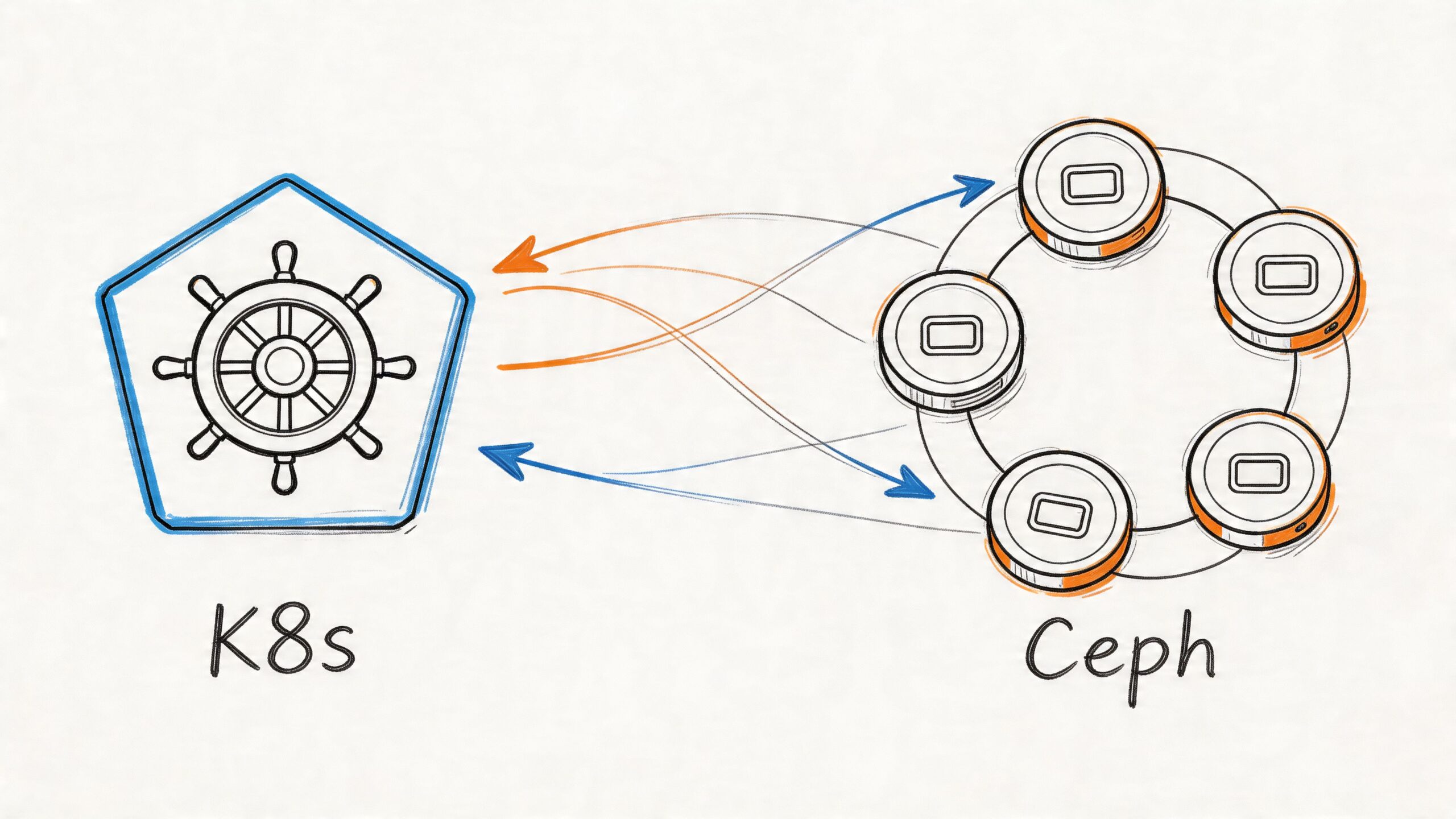
Your Kubernetes cluster probably feels solid right up until the first serious stateful workload lands in it.
A stateless API can be rescheduled all day and nobody cares. A PostgreSQL primary, a Kafka broker, a CI cache, or an ML feature store is different. The pod can come back. The data has to come back intact, mounted correctly, and fast enough that the application doesn’t stall under normal load.
That’s where most ceph and kubernetes conversations go wrong. Tutorials show a clean install, one happy PVC, and a screenshot of HEALTH_OK. Production doesn’t look like that. Production looks like a PVC stuck in Pending, an OSD pod looping after a node reboot, or a monitor quorum issue traced back to a network mismatch no one documented.
This guide is for that reality. It focuses on the operational decisions and failure playbooks that matter when Ceph backs real workloads inside Kubernetes.
The Unavoidable Need for Resilient Kubernetes Storage
Kubernetes adoption is no longer a niche platform bet. The global Kubernetes market was valued at $1.8 billion in 2022 and is projected to reach $9.69 billion by 2031, and over 60% of enterprises were using Kubernetes in 2024, with adoption projected to exceed 90% by 2027 according to Octopus Deploy’s Kubernetes statistics roundup.
That scale creates a predictable problem. Teams move fast with stateless services, then hit a wall when they need durable storage that survives node failures, rescheduling, upgrades, and capacity growth.
Why built-in Kubernetes abstractions aren’t enough
A PersistentVolumeClaim is only a request. It is not a storage strategy.
What matters underneath the claim is whether your storage layer can handle:
- Node loss: A worker disappearing shouldn’t turn into data loss.
- Growth: You need room to add capacity without redesigning the platform.
- Mixed access patterns: Databases usually want block storage, shared build systems often want a file system, and backups may want object semantics.
- Recovery: Teams need a repeatable path for restore and failover, not just provisioning.
Cloud block volumes solve part of that, but they often tie storage design tightly to one provider’s primitives. On bare metal and hybrid estates, they don’t exist at all. Even in cloud-first environments, teams often end up reviewing broader Disaster Recovery strategies once they realize storage behavior drives recovery behavior.
Why Ceph keeps showing up anyway
Ceph solves the hard problem: distributed, software-defined storage that can present block, file, and object from one platform. That’s why it keeps surfacing in serious Kubernetes environments, especially when teams need more control than a managed cloud disk offers.
Practical rule: If your platform will run stateful workloads across multiple nodes for any meaningful length of time, storage design stops being an implementation detail and becomes part of cluster architecture.
Ceph is powerful because it treats failure as normal. It replicates data, redistributes placement, and keeps operating when hardware changes underneath it. It’s also difficult because all of that resilience comes with operational overhead.
That trade-off is the whole story. Ceph is not the simplest answer. It is often the most capable one.
Architecting Your Storage Layer Rook-Ceph vs External Ceph
Before you install anything, pick your failure domain. That’s the real decision.
With ceph and kubernetes, two workable patterns are commonly adopted: running Rook-Ceph inside the cluster, where Kubernetes nodes also provide storage, or attaching Kubernetes to an external Ceph cluster that lives outside the compute plane.

The short version
Rook-Ceph is the default choice for teams that want Kubernetes-native lifecycle management and can tolerate shared compute and storage resources.
External Ceph is the right choice when storage isolation matters more than deployment convenience.
Rook reached CNCF graduated status in October 2020, which matters because it validates production readiness. It also gives Kubernetes operators a practical way to manage Ceph while exposing block, shared file systems, and object storage in one platform. Benchmarks cited in the source show sequential read throughput reaching 890 MB/s and IOPS around 32,000 in the referenced comparison material from this Rook-Ceph benchmark discussion.
Architecture Comparison: Rook (In-Cluster) vs. External Ceph
| Criterion | Rook-Ceph (In-Cluster) | External Ceph |
|---|---|---|
| Control plane model | Managed by Kubernetes operator | Managed outside Kubernetes |
| Infrastructure layout | Hyperconverged. Same nodes handle apps and storage | Separate compute and storage layers |
| Operational feel | Easier day-one install and cluster-native workflows | More moving parts, clearer separation of duties |
| Resource contention | Higher risk under noisy workloads | Lower risk because storage is isolated |
| Failure blast radius | Compute and storage incidents can overlap | Better isolation during node or cluster pressure |
| Best fit | Bare metal, lab-to-production paths, smaller platform teams | Larger estates, strict performance isolation, dedicated storage teams |
| Scaling model | Add Kubernetes nodes and storage together, unless carefully designed otherwise | Scale storage independently from application nodes |
When Rook-Ceph is the right answer
Rook makes sense when your team already thinks in Kubernetes primitives.
You get an operator-driven deployment model, Ceph daemons scheduled as pods, and a management pattern your platform engineers can understand without switching contexts all day. That matters a lot on bare metal, where teams often want one operational plane for compute and storage. If you’re running Kubernetes on your own hardware, this bare metal Kubernetes guide is useful background because storage planning becomes inseparable from node design.
Rook-Ceph also fits environments where:
- You have dedicated disks on worker nodes
- You want one platform team to own storage and Kubernetes
- You need block, file, and object without standing up separate systems
- You can reserve enough CPU and memory for Ceph daemons
What doesn’t work is pretending hyperconverged means free. If application workloads spike and Ceph OSDs are competing for the same resources, storage latency gets ugly fast.
When external Ceph is the safer architecture
External Ceph is the pattern for teams that have already learned, usually the hard way, that storage and application contention is expensive.
A separate Ceph cluster gives you cleaner performance boundaries. It also gives you more freedom to tune storage hardware differently from Kubernetes worker nodes. That matters when the application estate is unpredictable, or when one cluster serves multiple Kubernetes environments.
Run external Ceph when the business cares more about storage isolation than Kubernetes-native elegance.
The downside is obvious. You now operate two systems and the network path between them. Troubleshooting can involve Kubernetes, CSI, Ceph, and the underlying network before you find the root cause.
The decision framework that actually helps
Pick Rook-Ceph in-cluster if your environment is bare metal or hybrid, your team is comfortable owning storage from inside Kubernetes, and your workloads are important but not so latency-sensitive that shared resources become unacceptable.
Pick external Ceph if your organization already has storage specialists, needs hard separation between compute and persistence, or expects one storage backend to support multiple clusters.
The wrong move is choosing based on installation simplicity alone. Ceph architecture decisions show up later during failures, scale events, and maintenance windows. That’s when the initial shortcut becomes an operating model.
Hands-On Deployment Building a Ceph Cluster with Rook
The install itself isn’t the hard part. The hard part is avoiding a deployment that looks healthy for an hour and unstable for the next six months.
A production-grade Rook-Ceph build starts with storage hygiene on the nodes, not YAML.

Start with the disks, not Helm
A successful deployment depends on dedicated storage devices, one OSD per device, and a CephCluster definition with at least 3 monitors for quorum. Replication also changes the usable capacity much more than newcomers expect. In the cited example, 4x256GB NVMe yields about 333GB usable after the default 3x replication overhead, as described in this Ceph deployment primer from TechTarget.
That one detail prevents a lot of bad capacity planning.
Node preparation checklist
Before the operator touches anything, verify the basics:
Dedicated devices only
Don’t use the OS disk. Don’t share ephemeral application paths with OSD data.Consistent device naming strategy
Device discovery mistakes cause more pain than YAML syntax errors.Kernel support for RBD on nodes
If the nodes can’t map block devices cleanly, CSI workflows will fail later.Enough nodes for quorum and replica placement
A tiny cluster can start. That doesn’t mean it’s production-ready.Resource reservations for Ceph daemons
OSDs that get squeezed by general workloads become a latency factory.
The fastest way to make Ceph look unreliable is to deploy it on disks you haven’t audited and nodes you haven’t sized.
Install the operator cleanly
You can install Rook with Helm or manifests. The mechanism matters less than consistency. Keep the deployment versioned in Git, and don’t hand-edit production state without a rollback path.
Typical flow:
apiVersion: v1
kind: Namespace
metadata:
  name: rook-ceph
Then deploy the operator and CSI components using your preferred package method. After that, check the operator pod before creating the cluster:
kubectl -n rook-ceph get pods
kubectl -n rook-ceph logs deploy/rook-ceph-operator
If the operator isn’t clean, stop there. Don’t stack Ceph problems on top of Kubernetes problems.
Build the CephCluster with explicit intent
Avoid overly clever autodiscovery on day one unless you completely trust your node storage layout. Being explicit is safer.
apiVersion: ceph.rook.io/v1
kind: CephCluster
metadata:
  name: rook-ceph
  namespace: rook-ceph
spec:
  dataDirHostPath: /var/lib/rook
  mon:
    count: 3
    allowMultiplePerNode: false
  mgr:
    count: 2
  storage:
    useAllNodes: false
    useAllDevices: false
    nodes:
      - name: worker-a
        devices:
          - name: nvme0n1
      - name: worker-b
        devices:
          - name: nvme0n1
      - name: worker-c
        devices:
          - name: nvme0n1
This does three useful things:
- It forces monitor quorum discipline
- It limits Ceph to the devices you specifically prepared
- It avoids the classic “Rook found a disk I didn’t mean to give it” problem
What to verify after apply
Once the cluster resource is applied, don’t just watch pod states. Validate Ceph itself.
Use a toolbox pod for direct inspection. That’s still the quickest route to truth when Kubernetes events are too generic.
Check:
- Cluster health
- Monitor quorum
- OSD presence
- Pool creation
- Device mapping
Typical commands:
kubectl -n rook-ceph get pods -o wide
kubectl -n rook-ceph exec deploy/rook-ceph-tools, ceph status
kubectl -n rook-ceph exec deploy/rook-ceph-tools, ceph osd status
kubectl -n rook-ceph exec deploy/rook-ceph-tools, ceph df
Common deployment mistakes that keep repeating
Replica size larger than your actual failure domains
Teams ask for replica settings they don’t have the nodes to support. Ceph won’t invent healthy placement for you.
If you have a small environment, be honest about what it can tolerate. Fake high availability is worse than a clearly documented lower-resilience setup.
Using mixed-purpose disks
A shared disk between application use and OSD data is usually a bad compromise. It creates noisy-neighbor behavior you’ll spend weeks trying to “tune” out.
Blind useAllDevices settings
Autodiscovery is attractive in a lab. In production, it’s how somebody eventually hands Ceph the wrong block device.
Ignoring initial capacity math
Replication reduces usable capacity by design. If the business expects raw disk totals to equal application capacity, fix that expectation before launch.
A practical walk-through is useful if you want to compare your manifests and cluster flow against a visual setup. This demo is worth skimming before your first production rollout:
A minimal production posture
For teams, the sane baseline often looks like this:
- Three monitors minimum
- Dedicated storage devices
- Explicit node and device selection
- A toolbox pod available from day one
- Ceph health checks integrated into normal platform operations
- No assumption that install success equals production readiness
Rook makes deployment manageable. It does not remove the need for storage engineering discipline. That’s the line a lot of tutorials blur, and it’s why so many first-time deployments feel smooth until real load arrives.
Dynamic Provisioning in Action PVCs StorageClasses and Ceph-CSI
Once Ceph is healthy, the next question is simple. How does an app team consume it without opening a storage ticket every time they need a volume?
The answer is Ceph-CSI. It is the bridge between Kubernetes storage objects and Ceph-backed provisioning.

What the CSI layer is really doing
When a developer creates a PVC, the Ceph CSI driver provisions a thin-provisioned RBD image and maps it to the workload. Data is replicated across OSDs with the default 3x replication for durability. The source cited for this workflow notes 99.99% durability, plus benchmark figures of 3,047/1,021 IOPS for random read/write, with write latency reaching 2.2ms because of multi-hop network access in the tested setup, as summarized in this Ceph CSI and Kubernetes write-up.
That trade-off matters. Dynamic provisioning is elegant for developers, but the storage path is still distributed. You pay for resilience with network overhead.
Use RBD for single-writer block workloads
RBD is usually the default starting point for databases and other ReadWriteOnce workloads.
apiVersion: storage.k8s.io/v1
kind: StorageClass
metadata:
  name: ceph-rbd
provisioner: rook-ceph.rbd.csi.ceph.com
parameters:
  clusterID: rook-ceph
  pool: replicapool
  imageFormat: "2"
  imageFeatures: layering
  csi.storage.k8s.io/provisioner-secret-name: rook-csi-rbd-provisioner
  csi.storage.k8s.io/provisioner-secret-namespace: rook-ceph
  csi.storage.k8s.io/node-stage-secret-name: rook-csi-rbd-node
  csi.storage.k8s.io/node-stage-secret-namespace: rook-ceph
  csi.storage.k8s.io/fstype: ext4
volumeBindingMode: WaitForFirstConsumer
reclaimPolicy: Delete
allowVolumeExpansion: true
WaitForFirstConsumer is a strong default. It gives the scheduler more context before volume placement.
That matters for stateful systems. If you run PostgreSQL in Kubernetes, this PostgreSQL on Kubernetes guide is a good companion read because storage class choices directly affect database scheduling and failover behavior.
Use CephFS when multiple pods need shared access
CephFS is the right fit when multiple pods need the same filesystem mounted with shared semantics.
Examples include:
- Build and artifact workspaces
- Shared application uploads
- Read-heavy content trees
- Internal tools that expect a common mounted path
A CephFS-backed StorageClass follows the same pattern but uses the CephFS CSI provisioner instead of the RBD one.
The claim-to-volume workflow
This is the developer experience you want:
apiVersion: v1
kind: PersistentVolumeClaim
metadata:
  name: app-data
spec:
  accessModes:
    - ReadWriteOnce
  storageClassName: ceph-rbd
  resources:
    requests:
      storage: 20Gi
Kubernetes receives the PVC.
Ceph-CSI provisions the backing image.
A PV is created and bound.
The pod mounts it.
That simplicity is why platform teams like CSI-driven storage. It puts the complexity where it belongs, in the storage platform, not in every application manifest.
StorageClass settings that deserve real thought
reclaimPolicy
Use Delete when ephemeral application data can go away with the claim.
Use Retain when deletion would create an incident, a compliance issue, or an ugly manual restore path. Teams often get this wrong in lower environments, then copy it to production.
allowVolumeExpansion
Turn it on if your operations model expects growth without rebuilds. It won’t save you from bad planning, but it avoids unnecessary migration work.
volumeBindingMode
For distributed storage, WaitForFirstConsumer is often safer than immediate binding because it lets pod placement drive the final volume decision.
A PVC that binds successfully is not proof that the storage design is right. It only proves the control plane accepted the request.
The most common workflow mistake
Teams create one StorageClass and use it for everything.
That’s usually lazy platform design. A transactional database, a shared CI cache, and a general application volume do not have the same access mode or lifecycle expectations. Create classes that reflect workload intent, not just storage backend capability.
Operating at Scale Performance Tuning and Monitoring
Day one is provisioning. Day two is contention, imbalance, and early warning.
Ceph can perform well in Kubernetes, but only if you stop treating it like a black box. The platform exposes enough signals to tell you when it’s drifting. You have to watch them before users do.
Performance tuning starts with placement and expectations
Ceph distributes data with CRUSH, and that’s one of its biggest strengths. It’s also why poor placement rules hurt so much.
Tune for your actual topology:
- Use host-level failure domains at minimum so replicas don’t land on the same node.
- Make the CRUSH map rack-aware when your environment has meaningful rack boundaries.
- Separate fast and slow media classes instead of pretending all disks are interchangeable.
- Benchmark on PVCs, not raw devices, because Kubernetes and CSI are part of the storage path.
The practical rule is simple. If your data durability model assumes rack failure, your placement rules must reflect that. If they don’t, the cluster may look healthy while violating your recovery assumptions.
Watch recovery pressure during routine operations
Scale events are where many teams first discover they don’t know Ceph performance.
Adding or removing nodes triggers redistribution. That’s expected. What matters is whether rebalancing starts starving client I/O. If it does, your cluster isn’t broken. Your operating envelope is just tighter than you thought.
Useful signals to monitor in Prometheus and Grafana include:
- OSD up/in state
- Cluster capacity and near-full conditions
- Placement group health
- Slow ops
- Recovery and backfill activity
- Per-OSD latency trends
- CSI provisioner and node plugin errors
If you already run a Kubernetes metrics stack, wire Ceph into the same dashboards and alerts. This Prometheus monitoring for Kubernetes guide is a solid baseline for integrating storage observability into the rest of your platform view.
PromQL patterns worth having on day one
A few examples that help in practice:
ceph_health_status
Use this as the top-level status indicator, not the only one.
ceph_osd_up == 0
Alert when any OSD drops unexpectedly.
ceph_cluster_total_bytes - ceph_cluster_total_used_bytes
Track remaining capacity, then pair it with warnings well before operational pain begins.
ceph_pg_degraded > 0
This catches trouble that app teams will feel before they can describe it clearly.
If you only alert on total cluster health, you’ll miss the slow-motion failures that matter most.
Auto-scaling and storage don’t automatically cooperate
Teams often add Kubernetes cluster autoscaling and assume it complements Ceph. Sometimes it does. Sometimes it causes churn exactly where you don’t want it.
A useful primer on the mechanics is this Kubernetes Cluster Auto Scaler article. The key operational point is straightforward. Auto-scaling compute nodes can trigger placement changes, storage daemon movement, and noisy rebalancing if your architecture isn’t designed for that behavior.
For hyperconverged Rook-Ceph, that means node scale events should be treated as storage events too.
Monitoring discipline that actually works
Use a simple split:
| Focus area | What to check |
|---|---|
| Availability | Mon quorum, OSD up/in, CSI pod health |
| Capacity | Used bytes, growth rate, pool pressure |
| Performance | OSD latency, slow ops, PVC mount timing |
| Data safety | PG degraded states, recovery backlog, replica placement |
That’s enough to stay ahead of most incidents. Fancy dashboards help later. Clean alerting helps now.
Production Playbook Troubleshooting Common Ceph Failures
Most Rook-Ceph guides commonly assume the cluster stays on the happy path. Real clusters don’t.
The common failures are boring, repeatable, and solvable. The problem is that many tutorials skip the diagnostic sequence, so teams jump straight into random restarts and make things worse.

The production issues that matter often include pending PVCs, OSD failures, firewall blocks, and MTU mismatches. That gap is called out in SUSE’s Rook Ceph guidance, and it matches what operators keep seeing in the field.
PVC is stuck in Pending
Start with Kubernetes objects, then move downward.
Run:
kubectl get pvc
kubectl describe pvc <pvc-name>
kubectl get storageclass
kubectl -n rook-ceph get pods | grep csi
kubectl -n rook-ceph logs deploy/rook-ceph-operator
Check for:
- Wrong StorageClass name
- Missing CSI pods
- Provisioner secret issues
- Pool or filesystem not present
- Topology constraints that block scheduling
If all of that looks fine, inspect Ceph from the toolbox. A healthy Kubernetes control plane can still be waiting on an unhealthy backend.
OSD pod is crash-looping
Don’t delete the deployment and hope.
Inspect the pod first:
kubectl -n rook-ceph describe pod <osd-pod>
kubectl -n rook-ceph logs <osd-pod>
kubectl -n rook-ceph exec deploy/rook-ceph-tools, ceph osd status
kubectl -n rook-ceph exec deploy/rook-ceph-tools, ceph health detail
Common causes include:
- Underlying disk not available after reboot
- Device mismatch from changed node inventory
- Resource starvation
- Host-level permissions or mount issues
The right fix depends on whether the OSD is logically failed or the disk path changed underneath Kubernetes.
Monitors won’t form quorum
This one is usually more about networking than Ceph.
Check the monitor pods, then verify that traffic isn’t being blocked and that packet sizing is consistent end to end. Firewall rules and MTU mismatches are classic causes, especially in hybrid environments where the CNI and host network assumptions drift apart.
Use:
kubectl -n rook-ceph get pods -l app=rook-ceph-mon
kubectl -n rook-ceph logs -l app=rook-ceph-mon
kubectl -n rook-ceph exec deploy/rook-ceph-tools, ceph quorum_status
If you have fewer than three healthy monitors, fix that first. Everything else depends on quorum.
Don’t debug monitor quorum from the Kubernetes layer alone. Quorum failures often sit in the network path.
Rebalancing storm after adding or removing capacity
This is the failure mode people call “Ceph got slow for no reason.”
It had a reason. You changed capacity, and Ceph started doing exactly what it was designed to do.
Check:
- Recovery activity
- PG state transitions
- OSD saturation
- Client impact during backfill
Use the toolbox and metrics together. If client I/O is getting crushed, slow down the operational change rate. Don’t stack node maintenance, storage expansion, and heavy workload rollout in the same window.
The one habit that prevents long incidents
Keep a toolbox pod available and treat ceph status, ceph health detail, ceph osd status, and Kubernetes events as one diagnostic set.
Operators lose time when they look only at pods or only at Ceph. The failure is usually at the seam.
Beyond Deployment Backup Security and Migration Patterns
A running cluster still isn’t a finished platform.
The mature version of ceph and kubernetes includes backup discipline, access control, and a migration plan that doesn’t depend on luck.
Backup has to include the storage workflow
For Kubernetes-native backups, Velero with CSI support is a practical starting point. The important part isn’t the tool choice. It’s making sure your restore process accounts for both application objects and Ceph-backed volume behavior.
Snapshot-based workflows can be useful, but they don’t replace testing restores. A backup nobody has restored is just a theory.
Security should be boring and strict
Keep the Rook operator permissions scoped as tightly as your environment allows. Limit who can access the Ceph dashboard. Separate platform administration from application namespace ownership so developers can request storage without inheriting storage-admin power.
Also keep credentials and storage classes under the same review discipline as the rest of your infrastructure code. Storage misconfiguration tends to persist unnoticed until it becomes a severe problem.
Migrations work best when they’re explicit
Whether you’re moving from cloud disks, NFS, or another CSI backend, don’t treat migration as a generic storage swap.
Plan around:
- Data copy method
- Cutover sequencing
- Rollback path
- Application downtime tolerance
- Validation after cutover
For existing Ceph estates, upgrade and migration plans should be staged and rehearsed. The platform is resilient, but it doesn’t reward improvisation.
If your team is planning ceph and kubernetes for production, or you're already dealing with stuck PVCs, noisy rebalancing, or cluster design questions, OpsMoon can help. We connect companies with senior DevOps and SRE engineers for Kubernetes, storage, Terraform, CI/CD, and observability work, starting with a free planning session so you can map the right architecture before the next storage issue becomes an outage.
Leave a Reply