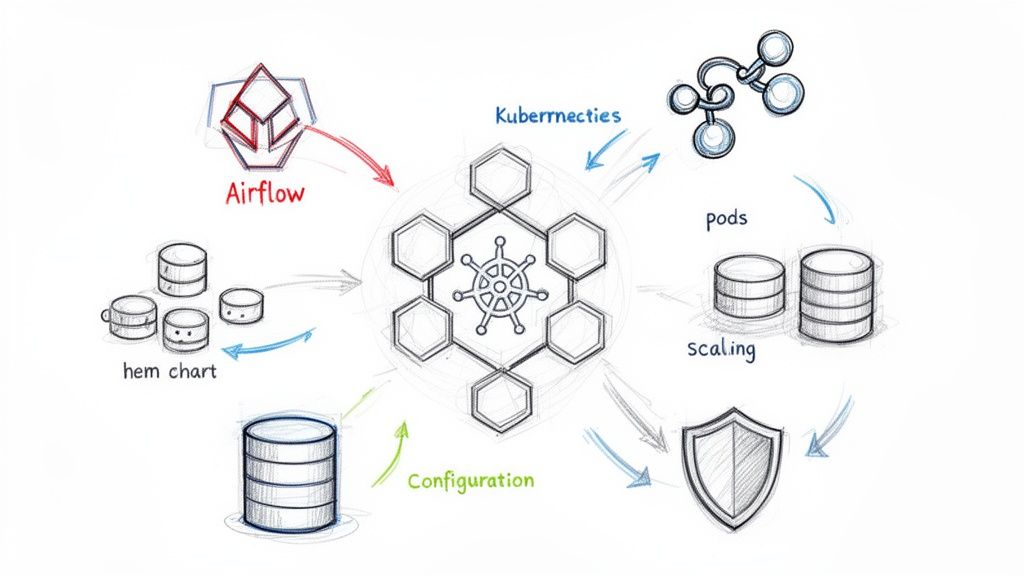
If you're running Airflow in production, you should be running it on Kubernetes. This isn't just a trend; it's the definitive standard for building a scalable, resilient, and cost-efficient data orchestration platform. The legacy model of managing static, always-on worker pools is obsolete.
With the KubernetesExecutor, each Airflow task spins up in its own isolated, ephemeral pod. This single architectural shift is a game-changer, providing pristine dependency management, fine-grained resource allocation, and preventing resource-hungry tasks from destabilizing your entire system. It transforms Airflow into the cloud-native orchestration engine it was always meant to be.
Why Airflow on Kubernetes Is the New Standard
At its core, Airflow is a powerful tool for what is business process automation, but deploying it on Kubernetes amplifies its capabilities exponentially. It evolves from a rigid batch processor into a dynamic, on-demand engine that fits perfectly within a modern, containerized data stack.
The community data confirms this massive shift. The official Airflow community survey showed a staggering 51.4% of users deploying on Kubernetes—a 20% leap from just two years prior. Those numbers have only accelerated since. The industry has voted with its infrastructure, and Kubernetes is the clear winner.
The Power of Dynamic Pods
The magic lies with the KubernetesExecutor. It operates on a fundamentally different principle than the legacy CeleryExecutor, which maintains a fleet of workers running 24/7. Instead, the KubernetesExecutor dynamically launches a brand-new pod from a specified Docker image for every single task instance.
When the task completes, the pod is terminated. It's clean, efficient, and stateless by design.
This model provides three critical advantages:
- Total Resource and Dependency Isolation: Every task runs in its own container with its own libraries. A task requiring
pandas==1.5.0can run alongside another needingpandas==2.2.0without conflict. A memory-intensive Spark job can request 16Gi of RAM without impacting a lightweight SQL check running in a pod with just 512Mi. - Significant Cost Optimization: You only pay for the compute resources you actively use. When your DAGs are idle, your task execution workload scales to zero. No more paying for hundreds of idle worker processes, translating directly to a lower cloud bill, especially when leveraging spot instances.
- Unmatched Customization: Need a specific version of a library, a proprietary binary, or system-level dependencies for just one task? Simply define a custom Docker image for that task using the
executor_configparameter. This enables building complex, multi-tooling pipelines without dependency hell.
The most compelling reason to run Airflow on Kubernetes is resource efficiency. With the KubernetesExecutor, you stop paying for idle workers and start paying only for the computation you actually use.
Choosing Your Executor: Kubernetes vs. Celery
While the KubernetesExecutor is the superior choice for modern data platforms, you can also run the CeleryExecutor on Kubernetes. This hybrid approach manages a fixed pool of worker pods that you scale up or down manually or with an autoscaler like KEDA.
To make an informed decision, here’s a technical breakdown of how they compare.
Executor Comparison Kubernetes vs Celery vs Local
This table compares the primary Airflow executors to help you choose the right one for your Kubernetes deployment based on scalability, resource management, and complexity.
| Executor | Scalability Model | Resource Isolation | Best For | Key Consideration |
|---|---|---|---|---|
| KubernetesExecutor | Dynamic per-task pod creation | Excellent (per-task) | Diverse workloads with varying dependencies and resource needs. | Pod startup latency can add overhead for very short tasks. |
| CeleryExecutor | Scaling a pool of persistent worker pods | Limited (per-worker) | High volume of short, uniform tasks where startup time is critical. | Can be less cost-efficient due to idle workers; dependency conflicts are possible. |
| LocalExecutor | Single-node, runs tasks in subprocesses | Poor (shared node) | Local development, testing, and simple, small-scale deployments. | Does not scale and is not suitable for production. |
For the vast majority of modern data platforms, the KubernetesExecutor is the definitive choice. It delivers the optimal blend of flexibility, isolation, and cost-efficiency, making it the most cloud-native way to run your workflows.
Deploying Airflow with the Official Helm Chart
Let's transition from theory to practice. The official Apache Helm chart is the canonical method for deploying Airflow on Kubernetes. However, a default helm install will only create a toy environment that is unsuitable for production. The real engineering work is in meticulously crafting your values.yaml file to define a stable, stateful, and performant platform.
First, add the official Apache Airflow Helm repository and ensure it's up-to-date.
helm repo add apache-airflow https://airflow.apache.org/charts
helm repo update
Next, generate a values.yaml file from the chart's defaults. This file will be extensive, but it's your blueprint for the entire deployment.
helm show values apache-airflow/airflow > values.yaml
We will now focus on the critical sections that are mandatory for a production-grade deployment.
Establishing Stateful Components
A stateless Airflow deployment is a broken one. To prevent data loss and ensure high availability across pod restarts or node failures, you must configure externalized persistence for three components: the metadata database, DAGs, and task logs.
- Metadata Database: The chart can deploy an in-cluster PostgreSQL instance. Do not use this for production. It's a single point of failure with no robust backup or failover strategy. Instead, use an external managed database service like AWS RDS or Google Cloud SQL. This offloads database management and provides high availability. Configure this by setting the
data.metadataConnectionkey in yourvalues.yamlto your managed database's connection string. - DAG Persistence: Your DAG files must be accessible to the Scheduler, Webserver, and every worker pod. The industry-standard approach is to use a Persistent Volume Claim (PVC) with a
ReadWriteManyaccess mode, backed by a storage solution like NFS, EFS, or GlusterFS. This allows multiple pods across different nodes to mount and read from the same volume. - Log Persistence: Task logs must be persisted externally. If you omit this, you will lose all logs the moment a worker pod terminates, making debugging impossible. Configuring a PVC for logs is non-negotiable for any serious deployment.
This shift to dynamic, on-demand resources is the core reason for running Airflow on Kubernetes in the first place. You're moving away from a world of static, often idle, worker pools to one where resources are spun up precisely when a task needs them and torn down right after.

This visual really drives home how the Kubernetes approach eliminates waste. Instead of paying for servers to sit around waiting for work, you create containerized task environments exactly when they're needed.
Configuring Core Components in values.yaml
With a persistence strategy defined, let's implement it in values.yaml.
A common misconception is that the KubernetesExecutor eliminates the need for Redis. While the executor does not use Redis for task queuing, Redis is still highly recommended as the result backend. The Airflow Webserver relies on the result backend to fetch task logs in real-time. Without it, the UI can become sluggish or fail to display logs, severely hindering observability. Similar patterns for messaging systems are detailed in our guide to the RabbitMQ Helm Chart.
Key Takeaway: For any production deployment, always use an external PostgreSQL database for your metadata. Configure Persistent Volume Claims for both your DAGs and your logs. Do not rely on the chart's default, in-cluster database for anything beyond a quick "hello world" test.
Here is a values.yaml snippet demonstrating how to configure persistence for DAGs and logs, assuming you have a StorageClass supporting ReadWriteMany (e.g., efs-sc for AWS EFS).
# values.yaml
dags:
  persistence:
    # Enable persistence for DAGs
    enabled: true
    # Use an existing PVC
    # existingClaim: "your-dags-pvc"
    # Or, let Helm create one for you
    size: 5Gi
    storageClassName: "efs-sc"
    accessMode: ReadWriteMany

logs:
  persistence:
    # Enable persistence for logs
    enabled: true
    # Specify size and storage class for logs
    size: 20Gi
    storageClassName: "efs-sc"
    accessMode: ReadWriteMany
This configuration instructs Helm to create two PersistentVolumeClaim resources: a 5Gi volume for DAGs and a 20Gi volume for logs, ensuring both are decoupled from pod lifecycles. Getting these foundational settings right is what separates a brittle deployment from a robust, production-grade Airflow on Kubernetes platform.
Securing Your Production Airflow Deployment
A default helm install creates a dangerously insecure Airflow instance. Leaving it as-is is akin to leaving the front door of your data orchestration engine wide open. This section is a technical playbook for hardening your Airflow on Kubernetes deployment, transforming it from a vulnerable target into a locked-down, production-ready platform.
We will operate on the principle of least privilege. The default Helm chart configuration can grant Airflow sweeping permissions across your entire Kubernetes cluster, a scenario that must be prevented.

Implementing RBAC and Service Accounts
Role-Based Access Control (RBAC) is your most critical line of defense. The objective is to ensure the Airflow scheduler and its worker pods only have the exact permissions required to function. This means creating a dedicated ServiceAccount for Airflow and binding it to a Role with a minimal, tightly-scoped set of permissions.
At an absolute minimum, this Role should only grant permissions to create, get, list, watch, and delete pods within its own namespace. It should never have cluster-wide permissions.
Here’s how to implement this using the Helm chart's values.yaml:
- Isolate from the Default Account: First, prevent Airflow from using the namespace's default
ServiceAccount, which often has overly broad permissions. - Create a Dedicated ServiceAccount: Instruct Helm to create a new
ServiceAccountspecifically for your Airflow pods. - Define a Minimal Role: Explicitly define the RBAC rules, granting only pod-level management permissions.
The Helm chart can automate this for you. By setting rbac.create to true and workers.serviceAccount.create to true in values.yaml, you instruct the chart to generate the necessary Role, RoleBinding, and ServiceAccount, locking down access automatically.
Managing Secrets the Kubernetes Way
Hardcoding secrets like database passwords or API keys in values.yaml or DAG files is a critical security anti-pattern. These values end up in plain text in your Git repository, visible to anyone with access.
The correct approach is to use the Airflow secrets backend, configured to fetch secrets from native Kubernetes Secret objects.
This architecture allows Airflow to dynamically pull credentials from Kubernetes Secrets at runtime. Your DAGs simply reference a connection ID (e.g., my_s3_conn), but the sensitive values themselves are never exposed in your code.
To enable this, modify your values.yaml:
# values.yaml
airflow:
  secrets:
    backend: "kubernetes"
With that enabled, you create a standard Kubernetes Secret. For Airflow to discover it, the secret's name must follow the convention [connection-id] and be labeled airflow.apache.org/secret-type: connection. The data keys within the secret should correspond to connection parameters like conn_uri or conn_type, host, login, password, etc. For a Postgres connection with an ID of my_postgres_db, you'd create a secret named my-postgres-db containing the connection URI.
My personal tip is to always use a secrets backend, even for local development. It builds good habits from day one and makes the move to production completely seamless. Forgetting this is one of the most common—and dangerous—mistakes I see teams make.
Securing the Airflow UI with Ingress and TLS
Exposing the Airflow web UI over unencrypted HTTP is unacceptable in 2026. You must serve it over HTTPS. The standard Kubernetes method is to use an Ingress controller (like NGINX or Traefik) to manage external traffic and handle TLS termination.
Your values.yaml ingress configuration should look like this:
- Enable Ingress: Set
ingress.enabledtotrue. - Configure Hostname: Specify the FQDN for the UI (e.g.,
airflow.mycompany.com). - Set up TLS: Reference a Kubernetes
Secretcontaining your TLS certificate and private key. Production environments should usecert-managerto automate certificate issuance and renewal from a provider like Let's Encrypt.
This setup ensures all traffic to the Airflow UI is encrypted. The combination of RBAC, Kubernetes Secrets, and a secure Ingress builds multiple layers of defense around your Airflow on Kubernetes deployment, which is the bare minimum for any production system.
Beyond security, this combination is incredibly powerful. Kubernetes gives Airflow dynamic worker scaling and high availability right out of the box. You get true resource isolation with dedicated pods for each task, and if you get clever with spot instances, you can slash costs. I've seen teams get worker nodes for as little as $0.05, making a production-grade setup both incredibly resilient and surprisingly cost-effective. You can read more about the benefits of this powerful combination on getorchestra.io.
Tuning Performance and Enabling Autoscaling
So you’ve got Airflow running on Kubernetes, but your tasks are stuck in queued state, taking minutes to start. It’s a classic, deeply frustrating problem.
A default Helm chart installation is configured for safety, not performance. This frequently leads to severe task scheduling latency and high "pod churn," where the scheduler cannot create pods fast enough to keep up with the task queue. This inefficiency undermines the primary benefit of using Kubernetes: dynamic scaling.
Let's fix that.
Slashing Task Startup Times
This latency almost always originates from the Airflow scheduler's main processing loop. By default, it operates slowly, parsing DAGs and creating worker pods one by one. This is acceptable for a handful of tasks but collapses under a real-world load of hundreds or thousands.
The solution is to aggressively tune key scheduler and executor parameters in your values.yaml. These settings instruct the scheduler to work faster and process tasks in larger batches, dramatically increasing pod creation throughput. For any production system running a significant number of tasks, especially short-lived ones, these adjustments are non-negotiable.
The overhead of the KubernetesExecutor is real, but targeted configuration can reduce pod startup times from over a minute to just a few seconds. Engineers who have benchmarked these Airflow settings have demonstrated these dramatic improvements.
Pro Tip: Start with the scheduler. In my experience, 90% of the initial performance headaches with the KubernetesExecutor come from the scheduler’s pod creation rate, not the workers themselves.
To get started, you must override the Helm chart's default config to make the scheduler more aggressive. The two most impactful parameters are:
scheduler.scheduler_heartbeat_sec: The frequency (in seconds) at which the scheduler checks for new tasks. The default is too slow for a dynamic system.kubernetes_executor.worker_pods_creation_batch_size: The number of worker pods the scheduler can create in a single iteration. The default of1is the primary cause of scheduling bottlenecks.
Actionable values.yaml Overrides
Let's make this concrete. Add these overrides to your values.yaml to see an immediate performance improvement.
# values.yaml
config:
  # Increase how often the scheduler looks for new tasks
  scheduler:
    scheduler_heartbeat_sec: 1

  # Allow the scheduler to create worker pods in larger batches
  kubernetes_executor:
    worker_pods_creation_batch_size: 16
Setting scheduler_heartbeat_sec to 1 makes your scheduler highly responsive to new work. The real game-changer is increasing worker_pods_creation_batch_size from 1 to 16 (or higher). This empowers the scheduler to clear a backlog of queued tasks in parallel rather than sequentially.
This batching mechanism is the single most effective change you can make to reduce scheduling latency in an Airflow on Kubernetes deployment.
Key Performance Tuning Parameters
Here is a reference table of the most critical Helm values for performance tuning. Mastering these is key to transforming a sluggish default setup into a high-performance orchestration engine.
| Parameter | Default Value | Recommended Value | Impact |
|---|---|---|---|
scheduler.scheduler_heartbeat_sec |
5 |
1 |
Reduces the delay before the scheduler picks up new tasks. |
kubernetes_executor.worker_pods_creation_batch_size |
1 |
16 |
Allows the scheduler to create multiple worker pods in parallel, clearing task backlogs much faster. |
config.kubernetes.worker_container_repository |
apache/airflow |
Your ECR/GCR/ACR repo | Speeds up pod startup by pulling images from a regional registry instead of the public Docker Hub. |
config.kubernetes.delete_worker_pods |
true |
true |
Ensures completed worker pods are cleaned up immediately, preventing cluster clutter. |
config.core.parallelism |
32 |
100+ |
Sets the maximum number of task instances that can run concurrently across the entire Airflow instance. |
config.core.dag_concurrency |
16 |
32+ |
Controls the maximum number of task instances allowed to run concurrently within a single DAG. |
Start with these recommended values and adjust them based on your workload and cluster capacity. Don't be afraid to experiment to find the optimal configuration for your environment.
Enabling True Autoscaling with KEDA
Tuning the scheduler fixes startup lag, but what about resource efficiency for Celery-based executors? If you're using the CeleryExecutor or CeleryKubernetesExecutor, a static worker pool often leads to overprovisioning and wasted cloud spend.
This is where KEDA (Kubernetes Event-driven Autoscaler) provides a powerful solution. KEDA can monitor metrics, such as the length of your Celery queue in Redis or RabbitMQ, and automatically scale your Airflow worker Deployment up or down based on actual demand. It's the key to achieving a perfect balance between performance and cost.
For a deep dive into the mechanics, see our comprehensive guide on autoscaling in Kubernetes.
To implement this, first deploy the KEDA Helm chart to your cluster. Then, create a ScaledObject manifest that targets your Airflow worker deployment. This manifest instructs KEDA what metric to watch and how to scale.
For example, to scale based on a Redis queue named celery, your ScaledObject would be:
# keda-scaled-object.yaml
apiVersion: keda.sh/v1alpha1
kind: ScaledObject
metadata:
  name: airflow-worker-scaler
  namespace: airflow
spec:
  scaleTargetRef:
    name: your-airflow-worker-deployment
  minReplicaCount: 1
  maxReplicaCount: 20
  triggers:
  - type: redis
    metadata:
      address: "your-redis-service:6379"
      listName: "celery" # Or your specific queue name
      listLength: "5" # Target length; scale up if more than 5 tasks are waiting
This configuration tells KEDA to maintain a minimum of 1 worker pod, but scale up to a maximum of 20 pods whenever the number of tasks in the celery queue exceeds 5. This ensures you have workers precisely when you need them and automatically scale down to save costs during idle periods.
Building a CI/CD Pipeline for Your DAGs
Once your Airflow on Kubernetes platform is stable and performant, the next critical step is to automate DAG deployment. Manual processes like kubectl cp or manually editing a ConfigMap are slow, error-prone, and do not scale.
A robust CI/CD pipeline is not a luxury; it is a fundamental requirement for production-grade data orchestration. The goal is to establish a test-driven, automated workflow where every change to a DAG is validated, tested, and automatically synchronized to production. This is how you prevent a simple syntax error from taking down your entire scheduler.
Choosing Your DAG Syncing Strategy
When running Airflow on Kubernetes, you have two primary methods for deploying DAGs: the git-sync sidecar model or baking them into a custom Docker image. This decision fundamentally shapes your deployment workflow, velocity, and production stability.
- The Git-Sync Method: A
git-syncsidecar container is added to your scheduler and webserver pods. It periodically pulls the latest DAGs from a specified Git repository branch. This is very fast for development, as agit pushcan make a new DAG appear in seconds. - The Custom Image Method: This approach treats your DAGs as application code. Your CI/CD pipeline builds a new Docker image containing the DAGs, pushes it to a container registry, and then triggers a rolling update of your Airflow scheduler and webserver deployments.
For production environments, building DAGs into a custom Docker image is the unequivocally superior strategy. It produces immutable, versioned artifacts. You can be 100% certain that the code validated in your CI pipeline is exactly what is running in production, eliminating an entire class of synchronization-related bugs.
While git-sync is convenient for development, it introduces production complexities, including managing SSH keys for private repositories and potential sync delays or failures that can be difficult to debug. For mission-critical workflows, the stability and traceability of an immutable image are non-negotiable.
Core Components of a DAG Pipeline
A production-ready CI/CD pipeline for Airflow DAGs must include several automated quality gates to catch errors before they reach the production scheduler. Building these pipelines requires specialized skills; for example, experienced Python developers are essential for writing testable DAGs and integrating them into a CI/CD system.
Your pipeline, whether implemented in GitHub Actions, GitLab CI, or another tool, should execute these checks on every commit:
- Code Linting and Formatting: Enforce a consistent, readable style and catch basic syntax errors using tools like
ruff(which combines linting and formatting). A command likeruff check dags/should be a required step. - DAG Integrity Checks: This is the most critical validation step. Your pipeline must attempt to import every DAG file to detect syntax errors, cyclical dependencies, and other import-time issues. A simple script iterating through DAG files and running
python -m "airflow.cli.commands.dag_command.dag_test" "your_dag.py"can prevent a production outage. - Static Analysis: Use tools like
banditto scan for common security vulnerabilities in your Python code.
Example GitHub Actions Workflow
Here is a practical GitHub Actions workflow that implements these checks and builds a custom Docker image.
# .github/workflows/cicd.yml
name: Airflow DAGs CI/CD

on:
  push:
    branches:
      - main

env:
  DOCKER_IMAGE: your-registry/your-airflow-image:${{ github.sha }}

jobs:
  build-and-test:
    runs-on: ubuntu-latest
    steps:
      - name: Checkout repository
        uses: actions/checkout@v4

      - name: Set up Python
        uses: actions/setup-python@v5
        with:
          python-version: '3.9'

      - name: Install dependencies
        run: pip install apache-airflow ruff

      - name: Lint with Ruff
        run: ruff check dags/

      - name: Test DAGs for import errors
        run: |
          for f in $(find ./dags -name '*.py'); do
            echo "Testing $f"
            python -m "airflow.cli.commands.dag_command.dag_test" "$f"
          done

      - name: Log in to Docker Hub
        uses: docker/login-action@v3
        with:
          username: ${{ secrets.DOCKER_USERNAME }}
          password: ${{ secrets.DOCKER_PASSWORD }}

      - name: Build and push Docker image
        uses: docker/build-push-action@v5
        with:
          context: .
          file: ./Dockerfile
          push: true
          tags: ${{ env.DOCKER_IMAGE }}
Implementing this workflow transitions your Airflow management from a fragile, manual system to a resilient, automated platform built on software engineering best practices.
Monitoring and Observability for Airflow

Deploying Airflow on Kubernetes is only half the battle. Without comprehensive visibility into its internal state, you are flying blind.
An unmonitored orchestration platform becomes a black box where failures are mysterious, performance bottlenecks are invisible, and troubleshooting devolves into sifting through raw logs. To operate Airflow at scale, you must instrument it as a fully observable system. In the Kubernetes ecosystem, the standard for this is a combination of Prometheus for metrics collection and Grafana for visualization.
Integrating with Prometheus
The official Airflow Helm chart provides native support for Prometheus integration. Airflow components are designed to emit a rich set of metrics via the statsd protocol, and the chart makes it trivial for Prometheus to scrape them. You simply need to enable the Prometheus exporter in your values.yaml.
This configuration deploys a statsd-exporter sidecar container alongside your Airflow components. This sidecar acts as a translator, receiving statsd metrics from Airflow and exposing them in a Prometheus-compatible format on a /metrics HTTP endpoint.
# values.yaml
statsd:
  # Enable the statsd-exporter sidecar
  enabled: true

  # Configure Prometheus to scrape this endpoint
  prometheus:
    enabled: true
Once deployed, you configure your Prometheus instance to scrape these new endpoints. If you are using the Prometheus Operator, this is as simple as creating a ServiceMonitor resource that targets the Airflow services. For a detailed guide, see our article on Prometheus monitoring for Kubernetes.
Key Metrics to Monitor
With data flowing into Prometheus, you must focus on the signals that indicate system health. A flood of metrics without context is just noise. Based on years of managing production Airflow instances, these are the non-negotiable metrics for your primary monitoring dashboard.
Scheduler Health Metrics:
airflow.scheduler.scheduler_heartbeat: A critical liveness indicator. If this metric flatlines, the scheduler is down. Alert on its absence.airflow.scheduler.tasks.running: The number of tasks currently in arunningstate. Establishes a baseline for system load.airflow.scheduler.dags.processed: The number of DAG files parsed per loop. A sudden drop indicates a broken DAG file is preventing the scheduler from parsing the full DAG bag.
Executor and Task Metrics:
airflow.executor.open_slots: For CeleryExecutor, this shows available worker capacity.airflow.executor.queued_tasks: A consistently increasing value indicates a task processing bottleneck; your workers cannot keep up with the scheduled workload.airflow.task.success&airflow.task.failure(per-task): Your core success and failure rates. Configure alerts for anomalous spikes inairflow.task.failure.airflow.dag.run.duration.<dag_id>: Essential for tracking the performance of specific pipelines and identifying regressions after code changes.
Kubernetes Pod Metrics (for KubernetesExecutor):
kube_pod_status_phase{phase="Pending"}: A high number of worker pods stuck in thePendingstate usually points to a cluster resource shortage (CPU, memory, or GPUs).container_cpu_usage_seconds_total: Identify CPU-intensive tasks that may require resource request/limit adjustments or code optimization.container_memory_working_set_bytes: Monitor memory usage to detect memory leaks and prevent pods from being terminated by the OOM (OutOfMemory) killer.
Building a dashboard that combines Airflow-specific metrics with Kubernetes-level pod data gives you the full story. You can instantly correlate a spike in
airflow.task.failurewith a surge in podOOMKills, tracing the problem from the application all the way down to the infrastructure in seconds.
Visualizing Health with Grafana
Grafana is the final piece of the observability puzzle. With your metrics stored in Prometheus, you can build powerful dashboards that provide an intuitive, at-a-glance view of your entire Airflow platform.
You don't have to start from scratch. The Airflow community has published excellent pre-built Grafana dashboards. The official Airflow Helm Chart documentation itself provides a JSON model for a dashboard that covers many of the key metrics listed above.
Importing this dashboard provides an immediate, high-value overview of scheduler health, DAG processing times, and task states. It transforms your Airflow on Kubernetes instance from an opaque system into a transparent, manageable, and reliable platform.
Common Sticking Points with Airflow on Kubernetes
Migrating Airflow to Kubernetes is a powerful move, but it introduces a new set of technical challenges. I've seen teams repeatedly encounter the same obstacles.
Here are direct answers to the most frequent questions, based on hands-on experience, to help you avoid common pitfalls.
What's the Best Way to Handle DAGs?
For any serious production setup, the answer is unequivocal: bake your DAGs into a custom Docker image. This creates an immutable, versioned artifact that you can promote through a proper CI/CD pipeline.
This guarantees that the code you tested is precisely what runs in your cluster, eliminating any chance of configuration drift or sync-related errors.
While git-sync is excellent for rapid iteration in development, it's a liability in production. I’ve debugged numerous issues caused by sync delays, failed pulls, and the added complexity of managing SSH key permissions for private repositories. When stability and auditability are required, versioned images are the only professional choice.
How Do I Manage Different Python Dependencies for Each Task?
This is a primary strength of the KubernetesExecutor. You can use the executor_config parameter within an operator to specify a completely different Docker image for a single task.
from airflow.providers.cncf.kubernetes.operators.kubernetes_pod import KubernetesPodOperator

# This task will run in a pod created from a custom image with specific dependencies
custom_dependency_task = KubernetesPodOperator(
    task_id="custom_dependency_task",
    name="custom-pod",
    namespace="airflow",
    image="my-registry/my-special-image:1.2.3",
    cmds=["python", "-c", "import pandas; print(pandas.__version__)"],
)
This is the magic bullet for dependency hell. You create small, isolated images with just the libraries a single task needs. It's the cleanest, most effective way to eliminate conflicts when running Airflow on Kubernetes.
What Are the Biggest Migration Pitfalls to Avoid?
Most migration failures I've witnessed stem from three oversights:
- Forgetting Persistent Volumes (PVs) for Logs: A simple but catastrophic mistake. When a worker pod terminates, all its logs are permanently lost, making debugging impossible. Always configure a PVC for logs.
- Ignoring NetworkPolicies: In a hardened Kubernetes cluster with default-deny network policies, your Airflow components (scheduler, webserver, workers, database) will not be able to communicate. You must create explicit
NetworkPolicyobjects to allow traffic between them. - Skipping Performance Tuning: A default Helm chart is not optimized for a production workload. Neglecting to tune the scheduler and executor parameters will result in severe task scheduling delays and an unnecessarily high cloud bill.
At OpsMoon, we connect you with elite DevOps engineers who specialize in building and optimizing complex systems like Airflow on Kubernetes. Start with a free work planning session to map out your infrastructure goals.
Leave a Reply