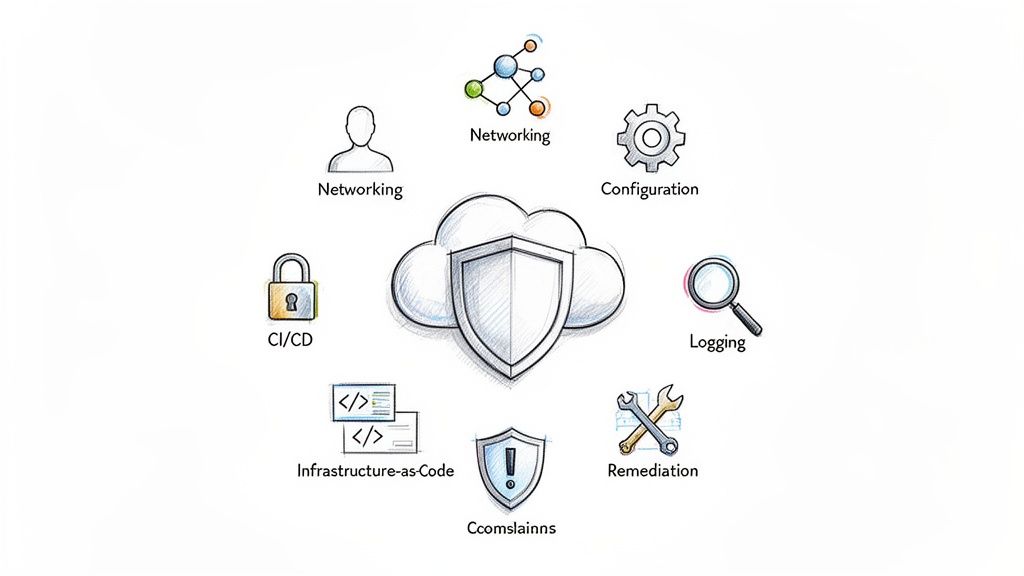
The shift to dynamic, ephemeral cloud infrastructure has rendered traditional, perimeter-based security models obsolete. Misconfigurations—not inherent vulnerabilities in the cloud provider's platform—are the leading cause of data breaches. This reality places immense responsibility on DevOps and engineering teams who provision, configure, and manage these environments daily. A generic checklist won't suffice; you need a technical, actionable framework that embeds security directly into the software delivery lifecycle.
This comprehensive cloud service security checklist is designed for practitioners. It moves beyond high-level advice to provide specific, technical controls, automation examples, and remediation steps tailored for modern cloud-native stacks. Before delving into the specifics, it's crucial to understand the fundamental principles and components of cloud computing security. A solid grasp of these core concepts will provide the necessary context for implementing the detailed checks that follow.
We will break down the 10 most critical security domains, offering a prioritized roadmap to harden your infrastructure. You will find actionable guidance covering:
- Identity and Access Management (IAM): Enforcing least privilege at scale with policy-as-code.
- Data Protection: Implementing encryption for data at rest and in transit using provider-native services.
- Network Security: Establishing segmentation and cloud-native firewall rules via Infrastructure as Code.
- Observability: Configuring comprehensive logging and real-time monitoring with actionable alerting.
- Infrastructure-as-Code (IaC) and CI/CD: Securing your automation pipelines from code to deployment with static analysis and runtime verification.
This is not a theoretical exercise. It is a practical guide for engineering leaders and DevOps teams to build a resilient, secure, and compliant cloud foundation. Each item is structured to help you implement changes immediately, strengthening your security posture against real-world threats.
1. Implement Identity and Access Management (IAM) Controls
Identity and Access Management (IAM) is the foundational layer of any robust cloud service security checklist. It is the framework of policies and technologies that ensures the right entities (users, services, applications) have the appropriate level of access to the right cloud resources at the right time. For DevOps teams, robust IAM is not a barrier to speed but a critical enabler of secure, automated workflows.
Proper IAM implementation enforces the Principle of Least Privilege (PoLP), granting only the minimum permissions necessary for a function. This dramatically reduces the potential blast radius of a compromised credential. Instead of a single breach leading to full environment control, fine-grained IAM policies contain threats, preventing unauthorized infrastructure modifications, data exfiltration, or lateral movement across your cloud estate.
Actionable Implementation Steps
-
CI/CD Service Principals: Never use personal user credentials in automation pipelines. Instead, create dedicated service principals or roles with tightly-scoped permissions. For example, a GitHub Actions workflow deploying to AWS should use an OIDC provider to assume a role with a trust policy restricting it to a specific repository and branch. The associated IAM policy should only grant permissions like
ecs:UpdateServiceandecr:GetAuthorizationToken. -
Role-Based Access Control (RBAC): Define roles based on job functions (e.g.,
SRE-Admin,Developer-ReadOnly,Auditor-ViewOnly) using Infrastructure as Code (e.g., Terraform'saws_iam_roleresource). Map policies to these roles rather than directly to individual users. This simplifies onboarding, offboarding, and permission management as the team scales. -
Leverage Dynamic Credentials: Integrate a secrets management tool like HashiCorp Vault or a cloud provider's native service. Instead of static, long-lived keys, your CI/CD pipeline can request temporary, just-in-time credentials that automatically expire after use, eliminating the risk of leaked secrets. For example, a Jenkins pipeline can use the Vault plugin to request a temporary AWS STS token with a 5-minute TTL.
Key Insight: Treat your infrastructure automation and application services as distinct identities. An application running on EC2 that needs to read from an S3 bucket should have a specific instance profile role with
s3:GetObjectpermissions onarn:aws:s3:::my-app-bucket/*, completely separate from the CI/CD role that deploys it.
Validation and Maintenance
Regularly validate your IAM posture using provider tools. AWS IAM Access Analyzer, for example, formally proves which resources are accessible from outside your account, helping you identify and remediate overly permissive policies. Combine this with scheduled quarterly access reviews using tools like iam-floyd to identify unused permissions and enforce the principle of least privilege. Automate the pruning of stale permissions.
2. Enable Cloud-Native Encryption (Data at Rest and in Transit)
Encryption is a non-negotiable component of any modern cloud service security checklist, serving as the last line of defense against data exposure. It involves rendering data unreadable to unauthorized parties, both when it is stored (at rest) and when it is moving across networks (in transit). For DevOps teams, this means protecting sensitive application data, customer information, secrets, and even infrastructure state files from direct access, even if underlying storage or network layers are compromised.
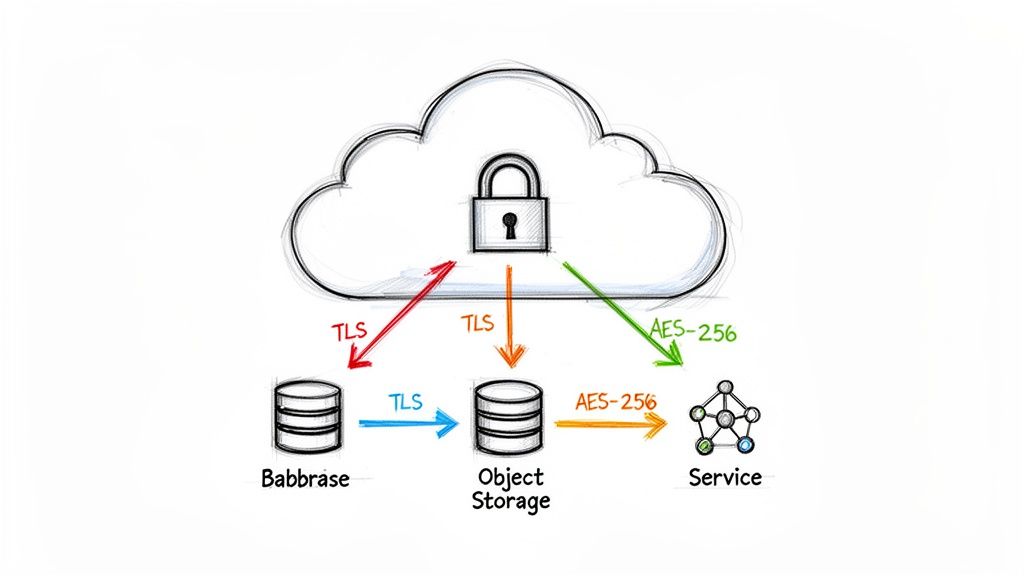
Effective encryption isn't just about ticking a compliance box; it's a critical control that mitigates the impact of other security failures. By leveraging cloud-native Key Management Services (KMS), teams can implement strong, manageable encryption without the overhead of maintaining their own cryptographic infrastructure. This ensures that even if a misconfiguration exposes a storage bucket, the data within remains protected by a separate layer of security.
Actionable Implementation Steps
-
Encrypt Infrastructure as Code State: Terraform state files, often stored in remote backends like S3 or Azure Blob Storage, can contain sensitive data like database passwords or private keys. Always configure the backend to use server-side encryption with a customer-managed key (CMK). In Terraform, this means setting
encrypt = trueandkms_key_id = "your-kms-key-arn"in the S3 backend block. -
Mandate Encryption for Storage Services: Enable default encryption on all object storage (S3, GCS, Azure Blob), block storage (EBS, Persistent Disks, Azure Disk), and managed databases (RDS, Cloud SQL). Use resource policies (e.g., AWS S3 bucket policies) to explicitly deny
s3:PutObjectactions if the request does not include thex-amz-server-side-encryptionheader. -
Enforce In-Transit Encryption: Configure all load balancers, CDNs, and API gateways to require TLS 1.2 or higher with a strict cipher suite. Within your virtual network, use a service mesh like Istio or Linkerd to automatically enforce mutual TLS (mTLS) for all service-to-service communication, preventing eavesdropping on internal traffic. This is configured by enabling peer authentication policies at the namespace level.
Key Insight: Separate your data encryption keys from your data. Use a cloud provider's Key Management Service (like AWS KMS or Azure Key Vault) to manage the lifecycle of your keys. This creates a critical separation of concerns, where access to the raw storage does not automatically grant access to the decrypted data. Grant
kms:Decryptpermissions only to roles that absolutely require it.
Validation and Maintenance
Use cloud-native security tools to continuously validate your encryption posture. AWS Config and Azure Policy can be configured with rules that automatically detect and flag resources that are not encrypted at rest (e.g., s3-bucket-server-side-encryption-enabled). Complement this with periodic, automated key rotation policies (e.g., every 365 days) managed through your KMS to limit the potential impact of a compromised key.
3. Establish Network Segmentation and Cloud Firewall Rules
Network segmentation is a critical architectural principle in any cloud service security checklist, acting as the digital equivalent of bulkheads in a ship. It involves partitioning a cloud network into smaller, isolated segments-such as Virtual Private Clouds (VPCs) and subnets-to contain security breaches. For DevOps teams, this isn't about creating barriers; it's about building a resilient, compartmentalized infrastructure where a compromise in one service doesn't cascade into a full-scale system failure.
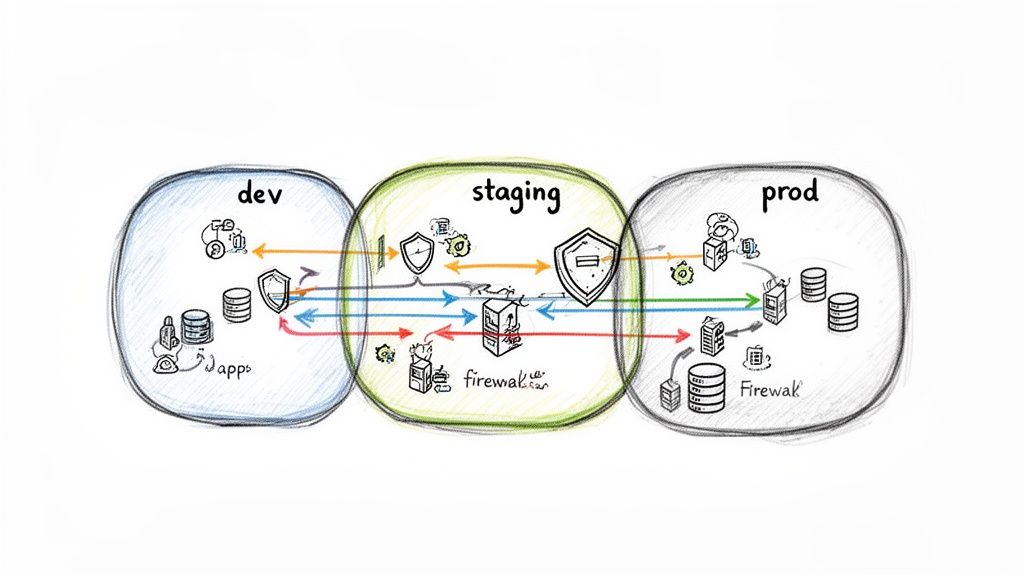
This approach strictly enforces a default-deny posture, where all traffic is blocked unless explicitly permitted by firewall rules (like AWS Security Groups or Azure Network Security Groups). By meticulously defining traffic flows, you prevent lateral movement, where an attacker who gains a foothold on a public-facing web server is stopped from accessing a sensitive internal database. This creates explicit, auditable security boundaries between application tiers and environments (dev, staging, prod).
Actionable Implementation Steps
-
Tier-Based Segmentation: Create separate security groups for each application tier. For example, a
web-tier-sgshould only allow ingress on port 443 from0.0.0.0/0. Anapp-tier-sgallows ingress on port 8080 only from theweb-tier-sg's ID. Adb-tier-sgallows ingress on port 5432 only from theapp-tier-sg's ID. All egress rules should be restricted to0.0.0.0/0unless a more specific destination is required. -
Infrastructure as Code (IaC): Define all network resources-VPCs, subnets, security groups, and NACLs-using an IaC tool like Terraform or CloudFormation. This makes your network configuration version-controlled, auditable, and easily repeatable. Use tools like
tfsecorcheckovin your CI pipeline to scan for overly permissive rules (e.g., ingress from0.0.0.0/0on port 22). -
Kubernetes Network Policies: For containerized workloads, implement Kubernetes Network Policies to control pod-to-pod communication. By default, all pods in a cluster can communicate freely. Apply a default-deny policy at the namespace level, then create specific ingress and egress rules for each application component. For example, a front-end pod should only have an egress rule allowing traffic to the back-end API pod on its specific port.
Key Insight: Your network design should directly reflect your application's communication patterns. Map out every required service-to-service interaction and create firewall rules that allow only that specific protocol, on that specific port, from that specific source. Everything else should be denied. Avoid using broad IP ranges and instead reference resource IDs (like other security groups).
Validation and Maintenance
Use automated tools to continuously validate your network security posture. AWS VPC Reachability Analyzer can debug and verify network paths between two resources, confirming if a security group is unintentionally open. Combine this with regular, automated audits using tools like Steampipe to query firewall rules and identify obsolete or overly permissive entries (e.g., select * from aws_vpc_security_group_rule where cidr_ipv4 = '0.0.0.0/0' and from_port <= 22).
4. Implement Comprehensive Cloud Logging and Monitoring
Comprehensive logging and monitoring are the central nervous system of a secure cloud environment. This practice involves capturing, aggregating, and analyzing data streams from all cloud services to provide visibility into operational health, user activity, and potential security threats. For a DevOps team, this is not just about security; it is about creating an observable system where you can trace every automated action, from a CI/CD deployment to an auto-scaling event, providing a crucial audit trail and a foundation for rapid incident response.
Without a centralized logging strategy, security events become needles in a haystack, scattered across dozens of services. By implementing tools like AWS CloudTrail or Azure Monitor, you create an immutable record of every API call and resource modification. This visibility is essential for detecting unauthorized changes, investigating security incidents, and performing root cause analysis on production issues, making it a non-negotiable part of any cloud service security checklist.
Actionable Implementation Steps
-
Enable Audit Logging by Default: Immediately upon provisioning a new cloud account, your first Terraform module should enable the primary audit logging service (e.g., AWS CloudTrail, Google Cloud Audit Logs). Ensure logs are configured to be immutable (with log file validation enabled) and shipped to a dedicated, secure storage account in a separate "log archive" account with strict access policies and object locking.
-
Centralize All Log Streams: Use a log aggregation platform to pull together logs from all sources: audit trails (CloudTrail), application logs (CloudWatch), network traffic logs (VPC Flow Logs), and load balancer access logs. Use an open-source tool like Fluent Bit as a log forwarder to send data to a centralized ELK Stack (Elasticsearch, Logstash, Kibana) or a managed SIEM service.
-
Configure Real-Time Security Alerts: Do not wait for manual log reviews to discover an incident. Configure real-time alerts for high-risk API calls. Use AWS CloudWatch Metric Filters or a SIEM's correlation rules to trigger alerts for events like
ConsoleLoginwithout MFA,DeleteTrail,StopLogging, orCreateAccessKey. These alerts should integrate directly into your incident management tools like PagerDuty or Slack via webhooks.
Key Insight: Treat your logs as a primary security asset. The storage and access controls for your centralized log repository should be just as stringent, if not more so, than the controls for your production application data. Access should be granted via a read-only IAM role that requires MFA.
Validation and Maintenance
Continuously validate that logging is enabled and functioning across all cloud regions you operate in, as services like AWS CloudTrail are region-specific. Automate this check using an AWS Config rule (cloud-trail-log-file-validation-enabled). On a quarterly basis, review and tune your alert rules to reduce false positives and ensure they align with emerging threats. Verify that log retention policies (e.g., 365 days hot storage, 7 years cold storage) meet your compliance requirements.
5. Secure Container Images and Registry Management
In a modern cloud-native architecture, container images are the fundamental building blocks of applications. Securing these images and the registries that store them is a critical component of any cloud service security checklist, directly addressing software supply chain integrity. This practice involves a multi-layered approach of scanning for vulnerabilities, ensuring image authenticity, and enforcing strict access controls to prevent the deployment of compromised or malicious code.
For DevOps teams, integrating security directly into the container lifecycle is non-negotiable. It shifts vulnerability management left, catching issues during the build phase rather than in production. A secure container pipeline ensures that what you build is exactly what you run, free from known exploits that could otherwise provide an entry point for attackers to compromise your entire cluster or access sensitive data.
Actionable Implementation Steps
-
Automate Vulnerability Scanning in CI/CD: Integrate scanning tools like Trivy, Grype, or native registry features (e.g., AWS ECR Scan) directly into your CI pipeline. Configure the pipeline step to fail the build if vulnerabilities with a severity of
CRITICALorHIGHare discovered. For example:trivy image --exit-code 1 --severity HIGH,CRITICAL your-image-name:tag. -
Enforce Image Signing and Verification: Use tools like Sigstore (with Cosign) to cryptographically sign container images upon a successful build. Then, implement a policy engine or admission controller like Kyverno or OPA Gatekeeper in your Kubernetes cluster. Create a policy that validates the image signature against a public key before allowing a pod to be created, guaranteeing image provenance.
-
Minimize Attack Surface with Base Images: Mandate the use of minimal, hardened base images such as Alpine Linux, Google's Distroless images, or custom-built golden images created with HashiCorp Packer. These smaller images contain fewer packages and libraries, drastically reducing the potential attack surface. Implement multi-stage builds in your Dockerfiles to ensure the final image contains only the application binary and its direct dependencies, not build tools or compilers.
Key Insight: Treat your container registry as a fortified artifact repository, not just a storage bucket. Implement strict, role-based access controls that grant CI/CD service principals push access only to specific repositories, while granting pull-only access to cluster node roles (e.g., EKS node instance profile). Use immutable tags to prevent overwriting a production image version.
Validation and Maintenance
Continuously monitor your container security posture beyond the initial build. Re-scan images already residing in your registry on a daily schedule, as new vulnerabilities (CVEs) are disclosed. For a deeper understanding of this domain, explore these container security best practices. Implement automated lifecycle policies in your registry to remove old, untagged, or unused images, reducing storage costs and eliminating the risk of developers accidentally using an outdated and vulnerable image.
6. Configure Secure API Gateway and Authentication Protocols
APIs are the connective tissue of modern cloud applications, making their security a critical component of any cloud service security checklist. An API gateway acts as a reverse proxy and a centralized control point for all API traffic, abstracting backend services from direct exposure. It enforces security policies, manages traffic, and provides a unified entry point, preventing unauthorized access and mitigating common threats like DDoS attacks and injection vulnerabilities.
For DevOps teams, a secure API gateway is the gatekeeper for microservices communication and external integrations. It offloads complex security tasks like authentication, authorization, and rate limiting from individual application services. This allows developers to focus on business logic while security policies are consistently managed and enforced at the edge, ensuring a secure-by-default architecture for all API interactions.
Actionable Implementation Steps
-
Implement Strong Authentication: Secure public-facing APIs using robust protocols like OAuth 2.0 with short-lived JWTs (JSON Web Tokens). The gateway should validate the JWT signature, issuer (
iss), and audience (aud) claims on every request. For internal service-to-service communication, enforce mutual TLS (mTLS) to ensure both the client and server cryptographically verify each other's identity. -
Enforce Request Validation and Rate Limiting: Configure your gateway (e.g., AWS API Gateway, Kong) to validate incoming requests against a predefined OpenAPI/JSON schema. Reject any request that does not conform to the expected structure or data types with a
400 Bad Requestresponse. Implement granular rate limiting based on API keys or source IP to protect backend services from volumetric attacks and resource exhaustion. -
Use Custom Authorizers: Leverage advanced features like AWS Lambda authorizers or custom plugins in open-source gateways. These allow you to implement fine-grained, dynamic authorization logic. A Lambda authorizer can decode a JWT, look up user permissions from a database like DynamoDB, and return an IAM policy document that explicitly allows or denies the request before it reaches your backend.
Key Insight: Treat your API Gateway as a security enforcement plane, not just a routing mechanism. It is your first line of defense for application-layer attacks. Centralizing authentication, request validation, and logging at the gateway provides comprehensive visibility and control over who is accessing your services and how. Enable Web Application Firewall (WAF) integration at the gateway to protect against common exploits like SQL injection and XSS.
Validation and Maintenance
Regularly audit and test your API endpoints using both static (SAST) and dynamic (DAST) application security testing tools to identify vulnerabilities like broken authentication or injection flaws. Configure automated alerts for a high rate of 401 Unauthorized or 403 Forbidden responses, which could indicate brute-force attempts. Implement a strict key rotation policy, cycling API keys and client secrets programmatically at least every 90 days.
7. Establish Cloud Backup and Disaster Recovery (DR) Plans
While many security controls focus on preventing breaches, a comprehensive cloud service security checklist must also address resilience and recovery. Cloud Backup and Disaster Recovery (DR) plans are your safety net, ensuring business continuity in the face of data corruption, accidental deletion, or catastrophic failure. For DevOps teams, this means moving beyond simple data backups to include automated, version-controlled recovery for infrastructure and configurations.
Effective DR planning is not just about creating copies of data; it's about validating your ability to restore service within defined timeframes. This involves automating the entire recovery process, from provisioning infrastructure via code to restoring application state and data. By treating recovery as an engineering problem, teams can significantly reduce downtime and ensure that a localized incident does not escalate into a major business disruption.
Actionable Implementation Steps
-
Automate Data Snapshots: Configure automated, policy-driven backups for all stateful services. Use AWS Backup to centralize policies for RDS, EBS, and DynamoDB, enabling cross-region and cross-account snapshot replication for protection against account-level compromises. For Kubernetes, deploy Velero to schedule backups of persistent volumes and cluster resource configurations to an S3 bucket.
-
Version and Replicate Infrastructure as Code (IaC): Your IaC repositories (Terraform, CloudFormation) are a critical part of your DR plan. Store Terraform state files in a versioned, highly-available backend like an S3 bucket with object versioning and cross-region replication enabled. This ensures you can redeploy your entire infrastructure from a known-good state even if your primary region is unavailable.
-
Implement Infrastructure Replication: For critical workloads with low Recovery Time Objectives (RTO), use pilot-light or warm-standby architectures. This involves using Terraform to maintain a scaled-down, replicated version of your infrastructure in a secondary region. In a failover scenario, a CI/CD pipeline can be triggered to update DNS records (e.g., Route 53) and scale up the compute resources in the DR region.
Key Insight: Your Recovery Point Objective (RPO) and Recovery Time Objective (RTO) are not just business metrics; they are engineering requirements. Define these targets first, then design your backup and recovery automation to meet them. For an RPO of minutes, you'll need continuous replication (e.g., RDS read replicas), not just daily snapshots.
Validation and Maintenance
Recovery plans are useless if they are not tested. Implement automated, quarterly DR testing in isolated environments to validate your runbooks and recovery tooling. Use chaos engineering tools like the AWS Fault Injection Simulator (FIS) to simulate failures, such as deleting a database or terminating a key service, and measure your system's time to recovery. Document the outcomes of each test and use them to refine your Terraform modules and recovery procedures.
8. Implement Secrets Management and Rotation Policies
Centralized secrets management is a non-negotiable component of any modern cloud service security checklist. It involves the technologies and processes for storing, accessing, auditing, and rotating sensitive information like API keys, database passwords, and TLS certificates. For DevOps teams, embedding secrets directly in code, configuration files, or environment variables is a critical anti-pattern that leads to widespread security vulnerabilities.
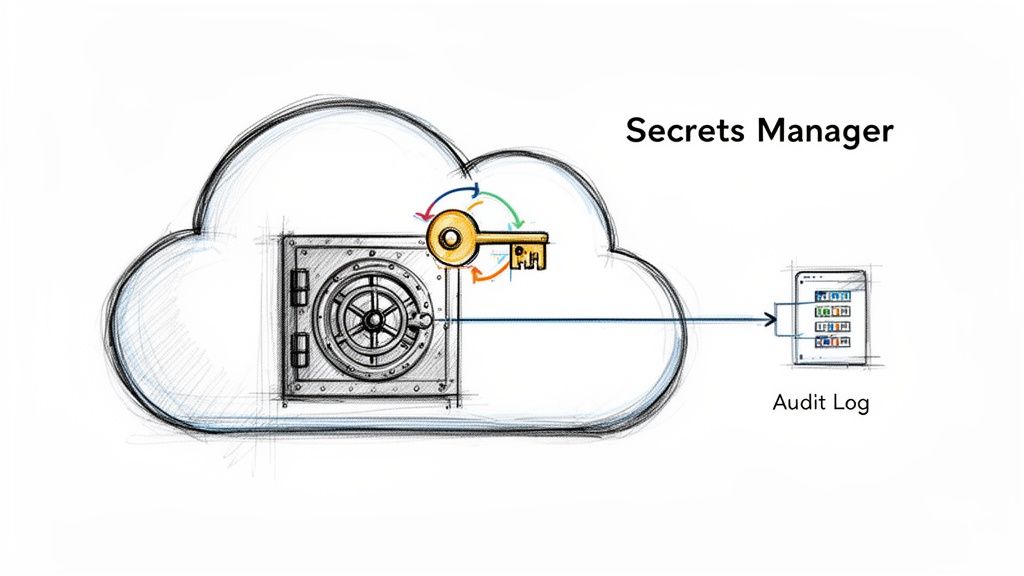
A dedicated secrets management system acts as a secure, centralized vault. Instead of hardcoding credentials, applications and automation pipelines query the vault at runtime to retrieve them via authenticated API calls. This approach decouples secrets from application code, prevents them from being committed to version control, and provides a single point for auditing and control. It is a fundamental practice for preventing credential leakage and ensuring secure, automated infrastructure.
Actionable Implementation Steps
-
Integrate a Secret Vault: Adopt a dedicated tool like HashiCorp Vault, AWS Secrets Manager, or Azure Key Vault. Configure your CI/CD pipelines and applications to fetch credentials from the vault instead of using static configuration files. For Kubernetes, use tools like the External Secrets Operator to sync secrets from your vault directly into native Kubernetes
Secretobjects. -
Enforce Automatic Rotation: Configure your secrets manager to automatically rotate high-value credentials, such as database passwords. For example, set AWS Secrets Manager to rotate an RDS database password every 60 days using a built-in Lambda function. This policy limits the useful lifetime of a credential if it were ever compromised.
-
Utilize Dynamic, Just-in-Time Secrets: Move beyond static, long-lived credentials. Use a system like HashiCorp Vault to generate dynamic, on-demand credentials for databases or cloud access. An application authenticates to Vault, requests a new database user/password, and Vault creates it on the fly with a short Time-to-Live (TTL). The credential automatically expires and is revoked after use, drastically reducing your risk exposure. You can explore more strategies by reviewing these secrets management best practices.
Key Insight: The goal is to make secrets ephemeral. A credential that exists only for a few seconds or minutes to complete a specific task is significantly more secure than a static key that lives for months or years. Your application should never need to know the root database password; it should only ever receive temporary, scoped credentials.
Validation and Maintenance
Continuously scan your code repositories for hardcoded secrets using tools like Git-secrets or TruffleHog within your CI pipeline to block any accidental commits. Set up strict audit logging on your secrets management platform to monitor every access request. Implement automated alerts for unusual activity, such as a secret being accessed from an unrecognized IP address or a production secret being accessed by a non-production role.
9. Enable Cloud Compliance Monitoring and Policy Enforcement
Automated compliance monitoring is a non-negotiable component of a modern cloud service security checklist. It involves deploying tools that continuously scan cloud environments against a predefined set of security policies and regulatory baselines. For DevOps teams, this creates a crucial feedback loop, ensuring that rapid infrastructure changes do not introduce compliance drift or security misconfigurations that could lead to breaches or audit failures.
This continuous validation transforms compliance from a periodic, manual audit into an automated, real-time function embedded within the development lifecycle. By enforcing security guardrails automatically, teams can innovate with confidence, knowing that policy violations will be detected and flagged for immediate remediation. This proactive stance is essential for maintaining adherence to standards like SOC 2, HIPAA, or PCI DSS. To streamline your security efforts when handling sensitive financial data in the cloud, a comprehensive PCI DSS compliance checklist can guide you through the necessary steps.
Actionable Implementation Steps
-
Establish a Baseline: Begin by enabling cloud-native services like AWS Config or Azure Policy and applying a well-regarded security baseline. The Center for Internet Security (CIS) Benchmarks provide an excellent, prescriptive starting point. Deploy these rules via IaC to ensure consistent application across all accounts.
-
Integrate Policy-as-Code (PaC): Shift compliance left by integrating PaC tools like Checkov or HashiCorp Sentinel directly into your CI/CD pipelines. These tools scan Infrastructure-as-Code (IaC) templates (e.g., Terraform, CloudFormation) for policy violations before resources are ever provisioned. A typical pipeline step would be:
checkov -d . --framework terraform --check CKV_AWS_20to check for public S3 buckets. -
Configure Automated Remediation: For certain low-risk, high-frequency violations, configure automated remediation actions. For example, if AWS Config detects a public S3 bucket, a rule can trigger an AWS Systems Manager Automation document to automatically revert the public access settings, closing the security gap in near-real-time.
Key Insight: Treat compliance policies as code. Store them in a version control system (e.g., OPA policies written in Rego), subject them to peer review, and test changes in a non-production environment. This ensures your security guardrails evolve alongside your infrastructure in a controlled and auditable manner.
Validation and Maintenance
Use a centralized dashboard like AWS Security Hub or Google Cloud Security Command Center to aggregate findings from multiple sources and prioritize remediation efforts. Schedule regular reviews of your compliance policies and their exceptions to ensure they remain relevant to your evolving architecture and business needs. Integrating these compliance reports into governance meetings is also a key step, particularly for teams pursuing certifications. Learn more about how this continuous monitoring is fundamental to achieving and maintaining SOC 2 compliance.
10. Establish Cloud Resource Tagging and Cost/Security Governance
Resource tagging is a critical, yet often overlooked, component of a comprehensive cloud service security checklist. It involves attaching metadata (key-value pairs) to cloud resources, which provides the context necessary for effective governance, cost management, and security automation. For DevOps teams, a disciplined tagging strategy transforms a chaotic collection of infrastructure into an organized, policy-driven environment.
A consistent tagging taxonomy enables powerful security controls. By categorizing resources based on their environment (prod, dev), data sensitivity (confidential, public), or application owner, you can create fine-grained, dynamic security policies. This moves beyond static resource identifiers to a more flexible and scalable model, ensuring security rules automatically adapt as infrastructure is provisioned or decommissioned.
Actionable Implementation Steps
-
Define a Mandatory Tagging Schema: Before deploying resources, establish a clear and documented tagging policy. Mandate a core set of tags for every resource, such as
Project,Owner,Environment,Cost-Center, andData-Classification. This foundation is crucial for all subsequent automation. -
Enforce Tagging via Infrastructure-as-Code (IaC): Embed your tagging schema directly into your Terraform modules using a
required_tagsvariable or provider-level features (e.g.,default_tagsin the AWS provider). Use policy-as-code tools like Sentinel to fail aterraform planif the required tags are not present. -
Implement Tag-Based Access Control (TBAC): Leverage tags to create dynamic and scalable permission models. For example, an AWS IAM policy can use a condition key to allow a developer to start or stop only those EC2 instances that have a tag
Ownermatching their username:"Condition": {"StringEquals": {"ec2:ResourceTag/Owner": "${aws:username}"}}.
Key Insight: Treat tags as a primary control plane for security and cost. A resource with a
Data-Classification: PCItag should automatically trigger a specific AWS Config rule set, a more stringent backup policy, and stricter security group rules, turning metadata into an active security mechanism.
Validation and Maintenance
Continuously validate your tagging posture using cloud-native policy-as-code services. AWS Config Rules (required-tags), Azure Policy, or Google Cloud's Organization Policy Service can be configured to automatically detect and flag (or even remediate) resources that are missing required tags. Couple this with regular audits using tools like Steampipe to refine your taxonomy, remove unused tags, and ensure your governance strategy remains aligned with your security and FinOps goals.
10-Point Cloud Service Security Checklist Comparison
| Control / Practice | Implementation complexity | Resource requirements | Expected outcomes | Ideal use cases | Key advantages |
|---|---|---|---|---|---|
| Implement Identity and Access Management (IAM) Controls | High — policy design and ongoing reviews | Directory integration, IAM tooling, admin effort | Least-privilege access, audit trails, reduced unauthorized changes | Production access control, IaC and CI/CD pipelines | Granular permissions, accountability, compliance support |
| Enable Cloud-Native Encryption (Data at Rest and in Transit) | Medium — key management and config across services | KMS/HSM, key rotation processes, devops integration | Encrypted data lifecycle, lower breach impact, regulatory compliance | Protecting state files, secrets, backups, databases | Strong data protection, customer key control, compliance enablement |
| Establish Network Segmentation and Cloud Firewall Rules | High — design of network zones and policies | VPCs/subnets, firewall rules, network engineers | Limited blast radius, prevented lateral movement | Multi-environment isolation, Kubernetes clusters, sensitive systems | Environment isolation, reduced attack surface, supports zero-trust |
| Implement Comprehensive Cloud Logging and Monitoring | Medium–High — aggregation, alerting, retention policy | Log storage, SIEM/monitoring tools, alerting rules, analysts | Visibility into changes/incidents, faster detection and response | Auditing IaC changes, incident investigation, performance ops | Auditability, rapid detection, operational insights |
| Secure Container Images and Registry Management | Medium — pipeline changes and registry controls | Image scanners, private registries, signing services | Fewer vulnerable images in production, provenance verification | CI/CD pipelines, Kubernetes deployments, supply-chain security | Prevents vulnerable deployments, verifies image integrity |
| Configure Secure API Gateway and Authentication Protocols | Medium — gateway setup and auth standards | API gateway, auth providers (OAuth/OIDC), policies | Centralized auth, reduced API abuse, consistent policies | Public/private APIs, microservices, service-to-service auth | Centralized auth, rate limiting, analytics and policy control |
| Establish Cloud Backup and Disaster Recovery (DR) Plans | Medium — design + regular testing | Backup storage, cross-region replication, DR runbooks | Recoverable state, minimized downtime, business continuity | Critical databases, infrastructure-as-code, ransomware protection | Data resilience, tested recovery procedures, regulatory support |
| Implement Secrets Management and Rotation Policies | Medium — vault integration and rotation automation | Secret vaults (Vault/KMS), CI/CD integration, audit logs | Eliminates embedded secrets, rapid revocation, auditability | CI/CD pipelines, database credentials, multi-cloud secrets | Automated rotation, centralized control, reduced exposure |
| Enable Cloud Compliance Monitoring and Policy Enforcement | Medium — policy definitions and automation | Policy engines, scanners, reporting tools, governance processes | Continuous compliance, misconfiguration detection, audit evidence | Regulated environments, IaC validation, governance automation | Automates policy checks, prevents drift, simplifies audits |
| Establish Cloud Resource Tagging and Cost/Security Governance | Low–Medium — taxonomy and enforcement | Tagging standards, policy automation, reporting tools | Better cost allocation, resource discoverability, governance | Multi-team clouds, cost optimization, access control by tag | Improves billing accuracy, enables automated governance and ownership |
From Checklist to Culture: Operationalizing Cloud Security
Navigating the extensive cloud service security checklist we've detailed is more than a technical exercise; it's a strategic imperative. We’ve journeyed through the foundational pillars of cloud security, from the granular control of Identity and Access Management (IAM) and robust encryption for data at rest and in transit, to the macro-level architecture of network segmentation and disaster recovery. Each item on this list represents a critical control point, a potential vulnerability if neglected, and an opportunity to build resilience if implemented correctly.
The core takeaway is that modern cloud security is not a static gate but a dynamic, continuous process. A one-time audit or a manually ticked-off list will quickly become obsolete in the face of rapid development cycles and evolving threat landscapes. The true power of this checklist is unlocked when its principles are embedded directly into your operational DNA. This means moving beyond manual configuration and embracing a "security as code" philosophy.
The Shift from Manual Checks to Automated Guardrails
The most significant leap in security maturity comes from automation. Manually verifying IAM permissions, firewall rules, or container image vulnerabilities for every deployment is unsustainable and prone to human error. The goal is to transform each checklist item into an automated guardrail within your development lifecycle.
- IAM and Secrets Management: Instead of manual permission setting, codify IAM roles and policies using Infrastructure as Code (IaC) tools like Terraform or CloudFormation. Integrate automated secret scanning tools like
git-secretsorTruffleHoginto your pre-commit hooks and CI/CD pipelines to prevent credentials from ever reaching your repository. - Configuration and Compliance: Leverage cloud-native services like AWS Config, Azure Policy, or Google Cloud Security Command Center to automatically detect and remediate misconfigurations. These tools can continuously monitor your environment against the very security benchmarks outlined in this checklist, providing real-time alerts on deviations.
- Containers and CI/CD: Integrate container vulnerability scanning directly into your image build process using tools like Trivy or Clair. A pipeline should be configured to automatically fail a build if a container image contains critical or high-severity vulnerabilities, preventing insecure artifacts from ever being deployed.
By embedding these checks into your automated workflows, you shift security from a reactive, often burdensome task to a proactive, inherent part of your engineering culture. This approach doesn't slow down development; it accelerates it by providing developers with fast, reliable feedback and the confidence to innovate within a secure framework.
Beyond the Checklist: Fostering a Security-First Mindset
Ultimately, a cloud service security checklist is a tool, not the end goal. Its true value is in guiding the development of a security-first culture across your engineering organization. When teams are empowered with the right knowledge and automated tools, security stops being the sole responsibility of a siloed team and becomes a shared objective.
This cultural transformation is where lasting security resilience is built. It’s about encouraging developers to think critically about the security implications of their code, providing architects with the patterns to design secure-by-default systems, and giving leadership the visibility to make informed risk decisions. The journey from a simple checklist to a deeply ingrained security culture is the definitive measure of success. It’s the difference between merely complying with security standards and truly operating a secure, robust, and trustworthy cloud environment. This is the path to building systems that are not just functional and scalable, but also resilient by design.
Navigating the complexities of IaC, Kubernetes security, and compliance automation requires deep expertise. OpsMoon connects you with the top 0.7% of freelance DevOps and Platform Engineers who specialize in implementing this cloud service security checklist and building the automated guardrails that empower your team to innovate securely. Start with a free work planning session at OpsMoon to map your path from a checklist to a robust, automated security culture.
Leave a Reply