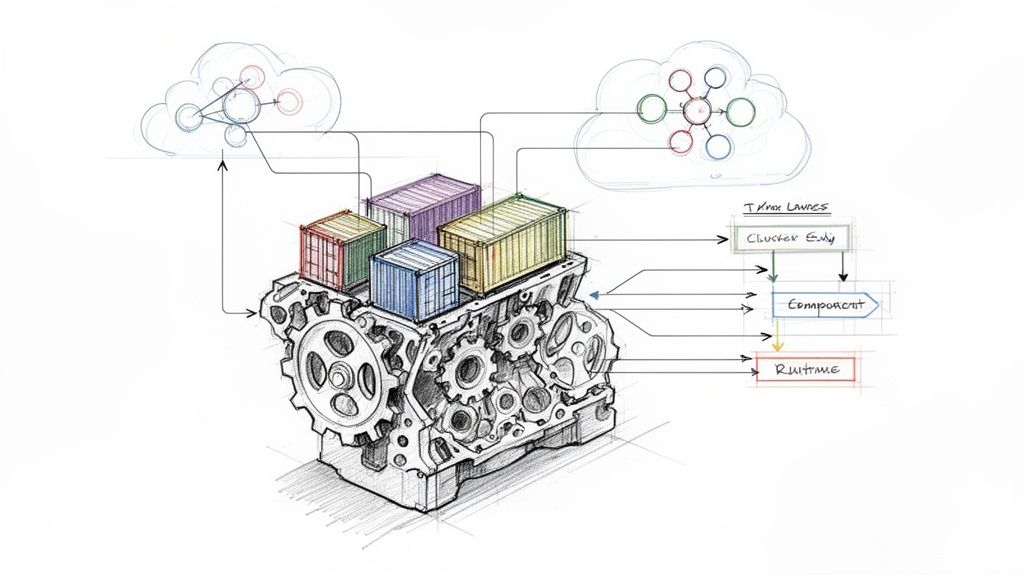
In the world of cloud-native systems, containerd is an industry-standard container runtime. It's a high-level daemon that manages the complete container lifecycle, from image transfer and storage to container execution, supervision, and networking. It is a specialized, high-performance engine designed to be embedded into larger systems like Kubernetes and Docker.
The Engine Block of Your Container Stack
Think of your entire containerized system as a high-performance car. The application you build is the car's body and interior—the functional part you ultimately care about. An orchestrator like Kubernetes is the driver, issuing high-level commands like "run this deployment" or "scale to three replicas."
In this analogy, containerd is the engine block: a critical, low-level component that performs a specific set of tasks with high efficiency and reliability.
Just as a driver doesn't need to manually manage fuel injection or piston timing, Kubernetes doesn't get bogged down in the low-level mechanics of container execution. Instead, it issues a declarative state to the Kubelet, which then makes imperative calls to the container runtime via the Container Runtime Interface (CRI). For example, a "run this pod" command is translated by the CRI plugin into a series of gRPC calls to containerd, which then orchestrates the necessary steps to create the container sandbox and run the container processes. This focused, 'boring' design is its greatest strength, providing exceptional stability and performance.
To fully grasp its importance, it's essential to understand the fundamentals of containerization, a technology that serves as the foundation for modern infrastructure and MLOps.
So, What Does Containerd Actually Do?
When you get down to the system level, what does this engine block do day-to-day? Its work is fundamental to any host running container workloads.
Containerd's primary responsibilities include:
- Image Management: It handles pulling container images from registries (e.g., Docker Hub, GCR) and pushing them. It manages the content-addressable storage of image layers.
- Storage and Snapshots: It manages the filesystem layers for containers using pluggable
snapshotterdrivers (likeoverlayfsorbtrfs). By creating snapshots, it allows multiple containers to share common read-only layers, significantly reducing disk space consumption. - Container Execution: It creates, starts, stops, and deletes containers by interfacing with a lower-level OCI-compliant runtime, typically runc, which handles the direct interaction with the Linux kernel (namespaces, cgroups).
- Network Management: It is responsible for creating and managing network namespaces for containers, and attaching them to a network via a CNI (Container Network Interface) plugin. This ensures containers have network connectivity and are isolated as required.
This laser-focused role has led to massive adoption. According to 2024 market data, containerd adoption shot up from 23% to 53% year-over-year, which is one of the biggest shifts we've seen in the container space. This growth highlights the industry's standardization on robust, high-performance runtimes.
As a high-level component, containerd has a clear and focused set of jobs. Here's a quick breakdown of what it's built to handle.
Containerd's Core Responsibilities at a Glance
| Core Function | Technical Purpose | Business Impact |
|---|---|---|
| Image Transfer | Pulls and pushes container images from/to registries using content-addressable storage. | Ensures the correct application versions are deployed quickly and reliably. |
| Storage Management | Manages image and container filesystems using snapshotters like overlayfs. |
Reduces disk usage and accelerates container start times by sharing filesystem layers. |
| Container Execution | Manages the container's lifecycle (start, stop, pause, resume, delete) via an OCI runtime. | Provides the stable, predictable foundation needed to run applications at scale. |
| API & Metrics | Exposes a gRPC API for management and provides container-level metrics via cgroups. | Enables orchestration tools like Kubernetes to manage containers and monitor health. |
Ultimately, containerd provides the stable, performant, and "boring" foundation that modern infrastructure relies on.
Unlike all-in-one platforms built for a rich developer experience, containerd is purpose-built for automation and orchestration. Its main goal is to be a stable, embeddable component that bigger systems like Kubernetes can depend on, hiding all the messy details of the container lifecycle.
Deconstructing the Containerd Architecture
To truly understand containerd, you must look under the hood. It’s not a monolithic binary; it’s a modular system of specialized components that communicate via well-defined APIs. This design is the key to its stability and efficiency in production.
At the highest level, containerd exposes a gRPC API over a UNIX socket (/run/containerd/containerd.sock). This is the primary entry point for clients like the kubelet (via the CRI plugin) or command-line tools like ctr. These clients issue requests like PullImage or CreateContainer. This API-first approach makes containerd an extensible building block for larger systems.
This diagram gives you a bird's-eye view of where containerd fits in a typical container stack. It’s the engine that sits between the big-picture orchestrator and the low-level OS details.

As you can see, containerd's job is to abstract away all the gnarly details of running containers, letting tools like Kubernetes or Docker focus on their own jobs.
Core Architectural Subsystems
When a gRPC call hits the API, it's routed to one of several backend subsystems, each with a specific responsibility. This separation of concerns prevents a failure in one area from cascading and crashing the entire daemon.
- Metadata Store: This is the brain of the operation. It uses an embedded
boltDBdatabase to maintain a consistent record of all resources: images, containers, snapshots, content, and namespaces. This provides the single source of truth for the state of all managed objects. - Content Store: This is the warehouse for image data. When an image is pulled, its layers (which are typically gzipped tarballs) are stored here. Each piece of content ("blob") is identified by a secure hash (its "digest"), making the storage content-addressable and inherently deduplicated.
- Snapshotter: This subsystem manages the container's root filesystem. It uses a storage driver like
overlayfsto take the image layers from the Content Store and assemble them into a mount point. It then creates a new, writable layer on top for the running container. This copy-on-write mechanism is incredibly efficient, as the read-only base layers are shared across all containers derived from the same image.
These components handle the state and storage of containers—the image data and the filesystem. But getting it all to actually run is the final, crucial step.
The Runtime and Shim Mechanism
Once the image and filesystem are prepared, containerd delegates the "run" command to its execution layer. This is where two key components come into play: the OCI runtime and the shim.
The containerd shim is a small, lightweight process that sits between the main containerd daemon and the actual container process (like runc). Its most important job is to let you restart or upgrade the containerd daemon without killing all your running containers. This is a non-negotiable feature for any serious production environment.
The containerd-shim process forks and executes the OCI runtime (runc by default), which then creates the container. The shim remains as the parent of the container process, handling the stdio streams (stdin, stdout, stderr) and reporting the container's exit status back to containerd. Meanwhile, runc does the low-level Linux kernel work: creating namespaces and cgroups, and finally executing the container's entrypoint process within that isolated environment.
This design completely decouples the container's lifecycle from the main daemon. If the daemon goes down for an upgrade or a restart, the shim keeps the container chugging along, making the whole system much more resilient.
Containerd in the Kubernetes Ecosystem
To manage pods on a node, the Kubelet needs to communicate with the software that actually runs containers. It needs a standardized way to issue commands like "start this container with this image" or "stop that container." However, Kubernetes and a container runtime like containerd don't speak the same native language. They need a translator.
That translator is a standardized gRPC-based API called the Container Runtime Interface (CRI).
Think of the CRI as a universal adapter or a formal contract. It defines a clear set of RPCs (e.g., RunPodSandbox, CreateContainer, StartContainer) that any container runtime can implement to become pluggable with Kubernetes. This was a strategic decision to prevent Kubernetes from being locked into any single runtime technology.
When Kubernetes schedules a pod on a node, the Kubelet (the primary Kubernetes agent on each node) doesn't need to know the internal implementation of containerd. It just sends standard CRI commands to the runtime's endpoint on that machine.
The Role of the CRI Plugin
So how does containerd understand these CRI commands from the Kubelet? It has a built-in component called the CRI plugin. This plugin is a fully-featured implementation of the CRI specification. It listens for gRPC requests from the Kubelet and translates them into specific actions for the containerd daemon to execute.
Let's trace the lifecycle of a pod creation:
- The Kubelet sends a
RunPodSandboxrequest to the CRI plugin. The "sandbox" is the pod-level environment, including network namespaces and other shared resources. - The CRI plugin calls the containerd daemon to configure the pod's cgroups and create its network namespace.
- For each container in the pod, the Kubelet sends
CreateContainerandStartContainerrequests. - The CRI plugin instructs containerd to pull the required image (if not present), create a container snapshot (filesystem), and then use the
runcruntime to start the container process within the pod's sandbox namespaces.
This translation layer makes the whole process feel seamless. If you're new to these moving parts, our guide on Kubernetes for developers is a great resource for seeing how they all fit into the bigger picture of a cluster.
Ensuring Portability with the Open Container Initiative
Beyond the runtime interface, another set of standards ensures that the containers themselves are portable: the Open Container Initiative (OCI). The OCI defines two critical specifications: the Image Specification (how a container image is structured and formatted) and the Runtime Specification (how to run a container from an unpacked bundle on disk).
The OCI guarantees that an image you build today with Docker will run identically on a Kubernetes cluster using containerd tomorrow. This adherence to open standards is the bedrock of modern, portable, cloud-native infrastructure, preventing vendor lock-in and promoting a healthy ecosystem.
Because containerd is fully OCI-compliant, it can reliably run any image that follows the OCI standard. This deep commitment to both CRI and OCI standards is what makes containerd such a foundational, predictable, and efficient engine for the entire Kubernetes ecosystem.
Containerd vs. Docker vs. CRI-O: A Technical Showdown

Choosing a container runtime is a foundational architectural decision. The three main options—containerd, the Docker Engine, and CRI-O—are each engineered for different use cases. Understanding their architectural philosophies is key to building a stable and efficient infrastructure.
Think of the Docker Engine as a comprehensive developer platform, a Swiss Army knife for containers. It actually uses containerd under the hood as its runtime, but it bundles it with a rich CLI, powerful image building (docker build), volume management, and user-friendly networking. It is optimized for the developer experience on a local machine.
On the other hand, containerd and CRI-O are specialized, production-focused runtimes. They are lean, high-performance daemons built for automation and orchestration. They strip away developer-centric features to focus exclusively on one thing: managing the container lifecycle as directed by an orchestrator like Kubernetes. You wouldn't typically use them for interactive development; they are designed for machine-to-machine communication.
Breaking Down the Runtimes
The primary difference boils down to their target audience and scope. Docker is for developers. containerd and CRI-O are for orchestrators. This distinction drives their architectural choices and explains their different resource footprints.
To help you choose the right tool for the job, we've put together a head-to-head comparison.
Container Runtime Technical Showdown
This table breaks down the core differences in philosophy and design between these three powerful runtimes.
| Attribute | Containerd | Docker Engine | CRI-O |
|---|---|---|---|
| Primary Use Case | General-purpose runtime for orchestrators and platforms. | All-in-one developer platform for building and running containers. | A minimalist, Kubernetes-native runtime. |
| Architectural Design | A focused daemon managing the entire container lifecycle. | A full-stack platform that includes containerd internally. | A lightweight daemon exclusively implementing the Kubernetes CRI. |
| Built-in Features | No native image building; requires tools like BuildKit. | Includes docker build, networking, and a rich CLI. |
No image building; focused solely on runtime tasks. |
| Resource Footprint | Low. Designed to be a lean, embeddable component. | Higher. The daemon includes many features beyond runtime management. | Minimal. Purpose-built to be as lightweight as possible for K8s. |
| Community & Scope | Graduated CNCF project; used widely beyond Kubernetes. | The original standard, now focused on developer tooling. | Incubating CNCF project; tightly coupled with Kubernetes releases. |
While they all run OCI-compliant images, their operational philosophies are miles apart. If you want to dig deeper into how these pieces fit into the bigger puzzle, our guide on the difference between Docker and Kubernetes is a great place to start.
Which Runtime Should You Choose?
The correct choice is always context-dependent, based on your specific environment and goals.
For production Kubernetes clusters, the choice is almost always containerd. Its combination of robust features, proven stability, and a lean resource profile has made it the undisputed industry standard. It's no accident that all major cloud providers—GKE, EKS, and AKS—default to it.
CRI-O is a strong alternative for teams that prioritize minimalism and a tight integration with the Kubernetes release cycle. It is purpose-built to do one job—serve the Kubelet's CRI requests—and it does so with exceptionally low resource overhead. It is ideal for environments where every CPU cycle and megabyte of RAM on the node is critical.
And what about the Docker Engine? While it’s an incredible tool, it’s no longer used as the runtime in modern Kubernetes clusters (since the removal of dockershim). Its rich daemon adds unnecessary complexity and a larger attack surface for a production node. Its strength remains firmly in the developer's "inner loop": building images and running containers locally before they are pushed to a CI/CD pipeline and deployed to a cluster.
Essential Containerd Commands for Engineers

Theoretical knowledge is one thing, but real-world engineering happens on the command line. To effectively debug node-level issues, you must know how to interact with containerd directly. This is often the only way to diagnose problems that Kubernetes abstractions hide.
Let's start with ctr, containerd's native low-level client. It's not designed for user-friendly daily use, but it's indispensable for debugging and direct interaction with the daemon's gRPC API.
For instance, to pull an image, you must specify the full image reference.
# Pull an image from Docker Hub into the default namespace
sudo ctr images pull docker.io/library/redis:alpine
Once pulled, you can inspect the images stored locally. The output provides the image reference, its digest, and the platforms it supports.
# List all images stored in the 'default' namespace
sudo ctr images list
Managing Containers and Namespaces with ctr
Launching a container with ctr is a multi-step process that reflects containerd's internal workflow: first, you create the container resource, and then you start a task, which is the actual running process inside it.
A critical concept here is namespaces. These provide logical isolation within a single containerd instance, allowing different systems to use it without interfering with each other. For example, Kubernetes resources typically reside in the k8s.io namespace, while Docker (when using containerd) uses moby. The default namespace is default.
If you're debugging containers managed by Kubernetes, you must specify the
k8s.ionamespace using the-n k8s.ioflag. Forgetting this is a classic mistake that leads engineers to believe their containers have vanished, when in reality they are just looking in the wrong logical partition.
Here’s how you would inspect resources within the Kubernetes namespace:
- List Kubernetes Images:
sudo ctr -n k8s.io images list - List Kubernetes Containers:
sudo ctr -n k8s.io containers list - List Running Tasks (Processes):
sudo ctr -n k8s.io tasks list
This direct access is invaluable when debugging why a pod is stuck in ContainerCreating or why an ImagePullBackOff error is occurring.
nerdctl: The Docker-Like Experience for Containerd
Let's be honest, ctr is powerful but clunky for everyday use. Its syntax is unintuitive for those accustomed to the Docker CLI. This is where nerdctl comes in. It's a "Docker-compatible CLI for containerd," providing a user-friendly facade over containerd's functionality.
With nerdctl, you can use the commands you already know. It feels instantly familiar.
# Pull an image (using the k8s.io namespace)
sudo nerdctl -n k8s.io pull redis:alpine

# Run a container in detached mode and map a port
sudo nerdctl -n k8s.io run -d --name my-redis -p 6379:6379 redis:alpine

# List running containers (just like 'docker ps')
sudo nerdctl -n k8s.io ps

# View container logs
sudo nerdctl -n k8s.io logs my-redis

# Stop and remove the container
sudo nerdctl -n k8s.io stop my-redis
sudo nerdctl -n k8s.io rm my-redis
But nerdctl is more than just a wrapper for ctr. It adds powerful features that containerd lacks, like building images (nerdctl build) and managing Docker Compose files (nerdctl compose up). This makes it a fantastic tool for both development and debugging on nodes, providing a familiar experience on top of a production-grade runtime.
Strategic Migration and Management with OpsMoon
Migrating a live Kubernetes cluster from dockershim to containerd is more than a simple configuration change. In theory, it's a straightforward swap. In practice, it's a minefield of dependencies and potential disruptions.
Consider the ecosystem around your runtime. CI/CD pipelines might mount the Docker socket (/var/run/docker.sock) for in-cluster builds. Your monitoring agents (e.g., Datadog, Prometheus) are likely configured to scrape metrics from the Docker daemon. A migration requires identifying and reconfiguring every one of these integrations. A single oversight can break builds or leave you blind to production issues.
This is where an experienced team becomes invaluable. At OpsMoon, our senior DevOps engineers have executed dozens of these migrations. We have a proven methodology for auditing dependencies, managing compatibility issues with tools like Kaniko or BuildKit, and performing the cutover with zero downtime.
A runtime migration isn't just about changing a component. It’s a chance to seriously improve your whole setup—better security, smoother operations, and a more robust platform. Real operational excellence comes from getting the implementation right and managing it well over the long haul.
We manage the entire process, minimizing risk and ensuring your infrastructure is truly optimized for the performance and stability containerd offers. Partnering with us gives you the deep expertise needed to manage, secure, and scale your container environment.
To see how we apply this thinking, take a look at our approach to expert Kubernetes services and management and make sure your infrastructure is ready for whatever comes next.
Frequently Asked Questions About Containerd
Once you get past the architecture diagrams and high-level concepts, the real-world questions start popping up. Let's tackle a few of the most common ones I hear from engineers getting their hands dirty with containerd.
Can I Use Containerd to Build Container Images?
No, you cannot. Containerd is intentionally scoped to be a container runtime. Its sole purpose is to manage the complete container lifecycle: pulling, storing, and running them. Image building is explicitly out of scope for the core daemon.
This is a deliberate design choice to keep the runtime lean and secure. To build your OCI-compliant images, you must use a separate, dedicated tool. Excellent options include:
- BuildKit: A powerful, concurrent, and cache-efficient builder daemon that can be run standalone or integrated with containerd. This is the modern engine behind
docker build. nerdctl: This command-line tool provides anerdctl buildcommand that feels likedocker buildbut uses BuildKit and containerd under the hood.- Kaniko: A tool from Google for building container images from a Dockerfile inside a container or Kubernetes cluster. It executes each command in the Dockerfile in userspace, which completely removes the dependency on a Docker daemon or privileged access.
img: A standalone, unprivileged, and daemon-less OCI image builder.
If Kubernetes Uses Containerd, Why Do I Still Have Docker Installed?
This is common on older clusters or developer workstations. Historically, Kubernetes used a component called dockershim to communicate with the Docker Engine. The Docker Engine, in turn, used containerd internally.
While modern Kubernetes clusters (v1.24+) have removed dockershim and talk directly to containerd via the CRI plugin, you might still find Docker installed. Many developers prefer the familiar Docker CLI for local development, image building, and quick debugging before pushing code to a cluster.
In production environments, however, the best practice is to install only containerd. This reduces the node's attack surface, simplifies the software stack, and lowers resource consumption.
What Is the Role of the Shim in Containerd?
The containerd-shim is a small but absolutely critical process. It acts as a parent process for the container, sitting between the main containerd daemon and the OCI runtime (runc). Its most important job is to enable daemonless containers, ensuring that running containers survive a restart or upgrade of the containerd daemon.
The shim "adopts" the container process by forking and executing
runc, then remaining to stream I/O and report the final exit code. This decouples the container's lifecycle from the daemon's. If containerd crashes or is gracefully restarted, the shims (and the containers they manage) continue to run uninterrupted. This is a non-negotiable requirement for production stability.
Is Containerd More Secure Than Docker?
From an attack surface perspective, yes, containerd is generally considered more secure for a production node. The full Docker Engine is a complex, feature-rich platform with a large API, its own networking management, and image-building capabilities. Each of these features increases the potential attack surface.
Containerd, by contrast, has a much smaller, more focused scope. It is a specialized daemon that only handles runtime tasks, exposing a minimal gRPC API. This minimalist design means fewer components, less code, and a smaller surface area to secure and attack.
However, runtime choice is only one part of the security posture. Overall system security depends far more on practices like using signed images, implementing Pod Security Standards, running rootless containers, and applying kernel security features like AppArmor and Seccomp, regardless of the underlying runtime.
Navigating container runtimes and executing a seamless migration requires deep expertise. OpsMoon provides top-tier remote DevOps engineers who can help you architect, manage, and optimize your entire container infrastructure for peak performance and reliability. Plan your free work session with us today at opsmoon.com.
Leave a Reply