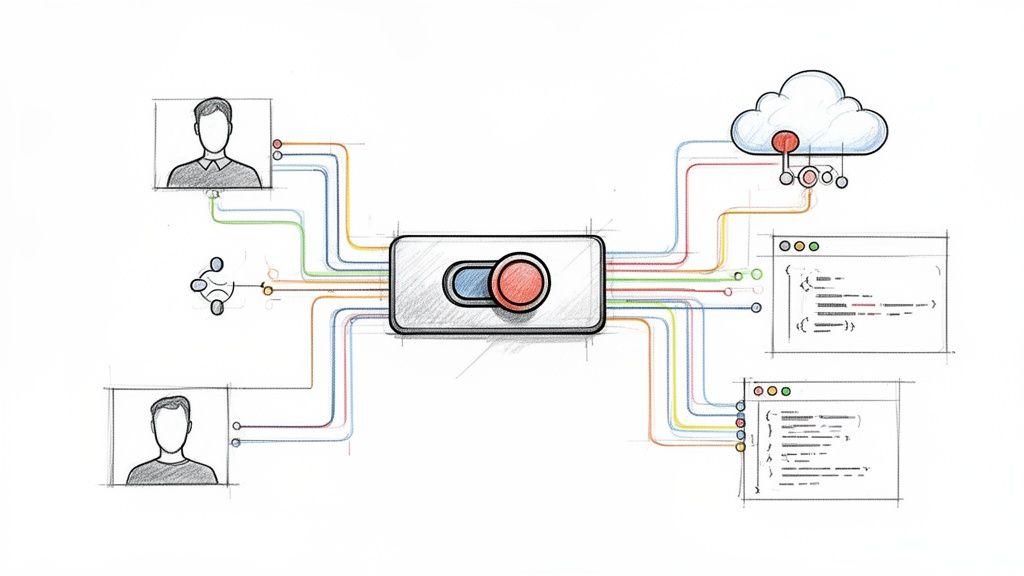
A LaunchDarkly feature flag is a conditional block in your code, controlled remotely, that allows you to modify system behavior without deploying new code. This mechanism decouples code deployment from feature release, enabling granular control over feature visibility and behavior for specific user segments.
This architectural pattern is fundamental to modern CI/CD practices. It mitigates release risk by allowing features to be deployed "dark"—inactive in production—and then activated for specific contexts. This control is the cornerstone of progressive delivery, canary releases, and A/B testing.
Move Beyond Deployments with LaunchDarkly Feature Flags
Traditionally, software delivery has been defined by the deployment event. New features were merged, built, tested, and released in a monolithic, high-risk "big bang" deployment. This tight coupling between code deployment and feature release introduces significant risk; a single bug in a minor feature can necessitate a full rollback, impacting all users and delaying the entire release.
The old model is inherently inefficient. If a critical bug is discovered in one component of a large release, the entire deployment must be reverted. Stable, valuable features are held back because they were bundled with a faulty component. A LaunchDarkly feature flag fundamentally re-architects this process.
Decoupling Deployments from Releases
Consider your application's features as electrical circuits. A traditional deployment is like a single master circuit breaker. When you flip it, every circuit activates simultaneously. A fault in one circuit shorts the entire system, causing a complete blackout.
A launchdarkly feature flag provides an individual switch for each circuit. You can perform the deployment—the installation of all wiring—with every switch in the "off" position. This is known as a "dark launch." The new code paths exist in the production environment but are not executed because the flags controlling them are disabled. The feature is invisible and inert.
A feature flag transforms your release from a monolithic, high-risk event into a controlled, granular, and instantly reversible action. It's the architectural key to modern release strategies like canary testing, percentage rollouts, and targeted betas.
The Power of Controlled Activation
Once your code is deployed dark, the LaunchDarkly dashboard becomes your release control plane, entirely decoupled from your CI/CD pipeline. This enables powerful, dynamic release strategies:
- Internal Testing: Activate a feature exclusively for IP addresses within your corporate VPN or for users with an
@yourcompany.comemail address. - Beta Programs: Target users with a custom attribute
beta_tester: trueto expose a new feature to a dedicated feedback group. - Gradual Rollouts: Mitigate risk by enabling a feature for a small percentage of random users, e.g., 1%. Monitor performance and error metrics, then incrementally increase the rollout to 10%, 50%, and finally 100%.
- Instant Kill Switch: If monitoring reveals a negative impact (e.g., increased latency, error spikes), toggle the flag off in the LaunchDarkly UI. The change propagates globally in milliseconds, effectively disabling the feature without requiring a hotfix or redeployment.
This isn't a niche practice. By early 2026, LaunchDarkly was processing a staggering 45 trillion feature flag evaluations every single day, a massive jump from the two trillion it served back in 2020. This scale demonstrates how integral decoupled releases have become to modern software engineering. For a broader market overview, consult our guide on feature flagging software.
Deconstructing the LaunchDarkly Core Architecture
To understand the technical capabilities of a LaunchDarkly feature flag, you must analyze its distributed architecture, which is built on a fundamental separation of the control plane and the data plane.
This design is what enables near-instantaneous rule propagation and low-latency flag evaluations, allowing you to modify application behavior globally without code changes.
The control plane is the LaunchDarkly web dashboard and its underlying APIs. This is where you define flags, set targeting rules, create user segments, and configure integrations. It is the authoritative source for your feature flag configurations.
The data plane consists of your applications and infrastructure where the LaunchDarkly SDKs are embedded. These SDKs are the distributed evaluation engines that make real-time decisions based on the rules received from the control plane.
This diagram illustrates how this separation decouples the deployment workflow from the release workflow.

Code deployment is a technical precursor. The feature flag provides the logical control layer that governs the user experience post-deployment.
Server-Side vs. Client-Side SDKs
LaunchDarkly provides SDKs tailored for different environments. Selecting the appropriate SDK type is critical for performance and security.
- Server-Side SDKs: Designed for trusted backend environments (e.g., Node.js, Go, Python, Java). They establish a persistent streaming connection (Server-Sent Events) to LaunchDarkly, download the entire ruleset for an environment, and cache it in memory. This enables extremely fast, local evaluations.
- Client-Side SDKs: Designed for untrusted user-facing applications (e.g., JavaScript/React, iOS, Android). They are initialized for a specific user context and only fetch the flag variations relevant to that single user.
The primary distinction is security. Server-side SDKs are initialized with a server-side key, which grants access to all flag rules. This key must never be exposed in a client-side application, as it would allow a malicious user to reverse-engineer your feature roadmap and targeting logic. Client-side SDKs use a mobile key or client-side ID, which has restricted permissions.
If you need to delve deeper into the architectural patterns of these systems, our guide on feature toggle management is an excellent resource.
The Streaming Architecture and Local Evaluation
LaunchDarkly's performance is rooted in its streaming architecture. Instead of your application polling for changes via HTTP requests, the server-side SDKs maintain a persistent connection to the LaunchDarkly streaming service.
When you modify a flag rule in the control plane, the change is propagated through this stream to all connected SDKs in under 200 milliseconds.
The SDK updates its in-memory rule cache upon receiving the event. When your application code calls ldclient.variation(), the SDK performs a local evaluation against this cache using the provided user context. This operation is a simple in-memory lookup that typically completes in microseconds, adding zero network latency to the critical path of your user's request.
The Cornerstone: User Context
The entire dynamic targeting engine is powered by the user context object. This is a data structure you construct and pass to the SDK during flag evaluation. It provides the attributes needed for the SDK's local rules engine to make a targeting decision.
A basic user context in a language like Python would look like this:
user_context = {
  "key": "a1b2-c3d4-e5f6", # Required: unique identifier
  "name": "Jane Doe",
  "email": "jane.doe@example.com",
  "custom": {
    "subscription_tier": "premium",
    "beta_tester": True,
    "region": "emea",
    "tenant_id": "acme-corp"
  }
}
When your code executes ldclient.variation("new-checkout-flow", user_context, False), the SDK uses the attributes within user_context to evaluate the targeting rules you configured in the dashboard. This mechanism enables you to roll out a feature to "premium" users in the "emea" region without any code modification.
Implementing Advanced Release Strategies
Basic on/off toggles are only the first step. The true value of a LaunchDarkly feature flag is unlocked when you orchestrate sophisticated, data-driven release patterns. This is the transition from high-risk deployments to controlled, progressive delivery.
These patterns allow new code to be gradually exposed to production traffic, enabling you to validate its performance and business impact with real users before committing to a full launch. For a comprehensive look at how flags fit into a strategic plan, this guide on modern product release strategy is a crucial read.
Canary Releases for Surgical Precision
A canary release involves exposing a new feature to a small, targeted subset of your production traffic to act as an early warning system—a "canary in a coal mine." This group allows you to detect bugs, performance degradation, or negative user feedback before a widespread impact occurs.
With LaunchDarkly, a technical implementation involves:
- Create a Boolean Flag: Define a flag like
enable-new-recommendation-engine. - Define Targeting Rules: Initially, target a specific, low-risk cohort. For example, create a rule that enables the flag only for users where
emailends with@your-company.comor for a manually curated list ofuser_keyvalues. - Monitor Correlated Metrics: In your observability platform (e.g., Datadog, New Relic), create dashboards that filter metrics by the
launchdarkly.variationtag. Correlate the activation of your canary flag with error rates, API latency (p95, p99), and system resource utilization (CPU, memory).
If monitoring reveals an anomaly, you can immediately disable the flag, containing the issue to the small canary group while the majority of users remain unaffected.
Ring Deployments to Build Confidence
Ring deployments formalize the canary concept into a structured, multi-stage rollout. You define concentric "rings" of exposure, starting with the lowest-risk internal users and progressively expanding outward.
This strategy is common in large engineering organizations for "dogfooding" new features.
- Ring 0 (Dev Team): The feature is enabled only for the specific engineering team that built it, using a segment of their user IDs.
- Ring 1 (Internal Employees): After initial validation, expand the target to a segment containing all internal employees. This provides a larger, more diverse testing pool in a production environment.
- Ring 2 (Beta Testers): Target a segment of external users who have explicitly opted into your beta program.
- Ring 3 (General Availability): After confidence is established across all rings, initiate a percentage-based rollout to the general user base, starting at 1% and gradually increasing to 100%.
This methodical progression systematically de-risks the release process at each stage, ensuring the feature is battle-tested by the time it reaches your entire customer base. For more structured rollout patterns, explore our post on feature flagging best practices.
Percentage Rollouts for Gradual Exposure
A percentage rollout is ideal for changes where specific user targeting is less important than managing the load and impact on backend systems. LaunchDarkly allows you to distribute traffic between flag variations based on a percentage. The platform uses a deterministic hashing algorithm (user_key + flag_key salt) to ensure a given user is consistently assigned to the same variation, preventing a confusing user experience.
This technique is critical for validating performance-sensitive backend changes, such as a new database query algorithm or a refactored caching strategy. You can observe the impact on system performance at 5% or 10% load before exposing it to 100% of production traffic.
You can also combine targeting with percentage rollouts. For example, you could target the premium user segment and then apply a 20% rollout within that segment, further refining your release strategy.
Multivariate Flags for A/B Testing
Multivariate flags extend beyond simple on/off (boolean) logic to serve multiple distinct variations of a feature. This is the technical foundation for A/B/n testing. Instead of returning true or false, a flag can return string, JSON, or numeric values that correspond to different code paths.
For instance, to test two new recommendation algorithms against the current implementation, you could create a multivariate string flag named recommendation-engine with three variations: control, algo-a, and algo-b.
You can then configure a percentage rollout to distribute users:
- 80% receive the
controlvariation. - 10% receive the
algo-avariation. - 10% receive the
algo-bvariation.
By integrating LaunchDarkly with your product analytics tools, you can analyze which variation leads to a statistically significant increase in key business metrics like click-through rate or conversion.
Differentiating Flag Types
Not all flags are created equal. To avoid technical debt, it's crucial to categorize them by their purpose and lifecycle.
- Release Flags (Temporary): These are used to de-risk the rollout of a new feature. They are, by definition, short-lived. Once a feature is fully released and stable, the flag and its associated dead code paths must be removed from the codebase.
- Operational Flags (Permanent): These are long-lived flags that act as operational controls or circuit breakers. They are not tied to a specific feature release but provide a permanent mechanism to manage system behavior, such as disabling a non-essential, resource-intensive feature during a high-traffic event.
Mastering Dynamic Targeting and User Segmentation
Basic flag toggling is table stakes. Advanced implementation involves using flags as a dynamic business logic engine. This allows you to move from coarse-grained, "all-or-nothing" releases to targeted activations for precise user audiences.
The core of this system is the user context. By passing rich, descriptive attributes to the LaunchDarkly SDK, you provide the raw data for its powerful targeting engine. Move beyond simple user IDs to include attributes like subscription_tier, geo_location, last_seen_at, or tenant_id.
This flowchart illustrates how LaunchDarkly's rules engine can direct different user cohorts, such as beta testers and premium subscribers, to distinct feature experiences based on their context.

Building Complex Rules With Boolean Logic
Targeting begins with simple rules, such as enabling a feature where the attribute subscription_tier is premium. True precision, however, is achieved by combining multiple conditions using boolean operators.
LaunchDarkly's rules engine supports AND/OR logic, enabling the construction of highly specific audiences. For example, you can create a rule that targets users where subscription_tier is premium AND region is emea.
This capability allows your release strategy to mirror your business objectives precisely. You can test a new feature in a specific market segment before a global rollout, validating both technical performance and market reception.
Creating Reusable Segments For Consistency
Defining complex targeting rules on every individual flag is inefficient and error-prone. A developer might slightly misconfigure a rule, leading to an inconsistent user experience across different features. This is the problem that segments are designed to solve.
A segment is a reusable, centrally-managed audience definition. You define a segment like 'Beta Testers' or 'High-Value Enterprise Accounts' once, and then you can target that named segment across any number of feature flags.
This abstraction provides two significant advantages:
- Consistency: All flags targeting the 'Beta Testers' segment are guaranteed to use the exact same underlying rules.
- Efficiency: To update the criteria for beta testers, you only need to modify the segment definition in one place. The change is automatically propagated to every flag that targets it.
A well-defined set of targeting rules is your key to unlocking granular control. The table below breaks down the most common types you'll use in LaunchDarkly.
LaunchDarkly Targeting Rule Comparison
| Rule Type | Description | Common Use Case | Example Attribute |
|---|---|---|---|
| Individual Targets | Manually specifying user keys to receive a specific variation. | QA testing, internal demos, or providing a feature to a specific high-value customer. | user_key |
| Boolean | Targeting based on true/false attributes. | Identifying internal employees or users who have opted into a beta program. | is_internal_employee |
| String | Matching text-based attributes like names, emails, or geographic codes. | Rolling out a feature to a specific country or users from a certain company domain. | email or country_code |
| Numeric | Using numbers with operators like greater-than, less-than, or equals. | Targeting users based on their account age, number of purchases, or last login date. | days_since_signup |
| SemVer | Targeting based on Semantic Versioning for application or client versions. | Releasing a mobile feature only to users on app version 2.5.0 or higher. | app_version |
Each rule type serves a different purpose, from simple overrides to complex, multi-layered logic. Mastering these is what separates a basic implementation from a truly dynamic one.
Understanding The Rule Evaluation Order
When evaluating a flag for a given user context, the LaunchDarkly SDK follows a strict, deterministic order of operations. Understanding this waterfall logic is critical for predictable behavior.
- Individual Targets: The SDK first checks if the user's key is explicitly listed as an individual target for a specific variation. This rule takes precedence over all others.
- Custom Rules: If the user is not an individual target, the SDK evaluates the list of custom rules in the order they appear in the UI. The first rule that the user context matches is applied, and the evaluation process stops.
- Default Rule: If a user's context does not match any of the custom rules, they fall through to the Default Rule. This rule serves as a catch-all, ensuring that every user receives a defined, predictable experience.
Practical Example: A Targeted AI Feature Rollout
Let's apply these concepts to a real-world scenario. You are releasing a new AI-powered analytics dashboard with the following rollout criteria:
- Target Audience: Only
premiumusers located in Europe. - Engagement Prerequisite: They must have been active in the last 30 days.
Here is the technical implementation within the LaunchDarkly dashboard:
- Create a New Rule: Inside your feature flag's targeting page, add a new custom rule.
- Add the First Clause: Set the first condition:
subscription_tieris one ofpremium. - Add an 'AND' Clause: Add a second condition using the AND operator:
countryis one ofGB,DE,FR,ES,IT(etc.). - Add the Final Clause: Add a third AND condition:
last_active_dateis after30 days ago(using relative date targeting). - Set the Variation: Configure this compound rule to serve the
truevariation of your feature flag. - Configure the Default Rule: Ensure the Default Rule is configured to serve
false. This guarantees that any user who does not meet all three specific criteria will not see the new feature.
Connecting Telemetry to Measure Feature Impact
A LaunchDarkly feature flag gives you control over a release, but control without visibility is insufficient. To make informed decisions, you must create a closed feedback loop that connects feature exposure directly to key business and system metrics. This is how you move from "shipping" to data-driven product development.
This loop allows you to answer critical questions with empirical data. Did the new algorithm increase database load? Did the redesigned signup flow improve conversion rates? This is the process of turning releases into quantifiable experiments.

Streaming Flag Events with Data Export
The technical foundation for this feedback loop is LaunchDarkly’s Data Export feature. This functionality creates a real-time stream of flag evaluation events that can be piped directly into your existing analytics and observability toolchain.
You can direct this event stream to various destinations:
- Observability Platforms: Send events to Datadog, Splunk, or New Relic. This allows you to slice and dice your system health metrics (CPU utilization, error rates, API latency) by the feature flag variation a user received.
- Data Warehouses: Stream data into Amazon S3, Google BigQuery, or Snowflake for in-depth, long-term analysis of feature adoption and user behavior cohorts.
- Product Analytics Tools: Integrate with platforms like Amplitude or Mixpanel to build funnels and dashboards that directly correlate feature exposure with product KPIs.
This integration allows you to overlay feature rollout data directly onto your performance graphs. You can visually confirm that a spike in HTTP 500 errors began at the precise moment a feature was ramped to 50% of users.
By connecting flag evaluations to your telemetry, you graduate from hoping a feature worked to proving it did. You can demonstrate with hard data that a specific change is responsible for a positive—or negative—shift in your application's behavior.
Formalizing A/B Testing with Experimentation
While Data Export is excellent for monitoring technical health, LaunchDarkly’s Experimentation add-on is purpose-built for measuring business impact. It transforms a standard percentage rollout into a formal, statistically rigorous A/B/n test.
With Experimentation, you define specific business metrics (e.g., user_signup events, page_load_time values) and link them directly to a feature flag. LaunchDarkly's stats engine then automatically collects and analyzes this data for each flag variation.
The platform performs the necessary statistical calculations to determine if one variation is outperforming another with statistical significance, eliminating guesswork. The impact is profound; a widely cited case study showed how Paramount achieved a 100X increase in developer productivity and 6-7 deployments per day by leveraging LaunchDarkly. This velocity is only sustainable with the safety provided by sub-200ms flag updates and instant rollback capabilities.
Achieving a Data-Driven Release Progression
The ultimate goal is to integrate these capabilities into an automated 'release progression' workflow. In this model, a feature's rollout is not a manual process but is instead governed by its real-time performance against predefined metrics.
This workflow is implemented as follows:
- Define Guardrails: Establish your safety thresholds. For example, "Abort rollout if the p99 API latency increases by more than 10%" or "Halt if the checkout conversion rate drops by more than 2%."
- Start Small: The feature is initially released to a small cohort, such as 1% of users.
- Monitor and Measure: LaunchDarkly and your integrated observability tools monitor the defined metrics in real-time.
- Automate Progression: If all metrics remain within the green for a predefined duration, the rollout automatically advances to the next stage (e.g., 10%).
- Trigger Rollbacks: If any metric breaches its guardrail, the system can trigger a webhook that automatically dials the feature rollout back to 0%, effectively creating an automated kill switch.
This evidence-based approach removes human error and emotion from release decisions, transforming a high-risk event into a predictable, automated, and safe operational process.
Scaling Securely with Governance and Best Practices
As your organization's use of LaunchDarkly expands from a single team to the entire engineering department, managing a few dozen flags can quickly escalate to managing thousands. Without a robust governance framework, this can lead to significant technical debt, inconsistent practices, and security vulnerabilities.
To scale your LaunchDarkly feature flag implementation effectively, you must establish clear operational principles and processes from the outset.
Implementing Robust Access Control
The first priority is to control who can modify flags and in which environments. LaunchDarkly’s role-based access control (RBAC) is the primary tool for this. Go beyond the default roles and create custom roles that map directly to your team's responsibilities.
For example:
- A "QA Engineer" role could have permissions to toggle flags only in the
stagingandqaenvironments. - A "Product Manager" role might be allowed to modify percentage rollouts for
releaseflags but be restricted from touching permanentoperationalflags. - A "DevOps" role could have permissions to manage infrastructure-level flags and the Relay Proxy but not product-level feature flags.
Enforce the principle of least privilege: grant users the minimum level of access required to perform their job functions. This is the most effective strategy to mitigate the risk of accidental or malicious changes causing a production incident.
Establishing Flag Lifecycle Management
Temporary release flags must have a defined end-of-life. A forgotten flag is a source of technical debt, creating dead code paths that complicate maintenance and introduce cognitive overhead for developers.
Implement a clear flag lifecycle management process:
- Standardized Naming Convention: Enforce a consistent naming scheme, such as
[team-name]-[project-name]-[brief-description], to make flags easily searchable and identifiable. - Flag Ownership and Tagging: Assign a team owner to every flag using tags. This clarifies who is responsible for the flag's eventual removal.
- Code References and Cleanup: Use LaunchDarkly's code references feature to find all instances where a flag is used in your codebase. When a feature is fully rolled out, create a technical debt ticket to remove the flag and its associated code. Once removed from code, archive the flag in the LaunchDarkly UI.
Strong governance hinges on clear processes, which highlights the value of solid software documentation best practices.
Security and Compliance Essentials
At scale, security and compliance become critical concerns. This involves both operational best practices and leveraging specific LaunchDarkly features.
A critical rule is to never send personally identifiable information (PII) as part of the user context. Use non-identifiable user keys and pass other attributes separately. For organizations with stringent security requirements or on-premise infrastructure, the LaunchDarkly Relay Proxy is an essential component. It acts as a secure intermediary, consolidating connections from your servers to LaunchDarkly, reducing your network's attack surface.
The audit log is a non-negotiable tool for compliance. It provides an immutable, time-stamped record of every change made to every flag, including who made the change and when. This is not only invaluable for incident post-mortems but also essential for demonstrating compliance with standards like SOC 2.
The platform's focus on these areas is why it performs so well. A recent G2 report gave LaunchDarkly a 94% for flag management and a 90% for rollout capabilities, blowing past the category averages. You can dig into more of these customer satisfaction metrics on LaunchDarkly's blog.
LaunchDarkly Technical FAQ
When implementing a LaunchDarkly feature flag system at scale, several technical questions invariably arise. Here are the answers to the most common engineering concerns.
What’s the Performance Hit from a LaunchDarkly Flag?
Negligible, typically measured in microseconds.
This low latency is a direct result of the SDK's architecture. LaunchDarkly's server-side SDKs establish a streaming connection to fetch all flag rules upon initialization, caching them in an in-memory store. When your application code calls variation(), the evaluation is a local, in-memory operation with no network I/O on the critical path of the request.
This means you get the full power of dynamic configuration without introducing user-facing latency.
What Happens If the LaunchDarkly Service Goes Down?
Your application continues to function normally. The SDKs are designed for high availability and include a fail-safe mechanism.
If the SDK loses its connection to LaunchDarkly's streaming service, it will continue to operate using the last known set of valid flag rules from its in-memory cache. Your application will continue to serve flags based on this cached state. Users will not experience an outage; they will simply continue to receive the feature variations they were last assigned until the connection is restored and the cache is updated.
The key takeaway here is that LaunchDarkly's availability doesn't directly impact your application's uptime. Your system stays up and running even if their control plane is temporarily offline.
How Do You Stop Old Feature Flags from Creating Technical Debt?
Through a combination of disciplined process and tooling. LaunchDarkly provides features to manage this, including designating flags as temporary, setting scheduled archival dates, and a dashboard that identifies stale flags.
However, tools must be paired with a robust process:
- Assign Ownership: Every flag must have a designated team or individual owner responsible for its lifecycle.
- Set a Review Schedule: Implement a recurring "flag hygiene" process (e.g., quarterly) to review, document, and remove obsolete flags.
- Automate the Cleanup: Integrate flag removal into your team's "definition of done." When a feature is deemed stable at 100% rollout, a ticket should be automatically created in the following sprint to remove the flag and associated dead code from the codebase.
Managing a feature flagging system requires a solid operational foundation. OpsMoon provides expert DevOps engineers who can help you implement, scale, and maintain your LaunchDarkly environment, ensuring it remains a powerful asset, not a source of technical debt. Start with a free consultation at https://opsmoon.com.
Leave a Reply