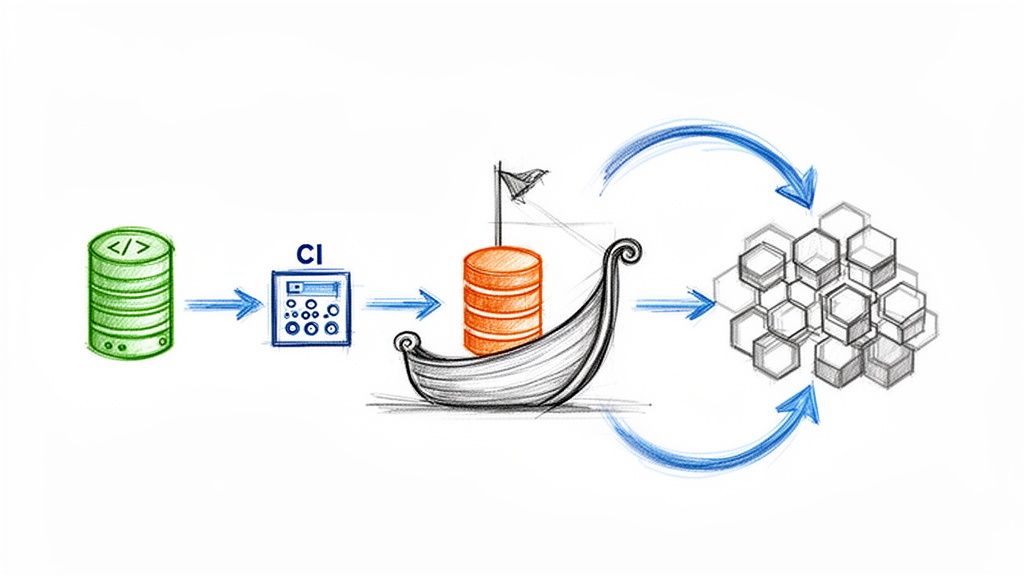
When discussing modern software delivery, the term Argo CI CD frequently arises. It represents less a single tool and more a philosophy embodied in a suite of powerful, Kubernetes-native projects.
At its core, Argo CD facilitates a declarative, GitOps approach to Continuous Delivery (CD). The objective is to ensure that live applications are a perfect mirror of the state defined in a Git repository, eliminating configuration drift and manual intervention.
Understanding The Argo Ecosystem In Modern CI/CD
The Argo project is not a monolithic application. It is a collection of specialized, composable tools, each engineered to manage a specific part of the cloud-native application lifecycle on Kubernetes. While they can be used standalone, their true power is realized when combined to build a complete CI/CD pipeline.
To understand how these components interoperate, let's examine the core projects that constitute the Argo ecosystem.
The Argo Project Ecosystem at a Glance
This table breaks down the core Argo projects, their specific functions within a CI/CD pipeline, and their primary use cases to help you understand how they work together.
| Argo Project | Primary Function | Typical Use Case |
|---|---|---|
| Argo CD | Continuous Delivery | Syncing application state in Kubernetes with a Git repository. |
| Argo Workflows | Workflow Orchestration | Running CI jobs, complex data processing, or any multi-step task. |
| Argo Events | Event-Driven Automation | Triggering workflows or deployments from sources like webhooks or S3 events. |
| Argo Rollouts | Progressive Delivery | Safely managing advanced deployments like canary or blue-green releases. |
Each of these tools plays a distinct role, but they're designed to integrate seamlessly. You can select components based on need, but together they form a cohesive and powerful platform.
The Four Pillars of the Argo Project
Let's perform a technical breakdown of the four main components. Consider them a team of specialists, each excelling at its specific function.
Argo CD (Continuous Delivery): This is the heart of any Argo CI CD workflow. It’s a Kubernetes controller that continuously monitors your running applications. It compares their live state against the desired state defined in Git. If it detects a drift, Argo CD automatically synchronizes the application to match the repository's configuration. This enforces Git as the single source of truth.
Argo Workflows (Orchestration Engine): This is the workhorse for executing complex jobs. As a container-native workflow engine implemented as a Kubernetes CRD, it lets you orchestrate jobs in parallel or in sequence using a DAG (Directed Acyclic Graph) structure. It's often the "CI" muscle in the CI/CD process, ideal for running tests, building container images, or executing data processing tasks.
Argo Events (Event-Based Dependency Manager): This is the central nervous system for event-driven automation. It enables you to trigger actions—like initiating an Argo Workflow or creating a Kubernetes object—based on events from diverse sources. Whether it's a webhook from GitHub, a new object in an S3 bucket, or a message on a NATS stream, Argo Events connects event sources to triggers and automates subsequent actions.
Argo Rollouts (Progressive Delivery): This tool provides more sophisticated deployment strategies than what Kubernetes offers natively. It introduces a
RolloutCRD that replaces the standardDeploymentobject, enabling advanced patterns like blue-green and canary releases. You can progressively shift traffic to a new version while analyzing performance metrics from providers like Prometheus, ensuring every release is safe and controlled.
This modular design is a primary reason for Argo's widespread adoption. The data supports this: a 2026 CNCF survey showed that 97% of respondents now run it in production. Even more telling, nearly 60% of all managed Kubernetes clusters in the survey now depend on Argo CD for deploying their applications, cementing its position as the de facto GitOps solution.
Here's the key takeaway: Argo CD is not a CI server like Jenkins or GitLab CI. It’s a dedicated Continuous Delivery controller. It is laser-focused on the "last mile" of deployment, making it the perfect partner for your existing CI system which is responsible for building and testing your code. You can learn more about how these tools fit together in our complete guide to Kubernetes CI/CD.
Architecting a Production-Ready GitOps Pipeline
To maximize the benefits of an Argo CI CD workflow, a robust architecture is critical. It all comes down to drawing a clear, sharp line between your Continuous Integration (CI) and your Continuous Delivery (CD) processes.
Many teams have historically relied on a "push" model. In this paradigm, a CI server like Jenkins or GitLab was granted administrative privileges over the production Kubernetes cluster. It was responsible for executing kubectl apply commands directly. This created a massive security vulnerability: if a CI server were compromised, an attacker would gain unrestricted access to the entire cluster.
Shifting from Push to Pull with Argo CD
Argo CD inverts this paradigm with a more secure "pull" model. Instead of granting your CI server direct cluster access, an Argo CD agent runs inside your Kubernetes cluster.
Its sole responsibility is to monitor a specific Git repository—your single source of truth—and “pull” any changes into the cluster to reconcile its state.
Your CI server now has a much smaller, well-defined role. It runs tests, builds container images, and its final action is to commit an updated manifest to a Git repository. It never directly interacts with the cluster.
This separation is the heart of GitOps. The CI system is responsible for producing deployment artifacts (like a new image tag in a manifest), while Argo CD is responsible for consuming them and making the cluster match the desired state in Git.
This approach yields immediate and significant advantages:
- Enhanced Security: Your CI server no longer requires Kubernetes cluster credentials. The attack surface shrinks dramatically, and all access control is managed through Git permissions (e.g., branch protection rules).
- Complete Audit Trail: Every change to your production environment is now a Git commit. You get a flawless, immutable log of who changed what, when, and why, accessible via
git log. - Improved Developer Experience: Developers adhere to the Git workflow they already know. Merging a pull request is the trigger for a release.
Visualizing the Modern CI/CD Workflow
This diagram illustrates how the components interoperate. A developer pushes code, which triggers a CI pipeline. That pipeline then updates a manifest repository, which in turn signals Argo CD to deploy the change.

The handoff is clear. The CI system's responsibility concludes after the "Build" step. Argo CD then takes over, pulling the changes from the manifest repository to execute the "Deploy" step.
The Anatomy of an Argo CD Pipeline
Let's get technical and break down the flow. A production-grade pipeline typically involves two distinct repositories.
- The Application Repository: This is where your application’s source code resides. Developers work here, pushing features and bug fixes.
- The Manifest Repository (or GitOps Repo): This repository contains the Kubernetes manifests (Deployments, Services, ConfigMaps, etc.) that describe your application’s desired state. This is the repository Argo CD monitors.
Here’s a detailed step-by-step flow of a change:
- A developer pushes new code to a feature branch in the application repository.
- This push triggers a CI pipeline (using tools like GitHub Actions), which executes automated tests (unit, integration, etc.).
- Upon PR approval and merge to the main branch, the CI pipeline builds a new container image and pushes it to a registry like Docker Hub or GCR, tagging it with an immutable identifier like the Git commit SHA.
- The final step of the CI pipeline is to update a manifest file in the manifest repository. It checks out this repo, updates the
imagetag in the relevant Deployment YAML, and commits the change. - Argo CD, which is continuously monitoring the manifest repo, detects the new commit. It performs a diff and sees that the live state in the cluster no longer matches the new desired state in Git.
- Argo CD then automatically pulls the change and applies it to the cluster, initiating a rolling update to the new application version according to the defined strategy.
This entire process is automated, auditable, and secure. For a deeper dive into these principles, consult our guide on GitOps best practices. Structuring your argo ci cd pipeline in this manner creates a reliable and scalable system.
Integrating Argo CD with Your Existing CI Systems
Argo CD excels at Continuous Delivery, but it does not handle the Continuous Integration (CI) part of your argo ci cd pipeline. This is by design.
Your CI system—be it Jenkins, GitLab CI, or GitHub Actions—retains its core responsibilities. It is still in charge of building container images, running tests, and performing static code analysis. The integration magic happens at the "handoff," the critical point where the CI process concludes and the Argo CD-managed CD process begins.
At its core, this handoff is an update to a Kubernetes manifest in your GitOps repository. That single commit is the trigger—the signal that tells Argo CD a new version is ready for deployment. This creates a clean separation of concerns, a hallmark of a mature GitOps workflow.
The Handoff: The Core Integration Pattern
So what does this handoff look like in practice? The most common pattern is updating an image tag within a YAML file.
After your CI pipeline successfully builds and pushes a new container image to your registry, its final step is to check out your manifest repository and modify the image reference to point to the new version.
There are several technical methods to accomplish this, but the goal is always the same: programmatically edit a text file and commit that change back to Git.
Here are the two most prevalent methods:
- Using
kustomize: If you are managing your manifests with Kustomize, this is the recommended path. A singlekustomize edit set imagecommand updates the image tag in yourkustomization.yamlfile without altering your base manifests. - Using
sedoryq: For simpler setups or for teams not using Kustomize, a command-line utility likesed(a stream editor) oryq(a YAML processor) is perfectly suitable for finding and replacing the image tag directly in your Deployment manifest.
Regardless of the tool, the flow remains identical. The CI job uses credentials (like a deploy key or a bot account token) to push a commit to the manifest repository, makes the update, and Argo CD’s pull model takes over from there.
A Practical Example with GitHub Actions
Let's make this concrete. Here is a YAML snippet from a GitHub Actions workflow. This job runs after a container image has been successfully built and tagged with the Git commit SHA. Now, it must perform the handoff.
- name: Update Kubernetes manifest
  run: |
    # Configure Git with a bot user
    git config --global user.name 'GitHub Actions Bot'
    git config --global user.email 'actions@github.com'

    # Clone the manifest repository using a Personal Access Token (PAT)
    git clone https://${{ secrets.PAT }}@github.com/your-org/manifest-repo.git
    cd manifest-repo

    # Update the image tag using Kustomize
    kustomize edit set image my-app-image=your-registry/my-app:${{ github.sha }}

    # Commit and push the change to trigger Argo CD
    git commit -am "Update image for my-app to ${{ github.sha }}"
    git push
In this workflow, a Personal Access Token (PAT) with repository write access is stored as a GitHub secret, granting the job the necessary permissions to push the commit. This simple automation is the central gear in the argo ci cd machine.
Note the clear division of labor. Jenkins (or your CI tool) handles the "build," and Argo CD handles the "deploy." For a deeper dive into this relationship, see our comparison of Argo CD vs. Jenkins.
Scaling Deployments with ApplicationSet
Managing one application this way is straightforward. But this manual approach does not scale to dozens or hundreds of applications across multiple environments. Manually creating and updating an Application manifest for each one is untenable.
This is where the ApplicationSet controller becomes an indispensable tool. It functions as an "app of apps" factory, dynamically generating Argo CD Application resources from defined templates.
Think of ApplicationSet as a
forloop for your Argo CD applications. It lets you define a single template and apply it to multiple sources—like a list of Git directories or clusters—to automatically create and manage all the resulting applications.
For example, you can use the Git Directory generator to scan a repository for subdirectories. If each subdirectory contains the manifests for a different microservice, ApplicationSet will automatically generate a unique Argo CD Application for each one. This facilitates a self-service model: when a new team creates a microservice and adds its manifest folder to the GitOps repo, ApplicationSet detects it and instantly bootstraps its deployment pipeline in Argo CD. No manual intervention required. This is a cornerstone for building a scalable internal developer platform.
Implementing Advanced Deployments With Argo Rollouts
A standard kubectl apply deploys code, but it offers minimal control. Kubernetes’ default RollingUpdate strategy aggressively replaces old pods with new ones. A bad update can quickly lead to a service-wide outage.
This is where the Argo CI/CD ecosystem provides a more intelligent solution: Argo Rollouts.
Argo Rollouts is a Kubernetes controller that provides a Rollout CRD, a replacement for the standard Deployment object. It is purpose-built for progressive delivery, giving you fine-grained control over the release process and dramatically reducing the risk of deploying faulty code.

With a progressive delivery strategy, you can expose a new version to a small subset of users, analyze its performance in real-time against key metrics (like error rates or latency), and only proceed with a full rollout when you are confident the new version is stable.
Kubernetes Deployments Vs. Argo Rollouts
To understand the value of Argo Rollouts, compare it directly with the default Kubernetes Deployment.
| Feature | Standard Kubernetes Deployment | Argo Rollouts |
|---|---|---|
| Strategy | RollingUpdate or Recreate |
Blue-Green, Canary, and advanced traffic shaping. |
| Traffic Control | Pod-by-pod replacement only. | Precise traffic shifting (e.g., 10%, 50%, 100%). |
| Analysis | None. A deployment is either in-progress or complete. | Automated analysis against metrics (Prometheus, Datadog). |
| Rollback | Manual kubectl rollout undo. |
Automated rollback based on failed analysis. |
| Pausing | Can be paused manually. | Pauses automatically during analysis or manually at set steps. |
The difference is significant. A standard deployment is a "fire and forget" operation. Argo Rollouts, however, builds a data-driven feedback loop directly into your release pipeline.
Configuring A Canary Deployment With Analysis
Let's examine the structure of a Rollout resource. It is syntactically similar to a standard Deployment but includes a powerful strategy block that defines the progressive delivery plan. This is ideal for strategies like canary releases, where you gradually introduce a new version.
Here is an example of a canary release that shifts traffic in controlled steps:
apiVersion: argoproj.io/v1alpha1
kind: Rollout
metadata:
  name: my-app-rollout
spec:
  replicas: 5
  selector:
    matchLabels:
      app: my-app
  template:
    # ... standard Pod template spec ...
  strategy:
    canary:
      steps:
      - setWeight: 20
      - pause: {} # Pause indefinitely for manual verification or automated tests
      - setWeight: 40
      - pause: { duration: 10m } # Pause for 10 minutes before proceeding
      - setWeight: 60
      - pause: { duration: 10m }
In this configuration, the rollout begins by directing 20% of traffic to the new version and then pauses indefinitely. This pause provides a window for running automated integration tests or for an engineer to perform manual validation. Once the rollout is resumed (e.g., via kubectl argo rollouts promote), it continues in timed stages until 100% of traffic is on the new version.
Automating Rollbacks With AnalysisTemplates
The true power of Argo Rollouts is realized when you automate the analysis process. You can define an AnalysisTemplate to query a metrics provider like Prometheus and verify that your Service-Level Objectives (SLOs) are being met.
An AnalysisTemplate is a reusable, parameterized recipe for validating a release. It defines a query to execute and the success conditions that must be met. If the new version fails to meet these conditions, the rollout is automatically aborted and rolled back.
First, define the AnalysisTemplate itself. This acts as your automated quality gate.
apiVersion: argoproj.io/v1alpha1
kind: AnalysisTemplate
metadata:
  name: success-rate-check
spec:
  args:
  - name: service-name
  metrics:
  - name: success-rate
    interval: 5m
    successCondition: result[0] >= 0.95
    failureLimit: 3
    provider:
      prometheus:
        address: http://prometheus.example.com:9090
        query: |
          sum(rate(http_requests_total{job="{{args.service-name}}",code=~"2.."}[2m]))
          /
          sum(rate(http_requests_total{job="{{args.service-name}}"}[2m]))
This template checks if the HTTP success rate (2xx responses) for a specified service remains at or above 95%. It will retry the query up to three times before declaring a failure.
Now, integrate this template into your Rollout steps:
# ... inside the strategy:canary: block ...
steps:
- setWeight: 10
- pause: { duration: 5m }
- analysis:
    templates:
    - templateName: success-rate-check
      args:
      - name: service-name
        value: my-app-canary
With this configuration, your argo ci cd pipeline is now automated with a safety net. After shifting 10% of traffic, Argo Rollouts waits five minutes for metrics to stabilize, then automatically executes the success-rate-check. If the success rate drops below 95%, the rollout is immediately aborted and rolled back, protecting users from a faulty release without any manual intervention.
Securing and Monitoring Your Argo CD Workflow
A high-velocity Argo CI CD pipeline is valuable, but a trustworthy and observable pipeline is critical for production systems. You must ensure that only authorized changes are deployed and that you can detect and remediate issues as they arise.
This involves implementing robust access controls to enforce who can do what, and managing secrets securely to prevent exposure. Concurrently, you need transparent visibility into your deployments—monitoring their health, velocity, and overall system performance.
Bolstering Security with RBAC and SSO
Your first line of defense is controlling access to your Argo CD instance. The principle of least privilege should be strictly enforced: individuals and systems should only possess the minimum permissions required to perform their functions.
Argo CD includes a powerful Role-Based Access Control (RBAC) system for implementing these policies. It allows for the creation of specific policies, defining permissions for projects or even individual applications. This is essential for managing multiple teams and environments.
- Projects and Permissions: You can group applications into projects and assign permissions at the project level. For example, the
payments-devteam might be grantedsyncandreadaccess only to applications within their project, while theplatform-opsteam retainsadminrights over all projects. - Single Sign-On (SSO): Managing local user accounts in Argo CD is not scalable and is a security anti-pattern. The best practice is to integrate Argo CD with your organization’s identity provider, such as Okta, Azure AD, or Dex, using OIDC or SAML. This centralizes user management and allows you to map existing SSO groups directly to Argo CD roles, automating permissions as individuals join or leave teams.
A common and highly effective security pattern is to configure RBAC to give developers read-only access to production applications in the Argo CD UI. This reinforces the core GitOps workflow: all changes to production must go through a formal pull request and approval process in Git. No exceptions.
This combination of granular RBAC and centralized SSO provides a secure, auditable access control system that scales with your organization.
Managing Secrets the GitOps Way
A fundamental rule of GitOps is: never commit plaintext secrets to a Git repository. A Git repository is a source of truth for configuration, not a secure vault. Committing API keys, database passwords, or TLS certificates directly into Git is a severe security risk.
Argo CD integrates with several external secret management tools to solve this problem. These tools allow you to either store an encrypted version of your secrets in Git or inject them dynamically at deployment time.
Here are the most common and recommended solutions:
- Bitnami Sealed Secrets: A controller runs in your cluster, and you use a CLI tool (
kubeseal) to encrypt a standard KubernetesSecretinto aSealedSecretcustom resource. ThisSealedSecretis safe to commit to Git because only the controller in your cluster possesses the private key required for decryption. - HashiCorp Vault: For teams already using Vault, the
argocd-vault-pluginprovides seamless integration. The plugin allows Argo CD to treat manifests as templates, injecting secrets directly from Vault during the sync process. The secrets themselves are never stored in the Git repository. - Cloud-Native Secret Managers: Services like AWS Secrets Manager or Google Secret Manager are excellent options. Integration can be achieved via custom plugins or by using sidecar containers that fetch secrets and make them available to applications at runtime.
The choice of tool depends on your existing infrastructure and security posture, but the principle is constant: keep sensitive data out of your Git history.
Gaining Observability with Prometheus and Grafana
You cannot manage what you do not measure. For a mission-critical delivery pipeline, observability is paramount. Argo CD is built with this in mind and exposes a rich set of metrics in the Prometheus format out of the box.
These metrics provide deep insights into the health and performance of your deployments. By scraping the /metrics endpoint on the Argo CD API server, you can track key performance indicators (KPIs) such as:
- Application Health Status: The
argocd_app_infometric includes labels forsync_statusandhealth_status. This allows you to easily create dashboards showing the count ofSynced,OutOfSync,Healthy, orDegradedapplications. - Sync Duration: The
argocd_app_sync_duration_secondshistogram tracks how long deployments are taking. A sudden spike in this metric can be an early indicator of performance issues in your cluster or application. - Reconciliation Performance: Metrics like
argocd_app_reconcile_countshow the frequency of Argo CD's reconciliation loops, which can help you fine-tune performance and reduce load on the Kubernetes API server.
Once these metrics are ingested into Prometheus, you can build powerful dashboards in Grafana to visualize your entire argo ci cd process. A typical dashboard might display deployment frequency, change failure rate, mean time to recovery (MTTR), and the health status of all applications across all environments. Furthermore, you can configure alerts in Alertmanager to notify your team of critical events—such as a failed sync or an application becoming unhealthy—enabling proactive incident response.
Launching Your First Application with Argo CD
Theory is essential, but practical application solidifies understanding. The best way to grasp the power of an Argo CI CD workflow is through hands-on implementation. This guide will walk you through deploying a functional GitOps pipeline using the command line.

Installing Argo CD on Your Cluster
First, you need a Kubernetes cluster. A local setup like minikube or kind, or any cloud-provisioned cluster will suffice.
Once your kubectl context is configured, installing Argo CD requires two commands.
Create a dedicated namespace. It is best practice to isolate Argo CD in its own namespace.
kubectl create namespace argocdApply the official installation manifest. The Argo Project provides a manifest that sets up all required CRDs, Deployments, and Services.
kubectl apply -n argocd -f https://raw.githubusercontent.com/argoproj/argo-cd/stable/manifests/install.yaml
Allow a few moments for Kubernetes to pull the container images and start the pods. You have now installed your GitOps engine.
Creating Your First Application
With Argo CD running, you must now instruct it on what to deploy. In the Argo CD paradigm, an Application is a Custom Resource (CRD) that defines two critical things:
- Source: Where is the desired state defined? (The Git repository and path)
- Destination: Where should it be deployed? (The target cluster and namespace)
We will deploy a simple guestbook application from a public example repository. Create a file named my-first-app.yaml and paste the following content:
apiVersion: argoproj.io/v1alpha1
kind: Application
metadata:
  name: guestbook
  namespace: argocd
spec:
  project: default
  source:
    repoURL: https://github.com/argoproj/argocd-example-apps.git
    targetRevision: HEAD
    path: guestbook
  destination:
    server: https://kubernetes.default.svc
    namespace: guestbook
This manifest instructs Argo CD: "Ensure that the manifests within the guestbook directory of the argocd-example-apps repository are deployed and maintained in a guestbook namespace on the same cluster where Argo CD is running (https://kubernetes.default.svc)."
Now, apply this resource just like any other Kubernetes object:
kubectl apply -f my-first-app.yaml
Watching the GitOps Magic Happen
Upon applying the manifest, the Argo CD controller immediately detects the new Application resource. It clones the specified repository and compares the manifests within the path to the actual state of the cluster.
Since the guestbook namespace and its associated resources do not yet exist, Argo CD will initially report the application's status as OutOfSync.
By default, Argo CD applications are not configured to sync automatically. For this tutorial, let's trigger the sync manually using the Argo CD CLI (which you would install separately).
First, get the initial admin password:kubectl -n argocd get secret argocd-initial-admin-secret -o jsonpath="{.data.password}" | base64 -d
Then, port-forward the Argo CD server:kubectl port-forward svc/argocd-server -n argocd 8080:443
Now, log in and sync the app:
argocd login localhost:8080
argocd app sync guestbook
Argo CD will immediately execute the reconciliation, performing the following actions:
- Create the
guestbooknamespace. - Apply the Deployment and Service manifests found in the Git repository to the
guestbooknamespace.
Within seconds, the application is deployed and running. You have deployed a complete application without ever running kubectl apply on the application's own manifests. This demonstrates the core of the pull-based GitOps model. From now on, any commit to the guestbook path in that repository will cause the application to become OutOfSync, ready for the next argocd app sync command (or it will sync automatically if auto-sync is enabled). Git is now the verifiable source of truth.
Frequently Asked Questions about Argo CI CD
To conclude, let's address some common questions that arise when teams adopt an Argo CI CD framework. Clarifying these points from the outset will help establish a solid understanding.
Does Argo CD Replace Jenkins or GitLab CI?
No, it does not. This is a common misconception. Argo CD is a specialist tool that complements, rather than replaces, your existing CI systems.
Your CI tool, whether it's Jenkins or GitLab CI, remains responsible for the pre-deployment pipeline: running tests, performing static analysis, and building container images. Argo CD takes over for the Continuous Delivery (CD) phase.
The standard workflow is: your CI tool builds an image, then updates an image tag in a Git manifest. Argo CD detects this manifest change and synchronizes the cluster. This creates a clean and robust separation of concerns.
What Is the Difference Between Push and Pull CI CD Models?
Understanding this distinction is critical to appreciating the value of GitOps. In a traditional "push" model, the CI server holds credentials to the Kubernetes cluster and actively "pushes" updates by executing kubectl commands. The primary vulnerability here is that a compromised CI server provides a direct attack vector to your production environment.
In contrast, the "pull" model employed by Argo CD is fundamentally more secure. An agent (the Argo CD controller) resides within the cluster and "pulls" its configuration from a Git repository. The CI server's only responsibility is to push a commit to that repository; it requires no direct access to the cluster.
This pull-based architecture is a cornerstone of GitOps, offering superior security, scalability, and alignment with Kubernetes' declarative nature.
How Should I Manage Kubernetes Secrets with Argo CD?
The golden rule of GitOps is unequivocal: never store plaintext secrets in a Git repository. This is a critical security vulnerability.
Instead, leverage tools designed for secret management. Argo CD is designed to integrate with these external systems, allowing it to inject secrets at deploy-time without them ever being stored in plaintext in your repository.
Several production-ready tools are available:
- HashiCorp Vault: A widely-used solution, especially when integrated via the
argocd-vault-plugin. - Bitnami Sealed Secrets: This tool encrypts secrets into a
SealedSecretCRD, which is safe to commit to Git as only the in-cluster controller can decrypt it. - Cloud-Native Options: Services like AWS Secrets Manager or Google Secret Manager integrate well within their respective cloud ecosystems, often using sidecars or dedicated plugins.
Ready to implement a secure, scalable, and fully automated GitOps pipeline? OpsMoon provides expert DevOps engineers from the top 0.7% of global talent to help you build and manage your cloud-native infrastructure. Start with a free work planning session and let us map out your path to success. Learn more at https://opsmoon.com.
Leave a Reply