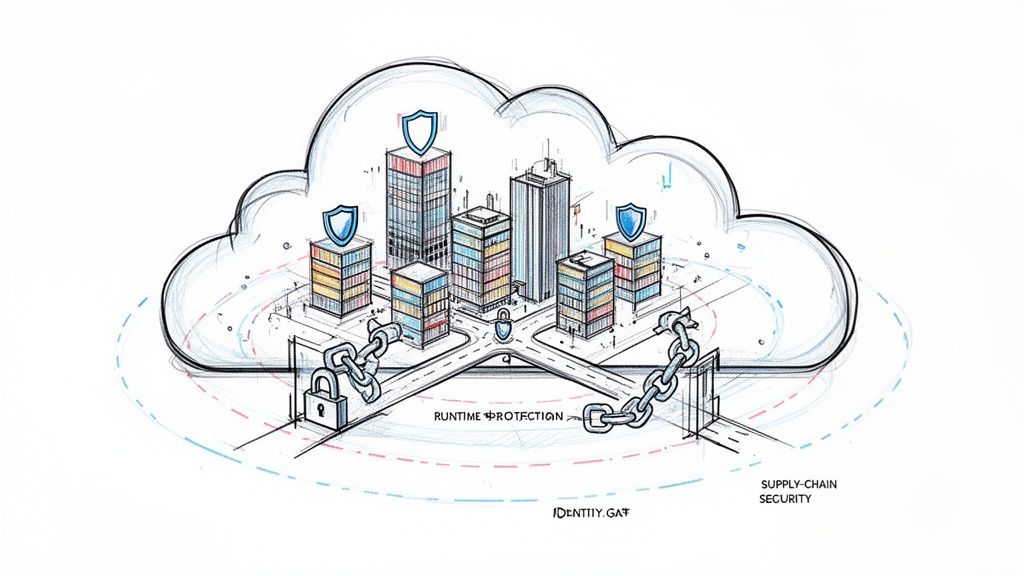
Cloud native security isn't just a new set of tools; it's a completely different way of thinking about how we protect applications built for the cloud. The old approach of bolting on security at the end of the development cycle is fundamentally broken in a cloud-native context. Instead, security must be embedded into every phase of the software development lifecycle (SDLC), from the first line of code to the production runtime environment.
This means security becomes an automated, continuous, and integrated function, defined by code and enforced by the platform itself.
What Are Cloud Native Security Services
Traditional security is analogous to building a medieval castle. You'd erect massive walls, dig a moat, and station guards at a single gate to inspect inbound and outbound traffic. This perimeter-based model was sufficient when applications were monolithic, deployed on-premise, and had predictable, static network flows.
But cloud native applications are more like a modern, sprawling city—dynamic, distributed, and in a constant state of flux.
The castle model completely breaks down here. There’s no single perimeter to defend when services are ephemeral, spinning up and down in seconds across different environments. An attacker isn't just trying to get through the main gate anymore; a single vulnerability in a microservice can provide an initial foothold to pivot and compromise the entire distributed system from within. This is where cloud native security services come in, providing a new security architecture built for this new paradigm.

The Principle of Shifting Left
The absolute core of this new model is "shifting left." It’s a simple but profound idea. Instead of waiting until an application is "done" to have security take a look (on the right side of the SDLC diagram), we pull security into the earliest stages (the left side).
By embedding security directly into development and operations, teams can catch and fix vulnerabilities when they are cheapest and easiest to handle—directly in the source code and CI/CD pipeline. This proactive stance is the only way to secure modern, fast-paced environments.
This isn't just a job for the security team anymore. It’s a shared responsibility that spans the entire ecosystem. We’re talking about:
- Infrastructure as Code (IaC) Security: Automatically scanning your Terraform or CloudFormation templates for misconfigurations before any infrastructure is provisioned.
- Software Supply Chain Security: Verifying the integrity and security of all dependencies, base images, and build artifacts using techniques like image scanning and cryptographic signing.
- Runtime Protection: Continuously monitoring running workloads for anomalous behavior or active threats in real-time using kernel-level instrumentation.
A New Operating Model for Security
This fundamental shift has kicked off a huge evolution in the market. We're seeing the rise of Cloud-Native Application Protection Platforms (CNAPPs), which aim to unify all these capabilities into a single dashboard. This market was already valued at around $17.8 billion back in 2026, and it's only getting bigger.
This growth is being driven by two things: the breakneck speed of cloud adoption and the hard reality that cyberattacks are getting more sophisticated every day. For a deeper dive into protecting your cloud footprint, our guide on enterprise-grade cloud security strategies has some great insights.
To really get your head around cloud native security, you need to break it down into its core building blocks. These aren't just a random collection of tools. Think of them as an interconnected set of capabilities that create a defensive fabric across your entire software development lifecycle (SDLC). Each piece has a specific job to do, from the very first line of code all the way to your live production environment.
The big idea here is shifting security left. This concept, often called Security in the Software Development Life Cycle (SDLC), isn't about piling more work onto developers. It's about making security an automated, natural part of how they already work. When you get this right, you don't just improve security—you deliver better business value, faster.
IaC and Pre-Deployment Scanning
The best time to fix a security flaw is before it even gets a chance to exist. Infrastructure as Code (IaC) scanning is what makes this a reality. It treats your cloud configuration just like any other piece of software. Scanners analyze your Terraform, CloudFormation, or other declarative files to spot misconfigurations before anything is ever deployed.
Imagine an IaC scanner flagging an overly permissive IAM role or a publicly exposed S3 bucket right inside a developer's pull request. By integrating this check into the CI/CD pipeline, the build fails with a clear error message, forcing a fix before that insecure infrastructure is ever created. It's a proactive game-changer. For example, a tool might flag a Terraform resource like aws_s3_bucket_acl with acl = "public-read", preventing a data leak before it happens.
This approach completely eliminates entire categories of vulnerabilities that used to require painful, manual discovery in a live environment. The time savings and risk reduction are massive.
Securing the Software Supply Chain
Every modern application is built on a mountain of open-source dependencies and container base images. This creates a huge attack surface that we call the software supply chain. Locking it down requires a few key technical controls working together.
- Container Image Scanning: This process inspects every single layer of a container image (like one built with Docker) for known vulnerabilities (CVEs). Tools like Trivy can be automated right in your pipeline to block any image with critical flaws from ever reaching your container registry. A typical CI step might run
trivy image --severity CRITICAL my-app:latestand fail the build if the exit code is non-zero. - Software Bill of Materials (SBOM): Think of an SBOM as a detailed ingredients list for your software. It’s a machine-readable inventory of every component, library, and dependency, often in formats like SPDX or CycloneDX. When the next Log4j-style vulnerability hits, an SBOM gives you the transparency to instantly query your software inventory and know if you're affected.
- Cryptographic Signing: This is all about guaranteeing the integrity and authenticity of your software artifacts. By signing container images with a private key (using tools like Cosign), you can configure your Kubernetes cluster's admission controller to only run images that have been cryptographically verified against a public key. It's a powerful way to prevent tampered or unauthorized code from executing.
Workload Identity and Access Management
In a dynamic cloud environment where workloads are constantly spinning up and down, IP addresses are a terrible way to establish identity. We need a zero-trust model that relies on strong, verifiable workload identities instead.
This is where standards like SPIFFE (Secure Production Identity Framework for Everyone) and its runtime implementation, SPIRE (SPIFFE Runtime Environment), come into play. SPIRE automatically issues short-lived, unique cryptographic identities (called SVIDs) to each workload, like a microservice running in a pod. Services then use these identities to authenticate with each other using mutual TLS (mTLS), all without the nightmare of managing secrets.
A service mesh like Istio can use SPIFFE identities to enforce powerful access policies. It can ensure that
Service-Ais only allowed to talk toService-Bif explicitly permitted, no matter where they are running in the cluster. This is the technical bedrock of zero-trust networking.
Cloud Workload Protection and Threat Detection
Once your application is live, you need real-time visibility to spot active threats. This is the job of a Cloud Workload Protection Platform (CWPP).
Tools like Falco use deep kernel-level instrumentation, often powered by eBPF, to monitor system calls and detect strange behavior. For example, Falco can fire an alert if a process inside a container suddenly tries to write to a sensitive directory like /etc or opens a network connection to a known malicious IP address. This gives you runtime threat detection that static scanning simply can't provide.
Network Security and Microsegmentation
Traditional firewalls just aren't built to handle the chaotic "east-west" traffic flowing between microservices inside a cluster. Microsegmentation solves this by wrapping a granular security perimeter around each individual workload.
This is typically done with two powerful technologies:
- Service Meshes: Tools like Istio or Linkerd sit between your services and manage all their communication. This allows you to define fine-grained network policies, like creating a rule that only allows GET requests from the
frontend-serviceto theapi-service, blocking everything else. - eBPF-based Networking: Solutions like Cilium use eBPF to enforce network policies directly inside the Linux kernel. This approach is incredibly high-performance and enables identity-aware security that doesn't depend on flimsy IP addresses, making it perfect for securing modern Kubernetes networking.
Policy as Code and Cloud Native Platforms
To manage security effectively at scale, you have to automate enforcement. Policy as Code (PaC) is the answer. It lets you define your security and operational guardrails as code that can be version-controlled, tested, and applied automatically across your environments. For a full breakdown, our cloud service security checklist shows how these policies become real-world controls.
Open Policy Agent (OPA) and Kyverno are the leaders here. Used as a Kubernetes admission controller, they can, for instance, block any new pod that doesn't have resource limits defined or tries to run as the root user.
Finally, we're seeing all these components come together into a single, unified solution: the Cloud Native Application Protection Platform (CNAPP). A CNAPP integrates posture management, workload protection, and identity management into a single pane of glass. It correlates signals from code all the way to the cloud, giving you a complete and coherent picture of your security posture.
The table below maps these core components to the software lifecycle, showing where each one adds the most value.
| Security Component | Primary Function | Lifecycle Stage | Example Tools |
|---|---|---|---|
| IaC Scanning | Finds misconfigurations in infrastructure code before deployment. | Development | Checkov, TFsec |
| Supply Chain Security | Scans dependencies, images, and ensures artifact integrity. | Development / CI/CD | Trivy, Grype, Sigstore |
| Policy as Code (PaC) | Enforces security guardrails via automated policies. | CI/CD / Runtime | Open Policy Agent, Kyverno |
| Workload Identity | Provides strong, verifiable identities for services. | Runtime | SPIFFE/SPIRE |
| Microsegmentation | Controls network traffic between individual workloads. | Runtime | Istio, Linkerd, Cilium |
| Workload Protection | Detects and responds to threats in running applications. | Runtime | Falco, Sysdig Secure |
| Observability / CNAPP | Correlates security signals across the entire lifecycle. | All Stages | Grafana, Datadog, Wiz |
By strategically layering these capabilities, you build a security posture that is not only robust but also perfectly aligned with the speed and agility of modern cloud native development.
Building Your Phased Security Adoption Roadmap
Jumping into cloud native security isn't a "big bang" project. It’s a journey. You layer in new capabilities as your team gets more comfortable and your business needs change.
Think of it as a pragmatic, three-phase roadmap. It’s designed for engineering leaders who want to build a resilient security program bit by bit, starting with quick wins and eventually moving toward a full-blown zero-trust architecture.
The timeline below shows how security practices should weave through every part of the software development lifecycle, from the very first code commit to what happens in production.

What this really highlights is the critical shift toward embedding automated security checks at every stage. You catch vulnerabilities early and continuously watch for threats in your live environments.
Phase 1: Foundational Controls
The first phase is all about grabbing the low-hanging fruit—tackling the biggest risks with the highest return on investment. The goal here is to establish a solid security baseline by embedding automated controls directly into your CI/CD pipelines. This provides immediate feedback to developers without disrupting their workflow.
This is all about "shifting left" to catch issues before they ever see the light of day in production.
Key Actions for Phase 1:
- Integrate IaC Scanning: Get scanners like
tfsecorCheckovrunning in your CI pipeline to analyze your Terraform or CloudFormation code. This is your first line of defense against common cloud misconfigurations, like public S3 buckets or IAM roles with*:*permissions. For example, a GitHub Action workflow step could be:- name: Run tfsec uses: aquasecurity/tfsec-action@v1.0.0 with: working_directory: 'terraform/' - Implement Container Image Scanning: Add a step in your build process to scan container images for known vulnerabilities (CVEs) with tools like
TrivyorGrype. The key is to configure your pipeline to fail the build if an image has critical or high-severity vulnerabilities. This stops them from ever being pushed to your registry. A simple pipeline command could betrivy image --exit-code 1 --severity CRITICAL your-image-name.
When should you start this phase? Simple: as soon as you start building and deploying applications in the cloud. These first steps offer a massive security payoff for minimal effort, making them the no-brainer starting point for any team.
Phase 2: Intermediate Protections
Once you've got a handle on pre-deployment security, it's time to extend your vision and control into your running environments. Phase 2 is about real-time threat detection and enforcing more granular policies to lock down your live workloads and the network they use.
At this stage, you're moving from purely preventive controls to a posture that combines prevention with active detection and response. This is absolutely critical for catching threats that only reveal themselves through runtime behavior.
The trigger for Phase 2 is usually growing application complexity, an expanding microservices footprint, or new compliance rules that require runtime monitoring.
Key Actions for Phase 2:
- Deploy Runtime Security: Implement a Cloud Workload Protection Platform (CWPP) agent like
Falcoto monitor for suspicious activity inside your running containers. This is how you spot things like a shell being spawned in a container (proc.name=sh), unexpected file modifications (/etc), or connections to known malicious domains. - Introduce Basic Network Policies: Start using Kubernetes NetworkPolicies to control traffic between your services. A great way to start is with a default-deny rule for a namespace, then create explicit allow-policies for required communication paths. This is your first step toward a basic microsegmentation model.
# Example: Deny all ingress traffic by default apiVersion: networking.k8s.io/v1 kind: NetworkPolicy metadata: name: default-deny-ingress spec: podSelector: {} policyTypes: - Ingress - Use Policy-as-Code for Admission Control: Deploy a policy engine like
OPAorKyvernoas a Kubernetes admission controller. Start with simple but powerful policies, like enforcing that all pods must have resource limits or blocking deployments from untrusted container registries.
Phase 3: Advanced Zero Trust Architecture
This is the final phase, where you achieve a mature, identity-driven security model built on zero-trust principles. Here, security becomes fully automated and woven into the very fabric of your platform, giving you strong guarantees about workload identity and data in transit.
What pushes you into this phase? Often, it's the need to secure highly sensitive data, operate in a multi-cloud or hybrid setup, or scale security across hundreds of microservices where managing policies by hand is just impossible.
- Implement a Service Mesh: Deploy a service mesh like
IstioorLinkerdto automatically enable mutual TLS (mTLS) between all your services. This encrypts all east-west traffic and enforces strong, identity-based authentication, moving you beyond simple network-level controls. - Establish Workload Identity with SPIFFE/SPIRE: Use
SPIREto automatically issue short-lived cryptographic identities (SVIDs) to your workloads. This gives you a rock-solid, verifiable foundation for service-to-service authentication and completely eliminates the need for shared secrets. - Consolidate Signals into a CNAPP: Unify all your security tools—from IaC scanning to runtime detection—into a single Cloud Native Application Protection Platform (CNAPP). This creates a single pane of glass for threat intelligence, cuts down on alert fatigue, and lets you spot sophisticated threats by correlating signals across the entire application lifecycle.
Deciding Your Implementation Strategy: Build, Buy, or Managed
Once you have a phased adoption roadmap sketched out, the next big question is how to actually make it happen. Rolling out robust cloud-native security isn't just about picking tools; it's a strategic decision that needs to align with your team's skills, your budget, and how fast you need to move. This choice almost always comes down to three paths: build it yourself, buy a commercial solution, or bring in a managed service.
Each option has its own serious technical and financial trade-offs. The right answer for a seed-stage startup flush with engineering talent will look completely different than it does for a mid-sized company racing to meet a compliance deadline.
Let's break down what each path really means.
The Build Strategy: Open Source and Full Control
The "build" path is all about assembling your own security stack from powerful open-source tools. Think of it like acting as your own general contractor for a custom home—you pick the materials, draw up the blueprints, and do all the integration work yourself.
You might stitch together Trivy for container scanning, Falco for runtime threat detection, and Open Policy Agent (OPA) for policy-as-code. This approach gives you maximum control and customization. You can tune every single component to fit your environment perfectly, sidestep vendor lock-in, and avoid subscription fees entirely.
But that freedom has a steep cost: the engineering overhead is massive. Your team needs to become experts not just in each individual tool, but in the complex art of weaving them into a single, cohesive platform. This means building data pipelines, creating unified dashboards, and wrestling with the constant maintenance and updates for every piece of the puzzle.
The total cost of ownership for a "build" approach is often wildly underestimated. While the software itself is free, the cost of specialized engineering talent, endless integration hours, and ongoing upkeep can easily blow past what you'd pay for a commercial license.
The Buy Strategy: Commercial Platforms for Speed
The "buy" strategy means purchasing a commercial Cloud Native Application Protection Platform (CNAPP). This is like buying a turnkey, professionally installed security system for your house. You pay a subscription fee, and in return, you get a unified platform that bundles everything from IaC scanning to runtime protection into a single pane of glass.
The undisputed benefit here is speed. You can deploy a comprehensive security solution in a tiny fraction of the time it would take to build one from scratch. These platforms are backed by dedicated security companies, so you get polished UIs, professional support, and a much lighter load on your internal team.
The trade-offs? Cost and potential vendor lock-in. Subscription fees can be significant, and extricating your organization from a deeply integrated platform can be a monumental task. You're also limited to the features and integrations the vendor decides to offer, which might not be a perfect fit for your unique needs.
The Managed Strategy: Expertise as a Service
A third option is the "managed" approach, which is really a hybrid model. This involves partnering with a specialized firm, like OpsMoon, to design, implement, and even operate your cloud-native security stack. It’s like hiring an expert security architecture firm to manage the entire project for you, from start to finish.
This model is a powerful accelerator. It gives you immediate access to scarce, high-end security and DevOps expertise without the long, expensive slog of hiring a full-time team. For companies that need to reach a high level of security maturity fast but don't have the talent in-house, this is often the most direct and effective path. When weighing your options, understanding the ins and outs of building a security managed service can provide crucial insights, whether you decide to build, buy, or partner up.
The market for this kind of specialized expertise is booming. The wider cloud-native sector is on track to hit $51.38 billion by 2031, with services emerging as the fastest-growing slice of the pie. This trend points to a clear shift: companies are increasingly outsourcing critical, complex functions to gain an edge. By partnering with experts, you get a solution tailored to your needs without taking on the long-term overhead of a pure build strategy.
A Technical Checklist for Selecting the Right Security Tools
Picking the right set of cloud native security services is a serious engineering decision. It goes way beyond marketing fluff and flashy demos. To make a smart choice, you have to look past vendor promises and really dig into the technical details and how these tools perform in your specific environment. This checklist is a vendor-agnostic framework to help you do just that.

First things first: look at how well the solution covers the entire software development lifecycle (SDLC). A tool that only flags issues at runtime but ignores vulnerabilities lurking in your code repos gives you a dangerously incomplete picture of your risk. Real cloud native security services create a continuous feedback loop that runs all the way from code to cloud.
Evaluating Detection and Integration Capabilities
At its core, a security tool's job is to find real threats. As you evaluate different options, don't just accept the out-of-the-box policies. You need to see technical proof of its detection efficacy.
- Custom Rules: Can your team write and import their own rules? For a runtime tool like Falco, this means writing rules in its specific YAML syntax. For a policy engine like OPA, it's writing Rego. This is non-negotiable for spotting threats unique to your application's architecture and business logic.
- Threat Intelligence Integration: Does the tool plug into external threat intelligence feeds? Being able to pull in real-time indicators of compromise (IoCs), such as malicious IP lists or file hashes, is a massive advantage for catching emerging threats.
Next, you have to scrutinize the quality of its API and integrations. A security tool with a clunky or poorly documented API is a dead end. You need it to connect seamlessly into your existing tech stack.
A security tool's true value is unlocked only when it integrates flawlessly with your CI/CD pipeline (like Jenkins or GitHub Actions), version control, and observability platforms. A robust, well-documented REST API isn't a nice-to-have; it's essential for automation and building a security program that actually works.
Assessing Performance and Platform Convergence
Alert fatigue is a real killer. It can make even the most advanced tool completely useless. The signal-to-noise ratio is a metric you absolutely must measure. If a tool bombards your team with false positives, they'll quickly start ignoring all the alerts. The only way to test this properly is with a structured proof-of-concept (POC) where you run the tool against a real sample of your own workloads.
Just as important is the performance overhead. How much CPU and memory will the agent or scanner consume on your production nodes and CI runners? A security tool that bogs down your application performance is a non-starter. Insist on seeing clear performance benchmarks during your evaluation. You can learn more about finding the right balance in our guide on choosing the right container security scanning tools.
Finally, think about platform convergence. The industry is moving away from a dozen different point solutions and toward unified Cloud Native Application Protection Platforms (CNAPPs) to cut down on tool sprawl. The cloud security tools market is already huge, projected to hit $5.62 billion by 2026, with a big push from the financial services sector. This trend, which you can read more about in this global cloud security market research, is forcing vendors to consolidate capabilities like CSPM, CWPP, and CIAM into a single platform. The goal is to give teams one coherent view of risk. So ask yourself: does this tool offer a path to that unified model, or is it just another silo in your security stack?
Frequently Asked Questions About Cloud Native Security
Diving into cloud native security means learning a whole new set of acronyms and ideas. This section tackles the most common technical questions to help you understand how all these modern security pieces fit together.
What Is The Difference Between CNAPP, CSPM, and CWPP?
It’s easy to get lost in the alphabet soup here, but these three acronyms tell the story of how cloud security platforms have evolved. Think of them as specialized tools that are now merging into one, much smarter solution.
Cloud Security Posture Management (CSPM): This is your configuration watchdog. CSPM tools are laser-focused on the "posture" of your cloud control plane (e.g., AWS, GCP, Azure APIs). They’re constantly scanning for misconfigurations like public S3 buckets, overly generous IAM roles, or unencrypted databases. Their main job is to catch infrastructure-level misconfigurations before they become a breach.
Cloud Workload Protection Platform (CWPP): This is your security guard on the ground. CWPPs protect the actual "workloads"—your running virtual machines, containers, and serverless functions—from active threats. They look for suspicious behavior in real-time by analyzing system calls, file system activity, and network connections. For example, detecting a crypto-miner running or shell access in a container.
A Cloud Native Application Protection Platform (CNAPP) is the modern synthesis of both, and more. It pulls CSPM's configuration analysis and CWPP's runtime protection into a single, unified platform, often adding IaC scanning and supply chain security. This gives you a complete picture of risk, from the first line of code to the running cloud environment, breaking down the old walls between posture and protection.
How Does Cloud Native Security Differ From Traditional AppSec?
Traditional Application Security (AppSec) was built for a world of static fortresses and monolithic applications. The game plan was all about building a big wall—firewalls, intrusion detection systems—and doing periodic vulnerability scans.
Cloud native security plays by a totally different set of rules because the very thing it protects is dynamic and short-lived. Instead of one big perimeter, it secures every single moving part. It’s a fundamental shift built on a few key principles:
- Zero Trust: Nothing is trusted by default, even if it's already "inside" the network. Every service has to prove its identity using strong cryptographic methods (like mTLS with SPIFFE/SPIRE) before it can communicate with another.
- Immutability: Instead of patching a running container when a vulnerability is found (which leads to configuration drift), you build a new, secure version, test it, and deploy it to replace the old one. This is a core tenet of GitOps.
- Policy-as-Code: Security rules aren't just in a document somewhere; they're defined in code (like Rego for OPA or YAML for Kyverno), checked into Git, and automatically enforced by the platform itself as part of the CI/CD pipeline or as a Kubernetes admission controller.
This flips the script from a static, perimeter-based defense to a dynamic, identity-driven model that’s built for constant change.
Can We Implement Cloud Native Security Without A Large Security Team?
Yes, absolutely. While building out a full-blown cloud native security program from scratch requires some serious expertise, you don’t need to hire a huge in-house security team to get there. The skills gap is real, but it’s a problem you can solve.
This is where bringing in managed DevOps services or expert partners can be a game-changer. You get immediate access to the specialized talent you need to design, implement, and run these advanced systems. This approach lets companies of any size adopt sophisticated cloud native security services by leaning on outside experts for everything from initial strategy to the day-to-day operational grind and threat response.
Accelerate your security adoption and build a resilient cloud native environment with the right expertise. At OpsMoon, we connect you with the top 0.7% of remote DevOps engineers who can design, implement, and manage your security stack. Book a free work planning session with us today.
Leave a Reply