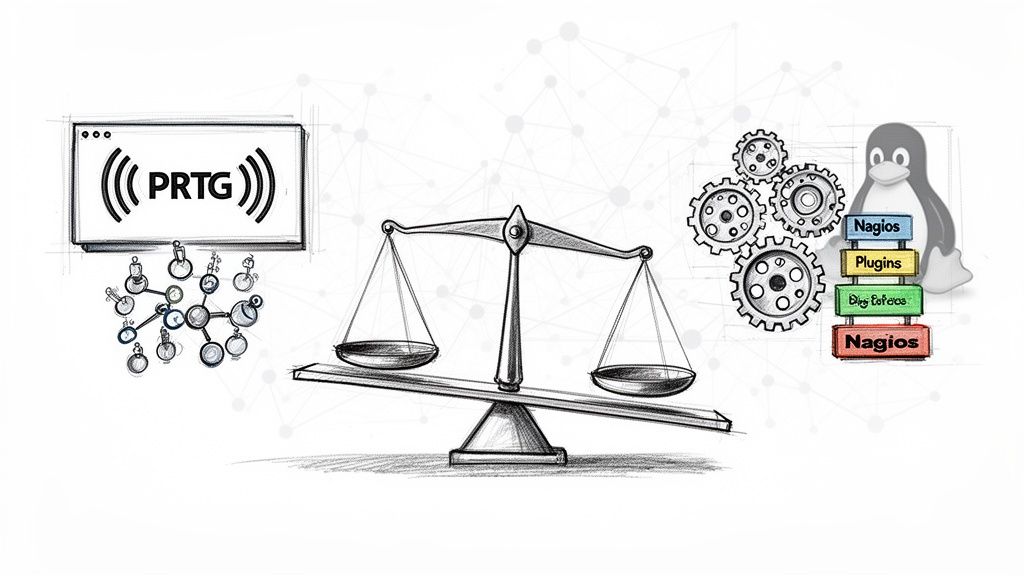
The fundamental architectural difference between PRTG and Nagios dictates their use cases: PRTG is a self-contained, agentless commercial monitoring system built for rapid deployment and operational efficiency, while Nagios is an open-source, plugin-based framework that offers unparalleled customization at the cost of significant engineering investment.
Your choice is a technical trade-off between integrated simplicity and deployment velocity versus deep customizability and granular control.
Choosing Between PRTG and Nagios
The decision hinges on your team’s technical depth, available engineering hours, and the level of control required over your monitoring stack.
PRTG is engineered for teams that need to achieve visibility quickly. It's a unified system designed for rapid deployment without a steep learning curve, leveraging auto-discovery to map your network and systems. In contrast, Nagios is the go-to for organizations with strong DevOps or systems engineering expertise. These teams are prepared to invest significant engineering hours into scripting, configuration management, and system integration to build a monitoring apparatus perfectly tailored to their environment.
Both are capable monitoring solutions, but they solve the problem from opposing philosophies. To see how they compare to other modern options, it's worth exploring the best infrastructure monitoring tools available.
PRTG vs Nagios Key Differentiators
To make the choice technically clear, this table breaks down the core differences. Use this as a quick reference for mapping your team's capabilities and requirements to the right tool.
| Criterion | PRTG Network Monitor | Nagios (Core & XI) |
|---|---|---|
| Ease of Use | High (Web-based GUI, wizard-driven setup, auto-discovery) | Low (Text-based config files, command-line interface) |
| Setup Time | Hours to 1 day (Initial scan and basic monitoring) | Days to weeks (Core setup, agent deployment, plugin config) |
| Flexibility | Moderate (Uses pre-built sensors; custom sensors possible but complex) | Very High (Infinitely extensible via custom plugins/scripts) |
| Cost Model | Commercial (Per-sensor licensing) | Open-Source (Free Nagios Core) or Commercial (Nagios XI per node) |
| Maintenance | Low (Integrated updates, GUI-based management) | High (Requires manual configuration, scripting, and dependency management) |
Ultimately, PRTG provides a turnkey solution that delivers monitoring value with minimal initial configuration. Nagios, by contrast, gives you the foundational components to build a bespoke monitoring system, provided you have the technical expertise and dedicated time to do so.
Analyzing Core Architecture and Deployment
The architectural differences between PRTG and Nagios are stark and directly impact deployment, scalability, and daily management.
PRTG is built on a centralized, all-in-one model running on a Windows Server. The PRTG Core Server acts as the central management and data processing unit. Data collection is performed by Probes. A "Local Probe" runs on the Core Server itself, while "Remote Probes" can be deployed on other Windows machines to monitor segmented networks or distributed locations without requiring a VPN for each device. This agentless approach (for most checks) simplifies deployment significantly—one Core Server can manage probes across multiple sites, making for a very rapid out-of-the-box experience.
Nagios operates on a modular, plugin-driven architecture native to Linux. The Nagios Core engine is primarily a scheduler and state machine. It relies on external plugins (like check_ping, check_http) and agents (like Nagios Remote Plugin Executor (NRPE) or NSClient++) to perform the actual checks. This modularity is its strength, allowing for immense flexibility, but it's also its complexity. You are responsible for configuring the scheduler, defining hosts and services in .cfg files, and managing the entire ecosystem of plugins and agents, which requires deep Linux and scripting expertise.
This diagram illustrates the two distinct architectural models.

This structural difference is the crux of the PRTG vs. Nagios debate. PRTG’s integrated, "batteries-included" architecture is optimized for speed and operational simplicity. In contrast, Nagios’s component-based design prioritizes granular control and infinite customizability, but at the cost of higher operational overhead.
Comparing Features and Customization Capabilities

The core feature philosophy in the PRTG vs. Nagios debate is a classic trade-off: a vast library of pre-packaged modules versus an open framework for custom-built integrations.
PRTG is architected around the concept of "sensors." These are highly specific, pre-configured monitoring modules for standard protocols (SNMP, WMI, SSH), applications (SQL, Exchange), and hardware. This design enables rapid implementation: add a device, and PRTG can automatically suggest relevant sensors. Customization exists via "Custom Sensors" (e.g., EXE, DLL, PowerShell), but this requires more advanced configuration and is less central to its design.
Nagios, conversely, is built on a powerful, open plugin architecture. Its core function is to execute scripts and parse their output. A plugin is any executable that returns a specific exit code (0 for OK, 1 for WARNING, 2 for CRITICAL, 3 for UNKNOWN) and a line of text. This means you can write a check for literally anything using any language (Bash, Python, Perl, Go) as long as it adheres to this simple contract.
The essential trade-off is speed vs. scope. PRTG gives you 80% of what you need in 20% of the time. Nagios allows you to monitor 100% of anything, provided you invest the engineering effort to build the custom check.
Consider a practical example: monitoring a custom API endpoint that returns JSON.
- In PRTG, you would use the "HTTP REST Custom" sensor. You'd configure the URL, headers, and use the built-in JSON parser to specify the key to check. The sensor handles the request, parsing, and state evaluation. This can be configured entirely via the GUI in minutes.
- In Nagios, you would write a script (e.g.,
check_my_api.py) using a library likerequests. The script would make the API call, parse the JSON, apply your custom logic, and thenexit()with the appropriate code (0, 1, 2, or 3). You would then define a new Nagios command and service check in your.cfgfiles to execute this script. While more complex, this approach allows for intricate logic that might be impossible with a pre-built sensor.
For a deeper dive into building a robust monitoring strategy, check out our guide on infrastructure monitoring best practices.
Evaluating Alerting and Modern DevOps Integrations
A monitoring tool's value is directly tied to its alerting capabilities and integration with modern workflows. In the PRTG vs Nagios comparison, you'll find two philosophies on alerting that reflect their core architectural differences.
PRTG features an integrated notification and alerting system managed through its web GUI. You can configure notification triggers, escalation rules (e.g., "if a PING sensor is down for 5 minutes, email the on-call; if it's down for 15, trigger a PagerDuty alert"), and scheduling directly in the interface. This is designed for rapid setup and ease of management.
Nagios, true to its nature, offers extreme flexibility at the cost of manual configuration. Alerting is managed through text-based .cfg files where you define contact, contactgroup, timeperiod, and notification commands. This allows for incredibly granular control—you can script custom notification commands to interact with any system—but requires a deep understanding of Nagios's object definitions and relationships.
For DevOps teams, the integration litmus test is how well a tool integrates with CI/CD pipelines and IaC. PRTG's API allows for programmatic configuration, while Nagios's text-based configuration is a natural fit for GitOps and configuration management tools like Ansible or Puppet.
Cloud and Container Integrations
This philosophical divide is clear when examining cloud and container monitoring.
PRTG provides dedicated, out-of-the-box sensors for major cloud providers like AWS, Azure, and Google Cloud, which use official APIs to pull metrics like CloudWatch data. Configuration is typically wizard-driven. You can start pulling metrics in minutes.
Nagios achieves this through a vast library of community-developed plugins (e.g., check_cloudwatch, check_azure_sql). These plugins can be extremely powerful and offer deep customization, but you are responsible for their installation, configuration, dependency management, and ongoing maintenance.
The story is identical for containers. PRTG has dedicated sensors for Docker and Kubernetes that provide immediate visibility into node and container health. With Nagios, you would typically use plugins like check_docker or script custom checks against the Kubernetes API or Prometheus exporters to achieve the same level of insight.
Calculating Total Cost of Ownership and Maintenance
When comparing PRTG vs. Nagios, the license fee is only a fraction of the Total Cost of Ownership (TCO). The "people cost"—engineering hours for setup, configuration, scripting, and maintenance—is a critical factor. Understanding how to reduce operational costs is paramount.
PRTG's commercial license is based on the number of "sensors" (individual metrics). Costs are predictable and scale with monitoring granularity. Nagios Core is open-source and free to use, but its TCO is dominated by engineering salaries. Nagios XI, the commercial version, is priced per monitored node. "Free" in the open-source context often translates to a significant investment in specialized engineering time.
The core financial trade-off is clear: PRTG’s higher license cost versus Nagios’s higher operational cost in staff time. CTOs must decide if they are buying a tool or funding a project.
Recent data shows PRTG with 3.5% mindshare, edging out Nagios XI’s 2.3%. Users often point to PRTG's incredibly fast deployment as a key factor, which translates directly into saved time and money. You can dive deeper into the full comparison and its findings in PeerSpot's analysis.
Making the Final Decision for Your Team
After a technical breakdown of the prtg vs nagios matchup, the final decision hinges on your team's technical composition and resource allocation. Avoid "analysis paralysis" by using a clear decision framework.
Select PRTG if your team requires a robust, all-in-one monitoring system that delivers value immediately post-deployment. It is the optimal choice for organizations that prioritize operational efficiency, a unified user experience, and lack a dedicated team of monitoring engineers for custom development.
Choose Nagios if your organization has a strong DevOps culture and the engineering resources to build and maintain a highly customized monitoring platform. Nagios excels in environments requiring absolute granular control, deep integration with bespoke systems, and where configuration-as-code is a core practice.
This decision tree visualizes the TCO implications based on your primary organizational driver.

Ultimately, your team's philosophy is the deciding factor. Are you buying a product that saves you time, or are you building a project that gives you total control? Answering that question honestly will point you to the correct technical solution.
When evaluating long-term value, it's critical to align the tool's capabilities with business objectives, such as setting clear uptime targets and ensuring your monitoring strategy directly supports SLOs and SLAs.
Got questions? We have answers. Below are common technical inquiries from engineers and IT leaders evaluating PRTG against Nagios.
These are concise, actionable answers to supplement the deeper analysis in this guide, addressing key concerns like cloud monitoring efficacy, scalability limits, migration complexity, and the long-term viability of open-source monitoring solutions.
Choosing between PRTG and Nagios is complex, and the right answer depends entirely on your team and your infrastructure. If you need an expert hand to help assess your needs, build a migration plan, or manage your monitoring stack, OpsMoon is here to help.
We offer tailored DevOps services to get you on the right path. It all starts with a free work planning session to build your roadmap.
Leave a Reply