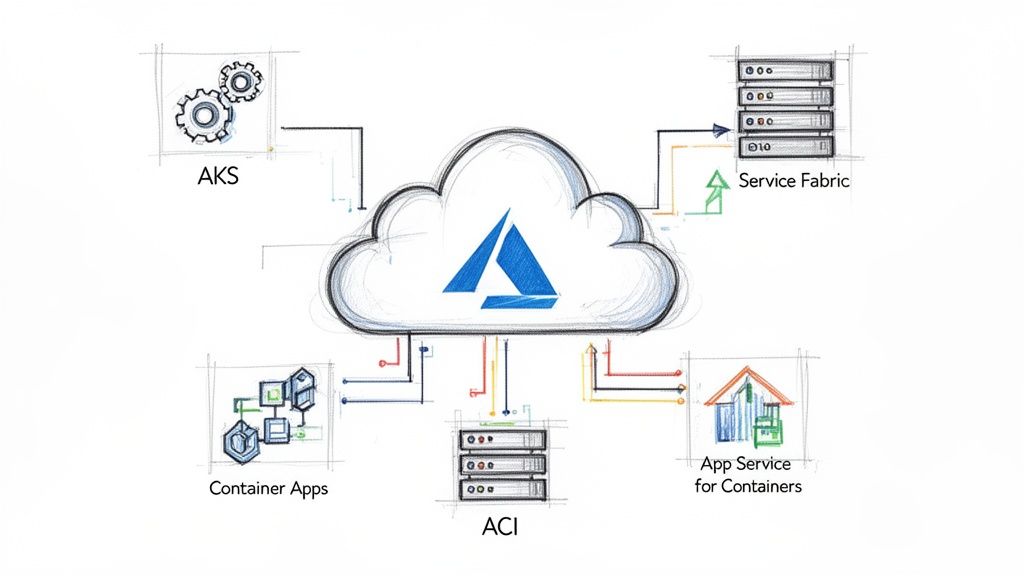
Selecting the right Azure container service is a critical architectural decision that directly impacts scalability, operational overhead, and total cost of ownership. The choice isn't about a feature checklist; it's about matching the service's operational model to your team's skillset and your application's specific technical requirements. This guide provides a technical deep dive into Azure's main container offerings to help you make an informed decision based on concrete engineering trade-offs.
Navigating the Azure Container Ecosystem
The Azure container services portfolio is designed to address distinct use cases, from ephemeral, single-container tasks to complex, multi-tenant microservices orchestration. The first step is to understand the fundamental differences in the management responsibility model and the level of abstraction each service provides. We will move beyond marketing descriptions to focus on the architectural trade-offs that matter in production.
This guide will break down Azure's main container offerings, giving you a clear framework for choosing the right tool for the job. We'll cover:
- Azure Kubernetes Service (AKS): For full-lifecycle orchestration, custom CNI plugins, and direct Kubernetes API access.
- Azure Container Apps (ACA): For serverless microservices leveraging KEDA-based scaling and native Dapr integration.
- Azure Container Instances (ACI): For single, short-lived container execution, ideal for task-based automation.
- Azure App Service for Containers: A PaaS solution for modernizing existing web applications with container portability.
Why Container Platforms Are So Important Now
Containerization is a foundational technology for modern software delivery, driven by the need for environment consistency and deployment velocity. The Container-as-a-Service (CaaS) market, where AKS is a dominant force, is expanding rapidly. Projections show the global CaaS market rocketing from an estimated USD 6.03 billion in 2026 to USD 23.35 billion by 2031. That's a compound annual growth rate (CAGR) of 31.1%. While large enterprises lead adoption, the small and medium business segment is the fastest-growing, signaling the technology's broad, practical appeal.
The core decision boils down to a trade-off: control versus convenience. A service like AKS exposes the full Kubernetes API, giving you granular control over every component of your cluster. In contrast, services like ACI and ACA abstract away the underlying infrastructure, allowing you to focus purely on your application logic.
To fully leverage this decision, it's beneficial to understand the broader context of developing in the cloud. The table below provides a high-level technical comparison to frame our detailed analysis. You can also see how these services stack up in the broader cloud ecosystem by checking out our detailed cloud provider breakdown.
| Service | Primary Abstraction | Management Overhead | Ideal Use Case |
|---|---|---|---|
| AKS | Kubernetes Cluster | High | Complex microservices, full orchestration control |
| Container Apps | Application/Microservice | Low | Serverless APIs, event-driven processing |
| ACI | Single Container | Very Low | Quick tasks, CI/CD agents, burst workloads |
Azure Container Services: A Side-by-Side Look
Selecting the right Azure container service is about matching the platform to the workload's technical profile. A service designed for a stateful, multi-tenant application will be inefficient and overly complex for a simple, burstable data processing job, and vice-versa. This breakdown focuses on the specific technical trade-offs you will encounter.
We'll compare each service against critical engineering criteria: orchestration models, scaling mechanics, networking architecture, and the day-to-day developer workflow. Understanding these nuances is key to choosing a platform that aligns with both your team's capabilities and your application's technical demands.
Orchestration and Management
The primary differentiator among Azure’s container services is their approach to orchestration—the automated deployment, scaling, networking, and management of containers. This choice directly dictates your level of control and, consequently, your operational burden.
Azure Kubernetes Service (AKS) provides the full, unadulterated Kubernetes API. While Azure manages the control plane for you, you are responsible for provisioning and managing worker nodes and all Kubernetes resources (Deployments, Services, ConfigMaps, etc.). This grants you complete authority to customize networking with specific CNI plugins (e.g., Calico for network policy), integrate a service mesh like Istio, or fine-tune every aspect of your cluster's configuration.
Azure Container Apps (ACA) offers a higher-level, application-centric abstraction. It is built on Kubernetes but completely hides the underlying cluster infrastructure. You interact with "Container Apps" and "Environments," not pods, deployments, or nodes. This model drastically reduces management complexity, making it an excellent choice for teams that need container capabilities without the steep learning curve of raw Kubernetes.
Azure Container Instances (ACI) eliminates the concept of orchestration entirely. It is a serverless engine for running a single container or a co-located group of them (a container group). With ACI, you provide a container image, define resource requirements, and Azure executes it. There is no cluster, control plane, or nodes to manage or patch. It is a pure "container-as-a-service" implementation.
The central trade-off is this: AKS gives you root-level control over the Kubernetes cluster, while Container Apps abstracts it away, offering KEDA-powered serverless scaling and Dapr integration out of the box. You are choosing between granular infrastructure control and managed application simplicity.
Azure Container Services Decision Matrix
To provide a quick technical reference, this matrix maps each service's core architectural characteristics to its ideal use cases.
| Service | Primary Use Case | Orchestration Model | Scaling Granularity | Management Overhead | Cost Model |
|---|---|---|---|---|---|
| AKS | Complex microservices, full K8s ecosystem | Full Kubernetes API | Pod & Node-level | High | Pay-per-node (VMs) |
| ACA | Serverless microservices, event-driven apps | Abstracted Kubernetes | Per-container replica | Low | Pay-per-request/resource |
| ACI | Short-lived tasks, simple jobs, dev/test | None (single container) | Per-container instance | Very Low | Pay-per-second |
This matrix serves as an initial decision-making tool. If your requirements include "full K8s ecosystem" and custom configurations, AKS is the logical choice. If "serverless" and "low overhead" are your primary drivers, ACA is the clear front-runner.
Scaling Models
How your application responds to load is a critical architectural concern. Each Azure service implements scaling differently, directly tied to its level of abstraction.
AKS Scaling: Scaling in AKS is a two-tiered process. The Horizontal Pod Autoscaler (HPA) adjusts the number of pod replicas based on metrics like CPU utilization or custom metrics from Prometheus. When the existing nodes can no longer accommodate new pods, the Cluster Autoscaler provisions or de-provisions VM nodes in your node pools. This provides precise control but requires careful tuning of scaling thresholds and node pool configurations to optimize costs.
ACA Scaling: Container Apps features a highly efficient, event-driven scaling model powered by KEDA (Kubernetes Event-driven Autoscaling). It can scale an application from zero to hundreds of replicas based on a variety of triggers, such as the length of an Azure Service Bus queue, messages per second in an Event Hub, or incoming HTTP request rates. This makes it extremely cost-effective for workloads with intermittent or unpredictable traffic patterns.
ACI Scaling: ACI does not offer native autoscaling. Each container instance is an independent unit of compute. To handle increased load, you must implement custom logic—often via an Azure Function or Logic App—to programmatically create additional ACI instances and terminate them when the job is complete. This model is best suited for predictable, task-based workloads.
This diagram illustrates the initial decision-making process based on your application's architectural needs.

As shown, if deep control and customization are required, AKS is the path. For serverless patterns or ephemeral jobs, ACA or ACI are the most appropriate solutions.
Networking Architecture
Container networking involves service discovery, traffic routing, and security policy enforcement. Each Azure service provides a different level of flexibility and control over these functions.
With AKS, you have complete control over the networking stack. It offers full VNet integration, allowing pods to receive IP addresses directly from your virtual network subnets. You can implement sophisticated traffic management using ingress controllers like NGINX or AGIC and enforce pod-to-pod communication rules with network policies from tools like Calico.
Azure Container Apps simplifies networking significantly. Each Container Apps Environment is provisioned within a VNet, providing network isolation by default. Ingress is managed for you; configuring an app as internal or external is a simple setting. Service discovery is also built-in, enabling apps within the same environment to resolve each other by name. This abstracts away significant operational complexity.
ACI provides basic VNet integration by allowing you to deploy container groups into a dedicated subnet. This enables secure communication with other Azure resources, such as databases. However, it lacks the advanced ingress, service discovery, and policy enforcement features of AKS and ACA, reinforcing its suitability for simple, isolated tasks. If you want to go deeper on the orchestration engines behind these services, check out our guide on the best container orchestration tools.
Developer Experience and State Management
Consider the day-to-day developer workflow and how your application will handle persistent data.
The AKS developer experience is centered on the Kubernetes ecosystem. Developers interact with the cluster primarily through kubectl and YAML manifests. While this provides immense power and access to a vast array of open-source tools like Helm, it requires specialized Kubernetes knowledge. For stateful applications, AKS integrates with Azure Disk or Azure Files via standard PersistentVolumes and PersistentVolumeClaims.
ACA offers a more streamlined developer experience. Deployments are managed via the Azure CLI or Infrastructure as Code (e.g., Bicep), focusing on application-level constructs rather than Kubernetes primitives. Its key advantage is native integration with Dapr (Distributed Application Runtime), which provides pre-built APIs for state management, pub/sub messaging, and secure service-to-service invocation. This allows developers to focus on business logic instead of solving complex distributed systems problems.
ACI provides the simplest developer experience. A container can be launched with a single az container create command. There are no manifests to manage. For state, you can mount Azure Files shares as volumes, offering a straightforward method for data persistence.
When to Use Azure Kubernetes Service (AKS)
Choose Azure Kubernetes Service (AKS) when you require the complete, unrestricted capabilities of the Kubernetes ecosystem. It is the optimal choice for complex microservice architectures, stateful applications, and any scenario where granular control over the container orchestration lifecycle is a non-negotiable requirement. Think of AKS as a high-performance engine; it demands expertise to operate but delivers unparalleled performance and flexibility.

Unlike more abstracted Azure container services, AKS provides direct access to the raw Kubernetes API. This is a critical advantage, as it enables your team to leverage the vast ecosystem of Cloud Native Computing Foundation (CNCF) projects and standard Kubernetes tooling (like Helm and Kustomize) without vendor lock-in. It is the ideal platform for teams building internal platforms or those with existing Kubernetes expertise.
Advanced Architectural Patterns
AKS excels when implementing sophisticated deployment and operational patterns that are inaccessible in higher-level services. It provides the necessary control to build robust, production-grade systems capable of addressing complex technical challenges.
Here are a few technical use cases where AKS is the undisputed champion:
- GitOps Workflows: For teams adopting GitOps, tools like Flux or ArgoCD integrate natively with AKS. This pattern uses a Git repository as the single source of truth for both application and infrastructure configurations, enabling automated, auditable, and repeatable deployments.
- Service Mesh Implementation: For complex microservice communication, deploying a service mesh like Istio or Linkerd on AKS is a standard practice. A service mesh provides platform-level traffic management, mTLS encryption, observability, and resiliency features.
- AI and Machine Learning Workloads: AKS allows for the configuration of specialized GPU-enabled node pools, which is essential for training and deploying resource-intensive machine learning models that require massive parallel processing capabilities.
The primary reason to choose AKS is control. You select the container runtime, configure networking with CNI plugins like Calico to enforce fine-grained network policies, and determine precisely how ingress traffic is managed—whether with NGINX, Traefik, or the Azure-native Application Gateway Ingress Controller (AGIC).
Fine-Tuning Cluster Configuration and Cost
Beyond architectural patterns, AKS provides deep control over the underlying infrastructure, which is crucial for both performance tuning and cost optimization. You are not merely deploying containers; you are engineering a platform.
This level of control enables advanced configurations:
- Custom Node Pools: You can create multiple node pools within a single cluster, each with different VM sizes (e.g., memory-optimized
Esv5-series), operating systems (Linux or Windows), and capabilities. For instance, you could have a pool of memory-optimized VMs for stateful services and another with burstableB-seriesVMs for development workloads. - Network Policy Enforcement: Using network policy engines like Calico or Azure NPM, you can define firewall rules at the pod level. This ensures strict network segmentation and helps implement a zero-trust security model within the cluster.
This tight integration with the Azure ecosystem is a huge plus. Microsoft Azure's market dominance is a major force behind its container offerings, and AKS is the flagship. By 2026, 85% of Fortune 500 companies will be running on Azure, a clear indicator of its proven scalability. In the container management market, cloud giants like Azure hold over a 60% share with managed Kubernetes services like AKS. As more companies outsource operations to manage costs, managed services now account for over 60% of deployments, which speaks volumes about the platform's reliability. You can read the full research on Azure's market position for more details.
Practical Cost Optimization Strategies
Managing costs in a large-scale Kubernetes environment is a critical discipline, and AKS provides the necessary tools.
- Spot Node Pools: For fault-tolerant or non-critical workloads such as batch processing or CI/CD runners, you can leverage Spot node pools. These pools utilize surplus Azure capacity at a significant discount, which can dramatically reduce compute costs.
- Cluster Autoscaler Tuning: The Cluster Autoscaler is a key tool for cost control. Properly configuring its profiles and parameters ensures that you only pay for the nodes you need, allowing the cluster to scale down aggressively during off-peak hours and prevent resource waste.
Choosing Your Serverless and PaaS Container Options
While AKS provides ultimate control, many scenarios benefit from a higher level of abstraction, allowing teams to focus on application logic rather than infrastructure management.
This is where Azure’s serverless and Platform-as-a-Service (PaaS) container offerings excel. They are designed for developer velocity and operational simplicity, shifting the responsibility of managing the underlying infrastructure to Azure. This allows development teams to accelerate feature delivery.
These services are ideal for rapid application development, event-driven architectures, or containerizing existing web applications without a full-scale migration to Kubernetes. The key is to select the service that provides the required functionality out of the box.
Azure Container Apps for Event-Driven Microservices
Azure Container Apps (ACA) is the premier service for building modern microservices and event-driven architectures. It occupies a strategic middle ground, providing many of the benefits of Kubernetes without exposing its complexity. You interact with applications and environments, a more intuitive model than managing raw Kubernetes resources.
At its core, ACA is designed for serverless workloads. Its most compelling feature is the ability to scale to zero. This means you incur no compute costs during idle periods. For APIs with unpredictable traffic or background jobs that run intermittently, this results in significant cost savings.
ACA’s key differentiator is its native integration with powerful open-source technologies:
- KEDA (Kubernetes Event-driven Autoscaling): This is a first-class feature, not an add-on. You can configure scaling based on metrics from dozens of event sources, such as the number of messages in an Azure Service Bus queue or the lag of a Kafka consumer group.
- Dapr (Distributed Application Runtime): ACA offers a managed Dapr integration, providing a significant advantage for building resilient, distributed systems. Dapr provides ready-to-use APIs for complex patterns like service-to-service invocation with mTLS, state management, and pub/sub messaging, injected as a sidecar to your container.
Use Case Example: Consider an e-commerce order processing system. When an order is placed, a message is sent to an Azure Service Bus queue. An ACA worker service, scaled by KEDA, can scale from zero to hundreds of replicas to process the queue, then scale back to zero when idle. Dapr can manage the state for each order throughout the process. This entire workflow is executed without managing a single server.
Azure Container Instances for Ephemeral Tasks
Azure Container Instances (ACI) is the simplest and fastest way to run a single container in Azure. It is a "fire and forget" service with no orchestration, cluster management, or VM patching. You provide a container image, and Azure runs it. Billing is on a per-second basis for the allocated CPU and memory.
ACI is optimized for short-lived, burstable jobs that need to start quickly, execute a task, and terminate. Its startup speed and billing model make it an unsuitable choice for a 24/7 web server but a perfect fit for isolated, automated tasks.
Common scenarios for ACI include:
- CI/CD Pipeline Runners: Dynamically provision a container to execute build, test, or deployment steps and terminate it upon completion.
- Data Processing Jobs: Run a script for data validation, a quick transformation, or a batch process that runs for a few minutes or hours.
- Rapid Prototyping: Quickly instantiate a new application or feature in a completely isolated environment without the overhead of a full development setup.
For example, a daily data validation script can be packaged as a container and triggered by an Azure Logic App. The Logic App starts an ACI instance, the script runs for 10 minutes, and the instance is terminated. The cost is minimal.
App Service for Containers for Web App Modernization
Azure App Service has long been the primary PaaS for web applications, and its container support makes it a practical choice for modernizing existing applications. For "lift and shift" scenarios where a monolithic application is containerized and moved to the cloud, App Service provides the path of least resistance. It offers a familiar, feature-rich platform without requiring a complete rewrite to a microservices architecture.
It combines the simplicity of the App Service platform with the portability of containers. You get access to all the features App Service is known for—integrated CI/CD, custom domains, SSL management, and robust security—for your containerized application.
For production environments, its most valuable feature is deployment slots. This allows you to deploy a new version of your container to a "staging" slot, perform validation, and then "hot swap" it into production. This enables zero-downtime, blue-green deployments with an instant rollback capability, a critical feature for any serious application.
CI/CD and Observability for Containerized Workloads
Deploying containers is only the first step. Building automated, resilient, and transparent systems around them is essential for production operations on Azure. A robust CI/CD pipeline and a comprehensive monitoring strategy form the operational backbone that enables rapid feature delivery, proactive issue detection, and a deep understanding of application behavior.

The goal is to create a fully automated, hands-off path from a git push to a live, monitored deployment. This involves automating container builds, securely storing artifacts in a registry, deploying them consistently using Infrastructure as Code (IaC), and maintaining complete visibility post-deployment.
Building a Modern CI/CD Pipeline
For containerized applications, a robust CI/CD pipeline is non-negotiable. Tools like GitHub Actions or Azure DevOps are well-suited for this. A well-executed pipeline transforms a manual, error-prone process into a repeatable, automated workflow.
A typical pipeline for any Azure container service follows these steps:
- Code Commit: A developer pushes code to a Git repository, triggering the pipeline.
- Container Build: A CI server checks out the code and uses a Dockerfile to build a new container image. This image is tagged with a unique identifier, such as the Git commit SHA, to ensure traceability.
- Push to Registry: The newly built image is pushed to a private Azure Container Registry (ACR), providing a secure, centralized location for storing and managing container images.
- Infrastructure as Code Deployment: The CD stage uses an IaC tool—Bicep or Terraform are common choices—to declare the desired state of the target environment (AKS or Container Apps). The pipeline updates the deployment definition to point to the new image tag in ACR and applies the changes.
The core principle here is immutability. Running containers are never modified in place. To update an application, a new image is built and deployed. This approach simplifies rollbacks to a matter of redeploying a previous image tag, providing a critical safety net for production releases.
A Practical IaC Deployment Example
Using Bicep to deploy to Azure Container Apps is a prime example of declarative infrastructure management. Instead of writing imperative scripts, you define the desired end state, and Bicep handles the orchestration. This ensures consistency across all environments (dev, staging, prod).
// main.bicep
param imageTag string = 'latest'

resource containerApp 'Microsoft.App/containerApps@2023-05-01' = {
  name: 'my-api-app'
  location: resourceGroup().location
  properties: {
    template: {
      containers: [
        {
          image: 'myregistry.azurecr.io/my-api:${imageTag}'
          name: 'api'
          resources: {
            cpu: json('0.5')
            memory: '1.0Gi'
          }
        }
      ]
      scale: {
        minReplicas: 1
        maxReplicas: 5
      }
    }
  }
}
Implementing Actionable Observability
Deployed containers cannot be a black box. A solid observability strategy, built on Azure Monitor, is required to understand system behavior and diagnose issues effectively. For containers, this involves collecting three primary data types.
- Metrics: Numerical data representing system performance, such as CPU usage, memory consumption, and request latency.
- Logs: Text-based event records from applications and the underlying platform, providing a chronological narrative of events.
- Traces: A detailed, end-to-end view of a single request as it propagates through a distributed system of microservices.
Container Insights, a feature within Azure Monitor, is specifically designed for AKS. It provides immediate, out-of-the-box visibility into cluster health by collecting performance metrics from controllers, nodes, and containers. This makes it easy to identify resource bottlenecks or failing pods. If you want to go deeper, check out our complete guide to building a Kubernetes CI/CD pipeline.
Ultimately, observability is about enabling action. Configure alerts in Azure Monitor for critical conditions, such as a high rate of pod restarts, resource saturation, or failing health probes. Integrating these alerts with services like Microsoft Teams or PagerDuty ensures that your team can respond to incidents immediately.
Common Questions About Azure Container Services
When designing Azure architectures, several key technical questions frequently arise. Misunderstanding these details can lead to costly and time-consuming redesigns. Let's address some of the most common questions engineers face when choosing between AKS, ACA, and ACI.
Getting these details right upfront is the difference between a smooth deployment and an unplanned future migration.
Can I Actually Run Stateful Apps on Azure Container Apps?
Yes, you can. The platform supports mounting persistent storage volumes using Azure Files. This ensures that data persists across container restarts and deployments, which is a fundamental requirement for stateful applications.
However, there is a crucial trade-off: While ACA is suitable for many stateful scenarios, Azure Kubernetes Service (AKS) remains the superior choice for complex stateful workloads. For applications like clustered databases that require stable network identifiers, ordered pod deployments (StatefulSets), and advanced storage orchestration, AKS provides the necessary low-level control and features.
How Do Costs Really Shake Out Between AKS and Azure Container Apps?
The cost models are fundamentally different, reflecting their core architectural philosophies.
With AKS, you pay for the provisioned virtual machine node pools. These VMs incur costs regardless of whether they are fully utilized or idle. Even with the free control plane tier, the worker nodes establish a baseline cost. If the cluster is running, you are paying.
Azure Container Apps, in contrast, operates on a true serverless consumption model. You are billed per second for the vCPU and memory that your application actually consumes. The key feature is its ability to scale to zero, meaning there is no compute cost during periods of inactivity. This makes ACA the more cost-effective option for applications with intermittent or unpredictable traffic.
The bottom line is this: you are paying for either provisioned capacity (AKS) or actual usage (ACA). For consistently high-traffic workloads, the costs may be comparable. However, for workloads with variable traffic or long idle periods, ACA will almost always be the cheaper solution.
When Would I Use ACI Instead of a Single-Node AKS Cluster?
This is a classic "right tool for the job" scenario. Use Azure Container Instances (ACI) for ephemeral, isolated, and short-lived tasks. Examples include CI/CD build agents, nightly data processing jobs, or rapid functional tests. ACI instances provision in seconds, are billed per second, and have zero management overhead. It is purpose-built for fire-and-forget workloads.
A single-node AKS cluster, while small, is appropriate when you need the full Kubernetes API and access to its ecosystem, even at a small scale. You would choose this for a persistent but small-scale service, like a web API, especially if you anticipate the need to scale out in the future. It provides a clear growth path and access to the entire cloud-native toolchain from day one.
The container space is booming, and Azure's services, particularly AKS, are a huge part of that. The Containers-as-a-Service market is massive, with North America holding a 38-45% global revenue share. The management and orchestration slice of that pie, where AKS lives, accounted for 29% of the market's revenue in 2024. This growth is fueled by things like AI-driven features for resource management and the simple fact that 94% of enterprises are now using cloud services. You can dig into more of the numbers in the full market report.
Getting these architectural decisions right takes experience. OpsMoon connects you with the top 0.7% of global DevOps engineers who live and breathe this stuff. We can help you accelerate everything from initial architecture design to full-scale CI/CD automation and production observability.
Plan your Azure container strategy with an OpsMoon expert today.
Leave a Reply