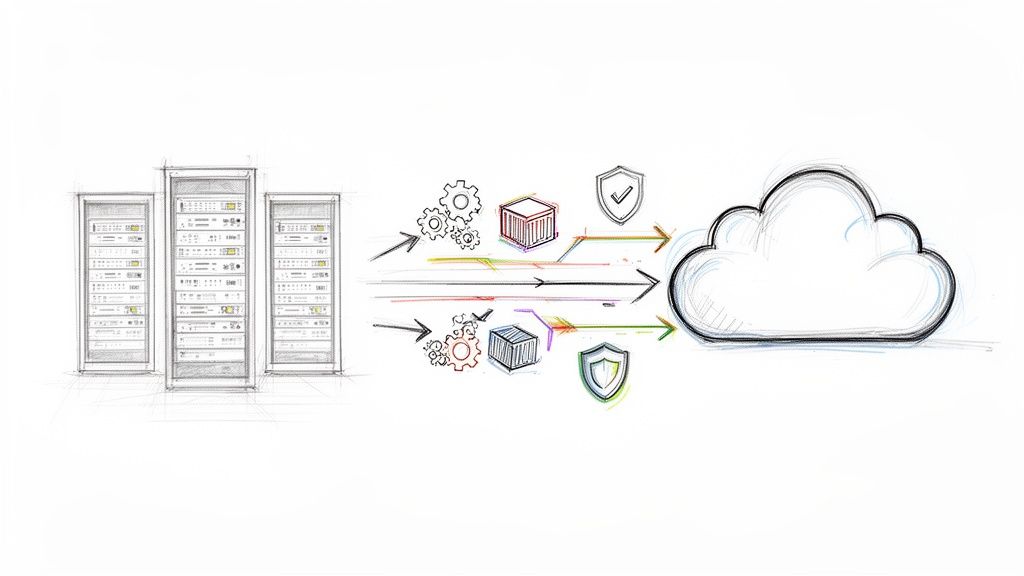
Relying on on-premise infrastructure isn't just a dated strategy; it's a direct path to accumulating technical debt that grinds innovation to a halt. When we talk about successful cloud migration solutions, we're not talking about a simple IT project. We're reframing the entire transition as a critical business maneuver—one that turns your infrastructure from a costly anchor into a powerful asset for agility and resilience.
Why Your On-Premise Infrastructure Is Holding You Back
For CTOs and engineering leaders, the conversation around cloud migration has moved past generic benefits and into the specific, quantifiable pain caused by legacy systems. Those on-premise environments, once the bedrock of your operations, are now often the primary source of operational friction and spiraling capital expenditures.
The main culprit? Technical debt. Years of custom code, aging hardware with diminishing performance-per-watt, and patched-together systems have created a fragile, complex dependency graph. Every new feature or security patch requires extensive regression testing and risks cascading failures. This is the innovation bottleneck that prevents you from experimenting, scaling, or adopting modern architectural patterns like event-driven systems or serverless functions that your competitors are already leveraging.
The True Cost of Standing Still
The cost of maintaining the status quo is far higher than what shows up on a balance sheet. The operational overhead of managing physical servers—power, cooling, maintenance contracts, and physical security—is just the tip of the iceberg. The hidden costs are where the real damage is done:
- Limited Scalability: On-premise hardware cannot elastically scale to handle a traffic spike from a marketing campaign. This leads to poor application performance, increased latency, or worse, a complete service outage that directly impacts revenue and user trust.
- Slow Innovation Cycles: Deploying a new application requires a lengthy procurement, provisioning, and configuration process. By the time the hardware is racked and stacked, the market opportunity may have passed.
- Increased Security and Data Risks: A major risk with on-premise infrastructure is data loss from hardware failure or localized disaster. A RAID controller failure or a power outage can leave you scrambling for local data recovery services just to restore operations to a previous state, assuming backups are even valid.
This isn't just a hunch; it's a massive market shift. The global cloud migration services market is on track to hit $70.34 billion by 2030. This isn't driven by hype; it's driven by a fundamental need for operational agility and modernization.
Ultimately, a smart cloud migration isn't just about vacating a data center. It's about building a foundation that lets you tap into advanced tech like AI/ML services and big data analytics platforms—the kind of tools that are simply out of reach at scale in a traditional environment.
Conducting Your Pre-Migration Readiness Audit
A successful migration is built on hard data, not assumptions. This audit phase is the single most critical step in formulating your cloud migration strategy. It directly informs your choice of migration patterns, your timeline, and your budget.
Attempting to bypass this foundational work is like architecting a distributed system without understanding network latency—it’s a recipe for expensive rework, performance bottlenecks, and a project that fails to meet its objectives.
The goal here is to get way beyond a simple server inventory. You need a deep, technical understanding of your entire IT landscape, from application dependencies and inter-service communication protocols down to the network topology and firewall rules holding it all together. It's not just about what you have; it's about how it all actually behaves under load.
Mapping Your Digital Footprint
First, you need a complete and accurate inventory of every application, service, and piece of infrastructure. Manual spreadsheets are insufficient for any reasonably complex environment, as they are static and prone to error. You must use automated discovery tools to get a real-time picture.
- For AWS Migrations: The AWS Application Discovery Service is essential. You deploy an agent or use an agentless collector that gathers server specifications, performance data, running processes, and network connections. The output helps populate the AWS Migration Hub, building a clear map of your assets and, crucially, their interdependencies.
- For Azure Migrations: Azure Migrate provides a centralized hub to discover, assess, and migrate on-prem workloads. Its dependency analysis feature is particularly powerful for visualizing the TCP connections between servers, exposing communications you were likely unaware of.
These tools don't just produce a list; they map the intricate web of communication between all your systems. A classic pitfall is missing a subtle, non-obvious dependency, like a legacy reporting service that makes a monthly JDBC call to a primary database. That’s the exact kind of ‘gotcha’ that causes an application to fail post-migration and leads to frantic, late-night troubleshooting sessions.
Real-World Scenario: Underestimating Data Gravity
A financial services firm planned a rapid rehost of their core trading application. The problem was, their audit completely overlooked a massive, on-premise data warehouse the app required for end-of-day settlement reporting. The latency introduced by the application making queries back across a VPN to the on-premise data center rendered the reporting jobs unusably slow. They had to halt the project and re-architect a much more complex data migration strategy—a delay that cost them six figures in consulting fees and lost opportunity.
Establishing a Performance Baseline
Once you know what you have, you need to quantify how it performs. A migration without a pre-existing performance baseline makes it impossible to validate success. You're operating without a control group, with no way to prove whether the new cloud environment is an improvement, a lateral move, or a performance regression.
As you get ready for your cloud journey, a detailed data center migration checklist can be a huge help in making sure all phases of your transition are properly planned out.
Benchmarking isn't just about CPU and RAM utilization. You must capture key metrics that directly impact your users and the business itself:
- Application Response Time: Measure the end-to-end latency (p95, p99) for critical API endpoints and user actions.
- Database Query Performance: Enable slow query logging to identify and benchmark the execution time of the most frequent and most complex database queries.
- Network Throughput and Latency: Analyze the data flow between application tiers and to any external services using tools like
iperfandping. - Peak Load Capacity: Stress-test the system to find its breaking point and understand its behavior under maximum load, not just average daily traffic.
This quantitative data becomes your yardstick for success. After the migration, you'll run the same load tests against your new cloud setup. If your on-premise application had a p95 response time of 200ms, your goal is to meet or beat that in the cloud—and now you have the data to prove you did it.
Assessing Your Team and Processes
Finally, the audit needs to look inward at your team's technical skills and your company's operational policies. A technically sound migration plan can be completely derailed by a team unprepared to manage a cloud environment. Rigid, on-premise-centric security policies can also halt progress.
Ask the tough questions now. Does your team have practical experience with IAM roles and policies, or are they still thinking in terms of traditional Active Directory OUs? Are your security policies built around static IP whitelisting, a practice that becomes a massive operational burden in dynamic cloud environments with ephemeral resources?
Identifying these gaps early provides time for crucial training on cloud-native concepts and for modernizing processes before you execute the migration.
Choosing the Right Cloud Migration Strategy
The "7 Rs" of cloud migration aren't just buzzwords—they represent a critical decision-making framework. Selecting the correct strategy for each application is one of the most consequential decisions you'll make. It has a direct impact on your budget, timeline, and the long-term total cost of ownership (TCO) you’ll realize from the cloud.
This isn't purely a technical choice. There’s a reason large enterprises are expected to drive the biggest growth in cloud migration services. Their complex, intertwined legacy systems demand meticulous strategic planning; for them, moving to the cloud is about business transformation, not just an infrastructure refresh.
Before diving into specific strategies, you need a methodical process to determine which applications are even ready to migrate. This helps you separate the "go-aheads" from the applications that require remediation first.
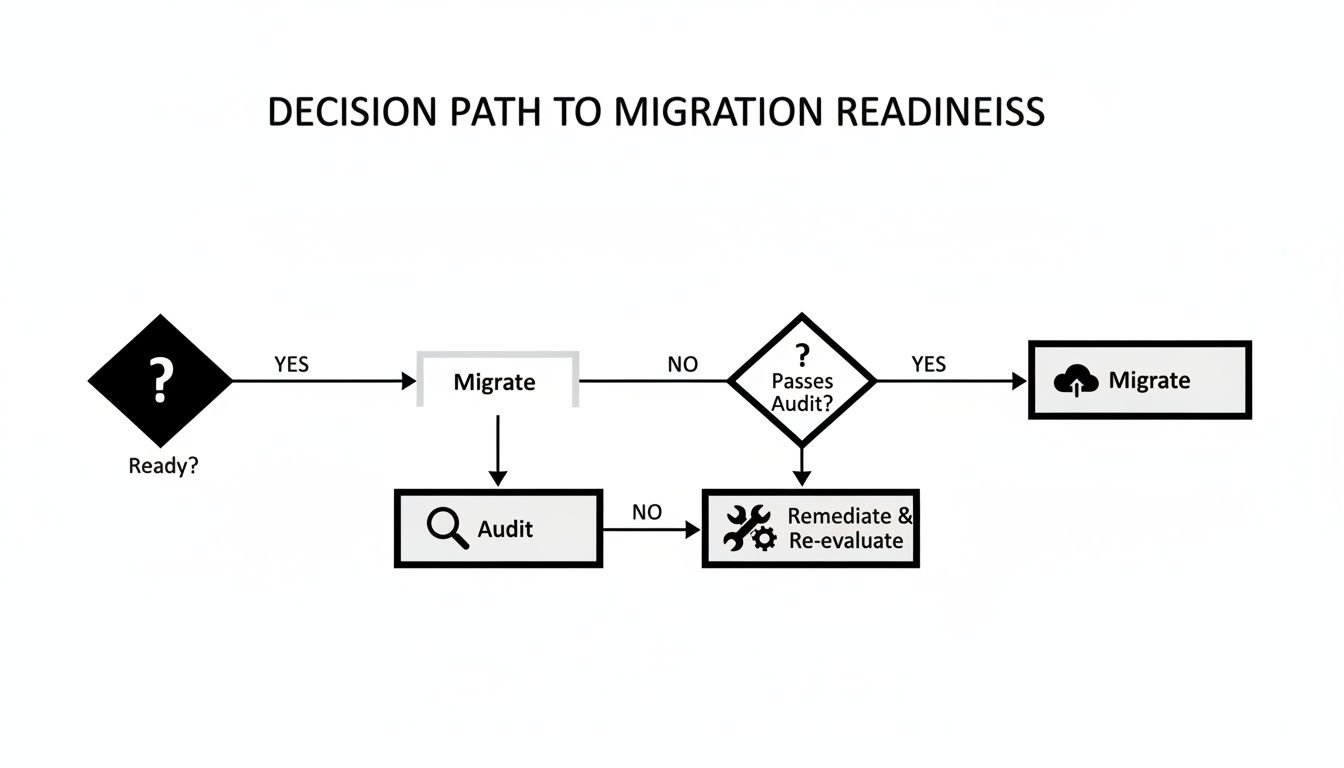
The key insight here is that readiness isn't a final verdict. If an application isn't ready, the process doesn't terminate. It loops back to an audit and remediation phase, creating a cycle of continuous improvement that systematically prepares your portfolio for migration.
Comparing Cloud Migration Strategies (The 7 Rs)
Each of the "7 Rs" offers a different trade-off between speed, cost, and long-term cloud optimization. Understanding these nuances is crucial for building a migration plan that aligns with both your technical capabilities and business goals. A single migration project will almost certainly use a mix of these strategies.
| Strategy | Description | Best For | Effort & Cost | Risk Level |
|---|---|---|---|---|
| Rehost | The "lift-and-shift" approach. Moving an application as-is from on-prem to cloud infrastructure (e.g., VMs). | Large-scale migrations with tight deadlines; apps you don't plan to change; disaster recovery. | Low | Low |
| Replatform | The "lift-and-tweak." Making minor cloud optimizations without changing the core architecture. | Moving to managed services (e.g., from self-hosted DB to Amazon RDS) to reduce operational overhead. | Low-Medium | Low |
| Refactor | Rearchitecting an application to become cloud-native, often using microservices and containers. | Core business applications where scalability, performance, and long-term cost efficiency are critical. | High | High |
| Repurchase | Moving from a self-hosted application to a SaaS (Software-as-a-Service) solution. | Commodity applications like email, CRM, or HR systems (e.g., moving to Microsoft 365). | Low | Low |
| Relocate | Moving infrastructure without changing the underlying hypervisor. A specialized, large-scale migration. | Specific scenarios like moving VMware workloads to VMware Cloud on AWS. Not common for most projects. | Medium | Medium |
| Retain | Deciding to keep an application on-premises, usually for compliance, latency, or strategic reasons. | Systems with strict regulatory requirements; legacy mainframes that are too costly or risky to move. | N/A | Low |
| Retire | Decommissioning applications that are no longer needed or provide little business value. | Redundant, unused, or obsolete software discovered during the assessment phase. | Low | Low |
The objective isn't to select one "best" strategy, but to apply the right one to each specific workload. A legacy internal tool might be perfect for a quick Rehost, while your customer-facing e-commerce platform could be a prime candidate for a full Refactor to unlock competitive advantages.
Rehosting: The Quick Lift-and-Shift
Rehosting is your fastest route to exiting a data center. You're essentially replicating your application from its on-premise server onto a cloud virtual machine, like an Amazon EC2 instance or an Azure VM, using tools like AWS Server Migration Service (SMS) or Azure Site Recovery. Few, if any, code changes are made.
Think of it as moving to a new apartment but keeping all your old furniture. You get the benefits of the new location quickly, but you aren't optimizing for the new space.
- Technical Example: Taking a monolithic Java application running on a local server and deploying it straight to an EC2 instance. The architecture is identical, but now you can leverage cloud capabilities like automated snapshots (AMI creation) and basic auto-scaling groups.
- Best For: Applications you don't want to invest further development in, rapidly migrating a large number of servers to meet a deadline, or establishing a disaster recovery site.
Replatforming: The Tweak-and-Shift
Replatforming is a step up in optimization. You're still not performing a full rewrite, but you are making strategic, minor changes to leverage cloud-native services. This strikes an excellent balance between migration velocity and achieving tangible cloud benefits.
- Technical Example: Migrating your on-premise PostgreSQL database to a managed service like Amazon RDS. The application code's database connection string is updated, but the core logic remains unchanged. You have just offloaded all database patching, backups, and high-availability configuration to your cloud provider. This is a significant operational win.
Refactoring: The Deep Modernization
Refactoring (and its more intensive cousin, Rearchitecting) is where you fundamentally rebuild your application to be truly cloud-native, often following the principles of the Twelve-Factor App. This is how you unlock massive gains in performance, scalability, and long-term cost savings.
It's the most complex and expensive path upfront, but for your most critical applications, the ROI is unmatched.
- Technical Example: Decomposing a monolithic e-commerce platform into smaller, independent microservices. You might containerize each service with Docker and manage them with a Kubernetes cluster (like EKS or GKE). Now you can independently deploy and scale the shopping cart service without touching the payment gateway, enabling faster, safer release cycles.
Expert Tip: A common mistake is to rehost everything just to meet a data center exit deadline. While tempting, you risk creating a "cloud-hosted legacy" system that is still brittle, difficult to maintain, and expensive to operate. Always align the migration strategy with the business value and expected lifespan of the workload.
Repurchasing, Retaining, and Retiring
Not every application needs to be moved. Sometimes the most strategic decision is to eliminate it, leave it in place, or replace it with a commercial alternative.
- Repurchase: This involves sunsetting a self-hosted application in favor of a SaaS equivalent. Moving from a self-managed Exchange server to Google Workspace or Microsoft 365 is the textbook example.
- Retain: Some applications must remain on-premise. This could be due to regulatory constraints, extreme low-latency requirements (e.g., controlling factory floor machinery), or because it’s a mainframe system that is too risky and costly to modernize. This is a perfectly valid component of a hybrid cloud strategy.
- Retire: Your assessment will inevitably uncover applications that are no longer in use but are still consuming power and maintenance resources. Decommissioning them is the easiest way to reduce costs and shrink your security attack surface.
Determining the right mix of these strategies requires a blend of deep technical knowledge and solid business acumen. When the decisions get complex, it helps to see how a professional cloud migration service provider approaches this kind of strategic planning.
Your Modern Toolkit for Automated Execution
You have your strategy. Now it's time to translate that plan into running cloud infrastructure. This is where automation is paramount.
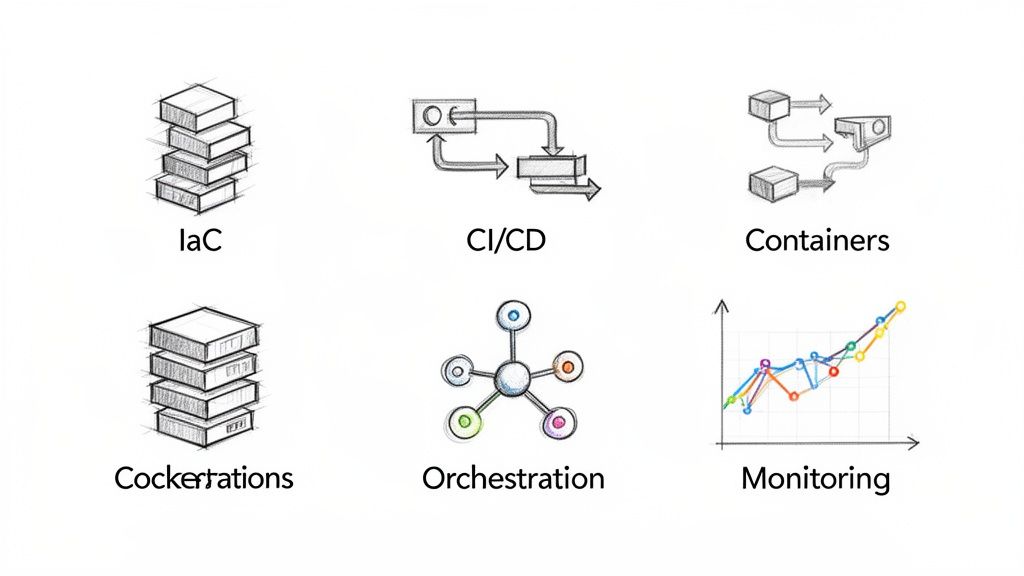
Attempting to provision resources manually through a cloud console is slow, error-prone, and impossible to replicate consistently. This leads to configuration drift and security vulnerabilities. The only scalable and secure way to do this is to codify everything. We're talking about treating your infrastructure, deployments, and monitoring just as you treat your application: as version-controlled code.
Building Your Foundation with Infrastructure as Code
Infrastructure as Code (IaC) is non-negotiable for any serious cloud migration solution. Instead of manually provisioning a server or configuring a VPC, you define it all in a declarative, machine-readable file.
This solves the "it worked on my machine" problem by ensuring that your development, staging, and production environments are identical replicas, provisioned from the same codebase. Two tools dominate this space:
- Terraform: This is the de facto cloud-agnostic IaC tool. You use its straightforward HashiCorp Configuration Language (HCL) to manage resources across AWS, Azure, and GCP with the same workflow, which is ideal for multi-cloud or hybrid-cloud strategies.
- CloudFormation: If you are fully committed to the AWS ecosystem, this is the native IaC service. It's defined in YAML or JSON and integrates seamlessly with every other AWS service, enabling robust and atomic deployments of entire application stacks.
For example, a few lines of Terraform code can define and launch an S3 bucket with versioning, lifecycle policies, and encryption enabled correctly every single time. No guesswork, no forgotten configurations. That’s how you achieve scalable consistency.
Automating Deployments with CI/CD Pipelines
Once your infrastructure is code, you need an automated workflow to deploy your application onto it. That's your Continuous Integration/Continuous Deployment (CI/CD) pipeline. This automates the entire build, test, and deployment process.
Every time a developer commits code to a version control system like Git, the pipeline is triggered, moving that change toward production through a series of automated quality gates. Key tools here include:
- GitLab CI/CD: If your code is hosted in GitLab, its built-in CI/CD is a natural choice. The
.gitlab-ci.ymlfile lives within your repository, creating a tightly integrated and seamless path from commit to deployment. - Jenkins: The original open-source automation server. It’s incredibly flexible and has a vast ecosystem of plugins, allowing you to integrate any tool imaginable into your pipeline.
My Two Cents
Do not treat your CI/CD pipeline as an afterthought. It should be one of the first components you design and build. A robust pipeline is your safety net during the migration cutover—it enables you to deploy small, incremental changes and provides a one-click rollback mechanism if a deployment introduces a bug.
Achieving Portability with Containers and Orchestration
For any migration involving refactoring or re-architecting, containers are the key to workload portability. They solve the classic dependency hell problem where an application runs perfectly in one environment but fails in another due to library or configuration mismatches.
Docker is the industry standard for containerization. It encapsulates your application and all its dependencies—every library, binary, and configuration file—into a lightweight, portable image that runs consistently anywhere.
However, managing thousands of containers in production is complex. That's where a container orchestrator like Kubernetes is essential. It automates the deployment, scaling, and management of containerized applications. The major cloud providers offer managed Kubernetes services to simplify this:
- Amazon EKS (Elastic Kubernetes Service)
- Azure AKS (Azure Kubernetes Service)
- Google GKE (Google Kubernetes Engine)
Running on Kubernetes means you can achieve true on-demand scaling, perform zero-downtime rolling updates, and let the platform automatically handle pod failures and rescheduling. If you want to go deeper, we've covered some of the best cloud migration tools that integrate with these modern setups.
Implementing Day-One Observability
You cannot manage what you cannot measure. Operating in the cloud without a comprehensive observability stack is asking for trouble. You need a full suite of tools ready to go from day one.
This goes beyond basic monitoring (checking CPU and memory). It's about gathering the high-cardinality data needed to understand why things are happening in your new, complex distributed environment. A powerful, popular, and open-source stack for this includes:
- Prometheus: The standard for collecting time-series metrics from your systems and applications.
- Grafana: The perfect partner to Prometheus for building real-time, insightful dashboards.
- ELK Stack (Elasticsearch, Logstash, Kibana): A centralized logging solution, allowing you to search and analyze logs from every service in your stack.
With these tools in place, you can correlate application error rates with CPU load on your Kubernetes nodes or trace a single user request across multiple microservices. This is the visibility you need to troubleshoot issues rapidly, identify performance bottlenecks, and prove your migration was a success.
Nailing Down Security, Compliance, and Cost Governance
Migrating your workloads to the cloud isn't the finish line. A migration is only successful once the new environment is secure, compliant, and financially governed. Neglecting security and cost management can turn a promising cloud project into a major source of risk and uncontrolled spending.
First, you must internalize the Shared Responsibility Model. Your cloud provider—whether it's AWS, Azure, or GCP—is responsible for the security of the cloud (physical data centers, hardware, hypervisor). But you are responsible for security in the cloud. This includes your data, application code, and the configuration of IAM, networking, and encryption.
Hardening Your Cloud Environment
Securing your cloud environment starts with foundational best practices. This is about systematically reducing your attack surface from day one.
- Lock Down Access with the Principle of Least Privilege: Your first action should be to create granular Identity and Access Management (IAM) policies. Prohibit the use of the root account for daily operations. Ensure every user and service account has only the permissions absolutely required to perform its function.
- Implement Network Segmentation (VPCs and Subnets): Use Virtual Private Clouds (VPCs), subnets, and Network Access Control Lists (NACLs) as a first layer of network defense. By default, lock down all ingress and egress traffic and only open the specific ports and protocols your application requires to function.
- Encrypt Everything. No Exceptions: All data must be encrypted, both at rest and in transit. Use services like AWS KMS or Azure Key Vault to manage your encryption keys. Ensure data is encrypted at rest (in S3, EBS, RDS) and in transit (by enforcing TLS 1.2 or higher for all network traffic).
A common and devastating mistake is accidentally making an S3 bucket or Azure Blob Storage container public. This simple misconfiguration has been the root cause of numerous high-profile data breaches. Always use automated tools to scan for and remediate public storage permissions.
Mapping Compliance Rules to Cloud Services
Meeting regulations like GDPR, HIPAA, or PCI-DSS isn't just a paperwork exercise. It's about translating those legal requirements into specific cloud-native services and configurations. This is critical as you expand into new geographic regions.
For example, the Asia-Pacific region is expected to see an 18.5% CAGR in cloud migration services through 2030, with industries like healthcare leading the charge. This boom means there's a huge demand for cloud architectures that can satisfy specific regional data residency and compliance rules.
In practice, to meet HIPAA's strict audit logging requirements, you would configure AWS CloudTrail or Azure Monitor to log every API call made in your account and ship those logs to a secure, immutable storage location. For GDPR's "right to be forgotten," you would need to implement a robust data lifecycle policy, possibly using S3 Lifecycle rules or automated scripts to permanently delete user data upon request.
Taming Cloud Costs Before They Tame You
Without disciplined governance, cloud costs can spiral out of control. You must adopt a FinOps mindset, which integrates financial accountability into the cloud's pay-as-you-go model. It's a cultural shift where engineering teams are empowered and held responsible for the cost of the resources they consume.
Here are actionable steps you should implement immediately:
- Set Up Billing Alerts: This is your early warning system. Configure alerts in your cloud provider’s billing console to notify you via email or Slack when spending crosses a predefined threshold. This is your first line of defense against unexpected cost overruns.
- Enforce Resource Tagging: Mandate a strict tagging policy for all resources. This allows you to allocate costs by project, team, or application. This visibility is essential for showing teams their consumption and holding them accountable.
- Utilize Cost Analysis Tools: Regularly analyze your spending using tools like AWS Cost Explorer or Azure Cost Management. They help you visualize spending trends and identify the specific services driving your bill.
- Leverage Commitment-Based Discounts: For workloads with predictable, steady-state usage, Reserved Instances (RIs) or Savings Plans are essential. You can achieve massive discounts—up to 72% off on-demand prices. Analyze your usage over the past 30-60 days to identify ideal candidates for these long-term commitments.
Ignoring these practices can completely negate the financial benefits of migrating to the cloud. For a deeper dive, we've put together a full guide on achieving cloud computing cost reduction.
Executing the Cutover and Post-Migration Optimization
This is the final execution phase. All the planning, testing, and automation you’ve built lead up to this moment. A smooth cutover isn't a single event; it's a carefully orchestrated process designed to minimize or eliminate downtime and risk.
Your rigorous testing strategy is your safety net. Before any production traffic hits the new system, you must validate it against the performance baselines established during the initial audit. This isn't just about ensuring it functions—it's about proving it performs better and more reliably.
Modern Cutover Techniques for Minimal Disruption
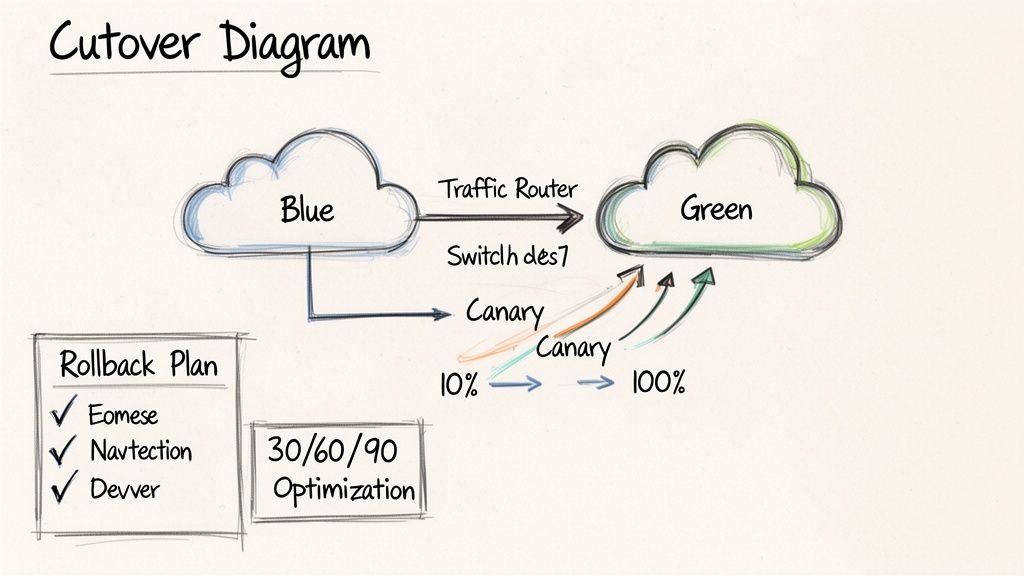
Forget the weekend-long, "big-bang" cutover. Modern cloud migration solutions utilize phased rollouts to de-risk the go-live event. Two of the most effective techniques are blue-green deployments and canary releases, both of which depend heavily on the automation you've already implemented.
- Blue-Green Deployment: A low-risk, high-confidence strategy. You provision two identical production environments. "Blue" is your current system, and "Green" is the new cloud environment. Once the Green environment passes all automated tests and health checks, you perform a DNS cutover (e.g., changing a CNAME record in Route 53) to direct all traffic to it. The Blue environment remains on standby, ready for an instant rollback if any issues arise.
- Canary Release: A more gradual, data-driven transition. With a canary release, you expose the new version to a small subset of users first. Using a weighted routing policy in your load balancer, you might route just 5% of traffic to the new environment while closely monitoring performance metrics and error rates. If the metrics remain healthy, you incrementally increase the traffic—10%, 25%, 50%—until 100% of users are on the new platform.
A Quick Word on Rollbacks
Your rollback plan must be as detailed and tested as your cutover plan. Define your rollback triggers in advance—what specific metric (e.g., an error rate exceeding 2% or a p99 latency climbing above 500ms) will initiate a rollback? Document the exact technical steps to revert the DNS change or load balancer configuration and test this process beforehand. The middle of an outage is the worst time to be improvising a rollback procedure.
Your 30-60-90 Day Optimization Plan
Going live is not the end of the migration; it’s the beginning of continuous optimization. Once your new environment is stable, the focus shifts to maximizing performance and cost-efficiency. A structured 30-60-90 day plan ensures you start realizing these benefits immediately.
- First 30 Days: Focus on Rightsizing. Dive into your observability tools like CloudWatch or Azure Monitor. Identify oversized instances by looking for VMs with sustained CPU utilization below 20%. These are prime candidates for downsizing to a smaller instance type. This is the fastest way to reduce your initial cloud bill.
- Days 31-60: Refine Auto-Scaling. With a month of real-world traffic data, you can now fine-tune your auto-scaling policies. Adjust the scaling triggers to be more responsive to your application's specific load patterns, ensuring you add capacity just in time for peaks and scale down rapidly during lulls. This prevents paying for idle capacity.
- Days 61-90: Tune for Peak Performance and Cost. With the low-hanging fruit addressed, you can focus on deeper optimizations. Analyze database query performance using tools like RDS Performance Insights, identify application bottlenecks, and purchase Reserved Instances or Savings Plans for your steady-state workloads. This proactive tuning transforms your cloud environment from a cost center into a lean, efficient asset.
Cloud Migration FAQs
So, How Long Does This Actually Take?
This depends entirely on the complexity and scope. A simple lift-and-shift (Rehost) of a dozen self-contained applications could be completed in a few weeks. However, a large-scale migration involving the refactoring of a tightly-coupled, monolithic enterprise system into microservices could be a multi-year program. The only way to get a realistic timeline is to conduct a thorough assessment that maps all applications, data stores, and their intricate dependencies.
What's the Biggest "Gotcha" Cost-Wise?
The most common surprise costs are rarely the on-demand compute prices. The real budget-killers are often data egress fees—the cost to transfer data out of the cloud provider's network. Other significant hidden costs include the need to hire or train engineers with specialized cloud skills and the operational overhead of post-migration performance tuning. Without a rigorous FinOps practice, untagged or abandoned resources (like unattached EBS volumes or old snapshots) can accumulate and silently inflate your bill, eroding the TCO benefits you expected.
When Does a Hybrid Cloud Make Sense?
A hybrid cloud architecture is a strategic choice, not a compromise. It is the ideal solution when you have specific workloads that cannot or should not move to a public cloud. Common drivers include data sovereignty regulations that mandate data must reside within a specific geographic boundary, or applications with extreme low-latency requirements that need to be physically co-located with on-premise equipment (e.g., manufacturing control systems). It also makes sense if you have a significant, un-depreciated investment in your own data center hardware. A hybrid model allows you to leverage the elasticity of the public cloud for commodity workloads while retaining control over specialized ones.
Navigating your cloud migration requires expert guidance. OpsMoon connects you with the top 0.7% of DevOps engineers to ensure your project succeeds from strategy to execution. Start with a free work planning session to build your roadmap. Learn more about OpsMoon.
Leave a Reply